


SAM
Synthetic Autonomic Mind
Stars: 68
SAM is a native macOS AI assistant built with Swift and SwiftUI, designed for non-developers who want powerful tools in their everyday life. It provides real assistance, smart memory, voice control, image generation, and custom AI model training. SAM keeps your data on your Mac, supports multiple AI providers, and offers features for documents, creativity, writing, organization, learning, and more. It is privacy-focused, user-friendly, and accessible from various devices. SAM stands out with its privacy-first approach, intelligent memory, task execution capabilities, powerful tools, image generation features, custom AI model training, and flexible AI provider support.
README:
The AI assistant that actually remembers, actually works, and actually stays private.
Built for macOS. Built for privacy. Built for you.
SAM is a native macOS AI assistant built with Swift and SwiftUI. Unlike cloud-only alternatives, SAM keeps your data on your Mac, supports multiple AI providers (including fully local models), and provides powerful tools for autonomous task execution.



Website | Download | Part of Synthetic Autonomic Mind
- Website: www.syntheticautonomicmind.org
- Download SAM: Latest Release
- Documentation: User Guides & Tutorials
- Source Code: GitHub Repository
- Report Issues: Issue Tracker
- Support SAM: Patreon
In July 2025, I set out to build the AI assistant my wife actually wanted: one that adapted to her workflow instead of forcing her to adapt. SAM was made for her - and dedicated to her. It has since grown into a native macOS assistant that anyone can use to get real work done.
A native macOS app designed for non‑developers who want powerful tools in their everyday life.
Review documents, create images, write content, plan projects, or just have a conversation.
Say "Hey SAM" to go hands‑free, or type naturally.
You're always in control.
Your data stays on your Mac. Always.
(Switch to cloud AI providers only if you want to.)
SAM helps you finish things.
Whether it's organizing files, helping you draft documents, creating images, or researching a topic - SAM acts on your ideas.
SAM remembers what matters across conversations.
Create "Shared Topics" to connect chats around the same project, and find anything you've shared with semantic search.
Full voice control lets you keep your hands free.
Ask questions, give commands, or have a conversation - all without touching the keyboard.
Generate beautiful images locally with Stable Diffusion.
No subscriptions, no cloud uploads - just your imagination and SAM's creativity.
Teach SAM about your specific domain with custom training.
Create specialized AI models trained on your documents, conversations, or expertise - perfect for professional workflows.
Use SAM from your iPad, iPhone, or any device with a browser.
SAM-Web lets you chat with SAM remotely when you're away from your Mac.
All your conversations, documents, and memories stay on your Mac.
SAM works with local AI models by default, and only uses cloud AI when you choose to.
Designed for everyday users - not just developers.
SAM's clean interface and natural interactions make powerful AI accessible to everyone.
- Upload and analyze PDFs, articles, and books
- Ask questions about your documents
- Summarize long texts in seconds
- Research online with reliable sources and citations
- Generate custom images from text descriptions
- Browse and apply different art styles
- Edit and refine images with simple prompts
- Get inspiration for projects or presentations
- Draft emails, essays, or reports
- Improve your writing with gentle suggestions
- Brainstorm ideas and organize your thoughts
- Translate text between languages
- Manage files and folders with voice commands
- Create project plans and task lists
- Organize your work in project folders
- Automate repetitive computer tasks
- Access SAM remotely from your iPad or phone
- Train models on your own documents and conversations
- Create specialized assistants for your work domain
- Fine-tune AI to understand your industry jargon
- Build knowledge bases from your expertise
- Ask questions about any topic
- Get step‑by‑step explanations
- Explore new skills and hobbies
- Have thoughtful, engaging conversations
- Multi‑AI support: Choose from OpenAI, Anthropic (Claude), GitHub Copilot, DeepSeek, or run models locally (MLX, llama.cpp)
- Voice in & out: "Hey SAM" wake word, speech recognition, and natural text‑to‑speech
- Local image generation: Create images with Stable Diffusion - no internet needed
- Train custom models: Fine-tune AI on your own data with LoRA training
- Remote access: Chat with SAM from iPad, iPhone, or browser via SAM-Web
- Document intelligence: Upload and chat with PDFs, Word docs, Excel files, text files, and more
- Semantic memory: Find past conversations and documents by meaning, not just keywords
-
Project workspaces: Keep everything organized in
~/SAM/{project‑name}/folders - Personality system: Choose from friendly, professional, creative, or custom tones
- Dark/light mode: Beautiful SwiftUI interface that fits your style
- 100% free & open source: No subscriptions, no ads, no hidden costs
Get a glimpse of SAM's native macOS interface in action:
 User greeting SAM and asking it to describe what it can help with - SAM responds with a friendly, comprehensive overview
|
 Choose from local models (MLX, llama.cpp), cloud providers (OpenAI, Anthropic, DeepSeek), or image generation models
|
 User asks SAM to generate an image of a cruise ship sailing in the ocean - created locally without any cloud services
|
 SAM provides a detailed description of the cruise ship image it just created
|
 User asks about restaurants in a town they'll be visiting - SAM helps with travel planning and local recommendations
|
 User inquires about availability and pricing of two items on Amazon - SAM helps with product research
|
 Configure custom model training with LoRA fine-tuning to specialize SAM for your domain
|
Privacy First
- All data stays on your Mac - nothing sent to the cloud unless you choose
- Run completely offline with local AI models
- API credentials stored locally in UserDefaults
- Zero telemetry, zero tracking
Intelligent Memory
- Remember and search across all your conversations
- Import documents (PDF, Word, Excel, text) and ask questions about them
- Share context between conversations when you need it
- Keep conversations private from each other when you don't
Gets Work Done
- Multi-step task execution - describe what you want, SAM handles the details
- Work with files, run commands, research the web
- Generate documents and images
- Handle complex projects autonomously
️ Powerful Tools
- Read, edit, and search files
- Run terminal commands
- Research and browse the web
- Work with Git repositories
- Generate images with Stable Diffusion
Image Generation
- Multiple Stable Diffusion models supported
- Browse and download from HuggingFace and CivitAI
- LoRA support for style customization
- Optimized for Apple Silicon
Train Your Own Models
- Fine-tune local AI models with LoRA (Low-Rank Adaptation)
- Train on your conversations or documents
- Custom adapters for specialized knowledge domains
- Real-time training progress with loss visualization
Access Anywhere
- Use SAM from your iPad, iPhone, or any device with a browser
- Web interface (SAM-Web) provides chat and basic features remotely
- Connect over your local network (requires SAM running on Mac)
- Secure API authentication
Flexible AI Provider Support
- Cloud AI: OpenAI, Anthropic (Claude), GitHub Copilot, DeepSeek
- Local Models: Run AI completely on your Mac with MLX or llama.cpp
- Switch models mid-conversation
- Use custom OpenAI-compatible endpoints
Option 1: Using Homebrew (Recommended)
brew tap SyntheticAutonomicMind/homebrew-SAM
brew install --cask sam
To update SAM in the future, simply run:
brew upgrade --cask samOption 2: Manual Download
- Download the latest release from GitHub Releases
- Extract the downloaded zip file
-
Move
SAM.appto your Applications folder - First Launch: Right-click SAM.app -> Open (macOS Gatekeeper requirement, only needed once)
- Launch SAM
- Open Settings (
,) - Go to AI Providers tab
- Click Add Provider
- Choose your provider:
- Cloud AI: OpenAI, Claude, GitHub Copilot, or DeepSeek
- Local Model: Choose a model to download and run on your Mac
- For cloud providers: Enter your API key
- Save and start chatting!
Press N to create a new conversation, type your message, and press Enter. SAM will respond and can help you with questions, writing, coding, research, file management, and much more.
Want to use SAM from your iPad or phone? Check out SAM-Web - a web interface that provides chat functionality and basic features when you're away from your Mac.
What you need:
- SAM running on your Mac with API Server enabled (Preferences -> API Server)
- Get your API token from the same preferences pane
- Visit the SAM-Web repository for setup instructions
- Connect from your browser at
http://your-mac-ip:8080
Note: SAM-Web provides chat, mini-prompts, and conversation basics. Advanced features require the native macOS app.
Download SAM for macOS 14.0+
Read the guides
View the code
Share feedback
SAM offers a development channel for users who want early access to new features and are willing to help test pre-release builds.
Development builds are released frequently (sometimes daily) and contain:
- New features before they reach stable release
- Bug fixes and improvements being tested
- Potentially incomplete features or breaking changes
Development builds are intended for testing and feedback only. They may contain bugs or unstable behavior. Do not use development builds for critical production work.
- Open SAM Preferences (
,) - Go to the General tab
- Enable "Receive development updates"
- Confirm the warning about potential instability
- SAM will now check for both development and stable releases
You can disable development updates at any time to return to stable releases only.
| Feature | Stable Releases | Development Releases |
|---|---|---|
| Version Format |
YYYYMMDD.RELEASE (e.g., 20260110.1) |
YYYYMMDD.RELEASE-dev.BUILD (e.g., 20260110.1-dev.1) |
| Release Frequency | Weekly or bi-weekly | Daily or multiple per day |
| Testing | Fully tested and documented | Pre-release testing |
| Stability | Production-ready | May contain bugs |
| Who Gets Them | All users by default | Only users who opt-in |
If you're using development builds and encounter issues:
- Check GitHub Issues to see if it's already reported
- Create a new issue with:
- Your SAM version (shown in About SAM or Preferences)
- Steps to reproduce the problem
- Expected vs actual behavior
- Relevant logs (Help -> Show Logs)
Your feedback helps make SAM better for everyone!
- Unlimited conversations with automatic saving
- Export to JSON or Markdown
- Rename, duplicate, and organize conversations
- Switch AI models mid-conversation
- Search across all your conversations semantically
- Import documents (PDF, Word, Excel, text files) and ask questions about them
- Search by filename and content with enhanced metadata
- Share context between conversations when needed
- Keep conversations private from each other by default
| Provider | What You Get |
|---|---|
| OpenAI | GPT-4, GPT-4o, GPT-3.5, o1/o3 models |
| Anthropic | Claude 3.5 Sonnet, Claude 4 (long context) |
| GitHub Copilot | GPT-4o, Claude 3.5, o1 (requires subscription) |
| DeepSeek | Cost-effective AI models |
| Local MLX | Run models on Apple Silicon Macs |
| Local llama.cpp | Run models on any Mac (Intel or Apple Silicon) |
| Custom | Use any OpenAI-compatible API |
Work with Files
- Read, write, search, and edit files
- Find files by name or content
- Get file information
Execute Commands
- Run terminal commands
- Manage persistent terminal sessions
- Execute shell scripts
Research & Web
- Search the web (Google, Bing, and more)
- Scrape and analyze web pages
- Gather and synthesize information from multiple sources
Development Tools
- Git operations (commit, diff, status)
- Build and run tasks
- Search code and check for errors
Documents & Images
- Import and analyze PDF, Word, Excel, and text files
- Create formatted documents (PDF, Word, PowerPoint)
- Generate images with Stable Diffusion
- Multiple Stable Diffusion models (SD 1.5, SDXL, and more)
- Browse and download models from HuggingFace and CivitAI
- LoRA support for custom styles
- Optimized for Apple Silicon Macs
Train custom AI models on your own data:
- Fine-Tune Local Models: Specialize MLX models on specific knowledge domains
- Training Data Export: Export conversations or documents as training data
- Flexible Configuration: Customize rank, learning rate, epochs, and more
- Real-Time Progress: Watch training progress with loss visualization
- Automatic Integration: Trained adapters appear immediately in model picker
- Document Chunking: Multiple strategies for processing long documents
- PII Protection: Optional detection and redaction of sensitive information
Access SAM chat from other devices on your network:
- Web Interface: Chat with SAM from your browser (requires SAM running on Mac)
- Multi-Device Support: Use from iPad, iPhone, tablets, or other computers
- Core Features: Conversations, mini-prompts, model selection, and chat
- Responsive Design: Optimized for desktop, tablet, and mobile screens
- Secure Access: Token-based authentication
- Easy Setup: No installation on remote device, just open browser
- All Features Available: Chat, tools, settings, prompts, and more
Visit the SAM-Web repository for setup instructions.
Choose from built-in personalities to customize how SAM communicates:
- General Purpose: SAM (default), Generic, Concise
- Tech & Development: Developer, Architect, Code Reviewer, Tech Buddy
- Domain Experts: Doctor, Counsel, Finance Coach, Scientist, Philosopher
- Creative Writing: Creative Catalyst, DocuGenie, Prose Pal
- Productivity: Fitness Fanatic, Motivator
- Fun Characters: Comedian, Pirate, Time Traveler, Jester
And many more! You can also create custom personalities.
To Use SAM:
- macOS 14.0 (Sonoma) or later
- 4GB RAM minimum (8GB+ recommended)
- 3GB free disk space for the app
For Local AI Models:
- 16GB+ RAM recommended
- 20GB+ free disk space (models can be large)
- Apple Silicon (M1/M2/M3/M4) recommended for best performance with MLX
- Intel Macs can use llama.cpp models
-
Conversations: Stored locally in
~/Library/Application Support/SAM/ - Memory: Per-conversation databases, never shared between conversations
- API Keys: Stored in UserDefaults for provider credentials
- No Telemetry: Zero usage tracking, zero data collection
When you use cloud AI providers (OpenAI, Claude, etc.), only the messages you send go to those providers. SAM never sends telemetry or analytics anywhere.
- Authorization system for file and terminal operations
- Per-conversation memory isolation prevents data leakage
- Optional auto-approve for operations you trust
- Full audit trail of all actions
~/Library/Application Support/SAM/
├── conversations/              # Your conversation files
├── config.json                 # App settings
└── conversations/{id}/
    └── memory.db              # Memories for each conversation
~/Library/Caches/sam/models/
├── mlx/                       # MLX models (Apple Silicon)
├── gguf/                      # llama.cpp models
└── stable-diffusion/          # Stable Diffusion models and LoRAs
~/SAM/
├── conversation-{number}/     # Working files for each conversation
└── {topic-name}/              # Shared workspace for topics
~/Library/Caches/sam/images/ # Images created by Stable Diffusion
We welcome contributions! To contribute:
- Fork the repository
- Create a feature branch:
git checkout -b feature/your-feature - Make your changes
- Test your changes
- Commit with clear messages
- Push and create a pull request
See CONTRIBUTING.md for detailed guidelines.
SAM won't open after downloading?
# Remove macOS quarantine attribute
xattr -d com.apple.quarantine /Applications/SAM.app
Model not showing up in the model list?
- Check that models are in
~/Library/Caches/sam/models/mlx/or~/Library/Caches/sam/models/gguf/ - Restart SAM after adding new models
API key issues?
- Verify your API key in Settings -> AI Providers
- Check that your API key is active on the provider's website
- Review any error messages in the conversation
- Documentation: Website and project-docs/
- Report Issues: GitHub Issues
- Discussions: GitHub Discussions
SAM is built with:
- Swift 6 with strict concurrency
- SwiftUI for native macOS interface
- Vapor for embedded HTTP/SSE server
- SQLite for conversation and memory storage
- MLX for Apple Silicon AI models
- llama.cpp for cross-platform AI models
- Stable Diffusion (CoreML + Python) for image generation
For developers interested in the technical architecture, see project-docs/.
For developers who want to build SAM from source, see BUILDING.md for complete instructions.
Complete documentation is available:
- Website - User guides and tutorials
- project-docs/ - Technical documentation for developers
- BUILDING.md - Build instructions
- CONTRIBUTING.md - How to contribute
License: GPLv3 - See LICENSE for details
Created by: Andrew Wyatt (Fewtarius)
Website: https://syntheticautonomicmind.org
Repository: https://github.com/SyntheticAutonomicMind/SAM
Part of the Synthetic Autonomic Mind organization, which also maintains:
- SAM-Web - Remote access for iPad/iPhone
- ALICE - Image generation backend
- CLIO - Terminal AI assistant
Built with open source:
- Vapor - Web framework
- MLX - Apple machine learning
- llama.cpp - LLM inference
- Stable Diffusion - Image generation
- Sparkle - App updates
Special thanks to contributors and the Swift/AI communities.
For Tasks:
Click tags to check more tools for each tasksFor Jobs:
Alternative AI tools for SAM
Similar Open Source Tools
SAM
SAM is a native macOS AI assistant built with Swift and SwiftUI, designed for non-developers who want powerful tools in their everyday life. It provides real assistance, smart memory, voice control, image generation, and custom AI model training. SAM keeps your data on your Mac, supports multiple AI providers, and offers features for documents, creativity, writing, organization, learning, and more. It is privacy-focused, user-friendly, and accessible from various devices. SAM stands out with its privacy-first approach, intelligent memory, task execution capabilities, powerful tools, image generation features, custom AI model training, and flexible AI provider support.
lotti
Lotti is an open-source personal assistant that helps users capture, organize, and understand their work and life through AI-enhanced task management, audio recordings, and intelligent summaries. It ensures complete data ownership, configurable AI providers, privacy-first design, and no vendor lock-in. Users can pick up tasks, record voice notes, and ask for summaries. Core features include AI-powered intelligence, comprehensive tracking, and privacy & control. Lotti supports multiple AI providers, offers installation guides, beta testing options, and development instructions. It is built on Flutter with a focus on privacy, local AI, and user data ownership.
talkcody
TalkCody is a free, open-source AI coding agent designed for developers who value speed, cost, control, and privacy. It offers true freedom to use any AI model without vendor lock-in, maximum speed through unique four-level parallelism, and complete privacy as everything runs locally without leaving the user's machine. With professional-grade features like multimodal input support, MCP server compatibility, and a marketplace for agents and skills, TalkCody aims to enhance development productivity and flexibility.
pocketpal-ai
PocketPal AI is a versatile virtual assistant tool designed to streamline daily tasks and enhance productivity. It leverages artificial intelligence technology to provide personalized assistance in managing schedules, organizing information, setting reminders, and more. With its intuitive interface and smart features, PocketPal AI aims to simplify users' lives by automating routine activities and offering proactive suggestions for optimal time management and task prioritization.
chatbox
Chatbox is a desktop client for ChatGPT, Claude, and other LLMs, providing features like local data storage, multiple LLM provider support, image generation, enhanced prompting, keyboard shortcuts, and more. It offers a user-friendly interface with dark theme, team collaboration, cross-platform availability, web version access, iOS & Android apps, multilingual support, and ongoing feature enhancements. Developed for prompt and API debugging, it has gained popularity for daily chatting and professional role-playing with AI assistance.
chatbox
Chatbox is a desktop client for ChatGPT, Claude, and other LLMs, providing a user-friendly interface for AI copilot assistance on Windows, Mac, and Linux. It offers features like local data storage, multiple LLM provider support, image generation with Dall-E-3, enhanced prompting, keyboard shortcuts, and more. Users can collaborate, access the tool on various platforms, and enjoy multilingual support. Chatbox is constantly evolving with new features to enhance the user experience.
Alice
Alice is an open-source AI companion designed to live on your desktop, providing voice interaction, intelligent context awareness, and powerful tooling. More than a chatbot, Alice is emotionally engaging and deeply useful, assisting with daily tasks and creative work. Key features include voice interaction with natural-sounding responses, memory and context management, vision and visual output capabilities, computer use tools, function calling for web search and task scheduling, wake word support, dedicated Chrome extension, and flexible settings interface. Technologies used include Vue.js, Electron, OpenAI, Go, hnswlib-node, and more. Alice is customizable and offers a dedicated Chrome extension, wake word support, and various tools for computer use and productivity tasks.
memU
MemU is an open-source memory framework designed for AI companions, offering high accuracy, fast retrieval, and cost-effectiveness. It serves as an intelligent 'memory folder' that adapts to various AI companion scenarios. With MemU, users can create AI companions that remember them, learn their preferences, and evolve through interactions. The framework provides advanced retrieval strategies, 24/7 support, and is specialized for AI companions. MemU offers cloud, enterprise, and self-hosting options, with features like memory organization, interconnected knowledge graph, continuous self-improvement, and adaptive forgetting mechanism. It boasts high memory accuracy, fast retrieval, and low cost, making it suitable for building intelligent agents with persistent memory capabilities.
refact
This repository contains Refact WebUI for fine-tuning and self-hosting of code models, which can be used inside Refact plugins for code completion and chat. Users can fine-tune open-source code models, self-host them, download and upload Lloras, use models for code completion and chat inside Refact plugins, shard models, host multiple small models on one GPU, and connect GPT-models for chat using OpenAI and Anthropic keys. The repository provides a Docker container for running the self-hosted server and supports various models for completion, chat, and fine-tuning. Refact is free for individuals and small teams under the BSD-3-Clause license, with custom installation options available for GPU support. The community and support include contributing guidelines, GitHub issues for bugs, a community forum, Discord for chatting, and Twitter for product news and updates.
Skills-Manager
Skills Manager is a unified desktop application designed to centralize and manage AI coding assistant skills for tools like Claude Code, Codex, and Opencode. It offers smart synchronization, granular control, high performance, cross-platform support, multi-tool compatibility, custom tools integration, and a modern UI. Users can easily organize, sync, and share their skills across different AI tools, enhancing their coding experience and productivity.
OpenChat
OS Chat is a free, open-source AI personal assistant that combines 40+ language models with powerful automation capabilities. It allows users to deploy background agents, connect services like Gmail, Calendar, Notion, GitHub, and Slack, and get things done through natural conversation. With features like smart automation, service connectors, AI models, chat management, interface customization, and premium features, OS Chat offers a comprehensive solution for managing digital life and workflows. It prioritizes privacy by being open source and self-hostable, with encrypted API key storage.
meeting-minutes
An open-source AI assistant for taking meeting notes that captures live meeting audio, transcribes it in real-time, and generates summaries while ensuring user privacy. Perfect for teams to focus on discussions while automatically capturing and organizing meeting content without external servers or complex infrastructure. Features include modern UI, real-time audio capture, speaker diarization, local processing for privacy, and more. The tool also offers a Rust-based implementation for better performance and native integration, with features like live transcription, speaker diarization, and a rich text editor for notes. Future plans include database connection for saving meeting minutes, improving summarization quality, and adding download options for meeting transcriptions and summaries. The backend supports multiple LLM providers through a unified interface, with configurations for Anthropic, Groq, and Ollama models. System architecture includes core components like audio capture service, transcription engine, LLM orchestrator, data services, and API layer. Prerequisites for setup include Node.js, Python, FFmpeg, and Rust. Development guidelines emphasize project structure, testing, documentation, type hints, and ESLint configuration. Contributions are welcome under the MIT License.
curiso
Curiso AI is an infinite canvas platform that connects nodes and AI services to explore ideas without repetition. It empowers advanced users to unlock richer AI interactions. Features include multi OS support, infinite canvas, multiple AI provider integration, local AI inference provider integration, custom model support, model metrics, RAG support, local Transformers.js embedding models, inference parameters customization, multiple boards, vision model support, customizable interface, node-based conversations, and secure local encrypted storage. Curiso also offers a Solana token for exclusive access to premium features and enhanced AI capabilities.
obsidian-llmsider
LLMSider is an AI assistant plugin for Obsidian that offers flexible multi-model support, deep workflow integration, privacy-first design, and a professional tool ecosystem. It provides comprehensive AI capabilities for personal knowledge management, from intelligent writing assistance to complex task automation, making AI a capable assistant for thinking and creating while ensuring data privacy.
gurubase
Gurubase is an open-source RAG system that enables users to create AI-powered Q&A assistants ('Gurus') for various topics by integrating web pages, PDFs, YouTube videos, and GitHub repositories. It offers advanced LLM-based question answering, accurate context-aware responses through the RAG system, multiple data sources integration, easy website embedding, creation of custom AI assistants, real-time updates, personalized learning paths, and self-hosting options. Users can request Guru creation, manage existing Gurus, update datasources, and benefit from the system's features for enhancing user engagement and knowledge sharing.
word-GPT-Plus
Word GPT Plus seamlessly integrates AI models into Microsoft Word, allowing users to generate, translate, summarize, and polish text directly within their documents. The tool supports multiple AI models, offers built-in templates for various text-related tasks, and provides customization options for user preferences. Users can install the tool through a hosted service, Docker deployment, or self-hosting, and can easily fill in API keys to access different AI services. Word GPT Plus enhances writing workflows by providing AI-powered assistance without leaving the Word environment.
For similar tasks
generative-ai
This repository contains notebooks, code samples, sample apps, and other resources that demonstrate how to use, develop and manage generative AI workflows using Generative AI on Google Cloud, powered by Vertex AI. For more Vertex AI samples, please visit the Vertex AI samples Github repository.
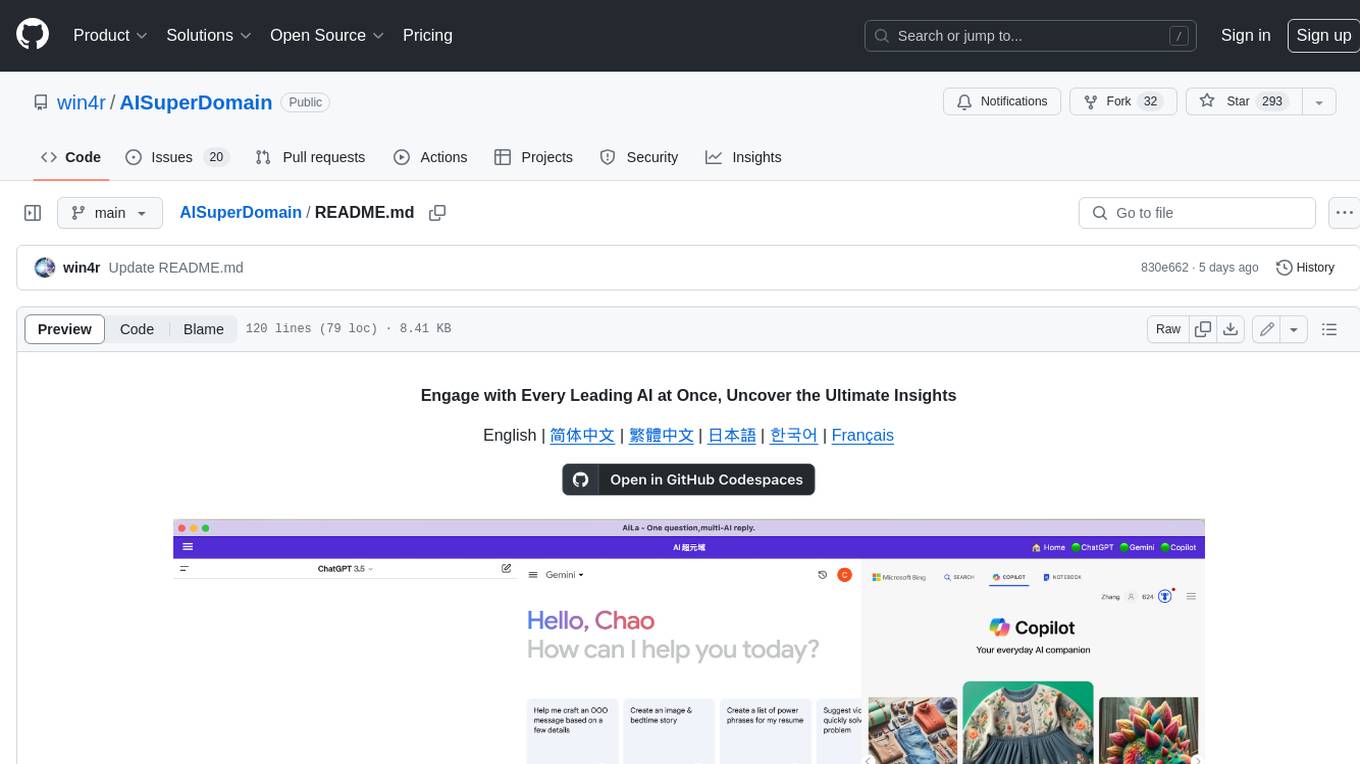
AISuperDomain
Aila Desktop Application is a powerful tool that integrates multiple leading AI models into a single desktop application. It allows users to interact with various AI models simultaneously, providing diverse responses and insights to their inquiries. With its user-friendly interface and customizable features, Aila empowers users to engage with AI seamlessly and efficiently. Whether you're a researcher, student, or professional, Aila can enhance your AI interactions and streamline your workflow.
generative-ai-for-beginners
This course has 18 lessons. Each lesson covers its own topic so start wherever you like! Lessons are labeled either "Learn" lessons explaining a Generative AI concept or "Build" lessons that explain a concept and code examples in both **Python** and **TypeScript** when possible. Each lesson also includes a "Keep Learning" section with additional learning tools. **What You Need** * Access to the Azure OpenAI Service **OR** OpenAI API - _Only required to complete coding lessons_ * Basic knowledge of Python or Typescript is helpful - *For absolute beginners check out these Python and TypeScript courses. * A Github account to fork this entire repo to your own GitHub account We have created a **Course Setup** lesson to help you with setting up your development environment. Don't forget to star (🌟) this repo to find it easier later. ## 🧠 Ready to Deploy? If you are looking for more advanced code samples, check out our collection of Generative AI Code Samples in both **Python** and **TypeScript**. ## 🗣️ Meet Other Learners, Get Support Join our official AI Discord server to meet and network with other learners taking this course and get support. ## 🚀 Building a Startup? Sign up for Microsoft for Startups Founders Hub to receive **free OpenAI credits** and up to **$150k towards Azure credits to access OpenAI models through Azure OpenAI Services**. ## 🙏 Want to help? Do you have suggestions or found spelling or code errors? Raise an issue or Create a pull request ## 📂 Each lesson includes: * A short video introduction to the topic * A written lesson located in the README * Python and TypeScript code samples supporting Azure OpenAI and OpenAI API * Links to extra resources to continue your learning ## 🗃️ Lessons | | Lesson Link | Description | Additional Learning | | :-: | :------------------------------------------------------------------------------------------------------------------------------------------: | :---------------------------------------------------------------------------------------------: | ------------------------------------------------------------------------------ | | 00 | Course Setup | **Learn:** How to Setup Your Development Environment | Learn More | | 01 | Introduction to Generative AI and LLMs | **Learn:** Understanding what Generative AI is and how Large Language Models (LLMs) work. | Learn More | | 02 | Exploring and comparing different LLMs | **Learn:** How to select the right model for your use case | Learn More | | 03 | Using Generative AI Responsibly | **Learn:** How to build Generative AI Applications responsibly | Learn More | | 04 | Understanding Prompt Engineering Fundamentals | **Learn:** Hands-on Prompt Engineering Best Practices | Learn More | | 05 | Creating Advanced Prompts | **Learn:** How to apply prompt engineering techniques that improve the outcome of your prompts. | Learn More | | 06 | Building Text Generation Applications | **Build:** A text generation app using Azure OpenAI | Learn More | | 07 | Building Chat Applications | **Build:** Techniques for efficiently building and integrating chat applications. | Learn More | | 08 | Building Search Apps Vector Databases | **Build:** A search application that uses Embeddings to search for data. | Learn More | | 09 | Building Image Generation Applications | **Build:** A image generation application | Learn More | | 10 | Building Low Code AI Applications | **Build:** A Generative AI application using Low Code tools | Learn More | | 11 | Integrating External Applications with Function Calling | **Build:** What is function calling and its use cases for applications | Learn More | | 12 | Designing UX for AI Applications | **Learn:** How to apply UX design principles when developing Generative AI Applications | Learn More | | 13 | Securing Your Generative AI Applications | **Learn:** The threats and risks to AI systems and methods to secure these systems. | Learn More | | 14 | The Generative AI Application Lifecycle | **Learn:** The tools and metrics to manage the LLM Lifecycle and LLMOps | Learn More | | 15 | Retrieval Augmented Generation (RAG) and Vector Databases | **Build:** An application using a RAG Framework to retrieve embeddings from a Vector Databases | Learn More | | 16 | Open Source Models and Hugging Face | **Build:** An application using open source models available on Hugging Face | Learn More | | 17 | AI Agents | **Build:** An application using an AI Agent Framework | Learn More | | 18 | Fine-Tuning LLMs | **Learn:** The what, why and how of fine-tuning LLMs | Learn More |
cog-comfyui
Cog-comfyui allows users to run ComfyUI workflows on Replicate. ComfyUI is a visual programming tool for creating and sharing generative art workflows. With cog-comfyui, users can access a variety of pre-trained models and custom nodes to create their own unique artworks. The tool is easy to use and does not require any coding experience. Users simply need to upload their API JSON file and any necessary input files, and then click the "Run" button. Cog-comfyui will then generate the output image or video file.
ai-notes
Notes on AI state of the art, with a focus on generative and large language models. These are the "raw materials" for the https://lspace.swyx.io/ newsletter. This repo used to be called https://github.com/sw-yx/prompt-eng, but was renamed because Prompt Engineering is Overhyped. This is now an AI Engineering notes repo.
llms-with-matlab
This repository contains example code to demonstrate how to connect MATLAB to the OpenAI™ Chat Completions API (which powers ChatGPT™) as well as OpenAI Images API (which powers DALL·E™). This allows you to leverage the natural language processing capabilities of large language models directly within your MATLAB environment.
xef
xef.ai is a one-stop library designed to bring the power of modern AI to applications and services. It offers integration with Large Language Models (LLM), image generation, and other AI services. The library is packaged in two layers: core libraries for basic AI services integration and integrations with other libraries. xef.ai aims to simplify the transition to modern AI for developers by providing an idiomatic interface, currently supporting Kotlin. Inspired by LangChain and Hugging Face, xef.ai may transmit source code and user input data to third-party services, so users should review privacy policies and take precautions. Libraries are available in Maven Central under the `com.xebia` group, with `xef-core` as the core library. Developers can add these libraries to their projects and explore examples to understand usage.

CushyStudio
CushyStudio is a generative AI platform designed for creatives of any level to effortlessly create stunning images, videos, and 3D models. It offers CushyApps, a collection of visual tools tailored for different artistic tasks, and CushyKit, an extensive toolkit for custom apps development and task automation. Users can dive into the AI revolution, unleash their creativity, share projects, and connect with a vibrant community. The platform aims to simplify the AI art creation process and provide a user-friendly environment for designing interfaces, adding custom logic, and accessing various tools.
For similar jobs
InterPilot
InterPilot is an AI-based assistant tool that captures audio from Windows input/output devices, transcribes it into text, and then calls the Large Language Model (LLM) API to provide answers. The project includes recording, transcription, and AI response modules, aiming to provide support for personal legitimate learning, work, and research. It may assist in scenarios like interviews, meetings, and learning, but it is strictly for learning and communication purposes only. The tool can hide its interface using third-party tools to prevent screen recording or screen sharing, but it does not have this feature built-in. Users bear the risk of using third-party tools independently.
NotelyVoice
Notely Voice is a free, modern, cross-platform AI voice transcription and note-taking application. It offers powerful Whisper AI Voice to Text capabilities, making it ideal for students, professionals, doctors, researchers, and anyone in need of hands-free note-taking. The app features rich text editing, simple search, smart filtering, organization with folders and tags, advanced speech-to-text, offline capability, seamless integration, audio recording, theming, cross-platform support, and sharing functionality. It includes memory-efficient audio processing, chunking configuration, and utilizes OpenAI Whisper for speech recognition technology. Built with Kotlin, Compose Multiplatform, Coroutines, Android Architecture, ViewModel, Koin, Material 3, Whisper AI, and Native Compose Navigation, Notely follows Android Architecture principles with distinct layers for UI, presentation, domain, and data.
SAM
SAM is a native macOS AI assistant built with Swift and SwiftUI, designed for non-developers who want powerful tools in their everyday life. It provides real assistance, smart memory, voice control, image generation, and custom AI model training. SAM keeps your data on your Mac, supports multiple AI providers, and offers features for documents, creativity, writing, organization, learning, and more. It is privacy-focused, user-friendly, and accessible from various devices. SAM stands out with its privacy-first approach, intelligent memory, task execution capabilities, powerful tools, image generation features, custom AI model training, and flexible AI provider support.

LLMStack
LLMStack is a no-code platform for building generative AI agents, workflows, and chatbots. It allows users to connect their own data, internal tools, and GPT-powered models without any coding experience. LLMStack can be deployed to the cloud or on-premise and can be accessed via HTTP API or triggered from Slack or Discord.
daily-poetry-image
Daily Chinese ancient poetry and AI-generated images powered by Bing DALL-E-3. GitHub Action triggers the process automatically. Poetry is provided by Today's Poem API. The website is built with Astro.

exif-photo-blog
EXIF Photo Blog is a full-stack photo blog application built with Next.js, Vercel, and Postgres. It features built-in authentication, photo upload with EXIF extraction, photo organization by tag, infinite scroll, light/dark mode, automatic OG image generation, a CMD-K menu with photo search, experimental support for AI-generated descriptions, and support for Fujifilm simulations. The application is easy to deploy to Vercel with just a few clicks and can be customized with a variety of environment variables.
SillyTavern
SillyTavern is a user interface you can install on your computer (and Android phones) that allows you to interact with text generation AIs and chat/roleplay with characters you or the community create. SillyTavern is a fork of TavernAI 1.2.8 which is under more active development and has added many major features. At this point, they can be thought of as completely independent programs.
Twitter-Insight-LLM
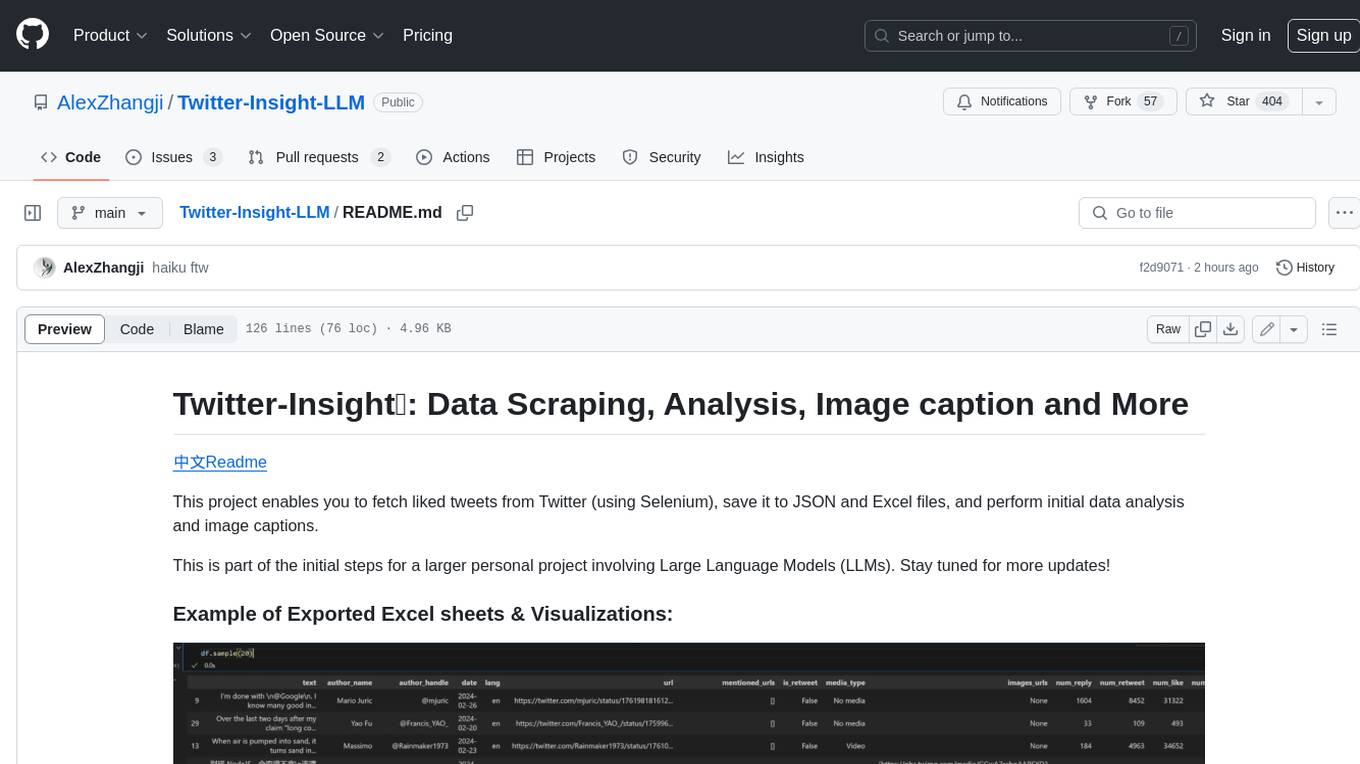
This project enables you to fetch liked tweets from Twitter (using Selenium), save it to JSON and Excel files, and perform initial data analysis and image captions. This is part of the initial steps for a larger personal project involving Large Language Models (LLMs).