


Skills-Manager
A high-performance desktop application for managing skills across multiple AI coding assistants. Seamlessly organize, sync, and share skills for Claude Code、Codex、Opencode and other AI tools. Built with Tauri 2.0, React 19, and Rust.
Stars: 247
Skills Manager is a unified desktop application designed to centralize and manage AI coding assistant skills for tools like Claude Code, Codex, and Opencode. It offers smart synchronization, granular control, high performance, cross-platform support, multi-tool compatibility, custom tools integration, and a modern UI. Users can easily organize, sync, and share their skills across different AI tools, enhancing their coding experience and productivity.
README:
A unified desktop application for managing AI coding assistant skills. Seamlessly organize, sync, and share skills for Claude Code, Codex, Opencode and other AI tools.



Skills Manager is a modern desktop application designed to solve the fragmentation of AI assistant skills configurations. Instead of managing skills and prompts separately for different tools, Skills Manager provides a central hub.
It uses a powerful symlink synchronization mechanism, allowing you to write a skill once and instantly use it across supported AI tools like Claude Code, Codex, Opencode.
- 🎯 Unified Management: Centralize all your AI skills in one secure location.
- 🔄 Smart Synchronization: Automatic symlink management ensures your tools always have the latest version of your skills without file duplication.
- 🎛️ Granular Control: Enable or disable specific skills for individual tools without deleting the original files.
- ⚡ High Performance: Built with Rust and Tauri 2.0 for a lightweight, blazing-fast experience.
- 🛡️ Cross-Platform: Native support for macOS, Windows, and Linux.
- 🔌 Multi-Tool Support: Out-of-the-box support for Claude Code, Codex, Opencode and extensible to others.
- 🧩 Custom Tools: Add your own tools with custom paths and optional icons.
- 🎨 Modern UI: Beautiful interface built with React 19, Tailwind CSS v4, and Radix UI.
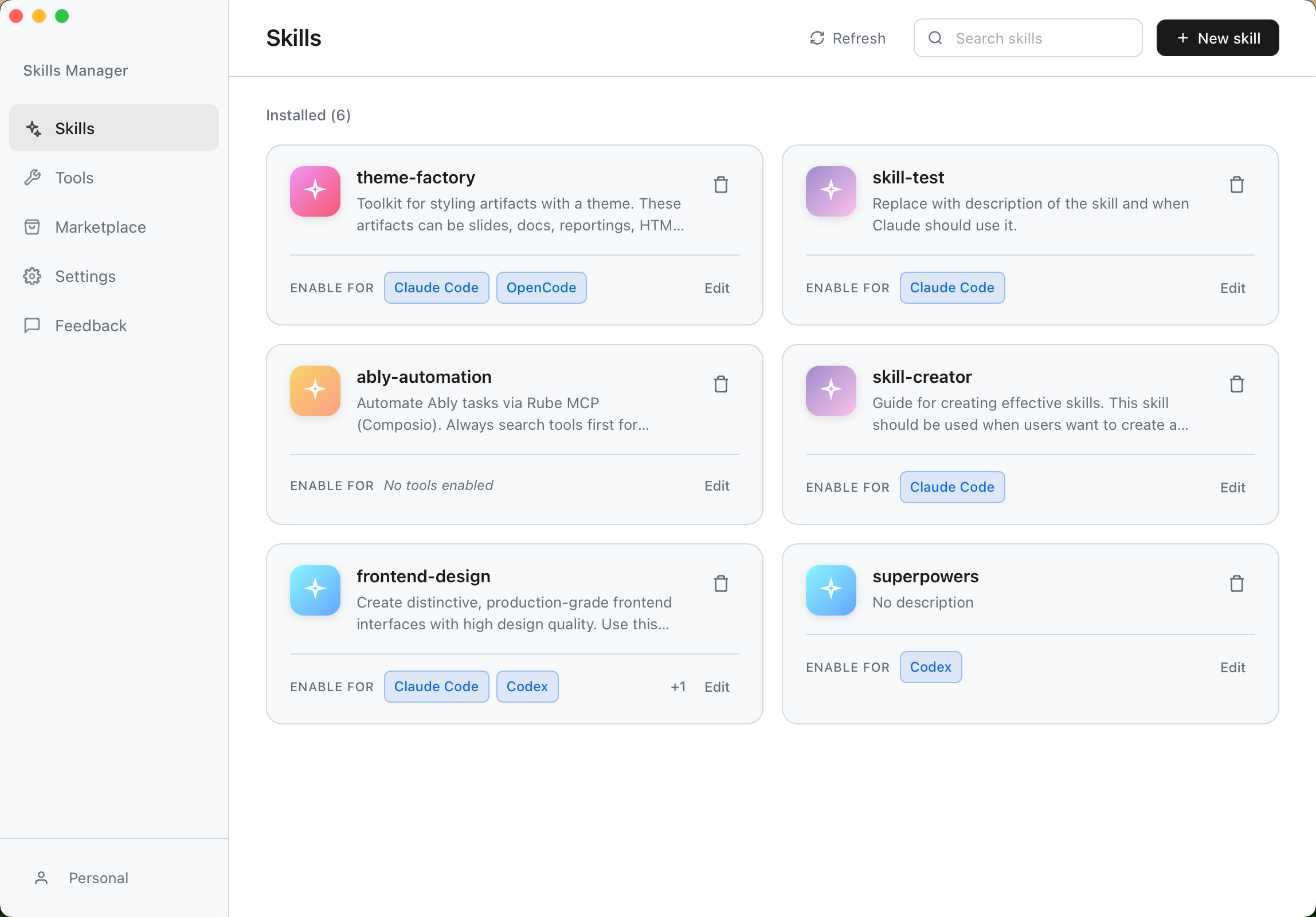
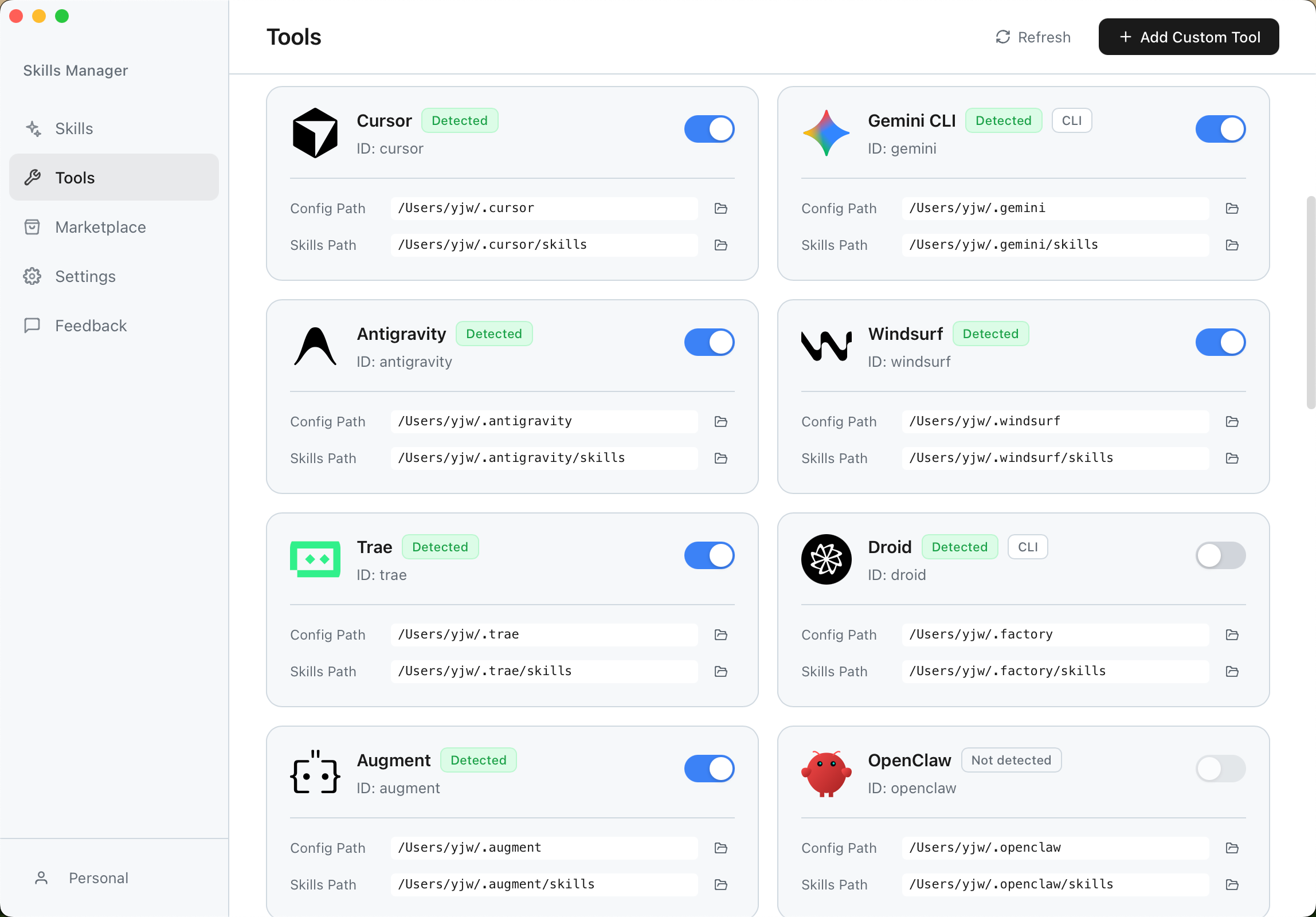
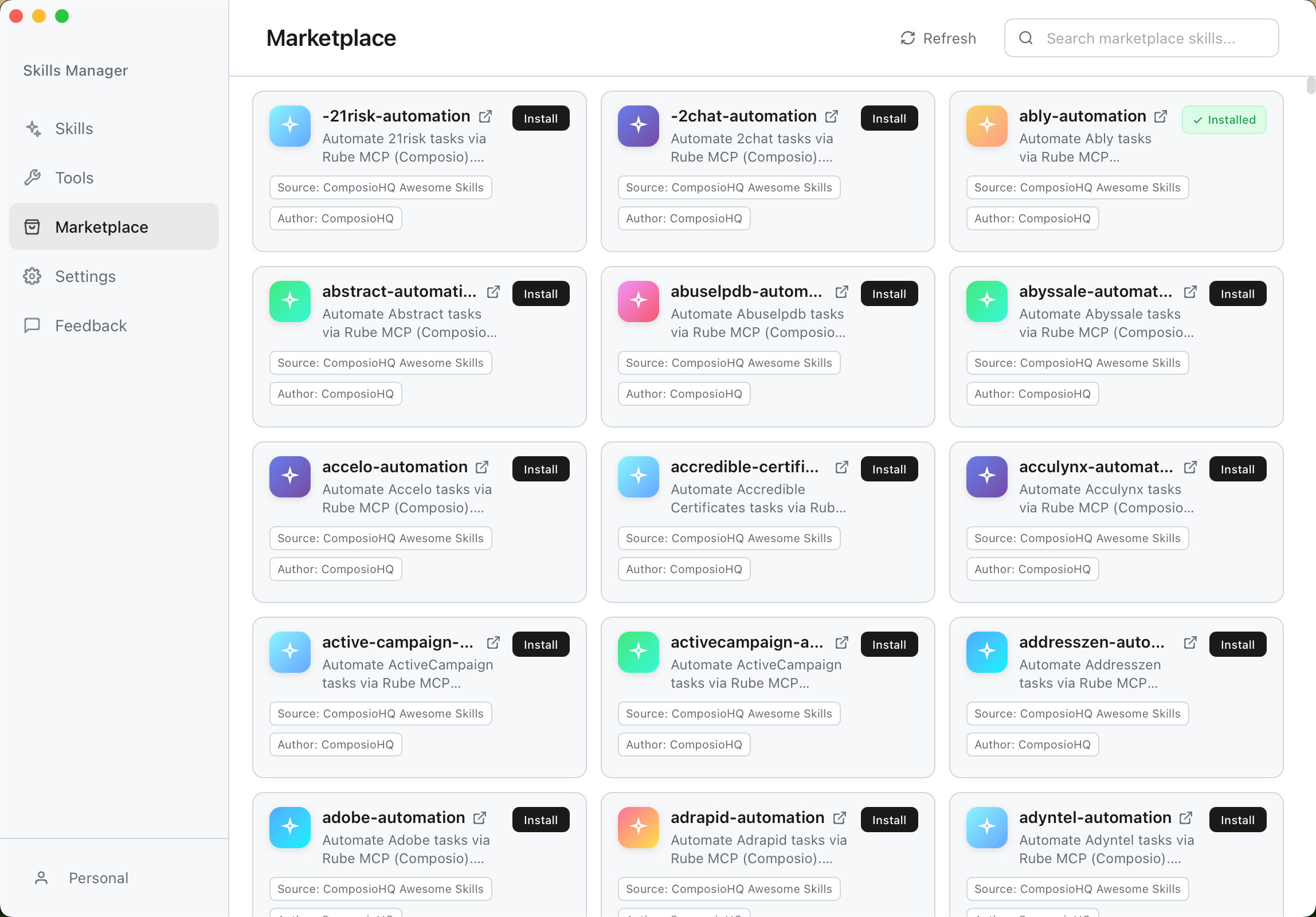
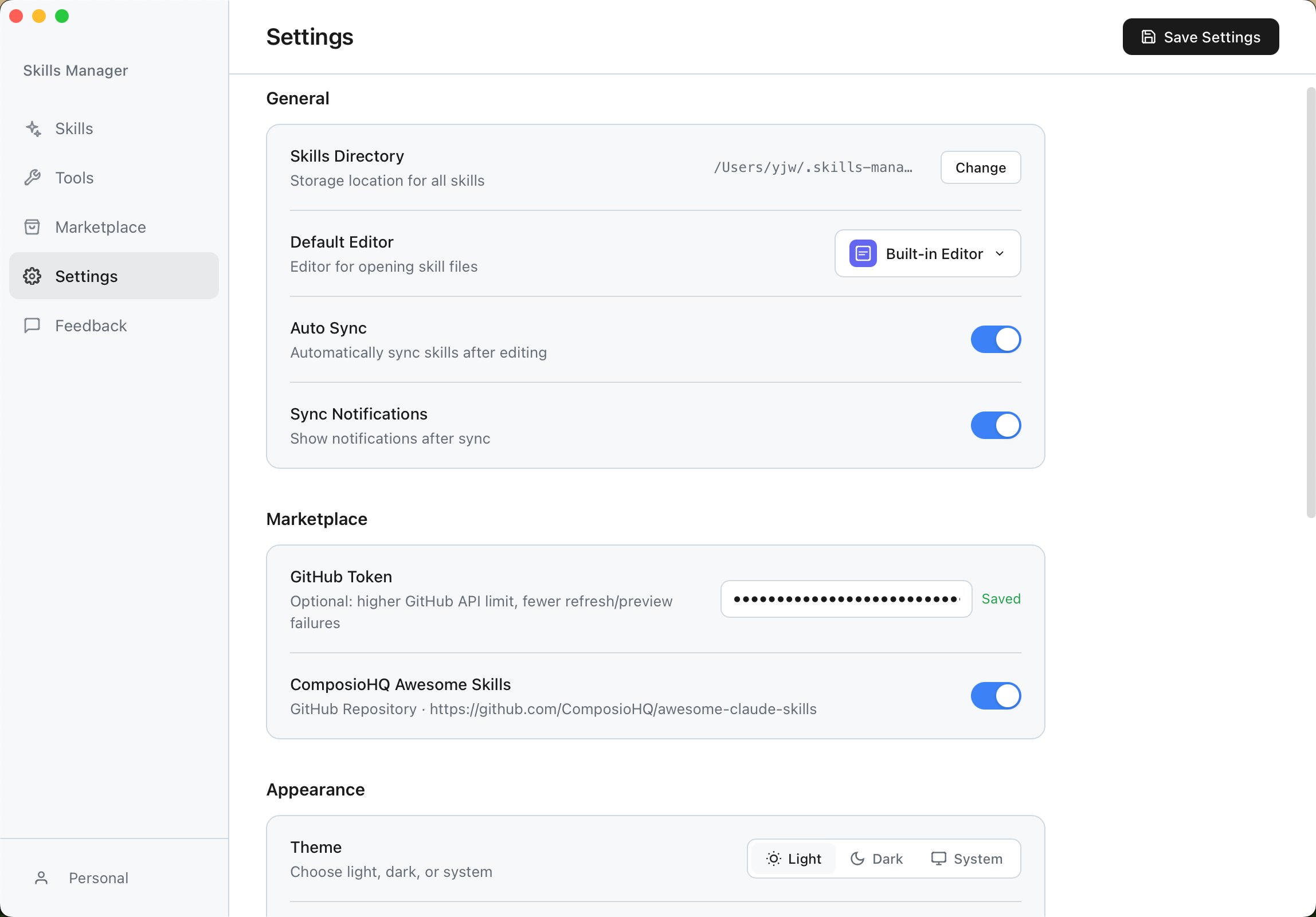
Download the latest installer for your operating system from the Releases Page.
| OS | Installer Type |
|---|---|
| macOS |
.dmg (Universal) |
| Windows |
.msi / .exe
|
| Linux |
.deb / .AppImage / .rpm
|
If you encounter permission issues when syncing skills (symbolic link creation errors) or detection issues, please try running the application as Administrator. This is often required on Windows to create symbolic links unless Developer Mode is enabled.
- Install: Run the installer for your platform.
- Setup: On first launch, the app will guide you to select your skills storage directory.
- Sync: The app automatically detects installed AI tools (like Claude Code) and links your skills.
If you encounter a blank white screen when launching the .AppImage on Linux (especially in virtual machines like VMware/VirtualBox), it is likely a WebKitGTK hardware acceleration issue.
Please run the application from the terminal with the following command:
WEBKIT_DISABLE_COMPOSITING_MODE=1 ./Skills-Manager_1.0.1_amd64.AppImageDesigned for developers who care about performance and stability:
- Core: Tauri 2.0 (Rust)
- Frontend: React 19 + TypeScript
- Styling: Tailwind CSS v4
- UI Components: Radix UI
- Editor: Monaco Editor
We are actively working on making Skills Manager better. Here is what we are planning:
- [x] Core features (e.g., soft link synchronization, multi-tool support).
- [ ] Community Hub – Share and download community-contributed Skills, etc.
- [ ] Cloud synchronization, allowing one-click migration of existing Skills and more when changing devices.
- [ ] Plugin system to support more AI tool extensions.
- [ ] Integrated AI chat interface for testing Skills directly within the application.
We welcome all forms of contribution!
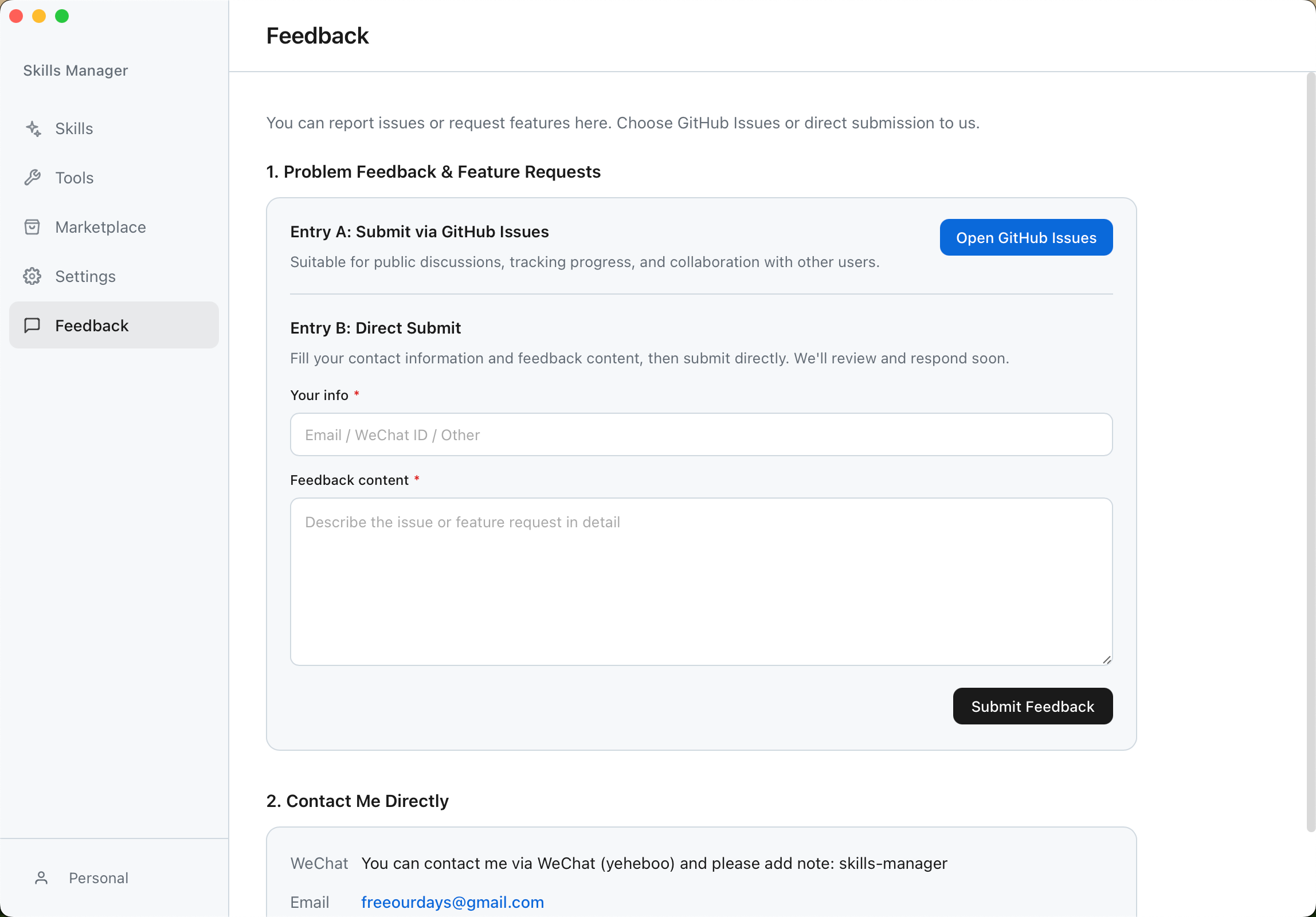
- Found a bug? Please submit an issue on our Issues page.
- Have a feature request? We'd love to hear your ideas! Feel free to open an issue to discuss new features.
If this project helps you, feel free to support via QR code.
| WeChat Support QR | Alipay Support QR |
|---|---|
 |
 |
Or support via Ko-fi: ko-fi.com/yeheboo
Made with ❤️ for the AI developer community.
For Tasks:
Click tags to check more tools for each tasksFor Jobs:
Alternative AI tools for Skills-Manager
Similar Open Source Tools
Skills-Manager
Skills Manager is a unified desktop application designed to centralize and manage AI coding assistant skills for tools like Claude Code, Codex, and Opencode. It offers smart synchronization, granular control, high performance, cross-platform support, multi-tool compatibility, custom tools integration, and a modern UI. Users can easily organize, sync, and share their skills across different AI tools, enhancing their coding experience and productivity.
LynxHub
LynxHub is a platform that allows users to seamlessly install, configure, launch, and manage all their AI interfaces from a single, intuitive dashboard. It offers features like AI interface management, arguments manager, custom run commands, pre-launch actions, extension management, in-app tools like terminal and web browser, AI information dashboard, Discord integration, and additional features like theme options and favorite interface pinning. The platform supports modular design for custom AI modules and upcoming extensions system for complete customization. LynxHub aims to streamline AI workflow and enhance user experience with a user-friendly interface and comprehensive functionalities.
chatbox
Chatbox is a desktop client for ChatGPT, Claude, and other LLMs, providing features like local data storage, multiple LLM provider support, image generation, enhanced prompting, keyboard shortcuts, and more. It offers a user-friendly interface with dark theme, team collaboration, cross-platform availability, web version access, iOS & Android apps, multilingual support, and ongoing feature enhancements. Developed for prompt and API debugging, it has gained popularity for daily chatting and professional role-playing with AI assistance.
refact
This repository contains Refact WebUI for fine-tuning and self-hosting of code models, which can be used inside Refact plugins for code completion and chat. Users can fine-tune open-source code models, self-host them, download and upload Lloras, use models for code completion and chat inside Refact plugins, shard models, host multiple small models on one GPU, and connect GPT-models for chat using OpenAI and Anthropic keys. The repository provides a Docker container for running the self-hosted server and supports various models for completion, chat, and fine-tuning. Refact is free for individuals and small teams under the BSD-3-Clause license, with custom installation options available for GPU support. The community and support include contributing guidelines, GitHub issues for bugs, a community forum, Discord for chatting, and Twitter for product news and updates.
chatbox
Chatbox is a desktop client for ChatGPT, Claude, and other LLMs, providing a user-friendly interface for AI copilot assistance on Windows, Mac, and Linux. It offers features like local data storage, multiple LLM provider support, image generation with Dall-E-3, enhanced prompting, keyboard shortcuts, and more. Users can collaborate, access the tool on various platforms, and enjoy multilingual support. Chatbox is constantly evolving with new features to enhance the user experience.
talkcody
TalkCody is a free, open-source AI coding agent designed for developers who value speed, cost, control, and privacy. It offers true freedom to use any AI model without vendor lock-in, maximum speed through unique four-level parallelism, and complete privacy as everything runs locally without leaving the user's machine. With professional-grade features like multimodal input support, MCP server compatibility, and a marketplace for agents and skills, TalkCody aims to enhance development productivity and flexibility.

EpicStaff
EpicStaff is a powerful project management tool designed to streamline team collaboration and task management. It provides a user-friendly interface for creating and assigning tasks, tracking progress, and communicating with team members in real-time. With features such as task prioritization, deadline reminders, and file sharing capabilities, EpicStaff helps teams stay organized and productive. Whether you're working on a small project or managing a large team, EpicStaff is the perfect solution to keep everyone on the same page and ensure project success.
kelivo
Kelivo is a Flutter LLM Chat Client with modern design, dark mode, multi-language support, multi-provider support, custom assistants, multimodal input, markdown rendering, voice functionality, MCP support, web search integration, prompt variables, QR code sharing, data backup, and custom requests. It is built with Flutter and Dart, utilizes Provider for state management, Hive for local data storage, and supports dynamic theming and Markdown rendering. Kelivo is a versatile tool for creating and managing personalized AI assistants, supporting various input formats, and integrating with multiple search engines and AI providers.
ai-flow
AI Flow is an open-source, user-friendly UI application that empowers you to seamlessly connect multiple AI models together, specifically leveraging the capabilities of multiples AI APIs such as OpenAI, StabilityAI and Replicate. In a nutshell, AI Flow provides a visual platform for crafting and managing AI-driven workflows, thereby facilitating diverse and dynamic AI interactions.
RWKV_APP
RWKV App is an experimental application that enables users to run Large Language Models (LLMs) offline on their edge devices. It offers a privacy-first, on-device LLM experience for everyday devices. Users can engage in multi-turn conversations, text-to-speech, visual understanding, and more, all without requiring an internet connection. The app supports switching between different models, running locally without internet, and exploring various AI tasks such as chat, speech generation, and visual understanding. It is built using Flutter and Dart FFI for cross-platform compatibility and efficient communication with the C++ inference engine. The roadmap includes integrating features into the RWKV Chat app, supporting more model weights, hardware, operating systems, and devices.
intellij-aicoder
AI Coding Assistant is a free and open-source IntelliJ plugin that leverages cutting-edge Language Model APIs to enhance developers' coding experience. It seamlessly integrates with various leading LLM APIs, offers an intuitive toolbar UI, and allows granular control over API requests. With features like Code & Patch Chat, Planning with AI Agents, Markdown visualization, and versatile text processing capabilities, this tool aims to streamline coding workflows and boost productivity.

CushyStudio
CushyStudio is a generative AI platform designed for creatives of any level to effortlessly create stunning images, videos, and 3D models. It offers CushyApps, a collection of visual tools tailored for different artistic tasks, and CushyKit, an extensive toolkit for custom apps development and task automation. Users can dive into the AI revolution, unleash their creativity, share projects, and connect with a vibrant community. The platform aims to simplify the AI art creation process and provide a user-friendly environment for designing interfaces, adding custom logic, and accessing various tools.
meeting-minutes
An open-source AI assistant for taking meeting notes that captures live meeting audio, transcribes it in real-time, and generates summaries while ensuring user privacy. Perfect for teams to focus on discussions while automatically capturing and organizing meeting content without external servers or complex infrastructure. Features include modern UI, real-time audio capture, speaker diarization, local processing for privacy, and more. The tool also offers a Rust-based implementation for better performance and native integration, with features like live transcription, speaker diarization, and a rich text editor for notes. Future plans include database connection for saving meeting minutes, improving summarization quality, and adding download options for meeting transcriptions and summaries. The backend supports multiple LLM providers through a unified interface, with configurations for Anthropic, Groq, and Ollama models. System architecture includes core components like audio capture service, transcription engine, LLM orchestrator, data services, and API layer. Prerequisites for setup include Node.js, Python, FFmpeg, and Rust. Development guidelines emphasize project structure, testing, documentation, type hints, and ESLint configuration. Contributions are welcome under the MIT License.
ComfyUI-Copilot
ComfyUI-Copilot is an intelligent assistant built on the Comfy-UI framework that simplifies and enhances the AI algorithm debugging and deployment process through natural language interactions. It offers intuitive node recommendations, workflow building aids, and model querying services to streamline development processes. With features like interactive Q&A bot, natural language node suggestions, smart workflow assistance, and model querying, ComfyUI-Copilot aims to lower the barriers to entry for beginners, boost development efficiency with AI-driven suggestions, and provide real-time assistance for developers.
curiso
Curiso AI is an infinite canvas platform that connects nodes and AI services to explore ideas without repetition. It empowers advanced users to unlock richer AI interactions. Features include multi OS support, infinite canvas, multiple AI provider integration, local AI inference provider integration, custom model support, model metrics, RAG support, local Transformers.js embedding models, inference parameters customization, multiple boards, vision model support, customizable interface, node-based conversations, and secure local encrypted storage. Curiso also offers a Solana token for exclusive access to premium features and enhanced AI capabilities.
Alice
Alice is an open-source AI companion designed to live on your desktop, providing voice interaction, intelligent context awareness, and powerful tooling. More than a chatbot, Alice is emotionally engaging and deeply useful, assisting with daily tasks and creative work. Key features include voice interaction with natural-sounding responses, memory and context management, vision and visual output capabilities, computer use tools, function calling for web search and task scheduling, wake word support, dedicated Chrome extension, and flexible settings interface. Technologies used include Vue.js, Electron, OpenAI, Go, hnswlib-node, and more. Alice is customizable and offers a dedicated Chrome extension, wake word support, and various tools for computer use and productivity tasks.
For similar tasks
chatflow
Chatflow is a tool that provides a chat interface for users to interact with systems using natural language. The engine understands user intent and executes commands for tasks, allowing easy navigation of complex websites/products. This approach enhances user experience, reduces training costs, and boosts productivity.
AiR
AiR is an AI tool built entirely in Rust that delivers blazing speed and efficiency. It features accurate translation and seamless text rewriting to supercharge productivity. AiR is designed to assist non-native speakers by automatically fixing errors and polishing language to sound like a native speaker. The tool is under heavy development with more features on the horizon.
awesome-ai-newsletters
Awesome AI Newsletters is a curated list of AI-related newsletters that provide the latest news, trends, tools, and insights in the field of Artificial Intelligence. It includes a variety of newsletters covering general AI news, prompts for marketing and productivity, AI job opportunities, and newsletters tailored for professionals in the AI industry. Whether you are a beginner looking to stay updated on AI advancements or a professional seeking to enhance your knowledge and skills, this repository offers a collection of valuable resources to help you navigate the world of AI.
ollama-autocoder
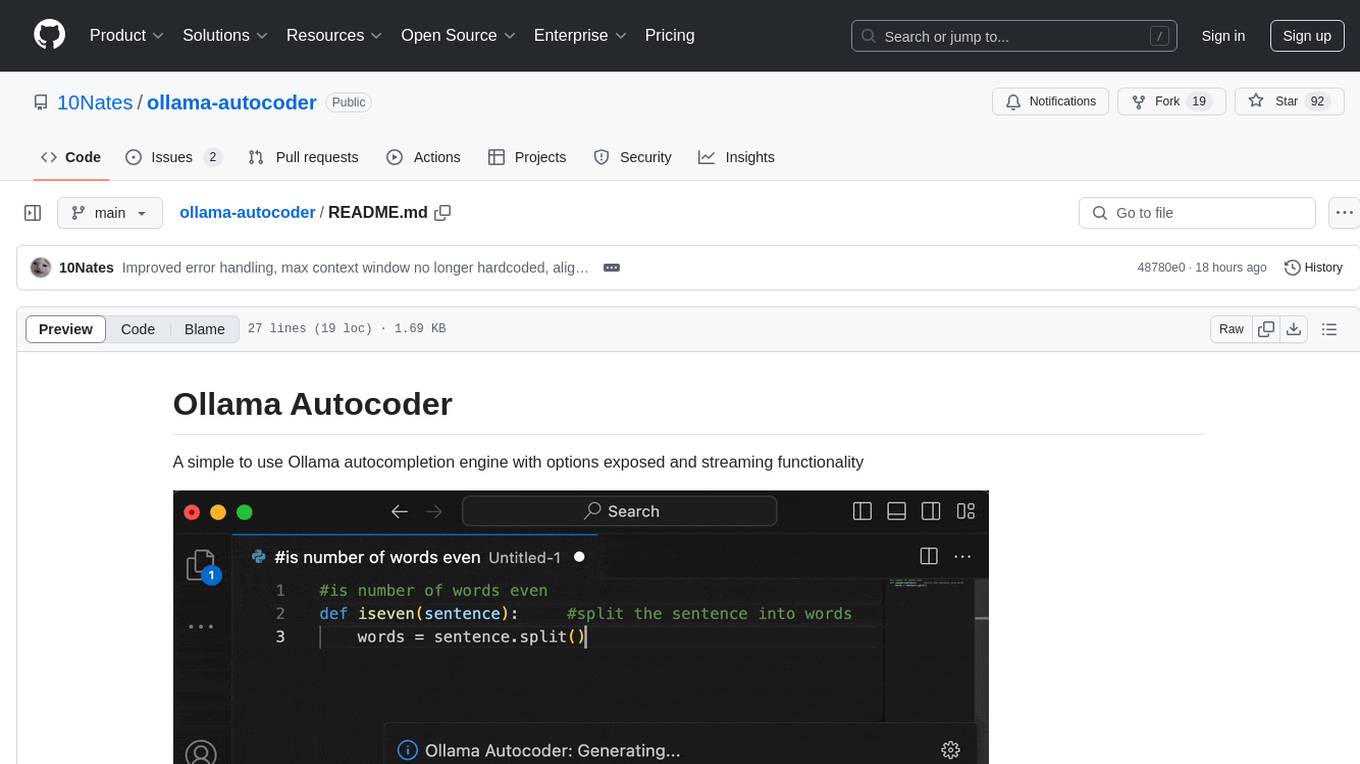
Ollama Autocoder is a simple to use autocompletion engine that integrates with Ollama AI. It provides options for streaming functionality and requires specific settings for optimal performance. Users can easily generate text completions by pressing a key or using a command pallete. The tool is designed to work with Ollama API and a specified model, offering real-time generation of text suggestions.
witsy
Witsy is a generative AI desktop application that supports various models like OpenAI, Ollama, Anthropic, MistralAI, Google, Groq, and Cerebras. It offers features such as chat completion, image generation, scratchpad for content creation, prompt anywhere functionality, AI commands for productivity, expert prompts for specialization, LLM plugins for additional functionalities, read aloud capabilities, chat with local files, transcription/dictation, Anthropic Computer Use support, local history of conversations, code formatting, image copy/download, and more. Users can interact with the application to generate content, boost productivity, and perform various AI-related tasks.
codegate
CodeGate is a local gateway that enhances the safety of AI coding assistants by ensuring AI-generated recommendations adhere to best practices, safeguarding code integrity, and protecting individual privacy. Developed by Stacklok, CodeGate allows users to confidently leverage AI in their development workflow without compromising security or productivity. It works seamlessly with coding assistants, providing real-time security analysis of AI suggestions. CodeGate is designed with privacy at its core, keeping all data on the user's machine and offering complete control over data.
cline-based-code-generator
HAI Code Generator is a cutting-edge tool designed to simplify and automate task execution while enhancing code generation workflows. Leveraging Specif AI, it streamlines processes like task execution, file identification, and code documentation through intelligent automation and AI-driven capabilities. Built on Cline's powerful foundation for AI-assisted development, HAI Code Generator boosts productivity and precision by automating task execution and integrating file management capabilities. It combines intelligent file indexing, context generation, and LLM-driven automation to minimize manual effort and ensure task accuracy. Perfect for developers and teams aiming to enhance their workflows.
Skills-Manager
Skills Manager is a unified desktop application designed to centralize and manage AI coding assistant skills for tools like Claude Code, Codex, and Opencode. It offers smart synchronization, granular control, high performance, cross-platform support, multi-tool compatibility, custom tools integration, and a modern UI. Users can easily organize, sync, and share their skills across different AI tools, enhancing their coding experience and productivity.
For similar jobs

promptflow
**Prompt flow** is a suite of development tools designed to streamline the end-to-end development cycle of LLM-based AI applications, from ideation, prototyping, testing, evaluation to production deployment and monitoring. It makes prompt engineering much easier and enables you to build LLM apps with production quality.

deepeval
DeepEval is a simple-to-use, open-source LLM evaluation framework specialized for unit testing LLM outputs. It incorporates various metrics such as G-Eval, hallucination, answer relevancy, RAGAS, etc., and runs locally on your machine for evaluation. It provides a wide range of ready-to-use evaluation metrics, allows for creating custom metrics, integrates with any CI/CD environment, and enables benchmarking LLMs on popular benchmarks. DeepEval is designed for evaluating RAG and fine-tuning applications, helping users optimize hyperparameters, prevent prompt drifting, and transition from OpenAI to hosting their own Llama2 with confidence.

MegaDetector
MegaDetector is an AI model that identifies animals, people, and vehicles in camera trap images (which also makes it useful for eliminating blank images). This model is trained on several million images from a variety of ecosystems. MegaDetector is just one of many tools that aims to make conservation biologists more efficient with AI. If you want to learn about other ways to use AI to accelerate camera trap workflows, check out our of the field, affectionately titled "Everything I know about machine learning and camera traps".

leapfrogai
LeapfrogAI is a self-hosted AI platform designed to be deployed in air-gapped resource-constrained environments. It brings sophisticated AI solutions to these environments by hosting all the necessary components of an AI stack, including vector databases, model backends, API, and UI. LeapfrogAI's API closely matches that of OpenAI, allowing tools built for OpenAI/ChatGPT to function seamlessly with a LeapfrogAI backend. It provides several backends for various use cases, including llama-cpp-python, whisper, text-embeddings, and vllm. LeapfrogAI leverages Chainguard's apko to harden base python images, ensuring the latest supported Python versions are used by the other components of the stack. The LeapfrogAI SDK provides a standard set of protobuffs and python utilities for implementing backends and gRPC. LeapfrogAI offers UI options for common use-cases like chat, summarization, and transcription. It can be deployed and run locally via UDS and Kubernetes, built out using Zarf packages. LeapfrogAI is supported by a community of users and contributors, including Defense Unicorns, Beast Code, Chainguard, Exovera, Hypergiant, Pulze, SOSi, United States Navy, United States Air Force, and United States Space Force.

llava-docker
This Docker image for LLaVA (Large Language and Vision Assistant) provides a convenient way to run LLaVA locally or on RunPod. LLaVA is a powerful AI tool that combines natural language processing and computer vision capabilities. With this Docker image, you can easily access LLaVA's functionalities for various tasks, including image captioning, visual question answering, text summarization, and more. The image comes pre-installed with LLaVA v1.2.0, Torch 2.1.2, xformers 0.0.23.post1, and other necessary dependencies. You can customize the model used by setting the MODEL environment variable. The image also includes a Jupyter Lab environment for interactive development and exploration. Overall, this Docker image offers a comprehensive and user-friendly platform for leveraging LLaVA's capabilities.

carrot
The 'carrot' repository on GitHub provides a list of free and user-friendly ChatGPT mirror sites for easy access. The repository includes sponsored sites offering various GPT models and services. Users can find and share sites, report errors, and access stable and recommended sites for ChatGPT usage. The repository also includes a detailed list of ChatGPT sites, their features, and accessibility options, making it a valuable resource for ChatGPT users seeking free and unlimited GPT services.

TrustLLM
TrustLLM is a comprehensive study of trustworthiness in LLMs, including principles for different dimensions of trustworthiness, established benchmark, evaluation, and analysis of trustworthiness for mainstream LLMs, and discussion of open challenges and future directions. Specifically, we first propose a set of principles for trustworthy LLMs that span eight different dimensions. Based on these principles, we further establish a benchmark across six dimensions including truthfulness, safety, fairness, robustness, privacy, and machine ethics. We then present a study evaluating 16 mainstream LLMs in TrustLLM, consisting of over 30 datasets. The document explains how to use the trustllm python package to help you assess the performance of your LLM in trustworthiness more quickly. For more details about TrustLLM, please refer to project website.

AI-YinMei
AI-YinMei is an AI virtual anchor Vtuber development tool (N card version). It supports fastgpt knowledge base chat dialogue, a complete set of solutions for LLM large language models: [fastgpt] + [one-api] + [Xinference], supports docking bilibili live broadcast barrage reply and entering live broadcast welcome speech, supports Microsoft edge-tts speech synthesis, supports Bert-VITS2 speech synthesis, supports GPT-SoVITS speech synthesis, supports expression control Vtuber Studio, supports painting stable-diffusion-webui output OBS live broadcast room, supports painting picture pornography public-NSFW-y-distinguish, supports search and image search service duckduckgo (requires magic Internet access), supports image search service Baidu image search (no magic Internet access), supports AI reply chat box [html plug-in], supports AI singing Auto-Convert-Music, supports playlist [html plug-in], supports dancing function, supports expression video playback, supports head touching action, supports gift smashing action, supports singing automatic start dancing function, chat and singing automatic cycle swing action, supports multi scene switching, background music switching, day and night automatic switching scene, supports open singing and painting, let AI automatically judge the content.