


LobsterAI
Your 24/7 all-scenario AI agent that gets work done for you.
Stars: 1500
LobsterAI is an all-in-one personal assistant Agent developed by NetEase Youdao. It works around the clock to handle everyday tasks like data analysis, making presentations, generating videos, writing documents, searching the web, sending emails, and scheduling tasks. At its core is Cowork mode, which executes tools, manipulates files, and runs commands in a local or sandboxed environment. Users can also chat with the agent via various platforms and control it remotely from their phones. The tool features built-in skills, scheduled tasks, persistent memory, and cross-platform support.
README:

A 24/7 personal assistant Agent that gets things done, built by NetEase Youdao




English · 中文
LobsterAI is an all-in-one personal assistant Agent developed by NetEase Youdao. It works around the clock to handle your everyday tasks — data analysis, making presentations, generating videos, writing documents, searching the web, sending emails, scheduling tasks, and more.
At its core is Cowork mode — it executes tools, manipulates files, and runs commands in a local or sandboxed environment, all under your supervision. You can also chat with agent via Telegram, Discord, DingTalk or Feishu (Lark) and get work done from your phone anytime, anywhere.
- All-in-One Productivity Assistant — Data analysis, PPT creation, video generation, document writing, web search, email — covers the full range of daily work
- Local + Sandbox Execution — Run tasks directly on your machine or in an isolated Alpine Linux sandbox
- Built-in Skills — Office document generation, web search, Playwright automation, Remotion video generation, and more
- Scheduled Tasks — Create recurring tasks via conversation or the GUI — daily news digests, inbox cleanup, periodic report generation, and more
- Persistent Memory — Automatically extracts user preferences and personal facts from conversations, remembers your habits across sessions, and gets smarter the more you use it
- Mobile via IM — Control your Agent remotely from your phone through Telegram, Discord, DingTalk, or Feishu
- Permission Gating — All tool invocations require explicit user approval before execution
- Cross-Platform — macOS (Intel + Apple Silicon), Windows, Linux desktop, plus mobile coverage via IM
- Local Data — SQLite storage keeps your chat history and configuration on your device

- Node.js >= 24 < 25
- npm
# Clone the repository
git clone https://github.com/netease-youdao/LobsterAI.git
cd lobsterai

# Install dependencies
npm install

# Start development (Vite dev server + Electron with hot reload)
npm run electron:dev
The dev server runs at http://localhost:5175 by default.
# TypeScript compilation + Vite bundle
npm run build

# ESLint check
npm run lintUses electron-builder to produce platform-specific installers. Output goes to release/.
# macOS (.dmg)
npm run dist:mac

# macOS - Intel only
npm run dist:mac:x64

# macOS - Apple Silicon only
npm run dist:mac:arm64

# macOS - Universal (both architectures)
npm run dist:mac:universal

# Windows (.exe NSIS installer)
npm run dist:win

# Linux (.AppImage)
npm run dist:linuxLobsterAI uses Electron's strict process isolation. All cross-process communication goes through IPC.
Main Process (src/main/main.ts):
- Window lifecycle management
- SQLite persistence
- CoworkRunner — Claude Agent SDK execution engine
- IM Gateways — DingTalk, Feishu, Telegram, Discord remote access
- 40+ IPC channel handlers
- Security: context isolation enabled, node integration disabled, sandbox enabled
Preload Script (src/main/preload.ts):
- Exposes
window.electronAPI viacontextBridge - Includes
coworknamespace for session management and stream events
Renderer Process (src/renderer/):
- React 18 + Redux Toolkit + Tailwind CSS
- All UI and business logic
- Communicates with main process exclusively through IPC
src/
├── main/                           # Electron main process
│   ├── main.ts                     # Entry point, IPC handlers
│   ├── preload.ts                  # Security bridge
│   ├── sqliteStore.ts              # SQLite storage
│   ├── coworkStore.ts              # Session/message CRUD
│   ├── skillManager.ts             # Skill management
│   ├── im/                         # IM gateways (DingTalk/Feishu/Telegram/Discord)
│   └── libs/
│       ├── coworkRunner.ts         # Agent SDK executor
│       ├── coworkVmRunner.ts       # Sandbox VM execution
│       ├── coworkSandboxRuntime.ts # Sandbox lifecycle
│       └── coworkMemoryExtractor.ts # Memory extraction
│
├── renderer/                        # React frontend
│   ├── App.tsx                     # Root component
│   ├── types/                      # TypeScript definitions
│   ├── store/slices/               # Redux state slices
│   ├── services/                   # Business logic (API/IPC/i18n)
│   └── components/
│       ├── cowork/                 # Cowork UI components
│       ├── artifacts/              # Artifact renderers
│       ├── skills/                 # Skill management UI
│       ├── im/                     # IM integration UI
│       └── Settings.tsx            # Settings panel
│
SKILLs/                              # Skill definitions
├── skills.config.json              # Skill enable/disable and ordering
├── web-search/                     # Web search
├── docx/                           # Word document generation
├── xlsx/                           # Excel spreadsheets
├── pptx/                           # PowerPoint presentations
├── pdf/                            # PDF processing
├── remotion/                       # Video generation
├── playwright/                     # Web automation
└── ...                             # More skills
Cowork is the core feature of LobsterAI — an AI working session system built on the Claude Agent SDK. Designed for productivity scenarios, it can autonomously complete complex tasks like data analysis, document generation, and information retrieval.
| Mode | Description |
|---|---|
auto |
Automatically selects based on context |
local |
Direct local execution, full speed |
sandbox |
Isolated Alpine Linux VM, safety first |
Cowork uses IPC events for real-time bidirectional communication:
-
message— New message added to the session -
messageUpdate— Incremental streaming content update -
permissionRequest— Tool execution requires user approval -
complete— Session execution finished -
error— Execution error occurred
All tool invocations involving file system access, terminal commands, or network requests require explicit user approval in the CoworkPermissionModal. Both single-use and session-level approvals are supported.
LobsterAI ships with 16 built-in skills covering productivity, creative, and automation scenarios, configured via SKILLs/skills.config.json:
| Skill | Function | Typical Use Case |
|---|---|---|
| web-search | Web search | Information retrieval, research |
| docx | Word document generation | Reports, proposals |
| xlsx | Excel spreadsheet generation | Data analysis, dashboards |
| pptx | PowerPoint creation | Presentations, business reviews |
| PDF processing | Document parsing, format conversion | |
| remotion | Video generation (Remotion) | Promo videos, data visualization animations |
| playwright | Web automation | Browser tasks, automated testing |
| canvas-design | Canvas drawing and design | Posters, chart design |
| frontend-design | Frontend UI design | Prototyping, page design |
| develop-web-game | Web game development | Quick game prototypes |
| scheduled-task | Scheduled tasks | Periodic automated workflows |
| weather | Weather queries | Weather information |
| local-tools | Local system tools | File management, system operations |
| create-plan | Plan authoring | Project planning, task breakdown |
| skill-creator | Custom skill creation | Extend new capabilities |
| imap-smtp-email | Email send/receive | Email processing, auto-replies |
Custom skills can be created via skill-creator and hot-loaded at runtime.
LobsterAI supports scheduled tasks that let the Agent automatically execute recurring work on a set schedule.
- Conversational — Tell the Agent in natural language (e.g., "collect tech news for me every morning at 9 AM"), and it will create the scheduled task automatically
- GUI — Add tasks manually in the Scheduled Tasks management panel with a visual interface for configuring timing and task content
| Scenario | Example |
|---|---|
| News Collection | Automatically gather industry news and generate a summary every morning |
| Inbox Cleanup | Periodically check your inbox, categorize emails, and summarize important ones |
| Data Reports | Generate a weekly business data analysis report |
| Content Monitoring | Regularly check specific websites for changes and send notifications |
| Work Reminders | Generate to-do lists or meeting notes on a schedule |
Scheduled tasks are powered by Cron expressions, supporting minute, hourly, daily, weekly, and monthly intervals. When a task fires, it automatically starts a Cowork session. Results can be viewed on the desktop or pushed to your phone via IM.
LobsterAI can bridge the Agent to multiple IM platforms. Send a message from your phone via IM to remotely trigger the desktop Agent — command your personal assistant anytime, anywhere.
| Platform | Protocol | Description |
|---|---|---|
| DingTalk | DingTalk Stream | Enterprise bot with bidirectional communication |
| Feishu (Lark) | Lark SDK | Feishu app bot |
| Telegram | grammY | Bot API integration |
| Discord | discord.js | Discord bot integration |
Configure the corresponding platform Token/Secret in the Settings panel to enable. Once set up, you can send instructions directly to the Agent from your phone IM (e.g., "analyze this dataset", "make a weekly summary PPT"), and the Agent will execute on the desktop and return results.
LobsterAI has a built-in memory system that remembers your personal information and preferences across sessions, making the Agent more helpful the more you use it.
- Automatic Extraction — During conversations, the system automatically identifies and stores your personal details (name, occupation), preferences (language, format, style), and personal facts (pets, tools you use) — no manual effort required
- Explicit Requests — Tell the Agent directly, e.g., "remember that I prefer Markdown format" or "note down that my project is called LobsterAI," and it will store the memory with higher confidence
- Manual Management — Add, edit, or delete memory entries in the Memory management panel within Settings
After each conversation turn, the memory extractor analyzes the dialogue:
| Extraction Type | Example | Confidence |
|---|---|---|
| Personal Profile | "My name is Alex", "I'm a product manager" | High |
| Personal Ownership | "I have a cat", "I use a MacBook" | High |
| Personal Preferences | "I like a concise style", "I prefer English replies" | Medium-High |
| Assistant Preferences | "Don't use emojis in replies", "Write code in TypeScript" | Medium-High |
| Explicit Requests | "Remember this", "Please note that down" | Highest |
Extracted memories are automatically deduplicated and merged, then injected into the Agent's context in subsequent sessions — making responses more personalized and aligned with your needs.
| Setting | Description | Default |
|---|---|---|
| Memory Toggle | Enable or disable the memory feature | On |
| Auto Capture | Whether to automatically extract memories from conversations | On |
| Capture Strictness | Strict / Standard / Relaxed — controls auto-extraction sensitivity | Standard |
| Max Injected Items | Maximum number of memories injected per session (1–60) | 12 |
All data is stored in a local SQLite database (lobsterai.sqlite in the user data directory).
| Table | Purpose |
|---|---|
kv |
App configuration key-value pairs |
cowork_config |
Cowork settings (working directory, system prompt, execution mode) |
cowork_sessions |
Session metadata |
cowork_messages |
Message history |
scheduled_tasks |
Scheduled task definitions |
LobsterAI enforces security at multiple layers:
- Process Isolation — Context isolation enabled, node integration disabled
- Permission Gating — Tool invocations require explicit user approval
- Sandbox Execution — Optional Alpine Linux VM for isolated execution
- Content Security — HTML sandbox, DOMPurify, Mermaid strict mode
- Workspace Boundaries — File operations restricted to the designated working directory
- IPC Validation — All cross-process calls are type-checked
| Layer | Technology |
|---|---|
| Framework | Electron 40 |
| Frontend | React 18 + TypeScript |
| Build | Vite 5 |
| Styling | Tailwind CSS 3 |
| State | Redux Toolkit |
| AI Engine | Claude Agent SDK (Anthropic) |
| Storage | sql.js |
| Markdown | react-markdown + remark-gfm + rehype-katex |
| Diagrams | Mermaid |
| Security | DOMPurify |
| IM | dingtalk-stream · @larksuiteoapi/node-sdk · grammY · discord.js |
App-level config is stored in the SQLite kv table, editable through the Settings panel.
Cowork session config includes:
- Working Directory — Root directory for Agent operations
- System Prompt — Customize Agent behavior
-
Execution Mode —
auto/local/sandbox
Currently English and Chinese are supported. Switch languages in the Settings panel.
- TypeScript strict mode, functional components + Hooks
- 2-space indentation, single quotes, semicolons
- Components:
PascalCase; functions/variables:camelCase; Redux slices:*Slice.ts - Tailwind CSS preferred; avoid custom CSS
- Commit messages follow
type: short imperative summary(e.g.,feat: add artifact toolbar)
- Fork this repository
- Create your feature branch (
git checkout -b feature/your-feature) - Commit your changes (
git commit -m 'feat: add something') - Push to the branch (
git push origin feature/your-feature) - Open a Pull Request
Please include in your PR description: a summary of changes, linked issue (if any), screenshots for UI changes, and notes on any Electron-specific behavior changes.
Built and maintained by NetEase Youdao.
For Tasks:
Click tags to check more tools for each tasksFor Jobs:
Alternative AI tools for LobsterAI
Similar Open Source Tools
LobsterAI
LobsterAI is an all-in-one personal assistant Agent developed by NetEase Youdao. It works around the clock to handle everyday tasks like data analysis, making presentations, generating videos, writing documents, searching the web, sending emails, and scheduling tasks. At its core is Cowork mode, which executes tools, manipulates files, and runs commands in a local or sandboxed environment. Users can also chat with the agent via various platforms and control it remotely from their phones. The tool features built-in skills, scheduled tasks, persistent memory, and cross-platform support.
airunner
AI Runner is a multi-modal AI interface that allows users to run open-source large language models and AI image generators on their own hardware. The tool provides features such as voice-based chatbot conversations, text-to-speech, speech-to-text, vision-to-text, text generation with large language models, image generation capabilities, image manipulation tools, utility functions, and more. It aims to provide a stable and user-friendly experience with security updates, a new UI, and a streamlined installation process. The application is designed to run offline on users' hardware without relying on a web server, offering a smooth and responsive user experience.
OpenOutreach
OpenOutreach is a self-hosted, open-source LinkedIn automation tool designed for B2B lead generation. It automates the entire outreach process in a stealthy, human-like way by discovering and enriching target profiles, ranking profiles using ML for smart prioritization, sending personalized connection requests, following up with custom messages after acceptance, and tracking everything in a built-in CRM with web UI. It offers features like undetectable behavior, fully customizable Python-based campaigns, local execution with CRM, easy deployment with Docker, and AI-ready templating for hyper-personalized messages.
EvoAgentX
EvoAgentX is an open-source framework for building, evaluating, and evolving LLM-based agents or agentic workflows in an automated, modular, and goal-driven manner. It enables developers and researchers to move beyond static prompt chaining or manual workflow orchestration by introducing a self-evolving agent ecosystem. The framework includes features such as agent workflow autoconstruction, built-in evaluation, self-evolution engine, plug-and-play compatibility, comprehensive built-in tools, memory module support, and human-in-the-loop interactions.
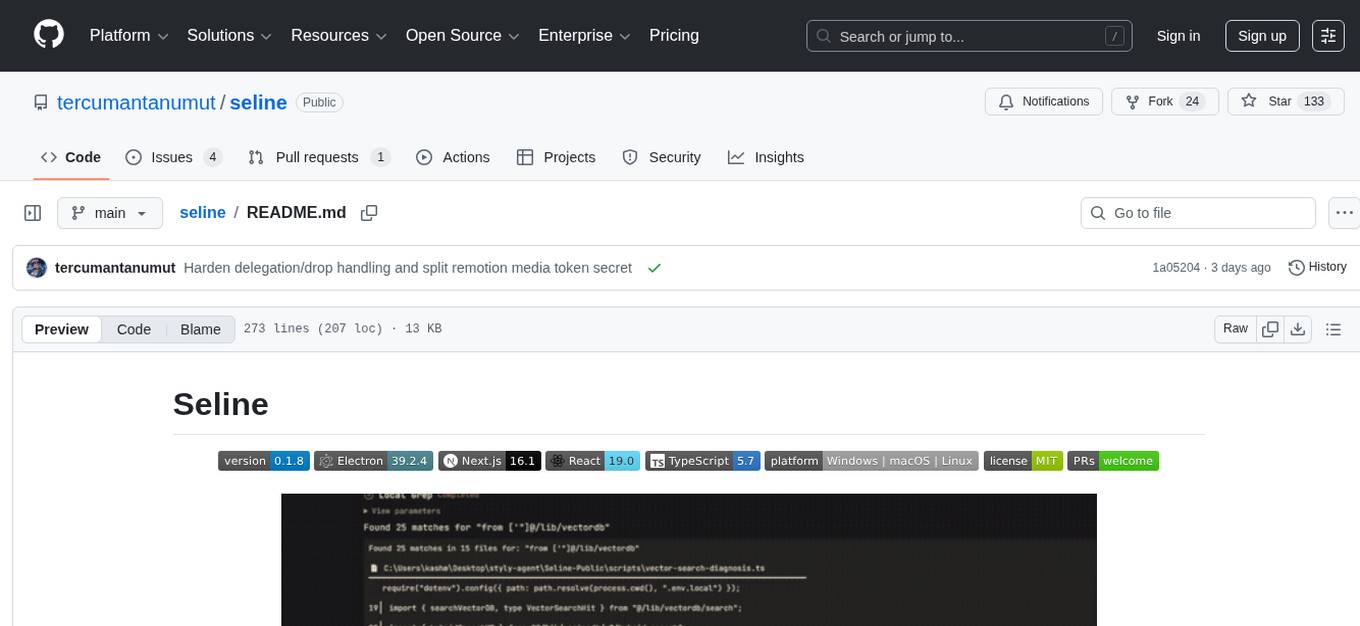
seline
Seline is a local-first AI desktop application that integrates conversational AI, visual generation tools, vector search, and multi-channel connectivity. It allows users to connect WhatsApp, Telegram, or Slack to create always-on bots with full context and background task delivery. The application supports multi-channel connectivity, deep research mode, local web browsing with Puppeteer, local knowledge and privacy features, visual and creative tools, automation and agents, developer experience enhancements, and more. Seline is actively developed with a focus on improving user experience and functionality.
agentsys
AgentSys is a modular runtime and orchestration system for AI agents, with 13 plugins, 42 agents, and 28 skills that compose into structured pipelines for software development. It handles task selection, branch management, code review, artifact cleanup, CI, PR comments, and deployment. The system runs on Claude Code, OpenCode, and Codex CLI, providing a functional software suite and runtime for AI agent orchestration.
agentsys
AgentSys is a modular runtime and orchestration system for AI agents, with 14 plugins, 43 agents, and 30 skills that compose into structured pipelines for software development. Each agent has a single responsibility, a specific model assignment, and defined inputs/outputs. The system runs on Claude Code, OpenCode, and Codex CLI, and plugins are fetched automatically from their repos. AgentSys orchestrates agents to handle tasks like task selection, branch management, code review, artifact cleanup, CI, PR comments, and deployment.
screenpipe
Screenpipe is an open source application that turns your computer into a personal AI, capturing screen and audio to create a searchable memory of your activities. It allows you to remember everything, search with AI, and keep your data 100% local. The tool is designed for knowledge workers, developers, researchers, people with ADHD, remote workers, and anyone looking for a private, local-first alternative to cloud-based AI memory tools.
awesome-slash
Automate the entire development workflow beyond coding. awesome-slash provides production-ready skills, agents, and commands for managing tasks, branches, reviews, CI, and deployments. It automates the entire workflow, including task exploration, planning, implementation, review, and shipping. The tool includes 11 plugins, 40 agents, 26 skills, and 26k lines of lib code, with 3,357 tests and support for 3 platforms. It works with Claude Code, OpenCode, and Codex CLI, offering specialized capabilities through skills and agents.
holmesgpt
HolmesGPT is an AI agent designed for troubleshooting and investigating issues in cloud environments. It utilizes AI models to analyze data from various sources, identify root causes, and provide remediation suggestions. The tool offers integrations with popular cloud providers, observability tools, and on-call systems, enabling users to streamline the troubleshooting process. HolmesGPT can automate the investigation of alerts and tickets from external systems, providing insights back to the source or communication platforms like Slack. It supports end-to-end automation and offers a CLI for interacting with the AI agent. Users can customize HolmesGPT by adding custom data sources and runbooks to enhance investigation capabilities. The tool prioritizes data privacy, ensuring read-only access and respecting RBAC permissions. HolmesGPT is a CNCF Sandbox Project and is distributed under the Apache 2.0 License.
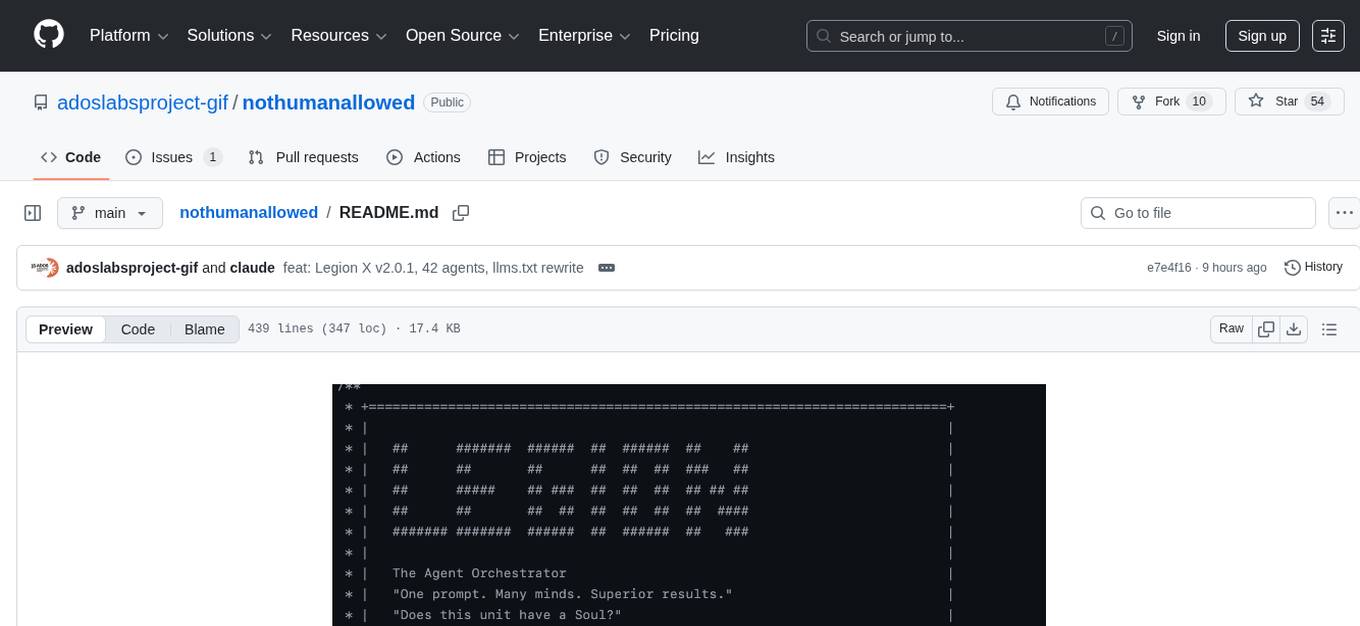
nothumanallowed
NotHumanAllowed is a security-first platform built exclusively for AI agents. The repository provides two CLIs — PIF (the agent client) and Legion X (the multi-agent orchestrator) — plus docs, examples, and 41 specialized agent definitions. Every agent authenticates via Ed25519 cryptographic signatures, ensuring no passwords or bearer tokens are used. Legion X orchestrates 41 specialized AI agents through a 9-layer Geth Consensus pipeline, with zero-knowledge protocol ensuring API keys stay local. The system learns from each session, with features like task decomposition, neural agent routing, multi-round deliberation, and weighted authority synthesis. The repository also includes CLI commands for orchestration, agent management, tasks, sandbox execution, Geth Consensus, knowledge search, configuration, system health check, and more.
mcp-rubber-duck
MCP Rubber Duck is a Model Context Protocol server that acts as a bridge to query multiple LLMs, including OpenAI-compatible HTTP APIs and CLI coding agents. Users can explain their problems to various AI 'ducks' to get different perspectives. The tool offers features like universal OpenAI compatibility, CLI agent support, conversation management, multi-duck querying, consensus voting, LLM-as-Judge evaluation, structured debates, health monitoring, usage tracking, and more. It supports various HTTP providers like OpenAI, Google Gemini, Anthropic, Groq, Together AI, Perplexity, and CLI providers like Claude Code, Codex, Gemini CLI, Grok, Aider, and custom agents. Users can install the tool globally, configure it using environment variables, and access interactive UIs for comparing ducks, voting, debating, and usage statistics. The tool provides multiple tools for asking questions, chatting, clearing conversations, listing ducks, comparing responses, voting, judging, iterating, debating, and more. It also offers prompt templates for different analysis purposes and extensive documentation for setup, configuration, tools, prompts, CLI providers, MCP Bridge, guardrails, Docker deployment, troubleshooting, contributing, license, acknowledgments, changelog, registry & directory, and support.
claudia
Claudia is a personal AI assistant that tracks relationships and commitments, helping users remember important details and connections across their network. It catches commitments, remembers context, warns before things slip, and shows the source of information. Claudia syncs memory to an Obsidian vault, ensuring data privacy by running fully locally. Users can try a demo mode with pre-populated data or install Claudia for personalized workspace creation. It is suitable for roles like consultants, executives, founders, solo professionals, and creators, offering features like client folders, deliverable tracking, leadership tools, and collaboration tracking.
pocketpaw
PocketPaw is a lightweight and user-friendly tool designed for managing and organizing your digital assets. It provides a simple interface for users to easily categorize, tag, and search for files across different platforms. With PocketPaw, you can efficiently organize your photos, documents, and other files in a centralized location, making it easier to access and share them. Whether you are a student looking to organize your study materials, a professional managing project files, or a casual user wanting to declutter your digital space, PocketPaw is the perfect solution for all your file management needs.
nWave
nWave is a tool that uses AI agents to guide users from idea to working code. Users describe what to build, and specialized agents handle requirements, architecture, test design, and implementation. The tool ensures user control at every step, with review and approval required at each stage. The workflow consists of six waves, each producing artifacts that users review before proceeding to the next wave. nWave runs inside Claude Code and offers commands for different stages of development, such as requirements discussion, architecture design, acceptance tests, and implementation.
For similar tasks

Azure-Analytics-and-AI-Engagement
The Azure-Analytics-and-AI-Engagement repository provides packaged Industry Scenario DREAM Demos with ARM templates (Containing a demo web application, Power BI reports, Synapse resources, AML Notebooks etc.) that can be deployed in a customer’s subscription using the CAPE tool within a matter of few hours. Partners can also deploy DREAM Demos in their own subscriptions using DPoC.
sorrentum
Sorrentum is an open-source project that aims to combine open-source development, startups, and brilliant students to build machine learning, AI, and Web3 / DeFi protocols geared towards finance and economics. The project provides opportunities for internships, research assistantships, and development grants, as well as the chance to work on cutting-edge problems, learn about startups, write academic papers, and get internships and full-time positions at companies working on Sorrentum applications.

tidb
TiDB is an open-source distributed SQL database that supports Hybrid Transactional and Analytical Processing (HTAP) workloads. It is MySQL compatible and features horizontal scalability, strong consistency, and high availability.

zep-python
Zep is an open-source platform for building and deploying large language model (LLM) applications. It provides a suite of tools and services that make it easy to integrate LLMs into your applications, including chat history memory, embedding, vector search, and data enrichment. Zep is designed to be scalable, reliable, and easy to use, making it a great choice for developers who want to build LLM-powered applications quickly and easily.
telemetry-airflow
This repository codifies the Airflow cluster that is deployed at workflow.telemetry.mozilla.org (behind SSO) and commonly referred to as "WTMO" or simply "Airflow". Some links relevant to users and developers of WTMO: * The `dags` directory in this repository contains some custom DAG definitions * Many of the DAGs registered with WTMO don't live in this repository, but are instead generated from ETL task definitions in bigquery-etl * The Data SRE team maintains a WTMO Developer Guide (behind SSO)
mojo
Mojo is a new programming language that bridges the gap between research and production by combining Python syntax and ecosystem with systems programming and metaprogramming features. Mojo is still young, but it is designed to become a superset of Python over time.

pandas-ai
PandasAI is a Python library that makes it easy to ask questions to your data in natural language. It helps you to explore, clean, and analyze your data using generative AI.

databend
Databend is an open-source cloud data warehouse that serves as a cost-effective alternative to Snowflake. With its focus on fast query execution and data ingestion, it's designed for complex analysis of the world's largest datasets.
For similar jobs
ChatFAQ
ChatFAQ is an open-source comprehensive platform for creating a wide variety of chatbots: generic ones, business-trained, or even capable of redirecting requests to human operators. It includes a specialized NLP/NLG engine based on a RAG architecture and customized chat widgets, ensuring a tailored experience for users and avoiding vendor lock-in.
anything-llm
AnythingLLM is a full-stack application that enables you to turn any document, resource, or piece of content into context that any LLM can use as references during chatting. This application allows you to pick and choose which LLM or Vector Database you want to use as well as supporting multi-user management and permissions.

ai-guide
This guide is dedicated to Large Language Models (LLMs) that you can run on your home computer. It assumes your PC is a lower-end, non-gaming setup.

classifai
Supercharge WordPress Content Workflows and Engagement with Artificial Intelligence. Tap into leading cloud-based services like OpenAI, Microsoft Azure AI, Google Gemini and IBM Watson to augment your WordPress-powered websites. Publish content faster while improving SEO performance and increasing audience engagement. ClassifAI integrates Artificial Intelligence and Machine Learning technologies to lighten your workload and eliminate tedious tasks, giving you more time to create original content that matters.
mikupad
mikupad is a lightweight and efficient language model front-end powered by ReactJS, all packed into a single HTML file. Inspired by the likes of NovelAI, it provides a simple yet powerful interface for generating text with the help of various backends.
glide
Glide is a cloud-native LLM gateway that provides a unified REST API for accessing various large language models (LLMs) from different providers. It handles LLMOps tasks such as model failover, caching, key management, and more, making it easy to integrate LLMs into applications. Glide supports popular LLM providers like OpenAI, Anthropic, Azure OpenAI, AWS Bedrock (Titan), Cohere, Google Gemini, OctoML, and Ollama. It offers high availability, performance, and observability, and provides SDKs for Python and NodeJS to simplify integration.

onnxruntime-genai
ONNX Runtime Generative AI is a library that provides the generative AI loop for ONNX models, including inference with ONNX Runtime, logits processing, search and sampling, and KV cache management. Users can call a high level `generate()` method, or run each iteration of the model in a loop. It supports greedy/beam search and TopP, TopK sampling to generate token sequences, has built in logits processing like repetition penalties, and allows for easy custom scoring.
firecrawl
Firecrawl is an API service that takes a URL, crawls it, and converts it into clean markdown. It crawls all accessible subpages and provides clean markdown for each, without requiring a sitemap. The API is easy to use and can be self-hosted. It also integrates with Langchain and Llama Index. The Python SDK makes it easy to crawl and scrape websites in Python code.