


pocketpaw
Your AI agent in 30 seconds. Not 30 hours. Self-hosted, open-source personal AI with desktop installer, multi-agent Command Center(Deep Work), and 7-layer security. Anthropic, OpenAI, or Ollama.Your Pocket Paw
Stars: 120
PocketPaw is a lightweight and user-friendly tool designed for managing and organizing your digital assets. It provides a simple interface for users to easily categorize, tag, and search for files across different platforms. With PocketPaw, you can efficiently organize your photos, documents, and other files in a centralized location, making it easier to access and share them. Whether you are a student looking to organize your study materials, a professional managing project files, or a casual user wanting to declutter your digital space, PocketPaw is the perfect solution for all your file management needs.
README:

Your AI agent. Modular. Secure. Everywhere.





Self-hosted, multi-agent AI platform. Web dashboard + Discord, Slack, WhatsApp, Telegram, and more.
No subscription. No cloud lock-in. Just you and your Paw.
🚧 Beta: This project is under active development. Expect breaking changes between versions.
curl -fsSL https://pocketpaw.xyz/install.sh | shOr install directly:
pip install pocketpaw && pocketpawThat's it. One command. 30 seconds. Your own AI agent.
I'm your self-hosted, cross-platform personal AI agent. The web dashboard opens automatically. Talk to me right in your browser, or connect me to Discord, Slack, WhatsApp, or Telegram and control me from anywhere. I run on your machine, respect your privacy, and I'm always here.
No subscription. No cloud lock-in. Just you and me.
More install options
# Isolated install
pipx install pocketpaw && pocketpaw

# Run without installing
uvx pocketpaw

# From source
git clone https://github.com/pocketpaw/pocketpaw.git
cd pocketpaw
uv run pocketpaw
PocketPaw will open the web dashboard in your browser and be ready to go. No Docker. No config files. No YAML. No dependency hell.
Talk to your agent from anywhere: Telegram · Discord · Slack · WhatsApp · Web Dashboard
| Feature | Description |
|---|---|
| Web Dashboard | Browser-based control panel, the default mode. No setup needed. |
| Multi-Channel | Discord, Slack, WhatsApp (Personal + Business), Signal, Matrix, Teams, Google Chat, Telegram |
| Claude Agent SDK | Default backend. Official Claude SDK with built-in tools (Bash, Read, Write). |
| Smart Model Router | Auto-selects Haiku / Sonnet / Opus based on task complexity |
| Tool Policy | Allow/deny control over which tools the agent can use |
| Plan Mode | Require approval before the agent runs shell commands or edits files |
| Browser Control | Browse the web, fill forms, click buttons via accessibility tree |
| Gmail Integration | Search, read, and send emails via OAuth (no app passwords) |
| Calendar Integration | List events, create meetings, meeting prep briefings |
| Google Drive & Docs | List, download, upload, share files; read and create documents |
| Web Search & Research | Tavily/Brave search + multi-step research with source synthesis |
| Image Generation | Google Gemini image generation, saved locally |
| Voice / TTS / STT | Text-to-speech via OpenAI or ElevenLabs, speech-to-text via Whisper |
| Spotify | Search tracks, playback control, playlist management |
| Search posts, read threads, browse trending topics | |
| OCR | Extract text from images via GPT-4o vision or pytesseract |
| Memory & Compaction | Long-term facts + session history with smart compaction + Mem0 semantic search |
| MCP Support | Connect Model Context Protocol servers (stdio + HTTP) |
| Cron Scheduler | Recurring reminders with natural language time parsing |
| Security Suite | Injection scanner, audit CLI, Guardian AI, self-audit daemon |
| Local-First | Runs on YOUR machine. Your data never leaves your computer. |
| Cross-Platform | macOS, Windows, Linux |
| Skill System | Create reusable agent skills at runtime |
| Task Delegation | Delegate complex sub-tasks to Claude Code CLI |
You:  "Every Sunday evening, remind me which recycling bins to put out"
Paw:  *creates a recurring schedule*
Paw:  "Done. I'll check the recycling calendar and message you every Sunday at 6pm."

You:  "Organize my Downloads folder. PDFs by date, images by type, delete duplicates"
Paw:  *scans filesystem, moves 47 files, removes 12 duplicates*
Paw:  "All clean. Here's what I did: [summary]"
You:  *drops a link*
Paw:  *opens browser, reads the page, researches related topics*
Paw:  "Here's a summary with 3 key takeaways. Want me to save this to memory?"
You:  "Find that memory leak, the app crashes after 2 hours"
Paw:  *reads logs, profiles code, identifies the issue*
Paw:  "Found it. The WebSocket handler never closes connections. Here's the fix."
You:  "I need a competitor analysis report for our product launch"
Paw:  *spins up Agent A: web researcher, Agent B: data analyst, Agent C: writer*
Paw:  "3 agents working on it. Agent A is scraping competitor sites,
       Agent B is analyzing pricing data, Agent C is waiting to write the report.
       I'll ping you when it's ready."
The browser-based dashboard is the default mode. Run pocketpaw and it opens at http://localhost:8888.
What you get:
- Real-time streaming chat via WebSocket
- Session management: create, switch, search, and resume conversations
- Activity panel showing tool calls, thinking, and system events
- Settings panel for LLM, backend, and tool policy configuration
- Channel management: configure, start, and stop adapters from the sidebar
- MCP server management: add, configure, and monitor MCP servers
- Plan Mode approval modal for reviewing tool calls before execution
All configured channel adapters auto-start on launch. Use the sidebar "Channels" button to:
- Configure tokens and credentials per channel
- Start/stop adapters dynamically
- See running status at a glance
Headless mode is also available for running without the dashboard:
pocketpaw --discord              # Discord only
pocketpaw --slack                # Slack only
pocketpaw --whatsapp             # WhatsApp only
pocketpaw --discord --slack      # Multiple channels
pocketpaw --telegram             # Legacy Telegram mode
See Channel Adapters documentation for full setup guides.
Uses your existing Chrome if you have it. No extra downloads. If you don't have Chrome, a small browser is downloaded automatically on first use.

-
Claude Agent SDK (Default, Recommended). Anthropic's official SDK with built-in tools (Bash, Read, Write, Edit, Glob, Grep, WebSearch). Supports
PreToolUsehooks for dangerous command blocking. - PocketPaw Native. Custom orchestrator: Anthropic SDK for reasoning + Open Interpreter for code execution.
- Open Interpreter. Standalone, supports Ollama, OpenAI, or Anthropic. Good for fully local setups with Ollama.
Switch anytime in settings or config.
Tool System Architecture

Stores memories as readable markdown in ~/.pocketclaw/memory/:
-
MEMORY.md: Long-term facts about you -
sessions/: Conversation history with smart compaction
Long conversations are automatically compacted to stay within budget:
- Recent messages kept verbatim (configurable window)
- Older messages compressed to one-liner extracts (Tier 1) or LLM summaries (Tier 2, opt-in)
PocketPaw creates identity files at ~/.pocketclaw/identity/ including USER.md, a profile loaded into every conversation so the agent knows your preferences.
For smarter memory with vector search and automatic fact extraction:
pip install pocketpaw[memory]See Memory documentation for details.
Config lives in ~/.pocketclaw/config.json. API keys and tokens are automatically encrypted in secrets.enc, never stored as plain text.
{
  "agent_backend": "claude_agent_sdk",
  "anthropic_api_key": "sk-ant-...",
  "anthropic_model": "claude-sonnet-4-5-20250929",
  "tool_profile": "full",
  "memory_backend": "file",
  "smart_routing_enabled": false,
  "plan_mode": false,
  "injection_scan_enabled": true,
  "self_audit_enabled": true,
  "web_search_provider": "tavily",
  "tts_provider": "openai"
}
Or use environment variables (all prefixed with POCKETCLAW_):
# Core
export POCKETCLAW_ANTHROPIC_API_KEY="sk-ant-..."
export POCKETCLAW_AGENT_BACKEND="claude_agent_sdk"

# Channels
export POCKETCLAW_DISCORD_BOT_TOKEN="..."
export POCKETCLAW_SLACK_BOT_TOKEN="xoxb-..."
export POCKETCLAW_SLACK_APP_TOKEN="xapp-..."

# Integrations
export POCKETCLAW_GOOGLE_OAUTH_CLIENT_ID="..."
export POCKETCLAW_GOOGLE_OAUTH_CLIENT_SECRET="..."
export POCKETCLAW_TAVILY_API_KEY="..."
export POCKETCLAW_GOOGLE_API_KEY="..."
See the full configuration reference for all available settings.

- Guardian AI. A secondary LLM reviews every shell command before execution and decides if it's safe.
- Injection Scanner. Two-tier detection (regex heuristics + optional LLM deep scan) blocks prompt injection attacks.
-
Tool Policy. Restrict agent tool access with profiles (
minimal,coding,full) and allow/deny lists. - Plan Mode. Require human approval before executing shell commands or file edits.
-
Security Audit CLI. Run
pocketpaw --security-auditto check 7 aspects (config permissions, API key exposure, audit log, etc.). -
Self-Audit Daemon. Daily automated health checks (12 checks) with JSON reports at
~/.pocketclaw/audit_reports/. -
Audit Logging. Append-only log at
~/.pocketclaw/audit.jsonl. - Single User Lock. Only authorized users can control the agent.
- File Jail. Operations restricted to allowed directories.
- Local LLM Option. Use Ollama and nothing phones home.
Detailed security architecture

See Security documentation for details.
# Clone
git clone https://github.com/pocketpaw/pocketpaw.git
cd pocketpaw

# Install with dev dependencies
uv sync --dev

# Run tests
uv run pytest

# Lint
uv run ruff check .

# Format
uv run ruff format .pip install pocketpaw[discord] # Discord support
pip install pocketpaw[slack] # Slack support
pip install pocketpaw[whatsapp-personal] # WhatsApp Personal (QR scan)
pip install pocketpaw[image] # Image generation (Google Gemini)
pip install pocketpaw[memory] # Mem0 semantic memory
pip install pocketpaw[matrix] # Matrix support
pip install pocketpaw[teams] # Microsoft Teams support
pip install pocketpaw[gchat] # Google Chat support
pip install pocketpaw[mcp] # MCP server support
pip install pocketpaw[all] # EverythingFull documentation lives in documentation/:
- Channel Adapters: Discord, Slack, WhatsApp, Telegram setup
- Tool Policy: Profiles, groups, allow/deny
- Web Dashboard: Browser UI overview
- Security: Injection scanner, audit CLI, audit logging
- Model Router: Smart complexity-based model selection
- Plan Mode: Approval workflow for tool execution
- Integrations: OAuth, Gmail, Calendar, Drive, Docs, Spotify
- Tools: Web search, research, image gen, voice, delegation, skills
- Memory: Session compaction, USER.md profile, Mem0
- Scheduler: Cron scheduler, self-audit daemon
- Twitter: @PocketPawAI
- Discord: Coming Soon
- Email: [email protected]
PRs welcome. Come build with us.
MIT © PocketPaw Team
Made with love for humans who want AI on their own terms
For Tasks:
Click tags to check more tools for each tasksFor Jobs:
Alternative AI tools for pocketpaw
Similar Open Source Tools
pocketpaw
PocketPaw is a lightweight and user-friendly tool designed for managing and organizing your digital assets. It provides a simple interface for users to easily categorize, tag, and search for files across different platforms. With PocketPaw, you can efficiently organize your photos, documents, and other files in a centralized location, making it easier to access and share them. Whether you are a student looking to organize your study materials, a professional managing project files, or a casual user wanting to declutter your digital space, PocketPaw is the perfect solution for all your file management needs.
auth0-assistant0
Assistant0 is an AI personal assistant that consolidates digital life by accessing multiple tools to help users stay organized and efficient. It integrates with Gmail for email summaries, manages calendars, retrieves user information, enables online shopping with human-in-the-loop authorizations, uploads and retrieves documents, lists GitHub repositories and events, and soon provides Slack notifications and Google Drive access. With tool-calling capabilities, it acts as a digital personal secretary, enhancing efficiency and ushering in intelligent automation. Security challenges are addressed by using Auth0 for secure tool calling with scoped access tokens, ensuring user data protection.
TagUI
TagUI is an open-source RPA tool that allows users to automate repetitive tasks on their computer, including tasks on websites, desktop apps, and the command line. It supports multiple languages and offers features like interacting with identifiers, automating data collection, moving data between TagUI and Excel, and sending Telegram notifications. Users can create RPA robots using MS Office Plug-ins or text editors, run TagUI on the cloud, and integrate with other RPA tools. TagUI prioritizes enterprise security by running on users' computers and not storing data. It offers detailed logs, enterprise installation guides, and support for centralised reporting.
file-organizer-2000
AI File Organizer 2000 is an Obsidian Plugin that uses AI to transcribe audio, annotate images, and automatically organize files by moving them to the most likely folders. It supports text, audio, and images, with upcoming local-first LLM support. Users can simply place unorganized files into the 'Inbox' folder for automatic organization. The tool renames and moves files quickly, providing a seamless file organization experience. Self-hosting is also possible by running the server and enabling the 'Self-hosted' option in the plugin settings. Join the community Discord server for more information and use the provided iOS shortcut for easy access on mobile devices.
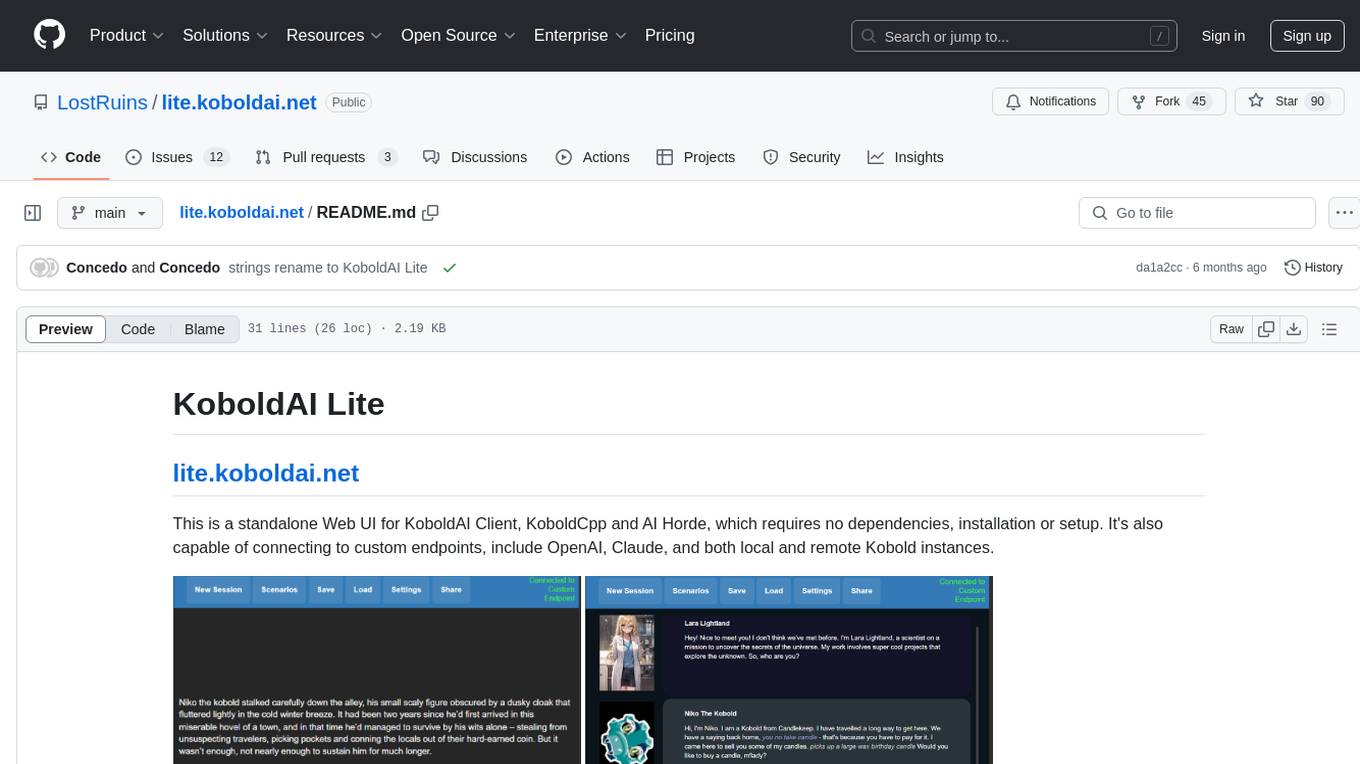
lite.koboldai.net
KoboldAI Lite is a standalone Web UI that serves as a text editor designed for use with generative LLMs. It is compatible with KoboldAI United and KoboldAI Client, bundled with KoboldCPP, and integrates with the AI Horde for text and image generation. The UI offers multiple modes for different writing styles, supports various file formats, includes premade scenarios, and allows easy sharing of stories. Users can enjoy features such as memory, undo/redo, text-to-speech, and a range of samplers and configurations. The tool is mobile-friendly and can be used directly from a browser without any setup or installation.
csghub
CSGHub is an open source platform for managing large model assets, including datasets, model files, and codes. It offers functionalities similar to a privatized Huggingface, managing assets in a manner akin to how OpenStack Glance manages virtual machine images. Users can perform operations such as uploading, downloading, storing, verifying, and distributing assets through various interfaces. The platform provides microservice submodules and standardized OpenAPIs for easy integration with users' systems. CSGHub is designed for large models and can be deployed On-Premise for offline operation.
StoryToolKit
StoryToolkitAI is a film editing tool that utilizes AI to transcribe, index scenes, search through footage, and create stories. It offers features such as automatic transcription, translation, story creation, speaker detection, project file management, and more. The tool works locally on your machine and integrates with DaVinci Resolve Studio 18. It aims to streamline the editing process by leveraging AI capabilities and enhancing user efficiency.
cody-vs
Sourcegraph’s AI code assistant, Cody for Visual Studio, enhances developer productivity by providing a natural and intuitive way to work. It offers features like chat, auto-edit, prompts, and works with various IDEs. Cody focuses on team productivity, offering whole codebase context and shared prompts for consistency. Users can choose from different LLM models like Claude, Gemini Pro, and OpenAI's GPT. Engineered for enterprise use, Cody supports flexible deployment and enterprise security. Suitable for any programming language, Cody excels with Python, Go, JavaScript, and TypeScript code.
naas
Naas (Notebooks as a service) is an open source platform that enables users to create powerful data engines combining automation, analytics, and AI from Jupyter notebooks. It offers features like templates for automated data jobs and reports, drivers for data connectivity, and production-ready environment with scheduling and notifications. Naas aims to provide an alternative to Google Colab with enhanced low-code layers.
udm14
udm14 is a basic website designed to facilitate easy searches on Google with the &udm=14 parameter, ensuring AI-free results without knowledge panels. The tool simplifies access to these specific search results buried within Google's interface, providing a straightforward solution for users seeking this functionality.
nocobase
NocoBase is an extensible AI-powered no-code platform that offers total control, infinite extensibility, and AI collaboration. It enables teams to adapt quickly and reduce costs without the need for years of development or wasted resources. With NocoBase, users can deploy the platform in minutes and have complete control over their projects. The platform is data model-driven, allowing for unlimited possibilities by decoupling UI and data structure. It integrates AI capabilities seamlessly into business systems, enabling roles such as translator, analyst, researcher, or assistant. NocoBase provides a simple and intuitive user experience with a 'what you see is what you get' approach. It is designed for extension through its plugin-based architecture, allowing users to customize and extend functionalities easily.
obsidian-NotEMD
Obsidian-NotEMD is a plugin for the Obsidian note-taking app that allows users to export notes in various formats without converting them to EMD. It simplifies the process of sharing and collaborating on notes by providing seamless export options. With Obsidian-NotEMD, users can easily export their notes to PDF, HTML, Markdown, and other formats directly from Obsidian, saving time and effort. This plugin enhances the functionality of Obsidian by streamlining the export process and making it more convenient for users to work with their notes across different platforms and applications.
Build-your-own-AI-Assistant-Solution-Accelerator
Build-your-own-AI-Assistant-Solution-Accelerator is a pre-release and preview solution that helps users create their own AI assistants. It leverages Azure Open AI Service, Azure AI Search, and Microsoft Fabric to identify, summarize, and categorize unstructured information. Users can easily find relevant articles and grants, generate grant applications, and export them as PDF or Word documents. The solution accelerator provides reusable architecture and code snippets for building AI assistants with enterprise data. It is designed for researchers looking to explore flu vaccine studies and grants to accelerate grant proposal submissions.
tiledesk
Tiledesk is an Open Source Live Chat platform with integrated Chatbots written in NodeJs and Express. It provides a multi-channel platform for Web, Android, and iOS, offering out-of-the-box chatbots that work alongside humans. Users can automate conversations using native chatbot technology powered by AI, connect applications via APIs or Webhooks, deploy visual applications within conversations, and enable applications to interact with chatbots or end-users. Tiledesk is multichannel, allowing chatbot scripts with images and buttons to run on various channels like Whatsapp, Facebook Messenger, and Telegram. The project includes Tiledesk Server, Dashboard, Design Studio, Chat21 ionic, Web Widget, Server, Http Server, MongoDB, and a proxy. It offers Helm charts for Kubernetes deployment, but customization is recommended for production environments, such as integrating with external MongoDB or monitoring/logging tools. Enterprise customers can request private Docker images by contacting [email protected].
chat-with-your-data-solution-accelerator
Chat with your data using OpenAI and AI Search. This solution accelerator uses an Azure OpenAI GPT model and an Azure AI Search index generated from your data, which is integrated into a web application to provide a natural language interface, including speech-to-text functionality, for search queries. Users can drag and drop files, point to storage, and take care of technical setup to transform documents. There is a web app that users can create in their own subscription with security and authentication.
OpenAIWorkshop
Azure OpenAI Service provides REST API access to OpenAI's powerful language models including GPT-3, Codex and Embeddings. Users can easily adapt models for content generation, summarization, semantic search, and natural language to code translation. The workshop covers basics, prompt engineering, common NLP tasks, generative tasks, conversational dialog, and learning methods. It guides users to build applications with PowerApp, query SQL data, create data pipelines, and work with proprietary datasets. Target audience includes Power Users, Software Engineers, Data Scientists, and AI architects and Managers.
For similar tasks
anything-llm
AnythingLLM is a full-stack application that enables you to turn any document, resource, or piece of content into context that any LLM can use as references during chatting. This application allows you to pick and choose which LLM or Vector Database you want to use as well as supporting multi-user management and permissions.
kollektiv
Kollektiv is a Retrieval-Augmented Generation (RAG) system designed to enable users to chat with their favorite documentation easily. It aims to provide LLMs with access to the most up-to-date knowledge, reducing inaccuracies and improving productivity. The system utilizes intelligent web crawling, advanced document processing, vector search, multi-query expansion, smart re-ranking, AI-powered responses, and dynamic system prompts. The technical stack includes Python/FastAPI for backend, Supabase, ChromaDB, and Redis for storage, OpenAI and Anthropic Claude 3.5 Sonnet for AI/ML, and Chainlit for UI. Kollektiv is licensed under a modified version of the Apache License 2.0, allowing free use for non-commercial purposes.
cherry-studio
Cherry Studio is a desktop client that supports multiple LLM providers on Windows, Mac, and Linux. It offers diverse LLM provider support, AI assistants & conversations, document & data processing, practical tools integration, and enhanced user experience. The tool includes features like support for major LLM cloud services, AI web service integration, local model support, pre-configured AI assistants, document processing for text, images, and more, global search functionality, topic management system, AI-powered translation, and cross-platform support with ready-to-use features and themes for a better user experience.
OpenContracts
OpenContracts is an Apache-2 licensed enterprise document analytics tool that supports multiple formats, including PDF and txt-based formats. It features multiple document ingestion pipelines with a pluggable architecture for easy format and ingestion engine support. Users can create custom document analytics tools with beautiful result displays, support mass document data extraction with a LlamaIndex wrapper, and manage document collections, layout parsing, automatic vector embeddings, and human annotation. The tool also offers pluggable parsing pipelines, human annotation interface, LlamaIndex integration, data extraction capabilities, and custom data extract pipelines for bulk document querying.
simba
Simba is an open source, portable Knowledge Management System (KMS) designed to seamlessly integrate with any Retrieval-Augmented Generation (RAG) system. It features a modern UI and modular architecture, allowing developers to focus on building advanced AI solutions without the complexities of knowledge management. Simba offers a user-friendly interface to visualize and modify document chunks, supports various vector stores and embedding models, and simplifies knowledge management for developers. It is community-driven, extensible, and aims to enhance AI functionality by providing a seamless integration with RAG-based systems.
Kori
Kori is a unified note-taking app with AI capabilities, providing a consistent experience across Android, iOS, Windows, macOS, and Linux. It supports various formats like Drawing, Markdown, TXT, LaTeX, Mermaid diagrams, and Todo.txt lists. Users can benefit from AI co-writing features, note outline generation, find and replace, note templates, local media support, and export options. The app follows Material Design 3 guidelines, offers comprehensive mouse and keyboard support, and is optimized for different screen sizes and orientations.
docs-mcp-server
The docs-mcp-server repository contains the server-side code for the documentation management system. It provides functionalities for managing, storing, and retrieving documentation files. Users can upload, update, and delete documents through the server. The server also supports user authentication and authorization to ensure secure access to the documentation system. Additionally, the server includes APIs for integrating with other systems and tools, making it a versatile solution for managing documentation in various projects and organizations.
react-native-rag
React Native RAG is a library that enables private, local RAGs to supercharge LLMs with a custom knowledge base. It offers modular and extensible components like `LLM`, `Embeddings`, `VectorStore`, and `TextSplitter`, with multiple integration options. The library supports on-device inference, vector store persistence, and semantic search implementation. Users can easily generate text responses, manage documents, and utilize custom components for advanced use cases.
For similar jobs
khoj
Khoj is an open-source, personal AI assistant that extends your capabilities by creating always-available AI agents. You can share your notes and documents to extend your digital brain, and your AI agents have access to the internet, allowing you to incorporate real-time information. Khoj is accessible on Desktop, Emacs, Obsidian, Web, and Whatsapp, and you can share PDF, markdown, org-mode, notion files, and GitHub repositories. You'll get fast, accurate semantic search on top of your docs, and your agents can create deeply personal images and understand your speech. Khoj is self-hostable and always will be.
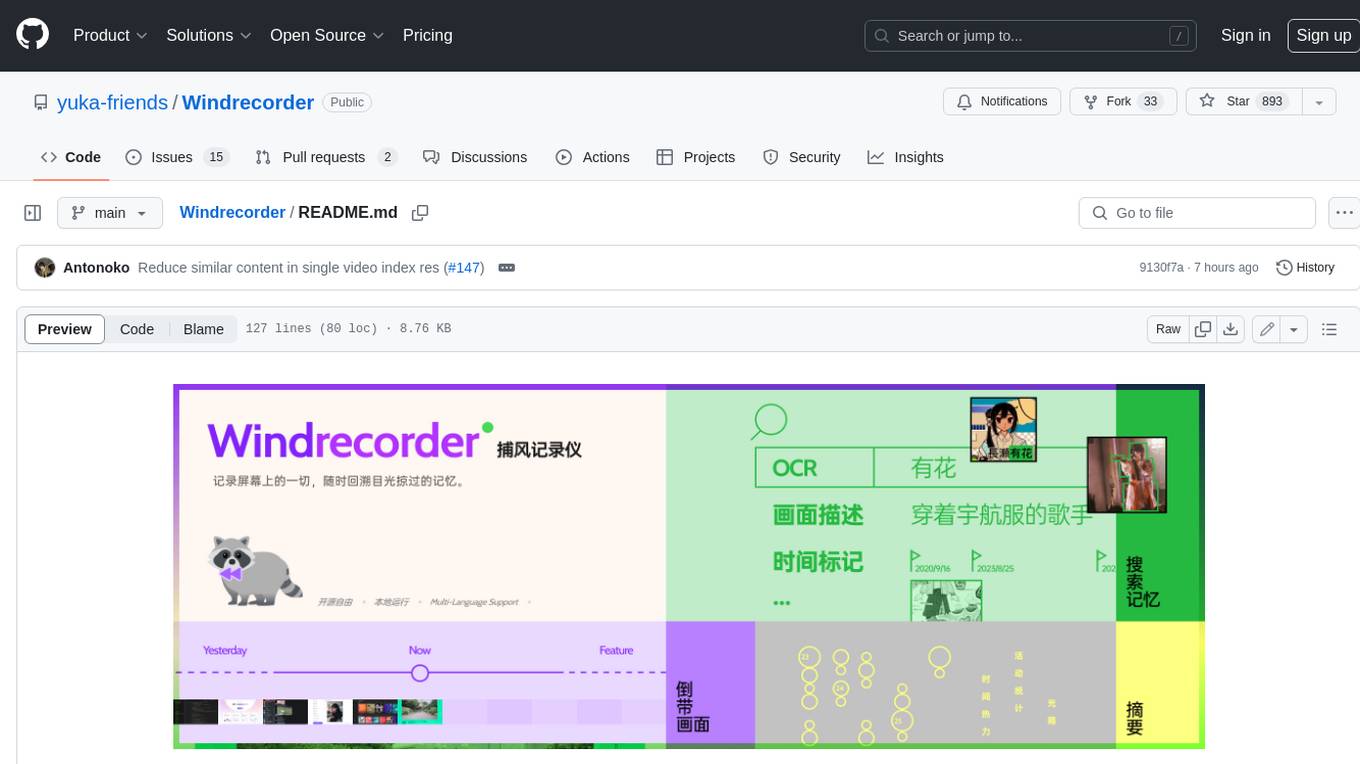
Windrecorder
Windrecorder is an open-source tool that helps you retrieve memory cues by recording everything on your screen. It can search based on OCR text or image descriptions and provides a summary of your activities. All of its capabilities run entirely locally, without the need for an internet connection or uploading any data, giving you complete ownership of your data.
forge
Forge is a free and open-source digital collectible card game (CCG) engine written in Java. It is designed to be easy to use and extend, and it comes with a variety of features that make it a great choice for developers who want to create their own CCGs. Forge is used by a number of popular CCGs, including Ascension, Dominion, and Thunderstone.
userscripts
Greasemonkey userscripts. A userscript manager such as Tampermonkey is required to run these scripts.
freeGPT
freeGPT provides free access to text and image generation models. It supports various models, including gpt3, gpt4, alpaca_7b, falcon_40b, prodia, and pollinations. The tool offers both asynchronous and non-asynchronous interfaces for text completion and image generation. It also features an interactive Discord bot that provides access to all the models in the repository. The tool is easy to use and can be integrated into various applications.
open-saas
Open SaaS is a free and open-source React and Node.js template for building SaaS applications. It comes with a variety of features out of the box, including authentication, payments, analytics, and more. Open SaaS is built on top of the Wasp framework, which provides a number of features to make it easy to build SaaS applications, such as full-stack authentication, end-to-end type safety, jobs, and one-command deploy.
AIGODLIKE-ComfyUI-Translation
A plugin for multilingual translation of ComfyUI, This plugin implements translation of resident menu bar/search bar/right-click context menu/node, etc

free-for-life
A massive list including a huge amount of products and services that are completely free! ⭐ Star on GitHub • 🤝 Contribute # Table of Contents * APIs, Data & ML * Artificial Intelligence * BaaS * Code Editors * Code Generation * DNS * Databases * Design & UI * Domains * Email * Font * For Students * Forms * Linux Distributions * Messaging & Streaming * PaaS * Payments & Billing * SSL