


EvoAgentX
🚀 EvoAgentX: Building a Self-Evolving Ecosystem of AI Agents
Stars: 1580
EvoAgentX is an open-source framework for building, evaluating, and evolving LLM-based agents or agentic workflows in an automated, modular, and goal-driven manner. It enables developers and researchers to move beyond static prompt chaining or manual workflow orchestration by introducing a self-evolving agent ecosystem. The framework includes features such as agent workflow autoconstruction, built-in evaluation, self-evolution engine, plug-and-play compatibility, comprehensive built-in tools, memory module support, and human-in-the-loop interactions.
README:








EvoAgentX is an open-source framework for building, evaluating, and evolving LLM-based agents or agentic workflows in an automated, modular, and goal-driven manner. At its core, EvoAgentX enables developers and researchers to move beyond static prompt chaining or manual workflow orchestration. It introduces a self-evolving agent ecosystem, where AI agents can be constructed, assessed, and optimized through iterative feedback loops—much like how software is continuously tested and improved.
-
🧱 Agent Workflow Autoconstruction
From a single prompt, EvoAgentX builds structured, multi-agent workflows tailored to the task.
-
🔍 Built-in Evaluation
It integrates automatic evaluators to score agent behavior using task-specific criteria.
-
🔁 Self-Evolution Engine
Agents don’t just work—they learn. EvoAgentX improves workflows using self-evolving algorithms.
-
🧩 Plug-and-Play Compatibility
Easily integrate original OpenAI and qwen or other popular models, including Claude, Deepseek, kimi models through (LiteLLM, siliconflow or openrouter). If you want to use LLMs locally deployed on your own machine, you can try LiteLLM.
-
🧰 Comprehensive Built-in Tools
EvoAgentX ships with a rich set of built-in tools that empower agents to interact with real-world environments.
-
🧠 Memory Module
EvoAgentX supports both ephemeral (short-term) and persistent (long-term) memory systems.
-
🧑💻 Human-in-the-Loop (HITL) Interactions
EvoAgentX supports interactive workflows where humans review, correct, and guide agent behavior.
EvoAgentX isn’t just a framework — it’s your launchpad for real-world AI agents.
Whether you're an AI researcher, workflow engineer, or startup team, EvoAgentX helps you go from a vague idea to a fully functional agentic system — with minimal engineering and maximum flexibility.
Here’s how:
-
🔍 Struggling to improve your workflows?
EvoAgentX can automatically evolve and optimize your agentic workflows using SOTA self-evolving algorithms, driven by your dataset and goals. -
🧑💻 Want to supervise the agent and stay in control?
Insert yourself into the loop! EvoAgentX supports Human-in-the-Loop (HITL) checkpoints, so you can step in, review, or guide the workflow as needed — and step out again. -
🧠 Frustrated by agents that forget everything?
EvoAgentX provides both short-term and long-term memory modules, enabling your agents to remember, reflect, and improve across interactions. -
⚙️ Lost in manual workflow orchestration?
Just describe your goal — EvoAgentX will automatically assemble a multi-agent workflow that matches your intent. -
🌍 Want your agents to actually do things?
With a rich library of built-in tools (search, code, browser, file I/O, APIs, and more), EvoAgentX empowers agents to interact with the real world, not just talk about it.
-
[Aug 2025] 🚀 New Survey Released!
Our team just published a comprehensive survey on Self-Evolving AI Agents—exploring how agents can learn, adapt, and optimize over time.
👉 Read it on arXiv 👉 Check the repo -
[July 2025] 📚 EvoAgentX Framework Paper is Live!
We officially published the EvoAgentX framework paper on arXiv, detailing our approach to building evolving agentic workflows.
👉 Check it out -
[July 2025] ⭐️ 1,000 Stars Reached!
Thanks to our amazing community, EvoAgentX has surpassed 1,000 GitHub stars! -
[May 2025] 🚀 Official Launch!
EvoAgentX is now live! Start building self-evolving AI workflows from day one.
🔧 Get Started on GitHub
- 🔥 Latest News
- ⚡ Get Started
- Installation
- LLM Configuration
- Automatic WorkFlow Generation
- EvoAgentX Built-in Tools Summary
- Tool-Enabled Workflows Generation
- Demo Video
- Evolution Algorithms
- Applications
- Tutorial and Use Cases
- 🗣️ EvoAgentX TALK
- 🎯 Roadmap
- 🙋 Support
- 🙌 Contributing to EvoAgentX
- 📖 Citation
- 📚 Acknowledgements
- 📄 License
We recommend installing EvoAgentX using pip:
pip install evoagentxor install from source:
pip install git+https://github.com/EvoAgentX/EvoAgentX.gitFor local development or detailed setup (e.g., using conda), refer to the Installation Guide for EvoAgentX.
Example (optional, for local development):
git clone https://github.com/EvoAgentX/EvoAgentX.git
cd EvoAgentX
# Create a new conda environment
conda create -n evoagentx python=3.11

# Activate the environment
conda activate evoagentx

# Install the package
pip install -r requirements.txt
# OR install in development mode
pip install -e .To use LLMs with EvoAgentX (e.g., OpenAI), you must set up your API key.
Option 1: Set API Key via Environment Variable
- Linux/macOS:
export OPENAI_API_KEY=<your-openai-api-key>- Windows Command Prompt:
set OPENAI_API_KEY=<your-openai-api-key>- Windows PowerShell:
$env:OPENAI_API_KEY="<your-openai-api-key>" # " is required Once set, you can access the key in your Python code with:
import os
OPENAI_API_KEY = os.getenv("OPENAI_API_KEY")
Option 2: Use .env File
- Create a .env file in your project root and add the following:
OPENAI_API_KEY=<your-openai-api-key>Then load it in Python:
from dotenv import load_dotenv
import os

load_dotenv() # Loads environment variables from .env file
OPENAI_API_KEY = os.getenv("OPENAI_API_KEY")Once the API key is set, initialise the LLM with:
from evoagentx.models import OpenAILLMConfig, OpenAILLM

# Load the API key from environment
OPENAI_API_KEY = os.getenv("OPENAI_API_KEY")

# Define LLM configuration
openai_config = OpenAILLMConfig(
    model="gpt-4o-mini",       # Specify the model name
    openai_key=OPENAI_API_KEY, # Pass the key directly
    stream=True,               # Enable streaming response
    output_response=True       # Print response to stdout
)

# Initialize the language model
llm = OpenAILLM(config=openai_config)

# Generate a response from the LLM
response = llm.generate(prompt="What is Agentic Workflow?")
📖 More details on supported models and config options: LLM module guide.
Once your API key and language model are configured, you can automatically generate and execute multi-agent workflows in EvoAgentX.
🧩 Core Steps:
- Define a natural language goal
- Generate the workflow with
WorkFlowGenerator - Instantiate agents using
AgentManager - Execute the workflow via
WorkFlow
💡 Minimal Example:
from evoagentx.workflow import WorkFlowGenerator, WorkFlowGraph, WorkFlow
from evoagentx.agents import AgentManager

goal = "Generate html code for the Tetris game"
workflow_graph = WorkFlowGenerator(llm=llm).generate_workflow(goal)

agent_manager = AgentManager()
agent_manager.add_agents_from_workflow(workflow_graph, llm_config=openai_config)

workflow = WorkFlow(graph=workflow_graph, agent_manager=agent_manager, llm=llm)
output = workflow.execute()
print(output)
You can also:
- 📊 Visualise the workflow:
workflow_graph.display() - 💾 Save/load workflows:
save_module()/from_file()
📂 For a complete working example, check out the
workflow_demo.py
EvoAgentX ships with a comprehensive suite of built-in tools, enabling agents to interact with code environments, search engines, databases, filesystems, images, and browsers. These modular toolkits form the backbone of multi-agent workflows and are easy to extend, customize, and test.
Categories include:
- 🧮 Code Interpreters (Python, Docker)
- 🔍 Search & HTTP Requests (Google, Wikipedia, arXiv, RSS)
- 🗂️ Filesystem Utilities (read/write, shell commands)
- 🧠 Databases (MongoDB, PostgreSQL, FAISS)
- 🖼️ Image Tools (analysis, generation)
- 🌐 Browser Automation (low-level & LLM-driven)
We actively welcome contributions from the community!
Feel free to propose or submit new tools via pull requests or discussions.
Click to expand full table 🔽
| Toolkit Name | Description | Code File Path | Test File Path |
|---|---|---|---|
| 🧰 Code Interpreters | |||
| PythonInterpreterToolkit | Safely execute Python code snippets or local .py scripts with sandboxed imports and controlled filesystem access. | link | link |
| DockerInterpreterToolkit | Run code (e.g., Python) inside an isolated Docker container—useful for untrusted code, special deps, or strict isolation. | link | link |
| 🧰 Search & Request Tools | |||
| WikipediaSearchToolkit | Search Wikipedia and retrieve results with title, summary, full content, and URL. | link | link |
| GoogleSearchToolkit | Google Custom Search (official API). Requires GOOGLE_API_KEY and GOOGLE_SEARCH_ENGINE_ID. | link | link |
| GoogleFreeSearchToolkit | Google-style search without API credentials (lightweight alternative). | link | link |
| DDGSSearchToolkit | Search using DDGS with multiple backends and privacy-focused results | link | link |
| SerpAPIToolkit | Multi-engine search via SerpAPI (Google/Bing/Baidu/Yahoo/DDG) with optional content scraping. Requires SERPAPI_KEY. | link | link |
| SerperAPIToolkit | Google search via SerperAPI with content extraction. Requires SERPERAPI_KEY. | link | link |
| RequestToolkit | General HTTP client (GET/POST/PUT/DELETE) with params, form, JSON, headers, raw/processed response, and optional save to file. | link | link |
| ArxivToolkit | Search arXiv for research papers (title, authors, abstract, links/categories). | link | link |
| RSSToolkit | Fetch RSS feeds (with optional webpage content extraction) and validate feeds. | link | link |
| GoogleMapsToolkit | Geoinformation retrieval and path planning via Google API service. | link | link |
| 🧰 FileSystem Tools | |||
| StorageToolkit | File I/O utilities: save/read/append/delete, check existence, list files, list supported formats (pluggable storage backends). | link | link |
| CMDToolkit | Execute shell/CLI commands with working directory and timeout control; returns stdout/stderr/return code. | link | link |
| FileToolkit | File operations toolkit for managing files and directories | link | link |
| 🧰 Database Tools | |||
| MongoDBToolkit | MongoDB operations—execute queries/aggregations, find with filter/projection/sort, update, delete, info. | link | link |
| PostgreSQLToolkit | PostgreSQL operations—generic SQL execution, targeted SELECT (find), UPDATE, CREATE, DELETE, INFO. | link | link |
| FaissToolkit | Vector database (FAISS) for semantic search—insert documents (auto chunk+embed), query by similarity, delete by id/metadata, stats. | link | link |
| 🧰 Image Handling Tools | |||
| ImageAnalysisToolkit | Vision analysis (OpenRouter GPT-4o family): describe images, extract objects/UI info, answer questions about an image. | link | link |
| OpenAIImageGenerationToolkit | Text-to-image via OpenAI (DALL·E family) with size/quality/style controls. | link | link |
| FluxImageGenerationToolkit | Text-to-image via Flux Kontext Max (BFL) with aspect ratio, seed, format, prompt upsampling, and safety tolerance. | link | link |
| 🧰 Browser Tools | |||
| BrowserToolkit | Fine-grained browser automation: initialize, navigate, type, click, resnapshot page, read console logs, and close. | link | link |
| BrowserUseToolkit | High-level, natural-language browser automation (navigate, fill forms, click, search, etc.) driven by an LLM. | link | link |
EvoAgentX also supports MCP tools.
Check out our tutorial to learn how to configure your preferred MCP tools with EvoAgentX.
In more advanced scenarios, your workflow agents may need to use external tools. EvoAgentX allows Automatic tool integration: Provide a list of toolkits to WorkFlowGenerator. The generator will consider these and include them in the agents if appropriate.
For instance, to enable an Arxiv toolkit:
from evoagentx.tools import ArxivToolkit

# Initialize a command-line toolkit for file operations
arxiv_toolkit = ArxivToolkit()

# Generate a workflow with the toolkit available to agents
wf_generator = WorkFlowGenerator(llm=llm, tools=[arxiv_toolkit])
workflow_graph = wf_generator.generate_workflow(goal="Find and summarize the latest research on AI in the field of finance on arXiv")

# Instantiate agents with access to the toolkit
agent_manager = AgentManager(tools=[arxiv_toolkit])
agent_manager.add_agents_from_workflow(workflow_graph, llm_config=openai_config)

workflow = WorkFlow(graph=workflow_graph, agent_manager=agent_manager, llm=llm)
output = workflow.execute()
print(output)
In this setup, the workflow generator may assign the ArxivToolkit to relevant agents, enabling them to execute shell commands as part of the workflow (e.g. creating directories and files)
In advanced scenarios, EvoAgentX supports integrating human-in-the-loop interactions within your agent workflows. This means you can pause an agent’s execution for manual approval or inject user-provided input at key steps, ensuring critical decisions are vetted by a human when needed.
All human interactions are managed through a central HITLManager instance. The HITL module includes specialized agents like HITLInterceptorAgent for approval gating and HITLUserInputCollectorAgent for collecting user data.
For instance, to require human approval before an email-sending agent executes its action:
from evoagentx.hitl import HITLManager, HITLInterceptorAgent, HITLInteractionType, HITLMode

hitl_manager = HITLManager()
hitl_manager.activate()  # Enable HITL (disabled by default)

# Interceptor agent to approve/reject the DummyEmailSendAction of DataSendingAgent
interceptor = HITLInterceptorAgent(
    target_agent_name="DataSendingAgent",
    target_action_name="DummyEmailSendAction",
    interaction_type=HITLInteractionType.APPROVE_REJECT,
    mode=HITLMode.PRE_EXECUTION    # ask before action runs
)
# Map the interceptor’s output field back to the workflow’s input field for continuity
hitl_manager.hitl_input_output_mapping = {"human_verified_data": "extracted_data"}

# Add the interceptor to the AgentManager and include HITL in the workflow execution
agent_manager.add_agent(interceptor)
workflow = WorkFlow(graph=workflow_graph, agent_manager=agent_manager, llm=llm, hitl_manager=hitl_manager)
When this interceptor triggers, the workflow will pause and prompt in the console for [a]pprove or [r]eject before continuing. If approved, the flow proceeds using the human-verified data; if rejected, the action is skipped or handled accordingly.
📂 For a complete working example, check out the
tutorial /hitl.md


In this demo, we showcase the workflow generation and execution capabilities of EvoAgentX through two examples:
-
Application 1: Financial Information Agentic Workflow
-
In this example, we use a workflow generated by EvoAgentX to collect public information about a company based on a given index.
The collected data includes the overall market index, the company’s current stock price, institutional buy/sell activity, and more.
Finally, the workflow generates an HTML report summarizing the information and providing a buy/sell/hold recommendation. This workflow is only an alpha version. If you're interested in turning it into a truly practical investment assistant, you can consider integrating more financial indicators and analytical tools—and let these tools join your workflow through agents! Check here to try this workflow. -
Application 2: ArXiv Research Summarizer Workflow
This workflow, generated by EvoAgentX and powered by the ArXiv MCP tool, can retrieve and summarize relevant papers from arXiv based on your provided keywords and selected time range.
If you're interested, you can even extend this workflow beyond arXiv, integrating it with other academic search platforms like Google Scholar, and turn it into a fully functional research assistant application! Check here to play with this workflow.
 Application 1: Stock Recommendation |
 Application 2: Arxiv Daily Paper Recommendation |
We have integrated some effective agent/workflow evolution algorithms into EvoAgentX:
| Algorithm | Description | Link |
|---|---|---|
| TextGrad | Gradient-based optimization for LLM prompts and reasoning chains, enabling differentiable planning. | 📄 Nature (2025) |
| MIPRO | Model-agnostic Iterative Prompt Optimization using black-box evaluations and adaptive reranking. | 📄 arXiv:2406.11695 |
| AFlow | Reinforcement learning-inspired agent workflow evolution using Monte Carlo Tree Search. | 📄 arXiv:2410.10762 |
Please suggest the latest self-evolving algorithm by submitting an issue or a Pull Request.
To evaluate the performance, we use them to optimize the same agent system on three different tasks: multi-hop QA (HotPotQA), code generation (MBPP) and reasoning (MATH). We randomly sample 50 examples for validation and other 100 examples for testing.
Tip: We have integrated these benchmark and evaluation code in EvoAgentX. Please refer to the benchmark and evaluation tutorial for more details.
| Method | HotPotQA (F1%) |
MBPP (Pass@1 %) |
MATH (Solve Rate %) |
|---|---|---|---|
| Original | 63.58 | 69.00 | 66.00 |
| TextGrad | 71.02 | 71.00 | 76.00 |
| AFlow | 65.09 | 79.00 | 71.00 |
| MIPRO | 69.16 | 68.00 | 72.30 |
Please refer to the examples/optimization folder for more details.
We use our framework to optimize existing multi-agent systems on the GAIA benchmark. We select Open Deep Research and OWL, two representative multi-agent framework from the GAIA leaderboard that is open-source and runnable.
We apply EvoAgentX to optimize their prompts. The performance of the optimized agents on the GAIA benchmark validation set is shown in the figure below.
 Open Deep Research |
 OWL Agent |
Full Optimization Reports: Open Deep Research and OWL.
💡 New to EvoAgentX? Start with the Quickstart Guide for a step-by-step introduction.
Explore how to effectively use EvoAgentX with the following resources:
| Cookbook | Colab Notebook | Description |
|---|---|---|
| Build Your First Agent | Build Your First Agent | Quickly create and manage agents with multi-action capabilities. |
| Build Your First Workflow | Build Your First Workflow | Learn to build collaborative workflows with multiple agents. |
| Working with Tools | Working with Tools | Master EvoAgentX's powerful tool ecosystem for agent interactions |
| Automatic Workflow Generation | Automatic Workflow Generation | Automatically generate workflows from natural language goals. |
| Benchmark and Evaluation Tutorial | Benchmark and Evaluation Tutorial | Evaluate agent performance using benchmark datasets. |
| TextGrad Optimizer Tutorial | TextGrad Optimizer Tutorial | Automatically optimise the prompts within multi-agent workflow with TextGrad. |
| AFlow Optimizer Tutorial | AFlow Optimizer Tutorial | Automatically optimise both the prompts and structure of multi-agent workflow with AFlow. |
| Human-In-The-Loop support | Enable HITL functionalities in your WorkFlow. |
🛠️ Follow the tutorials to build and optimize your EvoAgentX workflows.
🚀 We're actively working on expanding our library of use cases and optimization strategies. More coming soon — stay tuned!
EvoAgentX regularly invites leading researchers to give guest lectures on cutting-edge AI topics.
Below is a running log of scheduled and completed talks:
| Speaker | Topic | Date | Meeting Video |
|---|---|---|---|
| Hengzhe Zhang | Genetic Programming: From Evolutionary Algorithms to the LLM Era | 2025-08-10 | YouTube |
| Guibin Zhang | G-Memory: Tracing Hierarchical Memory for Multi-Agent Systems | 2025-09-28 | |
| Guanting Dong | Agentic Reinforced Policy Optimization | 2025-11-02 |
- [ ] Modularize Evolution Algorithms: Abstract optimization algorithms into plug-and-play modules that can be easily integrated into custom workflows.
- [ ] Develop Task Templates and Agent Modules: Build reusable templates for typical tasks and standardized agent components to streamline application development.
- [ ] Integrate Self-Evolving Agent Algorithms: Incorporate more recent and advanced agent self-evolution across multiple dimensions, including prompt tuning, workflow structures, and memory modules.
- [ ] Enable Visual Workflow Editing Interface: Provide a visual interface for workflow structure display and editing to improve usability and debugging.
📢 Stay connected and be part of the EvoAgentX journey!
🚩 Join our community to get the latest updates, share your ideas, and collaborate with AI enthusiasts worldwide.
- Discord — Chat, discuss, and collaborate in real-time.
- X (formerly Twitter) — Follow us for news, updates, and insights.
- WeChat — Connect with our Chinese community.
📅 Click the link below to add the EvoAgentX Weekly Meeting (Sundays, 16:30–17:30 GMT+8) to your calendar:
👉 Download the EvoAgentX_Weekly_Meeting.ics file
If you have any questions or feedback about this project, please feel free to contact us. We highly appreciate your suggestions!
- Email: [email protected]
We will respond to all questions within 2-3 business days.
Thanks go to these awesome contributors
We appreciate your interest in contributing to our open-source initiative. We provide a document of contributing guidelines which outlines the steps for contributing to EvoAgentX. Please refer to this guide to ensure smooth collaboration and successful contributions. 🤝🚀
Please consider citing our work if you find EvoAgentX helpful:
@article{wang2025evoagentx,
  title={EvoAgentX: An Automated Framework for Evolving Agentic Workflows},
  author={Wang, Yingxu and Liu, Siwei and Fang, Jinyuan and Meng, Zaiqiao},
  journal={arXiv preprint arXiv:2507.03616},
  year={2025}
}
@article{fang202survey,
      title={A Comprehensive Survey of Self-Evolving AI Agents: A New Paradigm Bridging Foundation Models and Lifelong Agentic Systems},
      author={Jinyuan Fang and Yanwen Peng and Xi Zhang and Yingxu Wang and Xinhao Yi and Guibin Zhang and Yi Xu and Bin Wu and Siwei Liu and Zihao Li and Zhaochun Ren and Nikos Aletras and Xi Wang and Han Zhou and Zaiqiao Meng},
      year={2025},
      journal={arXiv preprint arXiv:2508.07407},
      url={https://arxiv.org/abs/2508.07407},
}This project builds upon several outstanding open-source projects: AFlow, TextGrad, DSPy, EvoPrompt, LiveCodeBenchand more. We would like to thank the developers and maintainers of these frameworks for their valuable contributions to the open-source community.
Source code in this repository is made available under the MIT License.
For Tasks:
Click tags to check more tools for each tasksFor Jobs:
Alternative AI tools for EvoAgentX
Similar Open Source Tools
EvoAgentX
EvoAgentX is an open-source framework for building, evaluating, and evolving LLM-based agents or agentic workflows in an automated, modular, and goal-driven manner. It enables developers and researchers to move beyond static prompt chaining or manual workflow orchestration by introducing a self-evolving agent ecosystem. The framework includes features such as agent workflow autoconstruction, built-in evaluation, self-evolution engine, plug-and-play compatibility, comprehensive built-in tools, memory module support, and human-in-the-loop interactions.
beeai-framework
BeeAI Framework is a versatile tool for building production-ready multi-agent systems. It offers flexibility in orchestrating agents, seamless integration with various models and tools, and production-grade controls for scaling. The framework supports Python and TypeScript libraries, enabling users to implement simple to complex multi-agent patterns, connect with AI services, and optimize token usage and resource management.
holmesgpt
HolmesGPT is an AI agent designed for troubleshooting and investigating issues in cloud environments. It utilizes AI models to analyze data from various sources, identify root causes, and provide remediation suggestions. The tool offers integrations with popular cloud providers, observability tools, and on-call systems, enabling users to streamline the troubleshooting process. HolmesGPT can automate the investigation of alerts and tickets from external systems, providing insights back to the source or communication platforms like Slack. It supports end-to-end automation and offers a CLI for interacting with the AI agent. Users can customize HolmesGPT by adding custom data sources and runbooks to enhance investigation capabilities. The tool prioritizes data privacy, ensuring read-only access and respecting RBAC permissions. HolmesGPT is a CNCF Sandbox Project and is distributed under the Apache 2.0 License.
openrl
OpenRL is an open-source general reinforcement learning research framework that supports training for various tasks such as single-agent, multi-agent, offline RL, self-play, and natural language. Developed based on PyTorch, the goal of OpenRL is to provide a simple-to-use, flexible, efficient and sustainable platform for the reinforcement learning research community. It supports a universal interface for all tasks/environments, single-agent and multi-agent tasks, offline RL training with expert dataset, self-play training, reinforcement learning training for natural language tasks, DeepSpeed, Arena for evaluation, importing models and datasets from Hugging Face, user-defined environments, models, and datasets, gymnasium environments, callbacks, visualization tools, unit testing, and code coverage testing. It also supports various algorithms like PPO, DQN, SAC, and environments like Gymnasium, MuJoCo, Atari, and more.
mage-ai
Mage is an open-source data pipeline tool for transforming and integrating data. It offers an easy developer experience, engineering best practices built-in, and data as a first-class citizen. Mage makes it easy to build, preview, and launch data pipelines, and provides observability and scaling capabilities. It supports data integrations, streaming pipelines, and dbt integration.
graphbit
GraphBit is an industry-grade agentic AI framework built for developers and AI teams that demand stability, scalability, and low resource usage. It is written in Rust for maximum performance and safety, delivering significantly lower CPU usage and memory footprint compared to leading alternatives. The framework is designed to run multi-agent workflows in parallel, persist memory across steps, recover from failures, and ensure 100% task success under load. With lightweight architecture, observability, and concurrency support, GraphBit is suitable for deployment in high-scale enterprise environments and low-resource edge scenarios.
biochatter
Generative AI models have shown tremendous usefulness in increasing accessibility and automation of a wide range of tasks. This repository contains the `biochatter` Python package, a generic backend library for the connection of biomedical applications to conversational AI. It aims to provide a common framework for deploying, testing, and evaluating diverse models and auxiliary technologies in the biomedical domain. BioChatter is part of the BioCypher ecosystem, connecting natively to BioCypher knowledge graphs.
flow-like
Flow-Like is an enterprise-grade workflow operating system built upon Rust for uncompromising performance, efficiency, and code safety. It offers a modular frontend for apps, a rich set of events, a node catalog, a powerful no-code workflow IDE, and tools to manage teams, templates, and projects within organizations. With typed workflows, users can create complex, large-scale workflows with clear data origins, transformations, and contracts. Flow-Like is designed to automate any process through seamless integration of LLM, ML-based, and deterministic decision-making instances.
spaCy
spaCy is an industrial-strength Natural Language Processing (NLP) library in Python and Cython. It incorporates the latest research and is designed for real-world applications. The library offers pretrained pipelines supporting 70+ languages, with advanced neural network models for tasks such as tagging, parsing, named entity recognition, and text classification. It also facilitates multi-task learning with pretrained transformers like BERT, along with a production-ready training system and streamlined model packaging, deployment, and workflow management. spaCy is commercial open-source software released under the MIT license.
agents-towards-production
Agents Towards Production is an open-source playbook for building production-ready GenAI agents that scale from prototype to enterprise. Tutorials cover stateful workflows, vector memory, real-time web search APIs, Docker deployment, FastAPI endpoints, security guardrails, GPU scaling, browser automation, fine-tuning, multi-agent coordination, observability, evaluation, and UI development.
Open-Interface
Open Interface is a self-driving software that automates computer tasks by sending user requests to a language model backend (e.g., GPT-4V) and simulating keyboard and mouse inputs to execute the steps. It course-corrects by sending current screenshots to the language models. The tool supports MacOS, Linux, and Windows, and requires setting up the OpenAI API key for access to GPT-4V. It can automate tasks like creating meal plans, setting up custom language model backends, and more. Open Interface is currently not efficient in accurate spatial reasoning, tracking itself in tabular contexts, and navigating complex GUI-rich applications. Future improvements aim to enhance the tool's capabilities with better models trained on video walkthroughs. The tool is cost-effective, with user requests priced between $0.05 - $0.20, and offers features like interrupting the app and primary display visibility in multi-monitor setups.
inference
Xorbits Inference (Xinference) is a powerful and versatile library designed to serve language, speech recognition, and multimodal models. With Xorbits Inference, you can effortlessly deploy and serve your or state-of-the-art built-in models using just a single command. Whether you are a researcher, developer, or data scientist, Xorbits Inference empowers you to unleash the full potential of cutting-edge AI models.
EnvScaler
EnvScaler is an automated, scalable framework that creates tool-interactive environments for training LLM agents. It consists of SkelBuilder for environment description mining and quality inspection, ScenGenerator for synthesizing multiple environment scenarios, and modules for supervised fine-tuning and reinforcement learning. The tool provides data, models, and evaluation guides for users to build, generate scenarios, collect training data, train models, and evaluate performance. Users can interact with environments, build environments from scratch, and improve LLMs' task-solving abilities in complex environments.
unoplat-code-confluence
Unoplat-CodeConfluence is a universal code context engine that aims to extract, understand, and provide precise code context across repositories tied through domains. It combines deterministic code grammar with state-of-the-art LLM pipelines to achieve human-like understanding of codebases in minutes. The tool offers smart summarization, graph-based embedding, enhanced onboarding, graph-based intelligence, deep dependency insights, and seamless integration with existing development tools and workflows. It provides a precise context API for knowledge engine and AI coding assistants, enabling reliable code understanding through bottom-up code summarization, graph-based querying, and deep package and dependency analysis.
deepchecks
Deepchecks is a holistic open-source solution for AI & ML validation needs, enabling thorough testing of data and models from research to production. It includes components for testing, CI & testing management, and monitoring. Users can install and use Deepchecks for testing and monitoring their AI models, with customizable checks and suites for tabular, NLP, and computer vision data. The tool provides visual reports, pythonic/json output for processing, and a dynamic UI for collaboration and monitoring. Deepchecks is open source, with premium features available under a commercial license for monitoring components.
FlagEmbedding
FlagEmbedding focuses on retrieval-augmented LLMs, consisting of the following projects currently: * **Long-Context LLM** : Activation Beacon * **Fine-tuning of LM** : LM-Cocktail * **Embedding Model** : Visualized-BGE, BGE-M3, LLM Embedder, BGE Embedding * **Reranker Model** : llm rerankers, BGE Reranker * **Benchmark** : C-MTEB
For similar tasks
EvoAgentX
EvoAgentX is an open-source framework for building, evaluating, and evolving LLM-based agents or agentic workflows in an automated, modular, and goal-driven manner. It enables developers and researchers to move beyond static prompt chaining or manual workflow orchestration by introducing a self-evolving agent ecosystem. The framework includes features such as agent workflow autoconstruction, built-in evaluation, self-evolution engine, plug-and-play compatibility, comprehensive built-in tools, memory module support, and human-in-the-loop interactions.
shell-ai
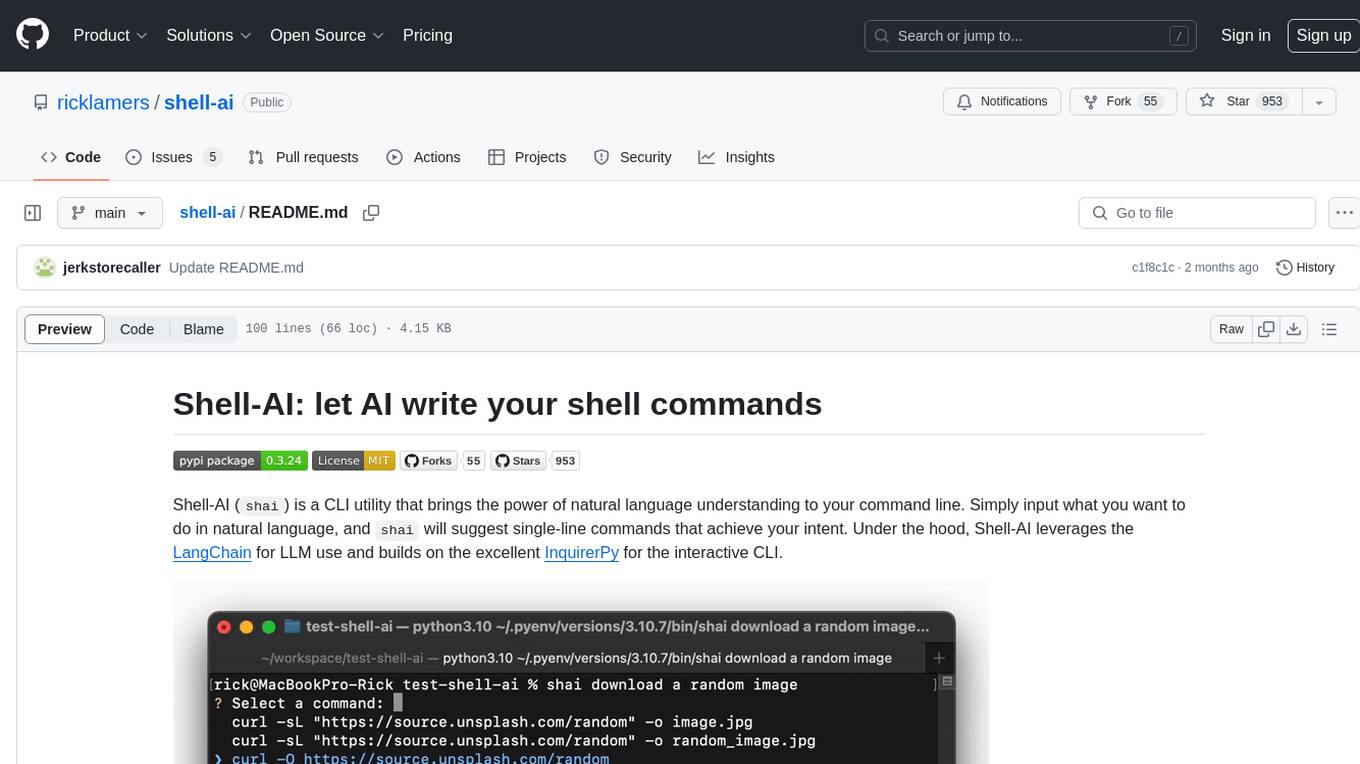
Shell-AI (`shai`) is a CLI utility that enables users to input commands in natural language and receive single-line command suggestions. It leverages natural language understanding and interactive CLI tools to enhance command line interactions. Users can describe tasks in plain English and receive corresponding command suggestions, making it easier to execute commands efficiently. Shell-AI supports cross-platform usage and is compatible with Azure OpenAI deployments, offering a user-friendly and efficient way to interact with the command line.
Trace
Trace is a new AutoDiff-like tool for training AI systems end-to-end with general feedback. It generalizes the back-propagation algorithm by capturing and propagating an AI system's execution trace. Implemented as a PyTorch-like Python library, users can write Python code directly and use Trace primitives to optimize certain parts, similar to training neural networks.
magma
Magma is a powerful and flexible framework for building scalable and efficient machine learning pipelines. It provides a simple interface for creating complex workflows, enabling users to easily experiment with different models and data processing techniques. With Magma, users can streamline the development and deployment of machine learning projects, saving time and resources.
policy-synth
Policy Synth is a TypeScript class library that empowers better decision-making for governments and companies by integrating collective and artificial intelligence. It streamlines processes through multi-scale AI agent logic flows, robust APIs, and cutting-edge real-time AI-driven web applications. The tool supports organizations in generating, refining, and implementing smarter, data-informed strategies, fostering collaboration with AI to tackle complex challenges effectively.
bk-lite
Blueking Lite is an AI First lightweight operation product with low deployment resource requirements, low usage costs, and progressive experience, providing essential tools for operation administrators.
ComfyUI
ComfyUI is a powerful and modular visual AI engine and application that allows users to design and execute advanced stable diffusion pipelines using a graph/nodes/flowchart based interface. It provides a user-friendly environment for creating complex Stable Diffusion workflows without the need for coding. ComfyUI supports various models for image, video, audio, and 3D processing, along with features like smart memory management, model loading, embeddings/textual inversion, and offline usage. Users can experiment with different models, create complex workflows, and optimize their processes efficiently.
For similar jobs

weave
Weave is a toolkit for developing Generative AI applications, built by Weights & Biases. With Weave, you can log and debug language model inputs, outputs, and traces; build rigorous, apples-to-apples evaluations for language model use cases; and organize all the information generated across the LLM workflow, from experimentation to evaluations to production. Weave aims to bring rigor, best-practices, and composability to the inherently experimental process of developing Generative AI software, without introducing cognitive overhead.

LLMStack
LLMStack is a no-code platform for building generative AI agents, workflows, and chatbots. It allows users to connect their own data, internal tools, and GPT-powered models without any coding experience. LLMStack can be deployed to the cloud or on-premise and can be accessed via HTTP API or triggered from Slack or Discord.

VisionCraft
The VisionCraft API is a free API for using over 100 different AI models. From images to sound.

kaito
Kaito is an operator that automates the AI/ML inference model deployment in a Kubernetes cluster. It manages large model files using container images, avoids tuning deployment parameters to fit GPU hardware by providing preset configurations, auto-provisions GPU nodes based on model requirements, and hosts large model images in the public Microsoft Container Registry (MCR) if the license allows. Using Kaito, the workflow of onboarding large AI inference models in Kubernetes is largely simplified.

PyRIT
PyRIT is an open access automation framework designed to empower security professionals and ML engineers to red team foundation models and their applications. It automates AI Red Teaming tasks to allow operators to focus on more complicated and time-consuming tasks and can also identify security harms such as misuse (e.g., malware generation, jailbreaking), and privacy harms (e.g., identity theft). The goal is to allow researchers to have a baseline of how well their model and entire inference pipeline is doing against different harm categories and to be able to compare that baseline to future iterations of their model. This allows them to have empirical data on how well their model is doing today, and detect any degradation of performance based on future improvements.

tabby
Tabby is a self-hosted AI coding assistant, offering an open-source and on-premises alternative to GitHub Copilot. It boasts several key features: * Self-contained, with no need for a DBMS or cloud service. * OpenAPI interface, easy to integrate with existing infrastructure (e.g Cloud IDE). * Supports consumer-grade GPUs.

spear
SPEAR (Simulator for Photorealistic Embodied AI Research) is a powerful tool for training embodied agents. It features 300 unique virtual indoor environments with 2,566 unique rooms and 17,234 unique objects that can be manipulated individually. Each environment is designed by a professional artist and features detailed geometry, photorealistic materials, and a unique floor plan and object layout. SPEAR is implemented as Unreal Engine assets and provides an OpenAI Gym interface for interacting with the environments via Python.

Magick
Magick is a groundbreaking visual AIDE (Artificial Intelligence Development Environment) for no-code data pipelines and multimodal agents. Magick can connect to other services and comes with nodes and templates well-suited for intelligent agents, chatbots, complex reasoning systems and realistic characters.