


proxy
Open source cost intelligence proxy for AI agents. Cut costs ~80% with smart model routing. Dashboard, policy engine, 11 providers. MIT licensed.
Stars: 73
An open-source local HTTP proxy tool that sits between AI agents and providers, tracking requests, offering task-aware routing, and providing a dashboard for monitoring. It works with various agent frameworks communicating with OpenAI or Anthropic APIs, allowing users to classify tasks, route requests to specific models, and record telemetry data locally. Users can configure complexity-based routing, model overrides, cascade mode, smart aliases, and routing suffixes for routing preferences. The tool ensures provider reliability with cooldowns, supports hybrid authentication for expensive models, and offers telemetry features for monitoring usage. The dashboard displays request statistics, cost breakdowns, routing decisions, and provider health status.
README:


An open-source LLM proxy that sits between your AI agents and providers. Tracks every request, shows where the money goes, and offers configurable task-aware routing — all running locally.
npm install -g @relayplane/proxy
relayplane init
relayplane start
# Dashboard at http://localhost:4100
Works with any agent framework that talks to OpenAI or Anthropic APIs. Point your client at http://localhost:4801 (set ANTHROPIC_BASE_URL or OPENAI_BASE_URL) and the proxy handles the rest.
Anthropic · OpenAI · Google Gemini · xAI/Grok · OpenRouter · DeepSeek · Groq · Mistral · Together · Fireworks · Perplexity
RelayPlane reads configuration from ~/.relayplane/config.json. Override the path with the RELAYPLANE_CONFIG_PATH environment variable.
# Default location
~/.relayplane/config.json

# Override with env var
RELAYPLANE_CONFIG_PATH=/path/to/config.json relayplane start
A minimal config file:
{
  "enabled": true,
  "modelOverrides": {},
  "routing": {
    "mode": "cascade",
    "cascade": { "enabled": true },
    "complexity": { "enabled": true }
  }
}
All configuration is optional — sensible defaults are applied for every field. The proxy merges your config with its defaults via deep merge, so you only need to specify what you want to change.
Client (Claude Code / Aider / Cursor)
        |
        |  OpenAI/Anthropic-compatible request
        v
+-----------------------------------------------+
| RelayPlane Proxy (local)                       |
|-----------------------------------------------|
| 1) Parse request                               |
| 2) Infer task/complexity (pre-request)         |
| 3) Select route/model                          |
|    - explicit model / passthrough             |
|    - relayplane:auto/cost/fast/quality        |
|    - configured complexity/cascade rules       |
| 4) Forward request to provider                 |
| 5) Return provider response                    |
| 6) (Optional) record telemetry metadata        |
+-----------------------------------------------+
        |
        v
Provider APIs (Anthropic/OpenAI/Gemini/xAI/Moonshot/...)
RelayPlane is a local HTTP proxy. You point your agent at localhost:4801 by setting ANTHROPIC_BASE_URL or OPENAI_BASE_URL. The proxy:
- Intercepts your LLM API requests
- Classifies the task using heuristics (token count, prompt patterns, keyword matching — no LLM calls)
- Routes to the configured model based on classification and your routing rules (or passes through to the original model by default)
- Forwards the request directly to the LLM provider (your prompts go straight to the provider, not through RelayPlane servers)
- Records token counts, latency, and cost locally for your dashboard
Default behavior is passthrough — requests go to whatever model your agent requested. Routing (cascade, complexity-based) is configurable and must be explicitly enabled.
The proxy classifies incoming requests by complexity (simple, moderate, complex) based on prompt length, token patterns, and the presence of tools. Each tier maps to a different model.
{
  "routing": {
    "complexity": {
      "enabled": true,
      "simple": "claude-3-5-haiku-latest",
      "moderate": "claude-sonnet-4-20250514",
      "complex": "claude-opus-4-20250514"
    }
  }
}
How classification works:
- Simple — Short prompts, straightforward Q&A, basic code tasks
- Moderate — Multi-step reasoning, code review, analysis with context
- Complex — Architecture decisions, large codebases, tasks with many tools, long prompts with evaluation/comparison language
The classifier scores requests based on message count, total token length, tool usage, and content patterns (e.g., words like "analyze", "compare", "evaluate" increase the score). This happens locally — no prompt content is sent anywhere.
Map any model name to a different one. Useful for silently redirecting expensive models to cheaper alternatives without changing your agent configuration:
{
  "modelOverrides": {
    "claude-opus-4-5": "claude-3-5-haiku",
    "gpt-4o": "gpt-4o-mini"
  }
}
Overrides are applied before any other routing logic. The original requested model is logged for tracking.
Start with the cheapest model and escalate only when the response shows uncertainty or refusal. This gives you the cost savings of a cheap model with a safety net.
{
  "routing": {
    "mode": "cascade",
    "cascade": {
      "enabled": true,
      "models": [
        "claude-3-5-haiku-latest",
        "claude-sonnet-4-20250514",
        "claude-opus-4-20250514"
      ],
      "escalateOn": "uncertainty",
      "maxEscalations": 2
    }
  }
}
escalateOn options:
| Value | Triggers escalation when... |
|---|---|
uncertainty |
Response contains hedging language ("I'm not sure", "it's hard to say", "this is just a guess") |
refusal |
Model refuses to help ("I can't assist with that", "as an AI") |
error |
The request fails outright |
maxEscalations caps how many times the proxy will retry with a more expensive model. Default: 1.
The cascade walks through the models array in order, starting from the first. Each escalation moves to the next model in the list.
Use semantic model names instead of provider-specific IDs:
| Alias | Resolves to |
|---|---|
rp:best |
anthropic/claude-sonnet-4-20250514 |
rp:fast |
anthropic/claude-3-5-haiku-20241022 |
rp:cheap |
openai/gpt-4o-mini |
rp:balanced |
anthropic/claude-3-5-haiku-20241022 |
relayplane:auto |
Same as rp:balanced
|
rp:auto |
Same as rp:balanced
|
Use these as the model field in your API requests:
{
  "model": "rp:fast",
  "messages": [{"role": "user", "content": "Hello"}]
}Append :cost, :fast, or :quality to any model name to hint at routing preference:
{
  "model": "claude-sonnet-4:cost",
  "messages": [{"role": "user", "content": "Summarize this"}]
}| Suffix | Behavior |
|---|---|
:cost |
Optimize for lowest cost |
:fast |
Optimize for lowest latency |
:quality |
Optimize for best output quality |
The suffix is stripped before provider lookup — the base model must still be valid. Suffixes influence routing decisions when the proxy has multiple options.
When a provider starts failing, the proxy automatically cools it down to avoid hammering a broken endpoint:
{
  "reliability": {
    "cooldowns": {
      "enabled": true,
      "allowedFails": 3,
      "windowSeconds": 60,
      "cooldownSeconds": 120
    }
  }
}| Field | Default | Description |
|---|---|---|
enabled |
true |
Enable/disable cooldown tracking |
allowedFails |
3 |
Failures within the window before cooldown triggers |
windowSeconds |
60 |
Rolling window for counting failures |
cooldownSeconds |
120 |
How long to avoid the provider after cooldown triggers |
After cooldown expires, the provider is automatically retried. Successful requests clear the failure counter.
Use your Anthropic MAX subscription token for expensive models (Opus) while using standard API keys for cheaper models (Haiku, Sonnet). This lets you leverage MAX plan pricing where it matters most.
{
  "auth": {
    "anthropicMaxToken": "sk-ant-oat-...",
    "useMaxForModels": ["opus", "claude-opus"]
  }
}
How it works:
- When a request targets a model matching any pattern in
useMaxForModels, the proxy usesanthropicMaxTokenwithAuthorization: Bearerheader (OAuth-style) - All other Anthropic requests use the standard
ANTHROPIC_API_KEYenv var withx-api-keyheader - Pattern matching is case-insensitive substring match —
"opus"matchesclaude-opus-4-20250514
Set your standard key in the environment as usual:
export ANTHROPIC_API_KEY="sk-ant-api03-..."Telemetry is disabled by default. No data is sent to RelayPlane servers unless you explicitly opt in.
Enable with:
relayplane telemetry onWhen enabled, the proxy sends anonymized metadata to api.relayplane.com:
- device_id — Random anonymous hash (no PII)
- task_type — Heuristic classification label (e.g., "code_generation", "summarization")
- model — Which model was used
- tokens_in/out — Token counts
- latency_ms — Response time
- cost_usd — Estimated cost
Never collected: prompts, responses, file paths, or anything that could identify you or your project. Your prompts go directly to LLM providers, never through RelayPlane servers.
Audit mode buffers telemetry events in memory so you can inspect exactly what would be sent before it goes anywhere. Useful for compliance review.
relayplane start --auditrelayplane start --offlineDisables all network calls except the actual LLM requests. No telemetry transmission, no cloud features. The proxy still tracks everything locally for your dashboard.
The built-in dashboard runs at http://localhost:4100 (or /dashboard). It shows:
- Total requests, success rate, average latency
- Cost breakdown by model and provider
- Recent request history with routing decisions
- Savings from routing optimizations
- Provider health status
The dashboard is powered by JSON endpoints you can use directly:
| Endpoint | Description |
|---|---|
GET /v1/telemetry/stats |
Aggregate statistics (total requests, costs, model counts) |
GET /v1/telemetry/runs?limit=N |
Recent request history |
GET /v1/telemetry/savings |
Cost savings from smart routing |
GET /v1/telemetry/health |
Provider health and cooldown status |
If the proxy ever fails, all traffic automatically bypasses it — your agent talks directly to the provider. When RelayPlane recovers, traffic resumes. No manual intervention needed.
RelayPlane requires your own provider API keys. Your prompts go directly to LLM providers — never through RelayPlane servers. All proxy execution is local. Telemetry (anonymous metadata only) is opt-in.
For Tasks:
Click tags to check more tools for each tasksFor Jobs:
Alternative AI tools for proxy
Similar Open Source Tools
proxy
An open-source local HTTP proxy tool that sits between AI agents and providers, tracking requests, offering task-aware routing, and providing a dashboard for monitoring. It works with various agent frameworks communicating with OpenAI or Anthropic APIs, allowing users to classify tasks, route requests to specific models, and record telemetry data locally. Users can configure complexity-based routing, model overrides, cascade mode, smart aliases, and routing suffixes for routing preferences. The tool ensures provider reliability with cooldowns, supports hybrid authentication for expensive models, and offers telemetry features for monitoring usage. The dashboard displays request statistics, cost breakdowns, routing decisions, and provider health status.
Acontext
Acontext is a context data platform designed for production AI agents, offering unified storage, built-in context management, and observability features. It helps agents scale from local demos to production without the need to rebuild context infrastructure. The platform provides solutions for challenges like scattered context data, long-running agents requiring context management, and tracking states from multi-modal agents. Acontext offers core features such as context storage, session management, disk storage, agent skills management, and sandbox for code execution and analysis. Users can connect to Acontext, install SDKs, initialize clients, store and retrieve messages, perform context engineering, and utilize agent storage tools. The platform also supports building agents using end-to-end scripts in Python and Typescript, with various templates available. Acontext's architecture includes client layer, backend with API and core components, infrastructure with PostgreSQL, S3, Redis, and RabbitMQ, and a web dashboard. Join the Acontext community on Discord and follow updates on GitHub.
koog
Koog is a Kotlin-based framework for building and running AI agents entirely in idiomatic Kotlin. It allows users to create agents that interact with tools, handle complex workflows, and communicate with users. Key features include pure Kotlin implementation, MCP integration, embedding capabilities, custom tool creation, ready-to-use components, intelligent history compression, powerful streaming API, persistent agent memory, comprehensive tracing, flexible graph workflows, modular feature system, scalable architecture, and multiplatform support.
odoo-llm
This repository provides a comprehensive framework for integrating Large Language Models (LLMs) into Odoo. It enables seamless interaction with AI providers like OpenAI, Anthropic, Ollama, and Replicate for chat completions, text embeddings, and more within the Odoo environment. The architecture includes external AI clients connecting via `llm_mcp_server` and Odoo AI Chat with built-in chat interface. The core module `llm` offers provider abstraction, model management, and security, along with tools for CRUD operations and domain-specific tool packs. Various AI providers, infrastructure components, and domain-specific tools are available for different tasks such as content generation, knowledge base management, and AI assistants creation.
llms
llms.py is a lightweight CLI, API, and ChatGPT-like alternative to Open WebUI for accessing multiple LLMs. It operates entirely offline, ensuring all data is kept private in browser storage. The tool provides a convenient way to interact with various LLM models without the need for an internet connection, prioritizing user privacy and data security.
spacebot
Spacebot is an AI agent designed for teams, communities, and multi-user environments. It splits the monolith into specialized processes that delegate tasks, allowing it to handle concurrent conversations, execute tasks, and respond to multiple users simultaneously. Built for Discord, Slack, and Telegram, Spacebot can run coding sessions, manage files, automate web browsing, and search the web. Its memory system is structured and graph-connected, enabling productive knowledge synthesis. With capabilities for task execution, messaging, memory management, scheduling, model routing, and extensible skills, Spacebot offers a comprehensive solution for collaborative work environments.
goclaw
goclaw is a powerful AI Agent framework written in Go language. It provides a complete tool system for FileSystem, Shell, Web, and Browser with Docker sandbox support and permission control. The framework includes a skill system compatible with OpenClaw and AgentSkills specifications, supporting automatic discovery and environment gating. It also offers persistent session storage, multi-channel support for Telegram, WhatsApp, Feishu, QQ, and WeWork, flexible configuration with YAML/JSON support, multiple LLM providers like OpenAI, Anthropic, and OpenRouter, WebSocket Gateway, Cron scheduling, and Browser automation based on Chrome DevTools Protocol.
distill
Distill is a reliability layer for LLM context that provides deterministic deduplication to remove redundancy before reaching the model. It aims to reduce redundant data, lower costs, provide faster responses, and offer more efficient and deterministic results. The tool works by deduplicating, compressing, summarizing, and caching context to ensure reliable outputs. It offers various installation methods, including binary download, Go install, Docker usage, and building from source. Distill can be used for tasks like deduplicating chunks, connecting to vector databases, integrating with AI assistants, analyzing files for duplicates, syncing vectors to Pinecone, querying from the command line, and managing configuration files. The tool supports self-hosting via Docker, Docker Compose, building from source, Fly.io deployment, Render deployment, and Railway integration. Distill also provides monitoring capabilities with Prometheus-compatible metrics, Grafana dashboard, and OpenTelemetry tracing.
llm
The 'llm' package for Emacs provides an interface for interacting with Large Language Models (LLMs). It abstracts functionality to a higher level, concealing API variations and ensuring compatibility with various LLMs. Users can set up providers like OpenAI, Gemini, Vertex, Claude, Ollama, GPT4All, and a fake client for testing. The package allows for chat interactions, embeddings, token counting, and function calling. It also offers advanced prompt creation and logging capabilities. Users can handle conversations, create prompts with placeholders, and contribute by creating providers.
holmesgpt
HolmesGPT is an open-source DevOps assistant powered by OpenAI or any tool-calling LLM of your choice. It helps in troubleshooting Kubernetes, incident response, ticket management, automated investigation, and runbook automation in plain English. The tool connects to existing observability data, is compliance-friendly, provides transparent results, supports extensible data sources, runbook automation, and integrates with existing workflows. Users can install HolmesGPT using Brew, prebuilt Docker container, Python Poetry, or Docker. The tool requires an API key for functioning and supports OpenAI, Azure AI, and self-hosted LLMs.
ai-manus
AI Manus is a general-purpose AI Agent system that supports running various tools and operations in a sandbox environment. It offers deployment with minimal dependencies, supports multiple tools like Terminal, Browser, File, Web Search, and messaging tools, allocates separate sandboxes for tasks, manages session history, supports stopping and interrupting conversations, file upload and download, and is multilingual. The system also provides user login and authentication. The project primarily relies on Docker for development and deployment, with model capability requirements and recommended Deepseek and GPT models.
hyper-mcp
hyper-mcp is a fast and secure MCP server that enables adding AI capabilities to applications through WebAssembly plugins. It supports writing plugins in various languages, distributing them via standard OCI registries, and running them in resource-constrained environments. The tool offers sandboxing with WASM for limiting access, cross-platform compatibility, and deployment flexibility. Security features include sandboxed plugins, memory-safe execution, secure plugin distribution, and fine-grained access control. Users can configure the tool for global or project-specific use, start the server with different transport options, and utilize available plugins for tasks like time calculations, QR code generation, hash generation, IP retrieval, and webpage fetching.
models
This repository contains comprehensive pricing and configuration data for LLMs, providing accurate pricing for 2,000+ models across 40+ providers. It addresses the challenges of LLM pricing, such as naming inconsistencies, varied pricing units, hidden dimensions, and rapid pricing changes. The repository offers a free API without authentication requirements, enabling users to access model configurations and pricing information easily. It aims to create a community-maintained database to streamline cost attribution for enterprises utilizing LLMs.
Sage
Sage is a production-ready, modular, and intelligent multi-agent orchestration framework for complex problem solving. It intelligently breaks down complex tasks into manageable subtasks through seamless agent collaboration. Sage provides Deep Research Mode for comprehensive analysis and Rapid Execution Mode for quick task completion. It offers features like intelligent task decomposition, agent orchestration, extensible tool system, dual execution modes, interactive web interface, advanced token tracking, rich configuration, developer-friendly APIs, and robust error recovery mechanisms. Sage supports custom workflows, multi-agent collaboration, custom agent development, agent flow orchestration, rule preferences system, message manager for smart token optimization, task manager for comprehensive state management, advanced file system operations, advanced tool system with plugin architecture, token usage & cost monitoring, and rich configuration system. It also includes real-time streaming & monitoring, advanced tool development, error handling & reliability, performance monitoring, MCP server integration, and security features.
qwen-code
Qwen Code is an open-source AI agent optimized for Qwen3-Coder, designed to help users understand large codebases, automate tedious work, and expedite the shipping process. It offers an agentic workflow with rich built-in tools, a terminal-first approach with optional IDE integration, and supports both OpenAI-compatible API and Qwen OAuth authentication methods. Users can interact with Qwen Code in interactive mode, headless mode, IDE integration, and through a TypeScript SDK. The tool can be configured via settings.json, environment variables, and CLI flags, and offers benchmark results for performance evaluation. Qwen Code is part of an ecosystem that includes AionUi and Gemini CLI Desktop for graphical interfaces, and troubleshooting guides are available for issue resolution.
lightspeed-service
OpenShift LightSpeed (OLS) is an AI powered assistant that runs on OpenShift and provides answers to product questions using backend LLM services. It supports various LLM providers such as OpenAI, Azure OpenAI, OpenShift AI, RHEL AI, and Watsonx. Users can configure the service, manage API keys securely, and deploy it locally or on OpenShift. The project structure includes REST API handlers, configuration loader, LLM providers registry, and more. Additional tools include generating OpenAPI schema, requirements.txt file, and uploading artifacts to an S3 bucket. The project is open source under the Apache 2.0 License.
For similar tasks
proxy
An open-source local HTTP proxy tool that sits between AI agents and providers, tracking requests, offering task-aware routing, and providing a dashboard for monitoring. It works with various agent frameworks communicating with OpenAI or Anthropic APIs, allowing users to classify tasks, route requests to specific models, and record telemetry data locally. Users can configure complexity-based routing, model overrides, cascade mode, smart aliases, and routing suffixes for routing preferences. The tool ensures provider reliability with cooldowns, supports hybrid authentication for expensive models, and offers telemetry features for monitoring usage. The dashboard displays request statistics, cost breakdowns, routing decisions, and provider health status.
enterprise-azureai
Azure OpenAI Service is a central capability with Azure API Management, providing guidance and tools for organizations to implement Azure OpenAI in a production environment with an emphasis on cost control, secure access, and usage monitoring. It includes infrastructure-as-code templates, CI/CD pipelines, secure access management, usage monitoring, load balancing, streaming requests, and end-to-end samples like ChatApp and Azure Dashboards.
instructor
Instructor is a popular Python library for managing structured outputs from large language models (LLMs). It offers a user-friendly API for validation, retries, and streaming responses. With support for various LLM providers and multiple languages, Instructor simplifies working with LLM outputs. The library includes features like response models, retry management, validation, streaming support, and flexible backends. It also provides hooks for logging and monitoring LLM interactions, and supports integration with Anthropic, Cohere, Gemini, Litellm, and Google AI models. Instructor facilitates tasks such as extracting user data from natural language, creating fine-tuned models, managing uploaded files, and monitoring usage of OpenAI models.
aio-coding-hub
AIO Coding Hub is a local AI CLI unified gateway that allows requests from Claude Code, Codex, and Gemini CLI to go through a single entry point. It solves the pain points of configuring base URLs and API keys for each CLI, provides intelligent failover in case of upstream instability, offers full observability with trace tracking and usage statistics, enables easy switching of providers with a single toggle, and ensures security and privacy through local data storage and encrypted API keys. The tool features a unified gateway proxy supporting multiple CLI tools, intelligent routing and fault tolerance, observability with request tracing and usage statistics, channel validation with multi-dimensional templates, and security and privacy measures like local data storage and encrypted API keys.
semantic-router
Semantic Router is a superfast decision-making layer for your LLMs and agents. Rather than waiting for slow LLM generations to make tool-use decisions, we use the magic of semantic vector space to make those decisions — _routing_ our requests using _semantic_ meaning.
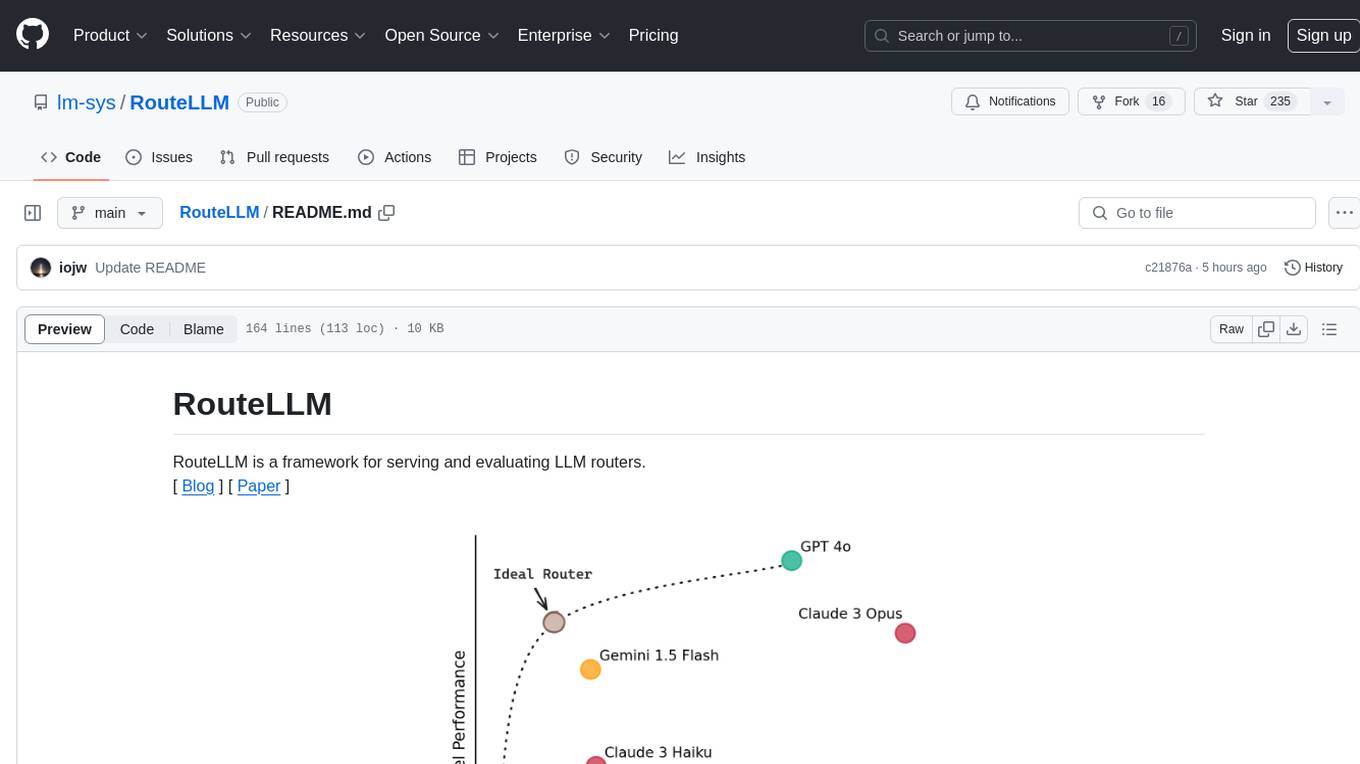
RouteLLM
RouteLLM is a framework for serving and evaluating LLM routers. It allows users to launch an OpenAI-compatible API that routes requests to the best model based on cost thresholds. Trained routers are provided to reduce costs while maintaining performance. Users can easily extend the framework, compare router performance, and calibrate cost thresholds. RouteLLM supports multiple routing strategies and benchmarks, offering a lightweight server and evaluation framework. It enables users to evaluate routers on benchmarks, calibrate thresholds, and modify model pairs. Contributions for adding new routers and benchmarks are welcome.
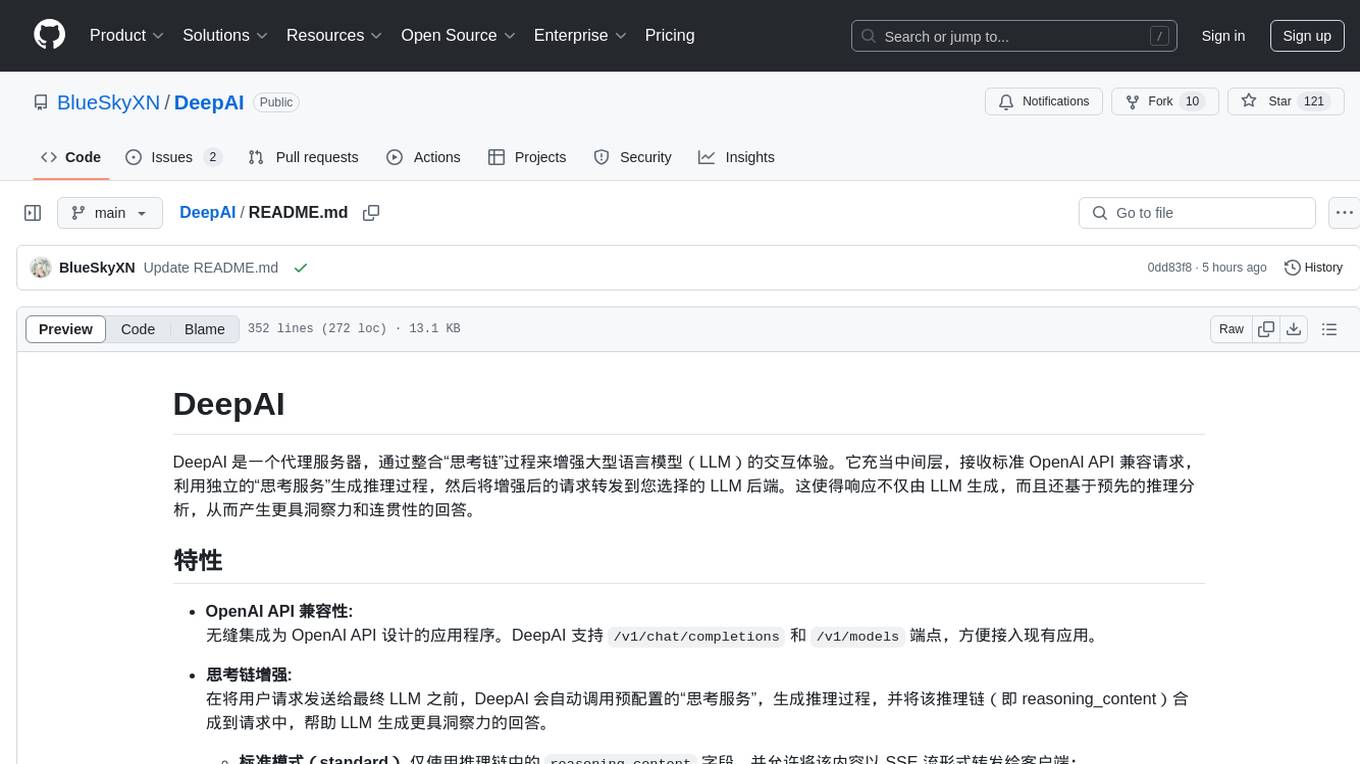
DeepAI
DeepAI is a proxy server that enhances the interaction experience of large language models (LLMs) by integrating the 'thinking chain' process. It acts as an intermediary layer, receiving standard OpenAI API compatible requests, using independent 'thinking services' to generate reasoning processes, and then forwarding the enhanced requests to the LLM backend of your choice. This ensures that responses are not only generated by the LLM but also based on pre-inference analysis, resulting in more insightful and coherent answers. DeepAI supports seamless integration with applications designed for the OpenAI API, providing endpoints for '/v1/chat/completions' and '/v1/models', making it easy to integrate into existing applications. It offers features such as reasoning chain enhancement, flexible backend support, API key routing, weighted random selection, proxy support, comprehensive logging, and graceful shutdown.
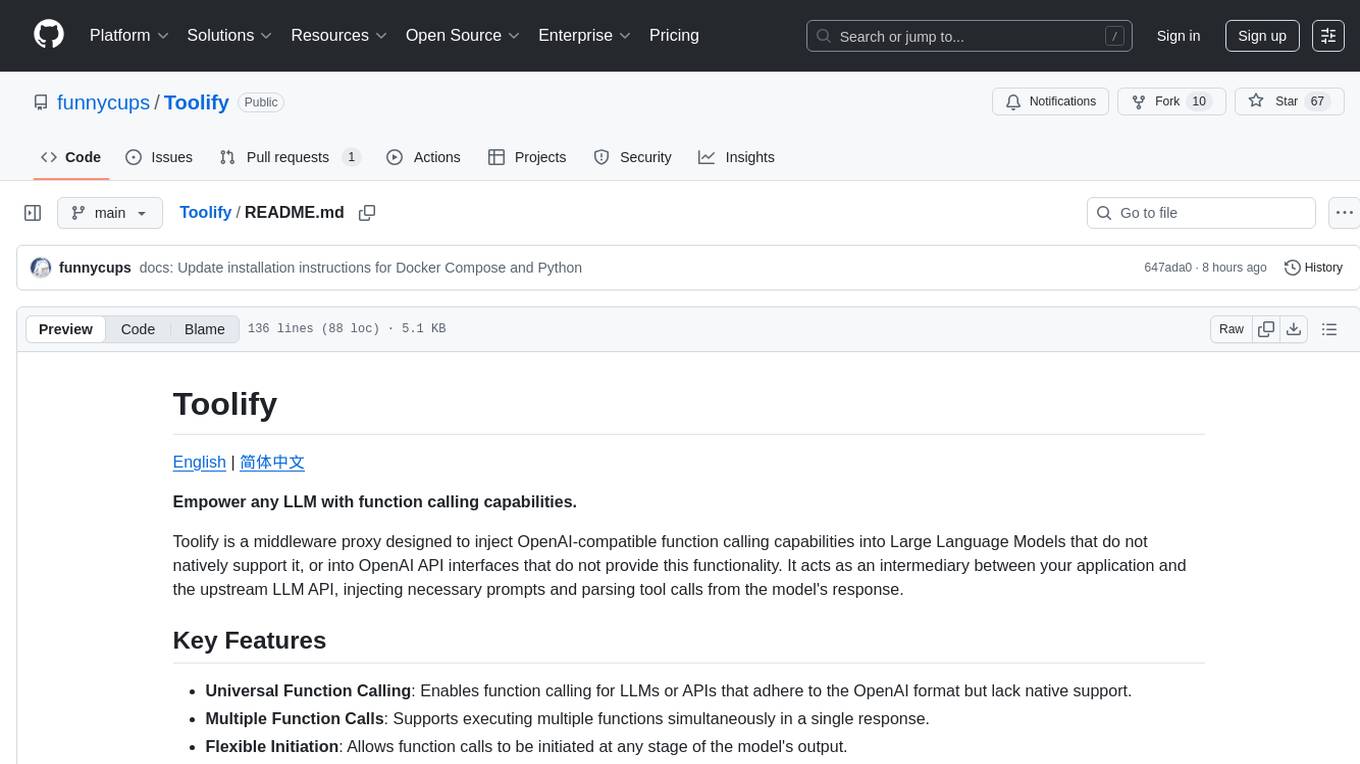
Toolify
Toolify is a middleware proxy that empowers Large Language Models (LLMs) and OpenAI API interfaces by enabling function calling capabilities. It acts as an intermediary between applications and LLM APIs, injecting prompts and parsing tool calls from the model's response. Key features include universal function calling, multiple function calls support, flexible initiation, compatibility with
For similar jobs

sweep
Sweep is an AI junior developer that turns bugs and feature requests into code changes. It automatically handles developer experience improvements like adding type hints and improving test coverage.

teams-ai
The Teams AI Library is a software development kit (SDK) that helps developers create bots that can interact with Teams and Microsoft 365 applications. It is built on top of the Bot Framework SDK and simplifies the process of developing bots that interact with Teams' artificial intelligence capabilities. The SDK is available for JavaScript/TypeScript, .NET, and Python.

ai-guide
This guide is dedicated to Large Language Models (LLMs) that you can run on your home computer. It assumes your PC is a lower-end, non-gaming setup.

classifai
Supercharge WordPress Content Workflows and Engagement with Artificial Intelligence. Tap into leading cloud-based services like OpenAI, Microsoft Azure AI, Google Gemini and IBM Watson to augment your WordPress-powered websites. Publish content faster while improving SEO performance and increasing audience engagement. ClassifAI integrates Artificial Intelligence and Machine Learning technologies to lighten your workload and eliminate tedious tasks, giving you more time to create original content that matters.

chatbot-ui
Chatbot UI is an open-source AI chat app that allows users to create and deploy their own AI chatbots. It is easy to use and can be customized to fit any need. Chatbot UI is perfect for businesses, developers, and anyone who wants to create a chatbot.

BricksLLM
BricksLLM is a cloud native AI gateway written in Go. Currently, it provides native support for OpenAI, Anthropic, Azure OpenAI and vLLM. BricksLLM aims to provide enterprise level infrastructure that can power any LLM production use cases. Here are some use cases for BricksLLM: * Set LLM usage limits for users on different pricing tiers * Track LLM usage on a per user and per organization basis * Block or redact requests containing PIIs * Improve LLM reliability with failovers, retries and caching * Distribute API keys with rate limits and cost limits for internal development/production use cases * Distribute API keys with rate limits and cost limits for students

uAgents
uAgents is a Python library developed by Fetch.ai that allows for the creation of autonomous AI agents. These agents can perform various tasks on a schedule or take action on various events. uAgents are easy to create and manage, and they are connected to a fast-growing network of other uAgents. They are also secure, with cryptographically secured messages and wallets.

griptape
Griptape is a modular Python framework for building AI-powered applications that securely connect to your enterprise data and APIs. It offers developers the ability to maintain control and flexibility at every step. Griptape's core components include Structures (Agents, Pipelines, and Workflows), Tasks, Tools, Memory (Conversation Memory, Task Memory, and Meta Memory), Drivers (Prompt and Embedding Drivers, Vector Store Drivers, Image Generation Drivers, Image Query Drivers, SQL Drivers, Web Scraper Drivers, and Conversation Memory Drivers), Engines (Query Engines, Extraction Engines, Summary Engines, Image Generation Engines, and Image Query Engines), and additional components (Rulesets, Loaders, Artifacts, Chunkers, and Tokenizers). Griptape enables developers to create AI-powered applications with ease and efficiency.