


lightspeed-service
Core repository for an AI-powered OCP assistant service
Stars: 63
OpenShift LightSpeed (OLS) is an AI powered assistant that runs on OpenShift and provides answers to product questions using backend LLM services. It supports various LLM providers such as OpenAI, Azure OpenAI, OpenShift AI, RHEL AI, and Watsonx. Users can configure the service, manage API keys securely, and deploy it locally or on OpenShift. The project structure includes REST API handlers, configuration loader, LLM providers registry, and more. Additional tools include generating OpenAPI schema, requirements.txt file, and uploading artifacts to an S3 bucket. The project is open source under the Apache 2.0 License.
README:
OpenShift LightSpeed (OLS) is an AI powered assistant that runs on OpenShift and provides answers to product questions using backend LLM services. Currently OpenAI, Azure OpenAI, OpenShift AI, RHEL AI, and Watsonx are officially supported as backends. Other providers, even ones that are not fully supported, can be used as well. For example, it is possible to use BAM (IBM's research environment). It is also possible to run InstructLab locally, configure model, and connect to it.
- Prerequisites
- Installation
-
Configuration
- 1. Configure OpenShift LightSpeed (OLS)
- 2. Configure LLM providers
- 3. Configure OLS Authentication
- 4. Configure OLS TLS communication
- 5. (Optional) Configure the local document store
- 6. (Optional) Configure conversation cache
- 7. (Optional) Incorporating additional CA(s). You have the option to include an extra TLS certificate into the OLS trust store as follows.
- 8. (Optional) Configure the number of workers
- 9. Registering a new LLM provider
- 10. TLS security profiles
- 11. System prompt
- 12. Quota limits
- 13. Configuration dump
- 14. Cluster introspection
- Usage
- Project structure
- New
pdmcommands available in project repository - Additional tools
- Contributing
- License
- Python 3.11 and Python 3.12
- please note that currently Python 3.13 and Python 3.14 are not officially supported, because OLS LightSpeed depends on some packages that can not be used in this Python version
- all sources are made (backward) compatible with Python 3.11; it is checked on CI
- Git, pip and PDM
- An LLM API key or API secret (in case of Azure OpenAI)
- (Optional) extra certificates to access LLM API
git clone https://github.com/openshift/lightspeed-service.git
cd lightspeed-servicemake install-depsThis step depends on provider type
Please look into (OpenAI api key)
Please look at following articles describing how to retrieve API key or secret from Azure: Get subscription and tenant IDs in the Azure portal and How to get client id and client secret in Azure Portal. Currently it is possible to use both ways to auth. to Azure OpenAI: by API key or by using secret
Please look at into Generating API keys for authentication
(TODO: to be updated)
(TODO: to be updated)
1. Get a BAM API Key at [https://bam.res.ibm.com](https://bam.res.ibm.com)
* Login with your IBM W3 Id credentials.
* Copy the API Key from the Documentation section.

2. BAM API URL: https://bam-api.res.ibm.com
Depends on configuration, but usually it is not needed to generate or use API key.
Here is a proposed scheme for storing API keys on your development workstation. It is similar to how private keys are stored for OpenSSH. It keeps copies of files containing API keys from getting scattered around and forgotten:
$ cd <lightspeed-service local git repo root>
$ find ~/.openai -ls
72906922      0 drwx------   1 username username        6 Feb  6 16:45 /home/username/.openai
72906953      4 -rw-------   1 username username       52 Feb  6 16:45 /home/username/.openai/key
$ ls -l openai_api_key.txt
lrwxrwxrwx. 1 username username 26 Feb  6 17:41 openai_api_key.txt -> /home/username/.openai/key
$ grep openai_api_key.txt olsconfig.yaml
 credentials_path: openai_api_key.txt
OLS configuration is in YAML format. It is loaded from a file referred to by the OLS_CONFIG_FILE environment variable and defaults to olsconfig.yaml in the current directory.
You can find a example configuration in the examples/olsconfig.yaml file in this repository.
The example configuration file defines providers for six LLM providers: BAM, OpenAI, Azure OpenAI, Watsonx, OpenShift AI VLLM (RHOAI VLLM), and RHELAI (RHEL AI), but defines BAM as the default provider. If you prefer to use a different LLM provider than BAM, such as OpenAI, ensure that the provider definition points to a file containing a valid OpenAI, Watsonx etc. API key, and change the default_model and default_provider values to reference the selected provider and model.
The example configuration also defines locally running provider InstructLab which is OpenAI-compatible and can use several models. Please look at instructlab pages for detailed information on how to set up and run this provider.
API credentials are in turn loaded from files specified in the config YAML by the credentials_path attributes. If these paths are relative,
they are relative to the current working directory. To use the example olsconfig.yaml as is, place your BAM API Key into a file named bam_api_key.txt in your working directory.
[!NOTE] There are two supported methods to provide credentials for Azure OpenAI:
Method 1 - API Key Authentication:
Use credentials_path pointing to a file containing your Azure OpenAI API key.
Method 2 - Azure AD Authentication:
Use the azure_openai_config section with a credentials_path pointing to a directory containing three files named tenant_id, client_id, and client_secret. Do NOT include a main credentials_path when using this method. Please look at following articles describing how to retrieve this information from Azure: Get subscription and tenant IDs in the Azure portal and How to get client id and client secret in Azure Portal.
Multiple models can be configured, but default_model will be used, unless specified differently via REST API request:
  type: openai
  url: "https://api.openai.com/v1"
  credentials_path: openai_api_key.txt
  models:
    - name: <model 1>
- name: <model 2>Make sure the url and deployment_name are set correctly.
Method 1 - API Key Authentication:
- name: my_azure_openai
  type: azure_openai
  url: "https://myendpoint.openai.azure.com/"
  credentials_path: azure_openai_api_key.txt
  deployment_name: my_azure_openai_deployment_name
  models:
    - name: <model name>
Method 2 - Azure AD Authentication (tenant_id, client_id, client_secret):
- name: my_azure_openai
  type: azure_openai
  models:
    - name: <model name>
  azure_openai_config:
    url: "https://myendpoint.openai.azure.com/"
    deployment_name: my_azure_openai_deployment_name
    credentials_path: path/to/azure/credentials/directory
For Method 2, the credentials directory must contain three files:
-
tenant_id- containing your Azure tenant ID -
client_id- containing your Azure application client ID -
client_secret- containing your Azure application client secret
Make sure the project_id is set up correctly.
- name: my_watsonx
  type: watsonx
  url: "https://us-south.ml.cloud.ibm.com"
  credentials_path: watsonx_api_key.txt
  project_id: XXXXXXXX-XXXX-XXXX-XXXX-XXXXXXXXXXXX
  models:
- name: <model name>It is possible to use RHELAI as a provider too. That provider is OpenAI-compatible
and can be configured the same way as other OpenAI providers. For example if
RHEL AI is running as EC2 instance and granite-7b-lab model is deployed, the
configuration might look like:
    - name: my_rhelai
      type: openai
      url: "http://{PATH}.amazonaws.com:8000/v1/"
      credentials_path: openai_api_key.txt
      models:
- name: <model name>To use RHOAI (Red Hat OpenShiftAI) as provider, the following
configuration can be utilized (mistral-7b-instruct model is supported by
RHOAI, as well as other models):
    - name: my_rhoai
      type: openai
      url: "http://{PATH}:8000/v1/"
      credentials_path: openai_api_key.txt
      models:
- name: <model name>It is possible to configure the service to use local ollama server. Please look into an examples/olsconfig-local-ollama.yaml file that describes all required steps.
-
Common providers configuration options
-
name: unique name, can be any proper YAML literal -
type: provider type: any ofbam,openai,azure_openai,rhoai_vllm,rhelai_vllm, orwatsonx -
url: URL to be used to call LLM via REST API -
api_key: path to secret (token) used to call LLM via REST API -
models: list of models configuration (model name + model-specific parameters)Notes:
-
Context window sizevaries based on provider/model. -
Max response tokensdepends on user need and should be in reasonable proportion to context window size. If value is too less then there is a risk of response truncation. If we set it too high then we will reserve too much for response & truncate history/rag context unnecessarily. - These are optional setting, if not set; then default will be used (which may be incorrect and may cause truncation & potentially error by exceeding context window).
-
-
-
Specific configuration options for WatsonX
-
project_id: as specified on WatsonX AI page
-
-
Specific configuration options for Azure OpenAI
-
api_version: as specified in official documentation, if not set; by default2024-02-15-previewis used. -
deployment_name: as specified in AzureAI project settings
-
-
Default provider and default model
-
one provider and its model needs to be selected as default. When no provider+model is specified in REST API calls, the default provider and model are used:
   ols_config:
     default_provider: <provider name>
     default_model: <model name>
-
[!NOTE] Currently, only K8S-based authentication and the so called no-op authentication can be used. It is possible to configure which mechanism should be used. The K8S-based authentication is selected by default if the auth. method is not specified in configuration.
This section provides guidance on how to configure authentication based on K8S within OLS. It includes instructions on enabling or disabling authentication, configuring authentication through OCP RBAC, overriding authentication configurations, and specifying a static authentication token in development environments.
-
Enabling and Disabling Authentication
Authentication is enabled by default in OLS. To disable authentication, modify the
dev_configin your configuration file as shown below:dev_config: disable_auth: true
-
Configuring Authentication with OCP RBAC
OLS utilizes OCP RBAC for authentication, necessitating connectivity to an OCP cluster. It automatically selects the configuration from the first available source, either an in-cluster configuration or a KubeConfig file.
-
Overriding Authentication Configuration
You can customize the authentication configuration by overriding the default settings. The configurable options include:
-
Kubernetes Cluster API URL (
k8s_cluster_api): The URL of the K8S/OCP API server where tokens are validated. -
CA Certificate Path (
k8s_ca_cert_path): Path to a CA certificate for clusters with self-signed certificates. -
Skip TLS Verification (
skip_tls_verification): If true, the Kubernetes client skips TLS certificate validation for the OCP cluster.
To apply any of these overrides, update your configuration file as follows:
   ols_config:
      authentication_config:
         k8s_cluster_api: "https://api.example.com:6443"
         k8s_ca_cert_path: "/Users/home/ca.crt"
         skip_tls_verification: false
-
Kubernetes Cluster API URL (
-
Providing a Static Authentication Token in Development Environments
For development environments, you may wish to use a static token for authentication purposes. This can be configured in the
dev_configsection of your configuration file:dev_config: k8s_auth_token: your-user-token
Note: using static token will require you to set the
k8s_cluster_apimentioned in section 6.4, as this will disable the loading of OCP config from in-cluster/kubeconfig.
  This auth mechanism can be selected by the following configuration parameter:

  ```yaml
     ols_config:
        authentication_config:
          module: "noop"
  ```

  In this case it is possible to pass `user-id` optional when calling REST API query endpoints. If the `user-id` won't be passed, the default one will be used: `00000000-0000-0000-0000-000000000000`
This section provides instructions on configuring TLS (Transport Layer Security) for the OLS Application, enabling secure connections via HTTPS. TLS is enabled by default; however, if necessary, it can be disabled through the dev_config settings.
-
Enabling and Disabling TLS
By default, TLS is enabled in OLS. To disable TLS, adjust the
dev_configin your configuration file as shown below:dev_config: disable_tls: false
-
Configuring TLS in local Environments:
- Generate Self-Signed Certificates: To generate self-signed certificates, run the following command from the project's root directory:
./scripts/generate-certs.sh
- Update OLS Configuration: Modify your config.yaml to include paths to your certificate and its private key:
   ols_config:
      tls_config:
         tls_certificate_path: /full/path/to/certs/cert.pem
         tls_key_path: /full/path/to/certs/key.pem
- Launch OLS with HTTPS: After applying the above configurations, OLS will run over HTTPS.
- Generate Self-Signed Certificates: To generate self-signed certificates, run the following command from the project's root directory:
-
Configuring OLS in OpenShift:
For deploying in OpenShift, Service-Served Certificates can be utilized. Update your ols-config.yaml as shown below, based on the example provided in the examples directory:
   ols_config:
      tls_config:
         tls_certificate_path: /app-root/certs/cert.pem
         tls_key_path: /app-root/certs/key.pem
-
Using a Private Key with a Password If your private key is encrypted with a password, specify a path to a file that contains the key password as follows:
   ols_config:
      tls_config:
         tls_key_password_path: /app-root/certs/password.txt
The following command downloads a copy of the image containing the RAG embedding model and the vector databases:
make get-ragThe link to the RAG content image is stored in Containerfile. Konflux nudges keep it up to date.
The embedding model is placed in the embeddings_model directory. The vector databases are placed in the vector_db directory.
There is a vector database per OCP version:
$ tree vector_db/ocp_product_docs
vector_db/ocp_product_docs
├── 4.16
...
├── 4.17
...
├── 4.18
...
├── 4.19
│   ├── default__vector_store.json
│   ├── docstore.json
│   ├── graph_store.json
│   ├── image__vector_store.json
│   ├── index_store.json
│   └── metadata.json
└── latest -> 4.19
$
In order to use an OCP documentation RAG database with the OLS, add the following to your OLS configuration file:
ols_config:
  reference_content:
    embeddings_model_path: ./embeddings_model
    indexes:
    - product_docs_index_path: ./vector_db/ocp_product_docs/4.19
      product_docs_index_id: ocp-product-docs-4_19
product_docs_index_id is located in the index-id field of the corresponding metadata.json file.
Adding a BYOK vector database is similar. Assume you built a RAG database of GIMP documentation with the BYOK tool and pushed the resulting image to quay.io/my_byok/gimp:latest.
Here is how to extract the vector database from that image and place it under the vector_db directory:
 $ podman create --replace --name tmp-rag-container quay.io/my_byok/gimp:latest true
 $ podman cp tmp-rag-container:/rag/vector_db vector_db/gimp
 $ podman rm tmp-rag-container
To continue with the previous example, here is how the GIMP RAG database can be added to the OLS configuration:
ols_config:
  reference_content:
    embeddings_model_path: ./embeddings_model
    indexes:
    - product_docs_index_path: ./vector_db/ocp_product_docs/4.19
      product_docs_index_id: ocp-product-docs-4_19
    - product_docs_index_path: ./vector_db/gimp
      product_docs_index_id: vector_db_index
As before, the product_docs_index_id field is located in the index-id field of the corresponding metadata.json file and is set by default to vector_db_index by the BYOK tool.
To confirm that the OLS is loading the expected vector databases and embedding model, look for the following messages in the OLS log at the DEBUG log level:
2025-08-15 14:43:36,020 [ols.src.rag_index.index_loader:index_loader.py:100] DEBUG: Config used for index load: embeddings_model_path='./embeddings_model' indexes=[ReferenceContentIndex(product_docs_index_path='./vector_db/ocp_product_docs/4.19', product_docs_index_id='ocp-product-docs-4_19'), ReferenceContentIndex(product_docs_index_path='./vector_db/gimp', product_docs_index_id='vector_db_index')]
...
2025-08-15 15:29:09,352 [ols.src.rag_index.index_loader:index_loader.py:118] DEBUG: Loading embedding model info from path ./embeddings_model
2025-08-15 15:29:09,353 [sentence_transformers.SentenceTransformer:SentenceTransformer.py:219] INFO: Load pretrained SentenceTransformer: ./embeddings_model
...
2025-08-15 14:43:41,351 [root:base.py:115] INFO: Loading llama_index.vector_stores.faiss.base from ./vector_db/ocp_product_docs/4.19/default__vector_store.json.
...
2025-08-15 14:43:41,786 [ols.src.rag_index.index_loader:index_loader.py:148] INFO: Loading vector index #0...
2025-08-15 14:43:41,786 [llama_index.core.indices.loading:loading.py:70] INFO: Loading indices with ids: ['ocp-product-docs-4_19']
2025-08-15 14:43:42,038 [ols.src.rag_index.index_loader:index_loader.py:154] INFO: Vector index #0 is loaded.
2025-08-15 14:43:42,038 [root:base.py:115] INFO: Loading llama_index.vector_stores.faiss.base from ./vector_db/gimp/default__vector_store.json.
...
2025-08-15 14:43:42,041 [ols.src.rag_index.index_loader:index_loader.py:148] INFO: Loading vector index #1...
2025-08-15 14:43:42,041 [llama_index.core.indices.loading:loading.py:70] INFO: Loading indices with ids: ['vector_db_index']
2025-08-15 14:43:42,043 [ols.src.rag_index.index_loader:index_loader.py:154] INFO: Vector index #1 is loaded.
2025-08-15 14:43:42,043 [ols.src.rag_index.index_loader:index_loader.py:168] INFO: All indexes are loaded.Conversation cache can be stored in memory (it's content will be lost after shutdown) or in PostgreSQL database. It is possible to specify storage type in olsconfig.yaml configuration file.
- Cache stored in memory:
ols_config:
   conversation_cache:
      type: memory
      memory:
      max_entries: 1000
- Cache stored in PostgreSQL:
In this case, file
conversation_cache:
   type: postgres
   postgres:
      host: "foobar.com"
      port: "1234"
      dbname: "test"
      user: "user"
      password_path: postgres_password.txt
      ca_cert_path: postgres_cert.crt
      ssl_mode: "require"
postgres_password.txtcontains password required to connect to PostgreSQL. Also CA certificate can be specified usingpostgres_ca_cert.crtto verify trusted TLS connection with the server. All these files needs to be accessible.
7. (Optional) Incorporating additional CA(s). You have the option to include an extra TLS certificate into the OLS trust store as follows.
      ols_config:
         extra_ca:
            - "path/to/cert_1.crt"
            - "path/to/cert_2.crt"
This action may be required for self-hosted LLMs.
By default the number of workers is set to 1, you can increase the number of workers to scale up the REST API by modifying the max_workers config option in olsconfig.yaml.
      ols_config:
max_workers: 4Please look here for more info.
TLS security profile can be set for the service itself and also for any configured provider. To specify TLS security profile for the service, the following section can be added into ols section in the olsconfig.yaml configuration file:
  tlsSecurityProfile:
    type: OldType
    ciphers:
        - TLS_ECDHE_RSA_WITH_AES_128_GCM_SHA256
        - TLS_ECDHE_RSA_WITH_AES_256_GCM_SHA384
    minTLSVersion: VersionTLS13
-
typecan be set to: OldType, IntermediateType, ModernType, or Custom -
minTLSVersioncan be set to: VersionTLS10, VersionTLS11, VersionTLS12, or VersionTLS13 -
ciphersis list of enabled ciphers. The values are not checked.
Please look into examples folder that contains olsconfig.yaml with filled-in TLS security profile for the service.
Additionally the TLS security profile can be set for any configured provider. In this case the tlsSecurityProfile needs to be added into the olsconfig.yaml file into llm_providers/{selected_provider} section. For example:
llm_providers:
  - name: my_openai
    type: openai
    url: "https://api.openai.com/v1"
    credentials_path: openai_api_key.txt
    models:
      - name: model-name-1
      - name: model-name-2
    tlsSecurityProfile:
      type: Custom
      ciphers:
          - TLS_ECDHE_RSA_WITH_AES_128_GCM_SHA256
          - TLS_ECDHE_RSA_WITH_AES_256_GCM_SHA384
      minTLSVersion: VersionTLS13
[!NOTE]
The tlsSecurityProfile is fully optional. When it is not specified, the LLM call won't be affected by specific SSL/TLS settings.
The service uses the, so called, system prompt to put the question into context before the question is sent to the selected LLM. The default system prompt is designed for questions about OpenShift and Kubernetes. It is possible to use a different system prompt via the configuration option system_prompt_path in the ols_config section. That option must contain the path to the text file with the actual system prompt (can contain multiple lines). An example of such configuration:
ols_config:
  system_prompt_path: "system_prompts/system_prompt_for_product_XYZZY"
Additionally an optional string parameter system_prompt can be specified in /v1/query endpoint to override the configured system prompt. This override mechanism can be used only when the dev_config.enable_system_prompt_override configuration options is set to true in the service configuration file. Please note that the default value for this option is false, so the system prompt cannot be changed. This means, when the dev_config.enable_system_prompt_override is set to false and /v1/query is invoked with the system_prompt parameter, the value specified in system_prompt parameter is ignored.
Tokens are small chunks of text, which can be as small as one character or as large as one word. Tokens are the units of measurement used to quantify the amount of text that the service sends to, or receives from, a large language model (LLM). Every interaction with the Service and the LLM is counted in tokens.
LLM providers typically charge for their services using a token-based pricing model.
Token quota limits define the number of tokens that can be used in a certain timeframe. Implementing token quota limits helps control costs, encourage more efficient use of queries, and regulate demand on the system. In a multi-user configuration, token quota limits help provide equal access to all users ensuring everyone has an opportunity to submit queries.
It is possible to limit quota usage per user or per service or services (that typically run in one cluster). Each limit is configured as a separate quota limiter. It can be of type user_limiter or cluster_limiter (which is name that makes sense in OpenShift deployment). There are three configuration options for each limiter:
-
periodspecified in a human-readable form, see https://www.postgresql.org/docs/current/datatype-datetime.html#DATATYPE-INTERVAL-INPUT for all possible options. When the end of the period is reached, quota is reset or increased -
initial_quotais set at beginning of the period -
quota_increasethis value (if specified) is used to increase quota when period is reached
There are two basic use cases:
- When quota needs to be reset specific value periodically (for example on weekly on monthly basis), specify
initial_quotato the required value - When quota needs to be increased by specific value periodically (for example on daily basis), specify
quota_increase
Technically it is possible to specify both initial_quota and quota_increase. It means that at the end of time period the quota will be reset to initial_quota + quota_increase.
Please note that any number of quota limiters can be configured. For example, two user quota limiters can be set to:
- increase quota by 100,000 tokens each day
- reset quota to 10,000,000 tokens each month
Activate token quota limits for the service by adding a new configuration structure into the configuration file. That structure should be added into ols_config section. It has the following format:
  quota_handlers:
    storage:
      host: <IP_address> <1>
      port: "5432" <2>
      dbname: <database_name>
      user: <user_name>
      password_path: <file_containing_database_password>
      ssl_mode: disable
    limiters:
      - name: user_monthly_limits
        type: user_limiter
        initial_quota: 100000 <3>
        period: 30 days
      - name: cluster_monthly_limits
        type: cluster_limiter
        initial_quota: 1000000 <4>
        period: 30 days
      - name: user_quota_daily_increases
        type: user_limiter
        quota_increase: 1000 <5>
        period: 1 day
    scheduler:
      period: 300 <6>
<1> Specifies the IP address for the PostgresSQL database.
<2> Specifies the port for PostgresSQL database. Default port is 5432.
<3> Specifies a token quota limit of 100,000 for each user over a period of 30 days.
<4> Specifies a token quota limit of 1,000,000 for the whole cluster over a period of 30 days.
<5> Increases the token quota limit for the user by 1,000 each day.
<6> Defines the number of seconds that the scheduler waits and then checks if the period interval is over. When the period interval is over, the scheduler stores the timestamp and resets or increases the quota limit. 300 seconds or even 600 seconds are good values.
It is possible to dump the actual configuration into a JSON file for further processing. The generated configuration file will contain all the configuration attributes, including keys etc., so keep the output file in a secret.
In order to dump the configuration, pass --dump-config command line option.
⚠ Warning: This feature is experimental and currently under development.
OLS can gather real-time information from your cluster to assist with specific queries using MCP (Model Context Protocol) servers.
MCP servers provide tools and capabilities to the AI agents. Only MCP servers defined in the olsconfig.yaml configuration are available to the agents.
Each MCP server requires:
-
name: Unique identifier for the MCP server -
url: The HTTP endpoint where the MCP server is running
Optional fields:
-
headers: Authentication headers for secure communication -
timeout: Request timeout in seconds
Minimal Example:
mcp_servers:
  - name: openshift
url: http://localhost:8080OLS supports three methods for authenticating with MCP servers:
Store authentication tokens in secret files and reference them in your configuration. Ideal for API keys and service tokens:
mcp_servers:
  - name: api-service
    url: http://api-service:8080
    headers:
      Authorization: /var/secrets/api-token    # Path to file containing token
      X-API-Key: /var/secrets/api-key          # Multiple headers supported
timeout: 30 # Optional timeout in secondsUse the special kubernetes placeholder to automatically inject the authenticated user's Kubernetes token. This requires the k8s authentication module:
mcp_servers:
  - name: openshift
    url: http://openshift-mcp-server:8080
    headers:
Authorization: kubernetes # Uses user's k8s token from requestImportant: The kubernetes placeholder only works when authentication_config.module is set to k8s. If not configured properly, the MCP server will be skipped with a warning.
Use the client placeholder to allow clients to provide their own tokens per-request via the MCP-HEADERS HTTP header:
mcp_servers:
  - name: github
    url: http://github-mcp-server:8080
    headers:
      Authorization: client  # Client provides token via MCP-HEADERS header
Clients can discover which servers accept client-provided tokens by calling:
GET /v1/mcp-auth/client-optionsResponse:
{
  "servers": [
    {
      "name": "github",
      "client_auth_headers": ["Authorization"]
    }
  ]
}
Then provide tokens in the query request:
curl -H "MCP-HEADERS: {\"github\": {\"Authorization\": \"Bearer github_token\"}}" \
-X POST /v1/query -d '{"query": "..."}'For cluster context gathering with the OpenShift MCP server:
mcp_servers:
  - name: openshift
    url: http://openshift-mcp-server:8080
    headers:
      Authorization: kubernetes  # Uses authenticated user's token
    timeout: 30
Safeguards:
- Tools operate in read-only mode—they can retrieve data but cannot modify the cluster
- Tools run using only the user's token (from the request)
- If the user lacks necessary permissions, tool outputs may include permission errors
OLS service can be started locally. In this case GradIO web UI is used to interact with the service. Alternatively the service can be accessed through REST API.
[!TIP]
To enable GradIO web UI you need to have the following dev_config section in your configuration file:
dev_config:
enable_dev_ui: trueIf Python virtual environment is setup already, it is possible to start the service by following command:
make runIt is also possible to initialize virtual environment and start the service by using just one command:
pdm startThere is an all-in-one image that has the document store included already.
-
Follow steps above to create your config yaml and your API key file(s).
-
Place your config yaml and your API key file(s) in a known location (eg:
/path/to/config) -
Make sure your config yaml references the config folder for the path to your key file(s) (eg:
credentials_path: config/openai_api_key.txt) -
Run the all-in-one-container. Example invocation:
 podman run -it --rm -v `/path/to/config:/app-root/config:Z \
 -e OLS_CONFIG_FILE=/app-root/config/olsconfig.yaml -p 8080:8080 \
 quay.io/openshift-lightspeed/lightspeed-service-api:latest
In the examples folder is a set of YAML manifests,
openshift-lightspeed.yaml. This includes all the resources necessary to get
OpenShift Lightspeed running in a cluster. It is configured expecting to only
use OpenAI as the inference endpoint, but you can easily modify these manifests,
looking at the olsconfig.yaml to see how to alter it to work with BAM as the
provider.
There is a commented-out OpenShift Route with TLS Edge termination available if you wish to use it.
To deploy, assuming you already have an OpenShift environment to target and that you are logged in with sufficient permissions:
- Make the change to your API keys and/or provider configuration in the manifest file
- Create a namespace/project to hold OLS
oc apply -f examples/openshift-lightspeed-tls.yaml -n created-namespace
Once deployed, it is probably easiest to oc port-forward into the pod where
OLS is running so that you can access it from your local machine.
To send a request to the server you can use the following curl command:
curl -X 'POST' 'http://127.0.0.1:8080/v1/query' -H 'accept: application/json' -H 'Content-Type: application/json' -d '{"query": "write a deployment yaml for the mongodb image"}'You can use the
/v1/streaming_query(with the same parameters) to get the streaming response (SSE/HTTP chunking). By default, it streams text, but you can also yield events as JSONs via additional"media_type": "application/json"parameter in the payload data.
The format of individual events is
"data: {JSON}\n\n".
In the devel environment where authentication module is set to
noopit is possible to specify an optional query parameteruser_idwith the user identification. This parameter can be set to any value, but currently it is preferred to use UUID.
To validate if the logged-in user is authorized to access the service, the following REST API call can be utilized:
curl -X 'POST' 'http://localhost:8080/authorized' -H 'accept: application/json'For authorized users, 200 OK is returned, otherwise 401 Missing or invalid credentials provided by client or 403 User is not authorized HTTP codes can be returned.
In the devel environment where authentication module is set to
noopit is possible to specify an optional query parameteruser_idwith the user identification. This parameter can be set to any value, but currently it is preferred to use UUID.
Web page with Swagger UI has the standard /docs endpoint. If the service is running on localhost on port 8080, Swagger UI can be accessed on the address http://localhost:8080/docs.
It is also possible to access Redoc page with three-panel, responsive layout. This page uses /redoc endpoint. Again, if the service is running on localhost on port 8080, Redoc UI can be accessed on the address http://localhost:8080/redoc.
OpenAPI schema is available docs/openapi.json. It is possible to re-generate the document with schema by using:
make schema
When the OLS service is started OpenAPI schema is available on /openapi.json endpoint. For example, for service running on localhost on port 8080, it can be accessed and pretty printed by using following command:
curl 'http://127.0.0.1:8080/openapi.json' | jq .Service exposes metrics in Prometheus format on /metrics endpoint. Scraping them is straightforward:
curl 'http://127.0.0.1:8080/metrics'There is a minimal Gradio UI you can use when running the OLS server locally. To use it, it is needed to enable UI in olsconfig.yaml file:
dev_config:
  enable_dev_ui: true
Then start the OLS server per Run the server and then browse to the built in Gradio interface at http://localhost:8080/ui
By default this interface will ask the OLS server to retain and use your conversation history for subsequent interactions. To disable this behavior, expand the Additional Inputs configuration at the bottom of the page and uncheck the Use history checkbox. When not using history each message you submit to OLS will be treated independently with no context of previous interactions.
OLS API documentation is available at http://localhost:8080/docs
To enable CPU profiling, please deploy your own pyroscope server and specify its URL in the devconfig as shown below. This will help OLS to send profiles to a specified endpoint.
dev_config:
pyroscope_url: https://your-pyroscope-url.comTo enable memory profiling, simply start the server with the below command.
make memray-run
Once you are done executing a few queries and want to look at the memory flamegraphs, please run the below command and it should spit out a html file for us.
make memray-flamegraph
A Helm chart is available for installing the service in OpenShift.
Before installing the chart, you must configure the auth.key parameter in the Values file
To install the chart with the release name ols-release in the namespace openshift-lightspeed:
helm upgrade --install ols-release helm/ --create-namespace --namespace openshift-lightspeedThe command deploys the service in the default configuration.
The default configuration contains OLS fronting with a kube-rbac-proxy.
To uninstall/delete the chart with the release name ols-release:
helm delete ols-release --namespace openshift-lightspeedChart customization is available using the Values file.
- REST API handlers
- Configuration loader
- LLM providers registry
- LLM loader
- Interface to LLM providers
- Doc retriever from vector storage
- Question validator
- Docs summarizer
- Conversation cache
- (Local) Web-based user interface
Overall architecture with all main parts is displayed below:

OpenShift LightSpeed service is based on the FastAPI framework (Uvicorn) with Langchain for LLM interactions. The service is split into several parts described below.
Handles REST API requests from clients (mainly from UI console, but can be any REST API-compatible tool), handles requests queue, and also exports Prometheus metrics. The Uvicorn framework is used as a FastAPI implementation.
Manages authentication flow for REST API endpoints. Currently K8S/OCL-based authorization or no-op authorization can be used. The selection of authorization mechanism can be done via configuration file.
Retrieves user queries, validates them, redacts them, calls LLM, and summarizes feedback.
Redacts the question based on the regex filters provided in the configuration file.
Validates questions and provides one-word responses. It is an optional component.
Summarizes documentation context.
Unified interface used to store and retrieve conversation history with optionally defined maximum length.
Currently there exist two conversation history cache implementations:
- in-memory cache
- Postgres cache
Entries stored in cache have compound keys that consist of user_id and conversation_id. It is possible for one user to have multiple conversations and thus multiple conversation_id values at the same time. Global cache capacity can be specified. The capacity is measured as the number of entries; entries sizes are ignored in this computation.
In-memory cache is implemented as a queue with a defined maximum capacity specified as the number of entries that can be stored in a cache. That number is the limit for all cache entries, it doesn't matter how many users are using the LLM. When the new entry is put into the cache and if the maximum capacity is reached, the oldest entry is removed from the cache.
Entries are stored in one Postgres table with the following schema:
     Column      |            Type             | Nullable | Default | Storage  |
-----------------+-----------------------------+----------+---------+----------+
 user_id         | text                        | not null |         | extended |
 conversation_id | text                        | not null |         | extended |
 value           | bytea                       |          |         | extended |
 updated_at      | timestamp without time zone |          |         | plain    |
Indexes:
    "cache_pkey" PRIMARY KEY, btree (user_id, conversation_id)
    "cache_key_key" UNIQUE CONSTRAINT, btree (key)
    "timestamps" btree (updated_at)
Access method: heap
During a new record insertion the maximum number of entries is checked and when the defined capacity is reached, the oldest entry is deleted.
Manages LLM providers implementations. If a new LLM provider type needs to be added, it is registered by this machinery and its libraries are loaded to be used later.
Currently there exist the following LLM providers implementations:
- OpenAI
- Azure OpenAI
- RHEL AI
- OpenShift AI
- WatsonX
- BAM
- Fake provider (to be used by tests and benchmarks)
Sequence of operations performed when user asks a question:

The context window size is limited for all supported LLMs which means that token truncation algorithm needs to be performed for longer queries, queries with long conversation history etc. Current truncation logic/context window token check:
- Tokens for current prompt system instruction + user query + attachment (if any) + tokens reserved for response (default 512) should not be greater than model context window size, otherwise OLS will raise an error.
- Let’s say above tokens count as default tokens that will be used all the time. If any token is left after default usage then RAG context will be used completely or truncated depending upon how much tokens are left.
- Finally if we have further available tokens after using complete RAG context, then history will be used (or will be truncated)
- There is a flag set to True by the service, if history is truncated due to tokens limitation.

╭───────────────────────────────────┬──────┬────────────────────────────────────────────────╮
│ Name                              │ Type │ Description                                    │
├───────────────────────────────────┼──────┼────────────────────────────────────────────────┤
│ benchmarks                        │ cmd  │ pdm run make benchmarks                        │
│ check-types                       │ cmd  │ pdm run make check-types                       │
│ coverage-report                   │ cmd  │ pdm run make coverage-report                   │
│ generate-schema                   │ cmd  │ pdm run make schema                            │
│ integration-tests-coverage-report │ cmd  │ pdm run make integration-tests-coverage-report │
│ requirements                      │ cmd  │ pdm run make requirements.txt                  │
│ security-check                    │ cmd  │ pdm run make security-check                    │
│ start                             │ cmd  │ pdm run make run                               │
│ test                              │ cmd  │ pdm run make test                              │
│ test-e2e                          │ cmd  │ pdm run make test-e2e                          │
│ test-integration                  │ cmd  │ pdm run make test-integration                  │
│ test-unit                         │ cmd  │ pdm run make test-unit                         │
│ unit-tests-coverage-report        │ cmd  │ pdm run make unit-tests-coverage-report        │
│ verify-packages                   │ cmd  │ pdm run make verify-packages-completeness      │
│ verify-sources                    │ cmd  │ pdm run make verify                            │
│ version                           │ cmd  │ pdm run make print-version                     │
╰───────────────────────────────────┴──────┴────────────────────────────────────────────────╯
This script re-generated OpenAPI schema for the Lightspeed Service REST API.
scripts/generate_openapi_schema.py
pdm generate-schema
For Konflux hermetic builds, Cachi2 uses the requirements.txt format to generate a list of packages to prefetch.
To generate the requirements.txt file, follow these steps:
- Run
pdm update– updates dependencies to their latest versions allowed by ourpyproject.tomlpins, this also creates/updates apdm.lock. - Run
make requirements.txt– generates therequirements.txt(contains wheel for all platforms/archs).
A dictionary containing the credentials of the S3 bucket must be specified, containing the keys:
AWS_BUCKETAWS_REGIONAWS_ACCESS_KEY_IDAWS_SECRET_ACCESS_KEY
There is an extensive suite of evaluation tools and scripts available in this repository if you are interested in exploring different LLMs and their performance. Please look at scripts/evaluation/README to learn more.
-
See contributors guide.
-
See the open issues for a full list of proposed features (and known issues).
Published under the Apache 2.0 License
For Tasks:
Click tags to check more tools for each tasksFor Jobs:
Alternative AI tools for lightspeed-service
Similar Open Source Tools
lightspeed-service
OpenShift LightSpeed (OLS) is an AI powered assistant that runs on OpenShift and provides answers to product questions using backend LLM services. It supports various LLM providers such as OpenAI, Azure OpenAI, OpenShift AI, RHEL AI, and Watsonx. Users can configure the service, manage API keys securely, and deploy it locally or on OpenShift. The project structure includes REST API handlers, configuration loader, LLM providers registry, and more. Additional tools include generating OpenAPI schema, requirements.txt file, and uploading artifacts to an S3 bucket. The project is open source under the Apache 2.0 License.
well-architected-iac-analyzer
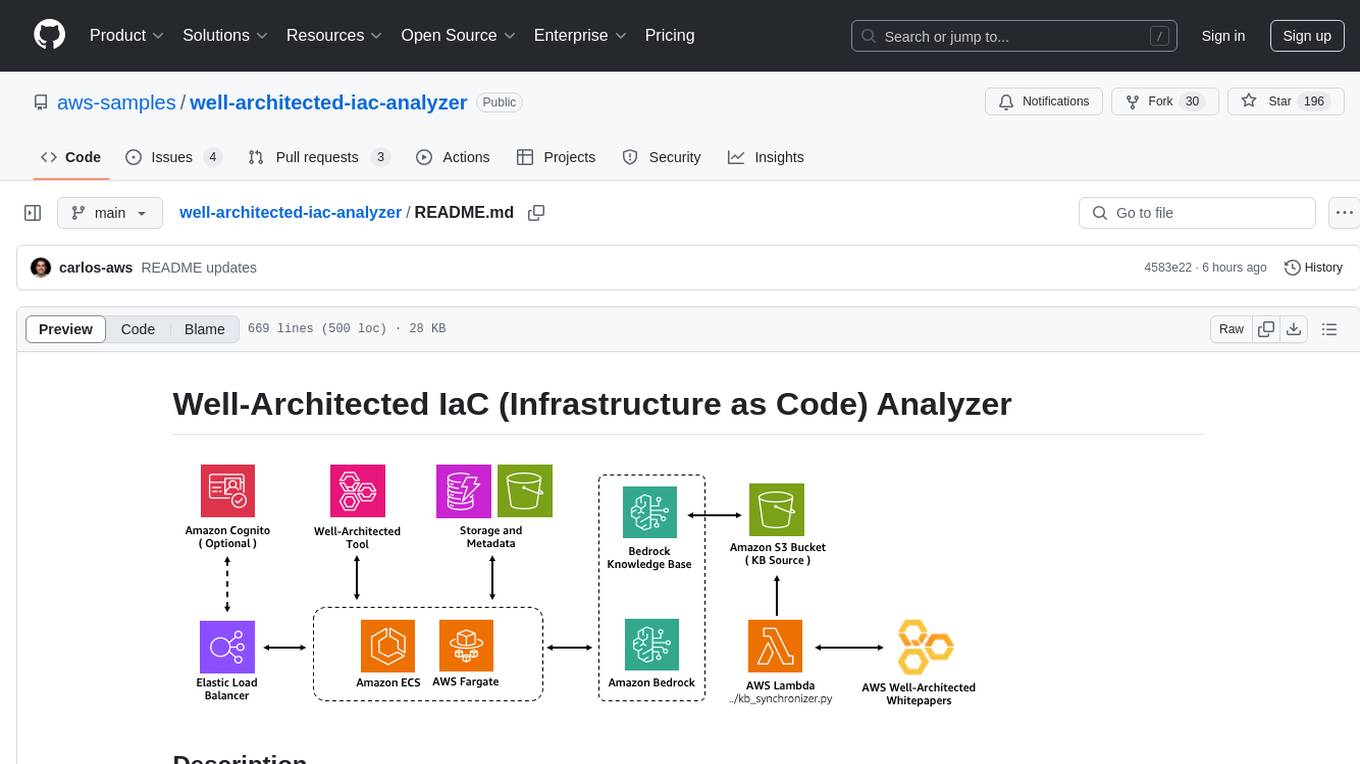
Well-Architected Infrastructure as Code (IaC) Analyzer is a project demonstrating how generative AI can evaluate infrastructure code for alignment with best practices. It features a modern web application allowing users to upload IaC documents, complete IaC projects, or architecture diagrams for assessment. The tool provides insights into infrastructure code alignment with AWS best practices, offers suggestions for improving cloud architecture designs, and can generate IaC templates from architecture diagrams. Users can analyze CloudFormation, Terraform, or AWS CDK templates, architecture diagrams in PNG or JPEG format, and complete IaC projects with supporting documents. Real-time analysis against Well-Architected best practices, integration with AWS Well-Architected Tool, and export of analysis results and recommendations are included.
hash
HASH is a self-building, open-source database which grows, structures and checks itself. With it, we're creating a platform for decision-making, which helps you integrate, understand and use data in a variety of different ways.
action_mcp
Action MCP is a powerful tool for managing and automating your cloud infrastructure. It provides a user-friendly interface to easily create, update, and delete resources on popular cloud platforms. With Action MCP, you can streamline your deployment process, reduce manual errors, and improve overall efficiency. The tool supports various cloud providers and offers a wide range of features to meet your infrastructure management needs. Whether you are a developer, system administrator, or DevOps engineer, Action MCP can help you simplify and optimize your cloud operations.
chatgpt-cli
ChatGPT CLI provides a powerful command-line interface for seamless interaction with ChatGPT models via OpenAI and Azure. It features streaming capabilities, extensive configuration options, and supports various modes like streaming, query, and interactive mode. Users can manage thread-based context, sliding window history, and provide custom context from any source. The CLI also offers model and thread listing, advanced configuration options, and supports GPT-4, GPT-3.5-turbo, and Perplexity's models. Installation is available via Homebrew or direct download, and users can configure settings through default values, a config.yaml file, or environment variables.
pentagi
PentAGI is an innovative tool for automated security testing that leverages cutting-edge artificial intelligence technologies. It is designed for information security professionals, researchers, and enthusiasts who need a powerful and flexible solution for conducting penetration tests. The tool provides secure and isolated operations in a sandboxed Docker environment, fully autonomous AI-powered agent for penetration testing steps, a suite of 20+ professional security tools, smart memory system for storing research results, web intelligence for gathering information, integration with external search systems, team delegation system, comprehensive monitoring and reporting, modern interface, API integration, persistent storage, scalable architecture, self-hosted solution, flexible authentication, and quick deployment through Docker Compose.
raycast_api_proxy
The Raycast AI Proxy is a tool that acts as a proxy for the Raycast AI application, allowing users to utilize the application without subscribing. It intercepts and forwards Raycast requests to various AI APIs, then reformats the responses for Raycast. The tool supports multiple AI providers and allows for custom model configurations. Users can generate self-signed certificates, add them to the system keychain, and modify DNS settings to redirect requests to the proxy. The tool is designed to work with providers like OpenAI, Azure OpenAI, Google, and more, enabling tasks such as AI chat completions, translations, and image generation.
gpt-cli
gpt-cli is a command-line interface tool for interacting with various chat language models like ChatGPT, Claude, and others. It supports model customization, usage tracking, keyboard shortcuts, multi-line input, markdown support, predefined messages, and multiple assistants. Users can easily switch between different assistants, define custom assistants, and configure model parameters and API keys in a YAML file for easy customization and management.
cursor-tools
cursor-tools is a CLI tool designed to enhance AI agents with advanced skills, such as web search, repository context, documentation generation, GitHub integration, Xcode tools, and browser automation. It provides features like Perplexity for web search, Gemini 2.0 for codebase context, and Stagehand for browser operations. The tool requires API keys for Perplexity AI and Google Gemini, and supports global installation for system-wide access. It offers various commands for different tasks and integrates with Cursor Composer for AI agent usage.

shellChatGPT
ShellChatGPT is a shell wrapper for OpenAI's ChatGPT, DALL-E, Whisper, and TTS, featuring integration with LocalAI, Ollama, Gemini, Mistral, Groq, and GitHub Models. It provides text and chat completions, vision, reasoning, and audio models, voice-in and voice-out chatting mode, text editor interface, markdown rendering support, session management, instruction prompt manager, integration with various service providers, command line completion, file picker dialogs, color scheme personalization, stdin and text file input support, and compatibility with Linux, FreeBSD, MacOS, and Termux for a responsive experience.
vector-inference
This repository provides an easy-to-use solution for running inference servers on Slurm-managed computing clusters using vLLM. All scripts in this repository run natively on the Vector Institute cluster environment. Users can deploy models as Slurm jobs, check server status and performance metrics, and shut down models. The repository also supports launching custom models with specific configurations. Additionally, users can send inference requests and set up an SSH tunnel to run inference from a local device.
telemetry-airflow
This repository codifies the Airflow cluster that is deployed at workflow.telemetry.mozilla.org (behind SSO) and commonly referred to as "WTMO" or simply "Airflow". Some links relevant to users and developers of WTMO: * The `dags` directory in this repository contains some custom DAG definitions * Many of the DAGs registered with WTMO don't live in this repository, but are instead generated from ETL task definitions in bigquery-etl * The Data SRE team maintains a WTMO Developer Guide (behind SSO)
supabase-mcp
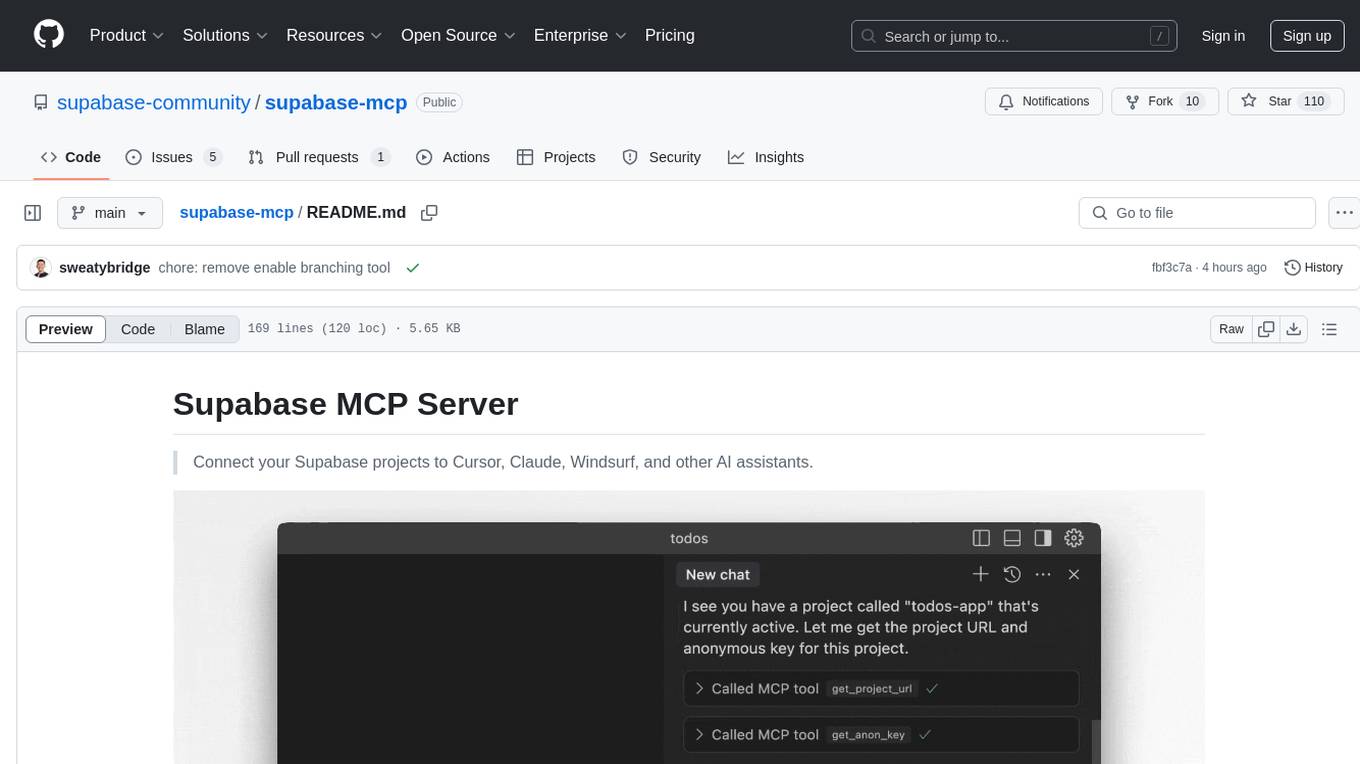
Supabase MCP Server standardizes how Large Language Models (LLMs) interact with Supabase, enabling AI assistants to manage tables, fetch config, and query data. It provides tools for project management, database operations, project configuration, branching (experimental), and development tools. The server is pre-1.0, so expect some breaking changes between versions.
magic-cli
Magic CLI is a command line utility that leverages Large Language Models (LLMs) to enhance command line efficiency. It is inspired by projects like Amazon Q and GitHub Copilot for CLI. The tool allows users to suggest commands, search across command history, and generate commands for specific tasks using local or remote LLM providers. Magic CLI also provides configuration options for LLM selection and response generation. The project is still in early development, so users should expect breaking changes and bugs.
sandbox
Sandbox is an open-source cloud-based code editing environment with custom AI code autocompletion and real-time collaboration. It consists of a frontend built with Next.js, TailwindCSS, Shadcn UI, Clerk, Monaco, and Liveblocks, and a backend with Express, Socket.io, Cloudflare Workers, D1 database, R2 storage, Workers AI, and Drizzle ORM. The backend includes microservices for database, storage, and AI functionalities. Users can run the project locally by setting up environment variables and deploying the containers. Contributions are welcome following the commit convention and structure provided in the repository.

raglite
RAGLite is a Python toolkit for Retrieval-Augmented Generation (RAG) with PostgreSQL or SQLite. It offers configurable options for choosing LLM providers, database types, and rerankers. The toolkit is fast and permissive, utilizing lightweight dependencies and hardware acceleration. RAGLite provides features like PDF to Markdown conversion, multi-vector chunk embedding, optimal semantic chunking, hybrid search capabilities, adaptive retrieval, and improved output quality. It is extensible with a built-in Model Context Protocol server, customizable ChatGPT-like frontend, document conversion to Markdown, and evaluation tools. Users can configure RAGLite for various tasks like configuring, inserting documents, running RAG pipelines, computing query adapters, evaluating performance, running MCP servers, and serving frontends.
For similar tasks
magic-cli
Magic CLI is a command line utility that leverages Large Language Models (LLMs) to enhance command line efficiency. It is inspired by projects like Amazon Q and GitHub Copilot for CLI. The tool allows users to suggest commands, search across command history, and generate commands for specific tasks using local or remote LLM providers. Magic CLI also provides configuration options for LLM selection and response generation. The project is still in early development, so users should expect breaking changes and bugs.
skyflo
Skyflo.ai is an AI agent designed for Cloud Native operations, providing seamless infrastructure management through natural language interactions. It serves as a safety-first co-pilot with a human-in-the-loop design. The tool offers flexible deployment options for both production and local Kubernetes environments, supporting various LLM providers and self-hosted models. Users can explore the architecture of Skyflo.ai and contribute to its development following the provided guidelines and Code of Conduct. The community engagement includes Discord, Twitter, YouTube, and GitHub Discussions.
lightspeed-service
OpenShift LightSpeed (OLS) is an AI powered assistant that runs on OpenShift and provides answers to product questions using backend LLM services. It supports various LLM providers such as OpenAI, Azure OpenAI, OpenShift AI, RHEL AI, and Watsonx. Users can configure the service, manage API keys securely, and deploy it locally or on OpenShift. The project structure includes REST API handlers, configuration loader, LLM providers registry, and more. Additional tools include generating OpenAPI schema, requirements.txt file, and uploading artifacts to an S3 bucket. The project is open source under the Apache 2.0 License.
llm-deploy
LLM-Deploy focuses on the theory and practice of model/LLM reasoning and deployment, aiming to be your partner in mastering the art of LLM reasoning and deployment. Whether you are a newcomer to this field or a senior professional seeking to deepen your skills, you can find the key path to successfully deploy large language models here. The project covers reasoning and deployment theories, model and service optimization practices, and outputs from experienced engineers. It serves as a valuable resource for algorithm engineers and individuals interested in reasoning deployment.
ai-wechat-bot
Gewechat is a project based on the Gewechat project to implement a personal WeChat channel, using the iPad protocol for login. It can obtain wxid and send voice messages, which is more stable than the itchat protocol. The project provides documentation for the API. Users can deploy the Gewechat service and use the ai-wechat-bot project to interface with it. Configuration parameters for Gewechat and ai-wechat-bot need to be set in the config.json file. Gewechat supports sending voice messages, with limitations on the duration of received voice messages. The project has restrictions such as requiring the server to be in the same province as the device logging into WeChat, limited file download support, and support only for text and image messages.
nono
nono is a secure, kernel-enforced capability shell for running AI agents and any POSIX style process. It leverages OS security primitives to create an environment where unauthorized operations are structurally impossible. It provides protections against destructive commands and securely stores API keys, tokens, and secrets. The tool is agent-agnostic, works with any AI agent or process, and blocks dangerous commands by default. It follows a capability-based security model with defense-in-depth, ensuring secure execution of commands and protecting sensitive data.
For similar jobs

sweep
Sweep is an AI junior developer that turns bugs and feature requests into code changes. It automatically handles developer experience improvements like adding type hints and improving test coverage.

teams-ai
The Teams AI Library is a software development kit (SDK) that helps developers create bots that can interact with Teams and Microsoft 365 applications. It is built on top of the Bot Framework SDK and simplifies the process of developing bots that interact with Teams' artificial intelligence capabilities. The SDK is available for JavaScript/TypeScript, .NET, and Python.

ai-guide
This guide is dedicated to Large Language Models (LLMs) that you can run on your home computer. It assumes your PC is a lower-end, non-gaming setup.

classifai
Supercharge WordPress Content Workflows and Engagement with Artificial Intelligence. Tap into leading cloud-based services like OpenAI, Microsoft Azure AI, Google Gemini and IBM Watson to augment your WordPress-powered websites. Publish content faster while improving SEO performance and increasing audience engagement. ClassifAI integrates Artificial Intelligence and Machine Learning technologies to lighten your workload and eliminate tedious tasks, giving you more time to create original content that matters.

chatbot-ui
Chatbot UI is an open-source AI chat app that allows users to create and deploy their own AI chatbots. It is easy to use and can be customized to fit any need. Chatbot UI is perfect for businesses, developers, and anyone who wants to create a chatbot.

BricksLLM
BricksLLM is a cloud native AI gateway written in Go. Currently, it provides native support for OpenAI, Anthropic, Azure OpenAI and vLLM. BricksLLM aims to provide enterprise level infrastructure that can power any LLM production use cases. Here are some use cases for BricksLLM: * Set LLM usage limits for users on different pricing tiers * Track LLM usage on a per user and per organization basis * Block or redact requests containing PIIs * Improve LLM reliability with failovers, retries and caching * Distribute API keys with rate limits and cost limits for internal development/production use cases * Distribute API keys with rate limits and cost limits for students

uAgents
uAgents is a Python library developed by Fetch.ai that allows for the creation of autonomous AI agents. These agents can perform various tasks on a schedule or take action on various events. uAgents are easy to create and manage, and they are connected to a fast-growing network of other uAgents. They are also secure, with cryptographically secured messages and wallets.

griptape
Griptape is a modular Python framework for building AI-powered applications that securely connect to your enterprise data and APIs. It offers developers the ability to maintain control and flexibility at every step. Griptape's core components include Structures (Agents, Pipelines, and Workflows), Tasks, Tools, Memory (Conversation Memory, Task Memory, and Meta Memory), Drivers (Prompt and Embedding Drivers, Vector Store Drivers, Image Generation Drivers, Image Query Drivers, SQL Drivers, Web Scraper Drivers, and Conversation Memory Drivers), Engines (Query Engines, Extraction Engines, Summary Engines, Image Generation Engines, and Image Query Engines), and additional components (Rulesets, Loaders, Artifacts, Chunkers, and Tokenizers). Griptape enables developers to create AI-powered applications with ease and efficiency.