


LLM-Engineers-Handbook
The LLM's practical guide: From the fundamentals to deploying advanced LLM and RAG apps to AWS using LLMOps best practices
Stars: 2841
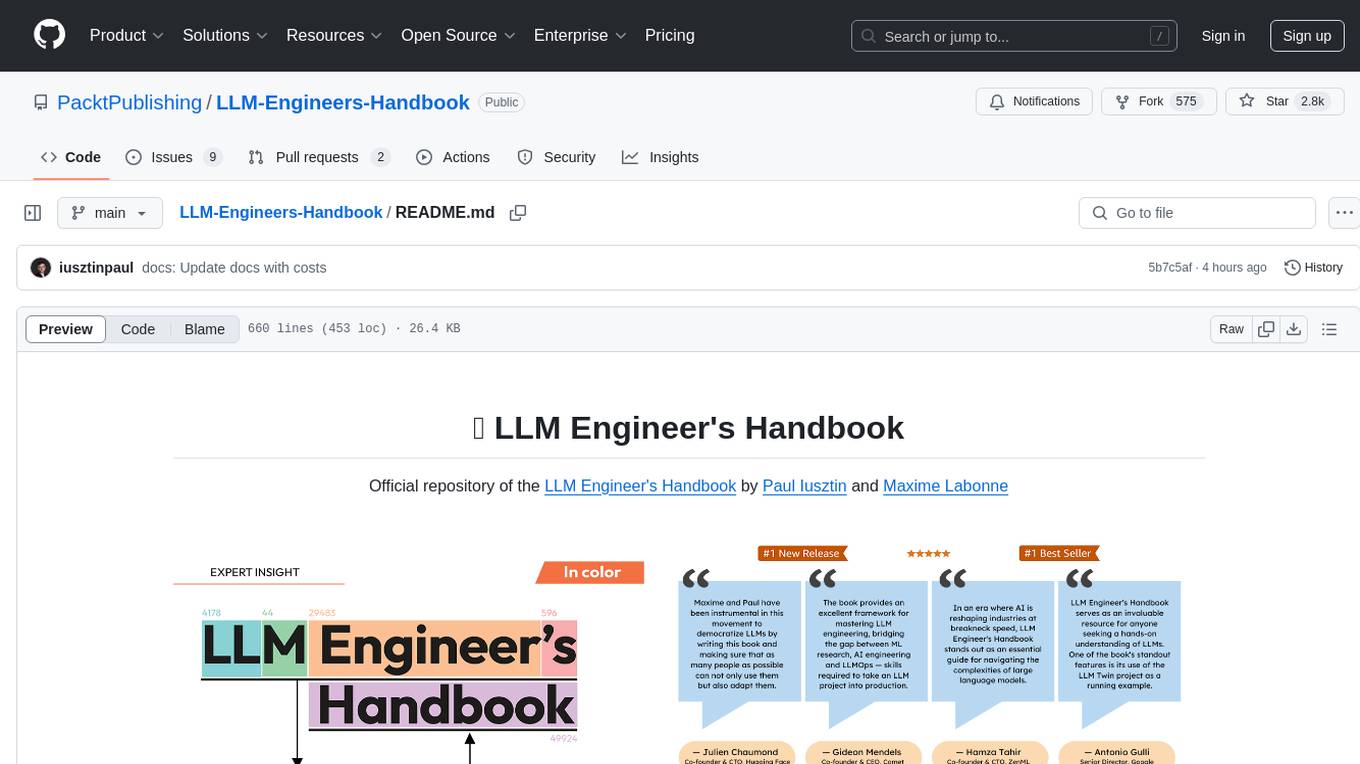
The LLM Engineer's Handbook is an official repository containing a comprehensive guide on creating an end-to-end LLM-based system using best practices. It covers data collection & generation, LLM training pipeline, a simple RAG system, production-ready AWS deployment, comprehensive monitoring, and testing and evaluation framework. The repository includes detailed instructions on setting up local and cloud dependencies, project structure, installation steps, infrastructure setup, pipelines for data processing, training, and inference, as well as QA, tests, and running the project end-to-end.
README:
Official repository of the LLM Engineer's Handbook by Paul Iusztin and Maxime Labonne

Find the book on Amazon or Packt
The goal of this book is to create your own end-to-end LLM-based system using best practices:
- 📝 Data collection & generation
- 🔄 LLM training pipeline
- 📊 Simple RAG system
- 🚀 Production-ready AWS deployment
- 🔍 Comprehensive monitoring
- 🧪 Testing and evaluation framework
You can download and use the final trained model on Hugging Face.
[!IMPORTANT] The code in this GitHub repository is actively maintained and may contain updates not reflected in the book. Always refer to this repository for the latest version of the code.
To install and run the project locally, you need the following dependencies.
| Tool | Version | Purpose | Installation Link |
|---|---|---|---|
| pyenv | ≥2.3.36 | Multiple Python versions (optional) | Install Guide |
| Python | 3.11 | Runtime environment | Download |
| Poetry | >= 1.8.3 and < 2.0 | Package management | Install Guide |
| Docker | ≥27.1.1 | Containerization | Install Guide |
| AWS CLI | ≥2.15.42 | Cloud management | Install Guide |
| Git | ≥2.44.0 | Version control | Download |
The code also uses and depends on the following cloud services. For now, you don't have to do anything. We will guide you in the installation and deployment sections on how to use them:
| Service | Purpose |
|---|---|
| HuggingFace | Model registry |
| Comet ML | Experiment tracker |
| Opik | Prompt monitoring |
| ZenML | Orchestrator and artifacts layer |
| AWS | Compute and storage |
| MongoDB | NoSQL database |
| Qdrant | Vector database |
| GitHub Actions | CI/CD pipeline |
In the LLM Engineer's Handbook, Chapter 2 will walk you through each tool. Chapters 10 and 11 provide step-by-step guides on how to set up everything you need.
Here is the directory overview:
.
├── code_snippets/       # Standalone example code
├── configs/             # Pipeline configuration files
├── llm_engineering/     # Core project package
│   ├── application/
│   ├── domain/
│   ├── infrastructure/
│   ├── model/
├── pipelines/           # ML pipeline definitions
├── steps/               # Pipeline components
├── tests/               # Test examples
├── tools/               # Utility scripts
│   ├── run.py
│   ├── ml_service.py
│   ├── rag.py
│   ├── data_warehouse.py
llm_engineering/ is the main Python package implementing LLM and RAG functionality. It follows Domain-Driven Design (DDD) principles:
-
domain/: Core business entities and structures -
application/: Business logic, crawlers, and RAG implementation -
model/: LLM training and inference -
infrastructure/: External service integrations (AWS, Qdrant, MongoDB, FastAPI)
The code logic and imports flow as follows: infrastructure → model → application → domain
pipelines/: Contains the ZenML ML pipelines, which serve as the entry point for all the ML pipelines. Coordinates the data processing and model training stages of the ML lifecycle.
steps/: Contains individual ZenML steps, which are reusable components for building and customizing ZenML pipelines. Steps perform specific tasks (e.g., data loading, preprocessing) and can be combined within the ML pipelines.
tests/: Covers a few sample tests used as examples within the CI pipeline.
tools/: Utility scripts used to call the ZenML pipelines and inference code:
-
run.py: Entry point script to run ZenML pipelines. -
ml_service.py: Starts the REST API inference server. -
rag.py: Demonstrates usage of the RAG retrieval module. -
data_warehouse.py: Used to export or import data from the MongoDB data warehouse through JSON files.
configs/: ZenML YAML configuration files to control the execution of pipelines and steps.
code_snippets/: Independent code examples that can be executed independently.
[!NOTE] If you are experiencing issues while installing and running the repository, consider checking the Issues GitHub section for other people who solved similar problems or directly asking us for help.
Start by cloning the repository and navigating to the project directory:
git clone https://github.com/PacktPublishing/LLM-Engineers-Handbook.git
cd LLM-Engineers-Handbook
Next, we have to prepare your Python environment and its adjacent dependencies.
The project requires Python 3.11. You can either use your global Python installation or set up a project-specific version using pyenv.
Verify your Python version:
python --version # Should show Python 3.11.x- Verify pyenv installation:
pyenv --version # Should show pyenv 2.3.36 or later- Install Python 3.11.8:
pyenv install 3.11.8- Verify the installation:
python --version # Should show Python 3.11.8- Confirm Python version in the project directory:
python --version
# Output: Python 3.11.8
[!NOTE]
The project includes a.python-versionfile that automatically sets the correct Python version when you're in the project directory.
The project uses Poetry for dependency management.
- Verify Poetry installation:
poetry --version # Should show Poetry version 1.8.3 or later- Set up the project environment and install dependencies:
poetry env use 3.11
poetry install --without aws
poetry run pre-commit install
This will:
- Configure Poetry to use Python 3.11
- Install project dependencies (excluding AWS-specific packages)
- Set up pre-commit hooks for code verification
As our task manager, we run all the scripts using Poe the Poet.
- Start a Poetry shell:
poetry shell- Run project commands using Poe the Poet:
poetry poe ...🔧 Troubleshooting Poe the Poet Installation
If you're experiencing issues with poethepoet, you can still run the project commands directly through Poetry. Here's how:
- Look up the command definition in
pyproject.toml - Use
poetry runwith the underlying command
Instead of:
poetry poe local-infrastructure-upUse the direct command from pyproject.toml:
poetry run <actual-command-from-pyproject-toml>Note: All project commands are defined in the [tool.poe.tasks] section of pyproject.toml
Now, let's configure our local project with all the necessary credentials and tokens to run the code locally.
After you have installed all the dependencies, you must create and fill a .env file with your credentials to appropriately interact with other services and run the project. Setting your sensitive credentials in a .env file is a good security practice, as this file won't be committed to GitHub or shared with anyone else.
- First, copy our example by running the following:
cp .env.example .env # The file must be at your repository's root!- Now, let's understand how to fill in all the essential variables within the
.envfile to get you started. The following are the mandatory settings we must complete when working locally:
To authenticate to OpenAI's API, you must fill out the OPENAI_API_KEY env var with an authentication token.
OPENAI_API_KEY=your_api_key_here→ Check out this tutorial to learn how to provide one from OpenAI.
To authenticate to Hugging Face, you must fill out the HUGGINGFACE_ACCESS_TOKEN env var with an authentication token.
HUGGINGFACE_ACCESS_TOKEN=your_token_here→ Check out this tutorial to learn how to provide one from Hugging Face.
To authenticate to Comet ML (required only during training) and Opik, you must fill out the COMET_API_KEY env var with your authentication token.
COMET_API_KEY=your_api_key_here→ Check out this tutorial to learn how to get started with Opik. You can also access Opik's dashboard using 🔗this link.
When deploying the project to the cloud, we must set additional settings for Mongo, Qdrant, and AWS. If you are just working locally, the default values of these env vars will work out of the box. Detailed deployment instructions are available in Chapter 11 of the LLM Engineer's Handbook.
We must change the DATABASE_HOST env var with the URL pointing to your cloud MongoDB cluster.
DATABASE_HOST=your_mongodb_url→ Check out this tutorial to learn how to create and host a MongoDB cluster for free.
Change USE_QDRANT_CLOUD to true, QDRANT_CLOUD_URL with the URL point to your cloud Qdrant cluster, and QDRANT_APIKEY with its API key.
USE_QDRANT_CLOUD=true
QDRANT_CLOUD_URL=your_qdrant_cloud_url
QDRANT_APIKEY=your_qdrant_api_key
→ Check out this tutorial to learn how to create a Qdrant cluster for free
For your AWS set-up to work correctly, you need the AWS CLI installed on your local machine and properly configured with an admin user (or a user with enough permissions to create new SageMaker, ECR, and S3 resources; using an admin user will make everything more straightforward).
Chapter 2 provides step-by-step instructions on how to install the AWS CLI, create an admin user on AWS, and get an access key to set up the AWS_ACCESS_KEY and AWS_SECRET_KEY environment variables. If you already have an AWS admin user in place, you have to configure the following env vars in your .env file:
AWS_REGION=eu-central-1 # Change it with your AWS region.
AWS_ACCESS_KEY=your_aws_access_key
AWS_SECRET_KEY=your_aws_secret_key
AWS credentials are typically stored in ~/.aws/credentials. You can view this file directly using cat or similar commands:
cat ~/.aws/credentials[!IMPORTANT] Additional configuration options are available in settings.py. Any variable in the
Settingsclass can be configured through the.envfile.
When running the project locally, we host a MongoDB and Qdrant database using Docker. Also, a testing ZenML server is made available through their Python package.
[!WARNING] You need Docker installed (>= v27.1.1)
For ease of use, you can start the whole local development infrastructure with the following command:
poetry poe local-infrastructure-upAlso, you can stop the ZenML server and all the Docker containers using the following command:
poetry poe local-infrastructure-down[!WARNING]
When running on MacOS, before starting the server, export the following environment variable:export OBJC_DISABLE_INITIALIZE_FORK_SAFETY=YESOtherwise, the connection between the local server and pipeline will break. 🔗 More details in this issue. This is done by default when using Poe the Poet.
Start the inference real-time RESTful API:
poetry poe run-inference-ml-service[!IMPORTANT] The LLM microservice, called by the RESTful API, will work only after deploying the LLM to AWS SageMaker.
Dashboard URL: localhost:8237
Default credentials:
-
username: default -
password:
→ Find out more about using and setting up ZenML.
REST API URL: localhost:6333
Dashboard URL: localhost:6333/dashboard
→ Find out more about using and setting up Qdrant with Docker.
Database URI: mongodb://llm_engineering:[email protected]:27017
Database name: twin
Default credentials:
-
username: llm_engineering -
password: llm_engineering
→ Find out more about using and setting up MongoDB with Docker.
You can search your MongoDB collections using your IDEs MongoDB plugin (which you have to install separately), where you have to use the database URI to connect to the MongoDB database hosted within the Docker container: mongodb://llm_engineering:[email protected]:27017
[!IMPORTANT] Everything related to training or running the LLMs (e.g., training, evaluation, inference) can only be run if you set up AWS SageMaker, as explained in the next section on cloud infrastructure.
Here we will quickly present how to deploy the project to AWS and other serverless services. We won't go into the details (as everything is presented in the book) but only point out the main steps you have to go through.
First, reinstall your Python dependencies with the AWS group:
poetry install --with aws[!NOTE] Chapter 10 provides step-by-step instructions in the section "Implementing the LLM microservice using AWS SageMaker".
By this point, we expect you to have AWS CLI installed and your AWS CLI and project's env vars (within the .env file) properly configured with an AWS admin user.
To ensure best practices, we must create a new AWS user restricted to creating and deleting only resources related to AWS SageMaker. Create it by running:
poetry poe create-sagemaker-roleIt will create a sagemaker_user_credentials.json file at the root of your repository with your new AWS_ACCESS_KEY and AWS_SECRET_KEY values. But before replacing your new AWS credentials, also run the following command to create the execution role (to create it using your admin credentials).
To create the IAM execution role used by AWS SageMaker to access other AWS resources on our behalf, run the following:
poetry poe create-sagemaker-execution-roleIt will create a sagemaker_execution_role.json file at the root of your repository with your new AWS_ARN_ROLE value. Add it to your .env file.
Once you've updated the AWS_ACCESS_KEY, AWS_SECRET_KEY, and AWS_ARN_ROLE values in your .env file, you can use AWS SageMaker. Note that this step is crucial to complete the AWS setup.
We start the training pipeline through ZenML by running the following:
poetry poe run-training-pipelineThis will start the training code using the configs from configs/training.yaml directly in SageMaker. You can visualize the results in Comet ML's dashboard.
We start the evaluation pipeline through ZenML by running the following:
poetry poe run-evaluation-pipelineThis will start the evaluation code using the configs from configs/evaluating.yaml directly in SageMaker. You can visualize the results in *-results datasets saved to your Hugging Face profile.
To create an AWS SageMaker Inference Endpoint, run:
poetry poe deploy-inference-endpointTo test it out, run:
poetry poe test-sagemaker-endpointTo delete it, run:
poetry poe delete-inference-endpointThe ML pipelines, artifacts, and containers are deployed to AWS by leveraging ZenML's deployment features. Thus, you must create an account with ZenML Cloud and follow their guide on deploying a ZenML stack to AWS. Otherwise, we provide step-by-step instructions in Chapter 11, section Deploying the LLM Twin's pipelines to the cloud on what you must do.
We leverage Qdrant's and MongoDB's serverless options when deploying the project. Thus, you can either follow Qdrant's and MongoDB's tutorials on how to create a freemium cluster for each or go through Chapter 11, section Deploying the LLM Twin's pipelines to the cloud and follow our step-by-step instructions.
We use GitHub Actions to implement our CI/CD pipelines. To implement your own, you have to fork our repository and set the following env vars as Actions secrets in your forked repository:
AWS_ACCESS_KEY_IDAWS_SECRET_ACCESS_KEYAWS_ECR_NAMEAWS_REGION
Also, we provide instructions on how to set everything up in Chapter 11, section Adding LLMOps to the LLM Twin.
You can visualize the results on their self-hosted dashboards if you create a Comet account and correctly set the COMET_API_KEY env var. As Opik is powered by Comet, you don't have to set up anything else along Comet:
We will mostly stick to free tiers for all the services except for AWS and OpenAI's API, which are both pay-as-you-go services. The cost of running the project once, with our default values, will be roughly ~$25 (most of it comes from using AWS SageMaker for training and inference).
All the ML pipelines will be orchestrated behind the scenes by ZenML. A few exceptions exist when running utility scrips, such as exporting or importing from the data warehouse.
The ZenML pipelines are the entry point for most processes throughout this project. They are under the pipelines/ folder. Thus, when you want to understand or debug a workflow, starting with the ZenML pipeline is the best approach.
To see the pipelines running and their results:
- go to your ZenML dashboard
- go to the
Pipelinessection - click on a specific pipeline (e.g.,
feature_engineering) - click on a specific run (e.g.,
feature_engineering_run_2024_06_20_18_40_24) - click on a specific step or artifact of the DAG to find more details about it
Now, let's explore all the pipelines you can run. From data collection to training, we will present them in their natural order to go through the LLM project end-to-end.
Run the data collection ETL:
poetry poe run-digital-data-etl[!WARNING] You must have Chrome (or another Chromium-based browser) installed on your system for LinkedIn and Medium crawlers to work (which use Selenium under the hood). Based on your Chrome version, the Chromedriver will be automatically installed to enable Selenium support. Another option is to run everything using our Docker image if you don't want to install Chrome. For example, to run all the pipelines combined you can run
poetry poe run-docker-end-to-end-data-pipeline. Note that the command can be tweaked to support any other pipeline.If, for any other reason, you don't have a Chromium-based browser installed and don't want to use Docker, you have two other options to bypass this Selenium issue:
- Comment out all the code related to Selenium, Chrome and all the links that use Selenium to crawl them (e.g., Medium), such as the
chromedriver_autoinstaller.install()command from application.crawlers.base and other static calls that check for Chrome drivers and Selenium.- Install Google Chrome using your CLI in environments such as GitHub Codespaces or other cloud VMs using the same command as in our Docker file.
To add additional links to collect from, go to configs/digital_data_etl_[author_name].yaml and add them to the links field. Also, you can create a completely new file and specify it at run time, like this: python -m llm_engineering.interfaces.orchestrator.run --run-etl --etl-config-filename configs/digital_data_etl_[your_name].yaml
Run the feature engineering pipeline:
poetry poe run-feature-engineering-pipelineGenerate the instruct dataset:
poetry poe run-generate-instruct-datasets-pipelineGenerate the preference dataset:
poetry poe run-generate-preference-datasets-pipelineRun all of the above compressed into a single pipeline:
poetry poe run-end-to-end-data-pipelineExport the data from the data warehouse to JSON files:
poetry poe run-export-data-warehouse-to-jsonImport data to the data warehouse from JSON files (by default, it imports the data from the data/data_warehouse_raw_data directory):
poetry poe run-import-data-warehouse-from-jsonExport ZenML artifacts to JSON:
poetry poe run-export-artifact-to-json-pipelineThis will export the following ZenML artifacts to the output folder as JSON files (it will take their latest version):
- cleaned_documents.json
- instruct_datasets.json
- preference_datasets.json
- raw_documents.json
You can configure what artifacts to export by tweaking the configs/export_artifact_to_json.yaml configuration file.
Run the training pipeline:
poetry poe run-training-pipelineRun the evaluation pipeline:
poetry poe run-evaluation-pipeline[!WARNING] For this to work, make sure you properly configured AWS SageMaker as described in Set up cloud infrastructure (for production).
Call the RAG retrieval module with a test query:
poetry poe call-rag-retrieval-moduleStart the inference real-time RESTful API:
poetry poe run-inference-ml-serviceCall the inference real-time RESTful API with a test query:
poetry poe call-inference-ml-serviceRemember that you can monitor the prompt traces on Opik.
[!WARNING] For the inference service to work, you must have the LLM microservice deployed to AWS SageMaker, as explained in the setup cloud infrastructure section.
Check or fix your linting issues:
poetry poe lint-check
poetry poe lint-fix
Check or fix your formatting issues:
poetry poe format-check
poetry poe format-fix
Check the code for leaked credentials:
poetry poe gitleaks-checkRun all the tests using the following command:
poetry poe testBased on the setup and usage steps described above, assuming the local and cloud infrastructure works and the .env is filled as expected, follow the next steps to run the LLM system end-to-end:
-
Collect data:
poetry poe run-digital-data-etl -
Compute features:
poetry poe run-feature-engineering-pipeline -
Compute instruct dataset:
poetry poe run-generate-instruct-datasets-pipeline -
Compute preference alignment dataset:
poetry poe run-generate-preference-datasets-pipeline
[!IMPORTANT] From now on, for these steps to work, you need to properly set up AWS SageMaker, such as running
poetry install --with awsand filling in the AWS-related environment variables and configs.
-
SFT fine-tuning Llamma 3.1:
poetry poe run-training-pipeline -
For DPO, go to
configs/training.yaml, changefinetuning_typetodpo, and runpoetry poe run-training-pipelineagain -
Evaluate fine-tuned models:
poetry poe run-evaluation-pipeline
[!IMPORTANT] From now on, for these steps to work, you need to properly set up AWS SageMaker, such as running
poetry install --with awsand filling in the AWS-related environment variables and configs.
-
Call only the RAG retrieval module:
poetry poe call-rag-retrieval-module -
Deploy the LLM Twin microservice to SageMaker:
poetry poe deploy-inference-endpoint -
Test the LLM Twin microservice:
poetry poe test-sagemaker-endpoint -
Start end-to-end RAG server:
poetry poe run-inference-ml-service -
Test RAG server:
poetry poe call-inference-ml-service
This course is an open-source project released under the MIT license. Thus, as long you distribute our LICENSE and acknowledge our work, you can safely clone or fork this project and use it as a source of inspiration for whatever you want (e.g., university projects, college degree projects, personal projects, etc.).
For Tasks:
Click tags to check more tools for each tasksFor Jobs:
Alternative AI tools for LLM-Engineers-Handbook
Similar Open Source Tools
LLM-Engineers-Handbook
The LLM Engineer's Handbook is an official repository containing a comprehensive guide on creating an end-to-end LLM-based system using best practices. It covers data collection & generation, LLM training pipeline, a simple RAG system, production-ready AWS deployment, comprehensive monitoring, and testing and evaluation framework. The repository includes detailed instructions on setting up local and cloud dependencies, project structure, installation steps, infrastructure setup, pipelines for data processing, training, and inference, as well as QA, tests, and running the project end-to-end.
ai-starter-kit
SambaNova AI Starter Kits is a collection of open-source examples and guides designed to facilitate the deployment of AI-driven use cases for developers and enterprises. The kits cover various categories such as Data Ingestion & Preparation, Model Development & Optimization, Intelligent Information Retrieval, and Advanced AI Capabilities. Users can obtain a free API key using SambaNova Cloud or deploy models using SambaStudio. Most examples are written in Python but can be applied to any programming language. The kits provide resources for tasks like text extraction, fine-tuning embeddings, prompt engineering, question-answering, image search, post-call analysis, and more.
btp-genai-starter-kit
This repository provides a quick way for users of the SAP Business Technology Platform (BTP) to learn how to use generative AI with BTP services. It guides users through setting up the necessary infrastructure, deploying AI models, and running genAI experiments on SAP BTP. The repository includes scripts, examples, and instructions to help users get started with generative AI on the SAP BTP platform.
WindowsAgentArena
Windows Agent Arena (WAA) is a scalable Windows AI agent platform designed for testing and benchmarking multi-modal, desktop AI agents. It provides researchers and developers with a reproducible and realistic Windows OS environment for AI research, enabling testing of agentic AI workflows across various tasks. WAA supports deploying agents at scale using Azure ML cloud infrastructure, allowing parallel running of multiple agents and delivering quick benchmark results for hundreds of tasks in minutes.
torchchat
torchchat is a codebase showcasing the ability to run large language models (LLMs) seamlessly. It allows running LLMs using Python in various environments such as desktop, server, iOS, and Android. The tool supports running models via PyTorch, chatting, generating text, running chat in the browser, and running models on desktop/server without Python. It also provides features like AOT Inductor for faster execution, running in C++ using the runner, and deploying and running on iOS and Android. The tool supports popular hardware and OS including Linux, Mac OS, Android, and iOS, with various data types and execution modes available.
SWELancer-Benchmark
SWE-Lancer is a benchmark repository containing datasets and code for the paper 'SWE-Lancer: Can Frontier LLMs Earn $1 Million from Real-World Freelance Software Engineering?'. It provides instructions for package management, building Docker images, configuring environment variables, and running evaluations. Users can use this tool to assess the performance of language models in real-world freelance software engineering tasks.
seer
Seer is a service that provides AI capabilities to Sentry by running inference on Sentry issues and providing user insights. It is currently in early development and not yet compatible with self-hosted Sentry instances. The tool requires access to internal Sentry resources and is intended for internal Sentry employees. Users can set up the environment, download model artifacts, integrate with local Sentry, run evaluations for Autofix AI agent, and deploy to a sandbox staging environment. Development commands include applying database migrations, creating new migrations, running tests, and more. The tool also supports VCRs for recording and replaying HTTP requests.
debug-gym
debug-gym is a text-based interactive debugging framework designed for debugging Python programs. It provides an environment where agents can interact with code repositories, use various tools like pdb and grep to investigate and fix bugs, and propose code patches. The framework supports different LLM backends such as OpenAI, Azure OpenAI, and Anthropic. Users can customize tools, manage environment states, and run agents to debug code effectively. debug-gym is modular, extensible, and suitable for interactive debugging tasks in a text-based environment.
spec-kit
Spec Kit is a tool designed to enable organizations to focus on product scenarios rather than writing undifferentiated code through Spec-Driven Development. It flips the script on traditional software development by making specifications executable, directly generating working implementations. The tool provides a structured process emphasizing intent-driven development, rich specification creation, multi-step refinement, and heavy reliance on advanced AI model capabilities for specification interpretation. Spec Kit supports various development phases, including 0-to-1 Development, Creative Exploration, and Iterative Enhancement, and aims to achieve experimental goals related to technology independence, enterprise constraints, user-centric development, and creative & iterative processes. The tool requires Linux/macOS (or WSL2 on Windows), an AI coding agent (Claude Code, GitHub Copilot, Gemini CLI, or Cursor), uv for package management, Python 3.11+, and Git.
aides-jeunes
The user interface (and the main server) of the simulator of aids and social benefits for young people. It is based on the free socio-fiscal simulator Openfisca.
aiarena-web
aiarena-web is a website designed for running the aiarena.net infrastructure. It consists of different modules such as core functionality, web API endpoints, frontend templates, and a module for linking users to their Patreon accounts. The website serves as a platform for obtaining new matches, reporting results, featuring match replays, and connecting with Patreon supporters. The project is licensed under GPLv3 in 2019.
fasttrackml
FastTrackML is an experiment tracking server focused on speed and scalability, fully compatible with MLFlow. It provides a user-friendly interface to track and visualize your machine learning experiments, making it easy to compare different models and identify the best performing ones. FastTrackML is open source and can be easily installed and run with pip or Docker. It is also compatible with the MLFlow Python package, making it easy to integrate with your existing MLFlow workflows.
log10
Log10 is a one-line Python integration to manage your LLM data. It helps you log both closed and open-source LLM calls, compare and identify the best models and prompts, store feedback for fine-tuning, collect performance metrics such as latency and usage, and perform analytics and monitor compliance for LLM powered applications. Log10 offers various integration methods, including a python LLM library wrapper, the Log10 LLM abstraction, and callbacks, to facilitate its use in both existing production environments and new projects. Pick the one that works best for you. Log10 also provides a copilot that can help you with suggestions on how to optimize your prompt, and a feedback feature that allows you to add feedback to your completions. Additionally, Log10 provides prompt provenance, session tracking and call stack functionality to help debug prompt chains. With Log10, you can use your data and feedback from users to fine-tune custom models with RLHF, and build and deploy more reliable, accurate and efficient self-hosted models. Log10 also supports collaboration, allowing you to create flexible groups to share and collaborate over all of the above features.
OSWorld
OSWorld is a benchmarking tool designed to evaluate multimodal agents for open-ended tasks in real computer environments. It provides a platform for running experiments, setting up virtual machines, and interacting with the environment using Python scripts. Users can install the tool on their desktop or server, manage dependencies with Conda, and run benchmark tasks. The tool supports actions like executing commands, checking for specific results, and evaluating agent performance. OSWorld aims to facilitate research in AI by providing a standardized environment for testing and comparing different agent baselines.
airbyte_serverless
AirbyteServerless is a lightweight tool designed to simplify the management of Airbyte connectors. It offers a serverless mode for running connectors, allowing users to easily move data from any source to their data warehouse. Unlike the full Airbyte-Open-Source-Platform, AirbyteServerless focuses solely on the Extract-Load process without a UI, database, or transform layer. It provides a CLI tool, 'abs', for managing connectors, creating connections, running jobs, selecting specific data streams, handling secrets securely, and scheduling remote runs. The tool is scalable, allowing independent deployment of multiple connectors. It aims to streamline the connector management process and provide a more agile alternative to the comprehensive Airbyte platform.
unitycatalog
Unity Catalog is an open and interoperable catalog for data and AI, supporting multi-format tables, unstructured data, and AI assets. It offers plugin support for extensibility and interoperates with Delta Sharing protocol. The catalog is fully open with OpenAPI spec and OSS implementation, providing unified governance for data and AI with asset-level access control enforced through REST APIs.
For similar tasks
morgana-form
MorGana Form is a full-stack form builder project developed using Next.js, React, TypeScript, Ant Design, PostgreSQL, and other technologies. It allows users to quickly create and collect data through survey forms. The project structure includes components, hooks, utilities, pages, constants, Redux store, themes, types, server-side code, and component packages. Environment variables are required for database settings, NextAuth login configuration, and file upload services. Additionally, the project integrates an AI model for form generation using the Ali Qianwen model API.
PC-Agent
PC Agent introduces a novel framework to empower autonomous digital agents through human cognition transfer. It consists of PC Tracker for data collection, Cognition Completion for transforming raw data, and a multi-agent system for decision-making and visual grounding. Users can set up the tool in Python environment, customize data collection with PC Tracker, process data into cognitive trajectories, and run the multi-agent system. The tool aims to enable AI to work autonomously while users sleep, providing a cognitive journey into the digital world.
RoboMatrix
RoboMatrix is a skill-centric hierarchical framework for scalable robot task planning and execution in an open-world environment. It provides a structured approach to robot task execution using a combination of hardware components, environment configuration, installation procedures, and data collection methods. The framework is developed using the ROS2 framework on Ubuntu and supports robots from DJI's RoboMaster series. Users can follow the provided installation guidance to set up RoboMatrix and utilize it for various tasks such as data collection, task execution, and dataset construction. The framework also includes a supervised fine-tuning dataset and aims to optimize communication and release additional components in the future.
LLM-Engineers-Handbook
The LLM Engineer's Handbook is an official repository containing a comprehensive guide on creating an end-to-end LLM-based system using best practices. It covers data collection & generation, LLM training pipeline, a simple RAG system, production-ready AWS deployment, comprehensive monitoring, and testing and evaluation framework. The repository includes detailed instructions on setting up local and cloud dependencies, project structure, installation steps, infrastructure setup, pipelines for data processing, training, and inference, as well as QA, tests, and running the project end-to-end.
qiaoqiaoyun
Qiaoqiaoyun is a new generation zero-code product that combines an AI application development platform, AI knowledge base, and zero-code platform, helping enterprises quickly build personalized business applications in an AI way. Users can build personalized applications that meet business needs without any code. Qiaoqiaoyun has comprehensive application building capabilities, form engine, workflow engine, and dashboard engine, meeting enterprise's normal requirements. It is also an AI application development platform based on LLM large language model and RAG open-source knowledge base question-answering system.
openkf
OpenKF (Open Knowledge Flow) is an online intelligent customer service system. It is an open-source customer service system based on OpenIM, supporting LLM (Local Knowledgebase) customer service and multi-channel customer service. It is easy to integrate with third-party systems, deploy, and perform secondary development. The system provides features like login page, config page, dashboard page, platform page, and session page. Users can quickly get started with OpenKF by following the installation and run instructions. The architecture follows MVC design with a standardized directory structure. The community encourages involvement through community meetings, contributions, and development. OpenKF is licensed under the Apache 2.0 license.
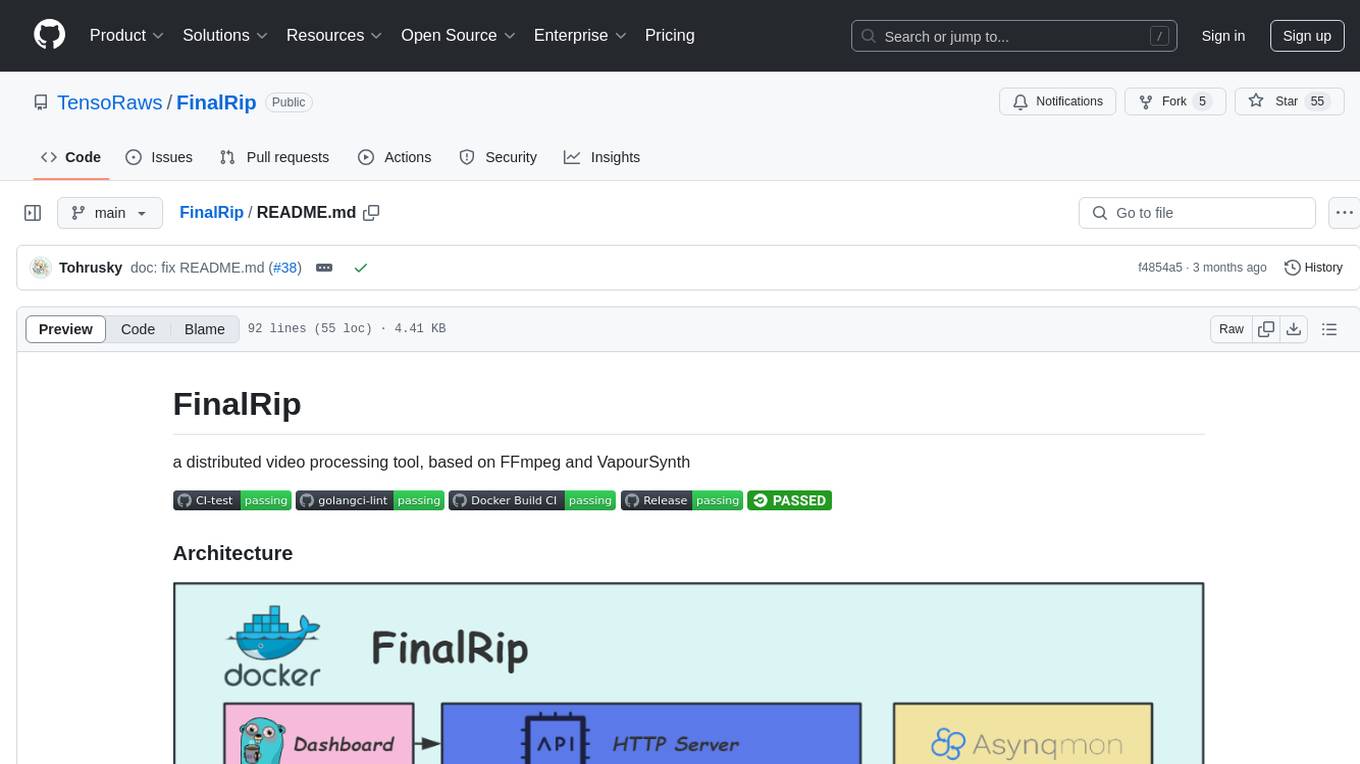
FinalRip
FinalRip is a distributed video processing tool based on FFmpeg and VapourSynth. It cuts the original video into multiple clips, processes each clip in parallel, and merges them into the final video. Users can deploy the system in a distributed way, configure settings via environment variables or remote config files, and develop/test scripts in the vs-playground environment. It supports Nvidia GPU, AMD GPU with ROCm support, and provides a dashboard for selecting compatible scripts to process videos.
mushroom
MRCMS is a Java-based content management system that uses data model + template + plugin implementation, providing built-in article model publishing functionality. The goal is to quickly build small to medium websites.
For similar jobs

sweep
Sweep is an AI junior developer that turns bugs and feature requests into code changes. It automatically handles developer experience improvements like adding type hints and improving test coverage.

teams-ai
The Teams AI Library is a software development kit (SDK) that helps developers create bots that can interact with Teams and Microsoft 365 applications. It is built on top of the Bot Framework SDK and simplifies the process of developing bots that interact with Teams' artificial intelligence capabilities. The SDK is available for JavaScript/TypeScript, .NET, and Python.

ai-guide
This guide is dedicated to Large Language Models (LLMs) that you can run on your home computer. It assumes your PC is a lower-end, non-gaming setup.

classifai
Supercharge WordPress Content Workflows and Engagement with Artificial Intelligence. Tap into leading cloud-based services like OpenAI, Microsoft Azure AI, Google Gemini and IBM Watson to augment your WordPress-powered websites. Publish content faster while improving SEO performance and increasing audience engagement. ClassifAI integrates Artificial Intelligence and Machine Learning technologies to lighten your workload and eliminate tedious tasks, giving you more time to create original content that matters.

chatbot-ui
Chatbot UI is an open-source AI chat app that allows users to create and deploy their own AI chatbots. It is easy to use and can be customized to fit any need. Chatbot UI is perfect for businesses, developers, and anyone who wants to create a chatbot.

BricksLLM
BricksLLM is a cloud native AI gateway written in Go. Currently, it provides native support for OpenAI, Anthropic, Azure OpenAI and vLLM. BricksLLM aims to provide enterprise level infrastructure that can power any LLM production use cases. Here are some use cases for BricksLLM: * Set LLM usage limits for users on different pricing tiers * Track LLM usage on a per user and per organization basis * Block or redact requests containing PIIs * Improve LLM reliability with failovers, retries and caching * Distribute API keys with rate limits and cost limits for internal development/production use cases * Distribute API keys with rate limits and cost limits for students

uAgents
uAgents is a Python library developed by Fetch.ai that allows for the creation of autonomous AI agents. These agents can perform various tasks on a schedule or take action on various events. uAgents are easy to create and manage, and they are connected to a fast-growing network of other uAgents. They are also secure, with cryptographically secured messages and wallets.

griptape
Griptape is a modular Python framework for building AI-powered applications that securely connect to your enterprise data and APIs. It offers developers the ability to maintain control and flexibility at every step. Griptape's core components include Structures (Agents, Pipelines, and Workflows), Tasks, Tools, Memory (Conversation Memory, Task Memory, and Meta Memory), Drivers (Prompt and Embedding Drivers, Vector Store Drivers, Image Generation Drivers, Image Query Drivers, SQL Drivers, Web Scraper Drivers, and Conversation Memory Drivers), Engines (Query Engines, Extraction Engines, Summary Engines, Image Generation Engines, and Image Query Engines), and additional components (Rulesets, Loaders, Artifacts, Chunkers, and Tokenizers). Griptape enables developers to create AI-powered applications with ease and efficiency.