


llmq
Quantized LLM training in pure CUDA/C++.
Stars: 241
llm.q is an implementation of (quantized) large language model training in CUDA, inspired by llm.c. It is particularly aimed at medium-sized training setups, i.e., a single node with multiple GPUs. The code is written in C++20 and requires CUDA 12 or later. It depends on nccl for communication, and cudnn for fast attention. Multi-GPU training can either be run in multi-process mode (requires OpenMPI) or in multi-thread mode. Additional header-only dependencies are automatically downloaded by cmake during the build process. The tool provides detailed instructions on data preparation, training runs, inspecting logs, evaluations, and a larger example for real training runs. It also offers detailed usage instructions covering model configuration, data configuration, optimization parameters, checkpointing, output, low-bit settings, activation checkpointing/recomputation, multi-GPU settings, offloading, algorithm selection, and Python bindings. The code organization includes directories for kernels, models, training, and utilities. Speed benchmarks for different GPU configurations are provided, along with testing details for recomputation, fixed reference, and Python reference tests.
README:

Quantized LLM training in pure CUDA/C++.
llm.q is an implementation of (quantized) large language model training in CUDA, inspired by llm.c. It is particularly aimed at medium-sized training setups, i.e., a single node with multiple GPUs.
The code is written in C++20 and requires CUDA 12 or later. It depends on nccl for communication, and cudnn for fast attention. Multi-GPU training can either be run in multi-process mode (requires OpenMPI) or in multi-thread mode. On a recent ubuntu system, this should provide the required dependencies (adapt cuda version as needed):
# build tools
apt install cmake ninja-build git gcc-13 g++-13
# libs
apt install cuda-12-8 cudnn9-cuda-12-8 libnccl2 libnccl-dev libopenmpi-dev
Additional header-only dependencies are automatically downloaded by cmake during the build process. These are:
- json
- cudnn-frontend
- CLI11
- fmt
- nanobind (for optional python bindings)
To build the training executable, run
mkdir build
cmake -S . -B build
cmake --build build --parallel --target trainIn order to train/fine-tune a model, you first need some data. The tokenize_data script provides a utility to prepare token files for training. It only supports a limited number of datasets, but hacking it for your own dataset should be straightforward.
uv run scripts/tokenize_data.py --dataset tiny-shakespeare --model qwenThis will create tiny-shakespeare-qwen-train.bin and tiny-shakespeare-qwen-eval.bin.
Let's fine-tune the smallest Qwen model on this data:
./build/train --model=Qwen/Qwen2.5-0.5B \
  --train-file=data/tiny-shakespeare-qwen/train.bin \
  --eval-file=data/tiny-shakespeare-qwen/eval.bin \
  --model-dtype=bf16 --opt-m-dtype=bf16 --opt-v-dtype=bf16 \
  --matmul-dtype=e4m3 \
  --recompute-block \
  --grad-accumulation=8 --steps=30 \
  --learning-rate=1e-5 --gpus=1 --batch-size=8
The program will print some logging information, such as the following:
[Options]
  recompute-swiglu  : true
  recompute-norm    : true
  [...]

[System 0]
  Device 0: NVIDIA GeForce RTX 4090
  CUDA version: driver 13000, runtime 13000
  Memory: 906 MiB / 24080 MiB

Loading model from `/huggingface/hub/models--Qwen--Qwen2.5-0.5B/snapshots/060db6499f32faf8b98477b0a26969ef7d8b9987/model.safetensors`
 done

[Dataset]
 train:  329k tokens
   data/tiny-shakespeare-qwen/train.bin :     329663
 eval:   33k tokens
   data/tiny-shakespeare-qwen/eval.bin :      33698

[Allocator State]
        Adam V:   942 MiB
        Adam M:   942 MiB
     Gradients:   942 MiB
   Activations:  4505 MiB
        Master:   682 MiB
       Weights:   601 MiB
          Free: 14078 MiB
      Reserved:   483 MiB
         Other:   903 MiB
If [Allocator State] shows a lot of Free memory (as it does here), you can try increasing the batch size (and adjust --grad-accumulation accordingly), or reduce the amount of activation checkpointing.
For example, on a 16GiB 4060Ti, --recompute-block can be replaced by --recompute-swiglu, which increases the activation memory from 4.5 GiB to 9 GiB, and
the speed from ~11k tps to ~13k tps.
Then, the actual training will begin:
[T] step     0 [ 19.9%] | time:  1869 ms | norm   4.315545 | loss   3.282568 | tps 35064 | sol 42.9%
[T] step     1 [ 39.8%] | time:  1709 ms | norm   8.423664 | loss   3.310652 | tps 38347 | sol 46.9%
[T] step     2 [ 59.6%] | time:  1708 ms | norm   4.818971 | loss   3.330125 | tps 38370 | sol 47.0%
[T] step     3 [ 79.5%] | time:  1715 ms | norm   5.247286 | loss   3.259991 | tps 38213 | sol 46.8%
[V] step     4 [  0.0%] | time:   165 ms | eval   2.945187 | train  3.295834 | tps  148k
Each [T] line is a training step (in contrast to [V] validation). It shows the step number, the progress within the epoch,
the elapsed time, as well as the current loss and gradient norm. It also calculates the current throuput in tokens per second,
and sets this in relation to the GPU's speed of light (SOL), i.e., the fastest possible speed if the GPU was only running strictly necessary matmuls at peak flop/s.
After 50 steps, the training will finish, and save the final model to model.safetensors. In addition, a log file will be created,
which contains the training log in JSON format. We can visualize the log using the plot_training_run.py utility script:`
uv run scripts/plot_training_run.py log.jsonThis shows the training and evaluation losses over time, for quick inspection. For a more detailed and interactive workflow, you can export the log to weights&biases:
uv run scripts/export_wandb.py --log-file log.json --project <ProjectName>Finally, we want to evaluate the produced model, which by default is placed in output/model.safetensors. This
file is transformers compatible, in contrast to checkpoints that get generated
at intermediate steps of longer training runs. However, as llmq does not include any tokenization, in order to run this
with transformers we still need the tokenizers. A simple way to get them is to just copy them over from the original HF
checkpoint, in this example:
cp /huggingface/hub/models--Qwen--Qwen2.5-0.5B/snapshots/060db6499f32faf8b98477b0a26969ef7d8b9987/tokenizer* output/Then we can run lm-eval evaluations:
uv run lm_eval --model hf --model_args pretrained=./output --tasks hellaswag --batch_size autowhich yields
| Tasks | Version | Filter | n-shot | Metric | Value | Stderr | ||
|---|---|---|---|---|---|---|---|---|
| hellaswag | 1 | none | 0 | acc | ↑ | 0.4043 | ± | 0.0049 |
| none | 0 | acc_norm | ↑ | 0.5270 | ± | 0.0050 |
Of course, we wouldn't expect tiny-shakespeare to improve these evaluation metrics, but for a real training run, running evaluations with lm-eval provides independent verification of the resulting model.
For a real training run, we aim for a 1.5B model in Qwen architecture, trained on 10B tokens of Climb using 4 x RTX 4090 GPUs:
uv run scripts/tokenize_data.py --dataset climb-10b --model qwen
./build/train --model=Qwen/Qwen2.5-1.5B \
     --from-scratch \
     "--train-file=data/climb-10b-qwen/train-*.bin"  --eval-file=data/climb-10b-qwen/eval.bin \
     --ckpt-interval=10000  --steps=33900 \
     --eval-num-steps=40 \
     --learning-rate=0.0006 --final-lr-fraction=0.1 --warmup=150 \
     --seq-len=2048 --batch-size=9 \
     --model-dtype=bf16 --matmul-dtype=e4m3 --opt-m-dtype=bf16 --opt-v-dtype=bf16 \
     --gpus=4 \
     --recompute-ffn --recompute-norm \
     --shard-weights --persistent-quants --offload-quants --write-combined --memcpy-all-gather
In this case, we tokenize the data into multiple files, so we need to specify a glob expression for --train-file.
At the moment, the glob gets resolved inside the program, so we need to escape it to prevent the shell from providing multiple values to the option.
We configure the total number of training steps, the learning rate schedule, dtypes, recomputations and weight sharding.
Note that despite the --from-scratch flag, we need to specify the HF model name; this allows the training script to look up the model
dimensions in the config.json file.`
Then we can watch the loss go down.

After about 40 hours, the training finishes, and we can run evaluations as above:
| Tasks | Version | Filter | n-shot | Metric | Ours | Qwen2.5-1.5B | TinyLLama | ||
|---|---|---|---|---|---|---|---|---|---|
| arc_challenge | 1 | none | 0 | acc | ↑ | 0.3490 | 0.4104 | 0.3097 | |
| none | 0 | acc_norm | ↑ | 0.3729 | 0.4539 | 0.3268 | |||
| arc_easy | 1 | none | 0 | acc | ↑ | 0.6911 | 0.7529 | 0.6166 | |
| none | 0 | acc_norm | ↑ | 0.6292 | 0.7184 | 0.5547 | |||
| boolq | 2 | none | 0 | acc | ↑ | 0.5936 | 0.7251 | 0.5599 | |
| copa | 1 | none | 0 | acc | ↑ | 0.7100 | 0.8300 | 0.7500 | |
| hellaswag | 1 | none | 0 | acc | ↑ | 0.4094 | 0.5020 | 0.4670 | |
| none | 0 | acc_norm | ↑ | 0.5301 | 0.6781 | 0.6147 | |||
| openbookqa | 1 | none | 0 | acc | ↑ | 0.2680 | 0.3240 | 0.2520 | |
| none | 0 | acc_norm | ↑ | 0.3560 | 0.4040 | 0.3680 | |||
| piqa | 1 | none | 0 | acc | ↑ | 0.7329 | 0.7584 | 0.7263 | |
| none | 0 | acc_norm | ↑ | 0.7269 | 0.7617 | 0.7356 | |||
| winogrande | 1 | none | 0 | acc | ↑ | 0.5485 | 0.6377 | 0.5943 |
Unsurprisingly, the model performs worse than the official Qwen2.5-1.5B model, which has been trained on 1000x as much data. Pitted against TinyLLama, the model does manage to hold its own, in particular the higher-quality climb data seems to have helped with tasks like arc. Not bad form something that can be done on a single workstation in a reasonable amount of time. If you were to rent the corresponding compute on vast.ai, at $0.31 per GPU-hour (Sept 26, 2025), this training run would have cost less than $50.
The training script accepts numerous command-line arguments to configure model training, optimization, memory management, and data handling. Below is a detailed description of each argument category:
-
--model <path>- Path to the Hugging Face model directory or name of a HF model that is cached locally. The script will automatically locate model files if given a model name, but it will not download new models. -
--from-scratch- Train the model from random initialization instead of loading pre-trained weights. -
--init-proj-to-zero- Initialize projection weights (FFN down and attention out) to zero. Only used with--from-scratch. -
--model-dtype <dtype>- Data type for model parameters. Supported types arefp32,bf16. This is the data type used for model master weights, and also for all activations and gradients. Matrix multiplications may be performed in lower precision according to the--matmul-dtypeargument.
-
--train-file <path>- Path to the binary file containing training tokens. -
--eval-file <path>- Path to the binary file containing validation tokens. -
--batch-size, --batch <int>- Micro-batch size (default: 4). This is the batch size per GPU. -
--seq-len <int>- Sequence length for training (default: 1024). -
--lmhead-chunks <int>- Split LM-head computation into N chunks to save memory. -
--attn-bwd-chunks <int>- Split attention backward pass into N chunks to save workspace memory.
-
--learning-rate, --lr <float>- Base learning rate (default: 1e-5). -
--warmup <int>- Number of warmup steps. If not specified, defaults to a fraction of total steps. -
--cooldown <int>- Number of cool-down steps using 1-sqrt() annealing. -
--final-lr-fraction <float>- Fraction of base learning rate to use for the final steps (default: 1.0). -
--lr-schedule <string>- Learning rate schedule:cosine(default) orlinear. -
--beta-1 <float>- Beta1 parameter for Adam optimizer (default: 0.9). -
--beta-2 <float>- Beta2 parameter for Adam optimizer (default: 0.95). -
--grad-accumulation <int>- Number of micro-batches per optimizer step (default: 4). Effective batch size = batch-size × grad-accumulation × num-gpus. -
--grad-clip <float>- Gradient clipping threshold (default: 1.0). -
--weight-decay <float>- Weight decay for matrix parameters (default: 0.1). -
--steps <int>- Total number of training steps (default: 1000). -
--eval-every-n-steps <int>- Run evaluation every N optimizer steps (default: 100). -
--eval-num-steps <int>- Number of evaluation batches to process (default: 100). The evaluation at the end of training is always performed on the full dataset.
-
--name <string>- Name for the run. Replaces%nin path templates. -
--out-dir <path>- Directory where to save the final trained model (default:output/%n). -
--checkpoint-dir <path>- Directory for saving training checkpoints (default:ckpt/%n). -
--ckpt-interval <int>- Save checkpoint every N optimizer steps (default: 100). -
--ckpt-keep-n <int>- Number of recent checkpoints to keep. -
--ckpt-major <int>- Save every Nth checkpoint as a "major" checkpoint (not deleted by cleanup). -
--save-training-state- Saves the full training state (i.e., a checkpoint) at the end of the training run, not just the final model, to enable continual training. -
--continue [step]- Continue training from the latest checkpoint, or a specific step if provided. -
--log-file <path>- Path for training log in JSON format (default:logs/%n-TIMESTAMP.json). -
--log-gpu-util <int>- Log GPU utilization every N steps (default: 25). Set to 0 to disable.
-
--matmul-dtype <dtype>- Data type for matrix multiplications. If not specified, uses model-dtype. -
--gradient-dtype <dtype>- Data type for activation gradients. Defaults to matmul-dtype. -
--opt-m-dtype <dtype>- Data type for first-order momentum (Adam's m). Can befp32orbf16. -
--opt-v-dtype <dtype>- Data type for second-order momentum (Adam's v). Can befp32orbf16.
The following switches enable fine-grained control over which parts of the activations
will be recomputed during the backward pass. Recomputing swiglu and norm is computationally cheap -- these operations are memory bound and run at the speed of memcpy. Recomputing matrix multiplications, as required by the other options, is more expensive.
Additional memory savings, especially for larger models, can be achieved by the offloading options described later.
-
--recompute-swiglu- Recompute SwiGLU activation during backward pass to save activation memory. As swiglu is at the widest part of the model, this will result in substantial memory savings at only moderate compute increases (especially for large models). -
--recompute-norm- Recompute RMS normalizations during backward pass. -
--recompute-ffn- Recompute the entire feed-forward block during backward pass (implies --recompute-swiglu). -
--recompute-qkv- Recompute QKV projections during backward pass. -
--recompute-att- Recompute the entire attention block during backward pass (implies --recompute-qkv). -
--recompute-block- Recompute the entire transformer block during backward pass (subsumes the other recompute flags). -
--offload-residual- Offload the residuals (of the ffn block; the only remaining part of the block that is not recomputed) to pinned host memory. Combined with--recompute-block, the total activation memory consumption becomes independent of the network depth. -
--lmhead-chunks=N- Split LM-head computation intoNchunks, so that the required size of the logit tensor is reduced by a factor ofN.
-
--gpus <int>- Number of GPUs to use. If 0, uses all available GPUs. -
--zero-level <int>- ZeRO redundancy optimization level:- 1: Sharded optimizer states (default)
- 2: Sharded gradients + optimizer states
- 3: Sharded weights + gradients + optimizer states
You can also configure weights and gradients individually, using the
--shard-weightsand--shard-gradientsflags. When training in fp8, for example, it makes sense to enable weight sharding before gradient sharding, as weights need only half the amount of bandwidth.
These options enable offloading parts of the model and optimizer state to pinned host memory.
For the optimizer state, this will slow down the optimizer step drastically (memory-bound operation), but if enough gradient accumulation steps are performed, the overall contribution of the optimizer step will be negligible. When training with lower precision, the --persist-quants option allows avoiding re-quantization of weights; this increases memory, however, when combined with --offload-quants, the additional memory is placed on the host. In a PCIe setting where any GPU-to-GPU communication has to pass through host memory anway, this can actually lead to significant speed-ups, especially if combined with the --memcpy-all-gather option.
-
--offload-master- Store master weights in pinned host memory. -
--offload-opt-m- Store first-order momentum in pinned host memory. -
--offload-opt-v- Store second-order momentum in pinned host memory. -
--persistent-quants- Keep quantized weights in memory instead of re-quantizing (requires --shard-weights). -
--offload-quants- Store quantized weights in pinned host memory (requires --persistent-quants). -
--use-write-combined- Use write-combined memory for offloaded tensors. In some situations, this may improve PCie throughput.
-
--memcpy-all-gather- Use memcpy for all-gather operations (threads backend only). Memcpy generally gets better bandwidth utilization on PCIe, and does not consume SM resources. -
--memcpy-send-recv- Use memcpy for send/receive operations (threads backend only). -
--all-to-all-reduce- Use all-to-all-based reduce algorithm (combine with --memcpy-send-recv). -
--use-cuda-graphs/--no-use-cuda-graphs- Enable or disable CUDA graphs for performance.
While it is nice to demonstrate training in pure C++/Cuda, there are scenarios where it is desirable to use Python for training, e.g., when using an alternative learning-rate schedule.
The Python bindings are provided in the src/bindings directory, and can be built using the
_pyllmq target. The library can be built manually (-DPYTHON_BINDING=ON), or directly into a wheel file
using uv build --wheel.
The demo.py script provides an example of how to use the bindings. Running it with uv run pyllmq-demo will trigger the wheel build automatically.
Pre-built wheels are available from GitHub Releases for convenience.
Download the latest .whl file and install it with uv pip install 'pyllmq-0.2.0-cp312-abi3-linux_x86_64.whl[scripts]',
or run example scripts directly: uv run --with 'pyllmq-0.2.0+cu128-cp312-abi3-linux_x86_64.whl[scripts]' pyllmq-demo, replacing the file name as appropriate. The [scripts] extra installs additional packages that aren't strictly required for pyllmq, but are used in the utility scripts, such as datasets and matplotlib.
The wheels are built against CUDA 12.8 and 13.0 and support compute capabilities 89, 90, 100f, and 120f.
By design, the bindings expose only coarse-grained operations; that is, the minimum unit
of work is a full forward+backward pass across all GPUs. While this may be a bit inflexible,
it allows benefiting from the full optimization of the C++ backend, and there are no GPU-CPU
synchronizations until the update call.
You can also use the fully-fledged training script in scripts/train.py, which has mostly feature-parity with the C++ version. It is a bit less debuggable, but does support directly logging to weights and biases, which can be very convenient. The python version supports only multi-threaded mode, but not multi-process.
Note that the pre-built wheel files declare dependencies on specific cuda version packages, but the
pyproject.toml does no such declaration; during development, it is expected that you manage
the cuda version yourself/use the system installation of cude, not a pip-provided one.
The wheel build-script modifies the
toml file just before building the wheel.
The src directory contains four major subdirectories: kernels, models, training, and utilities.
-
Kernels: The kernels directory contains the CUDA kernels, and each file is mostly self-contained, except for using a small subset of utilities. Each kernel should be declared in kernels.h with all its dtype combinations. The actual cuda kernels should only tyke primitive parameters (i.e., pointers, integers, floats, etc.); but
kernels.hshould also provide aTensorversion of the kernel, which is implemented in kernels.cpp and extracts the data pointers from theTensorobject before dispatching to the right dtype combination. - Utilities: Contains code for memory management, safetensors, error handling, gpu monitoring, etc., as well as basic type declarations and the Tensor class.
- Training: Contains training utilities, such as checkpointing, data loading, and logging. It also defines an abstract Model interface, which is the only way in which training utilities should interact with the model.
-
Models: Contains the model implementations. This should not include anything from
training, except for the Model interface.
Additionally, the scripts directory contains utility python scripts, and binding the glue code for python bindings.
For more details on how the model's forward and backward passes are organized, see doc.md.
TPS: tokens per second. SOL: Speed of light. TTB: Time to a billion tokens.
Note that the numbers below are snapshots on a single machine. There can be significant variability depending on cooling, power supply, etc, especially in non-datacenter deployments.
All numbers are generated with bf16 optimizer states --model-dtype=bf16 --opt-m-dtype=bf16 --opt-v-dtype=bf16 and a total batch size of 524,288 tokens at sequence length 1024.
RTX PRO 6000 (courtesy of Datacrunch)
See the benchmarks directory for details of the x1, x4 and x8 configurations.
| Model | nGPU | DType | Batch | TPS | SOL | TTB |
|---|---|---|---|---|---|---|
| Qwen2.5-0.5B | 1 | fp8 | 32 | 96k | 38% | 2:53h |
| Qwen2.5-0.5B | 1 | bf16 | 32 | 86k | 53% | 3:13h |
| Qwen2.5-1.5B | 1 | fp8 | 32 | 40k | 45% | 6:53h |
| Qwen2.5-1.5B | 1 | bf16 | 32 | 32k | 61% | 8:34h |
| Qwen2.5-3B | 1 | fp8 | 16 | 23k | 49% | 12:01h |
| Qwen2.5-3B | 1 | bf16 | 16 | 17k | 65% | 16:09h |
| Qwen2.5-7B | 1 | fp8 | 8 | 11k | 54% | 24:03h |
| Qwen2.5-7B | 1 | bf16 | 8 | 8k | 69% | 34:22h |
| Qwen2.5-14B | 1 | fp8 | 8 | 6k | 55% | 46:06h |
| Qwen2.5-14B | 1 | bf16 | 4 | 4k | 69% | 68:47h |
| Qwen2.5-0.5B | 4 | fp8 | 32 | 380k | 38% | 0:43h |
| Qwen2.5-0.5B | 4 | bf16 | 32 | 340k | 52% | 0:49h |
| Qwen2.5-1.5B | 4 | fp8 | 32 | 159k | 44% | 1:44h |
| Qwen2.5-1.5B | 4 | bf16 | 32 | 127k | 61% | 2:10h |
| Qwen2.5-3B | 4 | fp8 | 16 | 91k | 48% | 3:01h |
| Qwen2.5-3B | 4 | bf16 | 16 | 68k | 66% | 4:04h |
| Qwen2.5-7B | 4 | fp8 | 16 | 46k | 54% | 5:59h |
| Qwen2.5-7B | 4 | bf16 | 8 | 32k | 68% | 8:40h |
| Qwen2.5-14B | 4 | fp8 | 8 | 24k | 54% | 11:41h |
| Qwen2.5-14B | 4 | bf16 | 4 | 16k | 67% | 17:30h |
| Qwen2.5-32B | 4 | fp8 | 16 | 9.0k | 45% | 30:43h |
| Qwen2.5-32B | 4 | bf16 | 16 | 5.8k | 56% | 47:18h |
| Qwen2.5-7B* | 4 | fp8 | 16 | 46k | 54% | 6:02h |
| Qwen2.5-0.5B | 8 | fp8 | 32 | 744k | 37% | 0:22h |
| Qwen2.5-0.5B | 8 | bf16 | 32 | 673k | 52% | 0:24h |
| Qwen2.5-1.5B | 8 | fp8 | 32 | 315k | 44% | 0:52h |
| Qwen2.5-1.5B | 8 | bf16 | 32 | 255k | 60% | 1:05h |
| Qwen2.5-3B | 8 | fp8 | 16 | 181k | 48% | 1:32h |
| Qwen2.5-3B | 8 | bf16 | 16 | 135k | 64% | 2:03h |
| Qwen2.5-7B | 8 | fp8 | 16 | 91k | 53% | 3:02h |
| Qwen2.5-7B | 8 | bf16 | 8 | 62k | 67% | 4:26h |
| Qwen2.5-14B | 8 | fp8 | 8 | 47k | 53% | 5:55h |
| Qwen2.5-14B | 8 | bf16 | 4 | 30k | 64% | 9:08h |
| Qwen2.5-32B | 8 | fp8 | 16 | 19k | 46% | 14:51h |
| Qwen2.5-32B | 8 | bf16 | 16 | 12k | 59% | 22:41h |
See the benchmarks for details.
| Model | nGPU | DType | Batch | TPS | SOL | TTB |
|---|---|---|---|---|---|---|
| Qwen2.5-0.5B | 1 | fp8 | 32 | 164k | 34% | 1:41h |
| Qwen2.5-0.5B | 1 | bf16 | 32 | 149k | 47% | 1:51h |
| Qwen2.5-1.5B | 1 | fp8 | 16 | 73k | 41% | 3:49h |
| Qwen2.5-1.5B | 1 | bf16 | 16 | 59k | 57% | 4.42h |
| Qwen2.5-3B | 1 | fp8 | 16 | 40k | 43% | 6:51h |
| Qwen2.5-3B | 1 | bf16 | 16 | 31k | 59% | 8:58h |
| Qwen2.5-7B | 1 | fp8 | 16 | 19k | 45% | 14:28h |
| Qwen2.5-7B | 1 | bf16 | 4 | 14k | 60% | 20:02h |
| Qwen2.5-14B | 1 | fp8 | 16 | 9.3k | 43% | 29:39h |
| Qwen2.5-14B | 1 | bf16 | 8 | 6.3k | 55% | 43:56h |
Detailed benchmarks, including the exact command lines used, can be found here for a single 4090 and here for a 4x4090 system.
| Model | nGPU | DType | Batch | TPS | SOL | TTB |
|---|---|---|---|---|---|---|
| Qwen2.5-0.5B | 1 | fp8 | 16 | 48k | 58% | 5.50h |
| Qwen2.5-0.5B | 1 | bf16 | 16 | 40k | 75% | 6:58h |
| Qwen2.5-1.5B | 1 | fp8 | 4 | 20k | 69% | 13:40h |
| Qwen2.5-1.5B | 1 | bf16 | 4 | 14k | 81% | 19:45h |
| Qwen2.5-3B | 1 | fp8 | 4 | 10k | 69% | 26:04h |
| Qwen2.5-3B | 1 | bf16 | 4 | 7.0k | 80% | 39:40h |
| Qwen2.5-7B | 1 | fp8 | 16 | 4.3k | 61% | 64:10h |
| Qwen2.5-7B | 1 | bf16 | 16 | 2.8k | 72% | 100h |
| Qwen2.5-14B | 1 | fp8 | 32 | 2.0k | 56% | 139h |
| Qwen2.5-14B | 1 | bf16 | 32 | 1.3k | 70% | 206h |
| Qwen2.5-0.5B | 4 | fp8 | 16 | 181k | 56% | 1:32h |
| Qwen2.5-0.5B | 4 | bf16 | 16 | 154k | 73% | 1:48h |
| Qwen2.5-1.5B | 4 | fp8 | 8 | 72k | 61% | 3:51h |
| Qwen2.5-1.5B | 4 | bf16 | 8 | 52k | 76% | 5:17h |
| Qwen2.5-3B | 4 | fp8 | 4 | 38k | 62% | 7:15h |
| Qwen2.5-3B | 4 | bf16 | 4 | 26k | 75% | 10:40h |
| Qwen2.5-7B | 4 | fp8 | 16 | 16k | 58% | 16:50h |
| Qwen2.5-7B | 4 | bf16 | 16 | 11k | 71% | 25:30h |
| Qwen2.5-14B | 4 | fp8 | 16 | 7.8k | 54% | 35:24h |
| Qwen2.5-14B | 4 | bf16 | 16 | 5.2k | 68% | 52:43h |
| Qwen2.5-32B | 4 | fp8 | 32 | 3.4k | 52% | 81:49h |
| Qwen2.5-32B | 4 | bf16 | 32 | 2.2k | 65% | 126h |
On the L40S system, we found zero-copy access to offloaded optimizer states (--use-zero-copy) to be much more performant than cudaMemcpy-based double buffering.
| Model | nGPU | DType | Batch | TPS | SOL | TTB |
|---|---|---|---|---|---|---|
| Qwen2.5-0.5B | 1 | fp8 | 32 | 47k | 26% | 5:55h |
| Qwen2.5-0.5B | 1 | bf16 | 16 | 44k | 37% | 6:20h |
| Qwen2.5-1.5B | 1 | fp8 | 8 | 20k | 31% | 14h |
| Qwen2.5-1.5B | 1 | bf16 | 8 | 17k | 43% | 16h |
| Qwen2.5-3B | 1 | fp8 | 4 | 11k | 33% | 25h |
| Qwen2.5-3B | 1 | bf16 | 4 | 8.9k | 56% | 31h |
| Qwen2.5-7B¹ | 1 | fp8 | 4 | 5.2k | 33% | 54h |
| Qwen2.5-7B² | 1 | bf16 | 4 | 3.9k | 47% | 70h |
| Qwen2.5-14B³ | 1 | fp8 | 16 | 1.7k | 22% | 159h |
| Qwen2.5-14B⁴ | 1 | bf16 | 16 | 1.5k | 35% | 185h |
| Qwen2.5-0.5B | 4 | fp8 | 32 | 185k | 25% | 1:30h |
| Qwen2.5-0.5B | 4 | bf16 | 16 | 169k | 35% | 1:38h |
| Qwen2.5-1.5B | 4 | fp8 | 16 | 79k | 30% | 3:30h |
| Qwen2.5-1.5B | 4 | bf16 | 8 | 65k | 42% | 4:16h |
| Qwen2.5-3B | 4 | fp8 | 8 | 44k | 31% | 6:20h |
| Qwen2.5-3B | 4 | bf16 | 8 | 35k | 45% | 7:56h |
| Qwen2.5-7B¹ | 4 | fp8 | 4 | 18k | 28% | 16h |
| Qwen2.5-7B² | 4 | bf16 | 4 | 15k | 43% | 18h |
| Qwen2.5-14B⁵ | 4 | fp8 | 64 | 8.7k | 27% | 32h |
| Qwen2.5-14B⁶ | 4 | bf16 | 64 | 6.3k | 36% | 44h |
^1: --offload-opt-m --offload-opt-v --offload-master
^2: --offload-opt-m --offload-opt-v --recompute-swiglu --recompute-norm
^3: --offload-opt-m --offload-opt-v --offload-master --recompute-block --use-zero-copy --lmhead-chunks=16 --shard-weights --offload-residual --persistent-quants --offload-quants
^4: --offload-opt-m --offload-opt-v --offload-master --recompute-block --use-zero-copy --lmhead-chunks=16 --shard-weights --offload-residual
^5: --offload-opt-m --offload-opt-v --offload-master --recompute-block --use-zero-copy --lmhead-chunks=16 --shard-weights --offload-residual --shard-gradients --persistent-quants --offload-quants
^6: --offload-opt-m --offload-opt-v --offload-master --recompute-block --use-zero-copy --lmhead-chunks=16 --shard-weights --offload-residual --shard-gradients
| Model | nGPU | DType | Batch | TPS | SOL | TTB |
|---|---|---|---|---|---|---|
| Qwen2.5-0.5B | 1 | fp8 | 8 | 70k | 68% | 4:00h |
| Qwen2.5-0.5B | 1 | fp8 | 16 | 69k | 67% | 4:02h |
| Qwen2.5-0.5B¹ | 1 | fp8 | 32 | 54k | 52% | 5:08h |
| Qwen2.5-0.5B | 1 | bf16 | 8 | 55k | 81% | 5:03h |
| Qwen2.5-0.5B | 1 | bf16 | 16 | 55k | 82% | 5:03h |
| Qwen2.5-0.5B¹ | 1 | bf16 | 32 | 48k | 71% | 5:47h |
| Qwen2.5-1.5B | 1 | fp8 | 8 | 27k | 73% | 10:16h |
| Qwen2.5-1.5B¹ | 1 | bf16 | 8 | 17k | 77% | 16:22h |
| Qwen2.5-3B¹ | 1 | fp8 | 4 | 13k | 64% | 21:24h |
| Qwen2.5-3B¹ | 1 | fp8 | 8 | 13k | 64% | 21:24h |
| Qwen2.5-3B¹ | 1 | bf16 | 4 | 8.2k | 75% | 33:53h |
| Qwen2.5-3B¹ | 1 | bf16 | 8 | 8.6k | 78% | 32:18h |
| Qwen2.5-7B³ | 1 | fp8 | 4 | 3.2k | 36% | 87h |
| Qwen2.5-7B³ | 1 | fp8 | 8 | 4.4k | 50% | 63h |
| Qwen2.5-7B³ | 1 | bf16 | 4 | 2.5k | 52% | 111h |
| Qwen2.5-7B³ | 1 | bf16 | 8 | 3.1k | 66% | 90h |
| Qwen2.5-1.5B | 4 | fp8 | 8 | 107k | 72% | 2:36h |
| Qwen2.5-1.5B⁴ | 4 | bf16 | 4 | 71.2k | 81% | 3:41h |
| Qwen2.5-3B¹ | 4 | fp8 | 4 | 48k | 61% | 5:47h |
| Qwen2.5-3B² | 4 | fp8 | 8 | 49k | 62% | 5:40h |
| Qwen2.5-3B¹ | 4 | bf16 | 4 | 32k | 72% | 8:41h |
| Qwen2.5-7B³ | 4 | fp8 | 8 | 18.9k | 53% | 14:42h |
| Qwen2.5-7B³ | 4 | bf16 | 8 | 13.9k | 71% | 20:00h |
| Qwen2.5-14B³ | 4 | fp8 | 4 | 8.1k | 23% | 34:20h |
| Qwen2.5-14B³ | 4 | bf16 | 4 | 3.9k | 20% | 71:20h |
¹: --recompute-ffn --recompute-att
²: --recompute-norm --recompute-swiglu --recompute-ffn --recompute-att
³: --recompute-norm --recompute-swiglu --recompute-ffn --recompute-att --offload-opt-m --offload-opt-v --shard-weights --offload-master --shard-gradients
⁴: --recompute-swiglu
Command used: ./build/train --model=./Qwen2.5-0.5B --train-file=tiny-shakespeare-qwen-train.bin --eval-file=tiny-shakespeare-qwen-eval.bin --model-dtype=bf16 --opt-m-dtype=bf16 --opt-v-dtype=bf16 --matmul-dtype=e4m3 --grad-accumulation=8 --steps=1000 --learning-rate=1e-5 --gpus=1 --batch-size=8
Testing is handled through the python bindings. At this point, we have three types of tests:
- recomputation
- fixed reference
- python reference
Recomputation tests are responsible for verifying that the various --recompute-* flags produce the same results as the
reference implementation without recomputation. To that end, the same
training script is run twice with different recomputation settings,
and the resulting losses and gradient norms are compared.
There are two ways to run the recomputation tests. First, you can run them remotely on Modal. In order for this to be successful, modal needs to be able to install the library as a wheel file.
uv build --wheel
uv run --with auditwheel --with patchelf auditwheel repair dist/*.whl -w wheelhouse/ --exclude libcuda.so.1 --exclude libcudart.so.12  --exclude libcudart.so.13 --exclude libcudnn.so.9 --exclude libcufile.so.0 --exclude libnccl.so.2 --exclude libcublasLt.so.12 --exclude libcublasLt.so.13 --exclude libnvidia-ml.so.1
(The second command is there to shrink the size of the wheel, and make it so it does not use the libraries from your local development system.)
Then you can run
modal run scripts/modal_test_app.py::test_recompute --recompute-swigluIf you have a GPU locally, you can instead run the test script directly:
uv run python src/bindings/python/tests/recompute.py --recompute-swigluIn this case, uv run will take care of building the wheel.
Fixed reference tests are designed to catch unintended changes in the model's computations. As outputs inevitably vary depending on GPU and CUDA version, these tests are only available to run on modal, where they will always pick an L4 GPU. After following the same setup as above, you can run them as
modal run scripts/modal_test_app.py::test_fixed --dtype bf16
modal run scripts/modal_test_app.py::test_fixed --dtype e4m3
Note that at this point, our FP32 attention backward pass is non-deterministic, so we cannot expect it to succeed in bitwise reproduction tests.
These tests compare, with some tolerance based on cosine similarity and norms of the gradients, that our implementation produces results that are close to torch/transformers.
You can run these tests locally
uv run python src/binding/python/tests/torch_reference.py --seq-len 512 --grad-accum 4 --model-dtype bf16 --matmul-dtype e4m3or using modal
modal run scripts/modal_test_app.py::test_torch_step --grad-accum 2 --model-dtype fp32 --matmul-dtype fp32To facilitate CI testing, there is an additional script modal_test_ci. This script assumes that the modal app has already been deployed, and provides a convenient interface to run the tests in that case.
This implementation wouldn't have been possible without Andrej Karpathy's llm.c.
For Tasks:
Click tags to check more tools for each tasksFor Jobs:
Alternative AI tools for llmq
Similar Open Source Tools
llmq
llm.q is an implementation of (quantized) large language model training in CUDA, inspired by llm.c. It is particularly aimed at medium-sized training setups, i.e., a single node with multiple GPUs. The code is written in C++20 and requires CUDA 12 or later. It depends on nccl for communication, and cudnn for fast attention. Multi-GPU training can either be run in multi-process mode (requires OpenMPI) or in multi-thread mode. Additional header-only dependencies are automatically downloaded by cmake during the build process. The tool provides detailed instructions on data preparation, training runs, inspecting logs, evaluations, and a larger example for real training runs. It also offers detailed usage instructions covering model configuration, data configuration, optimization parameters, checkpointing, output, low-bit settings, activation checkpointing/recomputation, multi-GPU settings, offloading, algorithm selection, and Python bindings. The code organization includes directories for kernels, models, training, and utilities. Speed benchmarks for different GPU configurations are provided, along with testing details for recomputation, fixed reference, and Python reference tests.
FlipAttack
FlipAttack is a jailbreak attack tool designed to exploit black-box Language Model Models (LLMs) by manipulating text inputs. It leverages insights into LLMs' autoregressive nature to construct noise on the left side of the input text, deceiving the model and enabling harmful behaviors. The tool offers four flipping modes to guide LLMs in denoising and executing malicious prompts effectively. FlipAttack is characterized by its universality, stealthiness, and simplicity, allowing users to compromise black-box LLMs with just one query. Experimental results demonstrate its high success rates against various LLMs, including GPT-4o and guardrail models.
goodai-ltm-benchmark
This repository contains code and data for replicating experiments on Long-Term Memory (LTM) abilities of conversational agents. It includes a benchmark for testing agents' memory performance over long conversations, evaluating tasks requiring dynamic memory upkeep and information integration. The repository supports various models, datasets, and configurations for benchmarking and reporting results.
are-copilots-local-yet
Current trends and state of the art for using open & local LLM models as copilots to complete code, generate projects, act as shell assistants, automatically fix bugs, and more. This document is a curated list of local Copilots, shell assistants, and related projects, intended to be a resource for those interested in a survey of the existing tools and to help developers discover the state of the art for projects like these.
YuLan-Mini
YuLan-Mini is a lightweight language model with 2.4 billion parameters that achieves performance comparable to industry-leading models despite being pre-trained on only 1.08T tokens. It excels in mathematics and code domains. The repository provides pre-training resources, including data pipeline, optimization methods, and annealing approaches. Users can pre-train their own language models, perform learning rate annealing, fine-tune the model, research training dynamics, and synthesize data. The team behind YuLan-Mini is AI Box at Renmin University of China. The code is released under the MIT License with future updates on model weights usage policies. Users are advised on potential safety concerns and ethical use of the model.
llm4regression
This project explores the capability of Large Language Models (LLMs) to perform regression tasks using in-context examples. It compares the performance of LLMs like GPT-4 and Claude 3 Opus with traditional supervised methods such as Linear Regression and Gradient Boosting. The project provides preprints and results demonstrating the strong performance of LLMs in regression tasks. It includes datasets, models used, and experiments on adaptation and contamination. The code and data for the experiments are available for interaction and analysis.
flute
FLUTE (Flexible Lookup Table Engine for LUT-quantized LLMs) is a tool designed for uniform quantization and lookup table quantization of weights in lower-precision intervals. It offers flexibility in mapping intervals to arbitrary values through a lookup table. FLUTE supports various quantization formats such as int4, int3, int2, fp4, fp3, fp2, nf4, nf3, nf2, and even custom tables. The tool also introduces new quantization algorithms like Learned Normal Float (NFL) for improved performance and calibration data learning. FLUTE provides benchmarks, model zoo, and integration with frameworks like vLLM and HuggingFace for easy deployment and usage.
RVC_CLI
RVC_CLI is a command line interface tool for retrieval-based voice conversion. It provides functionalities for installation, getting started, inference, training, UVR, additional features, and API integration. Users can perform tasks like single inference, batch inference, TTS inference, preprocess dataset, extract features, start training, generate index file, model extract, model information, model blender, launch TensorBoard, download models, audio analyzer, and prerequisites download. The tool is built on various projects like ContentVec, HIFIGAN, audio-slicer, python-audio-separator, RMVPE, FCPE, VITS, So-Vits-SVC, Harmonify, and others.
denodo-ai-sdk
Denodo AI SDK is a tool that enables users to create AI chatbots and agents that provide accurate and context-aware answers using enterprise data. It connects to the Denodo Platform, supports popular LLMs and vector stores, and includes a sample chatbot and simple APIs for quick setup. The tool also offers benchmarks for evaluating LLM performance and provides guidance on configuring DeepQuery for different LLM providers.
RVC_CLI
**RVC_CLI: Retrieval-based Voice Conversion Command Line Interface** This command-line interface (CLI) provides a comprehensive set of tools for voice conversion, enabling you to modify the pitch, timbre, and other characteristics of audio recordings. It leverages advanced machine learning models to achieve realistic and high-quality voice conversions. **Key Features:** * **Inference:** Convert the pitch and timbre of audio in real-time or process audio files in batch mode. * **TTS Inference:** Synthesize speech from text using a variety of voices and apply voice conversion techniques. * **Training:** Train custom voice conversion models to meet specific requirements. * **Model Management:** Extract, blend, and analyze models to fine-tune and optimize performance. * **Audio Analysis:** Inspect audio files to gain insights into their characteristics. * **API:** Integrate the CLI's functionality into your own applications or workflows. **Applications:** The RVC_CLI finds applications in various domains, including: * **Music Production:** Create unique vocal effects, harmonies, and backing vocals. * **Voiceovers:** Generate voiceovers with different accents, emotions, and styles. * **Audio Editing:** Enhance or modify audio recordings for podcasts, audiobooks, and other content. * **Research and Development:** Explore and advance the field of voice conversion technology. **For Jobs:** * Audio Engineer * Music Producer * Voiceover Artist * Audio Editor * Machine Learning Engineer **AI Keywords:** * Voice Conversion * Pitch Shifting * Timbre Modification * Machine Learning * Audio Processing **For Tasks:** * Convert Pitch * Change Timbre * Synthesize Speech * Train Model * Analyze Audio
LightMem
LightMem is a lightweight and efficient memory management framework designed for Large Language Models and AI Agents. It provides a simple yet powerful memory storage, retrieval, and update mechanism to help you quickly build intelligent applications with long-term memory capabilities. The framework is minimalist in design, ensuring minimal resource consumption and fast response times. It offers a simple API for easy integration into applications with just a few lines of code. LightMem's modular architecture supports custom storage engines and retrieval strategies, making it flexible and extensible. It is compatible with various cloud APIs like OpenAI and DeepSeek, as well as local models such as Ollama and vLLM.
beet
Beet is a collection of crates for authoring and running web pages, games and AI behaviors. It includes crates like `beet_flow` for scenes-as-control-flow bevy library, `beet_spatial` for spatial behaviors, `beet_ml` for machine learning, `beet_sim` for simulation tooling, `beet_rsx` for authoring tools for html and bevy, and `beet_router` for file-based router for web docs. The `beet` crate acts as a base crate that re-exports sub-crates based on feature flags, similar to the `bevy` crate structure.
nntrainer
NNtrainer is a software framework for training neural network models on devices with limited resources. It enables on-device fine-tuning of neural networks using user data for personalization. NNtrainer supports various machine learning algorithms and provides examples for tasks such as few-shot learning, ResNet, VGG, and product rating. It is optimized for embedded devices and utilizes CBLAS and CUBLAS for accelerated calculations. NNtrainer is open source and released under the Apache License version 2.0.
aikit
AIKit is a comprehensive platform for hosting, deploying, building, and fine-tuning large language models (LLMs). It offers inference using LocalAI, extensible fine-tuning interface, and OCI packaging for distributing models. AIKit supports various models, multi-modal model and image generation, Kubernetes deployment, and supply chain security. It can run on AMD64 and ARM64 CPUs, NVIDIA GPUs, and Apple Silicon (experimental). Users can quickly get started with AIKit without a GPU and access pre-made models. The platform is OpenAI API compatible and provides easy-to-use configuration for inference and fine-tuning.
aikit
AIKit is a one-stop shop to quickly get started to host, deploy, build and fine-tune large language models (LLMs). AIKit offers two main capabilities: Inference: AIKit uses LocalAI, which supports a wide range of inference capabilities and formats. LocalAI provides a drop-in replacement REST API that is OpenAI API compatible, so you can use any OpenAI API compatible client, such as Kubectl AI, Chatbot-UI and many more, to send requests to open-source LLMs! Fine Tuning: AIKit offers an extensible fine tuning interface. It supports Unsloth for fast, memory efficient, and easy fine-tuning experience.
TRACE
TRACE is a temporal grounding video model that utilizes causal event modeling to capture videos' inherent structure. It presents a task-interleaved video LLM model tailored for sequential encoding/decoding of timestamps, salient scores, and textual captions. The project includes various model checkpoints for different stages and fine-tuning on specific datasets. It provides evaluation codes for different tasks like VTG, MVBench, and VideoMME. The repository also offers annotation files and links to raw videos preparation projects. Users can train the model on different tasks and evaluate the performance based on metrics like CIDER, METEOR, SODA_c, F1, mAP, Hit@1, etc. TRACE has been enhanced with trace-retrieval and trace-uni models, showing improved performance on dense video captioning and general video understanding tasks.
For similar tasks
uLoopMCP
uLoopMCP is a Unity integration tool designed to let AI drive your Unity project forward with minimal human intervention. It provides a 'self-hosted development loop' where an AI can compile, run tests, inspect logs, and fix issues using tools like compile, run-tests, get-logs, and clear-console. It also allows AI to operate the Unity Editor itself—creating objects, calling menu items, inspecting scenes, and refining UI layouts from screenshots via tools like execute-dynamic-code, execute-menu-item, and capture-window. The tool enables AI-driven development loops to run autonomously inside existing Unity projects.
llmq
llm.q is an implementation of (quantized) large language model training in CUDA, inspired by llm.c. It is particularly aimed at medium-sized training setups, i.e., a single node with multiple GPUs. The code is written in C++20 and requires CUDA 12 or later. It depends on nccl for communication, and cudnn for fast attention. Multi-GPU training can either be run in multi-process mode (requires OpenMPI) or in multi-thread mode. Additional header-only dependencies are automatically downloaded by cmake during the build process. The tool provides detailed instructions on data preparation, training runs, inspecting logs, evaluations, and a larger example for real training runs. It also offers detailed usage instructions covering model configuration, data configuration, optimization parameters, checkpointing, output, low-bit settings, activation checkpointing/recomputation, multi-GPU settings, offloading, algorithm selection, and Python bindings. The code organization includes directories for kernels, models, training, and utilities. Speed benchmarks for different GPU configurations are provided, along with testing details for recomputation, fixed reference, and Python reference tests.
llm-finetuning
llm-finetuning is a repository that provides a serverless twist to the popular axolotl fine-tuning library using Modal's serverless infrastructure. It allows users to quickly fine-tune any LLM model with state-of-the-art optimizations like Deepspeed ZeRO, LoRA adapters, Flash attention, and Gradient checkpointing. The repository simplifies the fine-tuning process by not exposing all CLI arguments, instead allowing users to specify options in a config file. It supports efficient training and scaling across multiple GPUs, making it suitable for production-ready fine-tuning jobs.
HighPerfLLMs2024
High Performance LLMs 2024 is a comprehensive course focused on building a high-performance Large Language Model (LLM) from scratch using Jax. The course covers various aspects such as training, inference, roofline analysis, compilation, sharding, profiling, and optimization techniques. Participants will gain a deep understanding of Jax and learn how to design high-performance computing systems that operate close to their physical limits.
LLM-Travel
LLM-Travel is a repository dedicated to exploring the mysteries of Large Language Models (LLM). It provides in-depth technical explanations, practical code implementations, and a platform for discussions and questions related to LLM. Join the journey to explore the fascinating world of large language models with LLM-Travel.
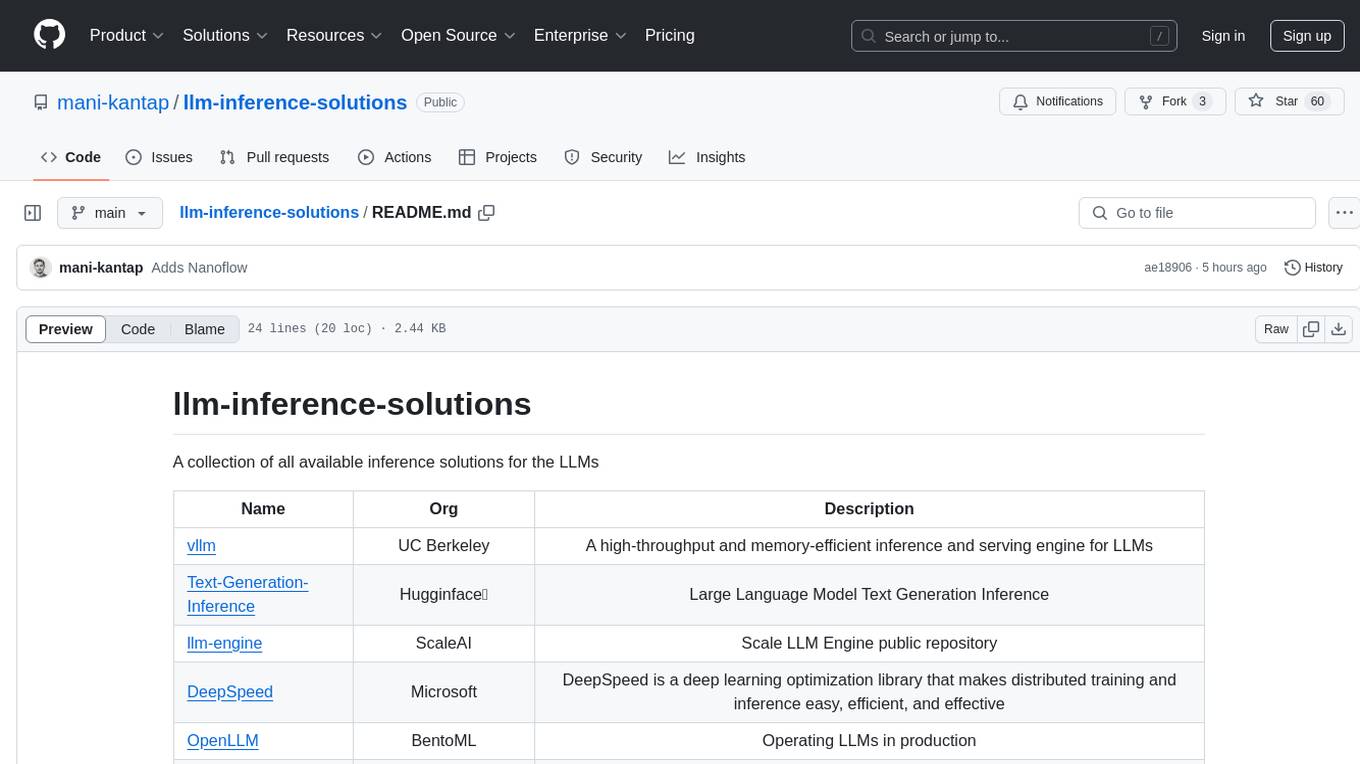
llm-inference-solutions
A collection of available inference solutions for Large Language Models (LLMs) including high-throughput engines, optimization libraries, deployment toolkits, and deep learning frameworks for production environments.
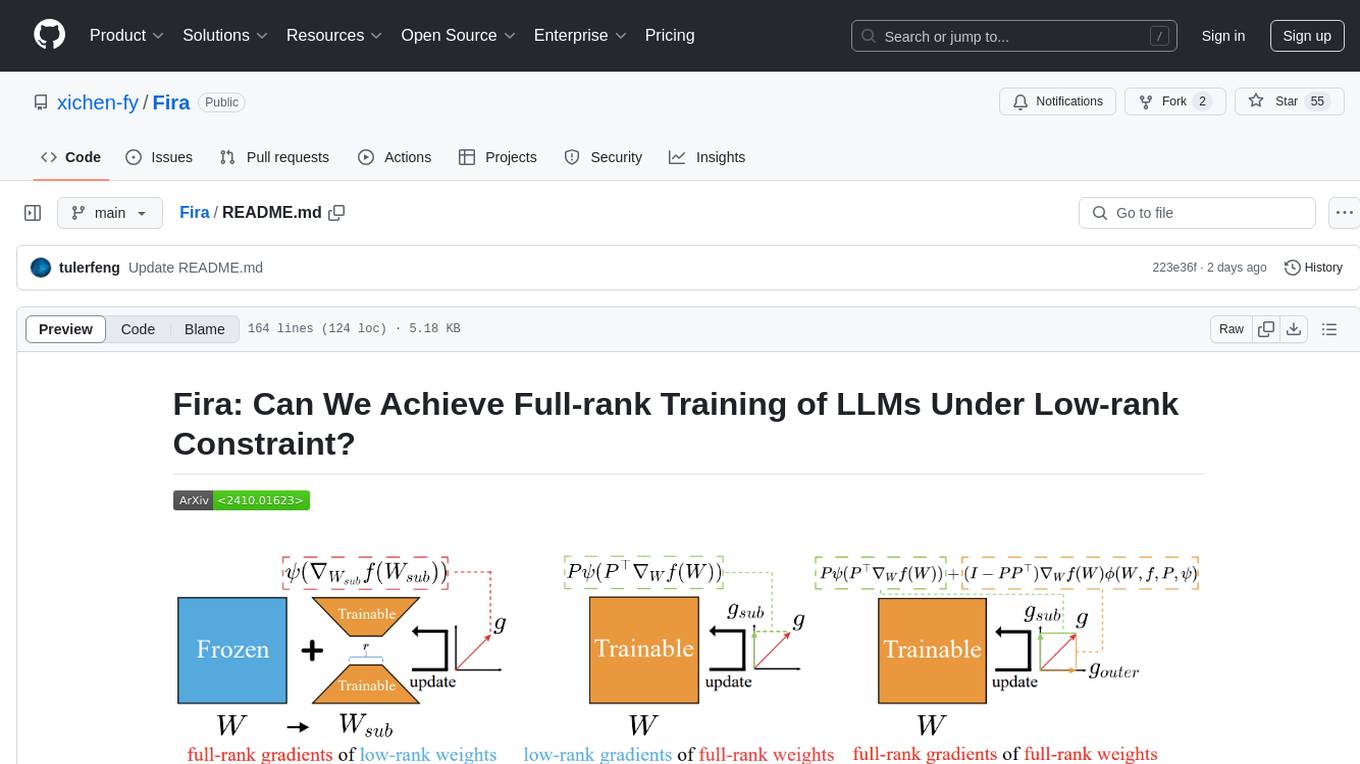
Fira
Fira is a memory-efficient training framework for Large Language Models (LLMs) that enables full-rank training under low-rank constraint. It introduces a method for training with full-rank gradients of full-rank weights, achieved with just two lines of equations. The framework includes pre-training and fine-tuning functionalities, packaged as a Python library for easy use. Fira utilizes Adam optimizer by default and provides options for weight decay. It supports pre-training LLaMA models on the C4 dataset and fine-tuning LLaMA-7B models on commonsense reasoning tasks.
xlstm-jax
The xLSTM-jax repository contains code for training and evaluating the xLSTM model on language modeling using JAX. xLSTM is a Recurrent Neural Network architecture that improves upon the original LSTM through Exponential Gating, normalization, stabilization techniques, and a Matrix Memory. It is optimized for large-scale distributed systems with performant triton kernels for faster training and inference.
For similar jobs

weave
Weave is a toolkit for developing Generative AI applications, built by Weights & Biases. With Weave, you can log and debug language model inputs, outputs, and traces; build rigorous, apples-to-apples evaluations for language model use cases; and organize all the information generated across the LLM workflow, from experimentation to evaluations to production. Weave aims to bring rigor, best-practices, and composability to the inherently experimental process of developing Generative AI software, without introducing cognitive overhead.

LLMStack
LLMStack is a no-code platform for building generative AI agents, workflows, and chatbots. It allows users to connect their own data, internal tools, and GPT-powered models without any coding experience. LLMStack can be deployed to the cloud or on-premise and can be accessed via HTTP API or triggered from Slack or Discord.

VisionCraft
The VisionCraft API is a free API for using over 100 different AI models. From images to sound.

kaito
Kaito is an operator that automates the AI/ML inference model deployment in a Kubernetes cluster. It manages large model files using container images, avoids tuning deployment parameters to fit GPU hardware by providing preset configurations, auto-provisions GPU nodes based on model requirements, and hosts large model images in the public Microsoft Container Registry (MCR) if the license allows. Using Kaito, the workflow of onboarding large AI inference models in Kubernetes is largely simplified.

PyRIT
PyRIT is an open access automation framework designed to empower security professionals and ML engineers to red team foundation models and their applications. It automates AI Red Teaming tasks to allow operators to focus on more complicated and time-consuming tasks and can also identify security harms such as misuse (e.g., malware generation, jailbreaking), and privacy harms (e.g., identity theft). The goal is to allow researchers to have a baseline of how well their model and entire inference pipeline is doing against different harm categories and to be able to compare that baseline to future iterations of their model. This allows them to have empirical data on how well their model is doing today, and detect any degradation of performance based on future improvements.

tabby
Tabby is a self-hosted AI coding assistant, offering an open-source and on-premises alternative to GitHub Copilot. It boasts several key features: * Self-contained, with no need for a DBMS or cloud service. * OpenAPI interface, easy to integrate with existing infrastructure (e.g Cloud IDE). * Supports consumer-grade GPUs.

spear
SPEAR (Simulator for Photorealistic Embodied AI Research) is a powerful tool for training embodied agents. It features 300 unique virtual indoor environments with 2,566 unique rooms and 17,234 unique objects that can be manipulated individually. Each environment is designed by a professional artist and features detailed geometry, photorealistic materials, and a unique floor plan and object layout. SPEAR is implemented as Unreal Engine assets and provides an OpenAI Gym interface for interacting with the environments via Python.

Magick
Magick is a groundbreaking visual AIDE (Artificial Intelligence Development Environment) for no-code data pipelines and multimodal agents. Magick can connect to other services and comes with nodes and templates well-suited for intelligent agents, chatbots, complex reasoning systems and realistic characters.