


CodexMonitor
An app to monitor the (Codex) situation
Stars: 2404
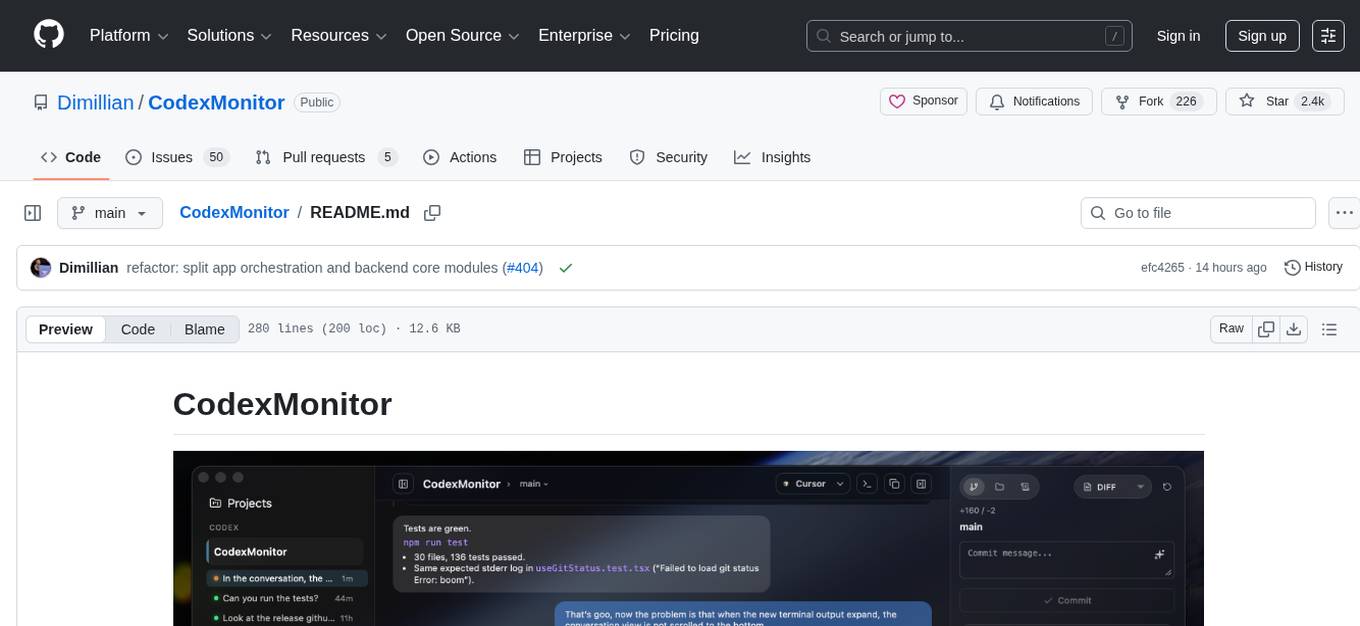
CodexMonitor is a Tauri app designed for managing multiple Codex agents in local workspaces. It offers features such as workspace and thread management, composer and agent controls, Git and GitHub integration, file and prompt handling, as well as a user-friendly UI and experience. The tool requires Node.js, Rust toolchain, CMake, LLVM/Clang, Codex CLI, Git CLI, and optionally GitHub CLI. It supports iOS with Tailscale setup, and provides instructions for iOS support, prerequisites, simulator usage, USB device deployment, and release builds. The project structure includes frontend and backend components, with persistent data storage, settings, and feature configurations. Tauri IPC surface enables various functionalities like settings management, workspace operations, thread handling, Git/GitHub interactions, prompts management, terminal/dictation/notifications, and remote backend helpers.
README:

CodexMonitor is a Tauri app for orchestrating multiple Codex agents across local workspaces. It provides a sidebar to manage projects, a home screen for quick actions, and a conversation view backed by the Codex app-server protocol.
- Add and persist workspaces, group/sort them, and jump into recent agent activity from the home dashboard.
- Spawn one
codex app-serverper workspace, resume threads, and track unread/running state. - Worktree and clone agents for isolated work; worktrees live under the app data directory (legacy
.codex-worktreessupported). - Thread management: pin/rename/archive/copy, per-thread drafts, and stop/interrupt in-flight turns.
- Optional remote backend (daemon) mode for running Codex on another machine.
- Remote setup helpers for self-hosted connectivity (Orbit actions + Tailscale detection/host bootstrap for TCP mode).
- Compose with queueing plus image attachments (picker, drag/drop, paste).
- Autocomplete for skills (
$), prompts (/prompts:), reviews (/review), and file paths (@). - Model picker, collaboration modes (when enabled), reasoning effort, access mode, and context usage ring.
- Dictation with hold-to-talk shortcuts and live waveform (Whisper).
- Render reasoning/tool/diff items and handle approval prompts.
- Diff stats, staged/unstaged file diffs, revert/stage controls, and commit log.
- Branch list with checkout/create plus upstream ahead/behind counts.
- GitHub Issues and Pull Requests via
gh(lists, diffs, comments) and open commits/PRs in the browser. - PR composer: "Ask PR" to send PR context into a new agent thread.
- File tree with search, file-type icons, and Reveal in Finder/Explorer.
- Prompt library for global/workspace prompts: create/edit/delete/move and run in current or new threads.
- Resizable sidebar/right/plan/terminal/debug panels with persisted sizes.
- Responsive layouts (desktop/tablet/phone) with tabbed navigation.
- Sidebar usage and credits meter for account rate limits plus a home usage snapshot.
- Terminal dock with multiple tabs for background commands (experimental).
- In-app updates with toast-driven download/install, debug panel copy/clear, sound notifications, plus platform-specific window effects (macOS overlay title bar + vibrancy) and a reduced transparency toggle.
- Node.js + npm
- Rust toolchain (stable)
- CMake (required for native dependencies; dictation/Whisper uses it)
- LLVM/Clang (required on Windows to build dictation dependencies via bindgen)
- Codex CLI installed and available as
codexinPATH(or configure a custom Codex binary in app/workspace settings) - Git CLI (used for worktree operations)
- GitHub CLI (
gh) for GitHub Issues/PR integrations (optional)
If you hit native build errors, run:
npm run doctorInstall dependencies:
npm installRun in dev mode:
npm run tauri:deviOS support is currently in progress.
- Current status: mobile layout runs, remote backend flow is wired, and iOS defaults to remote backend mode.
- Current limits: terminal and dictation remain unavailable on mobile builds.
- Desktop behavior is unchanged: macOS/Linux/Windows remain local-first unless remote mode is explicitly selected.
Use this when connecting the iOS app to a desktop-hosted daemon over your Tailscale tailnet.
- Install and sign in to Tailscale on both desktop and iPhone (same tailnet).
- On desktop CodexMonitor, open
Settings > Server. - Keep
Remote providerset toTCP (wip). - Set a
Remote backend token. - Start the desktop daemon with
Start daemon(inMobile access daemon). - In
Tailscale helper, useDetect Tailscaleand note the suggested host (for exampleyour-mac.your-tailnet.ts.net:4732). - On iOS CodexMonitor, open
Settings > Server. - Set
Connection typetoTCP. - Enter the desktop Tailscale host and the same token.
- Tap
Connect & testand confirm it succeeds.
Notes:
- The desktop daemon must stay running while iOS is connected.
- If the test fails, confirm both devices are online in Tailscale and that host/token match desktop settings.
- If you want to use Orbit instead of Tailscale TCP, switch
Connection typetoOrbiton iOS and use your desktop Orbit websocket URL/token.
- Xcode + Command Line Tools installed.
- Rust iOS targets installed:
rustup target add aarch64-apple-ios aarch64-apple-ios-sim
# Optional (Intel Mac simulator builds):
rustup target add x86_64-apple-ios- Apple signing configured (development team).
- Set
bundle.iOS.developmentTeaminsrc-tauri/tauri.ios.conf.json(preferred), or - pass
--team <TEAM_ID>to the device script.
- Set
./scripts/build_run_ios.shOptions:
-
--simulator "<name>"to target a specific simulator. -
--target aarch64-sim|x86_64-simto override architecture. -
--skip-buildto reuse the current app bundle. -
--no-cleanto preservesrc-tauri/gen/apple/buildbetween builds.
List discoverable devices:
./scripts/build_run_ios_device.sh --list-devicesBuild, install, and launch on a specific device:
./scripts/build_run_ios_device.sh --device "<device name or identifier>" --team <TEAM_ID>Additional options:
-
--target aarch64to override architecture. -
--skip-buildto reuse the current app bundle. -
--bundle-id <id>to launch a non-default bundle identifier.
First-time device setup usually requires:
- iPhone unlocked and trusted with this Mac.
- Developer Mode enabled on iPhone.
- Pairing/signing approved in Xcode at least once.
If signing is not ready yet, open Xcode from the script flow:
./scripts/build_run_ios_device.sh --open-xcodeUse the end-to-end script to archive, upload, configure compliance, assign beta group, and submit for beta review.
./scripts/release_testflight_ios.shThe script auto-loads release metadata from .testflight.local.env (gitignored).
For new setups, copy .testflight.local.env.example to .testflight.local.env and fill values.
Build the production Tauri bundle:
npm run tauri:buildArtifacts will be in src-tauri/target/release/bundle/ (platform-specific subfolders).
Windows builds are opt-in and use a separate Tauri config file to avoid macOS-only window effects.
npm run tauri:build:winArtifacts will be in:
-
src-tauri/target/release/bundle/nsis/(installer exe) -
src-tauri/target/release/bundle/msi/(msi)
Note: building from source on Windows requires LLVM/Clang (for bindgen / libclang) in addition to CMake.
Run the TypeScript checker (no emit):
npm run typecheckNote: npm run build also runs tsc before bundling the frontend.
Recommended validation commands:
npm run lint
npm run test
npm run typecheck
cd src-tauri && cargo checkFor task-oriented file lookup ("if you need X, edit Y"), use:
docs/codebase-map.md
src/
  features/         feature-sliced UI + hooks
  features/app/bootstrap/      app bootstrap orchestration
  features/app/orchestration/  app layout/thread/workspace orchestration
  features/threads/hooks/threadReducer/  thread reducer slices
  services/         Tauri IPC wrapper
  styles/           split CSS by area
  types.ts          shared types
src-tauri/
  src/lib.rs        Tauri app backend command registry
  src/bin/codex_monitor_daemon.rs  remote daemon JSON-RPC process
  src/bin/codex_monitor_daemon/rpc/  daemon RPC domain handlers
  src/shared/       shared backend core used by app + daemon
  src/shared/git_ui_core/      git/github shared core modules
  src/shared/workspaces_core/  workspace/worktree shared core modules
  src/workspaces/   workspace/worktree adapters
  src/codex/        codex app-server adapters
  src/files/        file adapters
  tauri.conf.json   window configuration
- Workspaces persist to
workspaces.jsonunder the app data directory. - App settings persist to
settings.jsonunder the app data directory (theme, backend mode/provider, remote endpoints/tokens, Codex path, default access mode, UI scale). - Feature settings are supported in the UI and synced to
$CODEX_HOME/config.toml(or~/.codex/config.toml) on load/save. Stable: Collaboration modes (features.collaboration_modes), personality (personality), Steer mode (features.steer), and Background terminal (features.unified_exec). Experimental: Collab mode (features.collab) and Apps (features.apps). - On launch and on window focus, the app reconnects and refreshes thread lists for each workspace.
- Threads are restored by filtering
thread/listresults using the workspacecwd. - Selecting a thread always calls
thread/resumeto refresh messages from disk. - CLI sessions appear if their
cwdmatches the workspace path; they are not live-streamed unless resumed. - The app uses
codex app-serverover stdio; seesrc-tauri/src/lib.rsandsrc-tauri/src/codex/. - The remote daemon entrypoint is
src-tauri/src/bin/codex_monitor_daemon.rs; RPC routing lives insrc-tauri/src/bin/codex_monitor_daemon/rpc.rsand domain handlers insrc-tauri/src/bin/codex_monitor_daemon/rpc/. - Shared domain logic lives in
src-tauri/src/shared/(notablysrc-tauri/src/shared/git_ui_core/andsrc-tauri/src/shared/workspaces_core/). - Codex home resolves from workspace settings (if set), then legacy
.codexmonitor/, then$CODEX_HOME/~/.codex. - Worktree agents live under the app data directory (
worktrees/<workspace-id>); legacy.codex-worktrees/paths remain supported, and the app no longer edits repo.gitignorefiles. - UI state (panel sizes, reduced transparency toggle, recent thread activity) is stored in
localStorage. - Custom prompts load from
$CODEX_HOME/prompts(or~/.codex/prompts) with optional frontmatter description/argument hints.
Frontend calls live in src/services/tauri.ts and map to commands in src-tauri/src/lib.rs. The current surface includes:
- Settings/config/files:
get_app_settings,update_app_settings,get_codex_config_path,get_config_model,file_read,file_write,codex_doctor,menu_set_accelerators. - Workspaces/worktrees:
list_workspaces,is_workspace_path_dir,add_workspace,add_clone,add_worktree,worktree_setup_status,worktree_setup_mark_ran,rename_worktree,rename_worktree_upstream,apply_worktree_changes,update_workspace_settings,update_workspace_codex_bin,remove_workspace,remove_worktree,connect_workspace,list_workspace_files,read_workspace_file,open_workspace_in,get_open_app_icon. - Threads/turns/reviews:
start_thread,fork_thread,compact_thread,list_threads,resume_thread,archive_thread,set_thread_name,send_user_message,turn_interrupt,respond_to_server_request,start_review,remember_approval_rule,get_commit_message_prompt,generate_commit_message,generate_run_metadata. - Account/models/collaboration:
model_list,account_rate_limits,account_read,skills_list,apps_list,collaboration_mode_list,codex_login,codex_login_cancel,list_mcp_server_status. - Git/GitHub:
get_git_status,list_git_roots,get_git_diffs,get_git_log,get_git_commit_diff,get_git_remote,stage_git_file,stage_git_all,unstage_git_file,revert_git_file,revert_git_all,commit_git,push_git,pull_git,fetch_git,sync_git,list_git_branches,checkout_git_branch,create_git_branch,get_github_issues,get_github_pull_requests,get_github_pull_request_diff,get_github_pull_request_comments. - Prompts:
prompts_list,prompts_create,prompts_update,prompts_delete,prompts_move,prompts_workspace_dir,prompts_global_dir. - Terminal/dictation/notifications/usage:
terminal_open,terminal_write,terminal_resize,terminal_close,dictation_model_status,dictation_download_model,dictation_cancel_download,dictation_remove_model,dictation_request_permission,dictation_start,dictation_stop,dictation_cancel,send_notification_fallback,is_macos_debug_build,local_usage_snapshot. - Remote backend helpers:
orbit_connect_test,orbit_sign_in_start,orbit_sign_in_poll,orbit_sign_out,orbit_runner_start,orbit_runner_stop,orbit_runner_status,tailscale_status,tailscale_daemon_command_preview,tailscale_daemon_start,tailscale_daemon_stop,tailscale_daemon_status.
For Tasks:
Click tags to check more tools for each tasksFor Jobs:
Alternative AI tools for CodexMonitor
Similar Open Source Tools
CodexMonitor
CodexMonitor is a Tauri app designed for managing multiple Codex agents in local workspaces. It offers features such as workspace and thread management, composer and agent controls, Git and GitHub integration, file and prompt handling, as well as a user-friendly UI and experience. The tool requires Node.js, Rust toolchain, CMake, LLVM/Clang, Codex CLI, Git CLI, and optionally GitHub CLI. It supports iOS with Tailscale setup, and provides instructions for iOS support, prerequisites, simulator usage, USB device deployment, and release builds. The project structure includes frontend and backend components, with persistent data storage, settings, and feature configurations. Tauri IPC surface enables various functionalities like settings management, workspace operations, thread handling, Git/GitHub interactions, prompts management, terminal/dictation/notifications, and remote backend helpers.
agent-device
CLI tool for controlling iOS and Android devices for AI agents, with core commands like open, back, home, press, and more. It supports minimal dependencies, TypeScript execution on Node 22+, and is in early development. The tool allows for automation flows, session management, semantic finding, assertions, replay updates, and settings helpers for simulators. It also includes backends for iOS snapshots, app resolution, iOS-specific notes, testing, and building. Contributions are welcome, and the project is maintained by Callstack, a group of React and React Native enthusiasts.
QA-Pilot
QA-Pilot is an interactive chat project that leverages online/local LLM for rapid understanding and navigation of GitHub code repository. It allows users to chat with GitHub public repositories using a git clone approach, store chat history, configure settings easily, manage multiple chat sessions, and quickly locate sessions with a search function. The tool integrates with `codegraph` to view Python files and supports various LLM models such as ollama, openai, mistralai, and localai. The project is continuously updated with new features and improvements, such as converting from `flask` to `fastapi`, adding `localai` API support, and upgrading dependencies like `langchain` and `Streamlit` to enhance performance.
twitter-automation-ai
Advanced Twitter Automation AI is a modular Python-based framework for automating Twitter at scale. It supports multiple accounts, robust Selenium automation with optional undetected Chrome + stealth, per-account proxies and rotation, structured LLM generation/analysis, community posting, and per-account metrics/logs. The tool allows seamless management and automation of multiple Twitter accounts, content scraping, publishing, LLM integration for generating and analyzing tweet content, engagement automation, configurable automation, browser automation using Selenium, modular design for easy extension, comprehensive logging, community posting, stealth mode for reduced fingerprinting, per-account proxies, LLM structured prompts, and per-account JSON summaries and event logs for observability.
chat-ui
A chat interface using open source models, eg OpenAssistant or Llama. It is a SvelteKit app and it powers the HuggingChat app on hf.co/chat.
listen
Listen is a Solana Swiss-Knife toolkit for algorithmic trading, offering real-time transaction monitoring, multi-DEX swap execution, fast transactions with Jito MEV bundles, price tracking, token management utilities, and performance monitoring. It includes tools for grabbing data from unofficial APIs and works with the $arc rig framework for AI Agents to interact with the Solana blockchain. The repository provides miscellaneous tools for analysis and data retrieval, with the core functionality in the `src` directory.
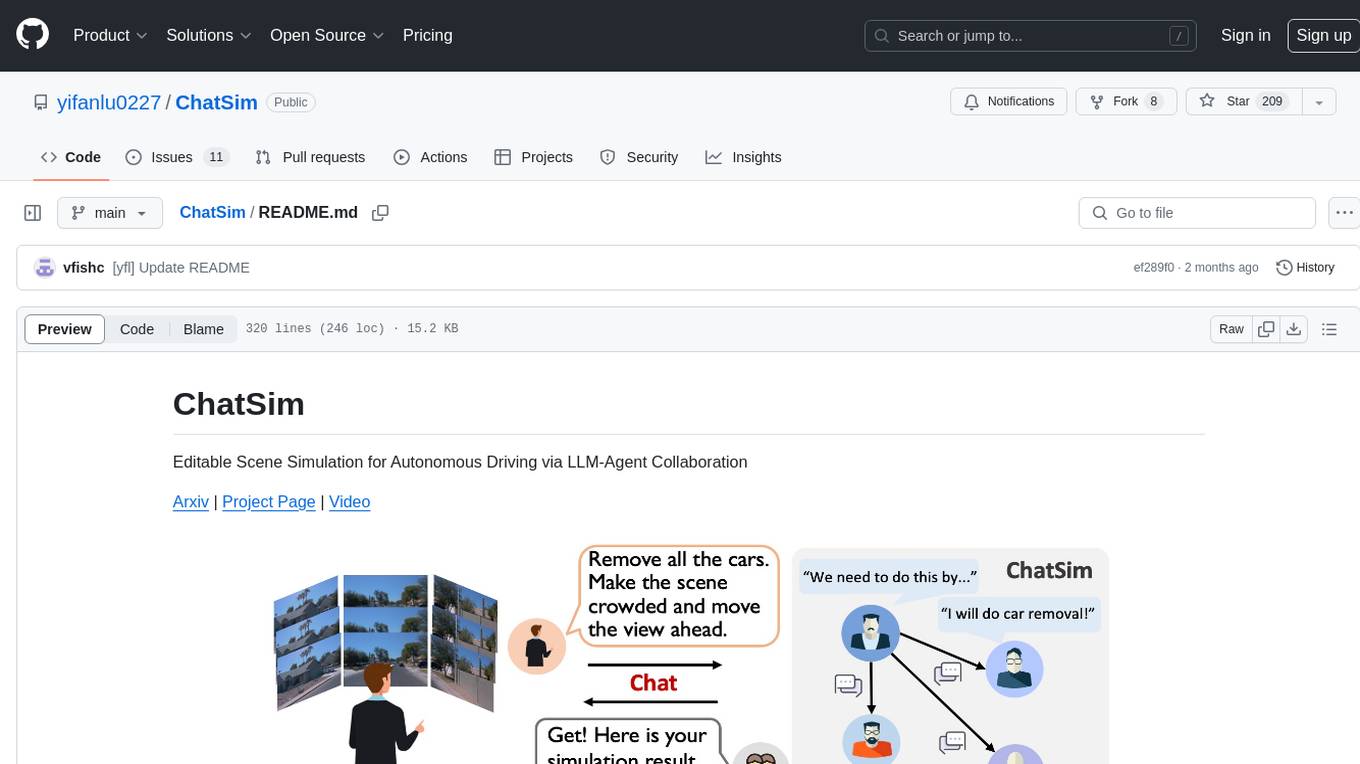
ChatSim
ChatSim is a tool designed for editable scene simulation for autonomous driving via LLM-Agent collaboration. It provides functionalities for setting up the environment, installing necessary dependencies like McNeRF and Inpainting tools, and preparing data for simulation. Users can train models, simulate scenes, and track trajectories for smoother and more realistic results. The tool integrates with Blender software and offers options for training McNeRF models and McLight's skydome estimation network. It also includes a trajectory tracking module for improved trajectory tracking. ChatSim aims to facilitate the simulation of autonomous driving scenarios with collaborative LLM-Agents.
k8sgpt
K8sGPT is a tool for scanning your Kubernetes clusters, diagnosing, and triaging issues in simple English. It has SRE experience codified into its analyzers and helps to pull out the most relevant information to enrich it with AI.
backend.ai-webui
Backend.AI Web UI is a user-friendly web and app interface designed to make AI accessible for end-users, DevOps, and SysAdmins. It provides features for session management, inference service management, pipeline management, storage management, node management, statistics, configurations, license checking, plugins, help & manuals, kernel management, user management, keypair management, manager settings, proxy mode support, service information, and integration with the Backend.AI Web Server. The tool supports various devices, offers a built-in websocket proxy feature, and allows for versatile usage across different platforms. Users can easily manage resources, run environment-supported apps, access a web-based terminal, use Visual Studio Code editor, manage experiments, set up autoscaling, manage pipelines, handle storage, monitor nodes, view statistics, configure settings, and more.
olah
Olah is a self-hosted lightweight Huggingface mirror service that implements mirroring feature for Huggingface resources at file block level, enhancing download speeds and saving bandwidth. It offers cache control policies and allows administrators to configure accessible repositories. Users can install Olah with pip or from source, set up the mirror site, and download models and datasets using huggingface-cli. Olah provides additional configurations through a configuration file for basic setup and accessibility restrictions. Future work includes implementing an administrator and user system, OOS backend support, and mirror update schedule task. Olah is released under the MIT License.
forge
Forge is a powerful open-source tool for building modern web applications. It provides a simple and intuitive interface for developers to quickly scaffold and deploy projects. With Forge, you can easily create custom components, manage dependencies, and streamline your development workflow. Whether you are a beginner or an experienced developer, Forge offers a flexible and efficient solution for your web development needs.
zsh_codex
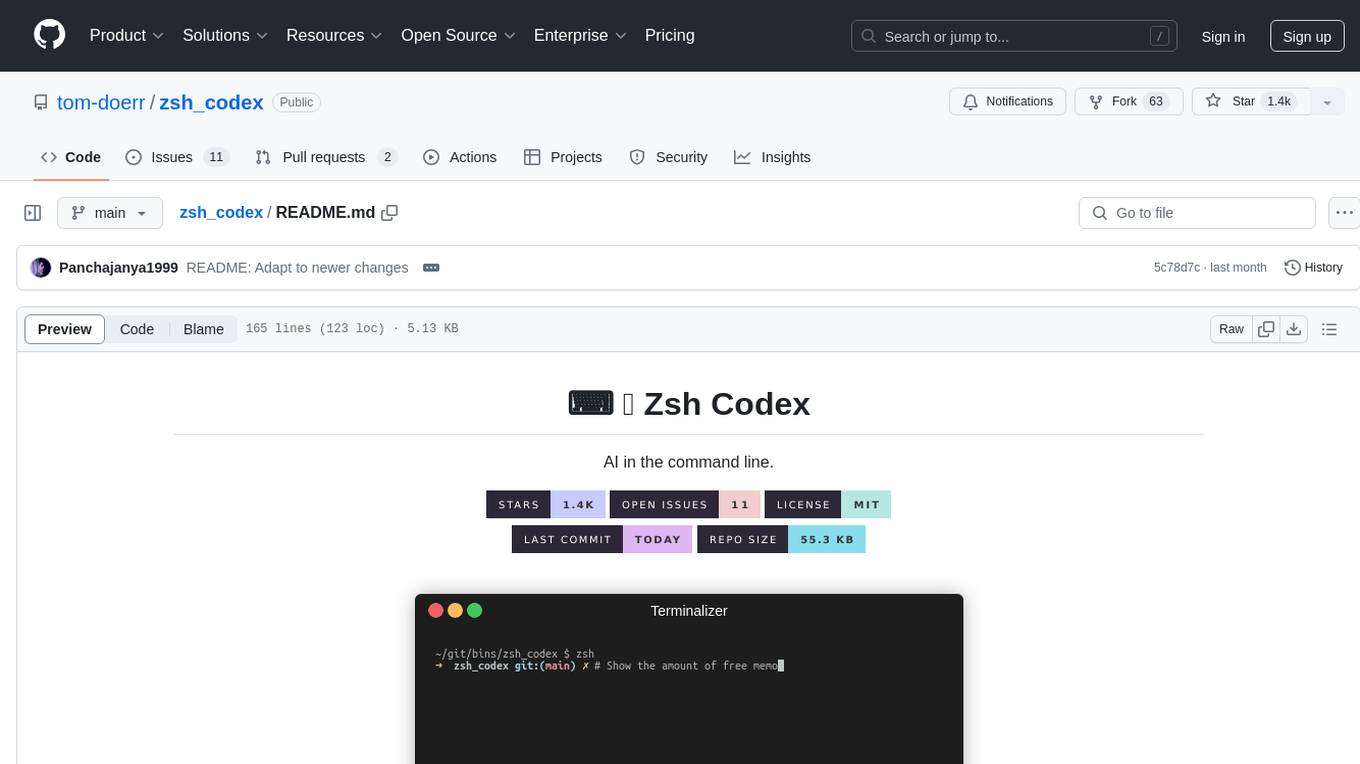
Zsh Codex is a ZSH plugin that enables AI-powered code completion in the command line. It supports both OpenAI's Codex and Google's Generative AI (Gemini), providing advanced language model capabilities for coding tasks directly in the terminal. Users can easily install the plugin and configure it to enhance their coding experience with AI assistance.
Flowise
Flowise is a tool that allows users to build customized LLM flows with a drag-and-drop UI. It is open-source and self-hostable, and it supports various deployments, including AWS, Azure, Digital Ocean, GCP, Railway, Render, HuggingFace Spaces, Elestio, Sealos, and RepoCloud. Flowise has three different modules in a single mono repository: server, ui, and components. The server module is a Node backend that serves API logics, the ui module is a React frontend, and the components module contains third-party node integrations. Flowise supports different environment variables to configure your instance, and you can specify these variables in the .env file inside the packages/server folder.
ChatDBG
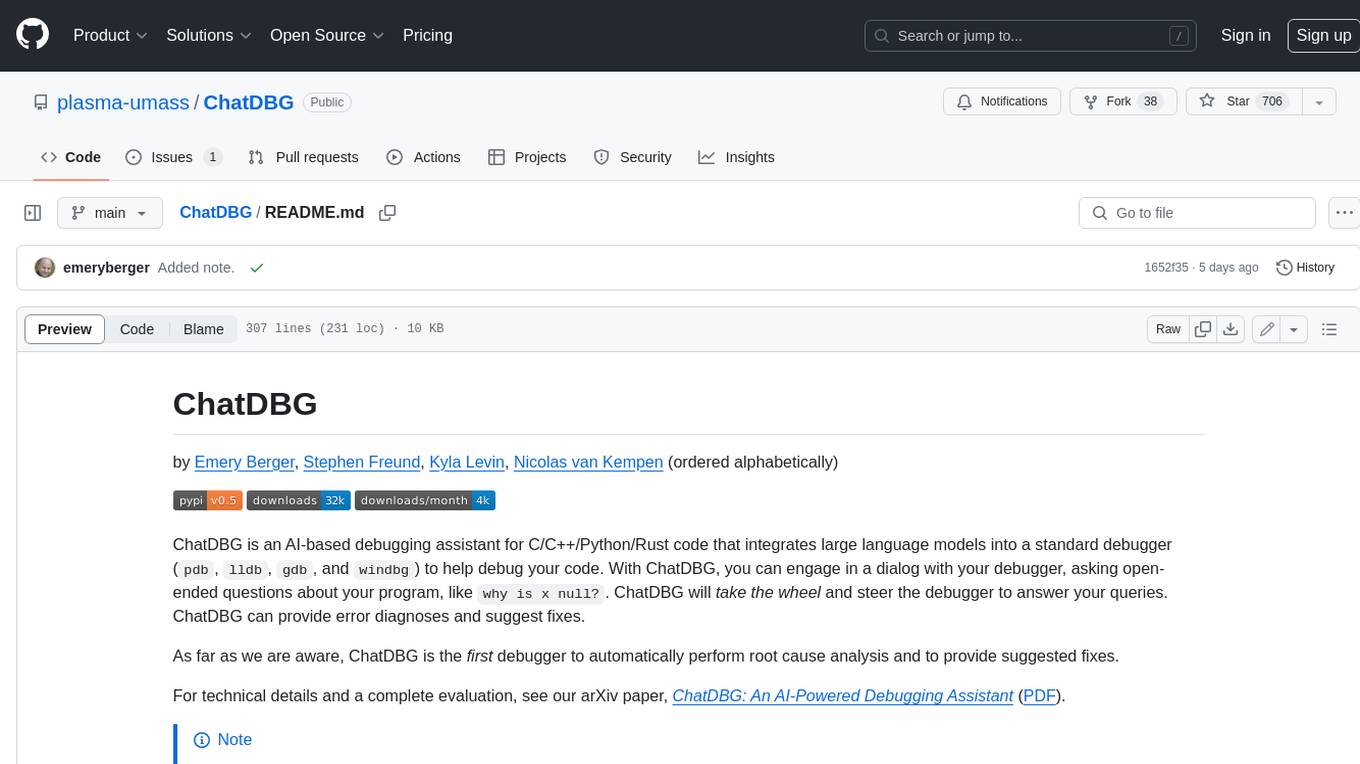
ChatDBG is an AI-based debugging assistant for C/C++/Python/Rust code that integrates large language models into a standard debugger (`pdb`, `lldb`, `gdb`, and `windbg`) to help debug your code. With ChatDBG, you can engage in a dialog with your debugger, asking open-ended questions about your program, like `why is x null?`. ChatDBG will _take the wheel_ and steer the debugger to answer your queries. ChatDBG can provide error diagnoses and suggest fixes. As far as we are aware, ChatDBG is the _first_ debugger to automatically perform root cause analysis and to provide suggested fixes.

gcop
GCOP (Git Copilot) is an AI-powered Git assistant that automates commit message generation, enhances Git workflow, and offers 20+ smart commands. It provides intelligent commit crafting, customizable commit templates, smart learning capabilities, and a seamless developer experience. Users can generate AI commit messages, add all changes with AI-generated messages, undo commits while keeping changes staged, and push changes to the current branch. GCOP offers configuration options for AI models and provides detailed documentation, contribution guidelines, and a changelog. The tool is designed to make version control easier and more efficient for developers.
aim
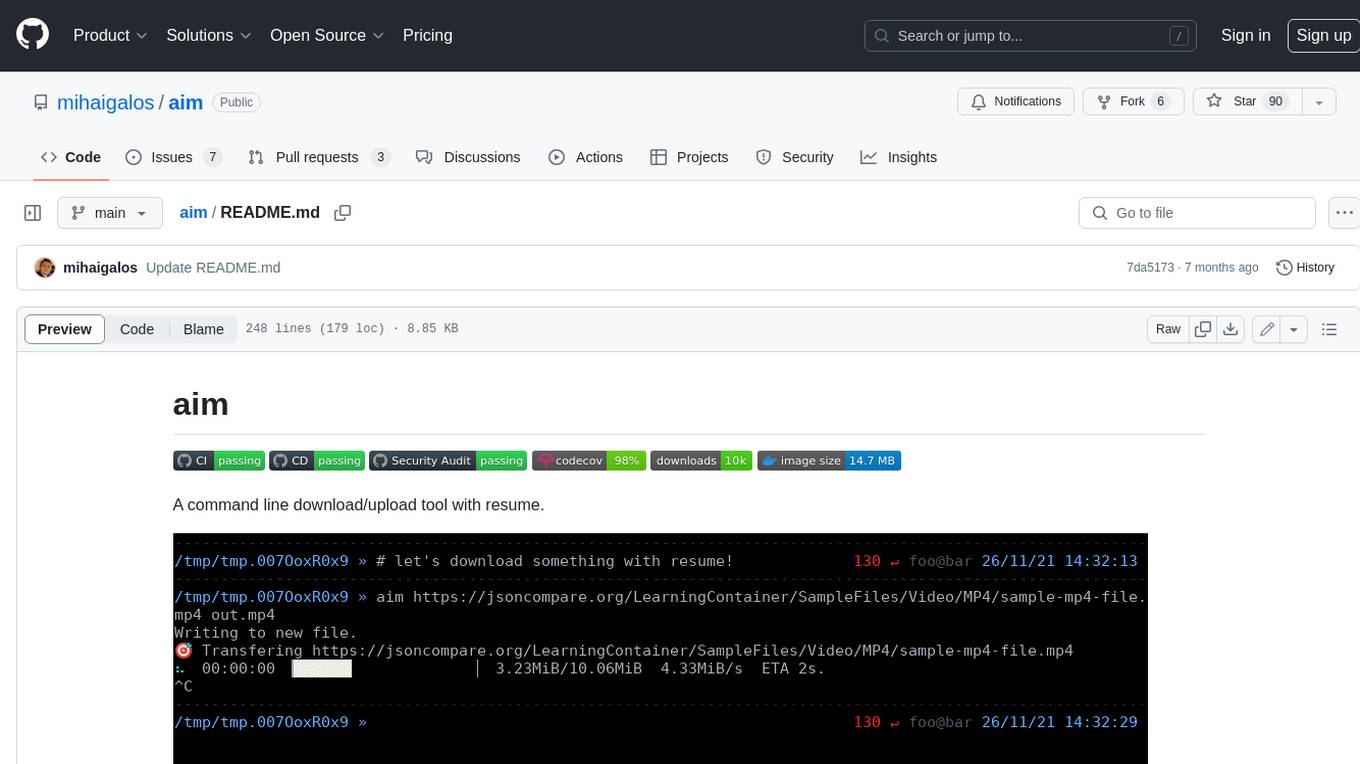
Aim is a command-line tool for downloading and uploading files with resume support. It supports various protocols including HTTP, FTP, SFTP, SSH, and S3. Aim features an interactive mode for easy navigation and selection of files, as well as the ability to share folders over HTTP for easy access from other devices. Additionally, it offers customizable progress indicators and output formats, and can be integrated with other commands through piping. Aim can be installed via pre-built binaries or by compiling from source, and is also available as a Docker image for platform-independent usage.
For similar tasks
CodexMonitor
CodexMonitor is a Tauri app designed for managing multiple Codex agents in local workspaces. It offers features such as workspace and thread management, composer and agent controls, Git and GitHub integration, file and prompt handling, as well as a user-friendly UI and experience. The tool requires Node.js, Rust toolchain, CMake, LLVM/Clang, Codex CLI, Git CLI, and optionally GitHub CLI. It supports iOS with Tailscale setup, and provides instructions for iOS support, prerequisites, simulator usage, USB device deployment, and release builds. The project structure includes frontend and backend components, with persistent data storage, settings, and feature configurations. Tauri IPC surface enables various functionalities like settings management, workspace operations, thread handling, Git/GitHub interactions, prompts management, terminal/dictation/notifications, and remote backend helpers.

Azure-Analytics-and-AI-Engagement
The Azure-Analytics-and-AI-Engagement repository provides packaged Industry Scenario DREAM Demos with ARM templates (Containing a demo web application, Power BI reports, Synapse resources, AML Notebooks etc.) that can be deployed in a customer’s subscription using the CAPE tool within a matter of few hours. Partners can also deploy DREAM Demos in their own subscriptions using DPoC.
MetaGPT
MetaGPT is a multi-agent framework that enables GPT to work in a software company, collaborating to tackle more complex tasks. It assigns different roles to GPTs to form a collaborative entity for complex tasks. MetaGPT takes a one-line requirement as input and outputs user stories, competitive analysis, requirements, data structures, APIs, documents, etc. Internally, MetaGPT includes product managers, architects, project managers, and engineers. It provides the entire process of a software company along with carefully orchestrated SOPs. MetaGPT's core philosophy is "Code = SOP(Team)", materializing SOP and applying it to teams composed of LLMs.
MateCat
Matecat is an enterprise-level, web-based CAT tool designed to make post-editing and outsourcing easy and to provide a complete set of features to manage and monitor translation projects.
AIlice
AIlice is a fully autonomous, general-purpose AI agent that aims to create a standalone artificial intelligence assistant, similar to JARVIS, based on the open-source LLM. AIlice achieves this goal by building a "text computer" that uses a Large Language Model (LLM) as its core processor. Currently, AIlice demonstrates proficiency in a range of tasks, including thematic research, coding, system management, literature reviews, and complex hybrid tasks that go beyond these basic capabilities. AIlice has reached near-perfect performance in everyday tasks using GPT-4 and is making strides towards practical application with the latest open-source models. We will ultimately achieve self-evolution of AI agents. That is, AI agents will autonomously build their own feature expansions and new types of agents, unleashing LLM's knowledge and reasoning capabilities into the real world seamlessly.

free-for-life
A massive list including a huge amount of products and services that are completely free! ⭐ Star on GitHub • 🤝 Contribute # Table of Contents * APIs, Data & ML * Artificial Intelligence * BaaS * Code Editors * Code Generation * DNS * Databases * Design & UI * Domains * Email * Font * For Students * Forms * Linux Distributions * Messaging & Streaming * PaaS * Payments & Billing * SSL
FlowTest
FlowTestAI is the world’s first GenAI powered OpenSource Integrated Development Environment (IDE) designed for crafting, visualizing, and managing API-first workflows. It operates as a desktop app, interacting with the local file system, ensuring privacy and enabling collaboration via version control systems. The platform offers platform-specific binaries for macOS, with versions for Windows and Linux in development. It also features a CLI for running API workflows from the command line interface, facilitating automation and CI/CD processes.
For similar jobs

kaito
Kaito is an operator that automates the AI/ML inference model deployment in a Kubernetes cluster. It manages large model files using container images, avoids tuning deployment parameters to fit GPU hardware by providing preset configurations, auto-provisions GPU nodes based on model requirements, and hosts large model images in the public Microsoft Container Registry (MCR) if the license allows. Using Kaito, the workflow of onboarding large AI inference models in Kubernetes is largely simplified.
ai-on-gke
This repository contains assets related to AI/ML workloads on Google Kubernetes Engine (GKE). Run optimized AI/ML workloads with Google Kubernetes Engine (GKE) platform orchestration capabilities. A robust AI/ML platform considers the following layers: Infrastructure orchestration that support GPUs and TPUs for training and serving workloads at scale Flexible integration with distributed computing and data processing frameworks Support for multiple teams on the same infrastructure to maximize utilization of resources

tidb
TiDB is an open-source distributed SQL database that supports Hybrid Transactional and Analytical Processing (HTAP) workloads. It is MySQL compatible and features horizontal scalability, strong consistency, and high availability.
nvidia_gpu_exporter
Nvidia GPU exporter for prometheus, using `nvidia-smi` binary to gather metrics.

tracecat
Tracecat is an open-source automation platform for security teams. It's designed to be simple but powerful, with a focus on AI features and a practitioner-obsessed UI/UX. Tracecat can be used to automate a variety of tasks, including phishing email investigation, evidence collection, and remediation plan generation.
openinference
OpenInference is a set of conventions and plugins that complement OpenTelemetry to enable tracing of AI applications. It provides a way to capture and analyze the performance and behavior of AI models, including their interactions with other components of the application. OpenInference is designed to be language-agnostic and can be used with any OpenTelemetry-compatible backend. It includes a set of instrumentations for popular machine learning SDKs and frameworks, making it easy to add tracing to your AI applications.

BricksLLM
BricksLLM is a cloud native AI gateway written in Go. Currently, it provides native support for OpenAI, Anthropic, Azure OpenAI and vLLM. BricksLLM aims to provide enterprise level infrastructure that can power any LLM production use cases. Here are some use cases for BricksLLM: * Set LLM usage limits for users on different pricing tiers * Track LLM usage on a per user and per organization basis * Block or redact requests containing PIIs * Improve LLM reliability with failovers, retries and caching * Distribute API keys with rate limits and cost limits for internal development/production use cases * Distribute API keys with rate limits and cost limits for students
kong
Kong, or Kong API Gateway, is a cloud-native, platform-agnostic, scalable API Gateway distinguished for its high performance and extensibility via plugins. It also provides advanced AI capabilities with multi-LLM support. By providing functionality for proxying, routing, load balancing, health checking, authentication (and more), Kong serves as the central layer for orchestrating microservices or conventional API traffic with ease. Kong runs natively on Kubernetes thanks to its official Kubernetes Ingress Controller.