


free-coding-models
Find the fastest coding LLM models in seconds
Stars: 415
The 'free-coding-models' repository provides a tool for finding and utilizing coding-focused LLM models optimized for code generation. It offers a multi-provider approach with models from various providers like NVIDIA NIM, Groq, Cerebras, and Hugging Face Inference. The tool allows users to ping models in real-time, select the fastest ones, and integrate them seamlessly with tools like OpenCode and OpenClaw. It features a settings screen for managing API keys, tier filtering, and profile saving. The stability score feature helps users identify models with consistent performance, and the tool offers interactive selection, startup mode menu, and tier filtering functionalities.
README:




Contributors


vava-nessa ·
erwinh22 ·
whit3rabbit ·
skylaweber
💬 Let's talk about the project on Discord
1. Create a free API key (NVIDIA, OpenRouter, Hugging Face, etc.)
2. npm i -g free-coding-models
3. free-coding-models
Find the fastest coding LLM models in seconds
Ping free coding models from 19 providers in real-time — pick the best one for OpenCode, OpenClaw, or any AI coding assistant

Features • Requirements • Installation • Usage • Columns • Stability • Models • OpenCode • OpenClaw • How it works
- 🎯 Coding-focused — Only LLM models optimized for code generation, not chat or vision
- 🌐 Multi-provider — Models from NVIDIA NIM, Groq, Cerebras, SambaNova, OpenRouter, Hugging Face Inference, Replicate, DeepInfra, Fireworks AI, Codestral, Hyperbolic, Scaleway, Google AI, SiliconFlow, Together AI, Cloudflare Workers AI, Perplexity API, Alibaba Cloud (DashScope), and ZAI
-
⚙️ Settings screen — Press
Pto manage provider API keys, enable/disable providers, test keys live, and manually check/install updates -
🚀 Parallel pings — All models tested simultaneously via native
fetch - 📊 Real-time animation — Watch latency appear live in alternate screen buffer
- 🏆 Smart ranking — Top 3 fastest models highlighted with medals 🥇🥈🥉
- ⏱ Continuous monitoring — Pings all models every 3 seconds forever, never stops
- 📈 Rolling averages — Avg calculated from ALL successful pings since start
- 📊 Uptime tracking — Percentage of successful pings shown in real-time
- 📐 Stability score — Composite 0–100 score measuring consistency (p95, jitter, spikes, uptime) — a model with 400ms avg and stable responses beats a 250ms avg model that randomly spikes to 6s
- 🔄 Auto-retry — Timeout models keep getting retried, nothing is ever "given up on"
- 🎮 Interactive selection — Navigate with arrow keys directly in the table, press Enter to act
- 🔀 Startup mode menu — Choose between OpenCode and OpenClaw before the TUI launches
- 💻 OpenCode integration — Auto-detects NIM setup, sets model as default, launches OpenCode
-
🦞 OpenClaw integration — Sets selected model as default provider in
~/.openclaw/openclaw.json - 📝 Feature Request (J key) — Send anonymous feedback directly to the project team via a full-screen overlay with multi-line input (includes anonymous OS/terminal metadata in message footer only)
- 🐛 Bug Report (I key) — Send anonymous bug reports directly to the project team via a full-screen overlay with multi-line input (includes anonymous OS/terminal metadata in message footer only)
- 🎨 Clean output — Zero scrollback pollution, interface stays open until Ctrl+C
- 📶 Status indicators — UP ✅ · No Key 🔑 · Timeout ⏳ · Overloaded 🔥 · Not Found 🚫
-
🔍 Keyless latency — Models are pinged even without an API key — a
🔑 NO KEYstatus confirms the server is reachable with real latency shown, so you can compare providers before committing to a key -
🏷 Tier filtering — Filter models by tier letter (S, A, B, C) with
--tierflag or dynamically withTkey -
⭐ Persistent favorites — Press
Fon a selected row to pin/unpin it; favorites stay at top with a dark orange background and a star before the model name
Before using free-coding-models, make sure you have:
-
Node.js 18+ — Required for native
fetchAPI -
At least one free API key — pick any or all of:
- NVIDIA NIM — build.nvidia.com → Profile → API Keys → Generate
- Groq — console.groq.com/keys → Create API Key
- Cerebras — cloud.cerebras.ai → API Keys → Create
- SambaNova — sambanova.ai/developers → Developers portal → API key (dev tier generous)
-
OpenRouter — openrouter.ai/keys → Create key (50 req/day, 20/min on
:free) - Hugging Face Inference — huggingface.co/settings/tokens → Access Tokens (free monthly credits)
- Replicate — replicate.com/account/api-tokens → Create token (dev quota)
- DeepInfra — deepinfra.com/login → Login → API key (free dev tier)
- Fireworks AI — fireworks.ai → Settings → Access Tokens ($1 free credits)
- Mistral Codestral — codestral.mistral.ai → API Keys (30 req/min, 2000/day — phone required)
- Hyperbolic — app.hyperbolic.ai/settings → API Keys ($1 free trial)
- Scaleway — console.scaleway.com/iam/api-keys → IAM → API Keys (1M free tokens)
- Google AI Studio — aistudio.google.com/apikey → Get API key (free Gemma models, 14.4K req/day)
- SiliconFlow — cloud.siliconflow.cn/account/ak → API Keys (free-model quotas vary by model)
- Together AI — api.together.ai/settings/api-keys → API Keys (credits/promotions vary)
-
Cloudflare Workers AI — dash.cloudflare.com → Create API token + set
CLOUDFLARE_ACCOUNT_ID(Free: 10k neurons/day) - Perplexity API — perplexity.ai/settings/api → API Key (tiered limits by spend)
- ZAI — z.ai → Get API key (Coding Plan subscription)
- OpenCode (optional) — Install OpenCode to use the OpenCode integration
- OpenClaw (optional) — Install OpenClaw to use the OpenClaw integration
💡 Tip: You don't need all nineteen providers. One key is enough to get started. Add more later via the Settings screen (
Pkey). Models without a key still show real latency (🔑 NO KEY) so you can evaluate providers before signing up.
# npm (global install — recommended)
npm install -g free-coding-models

# pnpm
pnpm add -g free-coding-models

# bun
bun add -g free-coding-models

# Or use directly with npx/pnpx/bunx
npx free-coding-models YOUR_API_KEY
pnpx free-coding-models YOUR_API_KEY
bunx free-coding-models YOUR_API_KEY# Just run it — shows a startup menu to pick OpenCode or OpenClaw, prompts for API key if not set
free-coding-models
# Explicitly target OpenCode CLI (TUI + Enter launches OpenCode CLI)
free-coding-models --opencode
# Explicitly target OpenCode Desktop (TUI + Enter sets model & opens Desktop app)
free-coding-models --opencode-desktop
# Explicitly target OpenClaw (TUI + Enter sets model as default in OpenClaw)
free-coding-models --openclaw
# Show only top-tier models (A+, S, S+)
free-coding-models --best
# Analyze for 10 seconds and output the most reliable model
free-coding-models --fiable
# Filter models by tier letter
free-coding-models --tier S # S+ and S only
free-coding-models --tier A # A+, A, A- only
free-coding-models --tier B # B+, B only
free-coding-models --tier C # C only
# Combine flags freely
free-coding-models --openclaw --tier S
free-coding-models --opencode --bestWhen you run free-coding-models without --opencode or --openclaw, you get an interactive startup menu:
  ⚡ Free Coding Models — Choose your tool

  ❯ 💻 OpenCode CLI
       Press Enter on a model → launch OpenCode CLI with it as default

    🖥 OpenCode Desktop
       Press Enter on a model → set model & open OpenCode Desktop app

    🦞 OpenClaw
       Press Enter on a model → set it as default in OpenClaw config

  ↑↓ Navigate  •  Enter Select  •  Ctrl+C Exit
Use ↑↓ arrows to select, Enter to confirm. Then the TUI launches with your chosen mode shown in the header badge.
How it works:
- Ping phase — All enabled models are pinged in parallel (up to 150 across 19 providers)
- Continuous monitoring — Models are re-pinged every 3 seconds forever
- Real-time updates — Watch "Latest", "Avg", and "Up%" columns update live
- Select anytime — Use ↑↓ arrows to navigate, press Enter on a model to act
- Smart detection — Automatically detects if NVIDIA NIM is configured in OpenCode or OpenClaw
Setup wizard (first run — walks through all 19 providers):
  🔑 First-time setup — API keys
  Enter keys for any provider you want to use. Press Enter to skip one.

  ● NVIDIA NIM
    Free key at: https://build.nvidia.com
    Profile → API Keys → Generate
  Enter key (or Enter to skip): nvapi-xxxx

  ● Groq
    Free key at: https://console.groq.com/keys
    API Keys → Create API Key
  Enter key (or Enter to skip): gsk_xxxx

  ● Cerebras
    Free key at: https://cloud.cerebras.ai
    API Keys → Create
  Enter key (or Enter to skip):

  ● SambaNova
    Free key at: https://cloud.sambanova.ai/apis
    API Keys → Create ($5 free trial, 3 months)
  Enter key (or Enter to skip):

  ✅ 2 key(s) saved to ~/.free-coding-models.json
  You can add or change keys anytime with the P key in the TUI.
You don't need all seventeen — skip any provider by pressing Enter. At least one key is required.
Press P to open the Settings screen at any time:
  ⚙  Settings

  Providers

  ❯ [ ✅ ] NVIDIA NIM              nvapi-••••••••••••3f9a  [Test ✅]  Free tier (provider quota by model)
    [ ✅ ] OpenRouter              (no key set)            [Test —]   50 req/day, 20/min (:free shared quota)
    [ ✅ ] Hugging Face Inference  (no key set)            [Test —]   Free monthly credits (~$0.10)

  Setup Instructions — NVIDIA NIM
  1) Create a NVIDIA NIM account: https://build.nvidia.com
  2) Profile → API Keys → Generate
  3) Press T to test your key

  ↑↓ Navigate  •  Enter Edit key / Check-or-Install update  •  Space Toggle enabled  •  T Test key  •  U Check updates  •  Esc Close
- ↑↓ — navigate providers
- Enter — enter inline key edit mode (type your key, Enter to save, Esc to cancel)
- Space — toggle provider enabled/disabled
- T — fire a real test ping to verify the key works (shows ✅/❌)
- U — manually check npm for a newer version
- Esc — close settings and reload models list
Keys are saved to ~/.free-coding-models.json (permissions 0600).
Manual update is in the same Settings screen (P) under Maintenance (Enter to check, Enter again to install when an update is available).
Favorites are also persisted in the same config file and survive restarts.
Env vars always take priority over the config file:
NVIDIA_API_KEY=nvapi-xxx free-coding-models
GROQ_API_KEY=gsk_xxx free-coding-models
CEREBRAS_API_KEY=csk_xxx free-coding-models
OPENROUTER_API_KEY=sk-or-xxx free-coding-models
HUGGINGFACE_API_KEY=hf_xxx free-coding-models
REPLICATE_API_TOKEN=r8_xxx free-coding-models
DEEPINFRA_API_KEY=di_xxx free-coding-models
FIREWORKS_API_KEY=fw_xxx free-coding-models
SILICONFLOW_API_KEY=sk_xxx free-coding-models
TOGETHER_API_KEY=together_xxx free-coding-models
 CLOUDFLARE_API_TOKEN=cf_xxx CLOUDFLARE_ACCOUNT_ID=your_account_id free-coding-models
 PERPLEXITY_API_KEY=pplx_xxx free-coding-models
 ZAI_API_KEY=zai-xxx free-coding-models
DASHSCOPE_API_KEY=sk-xxx free-coding-modelsNVIDIA NIM (44 models, S+ → C tier):
- Sign up at build.nvidia.com
- Go to Profile → API Keys → Generate API Key
- Name it (e.g. "free-coding-models"), set expiry to "Never"
- Copy — shown only once!
Groq (6 models, fast inference):
- Sign up at console.groq.com
- Go to API Keys → Create API Key
Cerebras (3 models, ultra-fast silicon):
- Sign up at cloud.cerebras.ai
- Go to API Keys → Create
OpenRouter (:free models):
- Sign up at openrouter.ai/keys
- Create API key (
sk-or-...)
Hugging Face Inference:
- Sign up at huggingface.co/settings/tokens
- Create Access Token (
hf_...)
Replicate:
- Sign up at replicate.com/account/api-tokens
- Create API token (
r8_...)
DeepInfra:
- Sign up at deepinfra.com/login
- Create API key from your account dashboard
Fireworks AI:
- Sign up at fireworks.ai
- Open Settings → Access Tokens and create a token
Mistral Codestral:
- Sign up at codestral.mistral.ai
- Go to API Keys → Create
Hyperbolic:
- Sign up at app.hyperbolic.ai/settings
- Create an API key in Settings
Scaleway:
- Sign up at console.scaleway.com/iam/api-keys
- Go to IAM → API Keys
Google AI Studio:
- Sign up at aistudio.google.com/apikey
- Create an API key for Gemini/Gemma endpoints
SiliconFlow:
- Sign up at cloud.siliconflow.cn/account/ak
- Create API key in Account → API Keys
Together AI:
- Sign up at api.together.ai/settings/api-keys
- Create an API key in Settings
Cloudflare Workers AI:
- Sign up at dash.cloudflare.com
- Create an API token with Workers AI permissions
- Export both
CLOUDFLARE_API_TOKENandCLOUDFLARE_ACCOUNT_ID
Perplexity API:
- Sign up at perplexity.ai/settings/api
- Create API key (
PERPLEXITY_API_KEY)
Alibaba Cloud (DashScope) (8 models, Qwen3-Coder family):
- Sign up at dashscope.console.alibabacloud.com
- Activate Model Studio (1M free tokens per model, Singapore region, 90 days)
- Create API key (
DASHSCOPE_API_KEY)
ZAI (5 models, GLM family):
- Sign up at z.ai
- Subscribe to Coding Plan
- Get API key from dashboard
💡 Free tiers — each provider exposes a dev/free tier with its own quotas. ZAI requires a Coding Plan subscription.
158 coding models across 20 providers and 8 tiers, ranked by SWE-bench Verified — the industry-standard benchmark measuring real GitHub issue resolution. Scores are self-reported by providers unless noted.
| Tier | SWE-bench | Model |
|---|---|---|
| S+ ≥70% | Qwen3 Coder Plus (69.6%), Qwen3 Coder 480B (70.6%) | |
| S 60–70% | Qwen3 Coder Max (67.0%), Qwen3 Coder Next (65.0%), Qwen3 235B (70.0%), Qwen3 80B Instruct (65.0%) | |
| A+ 50–60% | Qwen3 32B (50.0%) | |
| A 40–50% | Qwen2.5 Coder 32B (46.0%) |
| Tier | SWE-bench | Model |
|---|---|---|
| S+ ≥70% | GLM-5 (77.8%), GLM-4.5 (75.0%), GLM-4.7 (73.8%), GLM-4.5-Air (72.0%), GLM-4.6 (70.0%) |
| Tier | SWE-bench | Models |
|---|---|---|
| S+ ≥70% | GLM 5 (77.8%), Kimi K2.5 (76.8%), Step 3.5 Flash (74.4%), MiniMax M2.1 (74.0%), GLM 4.7 (73.8%), DeepSeek V3.2 (73.1%), Devstral 2 (72.2%), Kimi K2 Thinking (71.3%), Qwen3 Coder 480B (70.6%), Qwen3 235B (70.0%) | |
| S 60–70% | MiniMax M2 (69.4%), DeepSeek V3.1 Terminus (68.4%), Qwen3 80B Thinking (68.0%), Qwen3.5 400B (68.0%), Kimi K2 Instruct (65.8%), Qwen3 80B Instruct (65.0%), DeepSeek V3.1 (62.0%), Llama 4 Maverick (62.0%), GPT OSS 120B (60.0%) | |
| A+ 50–60% | Mistral Large 675B (58.0%), Nemotron Ultra 253B (56.0%), Colosseum 355B (52.0%), QwQ 32B (50.0%) | |
| A 40–50% | Nemotron Super 49B (49.0%), Mistral Medium 3 (48.0%), Qwen2.5 Coder 32B (46.0%), Magistral Small (45.0%), Llama 4 Scout (44.0%), Llama 3.1 405B (44.0%), Nemotron Nano 30B (43.0%), R1 Distill 32B (43.9%), GPT OSS 20B (42.0%) | |
| A- 35–40% | Llama 3.3 70B (39.5%), Seed OSS 36B (38.0%), R1 Distill 14B (37.7%), Stockmark 100B (36.0%) | |
| B+ 30–35% | Ministral 14B (34.0%), Mixtral 8x22B (32.0%), Granite 34B Code (30.0%) | |
| B 20–30% | R1 Distill 8B (28.2%), R1 Distill 7B (22.6%) | |
| C <20% | Gemma 2 9B (18.0%), Phi 4 Mini (14.0%), Phi 3.5 Mini (12.0%) |
| Tier | SWE-bench | Model |
|---|---|---|
| S 60–70% | Kimi K2 Instruct (65.8%), Llama 4 Maverick (62.0%) | |
| A+ 50–60% | QwQ 32B (50.0%) | |
| A 40–50% | Llama 4 Scout (44.0%), R1 Distill 70B (43.9%) | |
| A- 35–40% | Llama 3.3 70B (39.5%) |
| Tier | SWE-bench | Model |
|---|---|---|
| A+ 50–60% | Qwen3 32B (50.0%) | |
| A 40–50% | Llama 4 Scout (44.0%) | |
| A- 35–40% | Llama 3.3 70B (39.5%) |
- S+/S — Elite frontier coders (≥60% SWE-bench), best for complex real-world tasks and refactors
- A+/A — Great alternatives, strong at most coding tasks
- A-/B+ — Solid performers, good for targeted programming tasks
- B/C — Lightweight or older models, good for code completion on constrained infra
Use --tier to focus on a specific capability band:
free-coding-models --tier S     # Only S+ and S (frontier models)
free-coding-models --tier A     # Only A+, A, A- (solid performers)
free-coding-models --tier B     # Only B+, B (lightweight options)
free-coding-models --tier C # Only C (edge/minimal models)During runtime, use E and D keys to dynamically adjust the tier filter:
- E (Elevate) — Show fewer, higher-tier models (cycle: All → S → A → B → C → All)
- D (Descend) — Show more, lower-tier models (cycle: All → C → B → A → S → All)
Current tier filter is shown in the header badge (e.g., [Tier S])
The main table displays one row per model with the following columns:
| Column | Sort key | Description |
|---|---|---|
| Rank | R |
Position based on current sort order (medals for top 3: 🥇🥈🥉) |
| Tier | Y |
SWE-bench tier (S+, S, A+, A, A-, B+, B, C) |
| SWE% | S |
SWE-bench Verified score — the industry-standard benchmark for real GitHub issue resolution |
| CTX | C |
Context window size in thousands of tokens (e.g. 128k) |
| Model | M |
Model display name (favorites show ⭐ prefix) |
| Origin | N |
Provider name (NIM, Groq, Cerebras, etc.) — press N to cycle origin filter |
| Latest Ping | L |
Most recent round-trip latency in milliseconds |
| Avg Ping | A |
Rolling average of ALL successful pings since launch |
| Health | H |
Current status: UP ✅, NO KEY 🔑, Timeout ⏳, Overloaded 🔥, Not Found 🚫 |
| Verdict | V |
Health verdict based on avg latency + stability analysis (see below) |
| Stability | B |
Composite 0–100 consistency score (see Stability Score) |
| Up% | U |
Uptime — percentage of successful pings out of total attempts |
The Verdict column combines average latency with stability analysis:
| Verdict | Meaning |
|---|---|
| Perfect | Avg < 400ms with stable p95/jitter |
| Normal | Avg < 1000ms, consistent responses |
| Slow | Avg 1000–2000ms |
| Spiky | Good avg but erratic tail latency (p95 >> avg) |
| Very Slow | Avg 2000–5000ms |
| Overloaded | Server returned 429/503 (rate limited or capacity hit) |
| Unstable | Was previously up but now timing out, or avg > 5000ms |
| Not Active | No successful pings yet |
| Pending | First ping still in flight |
The Stability column (sort with B key) shows a composite 0–100 score that answers: "How consistent and predictable is this model?"
Average latency alone is misleading — a model averaging 250ms that randomly spikes to 6 seconds feels slower in practice than a steady 400ms model. The stability score captures this.
Four signals are normalized to 0–100 each, then combined with weights:
Stability = 0.30 × p95_score
          + 0.30 × jitter_score
          + 0.20 × spike_score
          + 0.20 × reliability_score
| Component | Weight | What it measures | How it's normalized |
|---|---|---|---|
| p95 latency | 30% | Tail-latency spikes — the worst 5% of response times |
100 × (1 - p95 / 5000), clamped to 0–100 |
| Jitter (σ) | 30% | Erratic response times — standard deviation of ping times |
100 × (1 - jitter / 2000), clamped to 0–100 |
| Spike rate | 20% | Fraction of pings above 3000ms | 100 × (1 - spikes / total_pings) |
| Reliability | 20% | Uptime — fraction of successful HTTP 200 pings | Direct uptime percentage (0–100) |
| Score | Color | Interpretation |
|---|---|---|
| 80–100 | Green | Rock-solid — very consistent, safe to rely on |
| 60–79 | Cyan | Good — occasional variance but generally stable |
| 40–59 | Yellow | Shaky — noticeable inconsistency |
| < 40 | Red | Unreliable — frequent spikes or failures |
| — | Dim | No data yet (no successful pings) |
Two models with similar average latency, very different real-world experience:
Model A:  avg 250ms,  p95 6000ms,  jitter 1800ms  →  Stability ~30  (red)
Model B:  avg 400ms,  p95  650ms,  jitter  120ms  →  Stability ~85  (green)
Model B is the better choice despite its higher average — it won't randomly stall your coding workflow.
💡 Tip: Sort by Stability (
Bkey) after a few minutes of monitoring to find the models that deliver the most predictable performance.
The easiest way — let free-coding-models do everything:
-
Run:
free-coding-models --opencode(or choose OpenCode from the startup menu) - Wait for models to be pinged (green ✅ status)
- Navigate with ↑↓ arrows to your preferred model
-
Press Enter — tool automatically:
- Detects if NVIDIA NIM is configured in OpenCode
- Sets your selected model as default in
~/.config/opencode/opencode.json - Launches OpenCode with the model ready to use
When launched from an existing tmux session, free-coding-models now auto-adds an OpenCode --port argument so OpenCode/oh-my-opencode can spawn sub-agents in panes.
- Priority 1: reuse
OPENCODE_PORTif it is valid and free - Priority 2: auto-pick the first free port in
4096-5095
You can force a specific port:
OPENCODE_PORT=4098 free-coding-models --opencodeOpenCode doesn't natively support ZAI's API path format (/api/coding/paas/v4/*). When you select a ZAI model, free-coding-models automatically starts a local reverse proxy that translates OpenCode's standard /v1/* requests to ZAI's API. This is fully transparent -- just select a ZAI model and press Enter.
How it works:
- A localhost HTTP proxy starts on a random available port
- OpenCode is configured with a
zaiprovider pointing athttp://localhost:<port>/v1 - The proxy rewrites
/v1/modelsto/api/coding/paas/v4/modelsand/v1/chat/completionsto/api/coding/paas/v4/chat/completions - When OpenCode exits, the proxy shuts down automatically
No manual configuration needed -- the proxy lifecycle is managed entirely by free-coding-models.
Create or edit ~/.config/opencode/opencode.json:
{
  "provider": {
    "nvidia": {
      "npm": "@ai-sdk/openai-compatible",
      "name": "NVIDIA NIM",
      "options": {
        "baseURL": "https://integrate.api.nvidia.com/v1",
        "apiKey": "{env:NVIDIA_API_KEY}"
      }
    }
  },
  "model": "nvidia/deepseek-ai/deepseek-v3.2"
}
Then set the environment variable:
export NVIDIA_API_KEY=nvapi-xxxx-your-key-here
# Add to ~/.bashrc or ~/.zshrc for persistence
Run /models in OpenCode and select NVIDIA NIM provider and your chosen model.
⚠️ Note: Free models have usage limits based on NVIDIA's tier — check build.nvidia.com for quotas.
If NVIDIA NIM is not yet configured in OpenCode, the tool:
- Shows installation instructions in your terminal
- Creates a
promptfile in$HOME/promptwith the exact configuration - Launches OpenCode, which will detect and display the prompt automatically
OpenClaw is an autonomous AI agent daemon. free-coding-models can configure it to use NVIDIA NIM models as its default provider — no download or local setup needed, everything runs via the NIM remote API.
free-coding-models --openclawOr run without flags and choose OpenClaw from the startup menu.
- Wait for models to be pinged
- Navigate with ↑↓ arrows to your preferred model
-
Press Enter — tool automatically:
- Reads
~/.openclaw/openclaw.json - Adds the
nvidiaprovider block (NIM base URL + your API key) if missing - Sets
agents.defaults.model.primarytonvidia/<model-id> - Saves config and prints next steps
- Reads
{
  "models": {
    "providers": {
      "nvidia": {
        "baseUrl": "https://integrate.api.nvidia.com/v1",
        "api": "openai-completions"
      }
    }
  },
  "env": {
    "NVIDIA_API_KEY": "nvapi-xxxx-your-key"
  },
  "agents": {
    "defaults": {
      "model": {
        "primary": "nvidia/deepseek-ai/deepseek-v3.2"
      },
      "models": {
        "nvidia/deepseek-ai/deepseek-v3.2": {}
      }
    }
  }
}
⚠️ Note:providersmust be nested undermodels.providers— not at the config root. A root-levelproviderskey is ignored by OpenClaw.
⚠️ Note: The model must also be listed inagents.defaults.models(the allowlist). Without this entry, OpenClaw rejects the model with "not allowed" even if it is set as primary.
OpenClaw's gateway auto-reloads config file changes (depending on gateway.reload.mode). To apply manually:
# Apply via CLI
openclaw models set nvidia/deepseek-ai/deepseek-v3.2

# Or re-run the interactive setup wizard
openclaw configure
⚠️ Note:openclaw restartdoes not exist as a CLI command. Kill and relaunch the process manually if you need a full restart.
💡 Why use remote NIM models with OpenClaw? NVIDIA NIM serves models via a fast API — no local GPU required, no VRAM limits, free credits for developers. You get frontier-class coding models (DeepSeek V3, Kimi K2, Qwen3 Coder) without downloading anything.
Problem: By default, OpenClaw only allows a few specific NVIDIA models in its allowlist. If you try to use a model that's not in the list, you'll get this error:
Model "nvidia/mistralai/devstral-2-123b-instruct-2512" is not allowed. Use /models to list providers, or /models <provider> to list models.
Solution: Patch OpenClaw's configuration to add ALL 47 NVIDIA models from free-coding-models to the allowlist:
# From the free-coding-models package directory
node patch-openclaw.js
This script:
- Backs up
~/.openclaw/agents/main/agent/models.jsonand~/.openclaw/openclaw.json - Adds all 47 NVIDIA models with proper context window and token limits
- Preserves existing models and configuration
- Prints a summary of what was added
After patching:
-
Restart OpenClaw gateway:
systemctl --user restart openclaw-gateway
-
Verify models are available:
free-coding-models --openclaw
-
Select any model — no more "not allowed" errors!
Why this is needed: OpenClaw uses a strict allowlist system to prevent typos and invalid models. The patch-openclaw.js script populates the allowlist with all known working NVIDIA models, so you can freely switch between them without manually editing config files.
┌──────────────────────────────────────────────────────────────────┐
│  1. Enter alternate screen buffer (like vim/htop/less)           │
│  2. Ping ALL models in parallel                                  │
│  3. Display real-time table with Latest/Avg/Stability/Up%        │
│  4. Re-ping ALL models every 3 seconds (forever)               │
│  5. Update rolling averages + stability scores per model        │
│  6. User can navigate with ↑↓ and select with Enter            │
│  7. On Enter (OpenCode): set model, launch OpenCode             │
│  8. On Enter (OpenClaw): update ~/.openclaw/openclaw.json       │
└──────────────────────────────────────────────────────────────────┘
Result: Continuous monitoring interface that stays open until you select a model or press Ctrl+C. Rolling averages give you accurate long-term latency data, the stability score reveals which models are truly consistent vs. deceptively spikey, and you can configure your tool of choice with one keystroke.
Environment variables (override config file):
| Variable | Description |
|---|---|
NVIDIA_API_KEY |
NVIDIA NIM key |
GROQ_API_KEY |
Groq key |
CEREBRAS_API_KEY |
Cerebras key |
SAMBANOVA_API_KEY |
SambaNova key |
OPENROUTER_API_KEY |
OpenRouter key |
HUGGINGFACE_API_KEY / HF_TOKEN
|
Hugging Face token |
REPLICATE_API_TOKEN |
Replicate token |
DEEPINFRA_API_KEY / DEEPINFRA_TOKEN
|
DeepInfra key |
CODESTRAL_API_KEY |
Mistral Codestral key |
HYPERBOLIC_API_KEY |
Hyperbolic key |
SCALEWAY_API_KEY |
Scaleway key |
GOOGLE_API_KEY |
Google AI Studio key |
SILICONFLOW_API_KEY |
SiliconFlow key |
TOGETHER_API_KEY |
Together AI key |
CLOUDFLARE_API_TOKEN / CLOUDFLARE_API_KEY
|
Cloudflare Workers AI token/key |
CLOUDFLARE_ACCOUNT_ID |
Cloudflare account ID (required for Workers AI endpoint URL) |
PERPLEXITY_API_KEY / PPLX_API_KEY
|
Perplexity API key |
ZAI_API_KEY |
ZAI key |
DASHSCOPE_API_KEY |
Alibaba Cloud (DashScope) API key |
Config file: ~/.free-coding-models.json (created automatically, permissions 0600)
{
  "apiKeys": {
    "nvidia":   "nvapi-xxx",
    "groq":     "gsk_xxx",
    "cerebras": "csk_xxx",
    "openrouter": "sk-or-xxx",
    "huggingface": "hf_xxx",
    "replicate": "r8_xxx",
    "deepinfra": "di_xxx",
    "siliconflow": "sk_xxx",
    "together": "together_xxx",
    "cloudflare": "cf_xxx",
    "perplexity": "pplx_xxx",
    "zai":      "zai-xxx"
  },
  "providers": {
    "nvidia":   { "enabled": true },
    "groq":     { "enabled": true },
    "cerebras": { "enabled": true },
    "openrouter": { "enabled": true },
    "huggingface": { "enabled": true },
    "replicate": { "enabled": true },
    "deepinfra": { "enabled": true },
    "siliconflow": { "enabled": true },
    "together": { "enabled": true },
    "cloudflare": { "enabled": true },
    "perplexity": { "enabled": true },
    "zai":      { "enabled": true }
   },
   "favorites": [
     "nvidia/deepseek-ai/deepseek-v3.2"
   ]
 }
Configuration:
- Ping timeout: 15 seconds per attempt (slow models get more time)
- Ping interval: 3 seconds between complete re-pings of all models (adjustable with W/X keys)
- Monitor mode: Interface stays open forever, press Ctrl+C to exit
Flags:
| Flag | Description |
|---|---|
| (none) | Show startup menu to choose OpenCode or OpenClaw |
--opencode |
OpenCode CLI mode — Enter launches OpenCode CLI with selected model |
--opencode-desktop |
OpenCode Desktop mode — Enter sets model & opens OpenCode Desktop app |
--openclaw |
OpenClaw mode — Enter sets selected model as default in OpenClaw |
--best |
Show only top-tier models (A+, S, S+) |
--fiable |
Analyze 10 seconds, output the most reliable model as provider/model_id
|
--tier S |
Show only S+ and S tier models |
--tier A |
Show only A+, A, A- tier models |
--tier B |
Show only B+, B tier models |
--tier C |
Show only C tier models |
--profile <name> |
Load a saved config profile on startup |
--recommend |
Auto-open Smart Recommend overlay on start |
Keyboard shortcuts (main TUI):
- ↑↓ — Navigate models
- Enter — Select model (launches OpenCode or sets OpenClaw default, depending on mode)
- R/Y/O/M/L/A/S/N/H/V/B/U — Sort by Rank/Tier/Origin/Model/LatestPing/Avg/SWE/Ctx/Health/Verdict/Stability/Uptime
- F — Toggle favorite on selected model (⭐ in Model column, pinned at top)
- T — Cycle tier filter (All → S+ → S → A+ → A → A- → B+ → B → C → All)
- Z — Cycle mode (OpenCode CLI → OpenCode Desktop → OpenClaw)
- P — Open Settings (manage API keys, provider toggles, manual update, profiles)
- Shift+P — Cycle through saved profiles (switches live TUI settings)
- Shift+S — Save current TUI settings as a named profile (inline prompt)
- Q — Open Smart Recommend overlay (find the best model for your task)
- E — Elevate tier filter (show higher tiers)
- D — Descend tier filter (show lower tiers)
- W — Decrease ping interval (faster pings)
- X — Increase ping interval (slower pings)
- K / Esc — Show/hide help overlay
- Ctrl+C — Exit
Pressing K now shows a full in-app reference: main hotkeys, settings hotkeys, and CLI flags with usage examples.
Keyboard shortcuts (Settings screen — P key):
- ↑↓ — Navigate providers, maintenance row, and profile rows
- Enter — Edit API key inline, check/install update, or load a profile
- Space — Toggle provider enabled/disabled
- T — Test current provider's API key (fires a live ping)
- U — Check for updates manually from settings
- Backspace — Delete the selected profile (only on profile rows)
- Esc — Close settings and return to main TUI
Profiles let you save and restore different TUI configurations — useful if you switch between work/personal setups, different tier preferences, or want to keep separate favorites lists.
What's stored in a profile:
- Favorites (starred models)
- Sort column and direction
- Tier filter
- Ping interval
- API keys
Saving a profile:
- Configure the TUI the way you want (favorites, sort, tier, etc.)
- Press Shift+S — an inline prompt appears at the bottom
- Type a name (e.g.
work,fast-only,presentation) and press Enter - The profile is saved and becomes the active profile (shown as a purple badge in the header)
Switching profiles:
- Shift+P in the main table — cycles through saved profiles (or back to raw config)
-
--profile <name>— load a specific profile on startup
Managing profiles:
- Open Settings (P key) — scroll down to the Profiles section
- Enter on a profile row to load it
- Backspace on a profile row to delete it
Profiles are stored inside ~/.free-coding-models.json under the profiles key.
git clone https://github.com/vava-nessa/free-coding-models
cd free-coding-models
npm install
npm start -- YOUR_API_KEY- Make your changes and commit them with a descriptive message
- Update
CHANGELOG.mdwith the new version entry - Bump
"version"inpackage.json(e.g.0.1.3→0.1.4) - Commit with just the version number as the message:
git add .
git commit -m "0.1.4"
git push
The GitHub Actions workflow automatically publishes to npm on every push to main.
MIT © vava
Built with ☕ and 🌹 by vava
We welcome contributions! Feel free to open issues, submit pull requests, or get involved in the project.
Q: Can I use this with other providers? A: Yes, the tool is designed to be extensible; see the source for examples of customizing endpoints.
Q: How accurate are the latency numbers? A: They represent average round-trip times measured during testing; actual performance may vary based on network conditions.
Q: Do I need to download models locally for OpenClaw?
A: No — free-coding-models configures OpenClaw to use NVIDIA NIM's remote API, so models run on NVIDIA's infrastructure. No GPU or local setup required.
For questions or issues, open a GitHub issue.
💬 Let's talk about the project on Discord: https://discord.gg/5MbTnDC3Md
We collect anonymous usage data to improve the tool and fix bugs. No personal information is ever collected.
For Tasks:
Click tags to check more tools for each tasksFor Jobs:
Alternative AI tools for free-coding-models
Similar Open Source Tools
free-coding-models
The 'free-coding-models' repository provides a tool for finding and utilizing coding-focused LLM models optimized for code generation. It offers a multi-provider approach with models from various providers like NVIDIA NIM, Groq, Cerebras, and Hugging Face Inference. The tool allows users to ping models in real-time, select the fastest ones, and integrate them seamlessly with tools like OpenCode and OpenClaw. It features a settings screen for managing API keys, tier filtering, and profile saving. The stability score feature helps users identify models with consistent performance, and the tool offers interactive selection, startup mode menu, and tier filtering functionalities.
openclaw-dashboard
OpenClaw Dashboard is a beautiful, zero-dependency command center for OpenClaw AI agents. It provides a single local page that collects gateway health, costs, cron status, active sessions, sub-agent runs, model usage, and git log in one place, refreshed automatically without login or external dependencies. It aims to offer an at-a-glance overview layer for users to monitor the health of their OpenClaw setup and make informed decisions quickly without the need to search through log files or run CLI commands.
memorix
Memorix is a cross-agent memory bridge tool designed to prevent AI assistants from forgetting important information during chats or when switching between different agents. It allows users to store and retrieve architecture decisions, bug fixes, technical explanations, code changes, insights, design choices, and more across various agents seamlessly. With Memorix, users can avoid re-explaining concepts, prevent context loss when switching agents, collaborate effectively, sync workspaces, generate project skills, and utilize a knowledge graph for intelligent retrieval. The tool offers 24 MCP tools for smart memory management, cross-agent workspace sync, a knowledge graph compatible with MCP Official Memory Server, various observation types, a visual dashboard, auto-memory hooks, and optional vector search for semantic similarity. Memorix ensures project isolation, local data storage, and zero cross-contamination, making it a valuable tool for enhancing productivity and knowledge retention in AI-driven workflows.

tokscale
Tokscale is a high-performance CLI tool and visualization dashboard for tracking token usage and costs across multiple AI coding agents. It helps monitor and analyze token consumption from various AI coding tools, providing real-time pricing calculations using LiteLLM's pricing data. Inspired by the Kardashev scale, Tokscale measures token consumption as users scale the ranks of AI-augmented development. It offers interactive TUI mode, multi-platform support, real-time pricing, detailed breakdowns, web visualization, flexible filtering, and social platform features.
agentfield
AgentField is an open-source control plane designed for autonomous AI agents, providing infrastructure for agents to make decisions beyond chatbots. It offers features like scaling infrastructure, routing & discovery, async execution, durable state, observability, trust infrastructure with cryptographic identity, verifiable credentials, and policy enforcement. Users can write agents in Python, Go, TypeScript, or interact via REST APIs. The tool enables the creation of AI backends that reason autonomously within defined boundaries, offering predictability and flexibility. AgentField aims to bridge the gap between AI frameworks and production-ready infrastructure for AI agents.
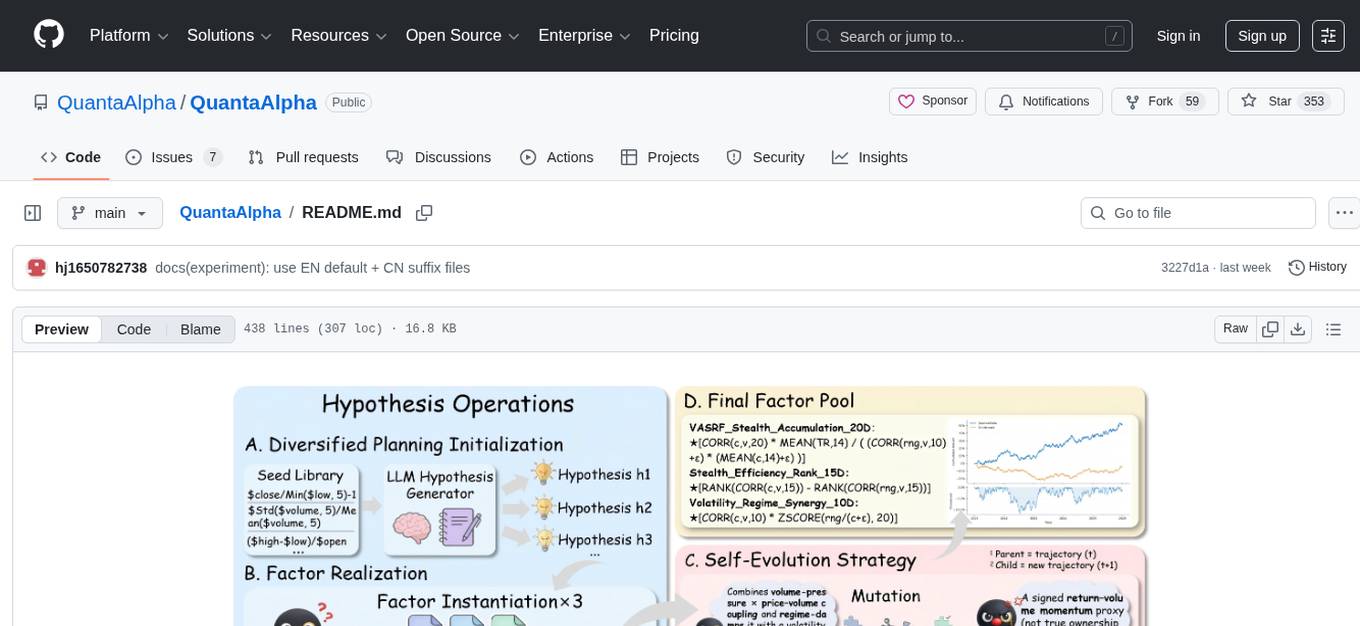
QuantaAlpha
QuantaAlpha is a framework designed for factor mining in quantitative alpha research. It combines LLM intelligence with evolutionary strategies to automatically mine, evolve, and validate alpha factors through self-evolving trajectories. The framework provides a trajectory-based approach with diversified planning initialization and structured hypothesis-code constraint. Users can describe their research direction and observe the automatic factor mining process. QuantaAlpha aims to transform how quantitative alpha factors are discovered by leveraging advanced technologies and self-evolving methodologies.
shimmy
Shimmy is a 5.1MB single-binary local inference server providing OpenAI-compatible endpoints for GGUF models. It offers fast, reliable AI inference with sub-second responses, zero configuration, and automatic port management. Perfect for developers seeking privacy, cost-effectiveness, speed, and easy integration with popular tools like VSCode and Cursor. Shimmy is designed to be invisible infrastructure that simplifies local AI development and deployment.
mindnlp
MindNLP is an open-source NLP library based on MindSpore. It provides a platform for solving natural language processing tasks, containing many common approaches in NLP. It can help researchers and developers to construct and train models more conveniently and rapidly. Key features of MindNLP include: * Comprehensive data processing: Several classical NLP datasets are packaged into a friendly module for easy use, such as Multi30k, SQuAD, CoNLL, etc. * Friendly NLP model toolset: MindNLP provides various configurable components. It is friendly to customize models using MindNLP. * Easy-to-use engine: MindNLP simplified complicated training process in MindSpore. It supports Trainer and Evaluator interfaces to train and evaluate models easily. MindNLP supports a wide range of NLP tasks, including: * Language modeling * Machine translation * Question answering * Sentiment analysis * Sequence labeling * Summarization MindNLP also supports industry-leading Large Language Models (LLMs), including Llama, GLM, RWKV, etc. For support related to large language models, including pre-training, fine-tuning, and inference demo examples, you can find them in the "llm" directory. To install MindNLP, you can either install it from Pypi, download the daily build wheel, or install it from source. The installation instructions are provided in the documentation. MindNLP is released under the Apache 2.0 license. If you find this project useful in your research, please consider citing the following paper: @misc{mindnlp2022, title={{MindNLP}: a MindSpore NLP library}, author={MindNLP Contributors}, howpublished = {\url{https://github.com/mindlab-ai/mindnlp}}, year={2022} }
automem
AutoMem is a production-grade long-term memory system for AI assistants, achieving 90.53% accuracy on the LoCoMo benchmark. It combines FalkorDB (Graph) and Qdrant (Vectors) storage systems to store, recall, connect, learn, and perform with memories. AutoMem enables AI assistants to remember, connect, and evolve their understanding over time, similar to human long-term memory. It implements techniques from peer-reviewed memory research and offers features like multi-hop bridge discovery, knowledge graphs that evolve, 9-component hybrid scoring, memory consolidation cycles, background intelligence, 11 relationship types, and more. AutoMem is benchmark-proven, research-validated, and production-ready, with features like sub-100ms recall, concurrent writes, automatic retries, health monitoring, dual storage redundancy, and automated backups.
headroom
Headroom is a tool designed to optimize the context layer for Large Language Models (LLMs) applications by compressing redundant boilerplate outputs. It intercepts context from tool outputs, logs, search results, and intermediate agent steps, stabilizes dynamic content like timestamps and UUIDs, removes low-signal content, and preserves original data for retrieval only when needed by the LLM. It ensures provider caching works efficiently by aligning prompts for cache hits. The tool works as a transparent proxy with zero code changes, offering significant savings in token count and enabling reversible compression for various types of content like code, logs, JSON, and images. Headroom integrates seamlessly with frameworks like LangChain, Agno, and MCP, supporting features like memory, retrievers, agents, and more.
jcode
A blazing-fast, fully autonomous AI coding agent with a gorgeous TUI, multi-model support, swarm coordination, persistent memory, and 30+ built-in tools - all running natively in your terminal. Engineered to be absurdly efficient, jcode runs as a single compiled binary that sips resources, offering features like sub-millisecond rendering, multiple providers, no API keys needed, persistent memory, swarm mode, 30+ built-in tools, MCP support, self-updating, and more. It is lightweight, efficient, and built with Rust, providing a unique coding experience with high performance and resource efficiency.
openakita
OpenAkita is a self-evolving AI Agent framework that autonomously learns new skills, performs daily self-checks and repairs, accumulates experience from task execution, and persists until the task is done. It auto-generates skills, installs dependencies, learns from mistakes, and remembers preferences. The framework is standards-based, multi-platform, and provides a Setup Center GUI for intuitive installation and configuration. It features self-learning and evolution mechanisms, a Ralph Wiggum Mode for persistent execution, multi-LLM endpoints, multi-platform IM support, desktop automation, multi-agent architecture, scheduled tasks, identity and memory management, a tool system, and a guided wizard for setup.
Remember-Me-AI
Remember-Me is a military-grade, offline 'Second Brain' AI tool that lives entirely on your hard drive. It combines local LLM inference with Quantum Dream Memory Architecture to help you think, remember everything, and answer to no one but you. The tool ensures 0% Cloud, 0% Spying, and 100% Ownership, providing a sovereign ecosystem for users to enhance their cognitive capabilities without relying on external servers or services.
Edit-Banana
Edit Banana is a universal content re-editor that allows users to transform fixed content into fully manipulatable assets. Powered by SAM 3 and multimodal large models, it enables high-fidelity reconstruction while preserving original diagram details and logical relationships. The platform offers advanced segmentation, fixed multi-round VLM scanning, high-quality OCR, user system with credits, multi-user concurrency, and a web interface. Users can upload images or PDFs to get editable DrawIO (XML) or PPTX files in seconds. The project structure includes components for segmentation, text extraction, frontend, models, and scripts, with detailed installation and setup instructions provided. The tool is open-source under the Apache License 2.0, allowing commercial use and secondary development.
zeroclaw
ZeroClaw is a fast, small, and fully autonomous AI assistant infrastructure built with Rust. It features a lean runtime, cost-efficient deployment, fast cold starts, and a portable architecture. It is secure by design, fully swappable, and supports OpenAI-compatible provider support. The tool is designed for low-cost boards and small cloud instances, with a memory footprint of less than 5MB. It is suitable for tasks like deploying AI assistants, swapping providers/channels/tools, and pluggable everything.
llm4s
LLM4S provides a simple, robust, and scalable framework for building Large Language Models (LLM) applications in Scala. It aims to leverage Scala's type safety, functional programming, JVM ecosystem, concurrency, and performance advantages to create reliable and maintainable AI-powered applications. The framework supports multi-provider integration, execution environments, error handling, Model Context Protocol (MCP) support, agent frameworks, multimodal generation, and Retrieval-Augmented Generation (RAG) workflows. It also offers observability features like detailed trace logging, monitoring, and analytics for debugging and performance insights.
For similar tasks
free-coding-models
The 'free-coding-models' repository provides a tool for finding and utilizing coding-focused LLM models optimized for code generation. It offers a multi-provider approach with models from various providers like NVIDIA NIM, Groq, Cerebras, and Hugging Face Inference. The tool allows users to ping models in real-time, select the fastest ones, and integrate them seamlessly with tools like OpenCode and OpenClaw. It features a settings screen for managing API keys, tier filtering, and profile saving. The stability score feature helps users identify models with consistent performance, and the tool offers interactive selection, startup mode menu, and tier filtering functionalities.
chatgpt-web-sea
ChatGPT Web Sea is an open-source project based on ChatGPT-web for secondary development. It supports all models that comply with the OpenAI interface standard, allows for model selection, configuration, and extension, and is compatible with OneAPI. The tool includes a Chinese ChatGPT tuning guide, supports file uploads, and provides model configuration options. Users can interact with the tool through a web interface, configure models, and perform tasks such as model selection, API key management, and chat interface setup. The project also offers Docker deployment options and instructions for manual packaging.
farfalle
Farfalle is an open-source AI-powered search engine that allows users to run their own local LLM or utilize the cloud. It provides a tech stack including Next.js for frontend, FastAPI for backend, Tavily for search API, Logfire for logging, and Redis for rate limiting. Users can get started by setting up prerequisites like Docker and Ollama, and obtaining API keys for Tavily, OpenAI, and Groq. The tool supports models like llama3, mistral, and gemma. Users can clone the repository, set environment variables, run containers using Docker Compose, and deploy the backend and frontend using services like Render and Vercel.
ComfyUI-Tara-LLM-Integration
Tara is a powerful node for ComfyUI that integrates Large Language Models (LLMs) to enhance and automate workflow processes. With Tara, you can create complex, intelligent workflows that refine and generate content, manage API keys, and seamlessly integrate various LLMs into your projects. It comprises nodes for handling OpenAI-compatible APIs, saving and loading API keys, composing multiple texts, and using predefined templates for OpenAI and Groq. Tara supports OpenAI and Grok models with plans to expand support to together.ai and Replicate. Users can install Tara via Git URL or ComfyUI Manager and utilize it for tasks like input guidance, saving and loading API keys, and generating text suitable for chaining in workflows.
conversational-agent-langchain
This repository contains a Rest-Backend for a Conversational Agent that allows embedding documents, semantic search, QA based on documents, and document processing with Large Language Models. It uses Aleph Alpha and OpenAI Large Language Models to generate responses to user queries, includes a vector database, and provides a REST API built with FastAPI. The project also features semantic search, secret management for API keys, installation instructions, and development guidelines for both backend and frontend components.

ChatGPT-Next-Web-Pro
ChatGPT-Next-Web-Pro is a tool that provides an enhanced version of ChatGPT-Next-Web with additional features and functionalities. It offers complete ChatGPT-Next-Web functionality, file uploading and storage capabilities, drawing and video support, multi-modal support, reverse model support, knowledge base integration, translation, customizations, and more. The tool can be deployed with or without a backend, allowing users to interact with AI models, manage accounts, create models, manage API keys, handle orders, manage memberships, and more. It supports various cloud services like Aliyun OSS, Tencent COS, and Minio for file storage, and integrates with external APIs like Azure, Google Gemini Pro, and Luma. The tool also provides options for customizing website titles, subtitles, icons, and plugin buttons, and offers features like voice input, file uploading, real-time token count display, and more.
APIMyLlama
APIMyLlama is a server application that provides an interface to interact with the Ollama API, a powerful AI tool to run LLMs. It allows users to easily distribute API keys to create amazing things. The tool offers commands to generate, list, remove, add, change, activate, deactivate, and manage API keys, as well as functionalities to work with webhooks, set rate limits, and get detailed information about API keys. Users can install APIMyLlama packages with NPM, PIP, Jitpack Repo+Gradle or Maven, or from the Crates Repository. The tool supports Node.JS, Python, Java, and Rust for generating responses from the API. Additionally, it provides built-in health checking commands for monitoring API health status.
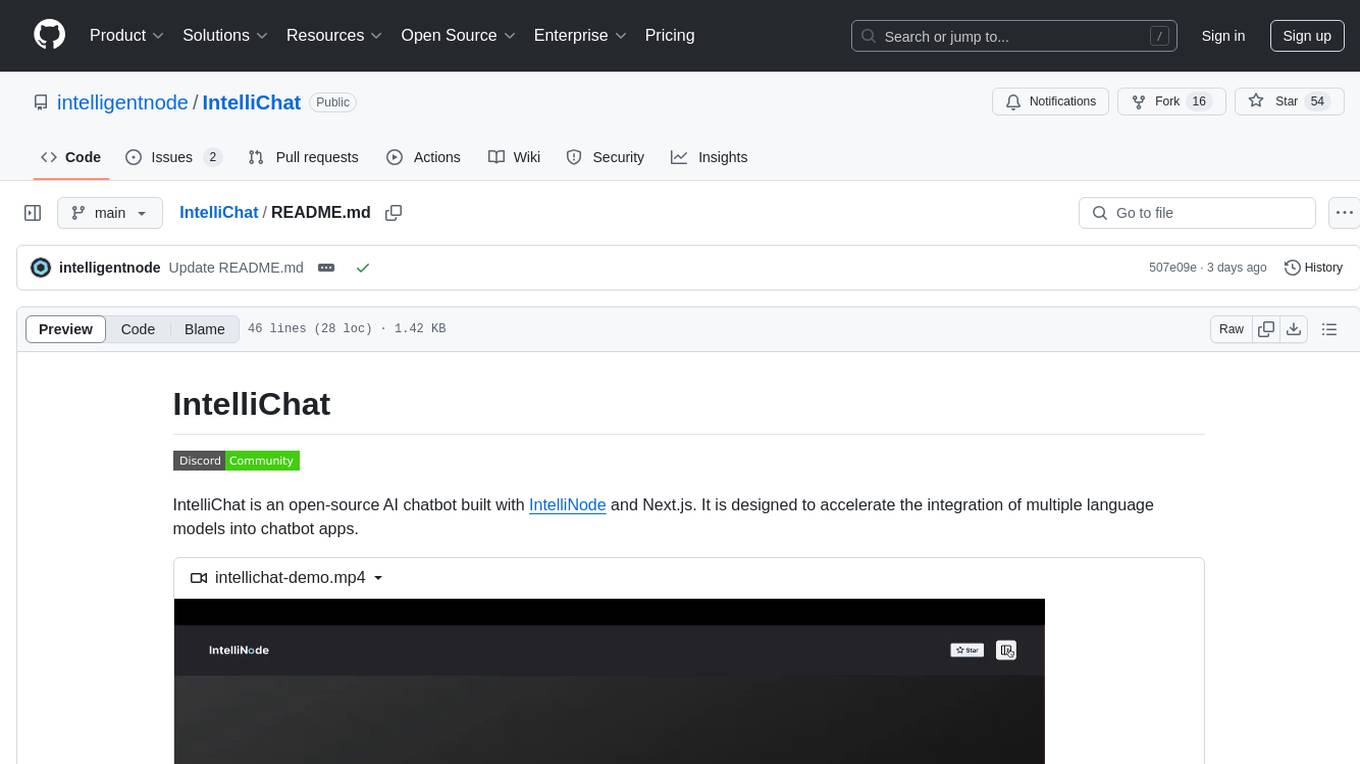
IntelliChat
IntelliChat is an open-source AI chatbot tool designed to accelerate the integration of multiple language models into chatbot apps. Users can select their preferred AI provider and model from the UI, manage API keys, and access data using Intellinode. The tool is built with Intellinode and Next.js, and supports various AI providers such as OpenAI ChatGPT, Google Gemini, Azure Openai, Cohere Coral, Replicate, Mistral AI, Anthropic, and vLLM. It offers a user-friendly interface for developers to easily incorporate AI capabilities into their chatbot applications.
For similar jobs

sweep
Sweep is an AI junior developer that turns bugs and feature requests into code changes. It automatically handles developer experience improvements like adding type hints and improving test coverage.

teams-ai
The Teams AI Library is a software development kit (SDK) that helps developers create bots that can interact with Teams and Microsoft 365 applications. It is built on top of the Bot Framework SDK and simplifies the process of developing bots that interact with Teams' artificial intelligence capabilities. The SDK is available for JavaScript/TypeScript, .NET, and Python.

ai-guide
This guide is dedicated to Large Language Models (LLMs) that you can run on your home computer. It assumes your PC is a lower-end, non-gaming setup.

classifai
Supercharge WordPress Content Workflows and Engagement with Artificial Intelligence. Tap into leading cloud-based services like OpenAI, Microsoft Azure AI, Google Gemini and IBM Watson to augment your WordPress-powered websites. Publish content faster while improving SEO performance and increasing audience engagement. ClassifAI integrates Artificial Intelligence and Machine Learning technologies to lighten your workload and eliminate tedious tasks, giving you more time to create original content that matters.

chatbot-ui
Chatbot UI is an open-source AI chat app that allows users to create and deploy their own AI chatbots. It is easy to use and can be customized to fit any need. Chatbot UI is perfect for businesses, developers, and anyone who wants to create a chatbot.

BricksLLM
BricksLLM is a cloud native AI gateway written in Go. Currently, it provides native support for OpenAI, Anthropic, Azure OpenAI and vLLM. BricksLLM aims to provide enterprise level infrastructure that can power any LLM production use cases. Here are some use cases for BricksLLM: * Set LLM usage limits for users on different pricing tiers * Track LLM usage on a per user and per organization basis * Block or redact requests containing PIIs * Improve LLM reliability with failovers, retries and caching * Distribute API keys with rate limits and cost limits for internal development/production use cases * Distribute API keys with rate limits and cost limits for students

uAgents
uAgents is a Python library developed by Fetch.ai that allows for the creation of autonomous AI agents. These agents can perform various tasks on a schedule or take action on various events. uAgents are easy to create and manage, and they are connected to a fast-growing network of other uAgents. They are also secure, with cryptographically secured messages and wallets.

griptape
Griptape is a modular Python framework for building AI-powered applications that securely connect to your enterprise data and APIs. It offers developers the ability to maintain control and flexibility at every step. Griptape's core components include Structures (Agents, Pipelines, and Workflows), Tasks, Tools, Memory (Conversation Memory, Task Memory, and Meta Memory), Drivers (Prompt and Embedding Drivers, Vector Store Drivers, Image Generation Drivers, Image Query Drivers, SQL Drivers, Web Scraper Drivers, and Conversation Memory Drivers), Engines (Query Engines, Extraction Engines, Summary Engines, Image Generation Engines, and Image Query Engines), and additional components (Rulesets, Loaders, Artifacts, Chunkers, and Tokenizers). Griptape enables developers to create AI-powered applications with ease and efficiency.