


openakita
An open-source AI assistant framework with skills and agent architecture
Stars: 54
OpenAkita is a self-evolving AI Agent framework that autonomously learns new skills, performs daily self-checks and repairs, accumulates experience from task execution, and persists until the task is done. It auto-generates skills, installs dependencies, learns from mistakes, and remembers preferences. The framework is standards-based, multi-platform, and provides a Setup Center GUI for intuitive installation and configuration. It features self-learning and evolution mechanisms, a Ralph Wiggum Mode for persistent execution, multi-LLM endpoints, multi-platform IM support, desktop automation, multi-agent architecture, scheduled tasks, identity and memory management, a tool system, and a guided wizard for setup.
README:

Self-Evolving AI Agent — Learns Autonomously, Never Gives Up


Setup Center • Features • Quick Start • Architecture • Documentation
OpenAkita is a self-evolving AI Agent framework. It autonomously learns new skills, performs daily self-checks and repairs, accumulates experience from task execution, and never gives up when facing difficulties — persisting until the task is done.
Like the Akita dog it's named after: loyal, reliable, never quits.
- Self-Evolving — Auto-generates skills, installs dependencies, learns from mistakes
- Never Gives Up — Ralph Wiggum Mode: persistent execution loop until task completion
- Growing Memory — Remembers your preferences and habits, auto-consolidates daily
- Standards-Based — MCP and Agent Skills standard compliance for broad ecosystem compatibility
- Multi-Platform — Setup Center GUI, CLI, Telegram, Feishu, DingTalk, WeCom, QQ

OpenAkita provides a cross-platform Setup Center desktop app (built with Tauri + React) for intuitive installation and configuration:
- Python Environment — Auto-detect system Python or install embedded Python
- One-Click Install — Create venv + pip install OpenAkita (PyPI / GitHub Release / local source)
- Version Control — Choose specific versions; defaults to Setup Center version for compatibility
- LLM Endpoint Manager — Multi-provider, multi-endpoint, failover; fetch model lists + search selector
- Prompt Compiler Config — Dedicated fast model endpoints for instruction preprocessing
- IM Channel Setup — Telegram, Feishu, WeCom, DingTalk, QQ — all in one place
- Agent & Skills Config — Behavior parameters, skill toggles, MCP tool management
- System Tray — Background residency + auto-start on boot, one-click start/stop
- Status Monitor — Live service status dashboard with real-time log viewing
Download: GitHub Releases
Available for Windows (.exe) / macOS (.dmg) / Linux (.deb / .AppImage)
| Feature | Description |
|---|---|
| Self-Learning & Evolution | Daily self-check (04:00), memory consolidation (03:00), task retrospection, auto skill generation, auto dependency install |
| Ralph Wiggum Mode | Never-give-up execution loop: Plan → Act → Verify → repeat until done; checkpoint recovery |
| Prompt Compiler | Two-stage prompt architecture: fast model preprocesses instructions, compiles identity files, detects compound tasks |
| MCP Integration | Model Context Protocol standard, stdio transport, auto server discovery, built-in web search |
| Skill System | Agent Skills standard (SKILL.md), 8 discovery directories, GitHub install, LLM auto-generation |
| Plan Mode | Auto-detect multi-step tasks, create execution plans, real-time progress tracking, persisted as Markdown |
| Multi-LLM Endpoints | 9 providers, capability-based routing, priority failover, thinking mode, multimodal (text/image/video/voice) |
| Multi-Platform IM | CLI / Telegram / Feishu / DingTalk / WeCom (full support); QQ (implemented) |
| Desktop Automation | Windows UIAutomation + vision fallback, 9 tools: screenshot, click, type, hotkeys, window management |
| Multi-Agent | Master-Worker architecture, ZMQ message bus, smart routing, dynamic scaling, fault recovery |
| Scheduled Tasks | Cron / interval / one-time triggers, reminder + task types, persistent storage |
| Identity & Memory | Four-file identity (SOUL / AGENT / USER / MEMORY), vector search, daily auto-consolidation |
| Tool System | 11 categories, 50+ tools, 3-level progressive disclosure (catalog → detail → execute) to reduce token usage |
| Setup Center | Tauri cross-platform desktop app, guided wizard, tray residency, status monitoring |
The core differentiator: OpenAkita doesn't just execute — it learns and grows autonomously.
| Mechanism | Trigger | Behavior |
|---|---|---|
| Daily Self-Check | Every day at 04:00 | Analyze ERROR logs → LLM diagnosis → auto-fix tool errors → generate report |
| Memory Consolidation | Every day at 03:00 | Consolidate conversations → semantic dedup → extract insights → refresh MEMORY.md |
| Task Retrospection | After long tasks (>60s) | Analyze efficiency → extract lessons → store in long-term memory |
| Skill Auto-Generation | Missing capability detected | LLM generates SKILL.md + script → auto-test → register and load |
| Auto Dependency Install | pip/npm package missing | Search GitHub → install dependency → fallback to skill generation |
| Real-Time Memory | Every conversation turn | Extract preferences/rules/facts → vector storage → auto-update MEMORY.md |
| User Profile Learning | During conversations | Identify preferences and habits → update USER.md → personalized experience |
The easiest way — graphical guided setup, no command-line experience needed:
- Download the installer from GitHub Releases
- Install and launch Setup Center
- Follow the wizard: Python → Install OpenAkita → Configure LLM → Configure IM → Finish & Start
# Install
pip install openakita

# Install with all optional features
pip install openakita[all]

# Run setup wizard
openakita init
Optional extras: feishu, whisper, browser, windows
git clone https://github.com/openakita/openakita.git
cd openakita
python -m venv venv
source venv/bin/activate  # Windows: venv\Scripts\activate
pip install -e ".[all]"
openakita init# Interactive CLI
openakita
# Execute a single task
openakita run "Create a Python calculator with tests"
# Service mode (IM channels)
openakita serve
# Background daemon
openakita daemon start
# Check status
openakita status| Model | Provider | Notes |
|---|---|---|
claude-sonnet-4-5-* |
Anthropic | Default, balanced |
claude-opus-4-5-* |
Anthropic | Most capable |
qwen3-max |
Alibaba | Strong Chinese support |
deepseek-v3 |
DeepSeek | Cost-effective |
kimi-k2.5 |
Moonshot | Long-context |
minimax-m2.1 |
MiniMax | Good for dialogue |
For complex tasks, enable Thinking mode by using a
*-thinkingmodel variant (e.g.,claude-opus-4-5-20251101-thinking).
# .env (minimum configuration)

# LLM API (required — configure at least one)
ANTHROPIC_API_KEY=your-api-key

# Telegram (optional)
TELEGRAM_ENABLED=true
TELEGRAM_BOT_TOKEN=your-bot-token┌─────────────────────────────────────────────────────────────────┐
│ OpenAkita │
├─────────────────────────────────────────────────────────────────┤
│ │
│ ┌──────────────────── Setup Center ────────────────────────┐ │
│ │ Tauri + React Desktop App · Install · Config · Monitor │ │
│ └──────────────────────────────────────────────────────────┘ │
│ │ │
│ ┌──────────────────── Identity Layer ──────────────────────┐ │
│ │ SOUL.md · AGENT.md · USER.md · MEMORY.md │ │
│ └──────────────────────────────────────────────────────────┘ │
│ │ │
│ ┌──────────────────── Core Layer ──────────────────────────┐ │
│ │ Brain (LLM) · Identity · Memory · Ralph Loop │ │
│ │ Prompt Compiler · Task Monitor │ │
│ └──────────────────────────────────────────────────────────┘ │
│ │ │
│ ┌──────────────────── Tool Layer ──────────────────────────┐ │
│ │ Shell · File · Web · MCP · Skills · Scheduler │ │
│ │ Browser · Desktop · Plan · Profile · IM Channel │ │
│ └──────────────────────────────────────────────────────────┘ │
│ │ │
│ ┌──────────────────── Evolution Engine ────────────────────┐ │
│ │ SelfCheck · Generator · Installer · LogAnalyzer │ │
│ │ DailyConsolidator · TaskRetrospection │ │
│ └──────────────────────────────────────────────────────────┘ │
│ │ │
│ ┌──────────────────── Channel Layer ───────────────────────┐ │
│ │ CLI · Telegram · Feishu · WeCom · DingTalk · QQ │ │
│ └──────────────────────────────────────────────────────────┘ │
│ │
└─────────────────────────────────────────────────────────────────┘
| Component | Description |
|---|---|
| Brain | Unified LLM client, multi-endpoint failover, capability routing |
| Identity | Four-file identity system, compiled to token-efficient summaries |
| Memory | Vector memory (ChromaDB), semantic search, daily auto-consolidation |
| Ralph Loop | Never-give-up execution loop, StopHook interception, checkpoint recovery |
| Prompt Compiler | Two-stage prompt architecture, fast model preprocessing |
| Task Monitor | Execution monitoring, timeout model switching, task retrospection |
| Evolution Engine | Self-check, skill generation, dependency install, log analysis |
| Skills | Agent Skills standard, dynamic loading, GitHub install, auto-generation |
| MCP | Model Context Protocol, server discovery, tool proxying |
| Scheduler | Task scheduling, cron / interval / one-time triggers |
| Channels | Unified message format, multi-platform IM adapters |
| Document | Description |
|---|---|
| Quick Start | Installation and basic usage |
| Architecture | System design and components |
| Configuration | All configuration options |
| Deployment | Production deployment (systemd / Docker / nohup) |
| MCP Integration | Connecting external services |
| IM Channels | Telegram / Feishu / DingTalk setup |
| Skill System | Creating and using skills |
| Testing | Testing framework and coverage |
Join our community for help, discussions, and updates:
 WeChat Group Scan to join (Chinese) |
WeChat — Chinese community chat Discord — Join Discord X (Twitter) — @openakita Email — [email protected] |
- Documentation — Complete guides
- Issues — Bug reports & feature requests
- Discussions — Q&A and ideas
- Star us — Show your support
- Anthropic Claude — LLM Engine
- Tauri — Cross-platform desktop framework for Setup Center
- browser-use — AI browser automation
- AGENTS.md Standard — Agent behavior specification
- Agent Skills — Skill standardization specification
- ZeroMQ — Multi-agent inter-process communication
MIT License — See LICENSE
OpenAkita — Self-Evolving AI Agent, Learns Autonomously, Never Gives Up
For Tasks:
Click tags to check more tools for each tasksFor Jobs:
Alternative AI tools for openakita
Similar Open Source Tools
openakita
OpenAkita is a self-evolving AI Agent framework that autonomously learns new skills, performs daily self-checks and repairs, accumulates experience from task execution, and persists until the task is done. It auto-generates skills, installs dependencies, learns from mistakes, and remembers preferences. The framework is standards-based, multi-platform, and provides a Setup Center GUI for intuitive installation and configuration. It features self-learning and evolution mechanisms, a Ralph Wiggum Mode for persistent execution, multi-LLM endpoints, multi-platform IM support, desktop automation, multi-agent architecture, scheduled tasks, identity and memory management, a tool system, and a guided wizard for setup.
vibium
Vibium is a browser automation infrastructure designed for AI agents, providing a single binary that manages browser lifecycle, WebDriver BiDi protocol, and an MCP server. It offers zero configuration, AI-native capabilities, and is lightweight with no runtime dependencies. It is suitable for AI agents, test automation, and any tasks requiring browser interaction.
kweaver
KWeaver is an open-source ecosystem for building, deploying, and running decision intelligence AI applications. It adopts ontology as the core methodology for business knowledge networks, with DIP as the core platform, aiming to provide elastic, agile, and reliable enterprise-grade decision intelligence to further unleash productivity. The DIP platform includes key subsystems such as ADP, Decision Agent, DIP Studio, and AI Store.
mesh
MCP Mesh is an open-source control plane for MCP traffic that provides a unified layer for authentication, routing, and observability. It replaces multiple integrations with a single production endpoint, simplifying configuration management. Built for multi-tenant organizations, it offers workspace/project scoping for policies, credentials, and logs. With core capabilities like MeshContext, AccessControl, and OpenTelemetry, it ensures fine-grained RBAC, full tracing, and metrics for tools and workflows. Users can define tools with input/output validation, access control checks, audit logging, and OpenTelemetry traces. The project structure includes apps for full-stack MCP Mesh, encryption, observability, and more, with deployment options ranging from Docker to Kubernetes. The tech stack includes Bun/Node runtime, TypeScript, Hono API, React, Kysely ORM, and Better Auth for OAuth and API keys.
Shannon
Shannon is a battle-tested infrastructure for AI agents that solves problems at scale, such as runaway costs, non-deterministic failures, and security concerns. It offers features like intelligent caching, deterministic replay of workflows, time-travel debugging, WASI sandboxing, and hot-swapping between LLM providers. Shannon allows users to ship faster with zero configuration multi-agent setup, multiple AI patterns, time-travel debugging, and hot configuration changes. It is production-ready with features like WASI sandbox, token budget control, policy engine (OPA), and multi-tenancy. Shannon helps scale without breaking by reducing costs, being provider agnostic, observable by default, and designed for horizontal scaling with Temporal workflow orchestration.
helix
HelixML is a private GenAI platform that allows users to deploy the best of open AI in their own data center or VPC while retaining complete data security and control. It includes support for fine-tuning models with drag-and-drop functionality. HelixML brings the best of open source AI to businesses in an ergonomic and scalable way, optimizing the tradeoff between GPU memory and latency.
boxlite
BoxLite is an embedded, lightweight micro-VM runtime designed for AI agents running OCI containers with hardware-level isolation. It is built for high concurrency with no daemon required, offering features like lightweight VMs, high concurrency, hardware isolation, embeddability, and OCI compatibility. Users can spin up 'Boxes' to run containers for AI agent sandboxes and multi-tenant code execution scenarios where Docker alone is insufficient and full VM infrastructure is too heavy. BoxLite supports Python, Node.js, and Rust with quick start guides for each, along with features like CPU/memory limits, storage options, networking capabilities, security layers, and image registry configuration. The tool provides SDKs for Python and Node.js, with Go support coming soon. It offers detailed documentation, examples, and architecture insights for users to understand how BoxLite works under the hood.
Agentic-ADK
Agentic ADK is an Agent application development framework launched by Alibaba International AI Business, based on Google-ADK and Ali-LangEngine. It is used for developing, constructing, evaluating, and deploying powerful, flexible, and controllable complex AI Agents. ADK aims to make Agent development simpler and more user-friendly, enabling developers to more easily build, deploy, and orchestrate various Agent applications ranging from simple tasks to complex collaborations.
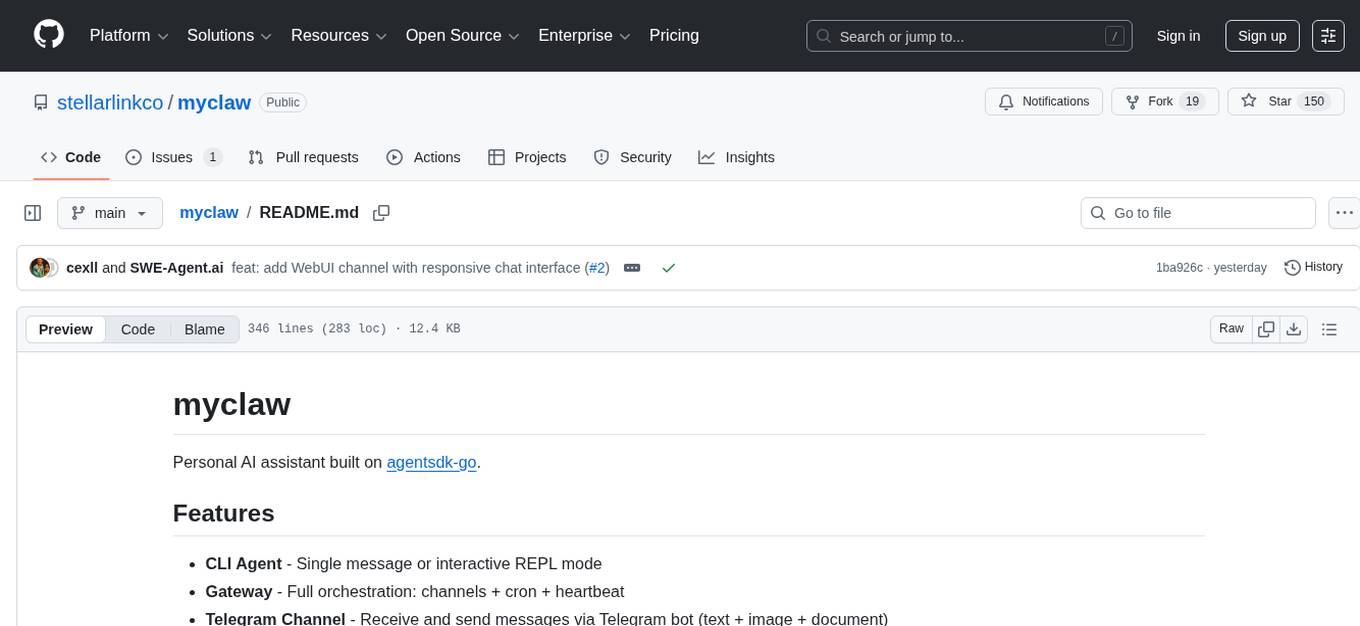
myclaw
myclaw is a personal AI assistant built on agentsdk-go that offers a CLI agent for single message or interactive REPL mode, full orchestration with channels, cron, and heartbeat, support for various messaging channels like Telegram, Feishu, WeCom, WhatsApp, and a web UI, multi-provider support for Anthropic and OpenAI models, image recognition and document processing, scheduled tasks with JSON persistence, long-term and daily memory storage, custom skill loading, and more. It provides a comprehensive solution for interacting with AI models and managing tasks efficiently.
observers
Observers is a lightweight library for AI observability that provides support for various generative AI APIs and storage backends. It allows users to track interactions with AI models and sync observations to different storage systems. The library supports OpenAI, Hugging Face transformers, AISuite, Litellm, and Docling for document parsing and export. Users can configure different stores such as Hugging Face Datasets, DuckDB, Argilla, and OpenTelemetry to manage and query their observations. Observers is designed to enhance AI model monitoring and observability in a user-friendly manner.
topsha
LocalTopSH is an AI Agent Framework designed for companies and developers who require 100% on-premise AI agents with data privacy. It supports various OpenAI-compatible LLM backends and offers production-ready security features. The framework allows simple deployment using Docker compose and ensures that data stays within the user's network, providing full control and compliance. With cost-effective scaling options and compatibility in regions with restrictions, LocalTopSH is a versatile solution for deploying AI agents on self-hosted infrastructure.
starknet-agentic
Open-source stack for giving AI agents wallets, identity, reputation, and execution rails on Starknet. `starknet-agentic` is a monorepo with Cairo smart contracts for agent wallets, identity, reputation, and validation, TypeScript packages for MCP tools, A2A integration, and payment signing, reusable skills for common Starknet agent capabilities, and examples and docs for integration. It provides contract primitives + runtime tooling in one place for integrating agents. The repo includes various layers such as Agent Frameworks / Apps, Integration + Runtime Layer, Packages / Tooling Layer, Cairo Contract Layer, and Starknet L2. It aims for portability of agent integrations without giving up Starknet strengths, with a cross-chain interop strategy and skills marketplace. The repository layout consists of directories for contracts, packages, skills, examples, docs, and website.
claudex
Claudex is an open-source, self-hosted Claude Code UI that runs entirely on your machine. It provides multiple sandboxes, allows users to use their own plans, offers a full IDE experience with VS Code in the browser, and is extensible with skills, agents, slash commands, and MCP servers. Users can run AI agents in isolated environments, view and interact with a browser via VNC, switch between multiple AI providers, automate tasks with Celery workers, and enjoy various chat features and preview capabilities. Claudex also supports marketplace plugins, secrets management, integrations like Gmail, and custom instructions. The tool is configured through providers and supports various providers like Anthropic, OpenAI, OpenRouter, and Custom. It has a tech stack consisting of React, FastAPI, Python, PostgreSQL, Celery, Redis, and more.
AgentX
AgentX is a next-generation open-source AI agent development framework and runtime platform. It provides an event-driven runtime with a simple framework and minimal UI. The platform is ready-to-use and offers features like multi-user support, session persistence, real-time streaming, and Docker readiness. Users can build AI Agent applications with event-driven architecture using TypeScript for server-side (Node.js) and client-side (Browser/React) development. AgentX also includes comprehensive documentation, core concepts, guides, API references, and various packages for different functionalities. The architecture follows an event-driven design with layered components for server-side and client-side interactions.
solo-server
Solo Server is a lightweight server designed for managing hardware-aware inference. It provides seamless setup through a simple CLI and HTTP servers, an open model registry for pulling models from platforms like Ollama and Hugging Face, cross-platform compatibility for effortless deployment of AI models on hardware, and a configurable framework that auto-detects hardware components (CPU, GPU, RAM) and sets optimal configurations.
FinMem-LLM-StockTrading
This repository contains the Python source code for FINMEM, a Performance-Enhanced Large Language Model Trading Agent with Layered Memory and Character Design. It introduces FinMem, a novel LLM-based agent framework devised for financial decision-making, encompassing three core modules: Profiling, Memory with layered processing, and Decision-making. FinMem's memory module aligns closely with the cognitive structure of human traders, offering robust interpretability and real-time tuning. The framework enables the agent to self-evolve its professional knowledge, react agilely to new investment cues, and continuously refine trading decisions in the volatile financial environment. It presents a cutting-edge LLM agent framework for automated trading, boosting cumulative investment returns.
For similar tasks
openakita
OpenAkita is a self-evolving AI Agent framework that autonomously learns new skills, performs daily self-checks and repairs, accumulates experience from task execution, and persists until the task is done. It auto-generates skills, installs dependencies, learns from mistakes, and remembers preferences. The framework is standards-based, multi-platform, and provides a Setup Center GUI for intuitive installation and configuration. It features self-learning and evolution mechanisms, a Ralph Wiggum Mode for persistent execution, multi-LLM endpoints, multi-platform IM support, desktop automation, multi-agent architecture, scheduled tasks, identity and memory management, a tool system, and a guided wizard for setup.

Magick
Magick is a groundbreaking visual AIDE (Artificial Intelligence Development Environment) for no-code data pipelines and multimodal agents. Magick can connect to other services and comes with nodes and templates well-suited for intelligent agents, chatbots, complex reasoning systems and realistic characters.

danswer
Danswer is an open-source Gen-AI Chat and Unified Search tool that connects to your company's docs, apps, and people. It provides a Chat interface and plugs into any LLM of your choice. Danswer can be deployed anywhere and for any scale - on a laptop, on-premise, or to cloud. Since you own the deployment, your user data and chats are fully in your own control. Danswer is MIT licensed and designed to be modular and easily extensible. The system also comes fully ready for production usage with user authentication, role management (admin/basic users), chat persistence, and a UI for configuring Personas (AI Assistants) and their Prompts. Danswer also serves as a Unified Search across all common workplace tools such as Slack, Google Drive, Confluence, etc. By combining LLMs and team specific knowledge, Danswer becomes a subject matter expert for the team. Imagine ChatGPT if it had access to your team's unique knowledge! It enables questions such as "A customer wants feature X, is this already supported?" or "Where's the pull request for feature Y?"

semantic-kernel
Semantic Kernel is an SDK that integrates Large Language Models (LLMs) like OpenAI, Azure OpenAI, and Hugging Face with conventional programming languages like C#, Python, and Java. Semantic Kernel achieves this by allowing you to define plugins that can be chained together in just a few lines of code. What makes Semantic Kernel _special_ , however, is its ability to _automatically_ orchestrate plugins with AI. With Semantic Kernel planners, you can ask an LLM to generate a plan that achieves a user's unique goal. Afterwards, Semantic Kernel will execute the plan for the user.

floneum
Floneum is a graph editor that makes it easy to develop your own AI workflows. It uses large language models (LLMs) to run AI models locally, without any external dependencies or even a GPU. This makes it easy to use LLMs with your own data, without worrying about privacy. Floneum also has a plugin system that allows you to improve the performance of LLMs and make them work better for your specific use case. Plugins can be used in any language that supports web assembly, and they can control the output of LLMs with a process similar to JSONformer or guidance.
mindsdb
MindsDB is a platform for customizing AI from enterprise data. You can create, serve, and fine-tune models in real-time from your database, vector store, and application data. MindsDB "enhances" SQL syntax with AI capabilities to make it accessible for developers worldwide. With MindsDB’s nearly 200 integrations, any developer can create AI customized for their purpose, faster and more securely. Their AI systems will constantly improve themselves — using companies’ own data, in real-time.

aiscript
AiScript is a lightweight scripting language that runs on JavaScript. It supports arrays, objects, and functions as first-class citizens, and is easy to write without the need for semicolons or commas. AiScript runs in a secure sandbox environment, preventing infinite loops from freezing the host. It also allows for easy provision of variables and functions from the host.

activepieces
Activepieces is an open source replacement for Zapier, designed to be extensible through a type-safe pieces framework written in Typescript. It features a user-friendly Workflow Builder with support for Branches, Loops, and Drag and Drop. Activepieces integrates with Google Sheets, OpenAI, Discord, and RSS, along with 80+ other integrations. The list of supported integrations continues to grow rapidly, thanks to valuable contributions from the community. Activepieces is an open ecosystem; all piece source code is available in the repository, and they are versioned and published directly to npmjs.com upon contributions. If you cannot find a specific piece on the pieces roadmap, please submit a request by visiting the following link: Request Piece Alternatively, if you are a developer, you can quickly build your own piece using our TypeScript framework. For guidance, please refer to the following guide: Contributor's Guide
For similar jobs

sweep
Sweep is an AI junior developer that turns bugs and feature requests into code changes. It automatically handles developer experience improvements like adding type hints and improving test coverage.

teams-ai
The Teams AI Library is a software development kit (SDK) that helps developers create bots that can interact with Teams and Microsoft 365 applications. It is built on top of the Bot Framework SDK and simplifies the process of developing bots that interact with Teams' artificial intelligence capabilities. The SDK is available for JavaScript/TypeScript, .NET, and Python.

ai-guide
This guide is dedicated to Large Language Models (LLMs) that you can run on your home computer. It assumes your PC is a lower-end, non-gaming setup.

classifai
Supercharge WordPress Content Workflows and Engagement with Artificial Intelligence. Tap into leading cloud-based services like OpenAI, Microsoft Azure AI, Google Gemini and IBM Watson to augment your WordPress-powered websites. Publish content faster while improving SEO performance and increasing audience engagement. ClassifAI integrates Artificial Intelligence and Machine Learning technologies to lighten your workload and eliminate tedious tasks, giving you more time to create original content that matters.

chatbot-ui
Chatbot UI is an open-source AI chat app that allows users to create and deploy their own AI chatbots. It is easy to use and can be customized to fit any need. Chatbot UI is perfect for businesses, developers, and anyone who wants to create a chatbot.

BricksLLM
BricksLLM is a cloud native AI gateway written in Go. Currently, it provides native support for OpenAI, Anthropic, Azure OpenAI and vLLM. BricksLLM aims to provide enterprise level infrastructure that can power any LLM production use cases. Here are some use cases for BricksLLM: * Set LLM usage limits for users on different pricing tiers * Track LLM usage on a per user and per organization basis * Block or redact requests containing PIIs * Improve LLM reliability with failovers, retries and caching * Distribute API keys with rate limits and cost limits for internal development/production use cases * Distribute API keys with rate limits and cost limits for students

uAgents
uAgents is a Python library developed by Fetch.ai that allows for the creation of autonomous AI agents. These agents can perform various tasks on a schedule or take action on various events. uAgents are easy to create and manage, and they are connected to a fast-growing network of other uAgents. They are also secure, with cryptographically secured messages and wallets.

griptape
Griptape is a modular Python framework for building AI-powered applications that securely connect to your enterprise data and APIs. It offers developers the ability to maintain control and flexibility at every step. Griptape's core components include Structures (Agents, Pipelines, and Workflows), Tasks, Tools, Memory (Conversation Memory, Task Memory, and Meta Memory), Drivers (Prompt and Embedding Drivers, Vector Store Drivers, Image Generation Drivers, Image Query Drivers, SQL Drivers, Web Scraper Drivers, and Conversation Memory Drivers), Engines (Query Engines, Extraction Engines, Summary Engines, Image Generation Engines, and Image Query Engines), and additional components (Rulesets, Loaders, Artifacts, Chunkers, and Tokenizers). Griptape enables developers to create AI-powered applications with ease and efficiency.