


stenoai
Privacy focused AI powered meeting notes using locally hosted Small Language Models
Stars: 279
StenoAI is an AI-powered meeting intelligence tool that allows users to record, transcribe, summarize, and query meetings using local AI models. It prioritizes privacy by processing data entirely on the user's device. The tool offers multiple AI models optimized for different use cases, making it ideal for healthcare, legal, and finance professionals with confidential data needs. StenoAI also features a macOS desktop app with a user-friendly interface, making it convenient for users to access its functionalities. The project is open-source and not affiliated with any specific company, emphasizing its focus on meeting-notes productivity and community collaboration.
README:






AI-powered meeting intelligence that runs entirely on your device, your private data never leaves anywhere. Record, transcribe, summarize, and query your meetings using local AI models. Perfect for healthcare, legal and finance professionals with confidential data needs.
Trusted by users at AWS, Deliveroo & Tesco.


Disclaimer: This is an independent open-source project for meeting-notes productivity and is not affiliated with, endorsed by, or associated with any similarly named company.
- Local transcription using whisper.cpp
- AI summarization with Ollama models
- Ask Steno - Query your meetings with natural language questions
- Multiple AI models - Choose from 4 models optimized for different use cases
- Privacy-first - 100% local processing, your data never leaves your device
- macOS desktop app with intuitive interface
Have questions or suggestions? Join our Discord to chat with the community.
Transcription Models (Whisper):
-
small: Default model - good accuracy and speed on Apple Silicon (default) -
base: Faster but lower accuracy for basic meetings -
medium: High accuracy for important meetings (slower)
Summarization Models (Ollama):
-
llama3.2:3b(2GB): Fastest option for quick meetings (default) -
gemma3:4b(2.5GB): Lightweight and efficient -
qwen3:8b(4.7GB): Excellent at structured output and action items -
deepseek-r1:8b(4.7GB): Strong reasoning and analysis capabilities
Switching Models:
- Click the 🧠 AI Settings icon in the app
- Select your preferred model
- Models download automatically when selected
⚠️ Note: Downloads will pause any active summarization
- Custom summarization templates
- Speaker Diarisation
Download the latest release for your Mac:
- Apple Silicon (M1/M2/M3/M4)
- Intel Macs Performance on Intel Macs is limited due to lack of dedicated AI inference capabilities on these older chips.
-
Download and open the DMG file
-
Drag the app to Applications
-
When you first launch the app, macOS may show a security warning
-
To fix this warning:
- Go to System Settings > Privacy & Security and click "Open Anyway"
Alternatively:
- Right-click StenoAI in Applications and select "Open"
- Or run in Terminal:
xattr -cr /Applications/StenoAI.app
-
The app will work normally on subsequent launches
You can run it locally as well (see below) if you dont want to install a dmg.
- Python 3.9+
- Node.js 18+
git clone https://github.com/ruzin/stenoai.git
cd stenoai

# Backend setup
python3 -m venv venv
source venv/bin/activate
pip install -r requirements.txt

# Download bundled binaries (Ollama, ffmpeg)
./scripts/download-ollama.sh

# Build the Python backend
pip install pyinstaller
pyinstaller stenoai.spec --noconfirm

# Frontend
cd app
npm install
npm start
Note: Ollama and ffmpeg are bundled - no system installation needed. The setup wizard in the app will download the required AI models automatically.
cd app
npm run buildcd app
# Patch release (bug fixes): 0.0.5 → 0.0.6
npm version patch
git add package.json package-lock.json
git commit -m "Version bump to $(node -p "require('./package.json').version")"
git push
git tag v$(node -p "require('./package.json').version")
git push origin v$(node -p "require('./package.json').version")
# Minor release (new features): 0.0.6 → 0.1.0
npm version minor
git add package.json package-lock.json
git commit -m "Version bump to $(node -p "require('./package.json').version")"
git push
git tag v$(node -p "require('./package.json').version")
git push origin v$(node -p "require('./package.json').version")
# Major release (breaking changes): 0.0.6 → 1.0.0
npm version major
git add package.json package-lock.json
git commit -m "Version bump to $(node -p "require('./package.json').version")"
git push
git tag v$(node -p "require('./package.json').version")
git push origin v$(node -p "require('./package.json').version")What happens:
-
npm versionupdates package.json and package-lock.json locally - Manual commit ensures version changes are saved to git
-
git pushsends the version commit to GitHub -
git tagcreates the version tag locally -
git push origin tagtriggers GitHub Actions workflow - Workflow automatically builds DMGs for Intel & Apple Silicon
- Creates GitHub release with downloadable assets
stenoai/
├── app/                  # Electron desktop app
├── src/                  # Python backend
├── website/              # Marketing site
├── recordings/           # Audio files
├── transcripts/          # Text output
└── output/              # Summaries
StenoAI includes a built-in debug panel for troubleshooting issues:
In-App Debug Panel:
- Launch StenoAI
- Click the 🔨 hammer icon (next to settings)
- The debug panel shows real-time logs of all operations
Terminal Logging (Advanced): For detailed system-level logs, run the app from Terminal:
# Launch StenoAI with full logging
/Applications/StenoAI.app/Contents/MacOS/StenoAI
This displays comprehensive logs including:
- Python subprocess output
- Whisper transcription details
- Ollama API communication
- HTTP requests and responses
- Error stack traces
- Performance timing
System Console Logs: For system-level debugging:
# View recent StenoAI-related logs
log show --last 10m --predicate 'process CONTAINS "StenoAI" OR eventMessage CONTAINS "ollama"' --info

# Monitor live logs
log stream --predicate 'eventMessage CONTAINS "ollama" OR process CONTAINS "StenoAI"' --level info
Common Issues:
- Recording stops early: Check microphone permissions and available disk space
- "Processing failed": Usually Ollama service or model issues - check terminal logs
- Empty transcripts: Whisper couldn't detect speech - verify audio input levels
- Slow processing: Normal for longer recordings - Ollama processing is CPU-intensive especially on older intel Macs
-
User Data:
~/Library/Application Support/stenoai/ -
Recordings:
~/Library/Application Support/stenoai/recordings/ -
Transcripts:
~/Library/Application Support/stenoai/transcripts/ -
Summaries:
~/Library/Application Support/stenoai/output/
This project is licensed under the MIT License.
For Tasks:
Click tags to check more tools for each tasksFor Jobs:
Alternative AI tools for stenoai
Similar Open Source Tools
stenoai
StenoAI is an AI-powered meeting intelligence tool that allows users to record, transcribe, summarize, and query meetings using local AI models. It prioritizes privacy by processing data entirely on the user's device. The tool offers multiple AI models optimized for different use cases, making it ideal for healthcare, legal, and finance professionals with confidential data needs. StenoAI also features a macOS desktop app with a user-friendly interface, making it convenient for users to access its functionalities. The project is open-source and not affiliated with any specific company, emphasizing its focus on meeting-notes productivity and community collaboration.
Visionatrix
Visionatrix is a project aimed at providing easy use of ComfyUI workflows. It offers simplified setup and update processes, a minimalistic UI for daily workflow use, stable workflows with versioning and update support, scalability for multiple instances and task workers, multiple user support with integration of different user backends, LLM power for integration with Ollama/Gemini, and seamless integration as a service with backend endpoints and webhook support. The project is approaching version 1.0 release and welcomes new ideas for further implementation.

Groqqle
Groqqle 2.1 is a revolutionary, free AI web search and API that instantly returns ORIGINAL content derived from source articles, websites, videos, and even foreign language sources, for ANY target market of ANY reading comprehension level! It combines the power of large language models with advanced web and news search capabilities, offering a user-friendly web interface, a robust API, and now a powerful Groqqle_web_tool for seamless integration into your projects. Developers can instantly incorporate Groqqle into their applications, providing a powerful tool for content generation, research, and analysis across various domains and languages.
DesktopCommanderMCP
Desktop Commander MCP is a server that allows the Claude desktop app to execute long-running terminal commands on your computer and manage processes through Model Context Protocol (MCP). It is built on top of MCP Filesystem Server to provide additional search and replace file editing capabilities. The tool enables users to execute terminal commands with output streaming, manage processes, perform full filesystem operations, and edit code with surgical text replacements or full file rewrites. It also supports vscode-ripgrep based recursive code or text search in folders.
bytebot
Bytebot is an open-source AI desktop agent that provides a virtual employee with its own computer to complete tasks for users. It can use various applications, download and organize files, log into websites, process documents, and perform complex multi-step workflows. By giving AI access to a complete desktop environment, Bytebot unlocks capabilities not possible with browser-only agents or API integrations, enabling complete task autonomy, document processing, and usage of real applications.
VibeSurf
VibeSurf is an open-source AI agentic browser that combines workflow automation with intelligent AI agents, offering faster, cheaper, and smarter browser automation. It allows users to create revolutionary browser workflows, run multiple AI agents in parallel, perform intelligent AI automation tasks, maintain privacy with local LLM support, and seamlessly integrate as a Chrome extension. Users can save on token costs, achieve efficiency gains, and enjoy deterministic workflows for consistent and accurate results. VibeSurf also provides a Docker image for easy deployment and offers pre-built workflow templates for common tasks.

LEANN
LEANN is an innovative vector database that democratizes personal AI, transforming your laptop into a powerful RAG system that can index and search through millions of documents using 97% less storage than traditional solutions without accuracy loss. It achieves this through graph-based selective recomputation and high-degree preserving pruning, computing embeddings on-demand instead of storing them all. LEANN allows semantic search of file system, emails, browser history, chat history, codebase, or external knowledge bases on your laptop with zero cloud costs and complete privacy. It is a drop-in semantic search MCP service fully compatible with Claude Code, enabling intelligent retrieval without changing your workflow.
probe
Probe is an AI-friendly, fully local, semantic code search tool designed to power the next generation of AI coding assistants. It combines the speed of ripgrep with the code-aware parsing of tree-sitter to deliver precise results with complete code blocks, making it perfect for large codebases and AI-driven development workflows. Probe is fully local, keeping code on the user's machine without relying on external APIs. It supports multiple languages, offers various search options, and can be used in CLI mode, MCP server mode, AI chat mode, and web interface. The tool is designed to be flexible, fast, and accurate, providing developers and AI models with full context and relevant code blocks for efficient code exploration and understanding.
BodhiApp
Bodhi App runs Open Source Large Language Models locally, exposing LLM inference capabilities as OpenAI API compatible REST APIs. It leverages llama.cpp for GGUF format models and huggingface.co ecosystem for model downloads. Users can run fine-tuned models for chat completions, create custom aliases, and convert Huggingface models to GGUF format. The CLI offers commands for environment configuration, model management, pulling files, serving API, and more.
gemini-cli
Gemini CLI is an open-source AI agent that provides lightweight access to Gemini, offering powerful capabilities like code understanding, generation, automation, integration, and advanced features. It is designed for developers who prefer working in the command line and offers extensibility through MCP support. The tool integrates directly into GitHub workflows and offers various authentication options for individual developers, enterprise teams, and production workloads. With features like code querying, editing, app generation, debugging, and GitHub integration, Gemini CLI aims to streamline development workflows and enhance productivity.

Zero
Zero is an open-source AI email solution that allows users to self-host their email app while integrating external services like Gmail. It aims to modernize and enhance emails through AI agents, offering features like open-source transparency, AI-driven enhancements, data privacy, self-hosting freedom, unified inbox, customizable UI, and developer-friendly extensibility. Built with modern technologies, Zero provides a reliable tech stack including Next.js, React, TypeScript, TailwindCSS, Node.js, Drizzle ORM, and PostgreSQL. Users can set up Zero using standard setup or Dev Container setup for VS Code users, with detailed environment setup instructions for Better Auth, Google OAuth, and optional GitHub OAuth. Database setup involves starting a local PostgreSQL instance, setting up database connection, and executing database commands for dependencies, tables, migrations, and content viewing.
AiR
AiR is an AI tool built entirely in Rust that delivers blazing speed and efficiency. It features accurate translation and seamless text rewriting to supercharge productivity. AiR is designed to assist non-native speakers by automatically fixing errors and polishing language to sound like a native speaker. The tool is under heavy development with more features on the horizon.
CrewAI-Studio
CrewAI Studio is an application with a user-friendly interface for interacting with CrewAI, offering support for multiple platforms and various backend providers. It allows users to run crews in the background, export single-page apps, and use custom tools for APIs and file writing. The roadmap includes features like better import/export, human input, chat functionality, automatic crew creation, and multiuser environment support.
exo
Run your own AI cluster at home with everyday devices. Exo is experimental software that unifies existing devices into a powerful GPU, supporting wide model compatibility, dynamic model partitioning, automatic device discovery, ChatGPT-compatible API, and device equality. It does not use a master-worker architecture, allowing devices to connect peer-to-peer. Exo supports different partitioning strategies like ring memory weighted partitioning. Installation is recommended from source. Documentation includes example usage on multiple MacOS devices and information on inference engines and networking modules. Known issues include the iOS implementation lagging behind Python.
sim
Sim is a platform that allows users to build and deploy AI agent workflows quickly and easily. It provides cloud-hosted and self-hosted options, along with support for local AI models. Users can set up the application using Docker Compose, Dev Containers, or manual setup with PostgreSQL and pgvector extension. The platform utilizes technologies like Next.js, Bun, PostgreSQL with Drizzle ORM, Better Auth for authentication, Shadcn and Tailwind CSS for UI, Zustand for state management, ReactFlow for flow editor, Fumadocs for documentation, Turborepo for monorepo management, Socket.io for real-time communication, and Trigger.dev for background jobs.
biniou
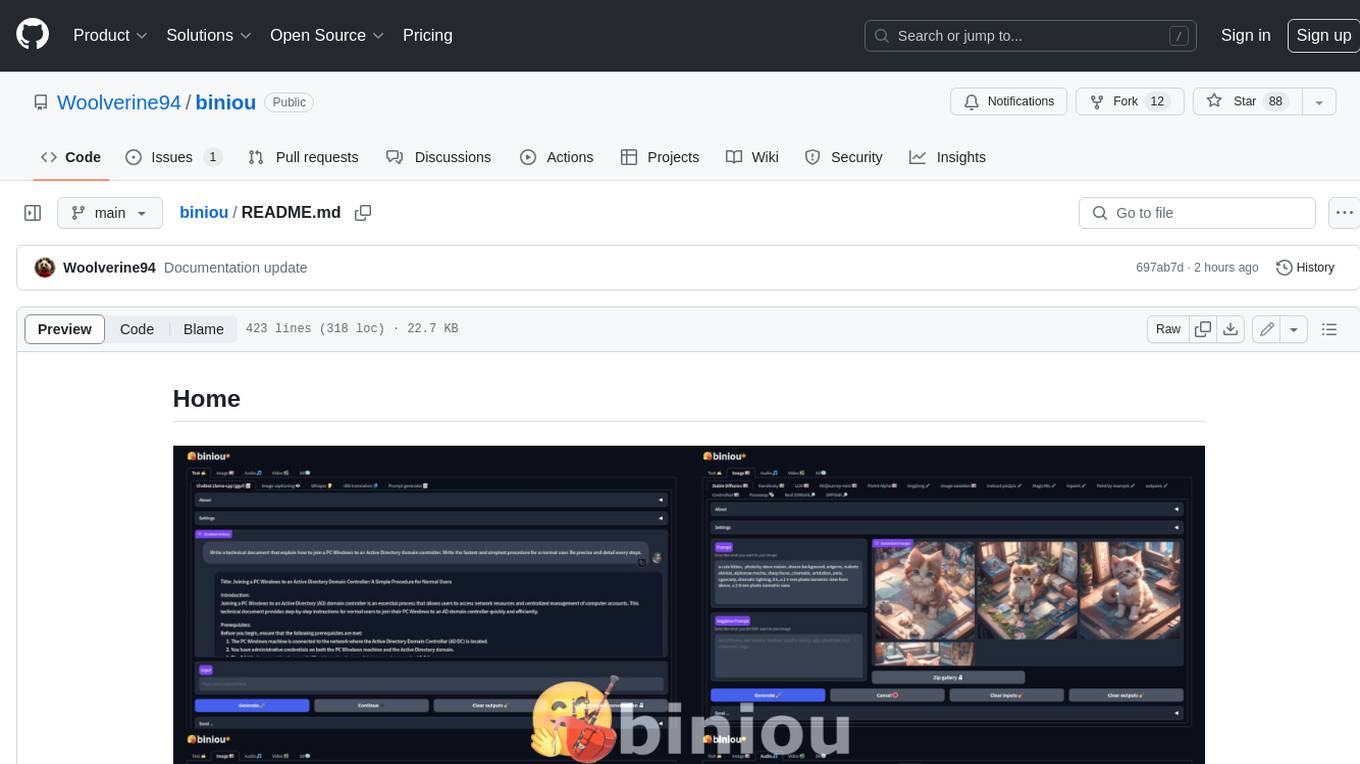
biniou is a self-hosted webui for various GenAI (generative artificial intelligence) tasks. It allows users to generate multimedia content using AI models and chatbots on their own computer, even without a dedicated GPU. The tool can work offline once deployed and required models are downloaded. It offers a wide range of features for text, image, audio, video, and 3D object generation and modification. Users can easily manage the tool through a control panel within the webui, with support for various operating systems and CUDA optimization. biniou is powered by Huggingface and Gradio, providing a cross-platform solution for AI content generation.
For similar tasks
yolo-ios-app
The Ultralytics YOLO iOS App GitHub repository offers an advanced object detection tool leveraging YOLOv8 models for iOS devices. Users can transform their devices into intelligent detection tools to explore the world in a new and exciting way. The app provides real-time detection capabilities with multiple AI models to choose from, ranging from 'nano' to 'x-large'. Contributors are welcome to participate in this open-source project, and licensing options include AGPL-3.0 for open-source use and an Enterprise License for commercial integration. Users can easily set up the app by following the provided steps, including cloning the repository, adding YOLOv8 models, and running the app on their iOS devices.
conduit
Conduit is an open-source, cross-platform mobile application for Open-WebUI, providing a native mobile experience for interacting with your self-hosted AI infrastructure. It supports real-time chat, model selection, conversation management, markdown rendering, theme support, voice input, file uploads, multi-modal support, secure storage, folder management, and tools invocation. Conduit offers multiple authentication flows and follows a clean architecture pattern with Riverpod for state management, Dio for HTTP networking, WebSocket for real-time streaming, and Flutter Secure Storage for credential management.
stenoai
StenoAI is an AI-powered meeting intelligence tool that allows users to record, transcribe, summarize, and query meetings using local AI models. It prioritizes privacy by processing data entirely on the user's device. The tool offers multiple AI models optimized for different use cases, making it ideal for healthcare, legal, and finance professionals with confidential data needs. StenoAI also features a macOS desktop app with a user-friendly interface, making it convenient for users to access its functionalities. The project is open-source and not affiliated with any specific company, emphasizing its focus on meeting-notes productivity and community collaboration.
AI.Labs
AI.Labs is an open-source project that integrates advanced artificial intelligence technologies to create a powerful AI platform. It focuses on integrating AI services like large language models, speech recognition, and speech synthesis for functionalities such as dialogue, voice interaction, and meeting transcription. The project also includes features like a large language model dialogue system, speech recognition for meeting transcription, speech-to-text voice synthesis, integration of translation and chat, and uses technologies like C#, .Net, SQLite database, XAF, OpenAI API, TTS, and STT.
note-companion
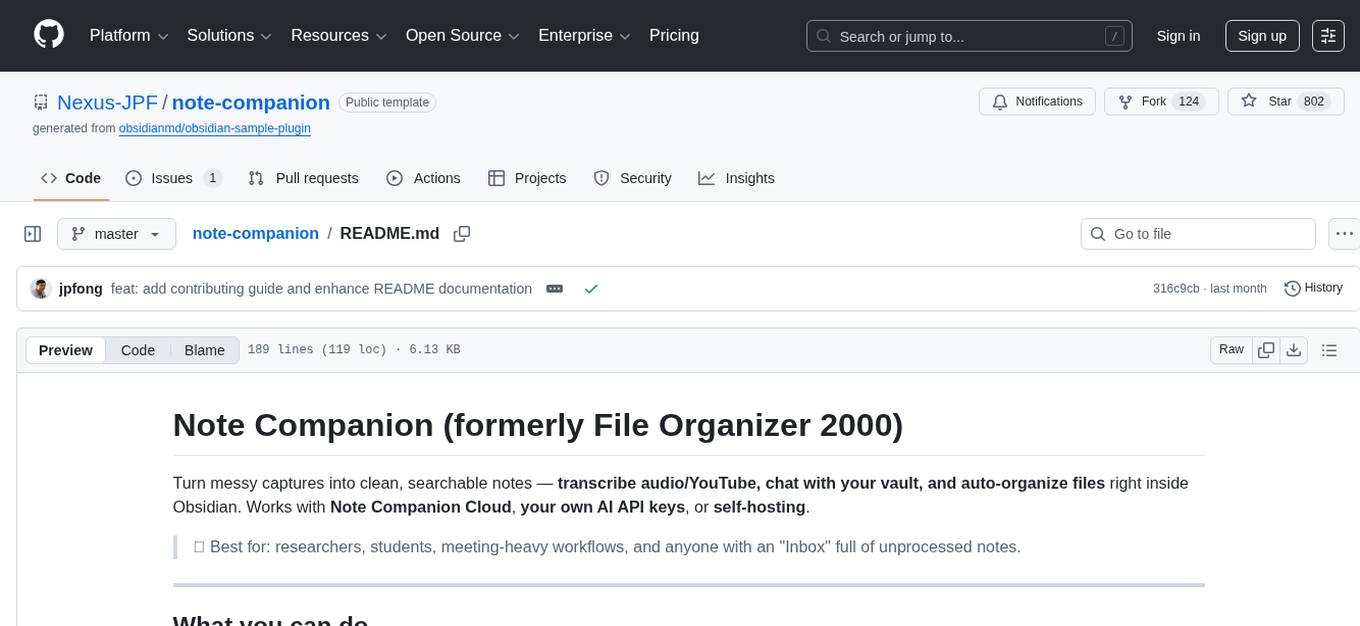
Note Companion (formerly File Organizer 2000) helps users turn messy captures into clean, searchable notes by transcribing audio/YouTube, chatting with their vault, and auto-organizing files inside Obsidian. It works with Note Companion Cloud, user's own AI API keys, or self-hosting. The tool is best suited for researchers, students, meeting-heavy workflows, and individuals with an 'Inbox' full of unprocessed notes. Users can transcribe YouTube videos, transcribe audio & video files, chat with their notes using vault context, auto-organize & format notes, enhance meeting notes, work with multiple AI providers, and self-host the tool with Docker + service examples.
For similar jobs

promptflow
**Prompt flow** is a suite of development tools designed to streamline the end-to-end development cycle of LLM-based AI applications, from ideation, prototyping, testing, evaluation to production deployment and monitoring. It makes prompt engineering much easier and enables you to build LLM apps with production quality.

deepeval
DeepEval is a simple-to-use, open-source LLM evaluation framework specialized for unit testing LLM outputs. It incorporates various metrics such as G-Eval, hallucination, answer relevancy, RAGAS, etc., and runs locally on your machine for evaluation. It provides a wide range of ready-to-use evaluation metrics, allows for creating custom metrics, integrates with any CI/CD environment, and enables benchmarking LLMs on popular benchmarks. DeepEval is designed for evaluating RAG and fine-tuning applications, helping users optimize hyperparameters, prevent prompt drifting, and transition from OpenAI to hosting their own Llama2 with confidence.

MegaDetector
MegaDetector is an AI model that identifies animals, people, and vehicles in camera trap images (which also makes it useful for eliminating blank images). This model is trained on several million images from a variety of ecosystems. MegaDetector is just one of many tools that aims to make conservation biologists more efficient with AI. If you want to learn about other ways to use AI to accelerate camera trap workflows, check out our of the field, affectionately titled "Everything I know about machine learning and camera traps".

leapfrogai
LeapfrogAI is a self-hosted AI platform designed to be deployed in air-gapped resource-constrained environments. It brings sophisticated AI solutions to these environments by hosting all the necessary components of an AI stack, including vector databases, model backends, API, and UI. LeapfrogAI's API closely matches that of OpenAI, allowing tools built for OpenAI/ChatGPT to function seamlessly with a LeapfrogAI backend. It provides several backends for various use cases, including llama-cpp-python, whisper, text-embeddings, and vllm. LeapfrogAI leverages Chainguard's apko to harden base python images, ensuring the latest supported Python versions are used by the other components of the stack. The LeapfrogAI SDK provides a standard set of protobuffs and python utilities for implementing backends and gRPC. LeapfrogAI offers UI options for common use-cases like chat, summarization, and transcription. It can be deployed and run locally via UDS and Kubernetes, built out using Zarf packages. LeapfrogAI is supported by a community of users and contributors, including Defense Unicorns, Beast Code, Chainguard, Exovera, Hypergiant, Pulze, SOSi, United States Navy, United States Air Force, and United States Space Force.

llava-docker
This Docker image for LLaVA (Large Language and Vision Assistant) provides a convenient way to run LLaVA locally or on RunPod. LLaVA is a powerful AI tool that combines natural language processing and computer vision capabilities. With this Docker image, you can easily access LLaVA's functionalities for various tasks, including image captioning, visual question answering, text summarization, and more. The image comes pre-installed with LLaVA v1.2.0, Torch 2.1.2, xformers 0.0.23.post1, and other necessary dependencies. You can customize the model used by setting the MODEL environment variable. The image also includes a Jupyter Lab environment for interactive development and exploration. Overall, this Docker image offers a comprehensive and user-friendly platform for leveraging LLaVA's capabilities.

carrot
The 'carrot' repository on GitHub provides a list of free and user-friendly ChatGPT mirror sites for easy access. The repository includes sponsored sites offering various GPT models and services. Users can find and share sites, report errors, and access stable and recommended sites for ChatGPT usage. The repository also includes a detailed list of ChatGPT sites, their features, and accessibility options, making it a valuable resource for ChatGPT users seeking free and unlimited GPT services.

TrustLLM
TrustLLM is a comprehensive study of trustworthiness in LLMs, including principles for different dimensions of trustworthiness, established benchmark, evaluation, and analysis of trustworthiness for mainstream LLMs, and discussion of open challenges and future directions. Specifically, we first propose a set of principles for trustworthy LLMs that span eight different dimensions. Based on these principles, we further establish a benchmark across six dimensions including truthfulness, safety, fairness, robustness, privacy, and machine ethics. We then present a study evaluating 16 mainstream LLMs in TrustLLM, consisting of over 30 datasets. The document explains how to use the trustllm python package to help you assess the performance of your LLM in trustworthiness more quickly. For more details about TrustLLM, please refer to project website.

AI-YinMei
AI-YinMei is an AI virtual anchor Vtuber development tool (N card version). It supports fastgpt knowledge base chat dialogue, a complete set of solutions for LLM large language models: [fastgpt] + [one-api] + [Xinference], supports docking bilibili live broadcast barrage reply and entering live broadcast welcome speech, supports Microsoft edge-tts speech synthesis, supports Bert-VITS2 speech synthesis, supports GPT-SoVITS speech synthesis, supports expression control Vtuber Studio, supports painting stable-diffusion-webui output OBS live broadcast room, supports painting picture pornography public-NSFW-y-distinguish, supports search and image search service duckduckgo (requires magic Internet access), supports image search service Baidu image search (no magic Internet access), supports AI reply chat box [html plug-in], supports AI singing Auto-Convert-Music, supports playlist [html plug-in], supports dancing function, supports expression video playback, supports head touching action, supports gift smashing action, supports singing automatic start dancing function, chat and singing automatic cycle swing action, supports multi scene switching, background music switching, day and night automatic switching scene, supports open singing and painting, let AI automatically judge the content.