


pantalk
Give your AI agent a voice on every chat platform.
Stars: 115
Pantalk is a lightweight daemon that provides a single interface for AI agents to send, receive, and stream messages across various chat platforms such as Slack, Discord, Mattermost, Telegram, WhatsApp, IRC, Matrix, Twilio, and Zulip. It simplifies the integration process by handling authentication, sessions, and message history, allowing AI agents to communicate seamlessly with humans on different platforms through simple CLI commands or a Unix domain socket with a JSON protocol.
README:

Give your AI agent a voice on every chat platform.
A lightweight daemon that lets AI agents send, receive, and stream messages across Slack, Discord, Mattermost, Telegram, WhatsApp, IRC, Matrix, Twilio, and Zulip through a single interface.
Website · About · Quick Start · Platform Setup
AI agents need to communicate with humans where they already are - Slack, Discord, Mattermost, Telegram, WhatsApp, IRC, Matrix, Twilio, Zulip. But every platform speaks a different protocol. Building an agent that can participate in conversations across all of them means writing and maintaining separate integrations before your agent can even say "hello."
Pantalk gives your AI agent a single, consistent interface to all chat platforms. One daemon (pantalkd) handles the upstream complexity - auth, sessions, reconnects, rate limits - while your agent talks through simple CLI commands or a Unix domain socket with a JSON protocol.
graph TD
    Agent["Your AI Agent<br/><em>(any language, any framework)</em>"]
    Agent -->|send| Socket
    Agent -->|history| Socket
    Agent -->|notify| Socket
    Agent -->|stream| Socket
    Socket["Unix Domain Socket<br/><em>(JSON protocol)</em>"]
    Socket --> Daemon["pantalkd<br/><em>(daemon)</em>"]
    Daemon --> Slack
    Daemon --> Discord
    Daemon --> Mattermost
    Daemon --> Telegram
    Daemon --> WhatsApp
    Daemon --> IRC
    Daemon --> Matrix
    Daemon --> Twilio
    Daemon --> Zulip
Daemon --> More["..."]| Without Pantalk | With Pantalk | |
|---|---|---|
| Integration effort | One SDK per platform | One CLI, all platforms |
| Auth & sessions | You manage everything | Daemon handles it |
| Message history | Query each API differently | history --limit 20 |
| Notifications | Build your own routing | notifications --unseen |
| Real-time events | WebSocket/Gateway/polling | stream --bot name |
| Composability | Library lock-in | Pipe to grep, jq, xargs
|
| Platform | Transport | Status |
|---|---|---|
| Slack | Socket Mode + Web API | ✅ Full support |
| Discord | Gateway + REST API | ✅ Full support |
| Mattermost | WebSocket + REST API | ✅ Full support |
| Telegram | Bot API long-poll + sendMessage | ✅ Full support |
| Web multi-device (whatsmeow) | ✅ Full support | |
| IRC | TCP/TLS + IRC protocol | ✅ Full support |
| Matrix | Client-Server API (mautrix-go) | ✅ Full support |
| Twilio | REST API (polling + send) | ✅ Full support |
| Zulip | REST API + Event Queue | ✅ Full support |
| Component | Role |
|---|---|
pantalkd |
Local daemon - maintains persistent upstream sessions (WebSocket, Gateway, long-poll) |
pantalk |
Unified CLI - messaging, admin, and config management |
All clients connect to pantalkd through a Unix domain socket using a simple JSON protocol. AI agents and LLM tools can send, receive, and stream chat messages without embedding any service SDK.
- Agent-first - structured output, skill definitions, and notification routing designed for AI agents
-
One daemon, all platforms - upstream auth/session complexity lives in
pantalkd -
Composable CLI - JSON over Unix socket, works with
grep,jq,xargs, and any language - Multi-bot - define multiple bots per service via config
- Local-first - SQLite persistence, no external dependencies
cmd/
  pantalkd/              # Daemon entry point
  pantalk/               # Unified CLI (messaging + admin)
configs/
  pantalk.example.yaml   # Example configuration
docs/
  agents.md              # Reactive agent configuration guide
  slack-setup.md         # Slack platform setup guide
  discord-setup.md       # Discord platform setup guide
  mattermost-setup.md    # Mattermost platform setup guide
  telegram-setup.md      # Telegram platform setup guide
  whatsapp-setup.md      # WhatsApp platform setup guide
  irc-setup.md           # IRC platform setup guide
  matrix-setup.md        # Matrix platform setup guide
  twilio-setup.md        # Twilio platform setup guide
  zulip-setup.md         # Zulip platform setup guide
  claude-code-hooks.md   # Claude Code hooks integration guide
internal/
  client/                # Shared IPC client logic
  config/                # YAML parsing & validation
  protocol/              # JSON protocol types
  server/                # Daemon server + SQLite
  upstream/              # Platform connectors
Create a config file with your bot credentials:
mkdir -p ~/.config/pantalk
cat > ~/.config/pantalk/config.yaml << 'EOF'
server:
  notification_history_size: 1000

bots:
  - name: my-bot
    type: slack
    bot_token: $SLACK_BOT_TOKEN
    app_level_token: $SLACK_APP_LEVEL_TOKEN
    channels:
      - C0123456789
EOF
See configs/pantalk.example.yaml for a full example with all platforms.
# Uses ~/.config/pantalk/config.yaml by default
pantalkd &

# Or specify a custom config
pantalkd --config /path/to/pantalk.yaml

# Override socket/db paths
pantalkd --socket /tmp/pantalk-dev.sock --db /tmp/pantalk-dev.db| Resource | Default Location | Override |
|---|---|---|
| Config | ~/.config/pantalk/config.yaml |
--config, $PANTALK_CONFIG
|
| Socket | $XDG_RUNTIME_DIR/pantalk.sock |
--socket flag |
| Database | ~/.local/share/pantalk/pantalk.db |
--db flag |
All paths follow the XDG Base Directory Specification.
The unified pantalk binary works with all platforms. The daemon resolves which service each bot belongs to automatically.
# List all bots across all services
pantalk bots

# Send a message (service is auto-resolved from bot name)
pantalk send --bot my-bot --channel C0123456789 --text "hello from cli"
pantalk send --bot my-bot --channel C0123456789 --thread 1711234567.000100 --text "reply in thread"

# Read history
pantalk history --bot my-bot --channel C0123456789 --limit 20

# Check & clear notifications
pantalk notifications --bot my-bot --unseen --limit 50
pantalk notifications --bot my-bot --unseen --clear

# Stream events in real-time (auto-disconnects after 60s by default)
pantalk stream --bot my-bot --notify

# Stream with custom timeout (0 = no timeout)
pantalk stream --bot my-bot --notify --timeout 120
Tip: JSON output is automatic when stdout is not a terminal (e.g. when called by an AI agent). Use
--jsonto force it in interactive mode.
# Validate config (uses default config location)
pantalk validate

# Edit non-interactively
pantalk config set-server --history 1000

pantalk config add-bot \
  --type slack --name my-bot \
  --bot-token '$SLACK_BOT_TOKEN' --app-level-token '$SLACK_APP_LEVEL_TOKEN'

# Hot-reload running daemon
pantalk reloadpantalkd initializes entirely from YAML config with strict schema validation:
- ❌ Unknown keys → config load failure
- ❌ Missing required provider fields → fast failure
- ✅
transportandendpointoptional for built-in providers (Slack, Discord, Telegram) ⚠️ Mattermost requiresendpointon the bot entry
bots:
  - name: ops-bot # --bot ops-bot
    type: slack
  - name: eng-bot # --bot eng-bot
type: slack| Flag | Description |
|---|---|
--config |
Path to YAML config file |
--socket |
Override server.socket_path
|
--db |
Override server.db_path
|
--allow-exec |
Allow agent commands outside the default allowlist |
--debug |
Enable verbose debug logging |
--version |
Print version and exit |
pantalk reload- Reloads config from the daemon's
--configpath - Restarts service connectors in-process
- Supports bot/service changes
- Does not switch
socket_pathordb_pathat runtime (restartpantalkdfor those)
JSON over Unix domain socket. Every request is a single JSON object with an action field:
{"action": "bots"}
{"action": "send", "bot": "my-bot", "channel": "C0123", "text": "hello"}
{"action": "history", "bot": "my-bot", "channel": "C0123", "limit": 20}
{"action": "history", "bot": "my-bot", "search": "deploy", "limit": 50}
{"action": "notifications", "bot": "my-bot", "unseen": true}
{"action": "subscribe", "bot": "my-bot", "notify": true}| Platform | Event Streaming | Message Send |
|---|---|---|
| Slack | Socket Mode | Web API |
| Discord | Gateway | REST API |
| Mattermost | WebSocket | REST API |
| Telegram | Bot API long-poll | sendMessage |
| Web multi-device | SendMessage |
|
| IRC | TCP/TLS | PRIVMSG |
| Matrix | Client-Server API | REST API |
| Twilio | REST API poll | REST API |
| Zulip | Event Queue | REST API |
All events are persisted locally in SQLite. history always reads from local state.
| Action | Description |
|---|---|
ping |
Health check |
bots |
Bot discovery across all services |
send |
Route-aware send with target/channel/thread
|
history |
Filtered message/event history |
notifications |
Agent-relevant inbound events |
clear_history |
Delete matching history events |
clear_notifications |
Delete matching notifications |
subscribe |
Filtered real-time streaming |
reload |
Hot-reload config and restart connectors |
Pantalk surfaces events relevant to the agent via notifications. This is designed for AI agents that need to know when they're being talked to.
| Behavior | Detail |
|---|---|
| Listing doesn't clear | Reading notifications is non-destructive |
| Persistent | Stored in SQLite, survives daemon restarts |
| Explicit clearing | Use notifications --clear or history --clear
|
notifications --bot my-bot --clear                       # All for a bot
notifications --bot my-bot --channel C0 --clear          # Scoped by channel
notifications --clear --all                              # Everything
history --bot my-bot --clear                             # Clear history for a bot
history --clear --all # Clear all historyAn inbound event becomes a notification when any of these are true:
-
Direct message -
targetmatchesdm:*,direct:*,user:*, or DM-like channel IDs -
Mention - message contains
@bot-nameor<@platform-user-id>(auto-discovered at runtime) - Active thread - event is on a route where the agent previously sent a message
Each platform requires its own app/bot setup before Pantalk can connect. See the detailed guides:
| Platform | Guide | Connection Method |
|---|---|---|
| Slack | Slack Setup | Socket Mode (WebSocket) |
| Discord | Discord Setup | Gateway (WebSocket) |
| Mattermost | Mattermost Setup | WebSocket + REST API |
| Telegram | Telegram Setup | Bot API (long-poll) |
| WhatsApp Setup | Web multi-device | |
| IRC | IRC Setup | TCP/TLS |
| Matrix | Matrix Setup | Client-Server API |
| Twilio | Twilio Setup | REST API (polling) |
| Zulip | Zulip Setup | REST API + Event Queue |
| Integration | Guide | Description |
|---|---|---|
| Agents | Agents | Launch AI agents automatically when matching notifications arrive |
| Claude Code | Claude Code Hooks | Use pantalk as a hook to forward notifications, check chat on stop, and load context on session start |
- Richer provider event support (edits, reactions, thread metadata)
- Provider-specific message normalization
- Additional platform connectors
mcpshim — Turn remote MCP servers into local command workflows. Pantalk gives your agent a voice; mcpshim gives it tools. Together they form a complete agent infrastructure stack.
For Tasks:
Click tags to check more tools for each tasksFor Jobs:
Alternative AI tools for pantalk
Similar Open Source Tools
pantalk
Pantalk is a lightweight daemon that provides a single interface for AI agents to send, receive, and stream messages across various chat platforms such as Slack, Discord, Mattermost, Telegram, WhatsApp, IRC, Matrix, Twilio, and Zulip. It simplifies the integration process by handling authentication, sessions, and message history, allowing AI agents to communicate seamlessly with humans on different platforms through simple CLI commands or a Unix domain socket with a JSON protocol.
gpt-load
GPT-Load is a high-performance, enterprise-grade AI API transparent proxy service designed for enterprises and developers needing to integrate multiple AI services. Built with Go, it features intelligent key management, load balancing, and comprehensive monitoring capabilities for high-concurrency production environments. The tool serves as a transparent proxy service, preserving native API formats of various AI service providers like OpenAI, Google Gemini, and Anthropic Claude. It supports dynamic configuration, distributed leader-follower deployment, and a Vue 3-based web management interface. GPT-Load is production-ready with features like dual authentication, graceful shutdown, and error recovery.
skylos
Skylos is a privacy-first SAST tool for Python, TypeScript, and Go that bridges the gap between traditional static analysis and AI agents. It detects dead code, security vulnerabilities (SQLi, SSRF, Secrets), and code quality issues with high precision. Skylos uses a hybrid engine (AST + optional Local/Cloud LLM) to eliminate false positives, verify via runtime, find logic bugs, and provide context-aware audits. It offers automated fixes, end-to-end remediation, and 100% local privacy. The tool supports taint analysis, secrets detection, vulnerability checks, dead code detection and cleanup, agentic AI and hybrid analysis, codebase optimization, operational governance, and runtime verification.
shodh-memory
Shodh-Memory is a cognitive memory system designed for AI agents to persist memory across sessions, learn from experience, and run entirely offline. It features Hebbian learning, activation decay, and semantic consolidation, packed into a single ~17MB binary. Users can deploy it on cloud, edge devices, or air-gapped systems to enhance the memory capabilities of AI agents.
pup
Pup is a CLI tool designed to give AI agents access to Datadog's observability platform. It offers over 200 commands across 33 Datadog products, allowing agents to fetch metrics, identify errors, and track issues efficiently. Pup ensures that AI agents have the necessary tooling to perform tasks seamlessly, making Datadog the preferred choice for AI-native workflows. With features like self-discoverable commands, structured JSON/YAML output, OAuth2 + PKCE for secure access, and comprehensive API coverage, Pup empowers AI agents to monitor, log, analyze metrics, and enhance security effortlessly.
openbrowser-ai
OpenBrowser is a framework for intelligent browser automation that combines direct CDP communication with a CodeAgent architecture. It allows users to navigate, interact with, and extract information from web pages autonomously. The tool supports various LLM providers, offers vision support for screenshot analysis, and includes a MCP server for Model Context Protocol support. Users can record browser sessions as video files and benefit from features like video recording and full documentation available at docs.openbrowser.me.
tunacode
TunaCode CLI is an AI-powered coding assistant that provides a command-line interface for developers to enhance their coding experience. It offers features like model selection, parallel execution for faster file operations, and various commands for code management. The tool aims to improve coding efficiency and provide a seamless coding environment for developers.
nextclaw
NextClaw is a feature-rich, OpenClaw-compatible personal AI assistant designed for quick trials, secondary machines, or anyone who wants multi-channel + multi-provider capabilities with low maintenance overhead. It offers a UI-first workflow, lightweight codebase, and easy configuration through a built-in UI. The tool supports various providers like OpenRouter, OpenAI, MiniMax, Moonshot, and more, along with channels such as Telegram, Discord, WhatsApp, and others. Users can perform tasks like web search, command execution, memory management, and scheduling with Cron + Heartbeat. NextClaw aims to provide a user-friendly experience with minimal setup and maintenance requirements.
neurolink
NeuroLink is an Enterprise AI SDK for Production Applications that serves as a universal AI integration platform unifying 13 major AI providers and 100+ models under one consistent API. It offers production-ready tooling, including a TypeScript SDK and a professional CLI, for teams to quickly build, operate, and iterate on AI features. NeuroLink enables switching providers with a single parameter change, provides 64+ built-in tools and MCP servers, supports enterprise features like Redis memory and multi-provider failover, and optimizes costs automatically with intelligent routing. It is designed for the future of AI with edge-first execution and continuous streaming architectures.
pup
Pup is a Go-based command-line wrapper designed for easy interaction with Datadog APIs. It provides a fast, cross-platform binary with support for OAuth2 authentication and traditional API key authentication. The tool offers simple commands for common Datadog operations, structured JSON output for parsing and automation, and dynamic client registration with unique OAuth credentials per installation. Pup currently implements 38 out of 85+ available Datadog APIs, covering core observability, monitoring & alerting, security & compliance, infrastructure & cloud, incident & operations, CI/CD & development, organization & access, and platform & configuration domains. Users can easily install Pup via Homebrew, Go Install, or manual download, and authenticate using OAuth2 or API key methods. The tool supports various commands for tasks such as testing connection, managing monitors, querying metrics, handling dashboards, working with SLOs, and handling incidents.
flyto-core
Flyto-core is a powerful Python library for geospatial analysis and visualization. It provides a wide range of tools for working with geographic data, including support for various file formats, spatial operations, and interactive mapping. With Flyto-core, users can easily load, manipulate, and visualize spatial data to gain insights and make informed decisions. Whether you are a GIS professional, a data scientist, or a developer, Flyto-core offers a versatile and user-friendly solution for geospatial tasks.

BricksLLM
BricksLLM is a cloud native AI gateway written in Go. Currently, it provides native support for OpenAI, Anthropic, Azure OpenAI and vLLM. BricksLLM aims to provide enterprise level infrastructure that can power any LLM production use cases. Here are some use cases for BricksLLM: * Set LLM usage limits for users on different pricing tiers * Track LLM usage on a per user and per organization basis * Block or redact requests containing PIIs * Improve LLM reliability with failovers, retries and caching * Distribute API keys with rate limits and cost limits for internal development/production use cases * Distribute API keys with rate limits and cost limits for students
PraisonAI
Praison AI is a low-code, centralised framework that simplifies the creation and orchestration of multi-agent systems for various LLM applications. It emphasizes ease of use, customization, and human-agent interaction. The tool leverages AutoGen and CrewAI frameworks to facilitate the development of AI-generated scripts and movie concepts. Users can easily create, run, test, and deploy agents for scriptwriting and movie concept development. Praison AI also provides options for full automatic mode and integration with OpenAI models for enhanced AI capabilities.
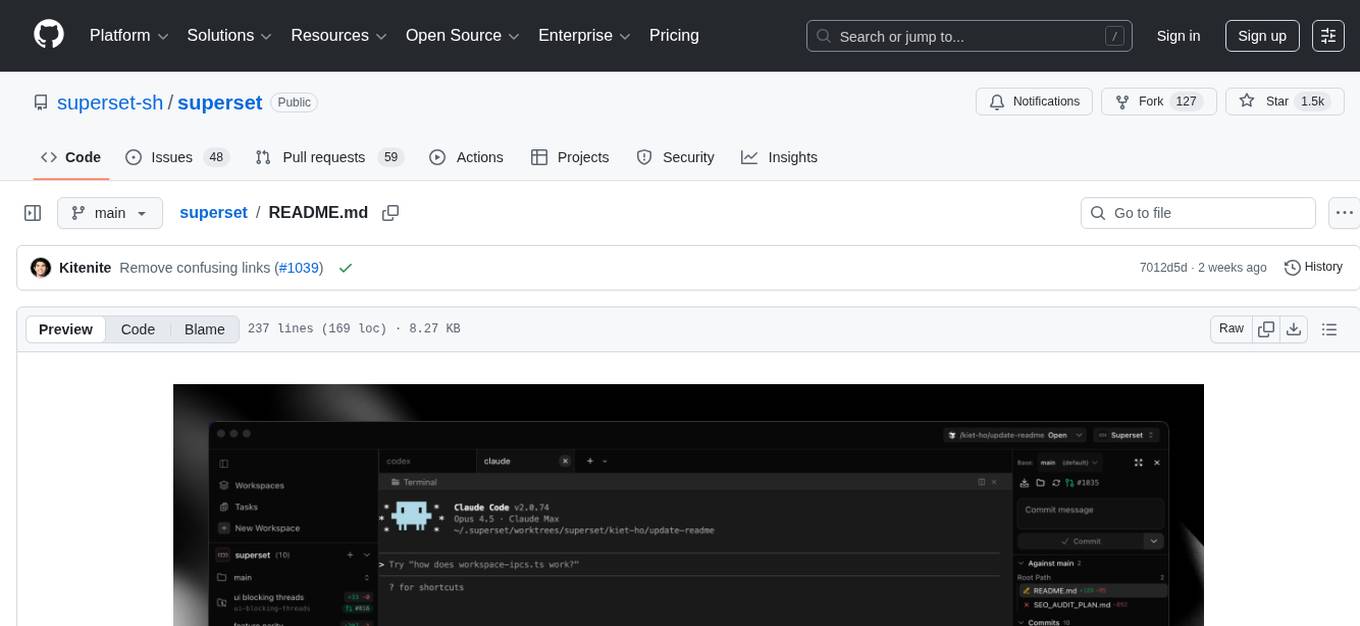
superset
Superset is a turbocharged terminal that allows users to run multiple CLI coding agents simultaneously, isolate tasks in separate worktrees, monitor agent status, review changes quickly, and enhance development workflow. It supports any CLI-based coding agent and offers features like parallel execution, worktree isolation, agent monitoring, built-in diff viewer, workspace presets, universal compatibility, quick context switching, and IDE integration. Users can customize keyboard shortcuts, configure workspace setup, and teardown, and contribute to the project. The tech stack includes Electron, React, TailwindCSS, Bun, Turborepo, Vite, Biome, Drizzle ORM, Neon, and tRPC. The community provides support through Discord, Twitter, GitHub Issues, and GitHub Discussions.
ai-coders-context
The @ai-coders/context repository provides the Ultimate MCP for AI Agent Orchestration, Context Engineering, and Spec-Driven Development. It simplifies context engineering for AI by offering a universal process called PREVC, which consists of Planning, Review, Execution, Validation, and Confirmation steps. The tool aims to address the problem of context fragmentation by introducing a single `.context/` directory that works universally across different tools. It enables users to create structured documentation, generate agent playbooks, manage workflows, provide on-demand expertise, and sync across various AI tools. The tool follows a structured, spec-driven development approach to improve AI output quality and ensure reproducible results across projects.
sf-skills
sf-skills is a collection of reusable skills for Agentic Salesforce Development, enabling AI-powered code generation, validation, testing, debugging, and deployment. It includes skills for development, quality, foundation, integration, AI & automation, DevOps & tooling. The installation process is newbie-friendly and includes an installer script for various CLIs. The skills are compatible with platforms like Claude Code, OpenCode, Codex, Gemini, Amp, Droid, Cursor, and Agentforce Vibes. The repository is community-driven and aims to strengthen the Salesforce ecosystem.
For similar tasks
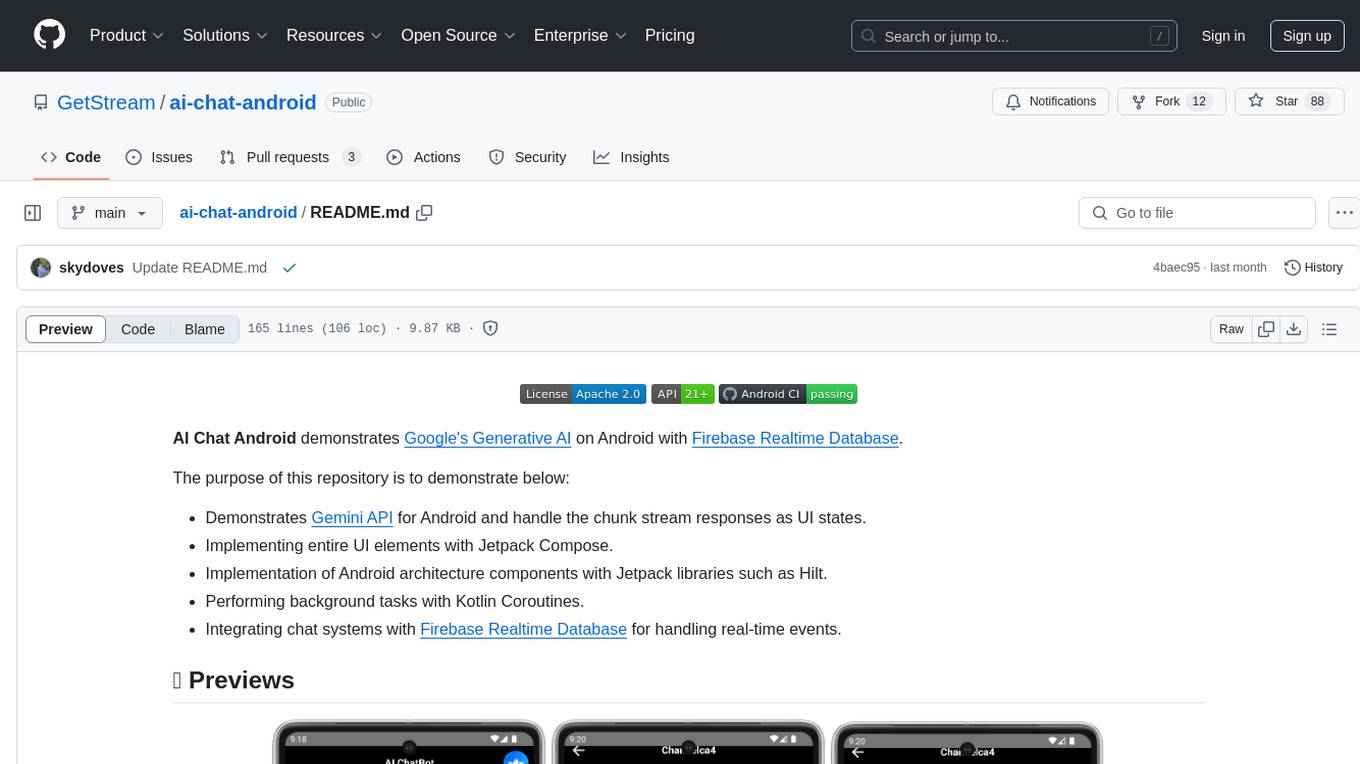
ai-chat-android
AI Chat Android demonstrates Google's Generative AI on Android with Firebase Realtime Database. It showcases Gemini API integration, Jetpack Compose UI elements, Android architecture components with Hilt, Kotlin Coroutines for background tasks, and Firebase Realtime Database integration for real-time events. The project follows Google's official architecture guidance with a modularized structure for reusability, parallel building, and decentralized focusing.
pantalk
Pantalk is a lightweight daemon that provides a single interface for AI agents to send, receive, and stream messages across various chat platforms such as Slack, Discord, Mattermost, Telegram, WhatsApp, IRC, Matrix, Twilio, and Zulip. It simplifies the integration process by handling authentication, sessions, and message history, allowing AI agents to communicate seamlessly with humans on different platforms through simple CLI commands or a Unix domain socket with a JSON protocol.
concierge
Concierge is a versatile automation tool designed to streamline repetitive tasks and workflows. It provides a user-friendly interface for creating custom automation scripts without the need for extensive coding knowledge. With Concierge, users can automate various tasks across different platforms and applications, increasing efficiency and productivity. The tool offers a wide range of pre-built automation templates and allows users to customize and schedule their automation processes. Concierge is suitable for individuals and businesses looking to automate routine tasks and improve overall workflow efficiency.
airsync-android
Android app for AirSync 2.0 built with Kotlin Jetpack Compose. Users can connect using a QR code scan and save the last device for easier re-connection. The app is developed with gratitude to the community, AI research for assistance, and various contributors. It aims to provide a seamless experience for users to manage notifications efficiently.
TermNet
TermNet is an AI-powered terminal assistant that connects a Large Language Model (LLM) with shell command execution, browser search, and dynamically loaded tools. It streams responses in real-time, executes tools one at a time, and maintains conversational memory across steps. The project features terminal integration for safe shell command execution, dynamic tool loading without code changes, browser automation powered by Playwright, WebSocket architecture for real-time communication, a memory system to track planning and actions, streaming LLM output integration, a safety layer to block dangerous commands, dual interface options, a notification system, and scratchpad memory for persistent note-taking. The architecture includes a multi-server setup with servers for WebSocket, browser automation, notifications, and web UI. The project structure consists of core backend files, various tools like web browsing and notification management, and servers for browser automation and notifications. Installation requires Python 3.9+, Ollama, and Chromium, with setup steps provided in the README. The tool can be used via the launcher for managing components or directly by starting individual servers. Additional tools can be added by registering them in `toolregistry.json` and implementing them in Python modules. Safety notes highlight the blocking of dangerous commands, allowed risky commands with warnings, and the importance of monitoring tool execution and setting appropriate timeouts.
venom
Venom is a high-performance system developed with JavaScript to create a bot for WhatsApp, support for creating any interaction, such as customer service, media sending, sentence recognition based on artificial intelligence and all types of design architecture for WhatsApp.
IBRAHIM-AI-10.10
BMW MD is a simple WhatsApp user BOT created by Ibrahim Tech. It allows users to scan pairing codes or QR codes to connect to WhatsApp and deploy the bot on Heroku. The bot can be used to perform various tasks such as sending messages, receiving messages, and managing contacts. It is released under the MIT License and contributions are welcome.
wppconnect
WPPConnect is an open source project developed by the JavaScript community with the aim of exporting functions from WhatsApp Web to the node, which can be used to support the creation of any interaction, such as customer service, media sending, intelligence recognition based on phrases artificial and many other things.
For similar jobs

sweep
Sweep is an AI junior developer that turns bugs and feature requests into code changes. It automatically handles developer experience improvements like adding type hints and improving test coverage.

teams-ai
The Teams AI Library is a software development kit (SDK) that helps developers create bots that can interact with Teams and Microsoft 365 applications. It is built on top of the Bot Framework SDK and simplifies the process of developing bots that interact with Teams' artificial intelligence capabilities. The SDK is available for JavaScript/TypeScript, .NET, and Python.

ai-guide
This guide is dedicated to Large Language Models (LLMs) that you can run on your home computer. It assumes your PC is a lower-end, non-gaming setup.

classifai
Supercharge WordPress Content Workflows and Engagement with Artificial Intelligence. Tap into leading cloud-based services like OpenAI, Microsoft Azure AI, Google Gemini and IBM Watson to augment your WordPress-powered websites. Publish content faster while improving SEO performance and increasing audience engagement. ClassifAI integrates Artificial Intelligence and Machine Learning technologies to lighten your workload and eliminate tedious tasks, giving you more time to create original content that matters.

chatbot-ui
Chatbot UI is an open-source AI chat app that allows users to create and deploy their own AI chatbots. It is easy to use and can be customized to fit any need. Chatbot UI is perfect for businesses, developers, and anyone who wants to create a chatbot.
BricksLLM
BricksLLM is a cloud native AI gateway written in Go. Currently, it provides native support for OpenAI, Anthropic, Azure OpenAI and vLLM. BricksLLM aims to provide enterprise level infrastructure that can power any LLM production use cases. Here are some use cases for BricksLLM: * Set LLM usage limits for users on different pricing tiers * Track LLM usage on a per user and per organization basis * Block or redact requests containing PIIs * Improve LLM reliability with failovers, retries and caching * Distribute API keys with rate limits and cost limits for internal development/production use cases * Distribute API keys with rate limits and cost limits for students

uAgents
uAgents is a Python library developed by Fetch.ai that allows for the creation of autonomous AI agents. These agents can perform various tasks on a schedule or take action on various events. uAgents are easy to create and manage, and they are connected to a fast-growing network of other uAgents. They are also secure, with cryptographically secured messages and wallets.

griptape
Griptape is a modular Python framework for building AI-powered applications that securely connect to your enterprise data and APIs. It offers developers the ability to maintain control and flexibility at every step. Griptape's core components include Structures (Agents, Pipelines, and Workflows), Tasks, Tools, Memory (Conversation Memory, Task Memory, and Meta Memory), Drivers (Prompt and Embedding Drivers, Vector Store Drivers, Image Generation Drivers, Image Query Drivers, SQL Drivers, Web Scraper Drivers, and Conversation Memory Drivers), Engines (Query Engines, Extraction Engines, Summary Engines, Image Generation Engines, and Image Query Engines), and additional components (Rulesets, Loaders, Artifacts, Chunkers, and Tokenizers). Griptape enables developers to create AI-powered applications with ease and efficiency.