


superset
The command center for coding agents - Run a team of Claude Code, OpenCode, Codex, or any other agents on your machine
Stars: 1416
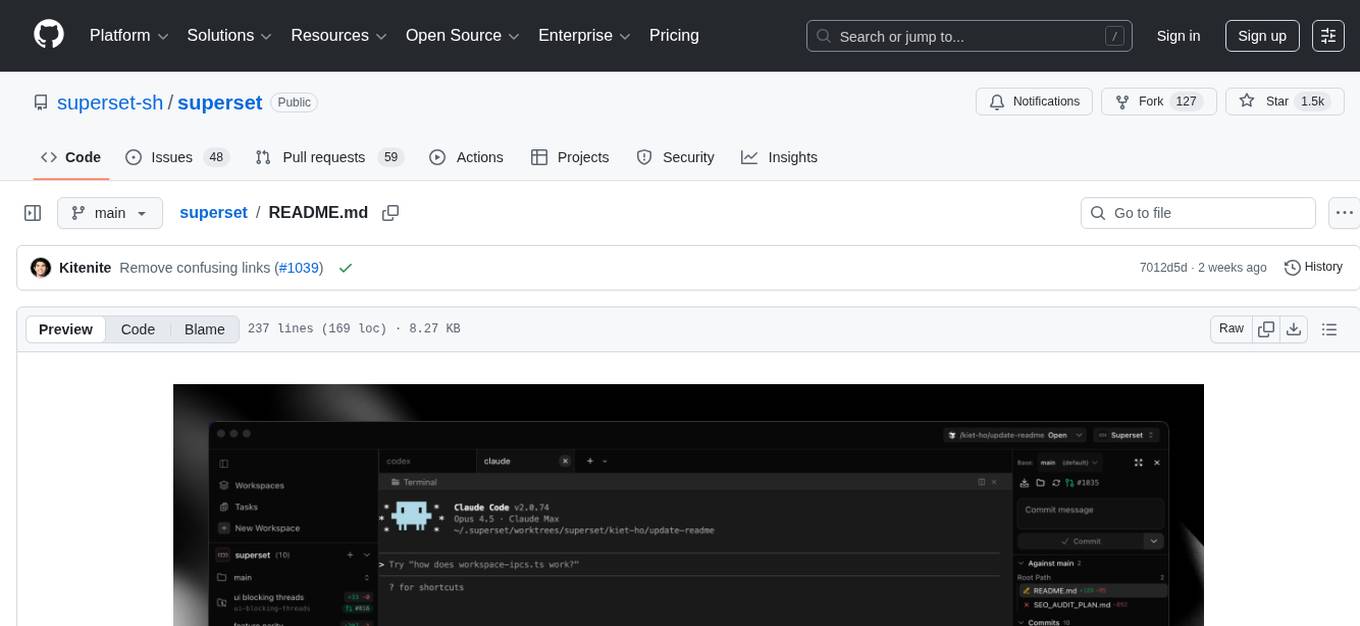
Superset is a turbocharged terminal that allows users to run multiple CLI coding agents simultaneously, isolate tasks in separate worktrees, monitor agent status, review changes quickly, and enhance development workflow. It supports any CLI-based coding agent and offers features like parallel execution, worktree isolation, agent monitoring, built-in diff viewer, workspace presets, universal compatibility, quick context switching, and IDE integration. Users can customize keyboard shortcuts, configure workspace setup, and teardown, and contribute to the project. The tech stack includes Electron, React, TailwindCSS, Bun, Turborepo, Vite, Biome, Drizzle ORM, Neon, and tRPC. The community provides support through Discord, Twitter, GitHub Issues, and GitHub Discussions.
README:






Superset is a turbocharged terminal that allows you to run any CLI coding agents along with the tools to 10x your development workflow.
- Run multiple agents simultaneously without context switching overhead
- Isolate each task in its own git worktree so agents don't interfere with each other
- Monitor all your agents from one place and get notified when they need attention
- Review changes quickly with built-in diff viewer and editor
Wait less, ship more.
| Feature | Description |
|---|---|
| Parallel Execution | Run 10+ coding agents simultaneously on your machine |
| Worktree Isolation | Each task gets its own branch and working directory |
| Agent Monitoring | Track agent status and get notified when changes are ready |
| Built-in Diff Viewer | Inspect and edit agent changes without leaving the app |
| Workspace Presets | Automate env setup, dependency installation, and more |
| Universal Compatibility | Works with any CLI agent that runs in a terminal |
| Quick Context Switching | Jump between tasks as they need your attention |
| IDE Integration | Open any workspace in your favorite editor with one click |
Superset works with any CLI-based coding agent, including:
| Agent | Status |
|---|---|
| Claude Code | Fully supported |
| OpenAI Codex CLI | Fully supported |
| OpenCode | Fully supported |
| Any CLI agent | Will work |
If it runs in a terminal, it runs on Superset
| Requirement | Details |
|---|---|
| OS | macOS (Windows/Linux untested) |
| Runtime | Bun v1.0+ |
| Version Control | Git 2.20+ |
| GitHub CLI | gh |
Click to expand build instructions
1. Clone the repository
git clone https://github.com/superset-sh/superset.git
cd superset
2. Set up environment variables (choose one):
Option A: Full setup
cp .env.example .env
# Edit .env and fill in the values
Option B: Skip env validation (for quick local testing)
export SKIP_ENV_VALIDATION=13. Install dependencies and run
bun install
bun run dev
4. Build the desktop app
bun run build
open apps/desktop/releaseAll shortcuts are customizable via Settings > Keyboard Shortcuts (⌘/). See full documentation.
| Shortcut | Action |
|---|---|
⌘1-9 |
Switch to workspace 1-9 |
⌘⌥↑/↓ |
Previous/next workspace |
⌘N |
New workspace |
⌘⇧N |
Quick create workspace |
⌘⇧O |
Open project |
| Shortcut | Action |
|---|---|
⌘T |
New tab |
⌘W |
Close pane/terminal |
⌘D |
Split right |
⌘⇧D |
Split down |
⌘K |
Clear terminal |
⌘F |
Find in terminal |
⌘⌥←/→ |
Previous/next tab |
Ctrl+1-9 |
Open preset 1-9 |
| Shortcut | Action |
|---|---|
⌘B |
Toggle workspaces sidebar |
⌘L |
Toggle changes panel |
⌘O |
Open in external app |
⌘⇧C |
Copy path |
Configure workspace setup and teardown in .superset/config.json. See full documentation.
{
  "setup": ["./.superset/setup.sh"],
  "teardown": ["./.superset/teardown.sh"]
}| Option | Type | Description |
|---|---|---|
setup |
string[] |
Commands to run when creating a workspace |
teardown |
string[] |
Commands to run when deleting a workspace |
#!/bin/bash
# .superset/setup.sh

# Copy environment variables
cp ../.env .env

# Install dependencies
bun install

# Run any other setup tasks
echo "Workspace ready!"
Scripts have access to environment variables:
-
SUPERSET_WORKSPACE_NAME— Name of the workspace -
SUPERSET_ROOT_PATH— Path to the main repository


We welcome contributions! If you have a suggestion that would make Superset better:
- Fork the repository
- Create your feature branch (
git checkout -b feature/amazing-feature) - Commit your changes (
git commit -m 'Add amazing feature') - Push to the branch (
git push origin feature/amazing-feature) - Open a Pull Request
You can also open issues for bugs or feature requests.
See CONTRIBUTING.md for detailed instructions and code of conduct.
Join the Superset community to get help, share feedback, and connect with other users:
- Discord — Chat with the team and community
- Twitter — Follow for updates and announcements
- GitHub Issues — Report bugs and request features
- GitHub Discussions — Ask questions and share ideas



Distributed under the Apache 2.0 License. See LICENSE.md for more information.
For Tasks:
Click tags to check more tools for each tasksFor Jobs:
Alternative AI tools for superset
Similar Open Source Tools
superset
Superset is a turbocharged terminal that allows users to run multiple CLI coding agents simultaneously, isolate tasks in separate worktrees, monitor agent status, review changes quickly, and enhance development workflow. It supports any CLI-based coding agent and offers features like parallel execution, worktree isolation, agent monitoring, built-in diff viewer, workspace presets, universal compatibility, quick context switching, and IDE integration. Users can customize keyboard shortcuts, configure workspace setup, and teardown, and contribute to the project. The tech stack includes Electron, React, TailwindCSS, Bun, Turborepo, Vite, Biome, Drizzle ORM, Neon, and tRPC. The community provides support through Discord, Twitter, GitHub Issues, and GitHub Discussions.
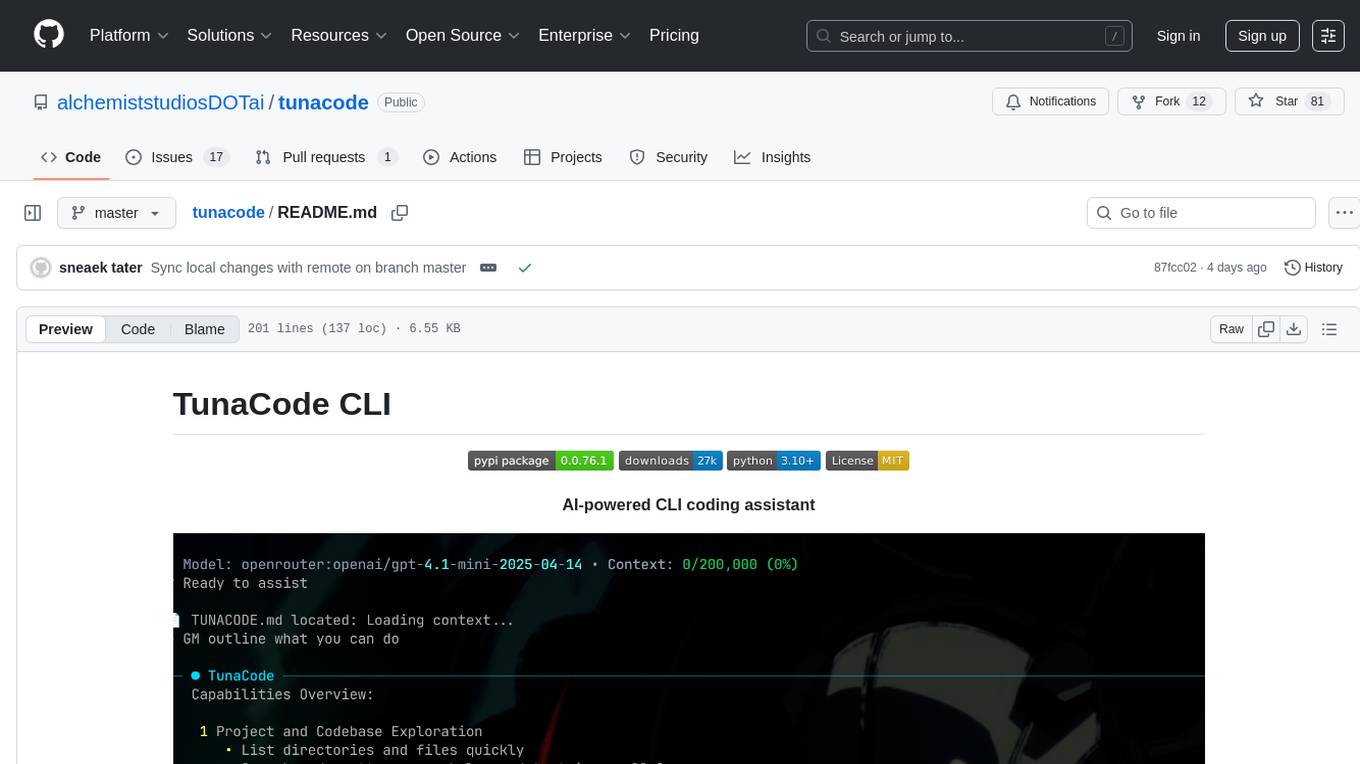
tunacode
TunaCode CLI is an AI-powered coding assistant that provides a command-line interface for developers to enhance their coding experience. It offers features like model selection, parallel execution for faster file operations, and various commands for code management. The tool aims to improve coding efficiency and provide a seamless coding environment for developers.
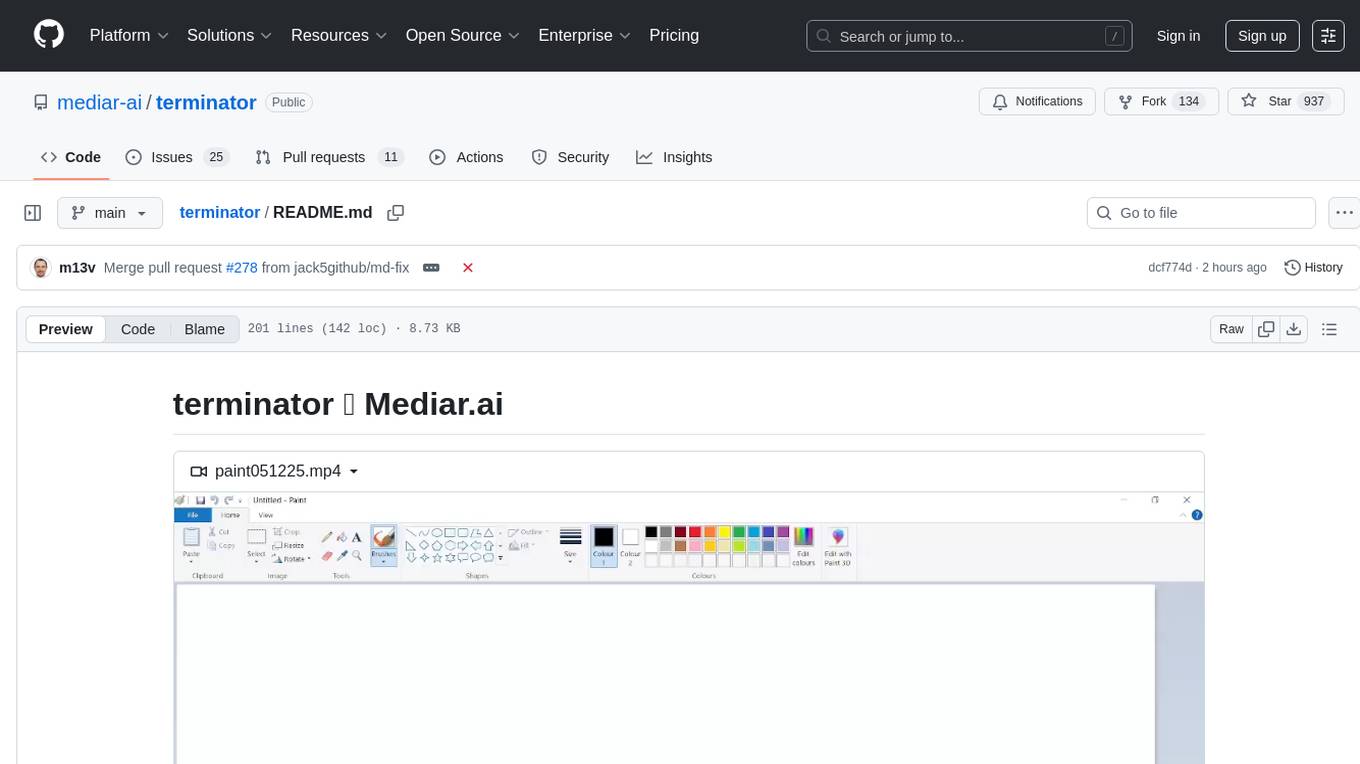
terminator
Terminator is an AI-powered desktop automation tool that is open source, MIT-licensed, and cross-platform. It works across all apps and browsers, inspired by GitHub Actions & Playwright. It is 100x faster than generic AI agents, with over 95% success rate and no vendor lock-in. Users can create automations that work across any desktop app or browser, achieve high success rates without costly consultant armies, and pre-train workflows as deterministic code.
Pake
Pake is a tool that allows users to turn any webpage into a desktop app with ease. It is lightweight, fast, and supports Mac, Windows, and Linux. Pake provides a battery-included package with shortcut pass-through, immersive windows, and minimalist customization. Users can explore popular packages like WeRead, Twitter, Grok, DeepSeek, ChatGPT, Gemini, YouTube Music, YouTube, LiZhi, ProgramMusic, Excalidraw, and XiaoHongShu. The tool is suitable for beginners, developers, and hackers, offering command-line packaging and advanced usage options. Pake is developed by a community of contributors and offers support through various channels like GitHub, Twitter, and Telegram.
readme-ai
README-AI is a developer tool that auto-generates README.md files using a combination of data extraction and generative AI. It streamlines documentation creation and maintenance, enhancing developer productivity. This project aims to enable all skill levels, across all domains, to better understand, use, and contribute to open-source software. It offers flexible README generation, supports multiple large language models (LLMs), provides customizable output options, works with various programming languages and project types, and includes an offline mode for generating boilerplate README files without external API calls.
DownEdit
DownEdit is a fast and powerful program for downloading and editing videos from top platforms like TikTok, Douyin, and Kuaishou. Effortlessly grab videos from user profiles, make bulk edits throughout the entire directory with just one click. Advanced Chat & AI features let you download, edit, and generate videos, images, and sounds in bulk. Exciting new features are coming soon—stay tuned!
google_workspace_mcp
The Google Workspace MCP Server is a production-ready server that integrates major Google Workspace services with AI assistants. It supports single-user and multi-user authentication via OAuth 2.1, making it a powerful backend for custom applications. Built with FastMCP for optimal performance, it features advanced authentication handling, service caching, and streamlined development patterns. The server provides full natural language control over Google Calendar, Drive, Gmail, Docs, Sheets, Slides, Forms, Tasks, and Chat through all MCP clients, AI assistants, and developer tools. It supports free Google accounts and Google Workspace plans with expanded app options like Chat & Spaces. The server also offers private cloud instance options.
ai-dev-kit
The AI Dev Kit is a comprehensive toolkit designed to enhance AI-driven development on Databricks. It provides trusted sources for AI coding assistants like Claude Code and Cursor to build faster and smarter on Databricks. The kit includes features such as Spark Declarative Pipelines, Databricks Jobs, AI/BI Dashboards, Unity Catalog, Genie Spaces, Knowledge Assistants, MLflow Experiments, Model Serving, Databricks Apps, and more. Users can choose from different adventures like installing the kit, using the visual builder app, teaching AI assistants Databricks patterns, executing Databricks actions, or building custom integrations with the core library. The kit also includes components like databricks-tools-core, databricks-mcp-server, databricks-skills, databricks-builder-app, and ai-dev-project.

ClaudeBar
ClaudeBar is a macOS menu bar application that monitors AI coding assistant usage quotas. It allows users to keep track of their usage of Claude, Codex, Gemini, GitHub Copilot, Antigravity, and Z.ai at a glance. The application offers multi-provider support, real-time quota tracking, multiple themes, visual status indicators, system notifications, auto-refresh feature, and keyboard shortcuts for quick access. Users can customize monitoring by toggling individual providers on/off and receive alerts when quota status changes. The tool requires macOS 15+, Swift 6.2+, and CLI tools installed for the providers to be monitored.

everything-claude-code
The 'Everything Claude Code' repository is a comprehensive collection of production-ready agents, skills, hooks, commands, rules, and MCP configurations developed over 10+ months. It includes guides for setup, foundations, and philosophy, as well as detailed explanations of various topics such as token optimization, memory persistence, continuous learning, verification loops, parallelization, and subagent orchestration. The repository also provides updates on bug fixes, multi-language rules, installation wizard, PM2 support, OpenCode plugin integration, unified commands and skills, and cross-platform support. It offers a quick start guide for installation, ecosystem tools like Skill Creator and Continuous Learning v2, requirements for CLI version compatibility, key concepts like agents, skills, hooks, and rules, running tests, contributing guidelines, OpenCode support, background information, important notes on context window management and customization, star history chart, and relevant links.
OSA
OSA (Open-Source-Advisor) is a tool designed to improve the quality of scientific open source projects by automating the generation of README files, documentation, CI/CD scripts, and providing advice and recommendations for repositories. It supports various LLMs accessible via API, local servers, or osa_bot hosted on ITMO servers. OSA is currently under development with features like README file generation, documentation generation, automatic implementation of changes, LLM integration, and GitHub Action Workflow generation. It requires Python 3.10 or higher and tokens for GitHub/GitLab/Gitverse and LLM API key. Users can install OSA using PyPi or build from source, and run it using CLI commands or Docker containers.
Kaku
Kaku is a fast and out-of-the-box terminal designed for AI coding. It is a deeply customized fork of WezTerm, offering polished defaults, built-in shell suite, Lua scripting, safe update flow, and a suite of CLI tools for immediate productivity. Kaku is fast, lightweight, and fully configurable via Lua scripts, providing a ready-to-work environment for coding enthusiasts.
axonhub
AxonHub is an all-in-one AI development platform that serves as an AI gateway allowing users to switch between model providers without changing any code. It provides features like vendor lock-in prevention, integration simplification, observability enhancement, and cost control. Users can access any model using any SDK with zero code changes. The platform offers full request tracing, enterprise RBAC, smart load balancing, and real-time cost tracking. AxonHub supports multiple databases, provides a unified API gateway, and offers flexible model management and API key creation for authentication. It also integrates with various AI coding tools and SDKs for seamless usage.
agentscope
AgentScope is a multi-agent platform designed to empower developers to build multi-agent applications with large-scale models. It features three high-level capabilities: Easy-to-Use, High Robustness, and Actor-Based Distribution. AgentScope provides a list of `ModelWrapper` to support both local model services and third-party model APIs, including OpenAI API, DashScope API, Gemini API, and ollama. It also enables developers to rapidly deploy local model services using libraries such as ollama (CPU inference), Flask + Transformers, Flask + ModelScope, FastChat, and vllm. AgentScope supports various services, including Web Search, Data Query, Retrieval, Code Execution, File Operation, and Text Processing. Example applications include Conversation, Game, and Distribution. AgentScope is released under Apache License 2.0 and welcomes contributions.
cursor-free-vip
Cursor Free VIP is a tool designed to automatically bypass Cursor's membership check, upgrade to 'pro' membership, support Windows and macOS systems, send Token requests in real-time, and reset Cursor's configuration. It provides a seamless experience for users to access premium features without the need for manual upgrades or configuration changes. The tool aims to simplify the process of accessing advanced functionalities offered by Cursor, enhancing user experience and productivity.
new-api
New API is a next-generation large model gateway and AI asset management system that provides a wide range of features, including a new UI interface, multi-language support, online recharge function, key query for usage quota, compatibility with the original One API database, model charging by usage count, channel weighted randomization, data dashboard, token grouping and model restrictions, support for various authorization login methods, support for Rerank models, OpenAI Realtime API, Claude Messages format, reasoning effort setting, content reasoning, user-specific model rate limiting, request format conversion, cache billing support, and various model support such as gpts, Midjourney-Proxy, Suno API, custom channels, Rerank models, Claude Messages format, Dify, and more.
For similar tasks

LocalAGI
LocalAGI is a powerful, self-hostable AI Agent platform that allows you to design AI automations without writing code. It provides a complete drop-in replacement for OpenAI's Responses APIs with advanced agentic capabilities. With LocalAGI, you can create customizable AI assistants, automations, chat bots, and agents that run 100% locally, without the need for cloud services or API keys. The platform offers features like no-code agents, web-based interface, advanced agent teaming, connectors for various platforms, comprehensive REST API, short & long-term memory capabilities, planning & reasoning, periodic tasks scheduling, memory management, multimodal support, extensible custom actions, fully customizable models, observability, and more.
superset
Superset is a turbocharged terminal that allows users to run multiple CLI coding agents simultaneously, isolate tasks in separate worktrees, monitor agent status, review changes quickly, and enhance development workflow. It supports any CLI-based coding agent and offers features like parallel execution, worktree isolation, agent monitoring, built-in diff viewer, workspace presets, universal compatibility, quick context switching, and IDE integration. Users can customize keyboard shortcuts, configure workspace setup, and teardown, and contribute to the project. The tech stack includes Electron, React, TailwindCSS, Bun, Turborepo, Vite, Biome, Drizzle ORM, Neon, and tRPC. The community provides support through Discord, Twitter, GitHub Issues, and GitHub Discussions.
For similar jobs

kaito
Kaito is an operator that automates the AI/ML inference model deployment in a Kubernetes cluster. It manages large model files using container images, avoids tuning deployment parameters to fit GPU hardware by providing preset configurations, auto-provisions GPU nodes based on model requirements, and hosts large model images in the public Microsoft Container Registry (MCR) if the license allows. Using Kaito, the workflow of onboarding large AI inference models in Kubernetes is largely simplified.
ai-on-gke
This repository contains assets related to AI/ML workloads on Google Kubernetes Engine (GKE). Run optimized AI/ML workloads with Google Kubernetes Engine (GKE) platform orchestration capabilities. A robust AI/ML platform considers the following layers: Infrastructure orchestration that support GPUs and TPUs for training and serving workloads at scale Flexible integration with distributed computing and data processing frameworks Support for multiple teams on the same infrastructure to maximize utilization of resources

tidb
TiDB is an open-source distributed SQL database that supports Hybrid Transactional and Analytical Processing (HTAP) workloads. It is MySQL compatible and features horizontal scalability, strong consistency, and high availability.
nvidia_gpu_exporter
Nvidia GPU exporter for prometheus, using `nvidia-smi` binary to gather metrics.

tracecat
Tracecat is an open-source automation platform for security teams. It's designed to be simple but powerful, with a focus on AI features and a practitioner-obsessed UI/UX. Tracecat can be used to automate a variety of tasks, including phishing email investigation, evidence collection, and remediation plan generation.
openinference
OpenInference is a set of conventions and plugins that complement OpenTelemetry to enable tracing of AI applications. It provides a way to capture and analyze the performance and behavior of AI models, including their interactions with other components of the application. OpenInference is designed to be language-agnostic and can be used with any OpenTelemetry-compatible backend. It includes a set of instrumentations for popular machine learning SDKs and frameworks, making it easy to add tracing to your AI applications.

BricksLLM
BricksLLM is a cloud native AI gateway written in Go. Currently, it provides native support for OpenAI, Anthropic, Azure OpenAI and vLLM. BricksLLM aims to provide enterprise level infrastructure that can power any LLM production use cases. Here are some use cases for BricksLLM: * Set LLM usage limits for users on different pricing tiers * Track LLM usage on a per user and per organization basis * Block or redact requests containing PIIs * Improve LLM reliability with failovers, retries and caching * Distribute API keys with rate limits and cost limits for internal development/production use cases * Distribute API keys with rate limits and cost limits for students
kong
Kong, or Kong API Gateway, is a cloud-native, platform-agnostic, scalable API Gateway distinguished for its high performance and extensibility via plugins. It also provides advanced AI capabilities with multi-LLM support. By providing functionality for proxying, routing, load balancing, health checking, authentication (and more), Kong serves as the central layer for orchestrating microservices or conventional API traffic with ease. Kong runs natively on Kubernetes thanks to its official Kubernetes Ingress Controller.