


ocmonitor-share
OpenCode Monitor is a CLI tool for monitoring and analyzing OpenCode AI coding usage
Stars: 138
OpenCode Monitor is a CLI tool designed for monitoring and analyzing OpenCode AI coding sessions. It provides comprehensive analytics, real-time monitoring, and professional reporting capabilities. The tool offers features such as professional analytics with detailed reports, cost tracking, model analytics, project analytics, performance metrics, and flexible week boundaries. It also supports storage in SQLite database format, legacy file support, and hierarchical sessions display. The tool features a beautiful user interface with rich terminal UI, progress bars, color coding, live dashboard, and session time tracking. Additionally, it allows data export in CSV and JSON formats, and offers various types of reports. OpenCode Monitor is highly configurable through a configuration file and supports remote pricing updates from models.dev for new models. The tool is suitable for individual developers, development teams, and organizations to manage costs, optimize usage, monitor performance, and track AI resources.
README:


OpenCode Monitor is a CLI tool for monitoring and analyzing OpenCode AI coding sessions.
Transform your OpenCode usage data into beautiful, actionable insights with comprehensive analytics, real-time monitoring, and professional reporting capabilities.

- 📈 Comprehensive Reports - Daily, weekly, and monthly usage breakdowns
- 💰 Cost Tracking - Accurate cost calculations for multiple AI models
-
📊 Model Analytics - Detailed breakdown of usage per AI model with
--breakdownflag - 📋 Project Analytics - Track costs and token usage by coding project
- ⏱️ Performance Metrics - Session duration and processing time tracking
- 📅 Flexible Week Boundaries - Customize weekly reports with 7 start day options (Monday-Sunday)
- 🚀 Output Speed Tracking - Average output tokens per second for each model in reports
- 🔗 Workflow Grouping - Automatically groups main sessions with their sub-agent sessions (explore, etc.)
-
SQLite Database - Native support for OpenCode v1.2.0+ SQLite format (
~/.local/share/opencode/opencode.db) - Legacy File Support - Backwards compatible with pre-v1.2.0 JSON file storage
- Auto Detection - Automatically detects and uses the appropriate storage backend
- Hierarchical Sessions - Parent/sub-agent relationships from SQLite displayed as tree view
- 🌈 Rich Terminal UI - Professional design with clean styling and optimal space utilization
- 📊 Progress Bars - Visual indicators for cost quotas, context usage, and session time
- 🚥 Color Coding - Green/yellow/red status indicators based on usage thresholds
- 📱 Live Dashboard - Real-time monitoring with project names and session titles
- ⏰ Session Time Tracking - 5-hour session progress bar with color-coded time alerts
- 🔧 Tool Usage Panel - Track tool success rates (bash, read, edit, etc.) in live dashboard
- 📋 CSV Export - Spreadsheet-compatible exports with metadata
- 🔄 JSON Export - Machine-readable exports for custom integrations
- 📊 Multiple Report Types - Sessions, daily, weekly, monthly, model, and project reports
Option 1: uv Installation (Fastest - One-liner)
uv is a fast Python package manager. It installs the tool in an isolated environment without cloning the repository.
# Install directly from GitHub
uv tool install git+https://github.com/Shlomob/ocmonitor-share.git

# With optional extras
uv tool install "git+https://github.com/Shlomob/ocmonitor-share.git#egg=ocmonitor[charts,export]"
Why uv?
- No need to clone the repository
- Lightning-fast dependency resolution
- Creates isolated environments automatically
- Easy to upgrade:
uv tool upgrade ocmonitor
Option 2: pipx Installation (Cross Platform)
pipx is the recommended way to install Python CLI applications. It creates isolated environments and works on all platforms (including Arch Linux, Ubuntu, macOS, etc.).
git clone https://github.com/Shlomob/ocmonitor-share.git
cd ocmonitor-share
pipx install .
Why pipx?
- Creates isolated environments (no dependency conflicts)
- Works on Arch Linux without breaking system packages
- No sudo required
- Easy to upgrade or uninstall
Optional extras:
# With visualization charts
pipx install ".[charts]"

# With export functionality
pipx install ".[export]"

# With all extras
pipx install ".[charts,export]"
Option 3: Automated Installation (Linux/macOS)
git clone https://github.com/Shlomob/ocmonitor-share.git
cd ocmonitor-share
./install.sh
Option 4: Manual Installation
git clone https://github.com/Shlomob/ocmonitor-share.git
cd ocmonitor-share
python3 -m pip install -r requirements.txt
python3 -m pip install -e .
# Quick configuration check
ocmonitor config show

# Analyze your sessions (auto-detects SQLite or files)
ocmonitor --theme light sessions

# Analyze by project
ocmonitor projects

# Real-time monitoring (dark theme)
ocmonitor --theme dark live

# Export your data
ocmonitor export sessions --format csv

# Force specific data source
ocmonitor sessions --source sqlite
ocmonitor sessions --source files
- Quick Start Guide - Get up and running in 5 minutes
- Manual Test Guide - Comprehensive testing instructions
- Contributing Guidelines - How to contribute to the project
- Cost Management - Track your AI usage costs across different models and projects
- Usage Optimization - Identify patterns in your coding sessions with session time tracking
- Performance Monitoring - Monitor session efficiency and token usage with real-time dashboards
- Project Analytics - Understand which projects consume the most AI resources
- Team Analytics - Aggregate usage statistics across team members and projects
- Budget Planning - Forecast AI costs based on usage trends and project breakdowns
- Model Comparison - Compare performance and costs across different AI models
- Session Management - Track coding session durations and productivity patterns
- Resource Planning - Plan AI resource allocation and budgets by project
- Usage Reporting - Generate professional reports for stakeholders with export capabilities
- Cost Attribution - Track AI costs by project, team, and time period
- Quality Monitoring - Monitor session lengths and usage patterns for optimization
📸 Screenshots: The following examples include both text output and clickable screenshots. To add your own screenshots, place PNG files in the
screenshots/directory with the corresponding filenames.
Click image to view full-size screenshot of sessions summary output
By default, sessions are grouped into workflows - a main session combined with its sub-agent sessions (like explore). This gives you a complete picture of your coding session including all agent activity.
# Sessions with workflow grouping (default)
ocmonitor sessions ~/.local/share/opencode/storage/message

# Sessions without grouping (flat list)
ocmonitor sessions ~/.local/share/opencode/storage/message --no-group

# List detected agents and their types
ocmonitor agents
Workflow Features:
- Main sessions and sub-agent sessions are visually grouped with tree-style formatting
- Aggregated tokens and costs are shown for the entire workflow
- Sub-agent count displayed in the Agent column (e.g.,
+2means 2 sub-agents) - Use
--no-groupto see individual sessions without grouping
Time-based usage breakdown with optional per-model cost analysis.
# Daily breakdown
ocmonitor daily ~/.local/share/opencode/storage/message

# Weekly breakdown with per-model breakdown
ocmonitor weekly ~/.local/share/opencode/storage/message --breakdown

# Monthly breakdown
ocmonitor monthly ~/.local/share/opencode/storage/message

# Weekly with custom start day
ocmonitor weekly ~/.local/share/opencode/storage/message --start-day friday --breakdown
--breakdown Flag: Shows token consumption and cost per model within each time period (daily/weekly/monthly), making it easy to see which models are consuming resources.
Supported days: monday, tuesday, wednesday, thursday, friday, saturday, sunday
Real-time monitoring dashboard that updates automatically.
# Start live monitoring (updates every 5 seconds)
ocmonitor live ~/.local/share/opencode/storage/message

# Custom refresh interval (in seconds)
ocmonitor live ~/.local/share/opencode/storage/message --refresh 10
Features:
- 🔄 Auto-refreshing display with professional UI design
- 📊 Real-time cost tracking with progress indicators
- ⏱️ Live session duration with 5-hour progress bar
- 📈 Token usage updates and context window monitoring
- 🚀 Output Rate - Rolling 5-minute window showing output tokens per second
- 🚦 Color-coded status indicators and time alerts
- 📂 Project name display for better context
- 📝 Human-readable session titles instead of cryptic IDs
- 🔗 Workflow Tracking - Automatically tracks entire workflow including sub-agents (explore, etc.)
- 🔧 Tool Usage Stats - Shows success rates for tools (bash, read, edit, etc.) with color-coded progress bars

Click image to view full-size screenshot of the live monitoring dashboard

Click image to view full-size screenshot of model usage analytics
Model Analytics Features:
- Per-model token usage and cost breakdown
- Cost percentage distribution across models
- Speed Column - Average output tokens per second for each model
- Session and interaction counts per model
Create your configuration file at: ~/.config/ocmonitor/config.toml
# Create the configuration directory
mkdir -p ~/.config/ocmonitor

# Create your configuration file
touch ~/.config/ocmonitor/config.toml
The tool is highly configurable through the config.toml file:
[paths]
# OpenCode v1.2.0+ SQLite database (preferred)
database_file = "~/.local/share/opencode/opencode.db"
# Legacy file storage (fallback)
messages_dir = "~/.local/share/opencode/storage/message"
export_dir = "./exports"

[ui]
table_style = "rich"
progress_bars = true
colors = true

[export]
default_format = "csv"
include_metadata = true

[models]
# Path to local models pricing configuration
config_file = "models.json"
# Remote pricing fallback from models.dev (disabled by default)
remote_fallback = false
remote_url = "https://models.dev/api.json"
remote_timeout_seconds = 8
remote_cache_ttl_hours = 24
Configuration File Search Order:
-
~/.config/ocmonitor/config.toml(recommended user location) -
config.toml(current directory) - Project directory fallback
OpenCode Monitor supports automatic pricing updates from models.dev, a community-maintained pricing database.
Features:
- Automatically fetches pricing for new models not in your local
models.json - Fill-only mode - never overwrites your local or user-defined prices
- Shared cache across all your projects (
~/.cache/ocmonitor/models_dev_api.json) - 24-hour TTL with stale cache fallback on errors
- Works offline using cached data
Enable Remote Fallback:
[models]
remote_fallback = true
Use --no-remote to disable for a single run:
# Force local-only pricing for this command
ocmonitor --no-remote sessions
Pricing Precedence (highest to lowest):
- OpenCode's pre-computed cost (from session data, when available)
- User override file (
~/.config/ocmonitor/models.json) - Project/local
models.json - models.dev remote fallback (fill-only)
- Python 3.8+
- pip package manager
The project uses pyproject.toml for modern Python packaging. You can install in development mode using either pip or pipx:
git clone https://github.com/Shlomob/ocmonitor-share.git
cd ocmonitor-share

# Using pip (editable install)
python3 -m pip install -e ".[dev]"

# Or using pipx (editable install)
pipx install -e ".[dev]"
Install all extras for development:
python3 -m pip install -e ".[dev,charts,export]"
# Run all tests
pytest

# Run only unit tests
pytest -m unit

# Run only integration tests
pytest -m integration

# Legacy test scripts
python3 test_basic.py
python3 test_simple.py
ocmonitor/
├── ocmonitor/              # Core package
│   ├── cli.py             # Command-line interface
│   ├── config.py          # Configuration management
│   ├── models/            # Pydantic data models
│   │   ├── session.py     # Session and interaction models
│   │   └── workflow.py    # Workflow grouping models
│   ├── services/          # Business logic services
│   │   ├── agent_registry.py    # Agent type detection
│   │   ├── session_grouper.py   # Workflow grouping logic
│   │   ├── live_monitor.py      # Real-time monitoring
│   │   └── report_generator.py  # Report generation
│   ├── ui/                # Rich UI components
│   │   └── dashboard.py   # Live dashboard UI
│   └── utils/             # Utility functions
│       ├── data_loader.py # Unified data loading (SQLite/files)
│       ├── file_utils.py  # File processing
│       └── sqlite_utils.py # SQLite database access
├── config.toml            # User configuration
├── models.json            # AI model pricing data
└── test_sessions/         # Sample test data
We welcome contributions! Please see our Contributing Guidelines for details on:
- 🐛 Reporting bugs
- 💡 Suggesting features
- 🔧 Setting up development environment
- 📝 Code style and standards
- 🚀 Submitting pull requests
This project is licensed under the MIT License - see the LICENSE file for details.
- OpenCode - For creating an excellent AI coding agent that makes development more efficient
- ccusage - A similar monitoring tool for Claude Code that inspired features in this project
- Click - Excellent CLI framework
- Rich - Beautiful terminal formatting
- Pydantic - Data validation and settings
🧪 Beta Testing - This application is currently in beta testing phase. Please report any issues you encounter.
Built with ❤️ for the OpenCode community
For Tasks:
Click tags to check more tools for each tasksFor Jobs:
Alternative AI tools for ocmonitor-share
Similar Open Source Tools
ocmonitor-share
OpenCode Monitor is a CLI tool designed for monitoring and analyzing OpenCode AI coding sessions. It provides comprehensive analytics, real-time monitoring, and professional reporting capabilities. The tool offers features such as professional analytics with detailed reports, cost tracking, model analytics, project analytics, performance metrics, and flexible week boundaries. It also supports storage in SQLite database format, legacy file support, and hierarchical sessions display. The tool features a beautiful user interface with rich terminal UI, progress bars, color coding, live dashboard, and session time tracking. Additionally, it allows data export in CSV and JSON formats, and offers various types of reports. OpenCode Monitor is highly configurable through a configuration file and supports remote pricing updates from models.dev for new models. The tool is suitable for individual developers, development teams, and organizations to manage costs, optimize usage, monitor performance, and track AI resources.
routilux
Routilux is a powerful event-driven workflow orchestration framework designed for building complex data pipelines and workflows effortlessly. It offers features like event queue architecture, flexible connections, built-in state management, robust error handling, concurrent execution, persistence & recovery, and simplified API. Perfect for tasks such as data pipelines, API orchestration, event processing, workflow automation, microservices coordination, and LLM agent workflows.
evi-run
evi-run is a powerful, production-ready multi-agent AI system built on Python using the OpenAI Agents SDK. It offers instant deployment, ultimate flexibility, built-in analytics, Telegram integration, and scalable architecture. The system features memory management, knowledge integration, task scheduling, multi-agent orchestration, custom agent creation, deep research, web intelligence, document processing, image generation, DEX analytics, and Solana token swap. It supports flexible usage modes like private, free, and pay mode, with upcoming features including NSFW mode, task scheduler, and automatic limit orders. The technology stack includes Python 3.11, OpenAI Agents SDK, Telegram Bot API, PostgreSQL, Redis, and Docker & Docker Compose for deployment.

layra
LAYRA is the world's first visual-native AI automation engine that sees documents like a human, preserves layout and graphical elements, and executes arbitrarily complex workflows with full Python control. It empowers users to build next-generation intelligent systems with no limits or compromises. Built for Enterprise-Grade deployment, LAYRA features a modern frontend, high-performance backend, decoupled service architecture, visual-native multimodal document understanding, and a powerful workflow engine.
open-webui-tools
Open WebUI Tools Collection is a set of tools for structured planning, arXiv paper search, Hugging Face text-to-image generation, prompt enhancement, and multi-model conversations. It enhances LLM interactions with academic research, image generation, and conversation management. Tools include arXiv Search Tool and Hugging Face Image Generator. Function Pipes like Planner Agent offer autonomous plan generation and execution. Filters like Prompt Enhancer improve prompt quality. Installation and configuration instructions are provided for each tool and pipe.
TranslateBookWithLLM
TranslateBookWithLLM is a Python application designed for large-scale text translation, such as entire books (.EPUB), subtitle files (.SRT), and plain text. It leverages local LLMs via the Ollama API or Gemini API. The tool offers both a web interface for ease of use and a command-line interface for advanced users. It supports multiple format translations, provides a user-friendly browser-based interface, CLI support for automation, multiple LLM providers including local Ollama models and Google Gemini API, and Docker support for easy deployment.
gemini-cli
Gemini CLI is an open-source AI agent that provides lightweight access to Gemini, offering powerful capabilities like code understanding, generation, automation, integration, and advanced features. It is designed for developers who prefer working in the command line and offers extensibility through MCP support. The tool integrates directly into GitHub workflows and offers various authentication options for individual developers, enterprise teams, and production workloads. With features like code querying, editing, app generation, debugging, and GitHub integration, Gemini CLI aims to streamline development workflows and enhance productivity.
trendFinder
Trend Finder is a tool designed to help users stay updated on trending topics on social media by collecting and analyzing posts from key influencers. It sends Slack notifications when new trends or product launches are detected, saving time, keeping users informed, and enabling quick responses to emerging opportunities. The tool features AI-powered trend analysis, social media and website monitoring, instant Slack notifications, and scheduled monitoring using cron jobs. Built with Node.js and Express.js, Trend Finder integrates with Together AI, Twitter/X API, Firecrawl, and Slack Webhooks for notifications.
lyraios
LYRAIOS (LLM-based Your Reliable AI Operating System) is an advanced AI assistant platform built with FastAPI and Streamlit, designed to serve as an operating system for AI applications. It offers core features such as AI process management, memory system, and I/O system. The platform includes built-in tools like Calculator, Web Search, Financial Analysis, File Management, and Research Tools. It also provides specialized assistant teams for Python and research tasks. LYRAIOS is built on a technical architecture comprising FastAPI backend, Streamlit frontend, Vector Database, PostgreSQL storage, and Docker support. It offers features like knowledge management, process control, and security & access control. The roadmap includes enhancements in core platform, AI process management, memory system, tools & integrations, security & access control, open protocol architecture, multi-agent collaboration, and cross-platform support.
paelladoc
PAELLADOC is an intelligent documentation system that uses AI to analyze code repositories and generate comprehensive technical documentation. It offers a modular architecture with MECE principles, interactive documentation process, key features like Orchestrator and Commands, and a focus on context for successful AI programming. The tool aims to streamline documentation creation, code generation, and product management tasks for software development teams, providing a definitive standard for AI-assisted development documentation.
Visionatrix
Visionatrix is a project aimed at providing easy use of ComfyUI workflows. It offers simplified setup and update processes, a minimalistic UI for daily workflow use, stable workflows with versioning and update support, scalability for multiple instances and task workers, multiple user support with integration of different user backends, LLM power for integration with Ollama/Gemini, and seamless integration as a service with backend endpoints and webhook support. The project is approaching version 1.0 release and welcomes new ideas for further implementation.
vibesdk
Cloudflare VibeSDK is an open source full-stack AI webapp generator built on Cloudflare's developer platform. It allows companies to build AI-powered platforms, enables internal development for non-technical teams, and supports SaaS platforms to extend product functionality. The platform features AI code generation, live previews, interactive chat, modern stack generation, one-click deploy, and GitHub integration. It is built on Cloudflare's platform with frontend in React + Vite, backend in Workers with Durable Objects, database in D1 (SQLite) with Drizzle ORM, AI integration via multiple LLM providers, sandboxed app previews and execution in containers, and deployment to Workers for Platforms with dispatch namespaces. The platform also offers an SDK for programmatic access to build apps programmatically using TypeScript SDK.
figma-console-mcp
Figma Console MCP is a Model Context Protocol server that bridges design and development, giving AI assistants complete access to Figma for extraction, creation, and debugging. It connects AI assistants like Claude to Figma, enabling plugin debugging, visual debugging, design system extraction, design creation, variable management, real-time monitoring, and three installation methods. The server offers 53+ tools for NPX and Local Git setups, while Remote SSE provides read-only access with 16 tools. Users can create and modify designs with AI, contribute to projects, or explore design data. The server supports authentication via personal access tokens and OAuth, and offers tools for navigation, console debugging, visual debugging, design system extraction, design creation, design-code parity, variable management, and AI-assisted design creation.
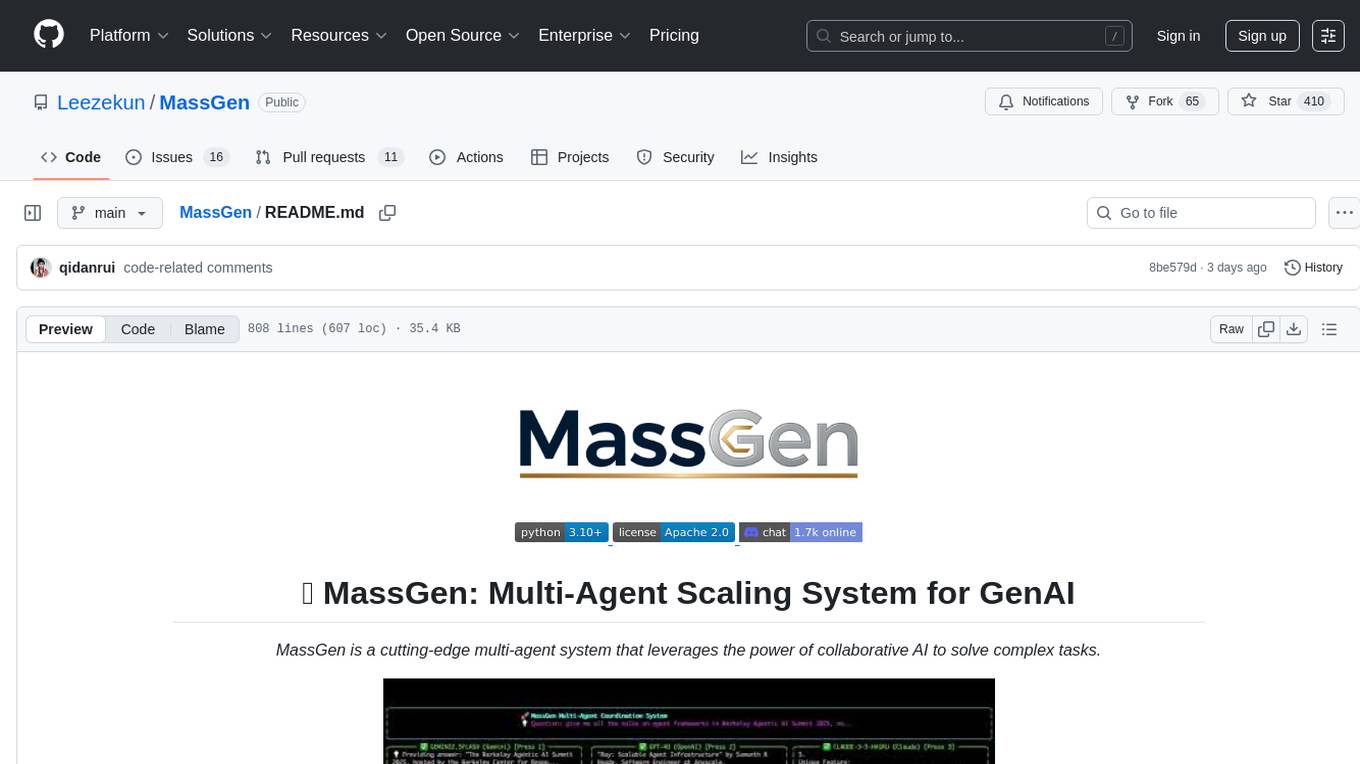
MassGen
MassGen is a cutting-edge multi-agent system that leverages the power of collaborative AI to solve complex tasks. It assigns a task to multiple AI agents who work in parallel, observe each other's progress, and refine their approaches to converge on the best solution to deliver a comprehensive and high-quality result. The system operates through an architecture designed for seamless multi-agent collaboration, with key features including cross-model/agent synergy, parallel processing, intelligence sharing, consensus building, and live visualization. Users can install the system, configure API settings, and run MassGen for various tasks such as question answering, creative writing, research, development & coding tasks, and web automation & browser tasks. The roadmap includes plans for advanced agent collaboration, expanded model, tool & agent integration, improved performance & scalability, enhanced developer experience, and a web interface.
probe
Probe is an AI-friendly, fully local, semantic code search tool designed to power the next generation of AI coding assistants. It combines the speed of ripgrep with the code-aware parsing of tree-sitter to deliver precise results with complete code blocks, making it perfect for large codebases and AI-driven development workflows. Probe is fully local, keeping code on the user's machine without relying on external APIs. It supports multiple languages, offers various search options, and can be used in CLI mode, MCP server mode, AI chat mode, and web interface. The tool is designed to be flexible, fast, and accurate, providing developers and AI models with full context and relevant code blocks for efficient code exploration and understanding.
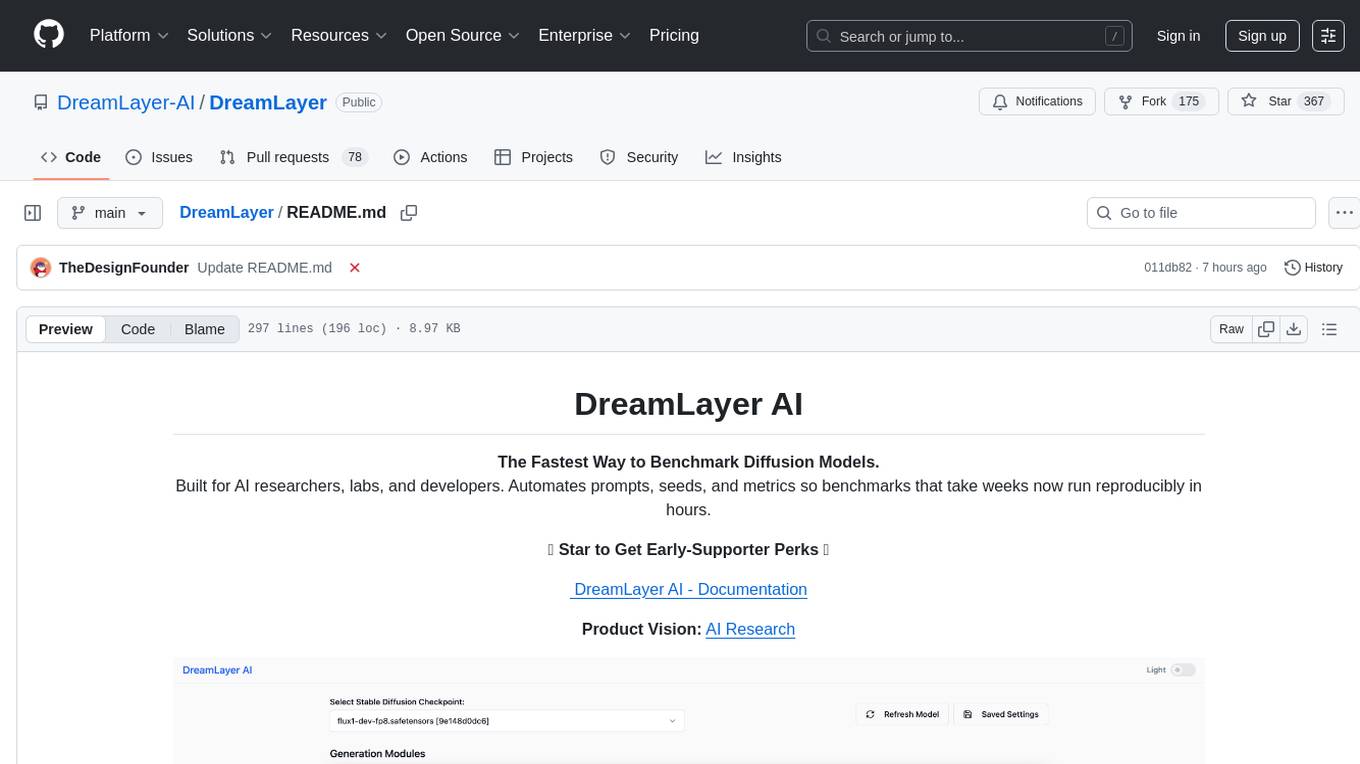
DreamLayer
DreamLayer AI is an open-source Stable Diffusion WebUI designed for AI researchers, labs, and developers. It automates prompts, seeds, and metrics for benchmarking models, datasets, and samplers, enabling reproducible evaluations across multiple seeds and configurations. The tool integrates custom metrics and evaluation pipelines, providing a streamlined workflow for AI research. With features like automated benchmarking, reproducibility, built-in metrics, multi-modal readiness, and researcher-friendly interface, DreamLayer AI aims to simplify and accelerate the model evaluation process.
For similar tasks
ocmonitor-share
OpenCode Monitor is a CLI tool designed for monitoring and analyzing OpenCode AI coding sessions. It provides comprehensive analytics, real-time monitoring, and professional reporting capabilities. The tool offers features such as professional analytics with detailed reports, cost tracking, model analytics, project analytics, performance metrics, and flexible week boundaries. It also supports storage in SQLite database format, legacy file support, and hierarchical sessions display. The tool features a beautiful user interface with rich terminal UI, progress bars, color coding, live dashboard, and session time tracking. Additionally, it allows data export in CSV and JSON formats, and offers various types of reports. OpenCode Monitor is highly configurable through a configuration file and supports remote pricing updates from models.dev for new models. The tool is suitable for individual developers, development teams, and organizations to manage costs, optimize usage, monitor performance, and track AI resources.
mage-ai
Mage is an open-source data pipeline tool for transforming and integrating data. It offers an easy developer experience, engineering best practices built-in, and data as a first-class citizen. Mage makes it easy to build, preview, and launch data pipelines, and provides observability and scaling capabilities. It supports data integrations, streaming pipelines, and dbt integration.
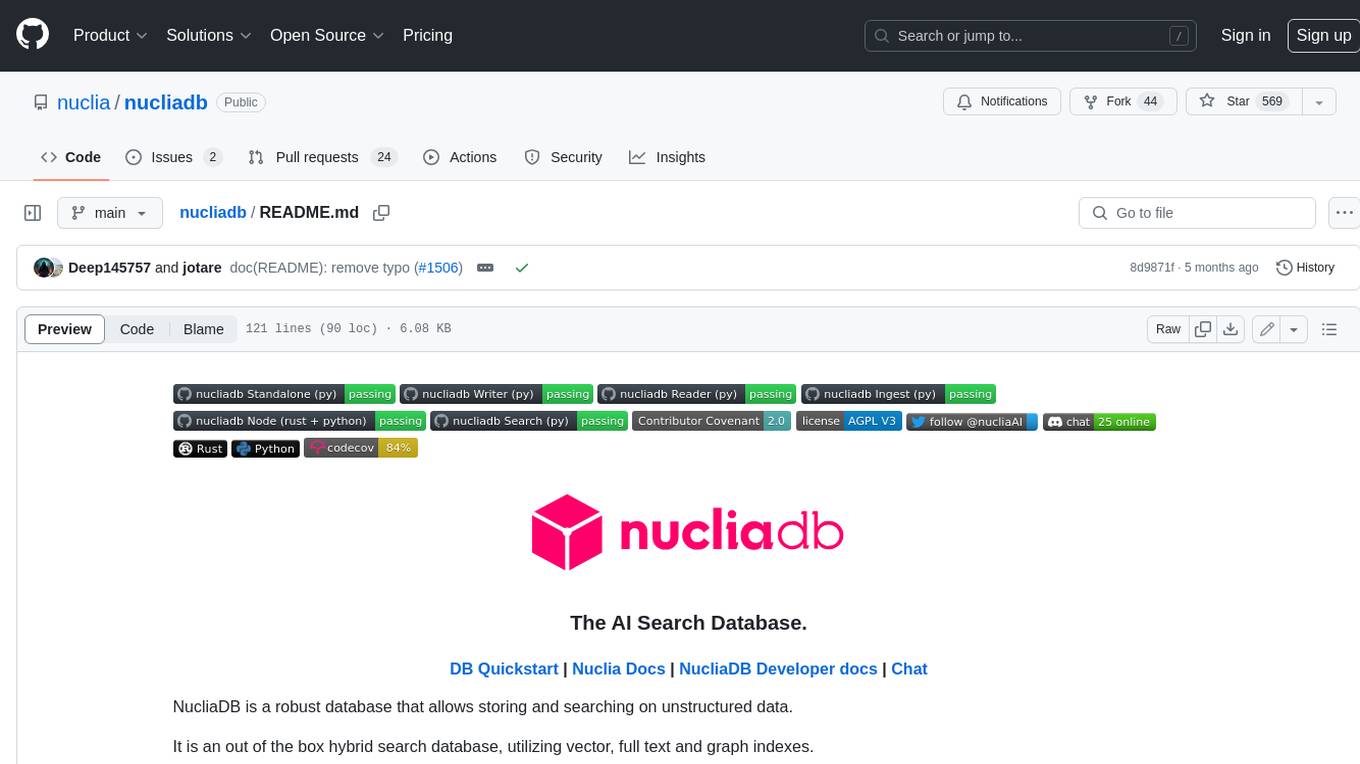
nucliadb
NucliaDB is a robust database that allows storing and searching on unstructured data. It is an out of the box hybrid search database, utilizing vector, full text and graph indexes. NucliaDB is written in Rust and Python. We designed it to index large datasets and provide multi-teanant support. When utilizing NucliaDB with Nuclia cloud, you are able to the power of an NLP database without the hassle of data extraction, enrichment and inference. We do all the hard work for you.
LLMstudio
LLMstudio by TensorOps is a platform that offers prompt engineering tools for accessing models from providers like OpenAI, VertexAI, and Bedrock. It provides features such as Python Client Gateway, Prompt Editing UI, History Management, and Context Limit Adaptability. Users can track past runs, log costs and latency, and export history to CSV. The tool also supports automatic switching to larger-context models when needed. Coming soon features include side-by-side comparison of LLMs, automated testing, API key administration, project organization, and resilience against rate limits. LLMstudio aims to streamline prompt engineering, provide execution history tracking, and enable effortless data export, offering an evolving environment for teams to experiment with advanced language models.
CyberScraper-2077
CyberScraper 2077 is an advanced web scraping tool powered by AI, designed to extract data from websites with precision and style. It offers a user-friendly interface, supports multiple data export formats, operates in stealth mode to avoid detection, and promises lightning-fast scraping. The tool respects ethical scraping practices, including robots.txt and site policies. With upcoming features like proxy support and page navigation, CyberScraper 2077 is a futuristic solution for data extraction in the digital realm.
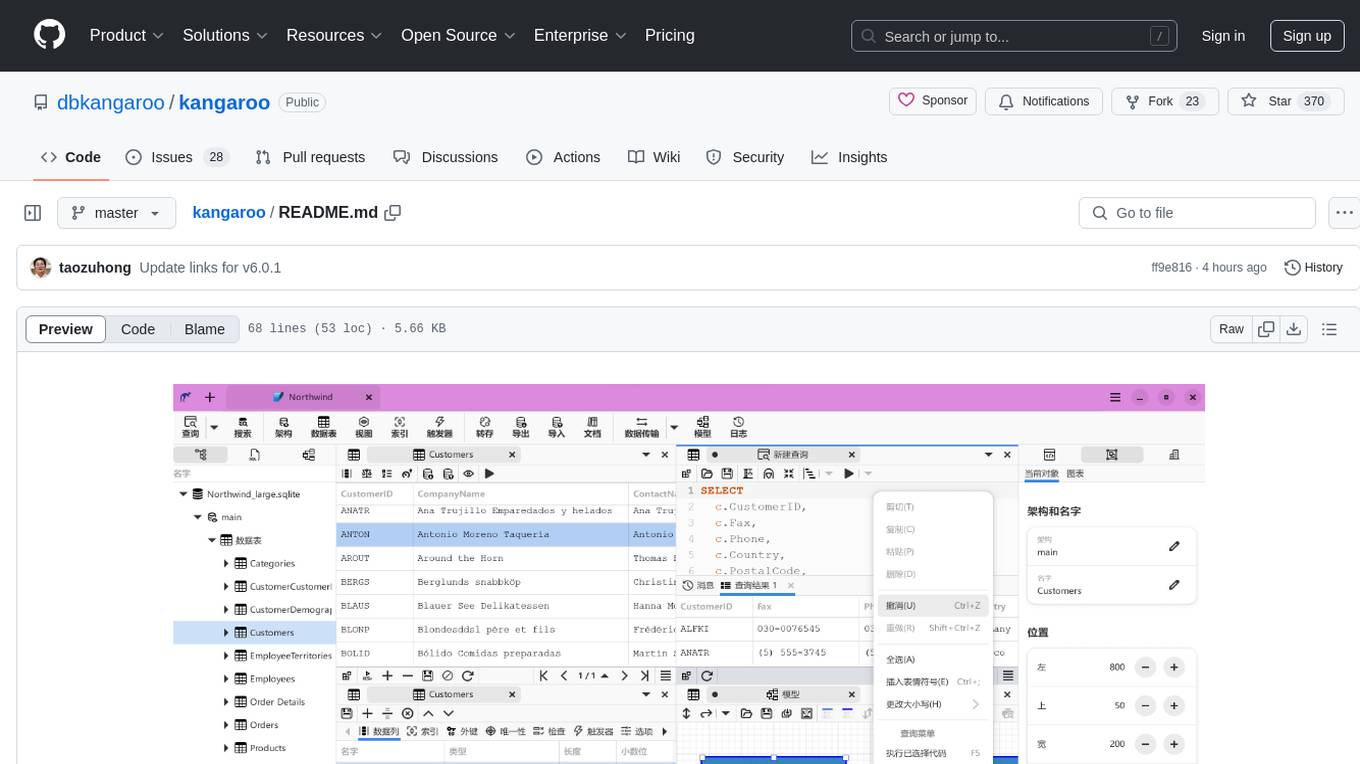
kangaroo
Kangaroo is an AI-powered SQL client and admin tool for popular databases like SQLite, MySQL, PostgreSQL, etc. It supports various functionalities such as table design, query, model, sync, export/import, and more. The tool is designed to be comfortable, fun, and developer-friendly, with features like code intellisense and autocomplete. Kangaroo aims to provide a seamless experience for database management across different operating systems.
emdash
Emdash is an AI-powered tool designed to help users organize text snippets for better retention and learning. It utilizes on-device AI analysis to identify passages with similar ideas from different authors, offers instant semantic search capabilities, allows users to tag, rate, note, and reflect on content, and enables exporting to epub format for e-reader review. Users can also discover forgotten ideas through random exploration, rephrase concepts using metaphors, and import highlights from Kindle or other sources. Emdash is open-source, offline-first, and supports various data formats for import and export.
pennywiseai-tracker
PennyWise AI Tracker is a free and open-source expense tracker that uses on-device AI to turn bank SMS into a clean and searchable money timeline. It offers smart SMS parsing, clear insights, subscription tracking, on-device AI assistant, auto-categorization, data export, and supports major Indian banks. All processing happens on the user's device for privacy. The tool is designed for Android users in India who want automatic expense tracking from bank SMS, with clean categories, subscription detection, and clear insights.
For similar jobs

sweep
Sweep is an AI junior developer that turns bugs and feature requests into code changes. It automatically handles developer experience improvements like adding type hints and improving test coverage.

teams-ai
The Teams AI Library is a software development kit (SDK) that helps developers create bots that can interact with Teams and Microsoft 365 applications. It is built on top of the Bot Framework SDK and simplifies the process of developing bots that interact with Teams' artificial intelligence capabilities. The SDK is available for JavaScript/TypeScript, .NET, and Python.

ai-guide
This guide is dedicated to Large Language Models (LLMs) that you can run on your home computer. It assumes your PC is a lower-end, non-gaming setup.

classifai
Supercharge WordPress Content Workflows and Engagement with Artificial Intelligence. Tap into leading cloud-based services like OpenAI, Microsoft Azure AI, Google Gemini and IBM Watson to augment your WordPress-powered websites. Publish content faster while improving SEO performance and increasing audience engagement. ClassifAI integrates Artificial Intelligence and Machine Learning technologies to lighten your workload and eliminate tedious tasks, giving you more time to create original content that matters.

chatbot-ui
Chatbot UI is an open-source AI chat app that allows users to create and deploy their own AI chatbots. It is easy to use and can be customized to fit any need. Chatbot UI is perfect for businesses, developers, and anyone who wants to create a chatbot.

BricksLLM
BricksLLM is a cloud native AI gateway written in Go. Currently, it provides native support for OpenAI, Anthropic, Azure OpenAI and vLLM. BricksLLM aims to provide enterprise level infrastructure that can power any LLM production use cases. Here are some use cases for BricksLLM: * Set LLM usage limits for users on different pricing tiers * Track LLM usage on a per user and per organization basis * Block or redact requests containing PIIs * Improve LLM reliability with failovers, retries and caching * Distribute API keys with rate limits and cost limits for internal development/production use cases * Distribute API keys with rate limits and cost limits for students

uAgents
uAgents is a Python library developed by Fetch.ai that allows for the creation of autonomous AI agents. These agents can perform various tasks on a schedule or take action on various events. uAgents are easy to create and manage, and they are connected to a fast-growing network of other uAgents. They are also secure, with cryptographically secured messages and wallets.

griptape
Griptape is a modular Python framework for building AI-powered applications that securely connect to your enterprise data and APIs. It offers developers the ability to maintain control and flexibility at every step. Griptape's core components include Structures (Agents, Pipelines, and Workflows), Tasks, Tools, Memory (Conversation Memory, Task Memory, and Meta Memory), Drivers (Prompt and Embedding Drivers, Vector Store Drivers, Image Generation Drivers, Image Query Drivers, SQL Drivers, Web Scraper Drivers, and Conversation Memory Drivers), Engines (Query Engines, Extraction Engines, Summary Engines, Image Generation Engines, and Image Query Engines), and additional components (Rulesets, Loaders, Artifacts, Chunkers, and Tokenizers). Griptape enables developers to create AI-powered applications with ease and efficiency.