


peon-ping
Warcraft III Peon voice notifications (+ more!) for Claude Code, Codex, IDEs, and any AI agent. Stop babysitting your terminal. Employ a Peon today.
Stars: 2421
peon-ping is a tool designed to provide voice lines from popular game characters when your AI coding agent needs attention or to let the agent choose its own sound via MCP. It aims to solve the issue of losing focus when coding agents don't notify you. It works with various AI coding agents like Claude Code, Codex, Cursor, OpenCode, Kilo CLI, Kiro, Windsurf, Google Antigravity, and more. The tool implements the Coding Event Sound Pack Specification (CESP) and offers features like quick controls, configuration settings, Peon Trainer for exercise reminders, MCP server for AI agents to play sounds, multi-IDE support with adapters, remote development support, mobile notifications, and various sound packs for customization.
README:
English | 中文











Game character voice lines when your AI coding agent needs attention — or let the agent pick its own sound via MCP.
AI coding agents don't notify you when they finish or need permission. You tab away, lose focus, and waste 15 minutes getting back into flow. peon-ping fixes this with voice lines from Warcraft, StarCraft, Portal, Zelda, and more — works with Claude Code, Codex, Cursor, OpenCode, Kilo CLI, Kiro, Windsurf, Google Antigravity, and any MCP client.
See it in action → peonping.com
- Install
- What you'll hear
- Quick controls
- Configuration
- Peon Trainer
- MCP server
- Multi-IDE support
- Remote development
- Mobile notifications
- Sound packs
- Uninstall
- Requirements
- How it works
- Links
brew install PeonPing/tap/peon-pingThen run peon-ping-setup to register hooks and download sound packs. macOS and Linux.
curl -fsSL https://raw.githubusercontent.com/PeonPing/peon-ping/main/install.sh | bashInvoke-WebRequest -Uri "https://raw.githubusercontent.com/PeonPing/peon-ping/main/install.ps1" -UseBasicParsing | Invoke-ExpressionInstalls 5 curated packs by default (Warcraft, StarCraft, Portal). Re-run to update while preserving config/state. Or pick your packs interactively at peonping.com and get a custom install command.
Useful installer flags:
-
--all— install all available packs -
--packs=peon,sc_kerrigan,...— install specific packs only -
--local— install packs and config into./.claude/for the current project (hooks are always registered globally in~/.claude/settings.json) -
--global— explicit global install (same as default) -
--init-local-config— create./.claude/hooks/peon-ping/config.jsononly
--local does not modify your shell rc files (no global peon alias/completion injection). Hooks are always written to the global ~/.claude/settings.json with absolute paths so they work from any project directory.
Examples:
curl -fsSL https://raw.githubusercontent.com/PeonPing/peon-ping/main/install.sh | bash -s -- --all
curl -fsSL https://raw.githubusercontent.com/PeonPing/peon-ping/main/install.sh | bash -s -- --packs=peon,sc_kerrigan
curl -fsSL https://raw.githubusercontent.com/PeonPing/peon-ping/main/install.sh | bash -s -- --local
If a global install exists and you install local (or vice versa), the installer prompts you to remove the existing one to avoid conflicts.
git clone https://github.com/PeonPing/peon-ping.git
cd peon-ping
./install.sh| Event | CESP Category | Examples |
|---|---|---|
| Session starts | session.start |
"Ready to work?", "Yes?", "What you want?" |
| Task finishes | task.complete |
"Work, work.", "I can do that.", "Okie dokie." |
| Permission needed | input.required |
"Something need doing?", "Hmm?", "What you want?" |
| Tool or command error | task.error |
"I can't do that.", "Son of a bitch!" |
| Agent acknowledged task | task.acknowledge |
"I read you.", "On it." (disabled by default) |
| Rate or token limit hit | resource.limit |
"Zug zug." (pack dependent) |
| Rapid prompts (3+ in 10s) | user.spam |
"Me busy, leave me alone!" |
Plus Terminal tab titles (● project: done) and desktop notifications when your terminal isn't focused.
peon-ping implements the Coding Event Sound Pack Specification (CESP) — an open standard for coding event sounds that any agentic IDE can adopt.
Need to mute sounds and notifications during a meeting or pairing session? Two options:
| Method | Command | When |
|---|---|---|
| Slash command | /peon-ping-toggle |
While working in Claude Code |
| CLI | peon toggle |
From any terminal tab |
Other CLI commands:
peon pause                # Mute sounds
peon resume               # Unmute sounds
peon status               # Check if paused or active
peon volume               # Show current volume
peon volume 0.7           # Set volume (0.0–1.0)
peon rotation             # Show current rotation mode
peon rotation random      # Set rotation mode (random|round-robin|agentskill)
peon packs list           # List installed sound packs
peon packs list --registry # Browse all available packs in the registry
peon packs install <p1,p2> # Install packs from the registry
peon packs install --all  # Install all packs from the registry
peon packs use <name>     # Switch to a specific pack
peon packs use --install <name>  # Switch to pack, installing from registry if needed
peon packs next           # Cycle to the next pack
peon packs remove <p1,p2> # Remove specific packs
peon notifications on     # Enable desktop notifications
peon notifications off    # Disable desktop notifications
peon notifications overlay   # Use large overlay banners (default)
peon notifications standard  # Use standard system notifications
peon notifications test      # Send a test notification
peon preview              # Play all sounds from session.start
peon preview <category>   # Play all sounds from a specific category
peon preview --list       # List all categories in the active pack
peon mobile ntfy <topic>  # Set up phone notifications (free)
peon mobile off           # Disable phone notifications
peon mobile test          # Send a test notification
peon relay --daemon       # Start audio relay (for SSH/devcontainer)
peon relay --stop         # Stop background relay
Available CESP categories for peon preview: session.start, task.acknowledge, task.complete, task.error, input.required, resource.limit, user.spam. (Extended categories session.end and task.progress are defined in the CESP spec and supported by pack manifests, but not currently triggered by built-in hook events.)
Tab completion is supported — type peon packs use <TAB> to see available pack names.
Pausing mutes sounds and desktop notifications instantly. Persists across sessions until you resume. Tab titles remain active when paused.
peon-ping installs two slash commands in Claude Code:
-
/peon-ping-toggle— mute/unmute sounds -
/peon-ping-config— change any setting (volume, packs, categories, etc.)
You can also just ask Claude to change settings for you — e.g. "enable round-robin pack rotation", "set volume to 0.3", or "add glados to my pack rotation". No need to edit config files manually.
Config location depends on install mode:
- Global install:
$CLAUDE_CONFIG_DIR/hooks/peon-ping/config.json(default~/.claude/hooks/peon-ping/config.json) - Local install:
./.claude/hooks/peon-ping/config.json
{
  "volume": 0.5,
  "categories": {
    "session.start": true,
    "task.acknowledge": true,
    "task.complete": true,
    "task.error": true,
    "input.required": true,
    "resource.limit": true,
    "user.spam": true
  }
}- volume: 0.0–1.0 (quiet enough for the office)
-
desktop_notifications:
true/false— toggle desktop notification popups independently from sounds (default:true) -
notification_style:
"overlay"or"standard"— controls how desktop notifications appear (default:"overlay")- overlay: large, visible banners — JXA Cocoa overlay on macOS, Windows Forms popup on WSL
-
standard: system notifications —
osascript/terminal-notifieron macOS, Windows toast on WSL
-
categories: Toggle individual CESP sound categories on/off (e.g.
"session.start": falseto disable greeting sounds) -
annoyed_threshold / annoyed_window_seconds: How many prompts in N seconds triggers the
user.spameaster egg -
silent_window_seconds: Suppress
task.completesounds and notifications for tasks shorter than N seconds. (e.g.10to only hear sounds for tasks that take longer than 10 seconds) -
pack_rotation: Array of pack names (e.g.
["peon", "sc_kerrigan", "peasant"]). Used whenpack_rotation_modeisrandomorround-robin; also lists valid packs foragentskillmode. Leave empty[]to useactive_packonly. -
pack_rotation_mode:
"random"(default),"round-robin", or"agentskill". Withrandom/round-robin, each session picks one pack frompack_rotation. Withagentskill, the/peon-ping-use <pack>command assigns a pack per session. Invalid or missing packs fall back toactive_packand the stale assignment is removed. -
session_ttl_days (number, default: 7): Expire stale per-session pack assignments older than N days. Keeps
.state.jsonfrom growing unbounded when usingagentskillmode.
Your peon is also your personal trainer. Built-in Pavel-style daily exercise mode — the same orc who tells you "work work" now tells you to drop and give him twenty.
peon trainer on              # enable trainer
peon trainer goal 200        # set daily goal (default: 300/300)
# ... code for a while, peon nags you every ~20 min ...
peon trainer log 25 pushups  # log what you did
peon trainer log 30 squats
peon trainer status # check progressTrainer reminders piggyback on your coding session. When you start a new session, the peon immediately encourages you to start strong with pushups before you write any code. Then every ~20 minutes of active coding, you'll hear the peon yelling at you to do more reps. No background daemon needed. Log your reps with peon trainer log, and progress resets automatically at midnight.
| Command | Description |
|---|---|
peon trainer on |
Enable trainer mode |
peon trainer off |
Disable trainer mode |
peon trainer status |
Show today's progress |
peon trainer log <n> <exercise> |
Log reps (e.g. log 25 pushups) |
peon trainer goal <n> |
Set goal for all exercises |
peon trainer goal <exercise> <n> |
Set goal for one exercise |
In Claude Code, you can log reps without leaving your conversation:
/peon-ping-log 25 pushups
/peon-ping-log 30 squats
Drop your own audio files into ~/.claude/hooks/peon-ping/trainer/sounds/:
trainer/sounds/session_start/  # session greeting ("Pushups first, code second! Zug zug!")
trainer/sounds/remind/         # reminder lines ("Something need doing? YES. PUSHUPS.")
trainer/sounds/log/            # acknowledgment ("Work work! Muscles getting bigger maybe!")
trainer/sounds/complete/       # celebration ("Zug zug! Human finish all reps!")
trainer/sounds/slacking/       # disappointment ("Peon very disappointed.")
Update trainer/manifest.json to register your sound files.
peon-ping includes an MCP (Model Context Protocol) server so any MCP-compatible AI agent can play sounds directly via tool calls — no hooks required.
The key difference: the agent chooses the sound. Instead of automatically playing a fixed sound on every event, the agent calls play_sound with exactly what it wants — duke_nukem/SonOfABitch when a build fails, sc_kerrigan/IReadYou when reading files.
Add to your MCP client config (Claude Desktop, Cursor, etc.):
{
  "mcpServers": {
    "peon-ping": {
      "command": "node",
      "args": ["/path/to/peon-ping/mcp/peon-mcp.js"]
    }
  }
}
If installed via Homebrew: $(brew --prefix peon-ping)/libexec/mcp/peon-mcp.js. See mcp/README.md for full setup instructions.
| Feature | Description |
|---|---|
play_sound |
Play one or more sounds by key (e.g. duke_nukem/SonOfABitch, peon/PeonReady1) |
peon-ping://catalog |
Full pack catalog as an MCP Resource — client prefetches once, no repeated tool calls |
peon-ping://pack/{name} |
Individual pack details and available sound keys |
Requires Node.js 18+. Contributed by @tag-assistant.
peon-ping works with any agentic IDE that supports hooks. Adapters translate IDE-specific events to the CESP standard.
| IDE | Status | Setup |
|---|---|---|
| Claude Code | Built-in |
curl | bash install handles everything |
| OpenAI Codex | Adapter | Add notify = ["bash", "/absolute/path/to/.claude/hooks/peon-ping/adapters/codex.sh"] to ~/.codex/config.toml
|
| Cursor | Built-in |
curl | bash or peon-ping-setup auto-detects and registers Cursor hooks |
| OpenCode | Adapter |
curl -fsSL https://raw.githubusercontent.com/PeonPing/peon-ping/main/adapters/opencode.sh | bash (setup) |
| Kilo CLI | Adapter |
curl -fsSL https://raw.githubusercontent.com/PeonPing/peon-ping/main/adapters/kilo.sh | bash (setup) |
| Kiro | Adapter | Add hook entries to ~/.kiro/agents/peon-ping.json pointing to adapters/kiro.sh (setup) |
| Windsurf | Adapter | Add hook entries to ~/.codeium/windsurf/hooks.json pointing to adapters/windsurf.sh (setup) |
| Google Antigravity | Adapter |
bash ~/.claude/hooks/peon-ping/adapters/antigravity.sh (requires fswatch: brew install fswatch) |
| OpenClaw | Adapter | Call adapters/openclaw.sh <event> from your OpenClaw skill. Supports all CESP categories and raw Claude Code event names. |
A native TypeScript plugin for OpenCode with full CESP v1.0 conformance.
Quick install:
curl -fsSL https://raw.githubusercontent.com/PeonPing/peon-ping/main/adapters/opencode.sh | bashThe installer copies peon-ping.ts to ~/.config/opencode/plugins/ and creates a config at ~/.config/opencode/peon-ping/config.json. Packs are stored at the shared CESP path (~/.openpeon/packs/).
Features:
-
Sound playback via
afplay(macOS),pw-play/paplay/ffplay(Linux) — same priority chain as the shell hook -
CESP event mapping —
session.created/session.idle/session.error/permission.asked/ rapid prompt detection all map to standard CESP categories -
Desktop notifications — large overlay banners by default (JXA Cocoa, visible on all screens), or standard notifications via
terminal-notifier/osascript. Fires only when the terminal is not focused. - Terminal focus detection — checks if your terminal app (Terminal, iTerm2, Warp, Alacritty, kitty, WezTerm, ghostty, Hyper) is frontmost via AppleScript before sending notifications
-
Tab titles — updates the terminal tab to show task status (
● project: working.../✓ project: done/✗ project: error) -
Pack switching — reads
active_packfrom config, loads the pack'sopenpeon.jsonmanifest at runtime - No-repeat logic — avoids playing the same sound twice in a row per category
-
Spam detection — detects 3+ rapid prompts within 10 seconds, triggers
user.spamvoice lines
🖼️ Screenshot: desktop notifications with custom peon icon
Tip: Install
terminal-notifier(brew install terminal-notifier) for richer notifications with subtitle and grouping support.
🎨 Optional: custom peon icon for notifications
By default, terminal-notifier shows a generic Terminal icon. The included script replaces it with the peon icon using built-in macOS tools (sips + iconutil) — no extra dependencies.
bash <(curl -fsSL https://raw.githubusercontent.com/PeonPing/peon-ping/main/adapters/opencode/setup-icon.sh)Or if installed locally (Homebrew / git clone):
bash ~/.claude/hooks/peon-ping/adapters/opencode/setup-icon.shThe script auto-finds the peon icon (Homebrew libexec, OpenCode config, or Claude hooks dir), generates a proper .icns, backs up the original Terminal.icns, and replaces it. Re-run after brew upgrade terminal-notifier.
Future: When jamf/Notifier ships to Homebrew (#32), the plugin will migrate to it — Notifier has built-in
--rebrandsupport, no icon hacks needed.
A native TypeScript plugin for Kilo CLI with full CESP v1.0 conformance. Kilo CLI is a fork of OpenCode and uses the same plugin system — this installer downloads the OpenCode plugin and patches it for Kilo.
Quick install:
curl -fsSL https://raw.githubusercontent.com/PeonPing/peon-ping/main/adapters/kilo.sh | bashThe installer copies peon-ping.ts to ~/.config/kilo/plugins/ and creates a config at ~/.config/kilo/peon-ping/config.json. Packs are stored at the shared CESP path (~/.openpeon/packs/).
Features: Same as the OpenCode adapter — sound playback, CESP event mapping, desktop notifications, terminal focus detection, tab titles, pack switching, no-repeat logic, and spam detection.
Add to ~/.codeium/windsurf/hooks.json (user-level) or .windsurf/hooks.json (workspace-level):
{
  "hooks": {
    "post_cascade_response": [
      { "command": "bash ~/.claude/hooks/peon-ping/adapters/windsurf.sh post_cascade_response", "show_output": false }
    ],
    "pre_user_prompt": [
      { "command": "bash ~/.claude/hooks/peon-ping/adapters/windsurf.sh pre_user_prompt", "show_output": false }
    ],
    "post_write_code": [
      { "command": "bash ~/.claude/hooks/peon-ping/adapters/windsurf.sh post_write_code", "show_output": false }
    ],
    "post_run_command": [
      { "command": "bash ~/.claude/hooks/peon-ping/adapters/windsurf.sh post_run_command", "show_output": false }
    ]
  }
}Create ~/.kiro/agents/peon-ping.json:
{
  "hooks": {
    "agentSpawn": [
      { "command": "bash ~/.claude/hooks/peon-ping/adapters/kiro.sh" }
    ],
    "userPromptSubmit": [
      { "command": "bash ~/.claude/hooks/peon-ping/adapters/kiro.sh" }
    ],
    "stop": [
      { "command": "bash ~/.claude/hooks/peon-ping/adapters/kiro.sh" }
    ]
  }
}preToolUse/postToolUse are intentionally excluded — they fire on every tool call and would be extremely noisy.
Coding on a remote server or inside a container? peon-ping auto-detects SSH sessions, devcontainers, and Codespaces, then routes audio and notifications through a lightweight relay running on your local machine.
-
On your local machine, start the relay:
peon relay --daemon
-
SSH with port forwarding:
ssh -R 19998:localhost:19998 your-server
-
Install peon-ping on the remote — it auto-detects the SSH session and sends audio requests back through the forwarded port to your local relay.
That's it. Sounds play on your laptop, not the remote server.
No port forwarding needed — peon-ping auto-detects REMOTE_CONTAINERS and CODESPACES environment variables and routes audio to host.docker.internal:19998. Just run peon relay --daemon on your host machine.
peon relay                # Start relay in foreground
peon relay --daemon       # Start in background
peon relay --stop         # Stop background relay
peon relay --status       # Check if relay is running
peon relay --port=12345   # Custom port (default: 19998)
peon relay --bind=0.0.0.0 # Listen on all interfaces (less secure)
Environment variables: PEON_RELAY_PORT, PEON_RELAY_HOST, PEON_RELAY_BIND.
If peon-ping detects an SSH or container session but can't reach the relay, it prints setup instructions on SessionStart.
The relay supports a category-based endpoint that handles sound selection server-side. This is useful for remote machines where peon-ping isn't installed — the remote hook only needs to send a category name, and the relay picks a random sound from the active pack.
Endpoints:
| Endpoint | Description |
|---|---|
GET /health |
Health check (returns "OK") |
GET /play?file=<path> |
Play a specific sound file (legacy) |
GET /play?category=<cat> |
Play random sound from category (recommended) |
POST /notify |
Send desktop notification |
Example remote hook (scripts/remote-hook.sh):
#!/bin/bash
RELAY_URL="${PEON_RELAY_URL:-http://127.0.0.1:19998}"
EVENT=$(cat | python3 -c "import sys,json; d=json.load(sys.stdin); print(d.get('hook_event_name',''))" 2>/dev/null)
case "$EVENT" in
  SessionStart)      CATEGORY="session.start" ;;
  Stop)              CATEGORY="task.complete" ;;
  PermissionRequest) CATEGORY="input.required" ;;
  *)                 exit 0 ;;
esac
curl -sf "${RELAY_URL}/play?category=${CATEGORY}" >/dev/null 2>&1 &
Copy this to your remote machine and register it in ~/.claude/settings.json:
{
  "hooks": {
    "SessionStart": [{"command": "bash /path/to/remote-hook.sh"}],
    "Stop": [{"command": "bash /path/to/remote-hook.sh"}],
    "PermissionRequest": [{"command": "bash /path/to/remote-hook.sh"}]
  }
}
The relay reads config.json on your local machine to get the active pack and volume, loads the pack's manifest, and picks a random sound while avoiding repeats.
Get push notifications on your phone when tasks finish or need attention — useful when you're away from your desk.
- Install the ntfy app on your phone
- Subscribe to a unique topic in the app (e.g.
my-peon-notifications) - Run:
peon mobile ntfy my-peon-notifications
Also supports Pushover and Telegram:
peon mobile pushover <user_key> <app_token>
peon mobile telegram <bot_token> <chat_id>peon mobile on # Enable mobile notifications
peon mobile off # Disable mobile notifications
peon mobile status # Show current config
peon mobile test # Send a test notificationMobile notifications fire on every event regardless of window focus — they're independent from desktop notifications and sounds.
75+ packs across Warcraft, StarCraft, Red Alert, Portal, Zelda, Dota 2, Helldivers 2, Elder Scrolls, and more. The default install includes 5 curated packs:
| Pack | Character | Sounds |
|---|---|---|
peon (default) |
Orc Peon (Warcraft III) | "Ready to work?", "Work, work.", "Okie dokie." |
peasant |
Human Peasant (Warcraft III) | "Yes, milord?", "Job's done!", "Ready, sir." |
sc_kerrigan |
Sarah Kerrigan (StarCraft) | "I gotcha", "What now?", "Easily amused, huh?" |
sc_battlecruiser |
Battlecruiser (StarCraft) | "Battlecruiser operational", "Make it happen", "Engage" |
glados |
GLaDOS (Portal) | "Oh, it's you.", "You monster.", "Your entire team is dead." |
Browse all packs with audio previews → openpeon.com/packs
Install all with --all, or switch packs anytime:
peon packs use glados             # switch to a specific pack
peon packs use --install glados   # install (or update) and switch in one step
peon packs next                   # cycle to the next pack
peon packs list                   # list all installed packs
peon packs list --registry        # browse all available packs
peon packs install glados,murloc  # install specific packs
peon packs install --all          # install every pack in the registry
Want to add your own pack? See the full guide at openpeon.com/create or CONTRIBUTING.md.
macOS/Linux:
bash "${CLAUDE_CONFIG_DIR:-$HOME/.claude}"/hooks/peon-ping/uninstall.sh        # global
bash .claude/hooks/peon-ping/uninstall.sh           # project-local
Windows (PowerShell):
# Standard uninstall (prompts before deleting sounds)
powershell -ExecutionPolicy Bypass -File "$env:USERPROFILE\.claude\hooks\peon-ping\uninstall.ps1"

# Keep sound packs (removes everything else)
powershell -ExecutionPolicy Bypass -File "$env:USERPROFILE\.claude\hooks\peon-ping\uninstall.ps1" -KeepSounds-
macOS —
afplay(built-in), JXA Cocoa overlay or AppleScript for notifications -
Linux — one of:
pw-play,paplay,ffplay,mpv,play(SoX), oraplay;notify-sendfor notifications -
Windows — native PowerShell with
MediaPlayerand WinForms (no WSL required), or WSL2 -
All platforms —
python3(not required for native Windows) -
SSH/remote —
curlon the remote host - IDE — Claude Code with hooks support (or any supported IDE via adapters)
peon.sh is a Claude Code hook registered for SessionStart, SessionEnd, SubagentStart, Stop, Notification, PermissionRequest, PostToolUseFailure, and PreCompact events. On each event:
-
Event mapping — an embedded Python block maps the hook event to a CESP sound category (
session.start,task.complete,input.required, etc.) - Sound selection — picks a random voice line from the active pack's manifest, avoiding repeats
-
Audio playback — plays the sound asynchronously via
afplay(macOS), PowerShellMediaPlayer(WSL2), orpw-play/paplay/ffplay/mpv/aplay(Linux) - Notifications — updates the Terminal tab title and sends a desktop notification if the terminal isn't focused
- Remote routing — in SSH sessions, devcontainers, and Codespaces, audio and notification requests are forwarded over HTTP to a relay server on your local machine
Sound packs are downloaded from the OpenPeon registry at install time. The official packs are hosted in PeonPing/og-packs. Sound files are property of their respective publishers (Blizzard, Valve, EA, etc.) and are distributed under fair use for personal notification purposes.
- @peonping on X — updates and announcements
- peonping.com — landing page
- openpeon.com — CESP spec, pack browser, creation guide
- OpenPeon registry — pack registry (GitHub Pages)
- og-packs — official sound packs
- License (MIT)
- Venmo: @garysheng
- Community Token (DYOR / have fun): Someone created a $PEON token on Base — we receive TX fees which help fund development.
0xf4ba744229afb64e2571eef89aacec2f524e8ba3
For Tasks:
Click tags to check more tools for each tasksFor Jobs:
Alternative AI tools for peon-ping
Similar Open Source Tools
peon-ping
peon-ping is a tool designed to provide voice lines from popular game characters when your AI coding agent needs attention or to let the agent choose its own sound via MCP. It aims to solve the issue of losing focus when coding agents don't notify you. It works with various AI coding agents like Claude Code, Codex, Cursor, OpenCode, Kilo CLI, Kiro, Windsurf, Google Antigravity, and more. The tool implements the Coding Event Sound Pack Specification (CESP) and offers features like quick controls, configuration settings, Peon Trainer for exercise reminders, MCP server for AI agents to play sounds, multi-IDE support with adapters, remote development support, mobile notifications, and various sound packs for customization.
openai-edge-tts
This project provides a local, OpenAI-compatible text-to-speech (TTS) API using `edge-tts`. It emulates the OpenAI TTS endpoint (`/v1/audio/speech`), enabling users to generate speech from text with various voice options and playback speeds, just like the OpenAI API. `edge-tts` uses Microsoft Edge's online text-to-speech service, making it completely free. The project supports multiple audio formats, adjustable playback speed, and voice selection options, providing a flexible and customizable TTS solution for users.
candle-vllm
Candle-vllm is an efficient and easy-to-use platform designed for inference and serving local LLMs, featuring an OpenAI compatible API server. It offers a highly extensible trait-based system for rapid implementation of new module pipelines, streaming support in generation, efficient management of key-value cache with PagedAttention, and continuous batching. The tool supports chat serving for various models and provides a seamless experience for users to interact with LLMs through different interfaces.

LocalAGI
LocalAGI is a powerful, self-hostable AI Agent platform that allows you to design AI automations without writing code. It provides a complete drop-in replacement for OpenAI's Responses APIs with advanced agentic capabilities. With LocalAGI, you can create customizable AI assistants, automations, chat bots, and agents that run 100% locally, without the need for cloud services or API keys. The platform offers features like no-code agents, web-based interface, advanced agent teaming, connectors for various platforms, comprehensive REST API, short & long-term memory capabilities, planning & reasoning, periodic tasks scheduling, memory management, multimodal support, extensible custom actions, fully customizable models, observability, and more.
open-edison
OpenEdison is a secure MCP control panel that connects AI to data/software with additional security controls to reduce data exfiltration risks. It helps address the lethal trifecta problem by providing visibility, monitoring potential threats, and alerting on data interactions. The tool offers features like data leak monitoring, controlled execution, easy configuration, visibility into agent interactions, a simple API, and Docker support. It integrates with LangGraph, LangChain, and plain Python agents for observability and policy enforcement. OpenEdison helps gain observability, control, and policy enforcement for AI interactions with systems of records, existing company software, and data to reduce risks of AI-caused data leakage.
sonarqube-mcp-server
The SonarQube MCP Server is a Model Context Protocol (MCP) server that enables seamless integration with SonarQube Server or Cloud for code quality and security. It supports the analysis of code snippets directly within the agent context. The server provides various tools for analyzing code, managing issues, accessing metrics, and interacting with SonarQube projects. It also supports advanced features like dependency risk analysis, enterprise portfolio management, and system health checks. The server can be configured for different transport modes, proxy settings, and custom certificates. Telemetry data collection can be disabled if needed.
ruler
Ruler is a tool designed to centralize AI coding assistant instructions, providing a single source of truth for managing instructions across multiple AI coding tools. It helps in avoiding inconsistent guidance, duplicated effort, context drift, onboarding friction, and complex project structures by automatically distributing instructions to the right configuration files. With support for nested rule loading, Ruler can handle complex project structures with context-specific instructions for different components. It offers features like centralised rule management, nested rule loading, automatic distribution, targeted agent configuration, MCP server propagation, .gitignore automation, and a simple CLI for easy configuration management.
unity-mcp
MCP for Unity is a tool that acts as a bridge, enabling AI assistants to interact with the Unity Editor via a local MCP Client. Users can instruct their LLM to manage assets, scenes, scripts, and automate tasks within Unity. The tool offers natural language control, powerful tools for asset management, scene manipulation, and automation of workflows. It is extensible and designed to work with various MCP Clients, providing a range of functions for precise text edits, script management, GameObject operations, and more.
python-tgpt
Python-tgpt is a Python package that enables seamless interaction with over 45 free LLM providers without requiring an API key. It also provides image generation capabilities. The name _python-tgpt_ draws inspiration from its parent project tgpt, which operates on Golang. Through this Python adaptation, users can effortlessly engage with a number of free LLMs available, fostering a smoother AI interaction experience.
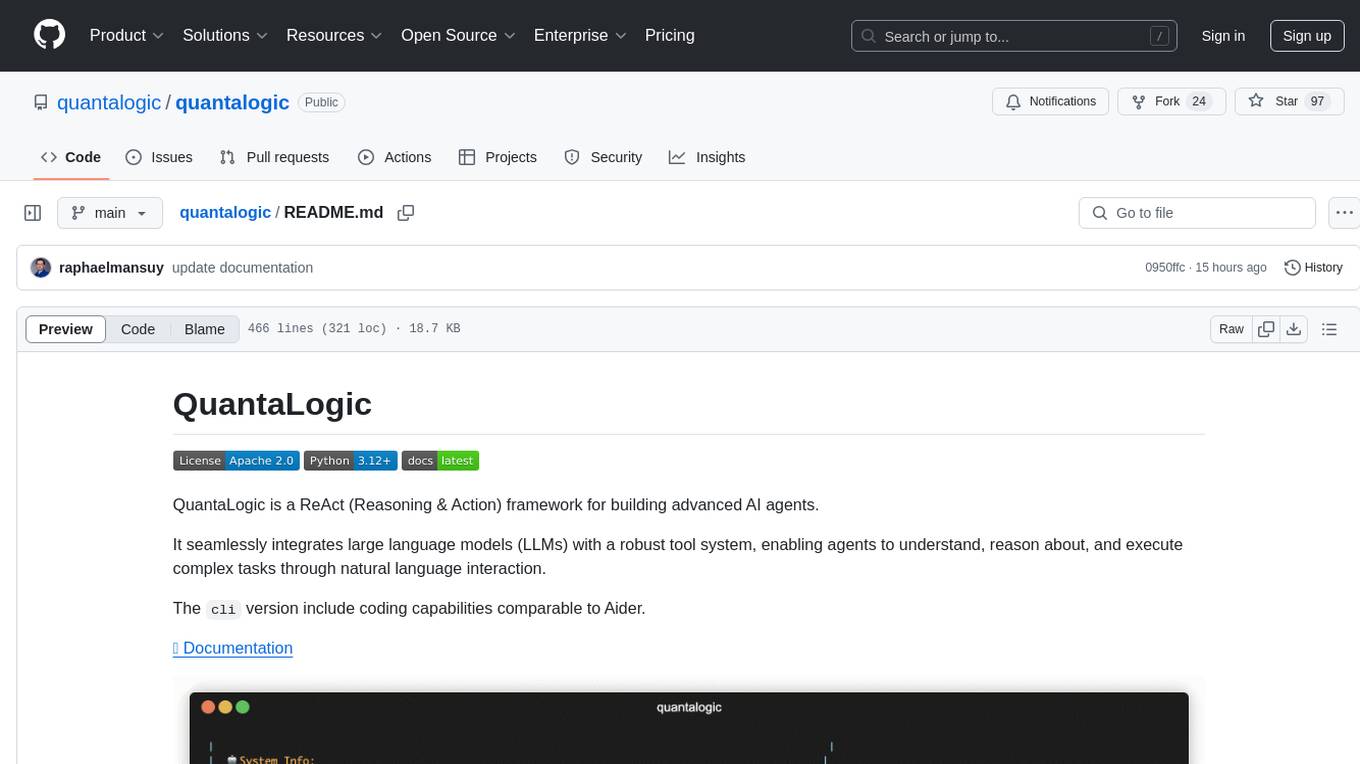
quantalogic
QuantaLogic is a ReAct framework for building advanced AI agents that seamlessly integrates large language models with a robust tool system. It aims to bridge the gap between advanced AI models and practical implementation in business processes by enabling agents to understand, reason about, and execute complex tasks through natural language interaction. The framework includes features such as ReAct Framework, Universal LLM Support, Secure Tool System, Real-time Monitoring, Memory Management, and Enterprise Ready components.
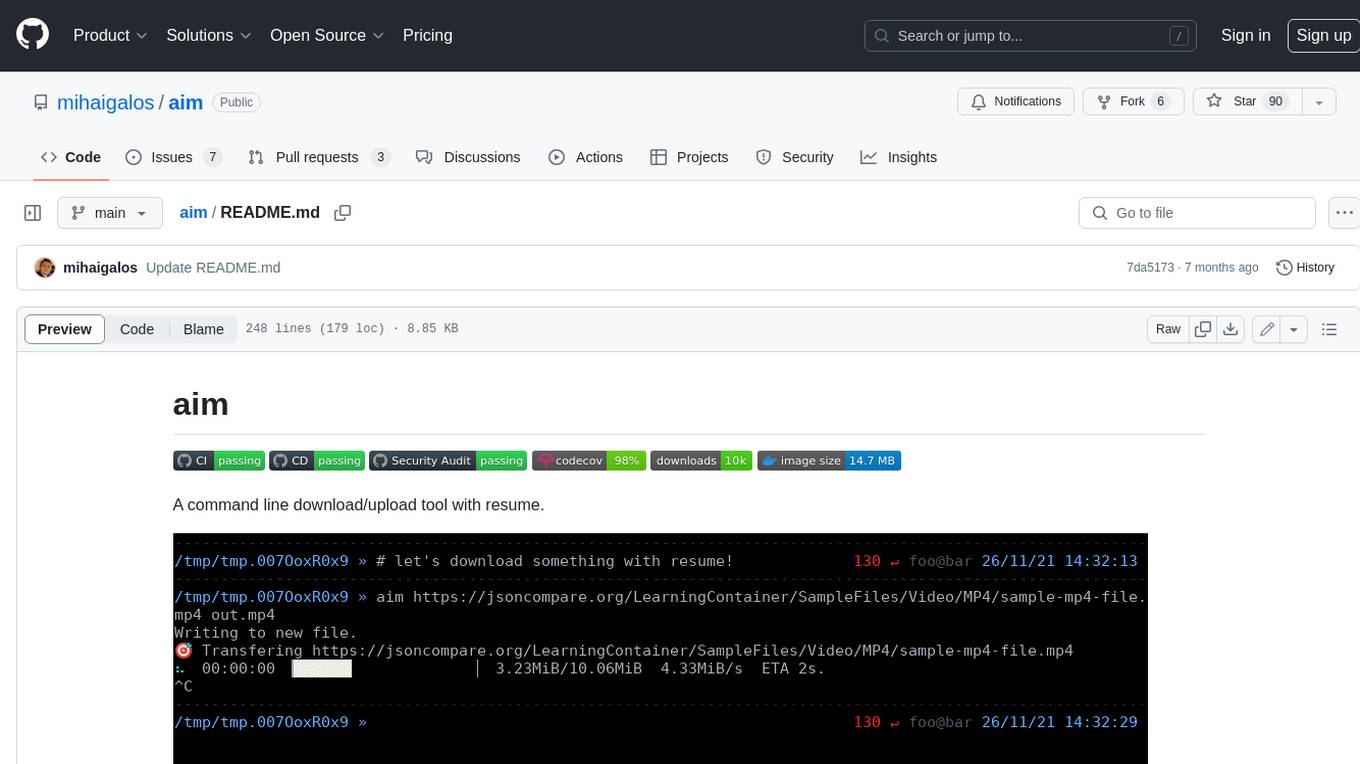
aim
Aim is a command-line tool for downloading and uploading files with resume support. It supports various protocols including HTTP, FTP, SFTP, SSH, and S3. Aim features an interactive mode for easy navigation and selection of files, as well as the ability to share folders over HTTP for easy access from other devices. Additionally, it offers customizable progress indicators and output formats, and can be integrated with other commands through piping. Aim can be installed via pre-built binaries or by compiling from source, and is also available as a Docker image for platform-independent usage.
lingo.dev
Replexica AI automates software localization end-to-end, producing authentic translations instantly across 60+ languages. Teams can do localization 100x faster with state-of-the-art quality, reaching more paying customers worldwide. The tool offers a GitHub Action for CI/CD automation and supports various formats like JSON, YAML, CSV, and Markdown. With lightning-fast AI localization, auto-updates, native quality translations, developer-friendly CLI, and scalability for startups and enterprise teams, Replexica is a top choice for efficient and effective software localization.
obsei
Obsei is an open-source, low-code, AI powered automation tool that consists of an Observer to collect unstructured data from various sources, an Analyzer to analyze the collected data with various AI tasks, and an Informer to send analyzed data to various destinations. The tool is suitable for scheduled jobs or serverless applications as all Observers can store their state in databases. Obsei is still in alpha stage, so caution is advised when using it in production. The tool can be used for social listening, alerting/notification, automatic customer issue creation, extraction of deeper insights from feedbacks, market research, dataset creation for various AI tasks, and more based on creativity.
ai00_server
AI00 RWKV Server is an inference API server for the RWKV language model based upon the web-rwkv inference engine. It supports VULKAN parallel and concurrent batched inference and can run on all GPUs that support VULKAN. No need for Nvidia cards!!! AMD cards and even integrated graphics can be accelerated!!! No need for bulky pytorch, CUDA and other runtime environments, it's compact and ready to use out of the box! Compatible with OpenAI's ChatGPT API interface. 100% open source and commercially usable, under the MIT license. If you are looking for a fast, efficient, and easy-to-use LLM API server, then AI00 RWKV Server is your best choice. It can be used for various tasks, including chatbots, text generation, translation, and Q&A.
docutranslate
Docutranslate is a versatile tool for translating documents efficiently. It supports multiple file formats and languages, making it ideal for businesses and individuals needing quick and accurate translations. The tool uses advanced algorithms to ensure high-quality translations while maintaining the original document's formatting. With its user-friendly interface, Docutranslate simplifies the translation process and saves time for users. Whether you need to translate legal documents, technical manuals, or personal letters, Docutranslate is the go-to solution for all your document translation needs.
hud-python
hud-python is a Python library for creating interactive heads-up displays (HUDs) in video games. It provides a simple and flexible way to overlay information on the screen, such as player health, score, and notifications. The library is designed to be easy to use and customizable, allowing game developers to enhance the user experience by adding dynamic elements to their games. With hud-python, developers can create engaging HUDs that improve gameplay and provide important feedback to players.
For similar tasks
peon-ping
peon-ping is a tool designed to provide voice lines from popular game characters when your AI coding agent needs attention or to let the agent choose its own sound via MCP. It aims to solve the issue of losing focus when coding agents don't notify you. It works with various AI coding agents like Claude Code, Codex, Cursor, OpenCode, Kilo CLI, Kiro, Windsurf, Google Antigravity, and more. The tool implements the Coding Event Sound Pack Specification (CESP) and offers features like quick controls, configuration settings, Peon Trainer for exercise reminders, MCP server for AI agents to play sounds, multi-IDE support with adapters, remote development support, mobile notifications, and various sound packs for customization.
For similar jobs

sweep
Sweep is an AI junior developer that turns bugs and feature requests into code changes. It automatically handles developer experience improvements like adding type hints and improving test coverage.

teams-ai
The Teams AI Library is a software development kit (SDK) that helps developers create bots that can interact with Teams and Microsoft 365 applications. It is built on top of the Bot Framework SDK and simplifies the process of developing bots that interact with Teams' artificial intelligence capabilities. The SDK is available for JavaScript/TypeScript, .NET, and Python.

ai-guide
This guide is dedicated to Large Language Models (LLMs) that you can run on your home computer. It assumes your PC is a lower-end, non-gaming setup.

classifai
Supercharge WordPress Content Workflows and Engagement with Artificial Intelligence. Tap into leading cloud-based services like OpenAI, Microsoft Azure AI, Google Gemini and IBM Watson to augment your WordPress-powered websites. Publish content faster while improving SEO performance and increasing audience engagement. ClassifAI integrates Artificial Intelligence and Machine Learning technologies to lighten your workload and eliminate tedious tasks, giving you more time to create original content that matters.

chatbot-ui
Chatbot UI is an open-source AI chat app that allows users to create and deploy their own AI chatbots. It is easy to use and can be customized to fit any need. Chatbot UI is perfect for businesses, developers, and anyone who wants to create a chatbot.

BricksLLM
BricksLLM is a cloud native AI gateway written in Go. Currently, it provides native support for OpenAI, Anthropic, Azure OpenAI and vLLM. BricksLLM aims to provide enterprise level infrastructure that can power any LLM production use cases. Here are some use cases for BricksLLM: * Set LLM usage limits for users on different pricing tiers * Track LLM usage on a per user and per organization basis * Block or redact requests containing PIIs * Improve LLM reliability with failovers, retries and caching * Distribute API keys with rate limits and cost limits for internal development/production use cases * Distribute API keys with rate limits and cost limits for students

uAgents
uAgents is a Python library developed by Fetch.ai that allows for the creation of autonomous AI agents. These agents can perform various tasks on a schedule or take action on various events. uAgents are easy to create and manage, and they are connected to a fast-growing network of other uAgents. They are also secure, with cryptographically secured messages and wallets.

griptape
Griptape is a modular Python framework for building AI-powered applications that securely connect to your enterprise data and APIs. It offers developers the ability to maintain control and flexibility at every step. Griptape's core components include Structures (Agents, Pipelines, and Workflows), Tasks, Tools, Memory (Conversation Memory, Task Memory, and Meta Memory), Drivers (Prompt and Embedding Drivers, Vector Store Drivers, Image Generation Drivers, Image Query Drivers, SQL Drivers, Web Scraper Drivers, and Conversation Memory Drivers), Engines (Query Engines, Extraction Engines, Summary Engines, Image Generation Engines, and Image Query Engines), and additional components (Rulesets, Loaders, Artifacts, Chunkers, and Tokenizers). Griptape enables developers to create AI-powered applications with ease and efficiency.