


ComfyUI-TBG-ETUR
100MP FLUX Enhanced Tiled Upscaler & Refiner Pro - TBG ETUR delivers AI-powered image enhancement for creators. A pro-grade tool to elevate quality and streamline your workflow. A Comfyui Upscaler
Stars: 63
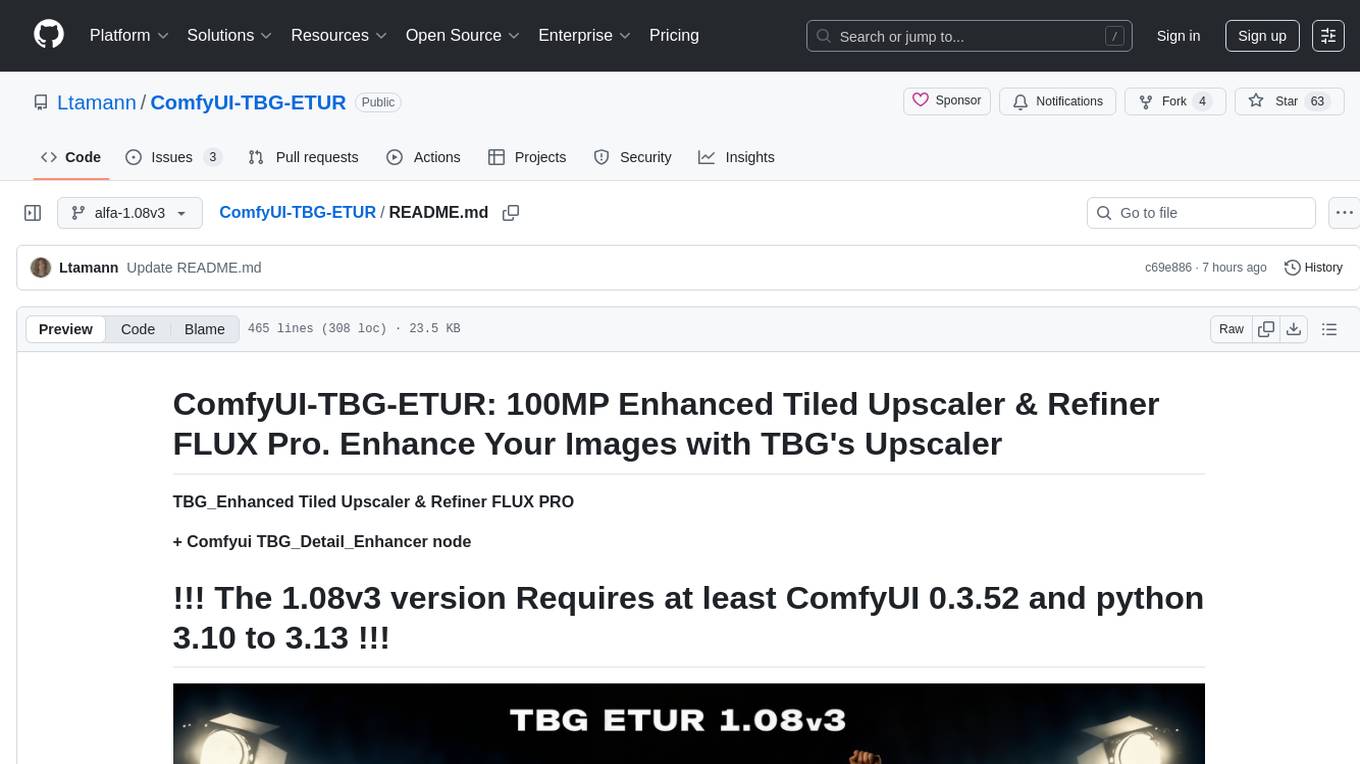
ComfyUI-TBG-ETUR is a repository for TBG Enhanced Tiled Upscaler and Refiner Pro, offering advanced enhancement suite for tiled image generation and refinement in ComfyUI. It introduces neuro generative tile fusion, interactive tile-based editing, and multi-path processing pipelines designed for extreme resolution workflows up to 100MP. The tool applies advanced algorithms for AI image enhancement, high-resolution generation, image polishing, and seamless tile fusion. It features a user-friendly interface and offers PRO features for Patreon supporters. The repository provides tutorials, installation guides, and API access for testing PRO features. Users can enhance images, generate high-resolution visuals, and refine images with fine detail using TBG Enhanced Tiled Upscaler and Refiner Pro.
README:
ComfyUI-TBG-ETUR: 100MP Enhanced Tiled Upscaler & Refiner FLUX Pro. Enhance Your Images with TBG's Upscaler
TBG_Enhanced Tiled Upscaler & Refiner FLUX PRO
+ Comfyui TBG_Detail_Enhancer node
 Keep in mind this is still an alpha version, and we're updating and fine-tuning it daily. So do the same
Tutorials and highlights available at Youtube@TBG_AI).
and at patreon@TB_LAAR).
- Overview
- Early_Access
- Features
- Installation
- API_Access
- Usage
- TBG_Magnific_Magnifier_Node
- Update 1.07 alfa v1
Welcome to ComfyUI-TBG-ETUR repository! TBG Enhanced Tiled Upscaler and Refiner Pro! We at TBG Think. Build. Generate. AI upscaling & image enrichment are excited to make our TBG Enhanced Tiled Upscaler and Refiner Pro available to you.
We’re excited to announce that alpha testing of the PRO version is now live for our Patreon supporters and free community members!
Please help us to find all Bugs and open an issue here !!!
You can download the latest version of our software [here](https://github.com/Ltamann/ComfyUI-TBG-ETUR. !!! Note: This code is updated daily, so stay tuned for bug fixes !!!
Get early access by joining us at: https://www.patreon.com/TB_LAAR
The CE (Community Edition) nodes are free and standalone, suitable for any type of workflow. For access to some PRO features, a TB_LAAR Patreon membership is required. The free version is sufficient for testing and experimenting. Once you become a member, you can obtain your API key: https://api.ylab.es/login.php
TBG Enhanced Tiled Upscaler and Refiner Pro is an advanced, modular enhancement suite for tiled image generation and refinement in ComfyUI. It introduces neuro generative tile fusion, interactive tile-based editing, and multi-path processing pipelines designed for extreme resolution workflows up to but not limitet to 100MP, high fidelity, and adaptive post-generation control.
- AI Image Enhancement: Applies advanced algorithms to improve visual quality.
- High-Resolution Generation: Creates images with greater clarity and fine detail.
- Image Polishing: Enhances visuals for a smooth, finished appearance.
- Neuro-Generative Tile Fusion: Seamlessly fuses image tiles into a coherent whole.
- User-Friendly Interface: CE version built for straightforward and intuitive use, Pro version offers advanced customization.
TBG Enhanced Tiled Upscaler and Refiner Pro introduces tree next-generation tile fusion processes that go far beyond traditional blending:
Choose between adaptive blending strategies compatible with common upscalers like USDU,and others. It intelligently handles tile compositing recommended for low denoise workflows. A quick and solid method for getting consistent, high-quality upscales but limited in x factor.
A novel approach where each tile is generated while considering surrounding tile information — perfect for mid-denoise levels. This enables:
- Context-aware detail consistency
- Smooth transitions across tile borders
- Better handling of textures and patterns
- Better color consistency between Tiles An intermediate option ideal for consistent upscales, focusing all processing on the original image to stay as close as your settings allow. Best used with mid-scale freedom for steady refinement, minimizing hallucinations. For optimal results, keep creativity or denoise below 0.5.
An advanced generative system that remembers newly generated surroundings and adapts subsequent sampling steps accordingly. This makes high-denoise tile refinement possible while maintaining:
- Global consistency / color / strukture/ now need vor blended borders / no seams
- Sharp, coherent details
- Memory of contextual relationships across tiles
- Adds the possibility to generate tiled ultra high res images
- Seamless result's while adding high amount of new details and creative freedom. Ideal for transforming your image into something new and elevated, without simply recreating what was already there.
TBG_Enhanced isn’t just about quality — it’s about flexible, curated, and controlled image refinement, where the art director guides the outcome, not the algorithm.
Quickly generate single-tile previews to fine-tune the right settings before running the full job. Presets adapt intelligently to image dimensions and desired resolution.
You can resample only the tiles you don’t like — no need to regenerate the full image. This allows:
- Precision editing
- Fixing small errors without full reprocessing
Modify or refine individual tiles days later while keeping the original input image and final result. The system supports:
- Saved all single tiles for postproduction
- Re-injection of noise and conditioning over single tiles
TBG_Enhanced is powered by a flexible pipeline architecture built around tile-aware processing paths:
Access prompt and denoise settings per tile. Enables:
- Per-tile Promt editing
- Denoising strength by tile
Control multiple sampling and model-level features:
- Model-side: Use DemonTools for additional detail creation
- Sampler-side: Inject custom noise at specific steps, or apply a noise injection curves to enhance you image in a more creative way.
- Sampler-internal: Enable per-step sampler-side noise injection eta - gives rhe sampler on each step new addition noise to keep reinventing and defining detail
- Built-in noise reduction: A preprocessing step that softly blurs the image before refinement begins, allowing the model more freedom to generate improved results—especially on broken, noisy, overly sharp, or imperfect inputs.
- Optional tile up/downscaling during sampling to scale higher detailed content and extra sharp final image results
Tiled generation now supports unlimited ControlNet inputs per tile, unlocking:
- High-resolution conditioning
- Fine-grained control for large images
- Targeted structure, depth, edge, pose, or segmentation maps for each region
- Fusion Techniques: Smart Merge, Tile Diffusion, NGTF
- Post-editing Tools: One-tile preview, correction, resume-refine
- Pipelines: Prompt / Enrichment / ControlNet Pipes
- Upcoming: Full integration with custom samplers and DreamEdit compatibility
To install the TBG Enhanced Tiled Upscaler and Refiner Pro, follow these steps:
Install from Comfyui Manager:
- Open Manager (In the "config.ini" file located in the ComfyUI\custom_nodes\ComfyUI-Manager\ folder, make sure the security_level is set to weak if it's not already done.)
- select Install missing custom nodes
- search for TGB and install TGB enhancend Upscaler node set or - copy and paste this url: https://github.com/Ltamann/ComfyUI-TBG-ETUR
- Install and Restart ComfyUI
- Download LLM models from https://github.com/deepseek-ai/Janus?tab=readme-ov-file#janus-pro
Janus-Pro-1B and or Janus-Pro-7B
copy Janus-Pro-1B to ...ComfyUI_344\ComfyUI_windows_portable\ComfyUI\models\Janus-Pro\Janus-Pro-1B
copy Janus-Pro-7B to ...ComfyUI_344\ComfyUI_windows_portable\ComfyUI\models\Janus-Pro\Janus-Pro-7B\
Manual Install:
- Download the Software: https://github.com/Ltamann/ComfyUI-TBG-ETUR
- Unpack and Copy to folder: ..\ComfyUI\custom_nodes\
- Install requirements: ..\ComfyUI\custom_nodes\ComfyUI-TBG-ETUR\pip install -r requirements.txt
- Download LLM models from https://github.com/deepseek-ai/Janus?tab=readme-ov-file#janus-pro
Janus-Pro-1B and or Janus-Pro-7B
copy Janus-Pro-1B to ...ComfyUI_344\ComfyUI_windows_portable\ComfyUI\models\Janus-Pro\Janus-Pro-1B
copy Janus-Pro-7B to ...ComfyUI_344\ComfyUI_windows_portable\ComfyUI\models\Janus-Pro\Janus-Pro-7B\
Used models
Hugging Face model download URLs ( for Flux and Redux you need to accept the license before )
https://huggingface.co/lllyasviel/flux1_dev/resolve/main/flux1-dev-fp8.safetensors?download=true
https://huggingface.co/openai/clip-vit-large-patch14/resolve/main/model.safetensors?download=true
If you like to test the PRO feachers get early access by joining us at:
- joining us at: https://www.patreon.com/TB_LAAR
- get your API key from here: https://api.ylab.es/login.php
- add environment variables using TBG_ETUR_API_KEY = your api key

You can paste the API key directly into the TBG Tiler node, but keep in mind that doing so will embed it into your images and workflow metadata, making it easy to share unintentionally. For better security, consider adding the key to your environment variables using TBG_ETUR_API_KEY instead.
check https://youtu.be/fyQRj5nv1IE
Recommended Workflow: Do your setup and testing with PRO features turned OFF, and only enable them for the final steps of your workflow.
Thank you for your support and happy tiling!
- ai-image-processing
- ai-upscaler
- comfyui
- comfyui-node
- comfyui-nodes
- high-resolution
- image-refinement
- image-upscaling
- neuro-generative-tile-fusion
- stable-diffusion
- tbg-enhanced-tiled-upscaler-and-refiner-pro
- tiled-upscaling

The TBG Magnific Magnifier node is an advanced yet simple-to-use enhancement tool designed for tiled image generation and refinement within ComfyUI. It uses cutting-edge neuro-generative tile fusion and multi-path processing pipelines tailored for extreme resolution workflows — supporting images up to (but not limited to) 100 megapixels with high fidelity or high freedom.
The TBG Magnific Magnifier enables multi-step automatic upscaling with very simple, easy-to-use settings like Creativity, Reassemblance, Fractality, and Inventivity, giving users powerful control without complexity.
-
AI Image Enhancement
Applies advanced algorithms to significantly improve image visual quality. -
High-Resolution Generation
Produces images with exceptional clarity and fine detail, even at ultra-high resolutions. -
Image Polishing
Smooths and refines visuals for a clean, professional finish. -
Neuro-Generative Tile Fusion
Seamlessly fuses tiled images into a coherent, artifact-free whole. -
User-Friendly Interface
The CE (Community Edition) offers straightforward and intuitive controls, while the PRO version provides extensive customization options for advanced users.

A tile size multiplier controlling detail randomness during upscaling.
- Lower values: introduce more randomness and abstract patterns.
- Higher values: retain more of the original image’s structure.
Impact:
Fractality determines how much fractal-like detail is generated.
My test settings require around 28GB VRAM during the refinement pass.
If you're not using an RTX 5090, consider lowering Fractality, turning off the refinement pass, or using GGUF/optimization techniques to reduce VRAM usage.
Controls the balance between faithful detail preservation and creative freedom.
- Lower values: yield consistent, refined results that closely follow the input.
- Higher values: allow for reinterpretation, abstract variations, and novel detail generation.
Impact:
Affects how "safe" or "imaginative" the upscale becomes.
Creativity is automatically scaled down during multi-step upscaling to maintain control.
Resharpen
Adds small Detail
Impact:
Inventivity enhances perceived richness in skin, fabric, nature, and more.
🧠 Tip: Prompt phrasing significantly affects Inventivity. In some cases, you may need to lower flux guidance to retain control.
Connects structure consistency to ControlNet, Redux, and IPAdapter features.
- High values: strongly preserve original layout and mega-structures.
- Low values: allow for more freedom and restructuring.
Impact:
Guides structural consistency during multi-step upscaling.
Reassemblance dynamically adapts to Redux/ControlNet inputs.
An optional final step that enhances fine details after the upscale.
- Produces sharper, cleaner, more complete results.
⚠️ Requires significantly more GPU memory than standard steps.
Use with caution if you're on limited VRAM. Consider disabling it or optimizing other parameters to save memory.
The TBG ETUR Magnific Magnifier requires a Pro, Premium, or Unlimited membership. However, you can achieve the same results using the TBG Enhanced Upscaler and Refiner PRO with manual settings and a Free membership.
Whast New in 1.08v3 alfa:
Adaptive Denoise with Complexity Mask (limits freedom on even and uniform regions)
Apple Fast VLM
Per-Pixel Denoise Mask (allows input of a mask to control denoising per pixel, multiplied with the denoise value)
Bug fixes for Generative Tile Fusion (handles cases with only one row or column)
1.08 alfa V1
Adaptive Denoise with Complexity Mask (limits freedom on even and uniform regions)
Apple Fast VLM
Per-Pixel Denoise Mask (allows input of a mask to control denoising per pixel, multiplied with the denoise value)
1.07 alfa V1
We’re working on a new test build of the Tile Prompter and it just got a big update!
- New UI – cleaner and easier to use
-
Per-tile settings – each tile can now store its own:
promptdenoiseseedcnet-strength
-
Preview mode for tiles – test one tile, and if you like the result, apply its values (
seed,denoise,cnet-strength,prompt) to the actual tile - Seed for segments – finally added! Now it feels like a perfect mix of tiled upscaling + inpainting
-
Workflow persistence – inputs (
prompt,denoise,seed,cnet-strength) are saved to the workflow JSON → you won’t lose them when reloading the browser - Smaller tile previews – more compact and efficient
- Qwen 2.5 VL + Skycaptioner V1 support
- Refiner seed handling – copy last used seed; note that the random seed shown is always for the next gen, not the one just used
- Helper nodes added
- Qwen Image Edit support
- Nunchaku support
- Flux Krea support
- Fixed edge cases with tile fusion on 1 row, 1 column, or a single tile
1.06 alfa V2.1 add Python 3.13 support for ComfyUI 0.3.50
1.06 alfa V2
-Added TBG Detail Enhancer node
-Modified TBG Magnific Magnifier and Enrichment Pipeline to include the Detail Enhancer -split inventivity in adddetail and resharpen
1.06 alfa V1
Cleaned up vendor code to reduce namespace conflicts with the ComfyUI manager and custom nodes. Please note that the conflicts shown in the manager are pulled from a static list on the ComfyUI manager’s website and don’t necessarily reflect the actual code installed. I’m also unsure why this node is already listed in the manager’s custom node list, as I never registered it there.
Finetuned Inventivity of TBG Magnific Magnifier
In 1.0.5 versions, external custom nodes were required to inject noise into the sampling process. With the latest Rebuild Inventivity update, this is now integrated directly via the Inventivity slider. The Inventivity slider introduces dynamic noise behavior based on both the Inventivity and Denoise settings. It combines:
- Per-step latent noise injection
- Log-sigma manipulation at the model level
- A poly-exponential curve applied to the sigma tail for controlled creative deviation
The effect is non-linear, meaning low and high values produce very different results:
-
Low Inventivity values (0.1–0.5):
Softens the output while enhancing subtle details. Useful for maintaining realism with light creative variation. -
High Inventivity values (0.6–1.0+):
Sharpens the image and enhances crisp, bold features. Great for stylized results. Results change a lot depending on denoise and cnets ... You can also plug in aFloatnode to push theInventivityvalue above1.0if needed for more experimental outcomes.
TBG Magnific Magnifier's color correction is now responsive to the denoise setting: at high denoise levels, color correction is minimal or disabled; at low denoise levels, full color correction is applied.
TBG Magnific Magnifier now lets you switch between tiled and full-image refinement (full-image mode depends on your GPU memory and works fine for images up to around 3K resolution).
TBG Magnific Magnifier increments the seed for the next pass to prevent pattern overlays caused by using the same noise in all samples (only affects images that are refined without upscaling).
We’ve rebuilt the enrichment pipeline for TBG ETUR, which serves as the foundation for the inventiveness of the TBG Magnific Magnifier. This update introduces the Resharpener to improve image sharpness, a Creative Sigma Tail to boost creativity in later steps, and a remodified ETA value to inject noise into each sampling process. Activating this node will automatically switch the sampler to Euler Ancestral, or to RES2M if the RES4LYF node is installed. The upcoming Tile Upscale Plus will be available in two variations, one featuring a noise-reduction option that blurs input images before upscaling. Both versions upscale tiles in pixel space before sampling—by the specified factor—and then downsample after sampling to the chosen upscale resolution, resulting in finer detail and increased sampling time.
We removed the split-sigma noise injection and latent-space noise injection methods, as both can be used only fot soft-merge sampling. However, they are incompatible with Tile Fusion and Neuro-Generative Tile Fusion so we removed it from the UI.
working on now: testing and rebuilding workflows, searching for bug's ...
whats next: The ETUR denoise map input allows assigning custom denoise levels per object or mask using a grayscale map. This enables a new upscale behavior where you can define high-creativity regions and consistency-focused areas for both tiled and full-image upscales.
1.05 alfa V3
Resolved issues with membership recognition and ComputeUnit calculation Fixed guest user access issues Fixed CE node access for regular users Fixed an error in the TilerNode that occurred when the input image was smaller than the tile size Fixed EnhancementPipe — reduced dependency on external custom nodes by trimming features from DeamonTool and FinerDetails Fixed TBG Magnific Magnifier error related to missing installation of RES4LYF; temporarily replaced RES4LYF's ETA noise injection with DeamonTool
1.05 alfa V2
SDXL and negative conditioning support have been added to the TBG Magnific Magnifier.
1.05 alfa
Added the TBG Magnific Magnifier feature exclusively for Pro users.
Fixed bug causing shadow lines on the last tile rows.
Addressed and resolved all Groq-related bug reports.
We removed the cropped tile approach on the last column and last row — these smaller tiles produced less accurate results due to missing fusion information. Now, all tiles maintain the full tile size for better consistency.
1.04 alfa
New Feature: FLUX KONTEXT Integration in CNETpipe The biggest highlight is the introduction of FLUX KONTEXT, offering a fully adaptive context pipeline that chains and stiches with ControlNetPipe Depth and Canny.
Mask Attention Completely Overhauled Mask Attention has been rewritten from the ground up. It now works across both Pro and Community editions. A new border margin setting lets you fine-tune the mask's outer influence zone, and the segment sampling is now fully neuro-generative fusion capable, providing smoother, more organic blending between segments.
Fusion Fixes & Tile Improvements We've patched several bugs in the Neuro Generative Fusion and Tile Fusion systems. Some users experienced glitches when tile sizes and border areas overlapped teh fusion area - that’s now resolved. Expect cleaner results and better alignment.
Color Glitch Compensation Color artifacts caused by latent encode/decode are now handled much better. A new feature compensates for these VAE latent color glitches. It was generating faint lines along the tile joints when using high denoise settings.
LLM Switching: Janus 1B and Janus 7B Now Supported You can now choose your preferred LLM directly from the node interface. Currently supported: Janus 1B and Janus/B — with more coming soon.
Other Fixes and Tweaks Many small bugs and glitches reported by the community have been addressed — thank you for your feedback! This includes improvements to node stability, UI tweaks, and general robustness across the board.
Give it a spin and let me know how it works for you. Your feedback always helps shape the next version so don’t hesitate to reach out!
New Tile Cache We've updated the cache function for Soft Merge and Tile Fusion. You can now toggle the cache on or off at any time and choose between two modes:
Full Cache Mode: Uses cached images for everything — including input tiles — allowing you to refine over previous refinements.
Fusion-Only Cache Mode: Uses the original input tile but applies cached tiles only for surrounding areas during fusion.
Due to the complex structure of Neuro Generative Tile Fusion (NGTF), the cache feature isn't yet fully effective for repairing individual tiles in NGTF. This is because overlapping areas from one tile don't directly affect the surrounding tiles without recalculating them too, especially when using higher denoise settings, resulting in imperfect blending.
We're actively working to improve this behavior and aim to address it in the next release.
And we add new WORKFLOWS for 1.04 alfa
For Tasks:
Click tags to check more tools for each tasksFor Jobs:
Alternative AI tools for ComfyUI-TBG-ETUR
Similar Open Source Tools
ComfyUI-TBG-ETUR
ComfyUI-TBG-ETUR is a repository for TBG Enhanced Tiled Upscaler and Refiner Pro, offering advanced enhancement suite for tiled image generation and refinement in ComfyUI. It introduces neuro generative tile fusion, interactive tile-based editing, and multi-path processing pipelines designed for extreme resolution workflows up to 100MP. The tool applies advanced algorithms for AI image enhancement, high-resolution generation, image polishing, and seamless tile fusion. It features a user-friendly interface and offers PRO features for Patreon supporters. The repository provides tutorials, installation guides, and API access for testing PRO features. Users can enhance images, generate high-resolution visuals, and refine images with fine detail using TBG Enhanced Tiled Upscaler and Refiner Pro.
nextpy
Nextpy is a cutting-edge software development framework optimized for AI-based code generation. It provides guardrails for defining AI system boundaries, structured outputs for prompt engineering, a powerful prompt engine for efficient processing, better AI generations with precise output control, modularity for multiplatform and extensible usage, developer-first approach for transferable knowledge, and containerized & scalable deployment options. It offers 4-10x faster performance compared to Streamlit apps, with a focus on cooperation within the open-source community and integration of key components from various projects.
deepdoctection
**deep** doctection is a Python library that orchestrates document extraction and document layout analysis tasks using deep learning models. It does not implement models but enables you to build pipelines using highly acknowledged libraries for object detection, OCR and selected NLP tasks and provides an integrated framework for fine-tuning, evaluating and running models. For more specific text processing tasks use one of the many other great NLP libraries. **deep** doctection focuses on applications and is made for those who want to solve real world problems related to document extraction from PDFs or scans in various image formats. **deep** doctection provides model wrappers of supported libraries for various tasks to be integrated into pipelines. Its core function does not depend on any specific deep learning library. Selected models for the following tasks are currently supported: * Document layout analysis including table recognition in Tensorflow with **Tensorpack**, or PyTorch with **Detectron2**, * OCR with support of **Tesseract**, **DocTr** (Tensorflow and PyTorch implementations available) and a wrapper to an API for a commercial solution, * Text mining for native PDFs with **pdfplumber**, * Language detection with **fastText**, * Deskewing and rotating images with **jdeskew**. * Document and token classification with all LayoutLM models provided by the **Transformer library**. (Yes, you can use any LayoutLM-model with any of the provided OCR-or pdfplumber tools straight away!). * Table detection and table structure recognition with **table-transformer**. * There is a small dataset for token classification available and a lot of new tutorials to show, how to train and evaluate this dataset using LayoutLMv1, LayoutLMv2, LayoutXLM and LayoutLMv3. * Comprehensive configuration of **analyzer** like choosing different models, output parsing, OCR selection. Check this notebook or the docs for more infos. * Document layout analysis and table recognition now runs with **Torchscript** (CPU) as well and **Detectron2** is not required anymore for basic inference. * [**new**] More angle predictors for determining the rotation of a document based on **Tesseract** and **DocTr** (not contained in the built-in Analyzer). * [**new**] Token classification with **LiLT** via **transformers**. We have added a model wrapper for token classification with LiLT and added a some LiLT models to the model catalog that seem to look promising, especially if you want to train a model on non-english data. The training script for LayoutLM can be used for LiLT as well and we will be providing a notebook on how to train a model on a custom dataset soon. **deep** doctection provides on top of that methods for pre-processing inputs to models like cropping or resizing and to post-process results, like validating duplicate outputs, relating words to detected layout segments or ordering words into contiguous text. You will get an output in JSON format that you can customize even further by yourself. Have a look at the **introduction notebook** in the notebook repo for an easy start. Check the **release notes** for recent updates. **deep** doctection or its support libraries provide pre-trained models that are in most of the cases available at the **Hugging Face Model Hub** or that will be automatically downloaded once requested. For instance, you can find pre-trained object detection models from the Tensorpack or Detectron2 framework for coarse layout analysis, table cell detection and table recognition. Training is a substantial part to get pipelines ready on some specific domain, let it be document layout analysis, document classification or NER. **deep** doctection provides training scripts for models that are based on trainers developed from the library that hosts the model code. Moreover, **deep** doctection hosts code to some well established datasets like **Publaynet** that makes it easy to experiment. It also contains mappings from widely used data formats like COCO and it has a dataset framework (akin to **datasets** so that setting up training on a custom dataset becomes very easy. **This notebook** shows you how to do this. **deep** doctection comes equipped with a framework that allows you to evaluate predictions of a single or multiple models in a pipeline against some ground truth. Check again **here** how it is done. Having set up a pipeline it takes you a few lines of code to instantiate the pipeline and after a for loop all pages will be processed through the pipeline.
neo
Neo.mjs is a revolutionary Application Engine for the web that offers true multithreading and context engineering, enabling desktop-class UI performance and AI-driven runtime mutation. It is not a framework but a complete runtime and toolchain for enterprise applications, excelling in single page apps and browser-based multi-window applications. With a pioneering Off-Main-Thread architecture, Neo.mjs ensures butter-smooth UI performance by keeping the main thread free for flawless user interactions. The latest version, v11, introduces AI-native capabilities, allowing developers to work with AI agents as first-class partners in the development process. The platform offers a suite of dedicated Model Context Protocol servers that give agents the context they need to understand, build, and reason about the code, enabling a new level of human-AI collaboration.
persian-license-plate-recognition
The Persian License Plate Recognition (PLPR) system is a state-of-the-art solution designed for detecting and recognizing Persian license plates in images and video streams. Leveraging advanced deep learning models and a user-friendly interface, it ensures reliable performance across different scenarios. The system offers advanced detection using YOLOv5 models, precise recognition of Persian characters, real-time processing capabilities, and a user-friendly GUI. It is well-suited for applications in traffic monitoring, automated vehicle identification, and similar fields. The system's architecture includes modules for resident management, entrance management, and a detailed flowchart explaining the process from system initialization to displaying results in the GUI. Hardware requirements include an Intel Core i5 processor, 8 GB RAM, a dedicated GPU with at least 4 GB VRAM, and an SSD with 20 GB of free space. The system can be installed by cloning the repository and installing required Python packages. Users can customize the video source for processing and run the application to upload and process images or video streams. The system's GUI allows for parameter adjustments to optimize performance, and the Wiki provides in-depth information on the system's architecture and model training.
merlin
Merlin is a groundbreaking model capable of generating natural language responses intricately linked with object trajectories of multiple images. It excels in predicting and reasoning about future events based on initial observations, showcasing unprecedented capability in future prediction and reasoning. Merlin achieves state-of-the-art performance on the Future Reasoning Benchmark and multiple existing multimodal language models benchmarks, demonstrating powerful multi-modal general ability and foresight minds.
spacy-llm
This package integrates Large Language Models (LLMs) into spaCy, featuring a modular system for **fast prototyping** and **prompting** , and turning unstructured responses into **robust outputs** for various NLP tasks, **no training data** required. It supports open-source LLMs hosted on Hugging Face 🤗: Falcon, Dolly, Llama 2, OpenLLaMA, StableLM, Mistral. Integration with LangChain 🦜️🔗 - all `langchain` models and features can be used in `spacy-llm`. Tasks available out of the box: Named Entity Recognition, Text classification, Lemmatization, Relationship extraction, Sentiment analysis, Span categorization, Summarization, Entity linking, Translation, Raw prompt execution for maximum flexibility. Soon: Semantic role labeling. Easy implementation of **your own functions** via spaCy's registry for custom prompting, parsing and model integrations. For an example, see here. Map-reduce approach for splitting prompts too long for LLM's context window and fusing the results back together

stride-gpt
STRIDE GPT is an AI-powered threat modelling tool that leverages Large Language Models (LLMs) to generate threat models and attack trees for a given application based on the STRIDE methodology. Users provide application details, such as the application type, authentication methods, and whether the application is internet-facing or processes sensitive data. The model then generates its output based on the provided information. It features a simple and user-friendly interface, supports multi-modal threat modelling, generates attack trees, suggests possible mitigations for identified threats, and does not store application details. STRIDE GPT can be accessed via OpenAI API, Azure OpenAI Service, Google AI API, or Mistral API. It is available as a Docker container image for easy deployment.
ROSGPT_Vision
ROSGPT_Vision is a new robotic framework designed to command robots using only two prompts: a Visual Prompt for visual semantic features and an LLM Prompt to regulate robotic reactions. It is based on the Prompting Robotic Modalities (PRM) design pattern and is used to develop CarMate, a robotic application for monitoring driver distractions and providing real-time vocal notifications. The framework leverages state-of-the-art language models to facilitate advanced reasoning about image data and offers a unified platform for robots to perceive, interpret, and interact with visual data through natural language. LangChain is used for easy customization of prompts, and the implementation includes the CarMate application for driver monitoring and assistance.
promptbook
Promptbook is a library designed to build responsible, controlled, and transparent applications on top of large language models (LLMs). It helps users overcome limitations of LLMs like hallucinations, off-topic responses, and poor quality output by offering features such as fine-tuning models, prompt-engineering, and orchestrating multiple prompts in a pipeline. The library separates concerns, establishes a common format for prompt business logic, and handles low-level details like model selection and context size. It also provides tools for pipeline execution, caching, fine-tuning, anomaly detection, and versioning. Promptbook supports advanced techniques like Retrieval-Augmented Generation (RAG) and knowledge utilization to enhance output quality.
deer-flow
DeerFlow is a community-driven Deep Research framework that combines language models with specialized tools for tasks like web search, crawling, and Python code execution. It supports FaaS deployment and one-click deployment based on Volcengine. The framework includes core capabilities like LLM integration, search and retrieval, RAG integration, MCP seamless integration, human collaboration, report post-editing, and content creation. The architecture is based on a modular multi-agent system with components like Coordinator, Planner, Research Team, and Text-to-Speech integration. DeerFlow also supports interactive mode, human-in-the-loop mechanism, and command-line arguments for customization.
reductstore
ReductStore is a high-performance time series database designed for storing and managing large amounts of unstructured blob data. It offers features such as real-time querying, batching data, and HTTP(S) API for edge computing, computer vision, and IoT applications. The database ensures data integrity, implements retention policies, and provides efficient data access, making it a cost-effective solution for applications requiring unstructured data storage and access at specific time intervals.
oreilly-retrieval-augmented-gen-ai
This repository focuses on Retrieval-Augmented Generation (RAG) and Large Language Models (LLMs). It provides code and resources to augment LLMs with real-time data for dynamic, context-aware applications. The content covers topics such as semantic search, fine-tuning embeddings, building RAG chatbots, evaluating LLMs, and using knowledge graphs in RAG. Prerequisites include Python skills, knowledge of machine learning and LLMs, and introductory experience with NLP and AI models.
Auditor
TheAuditor is an offline-first, AI-centric SAST & code intelligence platform designed to find security vulnerabilities, track data flow, analyze architecture, detect refactoring issues, run industry-standard tools, and produce AI-ready reports. It is specifically tailored for AI-assisted development workflows, providing verifiable ground truth for developers and AI assistants. The tool orchestrates verifiable data, focuses on AI consumption, and is extensible to support Python and Node.js ecosystems. The comprehensive analysis pipeline includes stages for foundation, concurrent analysis, and final aggregation, offering features like refactoring detection, dependency graph visualization, and optional insights analysis. The tool interacts with antivirus software to identify vulnerabilities, triggers performance impacts, and provides transparent information on common issues and troubleshooting. TheAuditor aims to address the lack of ground truth in AI development workflows and make AI development trustworthy by providing accurate security analysis and code verification.
qdrant
Qdrant is a vector similarity search engine and vector database. It is written in Rust, which makes it fast and reliable even under high load. Qdrant can be used for a variety of applications, including: * Semantic search * Image search * Product recommendations * Chatbots * Anomaly detection Qdrant offers a variety of features, including: * Payload storage and filtering * Hybrid search with sparse vectors * Vector quantization and on-disk storage * Distributed deployment * Highlighted features such as query planning, payload indexes, SIMD hardware acceleration, async I/O, and write-ahead logging Qdrant is available as a fully managed cloud service or as an open-source software that can be deployed on-premises.
For similar tasks
ComfyUI-TBG-ETUR
ComfyUI-TBG-ETUR is a repository for TBG Enhanced Tiled Upscaler and Refiner Pro, offering advanced enhancement suite for tiled image generation and refinement in ComfyUI. It introduces neuro generative tile fusion, interactive tile-based editing, and multi-path processing pipelines designed for extreme resolution workflows up to 100MP. The tool applies advanced algorithms for AI image enhancement, high-resolution generation, image polishing, and seamless tile fusion. It features a user-friendly interface and offers PRO features for Patreon supporters. The repository provides tutorials, installation guides, and API access for testing PRO features. Users can enhance images, generate high-resolution visuals, and refine images with fine detail using TBG Enhanced Tiled Upscaler and Refiner Pro.
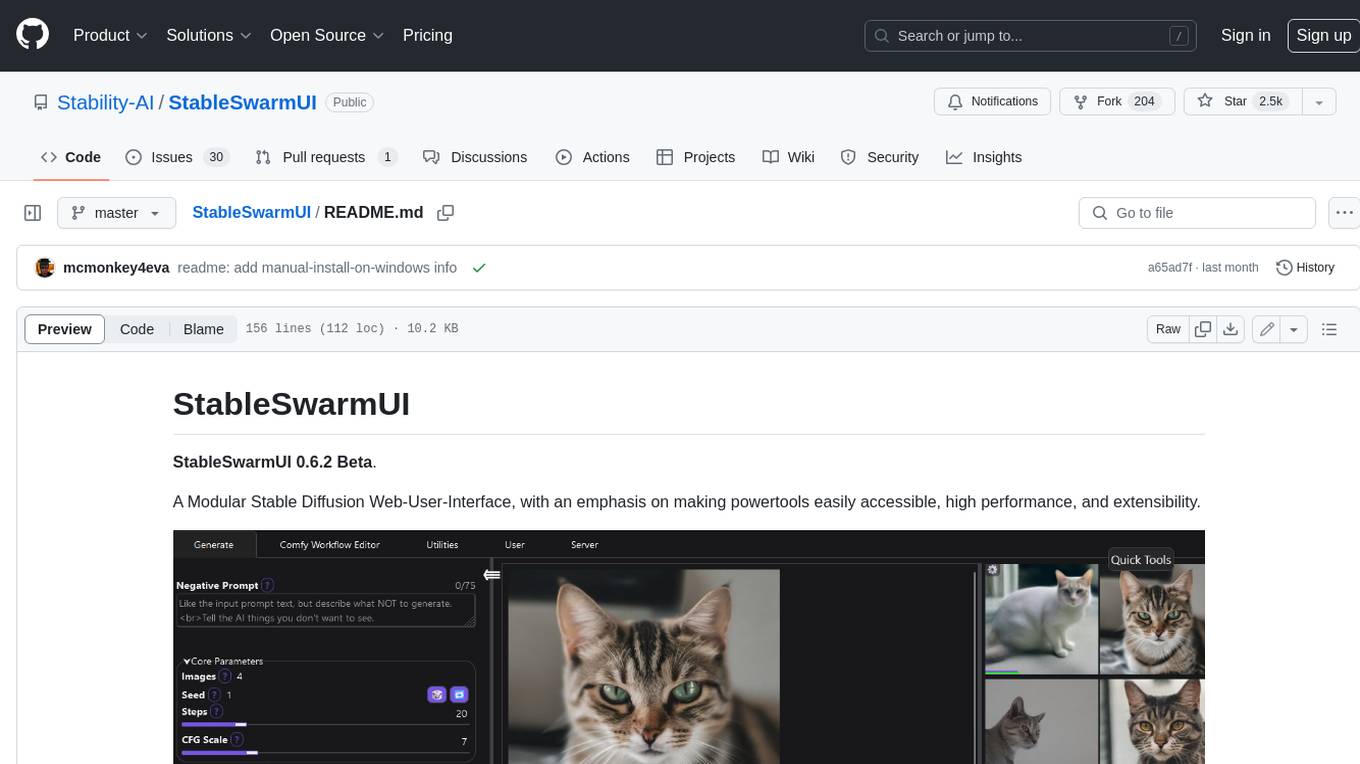
StableSwarmUI
StableSwarmUI is a modular Stable Diffusion web user interface that emphasizes making power tools easily accessible, high performance, and extensible. It is designed to be a one-stop-shop for all things Stable Diffusion, providing a wide range of features and capabilities to enhance the user experience.
upscayl
Upscayl is a free and open-source AI image upscaler that uses advanced AI algorithms to enlarge and enhance low-resolution images without losing quality. It is a cross-platform application built with the Linux-first philosophy, available on all major desktop operating systems. Upscayl utilizes Real-ESRGAN and Vulkan architecture for image enhancement, and its backend is fully open-source under the AGPLv3 license. It is important to note that a Vulkan compatible GPU is required for Upscayl to function effectively.
ailia-models
The collection of pre-trained, state-of-the-art AI models. ailia SDK is a self-contained, cross-platform, high-speed inference SDK for AI. The ailia SDK provides a consistent C++ API across Windows, Mac, Linux, iOS, Android, Jetson, and Raspberry Pi platforms. It also supports Unity (C#), Python, Rust, Flutter(Dart) and JNI for efficient AI implementation. The ailia SDK makes extensive use of the GPU through Vulkan and Metal to enable accelerated computing. # Supported models 323 models as of April 8th, 2024
models
This repository contains self-trained single image super resolution (SISR) models. The models are trained on various datasets and use different network architectures. They can be used to upscale images by 2x, 4x, or 8x, and can handle various types of degradation, such as JPEG compression, noise, and blur. The models are provided as safetensors files, which can be loaded into a variety of deep learning frameworks, such as PyTorch and TensorFlow. The repository also includes a number of resources, such as examples, results, and a website where you can compare the outputs of different models.
adobe-photoshopCRCK
Adobe PhotoshopCRCK is a tool designed to provide users with the latest version of Adobe Photoshop for free on Windows. It allows users to access advanced photo editing features and functionalities without the need for a paid subscription. The tool is intended for individuals looking to explore professional photo editing capabilities without incurring additional costs. With Adobe PhotoshopCRCK, users can enhance their images, create stunning graphics, and unleash their creativity through a wide range of editing tools and options.
lassxToolkit
lassxToolkit is a versatile tool designed for file processing tasks. It allows users to manipulate files and folders based on specified configurations in a strict .json format. The tool supports various AI models for tasks such as image upscaling and denoising. Users can customize settings like input/output paths, error handling, file selection, and plugin integration. lassxToolkit provides detailed instructions on configuration options, default values, and model selection. It also offers features like tree restoration, recursive processing, and regex-based file filtering. The tool is suitable for users looking to automate file processing tasks with AI capabilities.
clarity-upscaler
Clarity AI is a free and open-source AI image upscaler and enhancer, providing an alternative to Magnific. It offers various features such as multi-step upscaling, resemblance fixing, speed improvements, support for custom safetensors checkpoints, anime upscaling, LoRa support, pre-downscaling, and fractality. Users can access the tool through the ClarityAI.co app, ComfyUI manager, API, or by deploying and running locally or in the cloud with cog or A1111 webUI. The tool aims to enhance image quality and resolution using advanced AI algorithms and models.
For similar jobs

sweep
Sweep is an AI junior developer that turns bugs and feature requests into code changes. It automatically handles developer experience improvements like adding type hints and improving test coverage.

teams-ai
The Teams AI Library is a software development kit (SDK) that helps developers create bots that can interact with Teams and Microsoft 365 applications. It is built on top of the Bot Framework SDK and simplifies the process of developing bots that interact with Teams' artificial intelligence capabilities. The SDK is available for JavaScript/TypeScript, .NET, and Python.

ai-guide
This guide is dedicated to Large Language Models (LLMs) that you can run on your home computer. It assumes your PC is a lower-end, non-gaming setup.

classifai
Supercharge WordPress Content Workflows and Engagement with Artificial Intelligence. Tap into leading cloud-based services like OpenAI, Microsoft Azure AI, Google Gemini and IBM Watson to augment your WordPress-powered websites. Publish content faster while improving SEO performance and increasing audience engagement. ClassifAI integrates Artificial Intelligence and Machine Learning technologies to lighten your workload and eliminate tedious tasks, giving you more time to create original content that matters.

chatbot-ui
Chatbot UI is an open-source AI chat app that allows users to create and deploy their own AI chatbots. It is easy to use and can be customized to fit any need. Chatbot UI is perfect for businesses, developers, and anyone who wants to create a chatbot.

BricksLLM
BricksLLM is a cloud native AI gateway written in Go. Currently, it provides native support for OpenAI, Anthropic, Azure OpenAI and vLLM. BricksLLM aims to provide enterprise level infrastructure that can power any LLM production use cases. Here are some use cases for BricksLLM: * Set LLM usage limits for users on different pricing tiers * Track LLM usage on a per user and per organization basis * Block or redact requests containing PIIs * Improve LLM reliability with failovers, retries and caching * Distribute API keys with rate limits and cost limits for internal development/production use cases * Distribute API keys with rate limits and cost limits for students

uAgents
uAgents is a Python library developed by Fetch.ai that allows for the creation of autonomous AI agents. These agents can perform various tasks on a schedule or take action on various events. uAgents are easy to create and manage, and they are connected to a fast-growing network of other uAgents. They are also secure, with cryptographically secured messages and wallets.

griptape
Griptape is a modular Python framework for building AI-powered applications that securely connect to your enterprise data and APIs. It offers developers the ability to maintain control and flexibility at every step. Griptape's core components include Structures (Agents, Pipelines, and Workflows), Tasks, Tools, Memory (Conversation Memory, Task Memory, and Meta Memory), Drivers (Prompt and Embedding Drivers, Vector Store Drivers, Image Generation Drivers, Image Query Drivers, SQL Drivers, Web Scraper Drivers, and Conversation Memory Drivers), Engines (Query Engines, Extraction Engines, Summary Engines, Image Generation Engines, and Image Query Engines), and additional components (Rulesets, Loaders, Artifacts, Chunkers, and Tokenizers). Griptape enables developers to create AI-powered applications with ease and efficiency.