


obsidian-quiz-generator
Generate interactive flashcards from your notes using models from OpenAI (ChatGPT), Google (Gemini), Ollama (local LLMs), and more. Or manually create your own to use with the quiz UI.
Stars: 56
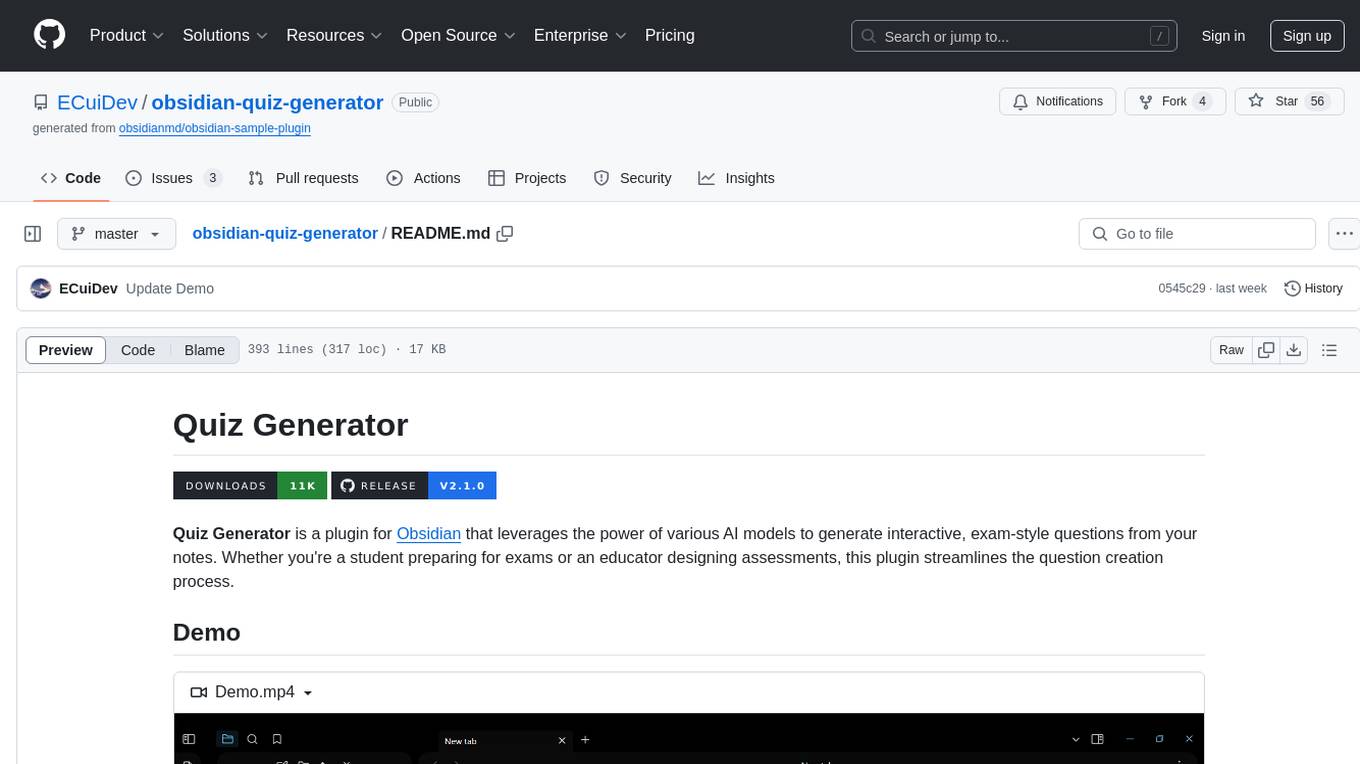
Quiz Generator is a plugin for Obsidian that uses AI models to create interactive exam-style questions from notes. It supports various question types and provides real-time feedback. Users can save questions, generate in multiple languages, and use math support. The tool is suitable for students preparing for exams and educators designing assessments.
README:


Quiz Generator is a plugin for Obsidian that leverages the power of various AI models to generate interactive, exam-style questions from your notes. Whether you're a student preparing for exams or an educator designing assessments, this plugin streamlines the question creation process.
https://github.com/user-attachments/assets/22770da4-af69-412c-ae05-1aae0fff4a10
- Personalized Quizzes: Choose any combination of notes and folders to use as the quiz content.
- Flexible Generation: Select the types and number of questions to generate according to your needs.
- Multiple Question Types: Supports true or false, multiple choice, select all that apply, fill in the blank, matching, short answer, and long answer. Mix and match for a tailored assessment experience.
- Custom Quiz UI: Answer questions in an interactive UI that provides real-time feedback on your responses.
-
Question Saving: Save questions in various formats.
- Inline and multiline flashcards compatible with obsidian-spaced-repetition.
- Markdown callouts for easy integration into your notes.
- Review and Create: Review saved questions using the quiz UI or create your own questions from scratch without ever using the generator.
- Multi-Language Support: Generate questions in 21 different languages.
- Math Support: Generate questions from notes containing LaTeX.
- OpenAI: Advanced models for high-quality question generation.
- Google: Free to use with the largest context window for handling extensive notes.
- Anthropic: Optimized for thoughtful and contextually aware outputs.
- Perplexity: Fine-tuned LLaMA models for robust question generation.
- Mistral: Lightweight models for fast and efficient processing.
- Cohere: Free to use with strengths in generating coherent questions.
- Ollama: Local LLMs for enhanced privacy and offline processing.
This plugin is now available in the Community plugins page in Obsidian. You can install it using either of the following methods.
- Install the plugin from the Community plugins page in Obsidian.
- Settings → Community plugins → Browse.
- Search for
Quiz Generator. - Select the plugin to open its page and then select Install.
- Select Enable on the plugin page or go back to the Community plugins page and toggle the switch.
- Open the plugin settings and enter your API key for the selected provider.
- If you don't have an API key, create an account at the relevant provider's site and retrieve your API key.
- Configure the other settings as desired.
- Download
main.js,manifest.json, andstyles.cssfrom the latest release. - Go to your Obsidian vault's
pluginsfolder and create a new folder namedquiz-generator. - Move the files you downloaded in step 1 to this folder.
- Enable the plugin in the Community plugins page in Obsidian.
- Open the plugin settings and enter your API key for the selected provider.
- If you don't have an API key, create an account at the relevant provider's site and retrieve your API key.
- Configure the other settings as desired.
- Open the command palette and select "Quiz Generator: Open generator" or select the brain-circuit icon in the left sidebar.
- Select the file and folder icons to add notes and folders.
- Adding a folder adds all the notes inside it, as well as any notes in its subfolders (can be changed in the settings). If you select an extremely large folder (thousands of files and hundreds of subfolders), it could take a few seconds for it to be added.
- Select the eye icon to view the contents of selected notes and folders.
- Select the x icon to remove individual notes or folders and the book icon to remove everything.
- Once you've added your notes and/or folders, select the webhook icon to generate the questions.
- The quiz UI will open automatically when the generation is complete.
- Saved questions will be in a Markdown file named "Quiz [number]" in the folder specified by the "Save location" setting.
- Select the save icon to save the current question.
- Select the save-all icon to save all questions.
- Open the command palette and select "Quiz Generator: Open quiz from active note" or right-click a note in the file explorer and select "Open quiz from this note" in the file menu.
- Select the scroll icon in the generator UI to re-open the most recently generated quiz.
If you want to write your own questions from scratch or modify any saved questions, they must follow the format below to be opened in the quiz UI. However, deviations in spacing and capitalization are okay (the parser is case-insensitive and ignores whitespace).
Text enclosed by {curly braces} is required but can be anything. Text enclosed by <angle brackets> is optional and can be anything. Any other text (not enclosed by either) should be written as shown. You are allowed to make any of the callouts foldable by adding a plus (+) or minus (-). For spaced repetition, you are allowed to bold or italicize the question type identifier using any combination of asterisks and underscores.
Callout
> [!question] {Insert your question here}
>> [!success] <Answer>
>> One of true or false

> [!question] HTML is a programming language.
>> [!success]- Answer
>> False
Spaced Repetition
True or False: {Insert your question here} Insert inline separator you chose in the settings One of true or false

True or False: HTML is a programming language. :: False
Supports up to 26 choices, denoted by the 26 letters of the English alphabet. You should use the letters in alphabetical order starting from "a". The example below uses 4 choices.
Callout
> [!question] {Insert your question here}
> a) {Choice 1}
> b) {Choice 2}
> c) {Choice 3}
> d) {Choice 4}
>> [!success] <Answer>
>> One of a), b), c), etc. <text of the correct choice>

> [!question] Which of the following is the correct translation of house in Spanish?
> a) Casa
> b) Maison
> c) Haus
> d) Huis
>> [!success]- Answer
>> a) Casa
Spaced Repetition
Multiple Choice: {Insert your question here}
a) {Choice 1}
b) {Choice 2}
c) {Choice 3}
d) {Choice 4}
Insert multiline separator you chose in the settings
One of a), b), c), etc. <text of the correct choice>

Multiple Choice: Which of the following is the correct translation of house in Spanish?
a) Casa
b) Maison
c) Haus
d) Huis
?
a) Casa
Supports up to 26 choices, denoted by the 26 letters of the English alphabet. There must be at least 2 correct answers or this will be treated as a multiple choice question by the quiz UI. You should use the letters in alphabetical order starting from "a". The example below uses 5 choices.
Callout
> [!question] {Insert your question here}
> a) {Choice 1}
> b) {Choice 2}
> c) {Choice 3}
> d) {Choice 4}
> e) {Choice 5}
>> [!success] <Answer>
>> One of a), b), c), etc. <text of the correct choice>
>> One of a), b), c), etc. <text of the correct choice>

> [!question] Which of the following are elements on the periodic table?
> a) Oxygen
> b) Water
> c) Hydrogen
> d) Salt
> e) Carbon
>> [!success]- Answer
>> a) Oxygen
>> c) Hydrogen
>> e) Carbon
Spaced Repetition
Select All That Apply: {Insert your question here}
a) {Choice 1}
b) {Choice 2}
c) {Choice 3}
d) {Choice 4}
e) {Choice 5}
Insert multiline separator you chose in the settings
One of a), b), c), etc. <text of the correct choice>
One of a), b), c), etc. <text of the correct choice>

Select All That Apply: Which of the following are elements on the periodic table?
a) Oxygen
b) Water
c) Hydrogen
d) Salt
e) Carbon
?
a) Oxygen
c) Hydrogen
e) Carbon
Supports an infinite number of blanks. The question must contain at least 1 blank, represented as one or more underscores enclosed by backticks. The answer(s) should appear in the same order as the blank(s) they correspond to. So the first answer corresponds to the first blank, the second answer to the second blank, and so on.
The answer(s) to the blank(s) must be separated by commas with at least 1 space after the comma. This spacing condition exists because it allows the parser to recognize the entirety of a large number as a single answer (since numbers greater than 3 digits typically have commas).
Callout
> [!question] {Insert your question here}
>> [!success] <Answer>
>> Comma separated list of answer(s)

> [!question] The Battle of `____` was fought in `____`.
>> [!success]- Answer
>> Gettysburg, 1863
Spaced Repetition
Fill in the Blank: {Insert your question here} Insert inline separator you chose in the settings Comma separated list of answer(s)

Fill in the Blank: The Battle of `____` was fought in `____`. :: Gettysburg, 1863
Supports up to 13 pairs (i.e. 26 choices total, 13 on each "side"). The first group should use letters a to m and the second group should use letters n to z. Both groups should use the letters in alphabetical order. The answer to a pair is represented as a letter from the first group followed by a letter from the second group, separated by an arrow (one or more hyphens followed by a right angle bracket). The letter from the first group must come first, but you may list the pairs in any order. The example below uses 4 pairs.
Callout
> [!question] {Insert your question here}
>> [!example] <Group A>
>> a) {Choice 1}
>> b) {Choice 2}
>> c) {Choice 3}
>> d) {Choice 4}
>
>> [!example] <Group B>
>> n) {Choice 5}
>> o) {Choice 6}
>> p) {Choice 7}
>> q) {Choice 8}
>
>> [!success] <Answer>
>> One of a), b), c), etc. -> One of n), o), p), etc.
>> One of a), b), c), etc. -> One of n), o), p), etc.
>> One of a), b), c), etc. -> One of n), o), p), etc.
>> One of a), b), c), etc. -> One of n), o), p), etc.

> [!question] Match the medical term to its definition.
>> [!example] Group A
>> a) Hypertension
>> b) Bradycardia
>> c) Tachycardia
>> d) Hypotension
>
>> [!example] <Group B>
>> n) Fast heart rate
>> o) High blood pressure
>> p) Low blood pressure
>> q) Slow heart rate
>
>> [!success]- Answer
>> a) -> o)
>> b) -> q)
>> c) -> n)
>> d) -> p)
Spaced Repetition
Matching: {Insert your question here}
{Group A}
a) {Choice 1}
b) {Choice 2}
c) {Choice 3}
d) {Choice 4}
{Group B}
n) {Choice 5}
o) {Choice 6}
p) {Choice 7}
q) {Choice 8}
Insert multiline separator you chose in the settings
One of a), b), c), etc. -> One of n), o), p), etc.
One of a), b), c), etc. -> One of n), o), p), etc.
One of a), b), c), etc. -> One of n), o), p), etc.
One of a), b), c), etc. -> One of n), o), p), etc.

Matching: Match the medical term to its definition.
Group A
a) Hypertension
b) Bradycardia
c) Tachycardia
d) Hypotension
Group B
n) Fast heart rate
o) High blood pressure
p) Low blood pressure
q) Slow heart rate
?
a) -> o)
b) -> q)
c) -> n)
d) -> p)
Callout
> [!question] {Insert your question here}
>> [!success] <Answer>
>> {Insert answer here}

> [!question] Who was the first President of the United States and what is he commonly known for?
>> [!success]- Answer
>> George Washington was the first President of the United States and is commonly known for leading the American Revolutionary War and serving two terms as president.
Spaced Repetition
Short Answer: {Insert your question here} Insert inline separator you chose in the settings {Insert answer here}

Short Answer: Who was the first President of the United States and what is he commonly known for? :: George Washington was the first President of the United States and is commonly known for leading the American Revolutionary War and serving two terms as president.
Callout
> [!question] {Insert your question here}
>> [!success] <Answer>
>> {Insert answer here}

> [!question] Explain the difference between a stock and a bond, and discuss the risks and potential rewards associated with each investment type.
>> [!success]- Answer
>> A stock represents ownership in a company and a claim on part of its profits. The potential rewards include dividends and capital gains if the company's value increases, but the risks include the possibility of losing the entire investment if the company fails. A bond is a loan made to a company or government, which pays interest over time and returns the principal at maturity. Bonds are generally considered less risky than stocks, as they provide regular interest payments and the return of principal, but they offer lower potential returns.
Spaced Repetition
Long Answer: {Insert your question here} Insert inline separator you chose in the settings {Insert answer here}

Long Answer: Explain the difference between a stock and a bond, and discuss the risks and potential rewards associated with each investment type. :: A stock represents ownership in a company and a claim on part of its profits. The potential rewards include dividends and capital gains if the company's value increases, but the risks include the possibility of losing the entire investment if the company fails. A bond is a loan made to a company or government, which pays interest over time and returns the principal at maturity. Bonds are generally considered less risky than stocks, as they provide regular interest payments and the return of principal, but they offer lower potential returns.
I'm actively working on bringing more features and improvements to Quiz Generator. Stay tuned for the following updates:
- Faster Question Creation: Custom UI to streamline creating your own questions from scratch.
- Callout Aliases: Specify what callout type identifiers you want to use.
- Randomize Choices: Randomize order in which choices for multiple choice and select all that apply questions are displayed.
- New Question Type: Categorization questions.
- Save Format Conversion Tool: Convert saved questions between callout and spaced repetition format.
- Anki Integration: Sync questions with Anki and vice versa.
- Homepage: Access all your saved quizzes from a custom homepage UI.
- Test Mode: Take quizzes with a time limit and receive a score at the end.
- Adjustable Difficulty: Set the difficulty of generated questions.
- Custom View: Embed the quiz UI directly inside your notes.
- Advanced Generation: Control the number of choices, blanks, and pairs to generate.
- Tag Adder: Add notes by tag.
- Dataview Adder: Add notes using Dataview queries.
- Responsive UI: Freely resize and move the UI.
- Advanced Question Type: Image-based.
- Note Links: Adding a note also adds the notes it links to.
- Extended Files: Generate questions from PDFs and images.
- Question Variety: Customization options to control the question scope and what it assesses.
- Quality of Life: Reducing token usage while improving question quality.
If you encounter any errors or have feature requests, please open an issue on the GitHub repository.
- Button Border Meanings
- Solid Green Border: Correct option you selected.
- Solid Red Border: Incorrect option you selected.
- Dashed Green Border: Correct option you didn't select.
- Matching Question UI Breakdown
- To create a pair, select a button from either column and then select a button from the other column. The UI will connect the buttons by displaying the same number in their respective circles.
- If you select an unpaired button and then select a paired button from the other column, the pair will update to match the new selection.
- To remove a pair, double-click on the paired button (either left or right).
- To create a pair, select a button from either column and then select a button from the other column. The UI will connect the buttons by displaying the same number in their respective circles.
For Tasks:
Click tags to check more tools for each tasksFor Jobs:
Alternative AI tools for obsidian-quiz-generator
Similar Open Source Tools
obsidian-quiz-generator
Quiz Generator is a plugin for Obsidian that uses AI models to create interactive exam-style questions from notes. It supports various question types and provides real-time feedback. Users can save questions, generate in multiple languages, and use math support. The tool is suitable for students preparing for exams and educators designing assessments.
ComfyUI-mnemic-nodes
ComfyUI-mnemic-nodes is a repository hosting a collection of nodes developed for ComfyUI, providing useful components to enhance project functionality. The nodes include features like returning file paths, saving text files, downloading images from URLs, tokenizing text, cleaning strings, querying Groq language models, generating negative prompts, and more. Some nodes are experimental and marked with a 'Caution' label. Installation instructions and setup details are provided for each node, along with examples and presets for different tasks.
obsidian-arcana
Arcana is a plugin for Obsidian that offers a collection of AI-powered tools inspired by famous historical figures to enhance creativity and productivity. It includes tools for conversation, text-to-speech transcription, speech-to-text replies, metadata markup, text generation, file moving, flashcard generation, auto tagging, and note naming. Users can interact with these tools using the command palette and sidebar views, with an OpenAI API key required for usage. The plugin aims to assist users in various note-taking and knowledge management tasks within the Obsidian vault environment.
simple-openai
Simple-OpenAI is a Java library that provides a simple way to interact with the OpenAI API. It offers consistent interfaces for various OpenAI services like Audio, Chat Completion, Image Generation, and more. The library uses CleverClient for HTTP communication, Jackson for JSON parsing, and Lombok to reduce boilerplate code. It supports asynchronous requests and provides methods for synchronous calls as well. Users can easily create objects to communicate with the OpenAI API and perform tasks like text-to-speech, transcription, image generation, and chat completions.
chromem-go
chromem-go is an embeddable vector database for Go with a Chroma-like interface and zero third-party dependencies. It enables retrieval augmented generation (RAG) and similar embeddings-based features in Go apps without the need for a separate database. The focus is on simplicity and performance for common use cases, allowing querying of documents with minimal memory allocations. The project is in beta and may introduce breaking changes before v1.0.0.
OpenMusic
OpenMusic is a repository providing an implementation of QA-MDT, a Quality-Aware Masked Diffusion Transformer for music generation. The code integrates state-of-the-art models and offers training strategies for music generation. The repository includes implementations of AudioLDM, PixArt-alpha, MDT, AudioMAE, and Open-Sora. Users can train or fine-tune the model using different strategies and datasets. The model is well-pretrained and can be used for music generation tasks. The repository also includes instructions for preparing datasets, training the model, and performing inference. Contact information is provided for any questions or suggestions regarding the project.
kwaak
Kwaak is a tool that allows users to run a team of autonomous AI agents locally from their own machine. It enables users to write code, improve test coverage, update documentation, and enhance code quality while focusing on building innovative projects. Kwaak is designed to run multiple agents in parallel, interact with codebases, answer questions about code, find examples, write and execute code, create pull requests, and more. It is free and open-source, allowing users to bring their own API keys or models via Ollama. Kwaak is part of the bosun.ai project, aiming to be a platform for autonomous code improvement.
qa-mdt
This repository provides an implementation of QA-MDT, integrating state-of-the-art models for music generation. It offers a Quality-Aware Masked Diffusion Transformer for enhanced music generation. The code is based on various repositories like AudioLDM, PixArt-alpha, MDT, AudioMAE, and Open-Sora. The implementation allows for training and fine-tuning the model with different strategies and datasets. The repository also includes instructions for preparing datasets in LMDB format and provides a script for creating a toy LMDB dataset. The model can be used for music generation tasks, with a focus on quality injection to enhance the musicality of generated music.
baml
BAML is a config file format for declaring LLM functions that you can then use in TypeScript or Python. With BAML you can Classify or Extract any structured data using Anthropic, OpenAI or local models (using Ollama) ## Resources  [Discord Community](https://discord.gg/boundaryml)  [Follow us on Twitter](https://twitter.com/boundaryml) * Discord Office Hours - Come ask us anything! We hold office hours most days (9am - 12pm PST). * Documentation - Learn BAML * Documentation - BAML Syntax Reference * Documentation - Prompt engineering tips * Boundary Studio - Observability and more #### Starter projects * BAML + NextJS 14 * BAML + FastAPI + Streaming ## Motivation Calling LLMs in your code is frustrating: * your code uses types everywhere: classes, enums, and arrays * but LLMs speak English, not types BAML makes calling LLMs easy by taking a type-first approach that lives fully in your codebase: 1. Define what your LLM output type is in a .baml file, with rich syntax to describe any field (even enum values) 2. Declare your prompt in the .baml config using those types 3. Add additional LLM config like retries or redundancy 4. Transpile the .baml files to a callable Python or TS function with a type-safe interface. (VSCode extension does this for you automatically). We were inspired by similar patterns for type safety: protobuf and OpenAPI for RPCs, Prisma and SQLAlchemy for databases. BAML guarantees type safety for LLMs and comes with tools to give you a great developer experience:  Jump to BAML code or how Flexible Parsing works without additional LLM calls. | BAML Tooling | Capabilities | | ----------------------------------------------------------------------------------------- | ---------------------------------------------------------------------------------------------------------------------------------------------------------------------------------------------------------------------------------------------------------------------------------------------------------------------------------- | | BAML Compiler install | Transpiles BAML code to a native Python / Typescript library (you only need it for development, never for releases) Works on Mac, Windows, Linux  | | VSCode Extension install | Syntax highlighting for BAML files Real-time prompt preview Testing UI | | Boundary Studio open (not open source) | Type-safe observability Labeling |
Easy-Translate
Easy-Translate is a script designed for translating large text files with a single command. It supports various models like M2M100, NLLB200, SeamlessM4T, LLaMA, and Bloom. The tool is beginner-friendly and offers seamless and customizable features for advanced users. It allows acceleration on CPU, multi-CPU, GPU, multi-GPU, and TPU, with support for different precisions and decoding strategies. Easy-Translate also provides an evaluation script for translations. Built on HuggingFace's Transformers and Accelerate library, it supports prompt usage and loading huge models efficiently.
node_characterai
Node.js client for the unofficial Character AI API, an awesome website which brings characters to life with AI! This repository is inspired by RichardDorian's unofficial node API. Though, I found it hard to use and it was not really stable and archived. So I remade it in javascript. This project is not affiliated with Character AI in any way! It is a community project. The purpose of this project is to bring and build projects powered by Character AI. If you like this project, please check their website.
PentestGPT
PentestGPT is a penetration testing tool empowered by ChatGPT, designed to automate the penetration testing process. It operates interactively to guide penetration testers in overall progress and specific operations. The tool supports solving easy to medium HackTheBox machines and other CTF challenges. Users can use PentestGPT to perform tasks like testing connections, using different reasoning models, discussing with the tool, searching on Google, and generating reports. It also supports local LLMs with custom parsers for advanced users.
quivr
Quivr is a personal assistant powered by Generative AI, designed to be a second brain for users. It offers fast and efficient access to data, ensuring security and compatibility with various file formats. Quivr is open source and free to use, allowing users to share their brains publicly or keep them private. The marketplace feature enables users to share and utilize brains created by others, boosting productivity. Quivr's offline mode provides anytime, anywhere access to data. Key features include speed, security, OS compatibility, file compatibility, open source nature, public/private sharing options, a marketplace, and offline mode.
mflux
MFLUX is a line-by-line port of the FLUX implementation in the Huggingface Diffusers library to Apple MLX. It aims to run powerful FLUX models from Black Forest Labs locally on Mac machines. The codebase is minimal and explicit, prioritizing readability over generality and performance. Models are implemented from scratch in MLX, with tokenizers from the Huggingface Transformers library. Dependencies include Numpy and Pillow for image post-processing. Installation can be done using `uv tool` or classic virtual environment setup. Command-line arguments allow for image generation with specified models, prompts, and optional parameters. Quantization options for speed and memory reduction are available. LoRA adapters can be loaded for fine-tuning image generation. Controlnet support provides more control over image generation with reference images. Current limitations include generating images one by one, lack of support for negative prompts, and some LoRA adapters not working.
siftrank
siftrank is an implementation of the Sift Rank document ranking algorithm that uses Large Language Models (LLMs) to efficiently find the most relevant items in any dataset based on a given prompt. It addresses issues like non-determinism, limited context, output constraints, and scoring subjectivity encountered when using LLMs directly. siftrank allows users to rank anything without fine-tuning or domain-specific models, running in seconds and costing pennies. It supports JSON input, Go template syntax for customization, and various advanced options for configuration and optimization.
For similar tasks
obsidian-quiz-generator
Quiz Generator is a plugin for Obsidian that uses AI models to create interactive exam-style questions from notes. It supports various question types and provides real-time feedback. Users can save questions, generate in multiple languages, and use math support. The tool is suitable for students preparing for exams and educators designing assessments.
For similar jobs
Perplexica
Perplexica is an open-source AI-powered search engine that utilizes advanced machine learning algorithms to provide clear answers with sources cited. It offers various modes like Copilot Mode, Normal Mode, and Focus Modes for specific types of questions. Perplexica ensures up-to-date information by using SearxNG metasearch engine. It also features image and video search capabilities and upcoming features include finalizing Copilot Mode and adding Discover and History Saving features.
KULLM
KULLM (구름) is a Korean Large Language Model developed by Korea University NLP & AI Lab and HIAI Research Institute. It is based on the upstage/SOLAR-10.7B-v1.0 model and has been fine-tuned for instruction. The model has been trained on 8×A100 GPUs and is capable of generating responses in Korean language. KULLM exhibits hallucination and repetition phenomena due to its decoding strategy. Users should be cautious as the model may produce inaccurate or harmful results. Performance may vary in benchmarks without a fixed system prompt.
MMMU
MMMU is a benchmark designed to evaluate multimodal models on college-level subject knowledge tasks, covering 30 subjects and 183 subfields with 11.5K questions. It focuses on advanced perception and reasoning with domain-specific knowledge, challenging models to perform tasks akin to those faced by experts. The evaluation of various models highlights substantial challenges, with room for improvement to stimulate the community towards expert artificial general intelligence (AGI).
1filellm
1filellm is a command-line data aggregation tool designed for LLM ingestion. It aggregates and preprocesses data from various sources into a single text file, facilitating the creation of information-dense prompts for large language models. The tool supports automatic source type detection, handling of multiple file formats, web crawling functionality, integration with Sci-Hub for research paper downloads, text preprocessing, and token count reporting. Users can input local files, directories, GitHub repositories, pull requests, issues, ArXiv papers, YouTube transcripts, web pages, Sci-Hub papers via DOI or PMID. The tool provides uncompressed and compressed text outputs, with the uncompressed text automatically copied to the clipboard for easy pasting into LLMs.
gpt-researcher
GPT Researcher is an autonomous agent designed for comprehensive online research on a variety of tasks. It can produce detailed, factual, and unbiased research reports with customization options. The tool addresses issues of speed, determinism, and reliability by leveraging parallelized agent work. The main idea involves running 'planner' and 'execution' agents to generate research questions, seek related information, and create research reports. GPT Researcher optimizes costs and completes tasks in around 3 minutes. Features include generating long research reports, aggregating web sources, an easy-to-use web interface, scraping web sources, and exporting reports to various formats.
ChatTTS
ChatTTS is a generative speech model optimized for dialogue scenarios, providing natural and expressive speech synthesis with fine-grained control over prosodic features. It supports multiple speakers and surpasses most open-source TTS models in terms of prosody. The model is trained with 100,000+ hours of Chinese and English audio data, and the open-source version on HuggingFace is a 40,000-hour pre-trained model without SFT. The roadmap includes open-sourcing additional features like VQ encoder, multi-emotion control, and streaming audio generation. The tool is intended for academic and research use only, with precautions taken to limit potential misuse.
HebTTS
HebTTS is a language modeling approach to diacritic-free Hebrew text-to-speech (TTS) system. It addresses the challenge of accurately mapping text to speech in Hebrew by proposing a language model that operates on discrete speech representations and is conditioned on a word-piece tokenizer. The system is optimized using weakly supervised recordings and outperforms diacritic-based Hebrew TTS systems in terms of content preservation and naturalness of generated speech.
do-research-in-AI
This repository is a collection of research lectures and experience sharing posts from frontline researchers in the field of AI. It aims to help individuals upgrade their research skills and knowledge through insightful talks and experiences shared by experts. The content covers various topics such as evaluating research papers, choosing research directions, research methodologies, and tips for writing high-quality scientific papers. The repository also includes discussions on academic career paths, research ethics, and the emotional aspects of research work. Overall, it serves as a valuable resource for individuals interested in advancing their research capabilities in the field of AI.