


azure-ai-foundry-baseline
This repo contains the reference implementation for the Microsoft Learn Azure AI Foundry end to end chat baseline.
Stars: 154
This repository serves as a reference implementation for running a chat application and an AI orchestration layer using Azure AI Foundry Agent service and OpenAI foundation models. It covers common generative AI chat application characteristics such as creating agents, querying data stores, chat memory database, orchestration logic, and calling language models. The implementation also includes production requirements like network isolation, Azure AI Foundry Agent Service dependencies, availability zone reliability, and limiting egress network traffic with Azure Firewall.
README:
This reference implementation illustrates an approach running a chat application and an AI orchestration layer in a single region. It uses Azure AI Foundry Agent service as the orchestrator and OpenAI foundation models. This repository directly supports the Baseline end-to-end chat reference architecture on Microsoft Learn.
Follow this implementation to deploy an agent in Azure AI Foundry and uses Bing for grounding data. You'll be exposed to common generative AI chat application characteristics such as:
- Creating agents and agent prompts
- Querying data stores for grounding data
- Chat memory database
- Orchestration logic
- Calling language models (such as GPT models) from your agent
This implementation builds off the basic implementation, and adds common production requirements such as:
- Network isolation
- Bring-your-own Azure AI Foundry Agent Service dependencies (for security and BC/DR control)
- Added availability zone reliability
- Limit egress network traffic with Azure Firewall
The implementation covers the following scenarios:
- Setting up Azure AI Foundry to host agents
- Deploying an agent into Azure AI Foundry Agent Service
- Invoking the agent from .NET code hosted in an Azure Web App
Azure AI Foundry hosts Azure AI Foundry Agent Service as a capability. Foundry Agent service's REST APIs are exposed as an AI Foundry private endpoint within the network, and the agents' all egress through a delegated subnet which is routed through Azure Firewall for any internet traffic. This architecture deploys the Foundry Agent Service with its dependencies hosted within your own Azure subscription. As such, this architecture includes an Azure Storage account, Azure AI Search instance, and an Azure Cosmos DB account specifically for the Foundry Agent Service to manage.

Download a Visio file of this architecture.
- An application user interacts with a chat UI. The requests are routed through Azure Application Gateway. Azure Web Application Firewall inspects these requests before it forwards them to the back-end App Service.
- When the web application receives a user query or instruction, it invokes the purpose-built agent. The web application communicates with the agent via the Azure AI Agent SDK. The web application calls the agent over a private endpoint and authenticates to Azure AI Foundry by using its managed identity.
- The agent processes the user's request based on the instructions in its system prompt. To fulfill the user's intent, the agent uses a configured language model and connected tools and knowledge stores.
- The agent connects to the knowledge store (Azure AI Search) in the private network via a private endpoint.
- Requests to most external knowledge stores or tools, such as Wikipedia, traverse Azure Firewall for inspection and egress policy enforcement. Some of AI Foundry's built-in connections might not support egressing through your subnet.
- The agent connects to its configured language model and passes relevant context.
- Before the agent returns the response to the UI, it persists the request, the generated response, and a list of consulted knowledge stores into a dedicated memory database. This database maintains the complete conversation history, which enables context-aware interactions and allows users to resume conversations with the agent without losing prior context.
Agents can be created via the Azure AI Foundry portal, Azure AI Persistent Agents client library, or the REST API. The creation and invocation of agents are a data plane operation. Since the data plane to Azure AI Foundry is private, all three of those are restricted to being executed from within a private network connected to the private endpoint of Azure AI Foundry.
Ideally agents should be source-controlled and a versioned asset. You then can deploy agents in a coordinated way with the rest of your workload's code. In this deployment guide, you'll create an agent from the jump box to simulate a deployment pipeline which could have created the agent.
If using the Azure AI Foundry portal is desired, then the web browser experience must be performed from a VM within the network or from a workstation that has VPN access to the private network and can properly resolve private DNS records.
A chat UI application is deployed into a private Azure App Service. The UI is accessed through Application Gateway (WAF). The .NET code uses the Azure AI Persistent Agents client library to connect to the workload's agent. The endpoint for the agent is exposed exclusively through the Azure AI Foundry private endpoint.
Follow these instructions to deploy this example to your Azure subscription, try out what you've deployed, and learn how to clean up those resources.
-
-
The subscription must have all of the resource providers used in this deployment registered.
Microsoft.AlertsManagementMicrosoft.AppMicrosoft.BingMicrosoft.CognitiveServicesMicrosoft.ComputeMicrosoft.DocumentDBMicrosoft.InsightsMicrosoft.KeyVaultMicrosoft.ManagedIdentityMicrosoft.NetworkMicrosoft.OperationalInsightsMicrosoft.SearchMicrosoft.StorageMicrosoft.Web
-
The subscription must have the following quota and SKU availability in the region you choose.
- Application Gateways: 1 WAF_v2 tier instance
- App Service Plans: P1v3 (AZ), 3 instances
- Azure AI Search (S - Standard): 1
- Azure Cosmos DB: 1 account
- OpenAI model: GPT-4o model deployment with 50k tokens per minute (TPM) capacity
- DDoS Protection Plans: 1
- Public IPv4 Addresses - Standard: 4
- Standard DSv3 Family vCPU: 2
- Grounding with Bing (G1): 1
- Storage Account (Standard_ZRS): 1
- Storage Account (Standard_GZRS): 1
-
-
Your deployment user must have the following permissions at the subscription scope.
- Ability to assign Azure roles on newly created resource groups and resources. (E.g.
User Access AdministratororOwner) - Ability to purge deleted AI services resources. (E.g.
ContributororCognitive Services Contributor)
- Ability to assign Azure roles on newly created resource groups and resources. (E.g.
-
💡 If you're executing this from Windows Subsystem for Linux (WSL), be sure the Azure CLI is installed in WSL and is not using the version installed in Windows.
which azmust show/usr/bin/az. -
The OpenSSL CLI installed.
The following steps are required to deploy the infrastructure from the command line using the bicep files from this repository.
-
In your shell, clone this repo and navigate to the root directory of this repository.
git clone https://github.com/Azure-Samples/openai-end-to-end-baseline cd openai-end-to-end-baseline -
Log in and select your target subscription.
az login az account set --subscription xxxxx -
Obtain the App gateway certificate
Azure Application Gateway includes support for secure TLS using Azure Key Vault and managed identities for Azure resources. This configuration enables end-to-end encryption of the network traffic going to the web application.
-
Set a variable for the domain used in the rest of this deployment.
DOMAIN_NAME_APPSERV="contoso.com" -
Generate a client-facing, self-signed TLS certificate.
⚠️ Do not use the certificate created by this script for production deployments. The use of self-signed certificates are provided for ease of illustration purposes only. For your chat application traffic, use your organization's requirements for procurement and lifetime management of TLS certificates, even for development purposes.Create the certificate that will be presented to web clients by Azure Application Gateway for your domain.
openssl req -x509 -nodes -days 365 -newkey rsa:2048 -out appgw.crt -keyout appgw.key -subj "/CN=${DOMAIN_NAME_APPSERV}/O=Contoso" -addext "subjectAltName = DNS:${DOMAIN_NAME_APPSERV}" -addext "keyUsage = digitalSignature" -addext "extendedKeyUsage = serverAuth"
openssl pkcs12 -export -out appgw.pfx -in appgw.crt -inkey appgw.key -passout pass:
-
Base64 encode the client-facing certificate.
💡 No matter if you used a certificate from your organization or generated one from above, you'll need the certificate (as
.pfx) to be Base64 encoded for storage in Key Vault.APP_GATEWAY_LISTENER_CERTIFICATE_APPSERV=$(cat appgw.pfx | base64 | tr -d '\n') echo APP_GATEWAY_LISTENER_CERTIFICATE_APPSERV: $APP_GATEWAY_LISTENER_CERTIFICATE_APPSERV
-
-
Set the deployment location to one that supports availability zones and has available quota.
This deployment has been tested in the following locations:
eastus,eastus2,francecentral, andswitzerlandnorth. You might be successful in other locations as well.LOCATION=eastus2
-
Set the base name value that will be used as part of the Azure resource names for the resources deployed in this solution.
BASE_NAME=<base resource name, between 6 and 8 lowercase characters, all DNS names will include this text, so it must be unique.>
-
Create a resource group and deploy the infrastructure.
There is an optional tracking ID on this deployment. To opt out of its use, add the following parameter to the deployment code below:
-p telemetryOptOut true.You will be prompted for an admin password for the jump box; it must satisfy the complexity requirements for Windows.
🕗 This might take about 35 minutes.
RESOURCE_GROUP=rg-chat-baseline-${BASE_NAME}
az group create -l $LOCATION -n $RESOURCE_GROUP

PRINCIPAL_ID=$(az ad signed-in-user show --query id -o tsv)

az deployment group create -f ./infra-as-code/bicep/main.bicep \
  -g $RESOURCE_GROUP \
  -p appGatewayListenerCertificate=${APP_GATEWAY_LISTENER_CERTIFICATE_APPSERV} \
  -p baseName=${BASE_NAME} \
  -p yourPrincipalId=${PRINCIPAL_ID}
To test this scenario, you'll be deploying an AI agent included in this repository. The agent uses a GPT model combined with a Bing search for grounding data. Deploying an AI agent requires data plane access to Azure AI Foundry. In this architecture, a network perimeter is established, and you must interact with the Azure AI Foundry portal and its resources from within the network.
The AI agent definition would likely be deployed from your application's pipeline running from a build agent in your workload's network or it could be deployed via singleton code in your web application. In this deployment, you'll create the agent from the jump box, which most closely simulates pipeline-based creation.
-
Connect to the virtual network via the deployed Azure Bastion and the jump box. Alternatively, you can connect through a force-tunneled VPN or virtual network peering that you manually configure apart from these instructions.
The username for the Windows jump box deployed in this solution is
vmadmin. You provided the password during the deployment.💻 Unless otherwise noted, the following steps are performed from the jump box or from your VPN-connected workstation. The instructions are written as if you are using the provided Windows jump box. -
Open PowerShell from the Terminal app. Log in and select your target subscription.
az login az account set --subscription xxxxx -
Set the base name to the same value it was when you deployed the resources.
$BASE_NAME="<exact same value used before>"
-
Generate some variables to set context within your jump box.
The following variables align with the defaults in this deployment. Update them if you customized anything.
$RESOURCE_GROUP="rg-chat-baseline-${BASE_NAME}"
$AI_FOUNDRY_NAME="aif${BASE_NAME}"
$BING_CONNECTION_NAME="bingaiagent${BASE_NAME}"
$AI_FOUNDRY_PROJECT_NAME="projchat"
$MODEL_CONNECTION_NAME="agent-model"
$BING_CONNECTION_ID="$(az cognitiveservices account show -n $AI_FOUNDRY_NAME -g $RESOURCE_GROUP --query 'id' --out tsv)/projects/${AI_FOUNDRY_PROJECT_NAME}/connections/${BING_CONNECTION_NAME}"
$AI_FOUNDRY_AGENT_CREATE_URL="https://${AI_FOUNDRY_NAME}.services.ai.azure.com/api/projects/${AI_FOUNDRY_PROJECT_NAME}/assistants?api-version=2025-05-15-preview"

echo $BING_CONNECTION_ID
echo $MODEL_CONNECTION_NAME
echo $AI_FOUNDRY_AGENT_CREATE_URL
-
Deploy the agent.
This step simulates deploying an AI agent through your pipeline from a network-connected build agent.
# Use the agent definition on disk
Invoke-WebRequest -Uri "https://github.com/Azure-Samples/openai-end-to-end-baseline/raw/refs/heads/main/agents/chat-with-bing.json" -OutFile "chat-with-bing.json"

# Update to match your environment
${c:chat-with-bing-output.json} = ${c:chat-with-bing.json} -replace 'MODEL_CONNECTION_NAME', $MODEL_CONNECTION_NAME -replace 'BING_CONNECTION_ID', $BING_CONNECTION_ID

# Deploy the agent
az rest -u $AI_FOUNDRY_AGENT_CREATE_URL -m "post" --resource "https://ai.azure.com" -b @chat-with-bing-output.json

# Capture the Agent's ID
$AGENT_ID="$(az rest -u $AI_FOUNDRY_AGENT_CREATE_URL -m 'get' --resource 'https://ai.azure.com' --query 'data[0].id' -o tsv)"

echo $AGENT_ID
Here you'll test your orchestration agent by invoking it directly from the Azure AI Foundry portal's playground experience. The Azure AI Foundry portal is only accessible from your private network, so you'll do this from your jump box.
This step testing step is completely optional.
-
Open the Azure portal to your subscription.
You'll need to sign in to the Azure portal, and resolve any Entra ID Conditional Access policies on your account, if this is the first time you are connecting through the jump box.
-
Navigate to the Azure AI Foundry project named projchat in your resource group and open the Azure AI Foundry portal by clicking the Go to Azure AI Foundry portal button.
This will take you directly into the 'Chat project'. Alternatively, you can find all your AI Foundry accounts and projects by going to https://ai.azure.com and you do not need to use the Azure portal to access them.
-
Click Agents in the side navigation.
-
Select the agent named 'Baseline Chatbot Agent'.
-
Click the Try in playground button.
-
Enter a question that would require grounding data through recent internet content, such as a notable recent event or the weather today in your location.
-
A grounded response to your question should appear on the UI.
Workloads build chat functionality into an application. Those interfaces usually call APIs which in turn call into your orchestrator. This implementation comes with such an interface. You'll deploy it to Azure App Service using its run from package capabilities.
In a production environment, you use a CI/CD pipeline to:
- Build your web application
- Create the project zip package
- Upload the zip file to your Storage account from compute that is in or connected to the workload's virtual network.
For this deployment guide, you'll continue using your jump box to simulate part of that process.
-
Using the same PowerShell terminal session from previous steps, download the web UI.
Invoke-WebRequest -Uri https://github.com/Azure-Samples/openai-end-to-end-baseline/raw/refs/heads/main/website/chatui.zip -OutFile chatui.zip
-
Upload the web application to Azure Storage, where the web app will load the code from.
az storage blob upload -f chatui.zip --account-name "stwebapp${BASE_NAME}" --auth-mode login -c deploy -n chatui.zip
-
Update the app configuration to use the agent you deployed.
az webapp config appsettings set -n "app-${BASE_NAME}" -g $RESOURCE_GROUP --settings AIAgentId="${AGENT_ID}"
-
Restart the web app to load the site code and its updated configuation.
az webapp restart --name "app-${BASE_NAME}" --resource-group $RESOURCE_GROUP
This section will help you to validate that the workload is exposed correctly and responding to HTTP requests. This will validate that traffic is flowing through Application Gateway, into your Web App, and from your Web App, into the Azure AI Foundry agent API endpoint, which hosts the agent and its chat history. The agent will interface with Bing for grounding data and an OpenAI model for generative responses.
| 💻 | Unless otherwise noted, the following steps are all performed from your original workstation, not from the jump box. |
|---|
-
Get the public IP address of the Application Gateway.
# Query the Azure Application Gateway Public IP
APPGW_PUBLIC_IP=$(az network public-ip show -g $RESOURCE_GROUP -n "pip-$BASE_NAME" --query [ipAddress] --output tsv)
echo APPGW_PUBLIC_IP: $APPGW_PUBLIC_IP
-
Create an
Arecord for DNS.💡 You can simulate this via a local hosts file modification. Alternatively, you can add a real DNS entry for your specific deployment's application domain name if permission to do so.
Map the Azure Application Gateway public IP address to the application domain name. To do that, please edit your hosts file (
C:\Windows\System32\drivers\etc\hostsor/etc/hosts) and add the following record to the end:${APPGW_PUBLIC_IP} www.${DOMAIN_NAME_APPSERV}(e.g.50.140.130.120 www.contoso.com) -
Browse to the site (e.g. https://www.contoso.com).
💡 It may take up to a few minutes for the App Service to start properly. Remember to include the protocol prefix
https://in the URL you type in your browser's address bar. A TLS warning will be present due to using a self-signed certificate. You can ignore it or import the self-signed cert (appgw.pfx) to your user's trusted root store.Once you're there, ask your solution a question. Your question should involve something that would only be known if the RAG process included context from Bing such as recent weather or events.
Most Azure resources deployed in the prior steps will incur ongoing charges unless removed. This deployment is typically over $90 a day, and more if you enabled Azure DDoS Protection. Promptly delete resources when you are done using them.
Additionally, a few of the resources deployed enter soft delete status which will restrict the ability to redeploy another resource with the same name or DNS entry; and might not release quota. It's best to purge any soft deleted resources once you are done exploring. Use the following commands to delete the deployed resources and resource group and to purge each of the resources with soft delete.
-
Delete the resource level locks for AI Foundry Project Capability Host dependencies
az lock delete -g $RESOURCE_GROUP --resource-type 'Microsoft.Storage/storageAccounts' --resource stagent${BASE_NAME} -n stagent${BASE_NAME}-lock
az lock delete -g $RESOURCE_GROUP --resource-type 'Microsoft.DocumentDB/databaseAccounts' --resource cdb-ai-agent-threads-${BASE_NAME} -n cdb-ai-agent-threads-${BASE_NAME}-lock
az lock delete -g $RESOURCE_GROUP --resource-type 'Microsoft.Search/searchServices' --resource ais-ai-agent-vector-store-${BASE_NAME} -n ais-ai-agent-vector-store-${BASE_NAME}-lock
-
Delete the resource group as a way to delete all contained Azure resources.
⚠️ This will completely delete any data you may have included in this example. That data and this deployment will be unrecoverable. 🕗 This might take about 20 minutes.
# This command will delete most of the resources, but will sometimes error out. That's expected.
az group delete -n $RESOURCE_GROUP -y

# Continue, even if the previous command errored.
-
Purge soft-deleted resources.
# Purge the soft delete resources.
az keyvault purge -n kv-${BASE_NAME} -l $LOCATION
az cognitiveservices account purge -g $RESOURCE_GROUP -l $LOCATION -n aif${BASE_NAME}
-
Remove the Azure Policy assignments scoped to the resource group. To identify those created by this implementation, look for ones that are prefixed with
[BASE_NAME].
[!TIP] The
vnet-workloadand associated networking resources are sometimes blocked from being deleted with the above instructions. This is because the Azure AI Foundry Agent Service subnet (snet-agentsEgress) retains a latent Microsoft-managed delegated connection (serviceAssociationLink) to the deleted Foundry Agent Service backend. The virtual network and associated resources typically become free to delete about an hour after purging the Azure AI Foundry account.The lingering resources do not have a cost associated with them existing in your subscription.
If the resource group didn't fully delete, re-execute the
az group delete -n $RESOURCE_GROUP -ycommand after an hour to complete the cleanup.
The infrastructure as code included in this repository has a few configurations that are made only to enable a smoother and less expensive deployment experience when you are first trying this implementation out. These settings are not recommended for production deployments, and you should evaluate each of the settings before deploying to production. Those settings all have a comment next to them that starts with Production readiness change:.
Please see our Contributor guide.
This project has adopted the Microsoft Open Source Code of Conduct. For more information see the Code of Conduct FAQ or contact [email protected] with any additional questions or comments.
With ❤️ from Azure Patterns & Practices, Azure Architecture Center.
For Tasks:
Click tags to check more tools for each tasksFor Jobs:
Alternative AI tools for azure-ai-foundry-baseline
Similar Open Source Tools
azure-ai-foundry-baseline
This repository serves as a reference implementation for running a chat application and an AI orchestration layer using Azure AI Foundry Agent service and OpenAI foundation models. It covers common generative AI chat application characteristics such as creating agents, querying data stores, chat memory database, orchestration logic, and calling language models. The implementation also includes production requirements like network isolation, Azure AI Foundry Agent Service dependencies, availability zone reliability, and limiting egress network traffic with Azure Firewall.
azure-search-openai-javascript
This sample demonstrates a few approaches for creating ChatGPT-like experiences over your own data using the Retrieval Augmented Generation pattern. It uses Azure OpenAI Service to access the ChatGPT model (gpt-35-turbo), and Azure AI Search for data indexing and retrieval.
azure-search-openai-demo
This sample demonstrates a few approaches for creating ChatGPT-like experiences over your own data using the Retrieval Augmented Generation pattern. It uses Azure OpenAI Service to access a GPT model (gpt-35-turbo), and Azure AI Search for data indexing and retrieval. The repo includes sample data so it's ready to try end to end. In this sample application we use a fictitious company called Contoso Electronics, and the experience allows its employees to ask questions about the benefits, internal policies, as well as job descriptions and roles.
cluster-toolkit
Cluster Toolkit is an open-source software by Google Cloud for deploying AI/ML and HPC environments on Google Cloud. It allows easy deployment following best practices, with high customization and extensibility. The toolkit includes tutorials, examples, and documentation for various modules designed for AI/ML and HPC use cases.
airbroke
Airbroke is an open-source error catcher tool designed for modern web applications. It provides a PostgreSQL-based backend with an Airbrake-compatible HTTP collector endpoint and a React-based frontend for error management. The tool focuses on simplicity, maintaining a small database footprint even under heavy data ingestion. Users can ask AI about issues, replay HTTP exceptions, and save/manage bookmarks for important occurrences. Airbroke supports multiple OAuth providers for secure user authentication and offers occurrence charts for better insights into error occurrences. The tool can be deployed in various ways, including building from source, using Docker images, deploying on Vercel, Render.com, Kubernetes with Helm, or Docker Compose. It requires Node.js, PostgreSQL, and specific system resources for deployment.
serverless-chat-langchainjs
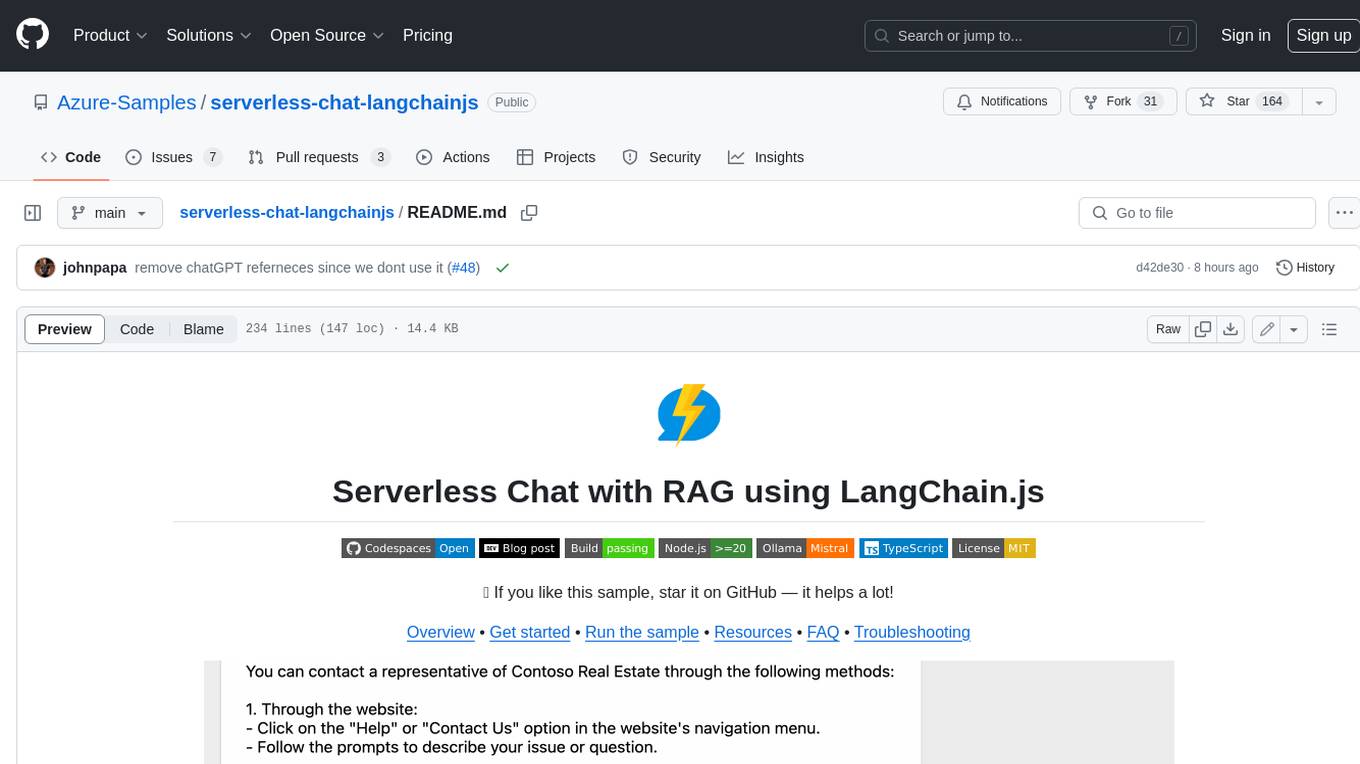
This sample shows how to build a serverless chat experience with Retrieval-Augmented Generation using LangChain.js and Azure. The application is hosted on Azure Static Web Apps and Azure Functions, with Azure Cosmos DB for MongoDB vCore as the vector database. You can use it as a starting point for building more complex AI applications.
serverless-pdf-chat
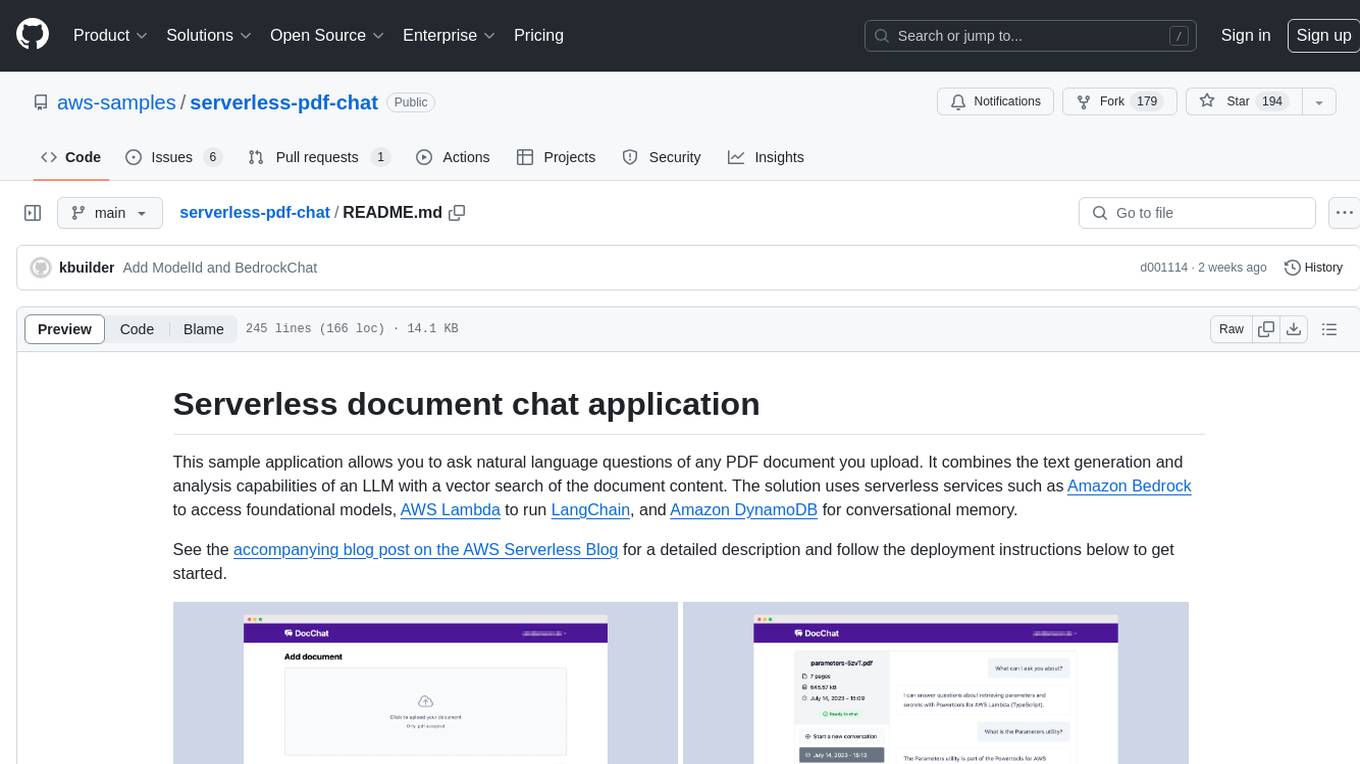
The serverless-pdf-chat repository contains a sample application that allows users to ask natural language questions of any PDF document they upload. It leverages serverless services like Amazon Bedrock, AWS Lambda, and Amazon DynamoDB to provide text generation and analysis capabilities. The application architecture involves uploading a PDF document to an S3 bucket, extracting metadata, converting text to vectors, and using a LangChain to search for information related to user prompts. The application is not intended for production use and serves as a demonstration and educational tool.
aws-ai-stack
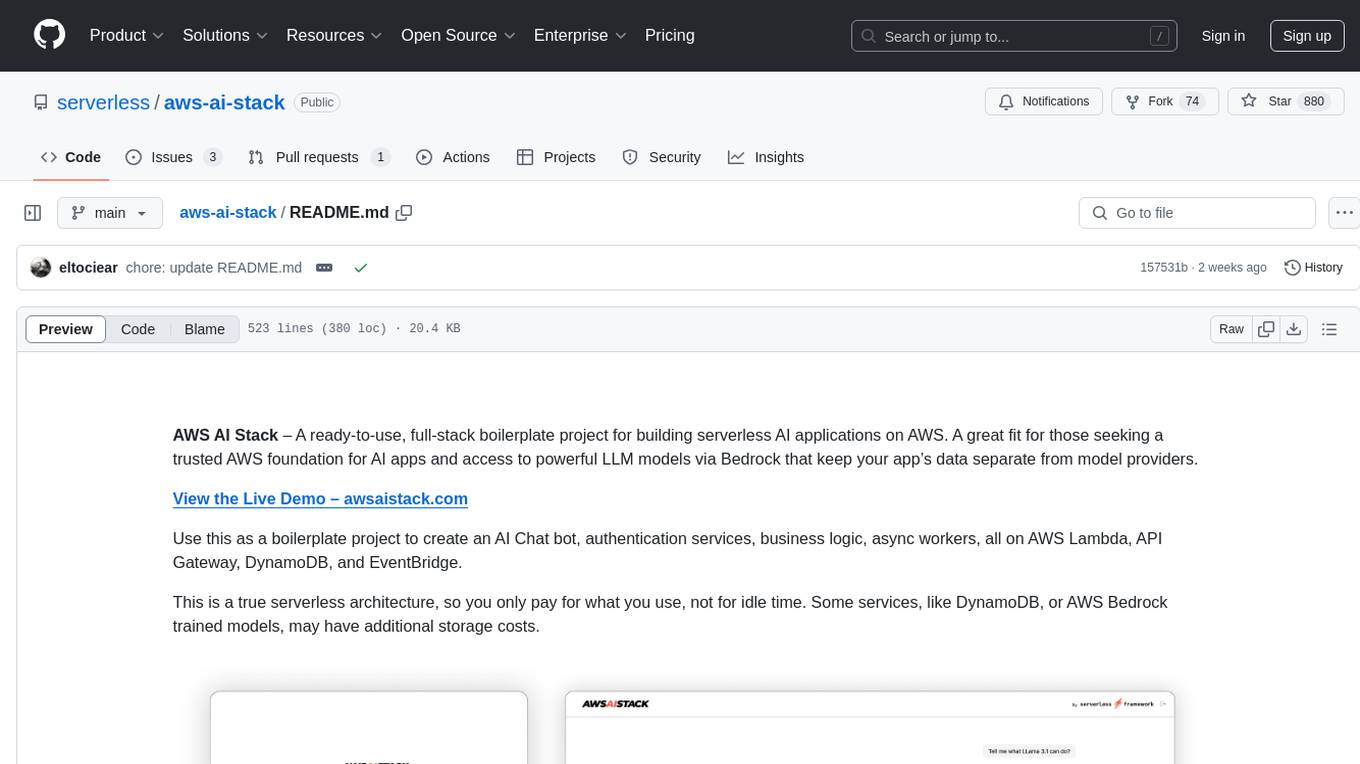
AWS AI Stack is a full-stack boilerplate project designed for building serverless AI applications on AWS. It provides a trusted AWS foundation for AI apps with access to powerful LLM models via Bedrock. The architecture is serverless, ensuring cost-efficiency by only paying for usage. The project includes features like AI Chat & Streaming Responses, Multiple AI Models & Data Privacy, Custom Domain Names, API & Event-Driven architecture, Built-In Authentication, Multi-Environment support, and CI/CD with Github Actions. Users can easily create AI Chat bots, authentication services, business logic, and async workers using AWS Lambda, API Gateway, DynamoDB, and EventBridge.
temporal-ai-agent
Temporal AI Agent is a demo showcasing a multi-turn conversation with an AI agent running inside a Temporal workflow. The agent collects information towards a goal using a simple DSL input. It is currently set up to search for events, book flights around those events, and create an invoice for those flights. The AI agent responds with clarifications and prompts for missing information. Users can configure the agent to use ChatGPT 4o or a local LLM via Ollama. The tool requires Rapidapi key for sky-scrapper to find flights and a Stripe key for creating invoices. Users can customize the agent by modifying tool and goal definitions in the codebase.
generative-ai-application-builder-on-aws
The Generative AI Application Builder on AWS (GAAB) is a solution that provides a web-based management dashboard for deploying customizable Generative AI (Gen AI) use cases. Users can experiment with and compare different combinations of Large Language Model (LLM) use cases, configure and optimize their use cases, and integrate them into their applications for production. The solution is targeted at novice to experienced users who want to experiment and productionize different Gen AI use cases. It uses LangChain open-source software to configure connections to Large Language Models (LLMs) for various use cases, with the ability to deploy chat use cases that allow querying over users' enterprise data in a chatbot-style User Interface (UI) and support custom end-user implementations through an API.
supabase-mcp
Supabase MCP Server standardizes how Large Language Models (LLMs) interact with Supabase, enabling AI assistants to manage tables, fetch config, and query data. It provides tools for project management, database operations, project configuration, branching (experimental), and development tools. The server is pre-1.0, so expect some breaking changes between versions.
aisheets
Hugging Face AI Sheets is an open-source tool for building, enriching, and transforming datasets using AI models with no code. It can be deployed locally or on the Hub, providing access to thousands of open models. Users can easily generate datasets, run data generation scripts, and customize inference endpoints for text generation. The tool supports custom LLMs and offers advanced configuration options for authentication, inference, and miscellaneous settings. With AI Sheets, users can leverage the power of AI models without writing any code, making dataset management and transformation efficient and accessible.
aisuite
Aisuite is a simple, unified interface to multiple Generative AI providers. It allows developers to easily interact with various Language Model (LLM) providers like OpenAI, Anthropic, Azure, Google, AWS, and more through a standardized interface. The library focuses on chat completions and provides a thin wrapper around python client libraries, enabling creators to test responses from different LLM providers without changing their code. Aisuite maximizes stability by using HTTP endpoints or SDKs for making calls to the providers. Users can install the base package or specific provider packages, set up API keys, and utilize the library to generate chat completion responses from different models.
ChatGPT-Telegram-Bot
The ChatGPT Telegram Bot is a powerful Telegram bot that utilizes various GPT models, including GPT3.5, GPT4, GPT4 Turbo, GPT4 Vision, DALL·E 3, Groq Mixtral-8x7b/LLaMA2-70b, and Claude2.1/Claude3 opus/sonnet API. It enables users to engage in efficient conversations and information searches on Telegram. The bot supports multiple AI models, online search with DuckDuckGo and Google, user-friendly interface, efficient message processing, document interaction, Markdown rendering, and convenient deployment options like Zeabur, Replit, and Docker. Users can set environment variables for configuration and deployment. The bot also provides Q&A functionality, supports model switching, and can be deployed in group chats with whitelisting. The project is open source under GPLv3 license.
enterprise-azureai
Azure OpenAI Service is a central capability with Azure API Management, providing guidance and tools for organizations to implement Azure OpenAI in a production environment with an emphasis on cost control, secure access, and usage monitoring. It includes infrastructure-as-code templates, CI/CD pipelines, secure access management, usage monitoring, load balancing, streaming requests, and end-to-end samples like ChatApp and Azure Dashboards.
agentok
Agentok Studio is a visual tool built for AutoGen, a cutting-edge agent framework from Microsoft and various contributors. It offers intuitive visual tools to simplify the construction and management of complex agent-based workflows. Users can create workflows visually as graphs, chat with agents, and share flow templates. The tool is designed to streamline the development process for creators and developers working on next-generation Multi-Agent Applications.
For similar tasks
enterprise-azureai
Azure OpenAI Service is a central capability with Azure API Management, providing guidance and tools for organizations to implement Azure OpenAI in a production environment with an emphasis on cost control, secure access, and usage monitoring. It includes infrastructure-as-code templates, CI/CD pipelines, secure access management, usage monitoring, load balancing, streaming requests, and end-to-end samples like ChatApp and Azure Dashboards.
azure-ai-foundry-baseline
This repository serves as a reference implementation for running a chat application and an AI orchestration layer using Azure AI Foundry Agent service and OpenAI foundation models. It covers common generative AI chat application characteristics such as creating agents, querying data stores, chat memory database, orchestration logic, and calling language models. The implementation also includes production requirements like network isolation, Azure AI Foundry Agent Service dependencies, availability zone reliability, and limiting egress network traffic with Azure Firewall.
aegra
Aegra is a self-hosted AI agent backend platform that provides LangGraph power without vendor lock-in. Built with FastAPI + PostgreSQL, it offers complete control over agent orchestration for teams looking to escape vendor lock-in, meet data sovereignty requirements, enable custom deployments, and optimize costs. Aegra is Agent Protocol compliant and perfect for teams seeking a free, self-hosted alternative to LangGraph Platform with zero lock-in, full control, and compatibility with existing LangGraph Client SDK.
ASTRA.ai
Astra.ai is a multimodal agent powered by TEN, showcasing its capabilities in speech, vision, and reasoning through RAG from local documentation. It provides a platform for developing AI agents with features like RTC transportation, extension store, workflow builder, and local deployment. Users can build and test agents locally using Docker and Node.js, with prerequisites including Agora App ID, Azure's speech-to-text and text-to-speech API keys, and OpenAI API key. The platform offers advanced customization options through config files and API keys setup, enabling users to create and deploy their AI agents for various tasks.
For similar jobs

promptflow
**Prompt flow** is a suite of development tools designed to streamline the end-to-end development cycle of LLM-based AI applications, from ideation, prototyping, testing, evaluation to production deployment and monitoring. It makes prompt engineering much easier and enables you to build LLM apps with production quality.

deepeval
DeepEval is a simple-to-use, open-source LLM evaluation framework specialized for unit testing LLM outputs. It incorporates various metrics such as G-Eval, hallucination, answer relevancy, RAGAS, etc., and runs locally on your machine for evaluation. It provides a wide range of ready-to-use evaluation metrics, allows for creating custom metrics, integrates with any CI/CD environment, and enables benchmarking LLMs on popular benchmarks. DeepEval is designed for evaluating RAG and fine-tuning applications, helping users optimize hyperparameters, prevent prompt drifting, and transition from OpenAI to hosting their own Llama2 with confidence.

MegaDetector
MegaDetector is an AI model that identifies animals, people, and vehicles in camera trap images (which also makes it useful for eliminating blank images). This model is trained on several million images from a variety of ecosystems. MegaDetector is just one of many tools that aims to make conservation biologists more efficient with AI. If you want to learn about other ways to use AI to accelerate camera trap workflows, check out our of the field, affectionately titled "Everything I know about machine learning and camera traps".

leapfrogai
LeapfrogAI is a self-hosted AI platform designed to be deployed in air-gapped resource-constrained environments. It brings sophisticated AI solutions to these environments by hosting all the necessary components of an AI stack, including vector databases, model backends, API, and UI. LeapfrogAI's API closely matches that of OpenAI, allowing tools built for OpenAI/ChatGPT to function seamlessly with a LeapfrogAI backend. It provides several backends for various use cases, including llama-cpp-python, whisper, text-embeddings, and vllm. LeapfrogAI leverages Chainguard's apko to harden base python images, ensuring the latest supported Python versions are used by the other components of the stack. The LeapfrogAI SDK provides a standard set of protobuffs and python utilities for implementing backends and gRPC. LeapfrogAI offers UI options for common use-cases like chat, summarization, and transcription. It can be deployed and run locally via UDS and Kubernetes, built out using Zarf packages. LeapfrogAI is supported by a community of users and contributors, including Defense Unicorns, Beast Code, Chainguard, Exovera, Hypergiant, Pulze, SOSi, United States Navy, United States Air Force, and United States Space Force.

llava-docker
This Docker image for LLaVA (Large Language and Vision Assistant) provides a convenient way to run LLaVA locally or on RunPod. LLaVA is a powerful AI tool that combines natural language processing and computer vision capabilities. With this Docker image, you can easily access LLaVA's functionalities for various tasks, including image captioning, visual question answering, text summarization, and more. The image comes pre-installed with LLaVA v1.2.0, Torch 2.1.2, xformers 0.0.23.post1, and other necessary dependencies. You can customize the model used by setting the MODEL environment variable. The image also includes a Jupyter Lab environment for interactive development and exploration. Overall, this Docker image offers a comprehensive and user-friendly platform for leveraging LLaVA's capabilities.

carrot
The 'carrot' repository on GitHub provides a list of free and user-friendly ChatGPT mirror sites for easy access. The repository includes sponsored sites offering various GPT models and services. Users can find and share sites, report errors, and access stable and recommended sites for ChatGPT usage. The repository also includes a detailed list of ChatGPT sites, their features, and accessibility options, making it a valuable resource for ChatGPT users seeking free and unlimited GPT services.

TrustLLM
TrustLLM is a comprehensive study of trustworthiness in LLMs, including principles for different dimensions of trustworthiness, established benchmark, evaluation, and analysis of trustworthiness for mainstream LLMs, and discussion of open challenges and future directions. Specifically, we first propose a set of principles for trustworthy LLMs that span eight different dimensions. Based on these principles, we further establish a benchmark across six dimensions including truthfulness, safety, fairness, robustness, privacy, and machine ethics. We then present a study evaluating 16 mainstream LLMs in TrustLLM, consisting of over 30 datasets. The document explains how to use the trustllm python package to help you assess the performance of your LLM in trustworthiness more quickly. For more details about TrustLLM, please refer to project website.

AI-YinMei
AI-YinMei is an AI virtual anchor Vtuber development tool (N card version). It supports fastgpt knowledge base chat dialogue, a complete set of solutions for LLM large language models: [fastgpt] + [one-api] + [Xinference], supports docking bilibili live broadcast barrage reply and entering live broadcast welcome speech, supports Microsoft edge-tts speech synthesis, supports Bert-VITS2 speech synthesis, supports GPT-SoVITS speech synthesis, supports expression control Vtuber Studio, supports painting stable-diffusion-webui output OBS live broadcast room, supports painting picture pornography public-NSFW-y-distinguish, supports search and image search service duckduckgo (requires magic Internet access), supports image search service Baidu image search (no magic Internet access), supports AI reply chat box [html plug-in], supports AI singing Auto-Convert-Music, supports playlist [html plug-in], supports dancing function, supports expression video playback, supports head touching action, supports gift smashing action, supports singing automatic start dancing function, chat and singing automatic cycle swing action, supports multi scene switching, background music switching, day and night automatic switching scene, supports open singing and painting, let AI automatically judge the content.