


openclaw-android
Run OpenClaw on Android with a single command — no proot, no Linux
Stars: 160
OpenClaw on Android is a project that enables running an OpenClaw server on Android devices, providing a lightweight, low-power, and secure solution for hosting a server. The project eliminates the need for a Linux installation by patching compatibility issues directly, allowing OpenClaw to run in pure Termux. It offers a step-by-step setup guide, including enabling developer options, installing Termux, setting up OpenClaw, and accessing the dashboard from a PC. Additionally, the project includes compatibility patches for popular AI CLI tools like Claude Code, Gemini CLI, and Codex CLI, enabling users to install and run these tools on their Android devices. The project also provides an update mechanism and an uninstall script for easy removal.
README:






Because Android deserves a shell.
An Android phone is a great environment for running an OpenClaw server:
- Sufficient performance — Even models from a few years ago have more than enough specs to run OpenClaw
- Repurpose old phones — Put that phone sitting in your drawer to good use. No need to buy a mini PC
- Low power + built-in UPS — Runs 24/7 on a fraction of the power a PC would consume, and the battery keeps it alive through power outages
- No personal data at risk — Install OpenClaw on a factory-reset phone with no accounts logged in, and there's zero personal data on the device. Dedicating a PC to this feels wasteful — a spare phone is perfect
The standard approach to running OpenClaw on Android requires installing proot-distro with Linux, adding 700MB-1GB of overhead. OpenClaw on Android eliminates this by patching compatibility issues directly, letting you run OpenClaw in pure Termux.
| Standard (proot-distro) | This project | |
|---|---|---|
| Storage overhead | 1-2GB (Linux + packages) | ~50MB |
| Setup time | 20-30 min | 3-10 min |
| Performance | Slower (proot layer) | Native speed |
| Setup steps | Install distro, configure Linux, install Node.js, fix paths... | Run one command |
- Android 7.0 or higher (Android 10+ recommended)
- ~500MB free storage
- Wi-Fi or mobile data connection
- Enable Developer Options and Stay Awake
- Install Termux
- Initial Termux Setup
- Install OpenClaw — one command
- Start OpenClaw Setup
- Start OpenClaw (Gateway)
- Access the Dashboard from Your PC
OpenClaw runs as a server, so the screen turning off can cause Android to throttle or kill the process. Keeping the screen on while charging ensures stable operation.
A. Enable Developer Options
- Go to Settings > About phone (or Device information)
- Tap Build number 7 times
- You'll see "Developer mode has been enabled"
- Enter your lock screen password if prompted
On some devices, Build number is under Settings > About phone > Software information.
B. Stay Awake While Charging
- Go to Settings > Developer options (the menu you just enabled)
- Turn on Stay awake
- The screen will now stay on whenever the device is charging (USB or wireless)
The screen will still turn off normally when unplugged. Keep the charger connected when running the server for extended periods.
C. Set Charge Limit (Required)
Keeping a phone plugged in 24/7 at 100% can cause battery swelling. Limiting the maximum charge to 80% greatly improves battery lifespan and safety.
- Samsung: Settings > Battery > Battery Protection → Select Maximum 80%
- Google Pixel: Settings > Battery > Battery Protection → ON
Menu names vary by manufacturer. Search for "battery protection" or "charge limit" in your settings. If your device doesn't have this feature, consider managing the charger manually or using a smart plug.
Important: The Play Store version of Termux is discontinued and will not work. You must install from F-Droid.
- Open your phone's browser and go to f-droid.org
- Search for
Termux, then tap Download APK to download and install- Allow "Install from unknown sources" when prompted
Open the Termux app and paste the following command to install curl (needed for the next step).
pkg update -y && pkg install -y curlYou may be asked to choose a mirror on first run. Pick any — a geographically closer mirror will be faster.
Disable Battery Optimization for Termux
- Go to Android Settings > Battery (or Battery and device care)
- Open Battery optimization (or App power management)
- Find Termux and set it to Not optimized (or Unrestricted)
The exact menu path varies by manufacturer (Samsung, LG, etc.) and Android version. Search your settings for "battery optimization" to find it.
Tip: Use SSH for easier typing From this step on, you can type commands from your computer keyboard instead of the phone screen. See the Termux SSH Setup Guide for details.
Paste the following command in Termux.
curl -sL myopenclawhub.com/install | bash && source ~/.bashrcEverything is installed automatically with a single command. This takes 3–10 minutes depending on network speed and device. Wi-Fi is recommended.
Once complete, the OpenClaw version is displayed along with instructions to run openclaw onboard.
As instructed in the installation output, run:
openclaw onboardFollow the on-screen instructions to complete the initial setup.

Once setup is complete, start the gateway:
Important: Run
openclaw gatewaydirectly in the Termux app on your phone, not via SSH. If you run it over SSH, the gateway will stop when the SSH session disconnects.
The gateway occupies the terminal while running, so open a new tab for it. Tap the hamburger icon (☰) on the bottom menu bar, or swipe right from the left edge of the screen (above the bottom menu bar) to open the side menu. Then tap NEW SESSION.

In the new tab, run:
openclaw gateway
To stop the gateway, press
Ctrl+C. Do not useCtrl+Z— it only suspends the process without terminating it.
To manage OpenClaw from your PC browser, you need to set up an SSH connection to your phone. See the Termux SSH Setup Guide to configure SSH access first. Open another new tab on the phone for sshd (same method as Step 6).
Once SSH is ready, find your phone's IP address. Run the following in Termux and look for the inet address under wlan0 (e.g. 192.168.0.100).
ifconfigThen open a new terminal on your PC and set up an SSH tunnel:
ssh -N -L 18789:127.0.0.1:18789 -p 8022 <phone-ip>Then open in your PC browser: http://localhost:18789/
Run
openclaw dashboardon the phone to get the full URL with token.
If you run OpenClaw on multiple devices on the same network, use the Dashboard Connect tool to manage them from your PC.
- Save connection settings (IP, token, ports) for each device with a nickname
- Generates the SSH tunnel command and dashboard URL automatically
- Your data stays local — Connection settings (IP, token, ports) are saved only in your browser's localStorage and are never sent to any server.
The compatibility patches included in this project fix Termux's native build environment, enabling popular AI CLI tools to install and run:
| Tool | Install |
|---|---|
| Claude Code (Anthropic) | npm i -g @anthropic-ai/claude-code |
| Gemini CLI (Google) | npm i -g @google/gemini-cli |
| Codex CLI (OpenAI) | npm i -g @openai/codex |
Install OpenClaw on Android first, then install any of these tools — the patches handle the rest.


If you already have OpenClaw on Android installed and want to apply the latest patches and environment updates:
oaupdate && source ~/.bashrcThis single command updates both OpenClaw (openclaw update) and the Android compatibility patches from this project. Safe to run multiple times.
If the
oaupdatecommand is not available (older installations), run it with curl:curl -sL myopenclawhub.com/update | bash && source ~/.bashrc
bash ~/.openclaw-android/uninstall.shThis removes the OpenClaw package, patches, environment variables, and temp files. Your OpenClaw data (~/.openclaw) is optionally preserved.
See the Troubleshooting Guide for detailed solutions.
The installer automatically resolves the differences between Termux and standard Linux. There's nothing you need to do manually — the single install command handles all 5 of these:
- Platform recognition — Configures Android to be recognized as Linux
- Network error prevention — Automatically works around network-related crashes on Android
- Path conversion — Automatically converts standard Linux paths to Termux paths
- Temp folder setup — Automatically configures an accessible temp folder for Android
- Service manager bypass — Configures normal operation without systemd
CLI commands like openclaw status may feel slower than on a PC. This is because each command needs to read many files, and the phone's storage is slower than a PC's, with Android's security processing adding overhead.
However, once the gateway is running, there's no difference. The process stays in memory so files don't need to be re-read, and AI responses are processed on external servers — the same speed as on a PC.
Technical Documentation for Developers
openclaw-android/
├── bootstrap.sh                # curl | bash one-liner installer (downloader)
├── install.sh                  # One-click installer (entry point)
├── update.sh                   # Thin wrapper (downloads and runs update-core.sh)
├── update-core.sh              # Lightweight updater for existing installations
├── uninstall.sh                # Clean removal
├── patches/
│   ├── bionic-compat.js        # Platform override + os.networkInterfaces() + os.cpus() patches
│   ├── termux-compat.h         # C/C++ compatibility shim (renameat2 syscall wrapper)
│   ├── spawn.h                 # POSIX spawn stub header for Termux
│   ├── patch-paths.sh          # Fix hardcoded paths in OpenClaw
│   └── apply-patches.sh        # Patch orchestrator
├── scripts/
│   ├── build-sharp.sh          # Build sharp native module (image processing)
│   ├── check-env.sh            # Pre-flight environment check
│   ├── install-deps.sh         # Install Termux packages
│   ├── setup-env.sh            # Configure environment variables
│   └── setup-paths.sh          # Create directories and symlinks
├── tests/
│   └── verify-install.sh       # Post-install verification
└── docs/
    ├── termux-ssh-guide.md     # Termux SSH setup guide (EN)
    ├── termux-ssh-guide.ko.md  # Termux SSH setup guide (KO)
    ├── troubleshooting.md      # Troubleshooting guide (EN)
    ├── troubleshooting.ko.md   # Troubleshooting guide (KO)
    └── images/                 # Screenshots and images
Running bash install.sh executes the following 7 steps in order.
Validates that the current environment is suitable before starting installation.
-
Termux detection: Checks for the
$PREFIXenvironment variable. Exits immediately if not in Termux -
Architecture check: Runs
uname -mto verify CPU architecture (aarch64 recommended, armv7l supported, x86_64 treated as emulator) -
Disk space: Ensures at least 500MB free on the
$PREFIXpartition. Errors if insufficient -
Existing installation: If
openclawcommand already exists, shows current version and notes this is a reinstall/upgrade - Node.js pre-check: If Node.js is already installed, shows version and warns if below 22
Installs Termux packages required for building and running OpenClaw.
- Runs
pkg update -y && pkg upgrade -yto refresh and upgrade packages - Installs the following packages:
| Package | Role | Why It's Needed |
|---|---|---|
nodejs-lts |
Node.js LTS runtime (>= 22) + npm package manager | OpenClaw is a Node.js application. Node.js and npm are required to install it via npm install -g openclaw. LTS is used because OpenClaw requires Node >= 22.12.0 |
git |
Distributed version control | Some npm packages have git dependencies. Sub-dependencies of OpenClaw may reference packages via git URLs. Also needed if installing this repo via git clone
|
python |
Python interpreter | Used by node-gyp to run build scripts when compiling native C/C++ addons. Required when OpenClaw's dependency tree includes native modules (e.g., better-sqlite3, bcrypt) |
make |
Build automation tool | Executes Makefiles generated by node-gyp to compile native modules. Core part of the native build pipeline alongside python
|
cmake |
Cross-platform build system | Some native modules use CMake-based builds instead of Makefiles. Cryptography-related libraries (argon2, etc.) often include CMakeLists.txt |
clang |
C/C++ compiler | Default C/C++ compiler in Termux. Used by node-gyp to compile C/C++ source of native modules. Termux uses Clang as standard instead of GCC |
binutils |
Binary utilities (ar, strip, etc.) | Provides llvm-ar for creating static archives during native module builds. The installer also creates an ar → llvm-ar symlink since many build systems expect a plain ar command |
tmux |
Terminal multiplexer | Allows running the OpenClaw server in a background session. In Termux, apps going to background may suspend processes, so running inside a tmux session keeps it stable |
ttyd |
Web terminal | Shares a terminal over the web. Used by My OpenClaw Hub to provide browser-based terminal access to the host |
pyyaml (pip) |
YAML parser for Python | Required for .skill packaging in OpenClaw. Installed via pip install pyyaml after the Termux packages |
- After installation, verifies Node.js >= 22 and npm presence. Exits on failure
Creates the directory structure needed for Termux.
-
$PREFIX/tmp/openclaw— OpenClaw temp directory (replaces/tmp) -
$HOME/.openclaw-android/patches— Patch file storage location -
$HOME/.openclaw— OpenClaw data directory - Displays how standard Linux paths (
/bin/sh,/usr/bin/env,/tmp) map to Termux's$PREFIXsubdirectories
Adds an environment variable block to ~/.bashrc.
- Wraps the block with
# >>> OpenClaw on Android >>>/# <<< OpenClaw on Android <<<markers for management - If the block already exists, removes the old one and adds a fresh one (prevents duplicates)
- Environment variables set:
-
TMPDIR=$PREFIX/tmp— Use Termux temp directory instead of/tmp -
TMP,TEMP— Same asTMPDIR(for compatibility with some tools) -
NODE_OPTIONS="-r .../bionic-compat.js"— Auto-load Bionic compatibility patch for all Node processes -
CONTAINER=1— Bypass systemd existence checks -
CFLAGS="-Wno-error=implicit-function-declaration"— Prevent Clang from treating implicit function declarations as errors (needed for building native modules like@discordjs/opusthat compile cleanly with GCC but fail under Clang's stricter defaults) -
CXXFLAGS="-include .../termux-compat.h"— Force-include C/C++ compatibility shim for native module builds -
GYP_DEFINES="OS=linux ..."— Override node-gyp OS detection for Android -
CPATH="...glib-2.0..."— Provide glib header paths for sharp builds
-
- Creates an
ar → llvm-arsymlink if missing (Termux providesllvm-arbut many build systems expectar)
After running setup-env.sh, install.sh re-exports all environment variables in the current process. Since setup-env.sh runs as a subprocess, its exports don't propagate to the parent. This re-export ensures Step 5's npm install inherits the correct build environment (CFLAGS, CXXFLAGS, GYP_DEFINES, etc.).
Installs OpenClaw globally and applies Termux compatibility patches.
- Copies compatibility patches to
~/.openclaw-android/patches/:-
bionic-compat.js— Node.js runtime patches (needed during npm install) -
termux-compat.h— C/C++ build compatibility (renameat2 syscall wrapper) -
spawn.h→$PREFIX/include/spawn.h— POSIX spawn stub header (if missing)
-
- Installs
update.shwrapper as$PREFIX/bin/oaupdatefor convenient updating - Runs
npm install -g openclaw@latest -
patches/apply-patches.shapplies all patches:- Verifies
bionic-compat.jsfinal copy - Installs
systemctlstub to$PREFIX/bin/systemctl— a minimal script that intercepts systemd service management calls (which would fail in Termux since there is no systemd) - Runs
patches/patch-paths.sh— uses sed to replace hardcoded paths in installed OpenClaw JS files:-
"/tmp"/'/tmp'→"$PREFIX/tmp"/'$PREFIX/tmp' -
"/bin/sh"→"$PREFIX/bin/sh" -
"/bin/bash"→"$PREFIX/bin/bash" -
"/usr/bin/env"→"$PREFIX/bin/env"
-
- Logs patch results to
~/.openclaw-android/patch.log
- Verifies
-
scripts/build-sharp.shbuilds the sharp native module for image processing (non-critical):- Installs
libvipsandbinutilspackages - Installs
node-gypglobally - Sets
GYP_DEFINESandCPATHfor Android/Termux cross-compilation - Runs
npm rebuild sharpinside the OpenClaw directory - If the build fails, prints a warning and continues — image processing won't work but the gateway runs normally
- Installs
Checks 7 items to confirm installation completed successfully.
| Check Item | PASS Condition |
|---|---|
| Node.js version |
node -v >= 22 |
| npm |
npm command exists |
| openclaw |
openclaw --version succeeds |
| TMPDIR | Environment variable is set |
| NODE_OPTIONS | Environment variable is set |
| CONTAINER | Set to 1
|
| bionic-compat.js | File exists in ~/.openclaw-android/patches/
|
| Directories |
~/.openclaw-android, ~/.openclaw, $PREFIX/tmp exist |
| .bashrc | Contains environment variable block |
All items pass → PASSED. Any failure → FAILED with reinstall instructions.
Runs openclaw update to ensure the latest version. On completion, displays the OpenClaw version and instructs the user to run openclaw onboard to start setup.
Running oaupdate (or curl ... update.sh | bash) downloads update-core.sh from GitHub and executes the following 6 steps. Unlike the full installer, it skips environment checks, path setup, and verification — focusing only on refreshing patches, environment variables, and the OpenClaw package.
Validates the minimum conditions for updating.
- Checks
$PREFIXexists (Termux environment) - Checks
openclawcommand exists (must already be installed) - Checks
curlis available (needed to download files) - Migrates old directory name if needed (
.openclaw-lite→.openclaw-android— legacy compatibility)
Installs packages that may have been added since the user's initial installation.
-
ttyd— Web terminal for browser-based access. Skipped if already installed -
PyYAML— YAML parser for.skillpackaging. Skipped if already installed
Both are non-critical — failures print a warning but don't stop the update.
Downloads the latest patch files and scripts from GitHub.
| File | Purpose | On Failure |
|---|---|---|
setup-env.sh |
Refresh .bashrc environment block |
Exit (required) |
bionic-compat.js |
Node.js runtime compatibility patch | Warning |
termux-compat.h |
C/C++ build compatibility header | Warning |
spawn.h |
POSIX spawn stub (skipped if exists) | Warning |
systemctl |
systemd stub for Termux | Warning |
update.sh |
Install/update oaupdate command |
Warning |
build-sharp.sh |
sharp native module build script | Warning |
Only setup-env.sh is required — all other failures are non-critical.
Runs the downloaded setup-env.sh to refresh the .bashrc environment block with the latest variables. Then re-exports all variables in the current process so that Step 5's npm install inherits the correct build environment.
- Installs build dependencies:
libvips(for sharp) andbinutils(for native builds) - Creates
ar → llvm-arsymlink if missing - Runs
npm install -g openclaw@latest— environment variables from Step 4 are inherited, enabling native modules (sharp,@discordjs/opus, etc.) to build correctly - On failure, prints a warning and continues
Runs build-sharp.sh to ensure the sharp native module is built. If sharp was already compiled successfully during Step 5's npm install, this step detects it and skips the rebuild.
MIT
For Tasks:
Click tags to check more tools for each tasksFor Jobs:
Alternative AI tools for openclaw-android
Similar Open Source Tools
openclaw-android
OpenClaw on Android is a project that enables running an OpenClaw server on Android devices, providing a lightweight, low-power, and secure solution for hosting a server. The project eliminates the need for a Linux installation by patching compatibility issues directly, allowing OpenClaw to run in pure Termux. It offers a step-by-step setup guide, including enabling developer options, installing Termux, setting up OpenClaw, and accessing the dashboard from a PC. Additionally, the project includes compatibility patches for popular AI CLI tools like Claude Code, Gemini CLI, and Codex CLI, enabling users to install and run these tools on their Android devices. The project also provides an update mechanism and an uninstall script for easy removal.
AirConnect-Synology
AirConnect-Synology is a minimal Synology package that allows users to use AirPlay to stream to UPnP/Sonos & Chromecast devices that do not natively support AirPlay. It is compatible with DSM 7.0 and DSM 7.1, and provides detailed information on installation, configuration, supported devices, troubleshooting, and more. The package automates the installation and usage of AirConnect on Synology devices, ensuring compatibility with various architectures and firmware versions. Users can customize the configuration using the airconnect.conf file and adjust settings for specific speakers like Sonos, Bose SoundTouch, and Pioneer/Phorus/Play-Fi.
exo
Run your own AI cluster at home with everyday devices. Exo is experimental software that unifies existing devices into a powerful GPU, supporting wide model compatibility, dynamic model partitioning, automatic device discovery, ChatGPT-compatible API, and device equality. It does not use a master-worker architecture, allowing devices to connect peer-to-peer. Exo supports different partitioning strategies like ring memory weighted partitioning. Installation is recommended from source. Documentation includes example usage on multiple MacOS devices and information on inference engines and networking modules. Known issues include the iOS implementation lagging behind Python.
xFasterTransformer
xFasterTransformer is an optimized solution for Large Language Models (LLMs) on the X86 platform, providing high performance and scalability for inference on mainstream LLM models. It offers C++ and Python APIs for easy integration, along with example codes and benchmark scripts. Users can prepare models in a different format, convert them, and use the APIs for tasks like encoding input prompts, generating token ids, and serving inference requests. The tool supports various data types and models, and can run in single or multi-rank modes using MPI. A web demo based on Gradio is available for popular LLM models like ChatGLM and Llama2. Benchmark scripts help evaluate model inference performance quickly, and MLServer enables serving with REST and gRPC interfaces.
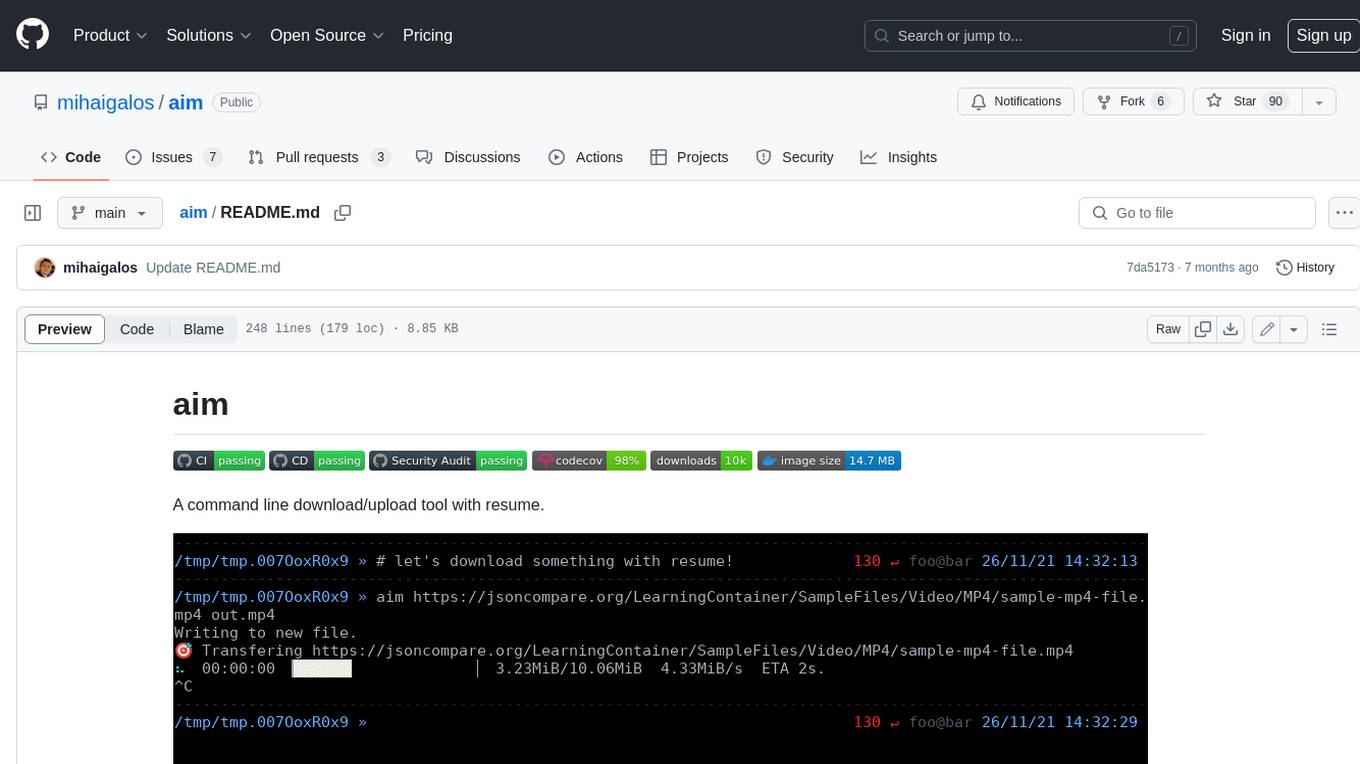
aim
Aim is a command-line tool for downloading and uploading files with resume support. It supports various protocols including HTTP, FTP, SFTP, SSH, and S3. Aim features an interactive mode for easy navigation and selection of files, as well as the ability to share folders over HTTP for easy access from other devices. Additionally, it offers customizable progress indicators and output formats, and can be integrated with other commands through piping. Aim can be installed via pre-built binaries or by compiling from source, and is also available as a Docker image for platform-independent usage.
UCAgent
UCAgent is an AI-powered automated UT verification agent for chip design. It automates chip verification workflow, supports functional and code coverage analysis, ensures consistency among documentation, code, and reports, and collaborates with mainstream Code Agents via MCP protocol. It offers three intelligent interaction modes and requires Python 3.11+, Linux/macOS OS, 4GB+ memory, and access to an AI model API. Users can clone the repository, install dependencies, configure qwen, and start verification. UCAgent supports various verification quality improvement options and basic operations through TUI shortcuts and stage color indicators. It also provides documentation build and preview using MkDocs, PDF manual build using Pandoc + XeLaTeX, and resources for further help and contribution.
backend.ai-webui
Backend.AI Web UI is a user-friendly web and app interface designed to make AI accessible for end-users, DevOps, and SysAdmins. It provides features for session management, inference service management, pipeline management, storage management, node management, statistics, configurations, license checking, plugins, help & manuals, kernel management, user management, keypair management, manager settings, proxy mode support, service information, and integration with the Backend.AI Web Server. The tool supports various devices, offers a built-in websocket proxy feature, and allows for versatile usage across different platforms. Users can easily manage resources, run environment-supported apps, access a web-based terminal, use Visual Studio Code editor, manage experiments, set up autoscaling, manage pipelines, handle storage, monitor nodes, view statistics, configure settings, and more.
ragflow
RAGFlow is an open-source Retrieval-Augmented Generation (RAG) engine that combines deep document understanding with Large Language Models (LLMs) to provide accurate question-answering capabilities. It offers a streamlined RAG workflow for businesses of all sizes, enabling them to extract knowledge from unstructured data in various formats, including Word documents, slides, Excel files, images, and more. RAGFlow's key features include deep document understanding, template-based chunking, grounded citations with reduced hallucinations, compatibility with heterogeneous data sources, and an automated and effortless RAG workflow. It supports multiple recall paired with fused re-ranking, configurable LLMs and embedding models, and intuitive APIs for seamless integration with business applications.
uLoopMCP
uLoopMCP is a Unity integration tool designed to let AI drive your Unity project forward with minimal human intervention. It provides a 'self-hosted development loop' where an AI can compile, run tests, inspect logs, and fix issues using tools like compile, run-tests, get-logs, and clear-console. It also allows AI to operate the Unity Editor itself—creating objects, calling menu items, inspecting scenes, and refining UI layouts from screenshots via tools like execute-dynamic-code, execute-menu-item, and capture-window. The tool enables AI-driven development loops to run autonomously inside existing Unity projects.
ComfyUI
ComfyUI is a powerful and modular visual AI engine and application that allows users to design and execute advanced stable diffusion pipelines using a graph/nodes/flowchart based interface. It provides a user-friendly environment for creating complex Stable Diffusion workflows without the need for coding. ComfyUI supports various models for image editing, video processing, audio manipulation, 3D modeling, and more. It offers features like smart memory management, support for different GPU types, loading and saving workflows as JSON files, and offline functionality. Users can also use API nodes to access paid models from external providers through the online Comfy API.
lettabot
LettaBot is a personal AI assistant that operates across multiple messaging platforms including Telegram, Slack, Discord, WhatsApp, and Signal. It offers features like unified memory, persistent memory, local tool execution, voice message transcription, scheduling, and real-time message updates. Users can interact with LettaBot through various commands and setup wizards. The tool can be used for controlling smart home devices, managing background tasks, connecting to Letta Code, and executing specific operations like file exploration and internet queries. LettaBot ensures security through outbound connections only, restricted tool execution, and access control policies. Development and releases are automated, and troubleshooting guides are provided for common issues.
cli
Entire CLI is a tool that integrates into your git workflow to capture AI agent sessions on every push. It indexes sessions alongside commits, creating a searchable record of code changes in your repository. It helps you understand why code changed, recover instantly, keep Git history clean, onboard faster, and maintain traceability. Entire offers features like enabling in your project, working with your AI agent, rewinding to a previous checkpoint, resuming a previous session, and disabling Entire. It also explains key concepts like sessions and checkpoints, how it works, strategies, Git worktrees, and concurrent sessions. The tool provides commands for cleaning up data, enabling/disabling hooks, fixing stuck sessions, explaining sessions/commits, resetting state, and showing status/version. Entire uses configuration files for project and local settings, with options for enabling/disabling Entire, setting log levels, strategy, telemetry, and auto-summarization. It supports Gemini CLI in preview alongside Claude Code.
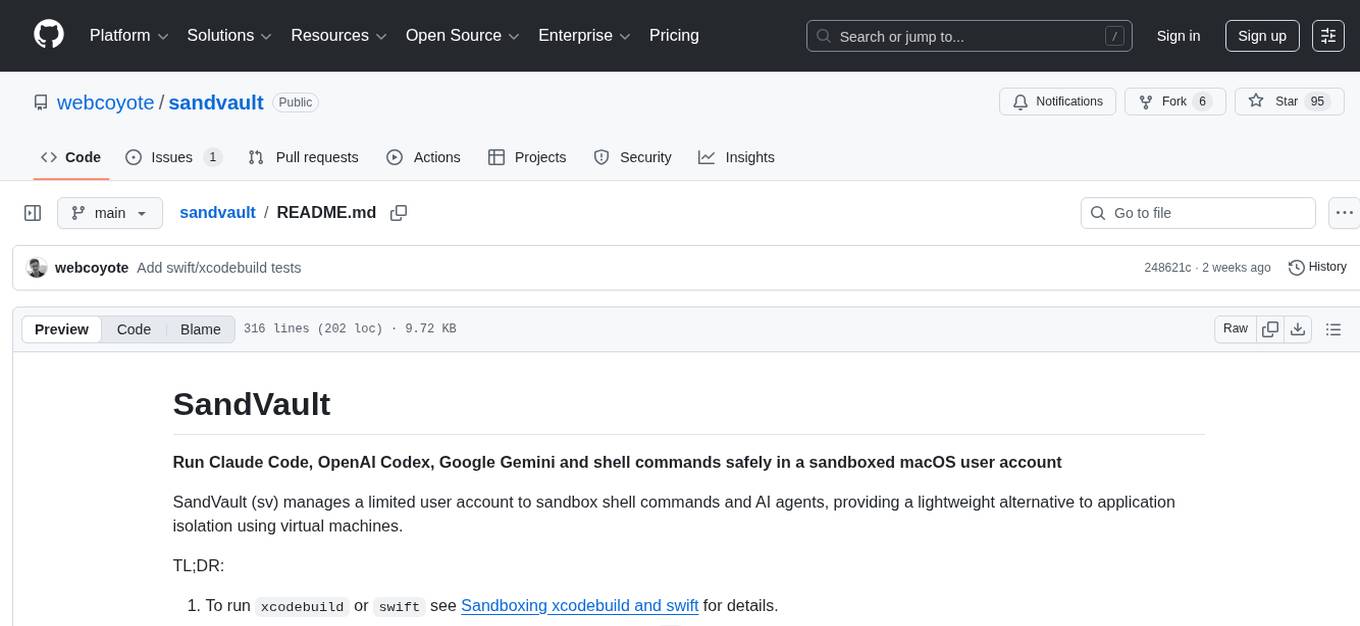
sandvault
SandVault is a tool that manages a limited user account to sandbox shell commands and AI agents on macOS, providing a lightweight alternative to application isolation using virtual machines. It allows for running Claude Code, OpenAI Codex, Google Gemini, and shell commands safely within a sandboxed environment. SandVault offers features like fast context switching, passwordless account switching, shared workspace access, and clean uninstallation. The tool operates with limited access to the user's computer, ensuring security by restricting access to certain directories and system files.
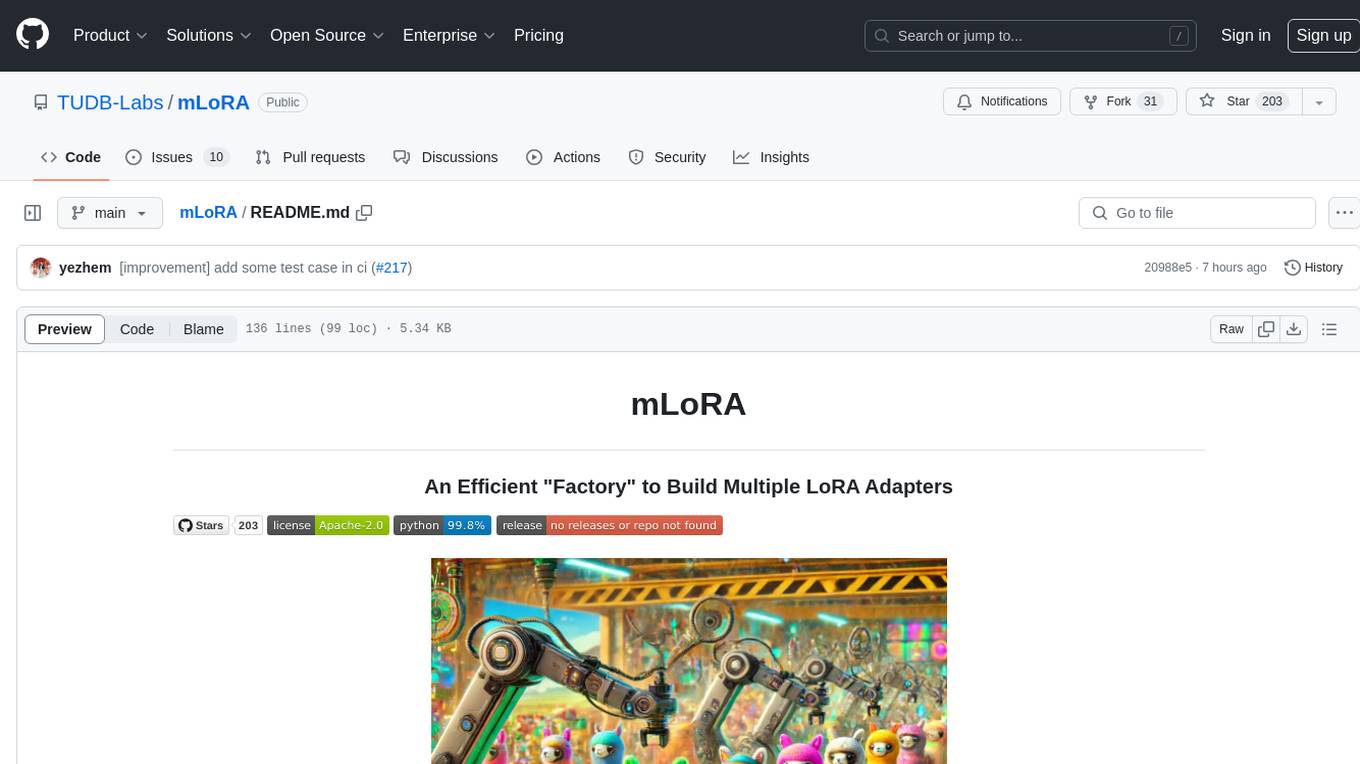
mLoRA
mLoRA (Multi-LoRA Fine-Tune) is an open-source framework for efficient fine-tuning of multiple Large Language Models (LLMs) using LoRA and its variants. It allows concurrent fine-tuning of multiple LoRA adapters with a shared base model, efficient pipeline parallelism algorithm, support for various LoRA variant algorithms, and reinforcement learning preference alignment algorithms. mLoRA helps save computational and memory resources when training multiple adapters simultaneously, achieving high performance on consumer hardware.
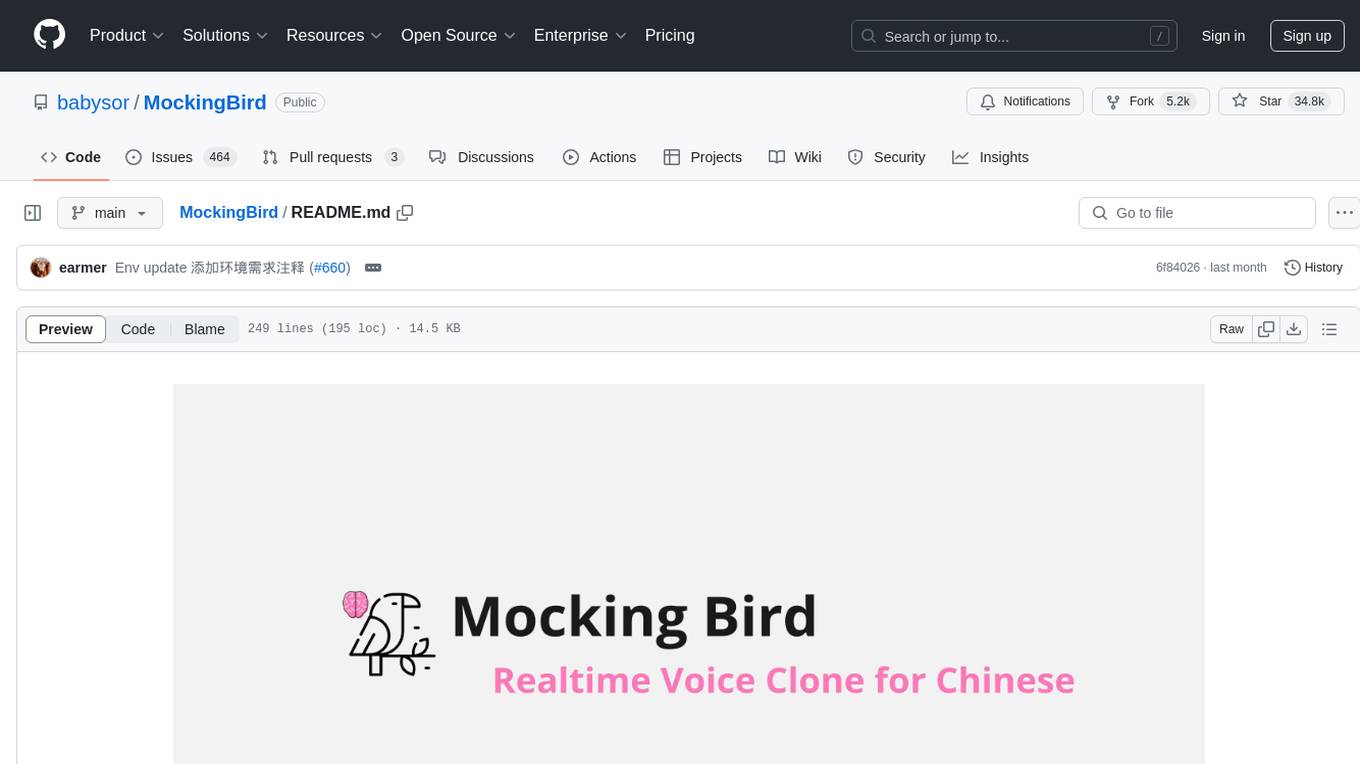
MockingBird
MockingBird is a toolbox designed for Mandarin speech synthesis using PyTorch. It supports multiple datasets such as aidatatang_200zh, magicdata, aishell3, and data_aishell. The toolbox can run on Windows, Linux, and M1 MacOS, providing easy and effective speech synthesis with pretrained encoder/vocoder models. It is webserver ready for remote calling. Users can train their own models or use existing ones for the encoder, synthesizer, and vocoder. The toolbox offers a demo video and detailed setup instructions for installation and model training.
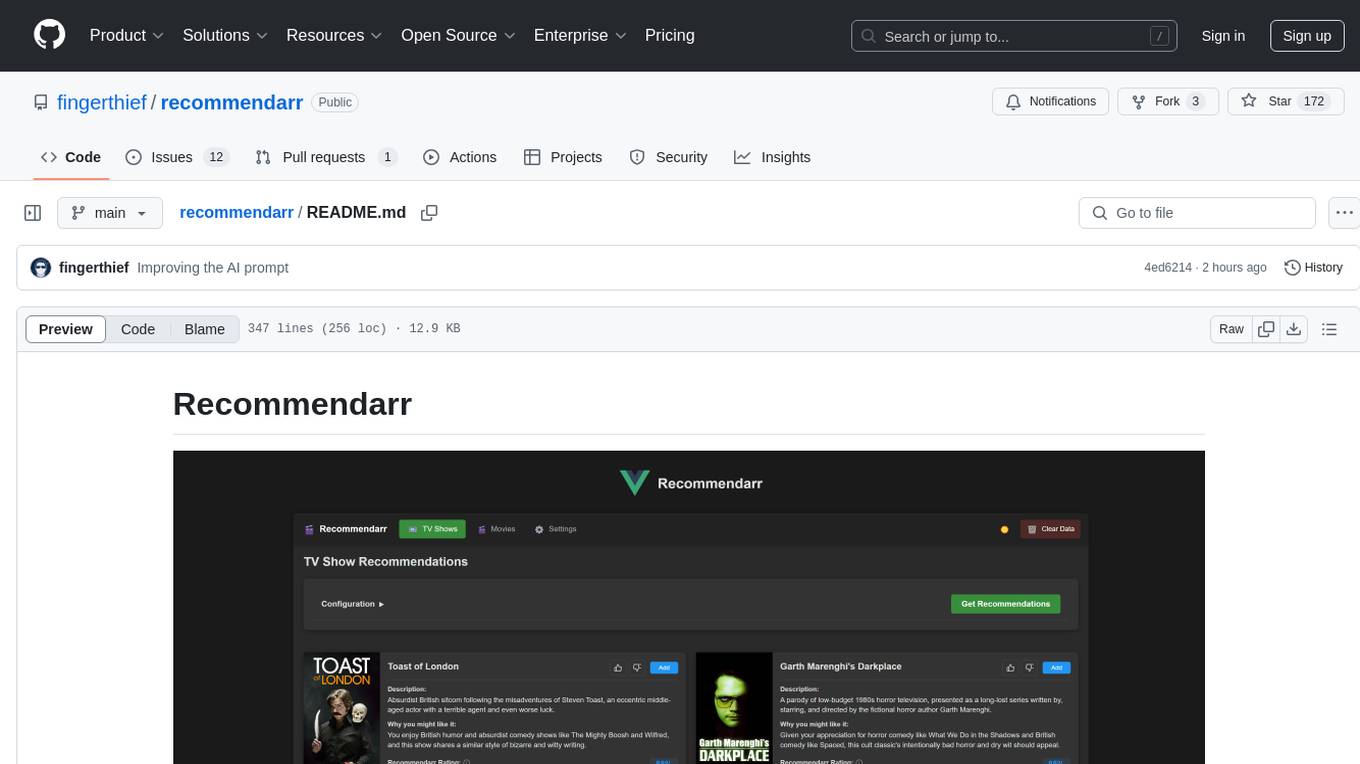
recommendarr
Recommendarr is a tool that generates personalized TV show and movie recommendations based on your Sonarr, Radarr, Plex, and Jellyfin libraries using AI. It offers AI-powered recommendations, media server integration, flexible AI support, watch history analysis, customization options, and dark/light mode toggle. Users can connect their media libraries and watch history services, configure AI service settings, and get personalized recommendations based on genre, language, and mood/vibe preferences. The tool works with any OpenAI-compatible API and offers various recommended models for different cost options and performance levels. It provides personalized suggestions, detailed information, filter options, watch history analysis, and one-click adding of recommended content to Sonarr/Radarr.
For similar tasks
openclaw-android
OpenClaw on Android is a project that enables running an OpenClaw server on Android devices, providing a lightweight, low-power, and secure solution for hosting a server. The project eliminates the need for a Linux installation by patching compatibility issues directly, allowing OpenClaw to run in pure Termux. It offers a step-by-step setup guide, including enabling developer options, installing Termux, setting up OpenClaw, and accessing the dashboard from a PC. Additionally, the project includes compatibility patches for popular AI CLI tools like Claude Code, Gemini CLI, and Codex CLI, enabling users to install and run these tools on their Android devices. The project also provides an update mechanism and an uninstall script for easy removal.
AutoGLM-GUI
AutoGLM-GUI is an AI-driven Android automation productivity tool that supports scheduled tasks, remote deployment, and 24/7 AI assistance. It features core functionalities such as deploying to servers, scheduling tasks, and creating an AI automation assistant. The tool enhances productivity by automating repetitive tasks, managing multiple devices, and providing a layered agent mode for complex task planning and execution. It also supports real-time screen preview, direct device control, and zero-configuration deployment. Users can easily download the tool for Windows, macOS, and Linux systems, and can also install it via Python package. The tool is suitable for various use cases such as server automation, batch device management, development testing, and personal productivity enhancement.
For similar jobs

promptflow
**Prompt flow** is a suite of development tools designed to streamline the end-to-end development cycle of LLM-based AI applications, from ideation, prototyping, testing, evaluation to production deployment and monitoring. It makes prompt engineering much easier and enables you to build LLM apps with production quality.

deepeval
DeepEval is a simple-to-use, open-source LLM evaluation framework specialized for unit testing LLM outputs. It incorporates various metrics such as G-Eval, hallucination, answer relevancy, RAGAS, etc., and runs locally on your machine for evaluation. It provides a wide range of ready-to-use evaluation metrics, allows for creating custom metrics, integrates with any CI/CD environment, and enables benchmarking LLMs on popular benchmarks. DeepEval is designed for evaluating RAG and fine-tuning applications, helping users optimize hyperparameters, prevent prompt drifting, and transition from OpenAI to hosting their own Llama2 with confidence.

MegaDetector
MegaDetector is an AI model that identifies animals, people, and vehicles in camera trap images (which also makes it useful for eliminating blank images). This model is trained on several million images from a variety of ecosystems. MegaDetector is just one of many tools that aims to make conservation biologists more efficient with AI. If you want to learn about other ways to use AI to accelerate camera trap workflows, check out our of the field, affectionately titled "Everything I know about machine learning and camera traps".

leapfrogai
LeapfrogAI is a self-hosted AI platform designed to be deployed in air-gapped resource-constrained environments. It brings sophisticated AI solutions to these environments by hosting all the necessary components of an AI stack, including vector databases, model backends, API, and UI. LeapfrogAI's API closely matches that of OpenAI, allowing tools built for OpenAI/ChatGPT to function seamlessly with a LeapfrogAI backend. It provides several backends for various use cases, including llama-cpp-python, whisper, text-embeddings, and vllm. LeapfrogAI leverages Chainguard's apko to harden base python images, ensuring the latest supported Python versions are used by the other components of the stack. The LeapfrogAI SDK provides a standard set of protobuffs and python utilities for implementing backends and gRPC. LeapfrogAI offers UI options for common use-cases like chat, summarization, and transcription. It can be deployed and run locally via UDS and Kubernetes, built out using Zarf packages. LeapfrogAI is supported by a community of users and contributors, including Defense Unicorns, Beast Code, Chainguard, Exovera, Hypergiant, Pulze, SOSi, United States Navy, United States Air Force, and United States Space Force.

llava-docker
This Docker image for LLaVA (Large Language and Vision Assistant) provides a convenient way to run LLaVA locally or on RunPod. LLaVA is a powerful AI tool that combines natural language processing and computer vision capabilities. With this Docker image, you can easily access LLaVA's functionalities for various tasks, including image captioning, visual question answering, text summarization, and more. The image comes pre-installed with LLaVA v1.2.0, Torch 2.1.2, xformers 0.0.23.post1, and other necessary dependencies. You can customize the model used by setting the MODEL environment variable. The image also includes a Jupyter Lab environment for interactive development and exploration. Overall, this Docker image offers a comprehensive and user-friendly platform for leveraging LLaVA's capabilities.

carrot
The 'carrot' repository on GitHub provides a list of free and user-friendly ChatGPT mirror sites for easy access. The repository includes sponsored sites offering various GPT models and services. Users can find and share sites, report errors, and access stable and recommended sites for ChatGPT usage. The repository also includes a detailed list of ChatGPT sites, their features, and accessibility options, making it a valuable resource for ChatGPT users seeking free and unlimited GPT services.

TrustLLM
TrustLLM is a comprehensive study of trustworthiness in LLMs, including principles for different dimensions of trustworthiness, established benchmark, evaluation, and analysis of trustworthiness for mainstream LLMs, and discussion of open challenges and future directions. Specifically, we first propose a set of principles for trustworthy LLMs that span eight different dimensions. Based on these principles, we further establish a benchmark across six dimensions including truthfulness, safety, fairness, robustness, privacy, and machine ethics. We then present a study evaluating 16 mainstream LLMs in TrustLLM, consisting of over 30 datasets. The document explains how to use the trustllm python package to help you assess the performance of your LLM in trustworthiness more quickly. For more details about TrustLLM, please refer to project website.

AI-YinMei
AI-YinMei is an AI virtual anchor Vtuber development tool (N card version). It supports fastgpt knowledge base chat dialogue, a complete set of solutions for LLM large language models: [fastgpt] + [one-api] + [Xinference], supports docking bilibili live broadcast barrage reply and entering live broadcast welcome speech, supports Microsoft edge-tts speech synthesis, supports Bert-VITS2 speech synthesis, supports GPT-SoVITS speech synthesis, supports expression control Vtuber Studio, supports painting stable-diffusion-webui output OBS live broadcast room, supports painting picture pornography public-NSFW-y-distinguish, supports search and image search service duckduckgo (requires magic Internet access), supports image search service Baidu image search (no magic Internet access), supports AI reply chat box [html plug-in], supports AI singing Auto-Convert-Music, supports playlist [html plug-in], supports dancing function, supports expression video playback, supports head touching action, supports gift smashing action, supports singing automatic start dancing function, chat and singing automatic cycle swing action, supports multi scene switching, background music switching, day and night automatic switching scene, supports open singing and painting, let AI automatically judge the content.