


sandvault
Run AI agents isolated in a sandboxed macOS user account
Stars: 95
SandVault is a tool that manages a limited user account to sandbox shell commands and AI agents on macOS, providing a lightweight alternative to application isolation using virtual machines. It allows for running Claude Code, OpenAI Codex, Google Gemini, and shell commands safely within a sandboxed environment. SandVault offers features like fast context switching, passwordless account switching, shared workspace access, and clean uninstallation. The tool operates with limited access to the user's computer, ensuring security by restricting access to certain directories and system files.
README:
Run Claude Code, OpenAI Codex, Google Gemini and shell commands safely in a sandboxed macOS user account
SandVault (sv) manages a limited user account to sandbox shell commands and AI agents, providing a lightweight alternative to application isolation using virtual machines.
TL;DR:
- To run
xcodebuildorswiftsee Sandboxing xcodebuild and swift for details. - To run other sandboxed applications inside sandvault, use the
-xoption. See Sandboxing other apps for details. - It's not possible to run GUI applications from within the sandbox; see Running GUI Applications for details.
- AI ready - Includes Claude Code, OpenAI Codex, Google Gemini
- Fast context switching - No VM overhead; instant user switching
- Passwordless - switch accounts without a prompt (after setup)
-
Shared workspace - joint access to
/Users/Shared/sv-$USER -
Clean uninstall - Complete removal with
sv uninstall
SandVault has limited access to your computer:
- Cannot access your home directory
- Runs with standard user privileges
- Cannot modify system files
- Has no access to mounted drives
- writable:  /Users/Shared/sv-$USER         -- only accessible by you & sandvault-$USER
- writable:  /Users/sandvault-$USER         -- sandvault's home directory
- readable:  /usr, /bin, /etc, /opt         -- system directories
- no access: /Users/*                       -- other user directories

- writable:  /Volumes/Macintosh HD          -- accessible as per file permissions
- no access: /Volumes/*                     -- cannot access mounted/remote/network drives
Install via Homebrew:
brew install sandvaultInstall via git:
# Clone the repository
  git clone https://github.com/webcoyote/sandvault

# Option 1: add the sandvault directory to your path
  export PATH="$PATH:/path/to/where/you/cloned/sandvault"

# Option 2: add to your shell configuration for easy access
  echo >> ~/.zshrc  'alias sv="/path/to/where/you/cloned/sandvault/sv"'
echo >> ~/.bashrc 'alias sv="/path/to/where/you/cloned/sandvault/sv"'# Run Claude Code in the sandbox
# shortcut: sv cl
sv claude
# Run OpenAI Codex in the sandbox
# shortcut: sv co
sv codex
# Run Google Gemini in the sandbox
# shortcut: sv g
sv gemini
# Run command shell in the sandbox
# shortcut: sv s
sv shellThe default mode for sandvault runs commands as a limited user (basically sudo -u sandbox-$USER COMMAND). Sandvault also configures the limited sandvault account so that you can run commands via SSH (basically ssh sandbox-$USER@$HOSTNAME), and everything works the same. Use the -s or --ssh option to use SSH mode with sv, or use tmux or screen (for users so inclined).
# Run using impersonation
# sv COMMAND
  sv codex

# Run using ssh
# sv -s/--ssh COMMAND
sv --ssh gemini# Run shell command in sandvault and exit
# Usage:
# sv shell [PATH] -- [SHELL_COMMAND]
# Example:
sv shell /Users -- pwd # output: /Users
# Run AI agent with optional arguments
# Usage:
# sv <agent> [PATH] [-- AGENT_ARGUMENTS]
# Example:
sv gemini -- --continue
# Send input via stdin
# Usage:
# <producer> | sv shell [PATH] [-- SHELL_COMMAND]
# Examples:
echo "pwd ; exit" | sv shell /Users # output: /Users
echo ABC | sv shell -- tr 'A-Z' 'a-z' # output: abc
cat PROMPT.md | sv gemini# Build sandvault but do not run a command
sv build
sv b
# Rebuild sandvault, including updating all file permissions and ACLs in the shared volume
sv build --rebuild
sv b -r
# Uninstall sandvault (does not delete files in the shared volume)
sv uninstall
# Misc commands
sv --version
sv --helpIn addition to running in a different macOS user account, sandvault also runs applications using macOS sandbox-exec, which further limits what resources are accessible.
Some applications, like swift, already run inside a sandbox. Because macOS does not support nested (i.e. recursive) sandboxes, these applications fail to run.
Read on for solutions.
For swift (and xcodebuild, which runs swift), you can set the following variables in your build scripts to run inside sandvault:
For swift:
ARGS=()

# Disable sandboxing when running inside sandvault to avoid nested sandbox-exec
if [[ -n "${SV_SESSION_ID:-}" ]]; then
    ARGS+=(--disable-sandbox)
fi

swift build "${ARGS[@]}" "$@"
For xcodebuild:
ARGS=()

# Disable sandboxing when running inside sandvault to avoid nested sandbox-exec
if [[ -n "${SV_SESSION_ID:-}" ]]; then
    export SWIFTPM_DISABLE_SANDBOX=1
    export SWIFT_BUILD_USE_SANDBOX=0
    ARGS+=("-IDEPackageSupportDisableManifestSandbox=1")
    ARGS+=("-IDEPackageSupportDisablePackageSandbox=1")
    # shellcheck disable=SC2016 # Expressions don't expand in single quotes # that is intentional
    ARGS+=('OTHER_SWIFT_FLAGS=$(inherited) -disable-sandbox')
fi

xcodebuild \
    build \
    "${ARGS[@]}" \
...If the app you intend to run does not support disabling it use of sandbox-exec like xcodebuild and swift you can run andvault without utilizing sandbox-exec:
# Disable use of sandbox-exec (app still runs as sandvault user) using -x / --no-sandbox
  sv -x           claude
  sv --no-sandbox codex
  sv --no-sandbox shell $HOME/projects/my-app -- xcodebuild ...
Disabling sandbox-exec has the following security implications:
- No protection against reading/writing removable drives (
/Volumes/...) - No protection against writing files with
o+w(0002) file permissions
# To find all files on your computer that are "world writable" (perms: `o+w` / 0002)
# run this command from your account (not in sandvault):
  find / \
       -path "/Users/sandvault-$USER" -prune \
    -o -path "/Users/sv-$USER" -prune \
-o -perm -o=w -print 2>/dev/nullIf your sandbox is misbehaving you can fix it with a rebuild or uninstall/reinstall. They're both safe and will not delete files in the shared sandbox folder.
# Force rebuild
sv --rebuild build


# Uninstall then reinstall
sv uninstall
sv build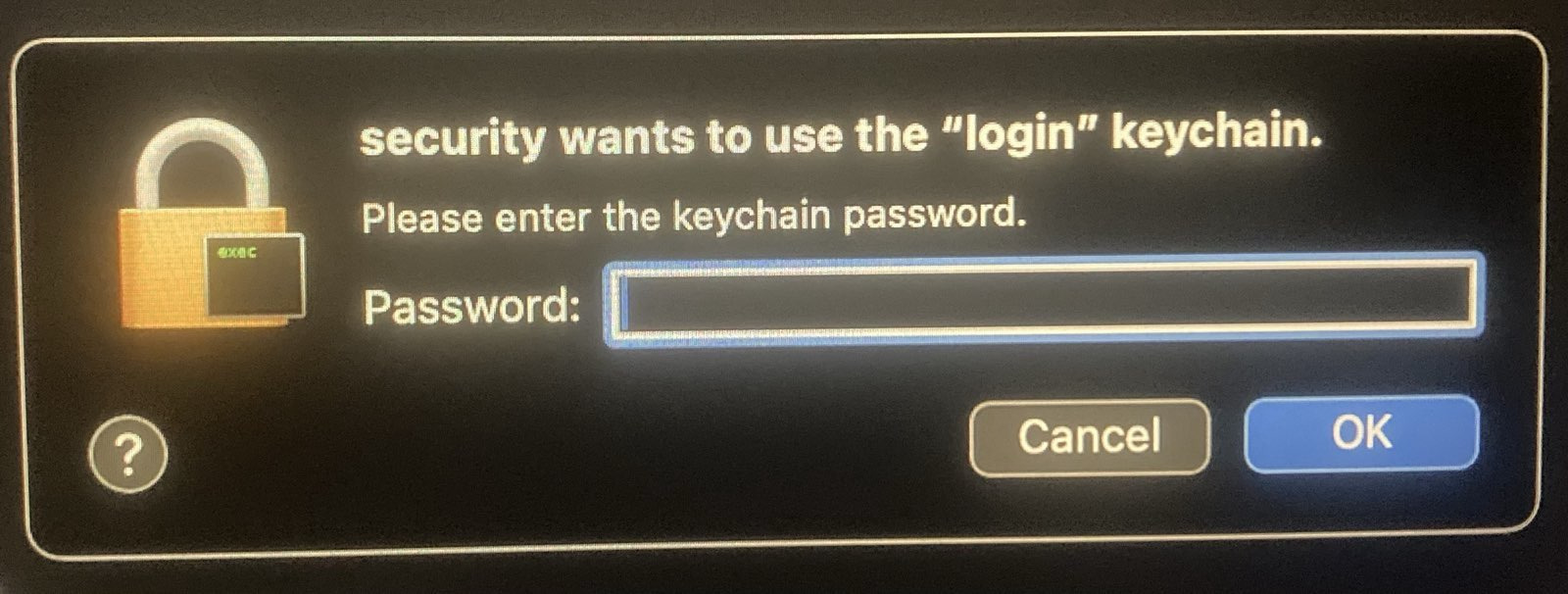
If you see a security popup above, it may be because files in the shared sandvault directory don't have the correct ACLs, which occurs when another user's files are copied into the sandvault shared directory (/Users/Shared/sv-$USER). This can be corrected by running the rebuild command sv --rebuild build, or adding the rebuild flag to any command, e.g. sv -r shell. This only needs to be done once.
SandVault supports custom configuration; see ./guest/home/README.md.
TL;DR: Sorry, macOS security limitations prevent this from working.
It would be great to be able to run GUI applications (e.g. browsers, Claude Desktop) in the sandbox account to limit their access to main account resources.
The issue seems to be that an application cannot report to a WindowServer that's owned by a different user.
Internet posts suggest it's possible using sudo su and sudo launchctl bsexec, but those answers are from long ago and it seems likely that Apple improvements to macOS security have closed those doors.
In the event you do find a solution, send a PR please :)
After exploring Docker containers, Podman, sandbox-exec, and virtualization, I needed something that:
- Works natively on macOS without virtualization overhead
- Provides meaningful isolation without too much complexity
- Runs Claude Code with
--dangerously-skip-permissions - Runs OpenAI Codex with
--dangerously-bypass-approvals-and-sandbox - Runs Google Gemini with
--yolo - Maintains a clean separation between trusted and untrusted code
SandVault uses macOS's Unix heritage and user account system to create a simple but effective sandbox.
- ClodPod runs Claude Code inside a macOS virtual machine.
- Chamber is a proof-of-concept app for running Claude Code inside a macOS virtual machine.
- Claude Code Sandbox runs Claude Code in a Docker container (Linux)
Apache License, Version 2.0
SandVault Copyright © 2026 Patrick Wyatt
See LICENSE.md for details.
We welcome contributions and bug reports.
See CONTRIBUTORS.md for the list of contributors to this project.
This project builds on the great works of other open-source authors:
- Claude - AI coding assistant
- Codex - AI coding assistant
- Homebrew: 🍺 The missing package manager for macOS (or Linux)
- Shellcheck: finds bugs in your shell scripts
- uv: An extremely fast Python package and project manager, written in Rust
- Claude Code Hooks Mastery: Quickly master how to use Claude Code hooks to add deterministic (or non-deterministic) control over Claude Code's behavior
- StatusLine: project status information for Claude Code
... as well as GNU, BSD, Linux, Git, Sqlite, Node, Python, netcat, jq, and more. "We stand upon the shoulders of giants."
For Tasks:
Click tags to check more tools for each tasksFor Jobs:
Alternative AI tools for sandvault
Similar Open Source Tools
sandvault
SandVault is a tool that manages a limited user account to sandbox shell commands and AI agents on macOS, providing a lightweight alternative to application isolation using virtual machines. It allows for running Claude Code, OpenAI Codex, Google Gemini, and shell commands safely within a sandboxed environment. SandVault offers features like fast context switching, passwordless account switching, shared workspace access, and clean uninstallation. The tool operates with limited access to the user's computer, ensuring security by restricting access to certain directories and system files.
alcless
Alcoholless is a lightweight security sandbox for macOS programs, originally designed for securing Homebrew but can be used for any CLI programs. It allows AI agents to run shell commands with reduced risk of breaking the host OS. The tool creates a separate environment for executing commands, syncing changes back to the host directory upon command exit. It uses utilities like sudo, su, pam_launchd, and rsync, with potential future integration of FSKit for file syncing. The tool also generates a sudo configuration for user-specific sandbox access, enabling users to run commands as the sandbox user without a password.
backend.ai-webui
Backend.AI Web UI is a user-friendly web and app interface designed to make AI accessible for end-users, DevOps, and SysAdmins. It provides features for session management, inference service management, pipeline management, storage management, node management, statistics, configurations, license checking, plugins, help & manuals, kernel management, user management, keypair management, manager settings, proxy mode support, service information, and integration with the Backend.AI Web Server. The tool supports various devices, offers a built-in websocket proxy feature, and allows for versatile usage across different platforms. Users can easily manage resources, run environment-supported apps, access a web-based terminal, use Visual Studio Code editor, manage experiments, set up autoscaling, manage pipelines, handle storage, monitor nodes, view statistics, configure settings, and more.
loz
Loz is a command-line tool that integrates AI capabilities with Unix tools, enabling users to execute system commands and utilize Unix pipes. It supports multiple LLM services like OpenAI API, Microsoft Copilot, and Ollama. Users can run Linux commands based on natural language prompts, enhance Git commit formatting, and interact with the tool in safe mode. Loz can process input from other command-line tools through Unix pipes and automatically generate Git commit messages. It provides features like chat history access, configurable LLM settings, and contribution opportunities.
termax
Termax is an LLM agent in your terminal that converts natural language to commands. It is featured by: - Personalized Experience: Optimize the command generation with RAG. - Various LLMs Support: OpenAI GPT, Anthropic Claude, Google Gemini, Mistral AI, and more. - Shell Extensions: Plugin with popular shells like `zsh`, `bash` and `fish`. - Cross Platform: Able to run on Windows, macOS, and Linux.
please-cli
Please CLI is an AI helper script designed to create CLI commands by leveraging the GPT model. Users can input a command description, and the script will generate a Linux command based on that input. The tool offers various functionalities such as invoking commands, copying commands to the clipboard, asking questions about commands, and more. It supports parameters for explanation, using different AI models, displaying additional output, storing API keys, querying ChatGPT with specific models, showing the current version, and providing help messages. Users can install Please CLI via Homebrew, apt, Nix, dpkg, AUR, or manually from source. The tool requires an OpenAI API key for operation and offers configuration options for setting API keys and OpenAI settings. Please CLI is licensed under the Apache License 2.0 by TNG Technology Consulting GmbH.
director
Director is a context infrastructure tool for AI agents that simplifies managing MCP servers, prompts, and configurations by packaging them into portable workspaces accessible through a single endpoint. It allows users to define context workspaces once and share them across different AI clients, enabling seamless collaboration, instant context switching, and secure isolation of untrusted servers without cloud dependencies or API keys. Director offers features like workspaces, universal portability, local-first architecture, sandboxing, smart filtering, unified OAuth, observability, multiple interfaces, and compatibility with all MCP clients and servers.
frontend
Nuclia frontend apps and libraries repository contains various frontend applications and libraries for the Nuclia platform. It includes components such as Dashboard, Widget, SDK, Sistema (design system), NucliaDB admin, CI/CD Deployment, and Maintenance page. The repository provides detailed instructions on installation, dependencies, and usage of these components for both Nuclia employees and external developers. It also covers deployment processes for different components and tools like ArgoCD for monitoring deployments and logs. The repository aims to facilitate the development, testing, and deployment of frontend applications within the Nuclia ecosystem.
chat-ui
A chat interface using open source models, eg OpenAssistant or Llama. It is a SvelteKit app and it powers the HuggingChat app on hf.co/chat.
desktop
ComfyUI Desktop is a packaged desktop application that allows users to easily use ComfyUI with bundled features like ComfyUI source code, ComfyUI-Manager, and uv. It automatically installs necessary Python dependencies and updates with stable releases. The app comes with Electron, Chromium binaries, and node modules. Users can store ComfyUI files in a specified location and manage model paths. The tool requires Python 3.12+ and Visual Studio with Desktop C++ workload for Windows. It uses nvm to manage node versions and yarn as the package manager. Users can install ComfyUI and dependencies using comfy-cli, download uv, and build/launch the code. Troubleshooting steps include rebuilding modules and installing missing libraries. The tool supports debugging in VSCode and provides utility scripts for cleanup. Crash reports can be sent to help debug issues, but no personal data is included.
jupyter-quant
Jupyter Quant is a dockerized environment tailored for quantitative research, equipped with essential tools like statsmodels, pymc, arch, py_vollib, zipline-reloaded, PyPortfolioOpt, numpy, pandas, sci-py, scikit-learn, yellowbricks, shap, optuna, and more. It provides Interactive Broker connectivity via ib_async and includes major Python packages for statistical and time series analysis. The image is optimized for size, includes jedi language server, jupyterlab-lsp, and common command line utilities. Users can install new packages with sudo, leverage apt cache, and bring their own dot files and SSH keys. The tool is designed for ephemeral containers, ensuring data persistence and flexibility for quantitative analysis tasks.
cursor-tools
cursor-tools is a CLI tool designed to enhance AI agents with advanced skills, such as web search, repository context, documentation generation, GitHub integration, Xcode tools, and browser automation. It provides features like Perplexity for web search, Gemini 2.0 for codebase context, and Stagehand for browser operations. The tool requires API keys for Perplexity AI and Google Gemini, and supports global installation for system-wide access. It offers various commands for different tasks and integrates with Cursor Composer for AI agent usage.
mcpd
mcpd is a tool developed by Mozilla AI to declaratively manage Model Context Protocol (MCP) servers, enabling consistent interface for defining and running tools across different environments. It bridges the gap between local development and enterprise deployment by providing secure secrets management, declarative configuration, and seamless environment promotion. mcpd simplifies the developer experience by offering zero-config tool setup, language-agnostic tooling, version-controlled configuration files, enterprise-ready secrets management, and smooth transition from local to production environments.
agnai
Agnaistic is an AI roleplay chat tool that allows users to interact with personalized characters using their favorite AI services. It supports multiple AI services, persona schema formats, and features such as group conversations, user authentication, and memory/lore books. Agnaistic can be self-hosted or run using Docker, and it provides a range of customization options through its settings.json file. The tool is designed to be user-friendly and accessible, making it suitable for both casual users and developers.
mods
AI for the command line, built for pipelines. LLM based AI is really good at interpreting the output of commands and returning the results in CLI friendly text formats like Markdown. Mods is a simple tool that makes it super easy to use AI on the command line and in your pipelines. Mods works with OpenAI, Groq, Azure OpenAI, and LocalAI To get started, install Mods and check out some of the examples below. Since Mods has built-in Markdown formatting, you may also want to grab Glow to give the output some _pizzazz_.
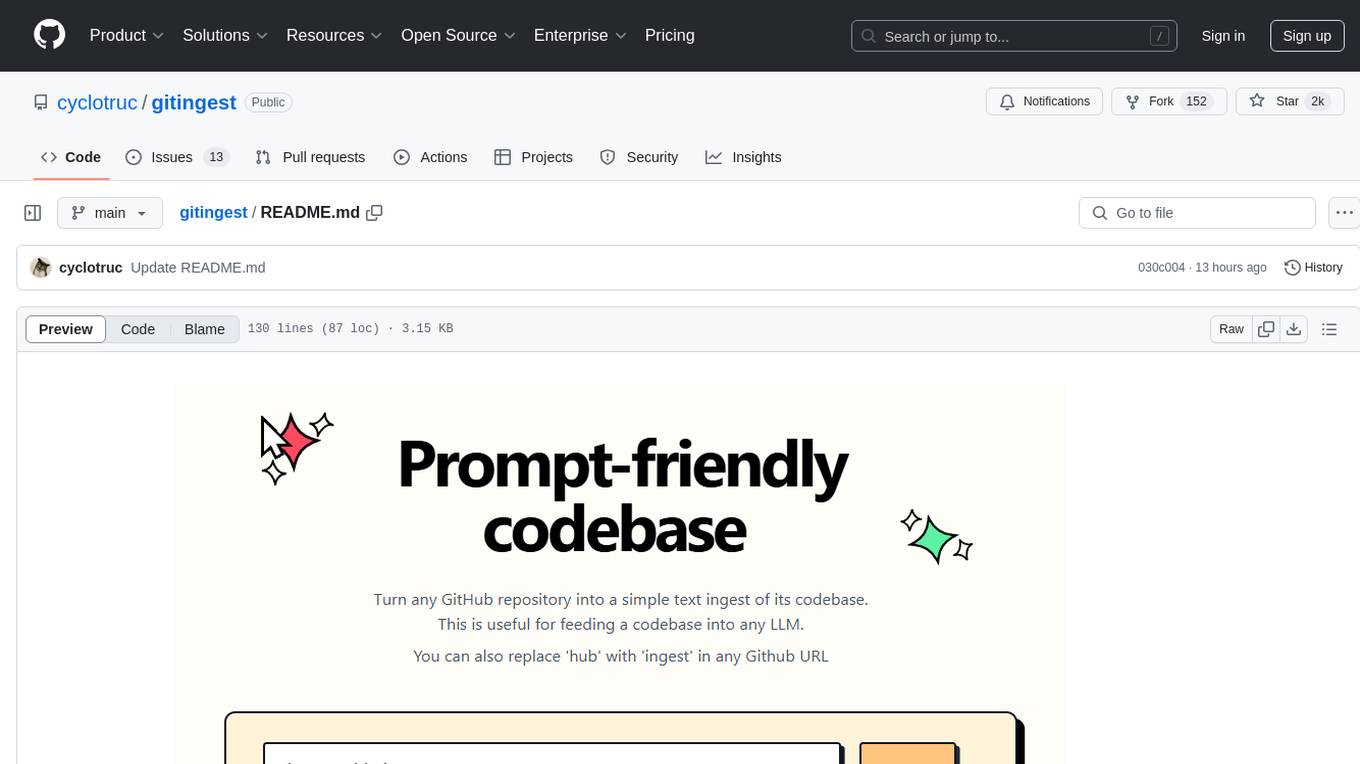
gitingest
GitIngest is a tool that allows users to turn any Git repository into a prompt-friendly text ingest for LLMs. It provides easy code context by generating a text digest from a git repository URL or directory. The tool offers smart formatting for optimized output format for LLM prompts and provides statistics about file and directory structure, size of the extract, and token count. GitIngest can be used as a CLI tool on Linux and as a Python package for code integration. The tool is built using Tailwind CSS for frontend, FastAPI for backend framework, tiktoken for token estimation, and apianalytics.dev for simple analytics. Users can self-host GitIngest by building the Docker image and running the container. Contributions to the project are welcome, and the tool aims to be beginner-friendly for first-time contributors with a simple Python and HTML codebase.
For similar tasks
sandvault
SandVault is a tool that manages a limited user account to sandbox shell commands and AI agents on macOS, providing a lightweight alternative to application isolation using virtual machines. It allows for running Claude Code, OpenAI Codex, Google Gemini, and shell commands safely within a sandboxed environment. SandVault offers features like fast context switching, passwordless account switching, shared workspace access, and clean uninstallation. The tool operates with limited access to the user's computer, ensuring security by restricting access to certain directories and system files.
superagent-py
Superagent is an open-source framework that enables developers to integrate production-ready AI assistants into any application quickly and easily. It provides a Python SDK for interacting with the Superagent API, allowing developers to create, manage, and invoke AI agents. The SDK simplifies the process of building AI-powered applications, making it accessible to developers of all skill levels.
AGiXT
AGiXT is a dynamic Artificial Intelligence Automation Platform engineered to orchestrate efficient AI instruction management and task execution across a multitude of providers. Our solution infuses adaptive memory handling with a broad spectrum of commands to enhance AI's understanding and responsiveness, leading to improved task completion. The platform's smart features, like Smart Instruct and Smart Chat, seamlessly integrate web search, planning strategies, and conversation continuity, transforming the interaction between users and AI. By leveraging a powerful plugin system that includes web browsing and command execution, AGiXT stands as a versatile bridge between AI models and users. With an expanding roster of AI providers, code evaluation capabilities, comprehensive chain management, and platform interoperability, AGiXT is consistently evolving to drive a multitude of applications, affirming its place at the forefront of AI technology.
infra
E2B Infra is a cloud runtime for AI agents. It provides SDKs and CLI to customize and manage environments and run AI agents in the cloud. The infrastructure is deployed using Terraform and is currently only deployable on GCP. The main components of the infrastructure are the API server, daemon running inside instances (sandboxes), Nomad driver for managing instances (sandboxes), and Nomad driver for building environments (templates).
Awesome-European-Tech
Awesome European Tech is an up-to-date list of recommended European projects and companies curated by the community to support and strengthen the European tech ecosystem. It focuses on privacy and sustainability, showcasing companies that adhere to GDPR compliance and sustainability standards. The project aims to highlight and support European startups and projects excelling in privacy, sustainability, and innovation to contribute to a more diverse, resilient, and interconnected global tech landscape.

LarAgent
LarAgent is a framework designed to simplify the creation and management of AI agents within Laravel projects. It offers an Eloquent-like syntax for creating and managing AI agents, Laravel-style artisan commands, flexible agent configuration, structured output handling, image input support, and extensibility. LarAgent supports multiple chat history storage options, custom tool creation, event system for agent interactions, multiple provider support, and can be used both in Laravel and standalone environments. The framework is constantly evolving to enhance developer experience, improve AI capabilities, enhance security and storage features, and enable advanced integrations like provider fallback system, Laravel Actions integration, and voice chat support.
agent-squad
Agent Squad is a flexible, lightweight open-source framework for orchestrating multiple AI agents to handle complex conversations. It intelligently routes queries, maintains context across interactions, and offers pre-built components for quick deployment. The system allows easy integration of custom agents and conversation messages storage solutions, making it suitable for various applications from simple chatbots to sophisticated AI systems, scaling efficiently.
mcp-gateway-registry
The MCP Gateway & Registry is a unified, enterprise-ready platform that centralizes access to both MCP Servers and AI Agents using the Model Context Protocol (MCP). It serves as a Unified MCP Server Gateway, MCP Servers Registry, and Agent Registry & A2A Communication Hub. The platform integrates with external registries, providing a single control plane for tool access, agent orchestration, and communication patterns. It transforms the chaos of managing individual MCP server configurations into an organized approach with secure, governed access to curated servers and registered agents. The platform supports dynamic tool discovery, autonomous agent communication, and unified policies for server and agent access.
For similar jobs

sweep
Sweep is an AI junior developer that turns bugs and feature requests into code changes. It automatically handles developer experience improvements like adding type hints and improving test coverage.

teams-ai
The Teams AI Library is a software development kit (SDK) that helps developers create bots that can interact with Teams and Microsoft 365 applications. It is built on top of the Bot Framework SDK and simplifies the process of developing bots that interact with Teams' artificial intelligence capabilities. The SDK is available for JavaScript/TypeScript, .NET, and Python.

ai-guide
This guide is dedicated to Large Language Models (LLMs) that you can run on your home computer. It assumes your PC is a lower-end, non-gaming setup.

classifai
Supercharge WordPress Content Workflows and Engagement with Artificial Intelligence. Tap into leading cloud-based services like OpenAI, Microsoft Azure AI, Google Gemini and IBM Watson to augment your WordPress-powered websites. Publish content faster while improving SEO performance and increasing audience engagement. ClassifAI integrates Artificial Intelligence and Machine Learning technologies to lighten your workload and eliminate tedious tasks, giving you more time to create original content that matters.

chatbot-ui
Chatbot UI is an open-source AI chat app that allows users to create and deploy their own AI chatbots. It is easy to use and can be customized to fit any need. Chatbot UI is perfect for businesses, developers, and anyone who wants to create a chatbot.

BricksLLM
BricksLLM is a cloud native AI gateway written in Go. Currently, it provides native support for OpenAI, Anthropic, Azure OpenAI and vLLM. BricksLLM aims to provide enterprise level infrastructure that can power any LLM production use cases. Here are some use cases for BricksLLM: * Set LLM usage limits for users on different pricing tiers * Track LLM usage on a per user and per organization basis * Block or redact requests containing PIIs * Improve LLM reliability with failovers, retries and caching * Distribute API keys with rate limits and cost limits for internal development/production use cases * Distribute API keys with rate limits and cost limits for students

uAgents
uAgents is a Python library developed by Fetch.ai that allows for the creation of autonomous AI agents. These agents can perform various tasks on a schedule or take action on various events. uAgents are easy to create and manage, and they are connected to a fast-growing network of other uAgents. They are also secure, with cryptographically secured messages and wallets.

griptape
Griptape is a modular Python framework for building AI-powered applications that securely connect to your enterprise data and APIs. It offers developers the ability to maintain control and flexibility at every step. Griptape's core components include Structures (Agents, Pipelines, and Workflows), Tasks, Tools, Memory (Conversation Memory, Task Memory, and Meta Memory), Drivers (Prompt and Embedding Drivers, Vector Store Drivers, Image Generation Drivers, Image Query Drivers, SQL Drivers, Web Scraper Drivers, and Conversation Memory Drivers), Engines (Query Engines, Extraction Engines, Summary Engines, Image Generation Engines, and Image Query Engines), and additional components (Rulesets, Loaders, Artifacts, Chunkers, and Tokenizers). Griptape enables developers to create AI-powered applications with ease and efficiency.