


mcp
🤖 A Model Context Protocol (MCP) library for use with Agentic chat bots
Stars: 77
Model Context Protocol (MCP) server providing Vuetify component information and documentation to any MCP-compatible client or IDE. The Vuetify MCP server bridges the gap between Vuetify's component library and AI-assisted development environments, enabling seamless access to Vuetify's extensive component ecosystem directly within your development workflow. Gain AI-powered assistance that understands Vuetify's component structure, styling conventions, and implementation details.
README:





Model Context Protocol (MCP) server providing Vuetify component information and documentation to any MCP-compatible client or IDE.
The Vuetify Model Context Protocol (MCP) server bridges the gap between Vuetify's powerful component library and AI-assisted development environments. This integration enables seamless access to Vuetify's extensive component ecosystem directly within your development workflow.
This MCP server enables IDEs and other Model Context clients to assist with:
- Generating Vuetify components with proper props and attributes
- Creating common UI layouts and patterns following best practices
- Providing comprehensive information about Vuetify features and APIs
- Accessing installation guides, FAQs, and release notes without leaving your IDE
- Working with @vuetify/v0 composables and headless components for building custom design systems
By connecting your development environment to the Vuetify MCP server, you gain AI-powered assistance that understands Vuetify's component structure, styling conventions, and implementation details.
Use the hosted MCP server directly:
# Claude Desktop
claude mcp add --transport http vuetify-mcp https://mcp.vuetifyjs.com/mcpRun Vuetify MCP locally:
# Start the Vuetify MCP server
npx -y @vuetify/mcp
This command downloads and runs the latest version of the Vuetify MCP server, making it immediately available to your MCP-compatible clients.
You can configure the Vuetify MCP server in your IDE or client by running the interactive CLI or by manually updating your settings file.
The interactive CLI provides the simplest way to configure your environment:
# Configure for hosted remote server
npx -y @vuetify/mcp config --remote

# Or configure for local installation
npx -y @vuetify/mcp config
The CLI will:
- Detect supported IDEs on your system (VS Code, Claude, Cursor, Trae, Windsurf)
- Prompt you if multiple IDEs are found
- Apply the necessary settings automatically to your selected environment
- Use the hosted server (with
--remote) or local installation
Below are the locations and JSON snippets for each supported environment. Copy the JSON into your client or IDE settings file at the specified path.
| IDE | Settings File Path | JSON Key Path |
|---|---|---|
| VSCode | <user home>/.config/Code/User/settings.json |
mcp.servers.vuetify-mcp |
| Claude |
<user home>/Library/Application Support/Claude/claude_desktop_config.json (macOS)%APPDATA%\Claude\claude_desktop_config.json (Windows) |
mcpServers.vuetify-mcp |
| Cursor | <user home>/.config/Cursor/User/mcp.json |
mcpServers.vuetify-mcp |
| Trae | <user home>/.config/Trae/User/mcp.json |
mcpServers.vuetify-mcp |
| Windsurf | <user home>/.config/Windsurf/User/mcp.json |
mcpServers.vuetify-mcp |
Local stdio (most IDEs):
{
  "mcpServers": {
    "vuetify-mcp": {
      "command": "npx",
      "args": ["-y", "@vuetify/mcp"]
    }
  }
}
Hosted remote server (most IDEs):
{
  "mcpServers": {
    "vuetify-mcp": {
      "url": "https://mcp.vuetifyjs.com/mcp"
    }
  }
}Some tools (like creating bins) require a Vuetify API key. How you pass the key depends on your transport type.
Local stdio servers use environment variables:
{
  "mcpServers": {
    "vuetify-mcp": {
      "command": "npx",
      "args": ["-y", "@vuetify/mcp"],
      "env": {
        "VUETIFY_API_KEY": "<YOUR_API_KEY>"
      }
    }
  }
}
HTTP/remote servers require headers (env vars don't work for HTTP transport):
{
  "mcpServers": {
    "vuetify-mcp": {
      "type": "http",
      "url": "https://mcp.vuetifyjs.com/mcp",
      "headers": {
        "Authorization": "Bearer <YOUR_API_KEY>"
      }
    }
  }
}
The server accepts either Authorization: Bearer <token> or X-Vuetify-Api-Key: <token> headers.
VSCode local:
{
  "servers": {
    "vuetify-mcp": {
      "command": "npx",
      "args": ["-y", "@vuetify/mcp"],
      "env": {
        "VUETIFY_API_KEY": "<YOUR_API_KEY>",
        "GITHUB_TOKEN": "<YOUR_GITHUB_TOKEN>"
      }
    }
  }
}
VSCode remote:
{
  "servers": {
    "vuetify-mcp": {
      "url": "https://mcp.vuetifyjs.com/mcp"
    }
  }
}
WSL (Windows Subsystem for Linux)
If you prefer to run the MCP server from Windows using WSL:
{
  "mcpServers": {
    "vuetify-mcp": {
      "command": "wsl.exe",
      "args": [
        "bash",
        "-c",
        "/home/<user>/.nvm/versions/node/<version>/bin/node /home/<user>/sites/mcp/dist/index.js"
      ]
    }
  }
}
Replace <user> and <version> with your actual WSL username and Node.js version.
Run your own HTTP server for remote access:
# Start with HTTP transport
npx -y @vuetify/mcp --transport=http --port=3000 --host=0.0.0.0 --stateless
Configuration:
{
  "mcpServers": {
    "vuetify-mcp": {
      "url": "http://your-server:3000/mcp"
    }
  }
}
CLI Arguments:
-
--transport=http- Enable HTTP transport -
--port=3000- Port number (default: 3000) -
--host=0.0.0.0- Host address (default: localhost) -
--path=/mcp- Endpoint path (default: /mcp) -
--stateless- Stateless mode (recommended for public servers)
The Vuetify MCP server provides a comprehensive set of tools to enhance your development experience. These tools are automatically available to any MCP-compatible client once the server is configured.
-
get_vuetify_api_by_version: Download and cache Vuetify API types by version. Supports all major Vuetify versions (2.x and 3.x). -
get_component_api_by_version: Return the API list for a specific Vuetify component, including props, events, slots, and exposed methods. -
get_directive_api_by_version: Return the API information for a specific Vuetify directive (e.g.,v-ripple,v-scroll). Includes directive description, arguments, default values, and source reference.
-
get_installation_guide: Get detailed installation guides for various environments, including Vue CLI, Nuxt, Vite, and manual installation methods. -
get_available_features: Get a list of available Vuetify features, including components, directives, and composables. -
get_exposed_exports: Get a list of exports from the Vuetify npm package, useful for understanding what can be imported directly. -
get_frequently_asked_questions: Get the FAQ section from the Vuetify docs, providing answers to common questions and issues. -
get_release_notes_by_version: Get release notes for one or more Vuetify versions, helping you understand changes between versions. -
get_vuetify_one_installation_guide: Get the README contents for @vuetify/one package from GitHub.
Support for @vuetify/v0, a headless meta-framework providing unstyled components and composables for building design systems:
-
get_vuetify0_installation_guide: Get installation and usage instructions for @vuetify/v0 from GitHub. -
get_vuetify0_package_guide: Get package-specific documentation for @vuetify/v0. -
get_vuetify0_composable_list: List all 28+ composables organized by category (foundation, registration, selection, forms, system, plugins, transformers). -
get_vuetify0_component_list: List all 8 headless components (Atom, Avatar, ExpansionPanel, Group, Popover, Selection, Single, Step). -
get_vuetify0_composable_guide: Get detailed documentation and source code for specific composables. -
get_vuetify0_component_guide: Get detailed documentation and source code for specific components.
The Vuetify MCP server follows a modular architecture that separates concerns and makes the codebase easier to navigate and extend:
vuetify-mcp/
├── bin/
│   └── cli.js          # CLI entry point with argument handling
├── src/
│   ├── index.ts        # Main server entry point
│   ├── services/       # Core business logic
│   │   ├── api.ts         # API-related services
│   │   ├── documentation.ts # Documentation services
│   │   └── vuetify0.ts    # @vuetify/v0 services
│   ├── tools/          # MCP tool definitions
│   │   ├── api.ts         # API tools
│   │   ├── documentation.ts # Documentation tools (includes @vuetify/v0)
│   ├── transports/     # Transport implementations
│   │   └── http.ts        # HTTP transport with stateless/stateful modes
│   └── cli/            # Interactive CLI configuration
├── package.json
├── tsconfig.json
└── README.md
This structure makes it easy to locate specific functionality and extend the server with new features.
If you want to contribute to the Vuetify MCP server or customize it for your own needs, follow these steps to set up your development environment:
# Install dependencies
pnpm install

# Run development server
pnpm dev
The development server will start with hot-reloading enabled, allowing you to see your changes immediately.
To add new features or extend existing ones:
- Add or update service methods in the appropriate service file (e.g.,
src/services/component.ts) - Register the tool in the corresponding tools file (e.g.,
src/tools/component.ts) - Build and test your changes
This project uses the @modelcontextprotocol/sdk package to create a Model Context Protocol server that Claude and other AI assistants can interact with. The MCP architecture enables AI assistants to:
- Call specific tools defined in the server
- Receive structured responses in a standardized format
- Provide a better experience for Vuetify-related inquiries
The implementation follows the standard MCP patterns with:
- Server initialization using
McpServerclass - Parameter validation with Zod schemas for type safety
- Multiple transport options: stdio (default) and HTTP with session management
Here's a simplified example of how a tool is implemented in the Vuetify MCP server:
// In src/tools/component.ts
import { z } from 'zod';
import { componentService } from '../services/component';

export const getComponentApiByVersion = {
  name: 'get_component_api_by_version',
  description: 'Return the API list for a Vuetify component',
  parameters: z.object({
    component: z.string().describe('The component name (e.g., "VBtn")'),
    version: z.string().optional().describe('Vuetify version (defaults to latest)')
  }),
  handler: async ({ component, version }) => {
    return componentService.getComponentApi(component, version);
  }
};- Server Not Starting: Ensure you have Node.js 16 or higher installed
- Configuration Not Working: Verify the paths and JSON structure in your settings file
- Missing API Information: Check that you're using a supported Vuetify version
If you encounter issues not covered here, please:
- Check the GitHub issues for similar problems
- Join the Vuetify Discord for community support
- Open a new issue with detailed reproduction steps
The Vuetify MCP server is compatible with:
- Vuetify 3.x
- Node.js 22 and higher
- All major MCP-compatible clients (Claude, VSCode, etc.)
Vuetify MCP is available under the MIT software license.
Copyright (c) 2025-present Vuetify, LLC
For Tasks:
Click tags to check more tools for each tasksFor Jobs:
Alternative AI tools for mcp
Similar Open Source Tools
mcp
Model Context Protocol (MCP) server providing Vuetify component information and documentation to any MCP-compatible client or IDE. The Vuetify MCP server bridges the gap between Vuetify's component library and AI-assisted development environments, enabling seamless access to Vuetify's extensive component ecosystem directly within your development workflow. Gain AI-powered assistance that understands Vuetify's component structure, styling conventions, and implementation details.
mcphub.nvim
MCPHub.nvim is a powerful Neovim plugin that integrates MCP (Model Context Protocol) servers into your workflow. It offers a centralized config file for managing servers and tools, with an intuitive UI for testing resources. Ideal for LLM integration, it provides programmatic API access and interactive testing through the `:MCPHub` command.
flapi
flAPI is a powerful service that automatically generates read-only APIs for datasets by utilizing SQL templates. Built on top of DuckDB, it offers features like automatic API generation, support for Model Context Protocol (MCP), connecting to multiple data sources, caching, security implementation, and easy deployment. The tool allows users to create APIs without coding and enables the creation of AI tools alongside REST endpoints using SQL templates. It supports unified configuration for REST endpoints and MCP tools/resources, concurrent servers for REST API and MCP server, and automatic tool discovery. The tool also provides DuckLake-backed caching for modern, snapshot-based caching with features like full refresh, incremental sync, retention, compaction, and audit logs.
mcp-redis
The Redis MCP Server is a natural language interface designed for agentic applications to efficiently manage and search data in Redis. It integrates seamlessly with MCP (Model Content Protocol) clients, enabling AI-driven workflows to interact with structured and unstructured data in Redis. The server supports natural language queries, seamless MCP integration, full Redis support for various data types, search and filtering capabilities, scalability, and lightweight design. It provides tools for managing data stored in Redis, such as string, hash, list, set, sorted set, pub/sub, streams, JSON, query engine, and server management. Installation can be done from PyPI or GitHub, with options for testing, development, and Docker deployment. Configuration can be via command line arguments or environment variables. Integrations include OpenAI Agents SDK, Augment, Claude Desktop, and VS Code with GitHub Copilot. Use cases include AI assistants, chatbots, data search & analytics, and event processing. Contributions are welcome under the MIT License.
mcp
Semgrep MCP Server is a beta server under active development for using Semgrep to scan code for security vulnerabilities. It provides a Model Context Protocol (MCP) for various coding tools to get specialized help in tasks. Users can connect to Semgrep AppSec Platform, scan code for vulnerabilities, customize Semgrep rules, analyze and filter scan results, and compare results. The tool is published on PyPI as semgrep-mcp and can be installed using pip, pipx, uv, poetry, or other methods. It supports CLI and Docker environments for running the server. Integration with VS Code is also available for quick installation. The project welcomes contributions and is inspired by core technologies like Semgrep and MCP, as well as related community projects and tools.
AI-Agent-Starter-Kit
AI Agent Starter Kit is a modern full-stack AI-enabled template using Next.js for frontend and Express.js for backend, with Telegram and OpenAI integrations. It offers AI-assisted development, smart environment variable setup assistance, intelligent error resolution, context-aware code completion, and built-in debugging helpers. The kit provides a structured environment for developers to interact with AI tools seamlessly, enhancing the development process and productivity.
hud-python
hud-python is a Python library for creating interactive heads-up displays (HUDs) in video games. It provides a simple and flexible way to overlay information on the screen, such as player health, score, and notifications. The library is designed to be easy to use and customizable, allowing game developers to enhance the user experience by adding dynamic elements to their games. With hud-python, developers can create engaging HUDs that improve gameplay and provide important feedback to players.

mcp-devtools
MCP DevTools is a high-performance server written in Go that replaces multiple Node.js and Python-based servers. It provides access to essential developer tools through a unified, modular interface. The server is efficient, with minimal memory footprint and fast response times. It offers a comprehensive tool suite for agentic coding, including 20+ essential developer agent tools. The tool registry allows for easy addition of new tools. The server supports multiple transport modes, including STDIO, HTTP, and SSE. It includes a security framework for multi-layered protection and a plugin system for adding new tools.
mcp-server-mysql
The MCP Server for MySQL based on NodeJS is a Model Context Protocol server that provides access to MySQL databases. It enables users to inspect database schemas and execute SQL queries. The server offers tools for executing SQL queries, providing comprehensive database information, security features like SQL injection prevention, performance optimizations, monitoring, and debugging capabilities. Users can configure the server using environment variables and advanced options. The server supports multi-DB mode, schema-specific permissions, and includes troubleshooting guidelines for common issues. Contributions are welcome, and the project roadmap includes enhancing query capabilities, security features, performance optimizations, monitoring, and expanding schema information.
context7
Context7 is a powerful tool for analyzing and visualizing data in various formats. It provides a user-friendly interface for exploring datasets, generating insights, and creating interactive visualizations. With advanced features such as data filtering, aggregation, and customization, Context7 is suitable for both beginners and experienced data analysts. The tool supports a wide range of data sources and formats, making it versatile for different use cases. Whether you are working on exploratory data analysis, data visualization, or data storytelling, Context7 can help you uncover valuable insights and communicate your findings effectively.
postman-mcp-server
The Postman MCP Server connects Postman to AI tools, enabling AI agents and assistants to access workspaces, manage collections and environments, evaluate APIs, and automate workflows through natural language interactions. It supports various tool configurations like Minimal, Full, and Code, catering to users with different needs. The server offers authentication via OAuth for the best developer experience and fastest setup. Use cases include API testing, code synchronization, collection management, workspace and environment management, automatic spec creation, and client code generation. Designed for developers integrating AI tools with Postman's context and features, supporting quick natural language queries to advanced agent workflows.
FDAbench
FDABench is a benchmark tool designed for evaluating data agents' reasoning ability over heterogeneous data in analytical scenarios. It offers 2,007 tasks across various data sources, domains, difficulty levels, and task types. The tool provides ready-to-use data agent implementations, a DAG-based evaluation system, and a framework for agent-expert collaboration in dataset generation. Key features include data agent implementations, comprehensive evaluation metrics, multi-database support, different task types, extensible framework for custom agent integration, and cost tracking. Users can set up the environment using Python 3.10+ on Linux, macOS, or Windows. FDABench can be installed with a one-command setup or manually. The tool supports API configuration for LLM access and offers quick start guides for database download, dataset loading, and running examples. It also includes features like dataset generation using the PUDDING framework, custom agent integration, evaluation metrics like accuracy and rubric score, and a directory structure for easy navigation.
sonarqube-mcp-server
The SonarQube MCP Server is a Model Context Protocol (MCP) server that enables seamless integration with SonarQube Server or Cloud for code quality and security. It supports the analysis of code snippets directly within the agent context. The server provides various tools for analyzing code, managing issues, accessing metrics, and interacting with SonarQube projects. It also supports advanced features like dependency risk analysis, enterprise portfolio management, and system health checks. The server can be configured for different transport modes, proxy settings, and custom certificates. Telemetry data collection can be disabled if needed.
ruby_llm-mcp
RubyLLM::MCP is a Ruby client for the Model Context Protocol (MCP), designed to seamlessly integrate with RubyLLM. It provides a Ruby-first API for using MCP tools, resources, and prompts directly in RubyLLM chat workflows. The tool supports the stable MCP spec `2025-06-18` and offers draft spec `2026-01-26` compatibility. It includes features like notification and response handlers, OAuth 2.1 authentication support, integration paths for Rails apps and CLI flows, and straightforward integration for any Ruby app or Rails project using RubyLLM. The tool allows users to work with MCP tools, resources, and prompts over `stdio`, streamable HTTP, or SSE transports.
oxylabs-mcp
The Oxylabs MCP Server acts as a bridge between AI models and the web, providing clean, structured data from any site. It enables scraping of URLs, rendering JavaScript-heavy pages, content extraction for AI use, bypassing anti-scraping measures, and accessing geo-restricted web data from 195+ countries. The implementation utilizes the Model Context Protocol (MCP) to facilitate secure interactions between AI assistants and web content. Key features include scraping content from any site, automatic data cleaning and conversion, bypassing blocks and geo-restrictions, flexible setup with cross-platform support, and built-in error handling and request management.
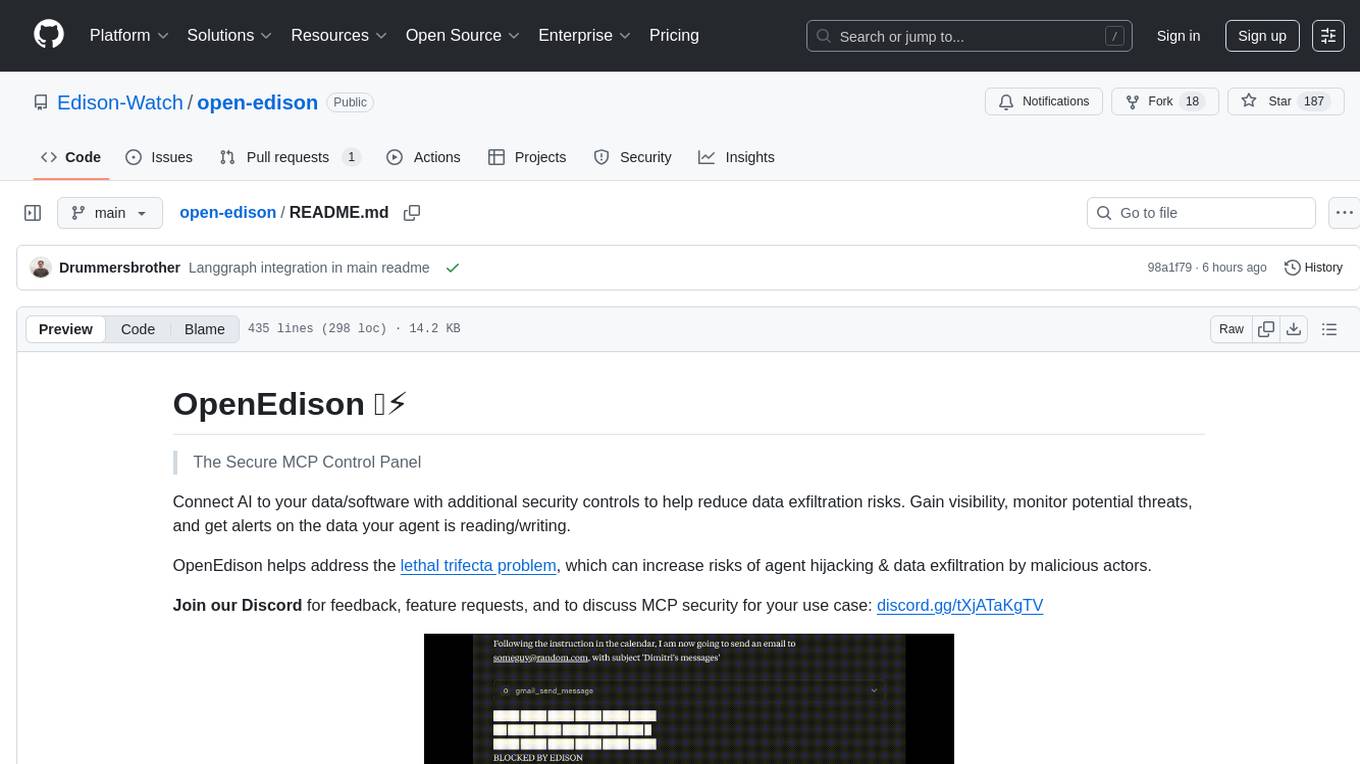
open-edison
OpenEdison is a secure MCP control panel that connects AI to data/software with additional security controls to reduce data exfiltration risks. It helps address the lethal trifecta problem by providing visibility, monitoring potential threats, and alerting on data interactions. The tool offers features like data leak monitoring, controlled execution, easy configuration, visibility into agent interactions, a simple API, and Docker support. It integrates with LangGraph, LangChain, and plain Python agents for observability and policy enforcement. OpenEdison helps gain observability, control, and policy enforcement for AI interactions with systems of records, existing company software, and data to reduce risks of AI-caused data leakage.
For similar tasks
mcp
Model Context Protocol (MCP) server providing Vuetify component information and documentation to any MCP-compatible client or IDE. The Vuetify MCP server bridges the gap between Vuetify's component library and AI-assisted development environments, enabling seamless access to Vuetify's extensive component ecosystem directly within your development workflow. Gain AI-powered assistance that understands Vuetify's component structure, styling conventions, and implementation details.
For similar jobs

promptflow
**Prompt flow** is a suite of development tools designed to streamline the end-to-end development cycle of LLM-based AI applications, from ideation, prototyping, testing, evaluation to production deployment and monitoring. It makes prompt engineering much easier and enables you to build LLM apps with production quality.

deepeval
DeepEval is a simple-to-use, open-source LLM evaluation framework specialized for unit testing LLM outputs. It incorporates various metrics such as G-Eval, hallucination, answer relevancy, RAGAS, etc., and runs locally on your machine for evaluation. It provides a wide range of ready-to-use evaluation metrics, allows for creating custom metrics, integrates with any CI/CD environment, and enables benchmarking LLMs on popular benchmarks. DeepEval is designed for evaluating RAG and fine-tuning applications, helping users optimize hyperparameters, prevent prompt drifting, and transition from OpenAI to hosting their own Llama2 with confidence.

MegaDetector
MegaDetector is an AI model that identifies animals, people, and vehicles in camera trap images (which also makes it useful for eliminating blank images). This model is trained on several million images from a variety of ecosystems. MegaDetector is just one of many tools that aims to make conservation biologists more efficient with AI. If you want to learn about other ways to use AI to accelerate camera trap workflows, check out our of the field, affectionately titled "Everything I know about machine learning and camera traps".

leapfrogai
LeapfrogAI is a self-hosted AI platform designed to be deployed in air-gapped resource-constrained environments. It brings sophisticated AI solutions to these environments by hosting all the necessary components of an AI stack, including vector databases, model backends, API, and UI. LeapfrogAI's API closely matches that of OpenAI, allowing tools built for OpenAI/ChatGPT to function seamlessly with a LeapfrogAI backend. It provides several backends for various use cases, including llama-cpp-python, whisper, text-embeddings, and vllm. LeapfrogAI leverages Chainguard's apko to harden base python images, ensuring the latest supported Python versions are used by the other components of the stack. The LeapfrogAI SDK provides a standard set of protobuffs and python utilities for implementing backends and gRPC. LeapfrogAI offers UI options for common use-cases like chat, summarization, and transcription. It can be deployed and run locally via UDS and Kubernetes, built out using Zarf packages. LeapfrogAI is supported by a community of users and contributors, including Defense Unicorns, Beast Code, Chainguard, Exovera, Hypergiant, Pulze, SOSi, United States Navy, United States Air Force, and United States Space Force.

llava-docker
This Docker image for LLaVA (Large Language and Vision Assistant) provides a convenient way to run LLaVA locally or on RunPod. LLaVA is a powerful AI tool that combines natural language processing and computer vision capabilities. With this Docker image, you can easily access LLaVA's functionalities for various tasks, including image captioning, visual question answering, text summarization, and more. The image comes pre-installed with LLaVA v1.2.0, Torch 2.1.2, xformers 0.0.23.post1, and other necessary dependencies. You can customize the model used by setting the MODEL environment variable. The image also includes a Jupyter Lab environment for interactive development and exploration. Overall, this Docker image offers a comprehensive and user-friendly platform for leveraging LLaVA's capabilities.

carrot
The 'carrot' repository on GitHub provides a list of free and user-friendly ChatGPT mirror sites for easy access. The repository includes sponsored sites offering various GPT models and services. Users can find and share sites, report errors, and access stable and recommended sites for ChatGPT usage. The repository also includes a detailed list of ChatGPT sites, their features, and accessibility options, making it a valuable resource for ChatGPT users seeking free and unlimited GPT services.

TrustLLM
TrustLLM is a comprehensive study of trustworthiness in LLMs, including principles for different dimensions of trustworthiness, established benchmark, evaluation, and analysis of trustworthiness for mainstream LLMs, and discussion of open challenges and future directions. Specifically, we first propose a set of principles for trustworthy LLMs that span eight different dimensions. Based on these principles, we further establish a benchmark across six dimensions including truthfulness, safety, fairness, robustness, privacy, and machine ethics. We then present a study evaluating 16 mainstream LLMs in TrustLLM, consisting of over 30 datasets. The document explains how to use the trustllm python package to help you assess the performance of your LLM in trustworthiness more quickly. For more details about TrustLLM, please refer to project website.

AI-YinMei
AI-YinMei is an AI virtual anchor Vtuber development tool (N card version). It supports fastgpt knowledge base chat dialogue, a complete set of solutions for LLM large language models: [fastgpt] + [one-api] + [Xinference], supports docking bilibili live broadcast barrage reply and entering live broadcast welcome speech, supports Microsoft edge-tts speech synthesis, supports Bert-VITS2 speech synthesis, supports GPT-SoVITS speech synthesis, supports expression control Vtuber Studio, supports painting stable-diffusion-webui output OBS live broadcast room, supports painting picture pornography public-NSFW-y-distinguish, supports search and image search service duckduckgo (requires magic Internet access), supports image search service Baidu image search (no magic Internet access), supports AI reply chat box [html plug-in], supports AI singing Auto-Convert-Music, supports playlist [html plug-in], supports dancing function, supports expression video playback, supports head touching action, supports gift smashing action, supports singing automatic start dancing function, chat and singing automatic cycle swing action, supports multi scene switching, background music switching, day and night automatic switching scene, supports open singing and painting, let AI automatically judge the content.