


flapi
API Framework heavily relying on the power of DuckDB and DuckDB extensions. Ready to build performant and cost-efficient APIs on top of BigQuery or Snowflake for AI Agents and Data Apps
Stars: 65
flAPI is a powerful service that automatically generates read-only APIs for datasets by utilizing SQL templates. Built on top of DuckDB, it offers features like automatic API generation, support for Model Context Protocol (MCP), connecting to multiple data sources, caching, security implementation, and easy deployment. The tool allows users to create APIs without coding and enables the creation of AI tools alongside REST endpoints using SQL templates. It supports unified configuration for REST endpoints and MCP tools/resources, concurrent servers for REST API and MCP server, and automatic tool discovery. The tool also provides DuckLake-backed caching for modern, snapshot-based caching with features like full refresh, incremental sync, retention, compaction, and audit logs.
README:
flAPI is a powerful service that automatically generates read-only APIs for datasets by utilizing SQL templates. Built on top of DuckDB and leveraging its SQL engine and extension ecosystem, flAPI offers a seamless way to connect to various data sources and expose them as RESTful APIs.

- Automatic API Generation: Create APIs for your datasets without coding
- MCP (Model Context Protocol) Support: Declarative creation of AI tools alongside REST endpoints
- Multiple Data Sources: Connect to BigQuery, SAP ERP & BW (via ERPL), Parquet, Iceberg, Postgres, MySQL, and more
- SQL Templates: Use Mustache-like syntax for dynamic queries
- Caching: DuckLake-backed cache with full refresh and incremental sync
- Security: Implement row-level and column-level security with ease
- Easy deployment: Deploy flAPI with a single binary file
The easiest way to get started with flAPI is to use the pre-built docker image.
> docker pull ghcr.io/datazoode/flapi:latestThe image is pretty small and mainly contains the flAPI binary which is statically linked against DuckDB v1.4.3. Details about the docker image can be found in the Dockerfile.
Once you have downloaded the binary, you can run flAPI by executing the following command:
> docker run -it --rm -p 8080:8080 -p 8081:8081 -v $(pwd)/examples/:/config ghcr.io/datazoode/flapi -c /config/flapi.yaml
The different arguments in this docker command are:
-
-it --rm: Run the container in interactive mode and remove it after the process has finished -
-p 8080:8080: Exposes port 8080 of the container to the host, this makes the REST API available athttp://localhost:8080 -
-p 8081:8081: Exposes port 8081 for the MCP server (when enabled) -
-v $(pwd)/examples/:/config: This mounts the localexamplesdirectory to the/configdirectory in the container, this is where the flAPI configuration file is expected to be found. -
ghcr.io/datazoode/flapi: The docker image to use -
-c /config/flapi.yaml: This is an argument to the flAPI application which tells it to use theflapi.yamlfile in the/configdirectory as the configuration file.
To enable MCP support, you can either:
Option A: Use the command line flag
> docker run -it --rm -p 8080:8080 -p 8081:8081 -v $(pwd)/examples/:/config ghcr.io/datazoode/flapi -c /config/flapi.yaml --enable-mcp
Option B: Configure in flapi.yaml
mcp:
  enabled: true
  port: 8081
# ... other MCP configurationIf everything is set up correctly, you should be able to access the API at the URL specified in the configuration file.
> curl 'http://localhost:8080/'


         ___
     ___( o)>   Welcome to
     \ <_. )    flAPI
      `---'

    Fast and Flexible API Framework
powered by DuckDBThe flAPI server creates embedded Swagger UI at which provides an overview of the available endpoints and allows you to test them. It can be found at
You should see the familiar Swagger UI page:

The raw yaml Swagger 2.0 is also available at http://localhost:8080/doc.yaml
If MCP is enabled, you can test the MCP server as well:
# Check MCP server health
> curl 'http://localhost:8081/mcp/health'

{"status":"healthy","server":"flapi-mcp-server","version":"0.3.0","protocol_version":"2024-11-05","tools_count":0}

# Initialize MCP connection
> curl -X POST http://localhost:8081/mcp/jsonrpc \
  -H "Content-Type: application/json" \
  -d '{"jsonrpc": "2.0", "id": 1, "method": "initialize"}'

# List available tools
> curl -X POST http://localhost:8081/mcp/jsonrpc \
  -H "Content-Type: application/json" \
-d '{"jsonrpc": "2.0", "id": 2, "method": "tools/list"}'flAPI now supports the Model Context Protocol (MCP) in a unified configuration approach. Every flAPI instance automatically runs both a REST API server and an MCP server concurrently, allowing you to create AI tools alongside your REST endpoints using the same configuration files and SQL templates.
- Unified Configuration: Single YAML files can define REST endpoints, MCP tools, and MCP resources
-
Automatic Detection: Configuration type is determined by presence of
url-path(REST),mcp-tool(MCP tool), ormcp-resource(MCP resource) - Shared Components: MCP tools and resources use the same SQL templates, parameter validation, authentication, and caching as REST endpoints
- Concurrent Servers: REST API (port 8080) and MCP server (port 8081) run simultaneously
- Declarative Definition: Define everything using YAML configuration with SQL templatestocol
- Tool Discovery: Automatic tool discovery and schema generation
- Security Integration: Reuse existing authentication, rate limiting, and caching features
-
POST /mcp/jsonrpc- Main JSON-RPC endpoint for tool calls -
GET /mcp/health- Health check endpoint
MCP is now automatically enabled - no separate configuration needed! Every flAPI instance runs both REST API and MCP servers concurrently.
Configuration files can define multiple entity types:
# Single configuration file serves as BOTH REST endpoint AND MCP tool
url-path: /customers/                    # Makes this a REST endpoint
mcp-tool:                                # Also makes this an MCP tool
  name: get_customers
  description: Retrieve customer information by ID
  result-mime-type: application/json

request:
  - field-name: id
    field-in: query
    description: Customer ID
    required: false
    validators:
      - type: int
        min: 1
        max: 1000000
        preventSqlInjection: true

template-source: customers.sql
connection: [customers-parquet]

rate-limit:
  enabled: true
  max: 100
  interval: 60

auth:
  enabled: true
  type: basic
  users:
    - username: admin
      password: secret
roles: [admin]# MCP Resource example
mcp-resource:
name: customer_schema
description: Customer database schema definition
mime-type: application/json
template-source: customer-schema.sql
connection: [customers-parquet]Once MCP is enabled, you can interact with tools using JSON-RPC 2.0:
# Check MCP server health
curl 'http://localhost:8081/mcp/health'

# Initialize MCP connection
curl -X POST http://localhost:8081/mcp/jsonrpc \
  -H "Content-Type: application/json" \
  -d '{"jsonrpc": "2.0", "id": 1, "method": "initialize"}'

# List available tools (discovered from unified configuration)
curl -X POST http://localhost:8081/mcp/jsonrpc \
  -H "Content-Type: application/json" \
  -d '{"jsonrpc": "2.0", "id": 2, "method": "tools/list"}'

# Call a tool (same SQL template used for both REST and MCP)
curl -X POST http://localhost:8081/mcp/jsonrpc \
  -H "Content-Type: application/json" \
-d '{"jsonrpc": "2.0", "id": 3, "method": "tools/call", "params": {"name": "get_customers", "arguments": {"id": "123"}}}'Here's a simple example of how to create an API endpoint using flAPI:
flAPI uses the popular YAML format to configure the API endpoints. A basic configuration file looks like this:
project_name: example-flapi-project
project_description: An example flAPI project demonstrating various configuration options
template:
  path: './sqls'            # The path where SQL templates and API endpoint configurations are stored
  environment-whitelist:    # Optional: List of regular expressions for whitelisting envvars which are available in the templates
    - '^FLAPI_.*'

duckdb:                     # Configuration of the DuckDB embedded into flAPI
  db_path: ./flapi_cache.db # Optional: remove or comment out for in-memory database, we use this store also as cache
  access_mode: READ_WRITE   # See the https://duckdb.org/docs/configuration/overview) for more details
  threads: 8
  max_memory: 8GB
  default_order: DESC

connections:                # A YAML map of database connection configurations, a API endpoint needs to reference one of these connections
   bigquery-lakehouse:
                            # SQL commands to initialize the connection (e.g., e.g. installing, loading and configuring the BQ a DuckDB extension)
      init: |
         INSTALL 'bigquery' FROM 'http://storage.googleapis.com/hafenkran';
         LOAD 'bigquery';
      properties:           # A YAML map of connection-specific properties (accessible in templates via {{ context.conn.property_name }})
         project_id: 'my-project-id'

   customers-parquet:
      properties:
         path: './data/customers.parquet'

heartbeat:
  enabled: true            # The eartbeat worker is a background thread which can can be used to periodically trigger endpionts
  worker-interval: 10      # The interval in seconds at which the heartbeat worker will trigger endpoints

enforce-https:
  enabled: false           # Whether to force HTTPS for the API connections, we strongly recommend to use a reverse proxy to do SSL termination
  # ssl-cert-file: './ssl/cert.pem'
  # ssl-key-file: './ssl/key.pem'
After that ensure that the template path (./sqls in this example) exists.
Each endpoint is at least defined by a YAML file and a corresponding SQL template in the template path. For our example we will create the file ./sqls/customers.yaml:
url-path: /customers/      # The URL path at which the endpoint will be available

request:                  # The request configuration for the endpoint, this defines the parameters that can be used in the query
  - field-name: id
    field-in: query       # The location of the parameter, other options are 'path', 'query' and 'body'
    description: Customer ID # A description of the parameter, this is used in the auto-generated API documentation
    required: false       # Whether the parameter is required
    validators:           # A list of validators that will be applied to the parameter
      - type: int
        min: 1
        max: 1000000
        preventSqlInjection: true

template-source: customers.sql # The path to the SQL template that will be used to generate the endpoint
connection:
  - customers-parquet          # The connection that will be used to execute the query

rate-limit:
  enabled: true           # Whether rate limiting is enabled for the endpoint
  max: 100                # The maximum number of requests per interval
  interval: 60            # The interval in seconds

auth:
  enabled: true           # Whether authentication is enabled for the endpoint
  type: basic             # The type of authentication, other options are 'basic' and 'bearer'
  users:                  # The users that are allowed to access the endpoint
    - username: admin
      password: secret
      roles: [admin]
    - username: user
      password: password
      roles: [read]

heartbeat:
  enabled: true           # Whether the heartbeat worker if enabled will trigger the endpoint periodically
  params:                 # A YAML map of parameters that will be passed by the heartbeat worker to the endpoint
    id: 123
There are many more configuration options available, see the full documentation for more details.
After the creation of the YAML endpoint configuration we need to connect the SQL template which connects the enpoint to the data connection. The template files use the Mustache templating language to dynamically generate the SQL query.
SELECT * FROM '{{{conn.path}}}'
WHERE 1=1
{{#params.id}}
  AND c_custkey = {{{ params.id }}}
{{/params.id}}
The above template uses the path parameter defined in the connection configuration to directly query a local parquet file. If the id parameter is
provided, it will be used to filter the results.
To test the endpoint and see if everything worked, we can use curl. We should also provide the correct basic auth credentials (admin:secret in this case). To make the JSON result easier to read, we pipe the output to jq.
> curl -X GET -u admin:secret "http://localhost:8080/customers?id=123" | jq .

{
  "next": "",
  "total_count": 1,
  "data": [
    {
      "c_mktsegment": "BUILDING",
      "c_acctbal": 5897.82999999999992724,
      "c_phone": "15-817-151-1168",
      "c_address": "YsOnaaER8MkvK5cpf4VSlq",
      "c_nationkey": 5,
      "c_name": "Customer#000000123",
      "c_comment": "ependencies. regular, ironic requests are fluffily regu",
      "c_custkey": 123
    }
  ]
}
flAPI uses the DuckDB DuckLake extension to provide modern, snapshot-based caching. You write the SQL to define the cached table, and flAPI manages schemas, snapshots, retention, scheduling, and audit logs.
- Configure DuckLake globally (alias is
cacheby default):
ducklake:
  enabled: true
  alias: cache
  metadata-path: ./examples/data/cache.ducklake
  data-path: ./examples/data/cache.ducklake
  data-inlining-row-limit: 10  # Enable data inlining for small changes (optional)
  retention:
    max-snapshot-age: 14d
  compaction:
    enabled: false
  scheduler:
enabled: true- Add cache block to your endpoint (no
primary-key/cursor→ full refresh):
url-path: /publicis
template-source: publicis.sql
connection: [bigquery-lakehouse]

cache:
  enabled: true
  table: publicis_cache
  schema: analytics
  schedule: 5m
  retention:
    max_snapshot_age: 14d
template_file: publicis/publicis_cache.sql- Write the cache SQL template (CTAS):
-- publicis/publicis_cache.sql
CREATE OR REPLACE TABLE {{cache.catalog}}.{{cache.schema}}.{{cache.table}} AS
SELECT
  p.country,
  p.product_category,
  p.campaign_type,
  p.channel,
  sum(p.clicks) AS clicks
FROM bigquery_scan('{{{conn.project_id}}}.landing__publicis.kaercher_union_all') AS p
GROUP BY 1, 2, 3, 4;- Query from the cache in your main SQL:
-- publicis.sql
SELECT
  p.country,
  p.product_category,
  p.campaign_type,
  p.channel,
  p.clicks
FROM {{cache.catalog}}.{{cache.schema}}.{{cache.table}} AS p
WHERE 1=1
Notes:
- The cache schema (
cache.analytics) is created automatically if missing. - Regular GET requests never refresh the cache. Refreshes happen on warmup, on schedule, or via the manual API.
-
Data Inlining: When
data-inlining-row-limitis configured, small cache changes (≤ specified row limit) are written directly to DuckLake metadata instead of creating separate Parquet files. This improves performance for small incremental updates.
DuckLake supports writing very small inserts directly into the metadata catalog instead of creating a Parquet file for every micro-batch. This is called "Data Inlining" and can significantly speed up small, frequent updates.
-
Enable globally: configure once under the top-level
ducklakeblock:ducklake: enabled: true alias: cache metadata_path: ./examples/data/cache.ducklake data_path: ./examples/data/cache.ducklake data_inlining_row_limit: 10 # inline inserts up to 10 rows
-
Behavior:
- Inserts with rows ≤
data-inlining-row-limitare inlined into the catalog metadata. - Larger inserts automatically fall back to normal Parquet file writes.
- Inlining applies to all caches (global setting), no per-endpoint toggle.
- Inserts with rows ≤
-
Manual flush (optional): you can flush inlined data to Parquet files at any time using DuckLake’s function. Assuming your DuckLake alias is
cache:-- Flush all inlined data in the catalog CALL ducklake_flush_inlined_data('cache'); -- Flush only a specific schema CALL ducklake_flush_inlined_data('cache', schema_name => 'analytics'); -- Flush only a specific table (default schema "main") CALL ducklake_flush_inlined_data('cache', table_name => 'events_cache'); -- Flush a specific table in a specific schema CALL ducklake_flush_inlined_data('cache', schema_name => 'analytics', table_name => 'events_cache');
-
Notes:
- This feature is provided by DuckLake and is currently marked experimental upstream. See the DuckLake docs for details: Data Inlining.
- If you don’t set
data_inlining_row_limit, flAPI won’t enable inlining and DuckLake will use regular Parquet writes.
The engine infers sync mode from your YAML:
- No
primary-key, nocursor→ full refresh (CTAS) - With
cursoronly → incremental append - With
primary-key+cursor→ incremental merge (upsert)
Example YAMLs:
# Incremental append
cache:
  enabled: true
  table: events_cache
  schema: analytics
  schedule: 10m
  cursor:
    column: created_at
    type: timestamp
  template-file: events/events_cache.sql

# Incremental merge (upsert)
cache:
  enabled: true
  table: customers_cache
  schema: analytics
  schedule: 15m
  primary-key: [id]
  cursor:
    column: updated_at
    type: timestamp
  template_file: customers/customers_cache.sql
Cache template variables available to your SQL:
-
{{cache.catalog}},{{cache.schema}},{{cache.table}},{{cache.schedule}} -
{{cache.snapshotId}},{{cache.snapshotTimestamp}}(current) -
{{cache.previousSnapshotId}},{{cache.previousSnapshotTimestamp}}(previous) -
{{cache.cursorColumn}},{{cache.cursorType}} {{cache.primaryKeys}}-
{{params.cacheMode}}is available with valuesfull,append, ormerge
Incremental append example:
-- events/events_cache.sql
INSERT INTO {{cache.catalog}}.{{cache.schema}}.{{cache.table}}
SELECT *
FROM source_events
WHERE {{#cache.previousSnapshotTimestamp}} event_time > TIMESTAMP '{{cache.previousSnapshotTimestamp}}' {{/cache.previousSnapshotTimestamp}}
Incremental merge example:
-- customers/customers_cache.sql
MERGE INTO {{cache.catalog}}.{{cache.schema}}.{{cache.table}} AS t
USING (
  SELECT * FROM source_customers
  WHERE {{#cache.previousSnapshotTimestamp}} updated_at > TIMESTAMP '{{cache.previousSnapshotTimestamp}}' {{/cache.previousSnapshotTimestamp}}
) AS s
ON t.id = s.id
WHEN MATCHED THEN UPDATE SET
  name = s.name,
  email = s.email,
  updated_at = s.updated_at
WHEN NOT MATCHED THEN INSERT (*) VALUES (s.*);- Startup warmup: flAPI refreshes caches for endpoints with cache enabled.
- Scheduled refresh: controlled by
cache.scheduleon each endpoint (e.g.,5m). - Manual refresh: call the refresh API (see below).
- Regular GET requests do not refresh the cache.
flAPI maintains an audit table inside DuckLake at cache.audit.sync_events and provides control endpoints:
- Manual refresh:
curl -X POST "http://localhost:8080/api/v1/_config/endpoints/publicis/cache/refresh"- Audit logs (endpoint-specific and global):
curl "http://localhost:8080/api/v1/_config/endpoints/publicis/cache/audit"
curl "http://localhost:8080/api/v1/_config/cache/audit"- Garbage collection (retention):
Retention can be configured per endpoint under
cache.retention:
cache:
  retention:
    max-snapshot-age: 7d     # time-based retention
    # keep-last-snapshots: 3 # version-based retention (subject to DuckLake support)
The system applies retention after each refresh and you can also trigger GC manually:
curl -X POST "http://localhost:8080/api/v1/_config/endpoints/publicis/cache/gc"- Compaction:
If enabled in global
ducklake.scheduler, periodic file merging is performed via DuckLakeducklake_merge_adjacent_files.
Use these variables inside your cache templates and main queries:
-
Identification
-
{{cache.catalog}}→ usuallycache -
{{cache.schema}}→ e.g.,analytics(auto-created if missing) -
{{cache.table}}→ your cache table name
-
-
Mode and scheduling
-
{{params.cacheMode}}→full|append|merge -
{{cache.schedule}}→ if set in YAML
-
-
Snapshots
-
{{cache.snapshotId}},{{cache.snapshotTimestamp}} -
{{cache.previousSnapshotId}},{{cache.previousSnapshotTimestamp}}
-
-
Incremental hints
-
{{cache.cursorColumn}},{{cache.cursorType}} -
{{cache.primaryKeys}}→ comma-separated list, e.g.,id,tenant_id
-
Authoring tips:
- Full refresh: use
CREATE OR REPLACE TABLE ... AS SELECT .... - Append:
INSERT INTO cache.table SELECT ... WHERE event_time > previousSnapshotTimestamp. - Merge:
MERGE INTO cache.table USING (SELECT ...) ON pk .... - Do not create schemas in templates; flAPI does that automatically.
- Cache refresh happens on every request: by design this is disabled. Ensure you’re not calling the manual refresh endpoint from a client and that your logs show scheduled or warmup refreshes only.
- Schema not found: verify
cache.schemais set; flAPI will auto-create it. - Retention errors: use time-based
max-snapshot-agefirst. Version-based retention depends on DuckLake support.
flAPI extends plain YAML with lightweight include and environment-variable features so you can keep configurations modular and environment-aware.
- Write environment variables as
{{env.VAR_NAME}}anywhere in your YAML. - Only variables that match the whitelist in your root config are substituted:
template:
  path: './sqls'
  environment-whitelist:
    - '^FLAPI_.*'     # allow all variables starting with FLAPI_
    - '^PROJECT_.*'   # optional additional prefixes
- If the whitelist is empty or omitted, all environment variables are allowed.
Examples:
# Substitute inside strings
project-name: "${{env.PROJECT_NAME}}"

# Build include paths dynamically
template:
path: "{{env.CONFIG_DIR}}/sqls"You can splice content from another YAML file directly into the current document.
- Basic include:
{{include from path/to/file.yaml}} - Section include:
{{include:top_level_key from path/to/file.yaml}}includes only that key - Conditional include: append
if <condition>to either form
Conditions supported:
-
trueorfalse -
env.VAR_NAME(include if the variable exists and is non-empty) -
!env.VAR_NAME(include if the variable is missing or empty)
Examples:
# Include another YAML file relative to this file
{{include from common/settings.yaml}}

# Include only a section (top-level key) from a file
{{include:connections from shared/connections.yaml}}

# Conditional include based on an environment variable
{{include from overrides/dev.yaml if env.FLAPI_ENV}}

# Use env var in the include path
{{include from {{env.CONFIG_DIR}}/secrets.yaml}}
Resolution rules and behavior:
- Paths are resolved relative to the current file first; absolute paths are supported.
- Includes inside YAML comments are ignored (e.g., lines starting with
#). - Includes are expanded before the YAML is parsed.
- Includes do not recurse: include directives within included files are not processed further.
- Circular includes are guarded against within a single expansion pass; avoid cycles.
Tips:
- Prefer section includes (
{{include:...}}) to avoid unintentionally overwriting unrelated keys. - Keep shared blocks in small files (e.g.,
connections.yaml,auth.yaml) and include them where needed.
The source code of flAPI is written in C++ and closely resembles the DuckDB build process. A good documentation of the build process is the GitHub action in build.yaml. In essecence a few prerequisites need to be met:
In essecence a few prerequisites need to be met:
- Install the dependencies:
sudo apt-get install -y build-essential cmake ninja-build - Checkout the repository and submodules:
git clone --recurse-submodules https://github.com/datazoode/flapi.git - Build the project:
make release
The build process will download and build DuckDB v1.1.2 and install the vcpkg package manager. We depend on the following vcpkg ports:
-
argparse- Command line argument parser -
crow- Our REST-Web framework and JSON handling -
yaml-cpp- YAML parser -
jwt-cpp- JSON Web Token library -
openssl- Crypto library -
catch2- Testing framework
Note: MCP support is built-in and doesn't require additional dependencies beyond what's already included.
For more detailed information, check out our full documentation:
- Reference Documentation Map - Quick navigation guide for all docs
- Configuration Reference - Complete flapi.yaml configuration options
- MCP Reference - Model Context Protocol specification and implementation
- Config Service API Reference - REST API for runtime configuration
- CLI Reference - Server executable command-line options
- Cloud Storage Guide - Using cloud storage backends (S3, GCS, Azure)
- Architecture & Design - System architecture, design decisions, and component documentation
We welcome contributions! Please see our Contributing Guide for more details.
flAPI is licensed under the Apache License 2.0. See the LICENSE file for more details.
If you have any questions or need help, please open an issue or join our community chat.
For Tasks:
Click tags to check more tools for each tasksFor Jobs:
Alternative AI tools for flapi
Similar Open Source Tools
flapi
flAPI is a powerful service that automatically generates read-only APIs for datasets by utilizing SQL templates. Built on top of DuckDB, it offers features like automatic API generation, support for Model Context Protocol (MCP), connecting to multiple data sources, caching, security implementation, and easy deployment. The tool allows users to create APIs without coding and enables the creation of AI tools alongside REST endpoints using SQL templates. It supports unified configuration for REST endpoints and MCP tools/resources, concurrent servers for REST API and MCP server, and automatic tool discovery. The tool also provides DuckLake-backed caching for modern, snapshot-based caching with features like full refresh, incremental sync, retention, compaction, and audit logs.
mcphub.nvim
MCPHub.nvim is a powerful Neovim plugin that integrates MCP (Model Context Protocol) servers into your workflow. It offers a centralized config file for managing servers and tools, with an intuitive UI for testing resources. Ideal for LLM integration, it provides programmatic API access and interactive testing through the `:MCPHub` command.
text-extract-api
The text-extract-api is a powerful tool that allows users to convert images, PDFs, or Office documents to Markdown text or JSON structured documents with high accuracy. It is built using FastAPI and utilizes Celery for asynchronous task processing, with Redis for caching OCR results. The tool provides features such as PDF/Office to Markdown and JSON conversion, improving OCR results with LLama, removing Personally Identifiable Information from documents, distributed queue processing, caching using Redis, switchable storage strategies, and a CLI tool for task management. Users can run the tool locally or on cloud services, with support for GPU processing. The tool also offers an online demo for testing purposes.
repomix
Repomix is a powerful tool that packs your entire repository into a single, AI-friendly file. It is designed to format your codebase for easy understanding by AI tools like Large Language Models (LLMs), Claude, ChatGPT, and Gemini. Repomix offers features such as AI optimization, token counting, simplicity in usage, customization options, Git awareness, and security-focused checks using Secretlint. It allows users to pack their entire repository or specific directories/files using glob patterns, and even supports processing remote Git repositories. The tool generates output in plain text, XML, or Markdown formats, with options for including/excluding files, removing comments, and performing security checks. Repomix also provides a global configuration option, custom instructions for AI context, and a security check feature to detect sensitive information in files.
deepgram-js-sdk
Deepgram JavaScript SDK. Power your apps with world-class speech and Language AI models.
mcp-omnisearch
mcp-omnisearch is a Model Context Protocol (MCP) server that acts as a unified gateway to multiple search providers and AI tools. It integrates Tavily, Perplexity, Kagi, Jina AI, Brave, Exa AI, and Firecrawl to offer a wide range of search, AI response, content processing, and enhancement features through a single interface. The server provides powerful search capabilities, AI response generation, content extraction, summarization, web scraping, structured data extraction, and more. It is designed to work flexibly with the API keys available, enabling users to activate only the providers they have keys for and easily add more as needed.
genaiscript
GenAIScript is a scripting environment designed to facilitate file ingestion, prompt development, and structured data extraction. Users can define metadata and model configurations, specify data sources, and define tasks to extract specific information. The tool provides a convenient way to analyze files and extract desired content in a structured format. It offers a user-friendly interface for working with data and automating data extraction processes, making it suitable for various data processing tasks.
forge
Forge is a powerful open-source tool for building modern web applications. It provides a simple and intuitive interface for developers to quickly scaffold and deploy projects. With Forge, you can easily create custom components, manage dependencies, and streamline your development workflow. Whether you are a beginner or an experienced developer, Forge offers a flexible and efficient solution for your web development needs.
model.nvim
model.nvim is a tool designed for Neovim users who want to utilize AI models for completions or chat within their text editor. It allows users to build prompts programmatically with Lua, customize prompts, experiment with multiple providers, and use both hosted and local models. The tool supports features like provider agnosticism, programmatic prompts in Lua, async and multistep prompts, streaming completions, and chat functionality in 'mchat' filetype buffer. Users can customize prompts, manage responses, and context, and utilize various providers like OpenAI ChatGPT, Google PaLM, llama.cpp, ollama, and more. The tool also supports treesitter highlights and folds for chat buffers.
sonarqube-mcp-server
The SonarQube MCP Server is a Model Context Protocol (MCP) server that enables seamless integration with SonarQube Server or Cloud for code quality and security. It supports the analysis of code snippets directly within the agent context. The server provides various tools for analyzing code, managing issues, accessing metrics, and interacting with SonarQube projects. It also supports advanced features like dependency risk analysis, enterprise portfolio management, and system health checks. The server can be configured for different transport modes, proxy settings, and custom certificates. Telemetry data collection can be disabled if needed.
js-genai
The Google Gen AI JavaScript SDK is an experimental SDK for TypeScript and JavaScript developers to build applications powered by Gemini. It supports both the Gemini Developer API and Vertex AI. The SDK is designed to work with Gemini 2.0 features. Users can access API features through the GoogleGenAI classes, which provide submodules for querying models, managing caches, creating chats, uploading files, and starting live sessions. The SDK also allows for function calling to interact with external systems. Users can find more samples in the GitHub samples directory.
LightRAG
LightRAG is a repository hosting the code for LightRAG, a system that supports seamless integration of custom knowledge graphs, Oracle Database 23ai, Neo4J for storage, and multiple file types. It includes features like entity deletion, batch insert, incremental insert, and graph visualization. LightRAG provides an API server implementation for RESTful API access to RAG operations, allowing users to interact with it through HTTP requests. The repository also includes evaluation scripts, code for reproducing results, and a comprehensive code structure.
aiocache
Aiocache is an asyncio cache library that supports multiple backends such as memory, redis, and memcached. It provides a simple interface for functions like add, get, set, multi_get, multi_set, exists, increment, delete, clear, and raw. Users can easily install and use the library for caching data in Python applications. Aiocache allows for easy instantiation of caches and setup of cache aliases for reusing configurations. It also provides support for backends, serializers, and plugins to customize cache operations. The library offers detailed documentation and examples for different use cases and configurations.
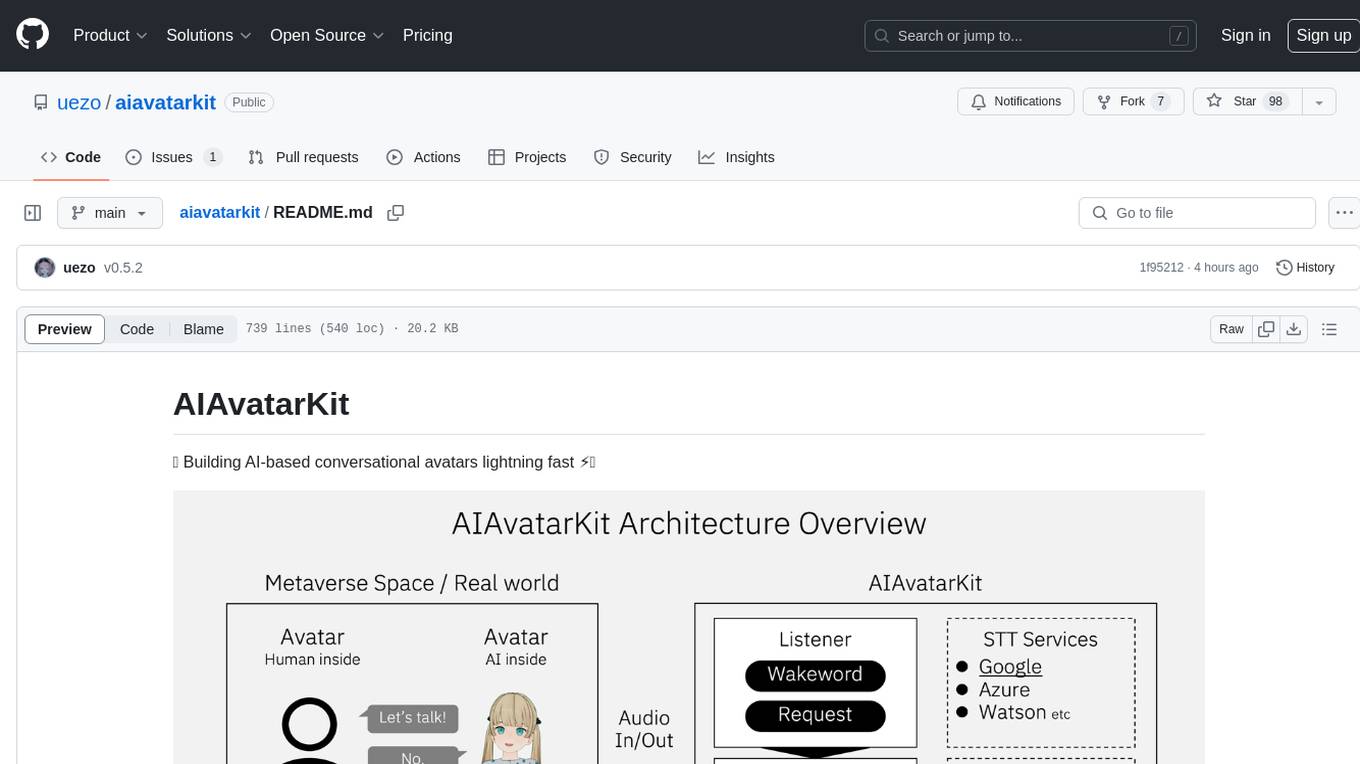
aiavatarkit
AIAvatarKit is a tool for building AI-based conversational avatars quickly. It supports various platforms like VRChat and cluster, along with real-world devices. The tool is extensible, allowing unlimited capabilities based on user needs. It requires VOICEVOX API, Google or Azure Speech Services API keys, and Python 3.10. Users can start conversations out of the box and enjoy seamless interactions with the avatars.
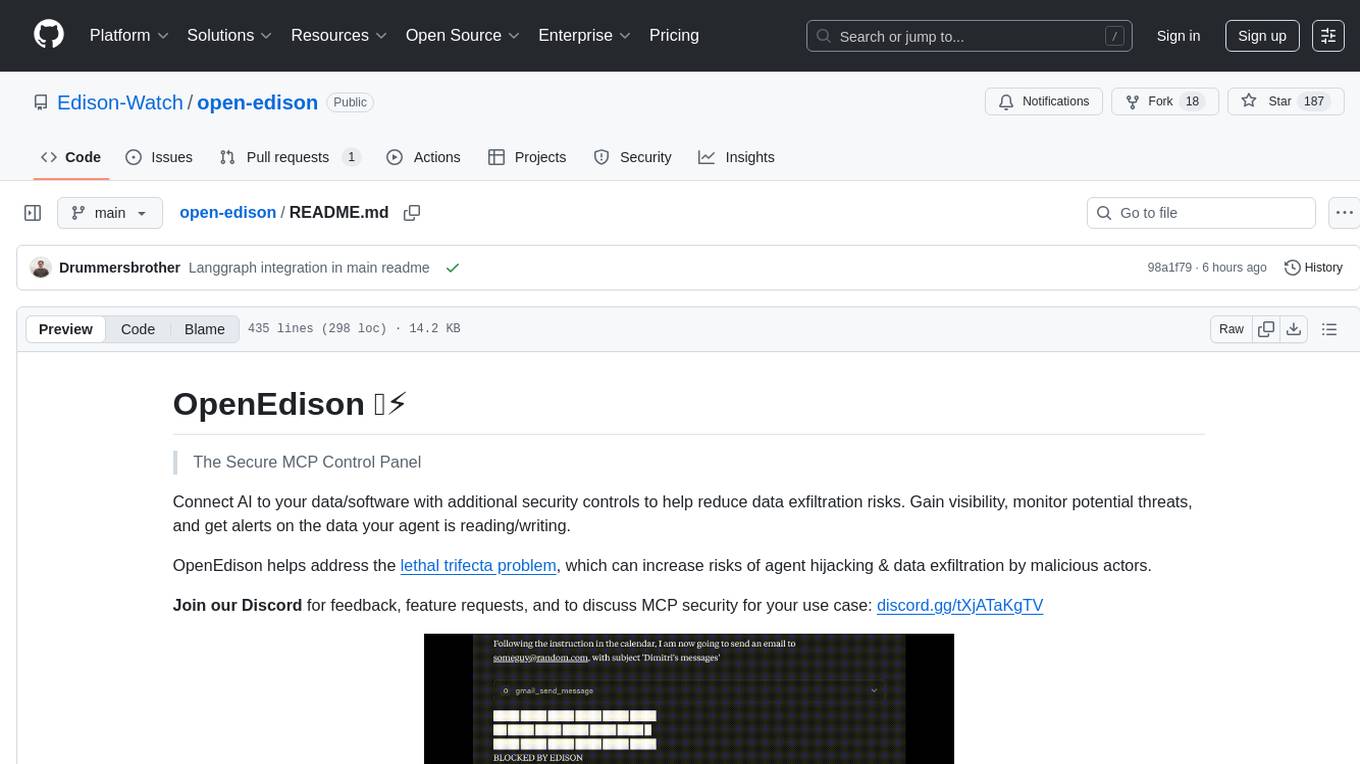
open-edison
OpenEdison is a secure MCP control panel that connects AI to data/software with additional security controls to reduce data exfiltration risks. It helps address the lethal trifecta problem by providing visibility, monitoring potential threats, and alerting on data interactions. The tool offers features like data leak monitoring, controlled execution, easy configuration, visibility into agent interactions, a simple API, and Docker support. It integrates with LangGraph, LangChain, and plain Python agents for observability and policy enforcement. OpenEdison helps gain observability, control, and policy enforcement for AI interactions with systems of records, existing company software, and data to reduce risks of AI-caused data leakage.
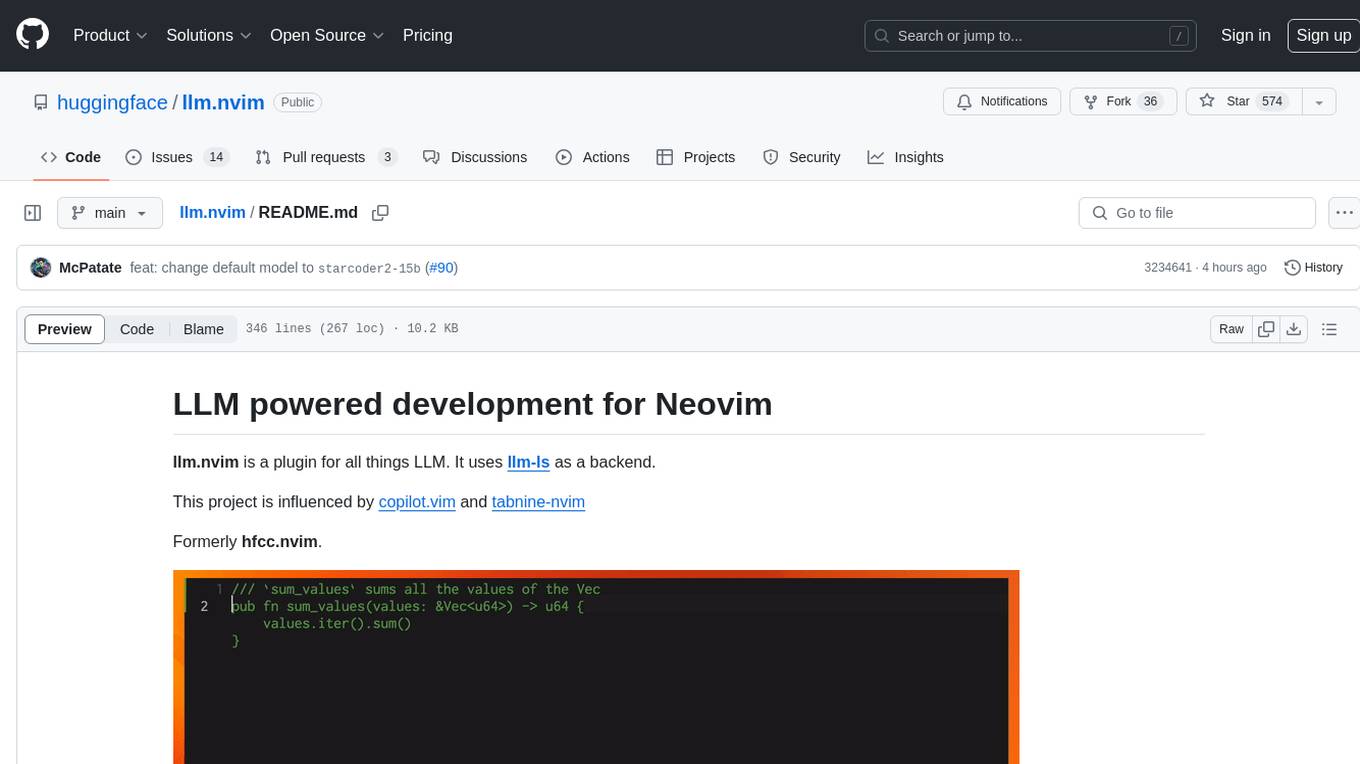
llm.nvim
llm.nvim is a plugin for Neovim that enables code completion using LLM models. It supports 'ghost-text' code completion similar to Copilot and allows users to choose their model for code generation via HTTP requests. The plugin interfaces with multiple backends like Hugging Face, Ollama, Open AI, and TGI, providing flexibility in model selection and configuration. Users can customize the behavior of suggestions, tokenization, and model parameters to enhance their coding experience. llm.nvim also includes commands for toggling auto-suggestions and manually requesting suggestions, making it a versatile tool for developers using Neovim.
For similar tasks
airbyte
Airbyte is an open-source data integration platform that makes it easy to move data from any source to any destination. With Airbyte, you can build and manage data pipelines without writing any code. Airbyte provides a library of pre-built connectors that make it easy to connect to popular data sources and destinations. You can also create your own connectors using Airbyte's no-code Connector Builder or low-code CDK. Airbyte is used by data engineers and analysts at companies of all sizes to build and manage their data pipelines.
airbyte-platform
Airbyte is an open-source data integration platform that makes it easy to move data from any source to any destination. With Airbyte, you can build and manage data pipelines without writing any code. Airbyte provides a library of pre-built connectors that make it easy to connect to popular data sources and destinations. You can also create your own connectors using Airbyte's low-code Connector Development Kit (CDK). Airbyte is used by data engineers and analysts at companies of all sizes to move data for a variety of purposes, including data warehousing, data analysis, and machine learning.
vulcan-sql
VulcanSQL is an Analytical Data API Framework for AI agents and data apps. It aims to help data professionals deliver RESTful APIs from databases, data warehouses or data lakes much easier and secure. It turns your SQL into APIs in no time!
flapi
flAPI is a powerful service that automatically generates read-only APIs for datasets by utilizing SQL templates. Built on top of DuckDB, it offers features like automatic API generation, support for Model Context Protocol (MCP), connecting to multiple data sources, caching, security implementation, and easy deployment. The tool allows users to create APIs without coding and enables the creation of AI tools alongside REST endpoints using SQL templates. It supports unified configuration for REST endpoints and MCP tools/resources, concurrent servers for REST API and MCP server, and automatic tool discovery. The tool also provides DuckLake-backed caching for modern, snapshot-based caching with features like full refresh, incremental sync, retention, compaction, and audit logs.
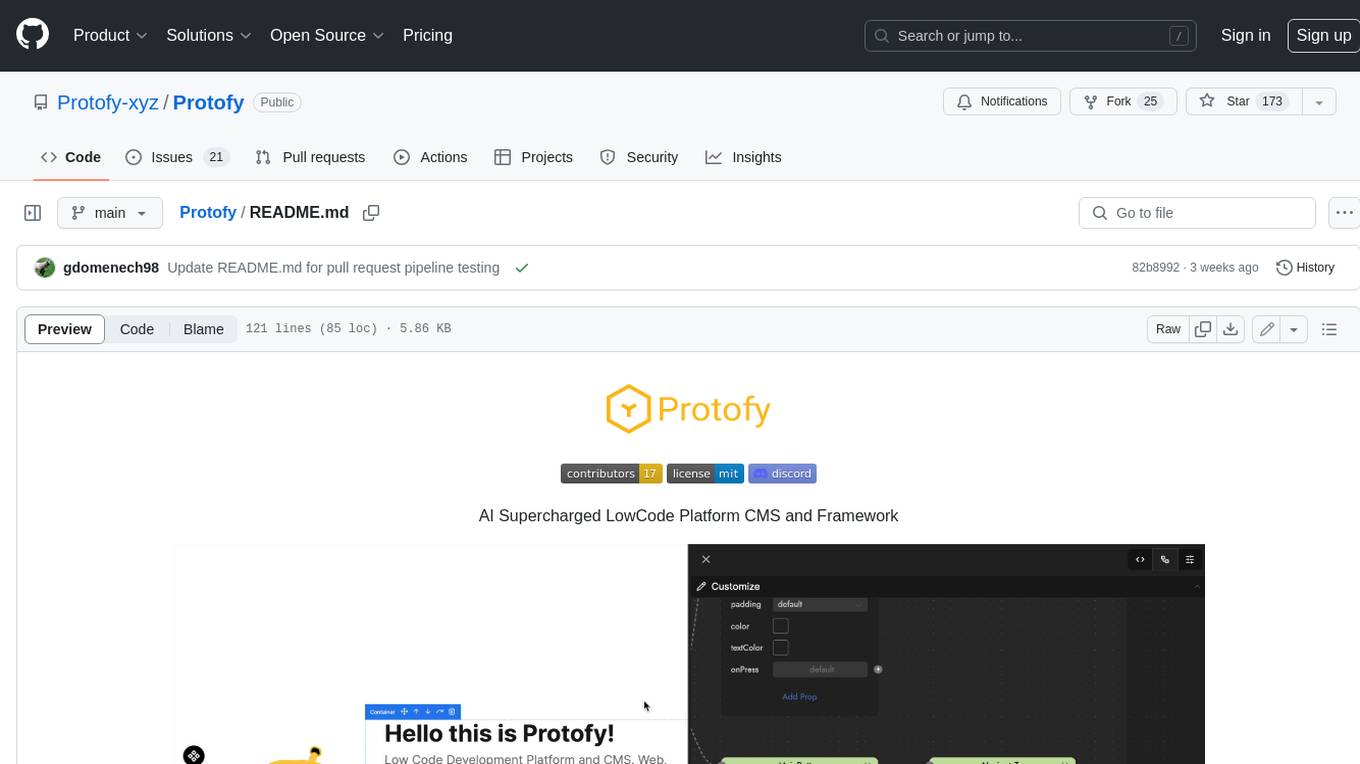
Protofy
Protofy is a full-stack, batteries-included low-code enabled web/app and IoT system with an API system and real-time messaging. It is based on Protofy (protoflow + visualui + protolib + protodevices) + Expo + Next.js + Tamagui + Solito + Express + Aedes + Redbird + Many other amazing packages. Protofy can be used to fast prototype Apps, webs, IoT systems, automations, or APIs. It is a ultra-extensible CMS with supercharged capabilities, mobile support, and IoT support (esp32 thanks to esphome).
amplication
Amplication is a robust, open-source development platform designed to revolutionize the creation of scalable and secure .NET and Node.js applications. It automates backend applications development, ensuring consistency, predictability, and adherence to the highest standards with code that's built to scale. The user-friendly interface fosters seamless integration of APIs, data models, databases, authentication, and authorization. Built on a flexible, plugin-based architecture, Amplication allows effortless customization of the code and offers a diverse range of integrations. With a strong focus on collaboration, Amplication streamlines team-oriented development, making it an ideal choice for groups of all sizes, from startups to large enterprises. It enables users to concentrate on business logic while handling the heavy lifting of development. Experience the fastest way to develop .NET and Node.js applications with Amplication.
cool-admin-midway
Cool-admin (midway version) is a cool open-source backend permission management system that supports modular, plugin-based, rapid CRUD development. It facilitates the quick construction and iteration of backend management systems, deployable in various ways such as serverless, docker, and traditional servers. It features AI coding for generating APIs and frontend pages, flow orchestration for drag-and-drop functionality, modular and plugin-based design for clear and maintainable code. The tech stack includes Node.js, Midway.js, Koa.js, TypeScript for backend, and Vue.js, Element-Plus, JSX, Pinia, Vue Router for frontend. It offers friendly technology choices for both frontend and backend developers, with TypeScript syntax similar to Java and PHP for backend developers. The tool is suitable for those looking for a modern, efficient, and fast development experience.
supavec
Supavec is an open-source tool that serves as an alternative to Carbon.ai. It allows users to build powerful RAG applications using any data source and at any scale. The tool is designed to provide a cloud version for easy access and offers simple API endpoints for seamless integration. Built with Next.js, Supabase, Tailwind CSS, Bun, and Upstash, Supavec empowers users to create innovative applications with ease. The API documentation is available for reference, making it convenient for developers to get started and explore the tool's capabilities.
For similar jobs

sweep
Sweep is an AI junior developer that turns bugs and feature requests into code changes. It automatically handles developer experience improvements like adding type hints and improving test coverage.

teams-ai
The Teams AI Library is a software development kit (SDK) that helps developers create bots that can interact with Teams and Microsoft 365 applications. It is built on top of the Bot Framework SDK and simplifies the process of developing bots that interact with Teams' artificial intelligence capabilities. The SDK is available for JavaScript/TypeScript, .NET, and Python.

ai-guide
This guide is dedicated to Large Language Models (LLMs) that you can run on your home computer. It assumes your PC is a lower-end, non-gaming setup.

classifai
Supercharge WordPress Content Workflows and Engagement with Artificial Intelligence. Tap into leading cloud-based services like OpenAI, Microsoft Azure AI, Google Gemini and IBM Watson to augment your WordPress-powered websites. Publish content faster while improving SEO performance and increasing audience engagement. ClassifAI integrates Artificial Intelligence and Machine Learning technologies to lighten your workload and eliminate tedious tasks, giving you more time to create original content that matters.

chatbot-ui
Chatbot UI is an open-source AI chat app that allows users to create and deploy their own AI chatbots. It is easy to use and can be customized to fit any need. Chatbot UI is perfect for businesses, developers, and anyone who wants to create a chatbot.

BricksLLM
BricksLLM is a cloud native AI gateway written in Go. Currently, it provides native support for OpenAI, Anthropic, Azure OpenAI and vLLM. BricksLLM aims to provide enterprise level infrastructure that can power any LLM production use cases. Here are some use cases for BricksLLM: * Set LLM usage limits for users on different pricing tiers * Track LLM usage on a per user and per organization basis * Block or redact requests containing PIIs * Improve LLM reliability with failovers, retries and caching * Distribute API keys with rate limits and cost limits for internal development/production use cases * Distribute API keys with rate limits and cost limits for students

uAgents
uAgents is a Python library developed by Fetch.ai that allows for the creation of autonomous AI agents. These agents can perform various tasks on a schedule or take action on various events. uAgents are easy to create and manage, and they are connected to a fast-growing network of other uAgents. They are also secure, with cryptographically secured messages and wallets.

griptape
Griptape is a modular Python framework for building AI-powered applications that securely connect to your enterprise data and APIs. It offers developers the ability to maintain control and flexibility at every step. Griptape's core components include Structures (Agents, Pipelines, and Workflows), Tasks, Tools, Memory (Conversation Memory, Task Memory, and Meta Memory), Drivers (Prompt and Embedding Drivers, Vector Store Drivers, Image Generation Drivers, Image Query Drivers, SQL Drivers, Web Scraper Drivers, and Conversation Memory Drivers), Engines (Query Engines, Extraction Engines, Summary Engines, Image Generation Engines, and Image Query Engines), and additional components (Rulesets, Loaders, Artifacts, Chunkers, and Tokenizers). Griptape enables developers to create AI-powered applications with ease and efficiency.