


droidclaw
turn old phones into ai agents - give it a goal in plain english. it reads the screen, thinks about what to do, taps and types via adb, and repeats until the job is done.
Stars: 236
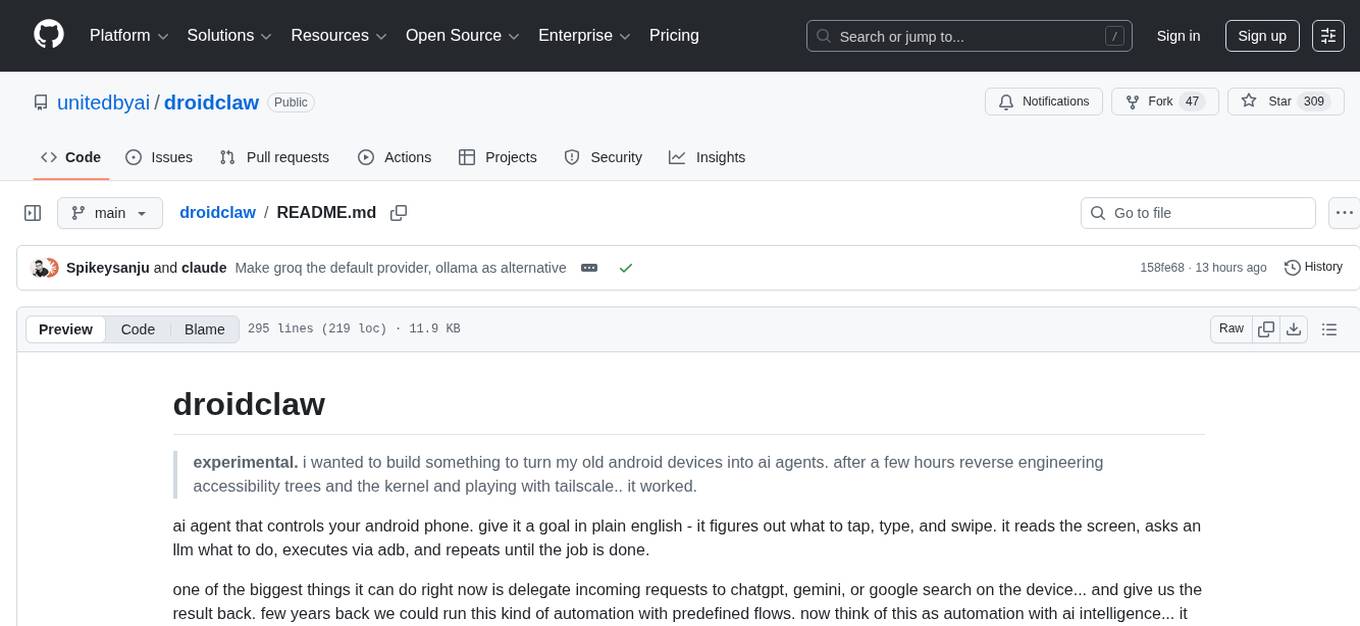
Droidclaw is an experimental tool designed to turn old Android devices into AI agents. It allows users to give goals in plain English, which the tool then executes by reading the screen, asking an LLM for instructions, and using ADB commands. The tool can delegate tasks to various AI services like ChatGPT, Gemini, or Google Search on the device. Users can install their favorite apps, create workflows, or give instructions on the fly without worrying about complex APIs. Droidclaw offers two modes for automation: workflows for AI-powered tasks and flows for fixed sequences of actions. It supports various providers for AI intelligence and can be controlled remotely using Tailscale, making old Android devices useful for automation tasks without the need for APIs.
README:
experimental. i wanted to build something to turn my old android devices into ai agents. after a few hours reverse engineering accessibility trees and the kernel and playing with tailscale.. it worked.
ai agent that controls your android phone. give it a goal in plain english - it figures out what to tap, type, and swipe. it reads the screen, asks an llm what to do, executes via adb, and repeats until the job is done.
one of the biggest things it can do right now is delegate incoming requests to chatgpt, gemini, or google search on the device... and give us the result back. few years back we could run this kind of automation with predefined flows. now think of this as automation with ai intelligence... it can do stuff. you don't need to worry about messy api's. just install your fav apps, write workflows or tell them on the fly. it will get it done.
$ bun run src/kernel.ts
enter your goal: open youtube and search for "lofi hip hop"

--- step 1/30 ---
think: i'm on the home screen. launching youtube.
action: launch (842ms)

--- step 2/30 ---
think: youtube is open. tapping search icon.
action: tap (623ms)

--- step 3/30 ---
think: search field focused.
action: type "lofi hip hop" (501ms)

--- step 4/30 ---
action: enter (389ms)

--- step 5/30 ---
think: search results showing. done.
action: done (412ms)
curl -fsSL https://droidclaw.ai/install.sh | shinstalls bun and adb if missing, clones the repo, sets up .env. or do it manually:
# install adb
brew install android-platform-tools

# install bun (required — npm/node won't work)
curl -fsSL https://bun.sh/install | bash

# clone and setup
git clone https://github.com/unitedbyai/droidclaw.git
cd droidclaw && bun install
cp .env.example .env
note: droidclaw requires bun, not node/npm. it uses bun-specific apis (
Bun.spawnSync, native.envloading) that don't exist in node.
edit .env - fastest way to start is with groq (free tier):
LLM_PROVIDER=groq
GROQ_API_KEY=gsk_your_key_here
or run fully local with ollama (no api key needed):
ollama pull llama3.2
LLM_PROVIDER=ollama
OLLAMA_MODEL=llama3.2
connect your phone (usb debugging on):
adb devices   # should show your device
bun run src/kernel.ts
that's the simplest way - just type a goal and let the agent figure it out. but for anything you want to run repeatedly, there are two modes: workflows and flows.
workflows are ai-powered. you describe goals in natural language, and the llm decides how to navigate, what to tap, what to type. use these when the ui might change, when you need the agent to think, or when chaining goals across multiple apps.
bun run src/kernel.ts --workflow examples/workflows/research/weather-to-whatsapp.jsoneach workflow is a json file - just a name and a list of steps:
{
  "name": "weather to whatsapp",
  "steps": [
    { "app": "com.google.android.googlequicksearchbox", "goal": "search for chennai weather today" },
    { "goal": "share the result to whatsapp contact Sanju" }
  ]
}
you can also pass form data into steps when you need to inject specific text:
{
  "name": "slack standup",
  "steps": [
    {
      "app": "com.Slack",
      "goal": "open #standup channel, type the message and send it",
      "formData": { "Message": "yesterday: api integration\ntoday: tests\nblockers: none" }
    }
  ]
}35 ready-to-use workflows organised by category:
messaging - whatsapp, telegram, slack, email
- slack-standup - post daily standup to a channel
- whatsapp-broadcast - send a message to multiple contacts
- telegram-send-message - send a telegram message
- email-reply - draft and send an email reply
- whatsapp-to-email - forward whatsapp messages to email
- slack-check-messages - read unread slack messages
- email-digest - summarise recent emails
- telegram-channel-digest - digest a telegram channel
- whatsapp-reply - reply to a whatsapp message
- send-whatsapp-vi - send whatsapp to a specific contact
social - instagram, youtube, cross-posting
- social-media-post - post across platforms
- social-media-engage - like/comment on posts
- instagram-post-check - check recent instagram posts
- youtube-watch-later - save videos to watch later
productivity - calendar, notes, github, notifications
- morning-briefing - read messages, calendar, weather across apps
- github-check-prs - check open pull requests
- calendar-create-event - create a calendar event
- notes-capture - capture a quick note
- notification-cleanup - clear and triage notifications
- screenshot-share-slack - screenshot and share to slack
- translate-and-reply - translate a message and reply
- logistics-workflow - multi-app logistics coordination
research - search, compare, monitor
- weather-to-whatsapp - get weather via google ai mode, share to whatsapp
- multi-app-research - research across multiple apps
- price-comparison - compare prices across shopping apps
- news-roundup - collect news from multiple sources
- google-search-report - search google and save results
- check-flight-status - check flight status
lifestyle - food, transport, music, fitness
- food-order - order food from a delivery app
- uber-ride - book an uber ride
- spotify-playlist - create or add to a spotify playlist
- maps-commute - check commute time
- fitness-log - log a workout
- expense-tracker - log an expense
- wifi-password-share - share wifi password
- do-not-disturb - toggle do not disturb with exceptions
for tasks where you don't need ai thinking at all - just a fixed sequence of taps and types. no llm calls, instant execution. good for things you do exactly the same way every time.
bun run src/kernel.ts --flow examples/flows/send-whatsapp.yamlappId: com.whatsapp
name: Send WhatsApp Message
---
- launchApp
- wait: 2
- tap: "Contact Name"
- wait: 1
- tap: "Message"
- type: "hello from droidclaw"
- tap: "Send"
- done: "Message sent"5 flow templates in examples/flows/:
- send-whatsapp - send a whatsapp message
- google-search - run a google search
- create-contact - add a new contact
- clear-notifications - clear all notifications
- toggle-wifi - toggle wifi on/off
| workflows | flows | |
|---|---|---|
| format | json | yaml |
| uses ai | yes | no |
| handles ui changes | yes | no |
| speed | slower (llm calls) | instant |
| best for | complex/multi-app tasks | simple repeatable tasks |
| provider | cost | vision | notes |
|---|---|---|---|
| groq | free tier | no | fastest to start |
| ollama | free (local) | yes* | no api key, runs on your machine |
| openrouter | per token | yes | 200+ models |
| openai | per token | yes | gpt-4o |
| bedrock | per token | yes | claude on aws |
*ollama vision requires a vision model like llama3.2-vision or llava
all in .env:
| key | default | what |
|---|---|---|
MAX_STEPS |
30 | steps before giving up |
STEP_DELAY |
2 | seconds between actions |
STUCK_THRESHOLD |
3 | steps before stuck recovery |
VISION_MODE |
fallback |
off / fallback / always
|
MAX_ELEMENTS |
40 | ui elements sent to llm |
each step: dump accessibility tree → filter elements → send to llm → execute action → repeat.
the llm thinks before acting - returns { think, plan, action }. if the screen doesn't change for 3 steps, stuck recovery kicks in. when the accessibility tree is empty (webviews, flutter), it falls back to screenshots.
src/
  kernel.ts          main loop
  actions.ts         22 actions + adb retry
  skills.ts          6 multi-step skills
  workflow.ts        workflow orchestration
  flow.ts            yaml flow runner
  llm-providers.ts   5 providers + system prompt
  sanitizer.ts       accessibility xml parser
  config.ts          env config
  constants.ts       keycodes, coordinates
  logger.ts          session logging
the default setup is usb - phone plugged into your laptop. but you can go further.
install tailscale on both your android device and your laptop/vps. once they're on the same tailnet, connect adb over the network:
# on your phone: enable wireless debugging (developer options → wireless debugging)
# note the ip:port shown on the screen

# from your laptop/vps, anywhere in the world:
adb connect <phone-tailscale-ip>:<port>
adb devices   # should show your phone

bun run src/kernel.ts
now your phone is a remote ai agent. leave it on a desk, plugged into power, and control it from your vps, your laptop at a cafe, or a cron job running workflows at 8am every morning. the phone doesn't need to be on the same wifi or even in the same country.
this is what makes old android devices useful again - they become always-on agents that can do things on apps that don't have api's.
"adb: command not found" - install adb or set ADB_PATH in .env
"no devices found" - check usb debugging is on, tap "allow" on the phone
agent repeating - stuck detection handles this. if it persists, use a better model
built by unitedby.ai — an open ai community
droidclaw's workflow orchestration was influenced by android action kernel from action state labs. we took the core idea of sub-goal decomposition and built a different system around it — with stuck recovery, 22 actions, multi-step skills, and vision fallback.
mit
For Tasks:
Click tags to check more tools for each tasksFor Jobs:
Alternative AI tools for droidclaw
Similar Open Source Tools
droidclaw
Droidclaw is an experimental tool designed to turn old Android devices into AI agents. It allows users to give goals in plain English, which the tool then executes by reading the screen, asking an LLM for instructions, and using ADB commands. The tool can delegate tasks to various AI services like ChatGPT, Gemini, or Google Search on the device. Users can install their favorite apps, create workflows, or give instructions on the fly without worrying about complex APIs. Droidclaw offers two modes for automation: workflows for AI-powered tasks and flows for fixed sequences of actions. It supports various providers for AI intelligence and can be controlled remotely using Tailscale, making old Android devices useful for automation tasks without the need for APIs.
raycast-g4f
Raycast-G4F is a free extension that allows users to leverage powerful AI models such as GPT-4 and Llama-3 within the Raycast app without the need for an API key. The extension offers features like streaming support, diverse commands, chat interaction with AI, web search capabilities, file upload functionality, image generation, and custom AI commands. Users can easily install the extension from the source code and benefit from frequent updates and a user-friendly interface. Raycast-G4F supports various providers and models, each with different capabilities and performance ratings, ensuring a versatile AI experience for users.
discord-llm-chatbot
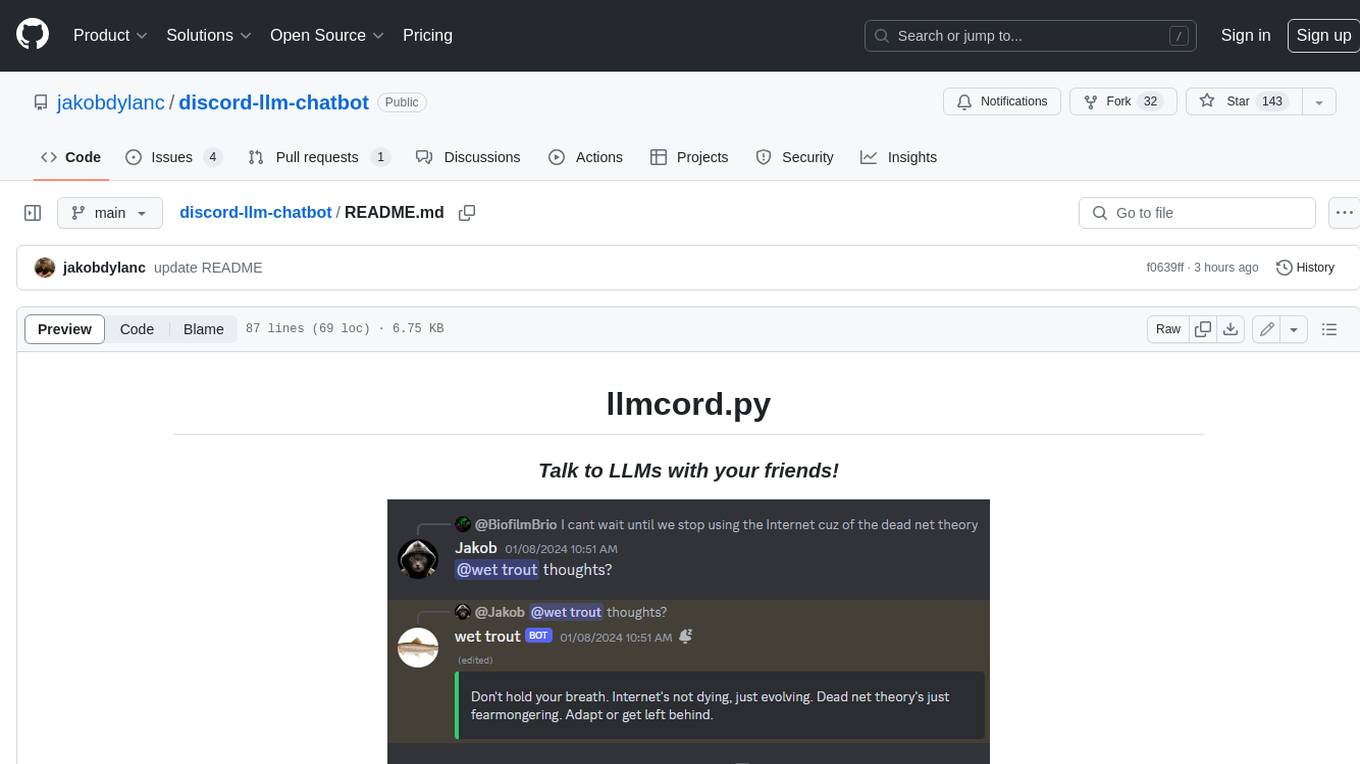
llmcord.py enables collaborative LLM prompting in your Discord server. It works with practically any LLM, remote or locally hosted. ### Features ### Reply-based chat system Just @ the bot to start a conversation and reply to continue. Build conversations with reply chains! You can do things like: - Build conversations together with your friends - "Rewind" a conversation simply by replying to an older message - @ the bot while replying to any message in your server to ask a question about it Additionally: - Back-to-back messages from the same user are automatically chained together. Just reply to the latest one and the bot will see all of them. - You can seamlessly move any conversation into a thread. Just create a thread from any message and @ the bot inside to continue. ### Choose any LLM Supports remote models from OpenAI API, Mistral API, Anthropic API and many more thanks to LiteLLM. Or run a local model with ollama, oobabooga, Jan, LM Studio or any other OpenAI compatible API server. ### And more: - Supports image attachments when using a vision model - Customizable system prompt - DM for private access (no @ required) - User identity aware (OpenAI API only) - Streamed responses (turns green when complete, automatically splits into separate messages when too long, throttled to prevent Discord ratelimiting) - Displays helpful user warnings when appropriate (like "Only using last 20 messages", "Max 5 images per message", etc.) - Caches message data in a size-managed (no memory leaks) and per-message mutex-protected (no race conditions) global dictionary to maximize efficiency and minimize Discord API calls - Fully asynchronous - 1 Python file, ~200 lines of code
voice-chat-ai
Voice Chat AI is a project that allows users to interact with different AI characters using speech. Users can choose from various characters with unique personalities and voices, and have conversations or role play with them. The project supports OpenAI, xAI, or Ollama language models for chat, and provides text-to-speech synthesis using XTTS, OpenAI TTS, or ElevenLabs. Users can seamlessly integrate visual context into conversations by having the AI analyze their screen. The project offers easy configuration through environment variables and can be run via WebUI or Terminal. It also includes a huge selection of built-in characters for engaging conversations.
vanna
Vanna is an open-source Python framework for SQL generation and related functionality. It uses Retrieval-Augmented Generation (RAG) to train a model on your data, which can then be used to ask questions and get back SQL queries. Vanna is designed to be portable across different LLMs and vector databases, and it supports any SQL database. It is also secure and private, as your database contents are never sent to the LLM or the vector database.
TerminalGPT
TerminalGPT is a terminal-based ChatGPT personal assistant app that allows users to interact with OpenAI GPT-3.5 and GPT-4 language models. It offers advantages over browser-based apps, such as continuous availability, faster replies, and tailored answers. Users can use TerminalGPT in their IDE terminal, ensuring seamless integration with their workflow. The tool prioritizes user privacy by not using conversation data for model training and storing conversations locally on the user's machine.
obsidian-chat-cbt-plugin
ChatCBT is an AI-powered journaling assistant for Obsidian, inspired by cognitive behavioral therapy (CBT). It helps users reframe negative thoughts and rewire reactions to distressful situations. The tool provides kind and objective responses to uncover negative thinking patterns, store conversations privately, and summarize reframed thoughts. Users can choose between a cloud-based AI service (OpenAI) or a local and private service (Ollama) for handling data. ChatCBT is not a replacement for therapy but serves as a journaling assistant to help users gain perspective on their problems.
OrionChat
Orion is a web-based chat interface that simplifies interactions with multiple AI model providers. It provides a unified platform for chatting and exploring various large language models (LLMs) such as Ollama, OpenAI (GPT model), Cohere (Command-r models), Google (Gemini models), Anthropic (Claude models), Groq Inc., Cerebras, and SambaNova. Users can easily navigate and assess different AI models through an intuitive, user-friendly interface. Orion offers features like browser-based access, code execution with Google Gemini, text-to-speech (TTS), speech-to-text (STT), seamless integration with multiple AI models, customizable system prompts, language translation tasks, document uploads for analysis, and more. API keys are stored locally, and requests are sent directly to official providers' APIs without external proxies.
GPTModels.nvim
GPTModels.nvim is a window-based AI plugin for Neovim that enhances workflow with AI LLMs. It provides two popup windows for chat and code editing, focusing on stability and user experience. The plugin supports OpenAI and Ollama, includes LSP diagnostics, file inclusion, background processing, request cancellation, selection inclusion, and filetype inclusion. Developed with stability in mind, the plugin offers a seamless user experience with various features to streamline AI integration in Neovim.
swirl-search
Swirl is an open-source software that allows users to simultaneously search multiple content sources and receive AI-ranked results. It connects to various data sources, including databases, public data services, and enterprise sources, and utilizes AI and LLMs to generate insights and answers based on the user's data. Swirl is easy to use, requiring only the download of a YML file, starting in Docker, and searching with Swirl. Users can add credentials to preloaded SearchProviders to access more sources. Swirl also offers integration with ChatGPT as a configured AI model. It adapts and distributes user queries to anything with a search API, re-ranking the unified results using Large Language Models without extracting or indexing anything. Swirl includes five Google Programmable Search Engines (PSEs) to get users up and running quickly. Key features of Swirl include Microsoft 365 integration, SearchProvider configurations, query adaptation, synchronous or asynchronous search federation, optional subscribe feature, pipelining of Processor stages, results stored in SQLite3 or PostgreSQL, built-in Query Transformation support, matching on word stems and handling of stopwords, duplicate detection, re-ranking of unified results using Cosine Vector Similarity, result mixers, page through all results requested, sample data sets, optional spell correction, optional search/result expiration service, easily extensible Connector and Mixer objects, and a welcoming community for collaboration and support.
merlinn
Merlinn is an open-source AI-powered on-call engineer that automatically jumps into incidents & alerts, providing useful insights and RCA in real time. It integrates with popular observability tools, lives inside Slack, offers an intuitive UX, and prioritizes security. Users can self-host Merlinn, use it for free, and benefit from automatic RCA, Slack integration, integrations with various tools, intuitive UX, and security features.
core
The Cheshire Cat is a framework for building custom AIs on top of any language model. It provides an API-first approach, making it easy to add a conversational layer to your application. The Cat remembers conversations and documents, and uses them in conversation. It is extensible via plugins, and supports event callbacks, function calling, and conversational forms. The Cat is easy to use, with an admin panel that allows you to chat with the AI, visualize memory and plugins, and adjust settings. It is also production-ready, 100% dockerized, and supports any language model.
burr
Burr is a Python library and UI that makes it easy to develop applications that make decisions based on state (chatbots, agents, simulations, etc...). Burr includes a UI that can track/monitor those decisions in real time.
macOS-use
macOS-use is a project that enables AI agents to interact with a MacBook across any app. It aims to build an AI agent for the MLX by Apple framework to perform actions on Apple devices. The project is under active development and allows users to prompt the agent to perform various tasks on their MacBook. Users need to be cautious as the tool can interact with apps, UI components, and use private credentials. The project is open source and welcomes contributions from the community.
nobodywho
NobodyWho is a plugin for the Godot game engine that enables interaction with local LLMs for interactive storytelling. Users can install it from Godot editor or GitHub releases page, providing their own LLM in GGUF format. The plugin consists of `NobodyWhoModel` node for model file, `NobodyWhoChat` node for chat interaction, and `NobodyWhoEmbedding` node for generating embeddings. It offers a programming interface for sending text to LLM, receiving responses, and starting the LLM worker.
CyberScraper-2077
CyberScraper 2077 is an advanced web scraping tool powered by AI, designed to extract data from websites with precision and style. It offers a user-friendly interface, supports multiple data export formats, operates in stealth mode to avoid detection, and promises lightning-fast scraping. The tool respects ethical scraping practices, including robots.txt and site policies. With upcoming features like proxy support and page navigation, CyberScraper 2077 is a futuristic solution for data extraction in the digital realm.
For similar tasks
droidclaw
Droidclaw is an experimental tool designed to turn old Android devices into AI agents. It allows users to give goals in plain English, which the tool then executes by reading the screen, asking an LLM for instructions, and using ADB commands. The tool can delegate tasks to various AI services like ChatGPT, Gemini, or Google Search on the device. Users can install their favorite apps, create workflows, or give instructions on the fly without worrying about complex APIs. Droidclaw offers two modes for automation: workflows for AI-powered tasks and flows for fixed sequences of actions. It supports various providers for AI intelligence and can be controlled remotely using Tailscale, making old Android devices useful for automation tasks without the need for APIs.
For similar jobs

promptflow
**Prompt flow** is a suite of development tools designed to streamline the end-to-end development cycle of LLM-based AI applications, from ideation, prototyping, testing, evaluation to production deployment and monitoring. It makes prompt engineering much easier and enables you to build LLM apps with production quality.

deepeval
DeepEval is a simple-to-use, open-source LLM evaluation framework specialized for unit testing LLM outputs. It incorporates various metrics such as G-Eval, hallucination, answer relevancy, RAGAS, etc., and runs locally on your machine for evaluation. It provides a wide range of ready-to-use evaluation metrics, allows for creating custom metrics, integrates with any CI/CD environment, and enables benchmarking LLMs on popular benchmarks. DeepEval is designed for evaluating RAG and fine-tuning applications, helping users optimize hyperparameters, prevent prompt drifting, and transition from OpenAI to hosting their own Llama2 with confidence.

MegaDetector
MegaDetector is an AI model that identifies animals, people, and vehicles in camera trap images (which also makes it useful for eliminating blank images). This model is trained on several million images from a variety of ecosystems. MegaDetector is just one of many tools that aims to make conservation biologists more efficient with AI. If you want to learn about other ways to use AI to accelerate camera trap workflows, check out our of the field, affectionately titled "Everything I know about machine learning and camera traps".

leapfrogai
LeapfrogAI is a self-hosted AI platform designed to be deployed in air-gapped resource-constrained environments. It brings sophisticated AI solutions to these environments by hosting all the necessary components of an AI stack, including vector databases, model backends, API, and UI. LeapfrogAI's API closely matches that of OpenAI, allowing tools built for OpenAI/ChatGPT to function seamlessly with a LeapfrogAI backend. It provides several backends for various use cases, including llama-cpp-python, whisper, text-embeddings, and vllm. LeapfrogAI leverages Chainguard's apko to harden base python images, ensuring the latest supported Python versions are used by the other components of the stack. The LeapfrogAI SDK provides a standard set of protobuffs and python utilities for implementing backends and gRPC. LeapfrogAI offers UI options for common use-cases like chat, summarization, and transcription. It can be deployed and run locally via UDS and Kubernetes, built out using Zarf packages. LeapfrogAI is supported by a community of users and contributors, including Defense Unicorns, Beast Code, Chainguard, Exovera, Hypergiant, Pulze, SOSi, United States Navy, United States Air Force, and United States Space Force.

llava-docker
This Docker image for LLaVA (Large Language and Vision Assistant) provides a convenient way to run LLaVA locally or on RunPod. LLaVA is a powerful AI tool that combines natural language processing and computer vision capabilities. With this Docker image, you can easily access LLaVA's functionalities for various tasks, including image captioning, visual question answering, text summarization, and more. The image comes pre-installed with LLaVA v1.2.0, Torch 2.1.2, xformers 0.0.23.post1, and other necessary dependencies. You can customize the model used by setting the MODEL environment variable. The image also includes a Jupyter Lab environment for interactive development and exploration. Overall, this Docker image offers a comprehensive and user-friendly platform for leveraging LLaVA's capabilities.

carrot
The 'carrot' repository on GitHub provides a list of free and user-friendly ChatGPT mirror sites for easy access. The repository includes sponsored sites offering various GPT models and services. Users can find and share sites, report errors, and access stable and recommended sites for ChatGPT usage. The repository also includes a detailed list of ChatGPT sites, their features, and accessibility options, making it a valuable resource for ChatGPT users seeking free and unlimited GPT services.

TrustLLM
TrustLLM is a comprehensive study of trustworthiness in LLMs, including principles for different dimensions of trustworthiness, established benchmark, evaluation, and analysis of trustworthiness for mainstream LLMs, and discussion of open challenges and future directions. Specifically, we first propose a set of principles for trustworthy LLMs that span eight different dimensions. Based on these principles, we further establish a benchmark across six dimensions including truthfulness, safety, fairness, robustness, privacy, and machine ethics. We then present a study evaluating 16 mainstream LLMs in TrustLLM, consisting of over 30 datasets. The document explains how to use the trustllm python package to help you assess the performance of your LLM in trustworthiness more quickly. For more details about TrustLLM, please refer to project website.

AI-YinMei
AI-YinMei is an AI virtual anchor Vtuber development tool (N card version). It supports fastgpt knowledge base chat dialogue, a complete set of solutions for LLM large language models: [fastgpt] + [one-api] + [Xinference], supports docking bilibili live broadcast barrage reply and entering live broadcast welcome speech, supports Microsoft edge-tts speech synthesis, supports Bert-VITS2 speech synthesis, supports GPT-SoVITS speech synthesis, supports expression control Vtuber Studio, supports painting stable-diffusion-webui output OBS live broadcast room, supports painting picture pornography public-NSFW-y-distinguish, supports search and image search service duckduckgo (requires magic Internet access), supports image search service Baidu image search (no magic Internet access), supports AI reply chat box [html plug-in], supports AI singing Auto-Convert-Music, supports playlist [html plug-in], supports dancing function, supports expression video playback, supports head touching action, supports gift smashing action, supports singing automatic start dancing function, chat and singing automatic cycle swing action, supports multi scene switching, background music switching, day and night automatic switching scene, supports open singing and painting, let AI automatically judge the content.