


sagents
Build interactive AI agents in Elixir with OTP supervision, middleware composition, human-in-the-loop approvals, sub-agent delegation, and real-time Phoenix LiveView integration. Built on LangChain.
Stars: 121
Sagents is a framework designed for Elixir developers to build interactive AI applications. It combines the wisdom of a Sage with the power of LLM-based Agents, offering features like Human-In-The-Loop (HITL) for sensitive operations, SubAgents for efficient task delegation, GenServer Architecture for supervised OTP processes, Phoenix.Presence Integration for resource management, PubSub Real-Time Events for streaming agent state, Middleware System for extensible capabilities, Cluster-Aware Distribution for running agents across nodes, State Persistence for saving and restoring agent conversations, and Virtual Filesystem for isolated file operations with optional persistence. Sagents is suitable for developers working on interactive AI applications requiring real-time conversations, human oversight, isolated agent processes, persistent agent state, and real-time UI updates.
README:
Sage Agents - Combining the wisdom of a Sage with the power of LLM-based Agents
A sage is a person who has attained wisdom and is often characterized by sound judgment and deep understanding. Sagents brings this philosophy to AI agents: building systems that don't just execute tasks, but do so with thoughtful human oversight, efficient resource management, and extensible architecture.
- Human-In-The-Loop (HITL) - Customizable permission system that pauses execution for approval on sensitive operations
- SubAgents - Delegate complex tasks to specialized child agents for efficient context management and parallel execution
- GenServer Architecture - Each agent runs as a supervised OTP process with automatic lifecycle management
- Phoenix.Presence Integration - Smart resource management that knows when to shut down idle agents
- PubSub Real-Time Events - Stream agent state, messages, and events to multiple LiveView subscribers
- Middleware System - Extensible plugin architecture for adding capabilities to agents
- Cluster-Aware Distribution - Optional Horde-based distribution for running agents across a cluster of nodes with automatic state migration, or run locally on a single node (the default)
- State Persistence - Save and restore agent conversations via optional behaviour modules for agent state and display messages
- Virtual Filesystem - Isolated, in-memory file operations with optional persistence
See it in action! Try the agents_demo application to experience Sagents interactively, or add the sagents_live_debugger to your app for real-time insights into agent configuration, state, and event flows.
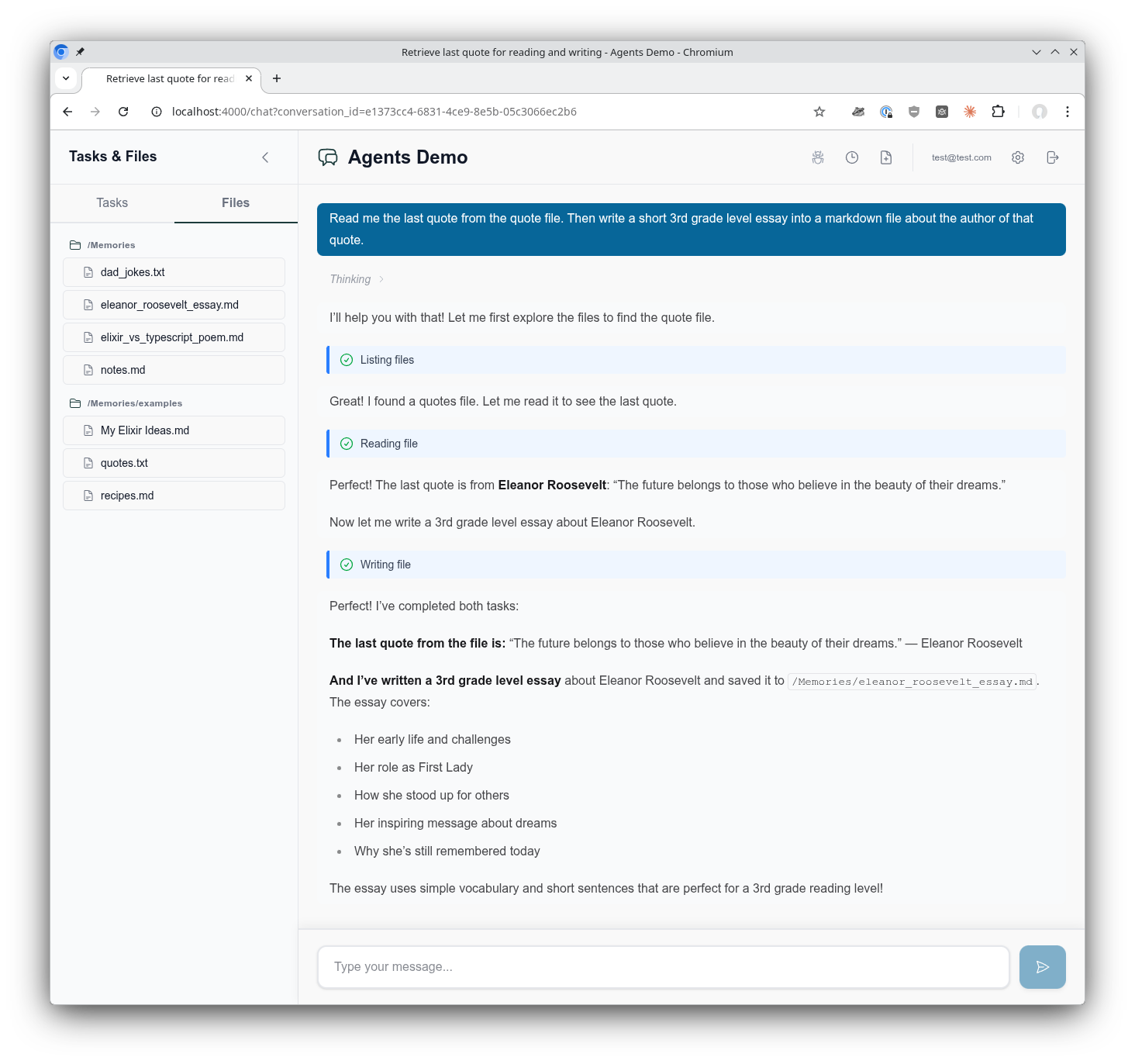
The AgentsDemo chat interface showing the use of a virtual filesystem, tool call execution, composable middleware, supervised Agentic GenServer assistant, and much more!
Sagents is designed for Elixir developers building interactive AI applications where:
- Users have real-time conversations with AI agents
- Human oversight is required for certain operations (file deletes, API calls, etc.)
- Multiple concurrent conversations need isolated agent processes
- Agent state must persist across sessions
- Real-time UI updates are essential (Phoenix LiveView)
If you're building a simple CLI tool or batch processing pipeline, the core LangChain library may be sufficient. Sagents adds the orchestration layer needed for production interactive applications.
What about non-interactive agents? Certainly! Sagents works perfectly well for background agents without a UI. You'd simply skip the UI state management helpers and omit middleware like HumanInTheLoop. The agent still runs as a supervised GenServer with all the benefits of state persistence, middleware capabilities, and SubAgent delegation. The sagents_live_debugger package remains valuable for gaining visibility into what your agents are doing, even without an end-user interface.
Add sagents to your list of dependencies in mix.exs:
def deps do
  [
    {:sagents, "~> 0.2.1"}
  ]
end
LangChain is automatically included as a dependency.
Add Sagents.Supervisor to your application's supervision tree:
# lib/my_app/application.ex
children = [
  # ... your other children (Repo, PubSub, etc.)
  Sagents.Supervisor
]
This starts the process registry, dynamic supervisors, and filesystem supervisor that Sagents uses to manage agents.
Sagents builds on the Elixir LangChain library for LLM integration. To use Sagents, you need to configure an LLM provider by setting the appropriate API key as an environment variable:
# For Anthropic (Claude)
export ANTHROPIC_API_KEY="your-api-key"

# For OpenAI (GPT)
export OPENAI_API_KEY="your-api-key"

# For Google (Gemini)
export GOOGLE_API_KEY="your-api-key"
Then specify the model when creating your agent:
# Anthropic Claude
alias LangChain.ChatModels.ChatAnthropic
model = ChatAnthropic.new!(%{model: "claude-sonnet-4-5-20250929"})

# OpenAI GPT
alias LangChain.ChatModels.ChatOpenAI
model = ChatOpenAI.new!(%{model: "gpt-4o"})

# Google Gemini
alias LangChain.ChatModels.ChatGoogleAI
model = ChatGoogleAI.new!(%{model: "gemini-2.0-flash-exp"})
For detailed configuration options, start here LangChain documentation.
alias Sagents.{Agent, AgentServer, State}
alias Sagents.Middleware.{TodoList, FileSystem, HumanInTheLoop}
alias LangChain.ChatModels.ChatAnthropic
alias LangChain.Message

# Create agent with middleware capabilities
{:ok, agent} = Agent.new(%{
  agent_id: "my-agent-1",
  model: ChatAnthropic.new!(%{model: "claude-sonnet-4-5-20250929"}),
  base_system_prompt: "You are a helpful coding assistant.",
  middleware: [
    TodoList,
    FileSystem,
    {HumanInTheLoop, [
      interrupt_on: %{
        "write_file" => true,
        "delete_file" => true
      }
    ]}
  ]
})# Create initial state
state = State.new!(%{
messages: [Message.new_user!("Create a hello world program")]
})
# Start the AgentServer (runs as a supervised GenServer)
{:ok, _pid} = AgentServer.start_link(
agent: agent,
initial_state: state,
pubsub: {Phoenix.PubSub, :my_app_pubsub},
inactivity_timeout: 3_600_000 # 1 hour
)
# Subscribe to real-time events
AgentServer.subscribe("my-agent-1")
# Execute the agent
:ok = AgentServer.execute("my-agent-1")# In your LiveView or GenServer
def handle_info({:agent, event}, socket) do
case event do
{:status_changed, :running, nil} ->
# Agent started processing
{:noreply, assign(socket, status: :running)}
{:llm_deltas, deltas} ->
# Streaming tokens received
{:noreply, stream_tokens(socket, deltas)}
{:llm_message, message} ->
# Complete message received
{:noreply, add_message(socket, message)}
{:todos_updated, todos} ->
# Agent's TODO list changed
{:noreply, assign(socket, todos: todos)}
{:status_changed, :interrupted, interrupt_data} ->
# Human approval needed
{:noreply, show_approval_dialog(socket, interrupt_data)}
{:status_changed, :idle, nil} ->
# Agent completed
{:noreply, assign(socket, status: :idle)}
{:agent_shutdown, metadata} ->
# Agent shutting down (inactivity or no viewers)
{:noreply, handle_shutdown(socket, metadata)}
end
end# When agent needs approval, it returns interrupt data
# User reviews and provides decisions
decisions = [
%{type: :approve}, # Approve first tool call
%{type: :edit, arguments: %{"path" => "safe.txt"}}, # Edit second tool call
%{type: :reject} # Reject third tool call
]
# Resume execution with decisions
:ok = AgentServer.resume("my-agent-1", decisions)Sagents includes several pre-built middleware components:
| Middleware | Description |
|---|---|
| TodoList | Task management with write_todos tool for tracking multi-step work |
| FileSystem | Virtual filesystem with ls, read_file, write_file, edit_file, search_text, edit_lines, delete_file
|
| HumanInTheLoop | Pause execution for human approval on configurable tools |
| SubAgent | Delegate tasks to specialized child agents for parallel execution |
| Summarization | Automatic conversation compression when token limits approach |
| PatchToolCalls | Fix dangling tool calls from interrupted conversations |
| ConversationTitle | Auto-generate conversation titles from first user message |
{:ok, agent} = Agent.new(%{
  # ...
  middleware: [
    {FileSystem, [
      enabled_tools: ["ls", "read_file", "write_file", "edit_file"],
      # Optional: persistence callbacks
      persistence: MyApp.FilePersistence,
      context: %{user_id: current_user.id}
    ]}
  ]
})SubAgents provide efficient context management by isolating complex tasks:
{:ok, agent} = Agent.new(%{
  # ...
  middleware: [
    {SubAgent, [
      model: ChatAnthropic.new!(%{model: "claude-sonnet-4-5-20250929"}),
      subagents: [
        SubAgent.Config.new!(%{
          name: "researcher",
          description: "Research topics using web search",
          system_prompt: "You are an expert researcher...",
          tools: [web_search_tool]
        }),
        SubAgent.Compiled.new!(%{
          name: "coder",
          description: "Write and review code",
          agent: pre_built_coder_agent
        })
      ],
      # Prevent recursive SubAgent nesting
      block_middleware: [ConversationTitle, Summarization]
    ]}
  ]
})
SubAgents also respect HITL permissions - if a SubAgent attempts a protected operation, the interrupt propagates to the parent for approval.
Configure which tools require human approval:
{HumanInTheLoop, [
  interrupt_on: %{
    # Simple boolean
    "write_file" => true,
    "delete_file" => true,

    # Advanced: customize allowed decisions
    "execute_command" => %{
      allowed_decisions: [:approve, :reject]  # No edit option
    }
  }
]}
Decision types:
-
:approve- Execute with original arguments -
:edit- Execute with modified arguments -
:reject- Skip execution, inform agent of rejection
Create your own middleware by implementing the Sagents.Middleware behaviour:
defmodule MyApp.CustomMiddleware do
  @behaviour Sagents.Middleware

  @impl true
  def init(opts) do
    config = %{
      enabled: Keyword.get(opts, :enabled, true)
    }
    {:ok, config}
  end

  @impl true
  def system_prompt(_config) do
    "You have access to custom capabilities."
  end

  @impl true
  def tools(config) do
    [my_custom_tool(config)]
  end

  @impl true
  def before_model(state, _config) do
    # Preprocess state before LLM call
    {:ok, state}
  end

  @impl true
  def after_model(state, _config) do
    # Postprocess state after LLM response
    # Return {:interrupt, state, interrupt_data} to pause for HITL
    {:ok, state}
  end

  @impl true
  def handle_message(message, state, _config) do
    # Handle async messages from spawned tasks
    {:ok, state}
  end

  @impl true
  def on_server_start(state, _config) do
    # Called when AgentServer starts - broadcast initial state
    {:ok, state}
  end
endSagents provides generators to scaffold everything you need for conversation-centric agents:
mix sagents.setup MyApp.Conversations \
  --scope MyApp.Accounts.Scope \
  --owner-type user \
  --owner-field user_id
This generates:
- Persistence layer - Database schemas and migration
- Factory module - Agent creation with model/middleware configuration
- Coordinator module - Session management and lifecycle orchestration
All configured to work together seamlessly based on your --owner-type and --owner-field settings.
The mix sagents.setup command creates a complete conversation infrastructure:
-
Context module (
MyApp.Conversations) with CRUD operations - Schemas: Conversation, AgentState, DisplayMessage
- Database migration for all tables
Centralizes agent creation at MyApp.Agents.Factory with:
- Model configuration (ChatAnthropic by default, with fallback examples)
- Default middleware stack (TodoList, FileSystem, SubAgent, Summarization, etc.)
- Human-in-the-Loop configuration
- Automatic filesystem scope extraction based on your owner type/field
Key functions to customize:
-
get_model_config/0- Change LLM provider (OpenAI, Ollama, etc.) -
get_fallback_models/0- Configure model fallbacks for resilience -
base_system_prompt/0- Define your agent's personality and capabilities -
build_middleware/3- Add/remove middleware from the stack -
default_interrupt_on/0- Configure which tools require human approval -
get_filesystem_scope/1- Customize filesystem scoping strategy
Manages agent lifecycles at MyApp.Agents.Coordinator with:
- Conversation ID → Agent ID mapping
- On-demand agent starting with idempotent session management
- State loading from your Conversations context
- Race condition handling for concurrent starts
- Phoenix.Presence integration for viewer tracking
Key functions to customize:
-
conversation_agent_id/1- Change the agent_id mapping strategy -
create_conversation_state/1- Customize state loading behavior
For Phoenix LiveView integration, generate a helpers module with reusable handlers for all agent events:
mix sagents.gen.live_helpers MyAppWeb.AgentLiveHelpers \
  --context MyApp.Conversations
This generates a module with handler functions that follow the LiveView socket-in/socket-out pattern:
-
Status handlers -
handle_status_running/1,handle_status_idle/1,handle_status_cancelled/1,handle_status_error/2,handle_status_interrupted/2 -
Message handlers -
handle_llm_deltas/2,handle_llm_message_complete/1,handle_display_message_saved/2 -
Tool execution handlers -
handle_tool_call_identified/2,handle_tool_execution_started/2,handle_tool_execution_completed/3,handle_tool_execution_failed/3 -
Lifecycle handlers -
handle_conversation_title_generated/3,handle_agent_shutdown/2 -
Core helpers -
persist_agent_state/2,reload_messages_from_db/1,update_streaming_message/2
Use them in your LiveView:
defmodule MyAppWeb.ChatLive do
  alias MyAppWeb.AgentLiveHelpers

  def handle_info({:agent, {:status_changed, :running, nil}}, socket) do
    {:noreply, AgentLiveHelpers.handle_status_running(socket)}
  end

  def handle_info({:agent, {:llm_deltas, deltas}}, socket) do
    {:noreply, AgentLiveHelpers.handle_llm_deltas(socket, deltas)}
  end

  def handle_info({:agent, {:status_changed, :idle, _data}}, socket) do
    {:noreply, AgentLiveHelpers.handle_status_idle(socket)}
  end
end
Options:
-
--context(required) - Your conversations context module -
--test-path- Custom test file directory (default: inferred from module path) -
--no-test- Skip generating the test file
mix sagents.setup MyApp.Conversations \
  --scope MyApp.Accounts.Scope \
  --owner-type user \
  --owner-field user_id \
  --factory MyApp.Agents.Factory \
  --coordinator MyApp.Agents.Coordinator \
  --pubsub MyApp.PubSub \
  --presence MyAppWeb.Presence \
  --table-prefix sagents_
All options have sensible defaults based on your context module and Phoenix conventions.
For a fully customized example, see the agents_demo project.
# Create conversation
{:ok, conversation} = Conversations.create_conversation(scope, %{title: "My Chat"})

# Save state during execution
state = AgentServer.export_state(agent_id)
Conversations.save_agent_state(conversation.id, state)

# Restore conversation later
{:ok, persisted_state} = Conversations.load_agent_state(conversation.id)

# Create agent from code (middleware/tools come from code, not database)
{:ok, agent} = MyApp.AgentFactory.create_agent(agent_id: "conv-#{conversation.id}")

# Start with restored state
{:ok, pid} = AgentServer.start_link_from_state(
  persisted_state,
  agent: agent,
  agent_id: "conv-#{conversation.id}",
  pubsub: {Phoenix.PubSub, :my_pubsub}
)Sagents uses a flexible supervision architecture built on OTP principles. Process discovery is handled by Sagents.ProcessRegistry, which abstracts over Registry (local) and Horde.Registry (distributed) based on your distribution config:
Sagents.Supervisor (added to your application's supervision tree)
├── Sagents.ProcessRegistry (Registry or Horde.Registry)
│   └── Process Discovery via Registry Keys:
│       ├── {:agent_supervisor, agent_id}
│       ├── {:agent_server, agent_id}
│       ├── {:sub_agents_supervisor, agent_id}
│       └── {:filesystem_server, scope_key}
│
├── Sagents.ProcessSupervisor (DynamicSupervisor or Horde.DynamicSupervisor)
│   ├── AgentSupervisor ("conversation-1")
│   │   ├── AgentServer (registers as {:agent_server, "conversation-1"})
│   │   │   └── Broadcasts on topic: "agent_server:conversation-1"
│   │   └── SubAgentsDynamicSupervisor
│   │       └── SubAgentServer (temporary child agents)
│   │
│   └── AgentSupervisor ("conversation-2")
│       ├── AgentServer
│       └── SubAgentsDynamicSupervisor
│
└── FileSystemSupervisor (independent, flexible scoping)
    ├── FileSystemServer ({:user, 1})      # User-scoped
    ├── FileSystemServer ({:user, 2})
    └── FileSystemServer ({:project, 42})  # Project-scoped
Registry-Based Discovery: All processes register with Sagents.ProcessRegistry using structured tuple keys. Process lookup happens through the registry, not supervision tree traversal. In local mode this uses Registry; in distributed mode it uses Horde.Registry for cluster-wide discovery.
Dynamic Agent Lifecycle: AgentSupervisor instances are started on-demand by the Coordinator via AgentSupervisor.start_link_sync/1. The _sync variant waits for full registration before returning, preventing race conditions when immediately subscribing to agent events.
Independent Filesystem Scoping: FileSystemSupervisor is separate from agent supervision, allowing flexible lifetime and scope management:
- User-scoped filesystem shared across multiple conversations
- Project-scoped filesystem shared across multiple users
- Organization-scoped filesystem for team collaboration
- Agents reference filesystems by
scope_key, not PID
Supervision Strategy: Each AgentSupervisor uses :rest_for_one strategy:
- If AgentServer crashes → SubAgentsDynamicSupervisor restarts
- If SubAgentsDynamicSupervisor crashes → only it restarts
- All children use
restart: :temporary(no automatic restart)
Agents automatically shut down after inactivity:
AgentServer.start_link(
  agent: agent,
  inactivity_timeout: 3_600_000  # 1 hour (default: 5 minutes)
  # or nil/:infinity to disable
)With Phoenix.Presence, agents can detect when no clients are viewing and shut down immediately:
AgentServer.start_link(
  agent: agent,
  presence_tracking: [
    enabled: true,
    presence_module: MyApp.Presence,
    topic: "conversation:#{conversation_id}"
  ]
)
When an agent completes and no viewers are connected, it shuts down to free resources.
AgentServer supports optional persistence via two behaviour modules:
-
Sagents.AgentPersistence— Persists agent state snapshots at key lifecycle points (completion, error, interrupt, shutdown, title generation) -
Sagents.DisplayMessagePersistence— Persists display messages and tool execution status updates
AgentServer.start_link(
  agent: agent,
  initial_state: state,
  pubsub: {Phoenix.PubSub, :my_app_pubsub},
  agent_persistence: MyApp.AgentPersistenceImpl,
  display_message_persistence: MyApp.DisplayMessagePersistenceImpl
)
These behaviours are optional — if not configured, agents run without persistence. The mix sagents.setup generator creates implementations for you automatically.
By default, Sagents runs locally on a single node. For multi-node deployments, enable Horde-based distribution:
# config/config.exs
config :sagents, :distribution, :horde
When Horde is enabled, Sagents.ProcessRegistry and Sagents.ProcessSupervisor automatically switch to Horde.Registry and Horde.DynamicSupervisor, giving you:
- Automatic agent redistribution across cluster nodes
- State migration when nodes join or leave the cluster
-
Regional clustering for Fly.io deployments via
Sagents.Horde.ClusterConfig - Node transfer events broadcast during redistribution so your UI can react
Agents broadcast {:agent, {:node_transferring, data}} and {:agent, {:node_transferred, data}} events during Horde redistribution, allowing connected clients to follow their agent to a new node.
No code changes are needed beyond the config — the ProcessRegistry and ProcessSupervisor abstractions handle backend switching transparently.
AgentServer broadcasts events on topic "agent_server:#{agent_id}":
-
{:agent, {:status_changed, :idle, nil}}- Ready for work -
{:agent, {:status_changed, :running, nil}}- Executing -
{:agent, {:status_changed, :interrupted, interrupt_data}}- Awaiting approval -
{:agent, {:status_changed, :cancelled, nil}}- Cancelled by user -
{:agent, {:status_changed, :error, reason}}- Execution failed
-
{:agent, {:llm_deltas, [%MessageDelta{}]}}- Streaming tokens -
{:agent, {:llm_message, %Message{}}}- Complete message -
{:agent, {:llm_token_usage, %TokenUsage{}}}- Token usage info -
{:agent, {:display_message_saved, display_message}}- Message persisted (requiresDisplayMessagePersistencebehaviour)
-
{:agent, {:tool_call_identified, tool_info}}- Tool call detected during streaming -
{:agent, {:tool_execution_started, tool_info}}- Tool execution began -
{:agent, {:tool_execution_completed, call_id, tool_result}}- Tool execution succeeded -
{:agent, {:tool_execution_failed, call_id, error}}- Tool execution failed
-
{:agent, {:todos_updated, todos}}- TODO list snapshot -
{:agent, {:state_restored, new_state}}- State restored viaupdate_agent_and_state/3 -
{:agent, {:agent_shutdown, metadata}}- Shutting down
-
{:agent, {:node_transferring, data}}- Agent migrating to another node -
{:agent, {:node_transferred, data}}- Agent migration completed
Subscribe with AgentServer.subscribe_debug(agent_id) on topic "agent_server:debug:#{agent_id}":
-
{:agent, {:debug, {:agent_state_update, state}}}- Full state snapshot -
{:agent, {:debug, {:middleware_action, module, data}}}- Middleware events
Find and inspect running agents:
# List all running agents
AgentServer.list_running_agents()
# => ["conversation-1", "conversation-2", "user-42"]

# Find agents by pattern
AgentServer.list_agents_matching("conversation-*")
# => ["conversation-1", "conversation-2"]

# Get agent count
AgentServer.agent_count()
# => 3

# Get detailed info
AgentServer.agent_info("conversation-1")
# => %{
#   agent_id: "conversation-1",
#   pid: #PID<0.1234.0>,
#   status: :idle,
#   message_count: 5,
#   has_interrupt: false
# }A complete Phoenix LiveView application demonstrating Sagents in action:
- Multi-conversation support with real-time state persistence
- Human-in-the-loop approval workflows
- File system operations with persistence
- SubAgent delegation patterns
A Phoenix LiveView dashboard for debugging agent execution in real-time:
- Agent configuration inspection
- Live message flow visualization
- State and event monitoring
- Middleware action tracking
# Add to your router
import SagentsLiveDebugger.Router

scope "/dev" do
  pipe_through :browser

  sagents_live_debugger "/debug/agents",
    coordinator: MyApp.Agents.Coordinator,
    conversation_provider: &MyApp.list_conversations/0
endSagents uses a dual-view pattern for conversations:
- Agent State - What the LLM thinks with: complete message history, todos, and middleware state stored as a single serialized blob
- Display Messages - What users see: individual UI-friendly records optimized for rendering, streaming, and rich content types
This separation enables:
- State optimization: Agent conversation history can be summarized/compacted to reduce token usage without affecting what users see
- Efficient UI queries: Load display messages without deserializing agent state
- Progressive streaming: Real-time updates as messages arrive via PubSub
- Flexible rendering: Show thinking blocks, tool status, images - content the LLM doesn't need
Both views link through the conversations table, which you connect to your application's owner model (users, teams, etc.).
See Conversations Architecture for the complete explanation with diagrams.
- Conversations Architecture - How the dual-view pattern works with agent state and display messages
- Lifecycle Management - Process supervision, timeouts, and shutdown
- PubSub & Presence - Real-time events and viewer tracking
- Middleware Development - Building custom middleware
- State Persistence - Saving and restoring conversations
- Middleware Messaging - Async messaging between middleware and AgentServer
- Architecture Overview - System design and data flow
# Install dependencies
mix deps.get

# Run tests
mix test

# Run tests with live API calls (requires API keys, incurs costs)
mix test --include live_call
mix test --include live_anthropic

# Pre-commit checks
mix precommitSagents was originally inspired by the LangChain Deep Agents project, though it has evolved into its own comprehensive framework tailored for Elixir and Phoenix applications.
Built on top of Elixir LangChain, which provides the core LLM integration layer.
Apache-2.0 license - see LICENSE for details.
For Tasks:
Click tags to check more tools for each tasksFor Jobs:
Alternative AI tools for sagents
Similar Open Source Tools
sagents
Sagents is a framework designed for Elixir developers to build interactive AI applications. It combines the wisdom of a Sage with the power of LLM-based Agents, offering features like Human-In-The-Loop (HITL) for sensitive operations, SubAgents for efficient task delegation, GenServer Architecture for supervised OTP processes, Phoenix.Presence Integration for resource management, PubSub Real-Time Events for streaming agent state, Middleware System for extensible capabilities, Cluster-Aware Distribution for running agents across nodes, State Persistence for saving and restoring agent conversations, and Virtual Filesystem for isolated file operations with optional persistence. Sagents is suitable for developers working on interactive AI applications requiring real-time conversations, human oversight, isolated agent processes, persistent agent state, and real-time UI updates.
npcpy
npcpy is a core library of the NPC Toolkit that enhances natural language processing pipelines and agent tooling. It provides a flexible framework for building applications and conducting research with LLMs. The tool supports various functionalities such as getting responses for agents, setting up agent teams, orchestrating jinx workflows, obtaining LLM responses, generating images, videos, audio, and more. It also includes a Flask server for deploying NPC teams, supports LiteLLM integration, and simplifies the development of NLP-based applications. The tool is versatile, supporting multiple models and providers, and offers a graphical user interface through NPC Studio and a command-line interface via NPC Shell.
req_llm
ReqLLM is a Req-based library for LLM interactions, offering a unified interface to AI providers through a plugin-based architecture. It brings composability and middleware advantages to LLM interactions, with features like auto-synced providers/models, typed data structures, ergonomic helpers, streaming capabilities, usage & cost extraction, and a plugin-based provider system. Users can easily generate text, structured data, embeddings, and track usage costs. The tool supports various AI providers like Anthropic, OpenAI, Groq, Google, and xAI, and allows for easy addition of new providers. ReqLLM also provides API key management, detailed documentation, and a roadmap for future enhancements.
agent-sdk-go
Agent Go SDK is a powerful Go framework for building production-ready AI agents that seamlessly integrates memory management, tool execution, multi-LLM support, and enterprise features into a flexible, extensible architecture. It offers core capabilities like multi-model intelligence, modular tool ecosystem, advanced memory management, and MCP integration. The SDK is enterprise-ready with built-in guardrails, complete observability, and support for enterprise multi-tenancy. It provides a structured task framework, declarative configuration, and zero-effort bootstrapping for development experience. The SDK supports environment variables for configuration and includes features like creating agents with YAML configuration, auto-generating agent configurations, using MCP servers with an agent, and CLI tool for headless usage.
mcphub.nvim
MCPHub.nvim is a powerful Neovim plugin that integrates MCP (Model Context Protocol) servers into your workflow. It offers a centralized config file for managing servers and tools, with an intuitive UI for testing resources. Ideal for LLM integration, it provides programmatic API access and interactive testing through the `:MCPHub` command.
code_puppy
Code Puppy is an AI-powered code generation agent designed to understand programming tasks, generate high-quality code, and explain its reasoning. It supports multi-language code generation, interactive CLI, and detailed code explanations. The tool requires Python 3.9+ and API keys for various models like GPT, Google's Gemini, Cerebras, and Claude. It also integrates with MCP servers for advanced features like code search and documentation lookups. Users can create custom JSON agents for specialized tasks and access a variety of tools for file management, code execution, and reasoning sharing.
LightRAG
LightRAG is a repository hosting the code for LightRAG, a system that supports seamless integration of custom knowledge graphs, Oracle Database 23ai, Neo4J for storage, and multiple file types. It includes features like entity deletion, batch insert, incremental insert, and graph visualization. LightRAG provides an API server implementation for RESTful API access to RAG operations, allowing users to interact with it through HTTP requests. The repository also includes evaluation scripts, code for reproducing results, and a comprehensive code structure.
sre
SmythOS is an operating system designed for building, deploying, and managing intelligent AI agents at scale. It provides a unified SDK and resource abstraction layer for various AI services, making it easy to scale and flexible. With an agent-first design, developer-friendly SDK, modular architecture, and enterprise security features, SmythOS offers a robust foundation for AI workloads. The system is built with a philosophy inspired by traditional operating system kernels, ensuring autonomy, control, and security for AI agents. SmythOS aims to make shipping production-ready AI agents accessible and open for everyone in the coming Internet of Agents era.
Acontext
Acontext is a context data platform designed for production AI agents, offering unified storage, built-in context management, and observability features. It helps agents scale from local demos to production without the need to rebuild context infrastructure. The platform provides solutions for challenges like scattered context data, long-running agents requiring context management, and tracking states from multi-modal agents. Acontext offers core features such as context storage, session management, disk storage, agent skills management, and sandbox for code execution and analysis. Users can connect to Acontext, install SDKs, initialize clients, store and retrieve messages, perform context engineering, and utilize agent storage tools. The platform also supports building agents using end-to-end scripts in Python and Typescript, with various templates available. Acontext's architecture includes client layer, backend with API and core components, infrastructure with PostgreSQL, S3, Redis, and RabbitMQ, and a web dashboard. Join the Acontext community on Discord and follow updates on GitHub.
agentpress
AgentPress is a collection of simple but powerful utilities that serve as building blocks for creating AI agents. It includes core components for managing threads, registering tools, processing responses, state management, and utilizing LLMs. The tool provides a modular architecture for handling messages, LLM API calls, response processing, tool execution, and results management. Users can easily set up the environment, create custom tools with OpenAPI or XML schema, and manage conversation threads with real-time interaction. AgentPress aims to be agnostic, simple, and flexible, allowing users to customize and extend functionalities as needed.
quantalogic
QuantaLogic is a ReAct framework for building advanced AI agents that seamlessly integrates large language models with a robust tool system. It aims to bridge the gap between advanced AI models and practical implementation in business processes by enabling agents to understand, reason about, and execute complex tasks through natural language interaction. The framework includes features such as ReAct Framework, Universal LLM Support, Secure Tool System, Real-time Monitoring, Memory Management, and Enterprise Ready components.
mcp-omnisearch
mcp-omnisearch is a Model Context Protocol (MCP) server that acts as a unified gateway to multiple search providers and AI tools. It integrates Tavily, Perplexity, Kagi, Jina AI, Brave, Exa AI, and Firecrawl to offer a wide range of search, AI response, content processing, and enhancement features through a single interface. The server provides powerful search capabilities, AI response generation, content extraction, summarization, web scraping, structured data extraction, and more. It is designed to work flexibly with the API keys available, enabling users to activate only the providers they have keys for and easily add more as needed.
factorio-learning-environment
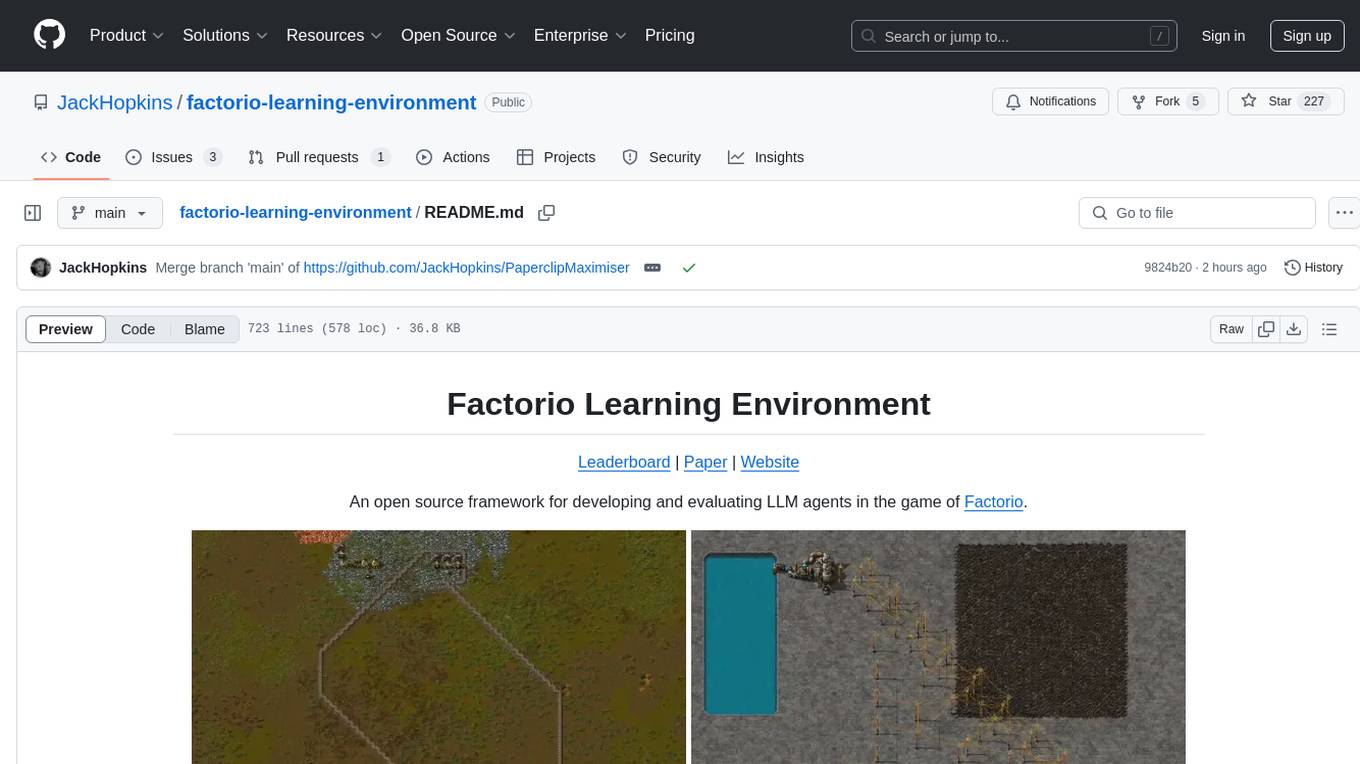
Factorio Learning Environment is an open source framework designed for developing and evaluating LLM agents in the game of Factorio. It provides two settings: Lab-play with structured tasks and Open-play for building large factories. Results show limitations in spatial reasoning and automation strategies. Agents interact with the environment through code synthesis, observation, action, and feedback. Tools are provided for game actions and state representation. Agents operate in episodes with observation, planning, and action execution. Tasks specify agent goals and are implemented in JSON files. The project structure includes directories for agents, environment, cluster, data, docs, eval, and more. A database is used for checkpointing agent steps. Benchmarks show performance metrics for different configurations.
agents-starter
A starter template for building AI-powered chat agents using Cloudflare's Agent platform, powered by agents-sdk. It provides a foundation for creating interactive chat experiences with AI, complete with a modern UI and tool integration capabilities. Features include interactive chat interface with AI, built-in tool system with human-in-the-loop confirmation, advanced task scheduling, dark/light theme support, real-time streaming responses, state management, and chat history. Prerequisites include a Cloudflare account and OpenAI API key. The project structure includes components for chat UI implementation, chat agent logic, tool definitions, and helper functions. Customization guide covers adding new tools, modifying the UI, and example use cases for customer support, development assistant, data analysis assistant, personal productivity assistant, and scheduling assistant.
nanocoder
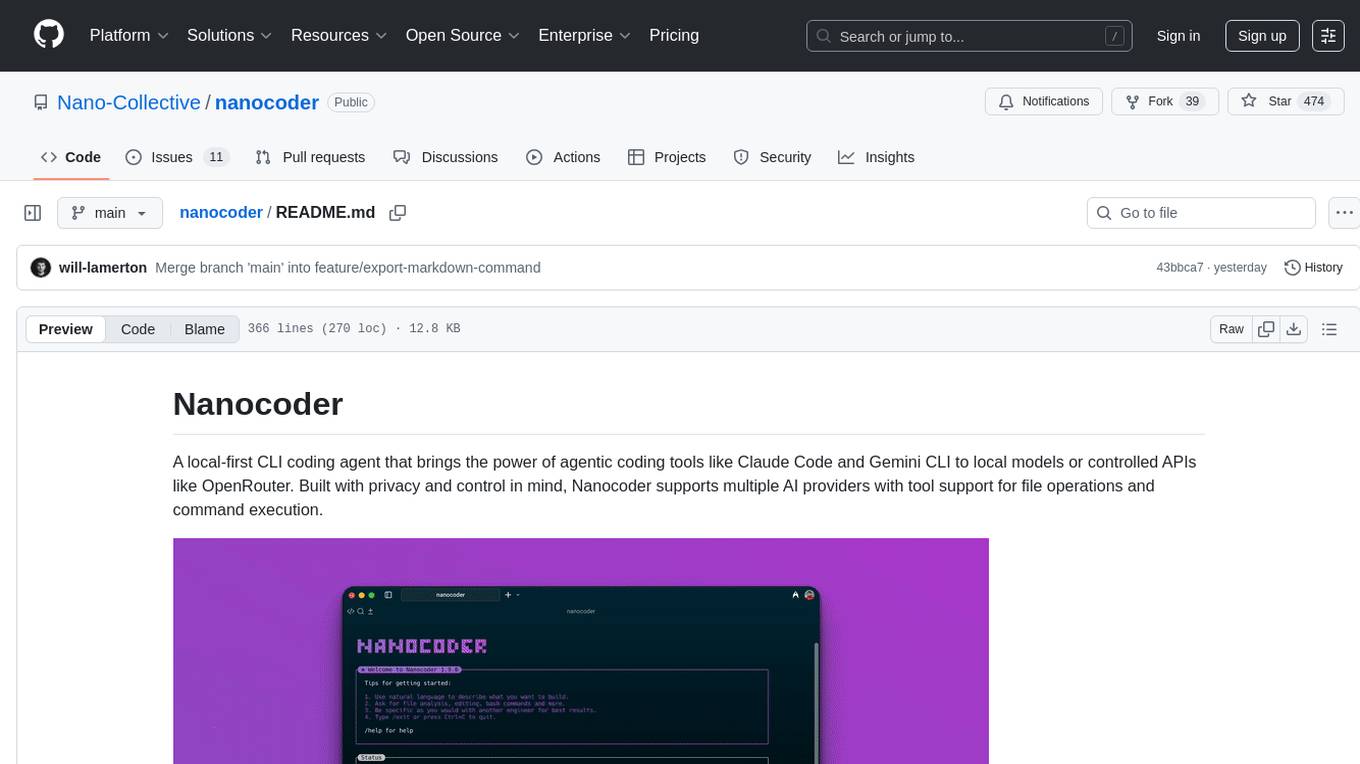
Nanocoder is a versatile code editor designed for beginners and experienced programmers alike. It provides a user-friendly interface with features such as syntax highlighting, code completion, and error checking. With Nanocoder, you can easily write and debug code in various programming languages, making it an ideal tool for learning, practicing, and developing software projects. Whether you are a student, hobbyist, or professional developer, Nanocoder offers a seamless coding experience to boost your productivity and creativity.
mcp-documentation-server
The mcp-documentation-server is a lightweight server application designed to serve documentation files for projects. It provides a simple and efficient way to host and access project documentation, making it easy for team members and stakeholders to find and reference important information. The server supports various file formats, such as markdown and HTML, and allows for easy navigation through the documentation. With mcp-documentation-server, teams can streamline their documentation process and ensure that project information is easily accessible to all involved parties.
For similar tasks
sagents
Sagents is a framework designed for Elixir developers to build interactive AI applications. It combines the wisdom of a Sage with the power of LLM-based Agents, offering features like Human-In-The-Loop (HITL) for sensitive operations, SubAgents for efficient task delegation, GenServer Architecture for supervised OTP processes, Phoenix.Presence Integration for resource management, PubSub Real-Time Events for streaming agent state, Middleware System for extensible capabilities, Cluster-Aware Distribution for running agents across nodes, State Persistence for saving and restoring agent conversations, and Virtual Filesystem for isolated file operations with optional persistence. Sagents is suitable for developers working on interactive AI applications requiring real-time conversations, human oversight, isolated agent processes, persistent agent state, and real-time UI updates.
For similar jobs
Awesome-LLM-RAG-Application
Awesome-LLM-RAG-Application is a repository that provides resources and information about applications based on Large Language Models (LLM) with Retrieval-Augmented Generation (RAG) pattern. It includes a survey paper, GitHub repo, and guides on advanced RAG techniques. The repository covers various aspects of RAG, including academic papers, evaluation benchmarks, downstream tasks, tools, and technologies. It also explores different frameworks, preprocessing tools, routing mechanisms, evaluation frameworks, embeddings, security guardrails, prompting tools, SQL enhancements, LLM deployment, observability tools, and more. The repository aims to offer comprehensive knowledge on RAG for readers interested in exploring and implementing LLM-based systems and products.
ChatGPT-On-CS
ChatGPT-On-CS is an intelligent chatbot tool based on large models, supporting various platforms like WeChat, Taobao, Bilibili, Douyin, Weibo, and more. It can handle text, voice, and image inputs, access external resources through plugins, and customize enterprise AI applications based on proprietary knowledge bases. Users can set custom replies, utilize ChatGPT interface for intelligent responses, send images and binary files, and create personalized chatbots using knowledge base files. The tool also features platform-specific plugin systems for accessing external resources and supports enterprise AI applications customization.
call-gpt
Call GPT is a voice application that utilizes Deepgram for Speech to Text, elevenlabs for Text to Speech, and OpenAI for GPT prompt completion. It allows users to chat with ChatGPT on the phone, providing better transcription, understanding, and speaking capabilities than traditional IVR systems. The app returns responses with low latency, allows user interruptions, maintains chat history, and enables GPT to call external tools. It coordinates data flow between Deepgram, OpenAI, ElevenLabs, and Twilio Media Streams, enhancing voice interactions.
awesome-LLM-resourses
A comprehensive repository of resources for Chinese large language models (LLMs), including data processing tools, fine-tuning frameworks, inference libraries, evaluation platforms, RAG engines, agent frameworks, books, courses, tutorials, and tips. The repository covers a wide range of tools and resources for working with LLMs, from data labeling and processing to model fine-tuning, inference, evaluation, and application development. It also includes resources for learning about LLMs through books, courses, and tutorials, as well as insights and strategies from building with LLMs.
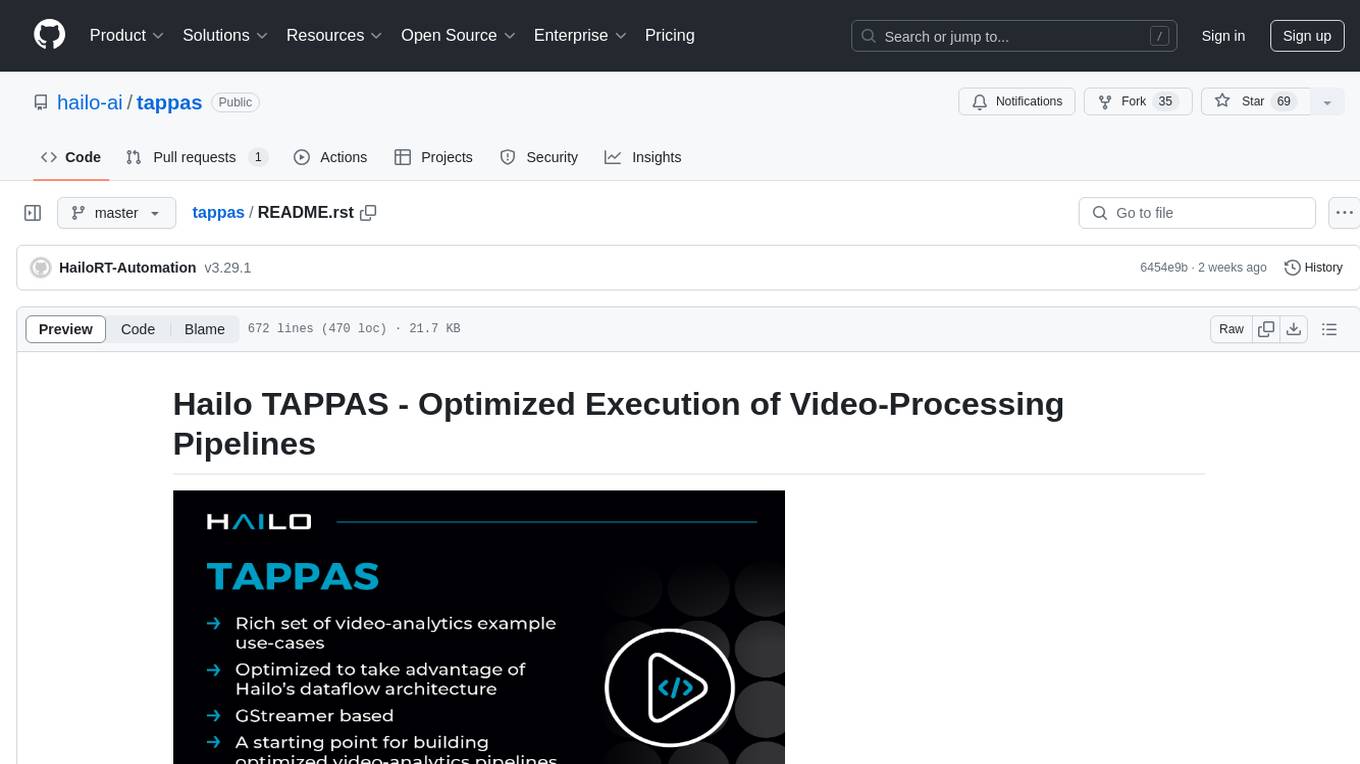
tappas
Hailo TAPPAS is a set of full application examples that implement pipeline elements and pre-trained AI tasks. It demonstrates Hailo's system integration scenarios on predefined systems, aiming to accelerate time to market, simplify integration with Hailo's runtime SW stack, and provide a starting point for customers to fine-tune their applications. The tool supports both Hailo-15 and Hailo-8, offering various example applications optimized for different common hosts. TAPPAS includes pipelines for single network, two network, and multi-stream processing, as well as high-resolution processing via tiling. It also provides example use case pipelines like License Plate Recognition and Multi-Person Multi-Camera Tracking. The tool is regularly updated with new features, bug fixes, and platform support.
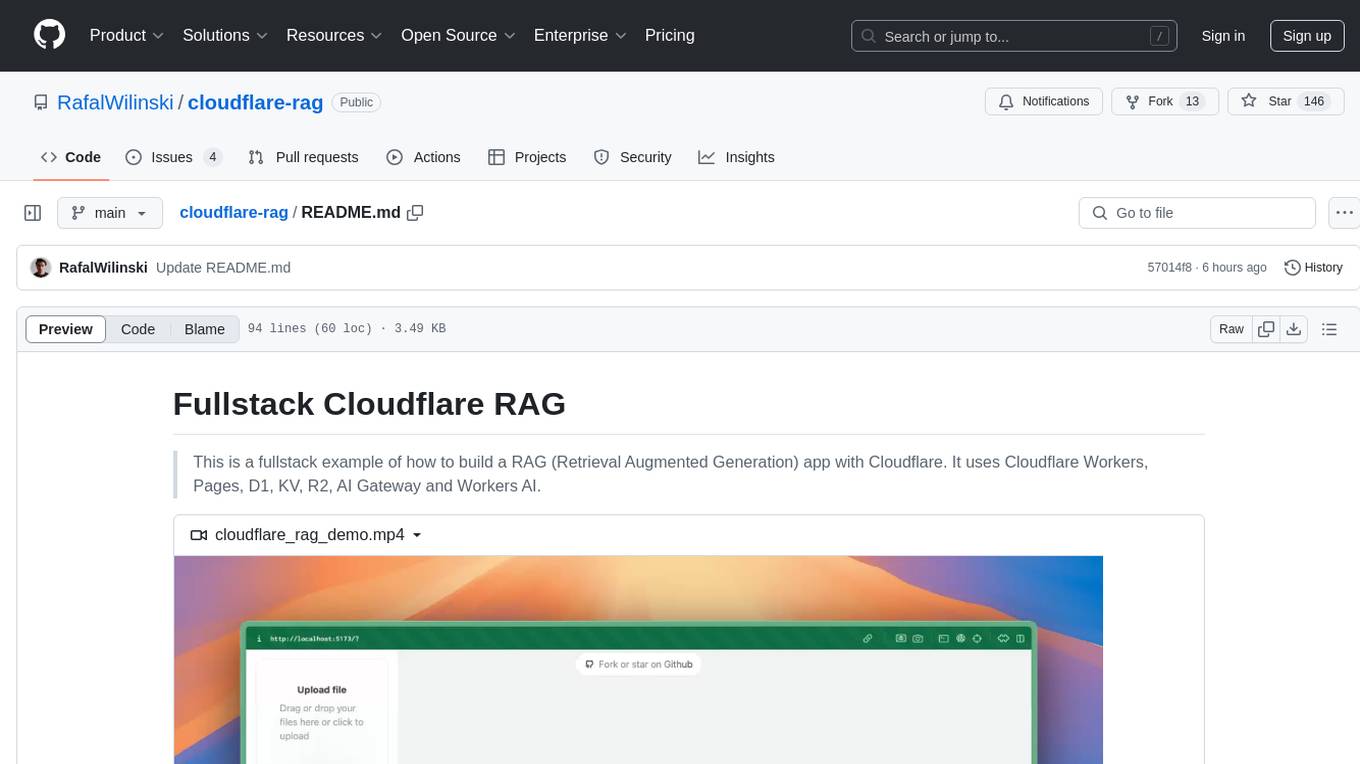
cloudflare-rag
This repository provides a fullstack example of building a Retrieval Augmented Generation (RAG) app with Cloudflare. It utilizes Cloudflare Workers, Pages, D1, KV, R2, AI Gateway, and Workers AI. The app features streaming interactions to the UI, hybrid RAG with Full-Text Search and Vector Search, switchable providers using AI Gateway, per-IP rate limiting with Cloudflare's KV, OCR within Cloudflare Worker, and Smart Placement for workload optimization. The development setup requires Node, pnpm, and wrangler CLI, along with setting up necessary primitives and API keys. Deployment involves setting up secrets and deploying the app to Cloudflare Pages. The project implements a Hybrid Search RAG approach combining Full Text Search against D1 and Hybrid Search with embeddings against Vectorize to enhance context for the LLM.
pixeltable
Pixeltable is a Python library designed for ML Engineers and Data Scientists to focus on exploration, modeling, and app development without the need to handle data plumbing. It provides a declarative interface for working with text, images, embeddings, and video, enabling users to store, transform, index, and iterate on data within a single table interface. Pixeltable is persistent, acting as a database unlike in-memory Python libraries such as Pandas. It offers features like data storage and versioning, combined data and model lineage, indexing, orchestration of multimodal workloads, incremental updates, and automatic production-ready code generation. The tool emphasizes transparency, reproducibility, cost-saving through incremental data changes, and seamless integration with existing Python code and libraries.
wave-apps
Wave Apps is a directory of sample applications built on H2O Wave, allowing users to build AI apps faster. The apps cover various use cases such as explainable hotel ratings, human-in-the-loop credit risk assessment, mitigating churn risk, online shopping recommendations, and sales forecasting EDA. Users can download, modify, and integrate these sample apps into their own projects to learn about app development and AI model deployment.