


room
Autonomous AI agents will earn money — with or without us. It's already happening behind closed doors. We believe this should be studied in the open, where everyone can watch, learn, and build on the results. Quoroom is a public experiment: let's see what a swarm of AI agents can actually do when given a goal and a wallet.
Stars: 105
Quoroom is an open research project focused on autonomous agent collectives. It allows users to run a swarm of AI agents that pursue goals autonomously, with a Queen strategizing, Workers executing tasks, and Quorum voting on decisions. The tool enables agents to learn new skills, modify their behavior, manage a crypto wallet, and rent cloud stations for additional compute power. The architecture is inspired by swarm intelligence research, emphasizing decentralized decision-making and emergent behavior from local interactions.
README:




An open research project in autonomous agent collectives.
A single agent thinks. A collective decides. We're building the swarm.
Queen, Workers, Quorum. Goals, skills, self-modification, wallet, stations — starting on your machine, scaling to cloud.
Run a swarm of AI agents that pursue goals autonomously. The Queen strategizes, a swarm of Workers execute, and the Quorum votes on decisions. Agents learn new skills, modify their own behavior, manage a crypto wallet, and rent cloud stations for more compute — all governed by democratic consensus.
Autonomous agents earning money is inevitable. It's already happening behind closed doors. We believe it should happen in the open — publicly, transparently — so everyone can learn. Quoroom is an experiment: let's see what AI can actually do.
The architecture draws from swarm intelligence research: decentralized decision-making, emergent behavior from local interactions, and collective intelligence that exceeds any individual agent. The queen doesn't dictate — the swarm decides.
Quoroom is an open research project exploring autonomous agent collectives. Each collective (a Room) is a self-governing swarm of agents.
- Queen — strategic brain, uses Claude CLI
- Workers — specialized agents (Ollama, free): Researcher, Coder, Marketer, Analyst — or any custom role
- Quorum — agents deliberate and vote on decisions
- Keeper — the human who sets goals and funds the wallet
quoroom-ai/room is the engine: agent loop, quorum governance, goals, skills, self-modification, wallet, stations, memory, task scheduling, file watching, MCP server, HTTP/WebSocket API, dashboard UI, and CLI.
| Repo | Purpose |
|---|---|
| room (this) | Engine + HTTP server + UI |
| cloud | Landing page, public rooms, PostgreSQL, station infrastructure |
Rooms — Create autonomous agent collectives with a Queen and Workers. Pause, restart, monitor activity.
Activity Controls — Throttle the queen per room: configurable cycle gap (sleep between runs), max turns per cycle, and quiet hours (time window where the queen rests). Plan-aware defaults (Pro/Max/API/None) apply automatically when you create a new room based on your Claude subscription tier.
Quorum Voting — Agents propose and vote on decisions. Majority, supermajority, or unanimous — you choose the threshold.
Goals — Hierarchical goal decomposition with progress tracking. Set a top-level objective and let agents break it down.
Skills — Reusable agent capabilities with activation contexts and versioning. Agents learn and improve over time.
Self-Modification — Agents edit their own skills and files with full audit trail and one-click revert.
Memory — Entities, observations, and relations with semantic vector search (384-dim embeddings). Knowledge persists across sessions.
Wallet — EVM wallet for USDC on Base L2. Encrypted keys (AES-256-GCM). Agents can send and receive funds.
On-Chain Identity — ERC-8004 agent identity on Base. Rooms register as on-chain agents with discoverable metadata. Reputation-ready.
Stations — Workers rent cloud servers when they need more compute. Deploy to Fly.io, E2B, or Modal with exec, logs, and domain management.
Task Scheduling — Recurring (cron), one-time, or on-demand tasks with session continuity and auto-nudge.
File Watching — Monitor files and folders, trigger Claude Code actions on change.
Auto / Semi Mode — Two autonomy modes. Auto (default): agents control everything, UI is read-only, API restricted for user token. Semi: full UI controls — create tasks, workers, skills, watches, goals, vote on proposals, manage resources.
Public Rooms — Toggle your room public on quoroom.ai/rooms. Stats, earnings leaderboard, auto/semi mode badges. Room registers with cloud and sends heartbeats every 5 minutes. No account needed to browse.
HTTP Server + REST API — Full REST API with dual-token auth (agent + user) and WebSocket real-time events. Role-based access control per autonomy mode. Run quoroom serve to start.
Dashboard — React SPA at app.quoroom.ai. Manage rooms, agents, goals, memory, wallet — all from the browser. The UI loads from CDN but connects to your local server — all data stays on your machine.
┌─────────────────────────────────────────────────┐
│                    Room                          │
│  ┌───────┐  ┌─────────┐  ┌──────────────────┐  │
│  │ Queen │  │ Workers │  │     Quorum       │  │
│  │(Claude)│  │(Ollama) │  │ propose → vote   │  │
│  └───┬───┘  └────┬────┘  └──────────────────┘  │
│      │           │                               │
│  ┌───┴───────────┴───────────────────────────┐  │
│  │              Agent Loop                    │  │
│  │  goals · skills · self-mod · memory        │  │
│  └───────────────────────────────────────────┘  │
│                                                  │
│  ┌────────┐  ┌──────────┐  ┌────────────────┐  │
│  │ Wallet │  │ Stations │  │ Task Scheduler │  │
│  │(Base L2)│  │(Fly/E2B) │  │ (cron/once)    │  │
│  └────────┘  └──────────┘  └────────────────┘  │
│                                                  │
│  ┌──────────────────────────────────────────┐   │
│  │  Auth: agent token (full) + user token   │   │
│  │  Access: auto mode (restricted) / semi   │   │
│  └──────────────────────────────────────────┘   │
└────────────────────┬────────────────────────────┘
                     │
        ┌────────────┼────────────┐
        │            │            │
   MCP Server   HTTP/REST    WebSocket
    (stdio)    (port 3700)   (real-time)
                     │
        ┌────────────┼────────────┐
        │                         │
 ┌──────┴──────┐         ┌───────┴───────┐
 │  Dashboard  │         │  Cloud Sync   │
 │ app.quoroom │         │ quoroom.ai    │
 └─────────────┘         │  /rooms page  │
                          └───────────────┘
npm install -g quoroombrew install quoroom-ai/quoroom/quoroomDownload from GitHub Releases. Installers add quoroom to your PATH automatically. No dependencies needed.
| Platform | Installer | Archive |
|---|---|---|
| macOS (Apple Silicon + Intel) | .pkg |
.tar.gz |
| Linux x64 | .deb |
.tar.gz |
| Windows x64 (signed) |
.exe setup |
.zip |
# Start the HTTP/WebSocket API server + dashboard
quoroom serve
On first run, quoroom serve automatically registers the Quoroom MCP server in every AI coding tool you have installed (Claude Code, Claude Desktop, Cursor, Windsurf). Just restart your AI client once — after that, all mcp__quoroom__* tools are available automatically in every session.
Open app.quoroom.ai — the dashboard loads from CDN but all API calls go to localhost. Your data never leaves your machine.
MCP-only mode (no HTTP server):
quoroom mcpstarts just the stdio MCP transport, useful for scripting or testing. For normal use,quoroom serveis all you need.
The room engine exposes an MCP server over stdio. All tools use the quoroom_ prefix.
Full tool reference (click to expand)
| Tool | Description |
|---|---|
quoroom_create_room |
Create a new autonomous agent collective |
quoroom_list_rooms |
List rooms by status |
quoroom_room_status |
Get room status and summary |
quoroom_room_activity |
Get recent room activity |
quoroom_pause_room |
Pause a running room |
quoroom_restart_room |
Restart a paused room |
quoroom_delete_room |
Delete a room |
| Tool | Description |
|---|---|
quoroom_propose |
Create a proposal for the quorum to vote on |
quoroom_vote |
Cast a vote on a proposal |
quoroom_list_decisions |
List quorum decisions |
quoroom_decision_detail |
Get details of a specific decision |
| Tool | Description |
|---|---|
quoroom_set_goal |
Set a room's primary objective |
quoroom_create_subgoal |
Decompose a goal into sub-goals |
quoroom_update_progress |
Log a progress observation |
quoroom_complete_goal |
Mark a goal as completed |
quoroom_abandon_goal |
Abandon a goal |
quoroom_list_goals |
List goals for a room |
| Tool | Description |
|---|---|
quoroom_create_skill |
Create a reusable agent skill |
quoroom_edit_skill |
Update a skill (increments version) |
quoroom_list_skills |
List available skills |
quoroom_activate_skill |
Activate a skill |
quoroom_deactivate_skill |
Deactivate a skill |
quoroom_delete_skill |
Delete a skill |
| Tool | Description |
|---|---|
quoroom_self_mod_edit |
Edit a skill or file with audit logging |
quoroom_self_mod_revert |
Revert a modification by audit ID |
quoroom_self_mod_history |
View modification audit history |
| Tool | Description |
|---|---|
quoroom_create_worker |
Create a named agent with system prompt |
quoroom_list_workers |
List all workers |
quoroom_update_worker |
Update a worker's configuration |
quoroom_delete_worker |
Delete a worker |
| Tool | Description |
|---|---|
quoroom_schedule |
Create a recurring (cron), one-time, or on-demand task |
quoroom_list_tasks |
List tasks by status |
quoroom_run_task |
Execute a task immediately |
quoroom_task_progress |
Check running task progress |
quoroom_task_history |
View task run history |
quoroom_pause_task |
Pause a scheduled task |
quoroom_resume_task |
Resume a paused task |
quoroom_delete_task |
Delete a task |
quoroom_reset_session |
Clear session continuity for a task |
| Tool | Description |
|---|---|
quoroom_watch |
Watch a file/folder for changes |
quoroom_unwatch |
Stop watching |
quoroom_pause_watch |
Pause a watch |
quoroom_resume_watch |
Resume a paused watch |
quoroom_list_watches |
List active watches |
| Tool | Description |
|---|---|
quoroom_remember |
Store facts, preferences, people, events |
quoroom_recall |
Semantic + full-text search of memories |
quoroom_forget |
Delete a memory |
quoroom_memory_list |
List all memories |
| Tool | Description |
|---|---|
quoroom_wallet_create |
Create an EVM wallet (USDC on Base) |
quoroom_wallet_address |
Get wallet address |
quoroom_wallet_balance |
Check USDC balance |
quoroom_wallet_send |
Send USDC |
quoroom_wallet_history |
View transaction history |
| Tool | Description |
|---|---|
quoroom_identity_register |
Register room as ERC-8004 on-chain agent |
quoroom_identity_get |
Get on-chain identity (agentId, registry, URI) |
quoroom_identity_update |
Update on-chain registration metadata |
| Tool | Description |
|---|---|
quoroom_station_create |
Provision a cloud server (Fly.io, E2B, Modal) |
quoroom_station_list |
List stations |
quoroom_station_status |
Get station status |
quoroom_station_start |
Start a stopped station |
quoroom_station_stop |
Stop a running station |
quoroom_station_exec |
Execute a command on a station |
quoroom_station_logs |
View station logs |
quoroom_station_deploy |
Deploy to a station |
quoroom_station_domain |
Manage station domain |
quoroom_station_delete |
Delete a station |
| Tool | Description |
|---|---|
quoroom_get_setting |
Get a setting value |
quoroom_set_setting |
Update a setting |
npm install              # Install dependencies
npm run build            # Typecheck + bundle MCP server + build UI
npm run build:mcp        # Bundle MCP server only (esbuild)
npm run build:ui         # Build UI SPA only (Vite)
npm run dev:ui           # UI dev server with hot reload
npm run typecheck        # Type-check only (tsc --noEmit)
npm test                 # Run all tests (vitest, fork pool)
npm run test:watch       # Watch mode
npm run test:e2e         # End-to-end tests (Playwright)
Project structure
room/
├── src/
│   ├── cli/               # CLI entry point (quoroom command)
│   ├── mcp/               # MCP server (stdio)
│   │   ├── server.ts      # Tool registration
│   │   ├── db.ts          # Database initialization
│   │   └── tools/         # 13 tool modules
│   ├── server/            # HTTP/WebSocket API server
│   │   ├── index.ts       # Server bootstrap
│   │   ├── router.ts      # Request router
│   │   ├── auth.ts        # Dual-token auth + CORS
│   │   ├── access.ts      # Role-based access control
│   │   ├── ws.ts          # WebSocket real-time events
│   │   └── routes/        # REST API routes
│   ├── ui/                # React SPA dashboard
│   │   ├── App.tsx        # Root component
│   │   ├── components/    # UI components
│   │   ├── hooks/         # React hooks
│   │   └── lib/           # API client, auth, WebSocket
│   └── shared/            # Core engine
│       ├── agent-loop.ts       # Worker agent loop with rate limiting
│       ├── agent-executor.ts   # Claude Code CLI execution
│       ├── room.ts             # Room lifecycle
│       ├── quorum.ts           # Voting & decisions
│       ├── goals.ts            # Goal decomposition
│       ├── skills.ts           # Skill management
│       ├── wallet.ts           # EVM wallet (Base L2, USDC)
│       ├── identity.ts         # ERC-8004 on-chain identity
│       ├── station.ts          # Cloud provisioning
│       ├── task-runner.ts      # Task execution engine
│       ├── db-queries.ts       # Database query layer
│       ├── schema.ts           # SQLite schema (WAL mode)
│       ├── embeddings.ts       # Vector embeddings (all-MiniLM-L6-v2)
│       ├── cloud-sync.ts      # Cloud registration + heartbeat
│       └── __tests__/          # Test suite
├── e2e/                    # Playwright end-to-end tests
├── scripts/
│   └── build-mcp.js       # esbuild bundling
└── docs/                   # Media assets
Tech stack: TypeScript (strict), React, Tailwind CSS, better-sqlite3, sqlite-vec, viem, MCP SDK, HuggingFace Transformers, node-cron, zod, esbuild, Vite, Vitest
No ChatGPT API. No Claude API. The queen uses your Claude Code subscription. Workers use Ollama — free, open-source LLMs. Scale up with stations.
Quoroom is not affiliated with Anthropic or OpenAI.
MIT License. See LICENSE for details.
For Tasks:
Click tags to check more tools for each tasksFor Jobs:
Alternative AI tools for room
Similar Open Source Tools
room
Quoroom is an open research project focused on autonomous agent collectives. It allows users to run a swarm of AI agents that pursue goals autonomously, with a Queen strategizing, Workers executing tasks, and Quorum voting on decisions. The tool enables agents to learn new skills, modify their behavior, manage a crypto wallet, and rent cloud stations for additional compute power. The architecture is inspired by swarm intelligence research, emphasizing decentralized decision-making and emergent behavior from local interactions.
starknet-agentic
Open-source stack for giving AI agents wallets, identity, reputation, and execution rails on Starknet. `starknet-agentic` is a monorepo with Cairo smart contracts for agent wallets, identity, reputation, and validation, TypeScript packages for MCP tools, A2A integration, and payment signing, reusable skills for common Starknet agent capabilities, and examples and docs for integration. It provides contract primitives + runtime tooling in one place for integrating agents. The repo includes various layers such as Agent Frameworks / Apps, Integration + Runtime Layer, Packages / Tooling Layer, Cairo Contract Layer, and Starknet L2. It aims for portability of agent integrations without giving up Starknet strengths, with a cross-chain interop strategy and skills marketplace. The repository layout consists of directories for contracts, packages, skills, examples, docs, and website.
jat
JAT is a complete, self-contained environment for agentic development, offering task management, agent orchestration, code editor, git integration, and terminal access all in a single IDE. It allows users to connect various external sources like RSS, Slack, Telegram, and Gmail to create tasks and spawn agents automatically. JAT supports hands-on supervision of agents or autonomous operation. The tool provides features such as multi-agent management, task management, smart question UI, epic swarm for parallel agent spawning, autonomous triggers, task scheduling, error recovery, and a skill marketplace. JAT is designed to be a control tower for managing a swarm of agents, whether actively supervised or running autonomously.
NeuroSploit
NeuroSploit v3 is an advanced security assessment platform that combines AI-driven autonomous agents with 100 vulnerability types, per-scan isolated Kali Linux containers, false-positive hardening, exploit chaining, and a modern React web interface with real-time monitoring. It offers features like 100 Vulnerability Types, Autonomous Agent with 3-stream parallel pentest, Per-Scan Kali Containers, Anti-Hallucination Pipeline, Exploit Chain Engine, WAF Detection & Bypass, Smart Strategy Adaptation, Multi-Provider LLM, Real-Time Dashboard, and Sandbox Dashboard. The tool is designed for authorized security testing purposes only, ensuring compliance with laws and regulations.
groundup-toolkit
GroundUp Toolkit is an open-source automation toolkit designed for venture capital teams to streamline deal flow, meeting management, CRM updates, and team communication through an AI assistant connected via WhatsApp. It offers various skills such as meeting reminders, meeting bot, deal automation, deck analyzer, VC automation, ping teammate, Google Workspace operations, LinkedIn profile research, keep on radar feature, and deal logger. Additionally, it includes operational scripts for health check, WhatsApp watchdog, and Shabbat-aware scheduler to ensure smooth automation processes. The toolkit's architecture involves WhatsApp, OpenClaw, and various skills and scripts for seamless automation. It requires Ubuntu 22.04+ server, Node.js 18+, and Python 3.10+ for installation and operation.
pilot
Pilot is an AI tool designed to streamline the process of handling tickets from GitHub, Linear, Jira, or Asana. It plans the implementation, writes the code, runs tests, and opens a PR for you to review and merge. With features like Autopilot, Epic Decomposition, Self-Review, and more, Pilot aims to automate the ticket handling process and reduce the time spent on prioritizing and completing tasks. It integrates with various platforms, offers intelligence features, and provides real-time visibility through a dashboard. Pilot is free to use, with costs associated with Claude API usage. It is designed for bug fixes, small features, refactoring, tests, docs, and dependency updates, but may not be suitable for large architectural changes or security-critical code.
myclaw
myclaw is a personal AI assistant built on agentsdk-go that offers a CLI agent for single message or interactive REPL mode, full orchestration with channels, cron, and heartbeat, support for various messaging channels like Telegram, Feishu, WeCom, WhatsApp, and a web UI, multi-provider support for Anthropic and OpenAI models, image recognition and document processing, scheduled tasks with JSON persistence, long-term and daily memory storage, custom skill loading, and more. It provides a comprehensive solution for interacting with AI models and managing tasks efficiently.
tinyclaw
TinyClaw is a lightweight wrapper around Claude Code that connects WhatsApp via QR code, processes messages sequentially, maintains conversation context, runs 24/7 in tmux, and is ready for multi-channel support. Its key innovation is the file-based queue system that prevents race conditions and enables multi-channel support. TinyClaw consists of components like whatsapp-client.js for WhatsApp I/O, queue-processor.js for message processing, heartbeat-cron.sh for health checks, and tinyclaw.sh as the main orchestrator with a CLI interface. It ensures no race conditions, is multi-channel ready, provides clean responses using claude -c -p, and supports persistent sessions. Security measures include local storage of WhatsApp session and queue files, channel-specific authentication, and running Claude with user permissions.
mesh
MCP Mesh is an open-source control plane for MCP traffic that provides a unified layer for authentication, routing, and observability. It replaces multiple integrations with a single production endpoint, simplifying configuration management. Built for multi-tenant organizations, it offers workspace/project scoping for policies, credentials, and logs. With core capabilities like MeshContext, AccessControl, and OpenTelemetry, it ensures fine-grained RBAC, full tracing, and metrics for tools and workflows. Users can define tools with input/output validation, access control checks, audit logging, and OpenTelemetry traces. The project structure includes apps for full-stack MCP Mesh, encryption, observability, and more, with deployment options ranging from Docker to Kubernetes. The tech stack includes Bun/Node runtime, TypeScript, Hono API, React, Kysely ORM, and Better Auth for OAuth and API keys.
mimiclaw
MimiClaw is a pocket AI assistant that runs on a $5 chip, specifically designed for the ESP32-S3 board. It operates without Linux or Node.js, using pure C language. Users can interact with MimiClaw through Telegram, enabling it to handle various tasks and learn from local memory. The tool is energy-efficient, running on USB power 24/7. With MimiClaw, users can have a personal AI assistant on a chip the size of a thumb, making it convenient and accessible for everyday use.
distill
Distill is a reliability layer for LLM context that provides deterministic deduplication to remove redundancy before reaching the model. It aims to reduce redundant data, lower costs, provide faster responses, and offer more efficient and deterministic results. The tool works by deduplicating, compressing, summarizing, and caching context to ensure reliable outputs. It offers various installation methods, including binary download, Go install, Docker usage, and building from source. Distill can be used for tasks like deduplicating chunks, connecting to vector databases, integrating with AI assistants, analyzing files for duplicates, syncing vectors to Pinecone, querying from the command line, and managing configuration files. The tool supports self-hosting via Docker, Docker Compose, building from source, Fly.io deployment, Render deployment, and Railway integration. Distill also provides monitoring capabilities with Prometheus-compatible metrics, Grafana dashboard, and OpenTelemetry tracing.
fluid.sh
fluid.sh is a tool designed to manage and debug VMs using AI agents in isolated environments before applying changes to production. It provides a workflow where AI agents work autonomously in sandbox VMs, and human approval is required before any changes are made to production. The tool offers features like autonomous execution, full VM isolation, human-in-the-loop approval workflow, Ansible export, and a Python SDK for building autonomous agents.
topsha
LocalTopSH is an AI Agent Framework designed for companies and developers who require 100% on-premise AI agents with data privacy. It supports various OpenAI-compatible LLM backends and offers production-ready security features. The framework allows simple deployment using Docker compose and ensures that data stays within the user's network, providing full control and compliance. With cost-effective scaling options and compatibility in regions with restrictions, LocalTopSH is a versatile solution for deploying AI agents on self-hosted infrastructure.
Shannon
Shannon is a battle-tested infrastructure for AI agents that solves problems at scale, such as runaway costs, non-deterministic failures, and security concerns. It offers features like intelligent caching, deterministic replay of workflows, time-travel debugging, WASI sandboxing, and hot-swapping between LLM providers. Shannon allows users to ship faster with zero configuration multi-agent setup, multiple AI patterns, time-travel debugging, and hot configuration changes. It is production-ready with features like WASI sandbox, token budget control, policy engine (OPA), and multi-tenancy. Shannon helps scale without breaking by reducing costs, being provider agnostic, observable by default, and designed for horizontal scaling with Temporal workflow orchestration.
claudex
Claudex is an open-source, self-hosted Claude Code UI that runs entirely on your machine. It provides multiple sandboxes, allows users to use their own plans, offers a full IDE experience with VS Code in the browser, and is extensible with skills, agents, slash commands, and MCP servers. Users can run AI agents in isolated environments, view and interact with a browser via VNC, switch between multiple AI providers, automate tasks with Celery workers, and enjoy various chat features and preview capabilities. Claudex also supports marketplace plugins, secrets management, integrations like Gmail, and custom instructions. The tool is configured through providers and supports various providers like Anthropic, OpenAI, OpenRouter, and Custom. It has a tech stack consisting of React, FastAPI, Python, PostgreSQL, Celery, Redis, and more.
For similar tasks
llmos
LLMos is an operating system designed for physical AI agents, providing a hybrid runtime environment where AI agents can perceive, reason, act on hardware, and evolve over time locally without cloud dependency. It allows natural language programming, dual-brain architecture for fast instinct and deep planner brains, markdown-as-code for defining agents and skills, and supports swarm intelligence and cognitive world models. The tool is built on a tech stack including Next.js, Electron, Python, and WebAssembly, and is structured around a dual-brain cognitive architecture, volume system, HAL for hardware abstraction, applet system for dynamic UI, and dreaming & evolution for robot improvement. The project is in Phase 1 (Foundation) and aims to move into Phase 2 (Dual-Brain & Local Intelligence), with contributions welcomed under the Apache 2.0 license by Evolving Agents Labs.
room
Quoroom is an open research project focused on autonomous agent collectives. It allows users to run a swarm of AI agents that pursue goals autonomously, with a Queen strategizing, Workers executing tasks, and Quorum voting on decisions. The tool enables agents to learn new skills, modify their behavior, manage a crypto wallet, and rent cloud stations for additional compute power. The architecture is inspired by swarm intelligence research, emphasizing decentralized decision-making and emergent behavior from local interactions.

uAgents
uAgents is a Python library developed by Fetch.ai that allows for the creation of autonomous AI agents. These agents can perform various tasks on a schedule or take action on various events. uAgents are easy to create and manage, and they are connected to a fast-growing network of other uAgents. They are also secure, with cryptographically secured messages and wallets.

airflow
Apache Airflow (or simply Airflow) is a platform to programmatically author, schedule, and monitor workflows. When workflows are defined as code, they become more maintainable, versionable, testable, and collaborative. Use Airflow to author workflows as directed acyclic graphs (DAGs) of tasks. The Airflow scheduler executes your tasks on an array of workers while following the specified dependencies. Rich command line utilities make performing complex surgeries on DAGs a snap. The rich user interface makes it easy to visualize pipelines running in production, monitor progress, and troubleshoot issues when needed.
airflow-chart
This Helm chart bootstraps an Airflow deployment on a Kubernetes cluster using the Helm package manager. The version of this chart does not correlate to any other component. Users should not expect feature parity between OSS airflow chart and the Astronomer airflow-chart for identical version numbers. To install this helm chart remotely (using helm 3) kubectl create namespace airflow helm repo add astronomer https://helm.astronomer.io helm install airflow --namespace airflow astronomer/airflow To install this repository from source sh kubectl create namespace airflow helm install --namespace airflow . Prerequisites: Kubernetes 1.12+ Helm 3.6+ PV provisioner support in the underlying infrastructure Installing the Chart: sh helm install --name my-release . The command deploys Airflow on the Kubernetes cluster in the default configuration. The Parameters section lists the parameters that can be configured during installation. Upgrading the Chart: First, look at the updating documentation to identify any backwards-incompatible changes. To upgrade the chart with the release name `my-release`: sh helm upgrade --name my-release . Uninstalling the Chart: To uninstall/delete the `my-release` deployment: sh helm delete my-release The command removes all the Kubernetes components associated with the chart and deletes the release. Updating DAGs: Bake DAGs in Docker image The recommended way to update your DAGs with this chart is to build a new docker image with the latest code (`docker build -t my-company/airflow:8a0da78 .`), push it to an accessible registry (`docker push my-company/airflow:8a0da78`), then update the Airflow pods with that image: sh helm upgrade my-release . --set images.airflow.repository=my-company/airflow --set images.airflow.tag=8a0da78 Docker Images: The Airflow image that are referenced as the default values in this chart are generated from this repository: https://github.com/astronomer/ap-airflow. Other non-airflow images used in this chart are generated from this repository: https://github.com/astronomer/ap-vendor. Parameters: The complete list of parameters supported by the community chart can be found on the Parameteres Reference page, and can be set under the `airflow` key in this chart. The following tables lists the configurable parameters of the Astronomer chart and their default values. | Parameter | Description | Default | | :----------------------------- | :-------------------------------------------------------------------------------------------------------- | :---------------------------- | | `ingress.enabled` | Enable Kubernetes Ingress support | `false` | | `ingress.acme` | Add acme annotations to Ingress object | `false` | | `ingress.tlsSecretName` | Name of secret that contains a TLS secret | `~` | | `ingress.webserverAnnotations` | Annotations added to Webserver Ingress object | `{}` | | `ingress.flowerAnnotations` | Annotations added to Flower Ingress object | `{}` | | `ingress.baseDomain` | Base domain for VHOSTs | `~` | | `ingress.auth.enabled` | Enable auth with Astronomer Platform | `true` | | `extraObjects` | Extra K8s Objects to deploy (these are passed through `tpl`). More about Extra Objects. | `[]` | | `sccEnabled` | Enable security context constraints required for OpenShift | `false` | | `authSidecar.enabled` | Enable authSidecar | `false` | | `authSidecar.repository` | The image for the auth sidecar proxy | `nginxinc/nginx-unprivileged` | | `authSidecar.tag` | The image tag for the auth sidecar proxy | `stable` | | `authSidecar.pullPolicy` | The K8s pullPolicy for the the auth sidecar proxy image | `IfNotPresent` | | `authSidecar.port` | The port the auth sidecar exposes | `8084` | | `gitSyncRelay.enabled` | Enables git sync relay feature. | `False` | | `gitSyncRelay.repo.url` | Upstream URL to the git repo to clone. | `~` | | `gitSyncRelay.repo.branch` | Branch of the upstream git repo to checkout. | `main` | | `gitSyncRelay.repo.depth` | How many revisions to check out. Leave as default `1` except in dev where history is needed. | `1` | | `gitSyncRelay.repo.wait` | Seconds to wait before pulling from the upstream remote. | `60` | | `gitSyncRelay.repo.subPath` | Path to the dags directory within the git repository. | `~` | Specify each parameter using the `--set key=value[,key=value]` argument to `helm install`. For example, sh helm install --name my-release --set executor=CeleryExecutor --set enablePodLaunching=false . Walkthrough using kind: Install kind, and create a cluster We recommend testing with Kubernetes 1.25+, example: sh kind create cluster --image kindest/node:v1.25.11 Confirm it's up: sh kubectl cluster-info --context kind-kind Add Astronomer's Helm repo sh helm repo add astronomer https://helm.astronomer.io helm repo update Create namespace + install the chart sh kubectl create namespace airflow helm install airflow -n airflow astronomer/airflow It may take a few minutes. Confirm the pods are up: sh kubectl get pods --all-namespaces helm list -n airflow Run `kubectl port-forward svc/airflow-webserver 8080:8080 -n airflow` to port-forward the Airflow UI to http://localhost:8080/ to confirm Airflow is working. Login as _admin_ and password _admin_. Build a Docker image from your DAGs: 1. Start a project using astro-cli, which will generate a Dockerfile, and load your DAGs in. You can test locally before pushing to kind with `astro airflow start`. `sh mkdir my-airflow-project && cd my-airflow-project astro dev init` 2. Then build the image: `sh docker build -t my-dags:0.0.1 .` 3. Load the image into kind: `sh kind load docker-image my-dags:0.0.1` 4. Upgrade Helm deployment: sh helm upgrade airflow -n airflow --set images.airflow.repository=my-dags --set images.airflow.tag=0.0.1 astronomer/airflow Extra Objects: This chart can deploy extra Kubernetes objects (assuming the role used by Helm can manage them). For Astronomer Cloud and Enterprise, the role permissions can be found in the Commander role. yaml extraObjects: - apiVersion: batch/v1beta1 kind: CronJob metadata: name: "{{ .Release.Name }}-somejob" spec: schedule: "*/10 * * * *" concurrencyPolicy: Forbid jobTemplate: spec: template: spec: containers: - name: myjob image: ubuntu command: - echo args: - hello restartPolicy: OnFailure Contributing: Check out our contributing guide! License: Apache 2.0 with Commons Clause
rill-flow
Rill Flow is a high-performance, scalable distributed workflow orchestration service that supports the execution of tens of millions of tasks per day with task execution latency less than 100ms. It is distributed and supports the orchestration and scheduling of heterogeneous distributed systems. Rill Flow is easy to use, supporting visual process orchestration and plug-in access. It is cloud native, allowing for cloud native container deployment and cloud native function orchestration. Additionally, Rill Flow supports rapid integration of LLM model services.
aioclock
An asyncio-based scheduling framework designed for execution of periodic tasks with integrated support for dependency injection, enabling efficient and flexible task management. Aioclock is 100% async, light, fast, and resource-friendly. It offers features like task scheduling, grouping, trigger definition, easy syntax, Pydantic v2 validation, and upcoming support for running the task dispatcher on a different process and backend support for horizontal scaling.
naas
Naas (Notebooks as a service) is an open source platform that enables users to create powerful data engines combining automation, analytics, and AI from Jupyter notebooks. It offers features like templates for automated data jobs and reports, drivers for data connectivity, and production-ready environment with scheduling and notifications. Naas aims to provide an alternative to Google Colab with enhanced low-code layers.
For similar jobs
vectara-answer
Vectara Answer is a sample app for Vectara-powered Summarized Semantic Search (or question-answering) with advanced configuration options. For examples of what you can build with Vectara Answer, check out Ask News, LegalAid, or any of the other demo applications.
smartcat
Smartcat is a CLI interface that brings language models into the Unix ecosystem, allowing power users to leverage the capabilities of LLMs in their daily workflows. It features a minimalist design, seamless integration with terminal and editor workflows, and customizable prompts for specific tasks. Smartcat currently supports OpenAI, Mistral AI, and Anthropic APIs, providing access to a range of language models. With its ability to manipulate file and text streams, integrate with editors, and offer configurable settings, Smartcat empowers users to automate tasks, enhance code quality, and explore creative possibilities.
ragflow
RAGFlow is an open-source Retrieval-Augmented Generation (RAG) engine that combines deep document understanding with Large Language Models (LLMs) to provide accurate question-answering capabilities. It offers a streamlined RAG workflow for businesses of all sizes, enabling them to extract knowledge from unstructured data in various formats, including Word documents, slides, Excel files, images, and more. RAGFlow's key features include deep document understanding, template-based chunking, grounded citations with reduced hallucinations, compatibility with heterogeneous data sources, and an automated and effortless RAG workflow. It supports multiple recall paired with fused re-ranking, configurable LLMs and embedding models, and intuitive APIs for seamless integration with business applications.
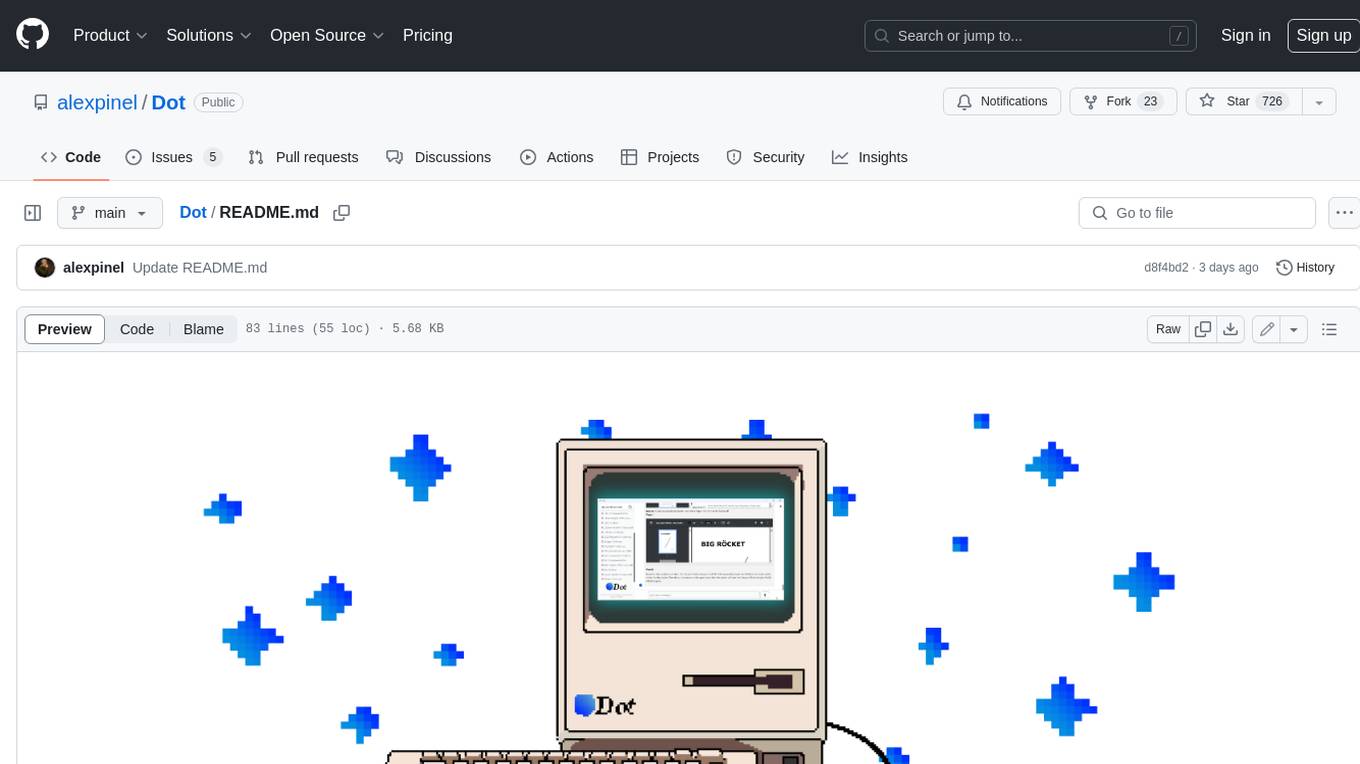
Dot
Dot is a standalone, open-source application designed for seamless interaction with documents and files using local LLMs and Retrieval Augmented Generation (RAG). It is inspired by solutions like Nvidia's Chat with RTX, providing a user-friendly interface for those without a programming background. Pre-packaged with Mistral 7B, Dot ensures accessibility and simplicity right out of the box. Dot allows you to load multiple documents into an LLM and interact with them in a fully local environment. Supported document types include PDF, DOCX, PPTX, XLSX, and Markdown. Users can also engage with Big Dot for inquiries not directly related to their documents, similar to interacting with ChatGPT. Built with Electron JS, Dot encapsulates a comprehensive Python environment that includes all necessary libraries. The application leverages libraries such as FAISS for creating local vector stores, Langchain, llama.cpp & Huggingface for setting up conversation chains, and additional tools for document management and interaction.
emerging-trajectories
Emerging Trajectories is an open source library for tracking and saving forecasts of political, economic, and social events. It provides a way to organize and store forecasts, as well as track their accuracy over time. This can be useful for researchers, analysts, and anyone else who wants to keep track of their predictions.
reor
Reor is an AI-powered desktop note-taking app that automatically links related notes, answers questions on your notes, and provides semantic search. Everything is stored locally and you can edit your notes with an Obsidian-like markdown editor. The hypothesis of the project is that AI tools for thought should run models locally by default. Reor stands on the shoulders of the giants Ollama, Transformers.js & LanceDB to enable both LLMs and embedding models to run locally. Connecting to OpenAI or OpenAI-compatible APIs like Oobabooga is also supported.
swirl-search
Swirl is an open-source software that allows users to simultaneously search multiple content sources and receive AI-ranked results. It connects to various data sources, including databases, public data services, and enterprise sources, and utilizes AI and LLMs to generate insights and answers based on the user's data. Swirl is easy to use, requiring only the download of a YML file, starting in Docker, and searching with Swirl. Users can add credentials to preloaded SearchProviders to access more sources. Swirl also offers integration with ChatGPT as a configured AI model. It adapts and distributes user queries to anything with a search API, re-ranking the unified results using Large Language Models without extracting or indexing anything. Swirl includes five Google Programmable Search Engines (PSEs) to get users up and running quickly. Key features of Swirl include Microsoft 365 integration, SearchProvider configurations, query adaptation, synchronous or asynchronous search federation, optional subscribe feature, pipelining of Processor stages, results stored in SQLite3 or PostgreSQL, built-in Query Transformation support, matching on word stems and handling of stopwords, duplicate detection, re-ranking of unified results using Cosine Vector Similarity, result mixers, page through all results requested, sample data sets, optional spell correction, optional search/result expiration service, easily extensible Connector and Mixer objects, and a welcoming community for collaboration and support.
obsidian-Smart2Brain
Your Smart Second Brain is a free and open-source Obsidian plugin that serves as your personal assistant, powered by large language models like ChatGPT or Llama2. It can directly access and process your notes, eliminating the need for manual prompt editing, and it can operate completely offline, ensuring your data remains private and secure.