


pilot
AI that ships your tickets - autonomous dev pipeline with Claude Code
Stars: 71
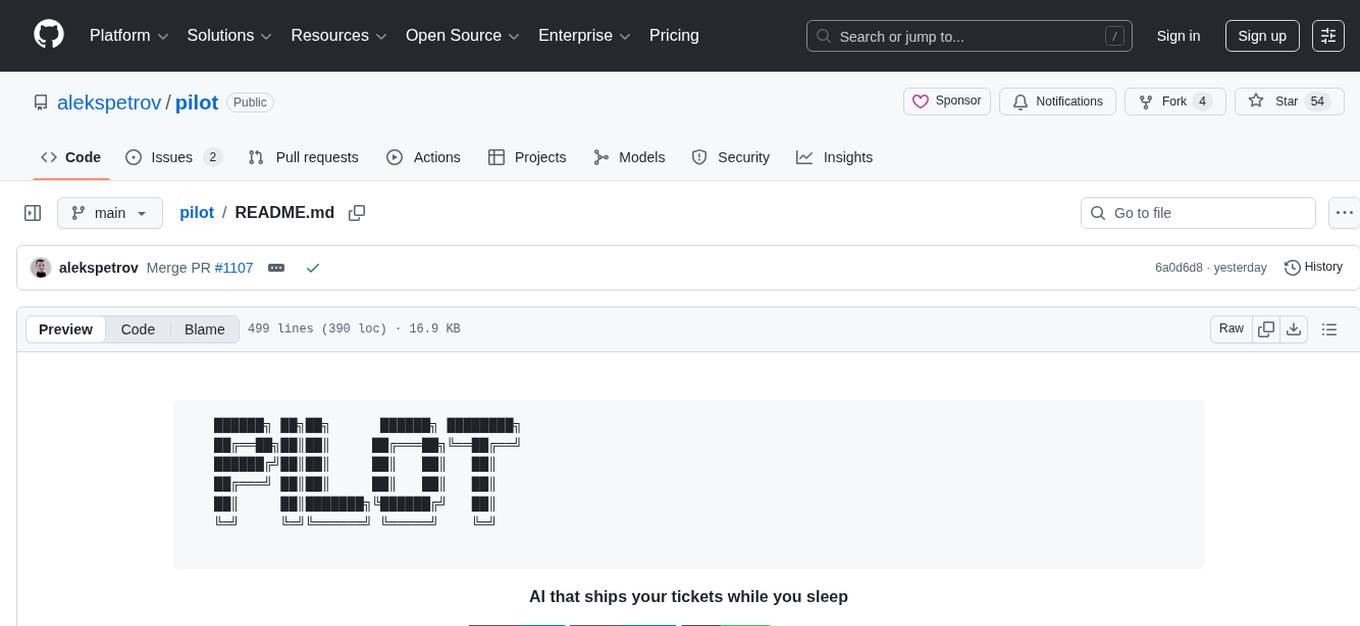
Pilot is an AI tool designed to streamline the process of handling tickets from GitHub, Linear, Jira, or Asana. It plans the implementation, writes the code, runs tests, and opens a PR for you to review and merge. With features like Autopilot, Epic Decomposition, Self-Review, and more, Pilot aims to automate the ticket handling process and reduce the time spent on prioritizing and completing tasks. It integrates with various platforms, offers intelligence features, and provides real-time visibility through a dashboard. Pilot is free to use, with costs associated with Claude API usage. It is designed for bug fixes, small features, refactoring, tests, docs, and dependency updates, but may not be suitable for large architectural changes or security-critical code.
README:
   ██████╗ ██╗██╗      ██████╗ ████████╗
   ██╔══██╗██║██║     ██╔═══██╗╚══██╔══╝
   ██████╔╝██║██║     ██║   ██║   ██║
   ██╔═══╝ ██║██║     ██║   ██║   ██║
   ██║     ██║███████╗╚██████╔╝   ██║
   ╚═╝     ╚═╝╚══════╝ ╚═════╝    ╚═╝
AI that ships your tickets while you sleep



Docs • Install • Quick Start • How It Works • Features • CLI • Deploy
You have 47 tickets in your backlog. You agonize over which to prioritize. Half are "quick fixes" that somehow take 2 hours each. Your PM asks for status updates. Sound familiar?
Pilot picks up tickets from GitHub, Linear, Jira, or Asana—plans the implementation, writes the code, runs tests, and opens a PR. You review and merge. That's it.
┌─────────────┐      ┌─────────────┐      ┌─────────────┐      ┌─────────────┐
│   Ticket    │ ───▶ │   Pilot     │ ───▶ │   Review    │ ───▶ │   Ship      │
│  (GitHub)   │      │  (AI dev)   │      │   (You)     │      │  (Merge)    │
└─────────────┘      └─────────────┘      └─────────────┘      └─────────────┘
brew tap alekspetrov/pilot
brew install pilotgo install github.com/alekspetrov/pilot/cmd/pilot@latestgit clone https://github.com/alekspetrov/pilot
cd pilot
make build
sudo make install-global- Go 1.22+ (build only)
- Claude Code CLI 2.1.17+
- OpenAI API key (optional, for voice transcription)
# 1. Initialize config
pilot init

# 2. Start Pilot
pilot start --github              # GitHub issue polling
pilot start --telegram            # Telegram bot
pilot start --telegram --github   # Both

# 3. Create a GitHub issue with 'pilot' label, or message your Telegram bot
That's it. Go grab coffee. ☕
You label issue "pilot"
        │
        ▼
┌───────────────────┐
│  Pilot claims it  │  ← Adds "pilot/in-progress" label
└───────┬───────────┘
        │
        ▼
┌───────────────────┐
│  Creates branch   │  ← pilot/GH-{number}
└───────┬───────────┘
        │
        ▼
┌───────────────────┐
│  Plans approach   │  ← Analyzes codebase, designs solution
└───────┬───────────┘
        │
        ▼
┌───────────────────┐
│  Implements       │  ← Writes code with Claude Code
└───────┬───────────┘
        │
        ▼
┌───────────────────┐
│  Quality gates    │  ← Test, lint, build validation
└───────┬───────────┘
        │
        ▼
┌───────────────────┐
│  Opens PR         │  ← Links to issue, adds "pilot/done"
└───────┬───────────┘
        │
        ▼
    You review
        │
        ▼
      Merge 🚀
133 features implemented across execution, intelligence, integrations, and infrastructure.
| Feature | Description |
|---|---|
| Autopilot | CI monitoring, auto-merge, feedback loop (dev/stage/prod modes) |
| Epic Decomposition | Complex tasks auto-split into sequential subtasks via Haiku API |
| Self-Review | Auto code review before PR push catches issues early |
| Sequential Execution | Wait for PR merge before next issue (prevents conflicts) |
| Quality Gates | Test/lint/build validation with auto-retry |
| Execution Replay | Record, playback, analyze, export (HTML/JSON/MD) |
| Feature | Description |
|---|---|
| Model Routing | Haiku (trivial) → Opus 4.6 (standard/complex), auto-detected |
| Effort Routing | Maps task complexity to Claude thinking depth |
| Research Subagents | Haiku-powered parallel codebase exploration |
| Navigator Integration | Auto-detected .agent/, skipped for trivial tasks |
| Cross-Project Memory | Shared patterns and context across repositories |
| Feature | Description |
|---|---|
| Telegram Bot | Chat, research, planning, tasks + voice & images |
| GitHub Polling | Auto-pick issues with pilot label |
| GitLab / Azure DevOps | Full polling + webhook adapters |
| Linear/Jira/Asana | Webhooks and task sync |
| Daily Briefs | Scheduled reports via Slack/Email/Telegram |
| Alerting | Task failures, cost thresholds, stuck detection |
| Feature | Description |
|---|---|
| Dashboard TUI | Sparkline metrics cards, queue depth, autopilot status |
| Persistent Metrics | Token/cost/task counts survive restarts via SQLite |
| Hot Upgrade | Self-update with pilot upgrade or u key in dashboard |
| Cost Controls | Budget limits with hard enforcement |
| Multiple Backends | Claude Code + OpenCode support |
| BYOK | Bring your own Anthropic key, Bedrock, or Vertex |
Control how much autonomy Pilot has:
# Fast iteration - skip CI, auto-merge
pilot start --autopilot=dev --github

# Balanced - wait for CI, then auto-merge
pilot start --autopilot=stage --github

# Safe - wait for CI + human approval
pilot start --autopilot=prod --githubTalk to Pilot naturally - it understands different interaction modes:
| Mode | Example | What Happens |
|---|---|---|
| 💬 Chat | "What do you think about using Redis?" | Conversational response, no code changes |
| 🔍 Question | "What files handle authentication?" | Quick read-only answer |
| 🔬 Research | "Research how the caching layer works" | Deep analysis sent to chat |
| 📐 Planning | "Plan how to add rate limiting" | Shows plan with Execute/Cancel buttons |
| 🚀 Task | "Add rate limiting to /api/users" | Confirms, then creates PR |
You: "Plan how to add user authentication"
Pilot: 📐 Drafting plan...
Pilot: 📋 Implementation Plan
       1. Create auth middleware...
       2. Add JWT token validation...
       [Execute] [Cancel]

You: [clicks Execute]
Pilot: 🚀 Executing...
Pilot: ✅ PR #142 ready: https://github.com/...
Send voice messages, images, or text. Pilot understands context.
Real-time visibility into what Pilot is doing:
┌─ Pilot Dashboard ─────────────────────────────────────────┐
│                                                           │
│  Status: ● Running    Autopilot: stage    Queue: 3        │
│                                                           │
│  Current Task                                             │
│  ├─ GH-156: Add user authentication                       │
│  ├─ Phase: Implementing (65%)                             │
│  └─ Duration: 2m 34s                                      │
│                                                           │
│  Token Usage          Cost                                │
│  ├─ Input:  124k      Today:    $4.82                     │
│  ├─ Output:  31k      This Week: $28.40                   │
│  └─ Total:  155k      Budget:    $100.00                  │
│                                                           │
│  Recent Tasks                                             │
│  ├─ ✅ GH-155  Fix login redirect      1m 12s   $0.45     │
│  ├─ ✅ GH-154  Add dark mode toggle    3m 45s   $1.20     │
│  └─ ✅ GH-153  Update dependencies     0m 34s   $0.15     │
│                                                           │
└───────────────────────────────────────────────────────────┘
pilot start --dashboard --githubPilot uses Claude Code for AI execution:
| Variable | Description |
|---|---|
ANTHROPIC_API_KEY |
Custom Anthropic API key (uses your own account) |
ANTHROPIC_BASE_URL |
Custom API endpoint (proxies, enterprise) |
CLAUDE_CODE_USE_BEDROCK |
Set to 1 for AWS Bedrock |
CLAUDE_CODE_USE_VERTEX |
Set to 1 for Google Vertex AI |
Example: Using AWS Bedrock
export CLAUDE_CODE_USE_BEDROCK=1
export AWS_REGION=us-east-1
pilot start --githubConfig location: ~/.pilot/config.yaml
version: "1.0"

gateway:
  host: "127.0.0.1"
  port: 9090

adapters:
  telegram:
    enabled: true
    bot_token: "${TELEGRAM_BOT_TOKEN}"
    chat_id: "${TELEGRAM_CHAT_ID}"

  github:
    enabled: true
    token: "${GITHUB_TOKEN}"
    repo: "owner/repo"
    pilot_label: "pilot"
    polling:
      enabled: true
      interval: 30s

orchestrator:
  execution:
    mode: sequential           # "sequential" or "parallel"
    wait_for_merge: true       # Wait for PR merge before next task
    poll_interval: 30s
    pr_timeout: 1h

projects:
  - name: "my-project"
    path: "~/Projects/my-project"
    navigator: true
    default_branch: main

daily_brief:
  enabled: true
  schedule: "0 8 * * *"
  timezone: "Europe/Berlin"

alerts:
  enabled: true
  channels:
    - name: telegram-alerts
      type: telegram
      severities: [critical, error, warning]

executor:
backend: claude-code # "claude-code" or "opencode"pilot start # Start with configured inputs
pilot stop # Stop daemon
pilot status # Show running tasks
pilot init # Initialize configuration
pilot version # Show version infopilot start # Config-driven
pilot start --telegram # Enable Telegram polling
pilot start --github # Enable GitHub issue polling
pilot start --linear # Enable Linear webhooks
pilot start --telegram --github # Enable both
pilot start --dashboard # With TUI dashboard
pilot start --no-gateway # Polling only (no HTTP server)
pilot start --sequential # Sequential execution mode
pilot start --autopilot=stage # Autopilot mode (dev/stage/prod)
pilot start -p ~/Projects/myapp # Specify project
pilot start --replace # Kill existing instance firstpilot task "Add user authentication" # Run in cwd
pilot task "Fix login bug" -p ~/Projects/myapp # Specify project
pilot task "Refactor API" --verbose # Stream output
pilot task "Update docs" --dry-run # Preview only
pilot task "Implement feature" --backend opencode # Use OpenCodepilot upgrade # Check and upgrade
pilot upgrade check # Only check for updates
pilot upgrade rollback # Restore previous version
pilot upgrade --force # Skip task completion wait
pilot upgrade --no-restart # Don't restart after upgrade
pilot upgrade --yes # Skip confirmationpilot brief # Show scheduler status
pilot brief --now # Generate and send immediately
pilot brief --weekly # Generate weekly summary
pilot metrics summary # Last 7 days overview
pilot metrics summary --days 30 # Last 30 days
pilot metrics daily # Daily breakdown
pilot metrics projects # Per-project stats
pilot usage summary # Billable usage summary
pilot usage daily # Daily breakdown
pilot usage export --format json # Export for billing
pilot patterns list # List learned patterns
pilot patterns search "auth" # Search by keyword┌─────────────────────────────────────────────────────────────┐
│ PILOT │
├──────────────┬──────────────────────────────────────────────┤
│ Gateway │ HTTP/WebSocket server, routing │
│ Adapters │ Telegram, Slack, GitHub, Jira, Linear, Asana │
│ Executor │ Claude Code process management │
│ Orchestrator │ Task planning, phase management │
│ Memory │ SQLite + cross-project knowledge graph │
│ Briefs │ Scheduled reports, multi-channel delivery │
│ Alerts │ Failure detection, cost monitoring │
│ Metrics │ Token usage, execution analytics │
└──────────────┴──────────────────────────────────────────────┘
make deps        # Install dependencies
make build       # Build binary
make test        # Run tests
make lint        # Run linter
make dev # Development mode with hot reloadIs this safe?
Pilot runs in your environment with your permissions. It can only access repos you configure. All changes go through PR review (unless you enable auto-merge). You stay in control.
How much does it cost?
Pilot is free. You pay for Claude API usage (~$0.50-2.00 per typical task). Set budget limits to control costs.
What tasks can it handle?
Best for: bug fixes, small features, refactoring, tests, docs, dependency updates.
Not ideal for: large architectural changes, security-critical code, tasks requiring human judgment.
Does it learn my codebase?
Yes. Pilot uses Navigator to understand your patterns, conventions, and architecture. Cross-project memory shares learnings across repositories.
Business Source License 1.1 © Aleksei Petrov
| Use Case | Allowed |
|---|---|
| Internal use | ✅ |
| Self-hosting | ✅ |
| Modification & forking | ✅ |
| Non-competing products | ✅ |
| Competing SaaS | ❌ (requires license) |
Converts to Apache 2.0 after 4 years.
Contributions welcome. Please open an issue first for major changes.
git checkout -b feature/my-feature
make test
# Submit PR
Stop agonizing over tickets. Let Pilot ship them.
Built with Claude Code + Navigator
For Tasks:
Click tags to check more tools for each tasksFor Jobs:
Alternative AI tools for pilot
Similar Open Source Tools
pilot
Pilot is an AI tool designed to streamline the process of handling tickets from GitHub, Linear, Jira, or Asana. It plans the implementation, writes the code, runs tests, and opens a PR for you to review and merge. With features like Autopilot, Epic Decomposition, Self-Review, and more, Pilot aims to automate the ticket handling process and reduce the time spent on prioritizing and completing tasks. It integrates with various platforms, offers intelligence features, and provides real-time visibility through a dashboard. Pilot is free to use, with costs associated with Claude API usage. It is designed for bug fixes, small features, refactoring, tests, docs, and dependency updates, but may not be suitable for large architectural changes or security-critical code.
Shannon
Shannon is a battle-tested infrastructure for AI agents that solves problems at scale, such as runaway costs, non-deterministic failures, and security concerns. It offers features like intelligent caching, deterministic replay of workflows, time-travel debugging, WASI sandboxing, and hot-swapping between LLM providers. Shannon allows users to ship faster with zero configuration multi-agent setup, multiple AI patterns, time-travel debugging, and hot configuration changes. It is production-ready with features like WASI sandbox, token budget control, policy engine (OPA), and multi-tenancy. Shannon helps scale without breaking by reducing costs, being provider agnostic, observable by default, and designed for horizontal scaling with Temporal workflow orchestration.
myclaw
myclaw is a personal AI assistant built on agentsdk-go that offers a CLI agent for single message or interactive REPL mode, full orchestration with channels, cron, and heartbeat, support for various messaging channels like Telegram, Feishu, WeCom, WhatsApp, and a web UI, multi-provider support for Anthropic and OpenAI models, image recognition and document processing, scheduled tasks with JSON persistence, long-term and daily memory storage, custom skill loading, and more. It provides a comprehensive solution for interacting with AI models and managing tasks efficiently.
vibium
Vibium is a browser automation infrastructure designed for AI agents, providing a single binary that manages browser lifecycle, WebDriver BiDi protocol, and an MCP server. It offers zero configuration, AI-native capabilities, and is lightweight with no runtime dependencies. It is suitable for AI agents, test automation, and any tasks requiring browser interaction.
mesh
MCP Mesh is an open-source control plane for MCP traffic that provides a unified layer for authentication, routing, and observability. It replaces multiple integrations with a single production endpoint, simplifying configuration management. Built for multi-tenant organizations, it offers workspace/project scoping for policies, credentials, and logs. With core capabilities like MeshContext, AccessControl, and OpenTelemetry, it ensures fine-grained RBAC, full tracing, and metrics for tools and workflows. Users can define tools with input/output validation, access control checks, audit logging, and OpenTelemetry traces. The project structure includes apps for full-stack MCP Mesh, encryption, observability, and more, with deployment options ranging from Docker to Kubernetes. The tech stack includes Bun/Node runtime, TypeScript, Hono API, React, Kysely ORM, and Better Auth for OAuth and API keys.
memsearch
Memsearch is a tool that allows users to give their AI agents persistent memory in a few lines of code. It enables users to write memories as markdown and search them semantically. Inspired by OpenClaw's markdown-first memory architecture, Memsearch is pluggable into any agent framework. The tool offers features like smart deduplication, live sync, and a ready-made Claude Code plugin for building agent memory.
osmedeus
Osmedeus is a security-focused declarative orchestration engine that simplifies complex workflow automation into auditable YAML definitions. It provides powerful automation capabilities without compromising infrastructure integrity and safety. With features like declarative YAML workflows, multiple runners, event-driven triggers, template engine, utility functions, REST API server, distributed execution, notifications, cloud storage, AI integration, SAST integration, language detection, and preset installations, Osmedeus offers a comprehensive solution for security automation tasks.
vllm-mlx
vLLM-MLX is a tool that brings native Apple Silicon GPU acceleration to vLLM by integrating Apple's ML framework with unified memory and Metal kernels. It offers optimized LLM inference with KV cache and quantization, vision-language models for multimodal inference, speech-to-text and text-to-speech with native voices, text embeddings for semantic search and RAG, and more. Users can benefit from features like multimodal support for text, image, video, and audio, native GPU acceleration on Apple Silicon, compatibility with OpenAI API, Anthropic Messages API, reasoning models extraction, integration with external tools via Model Context Protocol, memory-efficient caching, and high throughput for multiple concurrent users.
boxlite
BoxLite is an embedded, lightweight micro-VM runtime designed for AI agents running OCI containers with hardware-level isolation. It is built for high concurrency with no daemon required, offering features like lightweight VMs, high concurrency, hardware isolation, embeddability, and OCI compatibility. Users can spin up 'Boxes' to run containers for AI agent sandboxes and multi-tenant code execution scenarios where Docker alone is insufficient and full VM infrastructure is too heavy. BoxLite supports Python, Node.js, and Rust with quick start guides for each, along with features like CPU/memory limits, storage options, networking capabilities, security layers, and image registry configuration. The tool provides SDKs for Python and Node.js, with Go support coming soon. It offers detailed documentation, examples, and architecture insights for users to understand how BoxLite works under the hood.
aiohomematic
AIO Homematic (hahomematic) is a lightweight Python 3 library for controlling and monitoring HomeMatic and HomematicIP devices, with support for third-party devices/gateways. It automatically creates entities for device parameters, offers custom entity classes for complex behavior, and includes features like caching paramsets for faster restarts. Designed to integrate with Home Assistant, it requires specific firmware versions for HomematicIP devices. The public API is defined in modules like central, client, model, exceptions, and const, with example usage provided. Useful links include changelog, data point definitions, troubleshooting, and developer resources for architecture, data flow, model extension, and Home Assistant lifecycle.
tinyclaw
TinyClaw is a lightweight wrapper around Claude Code that connects WhatsApp via QR code, processes messages sequentially, maintains conversation context, runs 24/7 in tmux, and is ready for multi-channel support. Its key innovation is the file-based queue system that prevents race conditions and enables multi-channel support. TinyClaw consists of components like whatsapp-client.js for WhatsApp I/O, queue-processor.js for message processing, heartbeat-cron.sh for health checks, and tinyclaw.sh as the main orchestrator with a CLI interface. It ensures no race conditions, is multi-channel ready, provides clean responses using claude -c -p, and supports persistent sessions. Security measures include local storage of WhatsApp session and queue files, channel-specific authentication, and running Claude with user permissions.
solo-server
Solo Server is a lightweight server designed for managing hardware-aware inference. It provides seamless setup through a simple CLI and HTTP servers, an open model registry for pulling models from platforms like Ollama and Hugging Face, cross-platform compatibility for effortless deployment of AI models on hardware, and a configurable framework that auto-detects hardware components (CPU, GPU, RAM) and sets optimal configurations.
claudex
Claudex is an open-source, self-hosted Claude Code UI that runs entirely on your machine. It provides multiple sandboxes, allows users to use their own plans, offers a full IDE experience with VS Code in the browser, and is extensible with skills, agents, slash commands, and MCP servers. Users can run AI agents in isolated environments, view and interact with a browser via VNC, switch between multiple AI providers, automate tasks with Celery workers, and enjoy various chat features and preview capabilities. Claudex also supports marketplace plugins, secrets management, integrations like Gmail, and custom instructions. The tool is configured through providers and supports various providers like Anthropic, OpenAI, OpenRouter, and Custom. It has a tech stack consisting of React, FastAPI, Python, PostgreSQL, Celery, Redis, and more.
distill
Distill is a reliability layer for LLM context that provides deterministic deduplication to remove redundancy before reaching the model. It aims to reduce redundant data, lower costs, provide faster responses, and offer more efficient and deterministic results. The tool works by deduplicating, compressing, summarizing, and caching context to ensure reliable outputs. It offers various installation methods, including binary download, Go install, Docker usage, and building from source. Distill can be used for tasks like deduplicating chunks, connecting to vector databases, integrating with AI assistants, analyzing files for duplicates, syncing vectors to Pinecone, querying from the command line, and managing configuration files. The tool supports self-hosting via Docker, Docker Compose, building from source, Fly.io deployment, Render deployment, and Railway integration. Distill also provides monitoring capabilities with Prometheus-compatible metrics, Grafana dashboard, and OpenTelemetry tracing.
giztoy
Giztoy is a multi-language framework designed for building AI toys and intelligent applications. It provides a unified abstraction layer that spans from resource-constrained embedded systems to powerful cloud services. With features like native support for ESP32 and other MCUs, cross-platform app development, a unified build system with Bazel, an agent framework for AI agents, audio processing capabilities, support for various Large Language Models, real-time models with WebSocket streaming, secure transport protocols, and multi-language implementations in Go, Rust, Zig, and C/C++, Giztoy serves as a versatile tool for developing AI-powered applications across different platforms and devices.
helix
HelixML is a private GenAI platform that allows users to deploy the best of open AI in their own data center or VPC while retaining complete data security and control. It includes support for fine-tuning models with drag-and-drop functionality. HelixML brings the best of open source AI to businesses in an ergonomic and scalable way, optimizing the tradeoff between GPU memory and latency.
For similar tasks
pilot
Pilot is an AI tool designed to streamline the process of handling tickets from GitHub, Linear, Jira, or Asana. It plans the implementation, writes the code, runs tests, and opens a PR for you to review and merge. With features like Autopilot, Epic Decomposition, Self-Review, and more, Pilot aims to automate the ticket handling process and reduce the time spent on prioritizing and completing tasks. It integrates with various platforms, offers intelligence features, and provides real-time visibility through a dashboard. Pilot is free to use, with costs associated with Claude API usage. It is designed for bug fixes, small features, refactoring, tests, docs, and dependency updates, but may not be suitable for large architectural changes or security-critical code.
For similar jobs

kaito
Kaito is an operator that automates the AI/ML inference model deployment in a Kubernetes cluster. It manages large model files using container images, avoids tuning deployment parameters to fit GPU hardware by providing preset configurations, auto-provisions GPU nodes based on model requirements, and hosts large model images in the public Microsoft Container Registry (MCR) if the license allows. Using Kaito, the workflow of onboarding large AI inference models in Kubernetes is largely simplified.
ai-on-gke
This repository contains assets related to AI/ML workloads on Google Kubernetes Engine (GKE). Run optimized AI/ML workloads with Google Kubernetes Engine (GKE) platform orchestration capabilities. A robust AI/ML platform considers the following layers: Infrastructure orchestration that support GPUs and TPUs for training and serving workloads at scale Flexible integration with distributed computing and data processing frameworks Support for multiple teams on the same infrastructure to maximize utilization of resources

tidb
TiDB is an open-source distributed SQL database that supports Hybrid Transactional and Analytical Processing (HTAP) workloads. It is MySQL compatible and features horizontal scalability, strong consistency, and high availability.
nvidia_gpu_exporter
Nvidia GPU exporter for prometheus, using `nvidia-smi` binary to gather metrics.

tracecat
Tracecat is an open-source automation platform for security teams. It's designed to be simple but powerful, with a focus on AI features and a practitioner-obsessed UI/UX. Tracecat can be used to automate a variety of tasks, including phishing email investigation, evidence collection, and remediation plan generation.
openinference
OpenInference is a set of conventions and plugins that complement OpenTelemetry to enable tracing of AI applications. It provides a way to capture and analyze the performance and behavior of AI models, including their interactions with other components of the application. OpenInference is designed to be language-agnostic and can be used with any OpenTelemetry-compatible backend. It includes a set of instrumentations for popular machine learning SDKs and frameworks, making it easy to add tracing to your AI applications.

BricksLLM
BricksLLM is a cloud native AI gateway written in Go. Currently, it provides native support for OpenAI, Anthropic, Azure OpenAI and vLLM. BricksLLM aims to provide enterprise level infrastructure that can power any LLM production use cases. Here are some use cases for BricksLLM: * Set LLM usage limits for users on different pricing tiers * Track LLM usage on a per user and per organization basis * Block or redact requests containing PIIs * Improve LLM reliability with failovers, retries and caching * Distribute API keys with rate limits and cost limits for internal development/production use cases * Distribute API keys with rate limits and cost limits for students
kong
Kong, or Kong API Gateway, is a cloud-native, platform-agnostic, scalable API Gateway distinguished for its high performance and extensibility via plugins. It also provides advanced AI capabilities with multi-LLM support. By providing functionality for proxying, routing, load balancing, health checking, authentication (and more), Kong serves as the central layer for orchestrating microservices or conventional API traffic with ease. Kong runs natively on Kubernetes thanks to its official Kubernetes Ingress Controller.