


holon
Holon runs AI coding agents headlessly to turn issues into PR-ready patches and summaries — locally or in CI, without babysitting the agent.
Stars: 76
Holon is a tool that runs AI coding agents headlessly to automate the process of turning issues into PR-ready patches and summaries. It provides a sandboxed execution environment with standardized artifacts, allowing for deterministic and repeatable runs. Users can easily create or update PRs, manage state persistence, and customize agent bundles. Holon can be used locally or in CI environments, offering seamless integration with GitHub Actions.
README:
English|中文
Holon runs AI coding agents headlessly (Claude Code by default) to turn issues into PR-ready patches and summaries — locally or in CI, without babysitting the agent.
Design direction: Holon is built around a sandboxed run + standardized artifacts contract, so higher-level automation (planning, ask-for-info, review/merge controllers) can be layered on over time—staged goals.
- Headless by default: run AI coding agents end-to-end without TTY or human input; deterministic, repeatable runs.
- Issue → PR, end to end: fetch context, run the agent, and create or update a PR in one command.
- Patch-first, standardized artifacts: always produce
diff.patch,summary.md, andmanifest.jsonfor review and CI. - Sandboxed execution: Docker + snapshot workspaces by default; nothing touches your repo unless you opt in.
- State persistence: optional
--state-dirmount for cross-run skill caches (e.g., synced issues cache). - Pluggable agents & toolchains: swap agent engines or bundles without changing your workflow.
- Local or CI, same run:
holon solvelocally or in GitHub Actions with identical inputs and outputs.
Holon currently ships with a Claude Code agent bundle by default. You can also run other agent bundles (including custom ones) via --agent / HOLON_AGENT and select update behavior via --agent-channel / HOLON_AGENT_CHANNEL.
- Install the GitHub App: holonbot in your repo/org.
- Add a trigger workflow (example minimal setup):
name: Holon Trigger

on:
  issue_comment:
    types: [created]
  issues:
    types: [labeled, assigned]
  pull_request:
    types: [labeled]

permissions:
  contents: write
  issues: write
  pull-requests: write
  id-token: write

jobs:
  holon:
    name: Run Holon (via holon-solve)
    uses: holon-run/holon/.github/workflows/holon-solve.yml@main
    with:
      issue_number: ${{ github.event.issue.number || github.event.pull_request.number }}
      comment_id: ${{ github.event.comment.id || 0 }}
    secrets:
      anthropic_auth_token: ${{ secrets.ANTHROPIC_AUTH_TOKEN }} # required
anthropic_base_url: ${{ secrets.ANTHROPIC_BASE_URL }}- Set secret
ANTHROPIC_AUTH_TOKEN(org/repo visible) and pass it via thesecrets:map as shown.holon-solvewill derive mode/context/output dir from the event and run the agent headlessly. Ready-to-use workflow: copyexamples/workflows/holon-trigger.ymlinto your repo for a working trigger.
Prereqs: Docker, Anthropic token (ANTHROPIC_AUTH_TOKEN), GitHub token (GITHUB_TOKEN or HOLON_GITHUB_TOKEN or gh auth login), optional base image (auto-detects from repo).
Install:
- Homebrew:
brew install holon-run/tap/holon - Or download a release tarball from GitHub and place
holonon yourPATH.
Run against an issue or PR (auto collect context → run agent → publish results):
export ANTHROPIC_AUTH_TOKEN=...
export GITHUB_TOKEN=...   # or use gh auth login

# Basic usage
holon solve https://github.com/owner/repo/issues/123
# or: holon solve owner/repo#456

# With state persistence for skill caches
holon solve owner/repo#123 --state-dir .holon/state
Behavior:
- Issue: creates/updates a branch + PR with the patch and summary.
- PR: applies/pushes the patch to the PR branch and posts replies when needed.
Claude Skills extend Holon's capabilities by packaging custom instructions, tools, and best practices that Claude can use during task execution.
Quick example - Add testing skills to your project:
# Create a skills directory
mkdir -p .claude/skills/testing-go

# Add a SKILL.md file (see examples/skills/ for templates)
cat > .claude/skills/testing-go/SKILL.md << 'EOF'
---
name: testing-go
description: Expert Go testing skills for table-driven tests and comprehensive coverage
---
# Go Testing Guidelines
[Your testing instructions here]
EOF

# Run Holon - skills are automatically discovered
holon run --goal "Add unit tests for user service"
Skill sources (in precedence order):
- CLI flags:
--skill ./path/to/skillor--skills skill1,skill2 - Project config:
skills: [./skill1, ./skill2]in.holon/config.yaml - Spec file:
metadata.skillsfield in YAML specs - Auto-discovery:
.claude/skills/*/SKILL.mddirectories
See docs/skills.md for complete documentation, examples, and best practices.
Skills can cache data across runs using the optional --state-dir flag:
# Enable state persistence
holon run --goal "Analyze project trends" --state-dir .holon/state

# Combine with actions/cache in CI for persistent caches
The state directory is mounted at /holon/state inside the container and persists across runs. Skills should use /holon/state/<skill-name>/ for cache files.
See docs/state-mount.md for complete documentation.
- Build CLI:
make build; test:make test; agent bundle:(cd agents/claude && npm run bundle). - Skills guide:
docs/skills.md - Serve GitHub MVP:
docs/serve-github-mvp.md - Design/architecture:
docs/holon-architecture.md - Agent contract:
rfc/0002-agent-scheme.md - Modes:
docs/modes.md - Contributing: see
CONTRIBUTING.md
For Tasks:
Click tags to check more tools for each tasksFor Jobs:
Alternative AI tools for holon
Similar Open Source Tools
holon
Holon is a tool that runs AI coding agents headlessly to automate the process of turning issues into PR-ready patches and summaries. It provides a sandboxed execution environment with standardized artifacts, allowing for deterministic and repeatable runs. Users can easily create or update PRs, manage state persistence, and customize agent bundles. Holon can be used locally or in CI environments, offering seamless integration with GitHub Actions.
pentagi
PentAGI is an innovative tool for automated security testing that leverages cutting-edge artificial intelligence technologies. It is designed for information security professionals, researchers, and enthusiasts who need a powerful and flexible solution for conducting penetration tests. The tool provides secure and isolated operations in a sandboxed Docker environment, fully autonomous AI-powered agent for penetration testing steps, a suite of 20+ professional security tools, smart memory system for storing research results, web intelligence for gathering information, integration with external search systems, team delegation system, comprehensive monitoring and reporting, modern interface, API integration, persistent storage, scalable architecture, self-hosted solution, flexible authentication, and quick deployment through Docker Compose.
aira-dojo
aira-dojo is a scalable and customizable framework for AI research agents, designed to accelerate hill-climbing on research capabilities toward a fully automated AI research scientist. The framework provides a general abstraction for tasks and agents, implements the MLE-bench task, and includes state-of-the-art agents. It features an isolated code execution environment that integrates smoothly with job schedulers like Slurm, enabling large-scale experiments and rapid iteration across a portfolio of tasks and solvers.
company-research-agent
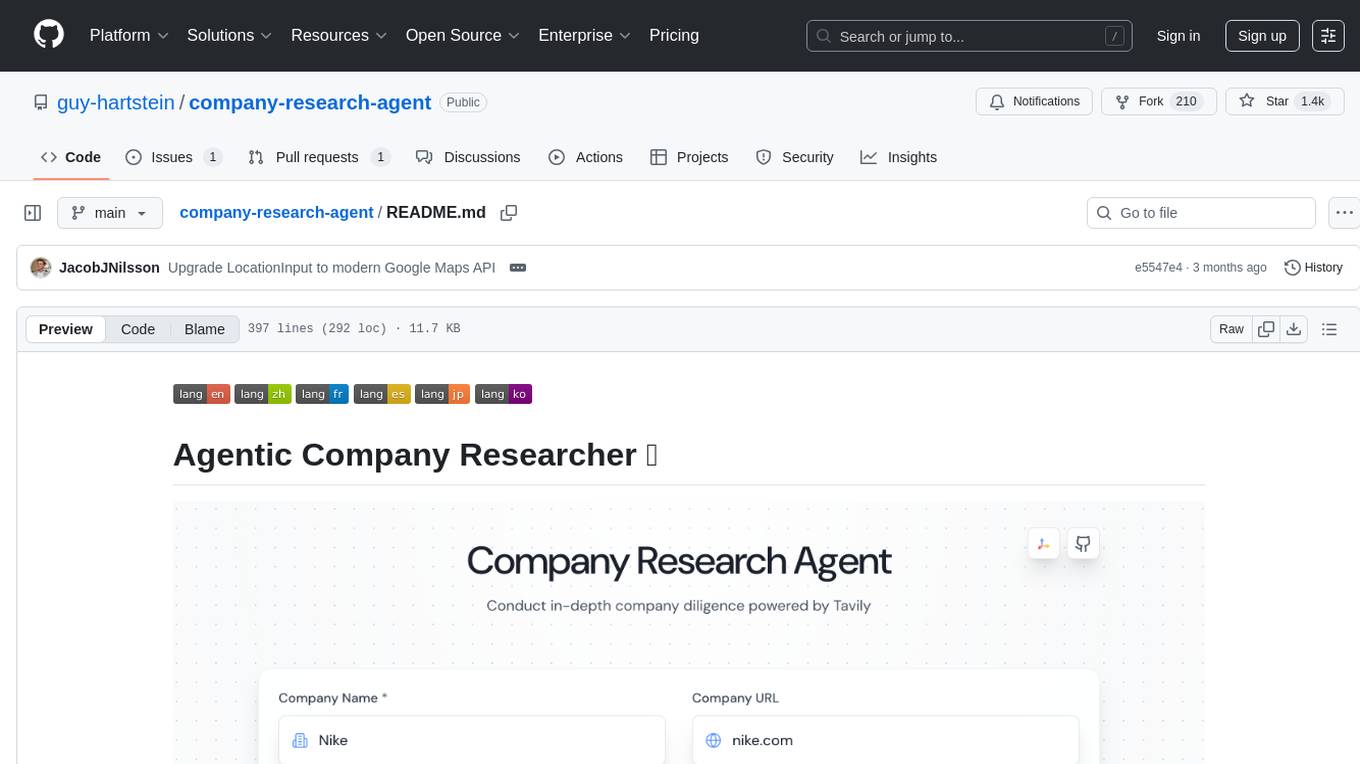
Agentic Company Researcher is a multi-agent tool that generates comprehensive company research reports by utilizing a pipeline of AI agents to gather, curate, and synthesize information from various sources. It features multi-source research, AI-powered content filtering, real-time progress streaming, dual model architecture, modern React frontend, and modular architecture. The tool follows an agentic framework with specialized research and processing nodes, leverages separate models for content generation, uses a content curation system for relevance scoring and document processing, and implements a real-time communication system via WebSocket connections. Users can set up the tool quickly using the provided setup script or manually, and it can also be deployed using Docker and Docker Compose. The application can be used for local development and deployed to various cloud platforms like AWS Elastic Beanstalk, Docker, Heroku, and Google Cloud Run.
AutoDocs
AutoDocs by Sita is a tool designed to automate documentation for any repository. It parses the repository using tree-sitter and SCIP, constructs a code dependency graph, and generates repository-wide, dependency-aware documentation and summaries. It provides a FastAPI backend for ingestion/search and a Next.js web UI for chat and exploration. Additionally, it includes an MCP server for deep search capabilities. The tool aims to simplify the process of generating accurate and high-signal documentation for codebases.
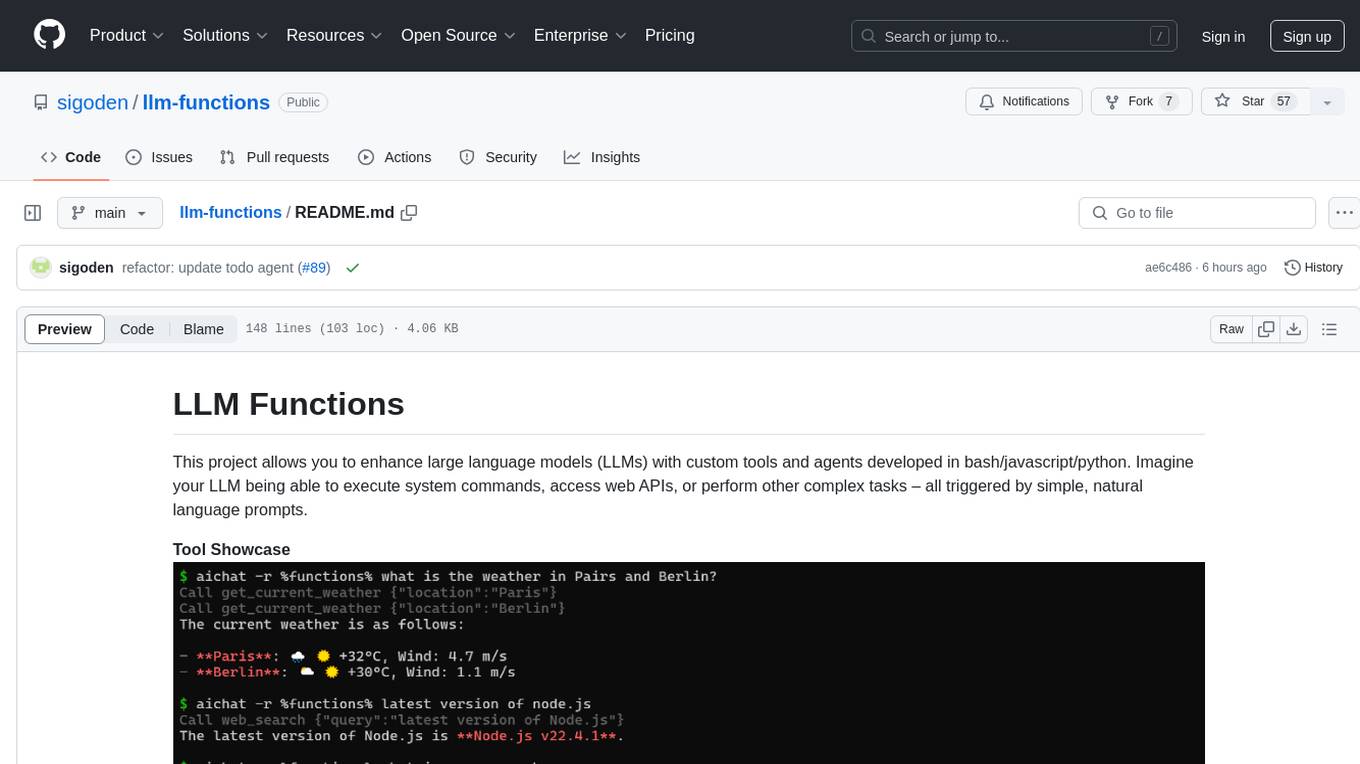
llm-functions
LLM Functions is a project that enables the enhancement of large language models (LLMs) with custom tools and agents developed in bash, javascript, and python. Users can create tools for their LLM to execute system commands, access web APIs, or perform other complex tasks triggered by natural language prompts. The project provides a framework for building tools and agents, with tools being functions written in the user's preferred language and automatically generating JSON declarations based on comments. Agents combine prompts, function callings, and knowledge (RAG) to create conversational AI agents. The project is designed to be user-friendly and allows users to easily extend the capabilities of their language models.
hash
HASH is a self-building, open-source database which grows, structures and checks itself. With it, we're creating a platform for decision-making, which helps you integrate, understand and use data in a variety of different ways.
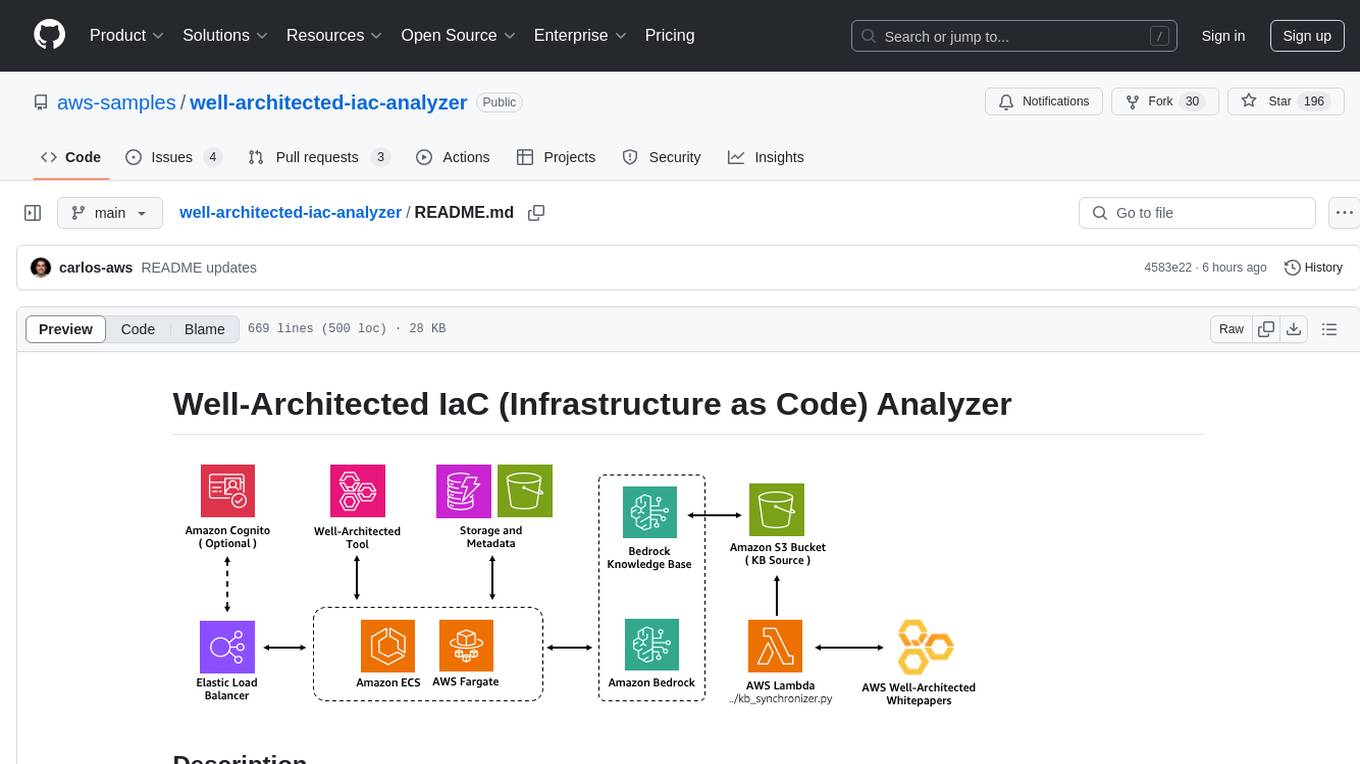
well-architected-iac-analyzer
Well-Architected Infrastructure as Code (IaC) Analyzer is a project demonstrating how generative AI can evaluate infrastructure code for alignment with best practices. It features a modern web application allowing users to upload IaC documents, complete IaC projects, or architecture diagrams for assessment. The tool provides insights into infrastructure code alignment with AWS best practices, offers suggestions for improving cloud architecture designs, and can generate IaC templates from architecture diagrams. Users can analyze CloudFormation, Terraform, or AWS CDK templates, architecture diagrams in PNG or JPEG format, and complete IaC projects with supporting documents. Real-time analysis against Well-Architected best practices, integration with AWS Well-Architected Tool, and export of analysis results and recommendations are included.
oso
Open Source Observer is a free analytics suite that helps funders measure the impact of open source software contributions to the health of their ecosystem. The repository contains various subprojects such as OSO apps, documentation, frontend application, API services, Docker files, common libraries, utilities, GitHub app for validating pull requests, Helm charts for Kubernetes, Kubernetes configuration, Terraform modules, data warehouse code, Python utilities for managing data, OSO agent, Dagster configuration, sqlmesh configuration, Python package for pyoso, and other tools to manage warehouse pipelines.
mcpd
mcpd is a tool developed by Mozilla AI to declaratively manage Model Context Protocol (MCP) servers, enabling consistent interface for defining and running tools across different environments. It bridges the gap between local development and enterprise deployment by providing secure secrets management, declarative configuration, and seamless environment promotion. mcpd simplifies the developer experience by offering zero-config tool setup, language-agnostic tooling, version-controlled configuration files, enterprise-ready secrets management, and smooth transition from local to production environments.
aidermacs
Aidermacs is an AI pair programming tool for Emacs that integrates Aider, a powerful open-source AI pair programming tool. It provides top performance on the SWE Bench, support for multi-file edits, real-time file synchronization, and broad language support. Aidermacs delivers an Emacs-centric experience with features like intelligent model selection, flexible terminal backend support, smarter syntax highlighting, enhanced file management, and streamlined transient menus. It thrives on community involvement, encouraging contributions, issue reporting, idea sharing, and documentation improvement.
openai-kotlin
OpenAI Kotlin API client is a Kotlin client for OpenAI's API with multiplatform and coroutines capabilities. It allows users to interact with OpenAI's API using Kotlin programming language. The client supports various features such as models, chat, images, embeddings, files, fine-tuning, moderations, audio, assistants, threads, messages, and runs. It also provides guides on getting started, chat & function call, file source guide, and assistants. Sample apps are available for reference, and troubleshooting guides are provided for common issues. The project is open-source and licensed under the MIT license, allowing contributions from the community.
comp
Comp AI is an open-source compliance automation platform designed to assist companies in achieving compliance with standards like SOC 2, ISO 27001, and GDPR. It transforms compliance into an engineering problem solved through code, automating evidence collection, policy management, and control implementation while maintaining data and infrastructure control.
cursor-tools
cursor-tools is a CLI tool designed to enhance AI agents with advanced skills, such as web search, repository context, documentation generation, GitHub integration, Xcode tools, and browser automation. It provides features like Perplexity for web search, Gemini 2.0 for codebase context, and Stagehand for browser operations. The tool requires API keys for Perplexity AI and Google Gemini, and supports global installation for system-wide access. It offers various commands for different tasks and integrates with Cursor Composer for AI agent usage.

gcop
GCOP (Git Copilot) is an AI-powered Git assistant that automates commit message generation, enhances Git workflow, and offers 20+ smart commands. It provides intelligent commit crafting, customizable commit templates, smart learning capabilities, and a seamless developer experience. Users can generate AI commit messages, add all changes with AI-generated messages, undo commits while keeping changes staged, and push changes to the current branch. GCOP offers configuration options for AI models and provides detailed documentation, contribution guidelines, and a changelog. The tool is designed to make version control easier and more efficient for developers.
claude-code-tools
The 'claude-code-tools' repository provides productivity tools for Claude Code, Codex-CLI, and similar CLI coding agents. It includes CLI commands, skills, agents, hooks, and plugins for various tasks. The tools cover functionalities like session search, terminal automation, encrypted backup and sync, safe inspection of .env files, safety hooks, voice feedback, session chain repair, conversion between markdown and Google Docs, and CSV to Google Sheets and vice versa. The repository architecture consists of Python CLI, Rust TUI for search, and Node.js for action menus.
For similar tasks
github-pr-summary
github-pr-summary is a bot designed to summarize GitHub Pull Requests, helping open source contributors make faster decisions. It automatically summarizes commits and changed files in PRs, triggered by new commits or a magic trigger phrase. Users can deploy their own code review bot in 3 steps: create a bot from their GitHub repo, configure it to review PRs, and connect to GitHub for access to the target repo. The bot runs on flows.network using Rust and WasmEdge Runtimes. It utilizes ChatGPT/4 to review and summarize PR content, posting the result back as a comment on the PR. The bot can be used on multiple repos by creating new flows and importing the source code repo, specifying the target repo using flow config. Users can also change the magic phrase to trigger a review from a PR comment.
Code-Review-GPT-Gitlab
A project that utilizes large models to help with Code Review on Gitlab, aimed at improving development efficiency. The project is customized for Gitlab and is developing a Multi-Agent plugin for collaborative review. It integrates various large models for code security issues and stays updated with the latest Code Review trends. The project architecture is designed to be powerful, flexible, and efficient, with easy integration of different models and high customization for developers.
kodus-ai
Kodus AI is an open-source AI agent designed to review code like a real teammate, providing personalized, context-aware code reviews to help teams catch bugs, enforce best practices, and maintain a clean codebase. It seamlessly integrates with Git workflows, learns team coding patterns, and offers custom review policies. Kodus supports all programming languages with semantic and AST analysis, enhancing code review accuracy and providing actionable feedback. The tool is available in Cloud and Self-Hosted editions, offering features like self-hosting, unlimited users, custom integrations, and advanced compliance support.
holon
Holon is a tool that runs AI coding agents headlessly to automate the process of turning issues into PR-ready patches and summaries. It provides a sandboxed execution environment with standardized artifacts, allowing for deterministic and repeatable runs. Users can easily create or update PRs, manage state persistence, and customize agent bundles. Holon can be used locally or in CI environments, offering seamless integration with GitHub Actions.
awesome-claude-code
Awesome Claude Code is a curated list of slash-commands, CLAUDE.md files, CLI tools, and other resources for enhancing your Claude Code workflow. It includes a variety of agent skills, workflows, tooling, hooks, slash-commands, and more to help developers improve their coding experience using Claude Code, a CLI-based coding assistant from Anthropic. The list covers a wide range of topics such as AI development, project management, code analysis, documentation, CI/CD, and domain-specific projects. Whether you are a beginner or an experienced developer, this repository provides valuable resources to enhance your coding skills and workflow with Claude Code.

deepeval
DeepEval is a simple-to-use, open-source LLM evaluation framework specialized for unit testing LLM outputs. It incorporates various metrics such as G-Eval, hallucination, answer relevancy, RAGAS, etc., and runs locally on your machine for evaluation. It provides a wide range of ready-to-use evaluation metrics, allows for creating custom metrics, integrates with any CI/CD environment, and enables benchmarking LLMs on popular benchmarks. DeepEval is designed for evaluating RAG and fine-tuning applications, helping users optimize hyperparameters, prevent prompt drifting, and transition from OpenAI to hosting their own Llama2 with confidence.
sfdx-hardis
sfdx-hardis is a toolbox for Salesforce DX, developed by Cloudity, that simplifies tasks which would otherwise take minutes or hours to complete manually. It enables users to define complete CI/CD pipelines for Salesforce projects, backup metadata, and monitor any Salesforce org. The tool offers a wide range of commands that can be accessed via the command line interface or through a Visual Studio Code extension. Additionally, sfdx-hardis provides Docker images for easy integration into CI workflows. The tool is designed to be natively compliant with various platforms and tools, making it a versatile solution for Salesforce developers.
testzeus-hercules
Hercules is the world’s first open-source testing agent designed to handle the toughest testing tasks for modern web applications. It turns simple Gherkin steps into fully automated end-to-end tests, making testing simple, reliable, and efficient. Hercules adapts to various platforms like Salesforce and is suitable for CI/CD pipelines. It aims to democratize and disrupt test automation, making top-tier testing accessible to everyone. The tool is transparent, reliable, and community-driven, empowering teams to deliver better software. Hercules offers multiple ways to get started, including using PyPI package, Docker, or building and running from source code. It supports various AI models, provides detailed installation and usage instructions, and integrates with Nuclei for security testing and WCAG for accessibility testing. The tool is production-ready, open core, and open source, with plans for enhanced LLM support, advanced tooling, improved DOM distillation, community contributions, extensive documentation, and a bounty program.
For similar jobs

promptflow
**Prompt flow** is a suite of development tools designed to streamline the end-to-end development cycle of LLM-based AI applications, from ideation, prototyping, testing, evaluation to production deployment and monitoring. It makes prompt engineering much easier and enables you to build LLM apps with production quality.
deepeval
DeepEval is a simple-to-use, open-source LLM evaluation framework specialized for unit testing LLM outputs. It incorporates various metrics such as G-Eval, hallucination, answer relevancy, RAGAS, etc., and runs locally on your machine for evaluation. It provides a wide range of ready-to-use evaluation metrics, allows for creating custom metrics, integrates with any CI/CD environment, and enables benchmarking LLMs on popular benchmarks. DeepEval is designed for evaluating RAG and fine-tuning applications, helping users optimize hyperparameters, prevent prompt drifting, and transition from OpenAI to hosting their own Llama2 with confidence.

MegaDetector
MegaDetector is an AI model that identifies animals, people, and vehicles in camera trap images (which also makes it useful for eliminating blank images). This model is trained on several million images from a variety of ecosystems. MegaDetector is just one of many tools that aims to make conservation biologists more efficient with AI. If you want to learn about other ways to use AI to accelerate camera trap workflows, check out our of the field, affectionately titled "Everything I know about machine learning and camera traps".

leapfrogai
LeapfrogAI is a self-hosted AI platform designed to be deployed in air-gapped resource-constrained environments. It brings sophisticated AI solutions to these environments by hosting all the necessary components of an AI stack, including vector databases, model backends, API, and UI. LeapfrogAI's API closely matches that of OpenAI, allowing tools built for OpenAI/ChatGPT to function seamlessly with a LeapfrogAI backend. It provides several backends for various use cases, including llama-cpp-python, whisper, text-embeddings, and vllm. LeapfrogAI leverages Chainguard's apko to harden base python images, ensuring the latest supported Python versions are used by the other components of the stack. The LeapfrogAI SDK provides a standard set of protobuffs and python utilities for implementing backends and gRPC. LeapfrogAI offers UI options for common use-cases like chat, summarization, and transcription. It can be deployed and run locally via UDS and Kubernetes, built out using Zarf packages. LeapfrogAI is supported by a community of users and contributors, including Defense Unicorns, Beast Code, Chainguard, Exovera, Hypergiant, Pulze, SOSi, United States Navy, United States Air Force, and United States Space Force.

llava-docker
This Docker image for LLaVA (Large Language and Vision Assistant) provides a convenient way to run LLaVA locally or on RunPod. LLaVA is a powerful AI tool that combines natural language processing and computer vision capabilities. With this Docker image, you can easily access LLaVA's functionalities for various tasks, including image captioning, visual question answering, text summarization, and more. The image comes pre-installed with LLaVA v1.2.0, Torch 2.1.2, xformers 0.0.23.post1, and other necessary dependencies. You can customize the model used by setting the MODEL environment variable. The image also includes a Jupyter Lab environment for interactive development and exploration. Overall, this Docker image offers a comprehensive and user-friendly platform for leveraging LLaVA's capabilities.

carrot
The 'carrot' repository on GitHub provides a list of free and user-friendly ChatGPT mirror sites for easy access. The repository includes sponsored sites offering various GPT models and services. Users can find and share sites, report errors, and access stable and recommended sites for ChatGPT usage. The repository also includes a detailed list of ChatGPT sites, their features, and accessibility options, making it a valuable resource for ChatGPT users seeking free and unlimited GPT services.

TrustLLM
TrustLLM is a comprehensive study of trustworthiness in LLMs, including principles for different dimensions of trustworthiness, established benchmark, evaluation, and analysis of trustworthiness for mainstream LLMs, and discussion of open challenges and future directions. Specifically, we first propose a set of principles for trustworthy LLMs that span eight different dimensions. Based on these principles, we further establish a benchmark across six dimensions including truthfulness, safety, fairness, robustness, privacy, and machine ethics. We then present a study evaluating 16 mainstream LLMs in TrustLLM, consisting of over 30 datasets. The document explains how to use the trustllm python package to help you assess the performance of your LLM in trustworthiness more quickly. For more details about TrustLLM, please refer to project website.

AI-YinMei
AI-YinMei is an AI virtual anchor Vtuber development tool (N card version). It supports fastgpt knowledge base chat dialogue, a complete set of solutions for LLM large language models: [fastgpt] + [one-api] + [Xinference], supports docking bilibili live broadcast barrage reply and entering live broadcast welcome speech, supports Microsoft edge-tts speech synthesis, supports Bert-VITS2 speech synthesis, supports GPT-SoVITS speech synthesis, supports expression control Vtuber Studio, supports painting stable-diffusion-webui output OBS live broadcast room, supports painting picture pornography public-NSFW-y-distinguish, supports search and image search service duckduckgo (requires magic Internet access), supports image search service Baidu image search (no magic Internet access), supports AI reply chat box [html plug-in], supports AI singing Auto-Convert-Music, supports playlist [html plug-in], supports dancing function, supports expression video playback, supports head touching action, supports gift smashing action, supports singing automatic start dancing function, chat and singing automatic cycle swing action, supports multi scene switching, background music switching, day and night automatic switching scene, supports open singing and painting, let AI automatically judge the content.