


dive
Use Dive to quickly build AI agents in Go. Build agentic CLIs or add AI to your backend Go services. Easily customized and embedded in larger applications.
Stars: 114
Dive is an AI toolkit for Go that enables the creation of specialized teams of AI agents and seamless integration with leading LLMs. It offers a CLI and APIs for easy integration, with features like creating specialized agents, hierarchical agent systems, declarative configuration, multiple LLM support, extended reasoning, model context protocol, advanced model settings, tools for agent capabilities, tool annotations, streaming, CLI functionalities, thread management, confirmation system, deep research, and semantic diff. Dive also provides semantic diff analysis, unified interface for LLM providers, tool system with annotations, custom tool creation, and support for various verified models. The toolkit is designed for developers to build AI-powered applications with rich agent capabilities and tool integrations.
README:



Dive is a foundational Go library for building AI agents and LLM-powered applications.
Dive gives you three main things: consistent access to 8+ LLM providers, a tool-calling system, and a robust agent loop with hooks. Images, documents, local tools, MCP tools, and structured output all work across providers. Most other libraries have gaps on this front. The agent runs the generate-call-repeat loop for you, with hooks to intercept before and after each step. Tools and hooks are the primary extension points.
The built-in toolkit includes Read, Write, Edit, Glob, Grep, Bash, and more. Use all of them, some of them, or bring your own. The built-in tools align with Claude Code's patterns, so you benefit from any model tuning that Anthropic has done for these tool shapes.
Dive is unopinionated. You provide the system prompt and decide which tools and hooks to install. Your agents do what you tell them. There are no hidden prompts or library-imposed behaviors.
Use the LLM layer when you want direct access to model capabilities. Use the agent layer when you want the tool-calling loop handled for you. Use Dive to build CLIs, add AI to back-end SaaS services, or run agents within a workflow orchestrator.
Everything outside the experimental/ directory is stable, while everything
inside experimental/ may change. The experimental packages add more tools,
permissions, and a CLI similar to Claude Code. Use experimental code as
inspiration, copy and modify it, or use it directly.
Dive is developed by Deep Noodle and is used in multiple production AI deployments.
agent, err := dive.NewAgent(dive.AgentOptions{
    SystemPrompt: "You are a senior software engineer.",
    Model:        anthropic.New(),
    Tools: []dive.Tool{
        toolkit.NewReadFileTool(),
        toolkit.NewTextEditorTool(),
        toolkit.NewListDirectoryTool(),
    },
})

response, err := agent.CreateResponse(ctx, dive.WithInput("Please fix the failing test"))
fmt.Println(response.OutputText())go get github.com/deepnoodle-ai/diveSet your LLM API key:
export ANTHROPIC_API_KEY="your-key" # and/or OPENAI_API_KEY, GEMINI_API_KEY, etc.agent, err := dive.NewAgent(dive.AgentOptions{
Name: "engineer",
SystemPrompt: "You are a senior software engineer.",
Model: anthropic.New(anthropic.WithModel("claude-opus-4-5")),
Tools: []dive.Tool{
toolkit.NewReadFileTool(),
toolkit.NewTextEditorTool(),
toolkit.NewListDirectoryTool(),
},
// Hooks for extensibility
Hooks: dive.Hooks{
PreToolUse: []dive.PreToolUseHook{checkPermissions},
PostToolUse: []dive.PostToolUseHook{logToolCall},
},
// Model settings
ModelSettings: &dive.ModelSettings{
MaxTokens: dive.Ptr(16000),
Temperature: dive.Ptr(0.7),
},
// Limits
ToolIterationLimit: 50,
ResponseTimeout: 5 * time.Minute,
})
// CreateResponse runs the agent loop until the task completes.
// Use WithEventCallback for streaming progress updates.
response, err := agent.CreateResponse(ctx,
dive.WithInput("Fix the failing test"),
dive.WithEventCallback(func(ctx context.Context, event *dive.ResponseItem) error {
fmt.Print(event.Event.Delta.Text) // stream text as it arrives
return nil
}),
)
fmt.Println(response.OutputText())Use the LLM interface for direct model access without the agent loop:
model := google.New(google.WithModel("gemini-3-flash-preview"))
response, err := model.Generate(ctx,
    llm.WithMessages(llm.NewUserMessage(
        llm.NewTextContent("What is in this image?"),
        llm.NewImageContent(llm.ContentURL("https://example.com/photo.jpg")),
    )),
    llm.WithMaxTokens(1024),
)
fmt.Println(response.Message.Text())Anthropic, OpenAI, Google, Grok, OpenRouter, Groq, Mistral, Ollama. All support tool calling.
Some providers are separate Go modules to isolate dependencies. For example, to use Google:
go get github.com/deepnoodle-ai/dive/providers/googleCore tools in toolkit/: Read, Write, Edit, Glob, Grep, ListDirectory,
TextEditor, Bash, WebFetch, WebSearch, AskUserQuestion.
Create simple tools with FuncTool — schema auto-generated from struct tags:
type OrderInput struct {
    OrderID string `json:"order_id" description:"Order ID to look up"`
}

orderTool := dive.FuncTool("get_order", "Look up an order by ID",
    func(ctx context.Context, input *OrderInput) (*dive.ToolResult, error) {
        status := lookupOrder(input.OrderID)
        return dive.NewToolResultText(status), nil
    },
)
For tools with struct state (DB connections, API clients), implement
TypedTool[T] and wrap with dive.ToolAdapter(). Use Toolset for dynamic
tools resolved at runtime (MCP servers, permission-filtered tools):
agent, _ := dive.NewAgent(dive.AgentOptions{
    Model: anthropic.New(),
    Tools: []dive.Tool{orderTool},
    Toolsets: []dive.Toolset{mcpToolset},
})
See the Custom Tools Guide for the full interface and more examples.
Extend agent behavior without modifying core code. All hooks receive *HookContext:
-
PreGenerationHook— Load session, inject context, modify system prompt -
PostGenerationHook— Save session, log results, trigger side effects -
PreToolUseHook— Permissions, validation, input modification -
PostToolUseHook— Logging, metrics, result processing (success) -
PostToolUseFailureHook— Error handling, retry logic, failure logging -
StopHook— Prevent the agent from stopping and continue generation -
PreIterationHook— Modify system prompt or messages between loop iterations
Hooks are grouped in a Hooks struct on AgentOptions. Hook flow:
PreGeneration → [PreIteration → LLM → PreToolUse → Execute → PostToolUse]* → Stop → PostGeneration
Sessions provide persistent conversation state. The agent automatically loads history before generation and saves new messages after. No hooks needed.
// In-memory session
sess := session.New("my-session")
agent, _ := dive.NewAgent(dive.AgentOptions{
    Model:   anthropic.New(),
    Session: sess,
})

// Persistent session (JSONL files)
store, _ := session.NewFileStore("~/.myapp/sessions")
sess, _ := store.Open(ctx, "my-session")

// Per-call session override (one agent, many sessions)
resp, _ := agent.CreateResponse(ctx,
    dive.WithInput("Hello"),
    dive.WithSession(userSession),
)
See the Agents Guide for fork, compact, and multi-turn patterns.
The Dialog interface handles user-facing prompts during agent execution.
It's used by the permission system to confirm tool calls, and by the
AskUser tool to collect input from the user. A single Show method covers
confirmations, single/multi-select, and free-form text input. The mode is
determined by which fields are set on DialogInput.
Dive ships two built-in implementations: AutoApproveDialog (says yes to
everything) and DenyAllDialog (denies/cancels everything). Provide your
own Dialog to wire prompts into a TUI, web UI, or Slack bot.
Messages sent to and received from LLMs contain typed content blocks
(llm.Content). The main types are:
| Type | Description |
|---|---|
TextContent |
Plain text — the most common content type |
ImageContent |
An image, either inline bytes or a URL |
DocumentContent |
A document (e.g. PDF), inline bytes or URL |
ToolUseContent |
A tool call requested by the model |
ToolResultContent |
The result returned to the model after a tool call |
ThinkingContent |
Extended thinking / chain-of-thought from the model |
RefusalContent |
The model declined to respond |
All content types implement llm.Content and are used in llm.Message.Content.
Real-time streaming with event callbacks:
agent.CreateResponse(ctx,
    dive.WithInput("Generate a report"),
    dive.WithEventCallback(func(ctx context.Context, item *dive.ResponseItem) error {
        switch item.Type {
        case dive.ResponseItemTypeMessage:
            fmt.Println(item.Message.Text())
        case dive.ResponseItemTypeModelEvent:
            fmt.Print(item.Event.Delta.Text) // streaming deltas
        case dive.ResponseItemTypeToolCall:
            fmt.Printf("Tool: %s\n", item.ToolCall.Name)
        }
        return nil
    }),
)Packages under experimental/* have no stability guarantees. APIs may change at
any time.
- Compaction — Auto-summarize conversations approaching token limits
- Subagent — Spawn specialized child agents for subtasks
- Sandbox — Docker/Seatbelt isolation for tool execution
- MCP — Model Context Protocol client for external tools
- Skills — Markdown-based skill loading system
- Slash Commands — User-defined CLI commands
-
Settings — Load configuration from
.dive/settings.json - Todo — Real-time todo list tracking during agent execution
- Toolkit — Additional tool packages (extended, firecrawl, google, kagi)
-
CLI — Interactive command-line interface (
experimental/cmd/dive)
Run examples from the examples/ directory:
cd examples

# Claude runs Python to compute 53^4 (Anthropic)
go run ./code_execution_example

# Agent with web search (Anthropic)
go run ./server_tools_example

# Vision: describe an image from a URL (Anthropic)
go run ./image_example

# Document analysis with source citations (Anthropic)
go run ./citations_example

# Web search, reasoning, structured output, and MCP (OpenAI)
go run ./openai_responses_example- Quick Start — Get up and running in minutes
- Agents Guide — Agent loop, hooks, and configuration
- Custom Tools — Build and register your own tools
- LLM Guide — Direct model access without the agent loop
- Tools Overview — Built-in toolkit reference
- Permissions — Rule-based tool permission management
- llms.txt — AI-optimized reference for agents developing with Dive
Wonton is a companion Go library for building CLI applications. It provides a TUI framework, HTML-to-Markdown conversion, HTTP utilities, and other common building blocks. Dive's experimental CLI is built with Wonton, and the two libraries pair well for building agent-powered command-line tools.
Workflow is a lightweight Go library for composing multi-step workflows. Use it to orchestrate Dive agents into pipelines, fan-out/fan-in patterns, and other structured execution flows.
Questions and ideas: GitHub Discussions
Bugs and PRs: GitHub Issues
For Tasks:
Click tags to check more tools for each tasksFor Jobs:
Alternative AI tools for dive
Similar Open Source Tools
dive
Dive is an AI toolkit for Go that enables the creation of specialized teams of AI agents and seamless integration with leading LLMs. It offers a CLI and APIs for easy integration, with features like creating specialized agents, hierarchical agent systems, declarative configuration, multiple LLM support, extended reasoning, model context protocol, advanced model settings, tools for agent capabilities, tool annotations, streaming, CLI functionalities, thread management, confirmation system, deep research, and semantic diff. Dive also provides semantic diff analysis, unified interface for LLM providers, tool system with annotations, custom tool creation, and support for various verified models. The toolkit is designed for developers to build AI-powered applications with rich agent capabilities and tool integrations.
axar
AXAR AI is a lightweight framework designed for building production-ready agentic applications using TypeScript. It aims to simplify the process of creating robust, production-grade LLM-powered apps by focusing on familiar coding practices without unnecessary abstractions or steep learning curves. The framework provides structured, typed inputs and outputs, familiar and intuitive patterns like dependency injection and decorators, explicit control over agent behavior, real-time logging and monitoring tools, minimalistic design with little overhead, model agnostic compatibility with various AI models, and streamed outputs for fast and accurate results. AXAR AI is ideal for developers working on real-world AI applications who want a tool that gets out of the way and allows them to focus on shipping reliable software.
embodied-agents
Embodied Agents is a toolkit for integrating large multi-modal models into existing robot stacks with just a few lines of code. It provides consistency, reliability, scalability, and is configurable to any observation and action space. The toolkit is designed to reduce complexities involved in setting up inference endpoints, converting between different model formats, and collecting/storing datasets. It aims to facilitate data collection and sharing among roboticists by providing Python-first abstractions that are modular, extensible, and applicable to a wide range of tasks. The toolkit supports asynchronous and remote thread-safe agent execution for maximal responsiveness and scalability, and is compatible with various APIs like HuggingFace Spaces, Datasets, Gymnasium Spaces, Ollama, and OpenAI. It also offers automatic dataset recording and optional uploads to the HuggingFace hub.
sieves
sieves is a library for zero- and few-shot NLP tasks with structured generation, enabling rapid prototyping of NLP applications without the need for training. It simplifies NLP prototyping by bundling capabilities into a single library, providing zero- and few-shot model support, a unified interface for structured generation, built-in tasks for common NLP operations, easy extendability, document-based pipeline architecture, caching to prevent redundant model calls, and more. The tool draws inspiration from spaCy and spacy-llm, offering features like immediate inference, observable pipelines, integrated tools for document parsing and text chunking, ready-to-use tasks such as classification, summarization, translation, and more, persistence for saving and loading pipelines, distillation for specialized model creation, and caching to optimize performance.

semantic-kernel
Semantic Kernel is an SDK that integrates Large Language Models (LLMs) like OpenAI, Azure OpenAI, and Hugging Face with conventional programming languages like C#, Python, and Java. Semantic Kernel achieves this by allowing you to define plugins that can be chained together in just a few lines of code. What makes Semantic Kernel _special_ , however, is its ability to _automatically_ orchestrate plugins with AI. With Semantic Kernel planners, you can ask an LLM to generate a plan that achieves a user's unique goal. Afterwards, Semantic Kernel will execute the plan for the user.
openai-agents-python
The OpenAI Agents SDK is a lightweight framework for building multi-agent workflows. It includes concepts like Agents, Handoffs, Guardrails, and Tracing to facilitate the creation and management of agents. The SDK is compatible with any model providers supporting the OpenAI Chat Completions API format. It offers flexibility in modeling various LLM workflows and provides automatic tracing for easy tracking and debugging of agent behavior. The SDK is designed for developers to create deterministic flows, iterative loops, and more complex workflows.
flow-prompt
Flow Prompt is a dynamic library for managing and optimizing prompts for large language models. It facilitates budget-aware operations, dynamic data integration, and efficient load distribution. Features include CI/CD testing, dynamic prompt development, multi-model support, real-time insights, and prompt testing and evolution.
AgentFly
AgentFly is an extensible framework for building LLM agents with reinforcement learning. It supports multi-turn training by adapting traditional RL methods with token-level masking. It features a decorator-based interface for defining tools and reward functions, enabling seamless extension and ease of use. To support high-throughput training, it implemented asynchronous execution of tool calls and reward computations, and designed a centralized resource management system for scalable environment coordination. A suite of prebuilt tools and environments are provided.
architext
Architext is a Python library designed for Large Language Model (LLM) applications, focusing on Context Engineering. It provides tools to construct and reorganize input context for LLMs dynamically. The library aims to elevate context construction from ad-hoc to systematic engineering, enabling precise manipulation of context content for AI Agents.
Trace
Trace is a new AutoDiff-like tool for training AI systems end-to-end with general feedback. It generalizes the back-propagation algorithm by capturing and propagating an AI system's execution trace. Implemented as a PyTorch-like Python library, users can write Python code directly and use Trace primitives to optimize certain parts, similar to training neural networks.
LightAgent
LightAgent is a lightweight, open-source Agentic AI development framework with memory, tools, and a tree of thought. It supports multi-agent collaboration, autonomous learning, tool integration, complex task handling, and multi-model support. It also features a streaming API, tool generator, agent self-learning, adaptive tool mechanism, and more. LightAgent is designed for intelligent customer service, data analysis, automated tools, and educational assistance.
bee-agent-framework
The Bee Agent Framework is an open-source tool for building, deploying, and serving powerful agentic workflows at scale. It provides AI agents, tools for creating workflows in Javascript/Python, a code interpreter, memory optimization strategies, serialization for pausing/resuming workflows, traceability features, production-level control, and upcoming features like model-agnostic support and a chat UI. The framework offers various modules for agents, llms, memory, tools, caching, errors, adapters, logging, serialization, and more, with a roadmap including MLFlow integration, JSON support, structured outputs, chat client, base agent improvements, guardrails, and evaluation.

rl
TorchRL is an open-source Reinforcement Learning (RL) library for PyTorch. It provides pytorch and **python-first** , low and high level abstractions for RL that are intended to be **efficient** , **modular** , **documented** and properly **tested**. The code is aimed at supporting research in RL. Most of it is written in python in a highly modular way, such that researchers can easily swap components, transform them or write new ones with little effort.
DelphiOpenAI
Delphi OpenAI API is an unofficial library providing Delphi implementation over OpenAI public API. It allows users to access various models, make completions, chat conversations, generate images, and call functions using OpenAI service. The library aims to facilitate tasks such as content generation, semantic search, and classification through AI models. Users can fine-tune models, work with natural language processing, and apply reinforcement learning methods for diverse applications.
evidently
Evidently is an open-source Python library designed for evaluating, testing, and monitoring machine learning (ML) and large language model (LLM) powered systems. It offers a wide range of functionalities, including working with tabular, text data, and embeddings, supporting predictive and generative systems, providing over 100 built-in metrics for data drift detection and LLM evaluation, allowing for custom metrics and tests, enabling both offline evaluations and live monitoring, and offering an open architecture for easy data export and integration with existing tools. Users can utilize Evidently for one-off evaluations using Reports or Test Suites in Python, or opt for real-time monitoring through the Dashboard service.
KaibanJS
KaibanJS is a JavaScript-native framework for building multi-agent AI systems. It enables users to create specialized AI agents with distinct roles and goals, manage tasks, and coordinate teams efficiently. The framework supports role-based agent design, tool integration, multiple LLMs support, robust state management, observability and monitoring features, and a real-time agentic Kanban board for visualizing AI workflows. KaibanJS aims to empower JavaScript developers with a user-friendly AI framework tailored for the JavaScript ecosystem, bridging the gap in the AI race for non-Python developers.
For similar tasks
dive
Dive is an AI toolkit for Go that enables the creation of specialized teams of AI agents and seamless integration with leading LLMs. It offers a CLI and APIs for easy integration, with features like creating specialized agents, hierarchical agent systems, declarative configuration, multiple LLM support, extended reasoning, model context protocol, advanced model settings, tools for agent capabilities, tool annotations, streaming, CLI functionalities, thread management, confirmation system, deep research, and semantic diff. Dive also provides semantic diff analysis, unified interface for LLM providers, tool system with annotations, custom tool creation, and support for various verified models. The toolkit is designed for developers to build AI-powered applications with rich agent capabilities and tool integrations.
honcho
Honcho is a platform for creating personalized AI agents and LLM powered applications for end users. The repository is a monorepo containing the server/API for managing database interactions and storing application state, along with a Python SDK. It utilizes FastAPI for user context management and Poetry for dependency management. The API can be run using Docker or manually by setting environment variables. The client SDK can be installed using pip or Poetry. The project is open source and welcomes contributions, following a fork and PR workflow. Honcho is licensed under the AGPL-3.0 License.
sagentic-af
Sagentic.ai Agent Framework is a tool for creating AI agents with hot reloading dev server. It allows users to spawn agents locally by calling specific endpoint. The framework comes with detailed documentation and supports contributions, issues, and feature requests. It is MIT licensed and maintained by Ahyve Inc.
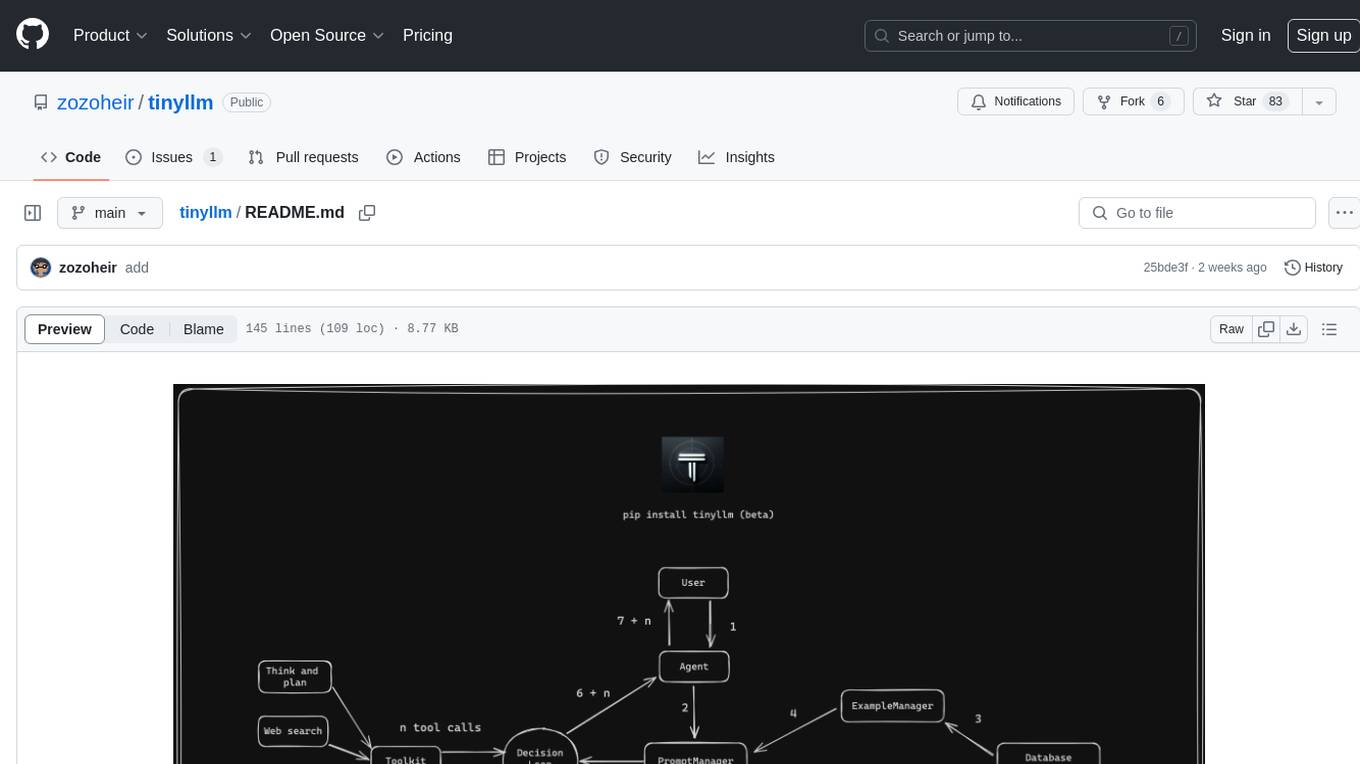
tinyllm
tinyllm is a lightweight framework designed for developing, debugging, and monitoring LLM and Agent powered applications at scale. It aims to simplify code while enabling users to create complex agents or LLM workflows in production. The core classes, Function and FunctionStream, standardize and control LLM, ToolStore, and relevant calls for scalable production use. It offers structured handling of function execution, including input/output validation, error handling, evaluation, and more, all while maintaining code readability. Users can create chains with prompts, LLM models, and evaluators in a single file without the need for extensive class definitions or spaghetti code. Additionally, tinyllm integrates with various libraries like Langfuse and provides tools for prompt engineering, observability, logging, and finite state machine design.
council
Council is an open-source platform designed for the rapid development and deployment of customized generative AI applications using teams of agents. It extends the LLM tool ecosystem by providing advanced control flow and scalable oversight for AI agents. Users can create sophisticated agents with predictable behavior by leveraging Council's powerful approach to control flow using Controllers, Filters, Evaluators, and Budgets. The framework allows for automated routing between agents, comparing, evaluating, and selecting the best results for a task. Council aims to facilitate packaging and deploying agents at scale on multiple platforms while enabling enterprise-grade monitoring and quality control.
mentals-ai
Mentals AI is a tool designed for creating and operating agents that feature loops, memory, and various tools, all through straightforward markdown syntax. This tool enables you to concentrate solely on the agent’s logic, eliminating the necessity to compose underlying code in Python or any other language. It redefines the foundational frameworks for future AI applications by allowing the creation of agents with recursive decision-making processes, integration of reasoning frameworks, and control flow expressed in natural language. Key concepts include instructions with prompts and references, working memory for context, short-term memory for storing intermediate results, and control flow from strings to algorithms. The tool provides a set of native tools for message output, user input, file handling, Python interpreter, Bash commands, and short-term memory. The roadmap includes features like a web UI, vector database tools, agent's experience, and tools for image generation and browsing. The idea behind Mentals AI originated from studies on psychoanalysis executive functions and aims to integrate 'System 1' (cognitive executor) with 'System 2' (central executive) to create more sophisticated agents.
AgentPilot
Agent Pilot is an open source desktop app for creating, managing, and chatting with AI agents. It features multi-agent, branching chats with various providers through LiteLLM. Users can combine models from different providers, configure interactions, and run code using the built-in Open Interpreter. The tool allows users to create agents, manage chats, work with multi-agent workflows, branching workflows, context blocks, tools, and plugins. It also supports a code interpreter, scheduler, voice integration, and integration with various AI providers. Contributions to the project are welcome, and users can report known issues for improvement.
shinkai-apps
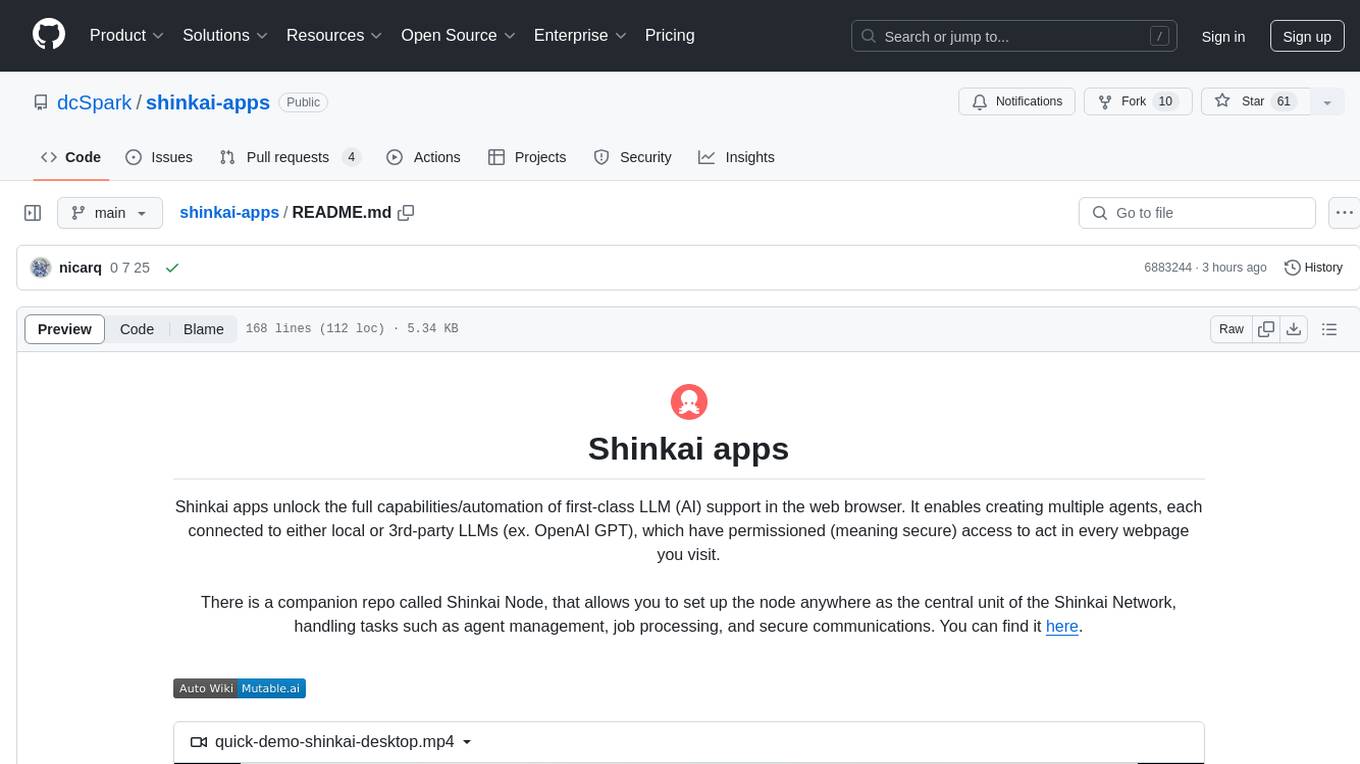
Shinkai apps unlock the full capabilities/automation of first-class LLM (AI) support in the web browser. It enables creating multiple agents, each connected to either local or 3rd-party LLMs (ex. OpenAI GPT), which have permissioned (meaning secure) access to act in every webpage you visit. There is a companion repo called Shinkai Node, that allows you to set up the node anywhere as the central unit of the Shinkai Network, handling tasks such as agent management, job processing, and secure communications.
For similar jobs

sweep
Sweep is an AI junior developer that turns bugs and feature requests into code changes. It automatically handles developer experience improvements like adding type hints and improving test coverage.

teams-ai
The Teams AI Library is a software development kit (SDK) that helps developers create bots that can interact with Teams and Microsoft 365 applications. It is built on top of the Bot Framework SDK and simplifies the process of developing bots that interact with Teams' artificial intelligence capabilities. The SDK is available for JavaScript/TypeScript, .NET, and Python.

ai-guide
This guide is dedicated to Large Language Models (LLMs) that you can run on your home computer. It assumes your PC is a lower-end, non-gaming setup.

classifai
Supercharge WordPress Content Workflows and Engagement with Artificial Intelligence. Tap into leading cloud-based services like OpenAI, Microsoft Azure AI, Google Gemini and IBM Watson to augment your WordPress-powered websites. Publish content faster while improving SEO performance and increasing audience engagement. ClassifAI integrates Artificial Intelligence and Machine Learning technologies to lighten your workload and eliminate tedious tasks, giving you more time to create original content that matters.

chatbot-ui
Chatbot UI is an open-source AI chat app that allows users to create and deploy their own AI chatbots. It is easy to use and can be customized to fit any need. Chatbot UI is perfect for businesses, developers, and anyone who wants to create a chatbot.

BricksLLM
BricksLLM is a cloud native AI gateway written in Go. Currently, it provides native support for OpenAI, Anthropic, Azure OpenAI and vLLM. BricksLLM aims to provide enterprise level infrastructure that can power any LLM production use cases. Here are some use cases for BricksLLM: * Set LLM usage limits for users on different pricing tiers * Track LLM usage on a per user and per organization basis * Block or redact requests containing PIIs * Improve LLM reliability with failovers, retries and caching * Distribute API keys with rate limits and cost limits for internal development/production use cases * Distribute API keys with rate limits and cost limits for students

uAgents
uAgents is a Python library developed by Fetch.ai that allows for the creation of autonomous AI agents. These agents can perform various tasks on a schedule or take action on various events. uAgents are easy to create and manage, and they are connected to a fast-growing network of other uAgents. They are also secure, with cryptographically secured messages and wallets.

griptape
Griptape is a modular Python framework for building AI-powered applications that securely connect to your enterprise data and APIs. It offers developers the ability to maintain control and flexibility at every step. Griptape's core components include Structures (Agents, Pipelines, and Workflows), Tasks, Tools, Memory (Conversation Memory, Task Memory, and Meta Memory), Drivers (Prompt and Embedding Drivers, Vector Store Drivers, Image Generation Drivers, Image Query Drivers, SQL Drivers, Web Scraper Drivers, and Conversation Memory Drivers), Engines (Query Engines, Extraction Engines, Summary Engines, Image Generation Engines, and Image Query Engines), and additional components (Rulesets, Loaders, Artifacts, Chunkers, and Tokenizers). Griptape enables developers to create AI-powered applications with ease and efficiency.