


vision-agent
Enable AI to control your desktop, mobile and HMI devices
Stars: 511
AskUI Vision Agent is a powerful automation framework that enables you and AI agents to control your desktop, mobile, and HMI devices and automate tasks. It supports multiple AI models, multi-platform compatibility, and enterprise-ready features. The tool provides support for Windows, Linux, MacOS, Android, and iOS device automation, single-step UI automation commands, in-background automation on Windows machines, flexible model use, and secure deployment of agents in enterprise environments.
README:


Enable AI agents to control your desktop (Windows, MacOS, Linux), mobile (Android, iOS) and HMI devices
Join the AskUI Discord.
Traditional UI automation is fragile. Every time a button moves, a label changes, or a layout shifts, your scripts break. You're stuck maintaining brittle selectors, writing conditional logic for edge cases, and constantly updating tests.
AskUI Agents solve this by combining two powerful approaches:
- Vision-based automation - Find UI elements by what they look like or say, not by brittle XPath or CSS selectors
- AI-powered agents - Give high-level instructions and let AI figure out the steps AskUI Python SDK is a powerful automation framework that enables you and AI agents to control your desktop, mobile, and HMI devices and automate tasks. With support for multiple AI models, multi-platform compatibility, and enterprise-ready features,
Whether you're automating desktop apps, testing mobile applications, or building RPA workflows, AskUI adapts to UI changes automatically—saving you hours of maintenance work.
- Multi-platform - Works on Windows, Linux, MacOS, and Android
- Two modes - Single-step UI commands or agentic intent-based instructions
- Vision-first - Find elements by text, images, or natural language descriptions
- Model flexibility - Anthropic Claude, Google Gemini, AskUI models, or bring your own
- Extensible - Add custom tools and capabilities via Model Context Protocol (MCP)
- Caching - Save expensive calls to AI APIs by using them only when really necessary
Run the script with python <file path>, e.g python test.py to see if it works.
In order to let AI agents control your devices, you need to be able to connect to an AI model (provider). We host some models ourselves and support several other ones, e.g. Anthropic, OpenRouter, Hugging Face, etc. out of the box. If you want to use a model provider or model that is not supported, you can easily plugin your own (see Custom Models).
For this example, we will us AskUI as the model provider to easily get started.
Sign up at hub.askui.com to:
- Activate your free trial by signing up (no credit card required)
- Get your workspace ID and access token
Linux & MacOS
export ASKUI_WORKSPACE_ID=<your-workspace-id-here>
export ASKUI_TOKEN=<your-token-here>
Windows PowerShell
$env:ASKUI_WORKSPACE_ID="<your-workspace-id-here>"
$env:ASKUI_TOKEN="<your-token-here>"from askui import ComputerAgent
with ComputerAgent() as agent:
# Complex multi-step instruction
agent.act(
"Open a browser, navigate to GitHub, search for 'askui vision-agent', "
"and star the repository"
)
# Extract information from the screen
balance = agent.get("What is my current account balance?")
print(f"Balance: {balance}")
# Combine both approaches
agent.act("Find the login form")
agent.type("[email protected]")
agent.click("Next")Add new capabilities to your agents:
from askui import ComputerAgent
from askui.tools.store.computer import ComputerSaveScreenshotTool
from askui.tools.store.universal import PrintToConsoleTool

with ComputerAgent() as agent:
    agent.act(
        "Take a screenshot of the current screen and save it, then confirm",
        tools=[
            ComputerSaveScreenshotTool(base_dir="./screenshots"),
            PrintToConsoleTool()
        ]
)Ready to build your first agent? Check out our documentation:
- Start Here - Overview and core concepts
- Setup - Installation and configuration
- Using Agents - Using the AskUI ComputerAgent and AndroidAgent
- System Prompts - How to write effective instructions
- Using Models - Using different models as backbone for act, get, and locate
- BYOM - use your own model cloud by plugging in your own model provider
- Caching - Optimize performance and costs
- Tools - Extend agent capabilities
- Reporting - Obtain agent logs as execution reports and summaries as test reports
- Observability - Monitor and debug agents
- Extracting Data - Extracting structured data from screenshots and files
Official documentation: docs.askui.com
pip install askui[all]Requires Python >=3.10, <3.14
You'll also need to install AskUI Agent OS for device control. See Setup Guide for detailed instructions.
This project is licensed under the MIT License - see the LICENSE file for details.
For Tasks:
Click tags to check more tools for each tasksFor Jobs:
Alternative AI tools for vision-agent
Similar Open Source Tools
vision-agent
AskUI Vision Agent is a powerful automation framework that enables you and AI agents to control your desktop, mobile, and HMI devices and automate tasks. It supports multiple AI models, multi-platform compatibility, and enterprise-ready features. The tool provides support for Windows, Linux, MacOS, Android, and iOS device automation, single-step UI automation commands, in-background automation on Windows machines, flexible model use, and secure deployment of agents in enterprise environments.
TaskingAI
TaskingAI brings Firebase's simplicity to **AI-native app development**. The platform enables the creation of GPTs-like multi-tenant applications using a wide range of LLMs from various providers. It features distinct, modular functions such as Inference, Retrieval, Assistant, and Tool, seamlessly integrated to enhance the development process. TaskingAI’s cohesive design ensures an efficient, intelligent, and user-friendly experience in AI application development.
gptme
Personal AI assistant/agent in your terminal, with tools for using the terminal, running code, editing files, browsing the web, using vision, and more. A great coding agent that is general-purpose to assist in all kinds of knowledge work, from a simple but powerful CLI. An unconstrained local alternative to ChatGPT with 'Code Interpreter', Cursor Agent, etc. Not limited by lack of software, internet access, timeouts, or privacy concerns if using local models.
DevoxxGenieIDEAPlugin
Devoxx Genie is a Java-based IntelliJ IDEA plugin that integrates with local and cloud-based LLM providers to aid in reviewing, testing, and explaining project code. It supports features like code highlighting, chat conversations, and adding files/code snippets to context. Users can modify REST endpoints and LLM parameters in settings, including support for cloud-based LLMs. The plugin requires IntelliJ version 2023.3.4 and JDK 17. Building and publishing the plugin is done using Gradle tasks. Users can select an LLM provider, choose code, and use commands like review, explain, or generate unit tests for code analysis.
actionbook
Actionbook is a browser action engine designed for AI agents, providing up-to-date action manuals and DOM structure to enable instant website operations without guesswork. It offers faster execution, token savings, resilient automation, and universal compatibility, making it ideal for building reliable browser agents. Actionbook integrates seamlessly with AI coding assistants and offers three integration methods: CLI, MCP Server, and JavaScript SDK. The tool is well-documented and actively developed in a monorepo setup using pnpm workspaces and Turborepo.
plandex
Plandex is an open source, terminal-based AI coding engine designed for complex tasks. It uses long-running agents to break up large tasks into smaller subtasks, helping users work through backlogs, navigate unfamiliar technologies, and save time on repetitive tasks. Plandex supports various AI models, including OpenAI, Anthropic Claude, Google Gemini, and more. It allows users to manage context efficiently in the terminal, experiment with different approaches using branches, and review changes before applying them. The tool is platform-independent and runs from a single binary with no dependencies.
better-chatbot
Better Chatbot is an open-source AI chatbot designed for individuals and teams, inspired by various AI models. It integrates major LLMs, offers powerful tools like MCP protocol and data visualization, supports automation with custom agents and visual workflows, enables collaboration by sharing configurations, provides a voice assistant feature, and ensures an intuitive user experience. The platform is built with Vercel AI SDK and Next.js, combining leading AI services into one platform for enhanced chatbot capabilities.
omniscient
Omniscient is an advanced AI Platform offered as a SaaS, empowering projects with cutting-edge artificial intelligence capabilities. Seamlessly integrating with Next.js 14, React, Typescript, and APIs like OpenAI and Replicate, it provides solutions for code generation, conversation simulation, image creation, music composition, and video generation.
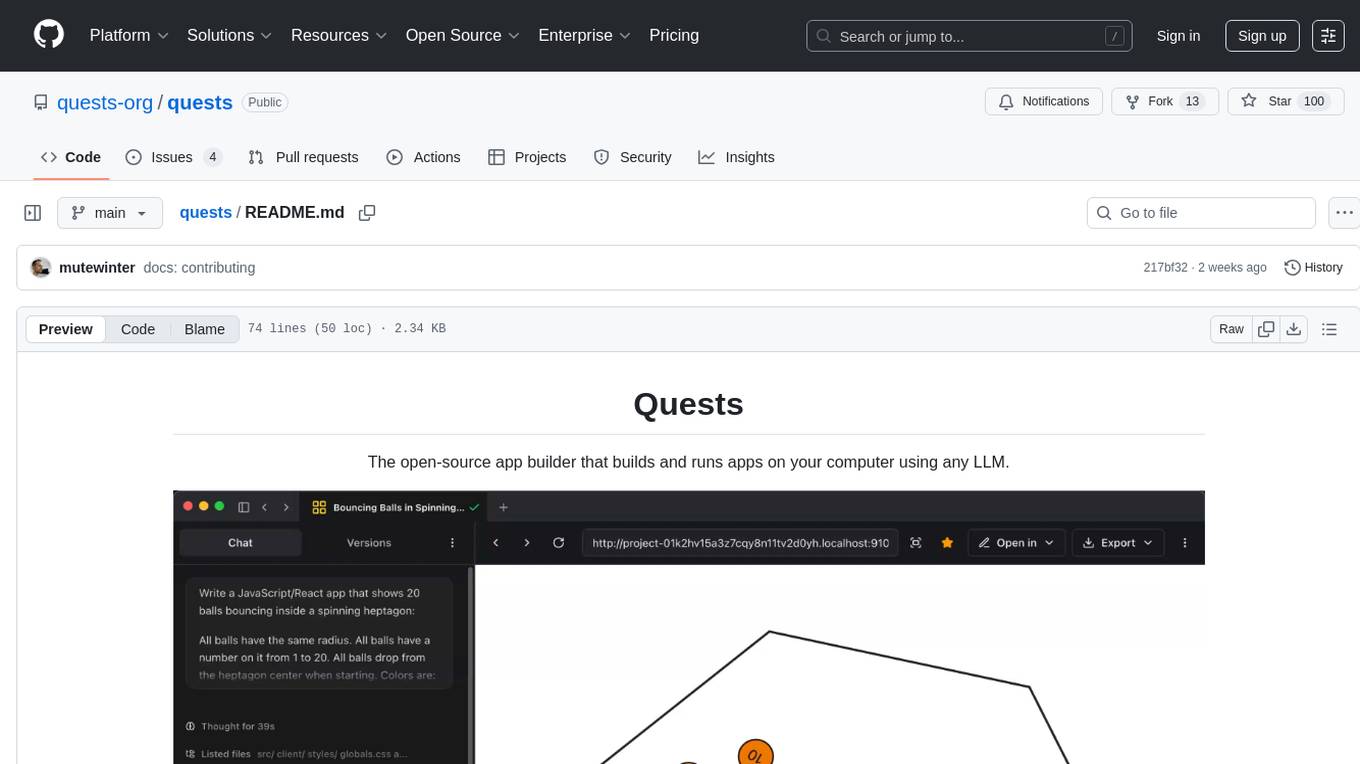
quests
Quests is an open-source app builder that allows users to build and run apps on their computer using various AI models. It provides a desktop app for local development, supports multiple projects simultaneously, offers version control, and enables exportable apps. Users can bring their own AI models from providers like OpenAI, Anthropic, Google, etc. The tool also includes a coding agent for targeted edits and real-time linting, making it suitable for developers looking to leverage AI in their app development workflow.
VibeSurf
VibeSurf is an open-source AI agentic browser that combines workflow automation with intelligent AI agents, offering faster, cheaper, and smarter browser automation. It allows users to create revolutionary browser workflows, run multiple AI agents in parallel, perform intelligent AI automation tasks, maintain privacy with local LLM support, and seamlessly integrate as a Chrome extension. Users can save on token costs, achieve efficiency gains, and enjoy deterministic workflows for consistent and accurate results. VibeSurf also provides a Docker image for easy deployment and offers pre-built workflow templates for common tasks.
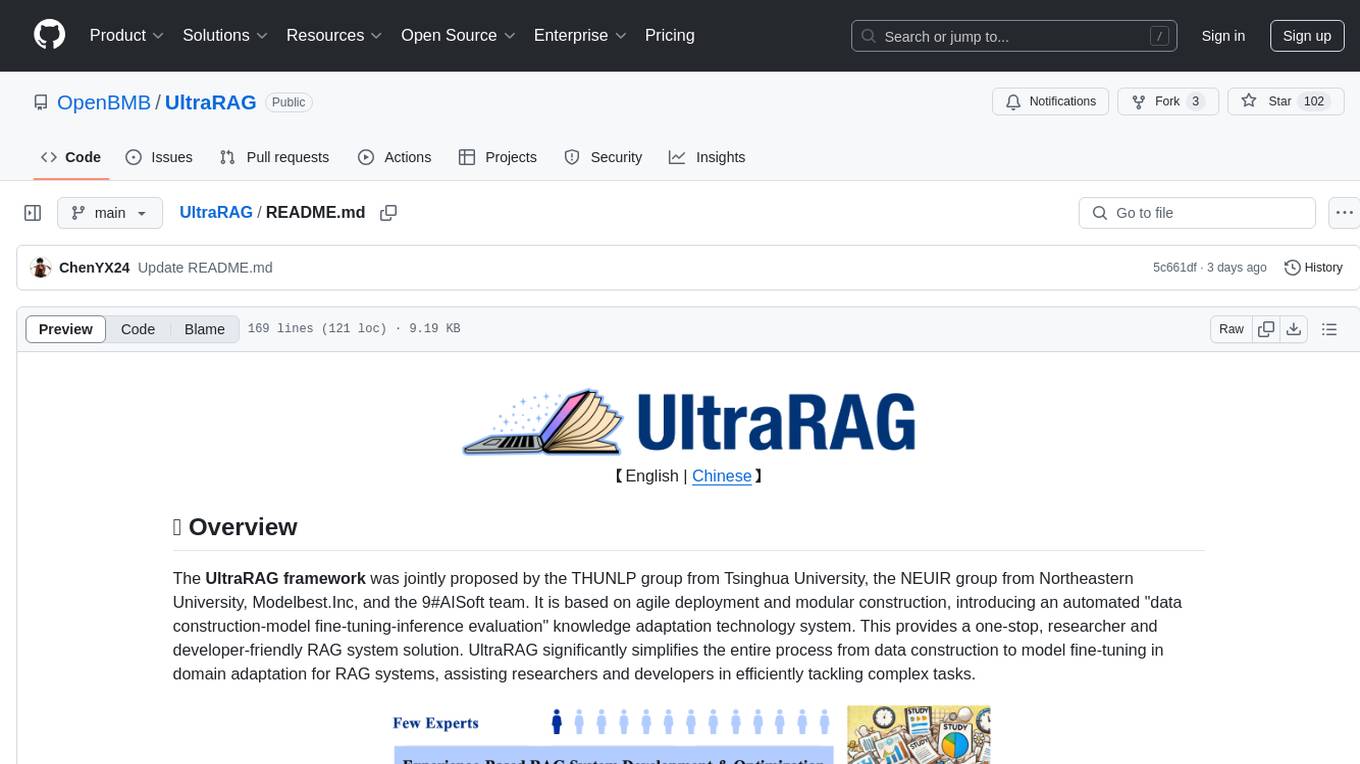
UltraRAG
The UltraRAG framework is a researcher and developer-friendly RAG system solution that simplifies the process from data construction to model fine-tuning in domain adaptation. It introduces an automated knowledge adaptation technology system, supporting no-code programming, one-click synthesis and fine-tuning, multidimensional evaluation, and research-friendly exploration work integration. The architecture consists of Frontend, Service, and Backend components, offering flexibility in customization and optimization. Performance evaluation in the legal field shows improved results compared to VanillaRAG, with specific metrics provided. The repository is licensed under Apache-2.0 and encourages citation for support.
Alice
Alice is an open-source AI companion designed to live on your desktop, providing voice interaction, intelligent context awareness, and powerful tooling. More than a chatbot, Alice is emotionally engaging and deeply useful, assisting with daily tasks and creative work. Key features include voice interaction with natural-sounding responses, memory and context management, vision and visual output capabilities, computer use tools, function calling for web search and task scheduling, wake word support, dedicated Chrome extension, and flexible settings interface. Technologies used include Vue.js, Electron, OpenAI, Go, hnswlib-node, and more. Alice is customizable and offers a dedicated Chrome extension, wake word support, and various tools for computer use and productivity tasks.
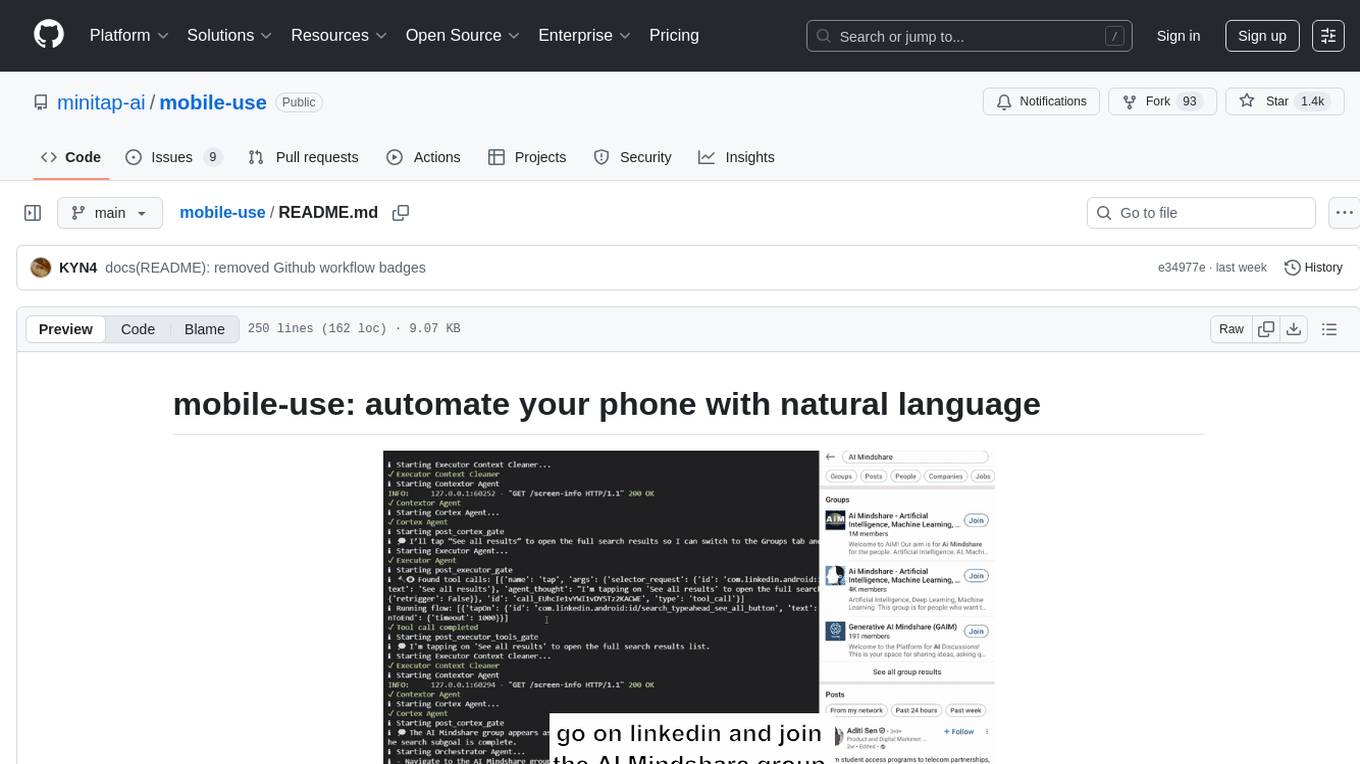
mobile-use
Mobile-use is an open-source AI agent that controls Android or IOS devices using natural language. It understands commands to perform tasks like sending messages and navigating apps. Features include natural language control, UI-aware automation, data scraping, and extensibility. Users can automate their mobile experience by setting up environment variables, customizing LLM configurations, and launching the tool via Docker or manually for development. The tool supports physical Android phones, Android simulators, and iOS simulators. Contributions are welcome, and the project is licensed under MIT.
echokit_server
Echokit_server is a lightweight and efficient server-side implementation of the Amazon Alexa Voice Service (AVS) SDK. It allows developers to easily integrate Alexa voice capabilities into their own applications or devices. The server handles the communication with the Alexa Voice Service API, manages user interactions, and processes voice commands. Echokit_server provides a simple and flexible solution for adding voice-controlled features to a wide range of projects, such as smart home devices, IoT applications, and voice-enabled services.
agents
The LiveKit Agent Framework is designed for building real-time, programmable participants that run on servers. Easily tap into LiveKit WebRTC sessions and process or generate audio, video, and data streams. The framework includes plugins for common workflows, such as voice activity detection and speech-to-text. Agents integrates seamlessly with LiveKit server, offloading job queuing and scheduling responsibilities to it. This eliminates the need for additional queuing infrastructure. Agent code developed on your local machine can scale to support thousands of concurrent sessions when deployed to a server in production.
core
CORE is an open-source unified, persistent memory layer for all AI tools, allowing developers to maintain context across different tools like Cursor, ChatGPT, and Claude. It aims to solve the issue of context switching and information loss between sessions by creating a knowledge graph that remembers conversations, decisions, and insights. With features like unified memory, temporal knowledge graph, browser extension, chat with memory, auto-sync from apps, and MCP integration hub, CORE provides a seamless experience for managing and recalling context. The tool's ingestion pipeline captures evolving context through normalization, extraction, resolution, and graph integration, resulting in a dynamic memory that grows and changes with the user. When recalling from memory, CORE utilizes search, re-ranking, filtering, and output to provide relevant and contextual answers. Security measures include data encryption, authentication, access control, and vulnerability reporting.
For similar tasks

Magick
Magick is a groundbreaking visual AIDE (Artificial Intelligence Development Environment) for no-code data pipelines and multimodal agents. Magick can connect to other services and comes with nodes and templates well-suited for intelligent agents, chatbots, complex reasoning systems and realistic characters.

danswer
Danswer is an open-source Gen-AI Chat and Unified Search tool that connects to your company's docs, apps, and people. It provides a Chat interface and plugs into any LLM of your choice. Danswer can be deployed anywhere and for any scale - on a laptop, on-premise, or to cloud. Since you own the deployment, your user data and chats are fully in your own control. Danswer is MIT licensed and designed to be modular and easily extensible. The system also comes fully ready for production usage with user authentication, role management (admin/basic users), chat persistence, and a UI for configuring Personas (AI Assistants) and their Prompts. Danswer also serves as a Unified Search across all common workplace tools such as Slack, Google Drive, Confluence, etc. By combining LLMs and team specific knowledge, Danswer becomes a subject matter expert for the team. Imagine ChatGPT if it had access to your team's unique knowledge! It enables questions such as "A customer wants feature X, is this already supported?" or "Where's the pull request for feature Y?"

semantic-kernel
Semantic Kernel is an SDK that integrates Large Language Models (LLMs) like OpenAI, Azure OpenAI, and Hugging Face with conventional programming languages like C#, Python, and Java. Semantic Kernel achieves this by allowing you to define plugins that can be chained together in just a few lines of code. What makes Semantic Kernel _special_ , however, is its ability to _automatically_ orchestrate plugins with AI. With Semantic Kernel planners, you can ask an LLM to generate a plan that achieves a user's unique goal. Afterwards, Semantic Kernel will execute the plan for the user.

floneum
Floneum is a graph editor that makes it easy to develop your own AI workflows. It uses large language models (LLMs) to run AI models locally, without any external dependencies or even a GPU. This makes it easy to use LLMs with your own data, without worrying about privacy. Floneum also has a plugin system that allows you to improve the performance of LLMs and make them work better for your specific use case. Plugins can be used in any language that supports web assembly, and they can control the output of LLMs with a process similar to JSONformer or guidance.
mindsdb
MindsDB is a platform for customizing AI from enterprise data. You can create, serve, and fine-tune models in real-time from your database, vector store, and application data. MindsDB "enhances" SQL syntax with AI capabilities to make it accessible for developers worldwide. With MindsDB’s nearly 200 integrations, any developer can create AI customized for their purpose, faster and more securely. Their AI systems will constantly improve themselves — using companies’ own data, in real-time.

aiscript
AiScript is a lightweight scripting language that runs on JavaScript. It supports arrays, objects, and functions as first-class citizens, and is easy to write without the need for semicolons or commas. AiScript runs in a secure sandbox environment, preventing infinite loops from freezing the host. It also allows for easy provision of variables and functions from the host.

activepieces
Activepieces is an open source replacement for Zapier, designed to be extensible through a type-safe pieces framework written in Typescript. It features a user-friendly Workflow Builder with support for Branches, Loops, and Drag and Drop. Activepieces integrates with Google Sheets, OpenAI, Discord, and RSS, along with 80+ other integrations. The list of supported integrations continues to grow rapidly, thanks to valuable contributions from the community. Activepieces is an open ecosystem; all piece source code is available in the repository, and they are versioned and published directly to npmjs.com upon contributions. If you cannot find a specific piece on the pieces roadmap, please submit a request by visiting the following link: Request Piece Alternatively, if you are a developer, you can quickly build your own piece using our TypeScript framework. For guidance, please refer to the following guide: Contributor's Guide
superagent-js
Superagent is an open source framework that enables any developer to integrate production ready AI Assistants into any application in a matter of minutes.
For similar jobs

promptflow
**Prompt flow** is a suite of development tools designed to streamline the end-to-end development cycle of LLM-based AI applications, from ideation, prototyping, testing, evaluation to production deployment and monitoring. It makes prompt engineering much easier and enables you to build LLM apps with production quality.

deepeval
DeepEval is a simple-to-use, open-source LLM evaluation framework specialized for unit testing LLM outputs. It incorporates various metrics such as G-Eval, hallucination, answer relevancy, RAGAS, etc., and runs locally on your machine for evaluation. It provides a wide range of ready-to-use evaluation metrics, allows for creating custom metrics, integrates with any CI/CD environment, and enables benchmarking LLMs on popular benchmarks. DeepEval is designed for evaluating RAG and fine-tuning applications, helping users optimize hyperparameters, prevent prompt drifting, and transition from OpenAI to hosting their own Llama2 with confidence.

MegaDetector
MegaDetector is an AI model that identifies animals, people, and vehicles in camera trap images (which also makes it useful for eliminating blank images). This model is trained on several million images from a variety of ecosystems. MegaDetector is just one of many tools that aims to make conservation biologists more efficient with AI. If you want to learn about other ways to use AI to accelerate camera trap workflows, check out our of the field, affectionately titled "Everything I know about machine learning and camera traps".

leapfrogai
LeapfrogAI is a self-hosted AI platform designed to be deployed in air-gapped resource-constrained environments. It brings sophisticated AI solutions to these environments by hosting all the necessary components of an AI stack, including vector databases, model backends, API, and UI. LeapfrogAI's API closely matches that of OpenAI, allowing tools built for OpenAI/ChatGPT to function seamlessly with a LeapfrogAI backend. It provides several backends for various use cases, including llama-cpp-python, whisper, text-embeddings, and vllm. LeapfrogAI leverages Chainguard's apko to harden base python images, ensuring the latest supported Python versions are used by the other components of the stack. The LeapfrogAI SDK provides a standard set of protobuffs and python utilities for implementing backends and gRPC. LeapfrogAI offers UI options for common use-cases like chat, summarization, and transcription. It can be deployed and run locally via UDS and Kubernetes, built out using Zarf packages. LeapfrogAI is supported by a community of users and contributors, including Defense Unicorns, Beast Code, Chainguard, Exovera, Hypergiant, Pulze, SOSi, United States Navy, United States Air Force, and United States Space Force.

llava-docker
This Docker image for LLaVA (Large Language and Vision Assistant) provides a convenient way to run LLaVA locally or on RunPod. LLaVA is a powerful AI tool that combines natural language processing and computer vision capabilities. With this Docker image, you can easily access LLaVA's functionalities for various tasks, including image captioning, visual question answering, text summarization, and more. The image comes pre-installed with LLaVA v1.2.0, Torch 2.1.2, xformers 0.0.23.post1, and other necessary dependencies. You can customize the model used by setting the MODEL environment variable. The image also includes a Jupyter Lab environment for interactive development and exploration. Overall, this Docker image offers a comprehensive and user-friendly platform for leveraging LLaVA's capabilities.

carrot
The 'carrot' repository on GitHub provides a list of free and user-friendly ChatGPT mirror sites for easy access. The repository includes sponsored sites offering various GPT models and services. Users can find and share sites, report errors, and access stable and recommended sites for ChatGPT usage. The repository also includes a detailed list of ChatGPT sites, their features, and accessibility options, making it a valuable resource for ChatGPT users seeking free and unlimited GPT services.

TrustLLM
TrustLLM is a comprehensive study of trustworthiness in LLMs, including principles for different dimensions of trustworthiness, established benchmark, evaluation, and analysis of trustworthiness for mainstream LLMs, and discussion of open challenges and future directions. Specifically, we first propose a set of principles for trustworthy LLMs that span eight different dimensions. Based on these principles, we further establish a benchmark across six dimensions including truthfulness, safety, fairness, robustness, privacy, and machine ethics. We then present a study evaluating 16 mainstream LLMs in TrustLLM, consisting of over 30 datasets. The document explains how to use the trustllm python package to help you assess the performance of your LLM in trustworthiness more quickly. For more details about TrustLLM, please refer to project website.

AI-YinMei
AI-YinMei is an AI virtual anchor Vtuber development tool (N card version). It supports fastgpt knowledge base chat dialogue, a complete set of solutions for LLM large language models: [fastgpt] + [one-api] + [Xinference], supports docking bilibili live broadcast barrage reply and entering live broadcast welcome speech, supports Microsoft edge-tts speech synthesis, supports Bert-VITS2 speech synthesis, supports GPT-SoVITS speech synthesis, supports expression control Vtuber Studio, supports painting stable-diffusion-webui output OBS live broadcast room, supports painting picture pornography public-NSFW-y-distinguish, supports search and image search service duckduckgo (requires magic Internet access), supports image search service Baidu image search (no magic Internet access), supports AI reply chat box [html plug-in], supports AI singing Auto-Convert-Music, supports playlist [html plug-in], supports dancing function, supports expression video playback, supports head touching action, supports gift smashing action, supports singing automatic start dancing function, chat and singing automatic cycle swing action, supports multi scene switching, background music switching, day and night automatic switching scene, supports open singing and painting, let AI automatically judge the content.