


Nemp-memory
Nemp - The memory plugin for Claude Code that remembers everything.
Stars: 69
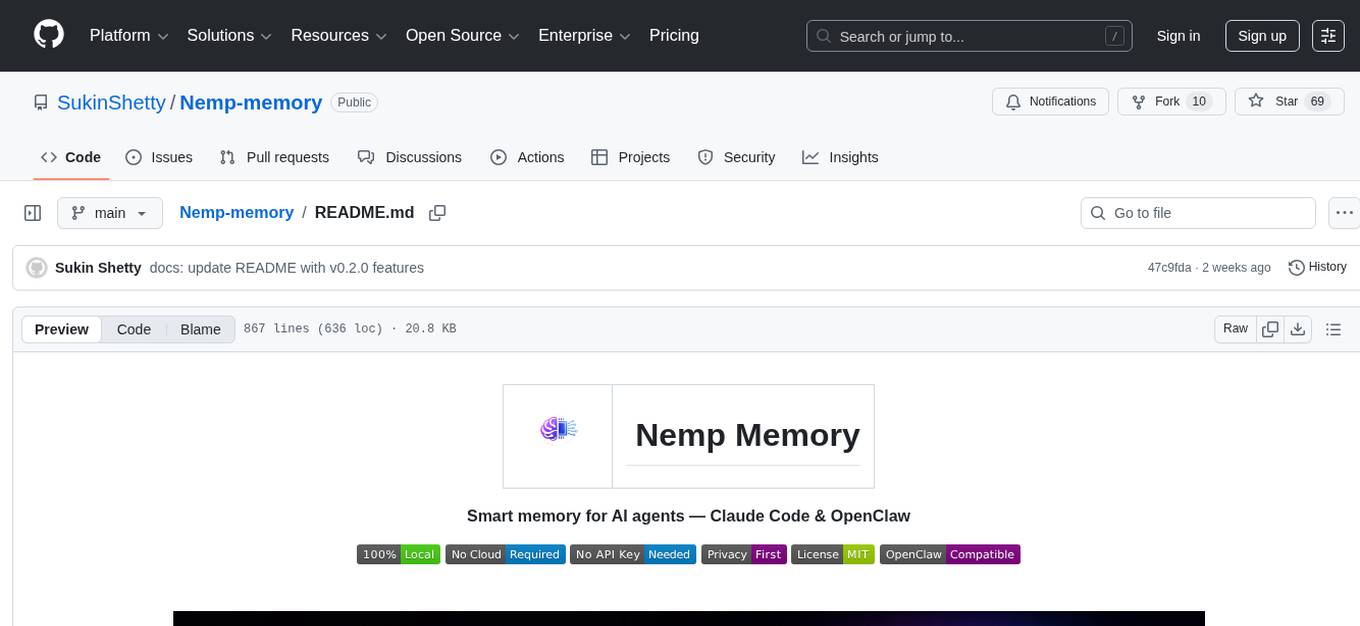
Nemp Memory is a smart memory tool designed for AI agents like Claude Code and OpenClaw. It helps users save and recall project-related information such as tech stack, architecture decisions, project patterns, and daily work updates. Unlike other memory plugins, Nemp is simple to use with zero dependencies, no cloud requirements, and stores data in plain JSON files. It offers features like auto-init to detect project stack, smart context for semantic search, memory suggestions based on user activity, auto-sync to CLAUDE.md for project context updates, two-way sync with CLAUDE.md, and export to CLAUDE.md for full project context. Nemp Memory is privacy-focused, keeping all data local without tracking or cloud storage.
README:








Claude Code forgets everything between sessions. You waste 15-20 minutes every day re-explaining:
- Your tech stack
- Architecture decisions
- Project patterns
- What you worked on yesterday
Other memory plugins exist, but they're complicated:
- Require MCP servers, SQLite databases, or Ollama
- Need cloud accounts and API keys
- Send your code context to their servers
- Need 10+ steps to set up
- Come with web UIs you'll never use
- Store data in formats you can't easily read
Nemp is stupidly simple:
/plugin marketplace add https://github.com/SukinShetty/Nemp-memory
/plugin install nemp
# Done.
Zero dependencies. No cloud. No API keys. Plain JSON files. Just works.
Cross-platform: Works on Claude Code, OpenClaw, and any AgentSkills-compatible platform. One memory store, multiple agents.
| Feature | Other Plugins | Nemp |
|---|---|---|
| Setup | 10+ steps | 2 commands |
| Dependencies | SQLite, Ollama, web servers | None |
| Cloud Required | Often yes | No |
| API Key Required | Often yes | No |
| Data Storage | Binary databases, cloud | Plain JSON |
| Privacy | Data may leave your machine | 100% Local |
| Auto-detect Stack | No | Yes |
| Proactive Suggestions | No | Yes |
| Auto-sync to CLAUDE.md | No | Yes |
| Two-way CLAUDE.md sync | No | Yes |
| Conflict detection | No | Yes |
| Works Offline | Sometimes | Always |
| Cost | Free to $19/month | Free Forever |
| Feature | Description |
|---|---|
| Agent ID Tracking | Every memory records which agent wrote it — main, nemp-init, backend, etc. |
| Access Logs | All read/write/delete operations logged to .nemp/access.log with timestamps and agent names |
/nemp:log Command |
View the full audit trail. Filter by agent, tail recent entries, or clear the log |
| Token Compression |
/nemp:save compresses values before storing — ~70% smaller, preserves all technical terms |
/nemp:init Optimized |
Single bash scan, reads only package.json, writes all memories in one operation |
| MEMORY.md Index | Auto-generated index at .nemp/MEMORY.md with agent attribution and quick overview |
Unique to Nemp: Auto-detects your entire stack in one command.

/nemp:initThat's it. Nemp scans your project and automatically detects:
- Framework (Next.js, React, Vue, etc.)
- Language & config (TypeScript, strict mode)
- Database & ORM (Prisma, Drizzle, MongoDB)
- Auth solution (NextAuth, Clerk, Supabase)
- Styling (Tailwind, styled-components)
- Package manager (npm, yarn, pnpm, bun)
Example output:
Scanning your project...
I found:

Framework: Next.js 14 (App Router detected)
Language: TypeScript (strict mode enabled)
Database: PostgreSQL via Prisma
Auth: NextAuth.js
Styling: Tailwind CSS
Package Manager: npm

Saved 6 memories in 2 seconds
Claude now knows your stack forever.
Why this matters:
- New team members: Zero onboarding
- Context switching: Instant project recall
- No manual documentation needed
Unique to Nemp: Semantic search that understands what you're looking for.

/nemp:context authNemp doesn't just search for "auth" — it expands to:
- authentication, login, session, jwt, oauth, nextauth, clerk, token, passport, credentials...
Example output:
FOUND 3 MEMORIES MATCHING "auth"

auth-provider [KEY MATCH]
  NextAuth.js with JWT strategy

auth-tokens [KEY + VALUE MATCH]
  15min access tokens, 7day refresh

auth-middleware [KEY MATCH]
  Protects all /api routes except /auth/*

Quick actions:
/nemp:recall auth-provider    # View details
/nemp:context database        # Search database
Why this matters:
- No scrolling through old chats
- Context appears in < 1 second
- Finds related memories automatically
Unique to Nemp: Nemp watches your work and proactively suggests memories.

/nemp:suggestExample output:
NEMP MEMORY SUGGESTIONS
Based on your recent activity patterns:

#1  auth-approach                              PRIORITY: HIGH

DRAFTED FOR YOU:
  Authentication: JWT tokens, 15min access,
  7day refresh. Files: login.ts, session.ts,
  middleware.ts in auth/ directory

WHY SUGGESTED:
You edited 3 auth files 7+ times in 30 minutes.
This pattern is worth remembering.

[1] Save  [E] Edit  [S] Skip
What it detects:
- Files edited frequently (3+ times)
- New packages installed (npm install)
- Directory patterns (auth/, api/, components/)
- Command patterns (test before commit)
- Time-based focus (30+ min sessions)
Why this matters:
- Nemp drafts memories FOR you
- Zero cognitive load
- Captures patterns you'd miss
Unique to Nemp: Your CLAUDE.md updates itself every time you save a memory.
/nemp:auto-sync onThat's it. From this point:
-
/nemp:saveadds a memory → CLAUDE.md updates automatically -
/nemp:initdetects your stack → CLAUDE.md updates automatically -
/nemp:forgetremoves a memory → CLAUDE.md updates automatically
You never manually edit the project context section of CLAUDE.md again.
What it looks like:
/nemp:save testing "test-gated success with pass@k evaluation"

✓ Memory saved: testing
  Value: "test-gated success with pass@k evaluation"
  Location: .nemp/memories.json (project)
  Total memories: 12
  ✓ CLAUDE.md synced
Your CLAUDE.md now has two parts:
- Top: Your rules (written by you, never touched by Nemp)
- Bottom: Project context (auto-generated by Nemp, always current)
Why this matters:
- Two commands on day 1. Zero commands after that.
- CLAUDE.md stays accurate without you thinking about it
- New session? Claude already knows your full project context
Unique to Nemp: Reads FROM your CLAUDE.md and writes BACK to it.
/nemp:syncWhat it does:
Direction 1 — Imports your manually written CLAUDE.md notes into Nemp. Now those notes become searchable with /nemp:context.
Direction 2 — Checks your actual project files (package.json, config files) against what CLAUDE.md says. If something doesn't match, Nemp catches it.
Example:
/nemp:sync

Imported from CLAUDE.md: 2 new memories
⚠️ Conflict: CLAUDE.md says Prisma, but package.json shows Drizzle
CLAUDE.md updated: ✓
Total memories: 15
Why this matters:
- Catches outdated context before Claude uses wrong information
- Already using CLAUDE.md? Nemp makes your existing notes searchable
- Never worry about stale project context again
Unique to Nemp: Generates the project context section of CLAUDE.md from your saved memories.
/nemp:exportNemp reads all your saved memories, organizes them by category, and writes a clean project context section into CLAUDE.md.
Example output in CLAUDE.md:
## Project Context (via Nemp Memory)
> Auto-generated by Nemp Memory. Last updated: 2026-02-04 19:10

### Tech Stack
| Key | Value |
|-----|-------|
| **stack** | Next.js 15 with TypeScript |
| **database** | PostgreSQL via Drizzle |
| **auth** | NextAuth.js with JWT |
Why this matters:
- Don't want to write CLAUDE.md by hand? One command writes it for you
- Clean, organized, professional format
- Your manually written rules at the top stay untouched
# Step 1: Add the marketplace
/plugin marketplace add https://github.com/SukinShetty/Nemp-memory

# Step 2: Install the plugin
/plugin install nempWindows sometimes has issues with the marketplace command due to path handling. If you see errors like ENOENT or spawn git ENOENT, try this:
# Use the full GitHub URL directly
/plugin marketplace add https://github.com/SukinShetty/Nemp-memory.git

# Then install
/plugin install nemp
If that still fails, use Method 3 below.
For users who encounter persistent marketplace issues:
# Step 1: Navigate to Claude's plugins directory
cd ~/.claude/plugins/marketplaces

# Step 2: Clone the repository directly
git clone https://github.com/SukinShetty/Nemp-memory.git nemp-memory

# Step 3: Restart Claude Code
exit
claude

# Step 4: Install the plugin
/plugin install nemp
Verify it's working:
/nemp:listYou should see "No memories saved yet" or a list of your memories.
Step 1: Restart Claude Code
exit
claude
Step 2: Verify installation
/plugin list
# Should show: nemp@nemp-memory
Step 3: Clean reinstall
/plugin uninstall nemp
/plugin marketplace remove nemp-memory
exit
claude
/plugin marketplace add https://github.com/SukinShetty/Nemp-memory
/plugin install nemp
exit
claudeIf you see an error like:
Error: EPERM: operation not permitted, open 'C:\Users\...'
What's happening: Windows is blocking file access, often due to antivirus or file locks.
Fix it:
Step 1: Close any programs that might have the file open (VS Code, File Explorer)
Step 2: Run Claude Code as Administrator
- Right-click on your terminal (PowerShell/CMD)
- Select "Run as administrator"
- Try the command again
Step 3: If still failing, check Windows Defender
- Open Windows Security → Virus & threat protection
- Click "Manage settings" under Virus & threat protection settings
- Add your project folder to exclusions (scroll to "Exclusions")
Step 4: Verify it worked
/nemp:list
# Should show your memories without errorsIf you type /nemp:save and nothing happens, or you see:
Unknown command: nemp:save
What's happening: The plugin isn't loaded or registered properly.
Fix it:
Step 1: Check if the plugin is installed
/plugin listYou should see nemp in the list. If not, continue to Step 2.
Step 2: Reinstall the plugin
/plugin marketplace add https://github.com/SukinShetty/Nemp-memory
/plugin install nemp
Step 3: Restart Claude Code (required!)
exit
claude
Step 4: Verify commands are available
/nemp:list
# Should work now
Still not working? Try a clean reinstall:
/plugin uninstall nemp
/plugin marketplace remove nemp-memory
exit
claude
/plugin marketplace add https://github.com/SukinShetty/Nemp-memory
/plugin install nemp
exit
claudeIf you see errors like:
Error: Failed to clone marketplace repository
fatal: could not read from remote repository
or
Error: Repository not found
What's happening: Git can't access the GitHub repository.
Fix it:
Step 1: Check your internet connection
ping github.comStep 2: Verify Git is installed
git --version
# Should show: git version 2.x.x
If Git isn't installed, download it from git-scm.com
Step 3: Try cloning manually to test access
git clone https://github.com/SukinShetty/Nemp-memory.git ~/test-nempIf this fails, you may have:
- Firewall blocking GitHub
- Corporate proxy issues
- GitHub rate limiting
Step 4: For corporate networks/proxies, configure Git
git config --global http.proxy http://your-proxy:portStep 5: Once Git works, retry installation
/plugin marketplace add https://github.com/SukinShetty/Nemp-memory
/plugin install nemp
exit
claudeIf the plugin appears installed but commands don't work:
/plugin list
# Shows: nemp@nemp-memory ✓

/nemp:list
# But this does nothing or shows error
What's happening: The plugin files exist but aren't being loaded by Claude Code.
Fix it:
Step 1: Clear the plugin cache
# On Mac/Linux:
rm -rf ~/.claude/plugins/cache/nemp*

# On Windows (PowerShell):
Remove-Item -Recurse -Force "$env:USERPROFILE\.claude\plugins\cache\nemp*"
Step 2: Restart Claude Code
exit
claude
Step 3: If still not working, check for corrupted installation
/plugin uninstall nemp
/plugin marketplace remove nemp-memory
Step 4: Clear all plugin data and reinstall fresh
# On Mac/Linux:
rm -rf ~/.claude/plugins/nemp*
rm -rf ~/.claude/marketplace/nemp*

# On Windows (PowerShell):
Remove-Item -Recurse -Force "$env:USERPROFILE\.claude\plugins\nemp*"
Remove-Item -Recurse -Force "$env:USERPROFILE\.claude\marketplace\nemp*"
Step 5: Restart and reinstall
exit
claude
/plugin marketplace add https://github.com/SukinShetty/Nemp-memory
/plugin install nemp
exit
claude
Step 6: Verify everything works
/plugin list
# Should show: nemp@nemp-memory

/nemp:list
# Should show your memories (or empty list if new install)Remove plugin:
/plugin uninstall nemp
/plugin marketplace remove nemp-memory
Delete all data (optional):
# Delete project memories
rm -rf .nemp

# Delete global memories
rm -rf ~/.nemp
Note: Deleting .nemp folders removes ALL saved memories permanently.
- Check Claude Code version (requires v2.0+)
- Clear cache:
rm -rf ~/.claude/plugins/cache/nemp* - Open an issue on GitHub
# Get Started
/nemp:init                    # Auto-detect stack (unique!)

# Basic Memory
/nemp:save <key> <value>      # Save memory
/nemp:recall <key>            # Get memory
/nemp:list                    # List all
/nemp:forget <key>            # Delete memory

# Smart Features
/nemp:context <keyword>       # Smart search (unique!)
/nemp:suggest                 # Get AI suggestions (unique!)
/nemp:suggest --auto          # Auto-save HIGH priority

# CLAUDE.md Integration
/nemp:auto-sync on/off        # Auto-update CLAUDE.md (game changer!)
/nemp:sync                    # Two-way sync with CLAUDE.md
/nemp:export                  # Generate CLAUDE.md from memories

# Audit Trail (v0.2.0)
/nemp:log                     # View access log (reads, writes, deletes)
/nemp:log --agent backend     # Filter by agent
/nemp:log --tail 50           # Show last 50 entries

# Global (Cross-Project)
/nemp:save-global <key> <value>
/nemp:list-global

# Activity (Optional)
/nemp:auto-capture on/off     # Enable tracking
/nemp:activity # View logNemp Memory runs natively as an OpenClaw skill. Same persistent memory, same commands, different platform.

1. Copy Nemp into OpenClaw's workspace skills:
git clone https://github.com/SukinShetty/Nemp-memory.git <your-openclaw-workspace>/skills/nemp-memoryDefault workspace path:
-
Windows:
C:\Users\<you>\.openclaw\workspace\skills\nemp-memory -
macOS/Linux:
~/.openclaw/workspace/skills/nemp-memory
2. Add the SKILL.md (required for OpenClaw to recognize the skill):
The SKILL.md file is included in the repo. If it's missing, create one at the root of the nemp-memory folder:
---
name: nemp-memory
description: Persistent local memory for AI agents. Save, recall, and search project decisions as local JSON. Zero cloud, zero infrastructure.
metadata: {"openclaw": {"always": true}}
---
3. Restart OpenClaw and verify:
Do you see nemp-memory in your skills?
Save memories from Claude Code → recall them from OpenClaw.
Save from OpenClaw → recall from Claude Code.
Same .nemp/memories.json. Same commands. Zero cloud.
OpenClaw uses the same AgentSkills standard as Claude Code. Nemp's memory commands are plain file operations on local JSON — no platform-specific APIs. If your agent can read and write files, Nemp works.
# Day 1, new dev runs:
/nemp:init

# Claude instantly knows:
- Tech stack
- Database setup
- Auth approach
- Project structure

Time saved: 2 hours -> 2 seconds# Project A
cd ~/client-a
/nemp:recall stack
-> "Next.js, Stripe, PostgreSQL"
# Project B
cd ~/client-b
/nemp:recall stack
-> "React, Supabase, Tailwind"
Each project remembers itself./nemp:save api-design "RESTful not GraphQL - team decision 2024-01-15"
# 3 months later:
/nemp:context api
-> Instant recall, no Slack archaeologyEverything local. No cloud. No tracking.
.nemp/
  memories.json          # Your project memories
  access.log             # Read/write/delete audit trail
  config.json            # Plugin configuration
  MEMORY.md              # Auto-generated memory index
  activity.log           # Activity tracking (optional)

~/.nemp/
  memories.json          # Global memories
Human-readable JSON:
{
  "key": "auth-provider",
  "value": "NextAuth.js with JWT",
  "created": "2026-01-31T12:00:00Z",
  "updated": "2026-02-11T14:00:00Z",
  "agent_id": "nemp-init"
}
You own your data. Delete anytime:
rm -rf .nempWhy privacy matters:
- Your code contains business logic
- API keys and secrets in your context
- Competitive advantages in your architecture
- Compliance requirements (HIPAA, SOC2, etc.)
Nemp keeps it all on your machine. Always.
Want to add framework detection or improve suggestions?
See CONTRIBUTING.md for details.
Popular requests:
- Add Svelte/Angular detection
- Improve suggestion algorithms
- Build import/export features
- GitHub Issues: Report bugs or request features
- Email: [email protected]
- Discord: Coming Soon
MIT © 2026 Sukin Shetty
Open source. Free forever. Use however you want.
Love Nemp? Here's how you can help:
⭐ Star this repo – Helps other developers discover Nemp 🐛 Report bugs – Make Nemp better for everyone 💡 Share your use case – Tweet @sukin_s with #NempMemory 🔀 Contribute code – See contributing guidelines
Join the community:
- 💬 Discord: Coming Soon
- 🐦 Twitter: @sukin_s
- 💼 LinkedIn: Sukin Shetty
Every star motivates us to build better features!
Built with care by Sukin Shetty
LinkedIn • X/Twitter • [email protected]
Stop repeating yourself. Start coding faster.
For Tasks:
Click tags to check more tools for each tasksFor Jobs:
Alternative AI tools for Nemp-memory
Similar Open Source Tools
Nemp-memory
Nemp Memory is a smart memory tool designed for AI agents like Claude Code and OpenClaw. It helps users save and recall project-related information such as tech stack, architecture decisions, project patterns, and daily work updates. Unlike other memory plugins, Nemp is simple to use with zero dependencies, no cloud requirements, and stores data in plain JSON files. It offers features like auto-init to detect project stack, smart context for semantic search, memory suggestions based on user activity, auto-sync to CLAUDE.md for project context updates, two-way sync with CLAUDE.md, and export to CLAUDE.md for full project context. Nemp Memory is privacy-focused, keeping all data local without tracking or cloud storage.

LEANN
LEANN is an innovative vector database that democratizes personal AI, transforming your laptop into a powerful RAG system that can index and search through millions of documents using 97% less storage than traditional solutions without accuracy loss. It achieves this through graph-based selective recomputation and high-degree preserving pruning, computing embeddings on-demand instead of storing them all. LEANN allows semantic search of file system, emails, browser history, chat history, codebase, or external knowledge bases on your laptop with zero cloud costs and complete privacy. It is a drop-in semantic search MCP service fully compatible with Claude Code, enabling intelligent retrieval without changing your workflow.
nanocoder
Nanocoder is a versatile code editor designed for beginners and experienced programmers alike. It provides a user-friendly interface with features such as syntax highlighting, code completion, and error checking. With Nanocoder, you can easily write and debug code in various programming languages, making it an ideal tool for learning, practicing, and developing software projects. Whether you are a student, hobbyist, or professional developer, Nanocoder offers a seamless coding experience to boost your productivity and creativity.
openclaw-dashboard
OpenClaw Dashboard is a beautiful, zero-dependency command center for OpenClaw AI agents. It provides a single local page that collects gateway health, costs, cron status, active sessions, sub-agent runs, model usage, and git log in one place, refreshed automatically without login or external dependencies. It aims to offer an at-a-glance overview layer for users to monitor the health of their OpenClaw setup and make informed decisions quickly without the need to search through log files or run CLI commands.
nosia
Nosia is a self-hosted AI RAG + MCP platform that allows users to run AI models on their own data with complete privacy and control. It integrates the Model Context Protocol (MCP) to connect AI models with external tools, services, and data sources. The platform is designed to be easy to install and use, providing OpenAI-compatible APIs that work seamlessly with existing AI applications. Users can augment AI responses with their documents, perform real-time streaming, support multi-format data, enable semantic search, and achieve easy deployment with Docker Compose. Nosia also offers multi-tenancy for secure data separation.
vibesdk
Cloudflare VibeSDK is an open source full-stack AI webapp generator built on Cloudflare's developer platform. It allows companies to build AI-powered platforms, enables internal development for non-technical teams, and supports SaaS platforms to extend product functionality. The platform features AI code generation, live previews, interactive chat, modern stack generation, one-click deploy, and GitHub integration. It is built on Cloudflare's platform with frontend in React + Vite, backend in Workers with Durable Objects, database in D1 (SQLite) with Drizzle ORM, AI integration via multiple LLM providers, sandboxed app previews and execution in containers, and deployment to Workers for Platforms with dispatch namespaces. The platform also offers an SDK for programmatic access to build apps programmatically using TypeScript SDK.
OrChat
OrChat is a powerful CLI tool for chatting with AI models through OpenRouter. It offers features like universal model access, interactive chat with real-time streaming responses, rich markdown rendering, agentic shell access, security gating, performance analytics, command auto-completion, pricing display, auto-update system, multi-line input support, conversation management, auto-summarization, session persistence, web scraping, file and media support, smart thinking mode, conversation export, customizable themes, interactive input features, and more.
pocketpaw
PocketPaw is a lightweight and user-friendly tool designed for managing and organizing your digital assets. It provides a simple interface for users to easily categorize, tag, and search for files across different platforms. With PocketPaw, you can efficiently organize your photos, documents, and other files in a centralized location, making it easier to access and share them. Whether you are a student looking to organize your study materials, a professional managing project files, or a casual user wanting to declutter your digital space, PocketPaw is the perfect solution for all your file management needs.
claude-code-telegram
Claude Code Telegram Bot is a Telegram bot that connects to Claude Code, offering a conversational AI interface for codebases. Users can chat naturally with Claude to analyze, edit, or explain code, maintain context across conversations, code on the go, receive proactive notifications, and stay secure with authentication and audit logging. The bot supports two interaction modes: Agentic Mode for natural language interaction and Classic Mode for a terminal-like interface. It features event-driven automation, working features like directory sandboxing and git integration, and planned enhancements like a plugin system. Security measures include access control, directory isolation, rate limiting, input validation, and webhook authentication.
figma-console-mcp
Figma Console MCP is a Model Context Protocol server that bridges design and development, giving AI assistants complete access to Figma for extraction, creation, and debugging. It connects AI assistants like Claude to Figma, enabling plugin debugging, visual debugging, design system extraction, design creation, variable management, real-time monitoring, and three installation methods. The server offers 53+ tools for NPX and Local Git setups, while Remote SSE provides read-only access with 16 tools. Users can create and modify designs with AI, contribute to projects, or explore design data. The server supports authentication via personal access tokens and OAuth, and offers tools for navigation, console debugging, visual debugging, design system extraction, design creation, design-code parity, variable management, and AI-assisted design creation.
text-extract-api
The text-extract-api is a powerful tool that allows users to convert images, PDFs, or Office documents to Markdown text or JSON structured documents with high accuracy. It is built using FastAPI and utilizes Celery for asynchronous task processing, with Redis for caching OCR results. The tool provides features such as PDF/Office to Markdown and JSON conversion, improving OCR results with LLama, removing Personally Identifiable Information from documents, distributed queue processing, caching using Redis, switchable storage strategies, and a CLI tool for task management. Users can run the tool locally or on cloud services, with support for GPU processing. The tool also offers an online demo for testing purposes.
RepairAgent
RepairAgent is an autonomous LLM-based agent for automated program repair targeting the Defects4J benchmark. It uses an LLM-driven loop to localize, analyze, and fix Java bugs. The tool requires Docker, VS Code with Dev Containers extension, OpenAI API key, disk space of ~40 GB, and internet access. Users can get started with RepairAgent using either VS Code Dev Container or Docker Image. Running RepairAgent involves checking out the buggy project version, autonomous bug analysis, fix candidate generation, and testing against the project's test suite. Users can configure hyperparameters for budget control, repetition handling, commands limit, and external fix strategy. The tool provides output structure, experiment overview, individual analysis scripts, and data on fixed bugs from the Defects4J dataset.
farfalle
Farfalle is an open-source AI-powered search engine that allows users to run their own local LLM or utilize the cloud. It provides a tech stack including Next.js for frontend, FastAPI for backend, Tavily for search API, Logfire for logging, and Redis for rate limiting. Users can get started by setting up prerequisites like Docker and Ollama, and obtaining API keys for Tavily, OpenAI, and Groq. The tool supports models like llama3, mistral, and gemma. Users can clone the repository, set environment variables, run containers using Docker Compose, and deploy the backend and frontend using services like Render and Vercel.

ebook2audiobook
ebook2audiobook is a CPU/GPU converter tool that converts eBooks to audiobooks with chapters and metadata using tools like Calibre, ffmpeg, XTTSv2, and Fairseq. It supports voice cloning and a wide range of languages. The tool is designed to run on 4GB RAM and provides a new v2.0 Web GUI interface for user-friendly interaction. Users can convert eBooks to text format, split eBooks into chapters, and utilize high-quality text-to-speech functionalities. Supported languages include Arabic, Chinese, English, French, German, Hindi, and many more. The tool can be used for legal, non-DRM eBooks only and should be used responsibly in compliance with applicable laws.
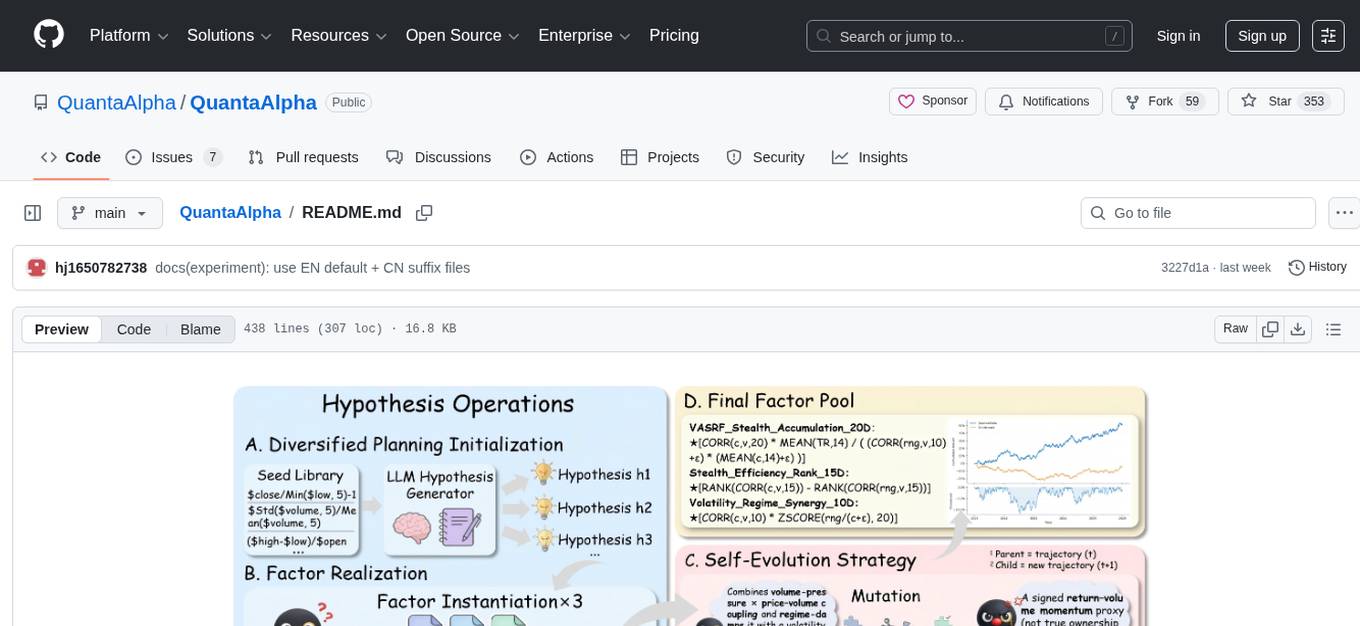
QuantaAlpha
QuantaAlpha is a framework designed for factor mining in quantitative alpha research. It combines LLM intelligence with evolutionary strategies to automatically mine, evolve, and validate alpha factors through self-evolving trajectories. The framework provides a trajectory-based approach with diversified planning initialization and structured hypothesis-code constraint. Users can describe their research direction and observe the automatic factor mining process. QuantaAlpha aims to transform how quantitative alpha factors are discovered by leveraging advanced technologies and self-evolving methodologies.
openwhispr
OpenWhispr is an open source desktop dictation application that converts speech to text using OpenAI Whisper. It features both local and cloud processing options for maximum flexibility and privacy. The application supports multiple AI providers, customizable hotkeys, agent naming, and various AI processing models. It offers a modern UI built with React 19, TypeScript, and Tailwind CSS v4, and is optimized for speed using Vite and modern tooling. Users can manage settings, view history, configure API keys, and download/manage local Whisper models. The application is cross-platform, supporting macOS, Windows, and Linux, and offers features like automatic pasting, draggable interface, global hotkeys, and compound hotkeys.
For similar tasks
Nemp-memory
Nemp Memory is a smart memory tool designed for AI agents like Claude Code and OpenClaw. It helps users save and recall project-related information such as tech stack, architecture decisions, project patterns, and daily work updates. Unlike other memory plugins, Nemp is simple to use with zero dependencies, no cloud requirements, and stores data in plain JSON files. It offers features like auto-init to detect project stack, smart context for semantic search, memory suggestions based on user activity, auto-sync to CLAUDE.md for project context updates, two-way sync with CLAUDE.md, and export to CLAUDE.md for full project context. Nemp Memory is privacy-focused, keeping all data local without tracking or cloud storage.
For similar jobs

sweep
Sweep is an AI junior developer that turns bugs and feature requests into code changes. It automatically handles developer experience improvements like adding type hints and improving test coverage.

teams-ai
The Teams AI Library is a software development kit (SDK) that helps developers create bots that can interact with Teams and Microsoft 365 applications. It is built on top of the Bot Framework SDK and simplifies the process of developing bots that interact with Teams' artificial intelligence capabilities. The SDK is available for JavaScript/TypeScript, .NET, and Python.

ai-guide
This guide is dedicated to Large Language Models (LLMs) that you can run on your home computer. It assumes your PC is a lower-end, non-gaming setup.

classifai
Supercharge WordPress Content Workflows and Engagement with Artificial Intelligence. Tap into leading cloud-based services like OpenAI, Microsoft Azure AI, Google Gemini and IBM Watson to augment your WordPress-powered websites. Publish content faster while improving SEO performance and increasing audience engagement. ClassifAI integrates Artificial Intelligence and Machine Learning technologies to lighten your workload and eliminate tedious tasks, giving you more time to create original content that matters.

chatbot-ui
Chatbot UI is an open-source AI chat app that allows users to create and deploy their own AI chatbots. It is easy to use and can be customized to fit any need. Chatbot UI is perfect for businesses, developers, and anyone who wants to create a chatbot.

BricksLLM
BricksLLM is a cloud native AI gateway written in Go. Currently, it provides native support for OpenAI, Anthropic, Azure OpenAI and vLLM. BricksLLM aims to provide enterprise level infrastructure that can power any LLM production use cases. Here are some use cases for BricksLLM: * Set LLM usage limits for users on different pricing tiers * Track LLM usage on a per user and per organization basis * Block or redact requests containing PIIs * Improve LLM reliability with failovers, retries and caching * Distribute API keys with rate limits and cost limits for internal development/production use cases * Distribute API keys with rate limits and cost limits for students

uAgents
uAgents is a Python library developed by Fetch.ai that allows for the creation of autonomous AI agents. These agents can perform various tasks on a schedule or take action on various events. uAgents are easy to create and manage, and they are connected to a fast-growing network of other uAgents. They are also secure, with cryptographically secured messages and wallets.

griptape
Griptape is a modular Python framework for building AI-powered applications that securely connect to your enterprise data and APIs. It offers developers the ability to maintain control and flexibility at every step. Griptape's core components include Structures (Agents, Pipelines, and Workflows), Tasks, Tools, Memory (Conversation Memory, Task Memory, and Meta Memory), Drivers (Prompt and Embedding Drivers, Vector Store Drivers, Image Generation Drivers, Image Query Drivers, SQL Drivers, Web Scraper Drivers, and Conversation Memory Drivers), Engines (Query Engines, Extraction Engines, Summary Engines, Image Generation Engines, and Image Query Engines), and additional components (Rulesets, Loaders, Artifacts, Chunkers, and Tokenizers). Griptape enables developers to create AI-powered applications with ease and efficiency.