


nosia
Self-hosted AI RAG + MCP Platform
Stars: 201
Nosia is a self-hosted AI RAG + MCP platform that allows users to run AI models on their own data with complete privacy and control. It integrates the Model Context Protocol (MCP) to connect AI models with external tools, services, and data sources. The platform is designed to be easy to install and use, providing OpenAI-compatible APIs that work seamlessly with existing AI applications. Users can augment AI responses with their documents, perform real-time streaming, support multi-format data, enable semantic search, and achieve easy deployment with Docker Compose. Nosia also offers multi-tenancy for secure data separation.
README:
Self-hosted AI RAG + MCP Platform
Nosia is a platform that allows you to run AI models on your own data with complete privacy and control. Beyond traditional RAG capabilities, Nosia integrates the Model Context Protocol (MCP) to connect AI models with external tools, services, and data sources. It is designed to be easy to install and use, providing OpenAI-compatible APIs that work seamlessly with existing AI applications.
- 🔒 Private & Secure - Your data stays on your infrastructure
- 🤖 OpenAI-Compatible API - Drop-in replacement for OpenAI clients
- 📚 RAG-Powered - Augment AI responses with your documents
- 🔌 MCP Integration - Connect AI to external tools and services via Model Context Protocol
- 🔄 Real-time Streaming - Server-sent events for live responses
- 📄 Multi-format Support - PDFs, text files, websites, and Q&A pairs
- 🎯 Semantic Search - Vector similarity search with pgvector
- 🐳 Easy Deployment - Docker Compose with one-command setup
- 🔑 Multi-tenancy - Account-based isolation for secure data separation
curl -fsSL https://get.nosia.ai | shdocker compose up -dhttps://nosia.localhost
- 📖 Nosia Guides - Step-by-step tutorials
- 🏗️ Architecture Documentation - Technical deep dive
- 💬 Community Support - Get help
- 📐 Architecture - Detailed system design and implementation
- 📊 System Diagrams - Visual representations of system components
- 🚀 Deployment Guide - Production deployment strategies and best practices
- 📋 Documentation Index - Complete documentation overview
- 🤝 Code of Conduct - Community guidelines
- Quickstart
- Configuration
- Using Nosia
- Managing Your Installation
- Troubleshooting
- Contributing
- License
Get Nosia up and running in minutes on macOS, Debian, or Ubuntu.
- macOS, Debian, or Ubuntu operating system
- Internet connection
- sudo/root access (for Docker installation if needed)
The installation script will:
- Install Docker and Docker Compose if not already present
- Download Nosia configuration files
- Generate a secure
.envfile - Pull all required Docker images
curl -fsSL https://get.nosia.ai | shYou should see the following output:
Setting up prerequisites
Setting up Nosia
Generating .env file
Pulling latest Nosia
[+] Pulling 6/6
 ✔ llm Pulled
 ✔ embedding Pulled
 ✔ web Pulled
 ✔ reverse-proxy Pulled
 ✔ postgres-db Pulled
 ✔ solidq Pulled
Start all services with:
docker compose up
# OR run in the background
docker compose up -dOnce started, access Nosia at:
-
Web Interface:
https://nosia.localhost -
API Endpoint:
https://nosia.localhost/v1
Note: The default installation uses a self-signed SSL certificate. Your browser will show a security warning on first access. For production deployments, see the Deployment Guide for proper SSL certificate configuration.
By default, Nosia uses:
-
Completion model:
ai/granite-4.0-h-tiny -
Embeddings model:
ai/granite-embedding-multilingual
You can use any completion model available on Docker Hub AI by setting the LLM_MODEL environment variable during installation.
Example with Granite 4.0 32B:
curl -fsSL https://get.nosia.ai | LLM_MODEL=ai/granite-4.0-h-small shModel options:
-
ai/granite-4.0-h-micro- 3B long-context instruct model by IBM -
ai/granite-4.0-h-tiny- 7B long-context instruct model by IBM (default) -
ai/granite-4.0-h-small- 32B long-context instruct model by IBM -
ai/mistral- Efficient open model (7B) with top-tier performance and fast inference by Mistral AI -
ai/magistral-small-3.2- 24B multimodal instruction model by Mistral AI -
ai/devstral-small- Agentic coding LLM (24B) fine-tuned from Mistral-Small 3.1 by Mistral AI -
ai/llama3.3- Meta's Llama 3.3 model -
ai/gemma3- Google's Gemma 3 model -
ai/qwen3- Alibaba's Qwen 3 model -
ai/deepseek-r1-distill-llama- DeepSeek's distilled Llama model - Browse more at Docker Hub AI
By default, Nosia uses ai/granite-embedding-multilingual for generating document embeddings.
To change the embeddings model:
-
Update the environment variables in your
.envfile:EMBEDDING_MODEL=your-preferred-embedding-model EMBEDDING_DIMENSIONS=768 # Adjust based on your model's output dimensions -
Restart Nosia to apply changes:
docker compose down
docker compose up -d
-
Update existing embeddings (if you have documents already indexed):
docker compose run web bin/rails embeddings:change_dimensions
Important: Different embedding models produce vectors of different dimensions. Ensure
EMBEDDING_DIMENSIONSmatches your model's output size, or vector search will fail.
Docling provides enhanced document processing capabilities for complex PDFs and documents.
To enable Docling:
-
Start Nosia with the Docling serve compose file:
 # For NVIDIA GPUs
docker compose -f docker-compose-docling-serve-nvidia.yml up -d
 # OR for AMD GPUs
docker compose -f docker-compose-docling-serve-amd.yml up -d
 # OR for CPU only
docker compose -f docker-compose-docling-serve-cpu.yml up -d
-
Configure the Docling URL in your
.envfile:DOCLING_SERVE_BASE_URL=http://localhost:5001
This starts a Docling serve instance on port 5001 that Nosia will use for advanced document parsing.
Enable Retrieval Augmented Generation to enhance AI responses with relevant context from your documents.
To enable RAG:
Add to your .env file:
AUGMENTED_CONTEXT=trueWhen enabled, Nosia will:
- Search your document knowledge base for relevant chunks
- Include the most relevant context in the AI prompt
- Generate responses grounded in your specific data
Additional RAG configuration:
RETRIEVAL_FETCH_K=3          # Number of document chunks to retrieve
LLM_TEMPERATURE=0.1 # Lower temperature for more factual responsesNosia validates required environment variables at startup to prevent runtime failures. If any required variables are missing or invalid, the application will fail to start with a clear error message.
| Variable | Description | Example |
|---|---|---|
SECRET_KEY_BASE |
Rails secret key for session encryption | Generate with bin/rails secret
|
AI_BASE_URL |
Base URL for OpenAI-compatible API | http://model-runner.docker.internal/engines/llama.cpp/v1 |
LLM_MODEL |
Language model identifier |
ai/mistral, ai/granite-4.0-h-tiny
|
EMBEDDING_MODEL |
Embedding model identifier | ai/granite-embedding-multilingual |
EMBEDDING_DIMENSIONS |
Embedding vector dimensions |
768, 384, 1536
|
| Variable | Description | Default | Range/Options |
|---|---|---|---|
AI_API_KEY |
API key for the AI service | empty | Any string |
LLM_TEMPERATURE |
Model creativity (lower = more factual) | 0.1 |
0.0 - 2.0
|
LLM_TOP_K |
Top K sampling parameter | 40 |
1 - 100
|
LLM_TOP_P |
Top P (nucleus) sampling | 0.9 |
0.0 - 1.0
|
RETRIEVAL_FETCH_K |
Number of document chunks to retrieve for RAG | 3 |
1 - 10
|
AUGMENTED_CONTEXT |
Enable RAG for chat completions | false |
true, false
|
DOCLING_SERVE_BASE_URL |
Docling document processing service URL | empty | http://localhost:5001 |
See .env.example for a complete list of configuration options.
The installation script automatically generates a .env file. To customize:
-
Edit the
.envfile in your installation directory:nano .env
-
Update values as needed and restart:
docker compose down
docker compose up -d
-
Copy the example environment file:
cp .env.example .env
-
Generate a secure secret key:
SECRET_KEY_BASE=$(bin/rails secret)
echo "SECRET_KEY_BASE=$SECRET_KEY_BASE" >> .env
-
Update other required values in
.env:AI_BASE_URL=http://your-ai-service:11434/v1 LLM_MODEL=ai/mistral EMBEDDING_MODEL=ai/granite-embedding-multilingual EMBEDDING_DIMENSIONS=768
-
Test your configuration:
bin/rails runner "puts 'Configuration valid!'"
If validation fails, you'll see a detailed error message indicating which variables are missing or invalid.
After starting Nosia, access the web interface at https://nosia.localhost:
- Create an account or log in
- Upload documents - PDFs, text files, or add website URLs
- Create Q&A pairs - Add domain-specific knowledge
- Start chatting - Ask questions about your documents
Nosia provides an OpenAI-compatible API that works with existing OpenAI client libraries.
- Log in to Nosia web interface
- Navigate to
https://nosia.localhost/api_tokens - Click "Generate Token" and copy your API key
- Store it securely - it won't be shown again
Configure your OpenAI client to use Nosia:
Python Example:
from openai import OpenAI

client = OpenAI(
    base_url="https://nosia.localhost/v1",
    api_key="your-nosia-api-token"
)

response = client.chat.completions.create(
    model="default",  # Nosia uses your configured model
    messages=[
        {"role": "user", "content": "What is in my documents about AI?"}
    ],
    stream=True
)

for chunk in response:
    if chunk.choices[0].delta.content:
        print(chunk.choices[0].delta.content, end="")
cURL Example:
curl https://nosia.localhost/v1/chat/completions \
  -H "Content-Type: application/json" \
  -H "Authorization: Bearer your-nosia-api-token" \
  -d '{
    "model": "default",
    "messages": [
      {"role": "user", "content": "Summarize my documents"}
    ]
  }'
Node.js Example:
import OpenAI from 'openai';

const client = new OpenAI({
  baseURL: 'https://nosia.localhost/v1',
  apiKey: 'your-nosia-api-token'
});

const response = await client.chat.completions.create({
  model: 'default',
  messages: [
    { role: 'user', content: 'What information do you have about my project?' }
  ]
});

console.log(response.choices[0].message.content);
For more API examples and details, see the API Guide.
Nosia supports the Model Context Protocol (MCP), allowing AI models to interact with external tools, services, and data sources. MCP servers can provide tools, prompts, and resources that extend the AI's capabilities beyond text generation.
The Model Context Protocol is an open protocol that standardizes how applications provide context to Large Language Models (LLMs). MCP enables AI to:
- Execute Tools - Perform actions in external systems (calendars, file storage, databases)
- Access Resources - Read from various data sources in real-time
- Use Prompts - Leverage pre-configured prompt templates
- Extend Capabilities - Add custom functionality without modifying core code
-
Navigate to MCP Settings in the web interface
-
Browse the MCP Catalog - Pre-configured servers for popular services:
- Productivity: Infomaniak Calendar, kDrive file storage
- Communication: kChat messaging
- And more - Extensible catalog of integrations
-
Activate an MCP Server:
- Click on a server from the catalog
- Provide required configuration (API keys, tokens)
- Test the connection
- Enable it for your chats
-
Add MCP to Chat:
- Open or create a chat session
- Select which MCP servers to use
- The AI can now use tools from connected servers
from openai import OpenAI

client = OpenAI(
    base_url="https://nosia.localhost/v1",
    api_key="your-nosia-api-token"
)

# The AI can now use calendar tools if enabled in the chat
response = client.chat.completions.create(
    model="default",
    messages=[
        {"role": "user", "content": "Schedule a meeting tomorrow at 2pm"}
    ]
)

print(response.choices[0].message.content)
When MCP servers are enabled, the AI can:
- Search your calendar for availability
- Create new events
- Access file storage
- Post messages to chat systems
- And execute any tools provided by connected MCP servers
Beyond the catalog, you can add custom MCP servers:
-
Navigate to MCP Settings → Custom Servers
-
Choose transport type:
- stdio - Local processes (NPX, Python scripts)
- SSE - Server-sent events over HTTP
- HTTP - Standard HTTP endpoints
-
Configure connection:
- Provide endpoint or command
- Add authentication credentials
- Test connection
-
Use in chats - Enable the custom server for your conversations
For more details on MCP integration, see the MCP Documentation.
Start all Nosia services:
# Start in foreground (see logs in real-time)
docker compose up

# Start in background (detached mode)
docker compose up -d
Check that all services are running:
docker compose psStop all running services:
# Stop services (keeps data)
docker compose down

# Stop and remove all data (⚠️ destructive)
docker compose down -vKeep Nosia up to date with the latest features and security fixes:
# Pull latest images
docker compose pull

# Restart services with new images
docker compose up -d

# View logs to ensure successful upgrade
docker compose logs -f web
Upgrade checklist:
- Backup your data before upgrading (see Deployment Guide)
- Review release notes for breaking changes
- Pull latest images
- Restart services
- Verify functionality
View logs for troubleshooting:
# All services
docker compose logs -f

# Specific service
docker compose logs -f web
docker compose logs -f postgres-db
docker compose logs -f llm

# Last 100 lines
docker compose logs --tail=100 webVerify Nosia is running correctly:
# Check service status
docker compose ps

# Check web application health
curl -k https://nosia.localhost/up

# Check background jobs
docker compose exec web bin/rails runner "puts SolidQueue::Job.count"Docker not found:
# Verify Docker is installed
docker --version

# Install Docker if needed (Ubuntu/Debian)
curl -fsSL https://get.docker.com | sh
Permission denied:
# Add your user to docker group
sudo usermod -aG docker $USER

# Log out and back in, then try againServices won't start:
# Check logs for errors
docker compose logs

# Verify .env file exists and has required variables
cat .env | grep -E 'SECRET_KEY_BASE|AI_BASE_URL|LLM_MODEL'

# Restart services
docker compose down && docker compose up -d
Slow AI responses:
- Check background jobs:
https://nosia.localhost/jobs - View job logs:
docker compose logs -f solidq
- Ensure your hardware meets minimum requirements (see Deployment Guide)
Can't access web interface:
# Check if services are running
docker compose ps

# Verify reverse-proxy is healthy
docker compose logs reverse-proxy

# Test connectivity
curl -k https://nosia.localhost/up
Database connection errors:
# Check PostgreSQL is running
docker compose ps postgres-db

# View database logs
docker compose logs postgres-db

# Test database connection
docker compose exec web bin/rails runner "ActiveRecord::Base.connection.execute('SELECT 1')"Documents not processing:
- Check background jobs:
https://nosia.localhost/jobs - View processing logs:
docker compose logs -f web
- Verify embedding service is running:
docker compose ps embedding
Embedding errors:
# Verify EMBEDDING_DIMENSIONS matches your model
docker compose exec web bin/rails runner "puts ENV['EMBEDDING_DIMENSIONS']"

# Rebuild embeddings if dimensions changed
docker compose run web bin/rails embeddings:change_dimensions| Issue Type | Log Location | Command |
|---|---|---|
| Installation | ./log/production.log |
tail -f log/production.log |
| Runtime errors | Docker logs | docker compose logs -f web |
| Background jobs | Jobs dashboard | Visit https://nosia.localhost/jobs
|
| Database | PostgreSQL logs | docker compose logs postgres-db |
| AI model | LLM container logs | docker compose logs llm |
If you need further assistance:
-
Check Documentation:
- Architecture Guide - Understand how Nosia works
- Deployment Guide - Advanced configuration
-
Search Existing Issues:
- GitHub Issues
- Someone may have encountered the same problem
-
Open a New Issue:
- Include your Nosia version:
docker compose images | grep web - Describe the problem with steps to reproduce
- Include relevant logs (remove sensitive information)
- Specify your OS and Docker version
- Include your Nosia version:
-
Community Support:
- GitHub Discussions
- Share your use case and get advice from the community
We welcome contributions! Here's how you can help:
- Report bugs - Open an issue with details and reproduction steps
- Suggest features - Share your ideas in GitHub Discussions
- Improve documentation - Submit PRs for clarity and accuracy
- Write code - Fix bugs or implement new features
- Share your experience - Write blog posts or tutorials
See CONTRIBUTING.md if available, or start by opening an issue to discuss your ideas.
Nosia is open source software. See LICENSE for details.
- Website: nosia.ai
- Documentation: guides.nosia.ai
- Source Code: github.com/nosia-ai/nosia
- Docker Hub: hub.docker.com/u/ai
Built with ❤️ by the Nosia community
For Tasks:
Click tags to check more tools for each tasksFor Jobs:
Alternative AI tools for nosia
Similar Open Source Tools
nosia
Nosia is a self-hosted AI RAG + MCP platform that allows users to run AI models on their own data with complete privacy and control. It integrates the Model Context Protocol (MCP) to connect AI models with external tools, services, and data sources. The platform is designed to be easy to install and use, providing OpenAI-compatible APIs that work seamlessly with existing AI applications. Users can augment AI responses with their documents, perform real-time streaming, support multi-format data, enable semantic search, and achieve easy deployment with Docker Compose. Nosia also offers multi-tenancy for secure data separation.

LEANN
LEANN is an innovative vector database that democratizes personal AI, transforming your laptop into a powerful RAG system that can index and search through millions of documents using 97% less storage than traditional solutions without accuracy loss. It achieves this through graph-based selective recomputation and high-degree preserving pruning, computing embeddings on-demand instead of storing them all. LEANN allows semantic search of file system, emails, browser history, chat history, codebase, or external knowledge bases on your laptop with zero cloud costs and complete privacy. It is a drop-in semantic search MCP service fully compatible with Claude Code, enabling intelligent retrieval without changing your workflow.
UCAgent
UCAgent is an AI-powered automated UT verification agent for chip design. It automates chip verification workflow, supports functional and code coverage analysis, ensures consistency among documentation, code, and reports, and collaborates with mainstream Code Agents via MCP protocol. It offers three intelligent interaction modes and requires Python 3.11+, Linux/macOS OS, 4GB+ memory, and access to an AI model API. Users can clone the repository, install dependencies, configure qwen, and start verification. UCAgent supports various verification quality improvement options and basic operations through TUI shortcuts and stage color indicators. It also provides documentation build and preview using MkDocs, PDF manual build using Pandoc + XeLaTeX, and resources for further help and contribution.
pentagi
PentAGI is an innovative tool for automated security testing that leverages cutting-edge artificial intelligence technologies. It is designed for information security professionals, researchers, and enthusiasts who need a powerful and flexible solution for conducting penetration tests. The tool provides secure and isolated operations in a sandboxed Docker environment, fully autonomous AI-powered agent for penetration testing steps, a suite of 20+ professional security tools, smart memory system for storing research results, web intelligence for gathering information, integration with external search systems, team delegation system, comprehensive monitoring and reporting, modern interface, API integration, persistent storage, scalable architecture, self-hosted solution, flexible authentication, and quick deployment through Docker Compose.
sim
Sim is a platform that allows users to build and deploy AI agent workflows quickly and easily. It provides cloud-hosted and self-hosted options, along with support for local AI models. Users can set up the application using Docker Compose, Dev Containers, or manual setup with PostgreSQL and pgvector extension. The platform utilizes technologies like Next.js, Bun, PostgreSQL with Drizzle ORM, Better Auth for authentication, Shadcn and Tailwind CSS for UI, Zustand for state management, ReactFlow for flow editor, Fumadocs for documentation, Turborepo for monorepo management, Socket.io for real-time communication, and Trigger.dev for background jobs.
CodeRAG
CodeRAG is an AI-powered code retrieval and assistance tool that combines Retrieval-Augmented Generation (RAG) with AI to provide intelligent coding assistance. It indexes your entire codebase for contextual suggestions based on your complete project, offering real-time indexing, semantic code search, and contextual AI responses. The tool monitors your code directory, generates embeddings for Python files, stores them in a FAISS vector database, matches user queries against the code database, and sends retrieved code context to GPT models for intelligent responses. CodeRAG also features a Streamlit web interface with a chat-like experience for easy usage.
zcf
ZCF (Zero-Config Claude-Code Flow) is a tool that provides zero-configuration, one-click setup for Claude Code with bilingual support, intelligent agent system, and personalized AI assistant. It offers an interactive menu for easy operations and direct commands for quick execution. The tool supports bilingual operation with automatic language switching and customizable AI output styles. ZCF also includes features like BMad Workflow for enterprise-grade workflow system, Spec Workflow for structured feature development, CCR (Claude Code Router) support for proxy routing, and CCometixLine for real-time usage tracking. It provides smart installation, complete configuration management, and core features like professional agents, command system, and smart configuration. ZCF is cross-platform compatible, supports Windows and Termux environments, and includes security features like dangerous operation confirmation mechanism.
auto-engineer
Auto Engineer is a tool designed to automate the Software Development Life Cycle (SDLC) by building production-grade applications with a combination of human and AI agents. It offers a plugin-based architecture that allows users to install only the necessary functionality for their projects. The tool guides users through key stages including Flow Modeling, IA Generation, Deterministic Scaffolding, AI Coding & Testing Loop, and Comprehensive Quality Checks. Auto Engineer follows a command/event-driven architecture and provides a modular plugin system for specific functionalities. It supports TypeScript with strict typing throughout and includes a built-in message bus server with a web dashboard for monitoring commands and events.
uLoopMCP
uLoopMCP is a Unity integration tool designed to let AI drive your Unity project forward with minimal human intervention. It provides a 'self-hosted development loop' where an AI can compile, run tests, inspect logs, and fix issues using tools like compile, run-tests, get-logs, and clear-console. It also allows AI to operate the Unity Editor itself—creating objects, calling menu items, inspecting scenes, and refining UI layouts from screenshots via tools like execute-dynamic-code, execute-menu-item, and capture-window. The tool enables AI-driven development loops to run autonomously inside existing Unity projects.
airstore
Airstore is a filesystem for AI agents that adds any source of data into a virtual filesystem, allowing users to connect services like Gmail, GitHub, Linear, and more, and describe data needs in plain English. Results are presented as files that can be read by Claude Code. Features include smart folders for natural language queries, integrations with various services, executable MCP servers, team workspaces, and local mode operation on user infrastructure. Users can sign up, connect integrations, create smart folders, install the CLI, mount the filesystem, and use with Claude Code to perform tasks like summarizing invoices, identifying unpaid invoices, and extracting data into CSV format.
ps-fuzz
The Prompt Fuzzer is an open-source tool that helps you assess the security of your GenAI application's system prompt against various dynamic LLM-based attacks. It provides a security evaluation based on the outcome of these attack simulations, enabling you to strengthen your system prompt as needed. The Prompt Fuzzer dynamically tailors its tests to your application's unique configuration and domain. The Fuzzer also includes a Playground chat interface, giving you the chance to iteratively improve your system prompt, hardening it against a wide spectrum of generative AI attacks.
RepairAgent
RepairAgent is an autonomous LLM-based agent for automated program repair targeting the Defects4J benchmark. It uses an LLM-driven loop to localize, analyze, and fix Java bugs. The tool requires Docker, VS Code with Dev Containers extension, OpenAI API key, disk space of ~40 GB, and internet access. Users can get started with RepairAgent using either VS Code Dev Container or Docker Image. Running RepairAgent involves checking out the buggy project version, autonomous bug analysis, fix candidate generation, and testing against the project's test suite. Users can configure hyperparameters for budget control, repetition handling, commands limit, and external fix strategy. The tool provides output structure, experiment overview, individual analysis scripts, and data on fixed bugs from the Defects4J dataset.

mcp-devtools
MCP DevTools is a high-performance server written in Go that replaces multiple Node.js and Python-based servers. It provides access to essential developer tools through a unified, modular interface. The server is efficient, with minimal memory footprint and fast response times. It offers a comprehensive tool suite for agentic coding, including 20+ essential developer agent tools. The tool registry allows for easy addition of new tools. The server supports multiple transport modes, including STDIO, HTTP, and SSE. It includes a security framework for multi-layered protection and a plugin system for adding new tools.
qwen-code
Qwen Code is an open-source AI agent optimized for Qwen3-Coder, designed to help users understand large codebases, automate tedious work, and expedite the shipping process. It offers an agentic workflow with rich built-in tools, a terminal-first approach with optional IDE integration, and supports both OpenAI-compatible API and Qwen OAuth authentication methods. Users can interact with Qwen Code in interactive mode, headless mode, IDE integration, and through a TypeScript SDK. The tool can be configured via settings.json, environment variables, and CLI flags, and offers benchmark results for performance evaluation. Qwen Code is part of an ecosystem that includes AionUi and Gemini CLI Desktop for graphical interfaces, and troubleshooting guides are available for issue resolution.
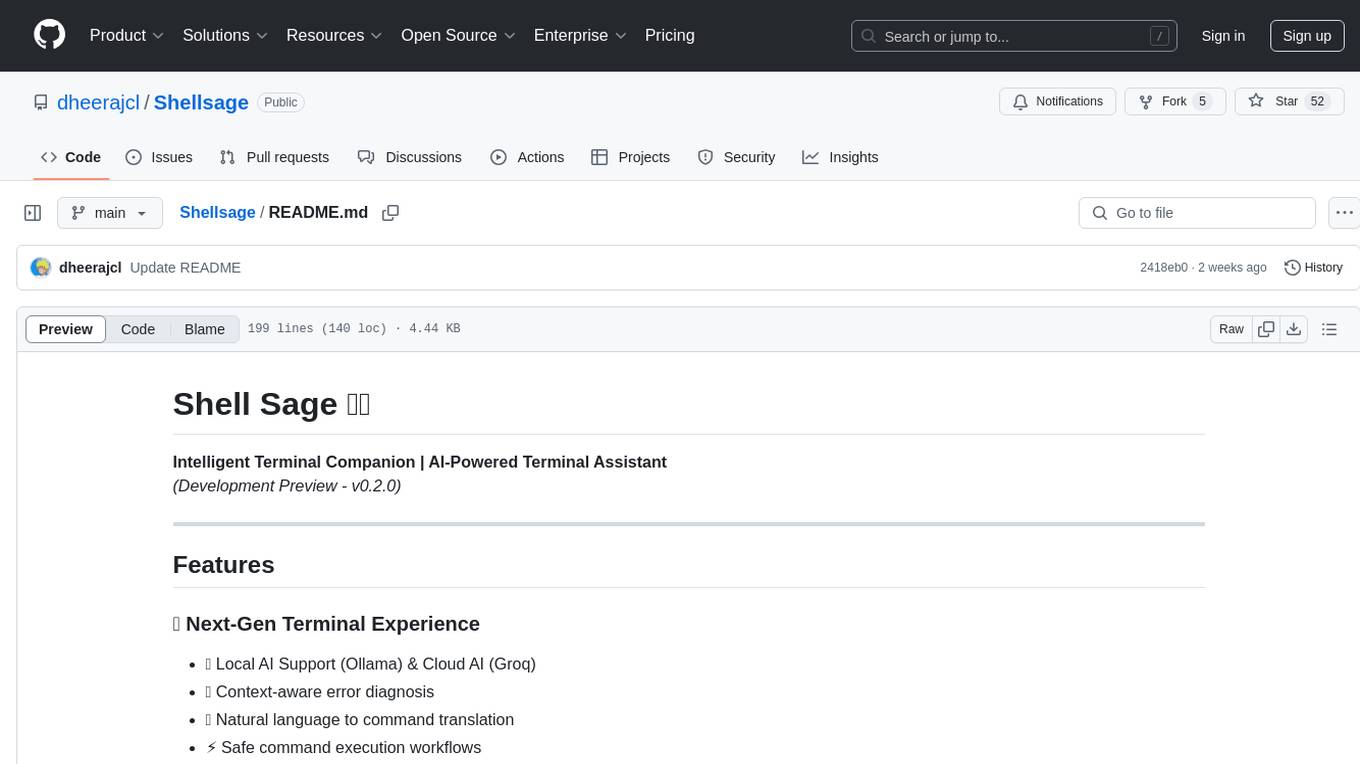
Shellsage
Shell Sage is an intelligent terminal companion and AI-powered terminal assistant that enhances the terminal experience with features like local and cloud AI support, context-aware error diagnosis, natural language to command translation, and safe command execution workflows. It offers interactive workflows, supports various API providers, and allows for custom model selection. Users can configure the tool for local or API mode, select specific models, and switch between modes easily. Currently in alpha development, Shell Sage has known limitations like limited Windows support and occasional false positives in error detection. The roadmap includes improvements like better context awareness, Windows PowerShell integration, Tmux integration, and CI/CD error pattern database.
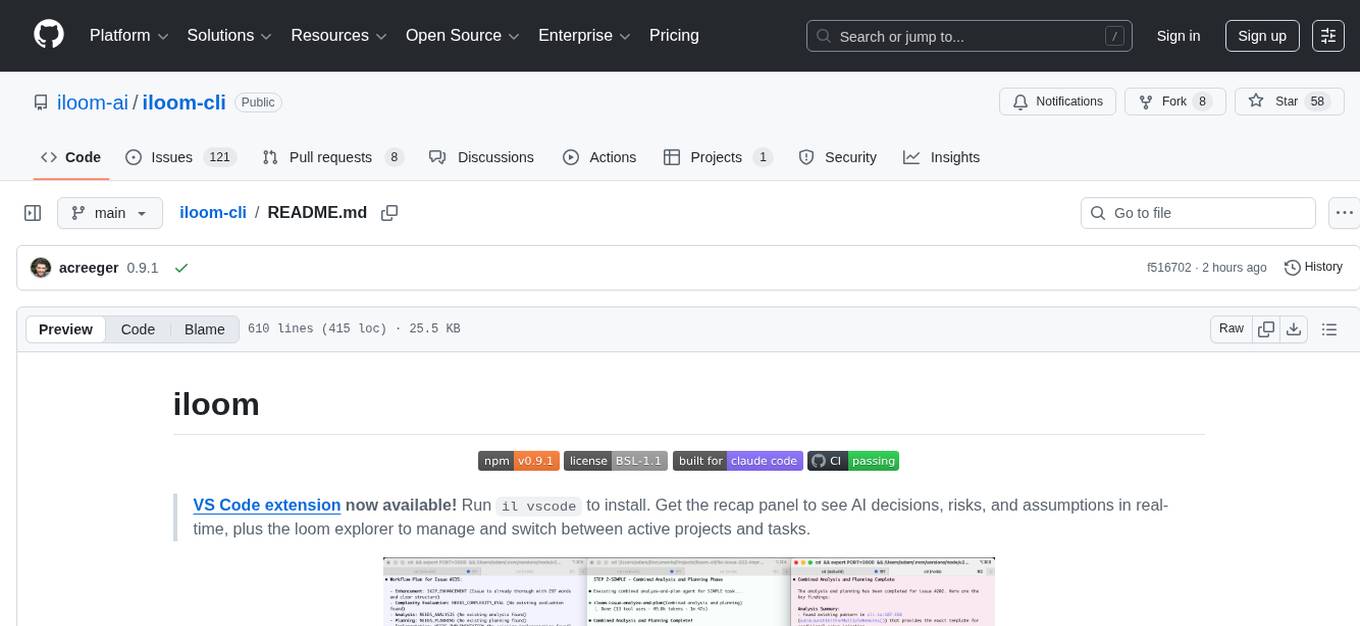
iloom-cli
iloom is a tool designed to streamline AI-assisted development by focusing on maintaining alignment between human developers and AI agents. It treats context as a first-class concern, persisting AI reasoning in issue comments rather than temporary chats. The tool allows users to collaborate with AI agents in an isolated environment, switch between complex features without losing context, document AI decisions publicly, and capture key insights and lessons learned from AI sessions. iloom is not just a tool for managing git worktrees, but a control plane for maintaining alignment between users and their AI assistants.
For similar tasks
document-ai-samples
The Google Cloud Document AI Samples repository contains code samples and Community Samples demonstrating how to analyze, classify, and search documents using Google Cloud Document AI. It includes various projects showcasing different functionalities such as integrating with Google Drive, processing documents using Python, content moderation with Dialogflow CX, fraud detection, language extraction, paper summarization, tax processing pipeline, and more. The repository also provides access to test document files stored in a publicly-accessible Google Cloud Storage Bucket. Additionally, there are codelabs available for optical character recognition (OCR), form parsing, specialized processors, and managing Document AI processors. Community samples, like the PDF Annotator Sample, are also included. Contributions are welcome, and users can seek help or report issues through the repository's issues page. Please note that this repository is not an officially supported Google product and is intended for demonstrative purposes only.
step-free-api
The StepChat Free service provides high-speed streaming output, multi-turn dialogue support, online search support, long document interpretation, and image parsing. It offers zero-configuration deployment, multi-token support, and automatic session trace cleaning. It is fully compatible with the ChatGPT interface. Additionally, it provides seven other free APIs for various services. The repository includes a disclaimer about using reverse APIs and encourages users to avoid commercial use to prevent service pressure on the official platform. It offers online testing links, showcases different demos, and provides deployment guides for Docker, Docker-compose, Render, Vercel, and native deployments. The repository also includes information on using multiple accounts, optimizing Nginx reverse proxy, and checking the liveliness of refresh tokens.
unilm
The 'unilm' repository is a collection of tools, models, and architectures for Foundation Models and General AI, focusing on tasks such as NLP, MT, Speech, Document AI, and Multimodal AI. It includes various pre-trained models, such as UniLM, InfoXLM, DeltaLM, MiniLM, AdaLM, BEiT, LayoutLM, WavLM, VALL-E, and more, designed for tasks like language understanding, generation, translation, vision, speech, and multimodal processing. The repository also features toolkits like s2s-ft for sequence-to-sequence fine-tuning and Aggressive Decoding for efficient sequence-to-sequence decoding. Additionally, it offers applications like TrOCR for OCR, LayoutReader for reading order detection, and XLM-T for multilingual NMT.
searchGPT
searchGPT is an open-source project that aims to build a search engine based on Large Language Model (LLM) technology to provide natural language answers. It supports web search with real-time results, file content search, and semantic search from sources like the Internet. The tool integrates LLM technologies such as OpenAI and GooseAI, and offers an easy-to-use frontend user interface. The project is designed to provide grounded answers by referencing real-time factual information, addressing the limitations of LLM's training data. Contributions, especially from frontend developers, are welcome under the MIT License.
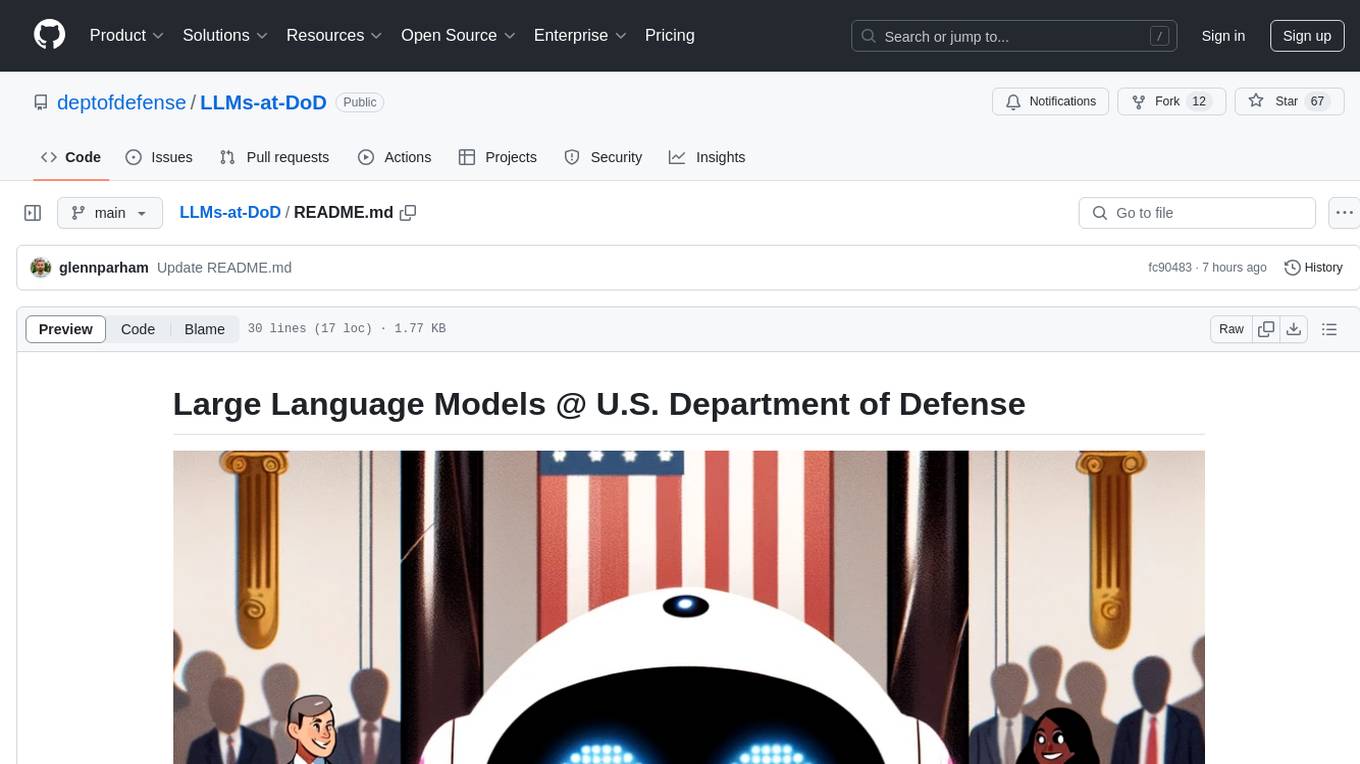
LLMs-at-DoD
This repository contains tutorials for using Large Language Models (LLMs) in the U.S. Department of Defense. The tutorials utilize open-source frameworks and LLMs, allowing users to run them in their own cloud environments. The repository is maintained by the Defense Digital Service and welcomes contributions from users.
LARS
LARS is an application that enables users to run Large Language Models (LLMs) locally on their devices, upload their own documents, and engage in conversations where the LLM grounds its responses with the uploaded content. The application focuses on Retrieval Augmented Generation (RAG) to increase accuracy and reduce AI-generated inaccuracies. LARS provides advanced citations, supports various file formats, allows follow-up questions, provides full chat history, and offers customization options for LLM settings. Users can force enable or disable RAG, change system prompts, and tweak advanced LLM settings. The application also supports GPU-accelerated inferencing, multiple embedding models, and text extraction methods. LARS is open-source and aims to be the ultimate RAG-centric LLM application.
EAGLE
Eagle is a family of Vision-Centric High-Resolution Multimodal LLMs that enhance multimodal LLM perception using a mix of vision encoders and various input resolutions. The model features a channel-concatenation-based fusion for vision experts with different architectures and knowledge, supporting up to over 1K input resolution. It excels in resolution-sensitive tasks like optical character recognition and document understanding.
erag
ERAG is an advanced system that combines lexical, semantic, text, and knowledge graph searches with conversation context to provide accurate and contextually relevant responses. This tool processes various document types, creates embeddings, builds knowledge graphs, and uses this information to answer user queries intelligently. It includes modules for interacting with web content, GitHub repositories, and performing exploratory data analysis using various language models.
For similar jobs

sweep
Sweep is an AI junior developer that turns bugs and feature requests into code changes. It automatically handles developer experience improvements like adding type hints and improving test coverage.

teams-ai
The Teams AI Library is a software development kit (SDK) that helps developers create bots that can interact with Teams and Microsoft 365 applications. It is built on top of the Bot Framework SDK and simplifies the process of developing bots that interact with Teams' artificial intelligence capabilities. The SDK is available for JavaScript/TypeScript, .NET, and Python.

ai-guide
This guide is dedicated to Large Language Models (LLMs) that you can run on your home computer. It assumes your PC is a lower-end, non-gaming setup.

classifai
Supercharge WordPress Content Workflows and Engagement with Artificial Intelligence. Tap into leading cloud-based services like OpenAI, Microsoft Azure AI, Google Gemini and IBM Watson to augment your WordPress-powered websites. Publish content faster while improving SEO performance and increasing audience engagement. ClassifAI integrates Artificial Intelligence and Machine Learning technologies to lighten your workload and eliminate tedious tasks, giving you more time to create original content that matters.

chatbot-ui
Chatbot UI is an open-source AI chat app that allows users to create and deploy their own AI chatbots. It is easy to use and can be customized to fit any need. Chatbot UI is perfect for businesses, developers, and anyone who wants to create a chatbot.

BricksLLM
BricksLLM is a cloud native AI gateway written in Go. Currently, it provides native support for OpenAI, Anthropic, Azure OpenAI and vLLM. BricksLLM aims to provide enterprise level infrastructure that can power any LLM production use cases. Here are some use cases for BricksLLM: * Set LLM usage limits for users on different pricing tiers * Track LLM usage on a per user and per organization basis * Block or redact requests containing PIIs * Improve LLM reliability with failovers, retries and caching * Distribute API keys with rate limits and cost limits for internal development/production use cases * Distribute API keys with rate limits and cost limits for students

uAgents
uAgents is a Python library developed by Fetch.ai that allows for the creation of autonomous AI agents. These agents can perform various tasks on a schedule or take action on various events. uAgents are easy to create and manage, and they are connected to a fast-growing network of other uAgents. They are also secure, with cryptographically secured messages and wallets.

griptape
Griptape is a modular Python framework for building AI-powered applications that securely connect to your enterprise data and APIs. It offers developers the ability to maintain control and flexibility at every step. Griptape's core components include Structures (Agents, Pipelines, and Workflows), Tasks, Tools, Memory (Conversation Memory, Task Memory, and Meta Memory), Drivers (Prompt and Embedding Drivers, Vector Store Drivers, Image Generation Drivers, Image Query Drivers, SQL Drivers, Web Scraper Drivers, and Conversation Memory Drivers), Engines (Query Engines, Extraction Engines, Summary Engines, Image Generation Engines, and Image Query Engines), and additional components (Rulesets, Loaders, Artifacts, Chunkers, and Tokenizers). Griptape enables developers to create AI-powered applications with ease and efficiency.