


OrChat
A powerful, feature-rich command-line interface for interacting with AI models through OpenRouter.
Stars: 73
OrChat is a powerful CLI tool for chatting with AI models through OpenRouter. It offers features like universal model access, interactive chat with real-time streaming responses, rich markdown rendering, agentic shell access, security gating, performance analytics, command auto-completion, pricing display, auto-update system, multi-line input support, conversation management, auto-summarization, session persistence, web scraping, file and media support, smart thinking mode, conversation export, customizable themes, interactive input features, and more.
README:






🚀 Installation • ✨ Features • 💬 Chat Commands • 🗂️ Conversation Management • 📁 File Attachment • 🧠 Thinking Mode • ⚙️ Configuration • 🔍 Troubleshooting • 🤝 Contributing
A powerful CLI for chatting with AI models through OpenRouter with streaming responses, token tracking, auto-update checking, multi-line input, conversation management with AI-generated summaries, and extensive customization options.
🔗 Core Features
- Universal Model Access: Connect to any AI model available on OpenRouter with dynamic model retrieval
- Interactive Chat: Enjoy a smooth conversation experience with real-time streaming responses
- Rich Markdown Rendering: View formatted text, code blocks, tables and more directly in your terminal
-
Agentic Shell Access: The assistant can request commands via
[EXECUTE: ...], with human approval and contextual output injection - Security Gating: Every command request shows a color-coded risk panel (safe/warning/critical) before you choose to run it
- Performance Analytics: Track token usage, response times, and total cost with accurate API-reported counts
- Command Auto-completion: Intelligent command suggestions, prompt history navigation, and inline auto-suggest while typing
- Pricing Display: Real-time pricing information displayed during active chat sessions
- Auto-Update System: Automatic update checking at startup with pip integration
-
Multi-line Input Support: Compose multi-paragraph messages with
Esc+Enterand visual feedback - Conversation Management: Save, list, and resume conversations with AI-generated topic summaries
- Auto-Summarization: Intelligently summarizes old messages instead of trimming them to preserve context within token limits
- Session Persistence: Resume conversations exactly where you left off with full context
- Web Scraping: Fetch and analyze web content directly in your conversations with automatic URL detection
📎 File & Media Support
-
Smart File Picker: Attach files anywhere in your message using
@(e.g.,analyze @myfile.py) - Attachment Preview: See filename, type, and size before injecting content into the conversation
- Multimodal Support: Share images and various file types with compatible AI models
- Enhanced File Processing: Better error handling, security validation (10 MB limit), and path sanitation
- Web Content Scraping: Fetch and inject web content from URLs with automatic detection and clean markdown conversion
🧠 Advanced Features
- Smart Thinking Mode: See the AI's reasoning process with compatible models
- Conversation Export: Save conversations as Markdown, HTML, or JSON (the supported formats in-app)
- Smart Context Management: Automatically summarizes or trims history to stay within token limits
- AI Session Summaries: Generates short, meaningful names for saved sessions
- Customizable Themes: Choose from different visual themes for your terminal
⌨️ Interactive Input Features
-
Multi-line Input: Use
Esc+Enterto toggle multi-line mode, with status indicator and seamless toggling - Command History Navigation: Press ↑/↓ arrow keys to cycle through previous prompts and commands
- History Search: Use Ctrl+R to search through your prompt history with keywords
- Automatic Command Completion: Start typing "/" and command suggestions appear instantly - no Tab key needed!
- Auto-Suggest from History: Previous commands and prompts appear as grey suggestions as you type
-
Smart File Picker: Use
@anywhere in your message for inline file selection with auto-completion and previews - Double Ctrl+C Exit: Press Ctrl+C twice within 2 seconds to gracefully exit the chat session
💡 How Auto-Completion Works:
- Type
/→ All available commands appear automatically - Type
/c→ Filters to commands starting with 'c' (clear, cls, clear-screen, etc.) - Type
/temp→ Shows/temperaturecommand - Type
/think→ Shows/thinkingand/thinking-modecommands - No Tab key required - completions appear as you type!
💡 How File Picker Works:
- Type
@anywhere in your message to open the file picker - Choose files interactively with inline metadata previews
- Insert filenames naturally into your prompt, e.g.,
examine @test.py and check for errors - File picker works anywhere in your message, not just at the beginning
💡 How to Exit:
- Press Ctrl+C once → Shows "Press Ctrl+C again to exit" message
- Press Ctrl+C again within 2 seconds → Gracefully exits the chat
- This prevents accidental exits while allowing quick termination when needed
🛡️ Command Execution Workflow
OrChat now supports secure, agentic shell access so the AI can help you explore your project without ever leaving the terminal.
-
Structured Requests: The assistant emits
[EXECUTE: your_command]inside its response when it needs shell access. -
Risk Panel: OrChat classifies the command (Safe 🟢, Warning 🟠, Critical 🔴) based on keywords such as
rm,pip install, etc., and shows the OS context plus the exact command. -
Explicit Approval: You must confirm with
y/n. Declining keeps the conversation going; the AI is notified that access was denied. - Sandboxed Execution: Approved commands run through your native shell with a 30-second timeout, capturing both stdout and stderr (truncated after 5 000 chars to protect context length).
- Automatic Feedback: Results are added back to the conversation so the AI can reason over the output immediately.
This flow keeps you in control while still giving the model the ability to dir, find, grep, or run tests when you approve it.
📦 Installation Methods
pip install orchat# Run the application
orchatgit clone https://github.com/oop7/OrChat.git
cd OrChat
pip install -e .
# Run directly (development)
python -m orchat.main📋 Prerequisites
- Python 3.9 or higher
- An OpenRouter API key (get one at OpenRouter.ai)
- Optional: fzf +
pyfzffor fuzzy model selection
🏁 Getting Started
- Install OrChat using one of the methods above
- Run the setup wizard
- After a PyPI install:
orchat --setup
- From a cloned repository:
python -m orchat.main --setup
- After a PyPI install:
- Enter your OpenRouter API key when prompted
- Select your preferred AI model and configure settings
- Start chatting!
🪛 Add-Ons
-
Install fzf and pyfzf
- Install pyfzf
pip install pyfzf
- Fzf can be downloaded from https://github.com/junegunn/fzf?tab=readme-ov-file#installation
- Install pyfzf
-
Ensure fzf is in your path
-
From now on, the model selection will use fzf for powerful fuzzy search and filtering capabilities!
Note: If fzf is not installed, OrChat will automatically fall back to standard model selection.
🔧 Configuration Methods
OrChat can be configured in multiple ways:
-
Setup Wizard: Run
orchat --setup(orpython -m orchat.main --setupinside the repo) for interactive configuration -
Config File: Edit the
config.inifile in the application directory -
Environment Variables: Create a
.envfile with your configuration - System Environment Variables: Set environment variables directly in your system (recommended for security)
Enhanced Environment Support: OrChat now supports system/user environment variables, removing the strict requirement for .env files.
📄 Configuration Examples
Example .env file:
OPENROUTER_API_KEY=your_api_key_here
Example config.ini structure:
[API]
OPENROUTER_API_KEY = your_api_key_here

[SETTINGS]
MODEL = anthropic/claude-3-opus
TEMPERATURE = 0.7
SYSTEM_INSTRUCTIONS = You are a helpful AI assistant.
THEME = default
MAX_TOKENS = 8000
AUTOSAVE_INTERVAL = 300
STREAMING = True
THINKING_MODE = False
🖥️ Command-Line Options
-
--setup: Run the setup wizard -
--model MODEL: Specify the model to use (e.g.,--model "anthropic/claude-3-opus") -
--task {creative,coding,analysis,chat}: Optimize for a specific task type -
--image PATH: Analyze an image file
| Command | Description |
|---|---|
/help |
Show available commands |
/new |
Start a new conversation |
/clear |
Clear conversation history |
/cls or /clear-screen
|
Clear the terminal screen |
/save [format] |
Save conversation (formats: md, html, json) |
/chat list |
List saved conversations with human-readable summaries |
/chat save |
Save current conversation with auto-generated summary |
/chat resume <session> |
Resume a saved conversation by name or ID |
/model |
Change the AI model |
/temperature <0.0-2.0> |
Adjust temperature setting |
/system |
View or change system instructions |
/tokens |
Show token usage statistics (now API-accurate) |
/speed |
Show response time statistics |
/theme <theme> |
Change the color theme (default, dark, light, hacker) |
/thinking |
Show last AI thinking process |
/thinking-mode |
Toggle thinking mode on/off |
/auto-summarize |
Toggle auto-summarization of old messages |
/web <url> |
Scrape and inject web content into context |
/about |
Show information about OrChat |
/update |
Check for updates |
/settings |
View current settings |
| Ctrl+C (twice) | Exit the chat (press twice within 2 seconds) |
📋 Session Management
OrChat provides powerful conversation management with human-readable session summaries:
Commands:
-
/chat list- View all saved conversations with meaningful names -
/chat save- Save current conversation with auto-generated topic summary -
/chat resume <session>- Resume any saved conversation by name or ID
Features:
- Smart Summarization: Uses AI to generate 2-4 word topic summaries (e.g., "python_coding", "travel_advice", "cooking_tips")
- Fallback Detection: Automatically detects topics like coding, travel, cooking, career advice
- Dual Storage: Saves both human-readable summaries and original timestamp IDs
- Easy Resume: Resume conversations using either the summary name or original ID
Example Session List:
Saved sessions:
general_chat (20250906_141133)
python_coding (20250906_140945)
travel_advice (20250906_140812)
cooking_tips (20250906_140734)
📎 Basic Usage
Attach files naturally in your messages using the smart file picker:
analyze @path/to/your/file.ext for issues
examine @script.py and explain its logic
- Use
@anywhere in your message to attach a file with preview and validation
✨ Enhanced Features
-
Inline Auto-Completion: Type
@and continue typing to filter files; relative paths expand automatically - Metadata Preview: Panel shows filename, extension, and size before injection
- Improved Error Handling: Clear messages for missing files, oversized attachments, or unsupported types
- Security Validation: Built-in file size (10 MB) and type checks with sanitized filenames
- Web Content Bridge: URLs inside your message can be scraped and attached alongside local files
📋 Supported File Types
- Images: JPG, PNG, GIF, WEBP, BMP (rendered with multimodal-friendly data URLs)
- Code Files: Python, JavaScript, Java, C++, TypeScript, Swift, etc. (wrapped in fenced code blocks)
- Text Documents: TXT, MD, CSV (raw text included)
- Data Files: JSON, XML (fenced blocks for readability)
- Web Files: HTML, CSS (inlined for context)
- PDFs: Metadata only (the assistant is told a PDF was provided)
🔗 Basic Usage
Fetch and analyze web content directly in your conversations:
/web https://example.com
Or simply paste a URL in your message and OrChat will automatically detect it and offer to scrape the content:
check out this article: https://example.com/article
✨ Features
- Automatic URL Detection: Paste URLs anywhere in your messages and get prompted to scrape them
- Clean Markdown Conversion: Web content is converted to readable markdown format
- Smart Content Extraction: Removes scripts, styles, navigation, and other non-essential elements
- Multiple URL Support: Handle multiple URLs in a single message
- Content Preview: See a preview of scraped content before it's injected into context
- Flexible Options: Choose to scrape selected URLs or all detected URLs at once
📋 Supported Content Types
- HTML Pages: Automatically converted to clean, readable markdown
- JSON Data: Displayed with proper formatting
- Plain Text: Rendered as-is for easy reading
- Articles & Documentation: Main content extracted automatically
🎯 Basic Usage
OrChat can display the AI's reasoning process with enhanced thinking mode:
/thinking-mode       # Toggle thinking mode on/off
/thinking            # Show the most recent thinking process
This feature allows you to see how the AI approached your question before giving its final answer. Auto Thinking Mode automatically enables this feature when you select models with reasoning support.
✨ Enhanced Features
- Improved Detection: Better extraction of thinking content from model responses
- Model Compatibility: Automatic handling of models that don't support thinking mode
- Visual Indicators: Clear status indicators showing if thinking mode is enabled
- Flexible Setup: Option to enable/disable during model selection
🎨 Available Themes
Change the visual appearance with the /theme command:
- default: Blue user, green assistant
- dark: Cyan user, magenta assistant
- light: Blue user, green assistant with lighter colors
- hacker: Matrix-inspired green text on black
📊 Smart Context Management
OrChat intelligently manages conversation context to keep within token limits:
- Auto-Summarization (NEW): Instead of simply trimming old messages, OrChat uses AI to create concise summaries of earlier conversation parts, preserving important context while freeing up tokens
- Configurable Threshold: Set when summarization kicks in (default: 70% of token limit)
- Fallback Trimming: If summarization is disabled or fails, automatically trims old messages
- Visual Feedback: Clear notifications when messages are summarized or trimmed
- Displays comprehensive token usage statistics including total tokens and cost tracking
- Shows real-time pricing information during active sessions
- Displays total cost tracking across conversations
- Allows manual clearing of context with
/clear - Toggle auto-summarization with
/auto-summarizecommand
How it works:
- When your conversation approaches the token limit (default: 70%), OrChat automatically summarizes the oldest messages
- The summary preserves key information, decisions, and context in a condensed form
- Recent messages are kept in full to maintain conversation flow
- You can disable this feature and revert to simple trimming with
/auto-summarize
🔄 Version Management
Check for updates with the /update command to see if a newer version is available.
🔍 Common Issues & Solutions
- API Key Issues: Ensure your OpenRouter API key is correctly set in config.ini, .env file, or system environment variables. OrChat will prompt for re-entry if an incorrect key is detected
- Insufficient Account Credit: If you receive a 402 error, check your OpenRouter account balance and add funds as needed
-
Rate Limits (429): Too many rapid requests will trigger a yellow "Rate Limit" panel—wait a few seconds or switch to another model with
/model -
File Path Problems: When attaching files via
@, use quotes for paths with spaces and ensure the path is valid for your OS - Model Compatibility: Some features like thinking mode only work with specific models
-
Conversation Management: Use
/chat listto see saved conversations,/chat saveto save current session, and/chat resume <name>to continue previous conversations -
Command Usage: Remember that
@attachments and/webscraping prompts can appear anywhere inside your message for flexibility
This project is licensed under the MIT License - see the LICENSE file for details.
Contributions are welcome! Feel free to open issues or submit pull requests.
🙏 Special Thanks
- OpenRouter for providing unified API access to AI models
- Rich for the beautiful terminal interface
- All contributors and users who provide feedback and help improve OrChat
For Tasks:
Click tags to check more tools for each tasksFor Jobs:
Alternative AI tools for OrChat
Similar Open Source Tools
OrChat
OrChat is a powerful CLI tool for chatting with AI models through OpenRouter. It offers features like universal model access, interactive chat with real-time streaming responses, rich markdown rendering, agentic shell access, security gating, performance analytics, command auto-completion, pricing display, auto-update system, multi-line input support, conversation management, auto-summarization, session persistence, web scraping, file and media support, smart thinking mode, conversation export, customizable themes, interactive input features, and more.
Groqqle
Groqqle 2.1 is a revolutionary, free AI web search and API that instantly returns ORIGINAL content derived from source articles, websites, videos, and even foreign language sources, for ANY target market of ANY reading comprehension level! It combines the power of large language models with advanced web and news search capabilities, offering a user-friendly web interface, a robust API, and now a powerful Groqqle_web_tool for seamless integration into your projects. Developers can instantly incorporate Groqqle into their applications, providing a powerful tool for content generation, research, and analysis across various domains and languages.
AIPex
AIPex is a revolutionary Chrome extension that transforms your browser into an intelligent automation platform. Using natural language commands and AI-powered intelligence, AIPex can automate virtually any browser task - from complex multi-step workflows to simple repetitive actions. It offers features like natural language control, AI-powered intelligence, multi-step automation, universal compatibility, smart data extraction, precision actions, form automation, visual understanding, developer-friendly with extensive API, and lightning-fast execution of automation tasks.
obsidian-systemsculpt-ai
SystemSculpt AI is a comprehensive AI-powered plugin for Obsidian, integrating advanced AI capabilities into note-taking, task management, knowledge organization, and content creation. It offers modules for brain integration, chat conversations, audio recording and transcription, note templates, and task generation and management. Users can customize settings, utilize AI services like OpenAI and Groq, and access documentation for detailed guidance. The plugin prioritizes data privacy by storing sensitive information locally and offering the option to use local AI models for enhanced privacy.
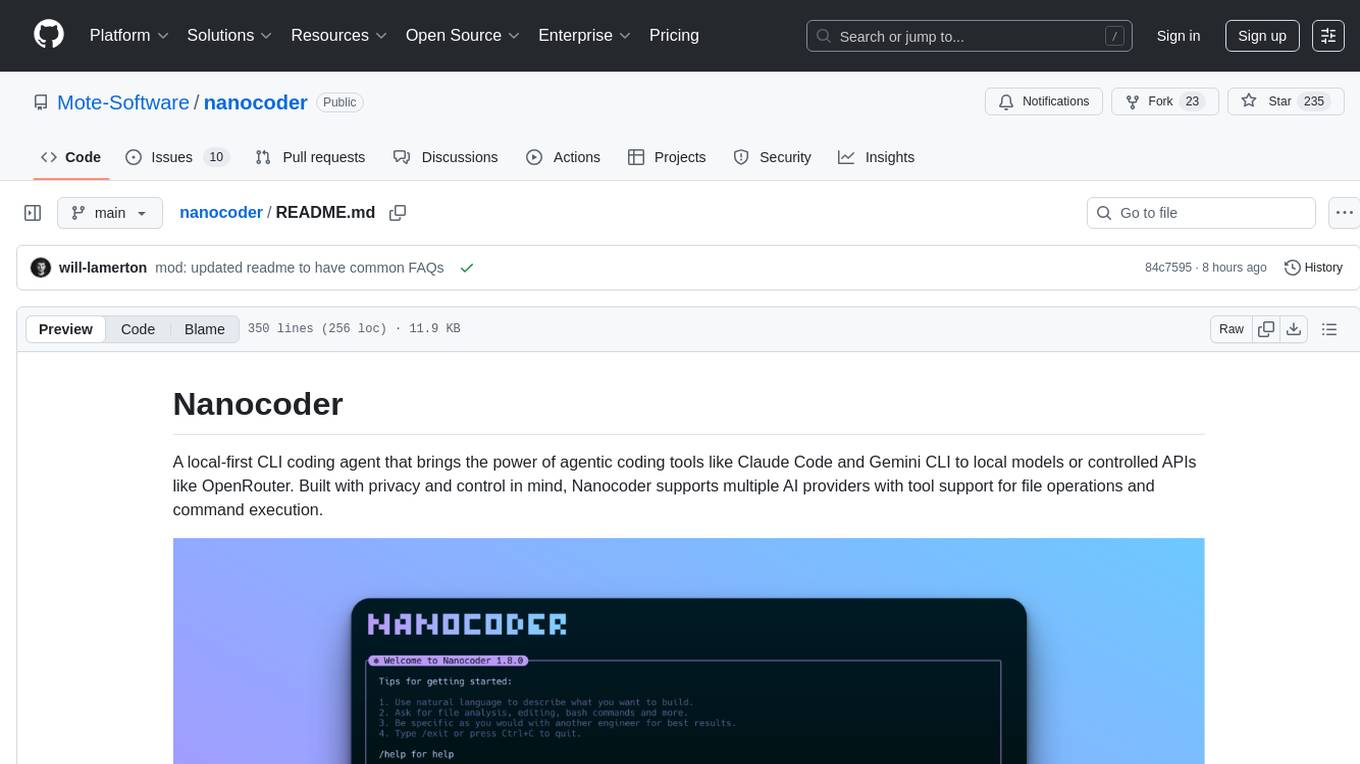
nanocoder
Nanocoder is a local-first CLI coding agent that supports multiple AI providers with tool support for file operations and command execution. It focuses on privacy and control, allowing users to code locally with AI tools. The tool is designed to bring the power of agentic coding tools to local models or controlled APIs like OpenRouter, promoting community-led development and inclusive collaboration in the AI coding space.
DesktopCommanderMCP
Desktop Commander MCP is a server that allows the Claude desktop app to execute long-running terminal commands on your computer and manage processes through Model Context Protocol (MCP). It is built on top of MCP Filesystem Server to provide additional search and replace file editing capabilities. The tool enables users to execute terminal commands with output streaming, manage processes, perform full filesystem operations, and edit code with surgical text replacements or full file rewrites. It also supports vscode-ripgrep based recursive code or text search in folders.
AIClient-2-API
AIClient-2-API is a versatile and lightweight API proxy designed for developers, providing ample free API request quotas and comprehensive support for various mainstream large models like Gemini, Qwen Code, Claude, etc. It converts multiple backend APIs into standard OpenAI format interfaces through a Node.js HTTP server. The project adopts a modern modular architecture, supports strategy and adapter patterns, comes with complete test coverage and health check mechanisms, and is ready to use after 'npm install'. By easily switching model service providers in the configuration file, any OpenAI-compatible client or application can seamlessly access different large model capabilities through the same API address, eliminating the hassle of maintaining multiple sets of configurations for different services and dealing with incompatible interfaces.

easydiffusion
Easy Diffusion 3.0 is a user-friendly tool for installing and using Stable Diffusion on your computer. It offers hassle-free installation, clutter-free UI, task queue, intelligent model detection, live preview, image modifiers, multiple prompts file, saving generated images, UI themes, searchable models dropdown, and supports various image generation tasks like 'Text to Image', 'Image to Image', and 'InPainting'. The tool also provides advanced features such as custom models, merge models, custom VAE models, multi-GPU support, auto-updater, developer console, and more. It is designed for both new users and advanced users looking for powerful AI image generation capabilities.

LEANN
LEANN is an innovative vector database that democratizes personal AI, transforming your laptop into a powerful RAG system that can index and search through millions of documents using 97% less storage than traditional solutions without accuracy loss. It achieves this through graph-based selective recomputation and high-degree preserving pruning, computing embeddings on-demand instead of storing them all. LEANN allows semantic search of file system, emails, browser history, chat history, codebase, or external knowledge bases on your laptop with zero cloud costs and complete privacy. It is a drop-in semantic search MCP service fully compatible with Claude Code, enabling intelligent retrieval without changing your workflow.
pocketpaw
PocketPaw is a lightweight and user-friendly tool designed for managing and organizing your digital assets. It provides a simple interface for users to easily categorize, tag, and search for files across different platforms. With PocketPaw, you can efficiently organize your photos, documents, and other files in a centralized location, making it easier to access and share them. Whether you are a student looking to organize your study materials, a professional managing project files, or a casual user wanting to declutter your digital space, PocketPaw is the perfect solution for all your file management needs.
RealtimeSTT_LLM_TTS
RealtimeSTT is an easy-to-use, low-latency speech-to-text library for realtime applications. It listens to the microphone and transcribes voice into text, making it ideal for voice assistants and applications requiring fast and precise speech-to-text conversion. The library utilizes Voice Activity Detection, Realtime Transcription, and Wake Word Activation features. It supports GPU-accelerated transcription using PyTorch with CUDA support. RealtimeSTT offers various customization options for different parameters to enhance user experience and performance. The library is designed to provide a seamless experience for developers integrating speech-to-text functionality into their applications.
CyberStrikeAI
CyberStrikeAI is an AI-native security testing platform built in Go that integrates 100+ security tools, an intelligent orchestration engine, role-based testing with predefined security roles, a skills system with specialized testing skills, and comprehensive lifecycle management capabilities. It enables end-to-end automation from conversational commands to vulnerability discovery, attack-chain analysis, knowledge retrieval, and result visualization, delivering an auditable, traceable, and collaborative testing environment for security teams. The platform features an AI decision engine with OpenAI-compatible models, native MCP implementation with various transports, prebuilt tool recipes, large-result pagination, attack-chain graph, password-protected web UI, knowledge base with vector search, vulnerability management, batch task management, role-based testing, and skills system.
strava-mcp
Strava MCP Server is a TypeScript implementation of a Model Context Protocol (MCP) server that serves as a bridge to the Strava API. It provides tools for accessing recent activities, detailed activity streams, segments exploration, activity and segment effort information, saved routes details, and route exporting in GPX or TCX format. The server offers AI-friendly JSON responses via MCP and utilizes Strava API V3 for seamless integration. Users can interact with their Strava data through natural language queries and advanced prompts, enabling personalized analysis and visualization of their activities.
g4f.dev
G4f.dev is the official documentation hub for GPT4Free, a free and convenient AI tool with endpoints that can be integrated directly into apps, scripts, and web browsers. The documentation provides clear overviews, quick examples, and deeper insights into the major features of GPT4Free, including text and image generation. Users can choose between Python and JavaScript for installation and setup, and can access various API endpoints, providers, models, and client options for different tasks.
Visionatrix
Visionatrix is a project aimed at providing easy use of ComfyUI workflows. It offers simplified setup and update processes, a minimalistic UI for daily workflow use, stable workflows with versioning and update support, scalability for multiple instances and task workers, multiple user support with integration of different user backends, LLM power for integration with Ollama/Gemini, and seamless integration as a service with backend endpoints and webhook support. The project is approaching version 1.0 release and welcomes new ideas for further implementation.
For similar tasks
OrChat
OrChat is a powerful CLI tool for chatting with AI models through OpenRouter. It offers features like universal model access, interactive chat with real-time streaming responses, rich markdown rendering, agentic shell access, security gating, performance analytics, command auto-completion, pricing display, auto-update system, multi-line input support, conversation management, auto-summarization, session persistence, web scraping, file and media support, smart thinking mode, conversation export, customizable themes, interactive input features, and more.
h2ogpt
h2oGPT is an Apache V2 open-source project that allows users to query and summarize documents or chat with local private GPT LLMs. It features a private offline database of any documents (PDFs, Excel, Word, Images, Video Frames, Youtube, Audio, Code, Text, MarkDown, etc.), a persistent database (Chroma, Weaviate, or in-memory FAISS) using accurate embeddings (instructor-large, all-MiniLM-L6-v2, etc.), and efficient use of context using instruct-tuned LLMs (no need for LangChain's few-shot approach). h2oGPT also offers parallel summarization and extraction, reaching an output of 80 tokens per second with the 13B LLaMa2 model, HYDE (Hypothetical Document Embeddings) for enhanced retrieval based upon LLM responses, a variety of models supported (LLaMa2, Mistral, Falcon, Vicuna, WizardLM. With AutoGPTQ, 4-bit/8-bit, LORA, etc.), GPU support from HF and LLaMa.cpp GGML models, and CPU support using HF, LLaMa.cpp, and GPT4ALL models. Additionally, h2oGPT provides Attention Sinks for arbitrarily long generation (LLaMa-2, Mistral, MPT, Pythia, Falcon, etc.), a UI or CLI with streaming of all models, the ability to upload and view documents through the UI (control multiple collaborative or personal collections), Vision Models LLaVa, Claude-3, Gemini-Pro-Vision, GPT-4-Vision, Image Generation Stable Diffusion (sdxl-turbo, sdxl) and PlaygroundAI (playv2), Voice STT using Whisper with streaming audio conversion, Voice TTS using MIT-Licensed Microsoft Speech T5 with multiple voices and Streaming audio conversion, Voice TTS using MPL2-Licensed TTS including Voice Cloning and Streaming audio conversion, AI Assistant Voice Control Mode for hands-free control of h2oGPT chat, Bake-off UI mode against many models at the same time, Easy Download of model artifacts and control over models like LLaMa.cpp through the UI, Authentication in the UI by user/password via Native or Google OAuth, State Preservation in the UI by user/password, Linux, Docker, macOS, and Windows support, Easy Windows Installer for Windows 10 64-bit (CPU/CUDA), Easy macOS Installer for macOS (CPU/M1/M2), Inference Servers support (oLLaMa, HF TGI server, vLLM, Gradio, ExLLaMa, Replicate, OpenAI, Azure OpenAI, Anthropic), OpenAI-compliant, Server Proxy API (h2oGPT acts as drop-in-replacement to OpenAI server), Python client API (to talk to Gradio server), JSON Mode with any model via code block extraction. Also supports MistralAI JSON mode, Claude-3 via function calling with strict Schema, OpenAI via JSON mode, and vLLM via guided_json with strict Schema, Web-Search integration with Chat and Document Q/A, Agents for Search, Document Q/A, Python Code, CSV frames (Experimental, best with OpenAI currently), Evaluate performance using reward models, and Quality maintained with over 1000 unit and integration tests taking over 4 GPU-hours.
serverless-chat-langchainjs
This sample shows how to build a serverless chat experience with Retrieval-Augmented Generation using LangChain.js and Azure. The application is hosted on Azure Static Web Apps and Azure Functions, with Azure Cosmos DB for MongoDB vCore as the vector database. You can use it as a starting point for building more complex AI applications.
react-native-vercel-ai
Run Vercel AI package on React Native, Expo, Web and Universal apps. Currently React Native fetch API does not support streaming which is used as a default on Vercel AI. This package enables you to use AI library on React Native but the best usage is when used on Expo universal native apps. On mobile you get back responses without streaming with the same API of `useChat` and `useCompletion` and on web it will fallback to `ai/react`
LLamaSharp
LLamaSharp is a cross-platform library to run 🦙LLaMA/LLaVA model (and others) on your local device. Based on llama.cpp, inference with LLamaSharp is efficient on both CPU and GPU. With the higher-level APIs and RAG support, it's convenient to deploy LLM (Large Language Model) in your application with LLamaSharp.
gpt4all
GPT4All is an ecosystem to run powerful and customized large language models that work locally on consumer grade CPUs and any GPU. Note that your CPU needs to support AVX or AVX2 instructions. Learn more in the documentation. A GPT4All model is a 3GB - 8GB file that you can download and plug into the GPT4All open-source ecosystem software. Nomic AI supports and maintains this software ecosystem to enforce quality and security alongside spearheading the effort to allow any person or enterprise to easily train and deploy their own on-edge large language models.
ChatGPT-Telegram-Bot
ChatGPT Telegram Bot is a Telegram bot that provides a smooth AI experience. It supports both Azure OpenAI and native OpenAI, and offers real-time (streaming) response to AI, with a faster and smoother experience. The bot also has 15 preset bot identities that can be quickly switched, and supports custom bot identities to meet personalized needs. Additionally, it supports clearing the contents of the chat with a single click, and restarting the conversation at any time. The bot also supports native Telegram bot button support, making it easy and intuitive to implement required functions. User level division is also supported, with different levels enjoying different single session token numbers, context numbers, and session frequencies. The bot supports English and Chinese on UI, and is containerized for easy deployment.
twinny
Twinny is a free and open-source AI code completion plugin for Visual Studio Code and compatible editors. It integrates with various tools and frameworks, including Ollama, llama.cpp, oobabooga/text-generation-webui, LM Studio, LiteLLM, and Open WebUI. Twinny offers features such as fill-in-the-middle code completion, chat with AI about your code, customizable API endpoints, and support for single or multiline fill-in-middle completions. It is easy to install via the Visual Studio Code extensions marketplace and provides a range of customization options. Twinny supports both online and offline operation and conforms to the OpenAI API standard.
For similar jobs

weave
Weave is a toolkit for developing Generative AI applications, built by Weights & Biases. With Weave, you can log and debug language model inputs, outputs, and traces; build rigorous, apples-to-apples evaluations for language model use cases; and organize all the information generated across the LLM workflow, from experimentation to evaluations to production. Weave aims to bring rigor, best-practices, and composability to the inherently experimental process of developing Generative AI software, without introducing cognitive overhead.

LLMStack
LLMStack is a no-code platform for building generative AI agents, workflows, and chatbots. It allows users to connect their own data, internal tools, and GPT-powered models without any coding experience. LLMStack can be deployed to the cloud or on-premise and can be accessed via HTTP API or triggered from Slack or Discord.

VisionCraft
The VisionCraft API is a free API for using over 100 different AI models. From images to sound.

kaito
Kaito is an operator that automates the AI/ML inference model deployment in a Kubernetes cluster. It manages large model files using container images, avoids tuning deployment parameters to fit GPU hardware by providing preset configurations, auto-provisions GPU nodes based on model requirements, and hosts large model images in the public Microsoft Container Registry (MCR) if the license allows. Using Kaito, the workflow of onboarding large AI inference models in Kubernetes is largely simplified.

PyRIT
PyRIT is an open access automation framework designed to empower security professionals and ML engineers to red team foundation models and their applications. It automates AI Red Teaming tasks to allow operators to focus on more complicated and time-consuming tasks and can also identify security harms such as misuse (e.g., malware generation, jailbreaking), and privacy harms (e.g., identity theft). The goal is to allow researchers to have a baseline of how well their model and entire inference pipeline is doing against different harm categories and to be able to compare that baseline to future iterations of their model. This allows them to have empirical data on how well their model is doing today, and detect any degradation of performance based on future improvements.

tabby
Tabby is a self-hosted AI coding assistant, offering an open-source and on-premises alternative to GitHub Copilot. It boasts several key features: * Self-contained, with no need for a DBMS or cloud service. * OpenAPI interface, easy to integrate with existing infrastructure (e.g Cloud IDE). * Supports consumer-grade GPUs.

spear
SPEAR (Simulator for Photorealistic Embodied AI Research) is a powerful tool for training embodied agents. It features 300 unique virtual indoor environments with 2,566 unique rooms and 17,234 unique objects that can be manipulated individually. Each environment is designed by a professional artist and features detailed geometry, photorealistic materials, and a unique floor plan and object layout. SPEAR is implemented as Unreal Engine assets and provides an OpenAI Gym interface for interacting with the environments via Python.

Magick
Magick is a groundbreaking visual AIDE (Artificial Intelligence Development Environment) for no-code data pipelines and multimodal agents. Magick can connect to other services and comes with nodes and templates well-suited for intelligent agents, chatbots, complex reasoning systems and realistic characters.