


strava-mcp
A Model Context Protocol (MCP) server that connects to Strava API, providing tools to access Strava data through LLMs
Stars: 139
Strava MCP Server is a TypeScript implementation of a Model Context Protocol (MCP) server that serves as a bridge to the Strava API. It provides tools for accessing recent activities, detailed activity streams, segments exploration, activity and segment effort information, saved routes details, and route exporting in GPX or TCX format. The server offers AI-friendly JSON responses via MCP and utilizes Strava API V3 for seamless integration. Users can interact with their Strava data through natural language queries and advanced prompts, enabling personalized analysis and visualization of their activities.
README:
This project implements a Model Context Protocol (MCP) server in TypeScript that acts as a bridge to the Strava API. It exposes Strava data and functionalities as "tools" that Large Language Models (LLMs) can utilize through the MCP standard.
- 🏃 Access recent activities, profile, and stats.
- 📊 Fetch detailed activity streams (power, heart rate, cadence, etc.).
- 🗺️ Explore, view, star, and manage segments.
- ⏱️ View detailed activity and segment effort information.
- 📍 List and view details of saved routes.
- 💾 Export routes in GPX or TCX format to the local filesystem.
- 🤖 AI-friendly JSON responses via MCP.
- 🔧 Uses Strava API V3.
Ask your AI assistant questions like these to interact with your Strava data:
Recent Activity & Profile:
- "Show me my recent Strava activities."
- "What were my last 3 rides?"
- "Get my Strava profile information."
- "What's my Strava username?"
Activity Streams & Data:
- "Get the heart rate data from my morning run yesterday."
- "Show me the power data from my last ride."
- "What was my cadence profile for my weekend century ride?"
- "Get all stream data for my Thursday evening workout."
- "Show me the elevation profile for my Mt. Diablo climb."
Stats:
- "What are my running stats for this year on Strava?"
- "How far have I cycled in total?"
- "Show me my all-time swim totals."
Specific Activities:
- "Give me the details for my last run."
- "What was the average power for my interval training on Tuesday?"
- "Did I use my Trek bike for my commute yesterday?"
Clubs:
- "What Strava clubs am I in?"
- "List the clubs I've joined."
Segments:
- "List the segments I starred near Boulder, Colorado."
- "Show my favorite segments."
- "Get details for the 'Alpe du Zwift' segment."
- "Are there any good running segments near Golden Gate Park?"
- "Find challenging climbs near Boulders Flagstaff Mountain."
- "Star the 'Flagstaff Road Climb' segment for me."
- "Unstar the 'Lefthand Canyon' segment."
Segment Efforts:
- "Show my efforts on the 'Sunshine Canyon' segment this month."
- "List my attempts on Box Hill between January and June this year."
- "Get the details for my personal record on Alpe d'Huez."
Routes:
- "List my saved Strava routes."
- "Show the second page of my routes."
- "What is the elevation gain for my Boulder Loop route?"
- "Get the description for my 'Boulder Loop' route."
- "Export my 'Boulder Loop' route as a GPX file."
- "Save my Sunday morning route as a TCX file."
Here's an example of a more advanced prompt to create a professional cycling coach analysis of your Strava activities:
You are Tom Verhaegen, elite cycling coach and mentor to world champion Mathieu van der Poel. Analyze my most recent Strava activity. Provide a thorough, data-driven assessment of the ride, combining both quantitative insights and textual interpretation.

Begin your report with a written summary that highlights key findings and context. Then, bring the raw numbers to life: build an interactive, visually striking dashboard using HTML, CSS, and JavaScript. Use bold, high-contrast colors and intuitive, insightful chart types that best suit each metric (e.g., heart rate, power, cadence, elevation).

Embed clear coaching feedback and personalized training recommendations directly within the visualization. These should be practical, actionable, and grounded solely in the data provided—no assumptions or fabrications.

As a bonus, sprinkle in motivational quotes and cheeky commentary from Mathieu van der Poel himself—he's been watching my rides with one eyebrow raised and a smirk of both concern and amusement.

Goal: Deliver a professional-grade performance analysis that looks and feels like it came straight from the inner circle of world-class cycling.
This prompt creates a personalized analysis of your most recent Strava activity, complete with professional coaching feedback and a custom visualization dashboard.
For successful integration with Claude, follow these steps in exact order:
- Install the server and its dependencies
- Configure the server in Claude's configuration
- Complete the Strava authentication flow
- Restart Claude to ensure proper environment variable loading
Skipping steps or performing them out of order may result in environment variables not being properly read by Claude.
-
Prerequisites:
- Node.js (v18 or later recommended)
- npm (usually comes with Node.js)
- A Strava Account
-
Clone Repository:
git clone https://github.com/r-huijts/strava-mcp.git cd strava-mcp -
Install Dependencies:
npm install
-
Build the Project:
npm run build
Update your Claude configuration file:
{
  "mcpServers": {
    "strava-mcp-local": {
      "command": "node",
      "args": [
        "/absolute/path/to/your/strava-mcp/dist/server.js"
      ]
      // Environment variables are read from the .env file by the server
    }
  }
}
Make sure to replace /absolute/path/to/your/strava-mcp/ with the actual path to your installation.
The setup-auth.ts script makes it easy to set up authentication with the Strava API. Follow these steps carefully:
- Go to https://www.strava.com/settings/api
- Create a new application:
- Enter your application details (name, website, description)
- Important: Set "Authorization Callback Domain" to
localhost - Note down your Client ID and Client Secret
# In your strava-mcp directory
npx tsx scripts/setup-auth.ts
Follow the prompts to complete the authentication flow (detailed instructions in the Authentication section below).
After completing all the above steps, restart Claude Desktop for the changes to take effect. This ensures that:
- The new configuration is loaded
- The environment variables are properly read
- The Strava MCP server is properly initialized
| Variable | Description |
|---|---|
| STRAVA_CLIENT_ID | Your Strava Application Client ID (required) |
| STRAVA_CLIENT_SECRET | Your Strava Application Client Secret (required) |
| STRAVA_ACCESS_TOKEN | Your Strava API access token (generated during setup) |
| STRAVA_REFRESH_TOKEN | Your Strava API refresh token (generated during setup) |
| ROUTE_EXPORT_PATH | Absolute path for saving exported route files (optional) |
This server implements automatic token refreshing. When the initial access token expires (typically after 6 hours), the server will automatically use the refresh token stored in .env to obtain a new access token and refresh token. These new tokens are then updated in both the running process and the .env file, ensuring continuous operation.
You only need to run the scripts/setup-auth.ts script once for the initial setup.
If you intend to use the export-route-gpx or export-route-tcx tools, you need to specify a directory for saving exported files.
Edit your .env file and add/update the ROUTE_EXPORT_PATH variable:
# Optional: Define an *absolute* path for saving exported route files (GPX/TCX)
# Ensure this directory exists and the server process has write permissions.
# Example: ROUTE_EXPORT_PATH=/Users/your_username/strava-exports
ROUTE_EXPORT_PATH=
Replace the placeholder with the absolute path to your desired export directory. Ensure the directory exists and the server has permission to write to it.
The server exposes the following MCP tools:
Fetches the authenticated user's recent activities.
- When to use: When the user asks about their recent workouts, activities, runs, rides, etc.
-
Parameters:
-
perPage(optional):- Type:
number - Description: Number of activities to retrieve.
- Default: 30
- Type:
-
- Output: Formatted text list of recent activities (Name, ID, Distance, Date).
- Errors: Missing/invalid token, Strava API errors.
Fetches the profile information for the authenticated athlete.
- When to use: When the user asks for their profile details, username, location, weight, premium status, etc.
- Parameters: None
- Output: Formatted text string with profile details.
- Errors: Missing/invalid token, Strava API errors.
Fetches activity statistics (recent, YTD, all-time) for the authenticated athlete.
- When to use: When the user asks for their overall statistics, totals for runs/rides/swims, personal records (longest ride, biggest climb).
- Parameters: None
- Output: Formatted text summary of stats, respecting user's measurement preference.
- Errors: Missing/invalid token, Strava API errors.
Fetches detailed information about a specific activity using its ID.
- When to use: When the user asks for details about a specific activity identified by its ID.
-
Parameters:
-
activityId(required):- Type:
number - Description: The unique identifier of the activity.
- Type:
-
- Output: Formatted text string with detailed activity information (type, date, distance, time, speed, HR, power, gear, etc.), respecting user's measurement preference.
-
Errors: Missing/invalid token, Invalid
activityId, Strava API errors.
Lists the clubs the authenticated athlete is a member of.
- When to use: When the user asks about the clubs they have joined.
- Parameters: None
- Output: Formatted text list of clubs (Name, ID, Sport, Members, Location).
- Errors: Missing/invalid token, Strava API errors.
Lists the segments starred by the authenticated athlete.
- When to use: When the user asks about their starred or favorite segments.
- Parameters: None
- Output: Formatted text list of starred segments (Name, ID, Type, Distance, Grade, Location).
- Errors: Missing/invalid token, Strava API errors.
Fetches detailed information about a specific segment using its ID.
- When to use: When the user asks for details about a specific segment identified by its ID.
-
Parameters:
-
segmentId(required):- Type:
number - Description: The unique identifier of the segment.
- Type:
-
- Output: Formatted text string with detailed segment information (distance, grade, elevation, location, stars, efforts, etc.), respecting user's measurement preference.
-
Errors: Missing/invalid token, Invalid
segmentId, Strava API errors.
Searches for popular segments within a given geographical area (bounding box).
- When to use: When the user wants to find or discover segments in a specific geographic area, optionally filtering by activity type or climb category.
-
Parameters:
-
bounds(required):- Type:
string - Description: Comma-separated:
south_west_lat,south_west_lng,north_east_lat,north_east_lng.
- Type:
-
activityType(optional):- Type:
string("running"or"riding") - Description: Filter by activity type.
- Type:
-
minCat(optional):- Type:
number(0-5) - Description: Minimum climb category. Requires
activityType: 'riding'.
- Type:
-
maxCat(optional):- Type:
number(0-5) - Description: Maximum climb category. Requires
activityType: 'riding'.
- Type:
-
- Output: Formatted text list of found segments (Name, ID, Climb Cat, Distance, Grade, Elevation).
-
Errors: Missing/invalid token, Invalid
boundsformat, Invalid filter combination, Strava API errors.
Stars or unstars a specific segment for the authenticated athlete.
-
When to use: When the user explicitly asks to star, favorite, unstar, or unfavorite a specific segment identified by its ID.
-
Parameters:
-
segmentId(required):- Type:
number - Description: The unique identifier of the segment.
- Type:
-
starred(required):- Type:
boolean - Description:
trueto star,falseto unstar.
- Type:
-
-
Output: Success message confirming the action and the segment's new starred status.
-
Errors: Missing/invalid token, Invalid
segmentId, Strava API errors (e.g., segment not found, rate limit). -
Notes:
- Requires
profile:writescope for star-ing and unstar-ing segments
- Requires
Fetches detailed information about a specific segment effort using its ID.
- When to use: When the user asks for details about a specific segment effort identified by its ID.
-
Parameters:
-
effortId(required):- Type:
number - Description: The unique identifier of the segment effort.
- Type:
-
- Output: Formatted text string with detailed effort information (segment name, activity ID, time, distance, HR, power, rank, etc.).
-
Errors: Missing/invalid token, Invalid
effortId, Strava API errors.
Lists the authenticated athlete's efforts on a given segment, optionally filtered by date.
- When to use: When the user asks to list their efforts or attempts on a specific segment, possibly within a date range.
-
Parameters:
-
segmentId(required):- Type:
number - Description: The ID of the segment.
- Type:
-
startDateLocal(optional):- Type:
string(ISO 8601 format) - Description: Filter efforts starting after this date-time.
- Type:
-
endDateLocal(optional):- Type:
string(ISO 8601 format) - Description: Filter efforts ending before this date-time.
- Type:
-
perPage(optional):- Type:
number - Description: Number of results per page.
- Default: 30
- Type:
-
- Output: Formatted text list of matching segment efforts.
-
Errors: Missing/invalid token, Invalid
segmentId, Invalid date format, Strava API errors.
Lists the routes created by the authenticated athlete.
- When to use: When the user asks to see the routes they have created or saved.
-
Parameters:
-
page(optional):- Type:
number - Description: Page number for pagination.
- Type:
-
perPage(optional):- Type:
number - Description: Number of routes per page.
- Default: 30
- Type:
-
- Output: Formatted text list of routes (Name, ID, Type, Distance, Elevation, Date).
- Errors: Missing/invalid token, Strava API errors.
Fetches detailed information for a specific route using its ID.
- When to use: When the user asks for details about a specific route identified by its ID.
-
Parameters:
-
routeId(required):- Type:
number - Description: The unique identifier of the route.
- Type:
-
- Output: Formatted text string with route details (Name, ID, Type, Distance, Elevation, Est. Time, Description, Segment Count).
-
Errors: Missing/invalid token, Invalid
routeId, Strava API errors.
Exports a specific route in GPX format and saves it locally.
- When to use: When the user explicitly asks to export or save a specific route as a GPX file.
-
Prerequisite: The
ROUTE_EXPORT_PATHenvironment variable must be correctly configured on the server. -
Parameters:
-
routeId(required):- Type:
number - Description: The unique identifier of the route.
- Type:
-
- Output: Success message indicating the save location, or an error message.
-
Errors: Missing/invalid token, Missing/invalid
ROUTE_EXPORT_PATH, File system errors (permissions, disk space), InvalidrouteId, Strava API errors.
Exports a specific route in TCX format and saves it locally.
- When to use: When the user explicitly asks to export or save a specific route as a TCX file.
-
Prerequisite: The
ROUTE_EXPORT_PATHenvironment variable must be correctly configured on the server. -
Parameters:
-
routeId(required):- Type:
number - Description: The unique identifier of the route.
- Type:
-
- Output: Success message indicating the save location, or an error message.
-
Errors: Missing/invalid token, Missing/invalid
ROUTE_EXPORT_PATH, File system errors (permissions, disk space), InvalidrouteId, Strava API errors.
Retrieves detailed time-series data streams from a Strava activity, perfect for analyzing workout metrics, visualizing routes, or performing detailed activity analysis.
-
When to use: When you need detailed time-series data from an activity for:
- Analyzing workout intensity through heart rate zones
- Calculating power metrics for cycling activities
- Visualizing route data using GPS coordinates
- Analyzing pace and elevation changes
- Detailed segment analysis
-
Parameters:
-
id(required):- Type:
number | string - Description: The Strava activity identifier to fetch streams for
- Type:
-
types(optional):- Type:
array - Default:
['time', 'distance', 'heartrate', 'cadence', 'watts'] - Available types:
-
time: Time in seconds from start -
distance: Distance in meters from start -
latlng: Array of [latitude, longitude] pairs -
altitude: Elevation in meters -
velocity_smooth: Smoothed speed in meters/second -
heartrate: Heart rate in beats per minute -
cadence: Cadence in revolutions per minute -
watts: Power output in watts -
temp: Temperature in Celsius -
moving: Boolean indicating if moving -
grade_smooth: Road grade as percentage
-
- Type:
-
resolution(optional):- Type:
string - Values:
'low'(~100 points),'medium'(~1000 points),'high'(~10000 points) - Description: Data resolution/density
- Type:
-
series_type(optional):- Type:
string - Values:
'time'or'distance' - Default:
'distance' - Description: Base series type for data point indexing
- Type:
-
page(optional):- Type:
number - Default: 1
- Description: Page number for paginated results
- Type:
-
points_per_page(optional):- Type:
number - Default: 100
- Special value:
-1returns ALL data points split into multiple messages - Description: Number of data points per page
- Type:
-
-
Output Format:
- Metadata:
- Available stream types
- Total data points
- Resolution and series type
- Pagination info (current page, total pages)
- Statistics (where applicable):
- Heart rate: max, min, average
- Power: max, average, normalized power
- Speed: max and average in km/h
- Stream Data:
- Formatted time-series data for each requested stream
- Human-readable formats (e.g., formatted time, km/h for speed)
- Consistent numeric precision
- Labeled data points
- Metadata:
-
Example Request:
{ "id": 12345678, "types": ["time", "heartrate", "watts", "velocity_smooth", "cadence"], "resolution": "high", "points_per_page": 100, "page": 1 } -
Special Features:
- Smart pagination for large datasets
- Complete data retrieval mode (points_per_page = -1)
- Rich statistics and metadata
- Formatted output for both human and LLM consumption
- Automatic unit conversions
-
Notes:
- Requires activity:read scope
- Not all streams are available for all activities
- Older activities might have limited data
- Large activities are automatically paginated
- Stream availability depends on recording device and activity type
-
Errors:
- Missing/invalid token
- Invalid activity ID
- Insufficient permissions
- Unavailable stream types
- Invalid pagination parameters
Retrieves the laps recorded for a specific Strava activity.
-
When to use:
- Analyze performance variations across different segments (laps) of an activity.
- Compare lap times, speeds, heart rates, or power outputs.
- Understand how an activity was structured (e.g., interval training).
-
Parameters:
-
id(required):- Type:
number | string - Description: The unique identifier of the Strava activity.
- Type:
-
-
Output Format: A text summary detailing each lap, including:
- Lap Index
- Lap Name (if available)
- Elapsed Time (formatted as HH:MM:SS)
- Moving Time (formatted as HH:MM:SS)
- Distance (in km)
- Average Speed (in km/h)
- Max Speed (in km/h)
- Total Elevation Gain (in meters)
- Average Heart Rate (if available, in bpm)
- Max Heart Rate (if available, in bpm)
- Average Cadence (if available, in rpm)
- Average Watts (if available, in W)
-
Example Request:
{ "id": 1234567890 } -
Example Response Snippet:
Activity Laps Summary (ID: 1234567890): Lap 1: Warmup Lap Time: 15:02 (Moving: 14:35) Distance: 5.01 km Avg Speed: 20.82 km/h Max Speed: 35.50 km/h Elevation Gain: 50.2 m Avg HR: 135.5 bpm Max HR: 150 bpm Avg Cadence: 85.0 rpm Lap 2: Interval 1 Time: 05:15 (Moving: 05:10) Distance: 2.50 km Avg Speed: 29.03 km/h Max Speed: 42.10 km/h Elevation Gain: 10.1 m Avg HR: 168.2 bpm Max HR: 175 bpm Avg Cadence: 92.1 rpm Avg Power: 280.5 W (Sensor) ... -
Notes:
- Requires
activity:readscope for public/followers activities,activity:read_allfor private activities. - Lap data availability depends on the recording device and activity type (e.g., manual activities may not have laps).
- Requires
-
Errors:
- Missing/invalid token
- Invalid activity ID
- Insufficient permissions
- Activity not found
Retrieves the authenticated athlete's configured heart rate and power zones.
- When to use: When the user asks about their heart rate zones, power zones, or training zone settings.
- Parameters: None
-
Output Format:
Returns two text blocks:
- A formatted summary detailing configured zones:
- Heart Rate Zones: Custom status, Zone ranges, Time Distribution (if available)
- Power Zones: Zone ranges, Time Distribution (if available)
- The complete raw JSON data as returned by the Strava API.
- A formatted summary detailing configured zones:
-
Example Response Snippet (Summary):
**Athlete Zones:** ❤️ **Heart Rate Zones** Custom Zones: No Zone 1: 0 - 115 bpm Zone 2: 115 - 145 bpm Zone 3: 145 - 165 bpm Zone 4: 165 - 180 bpm Zone 5: 180+ bpm ⚡ **Power Zones** Zone 1: 0 - 150 W Zone 2: 151 - 210 W Zone 3: 211 - 250 W Zone 4: 251 - 300 W Zone 5: 301 - 350 W Zone 6: 351 - 420 W Zone 7: 421+ W Time Distribution: - 0-50: 0:24:58 - 50-100: 0:01:02 ... - 450-∞: 0:05:43 -
Notes:
- Requires
profile:read_allscope. - Zones might not be configured for all athletes.
- Requires
-
Errors:
- Missing/invalid token
- Insufficient permissions (Missing
profile:read_allscope - 403 error) - Subscription Required (Potentially, if Strava changes API access)
Contributions are welcome! Please feel free to submit a Pull Request.
This project is licensed under the MIT License - see the LICENSE file for details. (Assuming MIT, update if different)
For Tasks:
Click tags to check more tools for each tasksFor Jobs:
Alternative AI tools for strava-mcp
Similar Open Source Tools
strava-mcp
Strava MCP Server is a TypeScript implementation of a Model Context Protocol (MCP) server that serves as a bridge to the Strava API. It provides tools for accessing recent activities, detailed activity streams, segments exploration, activity and segment effort information, saved routes details, and route exporting in GPX or TCX format. The server offers AI-friendly JSON responses via MCP and utilizes Strava API V3 for seamless integration. Users can interact with their Strava data through natural language queries and advanced prompts, enabling personalized analysis and visualization of their activities.
effective_llm_alignment
This is a super customizable, concise, user-friendly, and efficient toolkit for training and aligning LLMs. It provides support for various methods such as SFT, Distillation, DPO, ORPO, CPO, SimPO, SMPO, Non-pair Reward Modeling, Special prompts basket format, Rejection Sampling, Scoring using RM, Effective FAISS Map-Reduce Deduplication, LLM scoring using RM, NER, CLIP, Classification, and STS. The toolkit offers key libraries like PyTorch, Transformers, TRL, Accelerate, FSDP, DeepSpeed, and tools for result logging with wandb or clearml. It allows mixing datasets, generation and logging in wandb/clearml, vLLM batched generation, and aligns models using the SMPO method.
LightRAG
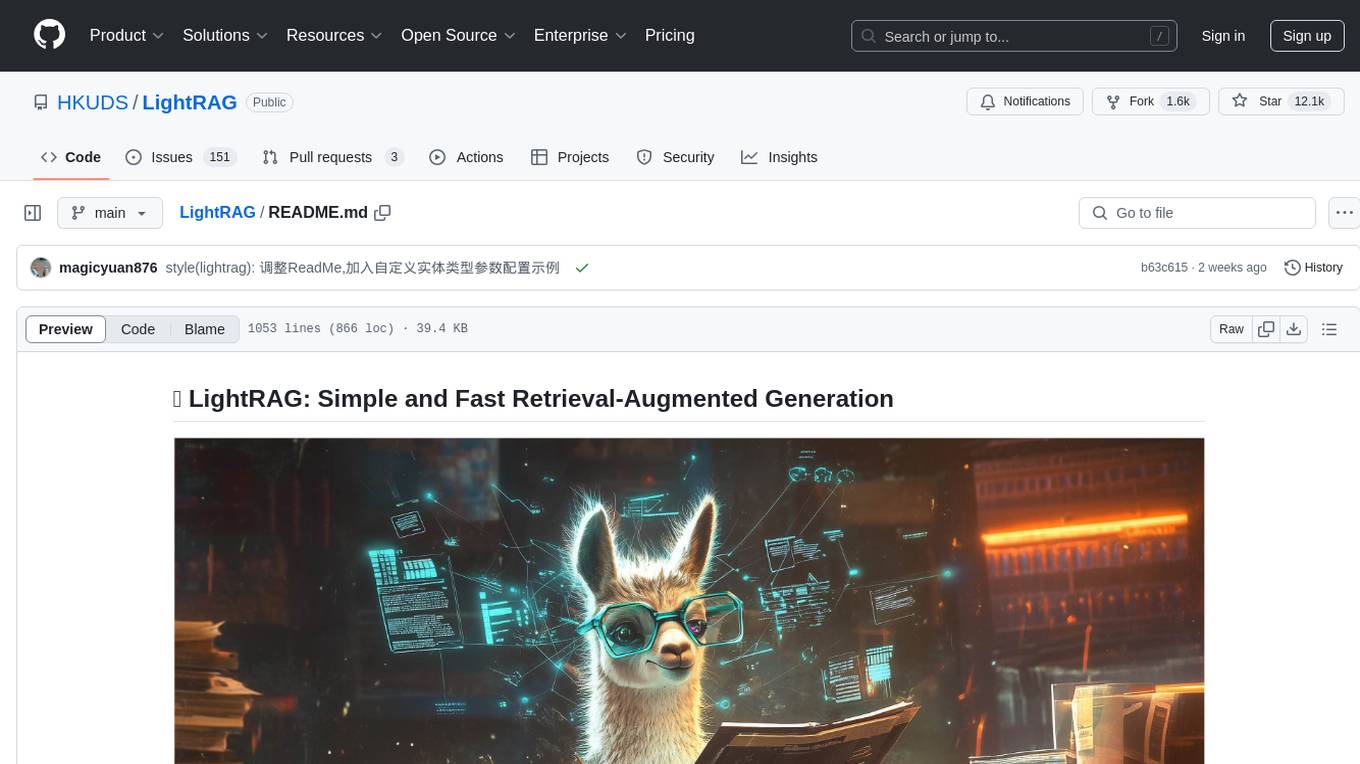
LightRAG is a repository hosting the code for LightRAG, a system that supports seamless integration of custom knowledge graphs, Oracle Database 23ai, Neo4J for storage, and multiple file types. It includes features like entity deletion, batch insert, incremental insert, and graph visualization. LightRAG provides an API server implementation for RESTful API access to RAG operations, allowing users to interact with it through HTTP requests. The repository also includes evaluation scripts, code for reproducing results, and a comprehensive code structure.
Groqqle
Groqqle 2.1 is a revolutionary, free AI web search and API that instantly returns ORIGINAL content derived from source articles, websites, videos, and even foreign language sources, for ANY target market of ANY reading comprehension level! It combines the power of large language models with advanced web and news search capabilities, offering a user-friendly web interface, a robust API, and now a powerful Groqqle_web_tool for seamless integration into your projects. Developers can instantly incorporate Groqqle into their applications, providing a powerful tool for content generation, research, and analysis across various domains and languages.
openai-chat-api-workflow
**OpenAI Chat API Workflow for Alfred** An Alfred 5 Workflow for using OpenAI Chat API to interact with GPT-3.5/GPT-4 🤖💬 It also allows image generation 🖼️, image understanding 👀, speech-to-text conversion 🎤, and text-to-speech synthesis 🔈 **Features:** * Execute all features using Alfred UI, selected text, or a dedicated web UI * Web UI is constructed by the workflow and runs locally on your Mac 💻 * API call is made directly between the workflow and OpenAI, ensuring your chat messages are not shared online with anyone other than OpenAI 🔒 * OpenAI does not use the data from the API Platform for training 🚫 * Export chat data to a simple JSON format external file 📄 * Continue the chat by importing the exported data later 🔄
nanocoder
Nanocoder is a local-first CLI coding agent that supports multiple AI providers with tool support for file operations and command execution. It focuses on privacy and control, allowing users to code locally with AI tools. The tool is designed to bring the power of agentic coding tools to local models or controlled APIs like OpenRouter, promoting community-led development and inclusive collaboration in the AI coding space.
aider-desk
AiderDesk is a desktop application that enhances coding workflow by leveraging AI capabilities. It offers an intuitive GUI, project management, IDE integration, MCP support, settings management, cost tracking, structured messages, visual file management, model switching, code diff viewer, one-click reverts, and easy sharing. Users can install it by downloading the latest release and running the executable. AiderDesk also supports Python version detection and auto update disabling. It includes features like multiple project management, context file management, model switching, chat mode selection, question answering, cost tracking, MCP server integration, and MCP support for external tools and context. Development setup involves cloning the repository, installing dependencies, running in development mode, and building executables for different platforms. Contributions from the community are welcome following specific guidelines.
req_llm
ReqLLM is a Req-based library for LLM interactions, offering a unified interface to AI providers through a plugin-based architecture. It brings composability and middleware advantages to LLM interactions, with features like auto-synced providers/models, typed data structures, ergonomic helpers, streaming capabilities, usage & cost extraction, and a plugin-based provider system. Users can easily generate text, structured data, embeddings, and track usage costs. The tool supports various AI providers like Anthropic, OpenAI, Groq, Google, and xAI, and allows for easy addition of new providers. ReqLLM also provides API key management, detailed documentation, and a roadmap for future enhancements.
Google_GenerativeAI
Google GenerativeAI (Gemini) is an unofficial C# .Net SDK based on REST APIs for accessing Google Gemini models. It offers a complete rewrite of the previous SDK with improved performance, flexibility, and ease of use. The SDK seamlessly integrates with LangChain.net, providing easy methods for JSON-based interactions and function calling with Google Gemini models. It includes features like enhanced JSON mode handling, function calling with code generator, multi-modal functionality, Vertex AI support, multimodal live API, image generation and captioning, retrieval-augmented generation with Vertex RAG Engine and Google AQA, easy JSON handling, Gemini tools and function calling, multimodal live API, and more.
golf
Golf is a simple command-line tool for calculating the distance between two geographic coordinates. It uses the Haversine formula to accurately determine the distance between two points on the Earth's surface. This tool is useful for developers working on location-based applications or projects that require distance calculations. With Golf, users can easily input latitude and longitude coordinates and get the precise distance in kilometers or miles. The tool is lightweight, easy to use, and can be integrated into various programming workflows.
memento-mcp
Memento MCP is a scalable, high-performance knowledge graph memory system designed for LLMs. It offers semantic retrieval, contextual recall, and temporal awareness to any LLM client supporting the model context protocol. The system is built on core concepts like entities and relations, utilizing Neo4j as its storage backend for unified graph and vector search capabilities. With advanced features such as semantic search, temporal awareness, confidence decay, and rich metadata support, Memento MCP provides a robust solution for managing knowledge graphs efficiently and effectively.
sre
SmythOS is an operating system designed for building, deploying, and managing intelligent AI agents at scale. It provides a unified SDK and resource abstraction layer for various AI services, making it easy to scale and flexible. With an agent-first design, developer-friendly SDK, modular architecture, and enterprise security features, SmythOS offers a robust foundation for AI workloads. The system is built with a philosophy inspired by traditional operating system kernels, ensuring autonomy, control, and security for AI agents. SmythOS aims to make shipping production-ready AI agents accessible and open for everyone in the coming Internet of Agents era.
FlashLearn
FlashLearn is a tool that provides a simple interface and orchestration for incorporating Agent LLMs into workflows and ETL pipelines. It allows data transformations, classifications, summarizations, rewriting, and custom multi-step tasks using LLMs. Each step and task has a compact JSON definition, making pipelines easy to understand and maintain. FlashLearn supports LiteLLM, Ollama, OpenAI, DeepSeek, and other OpenAI-compatible clients.

LEANN
LEANN is an innovative vector database that democratizes personal AI, transforming your laptop into a powerful RAG system that can index and search through millions of documents using 97% less storage than traditional solutions without accuracy loss. It achieves this through graph-based selective recomputation and high-degree preserving pruning, computing embeddings on-demand instead of storing them all. LEANN allows semantic search of file system, emails, browser history, chat history, codebase, or external knowledge bases on your laptop with zero cloud costs and complete privacy. It is a drop-in semantic search MCP service fully compatible with Claude Code, enabling intelligent retrieval without changing your workflow.
text-extract-api
The text-extract-api is a powerful tool that allows users to convert images, PDFs, or Office documents to Markdown text or JSON structured documents with high accuracy. It is built using FastAPI and utilizes Celery for asynchronous task processing, with Redis for caching OCR results. The tool provides features such as PDF/Office to Markdown and JSON conversion, improving OCR results with LLama, removing Personally Identifiable Information from documents, distributed queue processing, caching using Redis, switchable storage strategies, and a CLI tool for task management. Users can run the tool locally or on cloud services, with support for GPU processing. The tool also offers an online demo for testing purposes.
twitter-automation-ai
Advanced Twitter Automation AI is a modular Python-based framework for automating Twitter at scale. It supports multiple accounts, robust Selenium automation with optional undetected Chrome + stealth, per-account proxies and rotation, structured LLM generation/analysis, community posting, and per-account metrics/logs. The tool allows seamless management and automation of multiple Twitter accounts, content scraping, publishing, LLM integration for generating and analyzing tweet content, engagement automation, configurable automation, browser automation using Selenium, modular design for easy extension, comprehensive logging, community posting, stealth mode for reduced fingerprinting, per-account proxies, LLM structured prompts, and per-account JSON summaries and event logs for observability.
For similar tasks
strava-mcp
Strava MCP Server is a TypeScript implementation of a Model Context Protocol (MCP) server that serves as a bridge to the Strava API. It provides tools for accessing recent activities, detailed activity streams, segments exploration, activity and segment effort information, saved routes details, and route exporting in GPX or TCX format. The server offers AI-friendly JSON responses via MCP and utilizes Strava API V3 for seamless integration. Users can interact with their Strava data through natural language queries and advanced prompts, enabling personalized analysis and visualization of their activities.
otter-camp
Otter Camp is an open source work management tool designed for AI agent teams. It provides a centralized platform for managing AI agents, ensuring that important context is not lost, enabling quick hiring and firing of agents, maintaining a single pipeline for all work types, keeping context organized within projects, facilitating work review processes, tracking team activities, and offering self-hosted data security. The tool integrates with OpenClaw to run agents and provides a user-friendly interface for managing agent teams efficiently.
For similar jobs

sweep
Sweep is an AI junior developer that turns bugs and feature requests into code changes. It automatically handles developer experience improvements like adding type hints and improving test coverage.

teams-ai
The Teams AI Library is a software development kit (SDK) that helps developers create bots that can interact with Teams and Microsoft 365 applications. It is built on top of the Bot Framework SDK and simplifies the process of developing bots that interact with Teams' artificial intelligence capabilities. The SDK is available for JavaScript/TypeScript, .NET, and Python.

ai-guide
This guide is dedicated to Large Language Models (LLMs) that you can run on your home computer. It assumes your PC is a lower-end, non-gaming setup.

classifai
Supercharge WordPress Content Workflows and Engagement with Artificial Intelligence. Tap into leading cloud-based services like OpenAI, Microsoft Azure AI, Google Gemini and IBM Watson to augment your WordPress-powered websites. Publish content faster while improving SEO performance and increasing audience engagement. ClassifAI integrates Artificial Intelligence and Machine Learning technologies to lighten your workload and eliminate tedious tasks, giving you more time to create original content that matters.

chatbot-ui
Chatbot UI is an open-source AI chat app that allows users to create and deploy their own AI chatbots. It is easy to use and can be customized to fit any need. Chatbot UI is perfect for businesses, developers, and anyone who wants to create a chatbot.

BricksLLM
BricksLLM is a cloud native AI gateway written in Go. Currently, it provides native support for OpenAI, Anthropic, Azure OpenAI and vLLM. BricksLLM aims to provide enterprise level infrastructure that can power any LLM production use cases. Here are some use cases for BricksLLM: * Set LLM usage limits for users on different pricing tiers * Track LLM usage on a per user and per organization basis * Block or redact requests containing PIIs * Improve LLM reliability with failovers, retries and caching * Distribute API keys with rate limits and cost limits for internal development/production use cases * Distribute API keys with rate limits and cost limits for students

uAgents
uAgents is a Python library developed by Fetch.ai that allows for the creation of autonomous AI agents. These agents can perform various tasks on a schedule or take action on various events. uAgents are easy to create and manage, and they are connected to a fast-growing network of other uAgents. They are also secure, with cryptographically secured messages and wallets.

griptape
Griptape is a modular Python framework for building AI-powered applications that securely connect to your enterprise data and APIs. It offers developers the ability to maintain control and flexibility at every step. Griptape's core components include Structures (Agents, Pipelines, and Workflows), Tasks, Tools, Memory (Conversation Memory, Task Memory, and Meta Memory), Drivers (Prompt and Embedding Drivers, Vector Store Drivers, Image Generation Drivers, Image Query Drivers, SQL Drivers, Web Scraper Drivers, and Conversation Memory Drivers), Engines (Query Engines, Extraction Engines, Summary Engines, Image Generation Engines, and Image Query Engines), and additional components (Rulesets, Loaders, Artifacts, Chunkers, and Tokenizers). Griptape enables developers to create AI-powered applications with ease and efficiency.