


mcp
MCP Server for Snowflake including Cortex AI, object management, SQL orchestration, semantic view consumption, and more
Stars: 125
The Snowflake Cortex AI Model Context Protocol (MCP) Server provides tooling for Snowflake Cortex AI, object management, and SQL orchestration. It supports capabilities such as Cortex Search, Cortex Analyst, Cortex Agent, Object Management, SQL Execution, and Semantic View Querying. Users can connect to Snowflake using various authentication methods like username/password, key pair, OAuth, SSO, and MFA. The server is client-agnostic and works with MCP Clients like Claude Desktop, Cursor, fast-agent, Microsoft Visual Studio Code + GitHub Copilot, and Codex. It includes tools for Object Management (creating, dropping, describing, listing objects), SQL Execution (executing SQL statements), and Semantic View Querying (discovering, querying Semantic Views). Troubleshooting can be done using the MCP Inspector tool.
README:
This Snowflake MCP server provides tooling for Snowflake Cortex AI, object management, and SQL orchestration, bringing these capabilities to the MCP ecosystem. When connected to an MCP Client (e.g. Claude for Desktop, fast-agent, Agentic Orchestration Framework), users can leverage these features.
The MCP server currently supports the below capabilities:
- Cortex Search: Query unstructured data in Snowflake as commonly used in Retrieval Augmented Generation (RAG) applications.
- Cortex Analyst: Query structured data in Snowflake via rich semantic modeling.
- Cortex Agent: Agentic orchestrator across structured and unstructured data retrieval
- Object Management: Perform basic operations against Snowflake's most common objects such as creation, dropping, updating, and more.
- SQL Execution: Run LLM-generated SQL managed by user-configured permissions.
- Semantic View Querying: Discover and query Snowflake Semantic Views
A simple configuration file is used to drive all tooling. An example can be seen at services/configuration.yaml and a template is below. The path to this configuration file will be passed to the server and the contents used to create MCP server tools at startup.
Cortex Services
Many Cortex Agent, Search, and Analyst services can be added. Ideal descriptions are both highly descriptive and mutually exclusive. Only the explicitly listed Cortex services will be available as tools in the MCP client.
Other Services
Other services include tooling for object management, query execution, and semantic view usage.
These groups of tools can be enabled by setting them to True in the other_services section of the configuration file.
SQL Statement Permissions
The sql_statement_permissions section ensures that only approved statements are executed across any tools with access to change Snowflake objects.
The list contains SQL expression types. Those marked with True are permitted while those marked with False are not permitted. Please see SQL Execution for examples of each expression type.
agent_services: # List all Cortex Agent services
  - service_name: "<service_name>"
    description: > # Describe contents of the agent service"
      "<Agent service that ...>"
    database_name: "<database_name>"
    schema_name: "<schema_name>"
  - service_name: "<service_name>"
    description: > # Describe contents of the agent service"
      "<Agent service that ...>"
    database_name: "<database_name>"
    schema_name: "<schema_name>"
search_services: # List all Cortex Search services
  - service_name: "<service_name>"
    description: > # Describe contents of the search service"
      "<Search services that ...>"
    database_name: "<database_name>"
    schema_name: "<schema_name>"
  - service_name: "<service_name>"
    description: > # Describe contents of the search service"
      "<Search services that ...>"
    database_name: "<database_name>"
    schema_name: "<schema_name>"
analyst_services: # List all Cortex Analyst semantic models/views
  - service_name: "<service_name>" # Create descriptive name for the service
    semantic_model: "<semantic_yaml_or_view>" # Fully-qualify semantic YAML model or Semantic View
    description: > # Describe contents of the analyst service"
      "<Analyst service that ...>"
  - service_name: "<service_name>" # Create descriptive name for the service
    semantic_model: "<semantic_yaml_or_view>" # Fully-qualify semantic YAML model or Semantic View
    description: > # Describe contents of the analyst service"
      "<Analyst service that ...>"
other_services: # Set desired tool groups to True to enable tools for that group
  object_manager: True # Perform basic operations against Snowflake's most common objects such as creation, dropping, updating, and more.
  query_manager: True # Run LLM-generated SQL managed by user-configured permissions.
  semantic_manager: True # Discover and query Snowflake Semantic Views and their components.
sql_statement_permissions: # List SQL statements to explicitly allow (True) or disallow (False).
  # - All: True # To allow everything, uncomment and set All: True.
  - Alter: True
  - Command: True
  - Comment: True
  - Commit: True
  - Create: True
  - Delete: True
  - Describe: True
  - Drop: True
  - Insert: True
  - Merge: True
  - Rollback: True
  - Select: True
  - Transaction: True
  - TruncateTable: True
  - Unknown: False # To allow unknown or unmapped statement types, set Unknown: True.
  - Update: True
  - Use: True
[!NOTE] Previous versions of the configuration file supported specifying explicit values for columns and limit for each Cortex Search service. Instead, these are now exclusively dynamic based on user prompt. If not specified, a search service's default search_columns will be returned with a limit of 10.
The MCP server uses the Snowflake Python Connector for all authentication and connection methods. Please refer to the official Snowflake documentation for comprehensive authentication options and best practices.
The MCP server honors the RBAC permissions assigned to the specified role (as passed in the connection parameters) or default role of the user (if no role is passed to connect).
Connection parameters can be passed as CLI arguments and/or environment variables. The server supports all authentication methods available in the Snowflake Python Connector, including:
- Username/password authentication
- Key pair authentication
- OAuth authentication
- Single Sign-On (SSO)
- Multi-factor authentication (MFA)
Connection parameters can be passed as CLI arguments and/or environment variables:
| Parameter | CLI Arguments | Environment Variable | Description |
|---|---|---|---|
| Account | --account | SNOWFLAKE_ACCOUNT | Account identifier (e.g. xy12345.us-east-1) |
| Host | --host | SNOWFLAKE_HOST | Snowflake host URL |
| User | --user, --username | SNOWFLAKE_USER | Username for authentication |
| Password | --password | SNOWFLAKE_PASSWORD | Password or programmatic access token |
| Role | --role | SNOWFLAKE_ROLE | Role to use for connection |
| Warehouse | --warehouse | SNOWFLAKE_WAREHOUSE | Warehouse to use for queries |
| Passcode in Password | --passcode-in-password | - | Whether passcode is embedded in password |
| Passcode | --passcode | SNOWFLAKE_PASSCODE | MFA passcode for authentication |
| Private Key | --private-key | SNOWFLAKE_PRIVATE_KEY | Private key for key pair authentication |
| Private Key File | --private-key-file | SNOWFLAKE_PRIVATE_KEY_FILE | Path to private key file |
| Private Key Password | --private-key-file-pwd | SNOWFLAKE_PRIVATE_KEY_FILE_PWD | Password for encrypted private key |
| Authenticator | --authenticator | - | Authentication type (default: snowflake) |
| Connection Name | --connection-name | - | Name of connection from connections.toml (or config.toml) file |
[!WARNING] Deprecation Notice: The CLI arguments
--account-identifierand--pat, as well as the environment variableSNOWFLAKE_PAT, are deprecated and will be removed in a future release. Please use--accountand--password(orSNOWFLAKE_ACCOUNTandSNOWFLAKE_PASSWORD) instead.
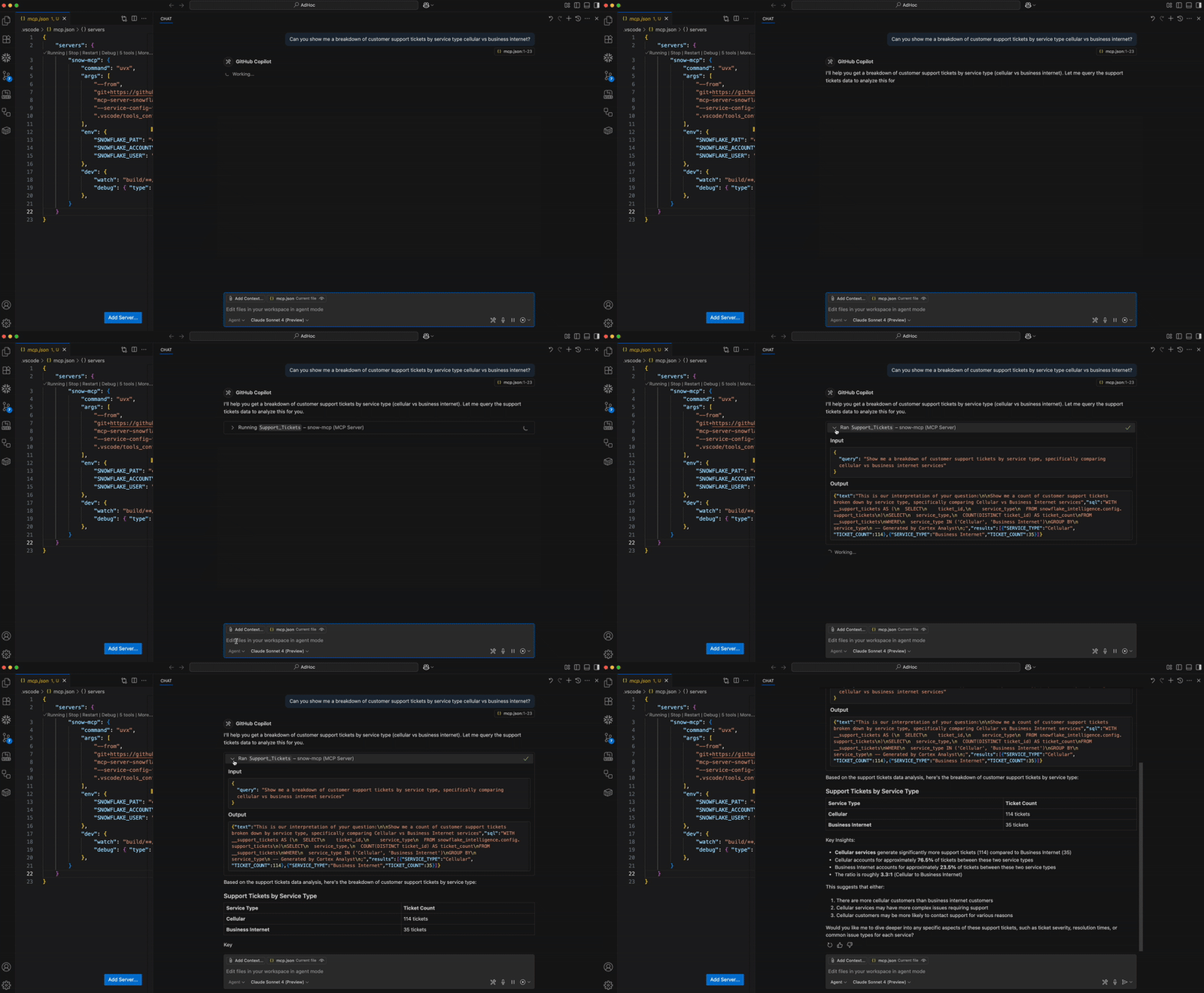
The MCP server is client-agnostic and will work with most MCP Clients that support basic functionality for MCP tools and (optionally) resources. Below are some examples.
To integrate this server with Claude Desktop as the MCP Client, add the following to your app's server configuration. By default, this is located at
- macOS: ~/Library/Application Support/Claude/claude_desktop_config.json
- Windows: %APPDATA%\Claude\claude_desktop_config.json
Set the path to the service configuration file and configure your connection method.
{
  "mcpServers": {
    "mcp-server-snowflake": {
      "command": "uvx",
      "args": [
        "snowflake-labs-mcp",
        "--service-config-file",
        "<path to file>/tools_config.yaml",
        "--connection-name",
        "default"
      ]
    }
  }
}Register the MCP server in cursor by opening Cursor and navigating to Settings -> Cursor Settings -> MCP. Add the below.
{
  "mcpServers": {
    "mcp-server-snowflake": {
      "command": "uvx",
      "args": [
        "snowflake-labs-mcp",
        "--service-config-file",
        "<path to file>/tools_config.yaml",
        "--connection-name",
        "default"
      ]
    }
  }
}
Add the MCP server as context in the chat.
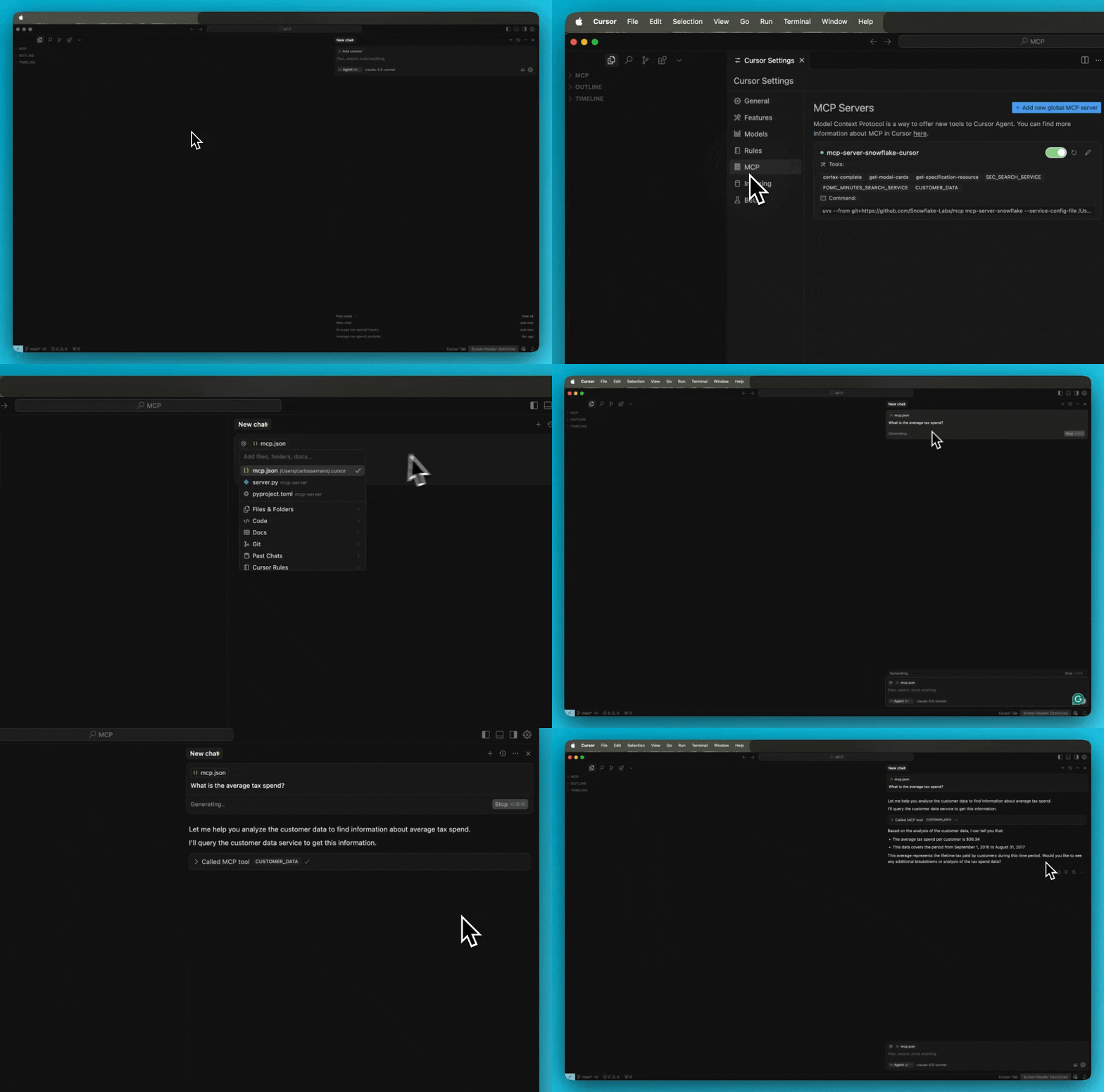
For troubleshooting Cursor server issues, view the logs by opening the Output panel and selecting Cursor MCP from the dropdown menu.
Update the fastagent.config.yaml mcp server section with the configuration file path and connection name.
# MCP Servers
mcp:
    servers:
        mcp-server-snowflake:
            command: "uvx"
            args: ["snowflake-labs-mcp", "--service-config-file", "<path to file>/tools_config.yaml", "--connection-name", "default"]
For prerequisites, environment setup, step-by-step guide and instructions, please refer to this blog.
Register the MCP server in codex by adding the following to ~/.codex/config.toml
[mcp_servers.mcp-server-snowflake]
command = "uvx"
args = [
    "snowflake-labs-mcp",
    "--service-config-file",
    "<path to file>/tools_config.yaml",
    "--connection-name",
    "default"
]
After editing, the snowflake mcp should appear in the output of codex mcp list run from the terminal.
Instances of Cortex Agent (in agent_services section), Cortex Search (in search_services section), and Cortex Analyst (in analyst_services section) of the configuration file will be served as tools. Leave these sections blank to omit such tools.
Only Cortex Agent objects are supported in the MCP server. That is, only Cortex Agent objects pre-configured in Snowflake can be leveraged as tools. See Cortex Agent Run API for more details.
Ensure all services have accurate context names for service name, database, schema, etc. Ideal descriptions are both highly descriptive and mutually exclusive.
The semantic_model value in analyst services should be a fully-qualified semantic view OR semantic YAML file in a Snowflake stage:
- For a semantic view:
MY_DATABASE.MY_SCHEMA.MY_SEMANTIC_VIEW - For a semantic YAML file:
@MY_DATABASE.MY_SCHEMA.MY_STAGE/my_semantic_file.yaml(Note the@.)
The MCP server includes dozens of tools narrowly scoped to fulfill basic operation management. It is recommended to use Snowsight directly for advanced object management.
The MCP server currently supports creating, dropping, creating or altering, describing, and listing the below object types.
To enable these tools, set object_manager to True in the configuration file under other_services.
- Database
- Schema
- Table
- View
- Warehouse
- Compute Pool
- Role
- Stage
- User
- Image Repository
Please note that these tools are also governed by permissions captured in the configuration file under sql_statement_permissions.
Object management tools to create and create or alter objects are governed by the Create permission. Object dropping is governed by the Drop permission.
It is likely that more actions and objects will be included in future releases.
The general SQL tool will provide a way to execute generic SQL statements generated by the MCP client. Users have full control over the types of SQL statement that are approved in the configuration file.
Listed in the configuration file under sql_statement_permissions are sqlglot expression types. Those marked as False will be stopped before execution. Those marked with True will be executed (or prompt the user for execution based on the MCP client settings).
To enable the SQL execution tool, set query_manager to True in the configuration file under other_services.
To allow all SQL expressions to pass the additional validation, set All to True.
Not all Snowflake SQL commands are mapped in sqlglot and you may find some obscure commands have yet to be captured in the configuration file.
Setting Unknown to True will allow these uncaptured commands to pass the additional validation. You may also add new expression types directly to honor specific ones.
Below are some examples of sqlglot expression types with accompanying Snowflake SQL command examples:
| SQLGlot Expression Type | SQL Command |
|---|---|
| Alter | ALTER TABLE my_table ADD COLUMN new_column VARCHAR(50); |
| Command |
CALL my_procedure('param1_value', 123);GRANT ROLE analyst TO USER user1;SHOW TABLES IN SCHEMA my_database.my_schema;
|
| Comment | COMMENT ON TABLE my_table IS 'This table stores customer data.'; |
| Commit | COMMIT; |
| Create |
CREATE TABLE my_table ( id INT, name VARCHAR(255), email VARCHAR(255) );CREATE OR ALTER VIEW my_schema.my_new_view AS SELECT id, name, created_at FROM my_schema.my_table WHERE created_at >= '2023-01-01';
|
| Delete | DELETE FROM my_table WHERE id = 101; |
| Describe | DESCRIBE TABLE my_table; |
| Drop | DROP TABLE my_table; |
| Error |
COPY INTO my_table FROM @my_stage/data/customers.csv FILE_FORMAT = (TYPE = CSV SKIP_HEADER = 1 FIELD_DELIMITER = ',');REVOKE ROLE analyst FROM USER user1;UNDROP TABLE my_table;
|
| Insert | INSERT INTO my_table (id, name, email) VALUES (102, 'Jane Doe', '[email protected]'); |
| Merge | MERGE INTO my_table AS target USING (SELECT 103 AS id, 'John Smith' AS name, '[email protected]' AS email) AS source ON target.id = source.id WHEN MATCHED THEN UPDATE SET target.name = source.name, target.email = source.email WHEN NOT MATCHED THEN INSERT (id, name, email) VALUES (source.id, source.name, source.email); |
| Rollback | ROLLBACK; |
| Select | SELECT id, name FROM my_table WHERE id < 200 ORDER BY name; |
| Transaction | BEGIN; |
| TruncateTable | TRUNCATE TABLE my_table; |
| Update | UPDATE my_table SET email = '[email protected]' WHERE name = 'Jane Doe'; |
| Use | USE DATABASE my_database; |
Several tools support the discovery and querying of Snowflake Semantic Views and their components. Semantic Views can be listed and described. In addition, you can list their metrics and dimensions. Lastly, you can query Semantic Views directly.
To enable these tools, set semantic_manager to True in the configuration file under other_services.
The MCP Inspector is suggested for troubleshooting the MCP server. Run the below to launch the inspector.
npx @modelcontextprotocol/inspector uvx snowflake-labs-mcp --service-config-file "<path_to_file>/tools_config.yaml" --connection-name "default"
- The MCP server supports all connection methods supported by the Snowflake Python Connector. See Connecting to Snowflake with the Python Connector for more information.
- While LLMs' support for more tools will likely grow, you can hide tool groups by setting them to False in the configuration file. Only listed Cortex services will be made into tools as well.
- Yes. Pass it to the CLI flag --password or set as environment variable SNOWFLAKE_PASSWORD.
- The MCP server is intended to be used as one part of the MCP ecosystem. Think of it as a collection of tools. You'll need an MCP Client to act as an orchestrator. See the MCP Introduction for more information.
- All tools in this MCP server are managed services, accessible via REST API. No separate remote service deployment is necessary. Instead, the current version of the server is intended to be started by the MCP client, such as Claude Desktop, Cursor, fast-agent, etc. By configuring these MCP client with the server, the application will spin up the server service for you. Future versions of the MCP server may be deployed as a remote service in the future.
- If using a Programmatic Access Tokens, note that they do not evaluate secondary roles. When creating them, please select a single role that has access to all services and their underlying objects OR select any role. A new PAT will need to be created to alter this property.
- You may add multiple instances of both services. The MCP Client will determine the appropriate one(s) to use based on the user's prompt.
- If your account name contains underscores, try using the dashed version of the URL.
- Account identifier with underscores:
acme-marketing_test_account - Account identifier with dashes:
acme-marketing-test-account
- Account identifier with underscores:
Please add issues to the GitHub repository.
For Tasks:
Click tags to check more tools for each tasksFor Jobs:
Alternative AI tools for mcp
Similar Open Source Tools
mcp
The Snowflake Cortex AI Model Context Protocol (MCP) Server provides tooling for Snowflake Cortex AI, object management, and SQL orchestration. It supports capabilities such as Cortex Search, Cortex Analyst, Cortex Agent, Object Management, SQL Execution, and Semantic View Querying. Users can connect to Snowflake using various authentication methods like username/password, key pair, OAuth, SSO, and MFA. The server is client-agnostic and works with MCP Clients like Claude Desktop, Cursor, fast-agent, Microsoft Visual Studio Code + GitHub Copilot, and Codex. It includes tools for Object Management (creating, dropping, describing, listing objects), SQL Execution (executing SQL statements), and Semantic View Querying (discovering, querying Semantic Views). Troubleshooting can be done using the MCP Inspector tool.
bedrock-claude-chat
This repository is a sample chatbot using the Anthropic company's LLM Claude, one of the foundational models provided by Amazon Bedrock for generative AI. It allows users to have basic conversations with the chatbot, personalize it with their own instructions and external knowledge, and analyze usage for each user/bot on the administrator dashboard. The chatbot supports various languages, including English, Japanese, Korean, Chinese, French, German, and Spanish. Deployment is straightforward and can be done via the command line or by using AWS CDK. The architecture is built on AWS managed services, eliminating the need for infrastructure management and ensuring scalability, reliability, and security.
tuui
TUUI is a desktop MCP client designed for accelerating AI adoption through the Model Context Protocol (MCP) and enabling cross-vendor LLM API orchestration. It is an LLM chat desktop application based on MCP, created using AI-generated components with strict syntax checks and naming conventions. The tool integrates AI tools via MCP, orchestrates LLM APIs, supports automated application testing, TypeScript, multilingual, layout management, global state management, and offers quick support through the GitHub community and official documentation.
graphiti
Graphiti is a framework for building and querying temporally-aware knowledge graphs, tailored for AI agents in dynamic environments. It continuously integrates user interactions, structured and unstructured data, and external information into a coherent, queryable graph. The framework supports incremental data updates, efficient retrieval, and precise historical queries without complete graph recomputation, making it suitable for developing interactive, context-aware AI applications.
call-center-ai
Call Center AI is an AI-powered call center solution that leverages Azure and OpenAI GPT. It is a proof of concept demonstrating the integration of Azure Communication Services, Azure Cognitive Services, and Azure OpenAI to build an automated call center solution. The project showcases features like accessing claims on a public website, customer conversation history, language change during conversation, bot interaction via phone number, multiple voice tones, lexicon understanding, todo list creation, customizable prompts, content filtering, GPT-4 Turbo for customer requests, specific data schema for claims, documentation database access, SMS report sending, conversation resumption, and more. The system architecture includes components like RAG AI Search, SMS gateway, call gateway, moderation, Cosmos DB, event broker, GPT-4 Turbo, Redis cache, translation service, and more. The tool can be deployed remotely using GitHub Actions and locally with prerequisites like Azure environment setup, configuration file creation, and resource hosting. Advanced usage includes custom training data with AI Search, prompt customization, language customization, moderation level customization, claim data schema customization, OpenAI compatible model usage for the LLM, and Twilio integration for SMS.
trapster-community
Trapster Community is a low-interaction honeypot designed for internal networks or credential capture. It monitors and detects suspicious activities, providing deceptive security layer. Features include mimicking network services, asynchronous framework, easy configuration, expandable services, and HTTP honeypot engine with AI capabilities. Supported protocols include DNS, HTTP/HTTPS, FTP, LDAP, MSSQL, POSTGRES, RDP, SNMP, SSH, TELNET, VNC, and RSYNC. The tool generates various types of logs and offers HTTP engine with AI capabilities to emulate websites using YAML configuration. Contributions are welcome under AGPLv3+ license.
basic-memory
Basic Memory is a tool that enables users to build persistent knowledge through natural conversations with Large Language Models (LLMs) like Claude. It uses the Model Context Protocol (MCP) to allow compatible LLMs to read and write to a local knowledge base stored in simple Markdown files on the user's computer. The tool facilitates creating structured notes during conversations, maintaining a semantic knowledge graph, and keeping all data local and under user control. Basic Memory aims to address the limitations of ephemeral LLM interactions by providing a structured, bi-directional, and locally stored knowledge management solution.
notte
Notte is a web browser designed specifically for LLM agents, providing a language-first web navigation experience without the need for DOM/HTML parsing. It transforms websites into structured, navigable maps described in natural language, enabling users to interact with the web using natural language commands. By simplifying browser complexity, Notte allows LLM policies to focus on conversational reasoning and planning, reducing token usage, costs, and latency. The tool supports various language model providers and offers a reinforcement learning style action space and controls for full navigation control.
claim-ai-phone-bot
AI-powered call center solution with Azure and OpenAI GPT. The bot can answer calls, understand the customer's request, and provide relevant information or assistance. It can also create a todo list of tasks to complete the claim, and send a report after the call. The bot is customizable, and can be used in multiple languages.
promptwright
Promptwright is a Python library designed for generating large synthetic datasets using local LLM and various LLM service providers. It offers flexible interfaces for generating prompt-led synthetic datasets. The library supports multiple providers, configurable instructions and prompts, YAML configuration, command line interface, push to Hugging Face Hub, and system message control. Users can define generation tasks using YAML configuration files or programmatically using Python code. Promptwright integrates with LiteLLM for LLM providers and supports automatic dataset upload to Hugging Face Hub. The library is not responsible for the content generated by models and advises users to review the data before using it in production environments.
promptwright
Promptwright is a Python library designed for generating large synthetic datasets using a local LLM and various LLM service providers. It offers flexible interfaces for generating prompt-led synthetic datasets. The library supports multiple providers, configurable instructions and prompts, YAML configuration for tasks, command line interface for running tasks, push to Hugging Face Hub for dataset upload, and system message control. Users can define generation tasks using YAML configuration or Python code. Promptwright integrates with LiteLLM to interface with LLM providers and supports automatic dataset upload to Hugging Face Hub.
code-assistant
Code Assistant is an AI coding tool built in Rust that offers command-line and graphical interfaces for autonomous code analysis and modification. It supports multi-modal tool execution, real-time streaming interface, session-based project management, multiple interface options, and intelligent project exploration. The tool provides auto-loaded repository guidance and allows for project configuration with format-on-save feature. Users can interact with the tool in GUI, terminal, or MCP server mode, and configure LLM providers for advanced options. The architecture highlights adaptive tool syntax, smart tool filtering, and multi-threaded streaming for efficient performance. Contributions are welcome, and the roadmap includes features like block replacing in changed files, compact tool use failures, UI improvements, memory tools, security enhancements, fuzzy matching search blocks, editing user messages, and selecting in messages.
instructor-js
Instructor is a Typescript library for structured extraction in Typescript, powered by llms, designed for simplicity, transparency, and control. It stands out for its simplicity, transparency, and user-centric design. Whether you're a seasoned developer or just starting out, you'll find Instructor's approach intuitive and steerable.
yomo
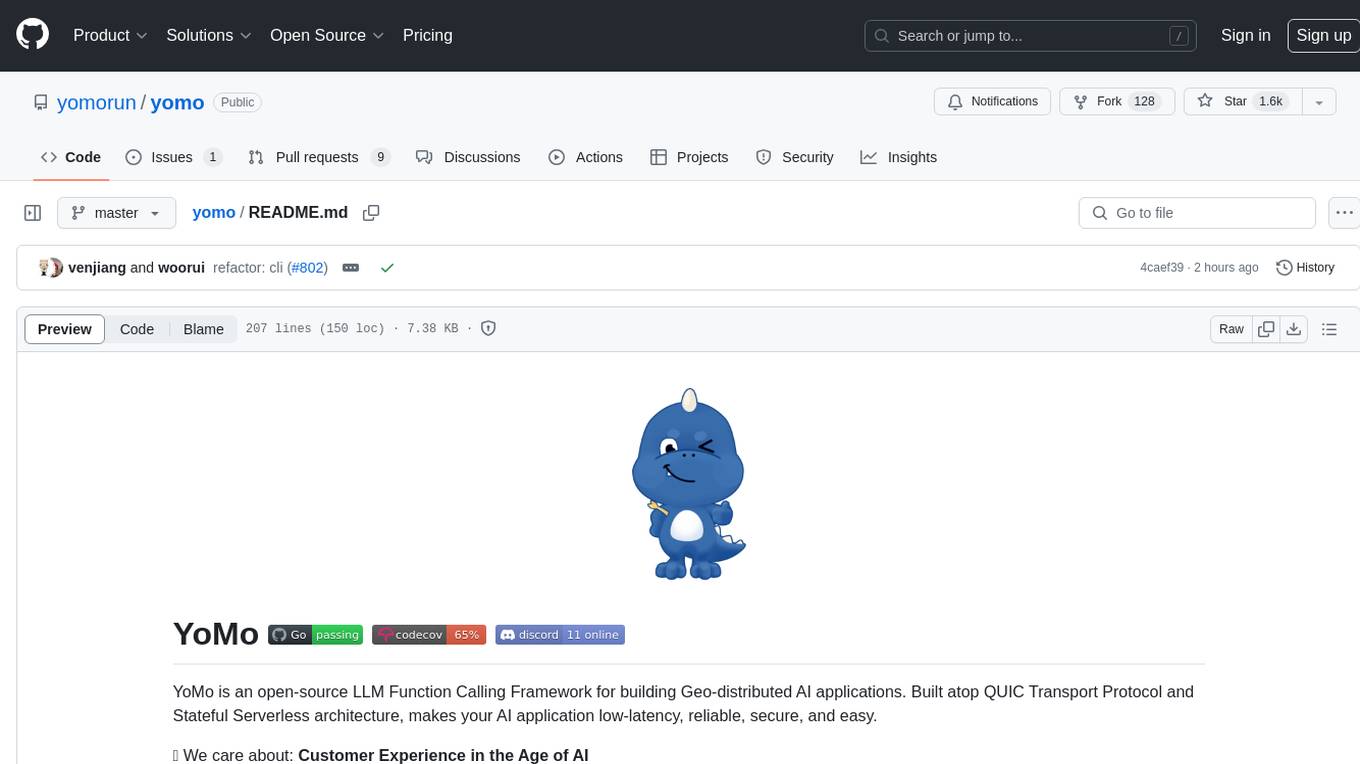
YoMo is an open-source LLM Function Calling Framework for building Geo-distributed AI applications. It is built atop QUIC Transport Protocol and Stateful Serverless architecture, making AI applications low-latency, reliable, secure, and easy. The framework focuses on providing low-latency, secure, stateful serverless functions that can be distributed geographically to bring AI inference closer to end users. It offers features such as low-latency communication, security with TLS v1.3, stateful serverless functions for faster GPU processing, geo-distributed architecture, and a faster-than-real-time codec called Y3. YoMo enables developers to create and deploy stateful serverless functions for AI inference in a distributed manner, ensuring quick responses to user queries from various locations worldwide.
ModelCache
Codefuse-ModelCache is a semantic cache for large language models (LLMs) that aims to optimize services by introducing a caching mechanism. It helps reduce the cost of inference deployment, improve model performance and efficiency, and provide scalable services for large models. The project facilitates sharing and exchanging technologies related to large model semantic cache through open-source collaboration.
LLMDebugger
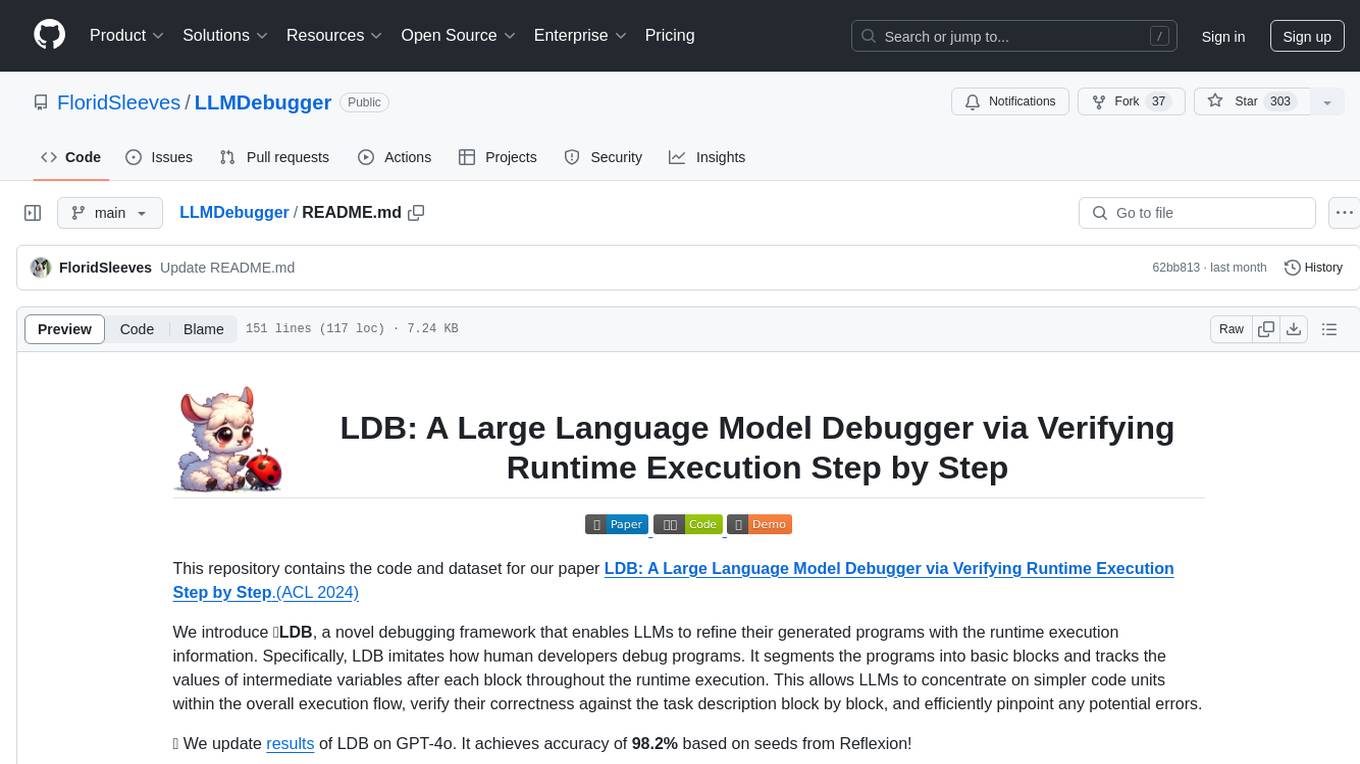
This repository contains the code and dataset for LDB, a novel debugging framework that enables Large Language Models (LLMs) to refine their generated programs by tracking the values of intermediate variables throughout the runtime execution. LDB segments programs into basic blocks, allowing LLMs to concentrate on simpler code units, verify correctness block by block, and pinpoint errors efficiently. The tool provides APIs for debugging and generating code with debugging messages, mimicking how human developers debug programs.
For similar tasks
mcp
The Snowflake Cortex AI Model Context Protocol (MCP) Server provides tooling for Snowflake Cortex AI, object management, and SQL orchestration. It supports capabilities such as Cortex Search, Cortex Analyst, Cortex Agent, Object Management, SQL Execution, and Semantic View Querying. Users can connect to Snowflake using various authentication methods like username/password, key pair, OAuth, SSO, and MFA. The server is client-agnostic and works with MCP Clients like Claude Desktop, Cursor, fast-agent, Microsoft Visual Studio Code + GitHub Copilot, and Codex. It includes tools for Object Management (creating, dropping, describing, listing objects), SQL Execution (executing SQL statements), and Semantic View Querying (discovering, querying Semantic Views). Troubleshooting can be done using the MCP Inspector tool.
ryoma
Ryoma is an AI Powered Data Agent framework that offers a comprehensive solution for data analysis, engineering, and visualization. It leverages cutting-edge technologies like Langchain, Reflex, Apache Arrow, Jupyter Ai Magics, Amundsen, Ibis, and Feast to provide seamless integration of language models, build interactive web applications, handle in-memory data efficiently, work with AI models, and manage machine learning features in production. Ryoma also supports various data sources like Snowflake, Sqlite, BigQuery, Postgres, MySQL, and different engines like Apache Spark and Apache Flink. The tool enables users to connect to databases, run SQL queries, and interact with data and AI models through a user-friendly UI called Ryoma Lab.
For similar jobs

sweep
Sweep is an AI junior developer that turns bugs and feature requests into code changes. It automatically handles developer experience improvements like adding type hints and improving test coverage.

teams-ai
The Teams AI Library is a software development kit (SDK) that helps developers create bots that can interact with Teams and Microsoft 365 applications. It is built on top of the Bot Framework SDK and simplifies the process of developing bots that interact with Teams' artificial intelligence capabilities. The SDK is available for JavaScript/TypeScript, .NET, and Python.

ai-guide
This guide is dedicated to Large Language Models (LLMs) that you can run on your home computer. It assumes your PC is a lower-end, non-gaming setup.

classifai
Supercharge WordPress Content Workflows and Engagement with Artificial Intelligence. Tap into leading cloud-based services like OpenAI, Microsoft Azure AI, Google Gemini and IBM Watson to augment your WordPress-powered websites. Publish content faster while improving SEO performance and increasing audience engagement. ClassifAI integrates Artificial Intelligence and Machine Learning technologies to lighten your workload and eliminate tedious tasks, giving you more time to create original content that matters.

chatbot-ui
Chatbot UI is an open-source AI chat app that allows users to create and deploy their own AI chatbots. It is easy to use and can be customized to fit any need. Chatbot UI is perfect for businesses, developers, and anyone who wants to create a chatbot.

BricksLLM
BricksLLM is a cloud native AI gateway written in Go. Currently, it provides native support for OpenAI, Anthropic, Azure OpenAI and vLLM. BricksLLM aims to provide enterprise level infrastructure that can power any LLM production use cases. Here are some use cases for BricksLLM: * Set LLM usage limits for users on different pricing tiers * Track LLM usage on a per user and per organization basis * Block or redact requests containing PIIs * Improve LLM reliability with failovers, retries and caching * Distribute API keys with rate limits and cost limits for internal development/production use cases * Distribute API keys with rate limits and cost limits for students

uAgents
uAgents is a Python library developed by Fetch.ai that allows for the creation of autonomous AI agents. These agents can perform various tasks on a schedule or take action on various events. uAgents are easy to create and manage, and they are connected to a fast-growing network of other uAgents. They are also secure, with cryptographically secured messages and wallets.

griptape
Griptape is a modular Python framework for building AI-powered applications that securely connect to your enterprise data and APIs. It offers developers the ability to maintain control and flexibility at every step. Griptape's core components include Structures (Agents, Pipelines, and Workflows), Tasks, Tools, Memory (Conversation Memory, Task Memory, and Meta Memory), Drivers (Prompt and Embedding Drivers, Vector Store Drivers, Image Generation Drivers, Image Query Drivers, SQL Drivers, Web Scraper Drivers, and Conversation Memory Drivers), Engines (Query Engines, Extraction Engines, Summary Engines, Image Generation Engines, and Image Query Engines), and additional components (Rulesets, Loaders, Artifacts, Chunkers, and Tokenizers). Griptape enables developers to create AI-powered applications with ease and efficiency.