


Zen-Ai-Pentest
🛡⚔️AI-Powered Penetration Testing Framework with automated vulnerability scanning, multi-agent system, and compliance reporting🛡⚔️
Stars: 192
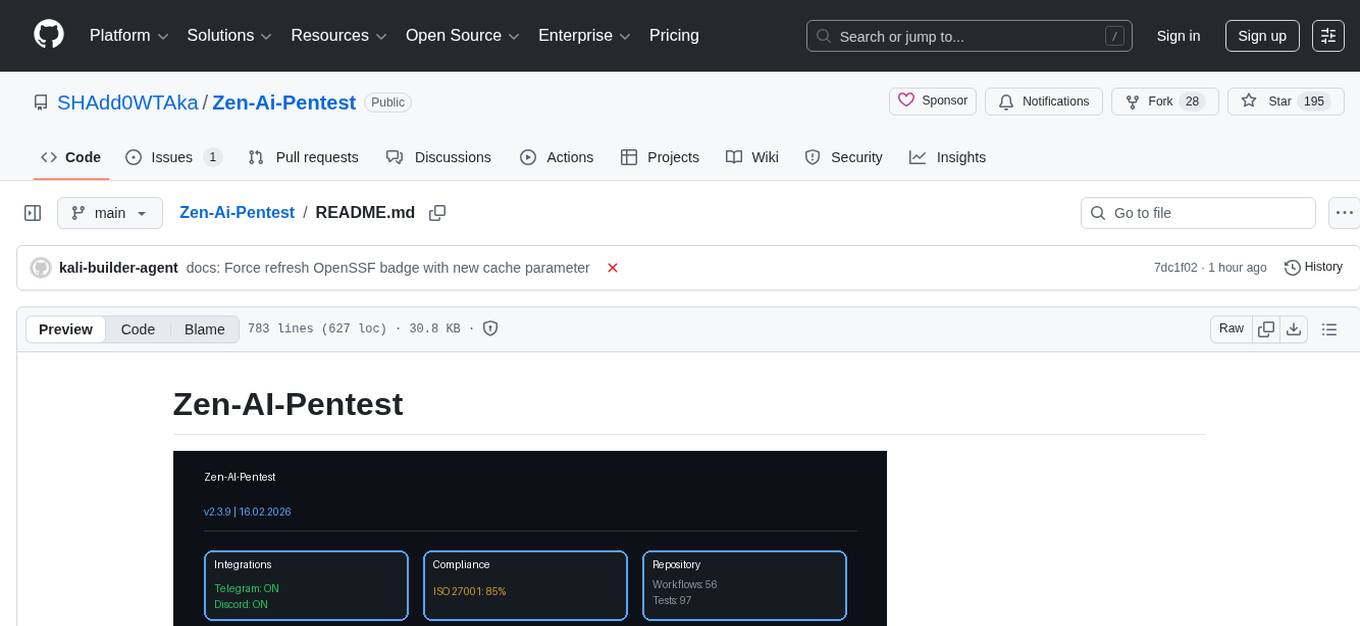
Zen-AI-Pentest is a professional AI-powered penetration testing framework designed for security professionals, bug bounty hunters, and enterprise security teams. It combines cutting-edge language models with 20+ integrated security tools, offering comprehensive security assessments. The framework is security-first with multiple safety controls, extensible with a plugin system, cloud-native for deployment on AWS, Azure, or GCP, and production-ready with CI/CD, monitoring, and support. It features autonomous AI agents, risk analysis, exploit validation, benchmarking, CI/CD integration, AI persona system, subdomain scanning, and multi-cloud & virtualization support.
README:

🛡️ Professional AI-Powered Penetration Testing Framework
- Guest Control: Execute tools inside isolated VMs
- FastAPI: High-performance REST API
- PostgreSQL: Persistent data storage
- WebSocket: Real-time scan updates
- JWT Auth: Role-based access control (RBAC)
- Background Tasks: Async scan execution
- PDF Reports: Professional findings reports
- HTML Dashboard: Interactive web interface
- Slack/Email: Instant notifications
- JSON/XML: Integration with other tools
- Docker Compose: One-command full stack deployment
- CI/CD: GitHub Actions pipeline
- Production Ready: Optimized for enterprise use
Zen-AI-Pentest executes real security tools - no simulations, no mocks, only actual tool execution:
- ✅ Nmap - Real port scanning with XML output parsing
- ✅ Nuclei - Real vulnerability detection with JSON output
- ✅ SQLMap - Real SQL injection testing with safety controls
- ✅ Multi-Agent - Researcher & Analyst agents cooperate
- ✅ Docker Sandbox - Isolated tool execution for safety
All tools run with safety controls:
- Private IP blocking (protects internal networks)
- Timeout management (prevents hanging)
- Resource limits (CPU/memory constraints)
- Read-only filesystems (Docker sandbox)
📖 Details: IMPLEMENTATION_SUMMARY.md












- Overview
- Features
- Quick Start
- Installation
- Usage
- Architecture
- API Reference
- Project Structure
- Configuration
- Testing
- Documentation
- Contributing
- Community & Support
- License
Zen-AI-Pentest is an autonomous, AI-powered penetration testing framework that combines cutting-edge language models with professional security tools. Built for security professionals, bug bounty hunters, and enterprise security teams.
  graph TB
      subgraph "User Interface"
          CLI[CLI]
          API[REST API]
          WebUI[Web UI]
      end

      subgraph "Core Engine"
          Orchestrator[Agent Orchestrator]
          StateMachine[State Machine]
          RiskEngine[Risk Engine]
      end

      subgraph "AI Agents"
          Recon[Reconnaissance]
          Vuln[Vulnerability]
          Exploit[Exploit]
          Report[Report]
      end

      subgraph "Tools"
          Nmap[Nmap]
          SQLMap[SQLMap]
          Metasploit[Metasploit]
      end

      subgraph "External APIs"
          OpenAI[OpenAI]
          Anthropic[Anthropic]
          ThreatIntel[Threat Intelligence]
      end

      CLI --> API
      WebUI --> API
      API --> Orchestrator
      Orchestrator --> StateMachine
      StateMachine --> Recon
      StateMachine --> Vuln
      StateMachine --> Exploit
      Exploit --> OpenAI
RiskEngine --> ThreatIntel- 🤖 AI-Powered: Leverages state-of-the-art LLMs for intelligent decision making
- 🔒 Security-First: Multiple safety controls and validation layers
- 🚀 Production-Ready: Enterprise-grade with CI/CD, monitoring, and support
- 📊 Comprehensive: 20+ integrated security tools
- 🔧 Extensible: Plugin system for custom tools and integrations
- ☁️ Cloud-Native: Deploy on AWS, Azure, or GCP
- 📱 Quick Access: Scan QR codes for instant mobile access

☝️ Click to view all QR codes or scan with your phone!
- ReAct Pattern: Reason → Act → Observe → Reflect
- State Machine: IDLE → PLANNING → EXECUTING → OBSERVING → REFLECTING → COMPLETED
- Memory System: Short-term, long-term, and context window management
- Tool Orchestration: Automatic selection and execution of 20+ pentesting tools
- Self-Correction: Retry logic and adaptive planning
- Human-in-the-Loop: Optional pause for critical decisions
- False Positive Reduction: Multi-factor validation with Bayesian filtering
- Business Impact: Financial, compliance, and reputation risk calculation
- CVSS/EPSS Scoring: Industry-standard vulnerability assessment
- Priority Ranking: Automated finding prioritization
- LLM Voting: Multi-model consensus for accuracy
- Sandboxed Execution: Docker-based isolated testing
- Safety Controls: 4-level safety system (Read-Only to Full)
- Evidence Collection: Screenshots, HTTP captures, PCAP
- Chain of Custody: Complete audit trail
- Remediation: Automatic fix recommendations
- Competitor Comparison: vs PentestGPT, AutoPentest, Manual
- Test Scenarios: HTB machines, OWASP WebGoat, DVWA
- Metrics: Time-to-find, coverage, false positive rate
- Visual Reports: Charts and statistical analysis
- CI Integration: Automated regression testing
- GitHub Actions: Native action support
- GitLab CI: Pipeline integration
- Jenkins: Plugin and pipeline support
- Output Formats: JSON, JUnit XML, SARIF
- Notifications: Slack, JIRA, Email alerts
- Exit Codes: Pipeline-friendly status codes
- 11 Specialized Personas: Recon, Exploit, Report, Audit, Social, Network, Mobile, Red Team, ICS, Cloud, Crypto
-
CLI Tool: Interactive and one-shot modes (
k-recon,k-exploit, etc.) - REST API: Flask-based API with WebSocket support
- Web UI: Modern browser interface with screenshot analysis
- Context Preservation: Multi-turn conversations with memory
- Screenshot Analysis: Upload and analyze images with AI personas
| Category | Tools |
|---|---|
| Network | Nmap, Masscan, Scapy, Tshark |
| Web | BurpSuite, SQLMap, Gobuster, OWASP ZAP |
| Exploitation | Metasploit Framework |
| Brute Force | Hydra, Hashcat |
| Reconnaissance | Amass, Nuclei, TheHarvester, Subdomain Scanner |
| Active Directory | BloodHound, CrackMapExec, Responder |
| Wireless | Aircrack-ng Suite |
- Multi-Technique Enumeration: DNS, Wordlist, Certificate Transparency
- Advanced Techniques: Zone Transfer (AXFR), Permutation/Mangling
- OSINT Integration: VirusTotal, AlienVault OTX, BufferOver
- IPv6 Support: AAAA record enumeration
- Technology Detection: Automatic fingerprinting of live hosts
- Export Formats: JSON, CSV, TXT
- REST API: Async and sync scanning endpoints
- CLI Tools: Standalone scanner with comprehensive options
- AGENTS.md - Essential guide for AI development partners
- Real Tool Execution - No mocks, actual security tools
- Multi-Agent System - Researcher, Analyst, Exploit agents
- Safety Controls - 4-level sandbox system
- Architecture Guide - Complete system overview
- Telegram Bot: @Zenaipenbot - Instant CI/CD notifications
- Discord Integration: Automated channel updates & GitHub webhooks
- Slack/Email: Enterprise notification support
- GitHub Actions: Native workflow integration
- QR Code Gallery: Quick access to all resources
- Local: VirtualBox VM Management
- Cloud: AWS EC2, Azure VMs, Google Cloud Compute
- Snapshots: Automated clean-state workflows
# Clone repository
git clone https://github.com/SHAdd0WTAka/zen-ai-pentest.git
cd zen-ai-pentest

# Copy and configure environment
cp .env.example .env
# Edit .env with your settings

# Start full stack
docker-compose up -d

# Access:
# Dashboard: http://localhost:3000
# API Docs:  http://localhost:8000/docs
# API: http://localhost:8000# Install dependencies
pip install -r requirements.txt
# Initialize database
python database/models.py
# Start API server
python api/main.py
# Run subdomain scan
python scan_target_subdomains.py
# Or use the advanced CLI
python tools/subdomain_enum.py example.com --advanced# Start the AI Personas API & Web UI
bash api/QUICKSTART.sh
# Or manually:
bash api/manage.sh start
# Open http://127.0.0.1:5000
# CLI Usage
source tools/setup_aliases.sh
k-recon "Target: example.com"
k-exploit "Write SQLi scanner"
k-chat # Interactive mode# Automated Kali Linux setup
python scripts/setup_vms.py --kali
# Manual setup
# See docs/setup/VIRTUALBOX_SETUP.mdFor detailed installation instructions, see:
from agents.react_agent import ReActAgent, ReActAgentConfig

# Configure agent
config = ReActAgentConfig(
    max_iterations=10,
    use_vm=True,
    vm_name="kali-pentest"
)

# Create agent
agent = ReActAgent(config)

# Run autonomous scan
result = agent.run(
    target="example.com",
    objective="Comprehensive security assessment"
)

# Generate report
print(agent.generate_report(result))# Authentication
curl -X POST http://localhost:8000/auth/login \
-H "Content-Type: application/json" \
-d '{"username":"admin","password":"admin"}'
# Create scan
curl -X POST http://localhost:8000/scans \
-H "Authorization: Bearer $TOKEN" \
-H "Content-Type: application/json" \
-d '{
"name":"Network Scan",
"target":"192.168.1.0/24",
"scan_type":"network",
"config":{"ports":"top-1000"}
}'
# Execute tool
curl -X POST http://localhost:8000/tools/execute \
-H "Authorization: Bearer $TOKEN" \
-d '{
"tool_name":"nmap_scan",
"target":"scanme.nmap.org",
"parameters":{"ports":"22,80,443"}
}'
# Generate report
curl -X POST http://localhost:8000/reports \
-H "Authorization: Bearer $TOKEN" \
-d '{
"scan_id":1,
"format":"pdf",
"template":"default"
}'const ws = new WebSocket('ws://localhost:8000/ws/scans/1');
ws.onmessage = (event) => {
const data = JSON.parse(event.data);
console.log('Scan update:', data);
};┌─────────────────────────────────────────────────────────────────────────┐
│ ZEN-AI-PENTEST v2.2 - System Architecture │
├─────────────────────────────────────────────────────────────────────────┤
│ │
│ ┌─────────────────────────────────────────────────────────────────┐ │
│ │ FRONTEND LAYER │ │
│ │ ┌──────────────┐ ┌──────────────┐ ┌──────────────────────┐ │ │
│ │ │ React │ │ WebSocket │ │ CLI Interface │ │ │
│ │ │ Dashboard │ │ Client │ │ (Rich/Typer) │ │ │
│ │ └──────────────┘ └──────────────┘ └──────────────────────┘ │ │
│ └─────────────────────────────────────────────────────────────────┘ │
│ │ │
│ ▼ │
│ ┌─────────────────────────────────────────────────────────────────┐ │
│ │ API LAYER (FastAPI) │ │
│ │ ┌──────────────┐ ┌──────────────┐ ┌──────────────────────┐ │ │
│ │ │ Auth │ │ Scans │ │ Integrations │ │ │
│ │ │ (JWT) │ │ CRUD API │ │ (GitHub/Slack) │ │ │
│ │ └──────────────┘ └──────────────┘ └──────────────────────┘ │ │
│ └─────────────────────────────────────────────────────────────────┘ │
│ │ │
│ ▼ │
│ ┌─────────────────────────────────────────────────────────────────┐ │
│ │ AUTONOMOUS LAYER │ │
│ │ ┌──────────────┐ ┌──────────────┐ ┌──────────────────────┐ │ │
│ │ │ ReAct │ │ Memory │ │ Exploit Validator │ │ │
│ │ │ Loop │ │ System │ │ (Sandboxed) │ │ │
│ │ └──────────────┘ └──────────────┘ └──────────────────────┘ │ │
│ └─────────────────────────────────────────────────────────────────┘ │
│ │ │
│ ▼ │
│ ┌─────────────────────────────────────────────────────────────────┐ │
│ │ RISK ENGINE LAYER │ │
│ │ ┌──────────────┐ ┌──────────────┐ ┌──────────────────────┐ │ │
│ │ │ False │ │ Business │ │ CVSS/EPSS │ │ │
│ │ │ Positive │ │ Impact │ │ Scoring │ │ │
│ │ └──────────────┘ └──────────────┘ └──────────────────────┘ │ │
│ └─────────────────────────────────────────────────────────────────┘ │
│ │ │
│ ▼ │
│ ┌─────────────────────────────────────────────────────────────────┐ │
│ │ TOOLS LAYER (20+) │ │
│ │ ┌──────────────────────────────────────────────────────────┐ │ │
│ │ │ Network: Nmap | Masscan | Scapy | Tshark │ │ │
│ │ │ Web: BurpSuite | SQLMap | Gobuster | Nuclei | ZAP │ │ │
│ │ │ Exploit: Metasploit | SearchSploit | ExploitDB │ │ │
│ │ │ AD: BloodHound | CrackMapExec | Responder │ │ │
│ │ └──────────────────────────────────────────────────────────┘ │ │
│ └─────────────────────────────────────────────────────────────────┘ │
│ │ │
│ ▼ │
│ ┌─────────────────────────────────────────────────────────────────┐ │
│ │ DATA & REPORTING LAYER │ │
│ │ ┌──────────────┐ ┌──────────────┐ ┌──────────────────────┐ │ │
│ │ │ PostgreSQL │ │ Benchmarks │ │ Report Generator │ │ │
│ │ │ (Main DB) │ │ & Metrics │ │ (PDF/HTML/JSON) │ │ │
│ │ └──────────────┘ └──────────────┘ └──────────────────────┘ │ │
│ └─────────────────────────────────────────────────────────────────┘ │
│ │
└─────────────────────────────────────────────────────────────────────────┘
For detailed architecture documentation, see docs/ARCHITECTURE.md.
- API Documentation - Complete REST API reference
- WebSocket API - Real-time updates
- Authentication - Security and auth
zen-ai-pentest/
├── api/                        # FastAPI Backend
│   ├── main.py                # API Server
│   ├── schemas.py             # Pydantic Models
│   ├── auth.py                # JWT Authentication
│   └── websocket.py           # WebSocket Manager
├── agents/                     # AI Agents
│   ├── react_agent.py         # ReAct Agent
│   └── react_agent_vm.py      # VM-based Agent
├── autonomous/                 # Autonomous Agent System
│   ├── agent_loop.py          # ReAct Loop Engine
│   ├── exploit_validator.py   # Exploit Validation
│   ├── memory.py              # Memory Management
│   └── tool_executor.py       # Tool Execution
├── risk_engine/               # Risk Analysis
│   ├── false_positive_engine.py
│   ├── business_impact_calculator.py
│   ├── cvss.py
│   └── epss.py
├── benchmarks/                # Benchmark Framework
│   ├── run_benchmarks.py
│   └── comparison.py
├── integrations/              # CI/CD Integrations
│   ├── github.py
│   ├── gitlab.py
│   ├── jira.py
│   ├── slack.py
│   └── jenkins.py
├── database/                   # Database Layer
│   └── models.py              # SQLAlchemy Models
├── tools/                      # Pentesting Tools
│   ├── nmap_integration.py
│   ├── sqlmap_integration.py
│   ├── metasploit_integration.py
│   └── ... (20+ tools)
├── gui/                        # Web Interface
│   └── vm_manager_gui.py      # React Dashboard
├── reports/                    # Report Generation
│   └── generator.py           # PDF/HTML/JSON
├── notifications/              # Alerts
│   ├── slack.py
│   └── email.py
├── docker/                     # Deployment
│   ├── Dockerfile
│   └── docker-compose.full.yml
├── docs/                       # Documentation
│   ├── ARCHITECTURE.md
│   ├── INSTALLATION.md
│   ├── API.md
│   └── setup/
├── tests/                      # Test Suite
└── scripts/                    # Setup Scripts
# Database
DATABASE_URL=postgresql://postgres:password@localhost:5432/zen_pentest

# Security
SECRET_KEY=your-secret-key-here
JWT_EXPIRATION=3600

# AI Providers (Kimi AI recommended)
KIMI_API_KEY=your-kimi-api-key
DEFAULT_BACKEND=kimi
DEFAULT_MODEL=kimi-k2.5

# Alternative Backends (optional)
# OPENAI_API_KEY=sk-...
# ANTHROPIC_API_KEY=sk-ant-...
# OPENROUTER_API_KEY=...

# Notifications
SLACK_WEBHOOK_URL=https://hooks.slack.com/...
SMTP_HOST=smtp.gmail.com

# Cloud Providers
AWS_ACCESS_KEY_ID=AKIA...
AZURE_SUBSCRIPTION_ID=...
See .env.example for all options.
# Run all tests
pytest

# With coverage
pytest --cov=. --cov-report=html

# Specific test file
pytest tests/test_react_agent.py -v

# Integration tests
pytest tests/integration/ -v- Getting Started - First steps
- Installation Guide - Setup instructions
- API Documentation - REST API reference
- Architecture - System design
- Support - Help and support
We welcome contributions! Please see:
- CONTRIBUTING.md - Contribution guidelines
- CODE_OF_CONDUCT.md - Community standards
- CONTRIBUTORS.md - Our amazing contributors
Quick start:
- Fork the repository
- Create feature branch (
git checkout -b feature/amazing-feature) - Commit changes (
git commit -m 'Add amazing feature') - Push to branch (
git push origin feature/amazing-feature) - Open Pull Request
Join our growing community!
| Platform | Link | QR Code |
|---|---|---|
| 🎮 Discord | discord.gg/zJZUJwK9AC | 📱 Scan |
| 💬 GitHub Discussions | SHAdd0WTAka/zen-ai-pentest/discussions | 📱 Scan |
| 📦 PyPI Package | pypi.org/project/zen-ai-pentest | 📱 Scan |


View our complete QR code gallery: docs/qr_codes/index.html
Fully configured with 11 channels:
- 📢 #announcements
- 📜 #rules
- 💬 #general
- 👋 #introductions
- 📚 #knowledge-base
- 🤖 #tools-automation
- 🔒 #security-research
- 🧠 #ai-ml-discussion
- 🐛 #bug-reports
- 💡 #feature-requests
- 🆘 #support
- 📖 Documentation - Comprehensive guides
- 🐛 Issue Tracker - Bug reports
- 📧 Email - Direct contact
See SUPPORT.md for detailed support options.
IMPORTANT: This tool is for authorized security testing only. Always obtain proper permission before testing any system you do not own. Unauthorized access to computer systems is illegal.
- Use only on systems you have explicit permission to test
- Respect privacy and data protection laws
- The authors assume no liability for misuse or damage
This project is licensed under the MIT License - see LICENSE file for details.
- LangGraph - Agent framework
- FastAPI - Web framework
- Kali Linux - Penetration testing distribution
- All open-source security tool creators

@SHAdd0WTAka Project Founder & Lead Developer Security Architect |

Kimi AI AI Development Partner Architecture & Design |
-
Kimi AI (Moonshot AI) - Primary AI development partner
- Led architecture design for autonomous agent loop
- Implemented Risk Engine with false-positive reduction
- Created CI/CD integration templates
- Developed benchmarking framework
- Co-authored documentation and roadmaps
- Grok (xAI) - Strategic analysis and competitive research
- GitHub Copilot - Code assistance and suggestions
- Security Community - Feedback, bug reports, and feature requests

      🧠 GEHIRN
     ╱        ╲
    ╱  LINKS   ╲    ╱  RECHTS   ╲
   ╱  (Kimi)    ╲  ╱(Observer^^)╲
  ╱   Logik      ╲╱  Kreativität ╲
     Analytisch   ╳  Ganzheitlich
     Struktur     ╳     Vision
          ╲      ╱╲    ╱
           ╲    ╱  ╲  ╱
            ╲  ╱    ╲╱
             ╲╱    ╱
              ╲   ╱
               ╲ ╱
                ❤️
        HEMISPHERE_SYNC
   "Zwei Hälften - Ein Herz - Ein Team"
A fusion of human vision and AI capability
Left Brain (Kimi - Logik) + Right Brain (Observer^^ - Kreativität) = Hemisphere_Sync
| Hemisphere | Zuständig für | Team |
|---|---|---|
| Left Brain | Logik, Struktur, Code, Analytik | Kimi 🤖 |
| Right Brain | Kreativität, Vision, Design, Emotion | Observer^^ 🎨 |
Custom artwork by SHAdd0WTAka representing the fusion of human vision and AI capability.
Made with ❤️ for the security community
© 2026 Zen-AI-Pentest. All rights reserved.
For Tasks:
Click tags to check more tools for each tasksFor Jobs:
Alternative AI tools for Zen-Ai-Pentest
Similar Open Source Tools
Zen-Ai-Pentest
Zen-AI-Pentest is a professional AI-powered penetration testing framework designed for security professionals, bug bounty hunters, and enterprise security teams. It combines cutting-edge language models with 20+ integrated security tools, offering comprehensive security assessments. The framework is security-first with multiple safety controls, extensible with a plugin system, cloud-native for deployment on AWS, Azure, or GCP, and production-ready with CI/CD, monitoring, and support. It features autonomous AI agents, risk analysis, exploit validation, benchmarking, CI/CD integration, AI persona system, subdomain scanning, and multi-cloud & virtualization support.
chronicle
Chronicle is a self-hostable AI system that captures audio/video data from OMI devices and other sources to generate memories, action items, and contextual insights about conversations and daily interactions. It includes a mobile app for OMI devices, backend services with AI features, a web dashboard for conversation and memory management, and optional services like speaker recognition and offline ASR. The project aims to provide a system that records personal spoken context and visual context to generate memories, action items, and enable home automation.
aiohomematic
AIO Homematic (hahomematic) is a lightweight Python 3 library for controlling and monitoring HomeMatic and HomematicIP devices, with support for third-party devices/gateways. It automatically creates entities for device parameters, offers custom entity classes for complex behavior, and includes features like caching paramsets for faster restarts. Designed to integrate with Home Assistant, it requires specific firmware versions for HomematicIP devices. The public API is defined in modules like central, client, model, exceptions, and const, with example usage provided. Useful links include changelog, data point definitions, troubleshooting, and developer resources for architecture, data flow, model extension, and Home Assistant lifecycle.
Autopilot-Notes
Autopilot Notes is an open-source knowledge base for systematically learning autonomous driving technology. It covers basic theory, hardware, algorithms, tools, and practical engineering practices across 10+ chapters. The repository provides daily updates on industry trends, in-depth analysis of mainstream solutions like Tesla, Baidu Apollo, and Openpilot, and hands-on content including simulation, deployment, and optimization. Contributors are welcome to submit pull requests to improve the documentation.
vibium
Vibium is a browser automation infrastructure designed for AI agents, providing a single binary that manages browser lifecycle, WebDriver BiDi protocol, and an MCP server. It offers zero configuration, AI-native capabilities, and is lightweight with no runtime dependencies. It is suitable for AI agents, test automation, and any tasks requiring browser interaction.
auto-paper-digest
Auto Paper Digest (APD) is a tool designed to automatically fetch cutting-edge AI research papers, download PDFs, generate video explanations, and publish them on platforms like HuggingFace, Douyin, and portal websites. It provides functionalities such as fetching papers from Hugging Face, downloading PDFs from arXiv, generating videos using NotebookLM, automatic publishing to HuggingFace Dataset, automatic publishing to Douyin, and hosting videos on a Gradio portal website. The tool also supports resuming interrupted tasks, persistent login states for Google and Douyin, and a structured workflow divided into three phases: Upload, Download, and Publish.
PaiAgent
PaiAgent is an enterprise-level AI workflow visualization orchestration platform that simplifies the combination and scheduling of AI capabilities. It allows developers and business users to quickly build complex AI processing flows through an intuitive drag-and-drop interface, without the need to write code, enabling collaboration of various large models.
Agentic-ADK
Agentic ADK is an Agent application development framework launched by Alibaba International AI Business, based on Google-ADK and Ali-LangEngine. It is used for developing, constructing, evaluating, and deploying powerful, flexible, and controllable complex AI Agents. ADK aims to make Agent development simpler and more user-friendly, enabling developers to more easily build, deploy, and orchestrate various Agent applications ranging from simple tasks to complex collaborations.
osmedeus
Osmedeus is a security-focused declarative orchestration engine that simplifies complex workflow automation into auditable YAML definitions. It provides powerful automation capabilities without compromising infrastructure integrity and safety. With features like declarative YAML workflows, multiple runners, event-driven triggers, template engine, utility functions, REST API server, distributed execution, notifications, cloud storage, AI integration, SAST integration, language detection, and preset installations, Osmedeus offers a comprehensive solution for security automation tasks.
giztoy
Giztoy is a multi-language framework designed for building AI toys and intelligent applications. It provides a unified abstraction layer that spans from resource-constrained embedded systems to powerful cloud services. With features like native support for ESP32 and other MCUs, cross-platform app development, a unified build system with Bazel, an agent framework for AI agents, audio processing capabilities, support for various Large Language Models, real-time models with WebSocket streaming, secure transport protocols, and multi-language implementations in Go, Rust, Zig, and C/C++, Giztoy serves as a versatile tool for developing AI-powered applications across different platforms and devices.
lanhu-mcp
Lanhu MCP Server is a powerful Model Context Protocol (MCP) server designed for the AI programming era, perfectly supporting the Lanhu design collaboration platform. It offers features like intelligent requirement analysis, team knowledge base, UI design support, and performance optimization. The server is suitable for Cursor + Lanhu, Windsurf + Lanhu, Claude Code + Lanhu, Trae + Lanhu, and Cline + Lanhu integrations. It aims to break the isolation of AI IDEs and enable all AI assistants to share knowledge and context.
memsearch
Memsearch is a tool that allows users to give their AI agents persistent memory in a few lines of code. It enables users to write memories as markdown and search them semantically. Inspired by OpenClaw's markdown-first memory architecture, Memsearch is pluggable into any agent framework. The tool offers features like smart deduplication, live sync, and a ready-made Claude Code plugin for building agent memory.
open-computer-use
Open Computer Use is an open-source platform that enables AI agents to control computers through browser automation, terminal access, and desktop interaction. It is designed for developers to create autonomous AI workflows. The platform allows agents to browse the web, run terminal commands, control desktop applications, orchestrate multi-agents, stream execution, and is 100% open-source and self-hostable. It provides capabilities similar to Anthropic's Claude Computer Use but is fully open-source and extensible.
bumpgen
bumpgen is a tool designed to automatically upgrade TypeScript / TSX dependencies and make necessary code changes to handle any breaking issues that may arise. It uses an abstract syntax tree to analyze code relationships, type definitions for external methods, and a plan graph DAG to execute changes in the correct order. The tool is currently limited to TypeScript and TSX but plans to support other strongly typed languages in the future. It aims to simplify the process of upgrading dependencies and handling code changes caused by updates.
observers
Observers is a lightweight library for AI observability that provides support for various generative AI APIs and storage backends. It allows users to track interactions with AI models and sync observations to different storage systems. The library supports OpenAI, Hugging Face transformers, AISuite, Litellm, and Docling for document parsing and export. Users can configure different stores such as Hugging Face Datasets, DuckDB, Argilla, and OpenTelemetry to manage and query their observations. Observers is designed to enhance AI model monitoring and observability in a user-friendly manner.
boxlite
BoxLite is an embedded, lightweight micro-VM runtime designed for AI agents running OCI containers with hardware-level isolation. It is built for high concurrency with no daemon required, offering features like lightweight VMs, high concurrency, hardware isolation, embeddability, and OCI compatibility. Users can spin up 'Boxes' to run containers for AI agent sandboxes and multi-tenant code execution scenarios where Docker alone is insufficient and full VM infrastructure is too heavy. BoxLite supports Python, Node.js, and Rust with quick start guides for each, along with features like CPU/memory limits, storage options, networking capabilities, security layers, and image registry configuration. The tool provides SDKs for Python and Node.js, with Go support coming soon. It offers detailed documentation, examples, and architecture insights for users to understand how BoxLite works under the hood.
For similar tasks
Zen-Ai-Pentest
Zen-AI-Pentest is a professional AI-powered penetration testing framework designed for security professionals, bug bounty hunters, and enterprise security teams. It combines cutting-edge language models with 20+ integrated security tools, offering comprehensive security assessments. The framework is security-first with multiple safety controls, extensible with a plugin system, cloud-native for deployment on AWS, Azure, or GCP, and production-ready with CI/CD, monitoring, and support. It features autonomous AI agents, risk analysis, exploit validation, benchmarking, CI/CD integration, AI persona system, subdomain scanning, and multi-cloud & virtualization support.
watchtower
AIShield Watchtower is a tool designed to fortify the security of AI/ML models and Jupyter notebooks by automating model and notebook discoveries, conducting vulnerability scans, and categorizing risks into 'low,' 'medium,' 'high,' and 'critical' levels. It supports scanning of public GitHub repositories, Hugging Face repositories, AWS S3 buckets, and local systems. The tool generates comprehensive reports, offers a user-friendly interface, and aligns with industry standards like OWASP, MITRE, and CWE. It aims to address the security blind spots surrounding Jupyter notebooks and AI models, providing organizations with a tailored approach to enhancing their security efforts.
LLM-PLSE-paper
LLM-PLSE-paper is a repository focused on the applications of Large Language Models (LLMs) in Programming Language and Software Engineering (PL/SE) domains. It covers a wide range of topics including bug detection, specification inference and verification, code generation, fuzzing and testing, code model and reasoning, code understanding, IDE technologies, prompting for reasoning tasks, and agent/tool usage and planning. The repository provides a comprehensive collection of research papers, benchmarks, empirical studies, and frameworks related to the capabilities of LLMs in various PL/SE tasks.
invariant
Invariant Analyzer is an open-source scanner designed for LLM-based AI agents to find bugs, vulnerabilities, and security threats. It scans agent execution traces to identify issues like looping behavior, data leaks, prompt injections, and unsafe code execution. The tool offers a library of built-in checkers, an expressive policy language, data flow analysis, real-time monitoring, and extensible architecture for custom checkers. It helps developers debug AI agents, scan for security violations, and prevent security issues and data breaches during runtime. The analyzer leverages deep contextual understanding and a purpose-built rule matching engine for security policy enforcement.
OpenRedTeaming
OpenRedTeaming is a repository focused on red teaming for generative models, specifically large language models (LLMs). The repository provides a comprehensive survey on potential attacks on GenAI and robust safeguards. It covers attack strategies, evaluation metrics, benchmarks, and defensive approaches. The repository also implements over 30 auto red teaming methods. It includes surveys, taxonomies, attack strategies, and risks related to LLMs. The goal is to understand vulnerabilities and develop defenses against adversarial attacks on large language models.
Awesome-LLM4Cybersecurity
The repository 'Awesome-LLM4Cybersecurity' provides a comprehensive overview of the applications of Large Language Models (LLMs) in cybersecurity. It includes a systematic literature review covering topics such as constructing cybersecurity-oriented domain LLMs, potential applications of LLMs in cybersecurity, and research directions in the field. The repository analyzes various benchmarks, datasets, and applications of LLMs in cybersecurity tasks like threat intelligence, fuzzing, vulnerabilities detection, insecure code generation, program repair, anomaly detection, and LLM-assisted attacks.
quark-engine
Quark Engine is an AI-powered tool designed for analyzing Android APK files. It focuses on enhancing the detection process for auto-suggestion, enabling users to create detection workflows without coding. The tool offers an intuitive drag-and-drop interface for workflow adjustments and updates. Quark Agent, the core component, generates Quark Script code based on natural language input and feedback. The project is committed to providing a user-friendly experience for designing detection workflows through textual and visual methods. Various features are still under development and will be rolled out gradually.
vulnerability-analysis
The NVIDIA AI Blueprint for Vulnerability Analysis for Container Security showcases accelerated analysis on common vulnerabilities and exposures (CVE) at an enterprise scale, reducing mitigation time from days to seconds. It enables security analysts to determine software package vulnerabilities using large language models (LLMs) and retrieval-augmented generation (RAG). The blueprint is designed for security analysts, IT engineers, and AI practitioners in cybersecurity. It requires NVAIE developer license and API keys for vulnerability databases, search engines, and LLM model services. Hardware requirements include L40 GPU for pipeline operation and optional LLM NIM and Embedding NIM. The workflow involves LLM pipeline for CVE impact analysis, utilizing LLM planner, agent, and summarization nodes. The blueprint uses NVIDIA NIM microservices and Morpheus Cybersecurity AI SDK for vulnerability analysis.
For similar jobs
hackingBuddyGPT
hackingBuddyGPT is a framework for testing LLM-based agents for security testing. It aims to create common ground truth by creating common security testbeds and benchmarks, evaluating multiple LLMs and techniques against those, and publishing prototypes and findings as open-source/open-access reports. The initial focus is on evaluating the efficiency of LLMs for Linux privilege escalation attacks, but the framework is being expanded to evaluate the use of LLMs for web penetration-testing and web API testing. hackingBuddyGPT is released as open-source to level the playing field for blue teams against APTs that have access to more sophisticated resources.
aio-proxy
This script automates setting up TUIC, hysteria and other proxy-related tools in Linux. It features setting domains, getting SSL certification, setting up a simple web page, SmartSNI by Bepass, Chisel Tunnel, Hysteria V2, Tuic, Hiddify Reality Scanner, SSH, Telegram Proxy, Reverse TLS Tunnel, different panels, installing, disabling, and enabling Warp, Sing Box 4-in-1 script, showing ports in use and their corresponding processes, and an Android script to use Chisel tunnel.
aircrackauto
AirCrackAuto is a tool that automates the aircrack-ng process for Wi-Fi hacking. It is designed to make it easier for users to crack Wi-Fi passwords by automating the process of capturing packets, generating wordlists, and launching attacks. AirCrackAuto is a powerful tool that can be used to crack Wi-Fi passwords in a matter of minutes.
awesome-gpt-security
Awesome GPT + Security is a curated list of awesome security tools, experimental case or other interesting things with LLM or GPT. It includes tools for integrated security, auditing, reconnaissance, offensive security, detecting security issues, preventing security breaches, social engineering, reverse engineering, investigating security incidents, fixing security vulnerabilities, assessing security posture, and more. The list also includes experimental cases, academic research, blogs, and fun projects related to GPT security. Additionally, it provides resources on GPT security standards, bypassing security policies, bug bounty programs, cracking GPT APIs, and plugin security.
h4cker
This repository is a comprehensive collection of cybersecurity-related references, scripts, tools, code, and other resources. It is carefully curated and maintained by Omar Santos. The repository serves as a supplemental material provider to several books, video courses, and live training created by Omar Santos. It encompasses over 10,000 references that are instrumental for both offensive and defensive security professionals in honing their skills.
aircrack-ng
Aircrack-ng is a comprehensive suite of tools designed to evaluate the security of WiFi networks. It covers various aspects of WiFi security, including monitoring, attacking (replay attacks, deauthentication, fake access points), testing WiFi cards and driver capabilities, and cracking WEP and WPA PSK. The tools are command line-based, allowing for extensive scripting and have been utilized by many GUIs. Aircrack-ng primarily works on Linux but also supports Windows, macOS, FreeBSD, OpenBSD, NetBSD, Solaris, and eComStation 2.
ai-exploits
AI Exploits is a repository that showcases practical attacks against AI/Machine Learning infrastructure, aiming to raise awareness about vulnerabilities in the AI/ML ecosystem. It contains exploits and scanning templates for responsibly disclosed vulnerabilities affecting machine learning tools, including Metasploit modules, Nuclei templates, and CSRF templates. Users can use the provided Docker image to easily run the modules and templates. The repository also provides guidelines for using Metasploit modules, Nuclei templates, and CSRF templates to exploit vulnerabilities in machine learning tools.
airgeddon
Airgeddon is a versatile bash script designed for Linux systems to conduct wireless network audits. It provides a comprehensive set of features and tools for auditing and securing wireless networks. The script is user-friendly and offers functionalities such as scanning, capturing handshakes, deauth attacks, and more. Airgeddon is regularly updated and supported, making it a valuable tool for both security professionals and enthusiasts.