


lanhu-mcp
⚡ 需求分析效率提升 200%!全球首个为 AI 编程时代设计的团队协作 MCP 服务器,自动分析需求自动编写前后端代码,下载切图
Stars: 436
Lanhu MCP Server is a powerful Model Context Protocol (MCP) server designed for the AI programming era, perfectly supporting the Lanhu design collaboration platform. It offers features like intelligent requirement analysis, team knowledge base, UI design support, and performance optimization. The server is suitable for Cursor + Lanhu, Windsurf + Lanhu, Claude Code + Lanhu, Trae + Lanhu, and Cline + Lanhu integrations. It aims to break the isolation of AI IDEs and enable all AI assistants to share knowledge and context.
README:
让所有 AI 助手共享团队知识,打破 AI IDE 孤岛
lanhumcp | 蓝湖mcp | lanhu-mcp | 蓝湖AI助手 | Lanhu AI Integration








English | 简体中文
一个功能强大的 Model Context Protocol (MCP) 服务器,专为 AI 编程时代设计,完美支持蓝湖(Lanhu)设计协作平台。
🔥 核心创新:
- 📋 智能需求分析:自动提取 Axure 原型,三种分析模式(开发/测试/探索),需求分析准确率>95%
- 💬 团队知识库:打破 AI IDE 孤岛,让所有 AI 助手共享知识库和上下文
- 🎨 UI设计支持:自动下载设计稿,智能提取切图,语义化命名
- ⚡ 性能优化:基于版本号的智能缓存,增量更新,并发处理
🎯 适用场景:
- ✅ Cursor + 蓝湖:让 Cursor AI 直接读取蓝湖需求文档和设计稿
- ✅ Windsurf + 蓝湖:Windsurf Cascade AI 直接读取蓝湖需求文档和设计稿
- ✅ Claude Code + 蓝湖:Claude AI 直接读取蓝湖需求文档和设计稿
- ✅ Trae + 蓝湖:Trae AI 直接读取蓝湖需求文档和设计稿
- ✅ 通义灵码 + 蓝湖:通义灵码 AI 直接读取蓝湖需求文档和设计稿
- ✅ Cline + 蓝湖:Cline AI 直接读取蓝湖需求文档和设计稿
- ✅ 任何支持 MCP 协议的 AI 开发工具
🎯 解决痛点:
- ❌ 旧世界:每个开发者的 AI 独立工作,重复分析需求,无法共享经验
- ✅ 新世界:所有 AI 连接同一知识中枢,需求分析一次、全员复用,踩坑经验永久保存
- 智能文档提取:自动下载和解析 Axure 原型的所有页面、资源和交互
-
三种分析模式:
- 🔧 开发视角:详细字段规则、业务逻辑、全局流程图
- 🧪 测试视角:测试场景、用例、边界值、校验规则
- 🚀 快速探索:核心功能概览、模块依赖、评审要点
- 四阶段工作流:全局扫描 → 分组分析 → 反向验证 → 生成交付物
- 零遗漏保证:基于 TODO 驱动的系统化分析流程
- 设计稿查看:批量下载和展示 UI 设计图
- 切图提取:自动识别和导出设计切图、图标资源
- 智能命名:基于图层路径自动生成语义化文件名
🌟 核心创新:让每个开发者的 AI 助手都能共享团队知识和上下文
问题背景:
- 每个开发者的 AI IDE(Cursor、Windsurf)是独立的,无法共享上下文
- A 开发遇到的坑,B 开发的 AI 不知道
- 需求分析结果无法传递给测试同学的 AI
- 团队知识碎片化在各个聊天窗口,无法沉淀
创新解决方案:
- 🔗 统一知识库:所有 AI 助手连接同一个 MCP 服务器,共享留言板数据
- 🧠 上下文传递:开发 AI 分析的需求,测试 AI 可以直接查询使用
- 💡 知识沉淀:坑点、经验、最佳实践以"知识库"类型永久保存
- 📋 任务协作:通过"任务"类型留言,让 AI 帮忙查询代码、数据库
- 📨 @提醒机制:支持飞书通知,打通 AI 协作与人工沟通
- 👥 协作追踪:自动记录谁的 AI 访问过哪些文档,团队透明
- 智能缓存:基于文档版本号的永久缓存机制
- 增量更新:只下载变更的资源
- 并发处理:支持批量页面截图和资源下载
⚠️ 重要提示:必须使用支持视觉功能的AI模型!本项目需要AI模型具备图像识别和分析能力,推荐使用以下2025年主流视觉模型:
- 🤖 Claude (Anthropic)
- 🌟 GPT (OpenAI)
- 💎 Gemini (Google)
- 🚀 Kimi (月之暗面)
- 🎯 Qwen (阿里巴巴)
- 🧠 DeepSeek (深度求索)
不支持纯文本模型(如 GPT-3.5、Claude Instant 等)
💡 小白用户? 直接对 AI 说 "帮我克隆并安装 https://github.com/dsphper/lanhu-mcp 项目",AI 会引导你完成所有步骤!
直接在 Cursor 中对 AI 说:
"帮我克隆并安装 https://github.com/dsphper/lanhu-mcp 项目"
AI 会自动完成:克隆项目 → 安装依赖 → 引导获取 Cookie → 配置并启动服务
📖 参考文档:AI 安装指南 • Cookie 获取教程
2.1 Docker 部署(推荐)
优点:环境隔离、一键部署、易于管理
# 1. 克隆项目
git clone https://github.com/dsphper/lanhu-mcp.git
cd lanhu-mcp

# 2. 配置环境(会引导你输入 Cookie)
bash setup-env.sh        # Linux/Mac
# 或
setup-env.bat           # Windows

# 3. 启动服务
docker-compose up -d
💡
setup-env.sh会交互式引导你获取并配置蓝湖 Cookie,自动生成.env文件
📖 详细文档:Docker 部署指南
2.2 源码运行
前置要求:Python 3.10+
# 1. 克隆项目
git clone https://github.com/dsphper/lanhu-mcp.git
cd lanhu-mcp

# 2. 一键安装(推荐,会引导你配置 Cookie)
bash easy-install.sh        # Linux/Mac
# 或
easy-install.bat           # Windows
💡
easy-install.sh会自动安装依赖、引导获取 Cookie 并配置环境
或者手动安装(不推荐)
# 安装依赖
pip install -r requirements.txt
playwright install chromium

# 手动配置(见下方"配置"部分)- 设置蓝湖 Cookie(必需)
export LANHU_COOKIE="your_lanhu_cookie_here"💡 获取 Cookie:登录蓝湖网页版,打开浏览器开发者工具,从请求头中复制 Cookie
- 配置飞书机器人(可选)
方式一:环境变量(推荐,支持 Docker)
export FEISHU_WEBHOOK_URL="https://open.feishu.cn/open-apis/bot/v2/hook/your-webhook-url"方式二:修改代码
在 lanhu_mcp_server.py 中修改:
DEFAULT_FEISHU_WEBHOOK = "https://open.feishu.cn/open-apis/bot/v2/hook/your-webhook-url"- 配置用户信息映射(可选)
更新 FEISHU_USER_ID_MAP 字典以支持 @提醒功能。
- 其他环境变量(可选)
# 服务器配置
export SERVER_HOST="0.0.0.0"       # 服务器监听地址
export SERVER_PORT=8000            # 服务器端口

# 数据存储
export DATA_DIR="./data"           # 数据存储目录

# 性能调优
export HTTP_TIMEOUT=30             # HTTP请求超时时间(秒)
export VIEWPORT_WIDTH=1920         # 浏览器视口宽度
export VIEWPORT_HEIGHT=1080        # 浏览器视口高度

# 调试选项
export DEBUG="false"               # 调试模式(true/false)
📝 完整环境变量说明请参考
config.example.env文件
源码运行:
python lanhu_mcp_server.pyDocker 运行:
docker-compose up -d              # 启动
docker-compose logs -f            # 查看日志
docker-compose down              # 停止
服务器将在 http://localhost:8000/mcp 启动
在支持 MCP 的 AI 客户端(如 Claude Code、Cursor、Windsurf)中配置:
Cursor 配置示例:
{
  "mcpServers": {
    "lanhu": {
      "url": "http://localhost:8000/mcp?role=test&name=123"
    }
  }
}
📌 URL 参数说明:
role: 用户角色(后端/前端/测试/产品等)name: 用户姓名(用于协作追踪和 @提醒)
在 AI 编程时代,每个开发者都有自己的 AI 助手(Cursor、Windsurf、Claude Code)。但这带来了一个严重的问题:
🤔 痛点场景:
┌─────────────────────────────────────────────┐
│ 后端小王的 AI:                              │
│ "我已经分析完登录接口的需求,字段校验规则   │
│  都很清楚了,开始写代码..."                  │
└─────────────────────────────────────────────┘
                  ❌ 上下文断层
┌─────────────────────────────────────────────┐
│ 测试小李的 AI:                              │
│ "什么?登录接口?让我重新看一遍需求文档...   │
│  这些字段规则是什么意思?边界值怎么测?"     │
└─────────────────────────────────────────────┘
每个 AI 都在重复工作,无法复用其他 AI 的分析成果!
设计理念:让所有 AI 助手连接同一个"大脑"
          ┌─────────────────────────────┐
          │   Lanhu MCP Server          │
          │   (统一知识中枢)             │
          │                             │
          │  📊 需求分析结果             │
          │  🐛 开发踩坑记录             │
          │  📋 测试用例模板             │
          │  💡 技术决策文档             │
          └──────────┬──────────────────┘
                     │
        ┌────────────┼────────────┐
        │            │            │
   ┌────▼───┐   ┌───▼────┐   ┌──▼─────┐
   │后端 AI │   │前端 AI │   │测试 AI │
   │(小王)  │   │(小张)  │   │(小李)  │
   └────────┘   └────────┘   └────────┘
     Cursor      Windsurf     Claude
后端 AI(小王)分析完需求后:
@测试小李 @前端小张 我已经分析完"用户登录"需求,关键信息:
- 手机号必填,11位数字
- 密码6-20位,必须包含字母+数字
- 验证码4位纯数字,5分钟有效
- 错误3次锁定30分钟

[消息类型:knowledge]
测试 AI(小李)查询时:
AI: 查询所有关于"登录"的知识库消息
→ 立即获取小王 AI 的分析结果,无需重新看需求!
后端 AI(小王)遇到坑:
【知识库】Redis连接超时问题已解决

问题:生产环境 Redis 频繁超时
原因:连接池配置不当,maxIdle 设置过小
解决:调整为 maxTotal=20, maxIdle=10

[消息类型:knowledge]
其他开发 AI 遇到相同问题:
AI: 搜索"Redis 超时"相关的知识库
→ 找到解决方案,避免重复踩坑!
产品 AI 发起查询任务:
@后端小王 请帮我查一下数据库中 user 表有多少条测试数据?

[消息类型:task]  // ⚠️ 安全限制:只能查询,不能修改
后端 AI(小王)看到通知:
AI: 有人 @我了,查看详情
→ 执行 SELECT COUNT(*) FROM user WHERE status='test'
→ 回复留言:共有 1234 条测试数据
运维 AI 发现生产问题:
🚨 紧急:生产环境支付接口异常,请立即排查!

时间:2025-01-15 14:30
现象:支付成功率从 99% 降至 60%
影响:约 200 笔订单受影响

@所有人

[消息类型:urgent]
→ 自动发送飞书通知给所有人
| 类型 | 用途 | 搜索策略 | 生命周期 |
|---|---|---|---|
| 📢 normal | 普通通知 | 按时间衰减 | 7天后归档 |
| 📋 task | 查询任务(安全限制:只读) | 完成后归档 | 任务生命周期 |
| ❓ question | 需要回答的问题 | 未回答置顶 | 解答后归档 |
| 🚨 urgent | 紧急通知 | 强制推送 | 24小时后降级 |
| 💡 knowledge | 知识库(核心) | 永久可搜索 | 永久保存 |
任务类型(task)的安全限制:
✅ 允许的查询操作:
- 查询代码位置、代码逻辑
- 查询数据库表结构、数据
- 查询测试方法、覆盖率
- 查询 TODO、注释

❌ 禁止的危险操作:
- 修改代码
- 删除文件
- 执行命令
- 提交代码智能搜索(防止上下文溢出):
# 场景 1:查询所有测试相关的知识库
lanhu_say_list(
    url='all',  # 全局搜索
    filter_type='knowledge',
    search_regex='测试|test|单元测试',
    limit=20
)

# 场景 2:查询某个项目的紧急消息
lanhu_say_list(
    url='项目URL',
    filter_type='urgent',
    limit=10
)

# 场景 3:查找未解决的问题
lanhu_say_list(
    url='all',
    filter_type='question',
    search_regex='待解决|pending'
)自动记录团队成员访问历史:
lanhu_get_members(url='项目URL')

返回结果:
{
  "collaborators": [
    {
      "name": "小王",
      "role": "后端",
      "first_seen": "2025-01-10 09:00:00",
      "last_seen": "2025-01-15 16:30:00"
    },
    {
      "name": "小李",
      "role": "测试",
      "first_seen": "2025-01-12 10:00:00",
      "last_seen": "2025-01-15 14:00:00"
    }
  ]
}

💡 用途:
- 了解哪些同事的 AI 看过这个需求
- 发现潜在的协作伙伴
- 团队透明化打通 AI 协作与人工沟通:
# AI 自动发送飞书通知(当 @某人时)
lanhu_say(
    url='项目URL',
    summary='需要你帮忙review代码',
    content='登录模块的密码加密逻辑,麻烦看一下',
    mentions=['小王', '小张']  # 必须是真实姓名
)

# 飞书群收到:
┌──────────────────────────────────┐
│ 📢 蓝湖协作通知                   │
│                                  │
│ 👤 发布者:小李(测试)           │
│ 📨 提醒:@小王 @小张              │
│ 🏷️ 类型:normal                  │
│ 📁 项目:用户中心改版             │
│ 📄 文档:登录注册模块             │
│                                  │
│ 📝 内容:                        │
│ 登录模块的密码加密逻辑,麻烦看一下 │
│                                  │
│ 🔗 查看需求文档                   │
└──────────────────────────────────┘- 零学习成本:AI 自动处理,开发者只需自然对话
- 实时同步:所有 AI 助手连接同一数据源
- 全局搜索:跨项目查询知识库
- 版本关联:留言自动关联文档版本号
- 元数据完整:自动记录项目、文档、作者等10个标准字段
- 智能过滤:支持正则搜索、类型筛选、数量限制(防止 token 溢出)
1. 获取页面列表
请帮我看看这个需求文档:
https://lanhuapp.com/web/#/item/project/product?tid=xxx&pid=xxx&docId=xxx
2. AI 自动执行四阶段分析
- ✅ STAGE 1: 全局文本扫描,建立整体认知
- ✅ STAGE 2: 分组详细分析(根据选择的模式)
- ✅ STAGE 3: 反向验证,确保零遗漏
- ✅ STAGE 4: 生成交付文档(需求文档/测试计划/评审PPT)
3. 获取交付物
- 开发视角:详细需求文档 + 全局业务流程图
- 测试视角:测试计划 + 测试用例清单 + 字段校验表
- 快速探索:评审文档 + 模块依赖图 + 讨论要点
请帮我看看这个设计稿:
https://lanhuapp.com/web/#/item/project/stage?tid=xxx&pid=xxx
帮我下载"首页设计"的所有切图
AI 会自动:
- 检测项目类型(React/Vue/Flutter 等)
- 选择合适的输出目录
- 生成语义化文件名
- 批量下载切图
发布留言:
@张三 @李四 这个登录页面的密码校验规则需要确认一下
查看留言:
查看所有 @我的消息
筛选查询:
查看所有关于"测试"的知识库类型留言
| 工具名称 | 功能描述 | 使用场景 |
|---|---|---|
lanhu_resolve_invite_link |
解析邀请链接 | 用户提供分享链接时 |
lanhu_get_pages |
获取原型页面列表 | 分析需求文档前必调用 |
lanhu_get_ai_analyze_page_result |
分析原型页面内容 | 提取需求细节 |
lanhu_get_designs |
获取UI设计图列表 | 查看设计稿前必调用 |
lanhu_get_ai_analyze_design_result |
分析UI设计图 | 查看设计稿 |
lanhu_get_design_slices |
获取切图信息 | 下载图标、素材 |
lanhu_say |
发布留言 | 团队协作、@提醒 |
lanhu_say_list |
查看留言列表 | 查询历史消息 |
lanhu_say_detail |
查看留言详情 | 查看完整内容 |
lanhu_say_edit |
编辑留言 | 修改已发布消息 |
lanhu_say_delete |
删除留言 | 移除消息 |
lanhu_get_members |
查看协作者 | 查看团队成员 |
┌─────────────────────────────────────────────────────────────────┐
│                         AI 客户端层                              │
│  ┌──────────┐  ┌──────────┐  ┌──────────┐  ┌──────────┐       │
│  │ Cursor   │  │ Windsurf │  │  Claude  │  │   ...    │       │
│  └────┬─────┘  └────┬─────┘  └────┬─────┘  └────┬─────┘       │
│       │             │              │             │              │
│       └─────────────┴──────────────┴─────────────┘              │
└───────────────────────────┬─────────────────────────────────────┘
                            │ MCP Protocol (HTTP)
                            │
┌───────────────────────────▼─────────────────────────────────────┐
│                    Lanhu MCP Server                              │
│                                                                  │
│  ┌────────────────────────────────────────────────────────┐    │
│  │              FastMCP 服务框架                           │    │
│  │  ┌──────────┐  ┌──────────┐  ┌───────────────────┐   │    │
│  │  │ Tool API │  │ Resource │  │  Context Provider  │   │    │
│  │  └────┬─────┘  └────┬─────┘  └─────────┬─────────┘   │    │
│  └───────┼─────────────┼──────────────────┼─────────────┘    │
│          │             │                  │                    │
│  ┌───────▼─────────────▼──────────────────▼─────────────┐    │
│  │              核心业务逻辑层                            │    │
│  │                                                        │    │
│  │  ┌─────────────────┐  ┌──────────────────────────┐  │    │
│  │  │  需求文档分析   │  │  团队协作留言板          │  │    │
│  │  │                 │  │                          │  │    │
│  │  │ • 页面提取      │  │ • 消息存储管理           │  │    │
│  │  │ • 内容分析      │  │ • 类型分类(5种)         │  │    │
│  │  │ • 智能缓存      │  │ • @提醒功能             │  │    │
│  │  │ • 三种模式      │  │ • 搜索筛选               │  │    │
│  │  └────────┬────────┘  └──────────┬───────────────┘  │    │
│  │           │                      │                   │    │
│  │  ┌────────▼──────────┐  ┌───────▼──────────────┐   │    │
│  │  │  UI设计支持       │  │  协作者追踪          │   │    │
│  │  │                   │  │                      │   │    │
│  │  │ • 设计图下载      │  │ • 访问记录            │   │    │
│  │  │ • 切图提取        │  │ • 团队透明            │   │    │
│  │  │ • 智能命名        │  │ • 元数据关联          │   │    │
│  │  └───────────────────┘  └──────────────────────┘   │    │
│  └──────────────────────────────────────────────────────┘    │
│                                                                │
│  ┌────────────────────────────────────────────────────────┐  │
│  │              数据存储层                                 │  │
│  │  ┌─────────────┐  ┌─────────────┐  ┌──────────────┐  │  │
│  │  │ 留言数据    │  │ 资源缓存    │  │ 截图缓存     │  │  │
│  │  │ (JSON)      │  │ (Files)     │  │ (PNG)        │  │  │
│  │  └─────────────┘  └─────────────┘  └──────────────┘  │  │
│  └────────────────────────────────────────────────────────┘  │
└────────────────┬─────────────────────┬────────────────────────┘
                 │                     │
                 │                     │ 飞书通知
                 │                     ▼
                 │            ┌─────────────────┐
                 │            │  Feishu Webhook │
                 │            └─────────────────┘
                 │
                 │ HTTP/JSON API
                 ▼
┌─────────────────────────────────────────────────────────────────┐
│                      蓝湖平台 API                                │
│  ┌──────────────┐  ┌──────────────┐  ┌──────────────────────┐ │
│  │ 文档元数据   │  │ Axure资源    │  │ UI设计图&切图        │ │
│  └──────────────┘  └──────────────┘  └──────────────────────┘ │
└─────────────────────────────────────────────────────────────────┘
用户请求 → AI客户端 → MCP协议
              ↓
         Tool调用
              ↓
    ┌─────────┴─────────┐
    │                   │
检查缓存          提取元数据
    │                   │
命中?              关联版本号
    │                   │
  是/否            记录协作者
    │                   │
    ├─是→返回缓存        │
    │                   │
    └─否→调用蓝湖API ←──┘
              ↓
         下载资源
              ↓
         处理转换
              ↓
         保存缓存
              ↓
         返回结果
              ↓
      AI客户端展示
lanhu-mcp-server/
├── lanhu_mcp_server.py          # 主服务器文件(3800+ 行)
├── requirements.txt              # Python 依赖
├── Dockerfile                    # Docker 镜像
├── docker-compose.yml            # Docker Compose 配置
├── config.example.env            # 配置文件示例
├── quickstart.sh                 # Linux/Mac 快速启动脚本
├── quickstart.bat                # Windows 快速启动脚本
├── .gitignore                    # Git 忽略文件
├── LICENSE                       # MIT 许可证
├── README.md                     # 中文文档(本文件)
├── README_EN.md                  # 英文文档
├── CONTRIBUTING.md               # 贡献指南
├── CHANGELOG.md                  # 更新日志
├── data/                         # 数据存储目录(自动创建)
│   ├── messages/                 # 留言数据(JSON文件)
│   │   └── {project_id}.json    # 每个项目一个文件
│   ├── axure_extract_*/          # Axure 资源缓存
│   │   ├── *.html                # 页面HTML
│   │   ├── data/                 # Axure数据文件
│   │   ├── resources/            # CSS/JS资源
│   │   ├── images/               # 图片资源
│   │   └── .lanhu_cache.json     # 缓存元数据
│   └── lanhu_designs/            # 设计稿缓存
│       └── {project_id}/         # 按项目分类
└── logs/                         # 日志文件(自动创建)
    └── *.log                     # 运行日志
在代码中修改 ROLE_MAPPING_RULES 以支持更多角色:
ROLE_MAPPING_RULES = [
    (["后端", "backend", "server"], "后端"),
    (["前端", "frontend", "web"], "前端"),
    # 添加更多规则...
]缓存目录由环境变量 DATA_DIR 控制:
export DATA_DIR="/path/to/cache"在 send_feishu_notification() 函数中定制消息格式和样式。
本项目专为 AI 助手设计,内置"二狗"(ErGou)助手人格:
- 🎯 专业分析:自动识别文档类型和最佳分析模式
- 📋 TODO驱动:基于任务清单的系统化工作流
- 🗣️ 中文交互:专业的中文对话体验
- ✨ 自动化服务:无需手动操作,AI 自动完成全流程
- 🔍 细致严谨:专注于准确性和质量,提供高质量技术分析
- 📝 代码质量:遵循严格的代码标准,避免AI生成代码的常见问题
- ⚡ 页面截图:~2秒/页(带缓存)
- 💾 资源下载:支持断点续传和增量更新
- 🔄 缓存命中:基于版本号的永久缓存
- 📦 批量处理:支持并发下载和分析
Q: Cookie 过期怎么办?
A: 重新登录蓝湖网页版,获取新的 Cookie 并更新环境变量或配置文件。
Q: 截图失败或显示空白?
A: 确保系统已安装 Playwright 浏览器:
playwright install chromiumQ: 飞书通知发送失败?
A: 检查:
- Webhook URL 是否正确
- 飞书机器人是否已添加到群组
- 用户 ID 映射是否正确配置
Q: 如何清理缓存?
A: 删除 data/ 目录下的对应缓存文件即可。系统会自动重新下载。
⚠️ Cookie 安全:请勿将含有 Cookie 的配置文件提交到公开仓库- 🔐 访问控制:建议在内网环境部署或配置防火墙规则
- 📝 数据隐私:留言数据存储在本地,请妥善保管
欢迎贡献代码!请遵循以下步骤:
- Fork 本仓库
- 创建特性分支 (
git checkout -b feature/AmazingFeature) - 提交更改 (
git commit -m 'Add some AmazingFeature') - 推送到分支 (
git push origin feature/AmazingFeature) - 开启 Pull Request
# 安装开发依赖
pip install -r requirements.txt

# 运行测试
python -m pytest tests/

# 代码格式化
black lanhu_mcp_server.py本项目采用 MIT 许可证 - 查看 LICENSE 文件了解详情。
- FastMCP - 优秀的 MCP 服务器框架
- Playwright - 可靠的浏览器自动化工具
- BeautifulSoup - HTML 解析利器
- HTTPx - 现代化的异步 HTTP 客户端
感谢所有为这个项目做出贡献的开发者!
- 所有提交 Issue 和 PR 的贡献者
- 所有在生产环境使用并提供反馈的团队
- 所有帮助改进文档的朋友
- 提交 Issue: GitHub Issues
- 邮件: [email protected]
- [ ] 支持更多设计平台(Figma、Sketch)
- [ ] Web 管理界面
- [ ] 更多分析维度(前后端工时估算、技术栈推荐)
- [ ] 支持企业级权限管理
- [ ] API 文档自动生成
- [ ] 国际化支持
如果这个项目对你有帮助,请给它一个 ⭐️
Made with ❤️ by the Lanhu MCP Team
lanhumcp 蓝湖mcp lanhu-mcp 蓝湖AI lanhu-ai mcp-server cursor-plugin windsurf-integration claude-integration axure-automation requirement-analysis design-collaboration ai-development-tools model-context-protocol 蓝湖插件 蓝湖API AI需求分析 设计协作 前端开发工具 后端开发工具
- 如何让 Cursor AI 读取蓝湖需求文档? → 使用 Lanhu MCP Server
- Windsurf 怎么连接蓝湖? → 配置本 MCP 服务器
- Claude Code 如何分析 Axure 原型? → 通过 Lanhu MCP 集成
- 蓝湖有 API 吗? → 本项目提供 MCP 协议接口
- 如何自动提取蓝湖切图? → 使用本项目的切图工具
- AI 如何自动生成测试用例? → 使用测试分析模式
- How to integrate Lanhu with Cursor? → Install Lanhu MCP Server
- Lanhu API for AI tools? → Use this MCP server
- Automated Axure analysis? → Use this project
中文关键词: 蓝湖mcp | lanhumcp | 蓝湖AI | 蓝湖插件 | 蓝湖API | 蓝湖Cursor | 蓝湖Windsurf | 蓝湖Claude | 蓝湖需求文档 | 蓝湖Axure | 蓝湖切图 | 蓝湖设计稿 | AI需求分析 | AI测试用例 | MCP服务器 | 模型上下文协议
English Keywords: lanhu mcp | lanhu-mcp | lanhu ai | lanhu cursor | lanhu windsurf | lanhu claude | lanhu api | lanhu integration | mcp server | model context protocol | axure automation | design collaboration | requirement analysis | ai development tools
适用人群: 产品经理 | 前端开发 | 后端开发 | 测试工程师 | UI设计师 | 使用Cursor的开发者 | 使用Windsurf的开发者 | 使用Claude的开发者 | AI编程爱好者
本项目(Lanhu MCP Server)是一个第三方开源项目,由社区开发者独立开发和维护,并非蓝湖(Lanhu)官方产品。
重要说明:
- 本项目与蓝湖公司无任何官方关联或合作关系
- 本项目通过公开的网页接口与蓝湖平台交互,不涉及任何未授权访问
- 使用本项目需要您拥有合法的蓝湖账号和访问权限
- 请遵守蓝湖平台的服务条款和使用政策
- 本项目仅供学习和研究使用,使用者需自行承担使用风险
- 开发者不对因使用本项目导致的任何数据丢失、账号问题或其他损失承担责任
数据和隐私:
- 本项目在本地处理和缓存数据,不会向第三方服务器传输您的数据
- 您的蓝湖 Cookie 和项目数据仅存储在您的本地环境中
- 请妥善保管您的凭证信息,不要分享给他人
开源协议:
- 本项目采用 MIT 开源协议,按"原样"提供,不提供任何形式的保证
- 详见 LICENSE 文件
如有任何疑问或建议,欢迎通过 GitHub Issues 与我们交流。
For Tasks:
Click tags to check more tools for each tasksFor Jobs:
Alternative AI tools for lanhu-mcp
Similar Open Source Tools
For similar tasks
lanhu-mcp
Lanhu MCP Server is a powerful Model Context Protocol (MCP) server designed for the AI programming era, perfectly supporting the Lanhu design collaboration platform. It offers features like intelligent requirement analysis, team knowledge base, UI design support, and performance optimization. The server is suitable for Cursor + Lanhu, Windsurf + Lanhu, Claude Code + Lanhu, Trae + Lanhu, and Cline + Lanhu integrations. It aims to break the isolation of AI IDEs and enable all AI assistants to share knowledge and context.
LLMstudio
LLMstudio by TensorOps is a platform that offers prompt engineering tools for accessing models from providers like OpenAI, VertexAI, and Bedrock. It provides features such as Python Client Gateway, Prompt Editing UI, History Management, and Context Limit Adaptability. Users can track past runs, log costs and latency, and export history to CSV. The tool also supports automatic switching to larger-context models when needed. Coming soon features include side-by-side comparison of LLMs, automated testing, API key administration, project organization, and resilience against rate limits. LLMstudio aims to streamline prompt engineering, provide execution history tracking, and enable effortless data export, offering an evolving environment for teams to experiment with advanced language models.
kaizen
Kaizen is an open-source project that helps teams ensure quality in their software delivery by providing a suite of tools for code review, test generation, and end-to-end testing. It integrates with your existing code repositories and workflows, allowing you to streamline your software development process. Kaizen generates comprehensive end-to-end tests, provides UI testing and review, and automates code review with insightful feedback. The file structure includes components for API server, logic, actors, generators, LLM integrations, documentation, and sample code. Getting started involves installing the Kaizen package, generating tests for websites, and executing tests. The tool also runs an API server for GitHub App actions. Contributions are welcome under the AGPL License.
flux-fine-tuner
This is a Cog training model that creates LoRA-based fine-tunes for the FLUX.1 family of image generation models. It includes features such as automatic image captioning during training, image generation using LoRA, uploading fine-tuned weights to Hugging Face, automated test suite for continuous deployment, and Weights and biases integration. The tool is designed for users to fine-tune Flux models on Replicate for image generation tasks.
shortest
Shortest is an AI-powered natural language end-to-end testing framework built on Playwright. It provides a seamless testing experience by allowing users to write tests in natural language and execute them using Anthropic Claude API. The framework also offers GitHub integration with 2FA support, making it suitable for testing web applications with complex authentication flows. Shortest simplifies the testing process by enabling users to run tests locally or in CI/CD pipelines, ensuring the reliability and efficiency of web applications.
lmstudio-python
LM Studio Python SDK provides a convenient API for interacting with LM Studio instance, including text completion and chat response functionalities. The SDK allows users to manage websocket connections and chat history easily. It also offers tools for code consistency checks, automated testing, and expanding the API.
mastering-github-copilot-for-dotnet-csharp-developers
Enhance coding efficiency with expert-led GitHub Copilot course for C#/.NET developers. Learn to integrate AI-powered coding assistance, automate testing, and boost collaboration using Visual Studio Code and Copilot Chat. From autocompletion to unit testing, cover essential techniques for cleaner, faster, smarter code.
agentql
AgentQL is a suite of tools for extracting data and automating workflows on live web sites featuring an AI-powered query language, Python and JavaScript SDKs, a browser-based debugger, and a REST API endpoint. It uses natural language queries to pinpoint data and elements on any web page, including authenticated and dynamically generated content. Users can define structured data output and apply transforms within queries. AgentQL's natural language selectors find elements intuitively based on the content of the web page and work across similar web sites, self-healing as UI changes over time.
For similar jobs
resonance
Resonance is a framework designed to facilitate interoperability and messaging between services in your infrastructure and beyond. It provides AI capabilities and takes full advantage of asynchronous PHP, built on top of Swoole. With Resonance, you can: * Chat with Open-Source LLMs: Create prompt controllers to directly answer user's prompts. LLM takes care of determining user's intention, so you can focus on taking appropriate action. * Asynchronous Where it Matters: Respond asynchronously to incoming RPC or WebSocket messages (or both combined) with little overhead. You can set up all the asynchronous features using attributes. No elaborate configuration is needed. * Simple Things Remain Simple: Writing HTTP controllers is similar to how it's done in the synchronous code. Controllers have new exciting features that take advantage of the asynchronous environment. * Consistency is Key: You can keep the same approach to writing software no matter the size of your project. There are no growing central configuration files or service dependencies registries. Every relation between code modules is local to those modules. * Promises in PHP: Resonance provides a partial implementation of Promise/A+ spec to handle various asynchronous tasks. * GraphQL Out of the Box: You can build elaborate GraphQL schemas by using just the PHP attributes. Resonance takes care of reusing SQL queries and optimizing the resources' usage. All fields can be resolved asynchronously.
aiogram_bot_template
Aiogram bot template is a boilerplate for creating Telegram bots using Aiogram framework. It provides a solid foundation for building robust and scalable bots with a focus on code organization, database integration, and localization.
pluto
Pluto is a development tool dedicated to helping developers **build cloud and AI applications more conveniently** , resolving issues such as the challenging deployment of AI applications and open-source models. Developers are able to write applications in familiar programming languages like **Python and TypeScript** , **directly defining and utilizing the cloud resources necessary for the application within their code base** , such as AWS SageMaker, DynamoDB, and more. Pluto automatically deduces the infrastructure resource needs of the app through **static program analysis** and proceeds to create these resources on the specified cloud platform, **simplifying the resources creation and application deployment process**.
pinecone-ts-client
The official Node.js client for Pinecone, written in TypeScript. This client library provides a high-level interface for interacting with the Pinecone vector database service. With this client, you can create and manage indexes, upsert and query vector data, and perform other operations related to vector search and retrieval. The client is designed to be easy to use and provides a consistent and idiomatic experience for Node.js developers. It supports all the features and functionality of the Pinecone API, making it a comprehensive solution for building vector-powered applications in Node.js.
aiohttp-pydantic
Aiohttp pydantic is an aiohttp view to easily parse and validate requests. You define using function annotations what your methods for handling HTTP verbs expect, and Aiohttp pydantic parses the HTTP request for you, validates the data, and injects the parameters you want. It provides features like query string, request body, URL path, and HTTP headers validation, as well as Open API Specification generation.
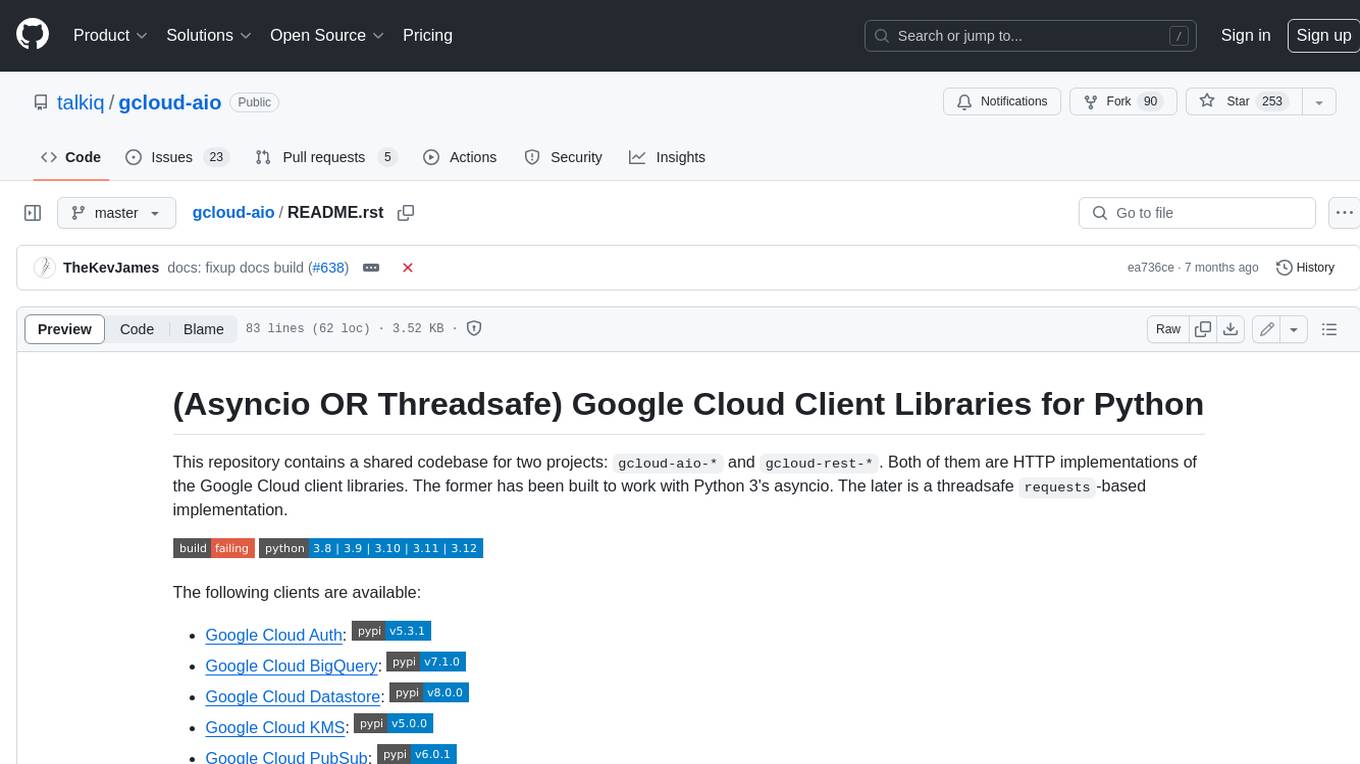
gcloud-aio
This repository contains shared codebase for two projects: gcloud-aio and gcloud-rest. gcloud-aio is built for Python 3's asyncio, while gcloud-rest is a threadsafe requests-based implementation. It provides clients for Google Cloud services like Auth, BigQuery, Datastore, KMS, PubSub, Storage, and Task Queue. Users can install the library using pip and refer to the documentation for usage details. Developers can contribute to the project by following the contribution guide.
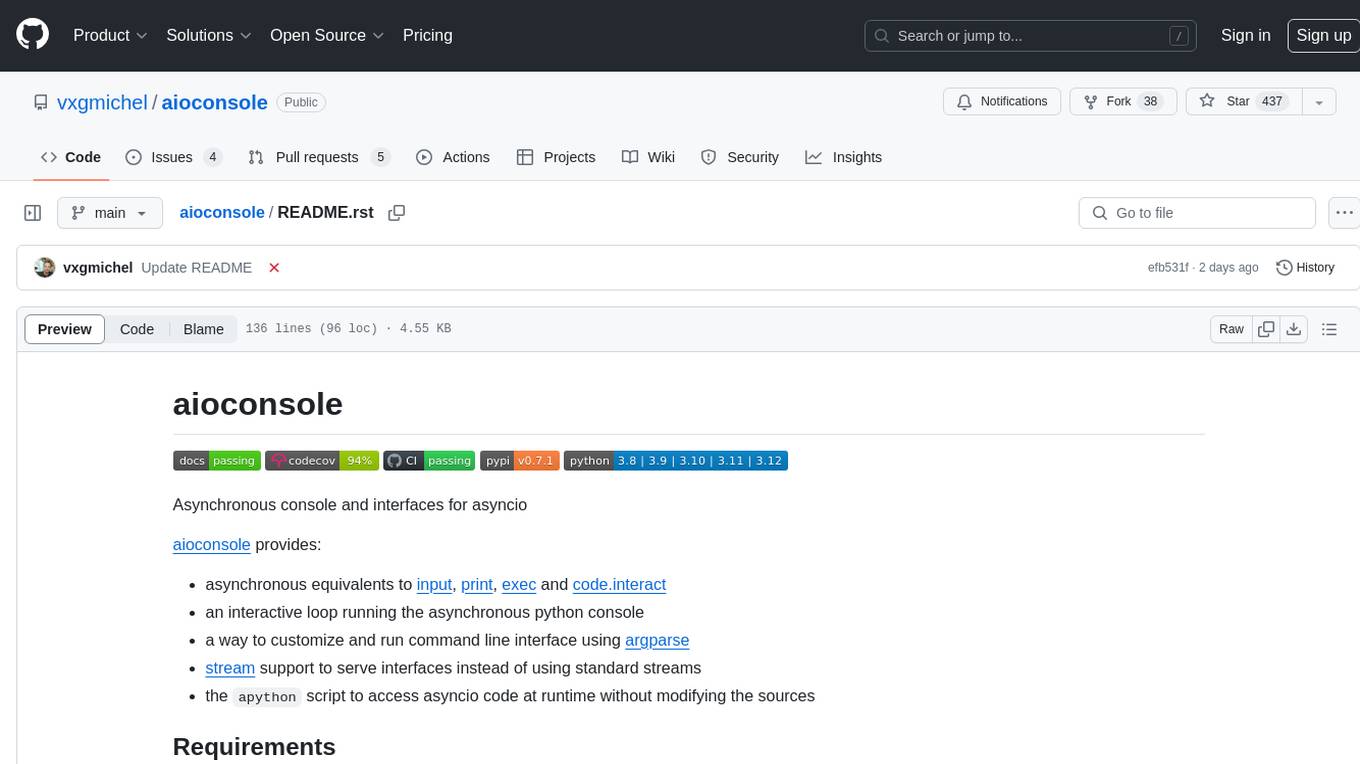
aioconsole
aioconsole is a Python package that provides asynchronous console and interfaces for asyncio. It offers asynchronous equivalents to input, print, exec, and code.interact, an interactive loop running the asynchronous Python console, customization and running of command line interfaces using argparse, stream support to serve interfaces instead of using standard streams, and the apython script to access asyncio code at runtime without modifying the sources. The package requires Python version 3.8 or higher and can be installed from PyPI or GitHub. It allows users to run Python files or modules with a modified asyncio policy, replacing the default event loop with an interactive loop. aioconsole is useful for scenarios where users need to interact with asyncio code in a console environment.
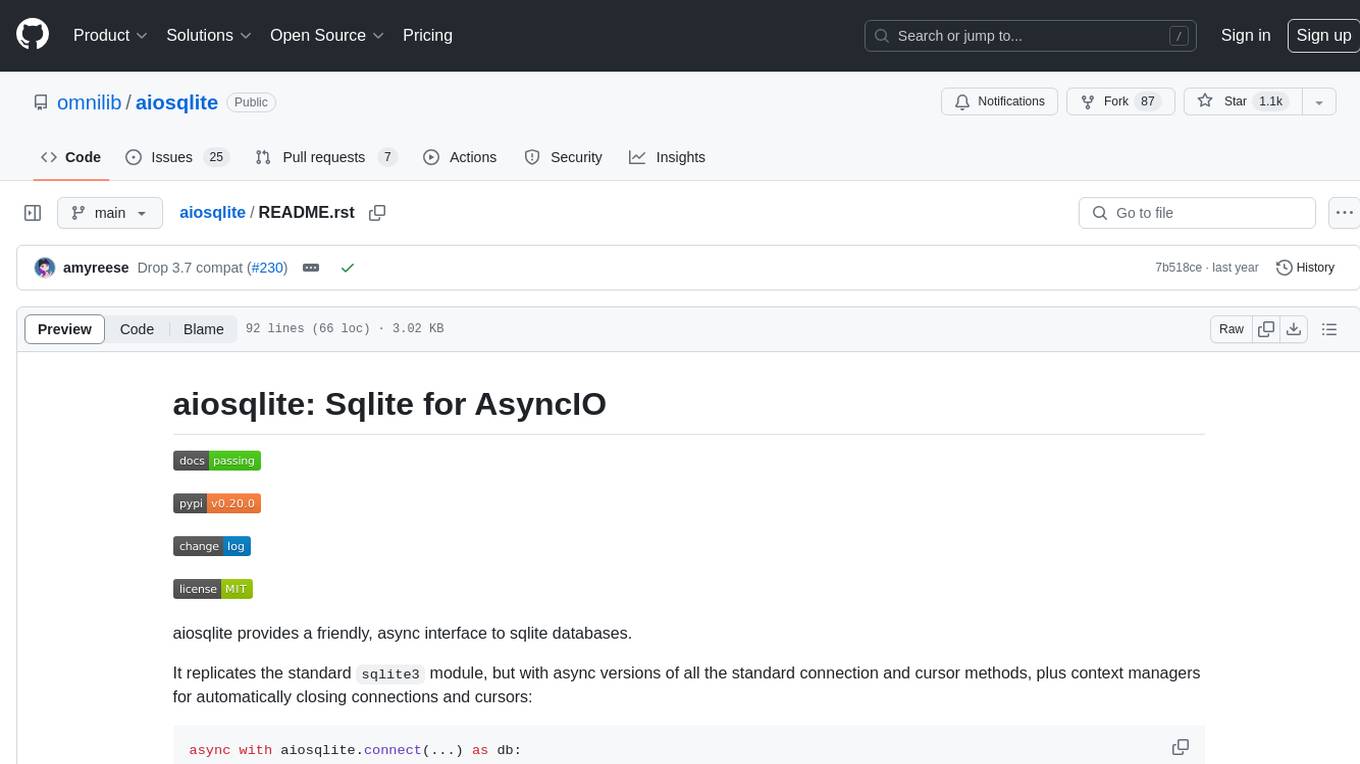
aiosqlite
aiosqlite is a Python library that provides a friendly, async interface to SQLite databases. It replicates the standard sqlite3 module but with async versions of all the standard connection and cursor methods, along with context managers for automatically closing connections and cursors. It allows interaction with SQLite databases on the main AsyncIO event loop without blocking execution of other coroutines while waiting for queries or data fetches. The library also replicates most of the advanced features of sqlite3, such as row factories and total changes tracking.