


RooFlow
RooFlow - Enhanced Memory Bank System with ☢️Footgun Power☢️ Next-gen Memory Bank system with five integrated modes and system-level customization. Uses Roo Code's experimental "Footgun" feature for deep AI assistant customization while maintaining efficient token usage!
Stars: 226
RooFlow is a VS Code extension that enhances AI-assisted development by providing persistent project context and optimized mode interactions. It reduces token consumption and streamlines workflow by integrating Architect, Code, Test, Debug, and Ask modes. The tool simplifies setup, offers real-time updates, and provides clearer instructions through YAML-based rule files. It includes components like Memory Bank, System Prompts, VS Code Integration, and Real-time Updates. Users can install RooFlow by downloading specific files, placing them in the project structure, and running an insert-variables script. They can then start a chat, select a mode, interact with Roo, and use the 'Update Memory Bank' command for synchronization. The Memory Bank structure includes files for active context, decision log, product context, progress tracking, and system patterns. RooFlow features persistent context, real-time updates, mode collaboration, and reduced token consumption.
README:
Still working on full MCP functionality in RooFlow modes. If you have issues, there is a global Default mode available which runs with the Roo Code default system prompt.
Persistent Project Context and Streamlined AI-Assisted Development


RooFlow enhances AI-assisted development in VS Code by providing persistent project context and optimized mode interactions, resulting in reduced token consumption and a more efficient workflow. It builds upon the concepts of the Roo Code Memory Bank, but streamlines the process and introduces a more integrated system of modes. RooFlow ensures your AI assistant maintains a deep understanding of your project across sessions, even after interruptions.
- Reduced Token Consumption: Optimized prompts and instructions minimize token usage.
- Five Integrated Modes: Architect, Code, Test, Debug, and Ask modes work together seamlessly.
- Simplified Setup: Easier installation and configuration.
- Streamlined Real-time Updates: More efficient and targeted Memory Bank updates.
- Clearer Instructions: Improved YAML-based rule files for better readability and maintainability.
flowchart LR
    A["RooFlow"] --> D["Toolkit"]
    A["RooFlow"] --> M["Real-time Updates"]
    D --> C["Mode Rules"]
    B["Memory Bank"] --> E["Product Context"] & N["Active Context"] & F["Decisions"] & G["Progress"]
    C --> H["Architect"] & I["Code"] & J["Ask"] & K["Debug"] & L["Test"]
M["Real-time Updates"] --> B- 🧠 Memory Bank: Persistent storage for project knowledge (automatically managed).
- 💻 System Prompts: YAML-based core instructions for each mode (
.roo/system-prompt-[mode]). - 🔧 VS Code Integration: Seamless development experience within VS Code.
- ⚡ Real-time Updates: Automatic Memory Bank updates triggered by significant events.
- Install Roo Code Extension: Ensure you have the Roo Code extension installed in VS Code.
- Download RooFlow Files: Download the following files from this repository:
system-prompt-architectsystem-prompt-asksystem-prompt-codesystem-prompt-debugsystem-prompt-test.rooignore.roomodes-
insert-variables.cmdFor Windows OS -
insert-variables.shFor Unix/Linux/macOS
- Place Files in Project:
- Create a directory named
.rooin your project's root directory. - Place the
system-prompt-[mode]files inside the.roodirectory. - Place the
.rooignorefile in the project's root directory. (Or add !memory-bank/ to your existing .rooignore file) - Place the
.roomodesfile in the project's root directory (Or add its contents to your existing .roomodes file) - Place the appropriate
insert-variables.[sh/cmd]script for your platform in the project's root directory.
Your project structure should look like this:
project-root
 ├── .roo
 |    ├── system-prompt-architect
 |    ├── system-prompt-ask
 |    ├── system-prompt-code
 |    ├── system-prompt-debug
 |    └── system-prompt-test
 ├── memory-bank (This directory will be created automatically by Roo after your first prompt)
 |    ├── activeContext.md
 |    ├── decisionLog.md
 |    ├── productContext.md
 |    ├── progress.md
 |    └── systemPatterns.md
 ├── .rooignore
 ├── .roomodes
 └──insert-variables.[sh/cmd]
- Run insert-variables script
-
Open Command Prompt or PowerShell
-
Navigate to your project:
cd path\to\your\project -
Run the script:
From Command Prompt:
insert-variables.cmd
From Powershell:
.\insert-variables.cmdTroubleshooting (Windows)
- If you get "access denied" or execution policy errors:
- Open PowerShell as Administrator
- Run this command once:
Set-ExecutionPolicy RemoteSigned -Scope CurrentUser
- Close Administrator PowerShell
- Try running the script again from your project directory
- If you see "Error: .roo directory not found", verify your directory structure.
-
If using PowerShell 7+, run as:
cmd /c insert-variables.cmd
-
Open Terminal
-
Navigate to your project:
cd path/to/your/project -
Make the script executable:
chmod +x insert-variables.sh
-
Run the script:
./insert-variables.sh
Troubleshooting (Unix/Linux/macOS)
-
If you see "Permission denied", run:
sudo chmod +x insert-variables.sh
- If you see "Error: .roo directory not found", verify your directory structure
The script will:
- Detect your system configuration
- Process each system prompt file
- Show "Processing" and "Completed" messages for each file
- Display "Done" when finished
The script replaces these placeholders with your system-specific values:
- OS_PLACEHOLDER (e.g., "Windows 10 Pro" or "Ubuntu 22.04")
- SHELL_PLACEHOLDER (e.g., "cmd" or "bash")
- HOME_PLACEHOLDER (your home directory)
- WORKSPACE_PLACEHOLDER (your project directory)
- GLOBAL_SETTINGS_PLACEHOLDER (Roo Code global settings path)
- MCP_LOCATION_PLACEHOLDER (Roo Code MCP directory path)
- MCP_SETTINGS_PLACEHOLDER (Roo Code MCP settings path)
After running the script:
- Verify that
.roo/system-prompt-*files contain your system paths - Start using VS Code with the Roo Code extension
- The Memory Bank will be initialized on first use
- Start a Chat: Open a new Roo Code chat in your project.
- Select a Mode: Choose the appropriate mode (Architect, Code, Test, Debug, Ask) for your task.
- Interact with Roo: Give Roo instructions and ask questions. Roo will automatically use the Memory Bank to maintain context.
-
Memory Bank Initialization: If you start a chat in a project without a
memory-bank/directory, Roo will suggest switching to Architect mode and guide you through the initialization process. - "Update Memory Bank" Command: At any time, you can type "Update Memory Bank" or "UMB" to force a synchronization of the chat session's information into the Memory Bank. This is useful for ensuring continuity across sessions or before switching modes.
The Memory Bank is a directory named memory-bank located in your project's root. It contains several Markdown files that store different aspects of your project's knowledge:
| File | Purpose |
|---|---|
activeContext.md |
Tracks the current session's context: recent changes, current goals, and open questions/issues. |
decisionLog.md |
Records architectural and implementation decisions, including the context, decision, rationale, and implementation details. |
productContext.md |
Provides a high-level overview of the project, including its goals, features, and overall architecture. |
progress.md |
Tracks the progress of the project, including completed work, current tasks, and next steps. Uses a task list format. |
systemPatterns.md |
(Optional) Documents recurring patterns and standards used in the project (coding patterns, architectural patterns, testing patterns). |
RooFlow automatically manages these files. You generally don't need to edit them directly, although you can review them to understand the AI's knowledge.
RooFlow remembers project details across sessions, maintaining a consistent understanding of your codebase, design decisions, and progress.
The Memory Bank is updated automatically based on significant events within each mode, ensuring that the context is always up-to-date.
The five modes (Architect, Code, Test, Debug, Ask) are designed to work together seamlessly. They can switch between each other as needed, and they share information through the Memory Bank.
RooFlow is designed to use fewer tokens than previous systems, making it more efficient and cost-effective.
The command "Update Memory Bank" or "UMB" can be given at any time to update the memory bank with information from the current chat session.
Contributions to RooFlow are welcome! Please see the CONTRIBUTING.md file (you'll need to create this) for guidelines.
For Tasks:
Click tags to check more tools for each tasksFor Jobs:
Alternative AI tools for RooFlow
Similar Open Source Tools
RooFlow
RooFlow is a VS Code extension that enhances AI-assisted development by providing persistent project context and optimized mode interactions. It reduces token consumption and streamlines workflow by integrating Architect, Code, Test, Debug, and Ask modes. The tool simplifies setup, offers real-time updates, and provides clearer instructions through YAML-based rule files. It includes components like Memory Bank, System Prompts, VS Code Integration, and Real-time Updates. Users can install RooFlow by downloading specific files, placing them in the project structure, and running an insert-variables script. They can then start a chat, select a mode, interact with Roo, and use the 'Update Memory Bank' command for synchronization. The Memory Bank structure includes files for active context, decision log, product context, progress tracking, and system patterns. RooFlow features persistent context, real-time updates, mode collaboration, and reduced token consumption.
DesktopCommanderMCP
Desktop Commander MCP is a server that allows the Claude desktop app to execute long-running terminal commands on your computer and manage processes through Model Context Protocol (MCP). It is built on top of MCP Filesystem Server to provide additional search and replace file editing capabilities. The tool enables users to execute terminal commands with output streaming, manage processes, perform full filesystem operations, and edit code with surgical text replacements or full file rewrites. It also supports vscode-ripgrep based recursive code or text search in folders.
DevoxxGenieIDEAPlugin
Devoxx Genie is a Java-based IntelliJ IDEA plugin that integrates with local and cloud-based LLM providers to aid in reviewing, testing, and explaining project code. It supports features like code highlighting, chat conversations, and adding files/code snippets to context. Users can modify REST endpoints and LLM parameters in settings, including support for cloud-based LLMs. The plugin requires IntelliJ version 2023.3.4 and JDK 17. Building and publishing the plugin is done using Gradle tasks. Users can select an LLM provider, choose code, and use commands like review, explain, or generate unit tests for code analysis.
AutoAgent
AutoAgent is a fully-automated and zero-code framework that enables users to create and deploy LLM agents through natural language alone. It is a top performer on the GAIA Benchmark, equipped with a native self-managing vector database, and allows for easy creation of tools, agents, and workflows without any coding. AutoAgent seamlessly integrates with a wide range of LLMs and supports both function-calling and ReAct interaction modes. It is designed to be dynamic, extensible, customized, and lightweight, serving as a personal AI assistant.
BIRD-CRITIC-1
BIRD-CRITIC 1.0 is a SQL benchmark designed to evaluate the capability of large language models (LLMs) in diagnosing and solving user issues within real-world database environments. It comprises 600 tasks for development and 200 held-out out-of-distribution tests across 4 prominent open-source SQL dialects. The benchmark expands beyond simple SELECT queries to cover a wider range of SQL operations, reflecting actual application scenarios. An optimized execution-based evaluation environment is included for rigorous and efficient validation.
Trellis
Trellis is an all-in-one AI framework and toolkit designed for Claude Code, Cursor, and iFlow. It offers features such as auto-injection of required specs and workflows, auto-updated spec library, parallel sessions for running multiple agents simultaneously, team sync for sharing specs, and session persistence. Trellis helps users educate their AI, work on multiple features in parallel, define custom workflows, and provides a structured project environment with workflow guides, spec library, personal journal, task management, and utilities. The tool aims to enhance code review, introduce skill packs, integrate with broader tools, improve session continuity, and visualize progress for each agent.
RainbowGPT
RainbowGPT is a versatile tool that offers a range of functionalities, including Stock Analysis for financial decision-making, MySQL Management for database navigation, and integration of AI technologies like GPT-4 and ChatGlm3. It provides a user-friendly interface suitable for all skill levels, ensuring seamless information flow and continuous expansion of emerging technologies. The tool enhances adaptability, creativity, and insight, making it a valuable asset for various projects and tasks.
kubewall
kubewall is an open-source, single-binary Kubernetes dashboard with multi-cluster management and AI integration. It provides a simple and rich real-time interface to manage and investigate your clusters. With features like multi-cluster management, AI-powered troubleshooting, real-time monitoring, single-binary deployment, in-depth resource views, browser-based access, search and filter capabilities, privacy by default, port forwarding, live refresh, aggregated pod logs, and clean resource management, kubewall offers a comprehensive solution for Kubernetes cluster management.
RA.Aid
RA.Aid is an AI software development agent powered by `aider` and advanced reasoning models like `o1`. It combines `aider`'s code editing capabilities with LangChain's agent-based task execution framework to provide an intelligent assistant for research, planning, and implementation of multi-step development tasks. It handles complex programming tasks by breaking them down into manageable steps, running shell commands automatically, and leveraging expert reasoning models like OpenAI's o1. RA.Aid is designed for everyday software development, offering features such as multi-step task planning, automated command execution, and the ability to handle complex programming tasks beyond single-shot code edits.
AIOS
AIOS, a Large Language Model (LLM) Agent operating system, embeds large language model into Operating Systems (OS) as the brain of the OS, enabling an operating system "with soul" -- an important step towards AGI. AIOS is designed to optimize resource allocation, facilitate context switch across agents, enable concurrent execution of agents, provide tool service for agents, maintain access control for agents, and provide a rich set of toolkits for LLM Agent developers.
eliza
Eliza is a versatile AI agent operating system designed to support various models and connectors, enabling users to create chatbots, autonomous agents, handle business processes, create video game NPCs, and engage in trading. It offers multi-agent and room support, document ingestion and interaction, retrievable memory and document store, and extensibility to create custom actions and clients. Eliza is easy to use and provides a comprehensive solution for AI agent development.
better-chatbot
Better Chatbot is an open-source AI chatbot designed for individuals and teams, inspired by various AI models. It integrates major LLMs, offers powerful tools like MCP protocol and data visualization, supports automation with custom agents and visual workflows, enables collaboration by sharing configurations, provides a voice assistant feature, and ensures an intuitive user experience. The platform is built with Vercel AI SDK and Next.js, combining leading AI services into one platform for enhanced chatbot capabilities.
UCAgent
UCAgent is an AI-powered automated UT verification agent for chip design. It automates chip verification workflow, supports functional and code coverage analysis, ensures consistency among documentation, code, and reports, and collaborates with mainstream Code Agents via MCP protocol. It offers three intelligent interaction modes and requires Python 3.11+, Linux/macOS OS, 4GB+ memory, and access to an AI model API. Users can clone the repository, install dependencies, configure qwen, and start verification. UCAgent supports various verification quality improvement options and basic operations through TUI shortcuts and stage color indicators. It also provides documentation build and preview using MkDocs, PDF manual build using Pandoc + XeLaTeX, and resources for further help and contribution.
FinAnGPT-Pro
FinAnGPT-Pro is a financial data downloader and AI query system that downloads quarterly and annual financial data for stocks from EOD Historical Data, storing it in MongoDB and Google BigQuery. It includes an AI-powered natural language interface for querying financial data. Users can set up the tool by following the prerequisites and setup instructions provided in the README. The tool allows users to download financial data for all stocks in a watchlist or for a single stock, query financial data using a natural language interface, and receive responses in a structured format. Important considerations include error handling, rate limiting, data validation, BigQuery costs, MongoDB connection, and security measures for API keys and credentials.
VibeSurf
VibeSurf is an open-source AI agentic browser that combines workflow automation with intelligent AI agents, offering faster, cheaper, and smarter browser automation. It allows users to create revolutionary browser workflows, run multiple AI agents in parallel, perform intelligent AI automation tasks, maintain privacy with local LLM support, and seamlessly integrate as a Chrome extension. Users can save on token costs, achieve efficiency gains, and enjoy deterministic workflows for consistent and accurate results. VibeSurf also provides a Docker image for easy deployment and offers pre-built workflow templates for common tasks.
graphiti
Graphiti is a framework for building and querying temporally-aware knowledge graphs, tailored for AI agents in dynamic environments. It continuously integrates user interactions, structured and unstructured data, and external information into a coherent, queryable graph. The framework supports incremental data updates, efficient retrieval, and precise historical queries without complete graph recomputation, making it suitable for developing interactive, context-aware AI applications.
For similar tasks
doc2plan
doc2plan is a browser-based application that helps users create personalized learning plans by extracting content from documents. It features a Creator for manual or AI-assisted plan construction and a Viewer for interactive plan navigation. Users can extract chapters, key topics, generate quizzes, and track progress. The application includes AI-driven content extraction, quiz generation, progress tracking, plan import/export, assistant management, customizable settings, viewer chat with text-to-speech and speech-to-text support, and integration with various Retrieval-Augmented Generation (RAG) models. It aims to simplify the creation of comprehensive learning modules tailored to individual needs.
RooFlow
RooFlow is a VS Code extension that enhances AI-assisted development by providing persistent project context and optimized mode interactions. It reduces token consumption and streamlines workflow by integrating Architect, Code, Test, Debug, and Ask modes. The tool simplifies setup, offers real-time updates, and provides clearer instructions through YAML-based rule files. It includes components like Memory Bank, System Prompts, VS Code Integration, and Real-time Updates. Users can install RooFlow by downloading specific files, placing them in the project structure, and running an insert-variables script. They can then start a chat, select a mode, interact with Roo, and use the 'Update Memory Bank' command for synchronization. The Memory Bank structure includes files for active context, decision log, product context, progress tracking, and system patterns. RooFlow features persistent context, real-time updates, mode collaboration, and reduced token consumption.
plandex
Plandex is an open source, terminal-based AI coding engine designed for complex tasks. It uses long-running agents to break up large tasks into smaller subtasks, helping users work through backlogs, navigate unfamiliar technologies, and save time on repetitive tasks. Plandex supports various AI models, including OpenAI, Anthropic Claude, Google Gemini, and more. It allows users to manage context efficiently in the terminal, experiment with different approaches using branches, and review changes before applying them. The tool is platform-independent and runs from a single binary with no dependencies.
emigo
Emigo is an AI-powered development tool for Emacs that integrates large language models to interact with projects, read files, write code, execute commands, and more. It acts as an agentic AI assistant, leveraging tool use to enhance development workflows within Emacs. Emigo is actively developed, offering features like agentic tool use, Emacs integration, flexible LLM support, and context-aware interactions. Users can install Emigo with Python dependencies and configure it within Emacs for seamless integration. The tool's core strength lies in its agentic tool use, where the AI analyzes requests, selects appropriate tools, executes actions, and provides feedback, enabling users to accomplish complex tasks efficiently.
dbt-mcp
The dbt MCP Server is a Model Context Protocol server that provides tools to interact with dbt. It allows users to provide AI agents with context of their project in dbt Core, dbt Fusion, and dbt Platform. The server architecture enables agents to connect to various tools, and users can refer to the documentation for more details on its capabilities. Users can also contribute to the project by following the instructions in the CONTRIBUTING.md file.
pai-opencode
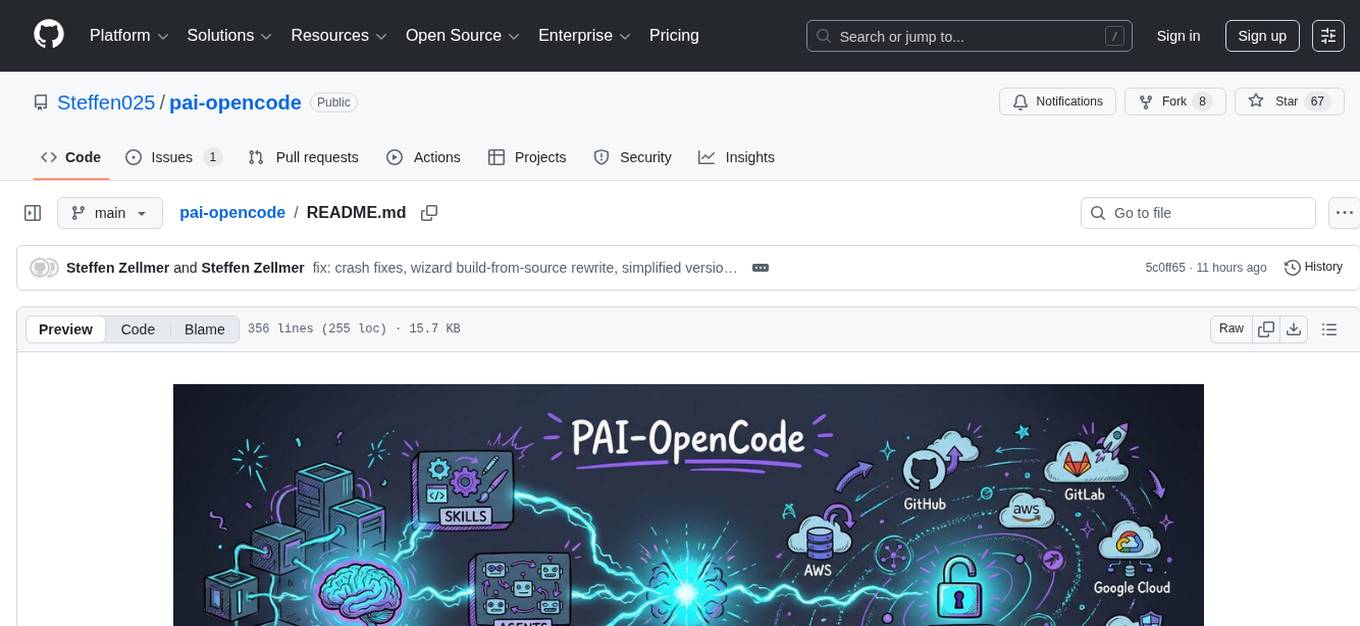
PAI-OpenCode is a complete port of Daniel Miessler's Personal AI Infrastructure (PAI) to OpenCode, an open-source, provider-agnostic AI coding assistant. It brings modular capabilities, dynamic multi-agent orchestration, session history, and lifecycle automation to personalize AI assistants for users. With support for 75+ AI providers, PAI-OpenCode offers dynamic per-task model routing, full PAI infrastructure, real-time session sharing, and multiple client options. The tool optimizes cost and quality with a 3-tier model strategy and a 3-tier research system, allowing users to switch presets for different routing strategies. PAI-OpenCode's architecture preserves PAI's design while adapting to OpenCode, documented through Architecture Decision Records (ADRs).
For similar jobs

sweep
Sweep is an AI junior developer that turns bugs and feature requests into code changes. It automatically handles developer experience improvements like adding type hints and improving test coverage.

teams-ai
The Teams AI Library is a software development kit (SDK) that helps developers create bots that can interact with Teams and Microsoft 365 applications. It is built on top of the Bot Framework SDK and simplifies the process of developing bots that interact with Teams' artificial intelligence capabilities. The SDK is available for JavaScript/TypeScript, .NET, and Python.

ai-guide
This guide is dedicated to Large Language Models (LLMs) that you can run on your home computer. It assumes your PC is a lower-end, non-gaming setup.

classifai
Supercharge WordPress Content Workflows and Engagement with Artificial Intelligence. Tap into leading cloud-based services like OpenAI, Microsoft Azure AI, Google Gemini and IBM Watson to augment your WordPress-powered websites. Publish content faster while improving SEO performance and increasing audience engagement. ClassifAI integrates Artificial Intelligence and Machine Learning technologies to lighten your workload and eliminate tedious tasks, giving you more time to create original content that matters.

chatbot-ui
Chatbot UI is an open-source AI chat app that allows users to create and deploy their own AI chatbots. It is easy to use and can be customized to fit any need. Chatbot UI is perfect for businesses, developers, and anyone who wants to create a chatbot.

BricksLLM
BricksLLM is a cloud native AI gateway written in Go. Currently, it provides native support for OpenAI, Anthropic, Azure OpenAI and vLLM. BricksLLM aims to provide enterprise level infrastructure that can power any LLM production use cases. Here are some use cases for BricksLLM: * Set LLM usage limits for users on different pricing tiers * Track LLM usage on a per user and per organization basis * Block or redact requests containing PIIs * Improve LLM reliability with failovers, retries and caching * Distribute API keys with rate limits and cost limits for internal development/production use cases * Distribute API keys with rate limits and cost limits for students

uAgents
uAgents is a Python library developed by Fetch.ai that allows for the creation of autonomous AI agents. These agents can perform various tasks on a schedule or take action on various events. uAgents are easy to create and manage, and they are connected to a fast-growing network of other uAgents. They are also secure, with cryptographically secured messages and wallets.

griptape
Griptape is a modular Python framework for building AI-powered applications that securely connect to your enterprise data and APIs. It offers developers the ability to maintain control and flexibility at every step. Griptape's core components include Structures (Agents, Pipelines, and Workflows), Tasks, Tools, Memory (Conversation Memory, Task Memory, and Meta Memory), Drivers (Prompt and Embedding Drivers, Vector Store Drivers, Image Generation Drivers, Image Query Drivers, SQL Drivers, Web Scraper Drivers, and Conversation Memory Drivers), Engines (Query Engines, Extraction Engines, Summary Engines, Image Generation Engines, and Image Query Engines), and additional components (Rulesets, Loaders, Artifacts, Chunkers, and Tokenizers). Griptape enables developers to create AI-powered applications with ease and efficiency.