


ProxyPilot
Windows-native CLIProxyAPI fork with TUI, system tray, and multi-provider OAuth for AI coding tools - No API key needed
Stars: 75
ProxyPilot is a powerful local API proxy tool built in Go that eliminates the need for separate API keys when using Claude Code, Codex, Gemini, Kiro, and Qwen subscriptions with any AI coding tool. It handles OAuth authentication, token management, and API translation automatically, providing a single server to route requests. The tool supports multiple authentication providers, universal API translation, tool calling repair, extended thinking models, OAuth integration, multi-account support, quota auto-switching, usage statistics tracking, context compression, agentic harness for coding agents, session memory, system tray app, auto-updates, rollback support, and over 60 management APIs. ProxyPilot also includes caching layers for response and prompt caching to reduce latency and token usage.
README:




Stop juggling API keys. ProxyPilot is a powerful local API proxy that lets you use your existing Claude Code, Codex, Gemini, Kiro, and Qwen subscriptions with any AI coding tool – no separate API keys required.
Built in Go, it handles OAuth authentication, token management, and API translation automatically. One server to route them all.
[!TIP] 📣 Latest models supported: Claude Opus 4.5 / Sonnet 4.5 with extended thinking, GPT-5.2 / GPT-5.2 Codex, Gemini 3 Pro/Flash, and Kiro (AWS CodeWhisperer)! 🚀
Setup Guides:
- 🎯 10 Auth Providers - Claude, Codex (OpenAI), Gemini, Gemini CLI, Kiro (AWS), Amazon Q CLI, Qwen, Antigravity, MiniMax, Zhipu AI
- 🔄 Universal API Translation - Auto-converts between OpenAI, Anthropic, and Gemini formats
- 🔧 Tool Calling Repair - Fixes tool/function call mismatches between providers automatically
- 🧠 Extended Thinking - Full support for Claude and Gemini thinking models
- 🔐 OAuth Integration - Browser-based login with automatic token refresh
- 👥 Multi-Account Support - Round-robin distribution with automatic failover
- ⚡ Quota Auto-Switch - Automatically switches to backup project/model when quota exceeded
- 📊 Usage Statistics - Track requests, tokens, and errors per provider/model
- 🧩 Context Compression - LLM-based summarization for long sessions (Factory.ai research)
- 🤖 Agentic Harness - Guided workflow for coding agents (Anthropic research)
- 💾 Session Memory - Persistent storage across conversation turns
- 🎨 System Tray - Native Windows tray app for quick access
- 🔄 Auto-Updates - Background update checking with one-click install
- ⏪ Rollback Support - Automatic crash detection with version recovery
- 📡 60+ Management APIs - Full control via REST endpoints
| Provider | Auth Method | Models |
|---|---|---|
| Claude (Anthropic) | OAuth2 / API Key | Claude Opus 4.5, Sonnet 4.5, Haiku 4.5 |
| Codex (OpenAI) | OAuth2 / API Key | GPT-5.2, GPT-5.2 Codex |
| Gemini | OAuth2 / API Key | Gemini 3 Pro, Gemini 3 Flash |
| Gemini CLI | OAuth2 | Cloud Code Assist (separate quota) |
| Kiro | OAuth2 + AWS SSO | AWS CodeWhisperer |
| Amazon Q CLI | Import from CLI | Amazon Q Developer |
| Qwen | OAuth2 | Qwen models |
| Antigravity | OAuth2 | Gemini via Antigravity (separate quota) |
| MiniMax | API Key | MiniMax M2, M2.1 models |
| Zhipu AI | API Key | GLM-4.5, GLM-4.6, GLM-4.7 |
| Custom | API Key | Any OpenAI-compatible endpoint |
- Go to the Releases page
- Download the latest binary for your platform
- Run
./proxypilot
git clone https://github.com/Finesssee/ProxyPilot.git
cd ProxyPilot
go build -o proxypilot ./cmd/server
./proxypilot- Copy config:
cp config.example.yaml config.yaml - Run:
./proxypilot - Server starts on
http://localhost:8317 - Open dashboard:
http://localhost:8317/proxypilot.html
Run OAuth login for your provider:
# OAuth providers (opens browser)
./proxypilot --claude-login        # Claude
./proxypilot --codex-login         # OpenAI/Codex
./proxypilot --login               # Gemini
./proxypilot --kiro-login          # Kiro (Google OAuth)
./proxypilot --kiro-aws-login      # Kiro (AWS Builder ID)
./proxypilot --qwen-login          # Qwen
./proxypilot --antigravity-login   # Antigravity

# Import providers (from existing CLI tools)
./proxypilot --kiro-import         # Kiro IDE token

# API key providers (prompts for key)
./proxypilot --minimax-login       # MiniMax API key
./proxypilot --zhipu-login         # Zhipu AI API key
OAuth tokens are stored locally and auto-refreshed before expiry.
- Proxy requests require API keys by default. To allow unauthenticated access (not recommended), set
allow-unauthenticated: trueinconfig.yaml. - CORS is enabled for non-management endpoints by default (wildcard
*). Management endpoints do not emit CORS headers unless you explicitly allow origins undercors.management-allow-origins.
Example:
allow-unauthenticated: false
cors:
  allow-origins:
    - "http://localhost:5173"
  management-allow-origins:
- "http://localhost:5173"Claude Code (~/.claude/settings.json):
{
  "env": {
    "ANTHROPIC_BASE_URL": "http://127.0.0.1:8317",
    "ANTHROPIC_AUTH_TOKEN": "your-api-key"
  }
}
Codex CLI (~/.codex/config.toml):
[openai]
api_base_url = "http://127.0.0.1:8317"
Factory Droid (~/.factory/settings.json):
{
  "customModels": [{
    "name": "ProxyPilot",
    "baseUrl": "http://127.0.0.1:8317"
  }]
}POST /v1/chat/completions # OpenAI Chat Completions
POST /v1/responses # OpenAI Responses API
POST /v1/messages # Anthropic Messages API
GET /v1/models # List available models
GET /healthz # Health check
All endpoints auto-translate between formats based on the target provider.
ProxyPilot includes two caching layers to reduce latency and token usage.
Caches full API responses for identical requests. Useful for repeated queries during development.
Config (config.yaml):
response-cache:
  enabled: true           # Default: false
  max-size: 1000          # Max entries (default: 1000)
  max-bytes: 0            # Optional total cache size cap in bytes
  ttl-seconds: 300        # Cache TTL (default: 300 = 5 min)
  exclude-models:         # Models to skip (supports wildcards)
    - "*-thinking"
- "o1-*"Synthetic prompt caching for providers without native support. Tracks repeated system prompts and estimates token savings.
Config (config.yaml):
prompt-cache:
  enabled: true           # Default: false
  max-size: 500           # Max entries (default: 500)
  max-bytes: 0            # Optional total cache size cap in bytes
ttl-seconds: 1800 # Cache TTL (default: 1800 = 30 min)| Endpoint | Method | Description |
|---|---|---|
/v0/management/cache/stats |
GET | Response cache stats (hits, misses, size) |
/v0/management/cache/clear |
POST | Clear response cache |
/v0/management/cache/enabled |
PUT | Enable/disable at runtime {"enabled": true}
|
/v0/management/prompt-cache/stats |
GET | Prompt cache stats + estimated tokens saved |
/v0/management/prompt-cache/clear |
POST | Clear prompt cache |
/v0/management/prompt-cache/enabled |
PUT | Enable/disable at runtime |
/v0/management/prompt-cache/top |
GET | Top 10 most-hit prompts |
For low‑memory or high‑throughput setups, you can disable heavier features:
commercial-mode: true
usage-statistics-enabled: false
usage-sample-rate: 0.25
metrics-enabled: false
request-history-enabled: false
request-history-sample-rate: 0.25
agentic-harness-enabled: false
prompt-budget-enabled: false
request-log: false
response-cache:
  enabled: false
prompt-cache:
enabled: falseProxyPilot includes a built-in auto-update system that checks for new releases and allows one-click installation.
Config (config.yaml):
updates:
  auto-check: true              # Enable background update checking (default: true)
  check-interval-hours: 24      # How often to check (default: 24)
  notify-on-update: true        # Show toast notification when update available (default: true)
channel: stable # Update channel: "stable" or "prerelease" (default: stable)- Background Polling - Checks for updates at configurable intervals
- Dashboard Banner - Proactive notification when update is available
- One-Click Install - Download, verify, and install from the tray menu
- Session Dismissal - Dismissed banners won't reappear until next session
When an update is available:
- Settings → Download & Install vX.X.X - One-click update flow
- Settings → Check for Updates - Manual check
ProxyPilot automatically backs up the previous version during updates and can restore it if something goes wrong.
- Crash Detection - Tracks rapid restarts within a 30-second window
- Auto-Rollback - After 3 rapid failures, automatically restores previous version
- Health Marking - After 30 seconds of stable operation, clears the failure counter
From the tray menu:
- Settings → Rollback to Previous Version - Restore the previous version
- During update, current binary is saved as
.oldbackup - Rollback metadata stored in
%APPDATA%/ProxyPilot/updates/ - On crash loop detection, previous version is automatically restored
- After successful startup (30s), backup can be cleaned up
| Binary | Description |
|---|---|
proxypilot |
Main CLI with server and config switching |
proxypilot-tray |
System tray app |
Works with these AI coding tools:
- Claude Code - Auto-configure via settings.json
- Codex CLI - Auto-configure via config.toml
- Factory Droid - Auto-configure via settings.json
- Cursor IDE - Manual endpoint configuration
- Continue - Manual endpoint configuration
- macOS, Linux, or Windows
- Go 1.24+ (for building from source)
ProxyPilot is developed and maintained by @Finesssee. Some contributors shown in the git history are from upstream CLIProxyAPI merges. Direct contributors to ProxyPilot will be listed here as the project grows.
ProxyPilot builds upon excellent work from the open-source community:
- CLIProxyAPI - The original unified proxy server that inspired this project
- VibeProxy - Native macOS menu bar app showcasing clean proxy UX
Long-context features are inspired by research from the AI community:
- Factory.ai - Context compression techniques for long-running coding agents
- Anthropic - Effective harnesses for long-running agents
Special thanks to these teams for sharing their work and insights.
MIT License - see LICENSE for details.
- Report Issues: GitHub Issues
This project is for educational and interoperability research purposes. It interacts with various APIs to provide compatibility layers.
- Use at your own risk. Authors are not responsible for account suspensions or service interruptions.
- Not affiliated with Google, OpenAI, Anthropic, Amazon, or any other provider.
- Users must comply with the Terms of Service of connected platforms.
For Tasks:
Click tags to check more tools for each tasksFor Jobs:
Alternative AI tools for ProxyPilot
Similar Open Source Tools
ProxyPilot
ProxyPilot is a powerful local API proxy tool built in Go that eliminates the need for separate API keys when using Claude Code, Codex, Gemini, Kiro, and Qwen subscriptions with any AI coding tool. It handles OAuth authentication, token management, and API translation automatically, providing a single server to route requests. The tool supports multiple authentication providers, universal API translation, tool calling repair, extended thinking models, OAuth integration, multi-account support, quota auto-switching, usage statistics tracking, context compression, agentic harness for coding agents, session memory, system tray app, auto-updates, rollback support, and over 60 management APIs. ProxyPilot also includes caching layers for response and prompt caching to reduce latency and token usage.
quotio
Quotio is a native macOS application designed as the ultimate command center for managing CLIProxyAPI, a local proxy server that powers AI coding agents. It allows users to connect multiple AI accounts, track quotas, configure CLI tools, and monitor request traffic in real-time. With features like multi-provider support, standalone quota mode, one-click agent configuration, real-time dashboard, smart quota management, API key management, menu bar integration, notifications, auto-update, and multilingual support, Quotio offers a comprehensive solution for AI coding assistants on macOS.

ClaudeBar
ClaudeBar is a macOS menu bar application that monitors AI coding assistant usage quotas. It allows users to keep track of their usage of Claude, Codex, Gemini, GitHub Copilot, Antigravity, and Z.ai at a glance. The application offers multi-provider support, real-time quota tracking, multiple themes, visual status indicators, system notifications, auto-refresh feature, and keyboard shortcuts for quick access. Users can customize monitoring by toggling individual providers on/off and receive alerts when quota status changes. The tool requires macOS 15+, Swift 6.2+, and CLI tools installed for the providers to be monitored.
handit.ai
Handit.ai is an autonomous engineer tool designed to fix AI failures 24/7. It catches failures, writes fixes, tests them, and ships PRs automatically. It monitors AI applications, detects issues, generates fixes, tests them against real data, and ships them as pull requests—all automatically. Users can write JavaScript, TypeScript, Python, and more, and the tool automates what used to require manual debugging and firefighting.
aegra
Aegra is a self-hosted AI agent backend platform that provides LangGraph power without vendor lock-in. Built with FastAPI + PostgreSQL, it offers complete control over agent orchestration for teams looking to escape vendor lock-in, meet data sovereignty requirements, enable custom deployments, and optimize costs. Aegra is Agent Protocol compliant and perfect for teams seeking a free, self-hosted alternative to LangGraph Platform with zero lock-in, full control, and compatibility with existing LangGraph Client SDK.
legacy-use
Legacy-use is a tool that transforms legacy applications into modern REST APIs using AI. It allows users to dynamically generate and customize API endpoints for legacy or desktop applications, access systems running legacy software, track and resolve issues with built-in observability tools, ensure secure and compliant automation, choose model providers independently, and deploy with enterprise-grade security and compliance. The tool provides a quick setup process, automatic API key generation, and supports Windows VM automation. It offers a user-friendly interface for adding targets, running jobs, and writing effective prompts. Legacy-use also supports various connectivity technologies like OpenVPN, Tailscale, WireGuard, VNC, RDP, and TeamViewer. Telemetry data is collected anonymously to improve the product, and users can opt-out of tracking. Optional configurations include enabling OpenVPN target creation and displaying backend endpoints documentation. Contributions to the project are welcome.
alphora
Alphora is a full-stack framework for building production AI agents, providing agent orchestration, prompt engineering, tool execution, memory management, streaming, and deployment with an async-first, OpenAI-compatible design. It offers features like agent derivation, reasoning-action loop, async streaming, visual debugger, OpenAI compatibility, multimodal support, tool system with zero-config tools and type safety, prompt engine with dynamic prompts, memory and storage management, sandbox for secure execution, deployment as API, and more. Alphora allows users to build sophisticated AI agents easily and efficiently.
ai-real-estate-assistant
AI Real Estate Assistant is a modern platform that uses AI to assist real estate agencies in helping buyers and renters find their ideal properties. It features multiple AI model providers, intelligent query processing, advanced search and retrieval capabilities, and enhanced user experience. The tool is built with a FastAPI backend and Next.js frontend, offering semantic search, hybrid agent routing, and real-time analytics.
explain-openclaw
Explain OpenClaw is a comprehensive documentation repository for the OpenClaw framework, a self-hosted AI assistant platform. It covers various aspects such as plain English explanations, technical architecture, deployment scenarios, privacy and safety measures, security audits, worst-case security scenarios, optimizations, and AI model comparisons. The repository serves as a living knowledge base with beginner-friendly explanations and detailed technical insights for contributors.
tingly-box
Tingly Box is a tool that helps in deciding which model to call, compressing context, and routing requests efficiently. It offers secure, reliable, and customizable functional extensions. With features like unified API, smart routing, context compression, auto API translation, blazing fast performance, flexible authentication, visual control panel, and client-side usage stats, Tingly Box provides a comprehensive solution for managing AI models and tokens. It supports integration with various IDEs, CLI tools, SDKs, and AI applications, making it versatile and easy to use. The tool also allows seamless integration with OAuth providers like Claude Code, enabling users to utilize existing quotas in OpenAI-compatible tools. Tingly Box aims to simplify AI model management and usage by providing a single endpoint for multiple providers with minimal configuration, promoting seamless integration with SDKs and CLI tools.
zcf
ZCF (Zero-Config Claude-Code Flow) is a tool that provides zero-configuration, one-click setup for Claude Code with bilingual support, intelligent agent system, and personalized AI assistant. It offers an interactive menu for easy operations and direct commands for quick execution. The tool supports bilingual operation with automatic language switching and customizable AI output styles. ZCF also includes features like BMad Workflow for enterprise-grade workflow system, Spec Workflow for structured feature development, CCR (Claude Code Router) support for proxy routing, and CCometixLine for real-time usage tracking. It provides smart installation, complete configuration management, and core features like professional agents, command system, and smart configuration. ZCF is cross-platform compatible, supports Windows and Termux environments, and includes security features like dangerous operation confirmation mechanism.
figma-console-mcp
Figma Console MCP is a Model Context Protocol server that bridges design and development, giving AI assistants complete access to Figma for extraction, creation, and debugging. It connects AI assistants like Claude to Figma, enabling plugin debugging, visual debugging, design system extraction, design creation, variable management, real-time monitoring, and three installation methods. The server offers 53+ tools for NPX and Local Git setups, while Remote SSE provides read-only access with 16 tools. Users can create and modify designs with AI, contribute to projects, or explore design data. The server supports authentication via personal access tokens and OAuth, and offers tools for navigation, console debugging, visual debugging, design system extraction, design creation, design-code parity, variable management, and AI-assisted design creation.
MassGen
MassGen is a cutting-edge multi-agent system that leverages the power of collaborative AI to solve complex tasks. It assigns a task to multiple AI agents who work in parallel, observe each other's progress, and refine their approaches to converge on the best solution to deliver a comprehensive and high-quality result. The system operates through an architecture designed for seamless multi-agent collaboration, with key features including cross-model/agent synergy, parallel processing, intelligence sharing, consensus building, and live visualization. Users can install the system, configure API settings, and run MassGen for various tasks such as question answering, creative writing, research, development & coding tasks, and web automation & browser tasks. The roadmap includes plans for advanced agent collaboration, expanded model, tool & agent integration, improved performance & scalability, enhanced developer experience, and a web interface.
oh-my-pi
oh-my-pi is an AI coding agent for the terminal, providing tools for interactive coding, AI-powered git commits, Python code execution, LSP integration, time-traveling streamed rules, interactive code review, task management, interactive questioning, custom TypeScript slash commands, universal config discovery, MCP & plugin system, web search & fetch, SSH tool, Cursor provider integration, multi-credential support, image generation, TUI overhaul, edit fuzzy matching, and more. It offers a modern terminal interface with smart session management, supports multiple AI providers, and includes various tools for coding, task management, code review, and interactive questioning.
google_workspace_mcp
The Google Workspace MCP Server is a production-ready server that integrates major Google Workspace services with AI assistants. It supports single-user and multi-user authentication via OAuth 2.1, making it a powerful backend for custom applications. Built with FastMCP for optimal performance, it features advanced authentication handling, service caching, and streamlined development patterns. The server provides full natural language control over Google Calendar, Drive, Gmail, Docs, Sheets, Slides, Forms, Tasks, and Chat through all MCP clients, AI assistants, and developer tools. It supports free Google accounts and Google Workspace plans with expanded app options like Chat & Spaces. The server also offers private cloud instance options.
conduit
Conduit is an open-source, cross-platform mobile application for Open-WebUI, providing a native mobile experience for interacting with your self-hosted AI infrastructure. It supports real-time chat, model selection, conversation management, markdown rendering, theme support, voice input, file uploads, multi-modal support, secure storage, folder management, and tools invocation. Conduit offers multiple authentication flows and follows a clean architecture pattern with Riverpod for state management, Dio for HTTP networking, WebSocket for real-time streaming, and Flutter Secure Storage for credential management.
For similar tasks
ProxyPilot
ProxyPilot is a powerful local API proxy tool built in Go that eliminates the need for separate API keys when using Claude Code, Codex, Gemini, Kiro, and Qwen subscriptions with any AI coding tool. It handles OAuth authentication, token management, and API translation automatically, providing a single server to route requests. The tool supports multiple authentication providers, universal API translation, tool calling repair, extended thinking models, OAuth integration, multi-account support, quota auto-switching, usage statistics tracking, context compression, agentic harness for coding agents, session memory, system tray app, auto-updates, rollback support, and over 60 management APIs. ProxyPilot also includes caching layers for response and prompt caching to reduce latency and token usage.
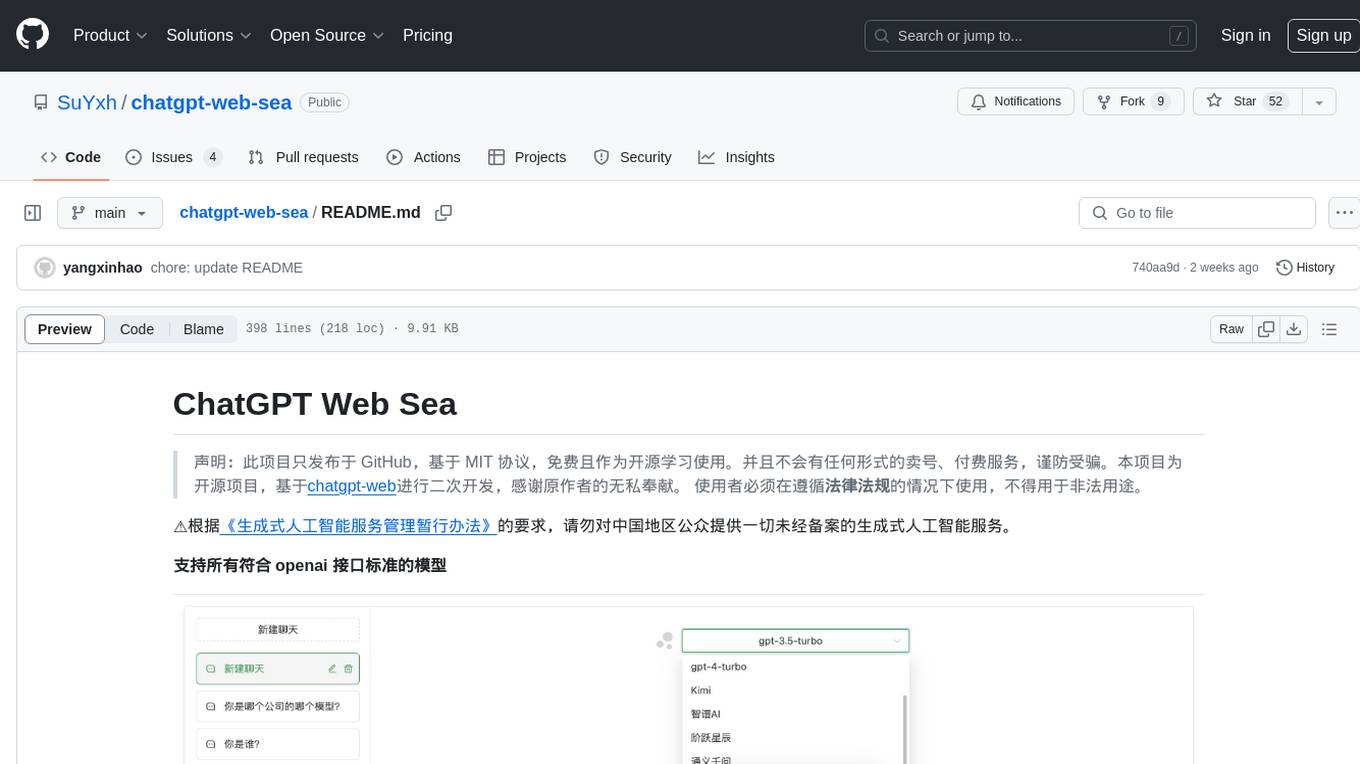
chatgpt-web-sea
ChatGPT Web Sea is an open-source project based on ChatGPT-web for secondary development. It supports all models that comply with the OpenAI interface standard, allows for model selection, configuration, and extension, and is compatible with OneAPI. The tool includes a Chinese ChatGPT tuning guide, supports file uploads, and provides model configuration options. Users can interact with the tool through a web interface, configure models, and perform tasks such as model selection, API key management, and chat interface setup. The project also offers Docker deployment options and instructions for manual packaging.
farfalle
Farfalle is an open-source AI-powered search engine that allows users to run their own local LLM or utilize the cloud. It provides a tech stack including Next.js for frontend, FastAPI for backend, Tavily for search API, Logfire for logging, and Redis for rate limiting. Users can get started by setting up prerequisites like Docker and Ollama, and obtaining API keys for Tavily, OpenAI, and Groq. The tool supports models like llama3, mistral, and gemma. Users can clone the repository, set environment variables, run containers using Docker Compose, and deploy the backend and frontend using services like Render and Vercel.
ComfyUI-Tara-LLM-Integration
Tara is a powerful node for ComfyUI that integrates Large Language Models (LLMs) to enhance and automate workflow processes. With Tara, you can create complex, intelligent workflows that refine and generate content, manage API keys, and seamlessly integrate various LLMs into your projects. It comprises nodes for handling OpenAI-compatible APIs, saving and loading API keys, composing multiple texts, and using predefined templates for OpenAI and Groq. Tara supports OpenAI and Grok models with plans to expand support to together.ai and Replicate. Users can install Tara via Git URL or ComfyUI Manager and utilize it for tasks like input guidance, saving and loading API keys, and generating text suitable for chaining in workflows.
conversational-agent-langchain
This repository contains a Rest-Backend for a Conversational Agent that allows embedding documents, semantic search, QA based on documents, and document processing with Large Language Models. It uses Aleph Alpha and OpenAI Large Language Models to generate responses to user queries, includes a vector database, and provides a REST API built with FastAPI. The project also features semantic search, secret management for API keys, installation instructions, and development guidelines for both backend and frontend components.

ChatGPT-Next-Web-Pro
ChatGPT-Next-Web-Pro is a tool that provides an enhanced version of ChatGPT-Next-Web with additional features and functionalities. It offers complete ChatGPT-Next-Web functionality, file uploading and storage capabilities, drawing and video support, multi-modal support, reverse model support, knowledge base integration, translation, customizations, and more. The tool can be deployed with or without a backend, allowing users to interact with AI models, manage accounts, create models, manage API keys, handle orders, manage memberships, and more. It supports various cloud services like Aliyun OSS, Tencent COS, and Minio for file storage, and integrates with external APIs like Azure, Google Gemini Pro, and Luma. The tool also provides options for customizing website titles, subtitles, icons, and plugin buttons, and offers features like voice input, file uploading, real-time token count display, and more.
APIMyLlama
APIMyLlama is a server application that provides an interface to interact with the Ollama API, a powerful AI tool to run LLMs. It allows users to easily distribute API keys to create amazing things. The tool offers commands to generate, list, remove, add, change, activate, deactivate, and manage API keys, as well as functionalities to work with webhooks, set rate limits, and get detailed information about API keys. Users can install APIMyLlama packages with NPM, PIP, Jitpack Repo+Gradle or Maven, or from the Crates Repository. The tool supports Node.JS, Python, Java, and Rust for generating responses from the API. Additionally, it provides built-in health checking commands for monitoring API health status.
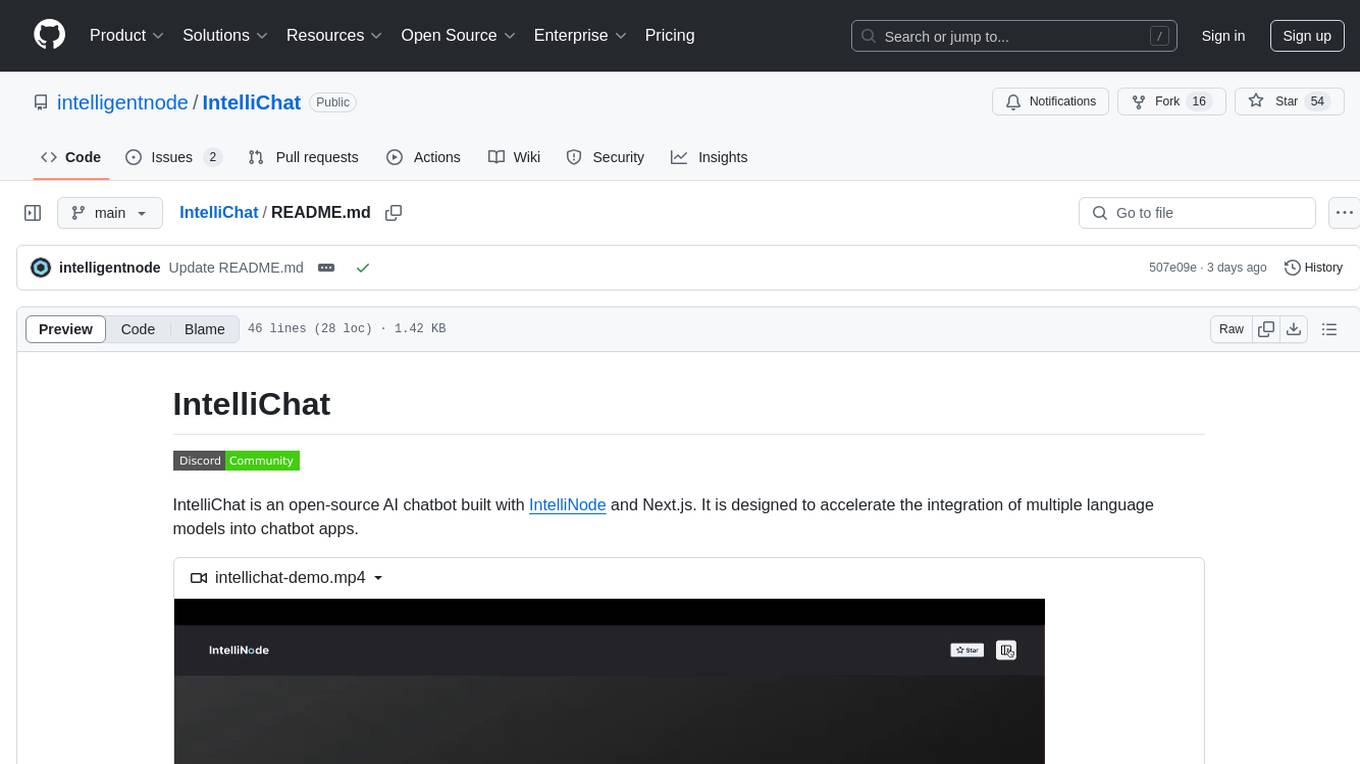
IntelliChat
IntelliChat is an open-source AI chatbot tool designed to accelerate the integration of multiple language models into chatbot apps. Users can select their preferred AI provider and model from the UI, manage API keys, and access data using Intellinode. The tool is built with Intellinode and Next.js, and supports various AI providers such as OpenAI ChatGPT, Google Gemini, Azure Openai, Cohere Coral, Replicate, Mistral AI, Anthropic, and vLLM. It offers a user-friendly interface for developers to easily incorporate AI capabilities into their chatbot applications.
For similar jobs

sweep
Sweep is an AI junior developer that turns bugs and feature requests into code changes. It automatically handles developer experience improvements like adding type hints and improving test coverage.

teams-ai
The Teams AI Library is a software development kit (SDK) that helps developers create bots that can interact with Teams and Microsoft 365 applications. It is built on top of the Bot Framework SDK and simplifies the process of developing bots that interact with Teams' artificial intelligence capabilities. The SDK is available for JavaScript/TypeScript, .NET, and Python.

ai-guide
This guide is dedicated to Large Language Models (LLMs) that you can run on your home computer. It assumes your PC is a lower-end, non-gaming setup.

classifai
Supercharge WordPress Content Workflows and Engagement with Artificial Intelligence. Tap into leading cloud-based services like OpenAI, Microsoft Azure AI, Google Gemini and IBM Watson to augment your WordPress-powered websites. Publish content faster while improving SEO performance and increasing audience engagement. ClassifAI integrates Artificial Intelligence and Machine Learning technologies to lighten your workload and eliminate tedious tasks, giving you more time to create original content that matters.

chatbot-ui
Chatbot UI is an open-source AI chat app that allows users to create and deploy their own AI chatbots. It is easy to use and can be customized to fit any need. Chatbot UI is perfect for businesses, developers, and anyone who wants to create a chatbot.

BricksLLM
BricksLLM is a cloud native AI gateway written in Go. Currently, it provides native support for OpenAI, Anthropic, Azure OpenAI and vLLM. BricksLLM aims to provide enterprise level infrastructure that can power any LLM production use cases. Here are some use cases for BricksLLM: * Set LLM usage limits for users on different pricing tiers * Track LLM usage on a per user and per organization basis * Block or redact requests containing PIIs * Improve LLM reliability with failovers, retries and caching * Distribute API keys with rate limits and cost limits for internal development/production use cases * Distribute API keys with rate limits and cost limits for students

uAgents
uAgents is a Python library developed by Fetch.ai that allows for the creation of autonomous AI agents. These agents can perform various tasks on a schedule or take action on various events. uAgents are easy to create and manage, and they are connected to a fast-growing network of other uAgents. They are also secure, with cryptographically secured messages and wallets.

griptape
Griptape is a modular Python framework for building AI-powered applications that securely connect to your enterprise data and APIs. It offers developers the ability to maintain control and flexibility at every step. Griptape's core components include Structures (Agents, Pipelines, and Workflows), Tasks, Tools, Memory (Conversation Memory, Task Memory, and Meta Memory), Drivers (Prompt and Embedding Drivers, Vector Store Drivers, Image Generation Drivers, Image Query Drivers, SQL Drivers, Web Scraper Drivers, and Conversation Memory Drivers), Engines (Query Engines, Extraction Engines, Summary Engines, Image Generation Engines, and Image Query Engines), and additional components (Rulesets, Loaders, Artifacts, Chunkers, and Tokenizers). Griptape enables developers to create AI-powered applications with ease and efficiency.