


quotio
Stop juggling AI accounts. Quotio is a beautiful native macOS menu bar app that unifies your Claude, Gemini, OpenAI, Qwen, and Antigravity subscriptions – with real-time quota tracking and smart auto-failover for AI coding tools like Claude Code, OpenCode, and Droid.
Stars: 3533
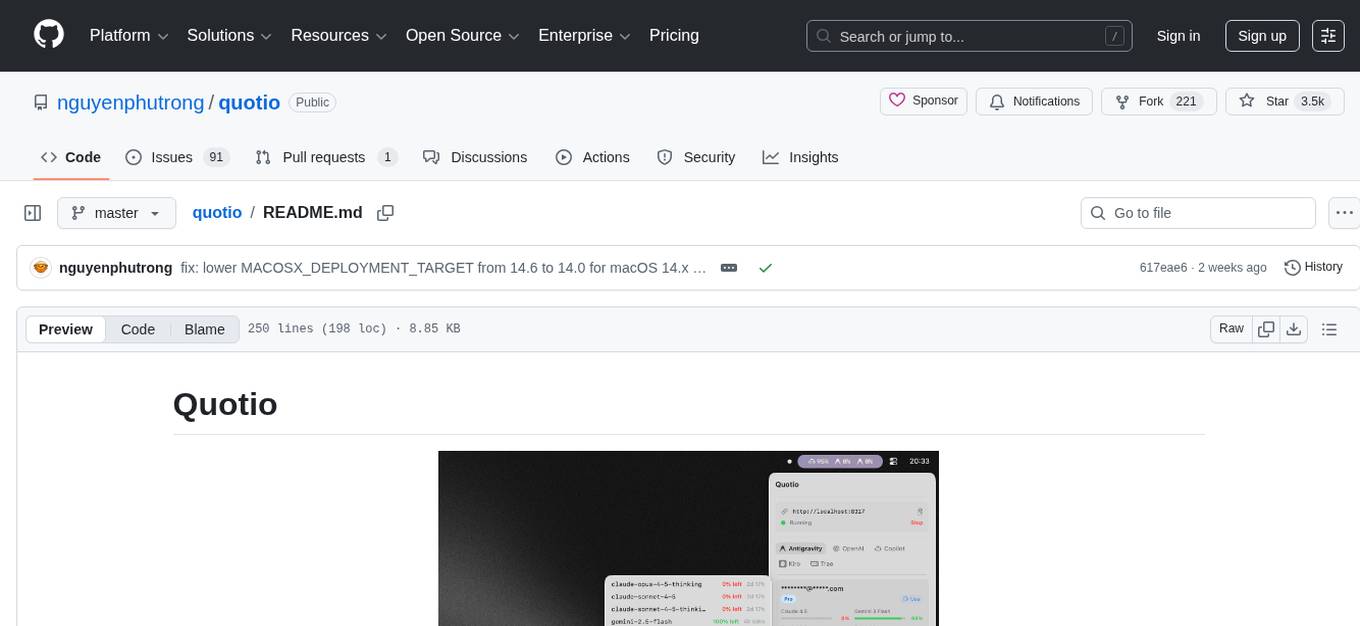
Quotio is a native macOS application designed as the ultimate command center for managing CLIProxyAPI, a local proxy server that powers AI coding agents. It allows users to connect multiple AI accounts, track quotas, configure CLI tools, and monitor request traffic in real-time. With features like multi-provider support, standalone quota mode, one-click agent configuration, real-time dashboard, smart quota management, API key management, menu bar integration, notifications, auto-update, and multilingual support, Quotio offers a comprehensive solution for AI coding assistants on macOS.
README:







The ultimate command center for your AI coding assistants on macOS.
Quotio is a native macOS application for managing CLIProxyAPI - a local proxy server that powers your AI coding agents. It helps you manage multiple AI accounts, track quotas, and configure CLI tools in one place.
- 🔌 Multi-Provider Support: Connect accounts from Gemini, Claude, OpenAI Codex, Qwen, Vertex AI, iFlow, Antigravity, Kiro, Trae, and GitHub Copilot via OAuth or API keys.
- 📊 Standalone Quota Mode: View quota and accounts without running the proxy server - perfect for quick checks.
- 🚀 One-Click Agent Configuration: Auto-detect and configure AI coding tools like Claude Code, OpenCode, Gemini CLI, and more.
- 📈 Real-time Dashboard: Monitor request traffic, token usage, and success rates live.
- 📉 Smart Quota Management: Visual quota tracking per account with automatic failover strategies (Round Robin / Fill First).
- 🔑 API Key Management: Generate and manage API keys for your local proxy.
- 🖥️ Menu Bar Integration: Quick access to server status, quota overview, and custom provider icons from your menu bar.
- 🔔 Notifications: Alerts for low quotas, account cooling periods, or service issues.
- 🔄 Auto-Update: Built-in Sparkle updater for seamless updates.
- 🌍 Multilingual: English, Vietnamese, and Simplified Chinese support.
| Provider | Auth Method |
|---|---|
| Google Gemini | OAuth |
| Anthropic Claude | OAuth |
| OpenAI Codex | OAuth |
| Qwen Code | OAuth |
| Vertex AI | Service Account JSON |
| iFlow | OAuth |
| Antigravity | OAuth |
| Kiro | OAuth |
| GitHub Copilot | OAuth |
| IDE | Description |
|---|---|
| Cursor | Auto-detected when installed and logged in |
| Trae | Auto-detected when installed and logged in |
Note: These IDEs are only used for quota usage monitoring. They cannot be used as providers for the proxy.
Quotio can automatically configure these tools to use your centralized proxy:
- Claude Code
- Codex CLI
- Gemini CLI
- Amp CLI
- OpenCode
- Factory Droid
- macOS 14.0 (Sonoma) or later
- Internet connection for OAuth authentication
brew tap nguyenphutrong/tap
brew install --cask quotio
Download the latest .dmg from the Releases page.
⚠️ Note: The app is not signed with an Apple Developer certificate yet. If macOS blocks the app, run:xattr -cr /Applications/Quotio.app
-
Clone the repository:
git clone https://github.com/nguyenphutrong/quotio.git cd Quotio -
Open in Xcode:
open Quotio.xcodeproj
-
Build and Run:
- Select the "Quotio" scheme
- Press
Cmd + Rto build and run
The app will automatically download the
CLIProxyAPIbinary on first launch.
Launch Quotio and click Start on the dashboard to initialize the local proxy server.
Go to Providers tab → Click on a provider → Authenticate via OAuth or import credentials.
Go to Agents tab → Select an installed agent → Click Configure → Choose Automatic or Manual mode.
- Dashboard: Overall health and traffic
- Quota: Per-account usage breakdown
- Logs: Raw request/response logs for debugging
- Port: Change the proxy listening port
- Routing Strategy: Round Robin or Fill First
- Auto-start: Launch proxy automatically when Quotio opens
- Notifications: Toggle alerts for various events


- Fork the Project
- Create your Feature Branch (
git checkout -b feature/amazing-feature) - Commit your Changes (
git commit -m 'Add amazing feature') - Push to the Branch (
git push origin feature/amazing-feature) - Open a Pull Request
Join our Discord community to get help, share feedback, and connect with other users:

We couldn't have done this without you. Thank you! 🙏
MIT License. See LICENSE for details.
For Tasks:
Click tags to check more tools for each tasksFor Jobs:
Alternative AI tools for quotio
Similar Open Source Tools
quotio
Quotio is a native macOS application designed as the ultimate command center for managing CLIProxyAPI, a local proxy server that powers AI coding agents. It allows users to connect multiple AI accounts, track quotas, configure CLI tools, and monitor request traffic in real-time. With features like multi-provider support, standalone quota mode, one-click agent configuration, real-time dashboard, smart quota management, API key management, menu bar integration, notifications, auto-update, and multilingual support, Quotio offers a comprehensive solution for AI coding assistants on macOS.

ClaudeBar
ClaudeBar is a macOS menu bar application that monitors AI coding assistant usage quotas. It allows users to keep track of their usage of Claude, Codex, Gemini, GitHub Copilot, Antigravity, and Z.ai at a glance. The application offers multi-provider support, real-time quota tracking, multiple themes, visual status indicators, system notifications, auto-refresh feature, and keyboard shortcuts for quick access. Users can customize monitoring by toggling individual providers on/off and receive alerts when quota status changes. The tool requires macOS 15+, Swift 6.2+, and CLI tools installed for the providers to be monitored.
ProxyPilot
ProxyPilot is a powerful local API proxy tool built in Go that eliminates the need for separate API keys when using Claude Code, Codex, Gemini, Kiro, and Qwen subscriptions with any AI coding tool. It handles OAuth authentication, token management, and API translation automatically, providing a single server to route requests. The tool supports multiple authentication providers, universal API translation, tool calling repair, extended thinking models, OAuth integration, multi-account support, quota auto-switching, usage statistics tracking, context compression, agentic harness for coding agents, session memory, system tray app, auto-updates, rollback support, and over 60 management APIs. ProxyPilot also includes caching layers for response and prompt caching to reduce latency and token usage.
conduit
Conduit is an open-source, cross-platform mobile application for Open-WebUI, providing a native mobile experience for interacting with your self-hosted AI infrastructure. It supports real-time chat, model selection, conversation management, markdown rendering, theme support, voice input, file uploads, multi-modal support, secure storage, folder management, and tools invocation. Conduit offers multiple authentication flows and follows a clean architecture pattern with Riverpod for state management, Dio for HTTP networking, WebSocket for real-time streaming, and Flutter Secure Storage for credential management.
openchamber
OpenChamber is a web and desktop interface for the OpenCode AI coding agent, designed to work alongside the OpenCode TUI. The project was built entirely with AI coding agents under supervision, serving as a proof of concept that AI agents can create usable software. It offers features like integrated terminal, Git operations with AI commit message generation, smart tool visualization, permission management, multi-agent runs, task tracker UI, model selection UX, UI scaling controls, session auto-cleanup, and memory optimizations. OpenChamber provides cross-device continuity, remote access, and a visual alternative for developers preferring GUI workflows.
burp-ai-agent
Burp AI Agent is an extension for Burp Suite that integrates AI into your security workflow. It provides 7 AI backends, 53+ MCP tools, and 62 vulnerability classes. Users can configure privacy modes, perform audit logging, and connect external AI agents via MCP. The tool allows passive and active AI scanners to find vulnerabilities while users focus on manual testing. It requires Burp Suite, Java 21, and at least one AI backend configured.
Lumina-Note
Lumina Note is a local-first AI note-taking app designed to help users write, connect, and evolve knowledge with AI capabilities while ensuring data ownership. It offers a knowledge-centered workflow with features like Markdown editor, WikiLinks, and graph view. The app includes AI workspace modes such as Chat, Agent, Deep Research, and Codex, along with support for multiple model providers. Users can benefit from bidirectional links, LaTeX support, graph visualization, PDF reader with annotations, real-time voice input, and plugin ecosystem for extended functionalities. Lumina Note is built on Tauri v2 framework with a tech stack including React 18, TypeScript, Tailwind CSS, and SQLite for vector storage.
qwen-code
Qwen Code is an open-source AI agent optimized for Qwen3-Coder, designed to help users understand large codebases, automate tedious work, and expedite the shipping process. It offers an agentic workflow with rich built-in tools, a terminal-first approach with optional IDE integration, and supports both OpenAI-compatible API and Qwen OAuth authentication methods. Users can interact with Qwen Code in interactive mode, headless mode, IDE integration, and through a TypeScript SDK. The tool can be configured via settings.json, environment variables, and CLI flags, and offers benchmark results for performance evaluation. Qwen Code is part of an ecosystem that includes AionUi and Gemini CLI Desktop for graphical interfaces, and troubleshooting guides are available for issue resolution.
tingly-box
Tingly Box is a tool that helps in deciding which model to call, compressing context, and routing requests efficiently. It offers secure, reliable, and customizable functional extensions. With features like unified API, smart routing, context compression, auto API translation, blazing fast performance, flexible authentication, visual control panel, and client-side usage stats, Tingly Box provides a comprehensive solution for managing AI models and tokens. It supports integration with various IDEs, CLI tools, SDKs, and AI applications, making it versatile and easy to use. The tool also allows seamless integration with OAuth providers like Claude Code, enabling users to utilize existing quotas in OpenAI-compatible tools. Tingly Box aims to simplify AI model management and usage by providing a single endpoint for multiple providers with minimal configuration, promoting seamless integration with SDKs and CLI tools.
Free-GPT4-WEB-API
FreeGPT4-WEB-API is a Python server that allows you to have a self-hosted GPT-4 Unlimited and Free WEB API, via the latest Bing's AI. It uses Flask and GPT4Free libraries. GPT4Free provides an interface to the Bing's GPT-4. The server can be configured by editing the `FreeGPT4_Server.py` file. You can change the server's port, host, and other settings. The only cookie needed for the Bing model is `_U`.
handit.ai
Handit.ai is an autonomous engineer tool designed to fix AI failures 24/7. It catches failures, writes fixes, tests them, and ships PRs automatically. It monitors AI applications, detects issues, generates fixes, tests them against real data, and ships them as pull requests—all automatically. Users can write JavaScript, TypeScript, Python, and more, and the tool automates what used to require manual debugging and firefighting.
nodetool
NodeTool is a platform designed for AI enthusiasts, developers, and creators, providing a visual interface to access a variety of AI tools and models. It simplifies access to advanced AI technologies, offering resources for content creation, data analysis, automation, and more. With features like a visual editor, seamless integration with leading AI platforms, model manager, and API integration, NodeTool caters to both newcomers and experienced users in the AI field.
explain-openclaw
Explain OpenClaw is a comprehensive documentation repository for the OpenClaw framework, a self-hosted AI assistant platform. It covers various aspects such as plain English explanations, technical architecture, deployment scenarios, privacy and safety measures, security audits, worst-case security scenarios, optimizations, and AI model comparisons. The repository serves as a living knowledge base with beginner-friendly explanations and detailed technical insights for contributors.
legacy-use
Legacy-use is a tool that transforms legacy applications into modern REST APIs using AI. It allows users to dynamically generate and customize API endpoints for legacy or desktop applications, access systems running legacy software, track and resolve issues with built-in observability tools, ensure secure and compliant automation, choose model providers independently, and deploy with enterprise-grade security and compliance. The tool provides a quick setup process, automatic API key generation, and supports Windows VM automation. It offers a user-friendly interface for adding targets, running jobs, and writing effective prompts. Legacy-use also supports various connectivity technologies like OpenVPN, Tailscale, WireGuard, VNC, RDP, and TeamViewer. Telemetry data is collected anonymously to improve the product, and users can opt-out of tracking. Optional configurations include enabling OpenVPN target creation and displaying backend endpoints documentation. Contributions to the project are welcome.
OpenOutreach
OpenOutreach is a self-hosted, open-source LinkedIn automation tool designed for B2B lead generation. It automates the entire outreach process in a stealthy, human-like way by discovering and enriching target profiles, ranking profiles using ML for smart prioritization, sending personalized connection requests, following up with custom messages after acceptance, and tracking everything in a built-in CRM with web UI. It offers features like undetectable behavior, fully customizable Python-based campaigns, local execution with CRM, easy deployment with Docker, and AI-ready templating for hyper-personalized messages.
agentscope
AgentScope is an agent-oriented programming tool for building LLM (Large Language Model) applications. It provides transparent development, realtime steering, agentic tools management, model agnostic programming, LEGO-style agent building, multi-agent support, and high customizability. The tool supports async invocation, reasoning models, streaming returns, async/sync tool functions, user interruption, group-wise tools management, streamable transport, stateful/stateless mode MCP client, distributed and parallel evaluation, multi-agent conversation management, and fine-grained MCP control. AgentScope Studio enables tracing and visualization of agent applications. The tool is highly customizable and encourages customization at various levels.
For similar tasks
quotio
Quotio is a native macOS application designed as the ultimate command center for managing CLIProxyAPI, a local proxy server that powers AI coding agents. It allows users to connect multiple AI accounts, track quotas, configure CLI tools, and monitor request traffic in real-time. With features like multi-provider support, standalone quota mode, one-click agent configuration, real-time dashboard, smart quota management, API key management, menu bar integration, notifications, auto-update, and multilingual support, Quotio offers a comprehensive solution for AI coding assistants on macOS.
APIMyLlama
APIMyLlama is a server application that provides an interface to interact with the Ollama API, a powerful AI tool to run LLMs. It allows users to easily distribute API keys to create amazing things. The tool offers commands to generate, list, remove, add, change, activate, deactivate, and manage API keys, as well as functionalities to work with webhooks, set rate limits, and get detailed information about API keys. Users can install APIMyLlama packages with NPM, PIP, Jitpack Repo+Gradle or Maven, or from the Crates Repository. The tool supports Node.JS, Python, Java, and Rust for generating responses from the API. Additionally, it provides built-in health checking commands for monitoring API health status.
For similar jobs

promptflow
**Prompt flow** is a suite of development tools designed to streamline the end-to-end development cycle of LLM-based AI applications, from ideation, prototyping, testing, evaluation to production deployment and monitoring. It makes prompt engineering much easier and enables you to build LLM apps with production quality.

deepeval
DeepEval is a simple-to-use, open-source LLM evaluation framework specialized for unit testing LLM outputs. It incorporates various metrics such as G-Eval, hallucination, answer relevancy, RAGAS, etc., and runs locally on your machine for evaluation. It provides a wide range of ready-to-use evaluation metrics, allows for creating custom metrics, integrates with any CI/CD environment, and enables benchmarking LLMs on popular benchmarks. DeepEval is designed for evaluating RAG and fine-tuning applications, helping users optimize hyperparameters, prevent prompt drifting, and transition from OpenAI to hosting their own Llama2 with confidence.

MegaDetector
MegaDetector is an AI model that identifies animals, people, and vehicles in camera trap images (which also makes it useful for eliminating blank images). This model is trained on several million images from a variety of ecosystems. MegaDetector is just one of many tools that aims to make conservation biologists more efficient with AI. If you want to learn about other ways to use AI to accelerate camera trap workflows, check out our of the field, affectionately titled "Everything I know about machine learning and camera traps".

leapfrogai
LeapfrogAI is a self-hosted AI platform designed to be deployed in air-gapped resource-constrained environments. It brings sophisticated AI solutions to these environments by hosting all the necessary components of an AI stack, including vector databases, model backends, API, and UI. LeapfrogAI's API closely matches that of OpenAI, allowing tools built for OpenAI/ChatGPT to function seamlessly with a LeapfrogAI backend. It provides several backends for various use cases, including llama-cpp-python, whisper, text-embeddings, and vllm. LeapfrogAI leverages Chainguard's apko to harden base python images, ensuring the latest supported Python versions are used by the other components of the stack. The LeapfrogAI SDK provides a standard set of protobuffs and python utilities for implementing backends and gRPC. LeapfrogAI offers UI options for common use-cases like chat, summarization, and transcription. It can be deployed and run locally via UDS and Kubernetes, built out using Zarf packages. LeapfrogAI is supported by a community of users and contributors, including Defense Unicorns, Beast Code, Chainguard, Exovera, Hypergiant, Pulze, SOSi, United States Navy, United States Air Force, and United States Space Force.

llava-docker
This Docker image for LLaVA (Large Language and Vision Assistant) provides a convenient way to run LLaVA locally or on RunPod. LLaVA is a powerful AI tool that combines natural language processing and computer vision capabilities. With this Docker image, you can easily access LLaVA's functionalities for various tasks, including image captioning, visual question answering, text summarization, and more. The image comes pre-installed with LLaVA v1.2.0, Torch 2.1.2, xformers 0.0.23.post1, and other necessary dependencies. You can customize the model used by setting the MODEL environment variable. The image also includes a Jupyter Lab environment for interactive development and exploration. Overall, this Docker image offers a comprehensive and user-friendly platform for leveraging LLaVA's capabilities.

carrot
The 'carrot' repository on GitHub provides a list of free and user-friendly ChatGPT mirror sites for easy access. The repository includes sponsored sites offering various GPT models and services. Users can find and share sites, report errors, and access stable and recommended sites for ChatGPT usage. The repository also includes a detailed list of ChatGPT sites, their features, and accessibility options, making it a valuable resource for ChatGPT users seeking free and unlimited GPT services.

TrustLLM
TrustLLM is a comprehensive study of trustworthiness in LLMs, including principles for different dimensions of trustworthiness, established benchmark, evaluation, and analysis of trustworthiness for mainstream LLMs, and discussion of open challenges and future directions. Specifically, we first propose a set of principles for trustworthy LLMs that span eight different dimensions. Based on these principles, we further establish a benchmark across six dimensions including truthfulness, safety, fairness, robustness, privacy, and machine ethics. We then present a study evaluating 16 mainstream LLMs in TrustLLM, consisting of over 30 datasets. The document explains how to use the trustllm python package to help you assess the performance of your LLM in trustworthiness more quickly. For more details about TrustLLM, please refer to project website.

AI-YinMei
AI-YinMei is an AI virtual anchor Vtuber development tool (N card version). It supports fastgpt knowledge base chat dialogue, a complete set of solutions for LLM large language models: [fastgpt] + [one-api] + [Xinference], supports docking bilibili live broadcast barrage reply and entering live broadcast welcome speech, supports Microsoft edge-tts speech synthesis, supports Bert-VITS2 speech synthesis, supports GPT-SoVITS speech synthesis, supports expression control Vtuber Studio, supports painting stable-diffusion-webui output OBS live broadcast room, supports painting picture pornography public-NSFW-y-distinguish, supports search and image search service duckduckgo (requires magic Internet access), supports image search service Baidu image search (no magic Internet access), supports AI reply chat box [html plug-in], supports AI singing Auto-Convert-Music, supports playlist [html plug-in], supports dancing function, supports expression video playback, supports head touching action, supports gift smashing action, supports singing automatic start dancing function, chat and singing automatic cycle swing action, supports multi scene switching, background music switching, day and night automatic switching scene, supports open singing and painting, let AI automatically judge the content.