


ComfyUI
The most powerful and modular diffusion model GUI, api and backend with a graph/nodes interface.
Stars: 102923
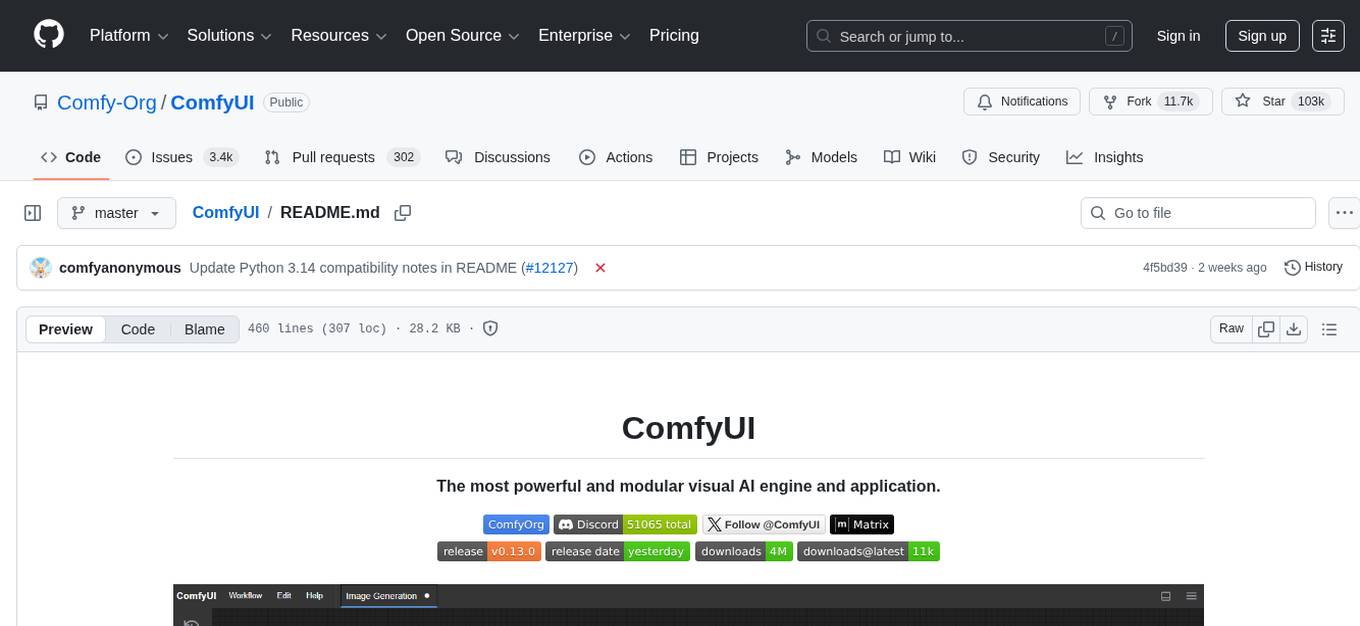
ComfyUI is a powerful and modular visual AI engine and application that allows users to design and execute advanced stable diffusion pipelines using a graph/nodes/flowchart based interface. It provides a user-friendly environment for creating complex Stable Diffusion workflows without the need for coding. ComfyUI supports various models for image, video, audio, and 3D processing, along with features like smart memory management, model loading, embeddings/textual inversion, and offline usage. Users can experiment with different models, create complex workflows, and optimize their processes efficiently.
README:








ComfyUI lets you design and execute advanced stable diffusion pipelines using a graph/nodes/flowchart based interface. Available on Windows, Linux, and macOS.
- The easiest way to get started.
- Available on Windows & macOS.
- Get the latest commits and completely portable.
- Available on Windows.
Supports all operating systems and GPU types (NVIDIA, AMD, Intel, Apple Silicon, Ascend).
See what ComfyUI can do with the example workflows.
- Nodes/graph/flowchart interface to experiment and create complex Stable Diffusion workflows without needing to code anything.
- Image Models
- SD1.x, SD2.x (unCLIP)
- SDXL, SDXL Turbo
- Stable Cascade
- SD3 and SD3.5
- Pixart Alpha and Sigma
- AuraFlow
- HunyuanDiT
- Flux
- Lumina Image 2.0
- HiDream
- Qwen Image
- Hunyuan Image 2.1
- Flux 2
- Z Image
- Image Editing Models
- Video Models
- Audio Models
- 3D Models
- Asynchronous Queue system
- Many optimizations: Only re-executes the parts of the workflow that changes between executions.
- Smart memory management: can automatically run large models on GPUs with as low as 1GB vram with smart offloading.
- Works even if you don't have a GPU with:
--cpu(slow) - Can load ckpt and safetensors: All in one checkpoints or standalone diffusion models, VAEs and CLIP models.
- Safe loading of ckpt, pt, pth, etc.. files.
- Embeddings/Textual inversion
- Loras (regular, locon and loha)
- Hypernetworks
- Loading full workflows (with seeds) from generated PNG, WebP and FLAC files.
- Saving/Loading workflows as Json files.
- Nodes interface can be used to create complex workflows like one for Hires fix or much more advanced ones.
- Area Composition
- Inpainting with both regular and inpainting models.
- ControlNet and T2I-Adapter
- Upscale Models (ESRGAN, ESRGAN variants, SwinIR, Swin2SR, etc...)
- GLIGEN
- Model Merging
- LCM models and Loras
- Latent previews with TAESD
- Works fully offline: core will never download anything unless you want to.
- Optional API nodes to use paid models from external providers through the online Comfy API disable with:
--disable-api-nodes - Config file to set the search paths for models.
Workflow examples can be found on the Examples page
ComfyUI follows a weekly release cycle targeting Monday but this regularly changes because of model releases or large changes to the codebase. There are three interconnected repositories:
-
- Releases a new stable version (e.g., v0.7.0) roughly every week.
- Starting from v0.4.0 patch versions will be used for fixes backported onto the current stable release.
- Minor versions will be used for releases off the master branch.
- Patch versions may still be used for releases on the master branch in cases where a backport would not make sense.
- Commits outside of the stable release tags may be very unstable and break many custom nodes.
- Serves as the foundation for the desktop release
-
- Builds a new release using the latest stable core version
-
- Weekly frontend updates are merged into the core repository
- Features are frozen for the upcoming core release
- Development continues for the next release cycle
| Keybind | Explanation |
|---|---|
Ctrl + Enter
|
Queue up current graph for generation |
Ctrl + Shift + Enter
|
Queue up current graph as first for generation |
Ctrl + Alt + Enter
|
Cancel current generation |
Ctrl + Z/Ctrl + Y
|
Undo/Redo |
Ctrl + S
|
Save workflow |
Ctrl + O
|
Load workflow |
Ctrl + A
|
Select all nodes |
Alt + C
|
Collapse/uncollapse selected nodes |
Ctrl + M
|
Mute/unmute selected nodes |
Ctrl + B
|
Bypass selected nodes (acts like the node was removed from the graph and the wires reconnected through) |
Delete/Backspace
|
Delete selected nodes |
Ctrl + Backspace
|
Delete the current graph |
Space |
Move the canvas around when held and moving the cursor |
Ctrl/Shift + Click
|
Add clicked node to selection |
Ctrl + C/Ctrl + V
|
Copy and paste selected nodes (without maintaining connections to outputs of unselected nodes) |
Ctrl + C/Ctrl + Shift + V
|
Copy and paste selected nodes (maintaining connections from outputs of unselected nodes to inputs of pasted nodes) |
Shift + Drag
|
Move multiple selected nodes at the same time |
Ctrl + D
|
Load default graph |
Alt + +
|
Canvas Zoom in |
Alt + -
|
Canvas Zoom out |
Ctrl + Shift + LMB + Vertical drag |
Canvas Zoom in/out |
P |
Pin/Unpin selected nodes |
Ctrl + G
|
Group selected nodes |
Q |
Toggle visibility of the queue |
H |
Toggle visibility of history |
R |
Refresh graph |
F |
Show/Hide menu |
. |
Fit view to selection (Whole graph when nothing is selected) |
| Double-Click LMB | Open node quick search palette |
Shift + Drag |
Move multiple wires at once |
Ctrl + Alt + LMB |
Disconnect all wires from clicked slot |
Ctrl can also be replaced with Cmd instead for macOS users
There is a portable standalone build for Windows that should work for running on Nvidia GPUs or for running on your CPU only on the releases page.
Simply download, extract with 7-Zip or with the windows explorer on recent windows versions and run. For smaller models you normally only need to put the checkpoints (the huge ckpt/safetensors files) in: ComfyUI\models\checkpoints but many of the larger models have multiple files. Make sure to follow the instructions to know which subfolder to put them in ComfyUI\models\
If you have trouble extracting it, right click the file -> properties -> unblock
The portable above currently comes with python 3.13 and pytorch cuda 13.0. Update your Nvidia drivers if it doesn't start.
Experimental portable for AMD GPUs
Portable with pytorch cuda 12.8 and python 3.12.
Portable with pytorch cuda 12.6 and python 3.12 (Supports Nvidia 10 series and older GPUs).
See the Config file to set the search paths for models. In the standalone windows build you can find this file in the ComfyUI directory. Rename this file to extra_model_paths.yaml and edit it with your favorite text editor.
You can install and start ComfyUI using comfy-cli:
pip install comfy-cli
comfy installPython 3.14 works but some custom nodes may have issues. The free threaded variant works but some dependencies will enable the GIL so it's not fully supported.
Python 3.13 is very well supported. If you have trouble with some custom node dependencies on 3.13 you can try 3.12
torch 2.4 and above is supported but some features and optimizations might only work on newer versions. We generally recommend using the latest major version of pytorch with the latest cuda version unless it is less than 2 weeks old.
Git clone this repo.
Put your SD checkpoints (the huge ckpt/safetensors files) in: models/checkpoints
Put your VAE in: models/vae
AMD users can install rocm and pytorch with pip if you don't have it already installed, this is the command to install the stable version:
pip install torch torchvision torchaudio --index-url https://download.pytorch.org/whl/rocm6.4
This is the command to install the nightly with ROCm 7.1 which might have some performance improvements:
pip install --pre torch torchvision torchaudio --index-url https://download.pytorch.org/whl/nightly/rocm7.1
These have less hardware support than the builds above but they work on windows. You also need to install the pytorch version specific to your hardware.
RDNA 3 (RX 7000 series):
pip install --pre torch torchvision torchaudio --index-url https://rocm.nightlies.amd.com/v2/gfx110X-all/
RDNA 3.5 (Strix halo/Ryzen AI Max+ 365):
pip install --pre torch torchvision torchaudio --index-url https://rocm.nightlies.amd.com/v2/gfx1151/
RDNA 4 (RX 9000 series):
pip install --pre torch torchvision torchaudio --index-url https://rocm.nightlies.amd.com/v2/gfx120X-all/
Intel Arc GPU users can install native PyTorch with torch.xpu support using pip. More information can be found here
- To install PyTorch xpu, use the following command:
pip install torch torchvision torchaudio --index-url https://download.pytorch.org/whl/xpu
This is the command to install the Pytorch xpu nightly which might have some performance improvements:
pip install --pre torch torchvision torchaudio --index-url https://download.pytorch.org/whl/nightly/xpu
Nvidia users should install stable pytorch using this command:
pip install torch torchvision torchaudio --extra-index-url https://download.pytorch.org/whl/cu130
This is the command to install pytorch nightly instead which might have performance improvements.
pip install --pre torch torchvision torchaudio --index-url https://download.pytorch.org/whl/nightly/cu130
If you get the "Torch not compiled with CUDA enabled" error, uninstall torch with:
pip uninstall torch
And install it again with the command above.
Install the dependencies by opening your terminal inside the ComfyUI folder and:
pip install -r requirements.txt
After this you should have everything installed and can proceed to running ComfyUI.
You can install ComfyUI in Apple Mac silicon (M1 or M2) with any recent macOS version.
- Install pytorch nightly. For instructions, read the Accelerated PyTorch training on Mac Apple Developer guide (make sure to install the latest pytorch nightly).
- Follow the ComfyUI manual installation instructions for Windows and Linux.
- Install the ComfyUI dependencies. If you have another Stable Diffusion UI you might be able to reuse the dependencies.
- Launch ComfyUI by running
python main.py
Note: Remember to add your models, VAE, LoRAs etc. to the corresponding Comfy folders, as discussed in ComfyUI manual installation.
For models compatible with Ascend Extension for PyTorch (torch_npu). To get started, ensure your environment meets the prerequisites outlined on the installation page. Here's a step-by-step guide tailored to your platform and installation method:
- Begin by installing the recommended or newer kernel version for Linux as specified in the Installation page of torch-npu, if necessary.
- Proceed with the installation of Ascend Basekit, which includes the driver, firmware, and CANN, following the instructions provided for your specific platform.
- Next, install the necessary packages for torch-npu by adhering to the platform-specific instructions on the Installation page.
- Finally, adhere to the ComfyUI manual installation guide for Linux. Once all components are installed, you can run ComfyUI as described earlier.
For models compatible with Cambricon Extension for PyTorch (torch_mlu). Here's a step-by-step guide tailored to your platform and installation method:
- Install the Cambricon CNToolkit by adhering to the platform-specific instructions on the Installation
- Next, install the PyTorch(torch_mlu) following the instructions on the Installation
- Launch ComfyUI by running
python main.py
For models compatible with Iluvatar Extension for PyTorch. Here's a step-by-step guide tailored to your platform and installation method:
- Install the Iluvatar Corex Toolkit by adhering to the platform-specific instructions on the Installation
- Launch ComfyUI by running
python main.py
ComfyUI-Manager is an extension that allows you to easily install, update, and manage custom nodes for ComfyUI.
-
Install the manager dependencies:
pip install -r manager_requirements.txt
-
Enable the manager with the
--enable-managerflag when running ComfyUI:python main.py --enable-manager
| Flag | Description |
|---|---|
--enable-manager |
Enable ComfyUI-Manager |
--enable-manager-legacy-ui |
Use the legacy manager UI instead of the new UI (requires --enable-manager) |
--disable-manager-ui |
Disable the manager UI and endpoints while keeping background features like security checks and scheduled installation completion (requires --enable-manager) |
python main.py
Try running it with this command if you have issues:
For 6700, 6600 and maybe other RDNA2 or older: HSA_OVERRIDE_GFX_VERSION=10.3.0 python main.py
For AMD 7600 and maybe other RDNA3 cards: HSA_OVERRIDE_GFX_VERSION=11.0.0 python main.py
You can enable experimental memory efficient attention on recent pytorch in ComfyUI on some AMD GPUs using this command, it should already be enabled by default on RDNA3. If this improves speed for you on latest pytorch on your GPU please report it so that I can enable it by default.
TORCH_ROCM_AOTRITON_ENABLE_EXPERIMENTAL=1 python main.py --use-pytorch-cross-attention
You can also try setting this env variable PYTORCH_TUNABLEOP_ENABLED=1 which might speed things up at the cost of a very slow initial run.
Only parts of the graph that have an output with all the correct inputs will be executed.
Only parts of the graph that change from each execution to the next will be executed, if you submit the same graph twice only the first will be executed. If you change the last part of the graph only the part you changed and the part that depends on it will be executed.
Dragging a generated png on the webpage or loading one will give you the full workflow including seeds that were used to create it.
You can use () to change emphasis of a word or phrase like: (good code:1.2) or (bad code:0.8). The default emphasis for () is 1.1. To use () characters in your actual prompt escape them like \( or \).
You can use {day|night}, for wildcard/dynamic prompts. With this syntax "{wild|card|test}" will be randomly replaced by either "wild", "card" or "test" by the frontend every time you queue the prompt. To use {} characters in your actual prompt escape them like: \{ or \}.
Dynamic prompts also support C-style comments, like // comment or /* comment */.
To use a textual inversion concepts/embeddings in a text prompt put them in the models/embeddings directory and use them in the CLIPTextEncode node like this (you can omit the .pt extension):
embedding:embedding_filename.pt
Use --preview-method auto to enable previews.
The default installation includes a fast latent preview method that's low-resolution. To enable higher-quality previews with TAESD, download the taesd_decoder.pth, taesdxl_decoder.pth, taesd3_decoder.pth and taef1_decoder.pth and place them in the models/vae_approx folder. Once they're installed, restart ComfyUI and launch it with --preview-method taesd to enable high-quality previews.
Generate a self-signed certificate (not appropriate for shared/production use) and key by running the command: openssl req -x509 -newkey rsa:4096 -keyout key.pem -out cert.pem -sha256 -days 3650 -nodes -subj "/C=XX/ST=StateName/L=CityName/O=CompanyName/OU=CompanySectionName/CN=CommonNameOrHostname"
Use --tls-keyfile key.pem --tls-certfile cert.pem to enable TLS/SSL, the app will now be accessible with https://... instead of http://....
Note: Windows users can use alexisrolland/docker-openssl or one of the 3rd party binary distributions to run the command example above.
If you use a container, note that the volume mount-vcan be a relative path so... -v ".\:/openssl-certs" ...would create the key & cert files in the current directory of your command prompt or powershell terminal.
Discord: Try the #help or #feedback channels.
Matrix space: #comfyui_space:matrix.org (it's like discord but open source).
See also: https://www.comfy.org/
As of August 15, 2024, we have transitioned to a new frontend, which is now hosted in a separate repository: ComfyUI Frontend. This repository now hosts the compiled JS (from TS/Vue) under the web/ directory.
For any bugs, issues, or feature requests related to the frontend, please use the ComfyUI Frontend repository. This will help us manage and address frontend-specific concerns more efficiently.
The new frontend is now the default for ComfyUI. However, please note:
- The frontend in the main ComfyUI repository is updated fortnightly.
- Daily releases are available in the separate frontend repository.
To use the most up-to-date frontend version:
-
For the latest daily release, launch ComfyUI with this command line argument:
--front-end-version Comfy-Org/ComfyUI_frontend@latest -
For a specific version, replace
latestwith the desired version number:--front-end-version Comfy-Org/[email protected]
This approach allows you to easily switch between the stable fortnightly release and the cutting-edge daily updates, or even specific versions for testing purposes.
If you need to use the legacy frontend for any reason, you can access it using the following command line argument:
--front-end-version Comfy-Org/ComfyUI_legacy_frontend@latest
This will use a snapshot of the legacy frontend preserved in the ComfyUI Legacy Frontend repository.
For Tasks:
Click tags to check more tools for each tasksFor Jobs:
Alternative AI tools for ComfyUI
Similar Open Source Tools
ComfyUI
ComfyUI is a powerful and modular visual AI engine and application that allows users to design and execute advanced stable diffusion pipelines using a graph/nodes/flowchart based interface. It provides a user-friendly environment for creating complex Stable Diffusion workflows without the need for coding. ComfyUI supports various models for image, video, audio, and 3D processing, along with features like smart memory management, model loading, embeddings/textual inversion, and offline usage. Users can experiment with different models, create complex workflows, and optimize their processes efficiently.
ComfyUI
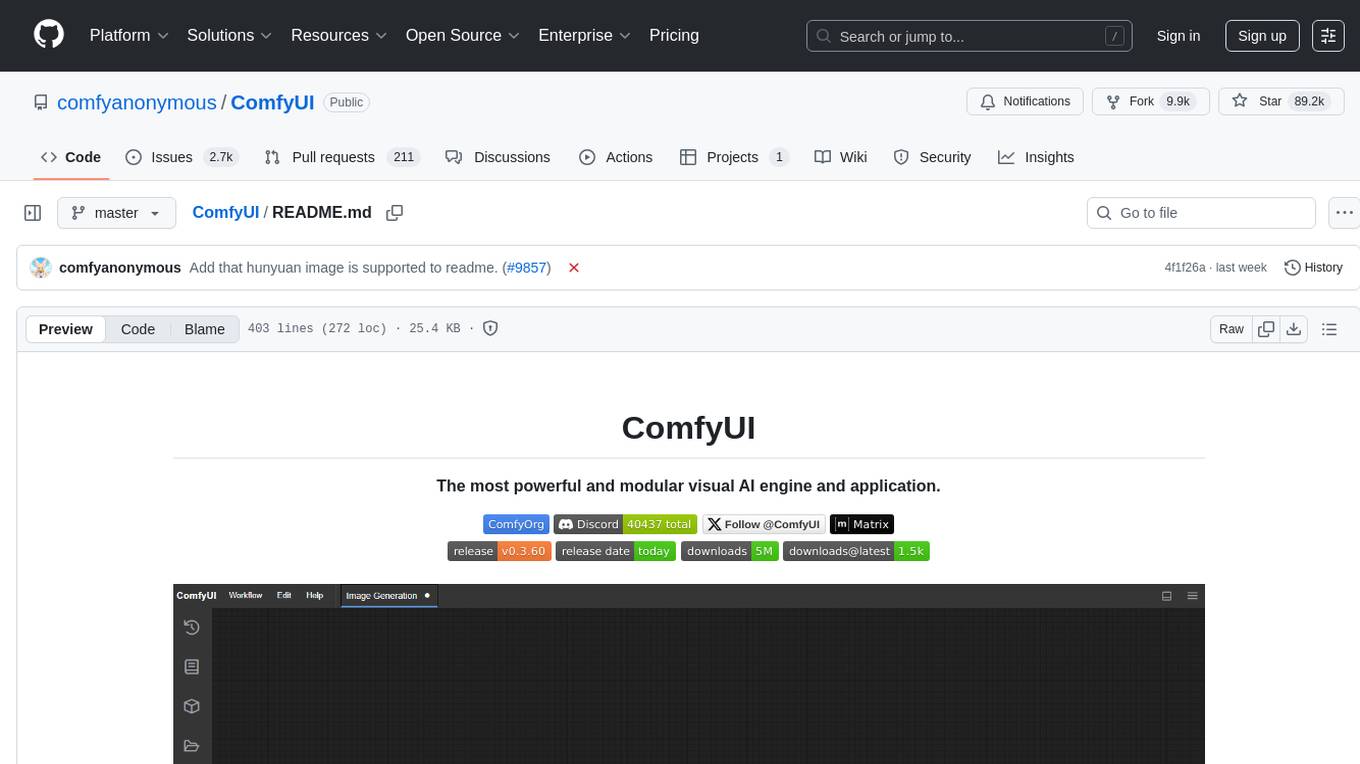
ComfyUI is a powerful and modular visual AI engine and application that allows users to design and execute advanced stable diffusion pipelines using a graph/nodes/flowchart based interface. It provides a user-friendly environment for creating complex Stable Diffusion workflows without the need for coding. ComfyUI supports various models for image editing, video processing, audio manipulation, 3D modeling, and more. It offers features like smart memory management, support for different GPU types, loading and saving workflows as JSON files, and offline functionality. Users can also use API nodes to access paid models from external providers through the online Comfy API.
Upscaler
Holloway's Upscaler is a consolidation of various compiled open-source AI image/video upscaling products for a CLI-friendly image and video upscaling program. It provides low-cost AI upscaling software that can run locally on a laptop, programmable for albums and videos, reliable for large video files, and works without GUI overheads. The repository supports hardware testing on various systems and provides important notes on GPU compatibility, video types, and image decoding bugs. Dependencies include ffmpeg and ffprobe for video processing. The user manual covers installation, setup pathing, calling for help, upscaling images and videos, and contributing back to the project. Benchmarks are provided for performance evaluation on different hardware setups.
llm-foundry
LLM Foundry is a codebase for training, finetuning, evaluating, and deploying LLMs for inference with Composer and the MosaicML platform. It is designed to be easy-to-use, efficient _and_ flexible, enabling rapid experimentation with the latest techniques. You'll find in this repo: * `llmfoundry/` - source code for models, datasets, callbacks, utilities, etc. * `scripts/` - scripts to run LLM workloads * `data_prep/` - convert text data from original sources to StreamingDataset format * `train/` - train or finetune HuggingFace and MPT models from 125M - 70B parameters * `train/benchmarking` - profile training throughput and MFU * `inference/` - convert models to HuggingFace or ONNX format, and generate responses * `inference/benchmarking` - profile inference latency and throughput * `eval/` - evaluate LLMs on academic (or custom) in-context-learning tasks * `mcli/` - launch any of these workloads using MCLI and the MosaicML platform * `TUTORIAL.md` - a deeper dive into the repo, example workflows, and FAQs
LlamaEdge
The LlamaEdge project makes it easy to run LLM inference apps and create OpenAI-compatible API services for the Llama2 series of LLMs locally. It provides a Rust+Wasm stack for fast, portable, and secure LLM inference on heterogeneous edge devices. The project includes source code for text generation, chatbot, and API server applications, supporting all LLMs based on the llama2 framework in the GGUF format. LlamaEdge is committed to continuously testing and validating new open-source models and offers a list of supported models with download links and startup commands. It is cross-platform, supporting various OSes, CPUs, and GPUs, and provides troubleshooting tips for common errors.
NekoImageGallery
NekoImageGallery is an online AI image search engine that utilizes the Clip model and Qdrant vector database. It supports keyword search and similar image search. The tool generates 768-dimensional vectors for each image using the Clip model, supports OCR text search using PaddleOCR, and efficiently searches vectors using the Qdrant vector database. Users can deploy the tool locally or via Docker, with options for metadata storage using Qdrant database or local file storage. The tool provides API documentation through FastAPI's built-in Swagger UI and can be used for tasks like image search, text extraction, and vector search.
depthai
This repository contains a demo application for DepthAI, a tool that can load different networks, create pipelines, record video, and more. It provides documentation for installation and usage, including running programs through Docker. Users can explore DepthAI features via command line arguments or a clickable QT interface. Supported models include various AI models for tasks like face detection, human pose estimation, and object detection. The tool collects anonymous usage statistics by default, which can be disabled. Users can report issues to the development team for support and troubleshooting.

onnxruntime-genai
ONNX Runtime Generative AI is a library that provides the generative AI loop for ONNX models, including inference with ONNX Runtime, logits processing, search and sampling, and KV cache management. Users can call a high level `generate()` method, or run each iteration of the model in a loop. It supports greedy/beam search and TopP, TopK sampling to generate token sequences, has built in logits processing like repetition penalties, and allows for easy custom scoring.
exllamav2
ExLlamaV2 is an inference library designed for running local LLMs on modern consumer GPUs. The library supports paged attention via Flash Attention 2.5.7+, offers a new dynamic generator with features like dynamic batching, smart prompt caching, and K/V cache deduplication. It also provides an API for local or remote inference using TabbyAPI, with extended features like HF model downloading and support for HF Jinja2 chat templates. ExLlamaV2 aims to optimize performance and speed across different GPU models, with potential future optimizations and variations in speeds. The tool can be integrated with TabbyAPI for OpenAI-style web API compatibility and supports a standalone web UI called ExUI for single-user interaction with chat and notebook modes. ExLlamaV2 also offers support for text-generation-webui and lollms-webui through specific loaders and bindings.
LEADS
LEADS is a lightweight embedded assisted driving system designed to simplify the development of instrumentation, control, and analysis systems for racing cars. It is written in Python and C/C++ with impressive performance. The system is customizable and provides abstract layers for component rearrangement. It supports hardware components like Raspberry Pi and Arduino, and can adapt to various hardware types. LEADS offers a modular structure with a focus on flexibility and lightweight design. It includes robust safety features, modern GUI design with dark mode support, high performance on different platforms, and powerful ESC systems for traction control and braking. The system also supports real-time data sharing, live video streaming, and AI-enhanced data analysis for driver training. LEADS VeC Remote Analyst enables transparency between the driver and pit crew, allowing real-time data sharing and analysis. The system is designed to be user-friendly, adaptable, and efficient for racing car development.
maxtext
MaxText is a high performance, highly scalable, open-source Large Language Model (LLM) written in pure Python/Jax targeting Google Cloud TPUs and GPUs for training and inference. It aims to be a launching off point for ambitious LLM projects in research and production, supporting TPUs and GPUs, models like Llama2, Mistral, and Gemma. MaxText provides specific instructions for getting started, runtime performance results, comparison to alternatives, and features like stack trace collection, ahead of time compilation for TPUs and GPUs, and automatic upload of logs to Vertex Tensorboard.
exllamav2
ExLlamaV2 is an inference library for running local LLMs on modern consumer GPUs. It is a faster, better, and more versatile codebase than its predecessor, ExLlamaV1, with support for a new quant format called EXL2. EXL2 is based on the same optimization method as GPTQ and supports 2, 3, 4, 5, 6, and 8-bit quantization. It allows for mixing quantization levels within a model to achieve any average bitrate between 2 and 8 bits per weight. ExLlamaV2 can be installed from source, from a release with prebuilt extension, or from PyPI. It supports integration with TabbyAPI, ExUI, text-generation-webui, and lollms-webui. Key features of ExLlamaV2 include: - Faster and better kernels - Cleaner and more versatile codebase - Support for EXL2 quantization format - Integration with various web UIs and APIs - Community support on Discord
UltraSinger
UltraSinger is a tool under development that automatically creates UltraStar.txt, midi, and notes from music. It pitches UltraStar files, adds text and tapping, creates separate UltraStar karaoke files, re-pitches current UltraStar files, and calculates in-game score. It uses multiple AI models to extract text from voice and determine pitch. Users should mention UltraSinger in UltraStar.txt files and only use it on Creative Commons licensed songs.
superflows
Superflows is an open-source alternative to OpenAI's Assistant API. It allows developers to easily add an AI assistant to their software products, enabling users to ask questions in natural language and receive answers or have tasks completed by making API calls. Superflows can analyze data, create plots, answer questions based on static knowledge, and even write code. It features a developer dashboard for configuration and testing, stateful streaming API, UI components, and support for multiple LLMs. Superflows can be set up in the cloud or self-hosted, and it provides comprehensive documentation and support.
axoned
Axone is a public dPoS layer 1 designed for connecting, sharing, and monetizing resources in the AI stack. It is an open network for collaborative AI workflow management compatible with any data, model, or infrastructure, allowing sharing of data, algorithms, storage, compute, APIs, both on-chain and off-chain. The 'axoned' node of the AXONE network is built on Cosmos SDK & Tendermint consensus, enabling companies & individuals to define on-chain rules, share off-chain resources, and create new applications. Validators secure the network by maintaining uptime and staking $AXONE for rewards. The blockchain supports various platforms and follows Semantic Versioning 2.0.0. A docker image is available for quick start, with documentation on querying networks, creating wallets, starting nodes, and joining networks. Development involves Go and Cosmos SDK, with smart contracts deployed on the AXONE blockchain. The project provides a Makefile for building, installing, linting, and testing. Community involvement is encouraged through Discord, open issues, and pull requests.
LLamaSharp
LLamaSharp is a cross-platform library to run 🦙LLaMA/LLaVA model (and others) on your local device. Based on llama.cpp, inference with LLamaSharp is efficient on both CPU and GPU. With the higher-level APIs and RAG support, it's convenient to deploy LLM (Large Language Model) in your application with LLamaSharp.
For similar tasks
ComfyUI
ComfyUI is a powerful and modular visual AI engine and application that allows users to design and execute advanced stable diffusion pipelines using a graph/nodes/flowchart based interface. It provides a user-friendly environment for creating complex Stable Diffusion workflows without the need for coding. ComfyUI supports various models for image, video, audio, and 3D processing, along with features like smart memory management, model loading, embeddings/textual inversion, and offline usage. Users can experiment with different models, create complex workflows, and optimize their processes efficiently.
HuggingFists
HuggingFists is a low-code data flow tool that enables convenient use of LLM and HuggingFace models. It provides functionalities similar to Langchain, allowing users to design, debug, and manage data processing workflows, create and schedule workflow jobs, manage resources environment, and handle various data artifact resources. The tool also offers account management for users, allowing centralized management of data source accounts and API accounts. Users can access Hugging Face models through the Inference API or locally deployed models, as well as datasets on Hugging Face. HuggingFists supports breakpoint debugging, branch selection, function calls, workflow variables, and more to assist users in developing complex data processing workflows.
ruoyi-vue-pro
The ruoyi-vue-pro repository is an open-source project that provides a comprehensive development platform with various functionalities such as system features, infrastructure, member center, data reports, workflow, payment system, mall system, ERP system, CRM system, and AI big model. It is built using Java backend with Spring Boot framework and Vue frontend with different versions like Vue3 with element-plus, Vue3 with vben(ant-design-vue), and Vue2 with element-ui. The project aims to offer a fast development platform for developers and enterprises, supporting features like dynamic menu loading, button-level access control, SaaS multi-tenancy, code generator, real-time communication, integration with third-party services like WeChat, Alipay, and cloud services, and more.
yudao-cloud
Yudao-cloud is an open-source project designed to provide a fast development platform for developers in China. It includes various system functions, infrastructure, member center, data reports, workflow, mall system, WeChat public account, CRM, ERP, etc. The project is based on Java backend with Spring Boot and Spring Cloud Alibaba microservices architecture. It supports multiple databases, message queues, authentication systems, dynamic menu loading, SaaS multi-tenant system, code generator, real-time communication, integration with third-party services like WeChat, Alipay, and more. The project is well-documented and follows the Alibaba Java development guidelines, ensuring clean code and architecture.
yudao-boot-mini
yudao-boot-mini is an open-source project focused on developing a rapid development platform for developers in China. It includes features like system functions, infrastructure, member center, data reports, workflow, mall system, WeChat official account, CRM, ERP, etc. The project is based on Spring Boot with Java backend and Vue for frontend. It offers various functionalities such as user management, role management, menu management, department management, workflow management, payment system, code generation, API documentation, database documentation, file service, WebSocket integration, message queue, Java monitoring, and more. The project is licensed under the MIT License, allowing both individuals and enterprises to use it freely without restrictions.
psychic
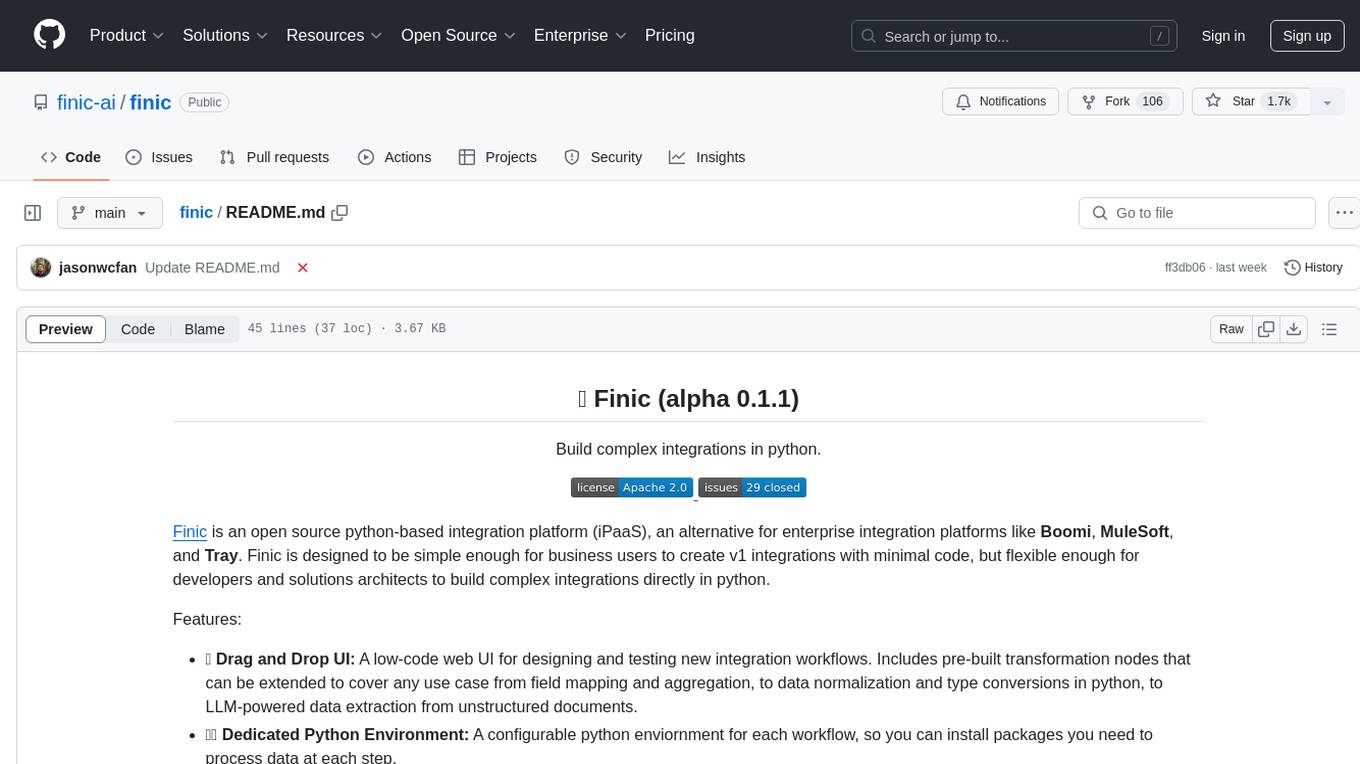
Finic is an open source python-based integration platform designed to simplify integration workflows for both business users and developers. It offers a drag-and-drop UI, a dedicated Python environment for each workflow, and generative AI features to streamline transformation tasks. With a focus on decoupling integration from product code, Finic aims to provide faster and more flexible integrations by supporting custom connectors. The tool is open source and allows deployment to users' own cloud environments with minimal legal friction.
finic
Finic is an open source python-based integration platform designed for business users to create v1 integrations with minimal code, while also being flexible for developers to build complex integrations directly in python. It offers a low-code web UI, a dedicated Python environment for each workflow, and generative AI features. Finic decouples integration from product code, supports custom connectors, and is open source. It is not an ETL tool but focuses on integrating functionality between applications via APIs or SFTP, and it is not a workflow automation tool optimized for complex use cases.
CrewAI-GUI
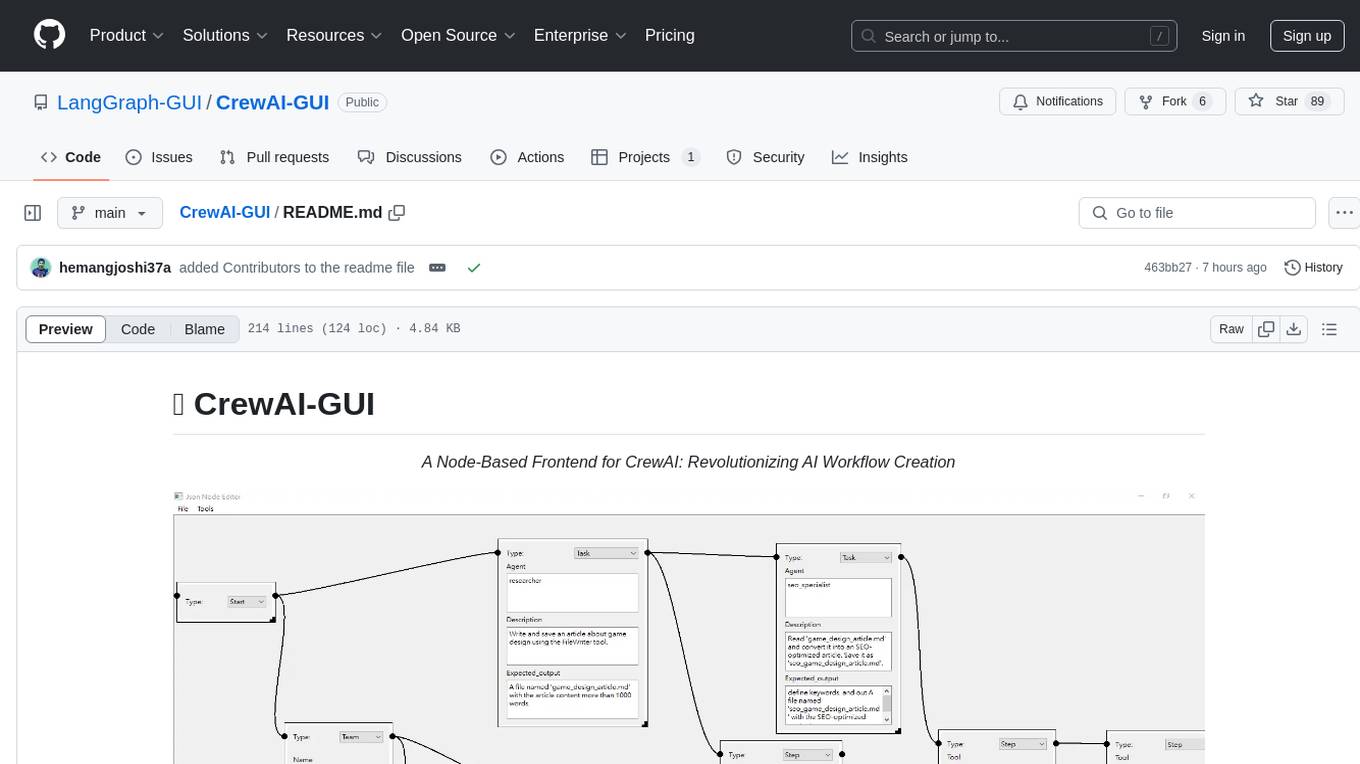
CrewAI-GUI is a Node-Based Frontend tool designed to revolutionize AI workflow creation. It empowers users to design complex AI agent interactions through an intuitive drag-and-drop interface, export designs to JSON for modularity and reusability, and supports both GPT-4 API and Ollama for flexible AI backend. The tool ensures cross-platform compatibility, allowing users to create AI workflows on Windows, Linux, or macOS efficiently.
For similar jobs

sweep
Sweep is an AI junior developer that turns bugs and feature requests into code changes. It automatically handles developer experience improvements like adding type hints and improving test coverage.

teams-ai
The Teams AI Library is a software development kit (SDK) that helps developers create bots that can interact with Teams and Microsoft 365 applications. It is built on top of the Bot Framework SDK and simplifies the process of developing bots that interact with Teams' artificial intelligence capabilities. The SDK is available for JavaScript/TypeScript, .NET, and Python.

ai-guide
This guide is dedicated to Large Language Models (LLMs) that you can run on your home computer. It assumes your PC is a lower-end, non-gaming setup.

classifai
Supercharge WordPress Content Workflows and Engagement with Artificial Intelligence. Tap into leading cloud-based services like OpenAI, Microsoft Azure AI, Google Gemini and IBM Watson to augment your WordPress-powered websites. Publish content faster while improving SEO performance and increasing audience engagement. ClassifAI integrates Artificial Intelligence and Machine Learning technologies to lighten your workload and eliminate tedious tasks, giving you more time to create original content that matters.

chatbot-ui
Chatbot UI is an open-source AI chat app that allows users to create and deploy their own AI chatbots. It is easy to use and can be customized to fit any need. Chatbot UI is perfect for businesses, developers, and anyone who wants to create a chatbot.

BricksLLM
BricksLLM is a cloud native AI gateway written in Go. Currently, it provides native support for OpenAI, Anthropic, Azure OpenAI and vLLM. BricksLLM aims to provide enterprise level infrastructure that can power any LLM production use cases. Here are some use cases for BricksLLM: * Set LLM usage limits for users on different pricing tiers * Track LLM usage on a per user and per organization basis * Block or redact requests containing PIIs * Improve LLM reliability with failovers, retries and caching * Distribute API keys with rate limits and cost limits for internal development/production use cases * Distribute API keys with rate limits and cost limits for students

uAgents
uAgents is a Python library developed by Fetch.ai that allows for the creation of autonomous AI agents. These agents can perform various tasks on a schedule or take action on various events. uAgents are easy to create and manage, and they are connected to a fast-growing network of other uAgents. They are also secure, with cryptographically secured messages and wallets.

griptape
Griptape is a modular Python framework for building AI-powered applications that securely connect to your enterprise data and APIs. It offers developers the ability to maintain control and flexibility at every step. Griptape's core components include Structures (Agents, Pipelines, and Workflows), Tasks, Tools, Memory (Conversation Memory, Task Memory, and Meta Memory), Drivers (Prompt and Embedding Drivers, Vector Store Drivers, Image Generation Drivers, Image Query Drivers, SQL Drivers, Web Scraper Drivers, and Conversation Memory Drivers), Engines (Query Engines, Extraction Engines, Summary Engines, Image Generation Engines, and Image Query Engines), and additional components (Rulesets, Loaders, Artifacts, Chunkers, and Tokenizers). Griptape enables developers to create AI-powered applications with ease and efficiency.