


atmosphere
Stream Real Time and LLM response data over WebSocket, SSE, and the MCP protocol
Stars: 3734
Atmosphere is a Java framework for building real-time applications over WebSocket, SSE, and Long-Polling. It runs on Spring Boot, Quarkus, or any Servlet 6.0+ container. The framework includes server-side rooms with presence tracking, AI/LLM token streaming, and an MCP server implementation. It provides modules for core runtime, Spring Boot starter, Quarkus extension, AI streaming, Spring AI adapter, LangChain4j adapter, MCP server, rooms, Redis clustering, Kafka clustering, durable sessions, Kotlin DSL, and TypeScript client. The architecture involves clients connecting to rooms or AI endpoints, MCP clients connecting via JSON-RPC over WebSocket, and backends providing LLM services and optional Redis/Kafka clustering.
README:

The missing transport layer between your LLM and your browser. Spring AI gives you Flux<ChatResponse>. LangChain4j gives you StreamingChatResponseHandler. Neither delivers tokens to the user. Atmosphere does — over WebSocket with SSE/Long-Polling fallback, reconnection, rooms, presence, and Kafka/Redis clustering. Add one dependency to your Spring Boot or Quarkus app.


Frameworks like Spring AI, LangChain4j, and Embabel handle LLM ↔ server communication. Atmosphere handles the other half: server ↔ browser. Built on 18 years of WebSocket experience, rewritten for JDK 21 virtual threads. It streams tokens to the client in real time over WebSocket (with SSE/Long-Polling fallback), manages reconnection and backpressure, and provides React/Vue/Svelte hooks — so you don't have to build all of that yourself.
-
@AiEndpoint+@Prompt— annotate a class, receive prompts, stream tokens. Runs on virtual threads. -
Built-in LLM client — zero-dependency
OpenAiCompatibleClientthat talks to OpenAI, Gemini, Ollama, or any OpenAI-compatible API. No Spring AI or LangChain4j required. -
Adapter SPI — plug in Spring AI (
Flux<ChatResponse>), LangChain4j (StreamingChatResponseHandler), or Embabel (OutputChannel). Your framework generates tokens; Atmosphere delivers them. -
Standardized wire protocol — every token is a JSON frame with
type,data,sessionId, andseqfor ordering. Progress events, metadata (model, token usage), and error frames are built in. -
AI as a room participant —
LlmRoomMemberjoins a Room like any user. When someone sends a message, the LLM receives it, streams a response, and broadcasts it back. Humans and AI in the same room. -
Client hooks —
useStreaming()for React/Vue/Svelte gives youfullText,isStreaming,progress,metadata, anderrorout of the box. No custom WebSocket code.
@AiEndpoint(path = "/ai/chat", systemPrompt = "You are a helpful assistant")
public class MyChatBot {

    @Prompt
    public void onPrompt(String message, StreamingSession session) {
        AiConfig.get().client().streamChatCompletion(
            ChatCompletionRequest.builder(AiConfig.get().model())
                .user(message).build(),
            session);
    }
}
Configure with environment variables — no code changes to switch providers:
| Variable | Description | Default |
|---|---|---|
LLM_MODE |
remote (cloud) or local (Ollama) |
remote |
LLM_MODEL |
gemini-2.5-flash, gpt-5, o3-mini, llama3.2, … |
gemini-2.5-flash |
LLM_API_KEY |
API key (or GEMINI_API_KEY for Gemini) |
— |
LLM_BASE_URL |
Override endpoint (auto-detected from model name) | auto |
Atmosphere doesn't replace your AI framework. It gives it a transport:
Spring AI adapter
@Message
public void onMessage(String prompt) {
    StreamingSession session = StreamingSessions.start(resource);
    springAiAdapter.stream(chatClient, prompt, session);
    // Spring AI's Flux<ChatResponse> → session.send(token) → WebSocket frame
}
LangChain4j adapter
@Message
public void onMessage(String prompt) {
    StreamingSession session = StreamingSessions.start(resource);
    model.chat(ChatMessage.userMessage(prompt),
        new AtmosphereStreamingResponseHandler(session));
    // LangChain4j callbacks → session.send(token) → WebSocket frame
}
Embabel adapter
@Message
fun onMessage(prompt: String) {
    val session = StreamingSessions.start(resource)
    embabelAdapter.stream(AgentRequest("assistant") { channel ->
        agentPlatform.run(prompt, channel)
    }, session)
    // Embabel agent events → session.send(token) / session.progress() → WebSocket frame
}import { useStreaming } from 'atmosphere.js/react';
function AiChat() {
const { fullText, isStreaming, progress, send } = useStreaming({
request: { url: '/ai/chat', transport: 'websocket' },
});
return (
<div>
<button onClick={() => send('Explain WebSockets')} disabled={isStreaming}>
Ask
</button>
{progress && <p className="muted">{progress}</p>}
<p>{fullText}</p>
</div>
);
}var client = AiConfig.get().client();
var assistant = new LlmRoomMember("assistant", client, "gpt-5",
"You are a helpful coding assistant");
Room room = rooms.room("dev-chat");
room.joinVirtual(assistant);
// Now when any user sends a message, the LLM responds in the same roomSee the AI / LLM Streaming wiki for the full guide.
<dependency>
    <groupId>org.atmosphere</groupId>
    <artifactId>atmosphere-runtime</artifactId>
    <version>4.0.2</version>
</dependency>
For Spring Boot:
<dependency>
    <groupId>org.atmosphere</groupId>
    <artifactId>atmosphere-spring-boot-starter</artifactId>
    <version>4.0.2</version>
</dependency>
For Quarkus:
<dependency>
    <groupId>org.atmosphere</groupId>
    <artifactId>atmosphere-quarkus-extension</artifactId>
    <version>4.0.2</version>
</dependency>implementation 'org.atmosphere:atmosphere-runtime:4.0.2'
// or
implementation 'org.atmosphere:atmosphere-spring-boot-starter:4.0.2'
// or
implementation 'org.atmosphere:atmosphere-quarkus-extension:4.0.2'npm install atmosphere.js| Module | Artifact | Description |
|---|---|---|
| Core runtime | atmosphere-runtime |
WebSocket, SSE, Long-Polling transport layer (Servlet 6.0+) |
| Spring Boot starter | atmosphere-spring-boot-starter |
Auto-configuration for Spring Boot 4.0.2+ |
| Quarkus extension | atmosphere-quarkus-extension |
Build-time processing for Quarkus 3.21+ |
| AI streaming | atmosphere-ai |
Token-by-token LLM response streaming |
| Spring AI adapter | atmosphere-spring-ai |
Spring AI ChatClient integration |
| LangChain4j adapter | atmosphere-langchain4j |
LangChain4j streaming integration |
| MCP server | atmosphere-mcp |
Model Context Protocol server over WebSocket |
| Rooms | built into atmosphere-runtime
|
Room management with join/leave and presence |
| Redis clustering | atmosphere-redis |
Cross-node broadcasting via Redis pub/sub |
| Kafka clustering | atmosphere-kafka |
Cross-node broadcasting via Kafka |
| Durable sessions | atmosphere-durable-sessions |
Session persistence across restarts (SQLite / Redis) |
| Kotlin DSL | atmosphere-kotlin |
Builder API and coroutine extensions |
| TypeScript client |
atmosphere.js (npm) |
Browser client with React, Vue, and Svelte bindings |
Server-side room management with presence tracking:
RoomManager rooms = RoomManager.getOrCreate(framework);
Room lobby = rooms.room("lobby");
lobby.enableHistory(100); // replay last 100 messages to new joiners

lobby.join(resource, new RoomMember("user-1", Map.of("name", "Alice")));
lobby.broadcast("Hello everyone!");
lobby.onPresence(event -> log.info("{} {} room '{}'",
event.member().id(), event.type(), event.room().name()));The starter provides auto-configuration for Spring Boot 4.0.2+.
atmosphere:
  packages: com.example.chat
Configuration properties
| Property | Default | Description |
|---|---|---|
servlet-path |
/atmosphere/* |
Servlet URL mapping |
packages |
Annotation scanning packages | |
order |
0 |
Servlet load-on-startup order |
session-support |
false |
Enable HttpSession support |
websocket-support |
Enable/disable WebSocket | |
heartbeat-interval-in-seconds |
Server heartbeat frequency | |
broadcaster-class |
Custom Broadcaster FQCN | |
broadcaster-cache-class |
Custom BroadcasterCache FQCN | |
init-params |
Map of any ApplicationConfig key/value |
GraalVM native image
The starter includes AOT runtime hints. Activate the native Maven profile:
./mvnw -Pnative package -pl samples/spring-boot-chat
./samples/spring-boot-chat/target/atmosphere-spring-boot-chat
Requires GraalVM JDK 25+ (Spring Boot 4.0 / Spring Framework 7 baseline).
The extension provides build-time annotation scanning for Quarkus 3.21+.
quarkus.atmosphere.packages=com.example.chatConfiguration properties
| Property | Default | Description |
|---|---|---|
quarkus.atmosphere.servlet-path |
/atmosphere/* |
Servlet URL mapping |
quarkus.atmosphere.packages |
Annotation scanning packages | |
quarkus.atmosphere.load-on-startup |
1 |
Servlet load-on-startup order |
quarkus.atmosphere.session-support |
false |
Enable HttpSession support |
quarkus.atmosphere.broadcaster-class |
Custom Broadcaster FQCN | |
quarkus.atmosphere.broadcaster-cache-class |
Custom BroadcasterCache FQCN | |
quarkus.atmosphere.heartbeat-interval-in-seconds |
Server heartbeat frequency | |
quarkus.atmosphere.init-params |
Map of any ApplicationConfig key/value |
GraalVM native image
./mvnw -Pnative package -pl samples/quarkus-chat
./samples/quarkus-chat/target/atmosphere-quarkus-chat-*-runner
Requires GraalVM JDK 21+ or Mandrel. Use -Dquarkus.native.container-build=true to build without a local GraalVM installation.
atmosphere.js includes bindings for React, Vue, and Svelte:
React
import { AtmosphereProvider, useAtmosphere, useRoom, usePresence } from 'atmosphere.js/react';

function App() {
  return (
    <AtmosphereProvider>
      <Chat />
    </AtmosphereProvider>
  );
}

function Chat() {
  const { state, data, push } = useAtmosphere<Message>({
    request: { url: '/chat', transport: 'websocket' },
  });

  return state === 'connected'
    ? <button onClick={() => push({ text: 'Hello' })}>Send</button>
    : <p>Connecting…</p>;
}

function ChatRoom() {
  const { joined, members, messages, broadcast } = useRoom<ChatMessage>({
    request: { url: '/atmosphere/room', transport: 'websocket' },
    room: 'lobby',
    member: { id: 'user-1' },
  });

  return (
    <div>
      <p>{members.length} online</p>
      {messages.map((m, i) => <div key={i}>{m.member.id}: {m.data.text}</div>)}
      <button onClick={() => broadcast({ text: 'Hi' })}>Send</button>
    </div>
  );
}
Vue
<script setup>
import { useAtmosphere, useRoom, usePresence } from 'atmosphere.js/vue';

const { state, data, push } = useAtmosphere({ url: '/chat', transport: 'websocket' });

const { joined, members, messages, broadcast } = useRoom(
  { url: '/atmosphere/room', transport: 'websocket' },
  'lobby',
  { id: 'user-1' },
);

const { count, isOnline } = usePresence(
  { url: '/atmosphere/room', transport: 'websocket' },
  'lobby',
  { id: currentUser.id },
);
</script>

<template>
  <div>
    <p>{{ count }} online</p>
    <div v-for="(m, i) in messages" :key="i">{{ m.member.id }}: {{ m.data.text }}</div>
    <button @click="broadcast({ text: 'Hi' })" :disabled="!joined">Send</button>
  </div>
</template>
Svelte
<script>
  import { createAtmosphereStore, createRoomStore, createPresenceStore } from 'atmosphere.js/svelte';

  const { store: chat, push } = createAtmosphereStore({ url: '/chat', transport: 'websocket' });

  const { store: lobby, broadcast } = createRoomStore(
    { url: '/atmosphere/room', transport: 'websocket' },
    'lobby',
    { id: 'user-1' },
  );

  const presence = createPresenceStore(
    { url: '/atmosphere/room', transport: 'websocket' },
    'lobby',
    { id: 'user-1' },
  );
</script>

{#if $lobby.joined}
  <p>{$presence.count} online</p>
  {#each $lobby.messages as m}
    <div>{m.member.id}: {m.data.text}</div>
  {/each}
  <button on:click={() => broadcast({ text: 'Hi' })}>Send</button>
{:else}
  <p>Connecting…</p>
{/if}Builder API with coroutine support:
import org.atmosphere.kotlin.atmosphere

val handler = atmosphere {
    onConnect { resource ->
        println("${resource.uuid()} connected via ${resource.transport()}")
    }
    onMessage { resource, message ->
        resource.broadcaster.broadcast(message)
    }
    onDisconnect { resource ->
        println("${resource.uuid()} left")
    }
}

framework.addAtmosphereHandler("/chat", handler)
Coroutine extensions:
broadcaster.broadcastSuspend("Hello!")     // suspends instead of blocking
resource.writeSuspend("Direct message") // suspends instead of blockingRedis and Kafka broadcasters for multi-node deployments. Messages broadcast on one node are delivered to clients on all nodes.
Redis
Add atmosphere-redis to your dependencies. Configuration:
| Property | Default | Description |
|---|---|---|
org.atmosphere.redis.url |
redis://localhost:6379 |
Redis connection URL |
org.atmosphere.redis.password |
Optional password |
Kafka
Add atmosphere-kafka to your dependencies. Configuration:
| Property | Default | Description |
|---|---|---|
org.atmosphere.kafka.bootstrap.servers |
localhost:9092 |
Kafka broker(s) |
org.atmosphere.kafka.topic.prefix |
atmosphere. |
Topic name prefix |
org.atmosphere.kafka.group.id |
auto-generated | Consumer group ID |
Sessions survive server restarts. On reconnection, the client sends its session token and the server restores room memberships, broadcaster subscriptions, and metadata.
atmosphere.durable-sessions.enabled=trueThree SessionStore implementations: InMemory (development), SQLite (single-node), Redis (clustered).
Micrometer metrics
MeterRegistry registry = new PrometheusMeterRegistry(PrometheusConfig.DEFAULT);
AtmosphereMetrics metrics = AtmosphereMetrics.install(framework, registry);
metrics.instrumentRoomManager(roomManager);| Metric | Type | Description |
|---|---|---|
atmosphere.connections.active |
Gauge | Active connections |
atmosphere.broadcasters.active |
Gauge | Active broadcasters |
atmosphere.connections.total |
Counter | Total connections opened |
atmosphere.messages.broadcast |
Counter | Messages broadcast |
atmosphere.broadcast.timer |
Timer | Broadcast latency |
atmosphere.rooms.active |
Gauge | Active rooms |
atmosphere.rooms.members |
Gauge | Members per room (tagged) |
OpenTelemetry tracing
framework.interceptor(new AtmosphereTracing(GlobalOpenTelemetry.get()));Creates spans for every request with attributes: atmosphere.resource.uuid, atmosphere.transport, atmosphere.action, atmosphere.broadcaster, atmosphere.room.
Backpressure
framework.interceptor(new BackpressureInterceptor());| Parameter | Default | Description |
|---|---|---|
org.atmosphere.backpressure.highWaterMark |
1000 |
Max pending messages per client |
org.atmosphere.backpressure.policy |
drop-oldest |
drop-oldest, drop-newest, or disconnect
|
Cache configuration
| Parameter | Default | Description |
|---|---|---|
org.atmosphere.cache.UUIDBroadcasterCache.maxPerClient |
1000 |
Max cached messages per client |
org.atmosphere.cache.UUIDBroadcasterCache.messageTTL |
300 |
Per-message TTL in seconds |
org.atmosphere.cache.UUIDBroadcasterCache.maxTotal |
100000 |
Global cache size limit |
| Java | Spring Boot | Quarkus |
|---|---|---|
| 21+ | 4.0.2+ | 3.21+ |
- Samples
- Wiki
- AI / LLM Streaming
- MCP Server
- Durable Sessions
- Kotlin DSL
- Migration Guide
- Javadoc
- atmosphere.js API
- React / Vue / Svelte bindings
- TypeScript/JavaScript: atmosphere.js 5.0 (included in this repository)
- Java/Scala/Android: wAsync
Available via Async-IO.org
@Copyright 2008-2026 Async-IO.org
For Tasks:
Click tags to check more tools for each tasksFor Jobs:
Alternative AI tools for atmosphere
Similar Open Source Tools
atmosphere
Atmosphere is a Java framework for building real-time applications over WebSocket, SSE, and Long-Polling. It runs on Spring Boot, Quarkus, or any Servlet 6.0+ container. The framework includes server-side rooms with presence tracking, AI/LLM token streaming, and an MCP server implementation. It provides modules for core runtime, Spring Boot starter, Quarkus extension, AI streaming, Spring AI adapter, LangChain4j adapter, MCP server, rooms, Redis clustering, Kafka clustering, durable sessions, Kotlin DSL, and TypeScript client. The architecture involves clients connecting to rooms or AI endpoints, MCP clients connecting via JSON-RPC over WebSocket, and backends providing LLM services and optional Redis/Kafka clustering.
opencode.nvim
opencode.nvim is a tool that integrates the opencode AI assistant with Neovim, allowing users to streamline editor-aware research, reviews, and requests. It provides features such as connecting to opencode instances, sharing editor context, input prompts with completions, executing commands, and monitoring state via statusline component. Users can define their own prompts, reload edited buffers in real-time, and forward Server-Sent-Events for automation. The tool offers sensible defaults with flexible configuration and API to fit various workflows, supporting ranges and dot-repeat in a Vim-like manner.
fittencode.nvim
Fitten Code AI Programming Assistant for Neovim provides fast completion using AI, asynchronous I/O, and support for various actions like document code, edit code, explain code, find bugs, generate unit test, implement features, optimize code, refactor code, start chat, and more. It offers features like accepting suggestions with Tab, accepting line with Ctrl + Down, accepting word with Ctrl + Right, undoing accepted text, automatic scrolling, and multiple HTTP/REST backends. It can run as a coc.nvim source or nvim-cmp source.
shodh-memory
Shodh-Memory is a cognitive memory system designed for AI agents to persist memory across sessions, learn from experience, and run entirely offline. It features Hebbian learning, activation decay, and semantic consolidation, packed into a single ~17MB binary. Users can deploy it on cloud, edge devices, or air-gapped systems to enhance the memory capabilities of AI agents.
Code
A3S Code is an embeddable AI coding agent framework in Rust that allows users to build agents capable of reading, writing, and executing code with tool access, planning, and safety controls. It is production-ready with features like permission system, HITL confirmation, skill-based tool restrictions, and error recovery. The framework is extensible with 19 trait-based extension points and supports lane-based priority queue for scalable multi-machine task distribution.
summarize
The 'summarize' tool is designed to transcribe and summarize videos from various sources using AI models. It helps users efficiently summarize lengthy videos, take notes, and extract key insights by providing timestamps, original transcripts, and support for auto-generated captions. Users can utilize different AI models via Groq, OpenAI, or custom local models to generate grammatically correct video transcripts and extract wisdom from video content. The tool simplifies the process of summarizing video content, making it easier to remember and reference important information.
oh-my-pi
oh-my-pi is an AI coding agent for the terminal, providing tools for interactive coding, AI-powered git commits, Python code execution, LSP integration, time-traveling streamed rules, interactive code review, task management, interactive questioning, custom TypeScript slash commands, universal config discovery, MCP & plugin system, web search & fetch, SSH tool, Cursor provider integration, multi-credential support, image generation, TUI overhaul, edit fuzzy matching, and more. It offers a modern terminal interface with smart session management, supports multiple AI providers, and includes various tools for coding, task management, code review, and interactive questioning.
flyto-core
Flyto-core is a powerful Python library for geospatial analysis and visualization. It provides a wide range of tools for working with geographic data, including support for various file formats, spatial operations, and interactive mapping. With Flyto-core, users can easily load, manipulate, and visualize spatial data to gain insights and make informed decisions. Whether you are a GIS professional, a data scientist, or a developer, Flyto-core offers a versatile and user-friendly solution for geospatial tasks.
roam-code
Roam is a tool that builds a semantic graph of your codebase and allows AI agents to query it with one shell command. It pre-indexes your codebase into a semantic graph stored in a local SQLite DB, providing architecture-level graph queries offline, cross-language, and compact. Roam understands functions, modules, tests coverage, and overall architecture structure. It is best suited for agent-assisted coding, large codebases, architecture governance, safe refactoring, and multi-repo projects. Roam is not suitable for real-time type checking, dynamic/runtime analysis, small scripts, or pure text search. It offers speed, dependency-awareness, LLM-optimized output, fully local operation, and CI readiness.
openbrowser-ai
OpenBrowser is a framework for intelligent browser automation that combines direct CDP communication with a CodeAgent architecture. It allows users to navigate, interact with, and extract information from web pages autonomously. The tool supports various LLM providers, offers vision support for screenshot analysis, and includes a MCP server for Model Context Protocol support. Users can record browser sessions as video files and benefit from features like video recording and full documentation available at docs.openbrowser.me.
api-for-open-llm
This project provides a unified backend interface for open large language models (LLMs), offering a consistent experience with OpenAI's ChatGPT API. It supports various open-source LLMs, enabling developers to seamlessly integrate them into their applications. The interface features streaming responses, text embedding capabilities, and support for LangChain, a tool for developing LLM-based applications. By modifying environment variables, developers can easily use open-source models as alternatives to ChatGPT, providing a cost-effective and customizable solution for various use cases.
cli
Firecrawl CLI is a command-line interface tool that allows users to scrape, crawl, and extract data from any website directly from the terminal. It provides various commands for tasks such as scraping single URLs, searching the web, mapping URLs on a website, crawling entire websites, checking credit usage, running AI-powered web data extraction, launching browser sandbox sessions, configuring settings, and viewing current configuration. The tool offers options for authentication, output handling, tips & tricks, CI/CD usage, and telemetry. Users can interact with the tool to perform web scraping tasks efficiently and effectively.
skylos
Skylos is a privacy-first SAST tool for Python, TypeScript, and Go that bridges the gap between traditional static analysis and AI agents. It detects dead code, security vulnerabilities (SQLi, SSRF, Secrets), and code quality issues with high precision. Skylos uses a hybrid engine (AST + optional Local/Cloud LLM) to eliminate false positives, verify via runtime, find logic bugs, and provide context-aware audits. It offers automated fixes, end-to-end remediation, and 100% local privacy. The tool supports taint analysis, secrets detection, vulnerability checks, dead code detection and cleanup, agentic AI and hybrid analysis, codebase optimization, operational governance, and runtime verification.
PraisonAI
Praison AI is a low-code, centralised framework that simplifies the creation and orchestration of multi-agent systems for various LLM applications. It emphasizes ease of use, customization, and human-agent interaction. The tool leverages AutoGen and CrewAI frameworks to facilitate the development of AI-generated scripts and movie concepts. Users can easily create, run, test, and deploy agents for scriptwriting and movie concept development. Praison AI also provides options for full automatic mode and integration with OpenAI models for enhanced AI capabilities.
Conduit
Conduit is a unified Swift 6.2 SDK for local and cloud LLM inference, providing a single Swift-native API that can target Anthropic, OpenRouter, Ollama, MLX, HuggingFace, and Apple’s Foundation Models without rewriting your prompt pipeline. It allows switching between local, cloud, and system providers with minimal code changes, supports downloading models from HuggingFace Hub for local MLX inference, generates Swift types directly from LLM responses, offers privacy-first options for on-device running, and is built with Swift 6.2 concurrency features like actors, Sendable types, and AsyncSequence.
SwiftAgent
A type-safe, declarative framework for building AI agents in Swift, SwiftAgent is built on Apple FoundationModels. It allows users to compose agents by combining Steps in a declarative syntax similar to SwiftUI. The framework ensures compile-time checked input/output types, native Apple AI integration, structured output generation, and built-in security features like permission, sandbox, and guardrail systems. SwiftAgent is extensible with MCP integration, distributed agents, and a skills system. Users can install SwiftAgent with Swift 6.2+ on iOS 26+, macOS 26+, or Xcode 26+ using Swift Package Manager.
For similar tasks
atmosphere
Atmosphere is a Java framework for building real-time applications over WebSocket, SSE, and Long-Polling. It runs on Spring Boot, Quarkus, or any Servlet 6.0+ container. The framework includes server-side rooms with presence tracking, AI/LLM token streaming, and an MCP server implementation. It provides modules for core runtime, Spring Boot starter, Quarkus extension, AI streaming, Spring AI adapter, LangChain4j adapter, MCP server, rooms, Redis clustering, Kafka clustering, durable sessions, Kotlin DSL, and TypeScript client. The architecture involves clients connecting to rooms or AI endpoints, MCP clients connecting via JSON-RPC over WebSocket, and backends providing LLM services and optional Redis/Kafka clustering.
For similar jobs
resonance
Resonance is a framework designed to facilitate interoperability and messaging between services in your infrastructure and beyond. It provides AI capabilities and takes full advantage of asynchronous PHP, built on top of Swoole. With Resonance, you can: * Chat with Open-Source LLMs: Create prompt controllers to directly answer user's prompts. LLM takes care of determining user's intention, so you can focus on taking appropriate action. * Asynchronous Where it Matters: Respond asynchronously to incoming RPC or WebSocket messages (or both combined) with little overhead. You can set up all the asynchronous features using attributes. No elaborate configuration is needed. * Simple Things Remain Simple: Writing HTTP controllers is similar to how it's done in the synchronous code. Controllers have new exciting features that take advantage of the asynchronous environment. * Consistency is Key: You can keep the same approach to writing software no matter the size of your project. There are no growing central configuration files or service dependencies registries. Every relation between code modules is local to those modules. * Promises in PHP: Resonance provides a partial implementation of Promise/A+ spec to handle various asynchronous tasks. * GraphQL Out of the Box: You can build elaborate GraphQL schemas by using just the PHP attributes. Resonance takes care of reusing SQL queries and optimizing the resources' usage. All fields can be resolved asynchronously.
aiogram_bot_template
Aiogram bot template is a boilerplate for creating Telegram bots using Aiogram framework. It provides a solid foundation for building robust and scalable bots with a focus on code organization, database integration, and localization.
pinecone-ts-client
The official Node.js client for Pinecone, written in TypeScript. This client library provides a high-level interface for interacting with the Pinecone vector database service. With this client, you can create and manage indexes, upsert and query vector data, and perform other operations related to vector search and retrieval. The client is designed to be easy to use and provides a consistent and idiomatic experience for Node.js developers. It supports all the features and functionality of the Pinecone API, making it a comprehensive solution for building vector-powered applications in Node.js.
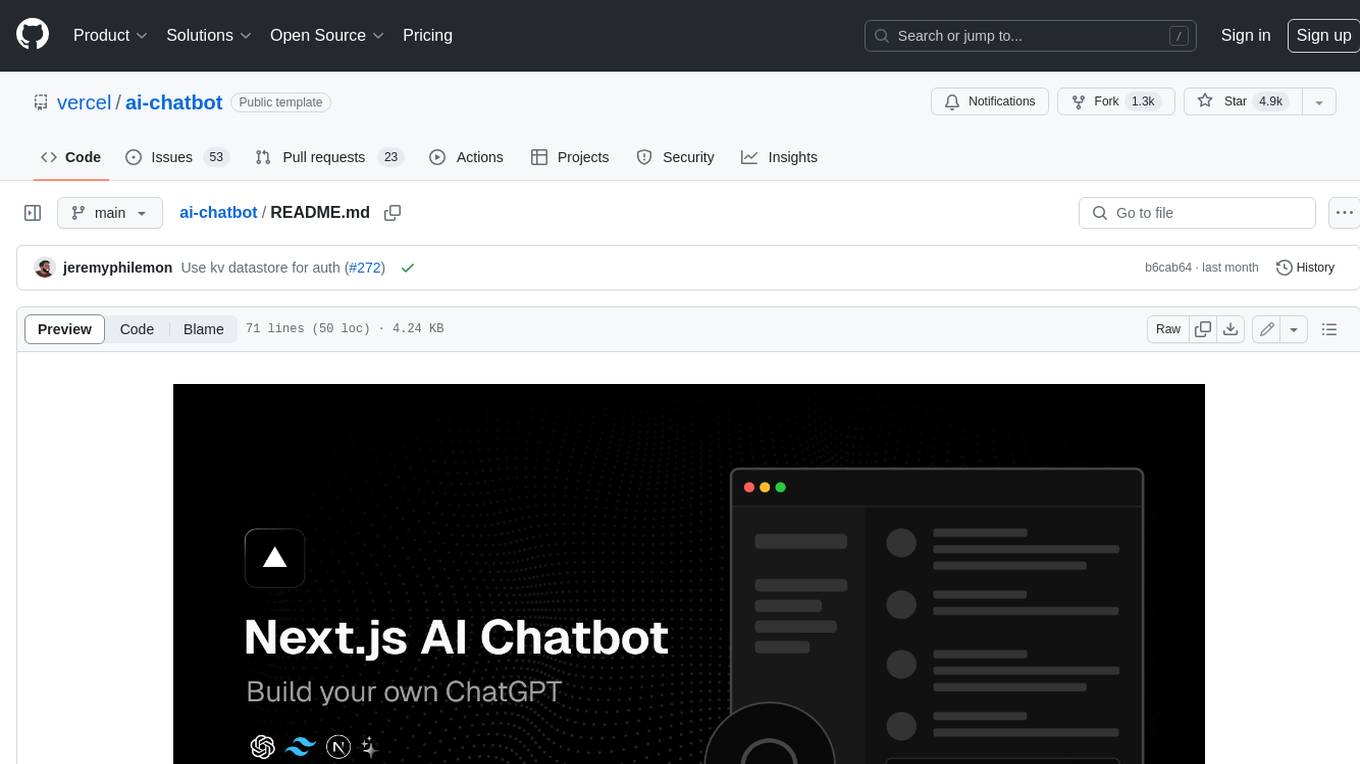
ai-chatbot
Next.js AI Chatbot is an open-source app template for building AI chatbots using Next.js, Vercel AI SDK, OpenAI, and Vercel KV. It includes features like Next.js App Router, React Server Components, Vercel AI SDK for streaming chat UI, support for various AI models, Tailwind CSS styling, Radix UI for headless components, chat history management, rate limiting, session storage with Vercel KV, and authentication with NextAuth.js. The template allows easy deployment to Vercel and customization of AI model providers.
freeciv-web
Freeciv-web is an open-source turn-based strategy game that can be played in any HTML5 capable web-browser. It features in-depth gameplay, a wide variety of game modes and options. Players aim to build cities, collect resources, organize their government, and build an army to create the best civilization. The game offers both multiplayer and single-player modes, with a 2D version with isometric graphics and a 3D WebGL version available. The project consists of components like Freeciv-web, Freeciv C server, Freeciv-proxy, Publite2, and pbem for play-by-email support. Developers interested in contributing can check the GitHub issues and TODO file for tasks to work on.
nextpy
Nextpy is a cutting-edge software development framework optimized for AI-based code generation. It provides guardrails for defining AI system boundaries, structured outputs for prompt engineering, a powerful prompt engine for efficient processing, better AI generations with precise output control, modularity for multiplatform and extensible usage, developer-first approach for transferable knowledge, and containerized & scalable deployment options. It offers 4-10x faster performance compared to Streamlit apps, with a focus on cooperation within the open-source community and integration of key components from various projects.
airbadge
Airbadge is a Stripe addon for Auth.js that provides an easy way to create a SaaS site without writing any authentication or payment code. It integrates Stripe Checkout into the signup flow, offers over 50 OAuth options for authentication, allows route and UI restriction based on subscription, enables self-service account management, handles all Stripe webhooks, supports trials and free plans, includes subscription and plan data in the session, and is open source with a BSL license. The project also provides components for conditional UI display based on subscription status and helper functions to restrict route access. Additionally, it offers a billing endpoint with various routes for billing operations. Setup involves installing @airbadge/sveltekit, setting up a database provider for Auth.js, adding environment variables, configuring authentication and billing options, and forwarding Stripe events to localhost.
ChaKt-KMP
ChaKt is a multiplatform app built using Kotlin and Compose Multiplatform to demonstrate the use of Generative AI SDK for Kotlin Multiplatform to generate content using Google's Generative AI models. It features a simple chat based user interface and experience to interact with AI. The app supports mobile, desktop, and web platforms, and is built with Kotlin Multiplatform, Kotlin Coroutines, Compose Multiplatform, Generative AI SDK, Calf - File picker, and BuildKonfig. Users can contribute to the project by following the guidelines in CONTRIBUTING.md. The app is licensed under the MIT License.