


tuui
A desktop MCP client designed as a tool unitary utility integration, accelerating AI adoption through the Model Context Protocol (MCP) and enabling cross-vendor LLM API orchestration.
Stars: 1078
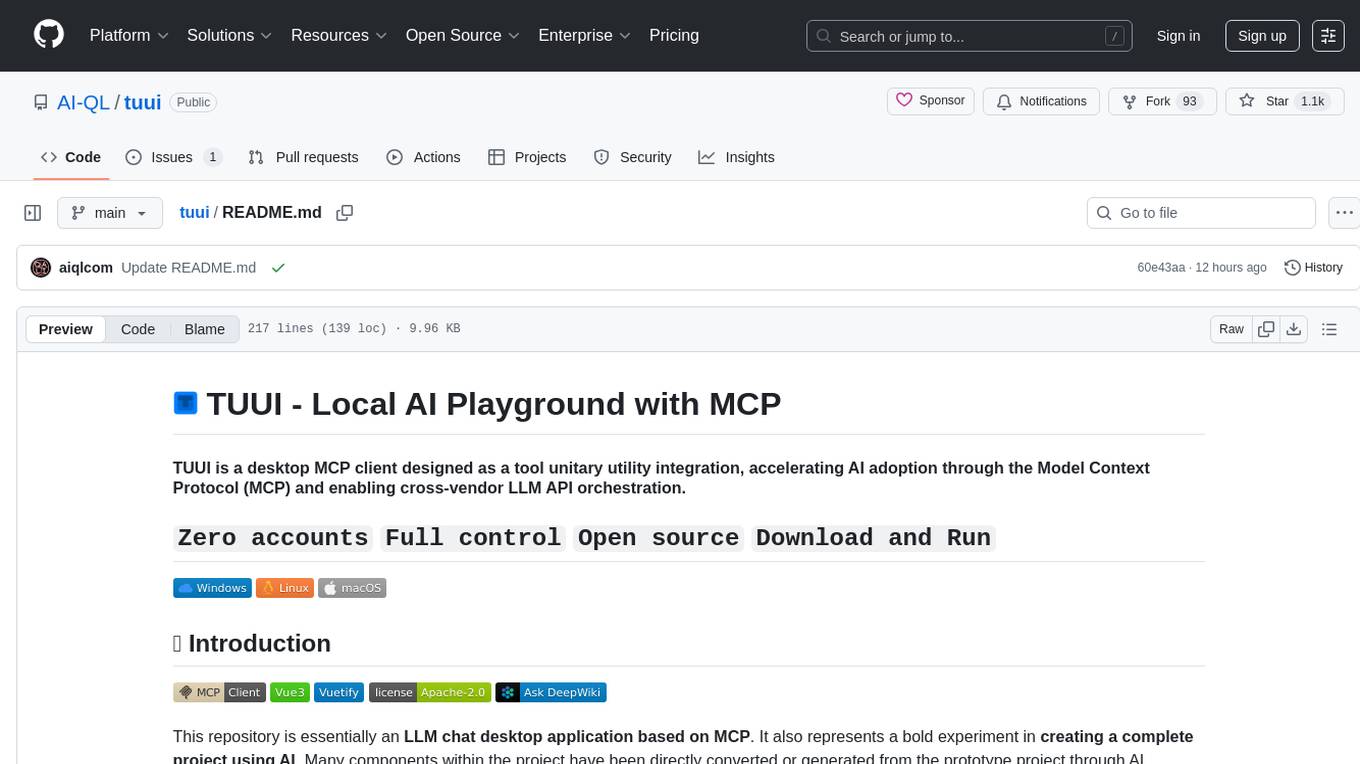
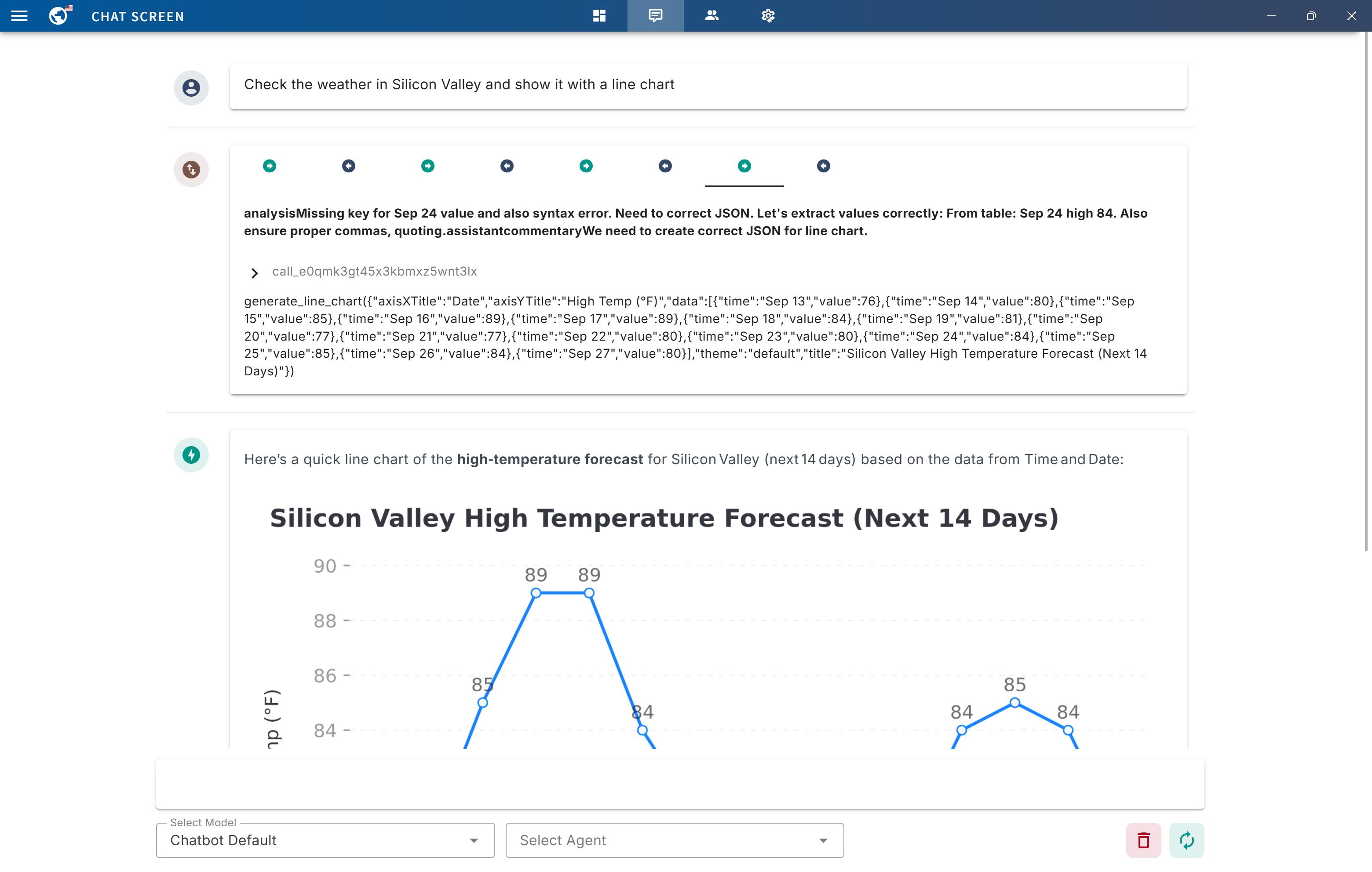
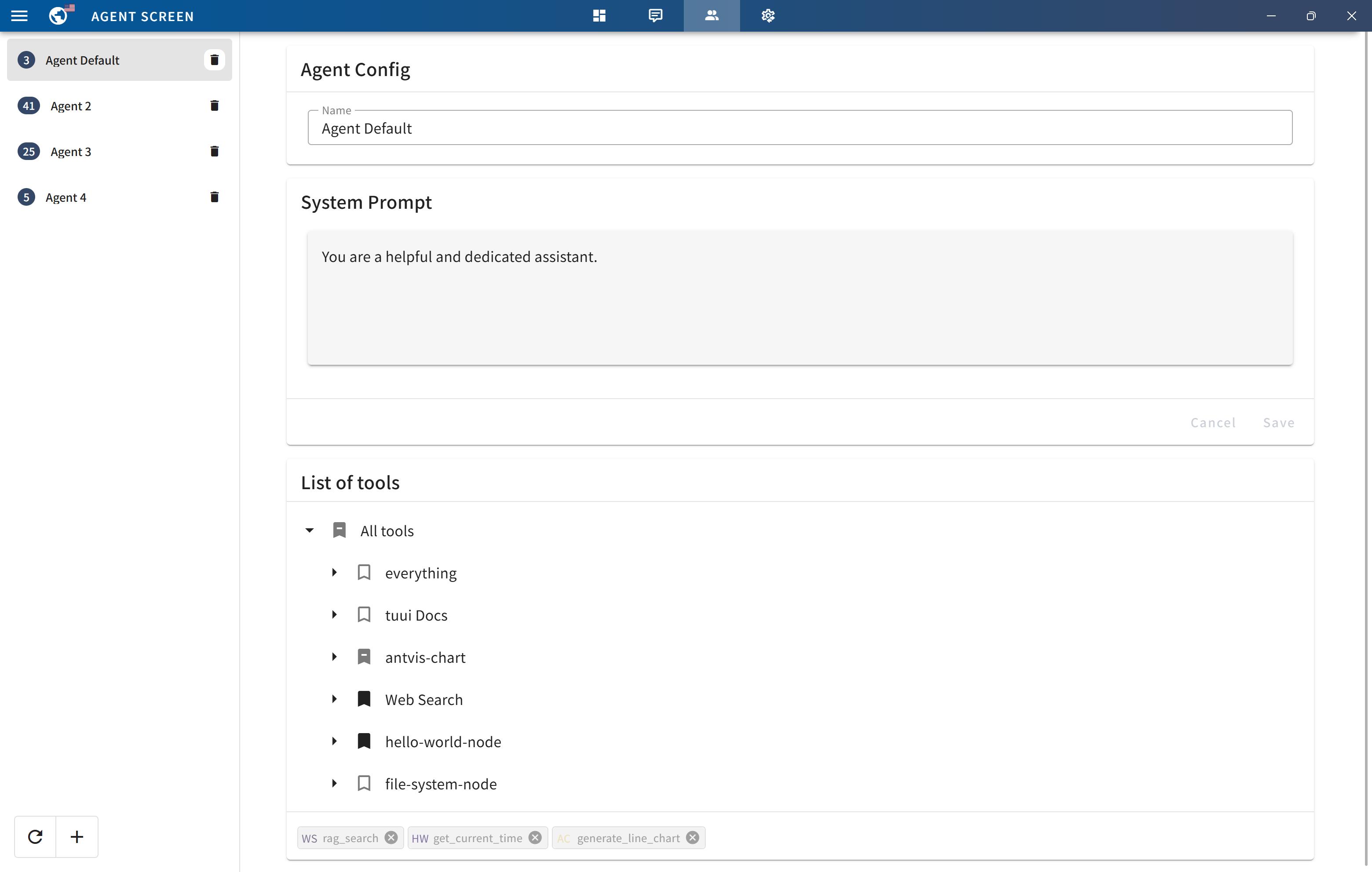
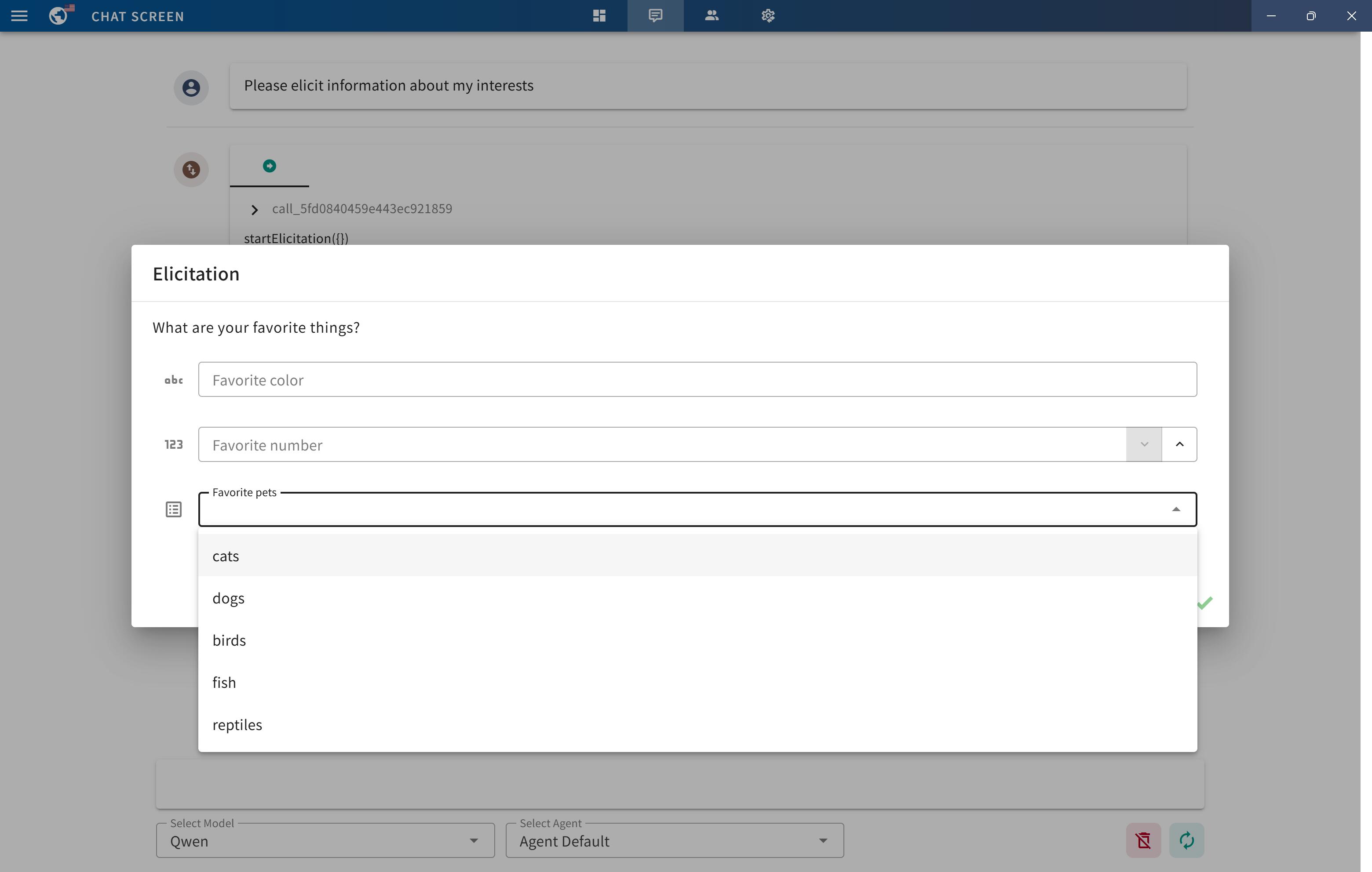
TUUI is a desktop MCP client designed for accelerating AI adoption through the Model Context Protocol (MCP) and enabling cross-vendor LLM API orchestration. It is an LLM chat desktop application based on MCP, created using AI-generated components with strict syntax checks and naming conventions. The tool integrates AI tools via MCP, orchestrates LLM APIs, supports automated application testing, TypeScript, multilingual, layout management, global state management, and offers quick support through the GitHub community and official documentation.
README:

TUUI is a desktop MCP client designed as a tool unitary utility integration, accelerating AI adoption through the Model Context Protocol (MCP) and enabling cross-vendor LLM API orchestration.




This repository is essentially an LLM chat desktop application based on MCP. It also represents a bold experiment in creating a complete project using AI. Many components within the project have been directly converted or generated from the prototype project through AI.
Given the considerations regarding the quality and safety of AI-generated content, this project employs strict syntax checks and naming conventions. Therefore, for any further development, please ensure that you use the linting tools I've set up to check and automatically fix syntax issues.
- ✨ Accelerate AI tool integration via MCP
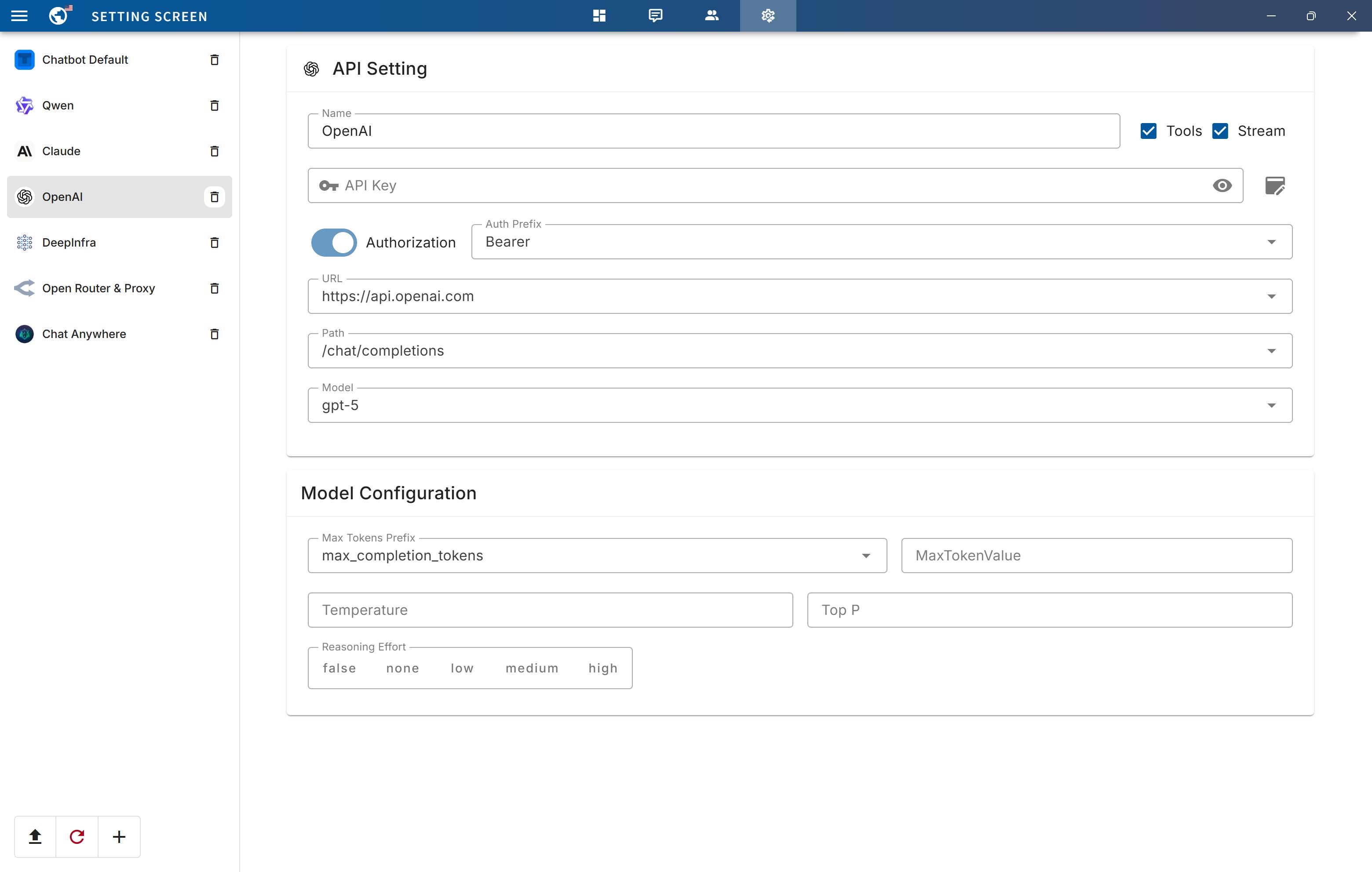
- ✨ Orchestrate cross-vendor LLM APIs through dynamic configuring
- ✨ Automated application testing Support
- ✨ TypeScript support
- ✨ Multilingual support
- ✨ Basic layout manager
- ✨ Global state management through the Pinia store
- ✨ Quick support through the GitHub community and official documentation
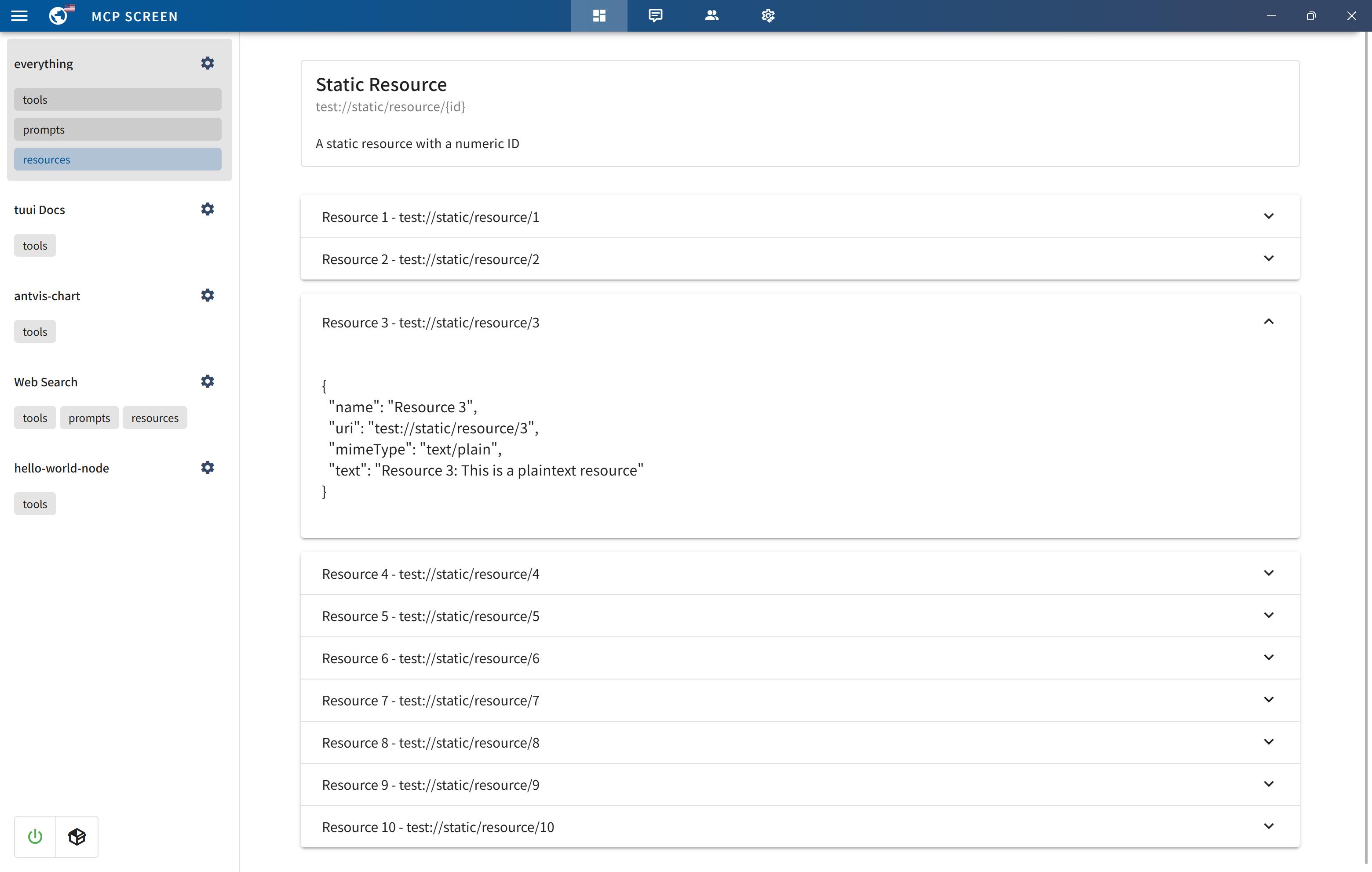
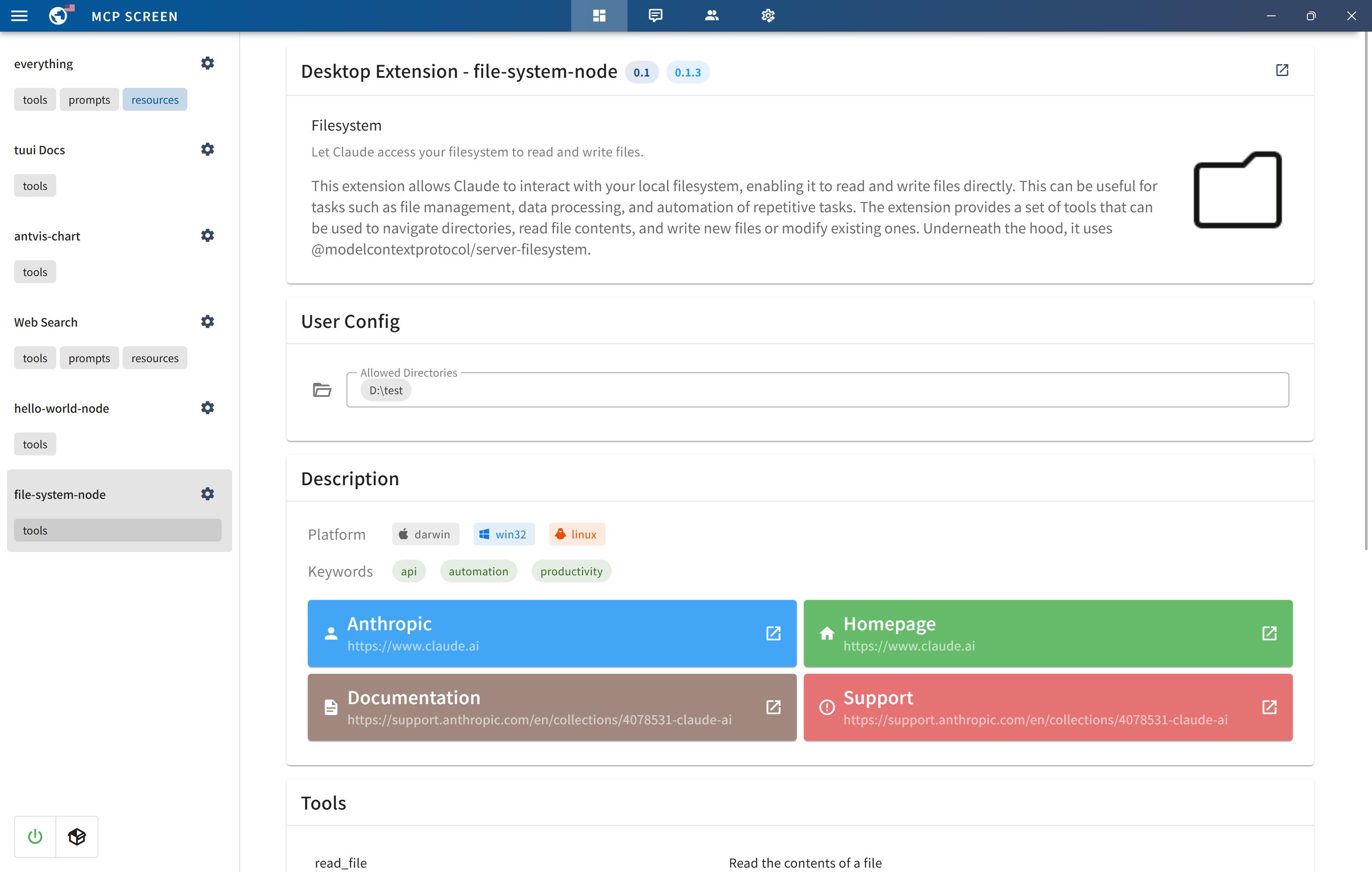
You can quickly get started with the project through a variety of options tailored to your role and needs:
-
To
explorethe project, visit the wiki page: TUUI.com -
To
downloadand use the application directly, go to the releases page: Releases -
For
developersetup, refer to the installation guide: Getting Started (English) | 快速入门 (中文) -
To
ask the AIdirectly about the project, visit: TUUI@DeepWiki
To use MCP-related features, ensure the following preconditions are met for your environment:
-
Set up an LLM backend (e.g.,
ChatGPT,Claude,Qwenor self-hosted) that supports tool/function calling. -
For NPX/NODE-based servers: Install
Node.jsto execute JavaScript/TypeScript tools. -
For UV/UVX-based servers: Install
Pythonand theUVlibrary. -
For Docker-based servers: Install
DockerHub. -
For macOS/Linux systems: Modify the default MCP configuration (e.g., adjust CLI paths or permissions).
Refer to the MCP Server Issue documentation for guidance
For guidance on configuring the LLM, refer to the template(i.e.: Qwen):
{
  "name": "Qwen",
  "apiKey": "",
  "url": "https://dashscope.aliyuncs.com/compatible-mode",
  "path": "/v1/chat/completions",
  "model": "qwen-turbo",
  "modelList": ["qwen-turbo", "qwen-plus", "qwen-max"],
  "maxTokensValue": "",
  "mcp": true
}
The configuration accepts either a JSON object (for a single chatbot) or a JSON array (for multiple chatbots):
[
  {
    "name": "Openrouter && Proxy",
    "apiKey": "",
    "url": "https://api3.aiql.com",
    "urlList": ["https://api3.aiql.com", "https://openrouter.ai/api"],
    "path": "/v1/chat/completions",
    "model": "openai/gpt-4.1-mini",
    "modelList": [
      "openai/gpt-4.1-mini",
      "openai/gpt-4.1",
      "anthropic/claude-sonnet-4",
      "google/gemini-2.5-pro-preview"
    ],
    "maxTokensValue": "",
    "mcp": true
  },
  {
    "name": "DeepInfra",
    "apiKey": "",
    "url": "https://api.deepinfra.com",
    "path": "/v1/openai/chat/completions",
    "model": "Qwen/Qwen3-32B",
    "modelList": [
      "Qwen/Qwen3-32B",
      "Qwen/Qwen3-235B-A22B",
      "meta-llama/Meta-Llama-3.1-70B-Instruct"
    ],
    "mcp": true
  }
]| Configuration | Description | Location | Note |
|---|---|---|---|
| LLM Endpoints | Default LLM Chatbots config | llm.json | Full config types could be found in llm.d.ts |
| MCP Servers | Default MCP servers configs | mcp.json | For configuration syntax, see MCP Servers |
| Startup Screen | Default News on Startup Screen | startup.json | |
| Popup Screen | Default Prompts on Startup Screen | popup.json |
For the decomposable package, you can also modify the default configuration of the built release:
For example, src/main/assets/config/llm.json will be located in resources/assets/config/llm.json
Once you modify or import the configurations, it will be stored in your localStorage by default.
Alternatively, you can clear all configurations from the Tray Menu by selecting Clear Storage.
You can utilize Cloudflare's recommended mcp-remote to implement the full suite of remote MCP server functionalities (including Auth). For example, simply add the following to your mcp.json file:
{
  "mcpServers": {
    "cloudflare": {
      "command": "npx",
      "args": ["-y", "mcp-remote", "https://YOURDOMAIN.com/sse"]
    }
  }
}
In this example, I have provided a test remote server: https://YOURDOMAIN.com on Cloudflare. This server will always approve your authentication requests.
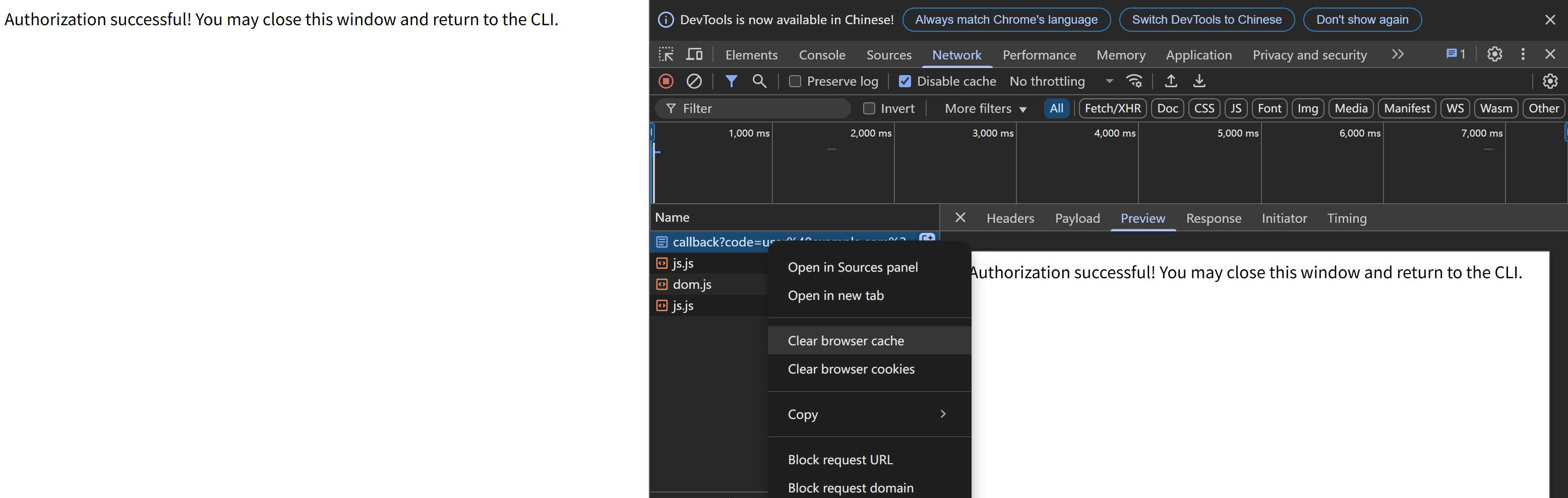
If you encounter any issues (please try to maintain OAuth auto-redirect to prevent callback delays that might cause failures), such as the common HTTP 400 error. You can resolve them by clearing your browser cache on the authentication page and then attempting verification again:
When launching the MCP server, if you encounter any issues, first ensure that the corresponding command can run on your current system — for example, uv/uvx, npx, etc.
When launching the MCP server, if you encounter spawn errors like ENOENT, try running the corresponding MCP server locally and invoking it using an absolute path.
If the command works but MCP initialization still returns spawn errors, this may be a known issue:
-
Windows: The MCP SDK includes a workaround specifically for
Windowssystems, as documented in ISSUE 101.Details: ISSUE 40 - MCP servers fail to connect with npx on Windows (fixed)
-
mscOS: The issue remains unresolved on other platforms, specifically
macOS. Although several workarounds are available, this ticket consolidates the most effective ones and highlights the simplest method: How to configure MCP on macOS.Details: ISSUE 64 - MCP Servers Don't Work with NVM (still open)
If initialization takes too long and triggers the 90-second timeout protection, it may be because the uv/uvx/npx runtime libraries are being installed or updated for the first time.
When your connection to the respective pip or npm repository is slow, installation can take a long time.
In such cases, first complete the installation manually with pip or npm in the relevant directory, and then start the MCP server again.
We welcome contributions of any kind to this project, including feature enhancements, UI improvements, documentation updates, test case completions, and syntax corrections. I believe that a real developer can write better code than AI, so if you have concerns about certain parts of the code implementation, feel free to share your suggestions or submit a pull request.
Please review our Code of Conduct. It is in effect at all times. We expect it to be honored by everyone who contributes to this project.
For more information, please see Contributing Guidelines
Before creating an issue, check if you are using the latest version of the project. If you are not up-to-date, see if updating fixes your issue first.
Review our Security Policy. Do not file a public issue for security vulnerabilities.
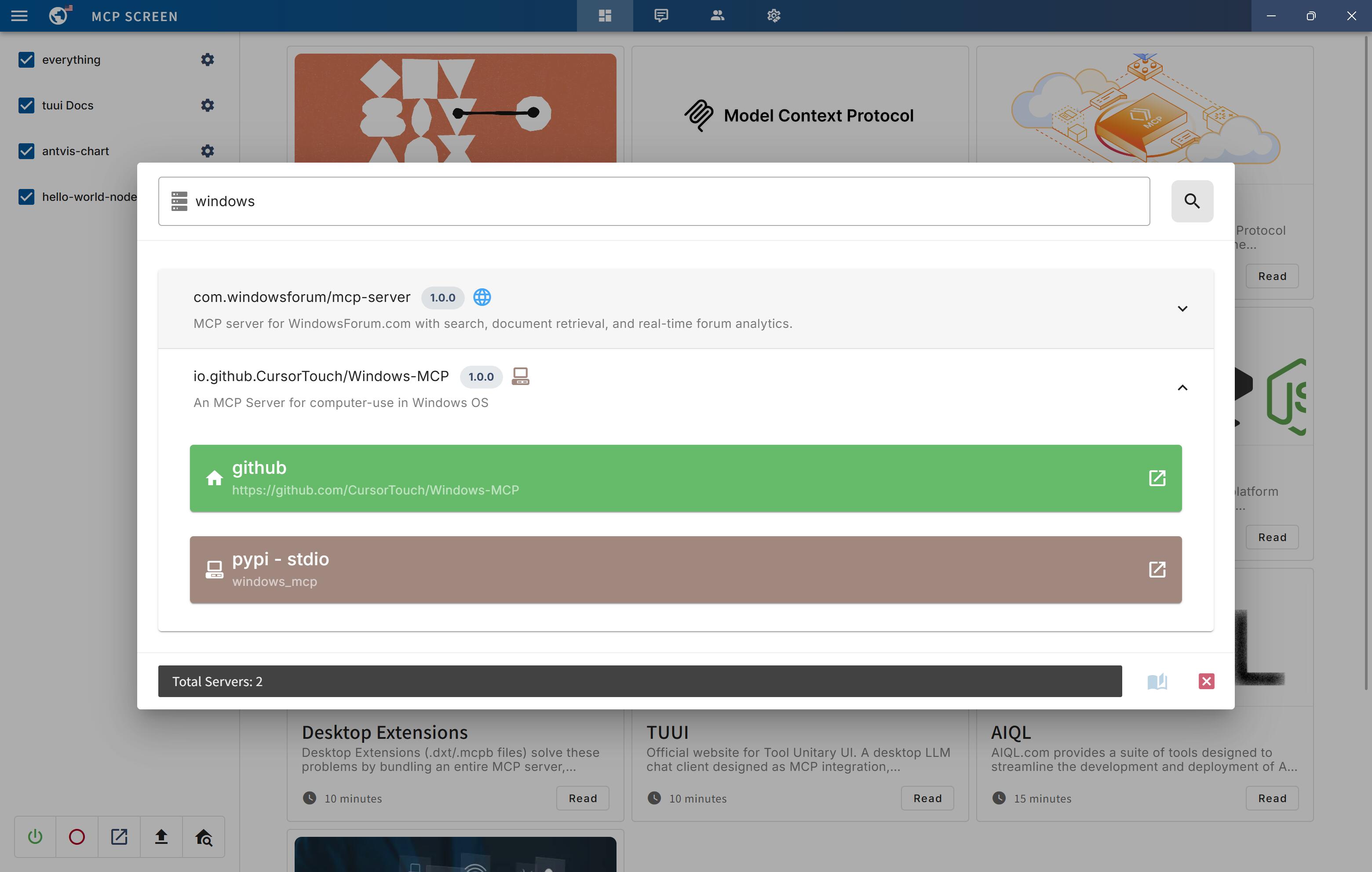
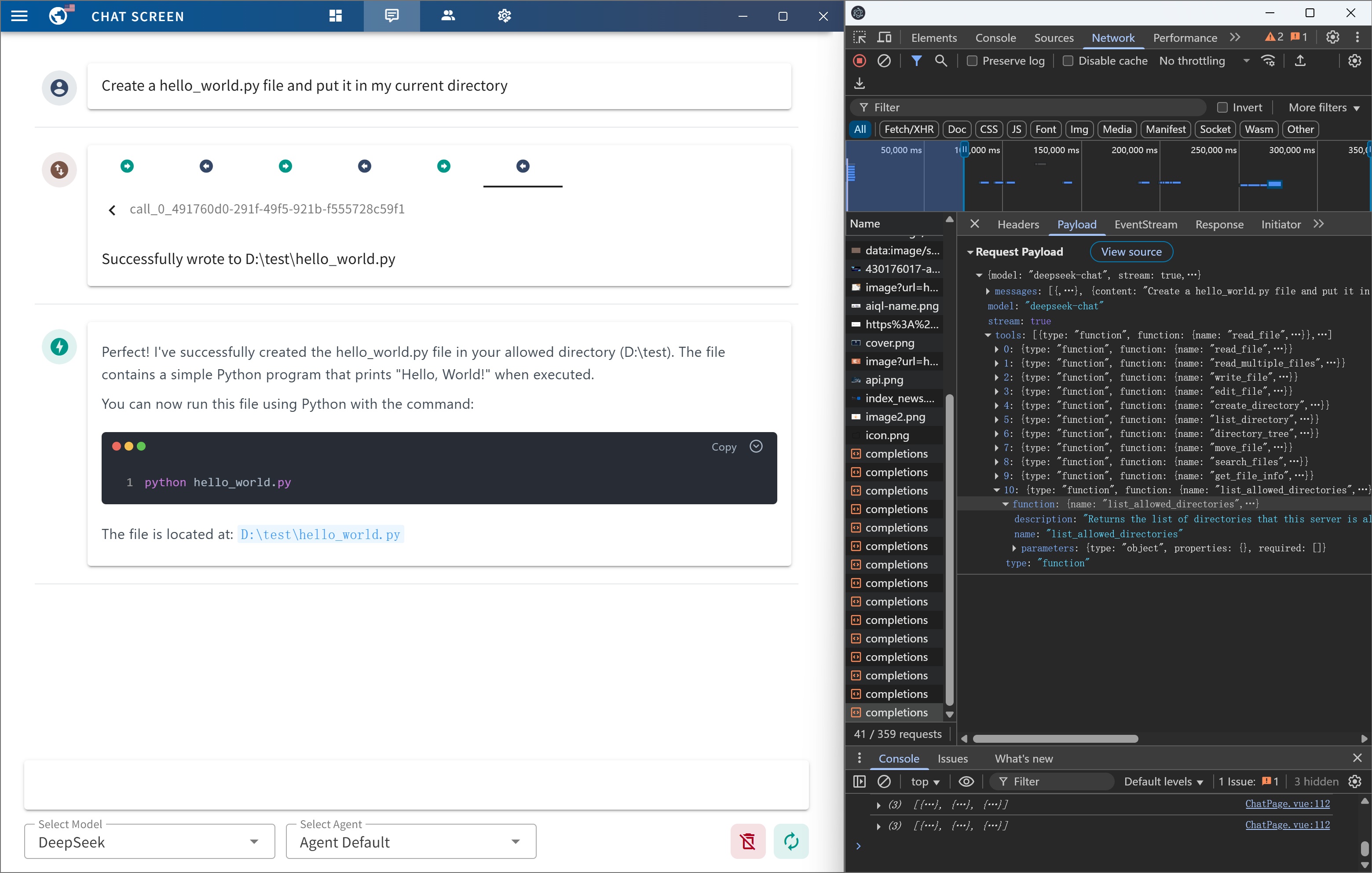
Written by @AIQL.com.
Many of the ideas and prose for the statements in this project were based on or inspired by work from the following communities:
You can review the specific technical details and the license. We commend them for their efforts to facilitate collaboration in their projects.
For Tasks:
Click tags to check more tools for each tasksFor Jobs:
Alternative AI tools for tuui
Similar Open Source Tools
tuui
TUUI is a desktop MCP client designed for accelerating AI adoption through the Model Context Protocol (MCP) and enabling cross-vendor LLM API orchestration. It is an LLM chat desktop application based on MCP, created using AI-generated components with strict syntax checks and naming conventions. The tool integrates AI tools via MCP, orchestrates LLM APIs, supports automated application testing, TypeScript, multilingual, layout management, global state management, and offers quick support through the GitHub community and official documentation.

chat-mcp
A Cross-Platform Interface for Large Language Models (LLMs) utilizing the Model Context Protocol (MCP) to connect and interact with various LLMs. The desktop app, built on Electron, ensures compatibility across Linux, macOS, and Windows. It simplifies understanding MCP principles, facilitates testing of multiple servers and LLMs, and supports dynamic LLM configuration and multi-client management. The UI can be extracted for web use, ensuring consistency across web and desktop versions.
otto-m8
otto-m8 is a flowchart based automation platform designed to run deep learning workloads with minimal to no code. It provides a user-friendly interface to spin up a wide range of AI models, including traditional deep learning models and large language models. The tool deploys Docker containers of workflows as APIs for integration with existing workflows, building AI chatbots, or standalone applications. Otto-m8 operates on an Input, Process, Output paradigm, simplifying the process of running AI models into a flowchart-like UI.

refact-lsp
Refact Agent is a small executable written in Rust as part of the Refact Agent project. It lives inside your IDE to keep AST and VecDB indexes up to date, supporting connection graphs between definitions and usages in popular programming languages. It functions as an LSP server, offering code completion, chat functionality, and integration with various tools like browsers, databases, and debuggers. Users can interact with it through a Text UI in the command line.
notebook-intelligence
Notebook Intelligence (NBI) is an AI coding assistant and extensible AI framework for JupyterLab. It greatly boosts the productivity of JupyterLab users with AI assistance by providing features such as code generation with inline chat, auto-complete, and chat interface. NBI supports various LLM Providers and AI Models, including local models from Ollama. Users can configure model provider and model options, remember GitHub Copilot login, and save configuration files. NBI seamlessly integrates with Model Context Protocol (MCP) servers, supporting both Standard Input/Output (stdio) and Server-Sent Events (SSE) transports. Users can easily add MCP servers to NBI, auto-approve tools, set environment variables, and group servers based on functionality. Additionally, NBI allows access to built-in tools from an MCP participant, enhancing the user experience and productivity.
bedrock-claude-chat
This repository is a sample chatbot using the Anthropic company's LLM Claude, one of the foundational models provided by Amazon Bedrock for generative AI. It allows users to have basic conversations with the chatbot, personalize it with their own instructions and external knowledge, and analyze usage for each user/bot on the administrator dashboard. The chatbot supports various languages, including English, Japanese, Korean, Chinese, French, German, and Spanish. Deployment is straightforward and can be done via the command line or by using AWS CDK. The architecture is built on AWS managed services, eliminating the need for infrastructure management and ensuring scalability, reliability, and security.
sdfx
SDFX is the ultimate no-code platform for building and sharing AI apps with beautiful UI. It enables the creation of user-friendly interfaces for complex workflows by combining Comfy workflow with a UI. The tool is designed to merge the benefits of form-based UI and graph-node based UI, allowing users to create intricate graphs with a high-level UI overlay. SDFX is fully compatible with ComfyUI, abstracting the need for installing ComfyUI. It offers features like animated graph navigation, node bookmarks, UI debugger, custom nodes manager, app and template export, image and mask editor, and more. The tool compiles as a native app or web app, making it easy to maintain and add new features.
ai-gateway
LangDB AI Gateway is an open-source enterprise AI gateway built in Rust. It provides a unified interface to all LLMs using the OpenAI API format, focusing on high performance, enterprise readiness, and data control. The gateway offers features like comprehensive usage analytics, cost tracking, rate limiting, data ownership, and detailed logging. It supports various LLM providers and provides OpenAI-compatible endpoints for chat completions, model listing, embeddings generation, and image generation. Users can configure advanced settings, such as rate limiting, cost control, dynamic model routing, and observability with OpenTelemetry tracing. The gateway can be run with Docker Compose and integrated with MCP tools for server communication.
trapster-community
Trapster Community is a low-interaction honeypot designed for internal networks or credential capture. It monitors and detects suspicious activities, providing deceptive security layer. Features include mimicking network services, asynchronous framework, easy configuration, expandable services, and HTTP honeypot engine with AI capabilities. Supported protocols include DNS, HTTP/HTTPS, FTP, LDAP, MSSQL, POSTGRES, RDP, SNMP, SSH, TELNET, VNC, and RSYNC. The tool generates various types of logs and offers HTTP engine with AI capabilities to emulate websites using YAML configuration. Contributions are welcome under AGPLv3+ license.
call-center-ai
Call Center AI is an AI-powered call center solution that leverages Azure and OpenAI GPT. It is a proof of concept demonstrating the integration of Azure Communication Services, Azure Cognitive Services, and Azure OpenAI to build an automated call center solution. The project showcases features like accessing claims on a public website, customer conversation history, language change during conversation, bot interaction via phone number, multiple voice tones, lexicon understanding, todo list creation, customizable prompts, content filtering, GPT-4 Turbo for customer requests, specific data schema for claims, documentation database access, SMS report sending, conversation resumption, and more. The system architecture includes components like RAG AI Search, SMS gateway, call gateway, moderation, Cosmos DB, event broker, GPT-4 Turbo, Redis cache, translation service, and more. The tool can be deployed remotely using GitHub Actions and locally with prerequisites like Azure environment setup, configuration file creation, and resource hosting. Advanced usage includes custom training data with AI Search, prompt customization, language customization, moderation level customization, claim data schema customization, OpenAI compatible model usage for the LLM, and Twilio integration for SMS.
aiconfig
AIConfig is a framework that makes it easy to build generative AI applications for production. It manages generative AI prompts, models and model parameters as JSON-serializable configs that can be version controlled, evaluated, monitored and opened in a local editor for rapid prototyping. It allows you to store and iterate on generative AI behavior separately from your application code, offering a streamlined AI development workflow.
mcp-agent
mcp-agent is a simple, composable framework designed to build agents using the Model Context Protocol. It handles the lifecycle of MCP server connections and implements patterns for building production-ready AI agents in a composable way. The framework also includes OpenAI's Swarm pattern for multi-agent orchestration in a model-agnostic manner, making it the simplest way to build robust agent applications. It is purpose-built for the shared protocol MCP, lightweight, and closer to an agent pattern library than a framework. mcp-agent allows developers to focus on the core business logic of their AI applications by handling mechanics such as server connections, working with LLMs, and supporting external signals like human input.
quivr
Quivr is a personal assistant powered by Generative AI, designed to be a second brain for users. It offers fast and efficient access to data, ensuring security and compatibility with various file formats. Quivr is open source and free to use, allowing users to share their brains publicly or keep them private. The marketplace feature enables users to share and utilize brains created by others, boosting productivity. Quivr's offline mode provides anytime, anywhere access to data. Key features include speed, security, OS compatibility, file compatibility, open source nature, public/private sharing options, a marketplace, and offline mode.
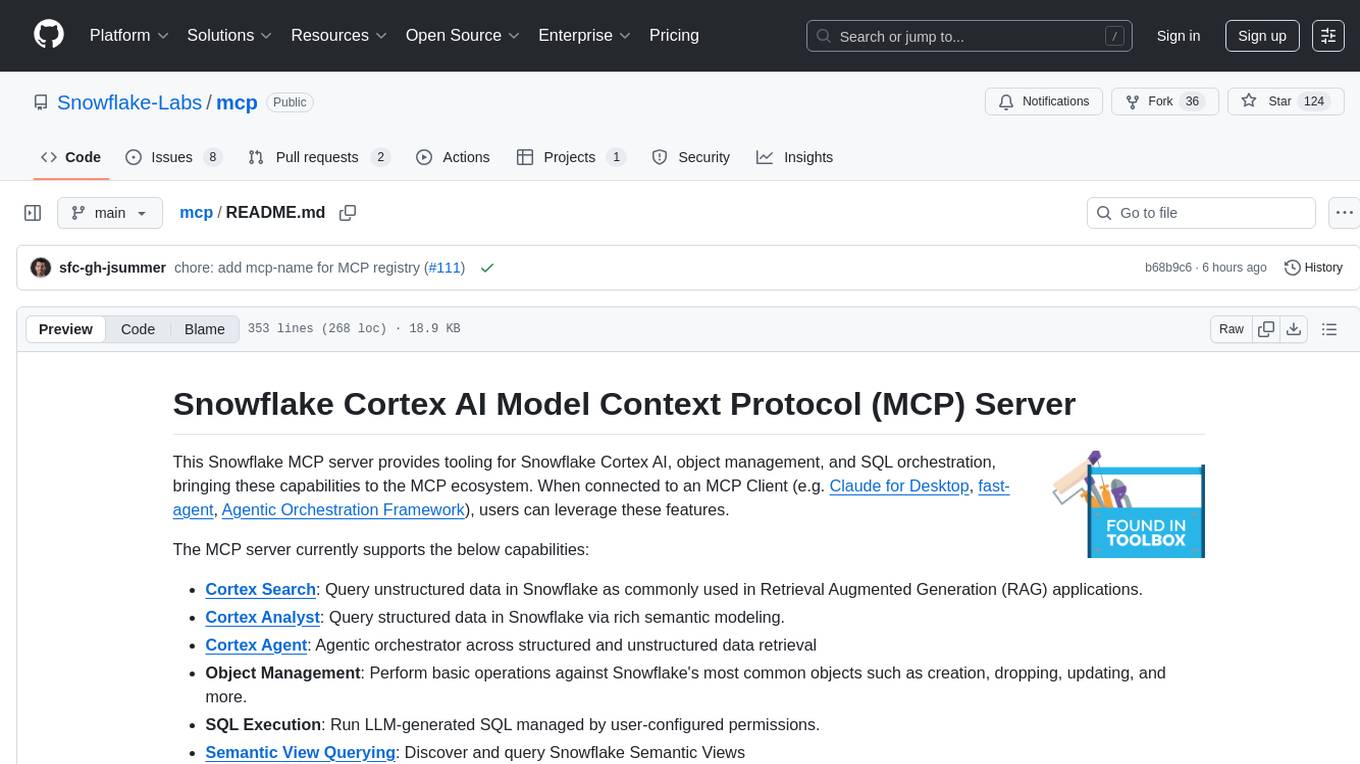
mcp
The Snowflake Cortex AI Model Context Protocol (MCP) Server provides tooling for Snowflake Cortex AI, object management, and SQL orchestration. It supports capabilities such as Cortex Search, Cortex Analyst, Cortex Agent, Object Management, SQL Execution, and Semantic View Querying. Users can connect to Snowflake using various authentication methods like username/password, key pair, OAuth, SSO, and MFA. The server is client-agnostic and works with MCP Clients like Claude Desktop, Cursor, fast-agent, Microsoft Visual Studio Code + GitHub Copilot, and Codex. It includes tools for Object Management (creating, dropping, describing, listing objects), SQL Execution (executing SQL statements), and Semantic View Querying (discovering, querying Semantic Views). Troubleshooting can be done using the MCP Inspector tool.
promptwright
Promptwright is a Python library designed for generating large synthetic datasets using a local LLM and various LLM service providers. It offers flexible interfaces for generating prompt-led synthetic datasets. The library supports multiple providers, configurable instructions and prompts, YAML configuration for tasks, command line interface for running tasks, push to Hugging Face Hub for dataset upload, and system message control. Users can define generation tasks using YAML configuration or Python code. Promptwright integrates with LiteLLM to interface with LLM providers and supports automatic dataset upload to Hugging Face Hub.
aimeos-laravel
Aimeos Laravel is a professional, full-featured, and ultra-fast Laravel ecommerce package that can be easily integrated into existing Laravel applications. It offers a wide range of features including multi-vendor, multi-channel, and multi-warehouse support, fast performance, support for various product types, subscriptions with recurring payments, multiple payment gateways, full RTL support, flexible pricing options, admin backend, REST and GraphQL APIs, modular structure, SEO optimization, multi-language support, AI-based text translation, mobile optimization, and high-quality source code. The package is highly configurable and extensible, making it suitable for e-commerce SaaS solutions, marketplaces, and online shops with millions of vendors.
For similar tasks
tuui
TUUI is a desktop MCP client designed for accelerating AI adoption through the Model Context Protocol (MCP) and enabling cross-vendor LLM API orchestration. It is an LLM chat desktop application based on MCP, created using AI-generated components with strict syntax checks and naming conventions. The tool integrates AI tools via MCP, orchestrates LLM APIs, supports automated application testing, TypeScript, multilingual, layout management, global state management, and offers quick support through the GitHub community and official documentation.
dspy.rb
DSPy.rb is a Ruby framework for building reliable LLM applications using composable, type-safe modules. It enables developers to define typed signatures and compose them into pipelines, offering a more structured approach compared to traditional prompting. The framework embraces Ruby conventions and adds innovations like CodeAct agents and enhanced production instrumentation, resulting in scalable LLM applications that are robust and efficient. DSPy.rb is actively developed, with a focus on stability and real-world feedback through the 0.x series before reaching a stable v1.0 API.
mobile-use
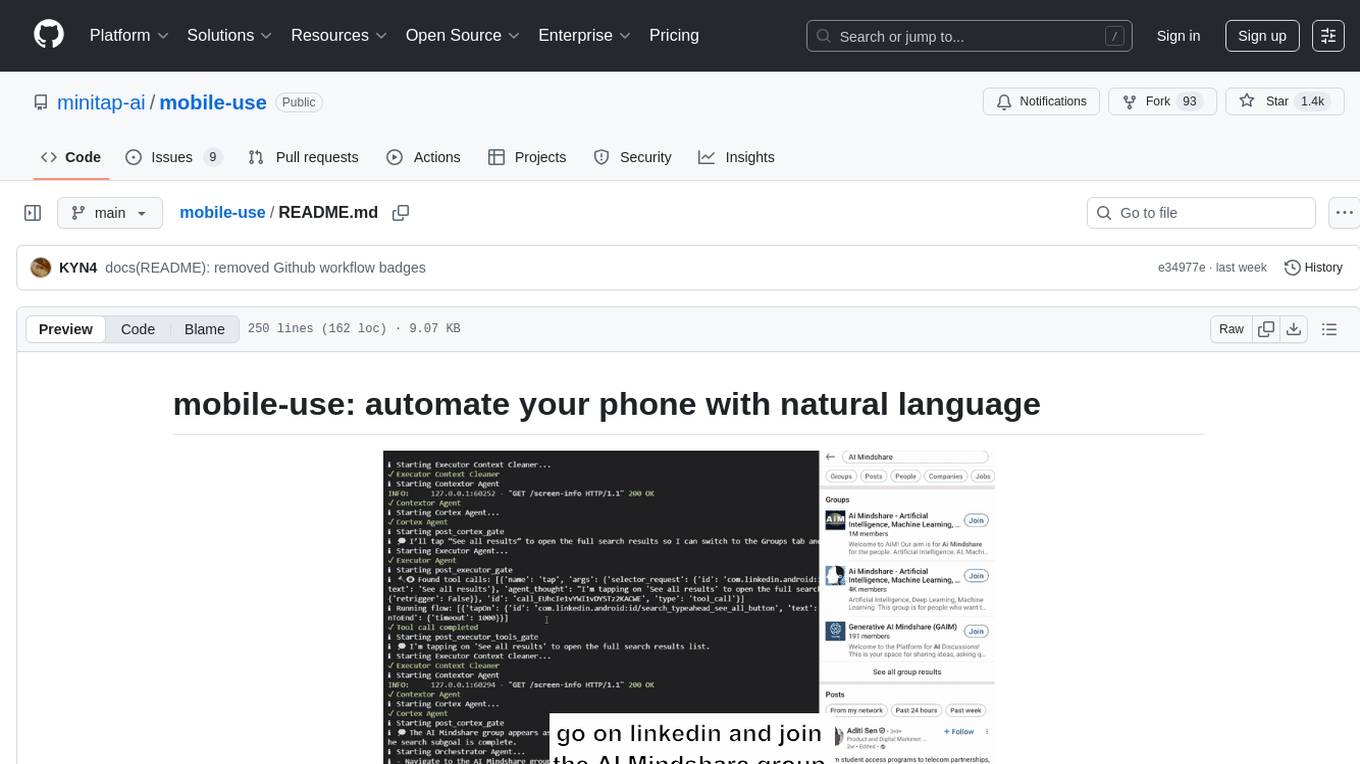
Mobile-use is an open-source AI agent that controls Android or IOS devices using natural language. It understands commands to perform tasks like sending messages and navigating apps. Features include natural language control, UI-aware automation, data scraping, and extensibility. Users can automate their mobile experience by setting up environment variables, customizing LLM configurations, and launching the tool via Docker or manually for development. The tool supports physical Android phones, Android simulators, and iOS simulators. Contributions are welcome, and the project is licensed under MIT.
TTP-Threat-Feeds
TTP-Threat-Feeds is a script-powered threat feed generator that automates the discovery and parsing of threat actor behavior from security research. It scrapes URLs from trusted sources, extracts observable adversary behaviors, and outputs structured YAML files to help detection engineers and threat researchers derive detection opportunities and correlation logic. The tool supports multiple LLM providers for text extraction and includes OCR functionality for extracting content from images. Users can configure URLs, run the extractor, and save results as YAML files. Cloud provider SDKs are optional. Contributions are welcome for improvements and enhancements to the tool.
For similar jobs

promptflow
**Prompt flow** is a suite of development tools designed to streamline the end-to-end development cycle of LLM-based AI applications, from ideation, prototyping, testing, evaluation to production deployment and monitoring. It makes prompt engineering much easier and enables you to build LLM apps with production quality.

deepeval
DeepEval is a simple-to-use, open-source LLM evaluation framework specialized for unit testing LLM outputs. It incorporates various metrics such as G-Eval, hallucination, answer relevancy, RAGAS, etc., and runs locally on your machine for evaluation. It provides a wide range of ready-to-use evaluation metrics, allows for creating custom metrics, integrates with any CI/CD environment, and enables benchmarking LLMs on popular benchmarks. DeepEval is designed for evaluating RAG and fine-tuning applications, helping users optimize hyperparameters, prevent prompt drifting, and transition from OpenAI to hosting their own Llama2 with confidence.

MegaDetector
MegaDetector is an AI model that identifies animals, people, and vehicles in camera trap images (which also makes it useful for eliminating blank images). This model is trained on several million images from a variety of ecosystems. MegaDetector is just one of many tools that aims to make conservation biologists more efficient with AI. If you want to learn about other ways to use AI to accelerate camera trap workflows, check out our of the field, affectionately titled "Everything I know about machine learning and camera traps".

leapfrogai
LeapfrogAI is a self-hosted AI platform designed to be deployed in air-gapped resource-constrained environments. It brings sophisticated AI solutions to these environments by hosting all the necessary components of an AI stack, including vector databases, model backends, API, and UI. LeapfrogAI's API closely matches that of OpenAI, allowing tools built for OpenAI/ChatGPT to function seamlessly with a LeapfrogAI backend. It provides several backends for various use cases, including llama-cpp-python, whisper, text-embeddings, and vllm. LeapfrogAI leverages Chainguard's apko to harden base python images, ensuring the latest supported Python versions are used by the other components of the stack. The LeapfrogAI SDK provides a standard set of protobuffs and python utilities for implementing backends and gRPC. LeapfrogAI offers UI options for common use-cases like chat, summarization, and transcription. It can be deployed and run locally via UDS and Kubernetes, built out using Zarf packages. LeapfrogAI is supported by a community of users and contributors, including Defense Unicorns, Beast Code, Chainguard, Exovera, Hypergiant, Pulze, SOSi, United States Navy, United States Air Force, and United States Space Force.

llava-docker
This Docker image for LLaVA (Large Language and Vision Assistant) provides a convenient way to run LLaVA locally or on RunPod. LLaVA is a powerful AI tool that combines natural language processing and computer vision capabilities. With this Docker image, you can easily access LLaVA's functionalities for various tasks, including image captioning, visual question answering, text summarization, and more. The image comes pre-installed with LLaVA v1.2.0, Torch 2.1.2, xformers 0.0.23.post1, and other necessary dependencies. You can customize the model used by setting the MODEL environment variable. The image also includes a Jupyter Lab environment for interactive development and exploration. Overall, this Docker image offers a comprehensive and user-friendly platform for leveraging LLaVA's capabilities.

carrot
The 'carrot' repository on GitHub provides a list of free and user-friendly ChatGPT mirror sites for easy access. The repository includes sponsored sites offering various GPT models and services. Users can find and share sites, report errors, and access stable and recommended sites for ChatGPT usage. The repository also includes a detailed list of ChatGPT sites, their features, and accessibility options, making it a valuable resource for ChatGPT users seeking free and unlimited GPT services.

TrustLLM
TrustLLM is a comprehensive study of trustworthiness in LLMs, including principles for different dimensions of trustworthiness, established benchmark, evaluation, and analysis of trustworthiness for mainstream LLMs, and discussion of open challenges and future directions. Specifically, we first propose a set of principles for trustworthy LLMs that span eight different dimensions. Based on these principles, we further establish a benchmark across six dimensions including truthfulness, safety, fairness, robustness, privacy, and machine ethics. We then present a study evaluating 16 mainstream LLMs in TrustLLM, consisting of over 30 datasets. The document explains how to use the trustllm python package to help you assess the performance of your LLM in trustworthiness more quickly. For more details about TrustLLM, please refer to project website.

AI-YinMei
AI-YinMei is an AI virtual anchor Vtuber development tool (N card version). It supports fastgpt knowledge base chat dialogue, a complete set of solutions for LLM large language models: [fastgpt] + [one-api] + [Xinference], supports docking bilibili live broadcast barrage reply and entering live broadcast welcome speech, supports Microsoft edge-tts speech synthesis, supports Bert-VITS2 speech synthesis, supports GPT-SoVITS speech synthesis, supports expression control Vtuber Studio, supports painting stable-diffusion-webui output OBS live broadcast room, supports painting picture pornography public-NSFW-y-distinguish, supports search and image search service duckduckgo (requires magic Internet access), supports image search service Baidu image search (no magic Internet access), supports AI reply chat box [html plug-in], supports AI singing Auto-Convert-Music, supports playlist [html plug-in], supports dancing function, supports expression video playback, supports head touching action, supports gift smashing action, supports singing automatic start dancing function, chat and singing automatic cycle swing action, supports multi scene switching, background music switching, day and night automatic switching scene, supports open singing and painting, let AI automatically judge the content.