


OneKE
[WWW 2025] A Dockerized Schema-Guided LLM Agent-based Knowledge Extraction System.
Stars: 57
OneKE is a flexible dockerized system for schema-guided knowledge extraction, capable of extracting information from the web and raw PDF books across multiple domains like science and news. It employs a collaborative multi-agent approach and includes a user-customizable knowledge base to enable tailored extraction. OneKE offers various IE tasks support, data sources support, LLMs support, extraction method support, and knowledge base configuration. Users can start with examples using YAML, Python, or Web UI, and perform tasks like Named Entity Recognition, Relation Extraction, Event Extraction, Triple Extraction, and Open Domain IE. The tool supports different source formats like Plain Text, HTML, PDF, Word, TXT, and JSON files. Users can choose from various extraction models like OpenAI, DeepSeek, LLaMA, Qwen, ChatGLM, MiniCPM, and OneKE for information extraction tasks. Extraction methods include Schema Agent, Extraction Agent, and Reflection Agent. The tool also provides support for schema repository and case repository management, along with solutions for network issues. Contributors to the project include Ningyu Zhang, Haofen Wang, Yujie Luo, Xiangyuan Ru, Kangwei Liu, Lin Yuan, Mengshu Sun, Lei Liang, Zhiqiang Zhang, Jun Zhou, Lanning Wei, Da Zheng, and Huajun Chen.
README:

- Table of Contents
- 🔔News
- 🌟Overview
- 🚀Quick Start
- 🔍Further Usage
- 🛠️Network Issue Solutions
- 🎉Contributors
- 🌻Acknowledgement
- [2025/02] We support the local deployment of the DeepSeek-R1 series in addition to the existing API service, as well as vllm acceleration for other LLMs.
- [2025/01] OneKE is accepted by WWW 2025 Demonstration Track 🎉🎉🎉.
- [2024/12] We open source the OneKE framework, supporting multi-agent knowledge extraction across various scenarios.
- [2024/04] We release a new bilingual (Chinese and English) schema-based information extraction model called OneKE based on Chinese-Alpaca-2-13B.
OneKE is a flexible dockerized system for schema-guided knowledge extraction, capable of extracting information from the web and raw PDF books across multiple domains like science and news. It employs a collaborative multi-agent approach and includes a user-customizable knowledge base to enable tailored extraction. Embark on your information extraction journey with OneKE!

OneKE currently offers the following features:
- [x] Various IE Tasks Support
- [x] Various Data Sources Support
- [x] Various LLMs Support
- [x] Various Extraction Method Support
- [x] User-Configurable Knowledge Base
We have developed a webpage demo for OneKE with Gradio, click here try information extraction in an intuitive way.
Note: The demo only displays OneKE's basic capabilities for efficiency. Consider the local deployment steps below for further features.
OneKE supports both manual and docker image environment configuration, choose your preferred method to build.
Conda virtual environments offer a light and flexible setup.
Prerequisites
- Anaconda Installation
- GPU support (recommended CUDA version: 12.4)
Configure Steps
- Clone the repository:
git clone https://github.com/zjunlp/OneKE.git- Enter the working directory, and all subsequent commands should be executed in this directory.
cd OneKE- Create a virtual environment using
Anaconda.
conda create -n oneke python=3.9
conda activate oneke- Install all required Python packages.
pip install -r requirements.txt
# If you encounter network issues, consider setting up a domestic mirror for pip.Docker image provides greater reliability and stability.
Prerequisites
- Docker Installation
- NVIDIA Container Toolkit
- GPU support (recommended CUDA version: 12.4)
Configure Steps
- Clone the repository:
git clone https://github.com/zjunlp/OneKE.git- Pull the docker image from the mirror repository.
docker pull zjunlp/oneke:v4
# If you encounter network issues, consider setting up domestic registry mirrors for docker.- Launch a container from the image.
docker run --gpus all \
  -v ./OneKE:/app/OneKE \
  -it oneke:v4 /bin/bash
If using locally deployed models, ensure the local model path is mapped to the container:
docker run --gpus all \
  -v ./OneKE:/app/OneKE \
  -v your_local_model_path:/app/model/your_model_name \
  -it oneke:v4 /bin/bash
Map any necessary local files to the container paths as shown above, and use container paths in your code and execution.
Upon starting, the container will enter the /app/OneKE directory as its working directory. Just modify the code locally as needed, and the changes will sync to the container through mapping.
We offer two quick-start options. Choose your preferred method to swiftly explore OneKE with predefined examples.
Note:
- Ensure that your working directory is set to the
OneKEfolder, whether in a virtual environment or a docker container.- Refer to here to resolve the network issues. If you have more questions, feel free to open an issue with us.
Step1: Prepare the configuration file
Several YAML configuration files are available in the examples/config. These extraction scenarios cover different extraction data, methods, and models, allowing you to easily explore all the features of OneKE.
Web News Extraction:
Here is the example for the web news knowledge extraction scenario, with the source extraction text in HTML format:
# model configuration
model:
  category: DeepSeek  # model category, chosen from ChatGPT, DeepSeek, LLaMA, Qwen, ChatGLM, MiniCPM, OneKE.
  model_name_or_path: deepseek-chat # model name, chosen from deepseek-chat and deepseek-reasoner. Choose deepseek-chat to use DeepSeek-V3 or choose deepseek-reasoner to use DeepSeek-R1.
  api_key: your_api_key # your API key for the model with API service. No need for open-source models.
  base_url: https://api.deepseek.com # base URL for the API service. No need for open-source models.

# extraction configuration
extraction:
  task: Base # task type, chosen from Base, NER, RE, EE.
  instruction: Extract key information from the given text. # description for the task. No need for NER, RE, EE task.
  use_file: true # whether to use a file for the input text. Default set to false.
  file_path: ./data/input_files/Tulsi_Gabbard_News.html # path to the input file. No need if use_file is set to false.
  output_schema: NewsReport # output schema for the extraction task. Selected the from schema repository.
  mode: customized # extraction mode, chosen from quick, detailed, customized. Default set to quick. See src/config.yaml for more details.
  update_case: false # whether to update the case repository. Default set to false.
  show_trajectory: false # whether to display the extracted intermediate steps
The model section contains information about the extraction model, while the extraction section configures the settings for the extraction process.
You can choose an existing configuration file or customize the extraction settings as you wish. Note that when using an API service like ChatGPT and DeepSeek, please set your API key.
Step2: Run the shell script
Specify the configuration file path and run the code to start the extraction process.
config_file=your_yaml_file_path # configuration file path, use the container path if inside a container
python src/run.py --config $config_file # start extraction, executed in the OneKE directory
If you want to deploy the local models using vllm, run the following code:
config_file=your_yaml_file_path # REMEMBER to set vllm_serve to TRUE!
python src/models/vllm_serve.py --config $config_file # deploy local model via vllm, executed in the OneKE directory
python src/run.py --config $config_file # start extraction, executed in the OneKE directory
Refer to here to get an overview of the knowledge extraction results.
Note: You can also try OneKE by directly running the
example.pyfile located in theexampledirectory. In this way, you can explore more advanced uses flexibly.
Note: Before starting with the web UI, make sure the package
gradio 4.44.0is already installed in your Environment.
Step1: Execute Command
Execute the following commands in the OneKE directory:
python src/webui.pyStep2: Open your Web Browser
The front-end is built with Gradio, and the default port of Gradio is 7860. Therefore, please enter the following URL in your browser's address bar to open the web interface:
http://127.0.0.1:7860
Similarly, you can visually configure tasks and obtain results through the front-end interface.
-
🎲 Quick Start with an Example 🎲: Quickly get a simple example to try OneKE. -
Submit: After configuring your LLM, parameters, and tasks, click this button to run OneKE. -
Clear: When a task is completed, click this button to restore the initial state.
You can try different types of information extraction tasks within the OneKE framework.
| Task | Description |
|---|---|
| Traditional IE | |
| NER | Named Entity Recognition, identifies and classifies various named entities such as names, locations, and organizations in text. |
| RE | Relation Extraction, identifies relationships between entities, and typically returns results as entity-relation-entity triples. |
| EE | Event Extraction, identifies events in text, focusing on event triggers and associated participants, known as event arguments. |
| Triple | Triple Extraction, identifies subject-predicate-object triples in text. A triple is a fundamental data structure in information extraction, representing a piece of knowledge or fact. Knowledge graph can be quickly constructed after the Triple Extraction. |
| Open Domain IE | |
| Web News Extraction | Involves extracting key entities and events from online news articles to generate structured insights. |
| Book Knowledged Extraction | Extracts information such as key concepts, themes, and facts from book chapters. |
| Other | Encompasses information extraction from different types of content, such as social media and research papers, each tailored to the specific context and data type. |
In subsequent code processing, we categorize tasks into four types: NER for Named Entity Recognition, RE for Relation Extraction, EE for Event Extraction, Triple for Triple Extraction, and Base for any other user-defined open-domain extraction tasks.
Named entity recognition seeks to locate and classify named entities mentioned in unstructured text into pre-defined entity types such as person names, organizations, locations, organizations, etc.
Refer to the case defined in examples/config/NER.yaml as an example:
| Text | Entity Types |
|---|---|
| Finally, every other year, ELRA organizes a major conference LREC, the International Language Resources and Evaluation Conference. | Algorithm, Conference, Else, Product, Task, Field, Metrics, Organization, Researcher, Program Language, Country, Location, Person, University |
In this task setting, Text represents the text to be extracted, while Entity Types denote the constraint on the types of entities to be extracted. Accordingly, we set the text and constraint attributes in the YAML file to their respective values.
Next, follow the steps below to complete the NER task:
-
Complete
./examples/config/NER.yaml:configure the necessary model and extraction settings.
-
Run the shell script below:
config_file=./examples/config/NER.yaml
python src/run.py --config $config_file
( Refer to issues for any network issues. )
The final extraction result should be:
| Text | Conference |
|---|---|
| Finally, every other year, ELRA organizes a major conference LREC, the International Language Resources and Evaluation Conference. | ELRA, LREC, International Language Resources and Evaluation Conference |
Click here to obtain the raw results in json format.
Note: The actual extraction results may not exactly match this due to LLM randomness.
The result indicates that, given the text and entity type constraint, entities of type conference have been extracted: ELRA, conference, International Language Resources and Evaluation Conference.
You can either specify entity type constraints or omit them. Without constraints, OneKE will extract all entities from the sentence.
Relationship extraction is the task of extracting semantic relations between entities from a unstructured text.
Refer to the case defined in examples/config/RE.yaml as an example:
| Text | Relation Types |
|---|---|
| The aid group Doctors Without Borders said that since Saturday , more than 275 wounded people had been admitted and treated at Donka Hospital in the capital of Guinea , Conakry . | Nationality, Country Capital, Place of Death, Children, Location Contains, Place of Birth, Place Lived, Administrative Division of Country, Country of Administrative Divisions, Company, Neighborhood of, Company Founders |
In this task setting, Text represents the text to be extracted, while Relation Types denote the constraint on the types of relations of entities to be extracted. Accordingly, we set the text and constraint attributes in the YAML file to their respective values.
Next, follow the steps below to complete the RE task:
- Complete
./examples/config/RE.yaml: configure the necessary model and extraction settings - Run the shell script below:
( Refer to issues for any network issues. )
config_file=./examples/config/RE.yaml
python src/run.py --config $config_file
The final extraction result should be:
| Text | Head Entity | Tail Entity | Relationship |
|---|---|---|---|
| The aid group Doctors Without Borders said that since Saturday , more than 275 wounded people had been admitted and treated at Donka Hospital in the capital of Guinea , Conakry . | Guinea | Conakry | Country-Capital |
Click here to obtain the raw results in json format.
Note: The actual extraction results may not exactly match this due to LLM randomness.
The result indicates that, the relation Country-Capital is extracted from the given text based on the relation list, accompanied by the corresponding head entity Guinea and tail entity Conakry, which denotes that Conakry is the capital of Guinea.
You can either specify relation type constraints or omit them. Without constraints, OneKE will extract all relation triples from the sentence.
Event extraction is the task to extract event type, event trigger words, and event arguments from a unstructed text, which is a more complex IE task compared to the first two.
Refer to the case defined in examples/config/EE.yaml as an example:
The extraction text is:
UConn Health , an academic medical center , says in a media statement that it identified approximately 326,000 potentially impacted individuals whose personal information was contained in the compromised email accounts.
while the event type constraint is formatted as follows:
| Event Type | Event Argument |
|---|---|
| phishing | damage amount, attack pattern, tool, victim, place, attacker, purpose, trusted entity, time |
| data breach | damage amount, attack pattern, number of data, number of victim, tool, compromised data, victim, place, attacker, purpose, time |
| ransom | damage amount, attack pattern, payment method, tool, victim, place, attacker, price, time |
| discover vulnerability | vulnerable system, vulnerability, vulnerable system owner, vulnerable system version, supported platform, common vulnerabilities and exposures, capabilities, time, discoverer |
| patch vulnerability | vulnerable system, vulnerability, issues addressed, vulnerable system version, releaser, supported platform, common vulnerabilities and exposures, patch number, time, patch |
Each event type has its own corresponding event arguments.
Next, follow the steps below to complete the EE task:
- Complete
./examples/config/EE.yaml: configure the necessary model and extraction settings - Run the shell script below:
( Refer to issues for any network issues. )
config_file=./examples/config/EE.yaml
python src/run.py --config $config_file
The final extraction result should be:
| Text | Event Type | Event Trigger | Argument | Role |
|---|---|---|---|---|
| UConn Health , an academic medical center , says in a media statement that it identified approximately 326,000 potentially impacted individuals whose personal information was contained in the compromised email accounts. | data breach | compromised | email accounts | compromised data |
| 326,000 | number of victim | |||
| individuals | victim | |||
| personal information | compromised data |
Click here to obtain the raw results in json format.
Note: The actual extraction results may not exactly match this due to LLM randomness.
The extraction results show that the data breach event is identified using the trigger compromised, and the specific contents of different event arguments such as compromised data and victim have also been extracted.
You can either specify event constraints or omit them. Without constraints, OneKE will extract all events from the sentence.
Triple Extraction identifies subject-predicate-object triples in text. A triple is a fundamental data structure in information extraction, representing a piece of knowledge or a fact. Knowledge Graph (KG) can be quickly constructed after the Triple Extraction.
Here is an example:
| Text | Subject Entity Types | Relation Types | Object Entity Types |
|---|---|---|---|
| The international conference on renewable energy technologies was held in Berlin. Several researchers presented their findings, discussing new innovations and challenges. The event was attended by experts from all over the world, and it is expected to continue in various locations. | Event, Person | Action, Location | Place, Concept |
The final extraction result should be:
| Subject Entity | Relation | Object Entity |
|---|---|---|
| Conference (Event) | was held in (Location) | Berlin (Place) |
| Researchers (Person) | presented (Action) | findings (Concept) |
| Researchers (Person) | discussed (Action) | innovations (Concept) |
| Conference (Event) | will continue in (Location) | various locations (Place) |
| Experts (Person) | attended (Action) | event (Event) |
| Event (Event) | is attended by (Location) | experts (Person) |
Let's start in OneKE ~
The constraint can be customed as multiple styles, and it's formatted as follows:
-
Define
entity typesonly:If you only need to specify the entity types, the
constraintshould be a single list of strings representing the different entity types.
["Person", "Place", "Event", "property"]-
Define
entity typesandrelation types:If you need to specify both entity types and relation types, the
constraintshould be a nested list. The first list contains the entity types, and the second list contains the relation types.
[["Person", "Place", "Event", "property"], ["Interpersonal", "Located", "Ownership", "Action"]]-
Define
subject entities types,relation types, andobject entities types:If you need to define the types of subject entities, relation types, and object entities, the
constraintshould be a nested list. The first list contains the subject entity types, the second list contains the relation types, and the third list contains the object entity types.
[["Person"], ["Interpersonal", "Ownership"], ["Person", "property"]]Next, follow the steps below to complete the Triple extraction task:
-
Complete
./examples/config/Triple2KG.yaml:configure the necessary model and extraction settings.
-
Run the shell script below:
config_file=./examples/config/Triple2KG.yaml
python src/run.py --config $config_file
( Refer to issues for any network issues. )
Here is an example to start. And access a raw results in JSON format here.
⚠️ Warning: If you do not intend to build a Knowledge Graph, make sure to remove or comment out the construct field in the yaml file. This will help avoid errors related to database connection issues.
✨ If you need to construct your Knowledge Graph (KG) with your Triple Extraction result, you can refer to this example for guidance. Mimic this example and add the construct field. Just update the field with your own database parameters.
construct: # (Optional) If you want to construct a Knowledge Graph, you need to set the construct field, or you must delete this field.
  database: Neo4j # your database type.
  url: neo4j://localhost:7687 # your database URL,Neo4j's default port is 7687.
  username: your_username # your database username.
  password: "your_password" # your database password.
Once your database is set up, you can access your graph database through a browser. For Neo4j, the web interface connection URL is usually:
http://localhost:7474/browser
For additional information regarding the Neo4j database, please refer to it's documentation.
⚠️ Warning Again: If you do not intend to build a Knowledge Graph, make sure to remove or comment out the construct field in the yaml file. This will help avoid errors related to database connection issues.
This type of task is represented as Base in the code, signifying any other user-defined open-domain extraction tasks.
We refer to the example above for guidance.
In the context of customized Web News Extraction, we first set the extraction instruction to Extract key information from the given text, and provide the file path to extract content from the file. We specify the output schema from the schema repository as the predefined NewsReport, and then proceed with the extraction.
Next, follow the steps below to complete this task:
- Complete
./examples/config/NewsExtraction.yaml: configure the necessary model and extraction settings - Run the shell script below:
( Refer to issues for any network issues. )
config_file=./examples/config/NewsExtraction.yaml
python src/run.py --config $config_file
Here is an excerpt of the extracted content:
| Title | Meet Trump's pick for director of national intelligence |
|---|---|
| Summary | Tulsi Gabbard, chosen by President-elect Donald Trump for director of national intelligence, faces a Senate confirmation challenge due to her lack of experience and controversial views. Accusations include promoting an anti-American agenda and having troubling ties with U.S. adversaries. |
| Publication Date | 2024-12-04T17:06:00Z |
| Keywords | Tulsi Gabbard; director of national intelligence; Donald Trump; Senate confirmation; intelligence agencies |
| Events | Tulsi Gabbard's nomination leads to a Senate confirmation battle due to controversies. |
| People Involved | Tulsi Gabbard: Nominee for director of national intelligence; Donald Trump: President-elect; Tammy Duckworth: Democratic Senator; Olivia Troye: Former Trump administration national security official |
| Quotes | "The U.S. intelligence community has identified her as having troubling relationships with America’s foes."; "If Gabbard is confirmed, America’s allies may not share as much information with the U.S." |
| Viewpoints | Gabbard's nomination is considered alarming and dangerous for U.S. national security; Her anti-war stance and criticism of military interventions draw both support and criticism. |
Click here to obtain the raw results in json format.
Note: The actual extraction results may not exactly match this due to LLM randomness.
In contrast to eariler tasks, the Base-Type Task requires you to provide an explicit Instruction that clearly defines your extraction task, while not allowing the setting of constraint values.
You can choose source texts of various lengths and forms for extraction.
| Source Format | Description |
|---|---|
| Plain Text | String form of raw natural language text. |
| HTML Source | Markup language for structuring web pages. |
| PDF File | Portable format for fixed-layout documents. |
| Word File | Microsoft Word document format, with rich text. |
| TXT File | Basic text format, easily opened and edited. |
| Json File | Lightweight format for structured data interchange. |
In practice, you can use the YAML file configuration to handle different types of text input:
-
Plain Text: Set
use_filetofalseand enter the text to be extracted in thetextfield. For example:use_file: false text: Finally , every other year , ELRA organizes a major conference LREC , the International Language Resources and Evaluation Conference .
-
File Content: Set
use_filetotrueand specify the file path infile_pathfor the text to be extracted. For example:use_file: true file_path: ./data/input_files/Tulsi_Gabbard_News.html
You can choose from various open-source or proprietary model APIs to perform information extraction tasks.
Note: For complex IE tasks, we recommend using powerful models like OpenAI's or or large-scale open-source LLMs.
| Model | Description |
|---|---|
| API Service | |
| OpenAI | A series of GPT foundation models offered by OpenAI, such as GPT-3.5 and GPT-4-turbo, which are renowned for their outstanding capabilities in natural language processing. |
| DeepSeek | High-performance LLMs that have demonstrated exceptional capabilities in both English and Chinese benchmarks. |
| Local Deploy | |
| LLaMA3-Instruct series | Meta's series of large language models, with tens to hundreds of billions of parameters, have shown advanced performance on industry-standard benchmarks. |
| Qwen2.5-Instruct series | LLMs developed by the Qwen team, come in various parameter sizes and exhibit strong capabilities in both English and Chinese. |
| ChatGLM4-9B | The latest model series by the Zhipu team, which achieve breakthroughs in multiple metrics, excel as bilingual (Chinese-English) chat models. |
| MiniCPM3-4B | A lightweight language model with 4B parameters, matches or even surpasses 7B-9B models in most evaluation benchmarks. |
| OneKE | A large-scale model for knowledge extraction jointly developed by Ant Group and Zhejiang University. |
| DeepSeek-R1 series | A bilingual Chinese-English strong reasoning model series provided by DeepSeek, featuring the original DeepSeek-R1 and various distilled versions based on smaller models. |
Note: We recommend deploying the DeepSeek-R1 models with VLLM.
In practice, you can use the YAML file configuration to employ various LLMs:
-
API Service: Set the
model_name_or_pathto the available model name provided by the company, and enter yourapi_keyas well as thebase_url. For exmaple:model: category: DeepSeek # model category, chosen from ChatGPT and DeepSeek model_name_or_path: deepseek-chat # model name, chosen from deepseek-chat and deepseek-reasoner. Choose deepseek-chat to use DeepSeek-V3 or choose deepseek-reasoner to use DeepSeek-R1. api_key: your_api_key # your API key for the model with API service. base_url: https://api.deepseek.com # base URL for the API service. No need for open-source models.
-
Local Deploy: Set the
model_name_or_pathto either the model name on Hugging Face or the path to the local model. We support using eitherTransformerorvllmto access the models.- Transformer Example:
Note that the category of deployment model must be chosen from LLaMA, Qwen, ChatGLM, MiniCPM, OneKE.
model:
  category: LLaMA # model category, chosen from LLaMA, Qwen, ChatGLM, MiniCPM, OneKE.
  model_name_or_path: meta-llama/Meta-Llama-3-8B-Instruct # model name to download from huggingface or use the local model path.
  vllm_serve: false # whether to use the vllm. Default set to false.
- VLLM Example:
Note that the DeepSeek-R1 series models only support VLLM deployment. Remember to start the VLLM service before running the extraction task. The reference code is as follows:
model:
  category: DeepSeek # model category
  model_name_or_path: meta-llama/Meta-Llama-3-8B-Instruct # model name to download from huggingface or use the local model path.
  vllm_serve: true # whether to use the vllm. Default set to false.
You can also run the commandconfig_file=your_yaml_file_path # REMEMBER to set vllm_serve to TRUE! python src/models/vllm_serve.py --config $config_file # deploy local model via vllm, executed in the OneKE directory
vllm serve model_name_or_pathdirectly to start the VLLM service. See the official documents for more details.
- Transformer Example:
You can freely combine different extraction methods to complete the information extraction task.
| Method | Description |
|---|---|
| Schema Agent | |
| Default Schema | Use the default JSON output format. |
| Predefined Schema | Utilize the predefined output schema retrieved from the knowledge base. |
| Self Schema Deduction | Generate the output schema by inferring from the task description and the source text. |
| Extraction Agent | |
| Direct IE | Directly extract information from the given text based on the task description. |
| Case Retrieval | Retrieve similar good cases from the knowledge base to aid in the extraction. |
| Reflection Agent | |
| No Reflection | Directly return the extraction results. |
| Case Reflection | Use the self-consistency approach, and if inconsistencies appear, reflect on the original answer by retrieving similar bad cases from the knowledge base. |
The configuration for detail extraction methods and mode information can be found in src/config.yaml. You can customize the extraction methods by modifying the customized within this file and set the mode to customize in an external configuration file.
For example, first configure the src/config.yaml as follows:
# src/config.yaml
customized:
    schema_agent:  get_deduced_schema
    extraction_agent: extract_information_direct
    reflection_agent: reflect_with_case
Then, set the mode of your custom extraction task in examples/customized.yaml to customized:
# examples/customized.yaml
mode: customized
This allows you to experience the customized extraction methods.
Tips:
- For longer text extraction tasks, we recommend using the
direct modeto avoid issues like attention dispersion and increased processing time.- For shorter tasks requiring high accuracy, you can try the
standard modeto ensure precision.
You can view the predefined schemas within the src/modules/knowledge_base/schema_repository.py file. The Schema Repository is designed to be easily extendable. You just need to define your output schema in the form of a pydantic class following the format defined in the file, and it can be directly used in subsequent extractions.
For example, add a new schema in the schema repository:
# src/modules/knowledge_base/schema_repository.py
class ChemicalSubstance(BaseModel):
    name: str = Field(description="Name of the chemical substance")
    formula: str = Field(description="Molecular formula")
    appearance: str = Field(description="Physical appearance")
    uses: List[str] = Field(description="Primary uses")
    hazards: str = Field(description="Hazard classification")

class ChemicalList(BaseModel):
  chemicals: List[ChemicalSubstance] = Field(description="List of chemicals")
Then, set the method for schema_agent under customized to get_retrieved_schema in src/config.yaml. Finally, set the mode to customized in the external configuration file to enable custom schema extraction.
In this example, the extraction results will be a list of chemical substances that strictly adhere to the defined schema, ensuring a high level of accuracy and flexibility in the extraction results.
Note that the names of newly created objects should not conflict with existing ones.
You can directly view the case storage in the src/modules/knowledge_base/case_repository.json file, but we do not recommend modifying it directly.
The Case Repository is automatically updated with each extraction process once setting update_repository to True in the configuration file.
When updating the Case Repository, you must provide external feedback to generate case information, either by including truth answer in the configuration file or during the extraction process.
Here is an example:
  # examples/config/RE.yaml
  truth: {"relation_list": [{"head": "Guinea", "tail": "Conakry", "relation": "country capital"}]} # Truth data for the relation
  update_case: true
After extraction, OneKE compares results with the truth answer, generates analysis, and finally stores the case in the repository.
Here are some network issues you might encounter and the corresponding solutions.
- Pip Installation Failure: Use mirror websites, run the command as
pip install -i [mirror-source] .... - Docker Image Pull Failure: Configure the docker daemon to add repository mirrors.
- Nltk Download Failure: Manually download the
nltkpackage and place it in the proper directory. - Model Dowload Failure: Use the
Hugging Face Mirrorsite orModelScopeto download model, and specify the local path to the model when using it.Note: We use
all-MiniLM-L6-v2model by default for case matching, so it needs to be downloaded during execution. If network issues occur, manually download the model, and update theembedding_modelto its local path in thesrc/config.yamlfile.
Ningyu Zhang, Haofen Wang, Yujie Luo, Xiangyuan Ru, Kangwei Liu, Lin Yuan, Mengshu Sun, Lei Liang, Zhiqiang Zhang, Jun Zhou, Lanning Wei, Da Zheng, Huajun Chen.
We deeply appreciate the collaborative efforts of everyone involved. We will continue to enhance and maintain this repository over the long term. If you encounter any issues, feel free to submit them to us!
We reference itext2kg to aid in building the schema repository and utilize tools from LangChain for file parsing. The experimental datasets we use are curated from the IEPile repository. We appreciate their valuable contributions!
For Tasks:
Click tags to check more tools for each tasksFor Jobs:
Alternative AI tools for OneKE
Similar Open Source Tools
OneKE
OneKE is a flexible dockerized system for schema-guided knowledge extraction, capable of extracting information from the web and raw PDF books across multiple domains like science and news. It employs a collaborative multi-agent approach and includes a user-customizable knowledge base to enable tailored extraction. OneKE offers various IE tasks support, data sources support, LLMs support, extraction method support, and knowledge base configuration. Users can start with examples using YAML, Python, or Web UI, and perform tasks like Named Entity Recognition, Relation Extraction, Event Extraction, Triple Extraction, and Open Domain IE. The tool supports different source formats like Plain Text, HTML, PDF, Word, TXT, and JSON files. Users can choose from various extraction models like OpenAI, DeepSeek, LLaMA, Qwen, ChatGLM, MiniCPM, and OneKE for information extraction tasks. Extraction methods include Schema Agent, Extraction Agent, and Reflection Agent. The tool also provides support for schema repository and case repository management, along with solutions for network issues. Contributors to the project include Ningyu Zhang, Haofen Wang, Yujie Luo, Xiangyuan Ru, Kangwei Liu, Lin Yuan, Mengshu Sun, Lei Liang, Zhiqiang Zhang, Jun Zhou, Lanning Wei, Da Zheng, and Huajun Chen.
Trace
Trace is a new AutoDiff-like tool for training AI systems end-to-end with general feedback. It generalizes the back-propagation algorithm by capturing and propagating an AI system's execution trace. Implemented as a PyTorch-like Python library, users can write Python code directly and use Trace primitives to optimize certain parts, similar to training neural networks.
MPLSandbox
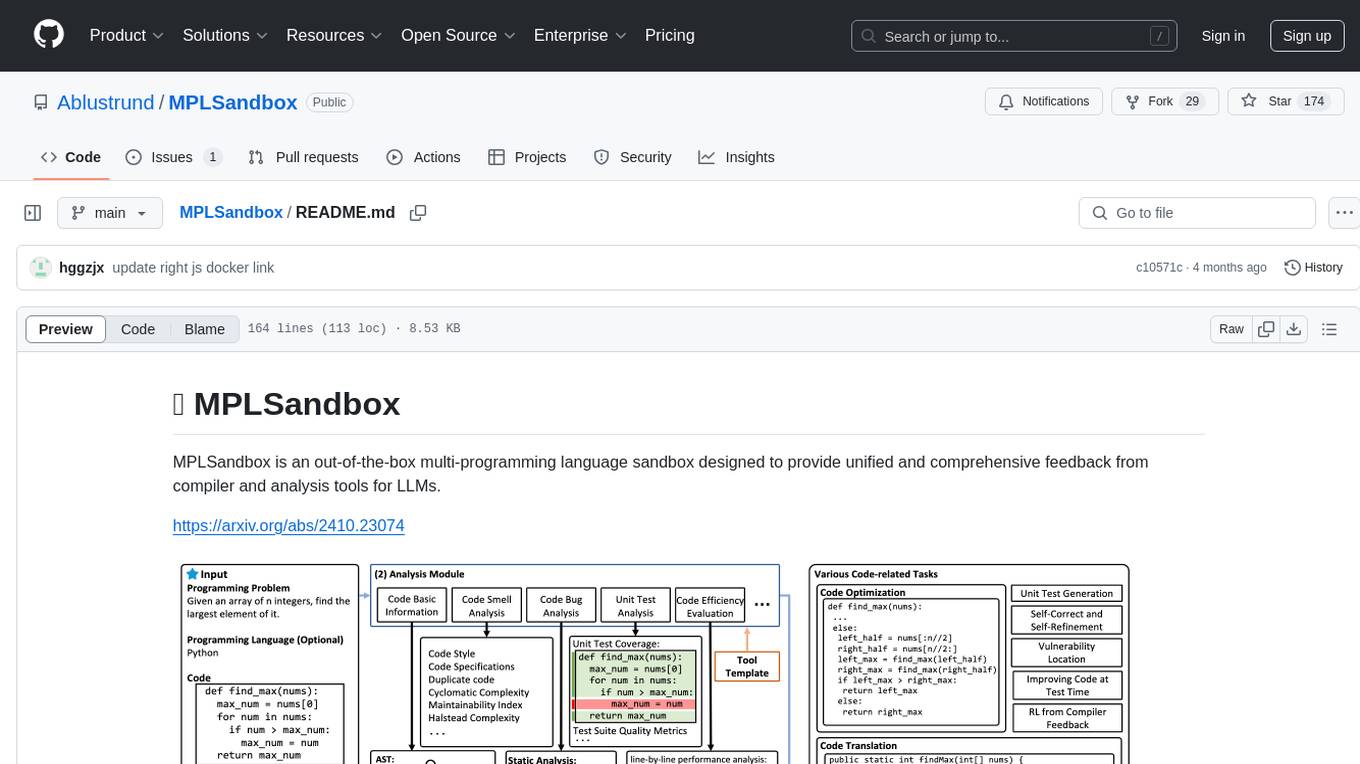
MPLSandbox is an out-of-the-box multi-programming language sandbox designed to provide unified and comprehensive feedback from compiler and analysis tools for LLMs. It simplifies code analysis for researchers and can be seamlessly integrated into LLM training and application processes to enhance performance in a range of code-related tasks. The sandbox environment ensures safe code execution, the code analysis module offers comprehensive analysis reports, and the information integration module combines compilation feedback and analysis results for complex code-related tasks.
CogAgent
CogAgent is an advanced intelligent agent model designed for automating operations on graphical interfaces across various computing devices. It supports platforms like Windows, macOS, and Android, enabling users to issue commands, capture device screenshots, and perform automated operations. The model requires a minimum of 29GB of GPU memory for inference at BF16 precision and offers capabilities for executing tasks like sending Christmas greetings and sending emails. Users can interact with the model by providing task descriptions, platform specifications, and desired output formats.
storm
STORM is a LLM system that writes Wikipedia-like articles from scratch based on Internet search. While the system cannot produce publication-ready articles that often require a significant number of edits, experienced Wikipedia editors have found it helpful in their pre-writing stage. **Try out our [live research preview](https://storm.genie.stanford.edu/) to see how STORM can help your knowledge exploration journey and please provide feedback to help us improve the system 🙏!**
debug-gym
debug-gym is a text-based interactive debugging framework designed for debugging Python programs. It provides an environment where agents can interact with code repositories, use various tools like pdb and grep to investigate and fix bugs, and propose code patches. The framework supports different LLM backends such as OpenAI, Azure OpenAI, and Anthropic. Users can customize tools, manage environment states, and run agents to debug code effectively. debug-gym is modular, extensible, and suitable for interactive debugging tasks in a text-based environment.
mentals-ai
Mentals AI is a tool designed for creating and operating agents that feature loops, memory, and various tools, all through straightforward markdown syntax. This tool enables you to concentrate solely on the agent’s logic, eliminating the necessity to compose underlying code in Python or any other language. It redefines the foundational frameworks for future AI applications by allowing the creation of agents with recursive decision-making processes, integration of reasoning frameworks, and control flow expressed in natural language. Key concepts include instructions with prompts and references, working memory for context, short-term memory for storing intermediate results, and control flow from strings to algorithms. The tool provides a set of native tools for message output, user input, file handling, Python interpreter, Bash commands, and short-term memory. The roadmap includes features like a web UI, vector database tools, agent's experience, and tools for image generation and browsing. The idea behind Mentals AI originated from studies on psychoanalysis executive functions and aims to integrate 'System 1' (cognitive executor) with 'System 2' (central executive) to create more sophisticated agents.
BambooAI
BambooAI is a lightweight library utilizing Large Language Models (LLMs) to provide natural language interaction capabilities, much like a research and data analysis assistant enabling conversation with your data. You can either provide your own data sets, or allow the library to locate and fetch data for you. It supports Internet searches and external API interactions.
LongRAG
This repository contains the code for LongRAG, a framework that enhances retrieval-augmented generation with long-context LLMs. LongRAG introduces a 'long retriever' and a 'long reader' to improve performance by using a 4K-token retrieval unit, offering insights into combining RAG with long-context LLMs. The repo provides instructions for installation, quick start, corpus preparation, long retriever, and long reader.
lotus
LOTUS (LLMs Over Tables of Unstructured and Structured Data) is a query engine that provides a declarative programming model and an optimized query engine for reasoning-based query pipelines over structured and unstructured data. It offers a simple and intuitive Pandas-like API with semantic operators for fast and easy LLM-powered data processing. The tool implements a semantic operator programming model, allowing users to write AI-based pipelines with high-level logic and leaving the rest of the work to the query engine. LOTUS supports various semantic operators like sem_map, sem_filter, sem_extract, sem_agg, sem_topk, sem_join, sem_sim_join, and sem_search, enabling users to perform tasks like mapping records, filtering data, aggregating records, and more. The tool also supports different model classes such as LM, RM, and Reranker for language modeling, retrieval, and reranking tasks respectively.
LLMeBench
LLMeBench is a flexible framework designed for accelerating benchmarking of Large Language Models (LLMs) in the field of Natural Language Processing (NLP). It supports evaluation of various NLP tasks using model providers like OpenAI, HuggingFace Inference API, and Petals. The framework is customizable for different NLP tasks, LLM models, and datasets across multiple languages. It features extensive caching capabilities, supports zero- and few-shot learning paradigms, and allows on-the-fly dataset download and caching. LLMeBench is open-source and continuously expanding to support new models accessible through APIs.
artkit
ARTKIT is a Python framework developed by BCG X for automating prompt-based testing and evaluation of Gen AI applications. It allows users to develop automated end-to-end testing and evaluation pipelines for Gen AI systems, supporting multi-turn conversations and various testing scenarios like Q&A accuracy, brand values, equitability, safety, and security. The framework provides a simple API, asynchronous processing, caching, model agnostic support, end-to-end pipelines, multi-turn conversations, robust data flows, and visualizations. ARTKIT is designed for customization by data scientists and engineers to enhance human-in-the-loop testing and evaluation, emphasizing the importance of tailored testing for each Gen AI use case.
paper-qa
PaperQA is a minimal package for question and answering from PDFs or text files, providing very good answers with in-text citations. It uses OpenAI Embeddings to embed and search documents, and includes a process of embedding docs, queries, searching for top passages, creating summaries, using an LLM to re-score and select relevant summaries, putting summaries into prompt, and generating answers. The tool can be used to answer specific questions related to scientific research by leveraging citations and relevant passages from documents.
llm-memorization
The 'llm-memorization' project is a tool designed to index, archive, and search conversations with a local LLM using a SQLite database enriched with automatically extracted keywords. It aims to provide personalized context at the start of a conversation by adding memory information to the initial prompt. The tool automates queries from local LLM conversational management libraries, offers a hybrid search function, enhances prompts based on posed questions, and provides an all-in-one graphical user interface for data visualization. It supports both French and English conversations and prompts for bilingual use.
ai2-scholarqa-lib
Ai2 Scholar QA is a system for answering scientific queries and literature review by gathering evidence from multiple documents across a corpus and synthesizing an organized report with evidence for each claim. It consists of a retrieval component and a three-step generator pipeline. The retrieval component fetches relevant evidence passages using the Semantic Scholar public API and reranks them. The generator pipeline includes quote extraction, planning and clustering, and summary generation. The system is powered by the ScholarQA class, which includes components like PaperFinder and MultiStepQAPipeline. It requires environment variables for Semantic Scholar API and LLMs, and can be run as local docker containers or embedded into another application as a Python package.
neuron-ai
Neuron AI is a PHP framework that provides an Agent class for creating fully functional agents to perform tasks like analyzing text for SEO optimization. The framework manages advanced mechanisms such as memory, tools, and function calls. Users can extend the Agent class to create custom agents and interact with them to get responses based on the underlying LLM. Neuron AI aims to simplify the development of AI-powered applications by offering a structured framework with documentation and guidelines for contributions under the MIT license.
For similar tasks
OneKE
OneKE is a flexible dockerized system for schema-guided knowledge extraction, capable of extracting information from the web and raw PDF books across multiple domains like science and news. It employs a collaborative multi-agent approach and includes a user-customizable knowledge base to enable tailored extraction. OneKE offers various IE tasks support, data sources support, LLMs support, extraction method support, and knowledge base configuration. Users can start with examples using YAML, Python, or Web UI, and perform tasks like Named Entity Recognition, Relation Extraction, Event Extraction, Triple Extraction, and Open Domain IE. The tool supports different source formats like Plain Text, HTML, PDF, Word, TXT, and JSON files. Users can choose from various extraction models like OpenAI, DeepSeek, LLaMA, Qwen, ChatGLM, MiniCPM, and OneKE for information extraction tasks. Extraction methods include Schema Agent, Extraction Agent, and Reflection Agent. The tool also provides support for schema repository and case repository management, along with solutions for network issues. Contributors to the project include Ningyu Zhang, Haofen Wang, Yujie Luo, Xiangyuan Ru, Kangwei Liu, Lin Yuan, Mengshu Sun, Lei Liang, Zhiqiang Zhang, Jun Zhou, Lanning Wei, Da Zheng, and Huajun Chen.
automatic-KG-creation-with-LLM
This repository presents a (semi-)automatic pipeline for Ontology and Knowledge Graph Construction using Large Language Models (LLMs) such as Mixtral 8x22B Instruct v0.1, GPT-4o, GPT-3.5, and Gemini. It explores the generation of Knowledge Graphs by formulating competency questions, developing ontologies, constructing KGs, and evaluating the results with minimal human involvement. The project showcases the creation of a KG on deep learning methodologies from scholarly publications. It includes components for data preprocessing, prompts for LLMs, datasets, and results from the selected LLMs.
pywhy-llm
PyWhy-LLM is an innovative library that integrates Large Language Models (LLMs) into the causal analysis process, empowering users with knowledge previously only available through domain experts. It seamlessly augments existing causal inference processes by suggesting potential confounders, relationships between variables, backdoor sets, front door sets, IV sets, estimands, critiques of DAGs, latent confounders, and negative controls. By leveraging LLMs and formalizing human-LLM collaboration, PyWhy-LLM aims to enhance causal analysis accessibility and insight.
pywhyllm
PyWhy-LLM is an innovative library that integrates Large Language Models (LLMs) into the causal analysis process, empowering users with knowledge previously only available through domain experts. It seamlessly augments causal inference by suggesting potential confounders, relationships between variables, backdoor/frontdoor/iv sets, estimands, critiques of DAGs, latent confounders, and negative controls. The tool aims to enhance the causal analysis process by leveraging the capabilities of LLMs.
For similar jobs

weave
Weave is a toolkit for developing Generative AI applications, built by Weights & Biases. With Weave, you can log and debug language model inputs, outputs, and traces; build rigorous, apples-to-apples evaluations for language model use cases; and organize all the information generated across the LLM workflow, from experimentation to evaluations to production. Weave aims to bring rigor, best-practices, and composability to the inherently experimental process of developing Generative AI software, without introducing cognitive overhead.

LLMStack
LLMStack is a no-code platform for building generative AI agents, workflows, and chatbots. It allows users to connect their own data, internal tools, and GPT-powered models without any coding experience. LLMStack can be deployed to the cloud or on-premise and can be accessed via HTTP API or triggered from Slack or Discord.

VisionCraft
The VisionCraft API is a free API for using over 100 different AI models. From images to sound.

kaito
Kaito is an operator that automates the AI/ML inference model deployment in a Kubernetes cluster. It manages large model files using container images, avoids tuning deployment parameters to fit GPU hardware by providing preset configurations, auto-provisions GPU nodes based on model requirements, and hosts large model images in the public Microsoft Container Registry (MCR) if the license allows. Using Kaito, the workflow of onboarding large AI inference models in Kubernetes is largely simplified.

PyRIT
PyRIT is an open access automation framework designed to empower security professionals and ML engineers to red team foundation models and their applications. It automates AI Red Teaming tasks to allow operators to focus on more complicated and time-consuming tasks and can also identify security harms such as misuse (e.g., malware generation, jailbreaking), and privacy harms (e.g., identity theft). The goal is to allow researchers to have a baseline of how well their model and entire inference pipeline is doing against different harm categories and to be able to compare that baseline to future iterations of their model. This allows them to have empirical data on how well their model is doing today, and detect any degradation of performance based on future improvements.

tabby
Tabby is a self-hosted AI coding assistant, offering an open-source and on-premises alternative to GitHub Copilot. It boasts several key features: * Self-contained, with no need for a DBMS or cloud service. * OpenAPI interface, easy to integrate with existing infrastructure (e.g Cloud IDE). * Supports consumer-grade GPUs.

spear
SPEAR (Simulator for Photorealistic Embodied AI Research) is a powerful tool for training embodied agents. It features 300 unique virtual indoor environments with 2,566 unique rooms and 17,234 unique objects that can be manipulated individually. Each environment is designed by a professional artist and features detailed geometry, photorealistic materials, and a unique floor plan and object layout. SPEAR is implemented as Unreal Engine assets and provides an OpenAI Gym interface for interacting with the environments via Python.

Magick
Magick is a groundbreaking visual AIDE (Artificial Intelligence Development Environment) for no-code data pipelines and multimodal agents. Magick can connect to other services and comes with nodes and templates well-suited for intelligent agents, chatbots, complex reasoning systems and realistic characters.