


antigravity-awesome-skills
The Ultimate Collection of 900+ Agentic Skills for Claude Code/Antigravity/Cursor. Battle-tested, high-performance skills for AI agents including official skills from Anthropic and Vercel.
Stars: 15437
Antigravity Awesome Skills is a curated library of 946+ high-performance agentic skills for AI coding assistants like Claude Code, Gemini CLI, Codex CLI, and more. It provides essential skills to transform your AI assistant into a full-stack digital agency, including capabilities from major companies like Anthropic, OpenAI, Google, and more. The repository offers a complete operating system for your AI agent, with skills organized into categories like Architecture, Business, Data & AI, Development, Security, Testing, and more. Users can easily install and use these skills to enhance their AI assistant's capabilities.
README:
🌌 Antigravity Awesome Skills: 946+ Agentic Skills for Claude Code, Gemini CLI, Cursor, Copilot & More
The Ultimate Collection of 946+ Universal Agentic Skills for AI Coding Assistants — Claude Code, Gemini CLI, Codex CLI, Antigravity IDE, GitHub Copilot, Cursor, OpenCode, AdaL












If this project helps you, you can support it here or simply ⭐ the repo.
Antigravity Awesome Skills is a curated, battle-tested library of 946 high-performance agentic skills designed to work seamlessly across all major AI coding assistants:
- 🟣 Claude Code (Anthropic CLI)
- 🔵 Gemini CLI (Google DeepMind)
- 🟢 Codex CLI (OpenAI)
- 🟠 Kiro CLI (AWS)
- 🟠 Kiro IDE (AWS)
- 🔴 Antigravity IDE (Google DeepMind)
- 🩵 GitHub Copilot (VSCode Extension)
- 🟠 Cursor (AI-native IDE)
- ⚪ OpenCode (Open-source CLI)
- 🌸 AdaL CLI (Self-evolving Coding Agent)
This repository provides essential skills to transform your AI assistant into a full-stack digital agency, including official capabilities from Anthropic, OpenAI, Google, Microsoft, Supabase, and Vercel Labs.
- 🚀 New Here? Start Here!
- 📖 Complete Usage Guide - Start here if confused after installation!
- 🔌 Compatibility & Invocation
- 🛠️ Installation
- 🧯 Troubleshooting
- 🎁 Curated Collections (Bundles)
- 🧭 Antigravity Workflows
- 📦 Features & Categories
- 📚 Browse 946+ Skills
- 🤝 How to Contribute
- 🤝 Community
- ☕ Support the Project
- 👥 Contributors & Credits
- 👥 Repo Contributors
- ⚖️ License
- 🌟 Star History
- 🏷️ GitHub Topics
Welcome to the V6.3.1 Interactive Web Edition. This isn't just a list of scripts; it's a complete operating system for your AI Agent.
Antigravity Awesome Skills (Release 6.3.1) is a massive upgrade to your AI's capabilities.
AI Agents (like Claude Code, Cursor, or Gemini) are smart, but they lack specific tools. They don't know your company's "Deployment Protocol" or the specific syntax for "AWS CloudFormation". Skills are small markdown files that teach them how to do these specific tasks perfectly, every time.
Install once; then use Starter Packs in docs/BUNDLES.md to focus on your role.
-
Install:
# Default: ~/.gemini/antigravity/skills (Antigravity global). Use --path for other locations. npx antigravity-awesome-skills -
Verify:
test -d ~/.gemini/antigravity/skills && echo "Skills installed in ~/.gemini/antigravity/skills"
-
Run your first skill:
"Use @brainstorming to plan a SaaS MVP."
-
Pick a bundle:
-
Web Dev? start with
Web Wizard. -
Security? start with
Security Engineer. -
General use? start with
Essentials.
-
Web Dev? start with
Once installed, just ask your agent naturally:
"Use the @brainstorming skill to help me plan a SaaS." "Run @lint-and-validate on this file."
👉 NEW: Complete Usage Guide - Read This First! (answers: "What do I do after installation?", "How do I execute skills?", "What should prompts look like?")
These skills follow the universal SKILL.md format and work with any AI coding assistant that supports agentic skills.
| Tool | Type | Invocation Example | Path |
|---|---|---|---|
| Claude Code | CLI | >> /skill-name help me... |
.claude/skills/ |
| Gemini CLI | CLI | (User Prompt) Use skill-name... |
.gemini/skills/ |
| Codex CLI | CLI | (User Prompt) Use skill-name... |
.codex/skills/ |
| Kiro CLI | CLI | (Auto) Skills load on-demand |
Global: ~/.kiro/skills/ · Workspace: .kiro/skills/
|
| Kiro IDE | IDE | /skill-name or (Auto) |
Global: ~/.kiro/skills/ · Workspace: .kiro/skills/
|
| Antigravity | IDE | (Agent Mode) Use skill... |
Global: ~/.gemini/antigravity/skills/ · Workspace: .agent/skills/
|
| Cursor | IDE | @skill-name (in Chat) |
.cursor/skills/ |
| Copilot | Ext | (Paste content manually) |
N/A |
| OpenCode | CLI | opencode run @skill-name |
.agents/skills/ |
| AdaL CLI | CLI | (Auto) Skills load on-demand |
.adal/skills/ |
[!TIP] Default installer path:
~/.gemini/antigravity/skills(Antigravity global). Use--path ~/.agent/skillsfor workspace-specific install. For manual clone,.agent/skills/works as workspace path for Antigravity. OpenCode Path Update: opencode path is changed to.agents/skillsfor global skills. See Place Files directive on OpenCode Docs.
[!WARNING] Windows Users: this repository uses symlinks for official skills. See Troubleshooting for the exact fix.
To use these skills with Claude Code, Gemini CLI, Codex CLI, Kiro CLI, Kiro IDE, Cursor, Antigravity, OpenCode, or AdaL:
# Default: ~/.gemini/antigravity/skills (Antigravity global)
npx antigravity-awesome-skills

# Antigravity (explicit; same as default)
npx antigravity-awesome-skills --antigravity

# Kiro CLI/IDE (global)
npx antigravity-awesome-skills --path ~/.kiro/skills

# Kiro CLI/IDE (workspace)
npx antigravity-awesome-skills --path .kiro/skills

# Cursor
npx antigravity-awesome-skills --cursor

# Claude Code
npx antigravity-awesome-skills --claude

# Gemini CLI
npx antigravity-awesome-skills --gemini

# Codex CLI
npx antigravity-awesome-skills --codex

# Kiro CLI
npx antigravity-awesome-skills --kiro

# OpenCode
npx antigravity-awesome-skills --path .agents/skills

# AdaL CLI
npx antigravity-awesome-skills --path .adal/skills

# Workspace-specific (e.g. .agent/skills for Antigravity workspace)
npx antigravity-awesome-skills --path ~/.agent/skills

# Custom path
npx antigravity-awesome-skills --path ./my-skills
Run npx antigravity-awesome-skills --help for all options. If the directory already exists, the installer runs git pull to update.
Without --path, the npx installer uses ~/.gemini/antigravity/skills. For manual clone or a different path (e.g. workspace .agent/skills), use one of the following:
# Antigravity global (matches npx default)
git clone https://github.com/sickn33/antigravity-awesome-skills.git ~/.gemini/antigravity/skills

# Workspace-specific (e.g. .agent/skills in your project)
git clone https://github.com/sickn33/antigravity-awesome-skills.git .agent/skills

# Kiro CLI/IDE global
git clone https://github.com/sickn33/antigravity-awesome-skills.git ~/.kiro/skills

# Kiro CLI/IDE workspace
git clone https://github.com/sickn33/antigravity-awesome-skills.git .kiro/skills

# Claude Code specific
git clone https://github.com/sickn33/antigravity-awesome-skills.git .claude/skills

# Gemini CLI specific
git clone https://github.com/sickn33/antigravity-awesome-skills.git .gemini/skills

# Codex CLI specific
git clone https://github.com/sickn33/antigravity-awesome-skills.git .codex/skills

# Kiro CLI specific
git clone https://github.com/sickn33/antigravity-awesome-skills.git .kiro/skills

# Cursor specific
git clone https://github.com/sickn33/antigravity-awesome-skills.git .cursor/skills

# OpenCode
git clone https://github.com/sickn33/antigravity-awesome-skills.git .agents/skills

# AdaL CLI specific
git clone https://github.com/sickn33/antigravity-awesome-skills.git .adal/skillsFor Kiro IDE users, you can import individual skills directly:
- Open Agent Steering & Skills panel in Kiro IDE
- Click + → Import a skill → GitHub
- Paste skill URL:
https://github.com/sickn33/antigravity-awesome-skills/tree/main/skills/[skill-name] - Example:
https://github.com/sickn33/antigravity-awesome-skills/tree/main/skills/aws-cost-optimizer
Note: This imports one skill at a time. For bulk installation, use Option A or B above.
Use the GitHub package fallback:
npx github:sickn33/antigravity-awesome-skillsThis repository uses symlinks for official skills. Enable Developer Mode or run Git as Administrator, then clone with:
git clone -c core.symlinks=true https://github.com/sickn33/antigravity-awesome-skills.git .agent/skillsInstall to the tool-specific path. Use installer flags: --antigravity (default), --claude, --gemini, --codex, --cursor, or --path <dir> for a custom location (e.g. ~/.agent/skills for Antigravity workspace).
Good news! You no longer need to manually run git pull or npx antigravity-awesome-skills to update your skills.
Simply double-click START_APP.bat (or run it in your terminal). It will automatically fetch and merge the latest skills from the original repository every time you open the Web App, ensuring you always have the most up-to-date catalog!
rm -rf ~/.gemini/antigravity/skills
npx antigravity-awesome-skillsBundles are curated groups of skills for a specific role or goal (for example: Web Wizard, Security Engineer, OSS Maintainer).
They help you avoid picking from 946+ skills one by one.
Common confusion: "Do I need to install each bundle separately?"
Answer: NO! Here's what bundles actually are:
What bundles ARE:
- ✅ Recommended skill lists organized by role
- ✅ Curated starting points to help you decide what to use
- ✅ Time-saving shortcuts for discovering relevant skills
What bundles are NOT:
- ❌ Separate installations or downloads
- ❌ Different git commands
- ❌ Something you need to "activate"
- Install the repository once (you already have all skills)
- Browse bundles in docs/BUNDLES.md to find your role
- Pick 3-5 skills from that bundle to start using in your prompts
- Reference them in your conversations with your AI (e.g., "Use @brainstorming...")
For detailed examples of how to actually use skills, see the Usage Guide.
- Building a SaaS MVP:
Essentials+Full-Stack Developer+QA & Testing. - Hardening production:
Security Developer+DevOps & Cloud+Observability & Monitoring. - Shipping OSS changes:
Essentials+OSS Maintainer.
Bundles help you choose skills. Workflows help you execute them in order.
- Use bundles when you need curated recommendations by role.
- Use workflows when you need step-by-step execution for a concrete goal.
Start here:
- docs/WORKFLOWS.md: human-readable playbooks.
- data/workflows.json: machine-readable workflow metadata.
Initial workflows include:
- Ship a SaaS MVP
- Security Audit for a Web App
- Build an AI Agent System
- QA and Browser Automation (with optional
@go-playwrightsupport for Go stacks)
The repository is organized into specialized domains to transform your AI into an expert across the entire software development lifecycle:
| Category | Focus | Example skills |
|---|---|---|
| Architecture | System design, ADRs, C4, and scalable patterns |
architecture, c4-context, senior-architect
|
| Business | Growth, pricing, CRO, SEO, and go-to-market |
copywriting, pricing-strategy, seo-audit
|
| Data & AI | LLM apps, RAG, agents, observability, analytics |
rag-engineer, prompt-engineer, langgraph
|
| Development | Language mastery, framework patterns, code quality |
typescript-expert, python-patterns, react-patterns
|
| General | Planning, docs, product ops, writing, guidelines |
brainstorming, doc-coauthoring, writing-plans
|
| Infrastructure | DevOps, cloud, serverless, deployment, CI/CD |
docker-expert, aws-serverless, vercel-deployment
|
| Security | AppSec, pentesting, vuln analysis, compliance |
api-security-best-practices, sql-injection-testing, vulnerability-scanner
|
| Testing | TDD, test design, fixes, QA workflows |
test-driven-development, testing-patterns, test-fixing
|
| Workflow | Automation, orchestration, jobs, agents |
workflow-automation, inngest, trigger-dev
|
Counts change as new skills are added. For the current full registry, see CATALOG.md.
We have moved the full skill registry to a dedicated catalog to keep this README clean, and we've also introduced an interactive Web App!
You can now easily search, filter, and discover the perfect skills for your agent using our local Web App.
To launch the app:
- Double-click the
START_APP.batfile in the root directory (Windows) or run it from your terminal. - The app will automatically configure everything and open in your default browser.
The web app is no longer just a static catalog! When you click on any skill, you will see an Interactive Prompt Builder box.
Instead of manually copying @skill-name and writing your requirements separately in your IDE:
- Type your specific project constraints into the text box (e.g., "Use React 19 and Tailwind").
- Click Copy Prompt.
- Your clipboard now has a fully formatted, ready-to-run prompt combining the skill invocation and your custom context!
👉 View the Complete Skill Catalog (CATALOG.md)
We welcome contributions from the community! To add a new skill:
- Fork the repository.
-
Create a new directory inside
skills/for your skill. -
Add a
SKILL.mdwith the required frontmatter (name, description, risk, source). See docs/SKILL_ANATOMY.md and docs/QUALITY_BAR.md. -
Run validation:
npm run validate(ornpm run validate:strictfor CI). Optionally runpython3 scripts/validate_references.pyif you touch workflows or bundles. - Submit a Pull Request.
Please ensure your skill follows the Antigravity/Claude Code best practices. Maintainers: see docs/AUDIT.md for coherence checks and .github/MAINTENANCE.md for the full validation chain.
Support is optional. This project stays free and open-source for everyone.
If this repository saves you time or helps you ship faster, you can support ongoing maintenance:
Where support goes:
- Skill curation, testing, and quality validation.
- Documentation updates, examples, and onboarding improvements.
- Faster triage and review of community issues and PRs.
Prefer non-financial support:
- Star the repository.
- Open clear, reproducible issues.
- Submit PRs (skills, docs, fixes).
- Share the project with other builders.
We stand on the shoulders of giants.
👉 View the Full Attribution Ledger
Key contributors and sources include:
- HackTricks
- OWASP
- Anthropic / OpenAI / Google
- The Open Source Community
This collection would not be possible without the incredible work of the Claude Code community and official sources:
- anthropics/skills: Official Anthropic skills repository - Document manipulation (DOCX, PDF, PPTX, XLSX), Brand Guidelines, Internal Communications.
- anthropics/claude-cookbooks: Official notebooks and recipes for building with Claude.
- remotion-dev/skills: Official Remotion skills - Video creation in React with 28 modular rules.
- vercel-labs/agent-skills: Vercel Labs official skills - React Best Practices, Web Design Guidelines.
- openai/skills: OpenAI Codex skills catalog - Agent skills, Skill Creator, Concise Planning.
- supabase/agent-skills: Supabase official skills - Postgres Best Practices.
- microsoft/skills: Official Microsoft skills - Azure cloud services, Bot Framework, Cognitive Services, and enterprise development patterns across .NET, Python, TypeScript, Go, Rust, and Java.
- google-gemini/gemini-skills: Official Gemini skills - Gemini API, SDK and model interactions.
-
rmyndharis/antigravity-skills: For the massive contribution of 300+ Enterprise skills and the catalog generation logic.
-
amartelr/antigravity-workspace-manager: Official Workspace Manager CLI companion to dynamically auto-provision subsets of skills across unlimited local development environments.
-
obra/superpowers: The original "Superpowers" by Jesse Vincent.
-
guanyang/antigravity-skills: Core Antigravity extensions.
-
diet103/claude-code-infrastructure-showcase: Infrastructure and Backend/Frontend Guidelines.
-
ChrisWiles/claude-code-showcase: React UI patterns and Design Systems.
-
travisvn/awesome-claude-skills: Loki Mode and Playwright integration.
-
zebbern/claude-code-guide: Comprehensive Security suite & Guide (Source for ~60 new skills).
-
alirezarezvani/claude-skills: Senior Engineering and PM toolkit.
-
karanb192/awesome-claude-skills: A massive list of verified skills for Claude Code.
-
VoltAgent/awesome-agent-skills: Curated collection of 61 high-quality skills including official team skills from Sentry, Trail of Bits, Expo, Hugging Face, and comprehensive context engineering suite (v4.3.0 integration).
-
zircote/.claude: Shopify development skill reference.
-
vibeforge1111/vibeship-spawner-skills: AI Agents, Integrations, Maker Tools (57 skills, Apache 2.0).
-
coreyhaines31/marketingskills: Marketing skills for CRO, copywriting, SEO, paid ads, and growth (23 skills, MIT).
-
Silverov/yandex-direct-skill: Yandex Direct (API v5) advertising audit skill — 55 automated checks, A-F scoring, campaign/ad/keyword analysis for the Russian PPC market (MIT).
-
vudovn/antigravity-kit: AI Agent templates with Skills, Agents, and Workflows (33 skills, MIT).
-
affaan-m/everything-claude-code: Complete Claude Code configuration collection from Anthropic hackathon winner - skills only (8 skills, MIT).
-
whatiskadudoing/fp-ts-skills: Practical fp-ts skills for TypeScript – fp-ts-pragmatic, fp-ts-react, fp-ts-errors (v4.4.0).
-
webzler/agentMemory: Source for the agent-memory-mcp skill.
-
sstklen/claude-api-cost-optimization: Save 50-90% on Claude API costs with smart optimization strategies (MIT).
-
Wittlesus/cursorrules-pro: Professional .cursorrules configurations for 8 frameworks - Next.js, React, Python, Go, Rust, and more. Works with Cursor, Claude Code, and Windsurf.
-
SSOJet/skills: Production-ready SSOJet skills and integration guides for popular frameworks and platforms — Node.js, Next.js, React, Java, .NET Core, Go, iOS, Android, and more. Works seamlessly with SSOJet SAML, OIDC, and enterprise SSO flows.Works with Cursor,Antigravity, Claude Code, and Windsurf.
- f/awesome-chatgpt-prompts: Inspiration for the Prompt Library.
- leonardomso/33-js-concepts: Inspiration for JavaScript Mastery.
Made with contrib.rocks.
We officially thank the following contributors for their help in making this repository awesome!
- @sck000
- @munir-abbasi
- @sickn33
- @Mohammad-Faiz-Cloud-Engineer
- @Dokhacgiakhoa
- @IanJ332
- @chauey
- @PabloSMD
- @GuppyTheCat
- @Tiger-Foxx
- @arathiesh
- @liyin2015
- @1bcMax
- @ALEKGG1
- @ar27111994
- @BenedictKing
- @whatiskadudoing
- @LocNguyenSGU
- @yubing744
- @SuperJMN
- @truongnmt
- @viktor-ferenczi
- @c1c3ru
- @ckdwns9121
- @fbientrigo
- @junited31
- @KrisnaSantosa15
- @sstklen
- @taksrules
- @zebbern
- @vuth-dogo
- @mvanhorn
- @rookie-ricardo
- @evandro-miguel
- @raeef1001
- @devchangjun
- @jackjin1997
- @ericgandrade
- @sohamganatra
- @Nguyen-Van-Chan
- @8hrsk
- @Wittlesus
- @Vonfry
- @ssumanbiswas
- @amartelr
- @fernandorych
- @GeekLuffy
- @zinzied
- @code-vj
- @thuanlm
MIT License. See LICENSE for details.
If Antigravity Awesome Skills has been useful, consider ⭐ starring the repo or buying me a book.
For repository maintainers, add these topics to maximize discoverability:
claude-code, gemini-cli, codex-cli, antigravity, cursor, github-copilot, opencode,
agentic-skills, ai-coding, llm-tools, ai-agents, autonomous-coding, mcp,
ai-developer-tools, ai-pair-programming, vibe-coding, skill, skills, SKILL.md, rules.md, CLAUDE.md, GEMINI.md, CURSOR.md
For Tasks:
Click tags to check more tools for each tasksFor Jobs:
Alternative AI tools for antigravity-awesome-skills
Similar Open Source Tools
antigravity-awesome-skills
Antigravity Awesome Skills is a curated library of 946+ high-performance agentic skills for AI coding assistants like Claude Code, Gemini CLI, Codex CLI, and more. It provides essential skills to transform your AI assistant into a full-stack digital agency, including capabilities from major companies like Anthropic, OpenAI, Google, and more. The repository offers a complete operating system for your AI agent, with skills organized into categories like Architecture, Business, Data & AI, Development, Security, Testing, and more. Users can easily install and use these skills to enhance their AI assistant's capabilities.
claude-code-plugins-plus-skills
Claude Code Skills & Plugins Hub is a comprehensive marketplace for agent skills and plugins, offering 1537 production-ready agent skills and 270 total plugins. It provides a learning lab with guides, diagrams, and examples for building production agent workflows. The package manager CLI allows users to discover, install, and manage plugins from their terminal, with features like searching, listing, installing, updating, and validating plugins. The marketplace is not on GitHub Marketplace and does not support built-in monetization. It is community-driven, actively maintained, and focuses on quality over quantity, aiming to be the definitive resource for Claude Code plugins.
specs.md
AI-native development framework with pluggable flows for every use case. Choose from Simple for quick specs, FIRE for adaptive execution, or AI-DLC for full methodology with DDD. Features include flow switcher, active run tracking, intent visualization, and click-to-open spec files. Three flows optimized for different scenarios: Simple for spec generation, prototypes; FIRE for adaptive execution, brownfield, monorepos; AI-DLC for full traceability, DDD, regulated environments. Installable as a VS Code extension for progress tracking. Supported by various AI coding tools like Claude Code, Cursor, GitHub Copilot, and Google Antigravity. Tool agnostic with portable markdown files for agents and specs.
handit.ai
Handit.ai is an autonomous engineer tool designed to fix AI failures 24/7. It catches failures, writes fixes, tests them, and ships PRs automatically. It monitors AI applications, detects issues, generates fixes, tests them against real data, and ships them as pull requests—all automatically. Users can write JavaScript, TypeScript, Python, and more, and the tool automates what used to require manual debugging and firefighting.
osaurus
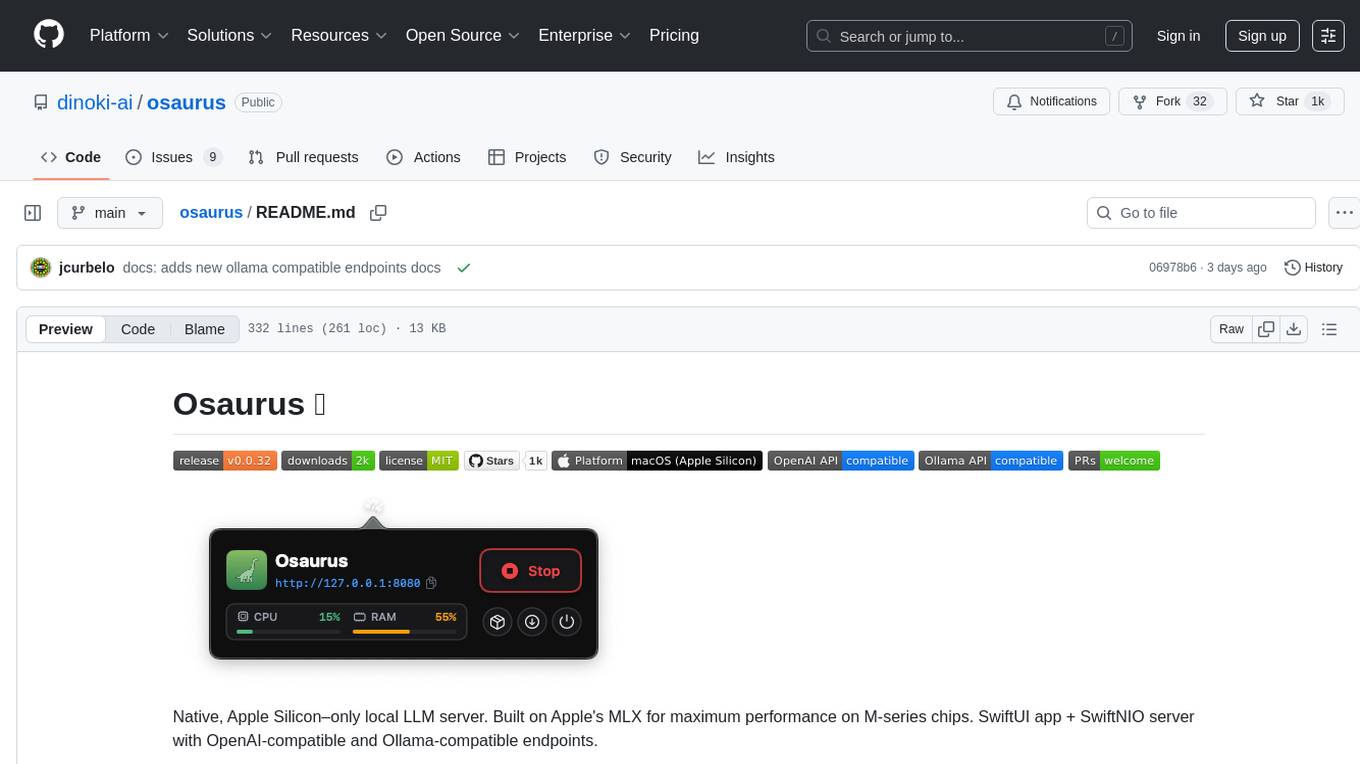
Osaurus is a native, Apple Silicon-only local LLM server built on Apple's MLX for maximum performance on M‑series chips. It is a SwiftUI app + SwiftNIO server with OpenAI‑compatible and Ollama‑compatible endpoints. The tool supports native MLX text generation, model management, streaming and non‑streaming chat completions, OpenAI‑compatible function calling, real-time system resource monitoring, and path normalization for API compatibility. Osaurus is designed for macOS 15.5+ and Apple Silicon (M1 or newer) with Xcode 16.4+ required for building from source.
natively-cluely-ai-assistant
Natively is a free, open-source, privacy-first AI assistant designed to help users in real time during meetings, interviews, presentations, and conversations. Unlike traditional AI tools that work after the conversation, Natively operates while the conversation is happening. It runs as an invisible, always-on-top desktop overlay, listens when prompted, observes the screen content, and provides instant, context-aware assistance. The tool is fully transparent, customizable, and grants users complete control over local vs cloud AI, data, and credentials.
HacxGPT-CLI
HacxGPT-CLI is an open-source command-line interface designed to provide powerful, unrestricted, and seamless AI-driven conversations. It allows users to interact with multiple AI providers through a custom-built local API engine, offering features like powerful AI conversations, extensive model support, unrestricted framework, easy-to-use CLI, cross-platform compatibility, multi-provider support, configuration management, and local storage of API keys.
jan
Jan is an open-source ChatGPT alternative that runs 100% offline on your computer. It supports universal architectures, including Nvidia GPUs, Apple M-series, Apple Intel, Linux Debian, and Windows x64. Jan is currently in development, so expect breaking changes and bugs. It is lightweight and embeddable, and can be used on its own within your own projects.
evi-run
evi-run is a powerful, production-ready multi-agent AI system built on Python using the OpenAI Agents SDK. It offers instant deployment, ultimate flexibility, built-in analytics, Telegram integration, and scalable architecture. The system features memory management, knowledge integration, task scheduling, multi-agent orchestration, custom agent creation, deep research, web intelligence, document processing, image generation, DEX analytics, and Solana token swap. It supports flexible usage modes like private, free, and pay mode, with upcoming features including NSFW mode, task scheduler, and automatic limit orders. The technology stack includes Python 3.11, OpenAI Agents SDK, Telegram Bot API, PostgreSQL, Redis, and Docker & Docker Compose for deployment.
neuropilot
NeuroPilot is an open-source AI-powered education platform that transforms study materials into interactive learning resources. It provides tools like contextual chat, smart notes, flashcards, quizzes, and AI podcasts. Supported by various AI models and embedding providers, it offers features like WebSocket streaming, JSON or vector database support, file-based storage, and configurable multi-provider setup for LLMs and TTS engines. The technology stack includes Node.js, TypeScript, Vite, React, TailwindCSS, JSON database, multiple LLM providers, and Docker for deployment. Users can contribute to the project by integrating AI models, adding mobile app support, improving performance, enhancing accessibility features, and creating documentation and tutorials.
AgentNeo
AgentNeo is an advanced, open-source Agentic AI Application Observability, Monitoring, and Evaluation Framework designed to provide deep insights into AI agents, Large Language Model (LLM) calls, and tool interactions. It offers robust logging, visualization, and evaluation capabilities to help debug and optimize AI applications with ease. With features like tracing LLM calls, monitoring agents and tools, tracking interactions, detailed metrics collection, flexible data storage, simple instrumentation, interactive dashboard, project management, execution graph visualization, and evaluation tools, AgentNeo empowers users to build efficient, cost-effective, and high-quality AI-driven solutions.
transformerlab-app
Transformer Lab is an app that allows users to experiment with Large Language Models by providing features such as one-click download of popular models, finetuning across different hardware, RLHF and Preference Optimization, working with LLMs across different operating systems, chatting with models, using different inference engines, evaluating models, building datasets for training, calculating embeddings, providing a full REST API, running in the cloud, converting models across platforms, supporting plugins, embedded Monaco code editor, prompt editing, inference logs, all through a simple cross-platform GUI.
vmark
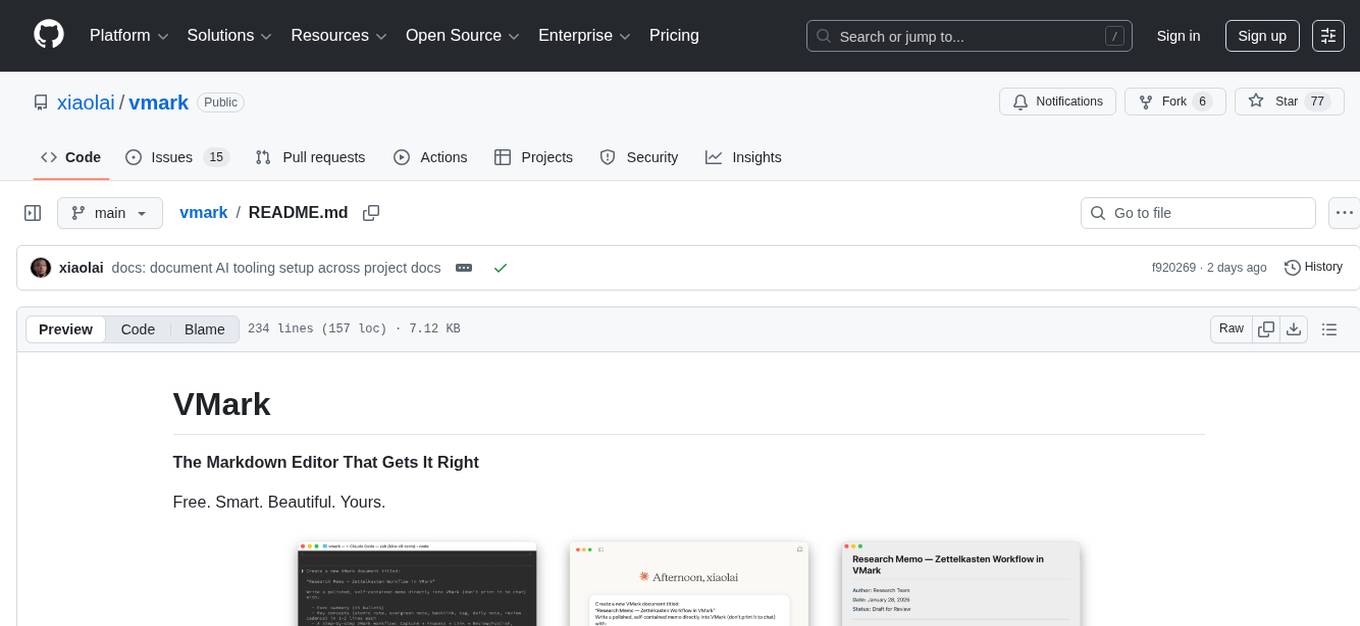
VMark is a modern, local-first Markdown editor designed for the AI era. It combines the simplicity of rich text editing with the power of source mode. Built to work seamlessly with AI assistants, it understands Chinese, Japanese, and Korean text. Users can switch between rich text and source mode effortlessly, with beautifully designed themes and offline functionality. The tool offers advanced features like AI integration, CJK text handling, customization options, and various export formats.

layra
LAYRA is the world's first visual-native AI automation engine that sees documents like a human, preserves layout and graphical elements, and executes arbitrarily complex workflows with full Python control. It empowers users to build next-generation intelligent systems with no limits or compromises. Built for Enterprise-Grade deployment, LAYRA features a modern frontend, high-performance backend, decoupled service architecture, visual-native multimodal document understanding, and a powerful workflow engine.
sandboxed.sh
sandboxed.sh is a self-hosted cloud orchestrator for AI coding agents that provides isolated Linux workspaces with Claude Code, OpenCode & Amp runtimes. It allows users to hand off entire development cycles, run multi-day operations unattended, and keep sensitive data local by analyzing data against scientific literature. The tool features dual runtime support, mission control for remote agent management, isolated workspaces, a git-backed library, MCP registry, and multi-platform support with a web dashboard and iOS app.
atom
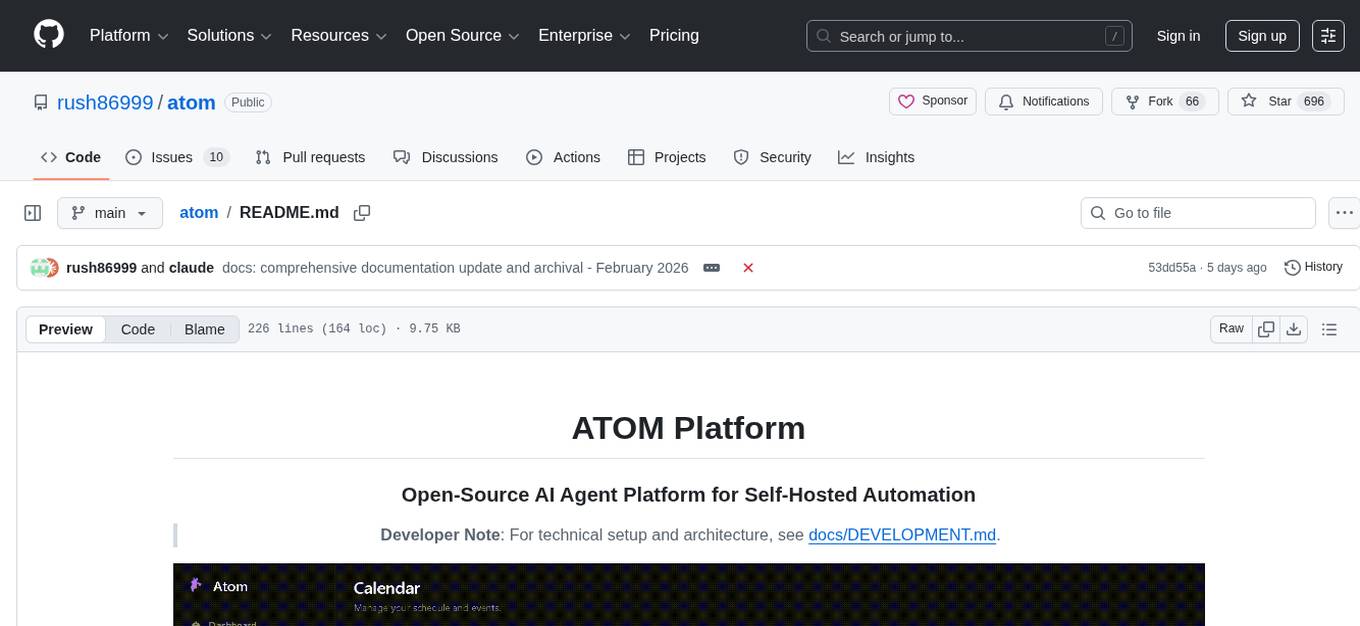
Atom is an open-source, self-hosted AI agent platform that allows users to automate workflows by interacting with AI agents. Users can speak or type requests, and Atom's specialty agents can plan, verify, and execute complex workflows across various tech stacks. Unlike SaaS alternatives, Atom runs entirely on the user's infrastructure, ensuring data privacy. The platform offers features such as voice interface, specialty agents for sales, marketing, and engineering, browser and device automation, universal memory and context, agent governance system, deep integrations, dynamic skills, and more. Atom is designed for business automation, multi-agent workflows, and enterprise governance.
For similar tasks
antigravity-awesome-skills
Antigravity Awesome Skills is a curated library of 946+ high-performance agentic skills for AI coding assistants like Claude Code, Gemini CLI, Codex CLI, and more. It provides essential skills to transform your AI assistant into a full-stack digital agency, including capabilities from major companies like Anthropic, OpenAI, Google, and more. The repository offers a complete operating system for your AI agent, with skills organized into categories like Architecture, Business, Data & AI, Development, Security, Testing, and more. Users can easily install and use these skills to enhance their AI assistant's capabilities.
For similar jobs

promptflow
**Prompt flow** is a suite of development tools designed to streamline the end-to-end development cycle of LLM-based AI applications, from ideation, prototyping, testing, evaluation to production deployment and monitoring. It makes prompt engineering much easier and enables you to build LLM apps with production quality.

deepeval
DeepEval is a simple-to-use, open-source LLM evaluation framework specialized for unit testing LLM outputs. It incorporates various metrics such as G-Eval, hallucination, answer relevancy, RAGAS, etc., and runs locally on your machine for evaluation. It provides a wide range of ready-to-use evaluation metrics, allows for creating custom metrics, integrates with any CI/CD environment, and enables benchmarking LLMs on popular benchmarks. DeepEval is designed for evaluating RAG and fine-tuning applications, helping users optimize hyperparameters, prevent prompt drifting, and transition from OpenAI to hosting their own Llama2 with confidence.

MegaDetector
MegaDetector is an AI model that identifies animals, people, and vehicles in camera trap images (which also makes it useful for eliminating blank images). This model is trained on several million images from a variety of ecosystems. MegaDetector is just one of many tools that aims to make conservation biologists more efficient with AI. If you want to learn about other ways to use AI to accelerate camera trap workflows, check out our of the field, affectionately titled "Everything I know about machine learning and camera traps".

leapfrogai
LeapfrogAI is a self-hosted AI platform designed to be deployed in air-gapped resource-constrained environments. It brings sophisticated AI solutions to these environments by hosting all the necessary components of an AI stack, including vector databases, model backends, API, and UI. LeapfrogAI's API closely matches that of OpenAI, allowing tools built for OpenAI/ChatGPT to function seamlessly with a LeapfrogAI backend. It provides several backends for various use cases, including llama-cpp-python, whisper, text-embeddings, and vllm. LeapfrogAI leverages Chainguard's apko to harden base python images, ensuring the latest supported Python versions are used by the other components of the stack. The LeapfrogAI SDK provides a standard set of protobuffs and python utilities for implementing backends and gRPC. LeapfrogAI offers UI options for common use-cases like chat, summarization, and transcription. It can be deployed and run locally via UDS and Kubernetes, built out using Zarf packages. LeapfrogAI is supported by a community of users and contributors, including Defense Unicorns, Beast Code, Chainguard, Exovera, Hypergiant, Pulze, SOSi, United States Navy, United States Air Force, and United States Space Force.

llava-docker
This Docker image for LLaVA (Large Language and Vision Assistant) provides a convenient way to run LLaVA locally or on RunPod. LLaVA is a powerful AI tool that combines natural language processing and computer vision capabilities. With this Docker image, you can easily access LLaVA's functionalities for various tasks, including image captioning, visual question answering, text summarization, and more. The image comes pre-installed with LLaVA v1.2.0, Torch 2.1.2, xformers 0.0.23.post1, and other necessary dependencies. You can customize the model used by setting the MODEL environment variable. The image also includes a Jupyter Lab environment for interactive development and exploration. Overall, this Docker image offers a comprehensive and user-friendly platform for leveraging LLaVA's capabilities.

carrot
The 'carrot' repository on GitHub provides a list of free and user-friendly ChatGPT mirror sites for easy access. The repository includes sponsored sites offering various GPT models and services. Users can find and share sites, report errors, and access stable and recommended sites for ChatGPT usage. The repository also includes a detailed list of ChatGPT sites, their features, and accessibility options, making it a valuable resource for ChatGPT users seeking free and unlimited GPT services.

TrustLLM
TrustLLM is a comprehensive study of trustworthiness in LLMs, including principles for different dimensions of trustworthiness, established benchmark, evaluation, and analysis of trustworthiness for mainstream LLMs, and discussion of open challenges and future directions. Specifically, we first propose a set of principles for trustworthy LLMs that span eight different dimensions. Based on these principles, we further establish a benchmark across six dimensions including truthfulness, safety, fairness, robustness, privacy, and machine ethics. We then present a study evaluating 16 mainstream LLMs in TrustLLM, consisting of over 30 datasets. The document explains how to use the trustllm python package to help you assess the performance of your LLM in trustworthiness more quickly. For more details about TrustLLM, please refer to project website.

AI-YinMei
AI-YinMei is an AI virtual anchor Vtuber development tool (N card version). It supports fastgpt knowledge base chat dialogue, a complete set of solutions for LLM large language models: [fastgpt] + [one-api] + [Xinference], supports docking bilibili live broadcast barrage reply and entering live broadcast welcome speech, supports Microsoft edge-tts speech synthesis, supports Bert-VITS2 speech synthesis, supports GPT-SoVITS speech synthesis, supports expression control Vtuber Studio, supports painting stable-diffusion-webui output OBS live broadcast room, supports painting picture pornography public-NSFW-y-distinguish, supports search and image search service duckduckgo (requires magic Internet access), supports image search service Baidu image search (no magic Internet access), supports AI reply chat box [html plug-in], supports AI singing Auto-Convert-Music, supports playlist [html plug-in], supports dancing function, supports expression video playback, supports head touching action, supports gift smashing action, supports singing automatic start dancing function, chat and singing automatic cycle swing action, supports multi scene switching, background music switching, day and night automatic switching scene, supports open singing and painting, let AI automatically judge the content.