


open-mercato
AI‑supportive CRM / ERP foundation framework — built to power R&D, new processes, operations, and growth. It’s modular, extensible, and designed for teams that want strong defaults with room to customize everything. Better than Django, Retool and other alternatives - and Enterprise Grade!
Stars: 923
Open Mercato is a modern, AI-supportive platform designed for shipping enterprise-grade CRMs, ERPs, and commerce backends. It offers modular architecture, custom entities, multi-tenancy, RBAC, data indexing, event workflows, and more. The tool is built with a modern stack including Next.js, TypeScript, zod, Awilix DI, MikroORM, and bcryptjs. It also features an AI Assistant for schema discovery, API execution, and hybrid search. Open Mercato provides data encryption, migration guides, Docker setups, standalone app creation, and follows a spec-driven development approach. The Enterprise Edition offers additional support, SLA options, and advanced features beyond the open-source Core version.
README:





Open Mercato is a new‑era, AI‑supportive platform for shipping enterprise‑grade CRMs, ERPs, and commerce backends. It’s modular, extensible, and designed so teams can mix their own modules, entities, and workflows while keeping the guardrails of a production-ready stack.
Buy vs. build? Now, you can have best of both. Use Open Mercato enterprise ready business features like CRM, Sales, OMS, Encryption and build the remaining 20% that really makes the difference for your business.
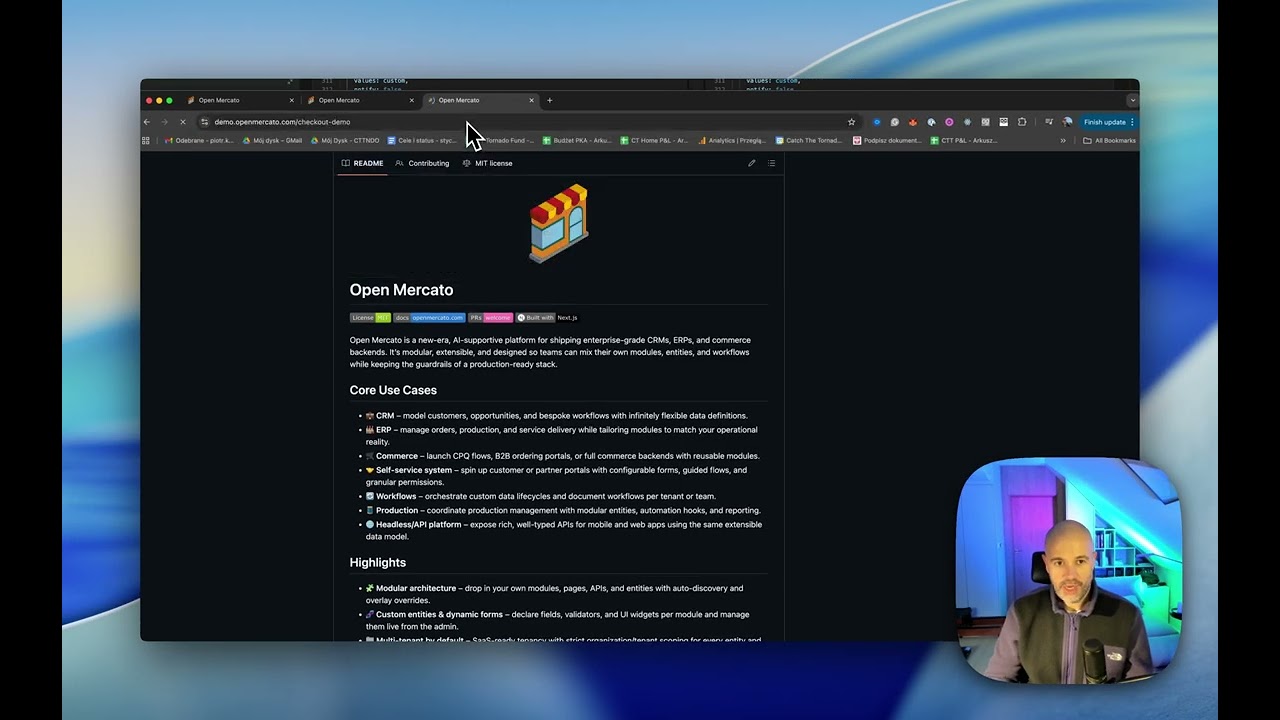
- 💼 CRM – model customers, opportunities, and bespoke workflows with infinitely flexible data definitions.
- 🏭 ERP – manage orders, production, and service delivery while tailoring modules to match your operational reality.
- 🛒 Commerce – launch CPQ flows, B2B ordering portals, or full commerce backends with reusable modules.
- 🤝 Self-service system – spin up customer or partner portals with configurable forms, guided flows, and granular permissions.
- 🔄 Workflows – orchestrate custom data lifecycles and document workflows per tenant or team.
- 🧵 Production – coordinate production management with modular entities, automation hooks, and reporting.
- 🌐 Headless/API platform – expose rich, well-typed APIs for mobile and web apps using the same extensible data model.
- 🧩 Modular architecture – drop in your own modules, pages, APIs, and entities with auto-discovery and overlay overrides.
- 🧬 Custom entities & dynamic forms – declare fields, validators, and UI widgets per module and manage them live from the admin.
- 🏢 Multi-tenant by default – SaaS-ready tenancy with strict organization/tenant scoping for every entity and API.
- 🏛️ Multi-hierarchical organizations – built-in organization trees with role- and user-level visibility controls.
- 🛡️ Feature-based RBAC – combine per-role and per-user feature flags with organization scoping to gate any page or API.
- ⚡ Data indexing & caching – hybrid JSONB indexing and smart caching for blazing-fast queries across base and custom fields.
- 🔔 Event subscribers & workflows – publish domain events and process them via persistent subscribers (local or Redis).
- ✅ Growing test coverage – expanding unit and integration tests ensure modules stay reliable as you extend them.
- 🧠 AI-supportive foundation – structured for assistive workflows, automation, and conversational interfaces.
- ⚙️ Modern stack – Next.js App Router, TypeScript, zod, Awilix DI, MikroORM, and bcryptjs out of the box.
 |
 |
 |
| Order Shipments | Organizations | Users |
 |
 |
 |
| Roles & ACL | Custom Fields | Custom Entity Records |
 |
 |
 |
| Add New Customer | Deals Pipeline | Customer Notes |
 |
|
 |
| Sales Pipeline | Order Shipments | Order Totals |
 |
 |
 |
| Catalog Products | Sales Channels | Channel Offers |

|
||
| Home overview with enabled modules list | ||
- 🧩 Modules: Each feature lives under
src/modules/<module>with auto‑discovered frontend/backend pages, APIs, CLI, i18n, and DB entities. - 🗃️ Database: MikroORM with per‑module entities and migrations; no global schema. Migrations are generated and applied per module.
- 🧰 Dependency Injection: Awilix container constructed per request. Modules can register and override services/components via
di.ts. - 🏢 Multi‑tenant: Core
directorymodule definestenantsandorganizations. Most entities carrytenant_id+organization_id. - 🔐 Security: RBAC roles, zod validation, bcryptjs hashing, JWT sessions, role‑based access in routes and APIs.
Read more on the Open Mercato Architecture
Open Mercato includes a built-in AI Assistant that can discover and interact with your data model and APIs. The assistant uses MCP (Model Context Protocol) to expose tools for schema discovery and API execution.
 |
 |
 |
| Chat Interface | Settings | MCP Tools |
Key capabilities:
- 🔍 Schema Discovery – Query database entity schemas including fields, types, and relationships
- 🔗 API Discovery – Search for API endpoints using natural language queries
- ⚡ API Execution – Execute API calls with automatic tenant context and authentication
- 🧠 Hybrid Search – Uses Meilisearch for fast fulltext + vector search across schemas and endpoints
MCP Tools:
| Tool | Purpose |
|---|---|
discover_schema |
Search entity schemas by name or keyword |
find_api |
Find API endpoints by natural language query |
call_api |
Execute API calls with tenant context |
context_whoami |
Get current authentication context |
Integration modes:
-
Development (
yarn mcp:dev) – For Claude Code and local development with API key auth -
Production (
yarn mcp:serve) – For web AI chat with session tokens
See the AI Assistant specification for detailed documentation on entity extraction, OpenAPI integration, and search indexing.
Open Mercato ships with tenant-scoped, field-level data encryption so PII and sensitive business data stay protected while you keep the flexibility of custom entities and fields. Encryption maps live in the admin UI/database, letting you pick which system and custom columns are encrypted; MikroORM hooks automatically encrypt on write and decrypt on read while keeping deterministic hashes (e.g., email_hash) for lookups.
Architecture in two lines: Vault/KMS (or a derived-key fallback) issues per-tenant DEKs and caches them so performance stays snappy; AES-GCM wrappers sit in the ORM lifecycle, storing ciphertext at rest while CRUD and APIs keep working with plaintext. Read the docs to dive deeper: docs.openmercato.com/user-guide/encryption.
We have migrated Open Mercato to a monorepo structure. If you're upgrading from a previous version, please note the following changes:
The codebase is now organized into:
-
packages/- Shared libraries and modules (@open-mercato/core,@open-mercato/ui,@open-mercato/shared,@open-mercato/cli,@open-mercato/cache,@open-mercato/events,@open-mercato/queue,@open-mercato/content,@open-mercato/onboarding,@open-mercato/search,@open-mercato/enterprise) -
apps/- Applications (main app inapps/mercato, docs inapps/docs)
Important note on storage: The storage folder has been moved to the apps/mercato folder as well. If you instance has got any attachments uploaded, please make sure you run:
mv storage apps/mercato/storage... from the root Open Mercato folder.
Import aliases have changed from path-based to package-based imports:
-
Before:
@/lib/...,@/components/...,@/modules/... -
After:
@open-mercato/shared/lib/...,@open-mercato/ui/components/...,@open-mercato/core/modules/..., etc.
The .env file now must live in apps/mercato instead of the project root.
The fastest way to start is to copy the example file:
cp apps/mercato/.env.example apps/mercato/.envAt minimum, set DATABASE_URL, JWT_SECRET, and REDIS_URL (or EVENTS_REDIS_URL) before bootstrapping.
Yarn 4 is now required. Ensure you have Yarn 4+ installed before proceeding.
This is a quickest way to get Open Mercato up and running on your localhost / server - ready for testing / demoing or for Core development!
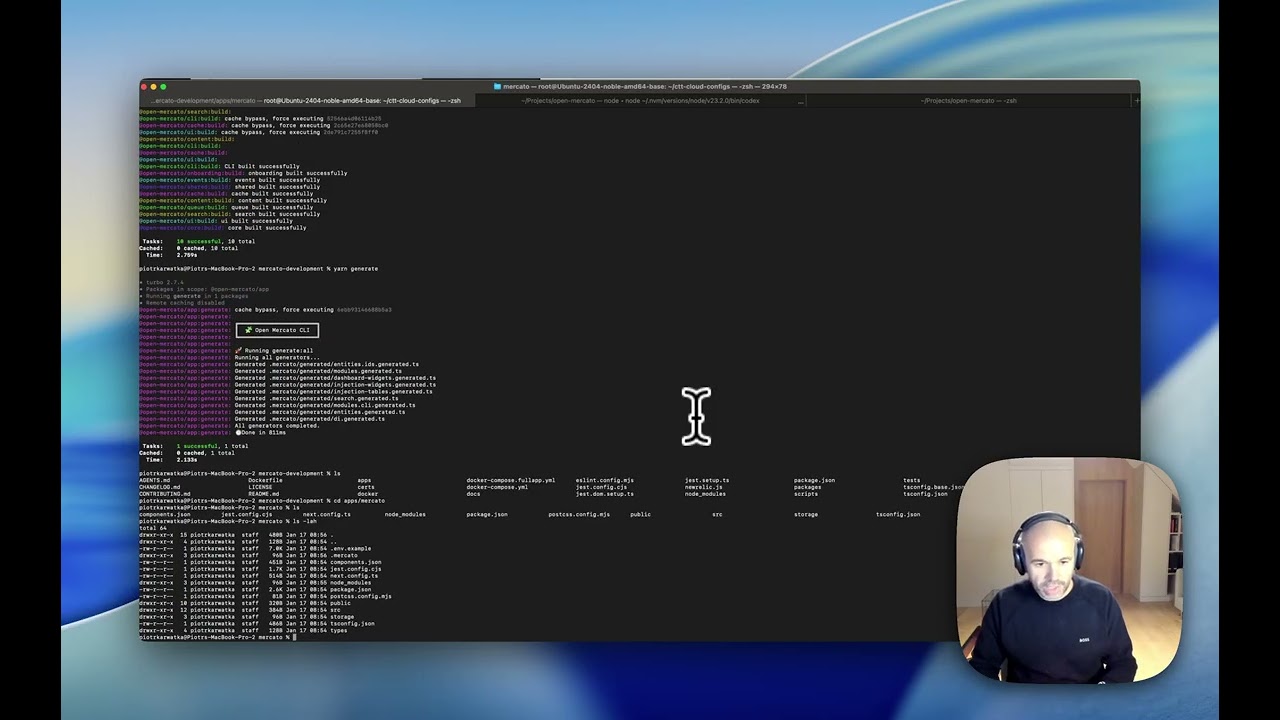
Node.js 24.x is required
# macOS (Homebrew)
brew install node@24

# Windows (Chocolatey)
choco install nodejs --version=24.x

# Or use nvm (any platform)
nvm install 24
nvm use 24
Windows: Use Docker Setup for native setup.
Prerequisites: Yarn 4+
git clone https://github.com/open-mercato/open-mercato.git
cd open-mercato
git checkout develop
yarn install

cp apps/mercato/.env.example apps/mercato/.env # EDIT this file to set up your specific files
#At minimum, set `DATABASE_URL`, `JWT_SECRET`, and `REDIS_URL` (or `EVENTS_REDIS_URL`) before bootstrapping.

yarn generate
yarn initialize # or yarn reinstall
yarn dev
For a fresh greenfield boot (build packages, generate registries, reinstall modules, then start dev), run:
yarn dev:greenfieldNavigate to http://localhost:3000/backend and sign in with the default credentials printed by yarn initialize.
Full installation guide (including prerequisites, Docker setup, and cloud deployment): docs.openmercato.com/installation/setup
Open Mercato offers two Docker Compose configurations — one for development (with hot reload) and one for production. Both run the full stack (app + PostgreSQL + Redis + Meilisearch) in containers. The dev mode is the recommended setup for Windows users.
Run the entire stack with source code mounted from the host. File changes trigger automatic rebuilds — no local Node.js or Yarn required.
git clone https://github.com/open-mercato/open-mercato.git
cd open-mercato
git checkout develop
docker compose -f docker-compose.fullapp.dev.yml up --build
Windows users: Ensure WSL 2 backend is enabled in Docker Desktop and clone with git config --global core.autocrlf input to avoid line-ending issues.
docker compose -f docker-compose.fullapp.yml up --buildCommon operations:
- Start:
docker compose -f docker-compose.fullapp.yml up -d - Logs:
docker compose -f docker-compose.fullapp.yml logs -f app - Stop:
docker compose -f docker-compose.fullapp.yml down - Rebuild:
docker compose -f docker-compose.fullapp.yml up --build
Navigate to http://localhost:3000/backend and sign in with the default credentials ([email protected]).
Before starting, you may want to configure the following environment variables. Create a .env file in the project root or export them in your shell:
| Variable | Required | Default | Description |
|---|---|---|---|
JWT_SECRET |
For production | JWT |
Secret key for JWT token signing. Use a strong, unique value in production. |
POSTGRES_PASSWORD |
For production | postgres |
PostgreSQL database password. Use a strong password in production. |
POSTGRES_USER |
No | postgres |
PostgreSQL database user |
POSTGRES_DB |
No | open-mercato |
PostgreSQL database name |
POSTGRES_PORT |
No | 5432 |
PostgreSQL exposed port |
REDIS_PORT |
No | 6379 |
Redis exposed port |
MEILISEARCH_MASTER_KEY |
For production | meilisearch-dev-key |
Meilisearch API key. Use a strong key in production. |
MEILISEARCH_PORT |
No | 7700 |
Meilisearch exposed port |
OPENAI_API_KEY |
No | - | OpenAI API key (enables AI features) |
ANTHROPIC_API_KEY |
No | - | Anthropic API key (for opencode service) |
OPENCODE_PORT |
No | 4096 |
Opencode service exposed port |
Example .env file for production:
JWT_SECRET=your-strong-secret-key-here
POSTGRES_PASSWORD=your-strong-db-password
MEILISEARCH_MASTER_KEY=your-strong-meilisearch-key
OPENAI_API_KEY=sk-...  # Optional, for AI features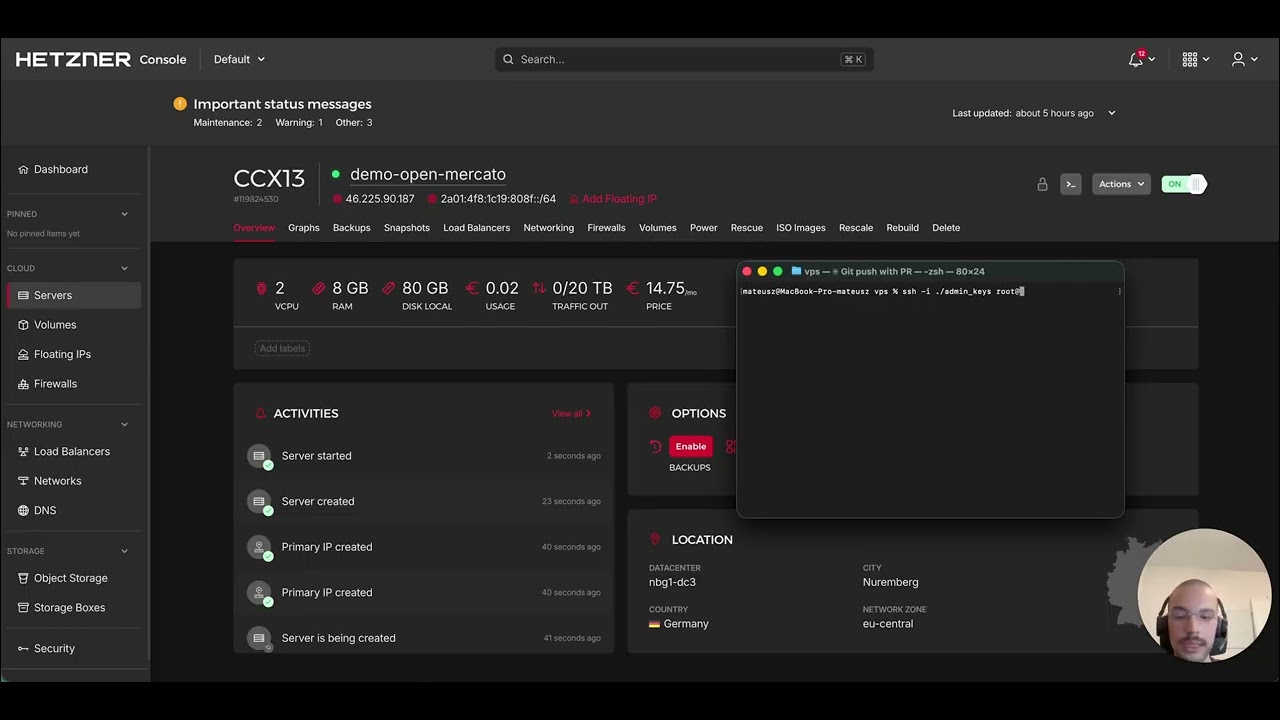
For production deployments, ensure strong JWT_SECRET, secure database credentials, and consider managed database services. See the full Docker deployment guide for detailed configuration and production tips.
The recommended way to build on Open Mercato without modifying the core is to create a standalone app. This gives you a self-contained project that pulls Open Mercato packages from npm — your own modules, overrides, and customizations live in your repo while core stays untouched and upgradeable.
npx create-mercato-app my-store
cd my-store
cp .env.example .env   # configure DATABASE_URL, JWT_SECRET, REDIS_URL
docker compose up -d   # start PostgreSQL, Redis, Meilisearch
yarn install
yarn initialize
yarn dev
Navigate to http://localhost:3000/backend and sign in with the credentials printed by yarn initialize.
Drop your own modules into src/modules/ and register them in src/modules.ts with from: '@app':
export const enabledModules: ModuleEntry[] = [
  // ... core modules
  { id: 'inventory', from: '@app' },
]
Run yarn generate and yarn dev — your module's pages, APIs, and entities are auto-discovered.
When you need to change the internals of a core module (entities, business logic, UI), eject it. The mercato eject command copies the module source into your src/modules/ directory and switches it to local, so you can modify it freely while all other modules keep receiving package updates.
# See which modules support ejection
yarn mercato eject --list

# Eject a module (e.g., currencies)
yarn mercato eject currencies
yarn mercato generate all
yarn dev
Currently ejectable: catalog, currencies, customers, perspectives, planner, resources, sales, staff, workflows.
Full guide: docs.openmercato.com/customization/standalone-app · CLI reference: docs.openmercato.com/cli/eject

Browse the full documentation at docs.openmercato.com.
- Introduction
- Installation
- User Guide
- Tutorials
- Customization
- Architecture
- Framework
- API Reference
- CLI Reference
- Appendix
Open Mercato follows a spec-first development approach. Before implementing new features or making significant changes, we document the design in the .ai/specs/ folder.
- Clarity: Specs ensure everyone understands the feature before coding starts
- Consistency: Design decisions are documented and can be referenced by humans and AI agents
- Traceability: Each spec maintains a changelog tracking the evolution of the feature
-
Before coding: Check if a spec exists in
.ai/specs/(namedSPEC-###-YYYY-MM-DD-title.md) - New features: Create or update the spec with your design before implementation
- After changes: Update the spec's changelog with a dated summary
Naming convention: Specs use the format SPEC-{number}-{date}-{title}.md (e.g., SPEC-007-2026-01-26-sidebar-reorganization.md)
See .ai/specs/README.md for the full specification directory and .ai/specs/AGENTS.md for detailed guidelines on maintaining specs.
Connect with the team and other builders in our Discord community: https://discord.gg/f4qwPtJ3qA.
We welcome contributions of all sizes—from fixes and docs updates to new modules. Start by reading CONTRIBUTING.md for branching conventions (main, develop, feat/<feature>), release flow, and the full PR checklist. Then check the open issues or propose an idea in a discussion, and:
- Fork the repository and create a branch that reflects your change.
- Install dependencies with
yarn installand bootstrap viayarn mercato init(add--no-examplesto skip demo CRM content;--stresstestfor thousands of synthetic contacts, companies, deals, and timeline interactions; or--stresstest --litefor high-volume contacts without the heavier extras). - Develop and validate your changes (
yarn lint,yarn test, or the relevant module scripts). - Open a pull request referencing any related issues and outlining the testing you performed.
Refer to AGENTS.md for deeper guidance on architecture and conventions when extending modules.
Open Mercato is proudly supported by Catch The Tornado.

Open Mercato let the module developers to expose the custom CLI commands for variouse maintenance tasks. Read more on the CLI documentation
- MIT — see
LICENSEfor details. Enterprise licensing details are documented inpackages/enterprise/README.md.
Open Mercato Core is and always will be MIT Licensed, fully Open Source.
Open Mercato Enterprise Edition is available for teams that need production scaling support, SLA options, hosting/configuration support, trainings, and advanced enterprise features.
Enterprise features are delivered under the @open-mercato/enterprise package (/packages/enterprise) and are not part of the open source license scope.
Summary:
- Enterprise Edition includes production readiness standards, architecture/security review workflow, and production approval support.
- Certified partner agencies deliver projects while Open Mercato provides platform standards and certification path.
- Full commercial and partnership details:
packages/enterprise/README.md.
For Tasks:
Click tags to check more tools for each tasksFor Jobs:
Alternative AI tools for open-mercato
Similar Open Source Tools
open-mercato
Open Mercato is a modern, AI-supportive platform designed for shipping enterprise-grade CRMs, ERPs, and commerce backends. It offers modular architecture, custom entities, multi-tenancy, RBAC, data indexing, event workflows, and more. The tool is built with a modern stack including Next.js, TypeScript, zod, Awilix DI, MikroORM, and bcryptjs. It also features an AI Assistant for schema discovery, API execution, and hybrid search. Open Mercato provides data encryption, migration guides, Docker setups, standalone app creation, and follows a spec-driven development approach. The Enterprise Edition offers additional support, SLA options, and advanced features beyond the open-source Core version.
noether
Noether is Emmi AI's open software framework for Engineering AI. It is built on transformer building blocks, delivering the full engineering stack for building, training, and operating industrial simulation models across engineering verticals. The framework eliminates the need for component re-engineering or an in-house deep learning team. Noether features a modular transformer architecture optimized for physical systems, hardware agnostic execution across CPU, MPS, and NVIDIA GPUs, industrial-grade design for high-fidelity simulations, and built-in support for Multi-GPU and SLURM cluster environments.
chat
deco.chat is an open-source foundation for building AI-native software, providing developers, engineers, and AI enthusiasts with robust tools to rapidly prototype, develop, and deploy AI-powered applications. It empowers Vibecoders to prototype ideas and Agentic engineers to deploy scalable, secure, and sustainable production systems. The core capabilities include an open-source runtime for composing tools and workflows, MCP Mesh for secure integration of models and APIs, a unified TypeScript stack for backend logic and custom frontends, global modular infrastructure built on Cloudflare, and a visual workspace for building agents and orchestrating everything in code.
kubewall
kubewall is an open-source, single-binary Kubernetes dashboard with multi-cluster management and AI integration. It provides a simple and rich real-time interface to manage and investigate your clusters. With features like multi-cluster management, AI-powered troubleshooting, real-time monitoring, single-binary deployment, in-depth resource views, browser-based access, search and filter capabilities, privacy by default, port forwarding, live refresh, aggregated pod logs, and clean resource management, kubewall offers a comprehensive solution for Kubernetes cluster management.
Unity-MCP
Unity-MCP is an AI helper designed for game developers using Unity. It facilitates a wide range of tasks in Unity Editor and running games on any platform by connecting to AI via TCP connection. The tool allows users to chat with AI like with a human, supports local and remote usage, and offers various default AI tools. Users can provide detailed information for classes, fields, properties, and methods using the 'Description' attribute in C# code. Unity-MCP enables instant C# code compilation and execution, provides access to assets and C# scripts, and offers tools for proper issue understanding and project data manipulation. It also allows users to find and call methods in the codebase, work with Unity API, and access human-readable descriptions of code elements.
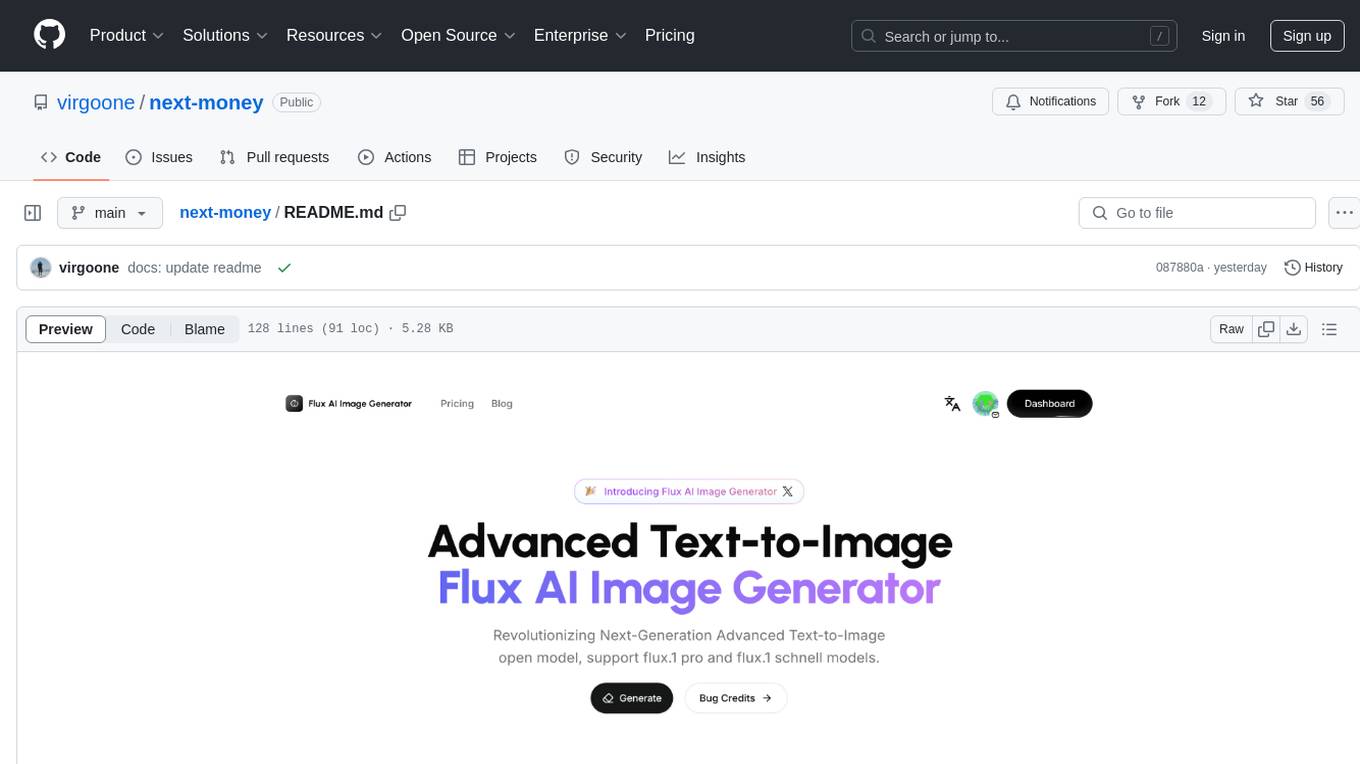
next-money
Next Money Stripe Starter is a SaaS Starter project that empowers your next project with a stack of Next.js, Prisma, Supabase, Clerk Auth, Resend, React Email, Shadcn/ui, and Stripe. It seamlessly integrates these technologies to accelerate your development and SaaS journey. The project includes frameworks, platforms, UI components, hooks and utilities, code quality tools, and miscellaneous features to enhance the development experience. Created by @koyaguo in 2023 and released under the MIT license.
mmore
MMORE is an open-source, end-to-end pipeline for ingesting, processing, indexing, and retrieving knowledge from various file types such as PDFs, Office docs, images, audio, video, and web pages. It standardizes content into a unified multimodal format, supports distributed CPU/GPU processing, and offers hybrid dense+sparse retrieval with an integrated RAG service through CLI and APIs.
mcpd
mcpd is a tool developed by Mozilla AI to declaratively manage Model Context Protocol (MCP) servers, enabling consistent interface for defining and running tools across different environments. It bridges the gap between local development and enterprise deployment by providing secure secrets management, declarative configuration, and seamless environment promotion. mcpd simplifies the developer experience by offering zero-config tool setup, language-agnostic tooling, version-controlled configuration files, enterprise-ready secrets management, and smooth transition from local to production environments.
ragflow
RAGFlow is an open-source Retrieval-Augmented Generation (RAG) engine that combines deep document understanding with Large Language Models (LLMs) to provide accurate question-answering capabilities. It offers a streamlined RAG workflow for businesses of all sizes, enabling them to extract knowledge from unstructured data in various formats, including Word documents, slides, Excel files, images, and more. RAGFlow's key features include deep document understanding, template-based chunking, grounded citations with reduced hallucinations, compatibility with heterogeneous data sources, and an automated and effortless RAG workflow. It supports multiple recall paired with fused re-ranking, configurable LLMs and embedding models, and intuitive APIs for seamless integration with business applications.
verifywise
VerifyWise is an open-source AI governance platform designed to help businesses harness the power of AI safely and responsibly. The platform ensures compliance and robust AI management without compromising on security. It offers additional products like MaskWise for data redaction, EvalWise for AI model evaluation, and FlagWise for security threat monitoring. VerifyWise simplifies AI governance for organizations, aiding in risk management, regulatory compliance, and promoting responsible AI practices. It features options for on-premises or private cloud hosting, open-source with AGPLv3 license, AI-generated answers for compliance audits, source code transparency, Docker deployment, user registration, role-based access control, and various AI governance tools like risk management, bias & fairness checks, evidence center, AI trust center, and more.
OpenAlice
Open Alice is an AI trading agent that provides users with their own research desk, quant team, trading floor, and risk management, all running on their laptop 24/7. It is file-driven, reasoning-driven, and OS-native, allowing interactions with the operating system. Features include dual AI providers, crypto trading, securities trading, market analysis, cognitive state, event log, cron scheduling, evolution mode, and a web UI. The architecture includes providers, core components, extensions, tasks, and interfaces. Users can quickly start by setting up prerequisites, AI providers, crypto trading, securities trading, environment variables, and running the tool. Configuration files, project structure, and license information are also provided.
AutoAgent
AutoAgent is a fully-automated and zero-code framework that enables users to create and deploy LLM agents through natural language alone. It is a top performer on the GAIA Benchmark, equipped with a native self-managing vector database, and allows for easy creation of tools, agents, and workflows without any coding. AutoAgent seamlessly integrates with a wide range of LLMs and supports both function-calling and ReAct interaction modes. It is designed to be dynamic, extensible, customized, and lightweight, serving as a personal AI assistant.
eairp
Next generation artificial intelligent ERP system. On the basis of ERP business, we have expanded GPT-3.5. Individually or company can fine-tune your model through our system. You can provide fully automated business form submission operations through your simple description, and you can chat, interact, and consult information with GPT. You can deploy through Docker to quickly start and use. Completely free project. Enginsh / 简体中文.
RainbowGPT
RainbowGPT is a versatile tool that offers a range of functionalities, including Stock Analysis for financial decision-making, MySQL Management for database navigation, and integration of AI technologies like GPT-4 and ChatGlm3. It provides a user-friendly interface suitable for all skill levels, ensuring seamless information flow and continuous expansion of emerging technologies. The tool enhances adaptability, creativity, and insight, making it a valuable asset for various projects and tasks.
trieve
Trieve is an advanced relevance API for hybrid search, recommendations, and RAG. It offers a range of features including self-hosting, semantic dense vector search, typo tolerant full-text/neural search, sub-sentence highlighting, recommendations, convenient RAG API routes, the ability to bring your own models, hybrid search with cross-encoder re-ranking, recency biasing, tunable popularity-based ranking, filtering, duplicate detection, and grouping. Trieve is designed to be flexible and customizable, allowing users to tailor it to their specific needs. It is also easy to use, with a simple API and well-documented features.
openai-kotlin
OpenAI Kotlin API client is a Kotlin client for OpenAI's API with multiplatform and coroutines capabilities. It allows users to interact with OpenAI's API using Kotlin programming language. The client supports various features such as models, chat, images, embeddings, files, fine-tuning, moderations, audio, assistants, threads, messages, and runs. It also provides guides on getting started, chat & function call, file source guide, and assistants. Sample apps are available for reference, and troubleshooting guides are provided for common issues. The project is open-source and licensed under the MIT license, allowing contributions from the community.
For similar tasks
open-mercato
Open Mercato is a modern, AI-supportive platform designed for shipping enterprise-grade CRMs, ERPs, and commerce backends. It offers modular architecture, custom entities, multi-tenancy, RBAC, data indexing, event workflows, and more. The tool is built with a modern stack including Next.js, TypeScript, zod, Awilix DI, MikroORM, and bcryptjs. It also features an AI Assistant for schema discovery, API execution, and hybrid search. Open Mercato provides data encryption, migration guides, Docker setups, standalone app creation, and follows a spec-driven development approach. The Enterprise Edition offers additional support, SLA options, and advanced features beyond the open-source Core version.
bytechef
ByteChef is an open-source, low-code, extendable API integration and workflow automation platform. It provides an intuitive UI Workflow Editor, event-driven & scheduled workflows, multiple flow controls, built-in code editor supporting Java, JavaScript, Python, and Ruby, rich component ecosystem, extendable with custom connectors, AI-ready with built-in AI components, developer-ready to expose workflows as APIs, version control friendly, self-hosted, scalable, and resilient. It allows users to build and visualize workflows, automate tasks across SaaS apps, internal APIs, and databases, and handle millions of workflows with high availability and fault tolerance.
tt
Connect multiple CEX and DEX across multi messaging platforms. Place order, inquire your balance, access AI agent and more through plugins. Easily deploy via Docker on self-hosted platform or PAAS.
innoshop
InnoShop is an innovative open-source e-commerce system based on Laravel 12. It supports multiple languages, multiple currencies, and is integrated with OpenAI. The system features plugin mechanisms and theme template development for enhanced user experience and system extensibility. It is globally oriented, user-friendly, and based on the latest technology with deep AI integration.
For similar jobs
open-mercato
Open Mercato is a modern, AI-supportive platform designed for shipping enterprise-grade CRMs, ERPs, and commerce backends. It offers modular architecture, custom entities, multi-tenancy, RBAC, data indexing, event workflows, and more. The tool is built with a modern stack including Next.js, TypeScript, zod, Awilix DI, MikroORM, and bcryptjs. It also features an AI Assistant for schema discovery, API execution, and hybrid search. Open Mercato provides data encryption, migration guides, Docker setups, standalone app creation, and follows a spec-driven development approach. The Enterprise Edition offers additional support, SLA options, and advanced features beyond the open-source Core version.
iceburgcrm
Iceburg CRM is a metadata driven CRM with AI abilities that allows users to quickly prototype any CRM. It offers features like metadata creations, import/export in multiple formats, field validation, themes, role permissions, calendar, audit logs, API, workflow, field level relationships, module level relationships, and more. Created with Vue 3 for the frontend, Laravel 10 for the backend, Tailwinds with DaisyUI plugin, and Inertia for routing. Users can install default, admin panel, core, custom, or AI versions. The tool supports AI Assist for module data suggestions and provides API endpoints for CRM modules, search, specific module data, record updates, and deletions. Iceburg CRM also includes themes, custom field types, calendar, datalets, workflow, roles and permissions, import/export functionality, and custom seeding options.
lollms-webui
LoLLMs WebUI (Lord of Large Language Multimodal Systems: One tool to rule them all) is a user-friendly interface to access and utilize various LLM (Large Language Models) and other AI models for a wide range of tasks. With over 500 AI expert conditionings across diverse domains and more than 2500 fine tuned models over multiple domains, LoLLMs WebUI provides an immediate resource for any problem, from car repair to coding assistance, legal matters, medical diagnosis, entertainment, and more. The easy-to-use UI with light and dark mode options, integration with GitHub repository, support for different personalities, and features like thumb up/down rating, copy, edit, and remove messages, local database storage, search, export, and delete multiple discussions, make LoLLMs WebUI a powerful and versatile tool.

Azure-Analytics-and-AI-Engagement
The Azure-Analytics-and-AI-Engagement repository provides packaged Industry Scenario DREAM Demos with ARM templates (Containing a demo web application, Power BI reports, Synapse resources, AML Notebooks etc.) that can be deployed in a customer’s subscription using the CAPE tool within a matter of few hours. Partners can also deploy DREAM Demos in their own subscriptions using DPoC.
minio
MinIO is a High Performance Object Storage released under GNU Affero General Public License v3.0. It is API compatible with Amazon S3 cloud storage service. Use MinIO to build high performance infrastructure for machine learning, analytics and application data workloads.
mage-ai
Mage is an open-source data pipeline tool for transforming and integrating data. It offers an easy developer experience, engineering best practices built-in, and data as a first-class citizen. Mage makes it easy to build, preview, and launch data pipelines, and provides observability and scaling capabilities. It supports data integrations, streaming pipelines, and dbt integration.
AiTreasureBox
AiTreasureBox is a versatile AI tool that provides a collection of pre-trained models and algorithms for various machine learning tasks. It simplifies the process of implementing AI solutions by offering ready-to-use components that can be easily integrated into projects. With AiTreasureBox, users can quickly prototype and deploy AI applications without the need for extensive knowledge in machine learning or deep learning. The tool covers a wide range of tasks such as image classification, text generation, sentiment analysis, object detection, and more. It is designed to be user-friendly and accessible to both beginners and experienced developers, making AI development more efficient and accessible to a wider audience.

tidb
TiDB is an open-source distributed SQL database that supports Hybrid Transactional and Analytical Processing (HTAP) workloads. It is MySQL compatible and features horizontal scalability, strong consistency, and high availability.