


vibe-local
Free AI coding environment: Ollama + Python
Stars: 448
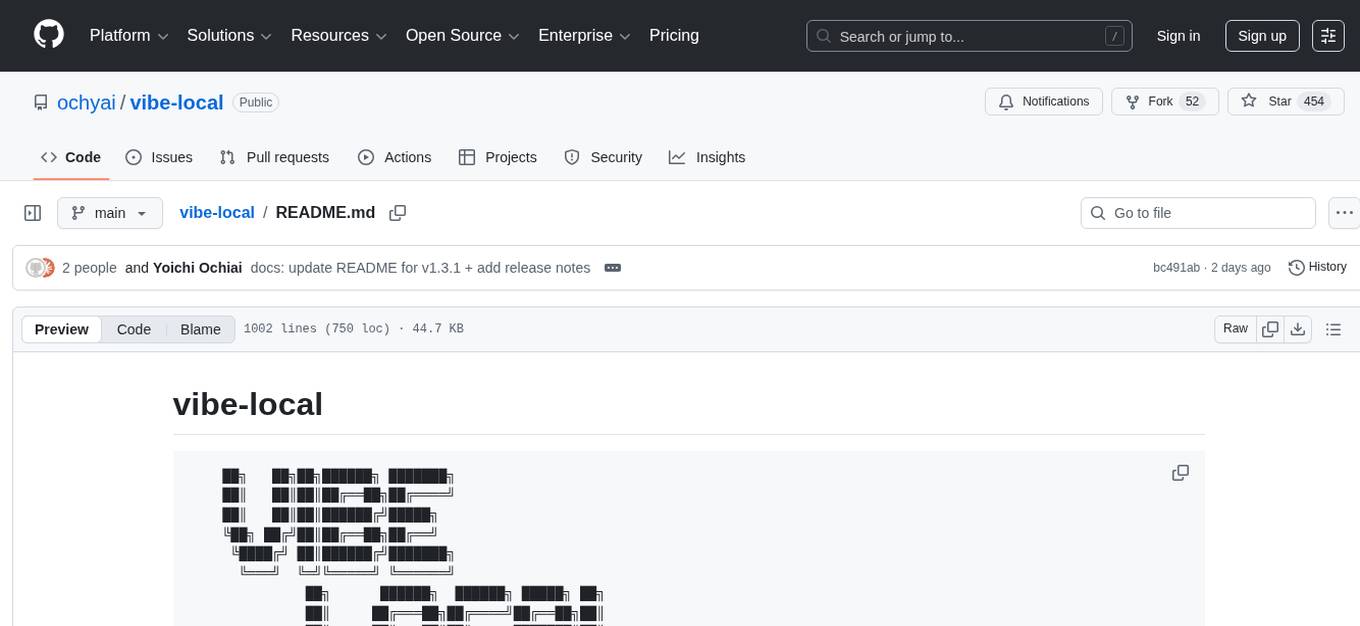
vibe-local is a free AI coding agent designed for offline workshops, non-profit research, and education purposes. It is a single-file Python agent with no external dependencies, running on the Python standard library only. The tool allows instructors to support learners with AI agents, enables students without paid plans to practice agent coding, and helps beginners learn terminal operations through natural language. It is built for scenarios where no network is available, making it suitable for offline environments.
README:
    ██╗   ██╗██╗██████╗ ███████╗
    ██║   ██║██║██╔══██╗██╔════╝
    ██║   ██║██║██████╔╝█████╗
    ╚██╗ ██╔╝██║██╔══██╗██╔══╝
     ╚████╔╝ ██║██████╔╝███████╗
      ╚═══╝  ╚═╝╚═════╝ ╚══════╝
              ██╗      ██████╗  ██████╗ █████╗ ██╗
              ██║     ██╔═══██╗██╔════╝██╔══██╗██║
              ██║     ██║   ██║██║     ███████║██║
              ██║     ██║   ██║██║     ██╔══██║██║
              ███████╗╚██████╔╝╚██████╗██║  ██║███████╗
              ╚══════╝ ╚═════╝  ╚═════╝╚═╝  ╚═╝╚══════╝
Free AI Coding Agent — Offline, Local, Open Source
Single-file Python agent, stdlib only, zero dependencies. No API keys. No cloud. No cost.
オフラインのワークショップでAIエージェントを使って学習者をサポートしたり、有料プランに未加入の学生がエージェントコーディングを練習したり、ネットワークのない環境で自然言語を使ってターミナル操作を学んだり――そんな場面を想定した、非営利の研究・教育目的のユーティリティツールです。
Built for offline workshops where instructors support learners with AI agents, for students without paid plans who want to practice agent coding, and for beginners learning terminal operations through natural language — a non-profit research and education utility.
面向离线工作坊中使用AI代理辅助学习者、未订阅付费计划的学生练习代理编程、以及初学者通过自然语言学习终端操作等场景,这是一个非营利性的研究与教育实用工具。
MacやWindows、LinuxにコマンドをコピペするだけでAIがコードを書いてくれる環境。 ネットワーク不要・完全無料。Python + Ollama だけで動く完全OSSのコーディングエージェント。
エージェントのコア vibe-coder.py は Python 標準ライブラリだけで書かれた単一ファイルです。 pip install 不要、外部パッケージ依存ゼロ。ソースコードはそのまま読めるため、AIコーディングエージェントの仕組みを学ぶ教材としても、研究のベースラインとしても使えます。すべてがオープンソース (MIT) で公開されています。
vibe-local → vibe-coder.py (OSS, Python stdlib only, ~7400行) → Ollama (直接通信)
ログイン不要・Node.js不要・プロキシプロセス不要。16個の内蔵ツール、サブエージェント、並列エージェント、ファイル監視、画像・PDF読み取り対応。MCP連携・スキルシステム・Plan/Actモード・Gitチェックポイント・自動テスト・固定フッター(DECSTBM)搭載。787テスト。
1. ターミナルを開く(Mac: Spotlight Cmd+Space → "ターミナル"で検索 / Windows: PowerShellを開く)
2. 以下をコピペしてEnter:
Mac / Linux / Windows(WSL) の場合:
curl -fsSL https://raw.githubusercontent.com/ochyai/vibe-local/main/install.sh | bashWindows (PowerShell) の場合:
Invoke-Expression (Invoke-RestMethod -Uri https://raw.githubusercontent.com/ochyai/vibe-local/main/install.ps1)3. 新しいターミナルを開いて起動:
vibe-local# 対話モード(AIと会話しながらコーディング)
vibe-local
# ワンショット(1回だけ質問)
vibe-local -p "Pythonでじゃんけんゲーム作って"
# モデルを手動指定
vibe-local --model qwen3:8b| 環境 | メモリ | メインモデル | サイドカー | 備考 |
|---|---|---|---|---|
| Apple Silicon Mac (M1以降) | 96GB+ | gpt-oss:120b | qwen3-coder:30b | 最速推奨 ~70tok/s |
| Apple Silicon Mac (M1以降) | 32GB+ | qwen3-coder:30b | qwen3:8b | 推奨 |
| Apple Silicon Mac (M1以降) | 16GB | qwen3:8b | qwen3:1.7b | 十分実用的 |
| Apple Silicon Mac (M1以降) | 8GB | qwen3:1.7b | なし | 最低限動作 |
| Intel Mac | 16GB+ | qwen3:8b | qwen3:1.7b | 動作するが遅め |
| Windows (ネイティブ) | 16GB+ | qwen3:8b | qwen3:1.7b | NVIDIA GPU推奨 |
| Windows (WSL2) | 16GB+ | qwen3:8b | qwen3:1.7b | NVIDIA GPU推奨 |
| Linux (x86_64/arm64) | 16GB+ | qwen3:8b | qwen3:1.7b | NVIDIA GPU推奨 |
サイドカーモデル = 権限チェックや初期化プローブなど軽量タスク用。自動選択されます。
よくある問題と解決法
"ollama が起動できませんでした"
open -a Ollama        # macOS
ollama serve          # Linux / Windows
"モデルが見つかりません"
ollama pull qwen3:8b"vibe-coder.py が見つかりません"
# 再インストール
curl -fsSL https://raw.githubusercontent.com/ochyai/vibe-local/main/install.sh | bash
モデルを変更したい
nano ~/.config/vibe-local/config
# MODEL="qwen3:8b" を変更
# SIDECAR_MODEL="qwen3:1.7b"  # 軽量タスク用(省略可・自動選択)
デバッグログを確認したい
VIBE_LOCAL_DEBUG=1 vibe-localフッター(ステータス行)が崩れる
# スクロール領域を無効にする
VIBE_NO_SCROLL=1 vibe-local
ターミナル描画のデバッグ
# エスケープシーケンスをログに記録
VIBE_DEBUG_TUI=1 vibe-local
# ログ: ~/.vibe-tui-debug.log
対話中にスクロール領域を診断
> /debug-scroll
Mac(まっく)や Windows(ういんどうず)で、AI(えーあい)が コードを かいて くれる どうぐ です。 インターネットが なくても つかえます。おかねも かかりません。
プログラムは Python(パイソン)の きほん きのう だけで できています。むずかしい インストールは いりません。ソースコードは だれでも よめて、べんきょうに つかえます。ぜんぶ オープンソースです。
1. ターミナルを ひらく(Mac: Cmd+Space → 「ターミナル」 / Windows: PowerShellを ひらく)
2. したの もじを コピーして、はりつけて、Enterを おす:
Mac / Linux / Windows(WSL) のとき:
curl -fsSL https://raw.githubusercontent.com/ochyai/vibe-local/main/install.sh | bashWindows (PowerShell) のとき:
Invoke-Expression (Invoke-RestMethod -Uri https://raw.githubusercontent.com/ochyai/vibe-local/main/install.ps1)3. あたらしい ターミナルを ひらいて、これを うつ:
vibe-local# AIと はなしながら プログラムを つくる
vibe-local
# 1かいだけ しつもんする
vibe-local -p "Pythonで じゃんけんゲームを つくって"| コマンド | なにを する? |
|---|---|
/help |
つかえる コマンドを みる |
/exit または /quit
|
おわる(セッションを ほぞんする) |
/clear |
かいわを けす |
/model <なまえ> |
モデルを かえる |
/status |
いまの じょうほうを みる |
/save |
セッションを ほぞんする |
/compact |
かいわを みじかくする(メモリ せつやく) |
/plan |
よみとり モード(しらべるだけ) |
/approve |
じっこう モード(プランを じっこう する) |
/checkpoint |
いまの じょうたいを ほぞんする |
/rollback |
ほぞんした じょうたいに もどす |
/autotest |
じどう テスト ON/OFF |
/watch |
ファイルの へんこうを みはる ON/OFF |
/yes |
じどう きょか モード オン |
/debug-scroll |
がめんの スクロールを テストする |
""" |
ながい ぶんしょうを にゅうりょく する |
Ctrl+C |
とめる / おわる |
ESC |
AIの こたえを とめる |
だいじ:AIが あぶない コマンドを うつことが あります!
AIは かんぺきでは ありません。まちがった コマンドを うつことが あります。
きけんな サイン — こんな コマンドは ゆるさないで!
| きけんな キーワード | なぜ あぶない? |
|---|---|
sudo で はじまる |
パソコンの だいじな せっていが かわる |
chmod が はいっている |
ファイルの まもりが なくなる |
| いみが わからない ながい コマンド | なにが おきるか わからない! |
あんぜんに つかう ほうほう:
- はじめて つかうときは、しつもんに
nを おして ください(あんぜんモード) - AIが コマンドを うつまえに、「これを うっていい?」と きいてきます
- わからない コマンドは ぜったいに ゆるさないで ください
- だいじな ファイルが ある フォルダでは つかわないで ください
- こまったら、
Ctrl+Cで とめられます
A free AI coding environment you can set up with a single command on your Mac, Windows, or Linux. No network required. Completely free. Python + Ollama only — a fully open-source coding agent.
The core agent vibe-coder.py is a single file written entirely with the Python standard library. No pip install needed. Zero external dependencies. The source code is human-readable as-is, making it ideal as teaching material for understanding how AI coding agents work, or as a research baseline. Everything is open source (MIT).
vibe-local → vibe-coder.py (OSS, Python stdlib only, ~7400 lines) → Ollama (direct)
No login. No Node.js. No proxy process. 16 built-in tools, sub-agents, parallel agents, file watcher, image/PDF reading. MCP integration, Skills system, Plan/Act mode, Git checkpoints, auto-test loop, fixed footer (DECSTBM). 787 tests.
1. Open Terminal (Mac: Spotlight Cmd+Space → search "Terminal" / Windows: Open PowerShell)
2. Paste and hit Enter:
For Mac / Linux / Windows(WSL):
curl -fsSL https://raw.githubusercontent.com/ochyai/vibe-local/main/install.sh | bashFor Windows (PowerShell natively):
Invoke-Expression (Invoke-RestMethod -Uri https://raw.githubusercontent.com/ochyai/vibe-local/main/install.ps1)3. Open a new terminal and run:
vibe-local# Interactive mode (chat with AI while coding)
vibe-local
# One-shot (ask once)
vibe-local -p "Create a snake game in Python"
# Specify model manually
vibe-local --model qwen3:8b| Environment | RAM | Main Model | Sidecar | Notes |
|---|---|---|---|---|
| Apple Silicon Mac (M1+) | 96GB+ | gpt-oss:120b | qwen3-coder:30b | Fastest ~70tok/s |
| Apple Silicon Mac (M1+) | 32GB+ | qwen3-coder:30b | qwen3:8b | Recommended |
| Apple Silicon Mac (M1+) | 16GB | qwen3:8b | qwen3:1.7b | Very capable |
| Apple Silicon Mac (M1+) | 8GB | qwen3:1.7b | none | Minimum viable |
| Intel Mac | 16GB+ | qwen3:8b | qwen3:1.7b | Works but slower |
| Windows (Native) | 16GB+ | qwen3:8b | qwen3:1.7b | NVIDIA GPU recommended |
| Windows (WSL2) | 16GB+ | qwen3:8b | qwen3:1.7b | NVIDIA GPU recommended |
| Linux (x86_64/arm64) | 16GB+ | qwen3:8b | qwen3:1.7b | NVIDIA GPU recommended |
Sidecar model = auto-selected lighter model for permission checks, init probes, and short summaries.
Common issues and solutions
"ollama failed to start"
open -a Ollama        # macOS
ollama serve          # Linux / Windows
"model not found"
ollama pull qwen3:8b"vibe-coder.py not found"
# Reinstall
curl -fsSL https://raw.githubusercontent.com/ochyai/vibe-local/main/install.sh | bash
Change model
nano ~/.config/vibe-local/config
# Change MODEL="qwen3:8b"
# SIDECAR_MODEL="qwen3:1.7b"  # For lightweight tasks (optional, auto-selected)
Enable debug logging
VIBE_LOCAL_DEBUG=1 vibe-localFooter (status bar) is garbled
# Disable scroll region
VIBE_NO_SCROLL=1 vibe-local
Debug terminal rendering
# Log escape sequences to file
VIBE_DEBUG_TUI=1 vibe-local
# Log: ~/.vibe-tui-debug.log
Diagnose scroll region interactively
> /debug-scroll
在Mac、Windows 或 Linux上只需复制粘贴一个命令,AI就能帮你写代码。 无需网络,完全免费。Python + Ollama 打造的完全开源编程代理。
核心代理 vibe-coder.py 是仅使用 Python 标准库编写的单一文件。 无需 pip install,零外部依赖。源代码直接可读,非常适合作为学习AI编程代理工作原理的教材或研究基线。一切以开源 (MIT) 形式公开。
vibe-local → vibe-coder.py (开源, 纯Python标准库, ~7400行) → Ollama (直接通信)
无需登录、无需Node.js、无需代理进程。16个内置工具、子代理、并行代理、文件监视、图像/PDF读取支持。MCP集成、技能系统、Plan/Act模式、Git检查点、自动测试循环、固定页脚(DECSTBM)。787项测试。
1. 打开终端(Mac: Spotlight Cmd+Space → 搜索"终端" / Windows: 打开 PowerShell)
2. 粘贴以下命令并按回车:
Mac / Linux / Windows(WSL) 环境:
curl -fsSL https://raw.githubusercontent.com/ochyai/vibe-local/main/install.sh | bashWindows (PowerShell) 环境:
Invoke-Expression (Invoke-RestMethod -Uri https://raw.githubusercontent.com/ochyai/vibe-local/main/install.ps1)3. 打开新终端并运行:
vibe-local# 交互模式(与AI对话编程)
vibe-local
# 单次执行(只问一次)
vibe-local -p "用Python写一个贪吃蛇游戏"
# 手动指定模型
vibe-local --model qwen3:8b| 环境 | 内存 | 主模型 | 边车模型 | 备注 |
|---|---|---|---|---|
| Apple Silicon Mac (M1及以上) | 96GB+ | gpt-oss:120b | qwen3-coder:30b | 最快 ~70tok/s |
| Apple Silicon Mac (M1及以上) | 32GB+ | qwen3-coder:30b | qwen3:8b | 推荐 |
| Apple Silicon Mac (M1及以上) | 16GB | qwen3:8b | qwen3:1.7b | 足够实用 |
| Apple Silicon Mac (M1及以上) | 8GB | qwen3:1.7b | 无 | 最低限运行 |
| Intel Mac | 16GB+ | qwen3:8b | qwen3:1.7b | 可运行但较慢 |
| Windows (原生) | 16GB+ | qwen3:8b | qwen3:1.7b | 推荐NVIDIA GPU |
| Windows (WSL2) | 16GB+ | qwen3:8b | qwen3:1.7b | 推荐NVIDIA GPU |
| Linux (x86_64/arm64) | 16GB+ | qwen3:8b | qwen3:1.7b | 推荐NVIDIA GPU |
边车模型 = 用于权限检查、初始化探测等轻量任务的自动选择的较小模型。
常见问题及解决方法
"ollama 无法启动"
open -a Ollama        # macOS
ollama serve          # Linux / Windows
"未找到模型"
ollama pull qwen3:8b"vibe-coder.py 未找到"
# 重新安装
curl -fsSL https://raw.githubusercontent.com/ochyai/vibe-local/main/install.sh | bash
更换模型
nano ~/.config/vibe-local/config
# 修改 MODEL="qwen3:8b"
# SIDECAR_MODEL="qwen3:1.7b"  # 轻量任务用(可选,自动选择)
启用调试日志
VIBE_LOCAL_DEBUG=1 vibe-local页脚(状态栏)显示异常
# 禁用滚动区域
VIBE_NO_SCROLL=1 vibe-local
调试终端渲染
# 将转义序列记录到文件
VIBE_DEBUG_TUI=1 vibe-local
# 日志: ~/.vibe-tui-debug.log
交互式诊断滚动区域
> /debug-scroll
┌────────────────────────────────────────────────────────────┐
│  User                                                      │
│  └── vibe-local.sh / vibe-local.ps1 (launch script)       │
│       ├── Ensure Ollama is running                         │
│       └── Launch vibe-coder.py (direct, no proxy)          │
└────────────────────────┬───────────────────────────────────┘
                         │
                         ▼
┌────────────────────────────────────────────────────────────┐
│  vibe-coder.py  (single file, Python stdlib only, ~7400L)  │
│                                                            │
│  ┌──────────────────────────────────────────────────────┐  │
│  │  Agent Loop (parallel tool execution)                │  │
│  │  User input → LLM → Tool calls → Execute →          │  │
│  │  Add results → Loop until done                       │  │
│  ├──────────────────────────────────────────────────────┤  │
│  │  16 Built-in Tools + MCP Tools                       │  │
│  │  Bash (+ background), Read (+ images/PDF/ipynb),     │  │
│  │  Write, Edit (+ rich diff), Glob, Grep,              │  │
│  │  WebFetch, WebSearch, NotebookEdit, SubAgent,        │  │
│  │  ParallelAgents, TaskCreate/List/Get/Update,         │  │
│  │  AskUserQuestion                                     │  │
│  ├──────────────────────────────────────────────────────┤  │
│  │  v1.0 Extensions                                    │  │
│  │  MCP Client (JSON-RPC 2.0, stdio, tool discovery)   │  │
│  │  Skills System (.md files → system prompt injection) │  │
│  │  Plan/Act Mode (read-only → execution transition)    │  │
│  │  Git Checkpoint (stash-based rollback)               │  │
│  │  Auto Test Loop (lint + test after edits)            │  │
│  ├──────────────────────────────────────────────────────┤  │
│  │  v1.1 Extensions                                    │  │
│  │  File Watcher (poll-based change detection)          │  │
│  │  Parallel Agents (multi-task concurrent execution)   │  │
│  │  Streaming Enhancement (tool call delta accumulation)│  │
│  ├──────────────────────────────────────────────────────┤  │
│  │  v1.3 Extensions                                    │  │
│  │  ScrollRegion (DECSTBM fixed footer, store-only)    │  │
│  │  ESC Interrupt (immediate generation stop)           │  │
│  │  Type-Ahead Input (buffered during response)         │  │
│  │  Debug Logging (VIBE_DEBUG_TUI=1 → log file)        │  │
│  ├──────────────────────────────────────────────────────┤  │
│  │  System Prompt + OS-Specific Hints                   │  │
│  │  macOS: brew, /Users/, system_profiler               │  │
│  │  Linux: apt, /home/                                  │  │
│  │  Windows: winget, %USERPROFILE%                      │  │
│  ├──────────────────────────────────────────────────────┤  │
│  │  XML Tool Call Fallback (Qwen model compatibility)   │  │
│  │  Permission Manager (safe / ask / deny tiers)        │  │
│  │  Session Persistence (JSONL) + Context Compaction    │  │
│  │  TUI (readline, ANSI colors, markdown rendering)     │  │
│  │  Multimodal (image base64 → Ollama vision models)    │  │
│  └──────────────────────┬───────────────────────────────┘  │
└─────────────────────────┼──────────────────────────────────┘
                          │  OpenAI Chat API (/v1/chat/completions)
                          ▼
┌────────────────────────────────────────────────────────────┐
│  Ollama (localhost:11434)                                   │
│  Local LLM inference runtime                                │
│  qwen3-coder:30b / qwen3:8b / qwen3:1.7b / ...            │
└────────────────────────────────────────────────────────────┘
AIコーディングエージェントの分野には、素晴らしいオープンソースプロジェクトが数多く存在します。それぞれ異なる哲学とユースケースに基づいて設計されており、vibe-local もその一つとして、研究・教育という特定のニッチに焦点を当てています。
There are many excellent open-source projects in the AI coding agent space. Each is built with a different philosophy and use case in mind. vibe-local contributes to this ecosystem by focusing specifically on research and education.
| aider | opencode | Cline | Codex CLI | Gemini CLI | Goose | vibe-local | |
|---|---|---|---|---|---|---|---|
| Language | Python | Go | TypeScript | Rust | TypeScript | Rust + TS | Python (stdlib only) |
| External deps | ~100+ pip pkgs | Go modules | VS Code + npm | Node.js | Node.js | Cargo crates | 0 |
| Local LLM | Yes (many backends) | Yes (config) | Yes (providers) | No | No | Yes | Yes (Ollama native) |
| API key required | Yes (or local) | Yes (or local) | Yes (or local) | Yes (OpenAI) | Yes (Google) | Yes (or local) | No |
| Install | pip install |
go install / brew |
VS Code marketplace | npm install |
npm install |
Binary / installer | curl | bash |
| Interface | Terminal | Terminal (rich TUI) | VS Code | Terminal | Terminal | Terminal + Desktop | Terminal |
| Strength | Git-aware, multi-model | Beautiful TUI, speed | Deep IDE integration | OpenAI ecosystem | Google ecosystem | Extensible, MCP | Simplicity, education, MCP, parallel agents |
| License | Apache 2.0 | MIT | Apache 2.0 | Apache 2.0 | Apache 2.0 | Apache 2.0 | MIT |
aider is one of the most mature CLI tools, with excellent git integration and multi-model support. opencode stands out with its beautiful Bubble Tea TUI and fast Go implementation. Cline provides deep VS Code integration that feels native. Codex CLI and Gemini CLI bring the power of OpenAI and Google ecosystems respectively. Goose (by Block) offers an extensible MCP-based agent framework. These are all excellent tools built by talented teams — if you're a professional developer, you should try them.
aider はgit統合とマルチモデル対応で最も成熟したCLIツールの一つ。opencode は美しいBubble Tea TUIと高速なGo実装が特徴。Cline はVS Codeとのネイティブな統合を提供。Codex CLI・Gemini CLI はOpenAI/Googleエコシステムの力を活用。Goose (Block社) はMCPベースの拡張可能なエージェントフレームワーク。いずれも才能あるチームが作った素晴らしいツールです。プロの開発者の方はぜひ試してみてください。
vibe-local は別のアプローチを取ります:1ファイル、外部依存ゼロ、Python標準ライブラリのみ。プロの開発者向けではなく、「AIエージェントの仕組みを内側から学びたい」「オフラインの教室で使いたい」「ソースコードを午後1回で全部読みたい」という人のために作りました。
For educators and researchers / 教育者・研究者のために:
-
Zero setup friction / セットアップの摩擦ゼロ —
curl | bashで全て完了。pip install も npm も venv も不要。学生はコマンド1つでAIコーディングを開始できます。 -
Single file, readable source / 1ファイル、読めるソース —
vibe-coder.pyは外部依存ゼロの単一ファイル。AIエージェント、ツール使用、プロンプトエンジニアリングの授業教材として最適です。 - Fully offline / 完全オフライン — インターネットのない教室、飛行機、地方でも動作。モデルを事前DLしてUSBで配布可能。
- Pure Python stdlib / 純粋なPython標準ライブラリ — C拡張なし、コンパイル済みバイナリなし、仮想環境不要。Python 3.8+ と Ollama があれば動きます。
- Research-friendly / 研究しやすい — 単一ファイル設計により、エージェント行動、ツール使用パターン、LLM性能の実験・計測・改変が容易です。
If you're a professional developer looking for the best coding assistant, check out aider, opencode, Cline, or Goose — they are all excellent tools built by talented communities. If you're an educator, researcher, or student who wants to understand how AI coding agents work from the inside, or need something that runs offline with zero dependencies, vibe-local is for you.
プロの開発者で最高のコーディングアシスタントを探している方は、aider、opencode、Cline、Goose をお勧めします。いずれも素晴らしいコミュニティによって作られた優れたツールです。AIコーディングエージェントの仕組みを内側から理解したい教育者・研究者・学生の方、またはオフラインで依存関係ゼロで動くものが必要な方には、vibe-local があります。
| Flag | Short | Description | 説明 | 说明 |
|---|---|---|---|---|
--prompt |
-p |
One-shot prompt (non-interactive) | ワンショットプロンプト | 单次提示 |
--model |
-m |
Specify Ollama model name | Ollamaモデル名を指定 | 指定Ollama模型 |
--yes |
-y |
Auto-approve all tool calls | 全ツール自動許可 | 自动批准所有工具 |
--debug |
Enable debug logging | デバッグログ有効化 | 启用调试日志 | |
--resume |
Resume last session | 最後のセッション再開 | 恢复上一个会话 | |
--session-id <id> |
Resume specific session | 指定セッション再開 | 恢复特定会话 | |
--list-sessions |
List saved sessions | セッション一覧 | 列出会话 | |
--ollama-host <url> |
Ollama API endpoint | Ollamaエンドポイント | Ollama API端点 | |
--max-tokens <n> |
Max output tokens (default: 8192) | 最大出力トークン数 | 最大输出令牌数 | |
--temperature <f> |
Sampling temperature (default: 0.7) | サンプリング温度 | 采样温度 | |
--context-window <n> |
Context window size (default: 32768) | コンテキストウィンドウ | 上下文窗口 | |
--version |
Show version and exit | バージョン表示 | 显示版本 |
| Command | Description | 説明 | 说明 |
|---|---|---|---|
/help |
Show commands | コマンド一覧 | 显示命令 |
/exit, /quit, /q
|
Exit (auto-saves) | 終了(自動保存) | 退出(自动保存) |
/clear |
Clear history | 履歴クリア | 清除历史 |
/model <name> |
Switch model | モデル切替 | 切换模型 |
/models |
List installed models with tiers | モデル一覧(ティア表示) | 模型列表(层级) |
/status |
Session info | セッション情報 | 会话信息 |
/save |
Save session | セッション保存 | 保存会话 |
/compact |
Compress history | 履歴圧縮 | 压缩历史 |
/tokens |
Token usage | トークン使用量 | 令牌使用量 |
/undo |
Undo last write/edit | 最後の書き込みを元に戻す | 撤销上次写入 |
/config |
Show config | 設定表示 | 显示配置 |
/commit |
Git stage + commit | gitコミット | git提交 |
/diff |
Show git diff | git diff表示 | 显示git diff |
/git <cmd> |
Run git subcommand | gitサブコマンド | 运行git子命令 |
/plan |
Plan mode (read-only analysis) | プランモード(読み取り専用) | 计划模式(只读分析) |
/approve, /act
|
Switch to act mode (execute plan) | Actモード切替(実行) | 切换到执行模式 |
/checkpoint |
Save git checkpoint | Gitチェックポイント保存 | 保存Git检查点 |
/rollback |
Rollback to last checkpoint | チェックポイントに戻す | 回滚到上一个检查点 |
/autotest |
Toggle auto lint+test after edits | 自動テストON/OFF | 自动测试开关 |
/watch |
Toggle file watcher | ファイル監視ON/OFF | 文件监视开关 |
/skills |
List loaded skills | スキル一覧 | 列出已加载技能 |
/init |
Create CLAUDE.md | CLAUDE.md作成 | 创建CLAUDE.md |
/yes |
Enable auto-approve | 自動許可ON | 启用自动批准 |
/debug-scroll |
Diagnose scroll region | スクロール診断 | 诊断滚动区域 |
exit, quit, bye
|
Exit (no / needed) |
終了 | 退出 |
""" |
Multi-line input | 複数行入力 | 多行输入 |
ESC |
Stop AI response | AI応答停止 | 停止AI响应 |
Ctrl+C |
Stop (double-tap to exit) | 停止(2回で終了) | 停止(连按退出) |
~/.config/vibe-local/configFormat: KEY="value". Lines starting with # are comments.
| Key | Default | Description |
|---|---|---|
MODEL |
auto (by RAM) | Main model name |
SIDECAR_MODEL |
auto (by RAM) | Sidecar model (lighter, for compaction etc.) |
OLLAMA_HOST |
http://localhost:11434 |
Ollama API endpoint |
MAX_TOKENS |
8192 |
Max output tokens per response |
TEMPERATURE |
0.7 |
Sampling temperature |
CONTEXT_WINDOW |
32768 |
Context window size in tokens |
Example:
# ~/.config/vibe-local/config
MODEL="qwen3:8b"
SIDECAR_MODEL="qwen3:1.7b"
OLLAMA_HOST="http://localhost:11434"vibe-local auto-detects installed Ollama models and picks the best one for your RAM. Use /models to see tiers.
| Tier | RAM (practical) | Models | Quality | Speed |
|---|---|---|---|---|
| S Frontier | 768GB+ |
deepseek-r1:671b, deepseek-v3:671b
|
Best reasoning | Slow |
| A Expert | 256GB+ |
qwen3:235b, llama3.1:405b
|
Excellent | Moderate |
| B Advanced | 96GB+ |
gpt-oss:120b, llama3.3:70b, mixtral:8x22b
|
Very strong | Good (~70tok/s for gpt-oss) |
| C Solid | 16GB+ |
qwen3-coder:30b, qwen2.5-coder:32b
|
Good balance | Fast |
| D Light | 8GB+ |
qwen3:8b, llama3.1:8b
|
Decent | Very fast |
| E Minimal | 4GB+ |
qwen3:1.7b, llama3.2:3b
|
Basic | Instant |
RAM column shows practical minimum for interactive use (model + KV cache + OS). 671B models are not auto-selected on 512GB machines — use
MODEL=to force.
vibe-coder supports MCP servers for extending tool capabilities. Configure in ~/.config/vibe-local/mcp.json or .vibe-local/mcp.json (project-level):
{
  "mcpServers": {
    "my-server": {
      "command": "python3",
      "args": ["/path/to/mcp_server.py"],
      "env": {"API_KEY": "..."}
    }
  }
}
MCP tools are auto-discovered at startup and registered as mcp_{server}_{tool}. Compatible with the same format as Claude Code's MCP configuration.
MCPサーバーを設定すると、起動時に自動検出されツールとして登録されます。Claude CodeのMCP設定と同じ形式です。
Place .md files in any of these directories to inject custom instructions into the system prompt:
~/.config/vibe-local/skills/   # Global skills
.vibe-local/skills/            # Project-level skills
skills/                        # Project-level (alternative)
Use /skills to list loaded skills. Max 50KB per skill file. Symlinks are ignored for security.
.md ファイルを配置するとシステムプロンプトに自動注入されます。/skills で一覧表示。
Priority: CLI flags > Environment variables > Config file > Defaults
| Variable | Description |
|---|---|
OLLAMA_HOST |
Ollama API endpoint |
VIBE_CODER_MODEL |
Override main model (highest priority) |
VIBE_LOCAL_MODEL |
Main model (set by launcher) |
VIBE_CODER_SIDECAR |
Override sidecar model |
VIBE_LOCAL_SIDECAR_MODEL |
Sidecar model (set by launcher) |
VIBE_CODER_DEBUG / VIBE_LOCAL_DEBUG
|
Set to 1 for debug logging |
VIBE_DEBUG_TUI |
Set to 1 to log escape sequences to ~/.vibe-tui-debug.log
|
VIBE_NO_SCROLL |
Set to 1 to disable DECSTBM scroll region (fallback mode) |
Separate analysis from execution for safer, more deliberate coding:
/plan       → Phase 1: Read-only exploration (Glob, Grep, Read only)
/approve    → Phase 2: Full execution (all tools re-enabled)
/rollback   → Undo all changes since plan started
Plan→Act切替時にgitチェックポイントが自動作成されます。
Automatic safety net using git stash:
- Auto-checkpoint: Created before every Write/Edit and on Plan→Act transition
-
/checkpoint— Manual checkpoint -
/rollback— Restore to last checkpoint
Automatically run lint and tests after file edits:
/autotest → Toggle ON/OFF
- Auto-detects: pytest, npm test
- Python files: syntax check via
py_compile - Test failures are fed back to the LLM for self-repair
編集後に自動でlint+テストを実行。エラーはLLMにフィードバックして自動修正。
Connect to Model Context Protocol servers:
- JSON-RPC 2.0 over stdio
- Auto-discovery of tools at startup
- Compatible with Claude Code's
mcpServersconfig format - Project-level config:
.vibe-local/mcp.json
See Configuration > MCP for setup.
Load custom .md instruction files into the system prompt:
- Global:
~/.config/vibe-local/skills/*.md - Project:
.vibe-local/skills/*.md -
/skillsto list loaded skills
カスタム指示を .md ファイルからシステムプロンプトに注入。
Automatically detect external file changes and notify the LLM:
/watch → Toggle file watcher ON/OFF
- Poll-based (2s interval), watches common source file extensions (.py, .js, .ts, .html, .css, .json, .go, .rs, etc.)
- Detects: file created, modified, deleted
- Changes are injected as system notes before the next LLM call
- Snapshot refreshes after Write/Edit to avoid false positives
外部エディタでのファイル変更を自動検出してLLMに通知。Write/Edit後はスナップショット更新で誤検知防止。
Run multiple sub-agents concurrently for faster multi-task execution:
-
ParallelAgentstool: accepts 1-4 tasks, runs them in parallel threads - Each task is an independent sub-agent with its own context
- 5-minute timeout per agent, max 4 concurrent
- LLM automatically chooses ParallelAgents when multiple independent tasks are detected
複数サブエージェントを並列実行。独立したタスクを同時処理して時間短縮。
Infrastructure for streaming tool call responses from Ollama:
- TUI accumulates tool_call deltas from SSE stream chunks
-
_supports_tool_streamingflag for Ollama version detection - Falls back to sync mode when tool streaming is not supported
ツールコール応答のストリーミング基盤。Ollamaバージョンに応じて自動切替。
Terminal uses VT100 DECSTBM to pin a 3-row footer (separator, status, hints) at the bottom while AI output scrolls above.
ターミナルのVT100 DECSTBM機能で、下部3行(セパレータ、ステータス、ヒント)を固定表示。AI出力は上部でスクロール。
┌─────────────────────────────────────┐
│  AI output scrolls here             │  ← Scroll region
│  ...                                │
├─────────────────────────────────────┤  ← Separator
│  ✦ Ready                            │  ← Status line
│  /help ∙ """ multi-line ∙ Ctrl+C    │  ← Hint bar
└─────────────────────────────────────┘
-
Store-only pattern:
update_status()/update_hint()only store text. Footer drawn atomically duringsetup()andresize(). -
Thread-safe: Non-blocking lock in
resize()prevents SIGWINCH deadlock. All state checks inside lock. -
Fallback:
VIBE_NO_SCROLL=1disables scroll region for incompatible terminals. -
Debug:
VIBE_DEBUG_TUI=1logs all escape sequences to~/.vibe-tui-debug.log. -
Diagnostic:
/debug-scrollcommand tests DECSTBM behavior interactively.
フォールバック: VIBE_NO_SCROLL=1 でスクロール領域無効化。VIBE_DEBUG_TUI=1 でエスケープシーケンスをログ出力。
Press ESC during AI response to stop generation immediately. Faster than Ctrl+C.
AI応答中に ESC キーで即座に生成停止。Ctrl+C より高速。
Start typing while the AI is still responding. Input is buffered and ready when the prompt appears.
AI応答中に次のプロンプトを入力開始可能。入力はバッファされ、プロンプト表示時にそのまま利用。
Use this tool at your own risk. Pay attention to the commands the AI executes.
vibe-local offers normal mode (confirms each action) and auto-approve mode (-y).
Local LLMs are less accurate than cloud AI — they may attempt dangerous operations unintentionally.
| Keyword | Risk |
|---|---|
sudo |
Admin privileges — affects entire system |
chmod / chown
|
Changes file permissions |
dd / mkfs / /dev/
|
Direct disk operations |
> overwriting configs |
Settings may be erased |
--force |
Skips safety checks |
| Long commands you don't understand | If you can't read it, don't allow it |
-
Choose
n(normal mode) on first launch — approve each action - Never allow commands you don't understand
- Practice in a new empty folder
- Reject
sudorequests Ctrl+Cto stop at any time
| Mechanism | Description |
|---|---|
| SAFE_TOOLS vs ASK_TOOLS | Read/Glob/Grep/SubAgent/TaskTools are auto-approved. Bash/Write/Edit require confirmation. WebFetch/WebSearch need extra context. |
| SSRF prevention | OLLAMA_HOST restricted to localhost only |
| URL scheme validation | Only http:// and https:// allowed |
| Session ID sanitization | Path traversal prevention |
| Max iteration limit | Agent loop stops after 50 iterations |
| Symlink protection | Refuses to read/write through symlinks |
| Protected path blocking | Blocks writes to config/permission files |
| Dangerous command detection | Blocks `curl |
# 1. Pre-install on venue computers (while online)
curl -fsSL https://raw.githubusercontent.com/ochyai/vibe-local/main/install.sh | bash

# 2. Pre-download models (for offline use)
ollama pull qwen3:8b          # For 16GB machines
ollama pull qwen3-coder:30b   # For 32GB machines (recommended)

# 3. Verify
vibe-local -p "Write Hello World in Python"1. "Create a rock-paper-scissors game in Python" → Basic programming
2. "List all files in this folder" → Terminal operations
3. "Create a timer app in HTML and open it" → Web development
4. "Create minesweeper in HTML" → Game development
5. "Check the current system information" → OS operations
| Feature | Offline | Notes |
|---|---|---|
| Code generation & execution | Yes | All processed locally |
| File operations | Yes | |
| Terminal commands | Yes | |
| Git (local) | Yes | push/pull need network |
| HTML app creation | Yes | Opens in browser |
| Plan/Act mode | Yes | |
| Git checkpoint & rollback | Yes | |
| Auto test loop | Yes | |
| MCP servers (local) | Yes | Depends on MCP server |
| Skills system | Yes | |
| File watcher | Yes | |
| Parallel agents | Yes | |
| Fixed footer (DECSTBM) | Yes | VIBE_NO_SCROLL=1 to disable |
| Web search | Online only | DuckDuckGo |
| URL fetch | Online only | |
| Package install | Online only | pip/brew/winget |
What this tool does:
- Runs
vibe-coder.py, a fully open-source Python coding agent - Communicates directly with Ollama (open-source LLM runtime) running locally
- Optionally connects to MCP servers (local processes, user-configured)
- No communication with external servers (Web search/fetch are optional)
- Does not use any Anthropic software
Licenses:
- vibe-coder.py: MIT License
- Ollama: MIT License
- Qwen3 models: Apache 2.0 License
- vibe-local: MIT License
All components are open-source. This tool is intended for research and education.
This project is NOT affiliated with, endorsed by, or associated with Anthropic. "Claude" is a trademark of Anthropic, PBC. This is an unofficial community tool.
Since v0.3.0, this tool does not use any proprietary software. All components (vibe-coder.py, Ollama, Qwen3 models) are open-source licensed.
THE SOFTWARE IS PROVIDED "AS IS", WITHOUT WARRANTY OF ANY KIND. The authors are not liable for any damages arising from the use of this software. Use entirely at your own risk.
本プロジェクトは Anthropic 社とは一切関係ありません。v0.3.0 以降、プロプライエタリソフトウェアを使用していません。本ソフトウェアは現状有姿(AS IS)で提供され、いかなる保証もありません。
本项目与 Anthropic 公司无任何关联。自v0.3.0起不使用任何专有软件。本软件按"原样"提供,不提供任何保证。
MIT
For Tasks:
Click tags to check more tools for each tasksFor Jobs:
Alternative AI tools for vibe-local
Similar Open Source Tools
vibe-local
vibe-local is a free AI coding agent designed for offline workshops, non-profit research, and education purposes. It is a single-file Python agent with no external dependencies, running on the Python standard library only. The tool allows instructors to support learners with AI agents, enables students without paid plans to practice agent coding, and helps beginners learn terminal operations through natural language. It is built for scenarios where no network is available, making it suitable for offline environments.
claude-code-orchestrator-kit
The Claude Code Orchestrator Kit is a professional automation and orchestration system for Claude Code, featuring 39 AI agents, 38 skills, 25 slash commands, auto-optimized MCP, Beads issue tracking, Gastown multi-agent orchestration, ready-to-use prompts, and quality gates. It transforms Claude Code into an intelligent orchestration system by delegating complex tasks to specialized sub-agents, preserving context and enabling indefinite work sessions.
topsha
LocalTopSH is an AI Agent Framework designed for companies and developers who require 100% on-premise AI agents with data privacy. It supports various OpenAI-compatible LLM backends and offers production-ready security features. The framework allows simple deployment using Docker compose and ensures that data stays within the user's network, providing full control and compliance. With cost-effective scaling options and compatibility in regions with restrictions, LocalTopSH is a versatile solution for deploying AI agents on self-hosted infrastructure.
moltis
Moltis is a secure, full-featured Rust-native AI gateway tool that runs on your own hardware, providing sandboxed execution and auditable code. It offers voice, memory, scheduling, Telegram, browser automation, and MCP servers functionalities without the need for Node.js or npm. Moltis ensures that your keys never leave your machine and includes features like auditable codebase, secure execution environment, and built-in functionalities for various tasks.
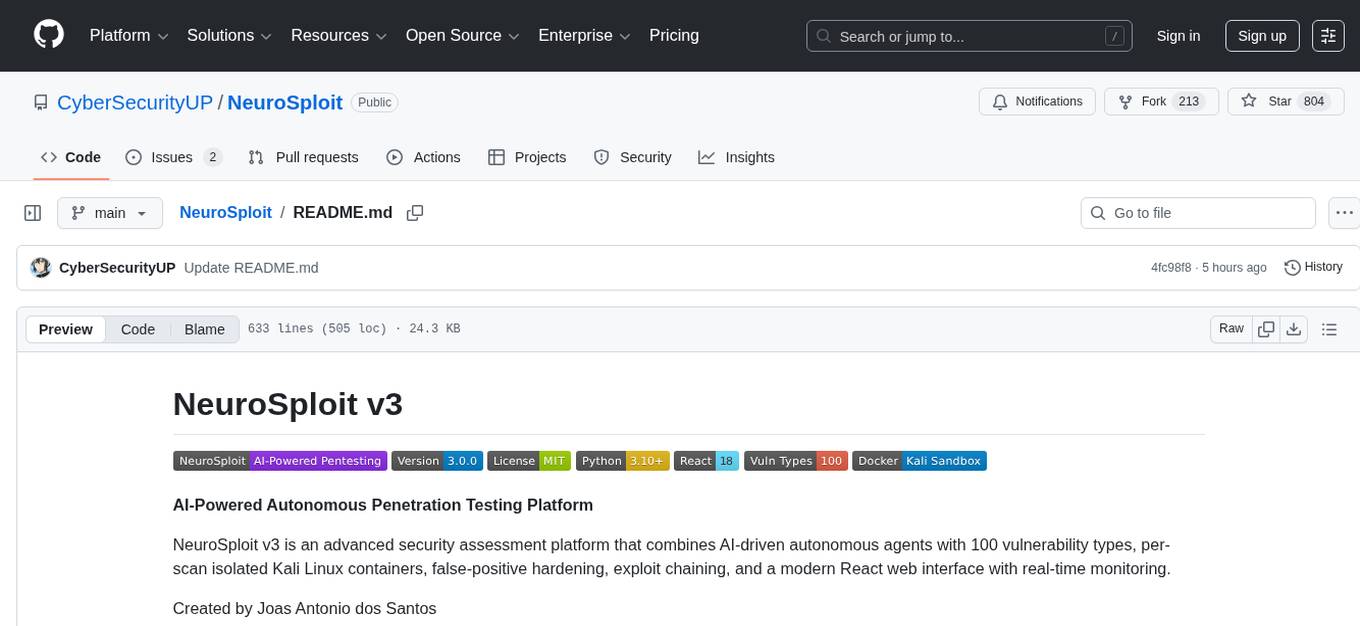
NeuroSploit
NeuroSploit v3 is an advanced security assessment platform that combines AI-driven autonomous agents with 100 vulnerability types, per-scan isolated Kali Linux containers, false-positive hardening, exploit chaining, and a modern React web interface with real-time monitoring. It offers features like 100 Vulnerability Types, Autonomous Agent with 3-stream parallel pentest, Per-Scan Kali Containers, Anti-Hallucination Pipeline, Exploit Chain Engine, WAF Detection & Bypass, Smart Strategy Adaptation, Multi-Provider LLM, Real-Time Dashboard, and Sandbox Dashboard. The tool is designed for authorized security testing purposes only, ensuring compliance with laws and regulations.
tinyclaw
TinyClaw is a lightweight wrapper around Claude Code that connects WhatsApp via QR code, processes messages sequentially, maintains conversation context, runs 24/7 in tmux, and is ready for multi-channel support. Its key innovation is the file-based queue system that prevents race conditions and enables multi-channel support. TinyClaw consists of components like whatsapp-client.js for WhatsApp I/O, queue-processor.js for message processing, heartbeat-cron.sh for health checks, and tinyclaw.sh as the main orchestrator with a CLI interface. It ensures no race conditions, is multi-channel ready, provides clean responses using claude -c -p, and supports persistent sessions. Security measures include local storage of WhatsApp session and queue files, channel-specific authentication, and running Claude with user permissions.
openclaw-mini
OpenClaw Mini is a simplified reproduction of the core architecture of OpenClaw, designed for learning system-level design of AI agents. It focuses on understanding the Agent Loop, session persistence, context management, long-term memory, skill systems, and active awakening. The project provides a minimal implementation to help users grasp the core design concepts of a production-level AI agent system.
OneRAG
OneRAG is a production-ready RAG backend tool that allows users to replace components with a single line of configuration. It addresses common issues in RAG development by simplifying tasks such as changing Vector DB, replacing LLM, and adding functionalities like caching and reranking. Users can easily switch between different components using configuration files, making it suitable for both PoC and production environments.
room
Quoroom is an open research project focused on autonomous agent collectives. It allows users to run a swarm of AI agents that pursue goals autonomously, with a Queen strategizing, Workers executing tasks, and Quorum voting on decisions. The tool enables agents to learn new skills, modify their behavior, manage a crypto wallet, and rent cloud stations for additional compute power. The architecture is inspired by swarm intelligence research, emphasizing decentralized decision-making and emergent behavior from local interactions.
myclaw
myclaw is a personal AI assistant built on agentsdk-go that offers a CLI agent for single message or interactive REPL mode, full orchestration with channels, cron, and heartbeat, support for various messaging channels like Telegram, Feishu, WeCom, WhatsApp, and a web UI, multi-provider support for Anthropic and OpenAI models, image recognition and document processing, scheduled tasks with JSON persistence, long-term and daily memory storage, custom skill loading, and more. It provides a comprehensive solution for interacting with AI models and managing tasks efficiently.
Rustchain
RustChain is a unique blockchain project that rewards vintage hardware based on age rather than speed. It uses a Proof-of-Antiquity consensus mechanism to recognize and incentivize old hardware. The project aims to preserve computing history and promote digital preservation by flipping the traditional mining model. RustChain offers a range of features including epoch-based rewards, hardware fingerprinting for authenticity, and a network architecture with live nodes and blockchain anchoring. The project also includes a bounty board, NFT badge system, security measures against VM detection, and hardware binding for wallet security. RustChain is open source and welcomes AI-assisted contributions with a focus on maintaining code quality.
fluid.sh
fluid.sh is a tool designed to manage and debug VMs using AI agents in isolated environments before applying changes to production. It provides a workflow where AI agents work autonomously in sandbox VMs, and human approval is required before any changes are made to production. The tool offers features like autonomous execution, full VM isolation, human-in-the-loop approval workflow, Ansible export, and a Python SDK for building autonomous agents.
starknet-agentic
Open-source stack for giving AI agents wallets, identity, reputation, and execution rails on Starknet. `starknet-agentic` is a monorepo with Cairo smart contracts for agent wallets, identity, reputation, and validation, TypeScript packages for MCP tools, A2A integration, and payment signing, reusable skills for common Starknet agent capabilities, and examples and docs for integration. It provides contract primitives + runtime tooling in one place for integrating agents. The repo includes various layers such as Agent Frameworks / Apps, Integration + Runtime Layer, Packages / Tooling Layer, Cairo Contract Layer, and Starknet L2. It aims for portability of agent integrations without giving up Starknet strengths, with a cross-chain interop strategy and skills marketplace. The repository layout consists of directories for contracts, packages, skills, examples, docs, and website.
codemap
Codemap is a project brain tool designed to provide instant architectural context for AI projects without consuming excessive tokens. It offers features such as tree visualization, file filtering, dependency flow analysis, and remote repository support. Codemap can be integrated with Claude for automatic context at session start and supports multi-agent handoff for seamless collaboration between different tools. The tool is powered by ast-grep and supports 18 languages for dependency analysis, making it versatile for various project types.
MediCareAI
MediCareAI is an intelligent disease management system powered by AI, designed for patient follow-up and disease tracking. It integrates medical guidelines, AI-powered diagnosis, and document processing to provide comprehensive healthcare support. The system includes features like user authentication, patient management, AI diagnosis, document processing, medical records management, knowledge base system, doctor collaboration platform, and admin system. It ensures privacy protection through automatic PII detection and cleaning for document sharing.
For similar tasks
lingti-bot
lingti-bot is an AI Bot platform that integrates MCP Server, multi-platform message gateway, rich toolset, intelligent conversation, and voice interaction. It offers core advantages like zero-dependency deployment with a single 30MB binary file, cloud relay support for quick integration with enterprise WeChat/WeChat Official Account, built-in browser automation with CDP protocol control, 75+ MCP tools covering various scenarios, native support for Chinese platforms like DingTalk, Feishu, enterprise WeChat, WeChat Official Account, and more. It is embeddable, supports multiple AI backends like Claude, DeepSeek, Kimi, MiniMax, and Gemini, and allows access from platforms like DingTalk, Feishu, enterprise WeChat, WeChat Official Account, Slack, Telegram, and Discord. The bot is designed with simplicity as the highest design principle, focusing on zero-dependency deployment, embeddability, plain text output, code restraint, and cloud relay support.
vibe-local
vibe-local is a free AI coding agent designed for offline workshops, non-profit research, and education purposes. It is a single-file Python agent with no external dependencies, running on the Python standard library only. The tool allows instructors to support learners with AI agents, enables students without paid plans to practice agent coding, and helps beginners learn terminal operations through natural language. It is built for scenarios where no network is available, making it suitable for offline environments.
For similar jobs

sweep
Sweep is an AI junior developer that turns bugs and feature requests into code changes. It automatically handles developer experience improvements like adding type hints and improving test coverage.

teams-ai
The Teams AI Library is a software development kit (SDK) that helps developers create bots that can interact with Teams and Microsoft 365 applications. It is built on top of the Bot Framework SDK and simplifies the process of developing bots that interact with Teams' artificial intelligence capabilities. The SDK is available for JavaScript/TypeScript, .NET, and Python.

ai-guide
This guide is dedicated to Large Language Models (LLMs) that you can run on your home computer. It assumes your PC is a lower-end, non-gaming setup.

classifai
Supercharge WordPress Content Workflows and Engagement with Artificial Intelligence. Tap into leading cloud-based services like OpenAI, Microsoft Azure AI, Google Gemini and IBM Watson to augment your WordPress-powered websites. Publish content faster while improving SEO performance and increasing audience engagement. ClassifAI integrates Artificial Intelligence and Machine Learning technologies to lighten your workload and eliminate tedious tasks, giving you more time to create original content that matters.

chatbot-ui
Chatbot UI is an open-source AI chat app that allows users to create and deploy their own AI chatbots. It is easy to use and can be customized to fit any need. Chatbot UI is perfect for businesses, developers, and anyone who wants to create a chatbot.

BricksLLM
BricksLLM is a cloud native AI gateway written in Go. Currently, it provides native support for OpenAI, Anthropic, Azure OpenAI and vLLM. BricksLLM aims to provide enterprise level infrastructure that can power any LLM production use cases. Here are some use cases for BricksLLM: * Set LLM usage limits for users on different pricing tiers * Track LLM usage on a per user and per organization basis * Block or redact requests containing PIIs * Improve LLM reliability with failovers, retries and caching * Distribute API keys with rate limits and cost limits for internal development/production use cases * Distribute API keys with rate limits and cost limits for students

uAgents
uAgents is a Python library developed by Fetch.ai that allows for the creation of autonomous AI agents. These agents can perform various tasks on a schedule or take action on various events. uAgents are easy to create and manage, and they are connected to a fast-growing network of other uAgents. They are also secure, with cryptographically secured messages and wallets.

griptape
Griptape is a modular Python framework for building AI-powered applications that securely connect to your enterprise data and APIs. It offers developers the ability to maintain control and flexibility at every step. Griptape's core components include Structures (Agents, Pipelines, and Workflows), Tasks, Tools, Memory (Conversation Memory, Task Memory, and Meta Memory), Drivers (Prompt and Embedding Drivers, Vector Store Drivers, Image Generation Drivers, Image Query Drivers, SQL Drivers, Web Scraper Drivers, and Conversation Memory Drivers), Engines (Query Engines, Extraction Engines, Summary Engines, Image Generation Engines, and Image Query Engines), and additional components (Rulesets, Loaders, Artifacts, Chunkers, and Tokenizers). Griptape enables developers to create AI-powered applications with ease and efficiency.