


lingti-bot
🐕⚡ 「极简至上 效率为王 一次编译 到处执行 极速接入」的 AI Bot
Stars: 67
lingti-bot is an AI Bot platform that integrates MCP Server, multi-platform message gateway, rich toolset, intelligent conversation, and voice interaction. It offers core advantages like zero-dependency deployment with a single 30MB binary file, cloud relay support for quick integration with enterprise WeChat/WeChat Official Account, built-in browser automation with CDP protocol control, 75+ MCP tools covering various scenarios, native support for Chinese platforms like DingTalk, Feishu, enterprise WeChat, WeChat Official Account, and more. It is embeddable, supports multiple AI backends like Claude, DeepSeek, Kimi, MiniMax, and Gemini, and allows access from platforms like DingTalk, Feishu, enterprise WeChat, WeChat Official Account, Slack, Telegram, and Discord. The bot is designed with simplicity as the highest design principle, focusing on zero-dependency deployment, embeddability, plain text output, code restraint, and cloud relay support.
README:
English | 中文
lingti-bot (灵小缇 cli.lingti.com/bot)
🐕⚡「极简至上 效率为王 一次编译 到处执行 极速接入」的 AI Bot



灵小缇 是一个集 MCP Server、多平台消息网关、丰富工具集、智能对话、语音交互于一体的 AI Bot 平台。
核心优势:
- 🚀 零依赖部署 — 单个 30MB 二进制文件,无需 Node.js/Python 运行时,一行命令安装即用
- ☁️ 云中继加持 — 无需公网服务器、域名备案、HTTPS 证书,5 分钟接入企业微信/微信公众号
- 🤖 浏览器自动化 — 内置 CDP 协议控制,快照-操作模式,无需 Puppeteer/Playwright 安装
- 🛠️ 75+ MCP 工具 — 覆盖文件、Shell、系统、网络、日历、Git、GitHub 等全场景
- 🌏 中国平台原生支持 — 钉钉、飞书、企业微信、微信公众号开箱即用
- 🔌 嵌入式友好 — 可编译到 ARM/MIPS,轻松部署到树莓派、路由器、NAS
- 🧠 多 AI 后端 — 集成 Claude、DeepSeek、Kimi、MiniMax、Gemini 等,按需切换
支持钉钉、飞书、企业微信、微信公众号、Slack、Telegram、Discord 等平台接入,既可通过云中继 5 分钟秒接,也可 OpenClaw 式传统自建部署。查看 开发路线图 了解更多功能规划。
🐕⚡ 为什么叫"灵小缇"? 灵缇犬(Greyhound)是世界上跑得最快的犬,以敏捷、忠诚著称。灵小缇同样敏捷高效,是你忠实的 AI 助手。
curl -fsSL https://cli.lingti.com/install.sh | bash -s -- --bot安装完成后,通过交互式向导完成首次配置:
lingti-bot onboard配置保存后,无需任何参数即可启动:
lingti-bot relay也可以通过命令行参数直接启动,适合运行多个实例或覆盖已有配置:
lingti-bot relay --platform wecom --provider deepseek --api-key sk-xxx |
 |
 |
| 💬 智能对话 | 📁 企微文件传输 | 🔍 信息搜索 |
make && dist/lingti-bot router
克隆代码后直接编译运行,配合 DeepSeek 模型,实时处理钉钉消息
用自然语言管理和传输文件 — 就像跟同事说话一样简单

直接在企业微信中用自然语言浏览、查找、传输电脑上的文件。无需远程桌面,无需 U 盘,对 AI 说一句话即可。
| lingti-bot | OpenClaw | |
|---|---|---|
| 语言 | 纯 Go 实现 | Node.js |
| 运行依赖 | 无(单一二进制) | 需要 Node.js 运行时 |
| 分发方式 | 单个可执行文件,复制即用 | npm 安装,依赖 node_modules |
| 嵌入式设备 | ✅ 可轻松部署到 ARM/MIPS 等小型设备 | ❌ 需要 Node.js 环境 |
| 安装大小 | ~15MB 单文件 | 100MB+ (含 node_modules) |
| 输出风格 | 纯文本,无彩色 | 彩色输出 |
| 设计哲学 | 极简主义,够用就好 | 功能丰富,灵活优先 |
| 中国平台 | 原生支持飞书/企微/钉钉 | 需自行集成 |
| 云中继 | ✅ 免自建服务器,秒级接入微信/企微 | ❌ 需自建 Web 服务 |
详细功能对比请参考:OpenClaw vs lingti-bot 技术特性对比
为什么选择纯 Go + 纯文本输出?
"Simplicity is the ultimate sophistication." — Leonardo da Vinci
lingti-bot 将简洁性作为最高设计原则:
-
零依赖部署 — 单一二进制,
scp到任何机器即可运行,无需安装 Node.js、Python 或其他运行时 - 嵌入式友好 — 可编译到 ARM、MIPS 等架构,轻松部署到树莓派、路由器、NAS 等小型设备
- 纯文本输出 — 不使用彩色终端输出,避免引入额外的渲染库或终端兼容性问题
- 代码克制 — 每一行代码都有明确的存在理由,拒绝过度设计
- 云中继加持 — 无需自建 Web 服务器,通过云中继秒级完成微信公众号、企业微信的回调验证,Bot 即刻上线
# 克隆即编译,编译即运行
git clone https://github.com/ruilisi/lingti-bot.git
cd lingti-bot && make
./dist/lingti-bot router --provider deepseek --api-key sk-xxx# 编译
make build
# 即可使用
./dist/lingti-bot serve无需 Docker,无需数据库,无需云服务。
所有功能都在本地运行,数据不会上传到云端。你的文件、日历、进程信息都安全地保留在本地。
核心功能支持 macOS、Linux、Windows。macOS 用户可享受日历、提醒事项、备忘录、音乐控制等原生功能。
支持的目标平台:
| 平台 | 架构 | 编译命令 |
|---|---|---|
| macOS | ARM64 (Apple Silicon) | make darwin-arm64 |
| macOS | AMD64 (Intel) | make darwin-amd64 |
| Linux | AMD64 | make linux-amd64 |
| Linux | ARM64 | make linux-arm64 |
| Linux | ARMv7 (树莓派等) | make linux-arm |
| Windows | AMD64 | make windows-amd64 |
灵小缇实现了完整的 MCP (Model Context Protocol) 协议,让任何支持 MCP 的 AI 客户端都能访问本地系统资源。
| 客户端 | 状态 | 说明 |
|---|---|---|
| Claude Desktop | ✅ | Anthropic 官方桌面客户端 |
| Cursor | ✅ | AI 代码编辑器 |
| Windsurf | ✅ | Codeium 的 AI IDE |
| 其他 MCP 客户端 | ✅ | 任何实现 MCP 协议的应用 |
特点: 无需额外配置、无需数据库、无需 Docker、无需云服务,单一二进制文件即可运行。
支持国内外主流企业消息平台,让团队在熟悉的工具中直接与 AI 对话。
| 平台 | 协议 | 接入方式 | 状态 |
|---|---|---|---|
| 企业微信 | 回调 API | 云中继 / 自建 | ✅ |
| 飞书/Lark | WebSocket | 一键接入 | ✅ |
| 微信公众号 | 云中继 | 10秒接入 | ✅ |
| Slack | Socket Mode | 一键接入 | ✅ |
| Telegram | Bot API | 一键接入 | ✅ |
| Discord | Gateway | 一键接入 | ✅ |
| 钉钉 | Stream Mode | 一键接入 | ✅ |
云中继优势: 无需公网服务器、无需域名备案、无需 HTTPS 证书、无需防火墙配置,5 分钟完成接入。
覆盖日常工作的方方面面,让 AI 成为你的全能助手。
| 分类 | 工具数 | 功能 |
|---|---|---|
| 文件操作 | 9 | 读写、搜索、整理、批量删除、废纸篓 |
| Shell 命令 | 2 | 命令执行、路径查找 |
| 系统信息 | 4 | CPU、内存、磁盘、环境变量 |
| 进程管理 | 3 | 列表、详情、终止 |
| 网络工具 | 4 | 接口、连接、Ping、DNS |
| 日历 | 6 | 查看、创建、搜索、删除日程 (macOS) |
| 提醒事项 | 5 | 列表、添加、完成、删除 (macOS) |
| 备忘录 | 6 | 文件夹、列表、读取、创建、搜索、删除 (macOS) |
| 天气 | 2 | 当前天气、多日预报 |
| 网页搜索 | 2 | DuckDuckGo 搜索、网页内容获取 |
| 剪贴板 | 2 | 读写剪贴板 |
| 截图 | 1 | 屏幕截图 |
| 系统通知 | 1 | 发送桌面通知 |
| 音乐控制 | 7 | 播放、暂停、切歌、音量、搜索 (macOS) |
| Git | 4 | 状态、日志、差异、分支 |
| GitHub | 6 | PR 列表/详情、Issue 管理、仓库信息 |
| 浏览器自动化 | 12 | 快照、点击、输入、截图、标签页管理 |
| 定时任务 | 5 | 创建、列表、删除、暂停、恢复计划任务 |
使用标准 Cron 表达式调度周期性任务,实现真正的无人值守自动化。
核心功能:
- 🕐 支持标准 Cron 表达式(分、时、日、月、周)
- 💾 任务持久化,重启后自动恢复
- 🔄 可暂停/恢复任务执行
- 📊 记录执行状态和错误信息
- 🛠️ 可调用任意 MCP 工具
快速示例:
# 每天凌晨 2 点执行备份
cron_create(
  name="daily-backup",
  schedule="0 2 * * *",
  tool="shell_execute",
  arguments={"command": "tar -czf ~/backup-$(date +%Y%m%d).tar.gz ~/data"}
)

# 每 15 分钟检查磁盘空间
cron_create(
  name="disk-check",
  schedule="*/15 * * * *",
  tool="disk_usage",
  arguments={"path": "/"}
)

# 工作日上午 9 点提醒
cron_create(
  name="morning-standup",
  schedule="0 9 * * 1-5",
  tool="notification_send",
  arguments={"title": "站会提醒", "message": "该开始今天的站会了!"}
)

# 查看所有定时任务
cron_list()

# 暂停任务
cron_pause(id="job-id-here")

# 恢复任务
cron_resume(id="job-id-here")

# 删除任务
cron_delete(id="job-id-here")
Cron 表达式格式:
* * * * *
│ │ │ │ │
│ │ │ │ └─ 星期 (0-6, 0=周日)
│ │ │ └─── 月份 (1-12)
│ │ └───── 日期 (1-31)
│ └─────── 小时 (0-23)
└───────── 分钟 (0-59)
常用表达式示例:
-
0 * * * *- 每小时整点执行 -
*/15 * * * *- 每 15 分钟执行 -
0 9 * * 1-5- 工作日上午 9 点 -
0 0 1 * *- 每月 1 号零点 -
30 8-18 * * *- 每天 8:30 到 18:30 每小时执行
任务配置保存在 ~/.lingti/crons.json,重启 MCP 服务后自动恢复运行。
支持多轮对话记忆,能够记住之前的对话内容,实现连续自然的交流体验。
| 特性 | 说明 |
|---|---|
| 上下文记忆 | 每个用户独立的对话上下文,最近 50 条消息 |
| 自动过期 | 对话 60 分钟无活动后自动清除 |
| 多 AI 后端 | Claude、DeepSeek、Kimi、MiniMax 按需切换 |
| 对话管理 |
/new、/reset、新对话 命令重置对话 |
支持语音输入和语音输出,实现真正的免提 AI 交互体验。
| 命令 | 说明 |
|---|---|
lingti-bot voice |
按 Enter 录音,AI 处理后返回文字/语音响应 |
lingti-bot talk |
持续监听模式,支持唤醒词激活 |
| 语音引擎 | 说明 |
|---|---|
| system | 系统原生(macOS say/whisper-cpp,Linux espeak) |
| openai | OpenAI TTS + Whisper API |
| elevenlabs | ElevenLabs 高品质 TTS |
特点: 本地语音识别(whisper-cpp)、多语言支持、唤醒词激活、连续对话模式。
Skills 是模块化的能力包,教会 lingti-bot 如何使用外部工具。每个 Skill 是一个包含 SKILL.md 文件的目录,通过 YAML frontmatter 声明依赖和元数据,通过 Markdown 正文提供 AI 指令。
# 列出所有已发现的 Skills
lingti-bot skills

# 查看就绪状态
lingti-bot skills check

# 查看某个 Skill 的详细信息
lingti-bot skills info github
内置 8 个 Skills:Discord、GitHub、Slack、Peekaboo(macOS UI 自动化)、Tmux、天气、1Password、Obsidian。支持用户自定义和项目级 Skills。
详细文档:Skills 指南
| 模块 | 说明 | 特点 |
|---|---|---|
| MCP Server | 标准 MCP 协议服务器 | 兼容 Claude Desktop、Cursor、Windsurf 等所有 MCP 客户端 |
| 多平台消息网关 | 消息平台集成 | 微信公众号、企业微信、Slack、飞书一键接入,支持云中继 |
| MCP 工具集 | 75+ 本地系统工具 | 文件、Shell、系统、网络、日历、Git、GitHub 等全覆盖 |
| Skills | 模块化能力扩展 | 8 个内置 Skill,支持自定义和项目级扩展 |
| 智能对话 | 多轮对话与记忆 | 上下文记忆、多 AI 后端(Claude/DeepSeek/Kimi/MiniMax) |
| 语音交互 | 语音输入/输出 | 本地 whisper-cpp、OpenAI、ElevenLabs 多引擎支持 |
告别公网服务器、告别复杂配置,让 AI Bot 接入像配置 Wi-Fi 一样简单
传统接入企业微信等平台需要:公网服务器 → 域名备案 → HTTPS 证书 → 防火墙配置 → 回调服务开发...
lingti-bot 云中继 将这一切简化为 3 步:
# 步骤 1: 安装
curl -fsSL https://cli.lingti.com/install.sh | bash -s -- --bot

# 步骤 2: 配置企业可信IP(应用管理 → 找到应用 → 企业可信IP → 添加 106.52.166.51)

# 步骤 3: 一条命令搞定验证和消息处理
lingti-bot relay --platform wecom \
  --wecom-corp-id ... --wecom-token ... --wecom-aes-key ... \
  --provider deepseek --api-key sk-xxx

# 然后去企业微信后台配置回调 URL: https://bot.lingti.com/wecom
工作原理:
企业微信(用户消息) --> bot.lingti.com(云中继) --WebSocket--> lingti-bot(本地AI处理)
优势对比:
| 传统方案 | 云中继方案 | |
|---|---|---|
| 公网服务器 | ✅ 需要 | ❌ 不需要 |
| 域名/备案 | ✅ 需要 | ❌ 不需要 |
| HTTPS证书 | ✅ 需要 | ❌ 不需要 |
| 回调服务开发 | ✅ 需要 | ❌ 不需要 |
| 接入时间 | 数天 | 5分钟 |
| AI处理位置 | 服务器 | 本地 |
| 数据安全 | 云端存储 | 本地处理 |
微信搜索公众号「灵缇小秘」,关注后发送任意消息获取接入教程,10秒将lingti-bot接入微信。 详细教程请参考:微信公众号接入指南
- 飞书商店应用正在上架流程中,目前可通过自建应用实现绑定。教程请参考:飞书集成指南
通过云中继模式,无需公网服务器即可接入企业微信:
# 1. 先去企业微信后台配置企业可信IP
#    应用管理 → 找到应用 → 企业可信IP → 添加: 106.52.166.51

# 2. 一条命令搞定验证和消息处理
lingti-bot relay --platform wecom \
  --wecom-corp-id YOUR_CORP_ID \
  --wecom-agent-id YOUR_AGENT_ID \
  --wecom-secret YOUR_SECRET \
  --wecom-token YOUR_TOKEN \
  --wecom-aes-key YOUR_AES_KEY \
  --provider deepseek \
  --api-key YOUR_API_KEY

# 3. 去企业微信后台配置回调 URL: https://bot.lingti.com/wecom
# 保存配置后验证自动完成,消息立即可以处理详细教程请参考:企业微信集成指南
使用 Stream 模式,无需公网服务器即可接入钉钉机器人:
# 一条命令搞定
lingti-bot router \
  --dingtalk-client-id YOUR_APP_KEY \
  --dingtalk-client-secret YOUR_APP_SECRET \
  --provider deepseek \
  --api-key YOUR_API_KEY
配置步骤:
- 登录 钉钉开放平台,创建企业内部应用
- 在应用详情页获取 AppKey (ClientID) 和 AppSecret (ClientSecret)
- 开启机器人功能,配置消息接收模式为 Stream 模式
- 运行上述命令即可
lingti-bot 是 lingti-cli 五位一体平台的核心开源组件。
我们正在打造 AI 时代开发者与知识工作者的终极效率平台:
| 模块 | 定位 | 说明 |
|---|---|---|
| CLI | 操控总台 | 统一入口,如同操作系统的引导程序 |
| Net | 全球网络 | 跨洲 200Mbps 加速,畅享全球 AI 服务 |
| Token | 数字员工 | Token 即代码,代码即生产力 |
| Bot | 助理管理 | 数字员工接入与管理,简单到极致 ← 本项目 |
| Code | 开发环境 | Terminal 回归舞台中央,极致输入效率 |
为什么是 cli.lingti.com/bot 而不是 bot.lingti.com?
因为 Bot 是 CLI 生态的一部分。IDE 正在消亡,纯粹的 Terminal 界面正在回归。未来的生产力工具,将围绕 CLI 重新构建。
联系我们 / 加入我们
| 邮件联系 | 扫码加群 |
|---|---|
无论您是追求极致效率的顶尖开发者、关注 AI 时代生产力变革的投资人,还是想成为 Sponsor,
欢迎联系:
[email protected]
/
[email protected]
|

|
                              lingti-bot
    +---------------+    +---------------+    +---------------+
    |  MCP Server   |    |   Message     |    |    Agent      |
    |   (stdio)     |    |   Gateway     |    |   (Claude)    |
    +-------+-------+    +-------+-------+    +-------+-------+
            |                    |                    |
            +--------------------+--------------------+
                                 |
                                 v
                       +-------------------+
                       |    MCP Tools      |
                       | Files, Shell, Net |
                       | System, Calendar  |
                       | Browser Automation|
                       +-------------------+
                                 |
            +--------------------+--------------------+
            |                                         |
            v                                         v
    +---------------+                       +------------------+
    | Claude Desktop|                       | Slack / Feishu   |
    | Cursor, etc.  |                       | Messaging Apps   |
    +---------------+                       +------------------+
灵小缇作为标准 MCP (Model Context Protocol) 服务器,让任何支持 MCP 的 AI 客户端都能访问本地系统资源。
- Claude Desktop - Anthropic 官方桌面客户端
- Cursor - AI 代码编辑器
- 其他 MCP 客户端 - 任何实现 MCP 协议的应用
Claude Desktop (~/Library/Application Support/Claude/claude_desktop_config.json):
{
  "mcpServers": {
    "lingti-bot": {
      "command": "/path/to/lingti-bot",
      "args": ["serve"]
    }
  }
}
Cursor (.cursor/mcp.json):
{
  "mcpServers": {
    "lingti-bot": {
      "command": "/path/to/lingti-bot",
      "args": ["serve"]
    }
  }
}
就这么简单!重启客户端后,AI 助手即可使用所有 lingti-bot 提供的工具。
- 无需额外配置 - 一个二进制文件,两行配置
- 无需数据库 - 无外部依赖
- 无需 Docker - 单一静态二进制
- 无需云服务 - 完全本地运行
灵小缇支持多种企业消息平台,让你的团队在熟悉的工具中直接与 AI 对话。
| 平台 | 协议 | 状态 |
|---|---|---|
| Slack | Socket Mode | ✅ 已支持 |
| 飞书/Lark | WebSocket | ✅ 已支持 |
| Telegram | Bot API | ✅ 已支持 |
| Discord | Gateway | ✅ 已支持 |
| 云中继 | WebSocket | ✅ 已支持 |
| 钉钉 | Stream Mode | ✅ 已支持 |
| 企业微信 | 回调 API | ✅ 已支持 |
灵小缇提供 1 分钟内一键接入方式,无需复杂配置:
# 设置 API 密钥
export ANTHROPIC_API_KEY="sk-ant-your-api-key"

# Slack 一键接入
export SLACK_BOT_TOKEN="xoxb-..."
export SLACK_APP_TOKEN="xapp-..."

# 飞书一键接入
export FEISHU_APP_ID="cli_..."
export FEISHU_APP_SECRET="..."

# 启动网关
./lingti-bot router支持多种 AI 服务,按需切换:
| AI 服务 | 环境变量 | Provider 参数 | 默认模型 |
|---|---|---|---|
| Claude (Anthropic) | ANTHROPIC_API_KEY |
claude / anthropic
|
claude-sonnet-4.5 |
| Kimi (月之暗面) | KIMI_API_KEY |
kimi / moonshot
|
moonshot-v1-8k |
| DeepSeek | DEEPSEEK_API_KEY |
deepseek |
deepseek-chat |
| Qwen (通义千问) | QWEN_API_KEY |
qwen / qianwen / tongyi
|
qwen-plus |
千问使用示例:
# 使用环境变量
export QWEN_API_KEY="sk-your-qwen-api-key"
lingti-bot router --provider qwen

# 使用命令行参数
lingti-bot router \
  --provider qwen \
  --api-key "sk-your-qwen-api-key" \
  --model "qwen-plus"

# 可用模型:qwen-plus(推荐)、qwen-turbo、qwen-max、qwen-long
获取千问 API Key:访问 阿里云百炼平台 创建 DashScope API Key。
- 命令行参考 - 完整的命令行使用文档
- Skills 指南 - Skills 系统详解:创建、发现、配置
- Slack 集成指南 - 完整的 Slack 应用配置教程
- 飞书集成指南 - 飞书/Lark 应用配置教程
- 企业微信集成指南 - 企业微信应用配置教程
- 浏览器自动化指南 - 快照-操作模式的浏览器控制
- OpenClaw 技术特性对比 - 详细功能差异分析
灵小缇提供 75+ MCP 工具,覆盖日常工作的方方面面。包含全新的浏览器自动化能力。
| 分类 | 工具数 | 说明 |
|---|---|---|
| 文件操作 | 9 | 读写、搜索、整理、废纸篓 |
| Shell 命令 | 2 | 命令执行、路径查找 |
| 系统信息 | 4 | CPU、内存、磁盘、环境变量 |
| 进程管理 | 3 | 列表、详情、终止 |
| 网络工具 | 4 | 接口、连接、Ping、DNS |
| 日历 (macOS) | 6 | 查看、创建、搜索、删除 |
| 提醒事项 (macOS) | 5 | 列表、添加、完成、删除 |
| 备忘录 (macOS) | 6 | 文件夹、列表、读取、创建、搜索、删除 |
| 天气 | 2 | 当前天气、预报 |
| 网页搜索 | 2 | DuckDuckGo 搜索、网页获取 |
| 剪贴板 | 2 | 读写剪贴板 |
| 截图 | 1 | 屏幕截图 |
| 系统通知 | 1 | 发送通知 |
| 音乐控制 (macOS) | 7 | 播放、暂停、切歌、音量 |
| Git | 4 | 状态、日志、差异、分支 |
| GitHub | 6 | PR、Issue、仓库信息 |
| 浏览器自动化 | 12 | 快照、点击、输入、截图、标签页 |
| 工具 | 功能 |
|---|---|
file_read |
读取文件内容 |
file_write |
写入文件内容 |
file_list |
列出目录内容 |
file_search |
按模式搜索文件 |
file_info |
获取文件详细信息 |
file_list_old |
列出长时间未修改的文件 |
file_delete_old |
删除长时间未修改的文件 |
file_delete_list |
批量删除指定文件 |
file_trash |
移动文件到废纸篓(macOS) |
| 工具 | 功能 |
|---|---|
shell_execute |
执行 Shell 命令 |
shell_which |
查找可执行文件路径 |
| 工具 | 功能 |
|---|---|
system_info |
获取系统信息(CPU、内存、OS) |
disk_usage |
获取磁盘使用情况 |
env_get |
获取环境变量 |
env_list |
列出所有环境变量 |
| 工具 | 功能 |
|---|---|
process_list |
列出运行中的进程 |
process_info |
获取进程详细信息 |
process_kill |
终止进程 |
| 工具 | 功能 |
|---|---|
network_interfaces |
列出网络接口 |
network_connections |
列出活动网络连接 |
network_ping |
TCP 连接测试 |
network_dns_lookup |
DNS 查询 |
| 工具 | 功能 |
|---|---|
calendar_today |
获取今日日程 |
calendar_list_events |
列出未来事件 |
calendar_create_event |
创建日历事件 |
calendar_search |
搜索日历事件 |
calendar_delete_event |
删除日历事件 |
calendar_list_calendars |
列出所有日历 |
| 工具 | 功能 |
|---|---|
reminders_today |
获取今日待办事项 |
reminders_add |
添加新提醒 |
reminders_complete |
标记提醒为已完成 |
reminders_delete |
删除提醒 |
reminders_list_lists |
列出所有提醒列表 |
| 工具 | 功能 |
|---|---|
notes_list_folders |
列出备忘录文件夹 |
notes_list |
列出备忘录 |
notes_read |
读取备忘录内容 |
notes_create |
创建新备忘录 |
notes_search |
搜索备忘录 |
notes_delete |
删除备忘录 |
| 工具 | 功能 |
|---|---|
weather_current |
获取当前天气 |
weather_forecast |
获取天气预报 |
| 工具 | 功能 |
|---|---|
web_search |
DuckDuckGo 搜索 |
web_fetch |
获取网页内容 |
| 工具 | 功能 |
|---|---|
clipboard_read |
读取剪贴板内容 |
clipboard_write |
写入剪贴板 |
| 工具 | 功能 |
|---|---|
notification_send |
发送系统通知 |
| 工具 | 功能 |
|---|---|
screenshot |
截取屏幕截图 |
| 工具 | 功能 |
|---|---|
music_play |
播放音乐 |
music_pause |
暂停音乐 |
music_next |
下一首 |
music_previous |
上一首 |
music_now_playing |
获取当前播放信息 |
music_volume |
设置音量 |
music_search |
搜索并播放音乐 |
| 工具 | 功能 |
|---|---|
git_status |
查看仓库状态 |
git_log |
查看提交日志 |
git_diff |
查看文件差异 |
git_branch |
查看分支信息 |
| 工具 | 功能 |
|---|---|
github_pr_list |
列出 Pull Requests |
github_pr_view |
查看 PR 详情 |
github_issue_list |
列出 Issues |
github_issue_view |
查看 Issue 详情 |
github_issue_create |
创建新 Issue |
github_repo_view |
查看仓库信息 |
基于 go-rod 的纯 Go 浏览器自动化,采用**快照-操作(Snapshot-then-Act)**模式。详细文档:浏览器自动化指南
| 工具 | 功能 |
|---|---|
browser_start |
启动浏览器(支持无头模式) |
browser_stop |
关闭浏览器 |
browser_status |
查看浏览器状态 |
browser_navigate |
导航到指定 URL |
browser_snapshot |
获取页面无障碍快照(带编号 ref) |
browser_screenshot |
截取页面截图 |
browser_click |
点击元素(按 ref 编号) |
browser_type |
向元素输入文本(按 ref 编号) |
browser_press |
按下键盘按键 |
browser_tabs |
列出所有标签页 |
browser_tab_open |
打开新标签页 |
browser_tab_close |
关闭标签页 |
使用流程: browser_snapshot 获取编号 → browser_click/browser_type 操作元素 → 页面变化后重新 browser_snapshot
| 工具 | 功能 |
|---|---|
open_url |
在浏览器中打开 URL |
灵小缇支持多轮对话记忆,能够记住之前的对话内容,实现连续自然的交流体验。
- 每个用户在每个频道有独立的对话上下文
- 自动保存最近 50 条消息
- 对话 60 分钟无活动后自动过期
- 支持跨多轮对话的上下文理解
用户:我叫小明,今年25岁
AI:你好小明!很高兴认识你。

用户:我叫什么名字?
AI:你叫小明。

用户:我多大了?
AI:你今年25岁。

用户:帮我创建一个日程,标题就用我的名字
AI:好的,我帮你创建了一个标题为"小明"的日程。
| 命令 | 说明 |
|---|---|
/new |
开始新对话,清除历史记忆 |
/reset |
同上 |
/clear |
同上 |
新对话 |
中文命令,开始新对话 |
清除历史 |
中文命令,清除对话历史 |
提示:当你想让 AI "忘记"之前的内容重新开始时,只需发送
/new即可。
灵小缇支持语音输入和语音输出,让你可以完全通过语音与 AI 交互,解放双手。
| 模式 | 命令 | 说明 |
|---|---|---|
| Voice 模式 | lingti-bot voice |
按 Enter 开始录音,录音结束后 AI 处理并响应 |
| Talk 模式 | lingti-bot talk |
持续监听,支持唤醒词激活,连续对话 |
| 引擎 | STT(语音转文字) | TTS(文字转语音) | 说明 |
|---|---|---|---|
| system | whisper-cpp | macOS say / Linux espeak | 本地处理,无需联网 |
| openai | Whisper API | OpenAI TTS | 云端处理,效果好 |
| elevenlabs | - | ElevenLabs API | 高品质语音合成 |
# Voice 模式(按 Enter 录音)
lingti-bot voice --api-key sk-xxx

# 指定录音时长和语言
lingti-bot voice -d 10 -l zh --api-key sk-xxx

# 启用语音回复
lingti-bot voice --speak --api-key sk-xxx

# Talk 模式(持续监听)
lingti-bot talk --api-key sk-xxx

# 使用 OpenAI 语音引擎
lingti-bot voice --provider openai --voice-api-key sk-xxx --api-key sk-xxx| 变量 | 说明 |
|---|---|
VOICE_PROVIDER |
语音引擎:system、openai、elevenlabs |
VOICE_API_KEY |
语音 API 密钥(OpenAI 或 ElevenLabs) |
WHISPER_MODEL |
whisper-cpp 模型路径 |
WAKE_WORD |
唤醒词(如 "hey lingti") |
提示:首次使用 system 引擎时会自动下载 whisper-cpp 模型(约 141MB)。
从源码编译
git clone https://github.com/ruilisi/lingti-bot.git
cd lingti-bot
make build  # 或: make darwin-arm64 / make linux-amd64
手动下载
前往 GitHub Releases 下载对应平台的二进制文件。
方式一:MCP Server 模式
配置 Claude Desktop 或 Cursor,详见 MCP Server 章节。
方式二:消息网关模式
连接 Slack、飞书等平台,详见 多平台消息网关 章节。
配置完成后,你可以让 AI 助手执行以下操作:
"今天有什么日程安排?"
"这周有哪些会议?"
"帮我创建一个明天下午3点的会议,标题是'产品评审'"
"搜索所有包含'周报'的日程"
"列出桌面上的所有文件"
"读取 ~/Documents/notes.txt 的内容"
"将 ~/Desktop/报告.pdf 发送给我"
"把 Documents 里的产品介绍发给我"
"桌面上超过30天没动过的文件有哪些?"
"帮我把这些旧文件移到废纸篓"
"我的电脑配置是什么?"
"现在 CPU 占用多少?"
"Chrome 占用了多少内存?"
"结束 PID 1234 的进程"
"我的 IP 地址是什么?"
"帮我搜索一下最新的 AI 新闻"
"查询 github.com 的 DNS"
"播放音乐"
"下一首"
"音量调到 50%"
"播放周杰伦的歌"
"查看今天的日程,然后检查天气,最后列出待办事项"
"帮我整理桌面:列出超过60天的旧文件,然后移到废纸篓"
"搜索最近的科技新闻,整理成备忘录"
lingti-bot/
├── main.go                 # 程序入口
├── Makefile                # 构建脚本
├── go.mod                  # Go 模块定义
│
├── cmd/                    # 命令行接口
│   ├── root.go             # 根命令
│   ├── serve.go            # MCP 服务器命令
│   ├── service.go          # 系统服务管理
│   └── version.go          # 版本信息
│
├── internal/
│   ├── mcp/
│   │   └── server.go       # MCP 服务器实现
│   │
│   ├── browser/            # 浏览器自动化引擎
│   │   ├── browser.go      # 浏览器生命周期管理
│   │   ├── snapshot.go     # 无障碍树快照与 ref 映射
│   │   └── actions.go      # 元素交互(点击、输入、悬停)
│   │
│   ├── tools/              # MCP 工具实现
│   │   ├── filesystem.go   # 文件读写、列表、搜索
│   │   ├── shell.go        # Shell 命令执行
│   │   ├── system.go       # 系统信息、磁盘、环境变量
│   │   ├── process.go      # 进程列表、信息、终止
│   │   ├── network.go      # 网络接口、连接、DNS
│   │   ├── calendar.go     # macOS 日历集成
│   │   ├── filemanager.go  # 文件整理(清理旧文件)
│   │   ├── reminders.go    # macOS 提醒事项
│   │   ├── notes.go        # macOS 备忘录
│   │   ├── weather.go      # 天气查询(wttr.in)
│   │   ├── websearch.go    # 网页搜索和获取
│   │   ├── clipboard.go    # 剪贴板读写
│   │   ├── notification.go # 系统通知
│   │   ├── screenshot.go   # 屏幕截图
│   │   ├── browser.go      # 浏览器自动化工具(12个)
│   │   └── music.go        # 音乐控制(Spotify/Apple Music)
│   │
│   ├── router/
│   │   └── router.go       # 多平台消息路由器
│   │
│   ├── platforms/          # 消息平台集成
│   │   ├── slack/
│   │   │   └── slack.go    # Slack Socket Mode
│   │   └── feishu/
│   │       └── feishu.go   # 飞书 WebSocket
│   │
│   ├── agent/
│   │   ├── tools.go        # Agent 工具执行
│   │   └── memory.go       # 会话记忆
│   │
│   └── service/
│       └── manager.go      # 系统服务管理
│
└── docs/                   # 文档
    ├── slack-integration.md    # Slack 集成指南
    ├── feishu-integration.md   # 飞书集成指南
    └── openclaw-reference.md   # 架构参考
# 开发
make build          # 编译当前平台
make run            # 本地运行
make test           # 运行测试
make fmt            # 格式化代码
make lint           # 代码检查
make clean          # 清理构建产物
make version        # 显示版本

# 跨平台编译
make darwin-arm64   # macOS Apple Silicon
make darwin-amd64   # macOS Intel
make darwin-universal # macOS 通用二进制
make linux-amd64    # Linux x64
make linux-arm64    # Linux ARM64
make linux-all      # 所有 Linux 平台
make all            # 所有平台

# 服务管理
make install        # 安装为系统服务
make uninstall      # 卸载系统服务
make start          # 启动服务
make stop           # 停止服务
make status         # 查看服务状态

# macOS 签名
make codesign # 代码签名(需要开发者证书)这些选项可用于所有命令,放在子命令之前使用。
| 选项 | 简写 | 说明 | 默认值 |
|---|---|---|---|
--yes |
-y |
自动批准模式 - 跳过所有确认提示,直接执行操作 | false |
--debug |
- | 调试模式 - 启用详细日志和浏览器截图 | false |
--log <level> |
- | 日志级别 - silent, info, verbose, very-verbose | info |
--debug-dir <path> |
- | 调试目录 - 保存调试截图的路径 | /tmp/lingti-bot |
启用后,AI 将立即执行文件写入、删除、Shell 命令等操作,无需每次询问确认。
适用场景:
- ✅ 批量文件处理
- ✅ 代码生成和重构
- ✅ 文档自动更新
- ✅ CI/CD 自动化流程
- ✅ 信任环境下的快速操作
不适用场景:
- ❌ 生产环境服务器
- ❌ 共享系统
- ❌ 首次尝试新操作
- ❌ 涉及敏感数据
使用示例:
# 启用自动批准
lingti-bot --yes router --provider deepseek --api-key sk-xxx

# 简写形式
lingti-bot -y router --provider deepseek --api-key sk-xxx

# 结合调试模式
lingti-bot --yes --debug router --provider deepseek --api-key sk-xxx
行为对比:
# 不使用 --yes(默认)
用户:保存这个文件到 config.yaml
AI:  我已经准备好内容。是否确认保存到 config.yaml?
用户:是的
AI:  ✅ 已保存到 config.yaml

# 使用 --yes
用户:保存这个文件到 config.yaml
AI:  ✅ 已保存到 config.yaml (247 字节)
安全提示:
- 在 git 仓库中使用
--yes最安全,可随时通过git diff查看变更 - 建议先在测试目录中尝试
--yes模式 - 即使启用
--yes,危险操作(如rm -rf /)仍会被拒绝
详细文档:
启用后自动设置日志级别为 very-verbose,并在浏览器操作出错时保存截图。
lingti-bot --debug router --provider deepseek --api-key sk-xxx详细文档:
| 变量 | 说明 | 必需 |
|---|---|---|
ANTHROPIC_API_KEY |
Anthropic API 密钥 | 路由器模式必需 |
ANTHROPIC_BASE_URL |
自定义 API 地址 | 可选 |
ANTHROPIC_MODEL |
使用的模型 | 可选 |
SLACK_BOT_TOKEN |
Slack Bot Token (xoxb-...) |
Slack 集成必需 |
SLACK_APP_TOKEN |
Slack App Token (xapp-...) |
Slack 集成必需 |
FEISHU_APP_ID |
飞书 App ID | 飞书集成必需 |
FEISHU_APP_SECRET |
飞书 App Secret | 飞书集成必需 |
DINGTALK_CLIENT_ID |
钉钉 AppKey | 钉钉集成必需 |
DINGTALK_CLIENT_SECRET |
钉钉 AppSecret | 钉钉集成必需 |
- lingti-bot 提供对本地系统的访问能力,请在可信环境中使用
- Shell 命令执行有基本的危险命令过滤,但仍需谨慎
- API 密钥等敏感信息请使用环境变量,不要提交到版本控制
- 生产环境建议使用专用服务账号运行
- mcp-go - MCP 协议 Go 实现
- cobra - CLI 框架
- gopsutil - 系统信息
- slack-go - Slack SDK
- oapi-sdk-go - 飞书/Lark SDK
- go-anthropic - Anthropic API 客户端
MIT License
欢迎提交 Issue 和 Pull Request!
本项目完全在 lingti-code 环境中编写完成。
lingti-code 是一个一体化的 AI 就绪开发环境平台,基于 Tmux + Neovim + Zsh 构建,支持 macOS、Ubuntu 和 Docker 部署。
核心组件:
- Shell - ZSH + Prezto 框架,100+ 常用别名和函数,fasd 智能导航
- Editor - Neovim + SpaceVim 发行版,LSP 集成,GitHub Copilot 支持
- Terminal - Tmux 终端复用,vim 风格键绑定,会话管理
- 版本控制 - Git 最佳实践配置,丰富的 Git 别名
- 开发工具 - asdf 版本管理器,ctags,IRB/Pry 增强
AI 集成:
- Claude Code CLI 配置,支持项目感知的 CLAUDE.md 文件
- 自定义状态栏显示 Token 用量
- 预配置 LSP 插件(Python basedpyright、Go gopls)
一键安装:
bash -c "$(curl -fsSL https://raw.githubusercontent.com/lingti/lingti-code/master/install.sh)"灵小缇 - 你的敏捷 AI 助手 🐕
For Tasks:
Click tags to check more tools for each tasksFor Jobs:
Alternative AI tools for lingti-bot
Similar Open Source Tools
lingti-bot
lingti-bot is an AI Bot platform that integrates MCP Server, multi-platform message gateway, rich toolset, intelligent conversation, and voice interaction. It offers core advantages like zero-dependency deployment with a single 30MB binary file, cloud relay support for quick integration with enterprise WeChat/WeChat Official Account, built-in browser automation with CDP protocol control, 75+ MCP tools covering various scenarios, native support for Chinese platforms like DingTalk, Feishu, enterprise WeChat, WeChat Official Account, and more. It is embeddable, supports multiple AI backends like Claude, DeepSeek, Kimi, MiniMax, and Gemini, and allows access from platforms like DingTalk, Feishu, enterprise WeChat, WeChat Official Account, Slack, Telegram, and Discord. The bot is designed with simplicity as the highest design principle, focusing on zero-dependency deployment, embeddability, plain text output, code restraint, and cloud relay support.
jimeng-free-api-all
Jimeng AI Free API is a reverse-engineered API server that encapsulates Jimeng AI's image and video generation capabilities into OpenAI-compatible API interfaces. It supports the latest jimeng-5.0-preview, jimeng-4.6 text-to-image models, Seedance 2.0 multi-image intelligent video generation, zero-configuration deployment, and multi-token support. The API is fully compatible with OpenAI API format, seamlessly integrating with existing clients and supporting multiple session IDs for polling usage.
Feishu-MCP
Feishu-MCP is a server that provides access, editing, and structured processing capabilities for Feishu documents for Cursor, Windsurf, Cline, and other AI-driven coding tools, based on the Model Context Protocol server. This project enables AI coding tools to directly access and understand the structured content of Feishu documents, significantly improving the intelligence and efficiency of document processing. It covers the real usage process of Feishu documents, allowing efficient utilization of document resources, including folder directory retrieval, content retrieval and understanding, smart creation and editing, efficient search and retrieval, and more. It enhances the intelligent access, editing, and searching of Feishu documents in daily usage, improving content processing efficiency and experience.
BlueLM
BlueLM is a large-scale pre-trained language model developed by vivo AI Global Research Institute, featuring 7B base and chat models. It includes high-quality training data with a token scale of 26 trillion, supporting both Chinese and English languages. BlueLM-7B-Chat excels in C-Eval and CMMLU evaluations, providing strong competition among open-source models of similar size. The models support 32K long texts for better context understanding while maintaining base capabilities. BlueLM welcomes developers for academic research and commercial applications.
prisma-ai
Prisma-AI is an open-source tool designed to assist users in their job search process by addressing common challenges such as lack of project highlights, mismatched resumes, difficulty in learning, and lack of answers in interview experiences. The tool utilizes AI to analyze user experiences, generate actionable project highlights, customize resumes for specific job positions, provide study materials for efficient learning, and offer structured interview answers. It also features a user-friendly interface for easy deployment and supports continuous improvement through user feedback and collaboration.
ai-toolbox
AI Toolbox is a cross-platform desktop application designed to efficiently manage various AI programming assistant configurations. It supports Windows, macOS, and Linux. The tool provides visual management of OpenCode, Oh-My-OpenCode, Slim plugin configurations, Claude Code API supplier configurations, Codex CLI configurations, MCP server management, Skills management, WSL synchronization, AI supplier management, system tray for quick configuration switching, data backup, theme switching, multilingual support, and automatic update checks.
XiaoXinAir14IML_2019_hackintosh
XiaoXinAir14IML_2019_hackintosh is a repository dedicated to enabling macOS installation on Lenovo XiaoXin Air-14 IML 2019 laptops. The repository provides detailed information on the hardware specifications, supported systems, BIOS versions, related models, installation methods, updates, patches, and recommended settings. It also includes tools and guides for BIOS modifications, enabling high-resolution display settings, Bluetooth synchronization between macOS and Windows 10, voltage adjustments for efficiency, and experimental support for YogaSMC. The repository offers solutions for various issues like sleep support, sound card emulation, and battery information. It acknowledges the contributions of developers and tools like OpenCore, itlwm, VoodooI2C, and ALCPlugFix.
DeepAudit
DeepAudit is an AI audit team accessible to everyone, making vulnerability discovery within reach. It is a next-generation code security audit platform based on Multi-Agent collaborative architecture. It simulates the thinking mode of security experts, achieving deep code understanding, vulnerability discovery, and automated sandbox PoC verification through multiple intelligent agents (Orchestrator, Recon, Analysis, Verification). DeepAudit aims to address the three major pain points of traditional SAST tools: high false positive rate, blind spots in business logic, and lack of verification means. Users only need to import the project, and DeepAudit automatically starts working: identifying the technology stack, analyzing potential risks, generating scripts, sandbox verification, and generating reports, ultimately outputting a professional audit report. The core concept is to let AI attack like a hacker and defend like an expert.
tradecat
TradeCat is a comprehensive data analysis and trading platform designed for cryptocurrency, stock, and macroeconomic data. It offers a wide range of features including multi-market data collection, technical indicator modules, AI analysis, signal detection engine, Telegram bot integration, and more. The platform utilizes technologies like Python, TimescaleDB, TA-Lib, Pandas, NumPy, and various APIs to provide users with valuable insights and tools for trading decisions. With a modular architecture and detailed documentation, TradeCat aims to empower users in making informed trading decisions across different markets.
gpt_server
The GPT Server project leverages the basic capabilities of FastChat to provide the capabilities of an openai server. It perfectly adapts more models, optimizes models with poor compatibility in FastChat, and supports loading vllm, LMDeploy, and hf in various ways. It also supports all sentence_transformers compatible semantic vector models, including Chat templates with function roles, Function Calling (Tools) capability, and multi-modal large models. The project aims to reduce the difficulty of model adaptation and project usage, making it easier to deploy the latest models with minimal code changes.
ai-app
The 'ai-app' repository is a comprehensive collection of tools and resources related to artificial intelligence, focusing on topics such as server environment setup, PyCharm and Anaconda installation, large model deployment and training, Transformer principles, RAG technology, vector databases, AI image, voice, and music generation, and AI Agent frameworks. It also includes practical guides and tutorials on implementing various AI applications. The repository serves as a valuable resource for individuals interested in exploring different aspects of AI technology.
daily_stock_analysis
The daily_stock_analysis repository is an intelligent stock analysis system based on AI large models for A-share/Hong Kong stock/US stock selection. It automatically analyzes and pushes a 'decision dashboard' to WeChat Work/Feishu/Telegram/email daily. The system features multi-dimensional analysis, global market support, market review, AI backtesting validation, multi-channel notifications, and scheduled execution using GitHub Actions. It utilizes AI models like Gemini, OpenAI, DeepSeek, and data sources like AkShare, Tushare, Pytdx, Baostock, YFinance for analysis. The system includes built-in trading disciplines like risk warning, trend trading, precise entry/exit points, and checklist marking for conditions.
DISC-LawLLM
DISC-LawLLM is a legal domain large model that aims to provide professional, intelligent, and comprehensive **legal services** to users. It is developed and open-sourced by the Data Intelligence and Social Computing Lab (Fudan-DISC) at Fudan University.
AI-Guide-and-Demos-zh_CN
This is a Chinese AI/LLM introductory project that aims to help students overcome the initial difficulties of accessing foreign large models' APIs. The project uses the OpenAI SDK to provide a more compatible learning experience. It covers topics such as AI video summarization, LLM fine-tuning, and AI image generation. The project also offers a CodePlayground for easy setup and one-line script execution to experience the charm of AI. It includes guides on API usage, LLM configuration, building AI applications with Gradio, customizing prompts for better model performance, understanding LoRA, and more.
k8m
k8m is an AI-driven Mini Kubernetes AI Dashboard lightweight console tool designed to simplify cluster management. It is built on AMIS and uses 'kom' as the Kubernetes API client. k8m has built-in Qwen2.5-Coder-7B model interaction capabilities and supports integration with your own private large models. Its key features include miniaturized design for easy deployment, user-friendly interface for intuitive operation, efficient performance with backend in Golang and frontend based on Baidu AMIS, pod file management for browsing, editing, uploading, downloading, and deleting files, pod runtime management for real-time log viewing, log downloading, and executing shell commands within pods, CRD management for automatic discovery and management of CRD resources, and intelligent translation and diagnosis based on ChatGPT for YAML property translation, Describe information interpretation, AI log diagnosis, and command recommendations, providing intelligent support for managing k8s. It is cross-platform compatible with Linux, macOS, and Windows, supporting multiple architectures like x86 and ARM for seamless operation. k8m's design philosophy is 'AI-driven, lightweight and efficient, simplifying complexity,' helping developers and operators quickly get started and easily manage Kubernetes clusters.
MiniCPM
MiniCPM is a series of open-source large models on the client side jointly developed by Face Intelligence and Tsinghua University Natural Language Processing Laboratory. The main language model MiniCPM-2B has only 2.4 billion (2.4B) non-word embedding parameters, with a total of 2.7B parameters. - After SFT, MiniCPM-2B performs similarly to Mistral-7B on public comprehensive evaluation sets (better in Chinese, mathematics, and code capabilities), and outperforms models such as Llama2-13B, MPT-30B, and Falcon-40B overall. - After DPO, MiniCPM-2B also surpasses many representative open-source large models such as Llama2-70B-Chat, Vicuna-33B, Mistral-7B-Instruct-v0.1, and Zephyr-7B-alpha on the current evaluation set MTBench, which is closest to the user experience. - Based on MiniCPM-2B, a multi-modal large model MiniCPM-V 2.0 on the client side is constructed, which achieves the best performance of models below 7B in multiple test benchmarks, and surpasses larger parameter scale models such as Qwen-VL-Chat 9.6B, CogVLM-Chat 17.4B, and Yi-VL 34B on the OpenCompass leaderboard. MiniCPM-V 2.0 also demonstrates leading OCR capabilities, approaching Gemini Pro in scene text recognition capabilities. - After Int4 quantization, MiniCPM can be deployed and inferred on mobile phones, with a streaming output speed slightly higher than human speech speed. MiniCPM-V also directly runs through the deployment of multi-modal large models on mobile phones. - A single 1080/2080 can efficiently fine-tune parameters, and a single 3090/4090 can fully fine-tune parameters. A single machine can continuously train MiniCPM, and the secondary development cost is relatively low.
For similar tasks
lingti-bot
lingti-bot is an AI Bot platform that integrates MCP Server, multi-platform message gateway, rich toolset, intelligent conversation, and voice interaction. It offers core advantages like zero-dependency deployment with a single 30MB binary file, cloud relay support for quick integration with enterprise WeChat/WeChat Official Account, built-in browser automation with CDP protocol control, 75+ MCP tools covering various scenarios, native support for Chinese platforms like DingTalk, Feishu, enterprise WeChat, WeChat Official Account, and more. It is embeddable, supports multiple AI backends like Claude, DeepSeek, Kimi, MiniMax, and Gemini, and allows access from platforms like DingTalk, Feishu, enterprise WeChat, WeChat Official Account, Slack, Telegram, and Discord. The bot is designed with simplicity as the highest design principle, focusing on zero-dependency deployment, embeddability, plain text output, code restraint, and cloud relay support.
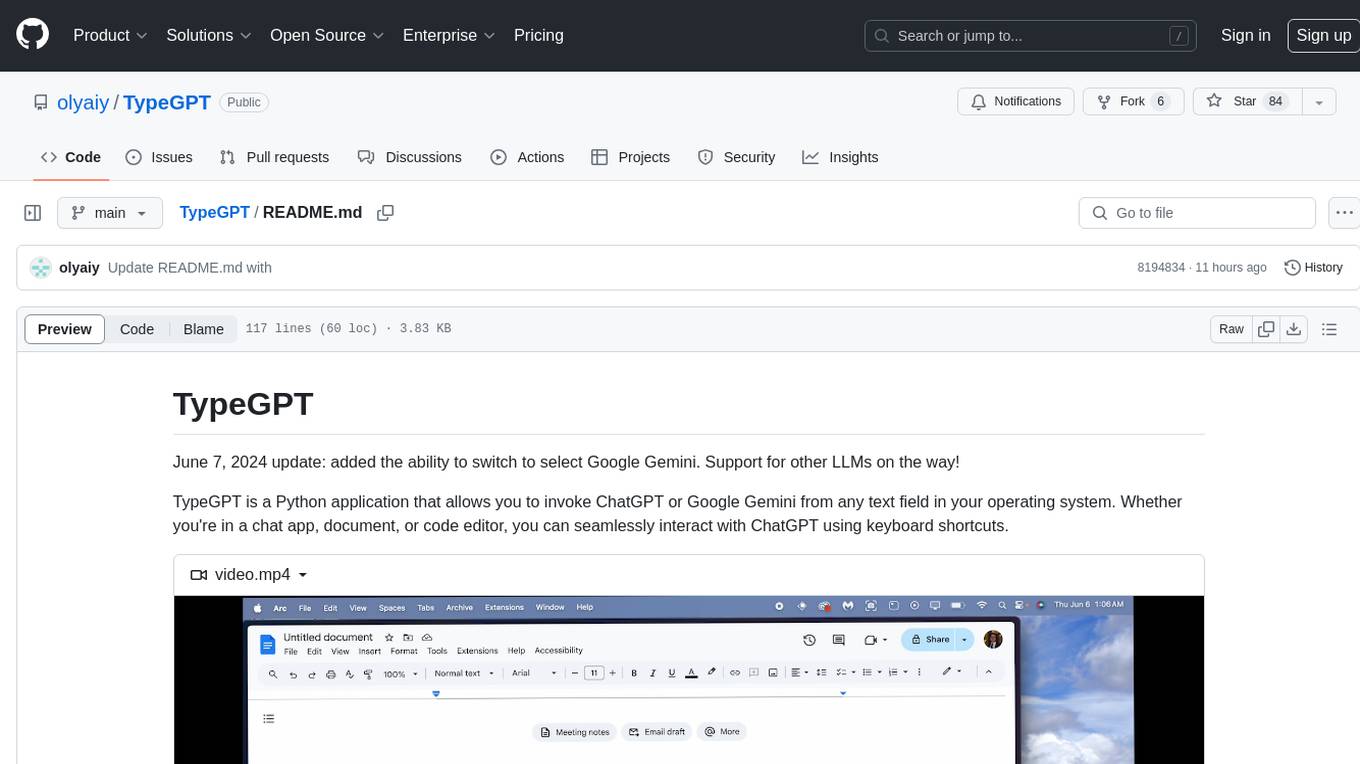
TypeGPT
TypeGPT is a Python application that enables users to interact with ChatGPT or Google Gemini from any text field in their operating system using keyboard shortcuts. It provides global accessibility, keyboard shortcuts for communication, and clipboard integration for larger text inputs. Users need to have Python 3.x installed along with specific packages and API keys from OpenAI for ChatGPT access. The tool allows users to run the program normally or in the background, manage processes, and stop the program. Users can use keyboard shortcuts like `/ask`, `/see`, `/stop`, `/chatgpt`, `/gemini`, `/check`, and `Shift + Cmd + Enter` to interact with the application in any text field. Customization options are available by modifying files like `keys.txt` and `system_prompt.txt`. Contributions are welcome, and future plans include adding support for other APIs and a user-friendly GUI.
DesktopCommanderMCP
Desktop Commander MCP is a server that allows the Claude desktop app to execute long-running terminal commands on your computer and manage processes through Model Context Protocol (MCP). It is built on top of MCP Filesystem Server to provide additional search and replace file editing capabilities. The tool enables users to execute terminal commands with output streaming, manage processes, perform full filesystem operations, and edit code with surgical text replacements or full file rewrites. It also supports vscode-ripgrep based recursive code or text search in folders.
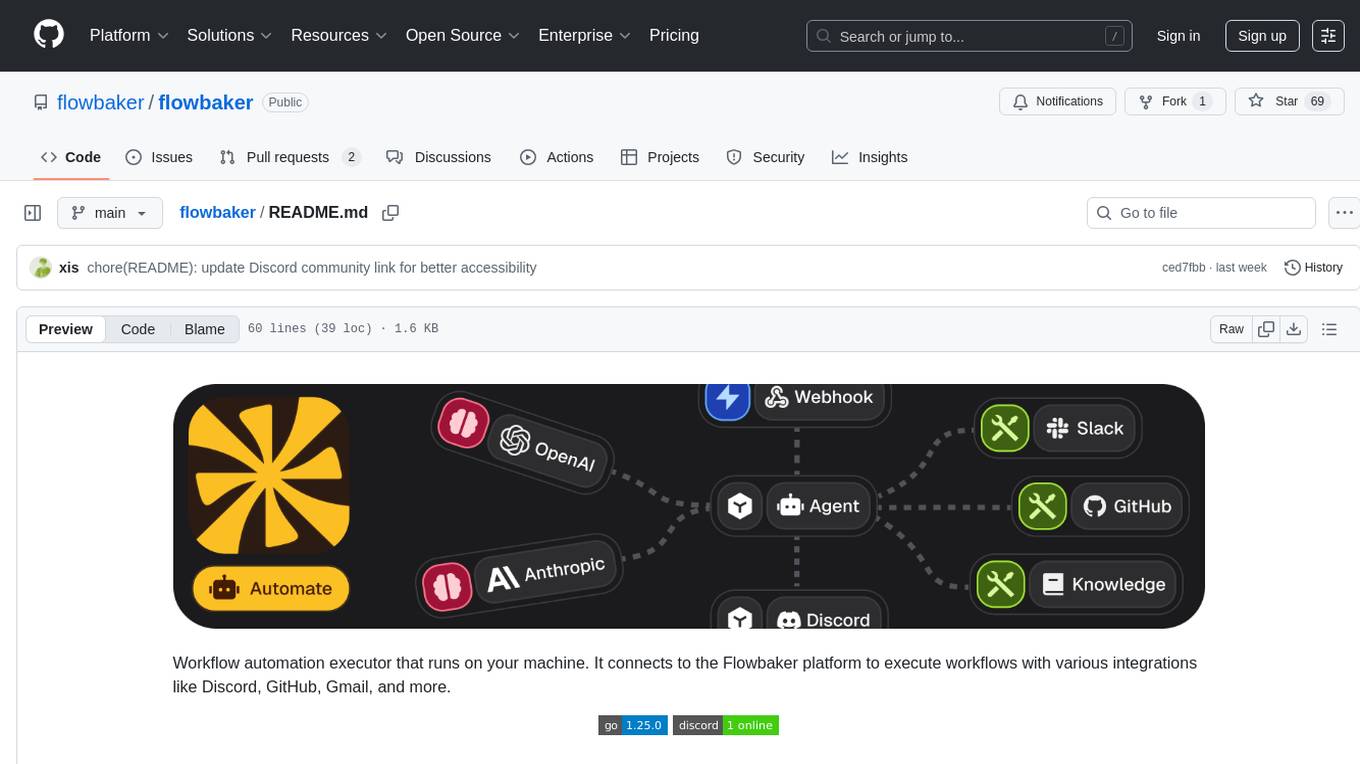
flowbaker
Flowbaker is a workflow automation executor that runs on your machine and connects to the Flowbaker platform to execute workflows with integrations like Discord, GitHub, Gmail, and more. It allows users to automate tasks by setting up workflows and executing them seamlessly. The tool provides a simple and efficient way to manage and automate various processes, enhancing productivity and reducing manual effort.
For similar jobs

promptflow
**Prompt flow** is a suite of development tools designed to streamline the end-to-end development cycle of LLM-based AI applications, from ideation, prototyping, testing, evaluation to production deployment and monitoring. It makes prompt engineering much easier and enables you to build LLM apps with production quality.

deepeval
DeepEval is a simple-to-use, open-source LLM evaluation framework specialized for unit testing LLM outputs. It incorporates various metrics such as G-Eval, hallucination, answer relevancy, RAGAS, etc., and runs locally on your machine for evaluation. It provides a wide range of ready-to-use evaluation metrics, allows for creating custom metrics, integrates with any CI/CD environment, and enables benchmarking LLMs on popular benchmarks. DeepEval is designed for evaluating RAG and fine-tuning applications, helping users optimize hyperparameters, prevent prompt drifting, and transition from OpenAI to hosting their own Llama2 with confidence.

MegaDetector
MegaDetector is an AI model that identifies animals, people, and vehicles in camera trap images (which also makes it useful for eliminating blank images). This model is trained on several million images from a variety of ecosystems. MegaDetector is just one of many tools that aims to make conservation biologists more efficient with AI. If you want to learn about other ways to use AI to accelerate camera trap workflows, check out our of the field, affectionately titled "Everything I know about machine learning and camera traps".

leapfrogai
LeapfrogAI is a self-hosted AI platform designed to be deployed in air-gapped resource-constrained environments. It brings sophisticated AI solutions to these environments by hosting all the necessary components of an AI stack, including vector databases, model backends, API, and UI. LeapfrogAI's API closely matches that of OpenAI, allowing tools built for OpenAI/ChatGPT to function seamlessly with a LeapfrogAI backend. It provides several backends for various use cases, including llama-cpp-python, whisper, text-embeddings, and vllm. LeapfrogAI leverages Chainguard's apko to harden base python images, ensuring the latest supported Python versions are used by the other components of the stack. The LeapfrogAI SDK provides a standard set of protobuffs and python utilities for implementing backends and gRPC. LeapfrogAI offers UI options for common use-cases like chat, summarization, and transcription. It can be deployed and run locally via UDS and Kubernetes, built out using Zarf packages. LeapfrogAI is supported by a community of users and contributors, including Defense Unicorns, Beast Code, Chainguard, Exovera, Hypergiant, Pulze, SOSi, United States Navy, United States Air Force, and United States Space Force.

llava-docker
This Docker image for LLaVA (Large Language and Vision Assistant) provides a convenient way to run LLaVA locally or on RunPod. LLaVA is a powerful AI tool that combines natural language processing and computer vision capabilities. With this Docker image, you can easily access LLaVA's functionalities for various tasks, including image captioning, visual question answering, text summarization, and more. The image comes pre-installed with LLaVA v1.2.0, Torch 2.1.2, xformers 0.0.23.post1, and other necessary dependencies. You can customize the model used by setting the MODEL environment variable. The image also includes a Jupyter Lab environment for interactive development and exploration. Overall, this Docker image offers a comprehensive and user-friendly platform for leveraging LLaVA's capabilities.

carrot
The 'carrot' repository on GitHub provides a list of free and user-friendly ChatGPT mirror sites for easy access. The repository includes sponsored sites offering various GPT models and services. Users can find and share sites, report errors, and access stable and recommended sites for ChatGPT usage. The repository also includes a detailed list of ChatGPT sites, their features, and accessibility options, making it a valuable resource for ChatGPT users seeking free and unlimited GPT services.

TrustLLM
TrustLLM is a comprehensive study of trustworthiness in LLMs, including principles for different dimensions of trustworthiness, established benchmark, evaluation, and analysis of trustworthiness for mainstream LLMs, and discussion of open challenges and future directions. Specifically, we first propose a set of principles for trustworthy LLMs that span eight different dimensions. Based on these principles, we further establish a benchmark across six dimensions including truthfulness, safety, fairness, robustness, privacy, and machine ethics. We then present a study evaluating 16 mainstream LLMs in TrustLLM, consisting of over 30 datasets. The document explains how to use the trustllm python package to help you assess the performance of your LLM in trustworthiness more quickly. For more details about TrustLLM, please refer to project website.

AI-YinMei
AI-YinMei is an AI virtual anchor Vtuber development tool (N card version). It supports fastgpt knowledge base chat dialogue, a complete set of solutions for LLM large language models: [fastgpt] + [one-api] + [Xinference], supports docking bilibili live broadcast barrage reply and entering live broadcast welcome speech, supports Microsoft edge-tts speech synthesis, supports Bert-VITS2 speech synthesis, supports GPT-SoVITS speech synthesis, supports expression control Vtuber Studio, supports painting stable-diffusion-webui output OBS live broadcast room, supports painting picture pornography public-NSFW-y-distinguish, supports search and image search service duckduckgo (requires magic Internet access), supports image search service Baidu image search (no magic Internet access), supports AI reply chat box [html plug-in], supports AI singing Auto-Convert-Music, supports playlist [html plug-in], supports dancing function, supports expression video playback, supports head touching action, supports gift smashing action, supports singing automatic start dancing function, chat and singing automatic cycle swing action, supports multi scene switching, background music switching, day and night automatic switching scene, supports open singing and painting, let AI automatically judge the content.