


tradecat
交易猫;tradecat;全市场量化交易数据平台
Stars: 826
TradeCat is a comprehensive data analysis and trading platform designed for cryptocurrency, stock, and macroeconomic data. It offers a wide range of features including multi-market data collection, technical indicator modules, AI analysis, signal detection engine, Telegram bot integration, and more. The platform utilizes technologies like Python, TimescaleDB, TA-Lib, Pandas, NumPy, and various APIs to provide users with valuable insights and tools for trading decisions. With a modular architecture and detailed documentation, TradeCat aims to empower users in making informed trading decisions across different markets.
README:

本项目ai解读仓库(可能不完全准确):https://zread.ai/tukuaiai/tradecat
感谢社区捐助的资金,让我去完成我的梦想!!!真心感谢你们!!!
免责声明
- 开源与非官方声明:本项目为永久开源项目,任何人可在开源许可范围内自由使用、分发与二次开发。本项目不隶属于任何交易所、基金、做市商或官方组织。
- 非投资建议:本项目及其相关内容仅用于技术研究与社区协作交流,不构成任何形式的投资建议、理财建议或交易建议。数字资产价格波动剧烈,存在归零风险,请自行评估风险并独立决策。
- 代币无发行/无背书:本项目不发行任何代币;任何以本项目名义发行、宣传、拉盘、募资、承诺收益的行为均与本项目无关。相关链上资产(如有)为第三方行为,风险自担。
- 捐赠说明(唯一渠道):本项目目前接受且只接受来自 SOL社区(代币地址,请勿直接转账,否则资产会丢失)(Gysp4iZ6uNuAksAPR37fQwLDRFU9Rz255UjExhiwpump) 与 BSC社区(代币地址,请勿直接转账,否则资产会丢失)(0x8a99b8d53eff6bc331af529af74ad267f3167777) 两个社群的捐赠;捐赠属自愿行为,不提供任何回报或收益承诺。捐赠属自愿行为,不提供任何回报或收益承诺。
- 公开地址与风险提示:我的地址为公开明牌地址,请务必自行核对链、网络与地址,转账一经发生通常不可撤销,因误转/被骗/盗号/仿冒等导致的损失由转账方自行承担。
- 责任限制:在法律允许范围内,项目维护者/贡献者不对任何直接或间接损失承担责任,包括但不限于投资亏损、交易损失、合约风险、钓鱼诈骗、智能合约漏洞、第三方服务故障等。
- 历史情况提示:如涉及原dev或历史资金纠纷等问题,均为历史主体行为,本项目维护者不对第三方过往行为承担责任。
交易市场风云变幻,投资请谨慎,币不是我发的,明牌地址,亏钱请别骂我我害怕,我是玻璃心🙏🙏🙏,原dev已卷款跑路😅😅😅
我的加密货币钱包地址:
sol:HjYhozVf9AQmfv7yv79xSNs6uaEU5oUk2USasYQfUYau
bsc:0xa396923a71ee7D9480b346a17dDeEb2c0C287BBC,0x60c062e7600f74079ea7b5e5568edfb9a3f61f0f
toy-level 数据分析/交易数据平台
全部市场,全部数据,全部方法,分析一切,交易一切,监控一切
English | 简体中文












🤖 从零开始? 复制这行到 AI 助手:
按照 https://github.com/tukuaiai/tradecat/blob/main/README.md 的说明帮我安装 TradeCat
点击展开👉 💰 救救孩子
救救孩子,感谢了,好人一生平安🙏🙏🙏
-
币安 UID:
572155580 -
Tron (TRC20):
TQtBXCSTwLFHjBqTS4rNUp7ufiGx51BRey -
Solana:
HjYhozVf9AQmfv7yv79xSNs6uaEU5oUk2USasYQfUYau -
Ethereum (ERC20):
0xa396923a71ee7D9480b346a17dDeEb2c0C287BBC -
BNB Smart Chain (BEP20):
0xa396923a71ee7D9480b346a17dDeEb2c0C287BBC -
Bitcoin:
bc1plslluj3zq3snpnnczplu7ywf37h89dyudqua04pz4txwh8z5z5vsre7nlm -
Sui:
0xb720c98a48c77f2d49d375932b2867e793029e6337f1562522640e4f84203d2e
点击展开👉 🚀 快速开始
把下面的提示词复制到 Claude / ChatGPT / Cursor / Kiro,AI 会自动执行安装,零人工介入
方式一:完整部署提示词(推荐)
📄 README.md - 包含详细的 10 步部署流程,支持:
- 系统依赖自动安装
- 服务初始化和配置
- HuggingFace 历史数据自动下载导入
- 守护进程和日志轮转配置
- 完整的故障排查指南
复制该文件内容给 AI 助手即可自动完成全部部署。
点击展开👉 📋 简化版安装提示词
按照 https://github.com/tukuaiai/tradecat/blob/main/README.md 的说明帮我安装 TradeCat

要求:
1. 读取文档后直接执行安装命令,不要生成脚本
2. 一步一步执行,每步确认成功后继续
3. 遇到错误自动分析并修复
4. 安装完成后运行 ./scripts/verify.sh 验证
5. 全程零人工介入
📺 视频教程: WSL2 安装配置教程
先在 Windows 用户目录创建 .wslconfig:
notepad "$env:USERPROFILE\.wslconfig"写入:
[wsl2]
memory=10GB
processors=6
swap=12GB
networkingMode=mirrored
重启 WSL:wsl --shutdown,然后使用上面的 AI 安装提示词。
# 0) 环境检查(可选,推荐部署前运行)
./scripts/check_env.sh

# 1) 初始化(创建各服务 .venv + 依赖 + 复制配置模板)
./scripts/init.sh

# 2) 填写全局配置(含 BOT_TOKEN / DB / 代理 等)
cp config/.env.example config/.env && chmod 600 config/.env
# 端口选择:保持 5434(新库)或改为 5433(旧库),见下方端口说明
vim config/.env

# 3) 启动核心服务(ai + data + signal + telegram + trading)
./scripts/start.sh start
./scripts/start.sh status
说明:顶层
./scripts/start.sh管理ai-service、data-service、signal-service、telegram-service、trading-service(ai-service 为子模块,仅做就绪检查,无独立进程)。
可选服务需手动启动:cd services/consumption/api-service && ./scripts/start.sh start(REST API,默认端口 8088)。
- 路径:
config/.env(已由 init.sh 复制),权限需 600,服务启动脚本会强制校验。 -
TimescaleDB 端口说明(重要):
-
新库(5434):
config/.env.example默认端口,含 raw/agg/quality 多 schema 架构,推荐新部署使用 -
旧库(5433):与早期数据采集链兼容,
scripts/export_timescaledb.sh/scripts/timescaledb_compression.sh默认使用 -
选择建议:
- 继续沿用旧库:保持
DATABASE_URL端口 5433,并将 markets-service 脚本端口改为 5433 - 切换到新库:保持 5434,同时修改顶层运维脚本与 README 示例端口为 5434,确保存储/压缩/导出脚本一致
- 继续沿用旧库:保持
- 混用风险:脚本与服务若指向不同端口会造成数据分叉;变更前先备份
-
新库(5434):
- 核心字段:
-
DATABASE_URL(TimescaleDB,见下方端口说明) -
BOT_TOKEN(Telegram Bot Token) -
TELEGRAM_GROUP_WHITELIST(群聊白名单,逗号分隔;为空仅私聊;群聊仅响应/或!开头且需 @bot) -
HTTP_PROXY/HTTPS_PROXY(需要代理时填写) - 外部地址:
BINANCE_WEB_BASE、BINANCE_PING_URL、SYMBOLS_ALL_URL、TELEGRAM_API_BASE、POLYMARKET_WEB_BASE、KALSHI_WEB_BASE、OPINION_WEB_BASE、NODEJS_SETUP_URL、NOFX_* - 币种/周期:
SYMBOLS_GROUPS、SYMBOLS_EXTRA、SYMBOLS_EXCLUDE、INTERVALS、KLINE_INTERVALS、FUTURES_INTERVALS - 采集/计算开关:
BACKFILL_MODE/BACKFILL_DAYS/BACKFILL_ON_START、MAX_CONCURRENT、RATE_LIMIT_PER_MINUTE - 默认值:
BACKFILL_MODE=all(全量回填,若设置BACKFILL_START_DATE则按起始日计算天数;否则约 10 年)、SYMBOLS_GROUPS=main4(只拉 BTC/ETH/SOL/BNB,如需全市场改为all或自定义分组) - 计算后端:
COMPUTE_BACKEND、MAX_WORKERS、HIGH_PRIORITY_TOP_N、INDICATORS_ENABLED/INDICATORS_DISABLED - 展示过滤:
BINANCE_API_DISABLED、DISABLE_SINGLE_TOKEN_QUERY、SNAPSHOT_HIDDEN_FIELDS、BLOCKED_SYMBOLS - AI/交易:
AI_INDICATOR_TABLES、AI_INDICATOR_TABLES_DISABLED、LLM_BACKEND、LLM_API_BASE_URL、EXTERNAL_API_KEY、LLM_MODEL、LLM_MAX_TOKENS、AI_LARGE_PAYLOAD_CHAR_LIMIT、AI_FORCE_GEMINI_ON_LARGE_PAYLOAD、AI_DEFAULT_PROMPT、AI_RECORD_ENABLED、AI_RECORD_PAYLOAD、AI_RECORD_PROMPT、AI_RECORD_MESSAGES、AI_RECORD_ANALYSIS、AI_RECORD_MAX_DIRS、BINANCE_API_KEY、BINANCE_API_SECRET - 国际化:
DEFAULT_LOCALE(默认 en)、SUPPORTED_LOCALES(zh-CN,en)、FALLBACK_LOCALE
-
从 HuggingFace 下载预置数据集,跳过漫长的历史回填:
🔗 数据集: huggingface.co/datasets/123olp/binance-futures-ohlcv-2018-2026
方式一:使用自动下载脚本(推荐)
默认下载 Main4 精简数据集(415MB,4币种,1150万条记录,2020-2026完整历史)
# 安装依赖
services/ingestion/data-service/.venv/bin/pip install pandas psycopg2-binary huggingface_hub

# 默认下载 Main4 数据集(BTC/ETH/BNB/SOL,415MB)
python scripts/download_hf_data.py

# 或指定币种
python scripts/download_hf_data.py --symbols BTCUSDT,ETHUSDT,BNBUSDT
脚本特性:
- 默认下载 Main4 精简数据集(415MB),不是完整版(13GB)
- 流式读取,内存友好
- 支持断点续传(已下载的文件会跳过)
方式二:手动导入(完整数据)
# 0. 创建库并导入 schema(依次执行仓库内 SQL)
for f in libs/database/db/schema/*.sql; do
  psql -h localhost -p 5433 -U postgres -d market_data -f "$f"
done

# 1. 导入 K线数据 (3.73亿条)
zstd -d candles_1m.bin.zst -c | psql -h localhost -p 5433 -U postgres -d market_data \
  -c "COPY market_data.candles_1m FROM STDIN WITH (FORMAT binary)"

# 2. 导入期货数据 (9457万条)
zstd -d futures_metrics_5m.bin.zst -c | psql -h localhost -p 5433 -U postgres -d market_data \
  -c "COPY market_data.binance_futures_metrics_5m FROM STDIN WITH (FORMAT binary)"
端口说明:模板默认 5434,但仓库脚本默认 5433。复制后请在
config/.env中把DATABASE_URL端口改为 5433,或若选择 5434,则务必同步修改scripts/export_timescaledb.sh、scripts/timescaledb_compression.sh与所有示例命令端口。
-
端口选择:
config/.env.example默认端口为 5434(新库,含 raw/agg/quality schema);核心脚本scripts/export_timescaledb.sh、scripts/timescaledb_compression.sh默认 5433(旧库)。请根据实际使用情况选定端口并同步修改。 - CI 仅执行 ruff + py_compile 抽样(
.github/workflows/ci.yml,检查前 50 个 .py 文件),不会跑 tests;提交前本地仍需./scripts/verify.sh。 -
scripts/install.sh生成各服务.env但运行时只读config/.env;避免多份配置漂移。
- 旧库(5433,单 schema
market_data):与早期数据采集链兼容,仍被scripts/export_timescaledb.sh/scripts/timescaledb_compression.sh及多数示例命令使用。 - 新库(5434,多 schema
raw/agg/quality):config/.env.example、markets-service 的初始化与迁移脚本(init_market_db.sh、sync_from_old_db.sh、migrate_5434.sql等)默认指向此库。 - 使用原则:
- 继续沿用旧库:保持
DATABASE_URL5433,并将 markets-service 脚本端口改为 5433。 - 切换到新库:保持 5434,同时修改顶层运维脚本与 README 示例端口为 5434,确保存储/压缩/导出脚本一致。
- 继续沿用旧库:保持
- 混用风险:脚本与服务若指向不同端口会造成数据分叉;变更前先备份
./scripts/export_timescaledb.sh(当前默认 5433)。
./scripts/verify.sh点击展开👉 📖 手动安装步骤
| 依赖 | 版本 | 说明 |
|---|---|---|
| Python | 3.12+ | CI 使用 3.12 |
| PostgreSQL | 16+ | 需安装 TimescaleDB 扩展 |
| TA-Lib | 0.4+ | 系统级库,需单独安装 |
| SQLite | 3.x | 系统自带 |
git clone https://github.com/tukuaiai/tradecat.git
cd tradecat# Ubuntu/Debian
sudo apt-get update
sudo apt-get install -y build-essential python3-dev
# 安装 TA-Lib
wget http://prdownloads.sourceforge.net/ta-lib/ta-lib-0.4.0-src.tar.gz
tar -xzf ta-lib-0.4.0-src.tar.gz
cd ta-lib && ./configure --prefix=/usr && make && sudo make install
cd .. && rm -rf ta-lib ta-lib-0.4.0-src.tar.gz# 初始化所有服务(创建虚拟环境、安装依赖、复制配置)
./scripts/init.sh
# 或单独初始化某个服务
./scripts/init.sh data-service# 编辑 `config/.env`(init.sh 已自动从 .env.example 复制;请同步端口为 5433 以与脚本一致)
vim config/.env关键配置补充(信号服务):
-
SIGNAL_DATA_MAX_AGE:信号数据最大允许时长(秒),超过则跳过不产生信号;默认 600,可按部署环境调整。 -
COOLDOWN_SECONDS(signal-service):PG 信号冷却时间(秒),可与规则级冷却配合,避免重复推送。
关键配置补充(nofx-dev,预览服务):
-
NOFX_AI_PAYLOAD_ALL:是否将 ai-service 全量raw_payload.json并入 nofx AI 输入(1/0),默认 1。
# 启动所有服务
./scripts/start.sh start

# 查看状态
./scripts/start.sh status

# 停止全部
./scripts/start.sh stop./scripts/verify.sh点击展开👉 ✨ 核心特性
|
|
|
|
|
|
点击展开👉 🏗️ 架构设计
graph TD
    subgraph 外部数据源["🌐 币安交易所 API"]
        API_WS["WebSocket K线"]
        API_REST["REST 期货指标"]
    end

    subgraph DS["📦 data-service<br><small>Python, asyncio, ccxt, cryptofeed</small>"]
        DS_BF["backfill<br>历史回填"]
        DS_LIVE["live<br>实时采集"]
        DS_MET["metrics<br>期货指标"]
    end

    API_WS --> DS_LIVE
    API_REST --> DS_MET

    subgraph TSDB["🗄️ TimescaleDB :5433<br><small>PostgreSQL 16 + TimescaleDB</small>"]
        TS_CANDLE[("candles_1m<br>3.73亿条 / 99GB")]
        TS_FUTURE[("futures_metrics<br>9457万条 / 5GB")]
    end

    DS_BF --> TS_CANDLE
    DS_LIVE --> TS_CANDLE
    DS_MET --> TS_FUTURE

    subgraph TS["📊 trading-service<br><small>Python, pandas, numpy, TA-Lib</small>"]
        TR_ENG["engine<br>计算引擎"]
        TR_IND["indicators<br>34个指标"]
        TR_SCH["scheduler<br>定时调度"]
        TR_PRI["priority<br>高优先级币种筛选"]
    end

    TS_CANDLE --> TR_ENG
    TS_FUTURE --> TR_ENG
    TR_SCH --> TR_ENG
    TR_ENG --> TR_IND
    TR_ENG --> TR_PRI

    SQLITE[("📁 market_data.db<br>SQLite 指标结果")]
    TR_IND --> SQLITE

    subgraph AI["🧠 AI 智能分析"]
        AI_WY["Wyckoff 方法论"]
        AI_MOD["多模型支持<br>Gemini / OpenAI / Claude / DeepSeek"]
    end

    subgraph SIG["🔔 signal-service<br><small>独立信号检测服务</small>"]
        SIG_RULES["rules<br>129条信号规则"]
        SIG_ENG["engines<br>SQLite + PG 引擎"]
        SIG_PUB["events<br>SignalPublisher"]
    end

    SQLITE --> SIG_ENG
    TS_CANDLE --> SIG_ENG
    TS_FUTURE --> SIG_ENG
    SIG_ENG --> SIG_RULES
    SIG_RULES --> SIG_PUB

    subgraph TG["🤖 telegram-service<br><small>python-telegram-bot, aiohttp</small>"]
        TG_CARD["cards<br>排行卡片 20+"]
        TG_ADAPTER["signals/adapter<br>信号服务适配器"]
        TG_HAND["handlers<br>命令处理"]
        TG_BOT["bot<br>主程序"]
    end

    SQLITE --> TG_CARD
    SIG_PUB --> TG_ADAPTER
    TG_ADAPTER --> TG_BOT
    TG_CARD --> TG_BOT
    TG_HAND --> TG_BOT
    AI_MOD --> TG_BOT
    TS_CANDLE -.-> AI_WY
    AI_WY --> AI_MOD

    subgraph ORD["💹 order-service<br><small>Python, ccxt, cryptofeed</small>"]
        ORD_MM["market-maker<br>Avellaneda-Stoikov 做市"]
        ORD_EX["交易执行"]
    end

    TS_CANDLE -.-> ORD_MM
    TS_FUTURE -.-> ORD_MM

    USER["👤 Telegram 用户<br>排行榜查询 | 信号接收 | AI分析"]
TG_BOT --> USER| 服务 | 端口 | 职责 | 技术栈 |
|---|---|---|---|
| data-service | - | 加密货币 K线采集、期货指标采集、历史数据回填 | Python, asyncio, ccxt, cryptofeed |
| markets-service | - | 全市场数据采集(美股/A股/宏观/衍生品定价) | yfinance, akshare, fredapi, QuantLib |
| trading-service | - | 34个技术指标模块计算、高优先级币种筛选、定时调度 | Python, pandas, numpy, TA-Lib |
| signal-service | - | 独立信号检测服务(129条规则、8分类、事件发布) | Python, SQLite, psycopg2 |
| telegram-service | - | Bot 交互、排行榜展示、信号推送 UI(通过 adapter 调用 signal-service) | python-telegram-bot, aiohttp |
| ai-service | - | AI 分析、Wyckoff 方法论(作为 telegram-service 子模块) | Gemini/OpenAI/Claude/DeepSeek |
| api-service | 8000 | REST API 服务(指标/K线/信号数据查询) | FastAPI, Pydantic |
| predict-service | - | 预测市场信号(Polymarket/Kalshi/Opinion) | Node.js, Telegram Bot |
| vis-service | 8087 | 可视化渲染(K线图/指标图/VPVR) | FastAPI, matplotlib, mplfinance |
| order-service | - | 交易执行、Avellaneda-Stoikov 做市 | Python, ccxt, cryptofeed |
| TimescaleDB | 5434 | K线存储、期货数据存储、时序查询优化 | PostgreSQL 16 + TimescaleDB |
graph LR
    subgraph 数据采集
        A["🌐 币安 WebSocket"] --> B["📦 data-service"]
    end

    subgraph 数据存储
        B --> C[("🗄️ TimescaleDB<br>candles_1m<br>futures_metrics")]
    end

    subgraph 指标计算
        C --> D["📊 trading-service<br>35个指标计算"]
        D --> E[("📁 market_data.db<br>SQLite")]
    end

    subgraph 用户服务
        E --> F["🤖 telegram-service"]
        F --> G["👤 用户"]
    end

    subgraph AI分析
        C -.-> H["🧠 AI 分析<br>Gemini/OpenAI/Claude/DeepSeek"]
        H -.-> F
    end

    subgraph 交易执行
        C -.-> I["💹 order-service<br>做市/交易"]
    end
点击展开👉 📊 数据与功能
🔗 历史数据下载: HuggingFace 数据集
| 数据集 | 说明 | 大小 |
|---|---|---|
candles_1m.bin.zst |
K线数据 (2018-至今, 3.73亿条) | ~15 GB |
futures_metrics_5m.bin.zst |
期货指标 (2021-至今, 9457万条) | ~800 MB |
点击展开👉 📋 数据详情与导入步骤
字段说明:
|
字段说明:
|
| 数据类型 | 更新频率 | 延迟 |
|---|---|---|
| K线 (1m) | 实时 WebSocket | < 5秒 |
| K线 (5m/15m/1h/4h/1d/1w) | 聚合计算 | < 10秒 |
| 期货指标 | 每 5 分钟 | < 30秒 |
| 技术指标 | 每分钟轮询 | < 3分钟 |
# 1. 下载数据文件
# 从 HuggingFace 下载 .bin.zst 文件到 backups/timescaledb/

# 2. 恢复表结构
zstd -d schema.sql.zst -c | psql -h localhost -p 5433 -U postgres -d market_data

# 3. 导入 K线数据
zstd -d candles_1m.bin.zst -c | psql -h localhost -p 5433 -U postgres -d market_data \
    -c "COPY market_data.candles_1m FROM STDIN WITH (FORMAT binary)"

# 4. 导入期货数据
zstd -d futures_metrics_5m.bin.zst -c | psql -h localhost -p 5433 -U postgres -d market_data \
    -c "COPY market_data.binance_futures_metrics_5m FROM STDIN WITH (FORMAT binary)"
💡 导入后即可使用 trading-service 计算指标,无需从头采集历史数据。
点击展开👉 🔥 趋势指标 (8个)
| 指标 | 说明 | 参数 |
|---|---|---|
| EMA | 指数移动平均 | 7/25/99 周期 |
| MACD | 异同移动平均 | 12/26/9 |
| SuperTrend | 超级趋势 | ATR 周期 10, 乘数 3 |
| ADX | 平均趋向指数 | 14 周期 |
| Ichimoku | 一目均衡表 | 9/26/52 |
| Donchian | 唐奇安通道 | 20 周期 |
| Keltner | 肯特纳通道 | 20 周期, ATR 2倍 |
| 趋势线 | 自动趋势线识别 | 动态计算 |
点击展开👉 📊 动量指标 (6个)
| 指标 | 说明 | 参数 |
|---|---|---|
| RSI | 相对强弱指数 | 14 周期 |
| KDJ | 随机指标 | 9/3/3 |
| CCI | 商品通道指数 | 20 周期 |
| WilliamsR | 威廉指标 | 14 周期 |
| MFI | 资金流量指数 | 14 周期 |
| RSI谐波 | RSI 背离检测 | 14 周期 |
点击展开👉 📉 波动指标 (4个)
| 指标 | 说明 | 参数 |
|---|---|---|
| 布林带 | Bollinger Bands | 20 周期, 2倍标准差 |
| ATR | 真实波幅 | 14 周期 |
| ATR波幅 | 波动率排行 | 14 周期 |
| 支撑阻力 | 关键价位识别 | 动态计算 |
点击展开👉 📦 成交量指标 (6个)
| 指标 | 说明 | 用途 |
|---|---|---|
| OBV | 能量潮 | 量价背离 |
| CVD | 累积成交量差 | 买卖力量 |
| VWAP | 成交量加权均价 | 机构成本 |
| 成交量比率 | 相对成交量 | 放量识别 |
| 流动性 | 买卖盘深度 | 滑点预估 |
| VPVR | 成交量分布 | 密集成交区 |
点击展开👉 🕯️ K线形态 (61+种)
蜡烛形态 (TA-Lib, 61种)
| 类型 | 形态 |
|---|---|
| 反转形态 | 锤子线、上吊线、吞没、孕线、晨星、黄昏星、三只乌鸦 |
| 持续形态 | 三法、分离线、并列阴阳 |
| 中性形态 | 十字星、纺锤线、高浪线 |
价格形态 (patternpy)
| 类型 | 形态 | 信号 |
|---|---|---|
| 头肩形态 | 头肩顶、头肩底 | 强反转 |
| 双重形态 | 双顶、双底 | 中等反转 |
| 三角形态 | 上升三角、下降三角、对称三角 | 突破方向 |
| 楔形形态 | 上升楔形、下降楔形 | 反向突破 |
| 通道形态 | 上升通道、下降通道、水平通道 | 趋势延续 |
点击展开👉 📡 期货指标 (8个)
| 指标 | 说明 | 信号含义 |
|---|---|---|
| 持仓量 | Open Interest | 市场参与度 |
| 持仓价值 | OI Value (USDT) | 资金规模 |
| 多空比 | Long/Short Ratio | 散户情绪 |
| 大户多空比 | Top Trader L/S | 主力方向 |
| 主动买卖比 | Taker Buy/Sell | 即时情绪 |
| 资金费率 | Funding Rate | 多空成本 |
| 爆仓数据 | Liquidations | 极端行情 |
| 期货情绪聚合 | 综合评分 | 多维度分析 |
系统自动识别高优先级币种 (约 130-150 个),基于以下维度:
高优先级 = K线维度 ∪ 期货维度

K线维度:
  - 成交额 Top 50
  - 波动率 Top 30
  - 涨跌幅 Top 30

期货维度:
  - 持仓价值 Top 30
  - 主动买卖比极端 (>1.5 或 <0.67)
  - 多空比极端 (>2.0 或 <0.5)
|
|
| 触发方式 | 功能 | 说明 |
|---|---|---|
BTC! |
单币查询 | 交互式多面板查看 |
BTC!! |
完整TXT导出 | 下载 psql 风格完整报告 |
BTC@ |
AI分析 | 威科夫深度市场分析 |
/data |
数据面板 | 访问排行榜卡片 |
/ai |
AI分析 | 进入AI币种选择 |
/query |
币种查询 | 显示可查询币种 |
/help |
帮助 | 使用说明 |
点击展开👉 📁 目录结构
tradecat/
│
├── 📂 config/                      # 统一配置(所有服务共用)
│   ├── .env                        # 生产配置(含密钥,不提交)
│   ├── .env.example                # 配置模板
│   └── logrotate.conf              # 日志轮转
│
├── 📂 scripts/                     # 全局脚本
│   ├── install.sh                  # 一键安装
│   ├── init.sh                     # 初始化脚本
│   ├── start.sh                    # 统一启动/守护脚本
│   ├── verify.sh                   # 验证脚本
│   ├── sync_market_data_to_rds.py  # SQLite -> PostgreSQL 增量同步
│   ├── export_timescaledb.sh       # 数据导出
│   └── timescaledb_compression.sh  # 压缩管理
│
├── 📂 services/                    # 服务分层(采集/计算/消费)
│   │
│   ├── 📂 ingestion/               # 采集层:写 TimescaleDB
│   │   └── 📂 data-service/        # 加密货币数据采集服务
│   │       ├── 📂 src/
│   │       │   ├── 📂 collectors/  # 采集器
│   │       │   ├── 📂 adapters/    # 适配器
│   │       │   └── config.py
│   │       ├── 📂 scripts/
│   │       ├── Makefile
│   │       ├── pyproject.toml
│   │       ├── requirements.txt
│   │       └── requirements.lock.txt
│   │
│   ├── 📂 compute/                 # 计算层:读 PG / 写 SQLite
│   │   ├── 📂 trading-service/     # 指标计算服务(写入 SQLite)
│   │   ├── 📂 signal-service/      # 信号检测服务(规则引擎)
│   │   └── 📂 ai-service/          # AI 分析(telegram 子模块)
│   │
│   └── 📂 consumption/             # 消费层:对外呈现(Telegram/API)
│       ├── 📂 telegram-service/    # Telegram Bot(卡片/订阅/快照)
│       └── 📂 api-service/         # REST API(可选)
│
├── 📂 libs/                        # 共享库
│   ├── 📂 database/                # 数据库文件
│   │   └── 📂 services/
│   │       ├── 📂 telegram-service/
│   │       │   └── market_data.db      # 指标数据(Telegram 展示)
│   │       └── 📂 signal-service/
│   │           └── cooldown.db         # 信号冷却持久化(防重复推送)
│   └── 📂 common/                  # 共享工具
│       ├── i18n.py                 # 国际化模块
│       ├── symbols.py              # 币种管理模块
│       ├── proxy_manager.py        # 代理管理器
│       └── utils/                  # 工具函数
│
├── 📂 artifacts/                   # 构建/测试产物
│   ├── 📂 coverage/                # 覆盖率数据
│   │   └── .coverage
│   ├── 📂 dist/                    # 构建输出
│   └── 📂 i18n/                    # i18n 编译产物
│       └── messages.mo
│
├── 📂 cache/                       # 工具缓存
│   ├── pytest/
│   └── ruff/
│
├── 📂 logs/                        # 顶层日志
│   └── daemon.log
│
├── 📂 run/                         # 顶层进程状态
│   └── daemon.pid
│
├── 📂 docs/                        # 项目文档
│   ├── CHANGELOG.md
│   ├── COMPETITION_REPORT.md
│   ├── MARKETING_PROMO.md
│   └── TODO.md
│
├── 📂 .github/                     # 社区与安全规范
│   ├── CONTRIBUTING.md
│   ├── CODE_OF_CONDUCT.md
│   └── SECURITY.md
│
├── 📂 backups/                     # 备份目录
│   └── 📂 timescaledb/             # 数据库备份
│
├── Makefile                        # 常用命令
├── README.md                       # 项目说明
├── AGENTS.md                       # AI Agent 指南
└── .python-version                 # Python 版本锁定
点击展开👉 🔧 运维指南
点击展开👉 统一管理(推荐)
# 启动所有服务
./scripts/start.sh start

# 查看状态
./scripts/start.sh status

# 停止全部
./scripts/start.sh stop

# 重启
./scripts/start.sh restart
点击展开👉 单服务管理
# data-service(支持守护模式)
cd services/ingestion/data-service
./scripts/start.sh start    # 启动(含守护)
./scripts/start.sh stop     # 停止
./scripts/start.sh status   # 状态

# trading-service / telegram-service
cd services/compute/trading-service  # 或 services/consumption/telegram-service
./scripts/start.sh start    # 启动
./scripts/start.sh stop     # 停止
./scripts/start.sh status   # 状态

# api-service(可选)
cd services/consumption/api-service
./scripts/start.sh start
./scripts/start.sh status
点击展开👉 初始化
# 初始化全部服务
./scripts/init.sh

# 初始化单个服务
./scripts/init.sh data-service
点击展开👉 验证与检查
./scripts/verify.sh点击展开👉 查看日志
# data-service 日志
tail -f services/ingestion/data-service/logs/backfill.log
tail -f services/ingestion/data-service/logs/metrics.log
tail -f services/ingestion/data-service/logs/ws.log

# trading-service 日志
tail -f services/compute/trading-service/logs/service.log

# telegram-service 日志
tail -f services/consumption/telegram-service/logs/bot.log

# signal-service 日志
tail -f services/compute/signal-service/logs/signal-service.log

# 守护进程日志
tail -f logs/daemon.log
点击展开👉 进程监控
# 查看所有相关进程
ps aux | grep -E "data-service|trading-service|telegram|simple_scheduler"

# 查看资源占用
htop -p $(pgrep -d',' -f "simple_scheduler|crypto_trading")点击展开👉 TimescaleDB 查询
# 连接数据库
PGPASSWORD=postgres psql -h localhost -p 5433 -U postgres -d market_data

# 常用查询
-- K线数据量
SELECT COUNT(*) FROM market_data.candles_1m;

-- 最新数据时间
SELECT MAX(bucket_ts) FROM market_data.candles_1m;

-- 币种列表
SELECT DISTINCT symbol FROM market_data.candles_1m ORDER BY symbol;

-- 单币种数据
SELECT * FROM market_data.candles_1m
WHERE symbol = 'BTCUSDT'
ORDER BY bucket_ts DESC LIMIT 10;
点击展开👉 SQLite 查询
# 连接数据库
sqlite3 libs/database/services/telegram-service/market_data.db

# 常用查询
.tables                          -- 查看所有表
.schema "K线形态扫描器.py"        -- 查看表结构

-- 查看形态数据
SELECT * FROM "K线形态扫描器.py"
WHERE 形态类型 LIKE '%头肩%'
LIMIT 10;点击展开👉 导出 TimescaleDB
# 运行导出脚本 (后台执行)
nohup ./scripts/export_timescaledb.sh &

# 查看进度
tail -f backups/timescaledb/export.log
ls -lh backups/timescaledb/

# 输出文件:
# - candles_1m_*.bin.zst      (~15GB, K线数据)
# - futures_metrics_*.bin.zst (~800MB, 期货数据)
# - schema_*.sql.zst          (表结构)
# - restore_*.sh              (恢复脚本)
点击展开👉 恢复数据
cd backups/timescaledb

# 恢复 schema
zstd -d schema_*.sql.zst -c | psql -h localhost -p 5433 -U postgres -d market_data

# 恢复 K线数据
zstd -d candles_1m_*.bin.zst -c | psql -h localhost -p 5433 -U postgres -d market_data \
    -c "COPY market_data.candles_1m FROM STDIN WITH (FORMAT binary)"

# 恢复期货数据
zstd -d futures_metrics_*.bin.zst -c | psql -h localhost -p 5433 -U postgres -d market_data \
-c "COPY market_data.binance_futures_metrics_5m FROM STDIN WITH (FORMAT binary)"点击展开👉 Q: TA-Lib 安装失败?
# 确保先安装系统库
sudo apt-get install -y build-essential

# 下载并编译 TA-Lib
wget http://prdownloads.sourceforge.net/ta-lib/ta-lib-0.4.0-src.tar.gz
tar -xzf ta-lib-0.4.0-src.tar.gz
cd ta-lib
./configure --prefix=/usr
make
sudo make install

# 然后安装 Python 包
pip install TA-Lib
点击展开👉 Q: K线形态显示"无形态"?
# 检查 TA-Lib 是否安装
python -c "import talib; print(talib.__version__)"

# 检查形态库是否安装
pip install m-patternpy
pip install tradingpattern --no-deps

# 重启 trading-service
cd services/compute/trading-service
./scripts/start.sh restart
点击展开👉 Q: 数据库连接失败?
# 检查 PostgreSQL 是否运行
sudo systemctl status postgresql

# 检查端口
ss -tlnp | grep 5433

# 检查连接
PGPASSWORD=postgres psql -h localhost -p 5433 -U postgres -c "\l"
点击展开👉 📞 联系方式
- Telegram 频道: tradecat_ai_channel
- Telegram 交流群: glue_coding
- Twitter/X: 123olp
- Twitter/X: 123olp
- discord: tradecat
本项目采用 MIT License 开源许可证。
For Tasks:
Click tags to check more tools for each tasksFor Jobs:
Alternative AI tools for tradecat
Similar Open Source Tools
For similar tasks
FinRobot
FinRobot is an open-source AI agent platform designed for financial applications using large language models. It transcends the scope of FinGPT, offering a comprehensive solution that integrates a diverse array of AI technologies. The platform's versatility and adaptability cater to the multifaceted needs of the financial industry. FinRobot's ecosystem is organized into four layers, including Financial AI Agents Layer, Financial LLMs Algorithms Layer, LLMOps and DataOps Layers, and Multi-source LLM Foundation Models Layer. The platform's agent workflow involves Perception, Brain, and Action modules to capture, process, and execute financial data and insights. The Smart Scheduler optimizes model diversity and selection for tasks, managed by components like Director Agent, Agent Registration, Agent Adaptor, and Task Manager. The tool provides a structured file organization with subfolders for agents, data sources, and functional modules, along with installation instructions and hands-on tutorials.
AirdropsBot2024
AirdropsBot2024 is an efficient and secure solution for automated trading and sniping of coins on the Solana blockchain. It supports multiple chain networks such as Solana, BTC, and Ethereum. The bot utilizes premium APIs and Chromedriver to automate trading operations through web interfaces of popular exchanges. It offers high-speed data analysis, in-depth market analysis, support for major exchanges, complete security and control, data visualization, advanced notification options, flexibility and adaptability in trading strategies, and profile management.
gpt-bitcoin
The gpt-bitcoin repository is focused on creating an automated trading system for Bitcoin using GPT AI technology. It provides different versions of trading strategies utilizing various data sources such as OHLCV, Moving Averages, RSI, Stochastic Oscillator, MACD, Bollinger Bands, Orderbook Data, news data, fear/greed index, and chart images. Users can set up the system by creating a .env file with necessary API keys and installing required dependencies. The repository also includes instructions for setting up the environment on local machines and AWS EC2 Ubuntu servers. The future plan includes expanding the system to support other cryptocurrency exchanges like Bithumb, Binance, Coinbase, OKX, and Bybit.
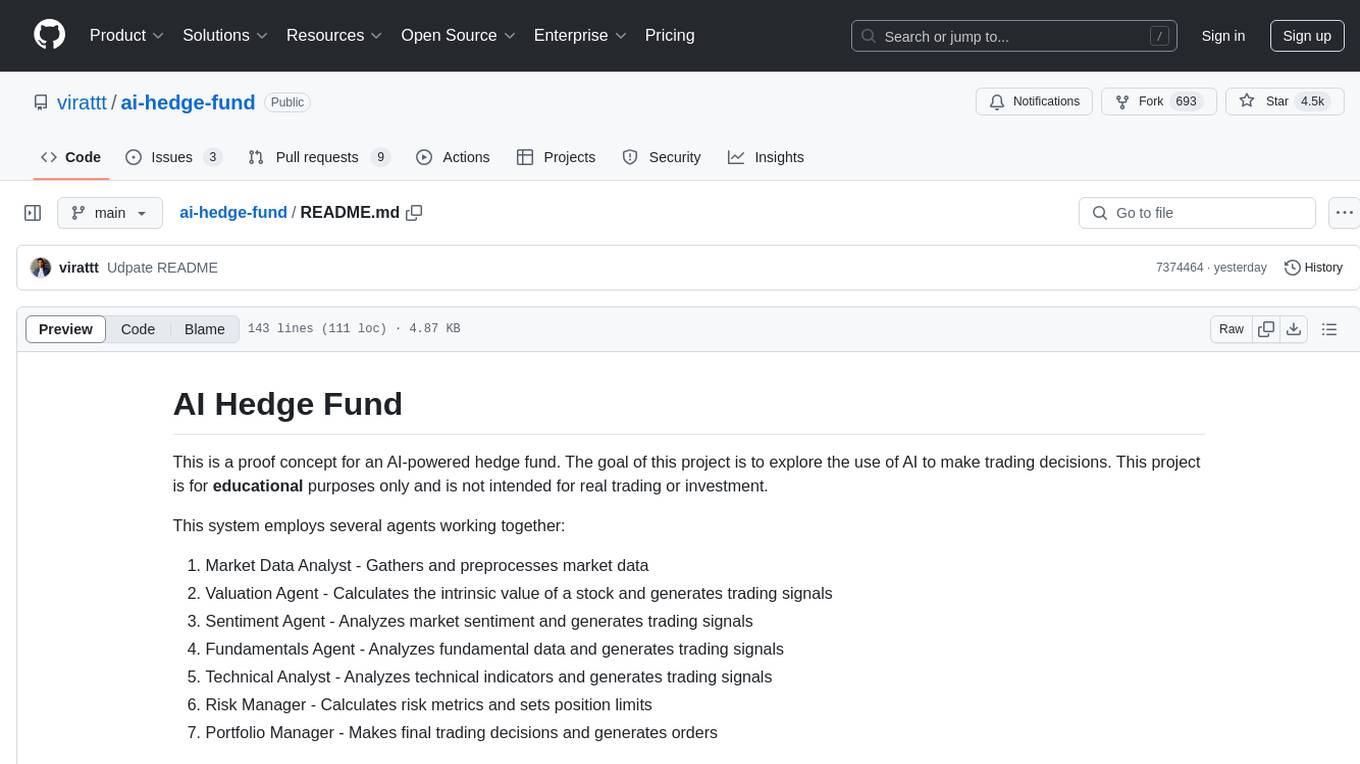
ai-hedge-fund
AI Hedge Fund is a proof of concept for an AI-powered hedge fund that explores the use of AI to make trading decisions. The project is for educational purposes only and simulates trading decisions without actual trading. It employs agents like Market Data Analyst, Valuation Agent, Sentiment Agent, Fundamentals Agent, Technical Analyst, Risk Manager, and Portfolio Manager to gather and analyze data, calculate risk metrics, and make trading decisions.
PredictorLLM
PredictorLLM is an advanced trading agent framework that utilizes large language models to automate trading in financial markets. It includes a profiling module to establish agent characteristics, a layered memory module for retaining and prioritizing financial data, and a decision-making module to convert insights into trading strategies. The framework mimics professional traders' behavior, surpassing human limitations in data processing and continuously evolving to adapt to market conditions for superior investment outcomes.
tradecat
TradeCat is a comprehensive data analysis and trading platform designed for cryptocurrency, stock, and macroeconomic data. It offers a wide range of features including multi-market data collection, technical indicator modules, AI analysis, signal detection engine, Telegram bot integration, and more. The platform utilizes technologies like Python, TimescaleDB, TA-Lib, Pandas, NumPy, and various APIs to provide users with valuable insights and tools for trading decisions. With a modular architecture and detailed documentation, TradeCat aims to empower users in making informed trading decisions across different markets.
agents
Polymarket Agents is a developer framework and set of utilities for building AI agents to trade autonomously on Polymarket. It integrates with Polymarket API, provides AI agent utilities for prediction markets, supports local and remote RAG, sources data from various services, and offers comprehensive LLM tools for prompt engineering. The architecture features modular components like APIs and scripts for managing local environments, server set-up, and CLI for end-user commands.
PanWatch
PanWatch is a private AI stock assistant for real-time market monitoring, intelligent technical analysis, and multi-account portfolio management. It offers data privacy through self-hosted deployment, AI-native features that understand user's holdings, style, and goals, and easy setup with Docker. The core functions include intelligent agent system for pre-market analysis, real-time intraday monitoring, end-of-day reports, and news updates. It also provides professional technical analysis with trend indicators, momentum indicators, volume-price analysis, pattern recognition, and support/resistance calculations. PanWatch supports multiple markets and accounts, covering A shares, Hong Kong stocks, and US stocks, with customizable trading styles for accurate AI suggestions. Notifications are available through various channels like Telegram, WeChat Work, DingTalk, Feishu, Bark, and custom webhooks.
For similar jobs
qlib
Qlib is an open-source, AI-oriented quantitative investment platform that supports diverse machine learning modeling paradigms, including supervised learning, market dynamics modeling, and reinforcement learning. It covers the entire chain of quantitative investment, from alpha seeking to order execution. The platform empowers researchers to explore ideas and implement productions using AI technologies in quantitative investment. Qlib collaboratively solves key challenges in quantitative investment by releasing state-of-the-art research works in various paradigms. It provides a full ML pipeline for data processing, model training, and back-testing, enabling users to perform tasks such as forecasting market patterns, adapting to market dynamics, and modeling continuous investment decisions.
jupyter-quant
Jupyter Quant is a dockerized environment tailored for quantitative research, equipped with essential tools like statsmodels, pymc, arch, py_vollib, zipline-reloaded, PyPortfolioOpt, numpy, pandas, sci-py, scikit-learn, yellowbricks, shap, optuna, ib_insync, Cython, Numba, bottleneck, numexpr, jedi language server, jupyterlab-lsp, black, isort, and more. It does not include conda/mamba and relies on pip for package installation. The image is optimized for size, includes common command line utilities, supports apt cache, and allows for the installation of additional packages. It is designed for ephemeral containers, ensuring data persistence, and offers volumes for data, configuration, and notebooks. Common tasks include setting up the server, managing configurations, setting passwords, listing installed packages, passing parameters to jupyter-lab, running commands in the container, building wheels outside the container, installing dotfiles and SSH keys, and creating SSH tunnels.
FinRobot
FinRobot is an open-source AI agent platform designed for financial applications using large language models. It transcends the scope of FinGPT, offering a comprehensive solution that integrates a diverse array of AI technologies. The platform's versatility and adaptability cater to the multifaceted needs of the financial industry. FinRobot's ecosystem is organized into four layers, including Financial AI Agents Layer, Financial LLMs Algorithms Layer, LLMOps and DataOps Layers, and Multi-source LLM Foundation Models Layer. The platform's agent workflow involves Perception, Brain, and Action modules to capture, process, and execute financial data and insights. The Smart Scheduler optimizes model diversity and selection for tasks, managed by components like Director Agent, Agent Registration, Agent Adaptor, and Task Manager. The tool provides a structured file organization with subfolders for agents, data sources, and functional modules, along with installation instructions and hands-on tutorials.
hands-on-lab-neo4j-and-vertex-ai
This repository provides a hands-on lab for learning about Neo4j and Google Cloud Vertex AI. It is intended for data scientists and data engineers to deploy Neo4j and Vertex AI in a Google Cloud account, work with real-world datasets, apply generative AI, build a chatbot over a knowledge graph, and use vector search and index functionality for semantic search. The lab focuses on analyzing quarterly filings of asset managers with $100m+ assets under management, exploring relationships using Neo4j Browser and Cypher query language, and discussing potential applications in capital markets such as algorithmic trading and securities master data management.
jupyter-quant
Jupyter Quant is a dockerized environment tailored for quantitative research, equipped with essential tools like statsmodels, pymc, arch, py_vollib, zipline-reloaded, PyPortfolioOpt, numpy, pandas, sci-py, scikit-learn, yellowbricks, shap, optuna, and more. It provides Interactive Broker connectivity via ib_async and includes major Python packages for statistical and time series analysis. The image is optimized for size, includes jedi language server, jupyterlab-lsp, and common command line utilities. Users can install new packages with sudo, leverage apt cache, and bring their own dot files and SSH keys. The tool is designed for ephemeral containers, ensuring data persistence and flexibility for quantitative analysis tasks.
Qbot
Qbot is an AI-oriented automated quantitative investment platform that supports diverse machine learning modeling paradigms, including supervised learning, market dynamics modeling, and reinforcement learning. It provides a full closed-loop process from data acquisition, strategy development, backtesting, simulation trading to live trading. The platform emphasizes AI strategies such as machine learning, reinforcement learning, and deep learning, combined with multi-factor models to enhance returns. Users with some Python knowledge and trading experience can easily utilize the platform to address trading pain points and gaps in the market.
FinMem-LLM-StockTrading
This repository contains the Python source code for FINMEM, a Performance-Enhanced Large Language Model Trading Agent with Layered Memory and Character Design. It introduces FinMem, a novel LLM-based agent framework devised for financial decision-making, encompassing three core modules: Profiling, Memory with layered processing, and Decision-making. FinMem's memory module aligns closely with the cognitive structure of human traders, offering robust interpretability and real-time tuning. The framework enables the agent to self-evolve its professional knowledge, react agilely to new investment cues, and continuously refine trading decisions in the volatile financial environment. It presents a cutting-edge LLM agent framework for automated trading, boosting cumulative investment returns.
LLMs-in-Finance
This repository focuses on the application of Large Language Models (LLMs) in the field of finance. It provides insights and knowledge about how LLMs can be utilized in various scenarios within the finance industry, particularly in generating AI agents. The repository aims to explore the potential of LLMs to enhance financial processes and decision-making through the use of advanced natural language processing techniques.